The best WiFi smart plugs make lamps and other compatible devices easier to schedule and control by voice. My best overall pick is the TP-Link Tapo Matter Smart Plug Mini, which pairs Matter support with a 15A rating; the Linkind Matter Smart Plug is another standout for shoppers who want a four-pack and Matter compatibility. For a straightforward Alexa household, the Amazon Smart Plug keeps setup within Amazon’s ecosystem. The main tradeoffs are smart-home compatibility, plug size, rated load, and whether you want one brand’s app or broader platform support. Read on for how all 14 options compare and which type of home each suits.

Get your wardrobe favorites delivered free with Prime
- Fast, free delivery on millions of items
- Prime Video, Amazon Music and more included
- Member-only deals all year
Key Takeaways
- Matter support distinguishes the Linkind and Tapo picks from the lineup’s many app- and assistant-focused plugs; it can broaden platform choices, but check that your hub or controller supports Matter.
- The Tapo Matter Mini leads for buyers prioritizing a 15A rating and Matter, while Linkind’s four-pack makes more sense when quantity is the deciding factor.
- Kasa’s HS103 and EP10 options appear in multiple pack sizes, giving buyers a familiar family of choices, but the model and pack should be matched to the feature needs rather than assumed interchangeable.
- Amazon’s plug is the clearest Alexa-first choice; shoppers using Google Home or mixed platforms should favor options whose stated compatibility fits their setup.
- Four-packs dominate this roundup, but a larger bundle only adds value when several outlets are needed and the plugs suit the available sockets and intended devices.
| Linkind Matter Smart Plug, 4-Pack | 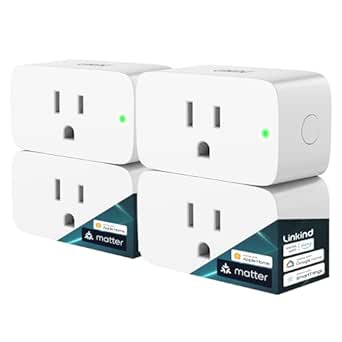 | Best for Multi-Platform Smart Homes | Model: LC09003256 | Pack size: 4 plugs | Maximum power: 1800 W | VIEW ON AMAZON | See Our Full Breakdown |
| Kasa Smart Plug HS103P4, 4-Pack |  | Best Value for Straightforward Setup | Model: HS103P4 | Pack size: 4 plugs | Operating voltage: 120 V AC | VIEW ON AMAZON | See Our Full Breakdown |
| TP-Link Tapo Matter Smart Plug Mini, 15A/1800W, 3-Pack |  | Best Compact Matter Pick | Pack size: 3 plugs | Maximum current: 15 A | Maximum wattage: 1800 W | VIEW ON AMAZON | See Our Full Breakdown |
| GHome Smart Plug (2-Pack), WiFi Smart Outlet with Voice Control |  | Best for App Choice in a Small Pack | Model: WP3 | Pack size: 2 plugs | Connectivity: 2.4 GHz Wi-Fi, Bluetooth | VIEW ON AMAZON | See Our Full Breakdown |
| Amazon Smart Plug, Works with Alexa |  | Best for Alexa-Only Homes | Included: Single-socket, 3-prong Wi-Fi plug | Maximum current: 15 A | Input: 120 VAC, 60 Hz | VIEW ON AMAZON | See Our Full Breakdown |
| EIGHTREE Smart Wi-Fi Plugs with Alexa and Google Assistant, 15A, 4-Pack | 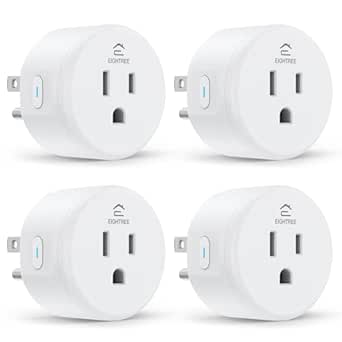 | Best for Flexible Automation | Model: ET01 | Pack size: 4 | Maximum load: 15 A; 1800 W at 120 V | VIEW ON AMAZON | See Our Full Breakdown |
| Kasa Smart Plug Mini EP10P4, 4-Pack | 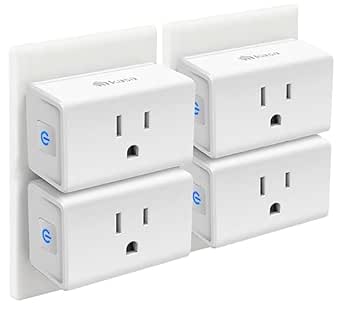 | Best for Away-From-Home Scheduling | Model: EP10P4 | Pack size: 4 | Maximum load: 15 A; 1800 W at 120 V | VIEW ON AMAZON | See Our Full Breakdown |
| Kasa Smart Plug HS103P2 Wi-Fi Outlet, 2-Pack |  | Best Small Starter Set | Model: HS103P2 | Pack size: 2 | Connectivity: 2.4 GHz Wi-Fi | VIEW ON AMAZON | See Our Full Breakdown |
| GHome Smart Plug Mini (4-Pack), WiFi Smart Outlet with Voice Control, Compatible with Alexa and Google Home, 2.4GHz Only, White | 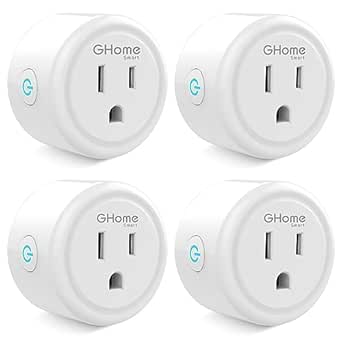 | Best for Alexa and Google Home Basics | Model: WP3 | Pack size: 4 | Maximum load: 10 A; 1200 W at 120 V | VIEW ON AMAZON | See Our Full Breakdown |
| Amazon Basics Smart Plug (4-Pack), White | 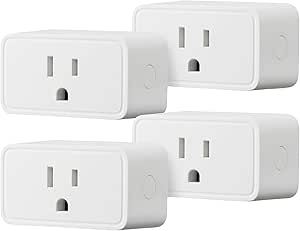 | Best for Alexa-Only Homes | Pack size: 4 | Connectivity: 2.4 GHz Wi-Fi | Compatibility: Alexa only | VIEW ON AMAZON | See Our Full Breakdown |
| EIGHTREE 15A Smart Plugs, 4-Pack | 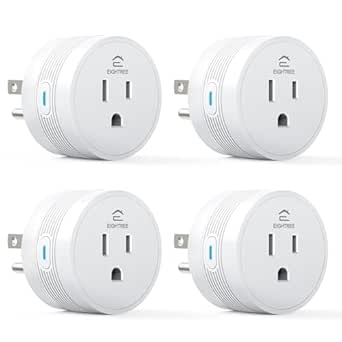 | Best for Compact Spaces | Pack size: 4 plugs | Dimensions: 1.9 x 1.9 x 1.2 inches | Connectivity: 2.4 GHz Wi-Fi | VIEW ON AMAZON | See Our Full Breakdown |
| GHome Smart Plug, Wi-Fi, 4-Pack | 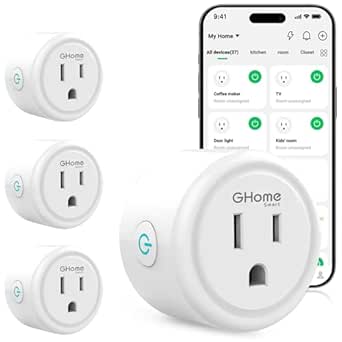 | Best for Shared Household Control | Model: WP3 | Quantity: 4 plugs | Connectivity: 2.4 GHz Wi-Fi; Bluetooth or Wi-Fi setup | VIEW ON AMAZON | See Our Full Breakdown |
| Govee Smart Plug, Wi-Fi Outlet, 4-Pack |  | Best for Bluetooth-and-Wi-Fi Setup | Model: B5081 | Quantity: 4 plugs | Connectivity: Bluetooth and 2.4 GHz Wi-Fi | VIEW ON AMAZON | See Our Full Breakdown |
| GHome Wi-Fi Smart Plug with App and Voice Control | 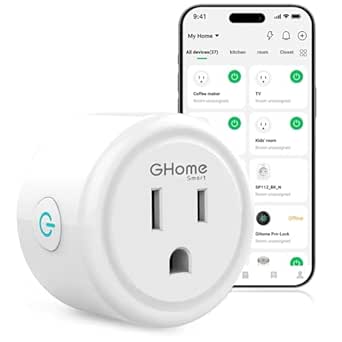 | Best for a Single-Outlet Trial | Model: WP3 | Connectivity: 2.4 GHz Wi-Fi and Bluetooth | Voice assistants: Amazon Alexa, Google Assistant | VIEW ON AMAZON | See Our Full Breakdown |
| wifi smart plug | Connectivity | Model | Pack size | Certifications |
|---|---|---|---|---|
| Linkind Matter Smart Plug | — | LC09003256 | 4 plugs | FCC, ETL |
| Kasa Smart Plug HS103P4 | 2.4 GHz Wi-Fi | HS103P4 | 4 plugs | — |
| TP-Link Tapo Matter Smart Plug | 2.4 GHz Wi-Fi, Bluetooth, Matter | — | 3 plugs | — |
| GHome Smart Plug | 2.4 GHz Wi-Fi, Bluetooth | WP3 | 2 plugs | ETL, FCC listed |
| Amazon Smart Plug | — | — | — | — |
| EIGHTREE Smart Wi-Fi Plugs wit | 2.4 GHz Wi-Fi | ET01 | 4 | ETL, FCC |
| Kasa Smart Plug Mini EP10P4 | 2.4 GHz Wi-Fi | EP10P4 | 4 | UL, RoHS, FCC, IC |
| Kasa Smart Plug HS103P2 Wi-Fi | 2.4 GHz Wi-Fi | HS103P2 | 2 | — |
| GHome Smart Plug Mini | 2.4 GHz Wi-Fi and Bluetooth | WP3 | 4 | ETL, FCC |
| Amazon Basics Smart Plug | 2.4 GHz Wi-Fi | — | 4 | — |
| EIGHTREE 15A Smart Plugs | 2.4 GHz Wi-Fi | — | 4 plugs | FCC, ETL |
| GHome Smart Plug | 2.4 GHz Wi-Fi; Bluetooth or Wi-Fi setup | WP3 | — | ETL, FCC |
| Govee Smart Plug | Bluetooth and 2.4 GHz Wi-Fi | B5081 | — | ETL, FCC |
| GHome Wi-Fi Smart Plug with Ap | 2.4 GHz Wi-Fi and Bluetooth | WP3 | — | ETL, FCC |
More Details on Our Top Picks
Linkind Matter Smart Plug, 4-Pack
I’d choose the Linkind 4-pack when flexibility across smart-home systems matters more than the simplest possible setup. Matter support connects it with Apple Home, Alexa, Google Home, and SmartThings, while local network control can keep compatible routines working through an internet outage. That gives it a broader platform reach than the Kasa HS103P4, which supports Alexa and Google Assistant but does not list Matter. Each plug also handles up to 15 A and 1800 W, with short-circuit and overload protection.
The tradeoff is setup: several platforms require a Matter-certified hub, and the plug needs 2.4 GHz Wi-Fi plus an IPv6 network. If you only need straightforward Alexa or Google control, the Kasa is simpler to assess; I’d skip Linkind if you don’t have the required network or hub for your preferred platform.
Pros:- Matter support spans Apple Home, Alexa, Google Home, and SmartThings
- Local network control can continue during internet outages
- 15 A and 1800 W capacity suits many common household appliances
- Four-plug pack includes short-circuit and overload protection
Cons:- Requires 2.4 GHz Wi-Fi and an IPv6 network
- Several compatible platforms require a Matter-certified hub
Best for: Households using multiple Matter-compatible ecosystems, especially those with a compatible hub and an IPv6 home network.
Not ideal for: Buyers who want the least involved Alexa or Google setup, or whose network lacks IPv6 or a required Matter hub.
- Model:LC09003256
- Pack size:4 plugs
- Maximum power:1800 W
- Maximum current:15 A
- Wi-Fi:2.4 GHz only
- Plug type:Type A
- Certifications:FCC, ETL
Our verdict“Choose Linkind if you want a four-pack with broad Matter platform support and can meet its network and hub requirements.”
Kasa Smart Plug HS103P4, 4-Pack
The Kasa HS103P4 makes the most sense for buyers who want four app-controlled plugs without adding a hub or choosing a Matter setup. It supports Alexa and Google Assistant, plus remote control, schedules, and timers through the Kasa app. Compared with the Linkind Matter Smart Plug, it has fewer listed smart-home platforms and no stated local-control fallback during internet outages, but its simpler compatibility story may suit a home built around Alexa or Google.
Its 1800 W maximum gives it the same stated wattage ceiling as Linkind and Tapo, while UL certification and a two-year warranty add useful product details. The main limitation is the familiar 2.4 GHz-only connection. I’d pass if Apple Home or SmartThings support is a priority, or if your Wi-Fi network doesn’t provide 2.4 GHz.
Pros:- Four plugs support remote control through the Kasa app
- Works with Amazon Alexa and Google Assistant without a hub
- Schedules and timers automate lamps, fans, and similar devices
- UL certified and backed by a two-year warranty
Cons:- Requires a 2.4 GHz Wi-Fi connection
- Listed voice assistant support is limited to Alexa and Google Assistant
- No Matter or internet-outage local control is specified
Best for: Alexa- or Google-centered households that want four plugs with app control, schedules, and no separate hub.
Not ideal for: Buyers seeking Matter compatibility, Apple Home or SmartThings support, or control that is explicitly described as local during internet outages.
- Model:HS103P4
- Pack size:4 plugs
- Operating voltage:120 V AC
- Maximum wattage:1800 W
- Connectivity:2.4 GHz Wi-Fi
- Voice assistants:Amazon Alexa, Google Assistant
- Safety certification:UL certified
- Warranty:2 years
Our verdict“Pick the Kasa HS103P4 for uncomplicated four-plug control in an Alexa or Google home that does not need Matter.”
TP-Link Tapo Matter Smart Plug Mini, 15A/1800W, 3-Pack
The Tapo Matter Smart Plug Mini is a strong fit when you want Matter’s broad platform support in a compact outlet design. It works with Apple Home, Alexa, Google Home, and SmartThings, and its Bluetooth onboarding is intended to simplify initial setup. The compact shape can help keep the neighboring outlet accessible—a practical advantage over bulkier plugs, though the supplied details do not give dimensions. Like the Linkind Matter Smart Plug, Tapo offers local network control when internet access is unavailable.
Its three-pack is smaller than Linkind’s four-pack, so it’s a better match for a few targeted devices than outfitting several rooms at once. Each unit is limited to 15 A and 1800 W, and it still requires 2.4 GHz Wi-Fi. I’d favor Tapo for compact Matter-enabled use, but consider Kasa HS103P4 if you want four plugs and don’t need Matter.
Pros:- Matter support works across Apple Home, Alexa, Google Home, and SmartThings
- Compact design helps preserve access to the adjacent outlet
- Local network control can work without internet access
- Bluetooth onboarding and a UL-certified flame-retardant design
Cons:- Three-plug pack provides fewer units than the Linkind and Kasa four-packs
- Requires 2.4 GHz Wi-Fi
- Maximum load is 15 A and 1800 W
Best for: Smart-home users who need a compact Matter plug for a few outlets and want compatibility across major platforms.
Not ideal for: Buyers who need more than three plugs in one pack, use 5 GHz-only Wi-Fi, or need a stated load above 15 A or 1800 W.
- Pack size:3 plugs
- Maximum current:15 A
- Maximum wattage:1800 W
- Operating voltage:120 V AC
- Connectivity:2.4 GHz Wi-Fi, Bluetooth, Matter
- Compatible platforms:Apple Home, Amazon Alexa, Google Home, Samsung SmartThings
- Safety design:UL-certified flame-retardant design
- Warranty:2-year limited warranty
Our verdict“Choose Tapo for compact Matter control across major platforms when three plugs are enough.”
GHome Smart Plug (2-Pack), WiFi Smart Outlet with Voice Control
The GHome WP3 two-pack suits buyers who want basic remote switching and a choice of app, without buying a larger bundle. You can control devices through GHome, Smart Life, or Tuya, then use Alexa or Google Assistant for voice commands. It also supports schedules and timers without a separate hub. Compared with the Amazon Smart Plug, GHome is not limited to Alexa, and its multiple app options may fit households already using Smart Life or Tuya.
The tradeoffs are its 1200 W maximum—lower than the 1800 W listed for Kasa, Linkind, and Tapo—and a required GHome app setup before connecting voice assistants. Its plastic construction may also feel less substantial than alternatives. I’d choose it for lower-load lamps or fans when app flexibility matters; skip it for higher-wattage appliances or a Matter-based home.
Pros:- Works with Alexa and Google Assistant
- Supports GHome, Smart Life, and Tuya apps
- No separate hub is required
- Schedules and timers automate connected devices
Cons:- 1200 W maximum is below the 1800 W limit listed for several alternatives
- Requires initial setup through the GHome app before voice-assistant linking
- Plastic construction may feel less durable than other options
Best for: Buyers who need two plugs for lamps or fans and want Alexa or Google voice control with GHome, Smart Life, or Tuya app options.
Not ideal for: People automating appliances that need more than 1200 W, or shoppers looking for Matter support or a more durable-feeling construction.
- Model:WP3
- Pack size:2 plugs
- Connectivity:2.4 GHz Wi-Fi, Bluetooth
- Voice assistants:Alexa, Google Home
- Voltage:120 V
- Maximum wattage:1200 W
- Dimensions:2.1 × 2.1 × 1.1 inches
- Certifications:ETL, FCC listed
Our verdict“Pick the GHome WP3 for two lower-load devices when app choice matters more than Matter support or a higher power ceiling.”
Amazon Smart Plug, Works with Alexa
The Amazon Smart Plug is the most focused pick here: it adds app control, voice commands, routines, timers, and schedules for an Alexa household, with no separate hub. Its design is listed as leaving the second outlet free, which can matter when a wall plate has to serve more than one device. Unlike the GHome WP3, though, it doesn’t support Google Assistant or alternative control apps; unlike the Tapo Matter Mini, it has no cross-platform Matter support.
The 15 A maximum matches the stated capacity of Linkind and Tapo, and the plug can reconnect to Alexa after power or Wi-Fi outages. It remains indoor-only and requires 2.4 GHz Wi-Fi. I’d choose it for someone already committed to Alexa who wants a single, direct option, but skip it if anyone in the home relies on another assistant.
Pros:- Works with Alexa without a separate smart-home hub
- Compact design is intended to leave the second outlet free
- Supports Alexa routines, timers, schedules, and voice control
- Automatically reconnects to Alexa after power or Wi-Fi outages
Cons:- Compatible with Alexa only
- Supports 2.4 GHz Wi-Fi, not 5 GHz
- Indoor use only
Best for: Alexa users who want one indoor plug for routines, timers, and voice control without a separate hub.
Not ideal for: Households using Google Home, Apple Home, or another assistant, and anyone needing outdoor use or Matter integration.
- Included:Single-socket, 3-prong Wi-Fi plug
- Maximum current:15 A
- Input:120 VAC, 60 Hz
- Wi-Fi:2.4 GHz, 802.11 b/g/n; no 5 GHz support
- Compatibility:Alexa only
- Use:Indoor only
- Dimensions:3.2 × 1.5 × 2.2 inches
- Warranty:1-year limited warranty
Our verdict“Choose the Amazon Smart Plug if your home runs on Alexa and you want a single indoor plug without cross-platform needs.”
EIGHTREE Smart Wi-Fi Plugs with Alexa and Google Assistant, 15A, 4-Pack
The EIGHTREE ET01 stands out for offering more automation choices than a basic on/off plug: schedules, timers, countdowns, and cycles cover routines such as timed lighting or repeated operation. Its four-plug pack and stated 15 A / 1800 W capacity suit buyers automating several compatible household devices. Unlike the Amazon Basics Smart Plug, it works with both Alexa and Google Assistant, and it also supports SmartThings, which gives it a wider smart-home fit.
The tradeoff is setup: voice control requires the Smart Life app, so it is less direct than Amazon Basics for an Alexa-only home. It also needs 2.4 GHz Wi-Fi and will not join a 5 GHz-only network. I would pick it for varied automation needs, not for shoppers seeking the simplest single-ecosystem setup.
Pros:- Supports schedules, timers, countdowns, and cycles
- Works with Alexa, Google Assistant, and SmartThings
- Four-plug pack with stated 15 A / 1800 W maximum
- Compact body and ETL certification
Cons:- Requires the Smart Life app for setup before voice control
- Connects to 2.4 GHz Wi-Fi only
Best for: Households that want four plugs, several timer styles, and compatibility with Alexa, Google Assistant, or SmartThings
Not ideal for: People with a 5 GHz-only Wi-Fi network or Alexa users who want setup confined to the Alexa app
- Model:ET01
- Pack size:4
- Maximum load:15 A; 1800 W at 120 V
- Connectivity:2.4 GHz Wi-Fi
- Smart home compatibility:Alexa, Google Assistant, SmartThings
- Setup app:Smart Life
- Dimensions:1.96 x 1.96 x 2.03 inches
- Certifications:ETL, FCC
Our verdict“Choose the EIGHTREE ET01 if you want four plugs with multiple automation options and broader assistant compatibility than the Alexa-only Amazon Basics pack.”
Kasa Smart Plug Mini EP10P4, 4-Pack
The Kasa EP10P4 earns its place for buyers who want a familiar app-based setup plus Away Mode, which can switch connected devices on and off while the household is out. That gives it a clearer security-oriented use than the EIGHTREE ET01, whose listed automation centers on schedules, timers, countdowns, and cycles. The four-pack also makes it practical to set up several lights or small appliances, while 15 A / 1800 W is the stated maximum load.
Its compact shape is designed to leave the neighboring outlet accessible, and UL certification is a useful safety detail. The limitation is ecosystem breadth: it supports Alexa and Google Assistant but not SmartThings, unlike EIGHTREE. Setup and control depend on the Kasa app, and a 2.4 GHz network is required, so it is not the pick for app-free or 5 GHz-only households.
Pros:- Away Mode adds an at-home-while-away lighting option
- Four-plug pack supports Alexa and Google Assistant
- Compact design is intended to leave the second outlet accessible
- UL certified and rated up to 15 A / 1800 W
Cons:- Requires the Kasa app for setup and control
- Supports 2.4 GHz Wi-Fi only
- Does not list SmartThings compatibility
Best for: People who want to automate several lights and use Away Mode to vary their operation while the home is empty
Not ideal for: SmartThings households or buyers who prefer not to rely on the Kasa app and 2.4 GHz Wi-Fi
- Model:EP10P4
- Pack size:4
- Maximum load:15 A; 1800 W at 120 V
- Connectivity:2.4 GHz Wi-Fi
- Voice assistants:Amazon Alexa, Google Assistant
- App features:Schedules, timers, Away Mode
- Dimensions:2.36 x 2.03 x 1.5 inches
- Certifications:UL, RoHS, FCC, IC
Our verdict“Pick the Kasa EP10P4 if Away Mode and a four-plug Kasa setup matter more than SmartThings support or app-free control.”
Kasa Smart Plug HS103P2 Wi-Fi Outlet, 2-Pack
The Kasa HS103P2 is the straightforward choice for someone automating one or two devices rather than outfitting several rooms. It provides app and voice control through Alexa and Google Assistant, plus schedules and timers, without asking buyers to learn a larger set of automation options. Compared with the four-plug Kasa EP10P4, this two-pack is a smaller commitment; the EP10P4 is the better fit if you want Away Mode or more outlets automated at once.
Each plug has a manual power button, a practical fallback if a phone or voice assistant is not at hand, and the product is UL certified. The listed load is 15 A resistive at 120 VAC. Its main constraint is network compatibility: setup requires 2.4 GHz Wi-Fi. The supplied details do not list dimensions or an Away Mode feature, so buyers seeking those specifics should compare the EP10P4 instead.
Pros:- Two-plug pack suits a small first setup
- Supports Alexa and Google Assistant voice control
- Timers and schedules enable automatic on/off operation
- Manual power button and UL certification
Cons:- Requires a 2.4 GHz Wi-Fi connection
- Two plugs provide less coverage than the four-pack Kasa EP10P4
- Product data does not specify dimensions or Away Mode
Best for: New smart-plug buyers who need app and voice control for just one or two lights or compatible appliances
Not ideal for: People automating several rooms, seeking Away Mode, or relying on a 5 GHz-only Wi-Fi network
- Model:HS103P2
- Pack size:2
- Connectivity:2.4 GHz Wi-Fi
- Voice assistants:Amazon Alexa, Google Assistant
- Maximum load:15 A resistive at 120 VAC
- Controls:Kasa app, voice control, manual power button
- Automation:Timers and schedules
- Safety certification:UL
Our verdict“Choose the HS103P2 for a simple two-device start; step up to the Kasa EP10P4 if you need four plugs and Away Mode.”
GHome Smart Plug Mini (4-Pack), WiFi Smart Outlet with Voice Control, Compatible with Alexa and Google Home, 2.4GHz Only, White
The GHome WP3 is a compact four-pack for households that want basic remote and voice control across Alexa or Google Home. Its scheduling, timer, and group-control options cover everyday routines, while the stated 10 A / 1200 W limit makes its capacity more restricted than the EIGHTREE ET01 and Kasa EP10P4, both listed at 15 A / 1800 W. That difference matters when choosing what to connect: this GHome model is better suited to lower-load devices than buyers who need the higher stated limits.
Wi-Fi plus Bluetooth is listed for connectivity, but setup still starts in the GHome app before linking a voice assistant. The plug is designed to avoid blocking adjacent outlets and carries ETL and FCC certifications. Its clear drawback is network range: it supports 2.4 GHz Wi-Fi only, so it will not suit a 5 GHz-only setup.
Pros:- Four plugs support Alexa and Google Home voice control
- Scheduling, timers, and group control are listed
- Compact design is intended to keep adjacent outlets clear
- ETL and FCC certified
Cons:- 10 A / 1200 W stated limit is lower than the 15 A / 1800 W EIGHTREE and Kasa options
- Requires GHome app setup before linking voice assistants
- Does not support 5 GHz Wi-Fi
Best for: Alexa or Google Home users who want four compact plugs for lower-load lights and compatible small devices
Not ideal for: Buyers connecting devices that need more than the stated 10 A / 1200 W limit, or homes using only 5 GHz Wi-Fi
- Model:WP3
- Pack size:4
- Maximum load:10 A; 1200 W at 120 V
- Connectivity:2.4 GHz Wi-Fi and Bluetooth
- Compatibility:Alexa, Google Home
- Dimensions:2 x 2 x 1 inches
- Material:Polycarbonate
- Certifications:ETL, FCC
Our verdict“Choose the GHome WP3 for compact, lower-load Alexa or Google Home control, but choose the EIGHTREE ET01 or Kasa EP10P4 for a higher stated load limit.”
Amazon Basics Smart Plug (4-Pack), White
The Amazon Basics four-pack is the most direct match for a household already organized around Alexa. Setup and remote management run through the Alexa app, with no hub or third-party app required; that is simpler than the EIGHTREE ET01, which needs Smart Life setup, or the GHome WP3, which begins in the GHome app. Scheduling and voice control cover the core smart-plug tasks, and the compact Type B design is intended to leave adjacent outlets available.
The compromise is strict ecosystem focus: this model works with Alexa only, unlike the Kasa EP10P4, which also supports Google Assistant. It also requires 2.4 GHz Wi-Fi. The supplied product data lists a 15 A rating but does not state a maximum wattage, so I would not infer a wattage limit from the other plugs in this roundup. Its one-year limited warranty is shorter than the two-year warranties listed for EIGHTREE and Kasa.
Pros:- No hub or third-party app required
- Alexa app supports remote control and scheduling
- Four-plug pack with a compact Type B design
- Listed 15 A rating
Cons:- Works with Alexa only, with no Google Assistant or Siri support
- Requires 2.4 GHz Wi-Fi
- One-year limited warranty is shorter than the two-year EIGHTREE and Kasa warranties
Best for: Alexa households that want four plugs managed through the Alexa app without a hub or third-party setup app
Not ideal for: Google Assistant or SmartThings users, and buyers who need support for 5 GHz Wi-Fi
- Pack size:4
- Connectivity:2.4 GHz Wi-Fi
- Compatibility:Alexa only
- Amperage:15 A
- Plug type:Type B
- Dimensions:2.7 x 2.1 x 1.5 inches
- Warranty:1-year limited warranty
- Control:Alexa app, voice control, scheduling
Our verdict“Choose Amazon Basics if Alexa-only simplicity is your priority; choose the Kasa EP10P4 if you also need Google Assistant compatibility.”
EIGHTREE 15A Smart Plugs, 4-Pack
I’d shortlist the EIGHTREE 4-pack when outlet spacing matters: at 1.9 x 1.9 x 1.2 inches, these plugs are smaller than the GHome WP3 models listed here. App, voice, schedule, timer, and group controls cover the everyday jobs without adding a hub. SmartThings support also gives it an advantage over the GHome and Govee options in this batch if that platform is part of your setup. The main caution is its power information: the description says 1800 W, while the specifications list 1100 W. I wouldn’t choose it for a higher-draw appliance until that discrepancy is clarified. Like the other Wi-Fi picks here, it also requires 2.4 GHz Wi-Fi, not 5 GHz.
Pros:- Compact dimensions suit narrow or crowded outlet areas.
- Supports Smart Life, Alexa, Google Assistant, and SmartThings.
- Schedules, timers, remote control, and groups cover common automation needs.
- Four plugs are included, with no hub required.
Cons:- Power information conflicts: 1800 W is described, but 1100 W appears in the specifications.
- Requires a 2.4 GHz Wi-Fi network.
- SmartThings support may not matter to buyers using only Alexa or Google Assistant.
Best for: People fitting several smart plugs into crowded outlets who want SmartThings, Alexa, or Google Assistant control.
Not ideal for: Buyers planning to control higher-wattage appliances, because the listed power limit conflicts with the product description.
- Pack size:4 plugs
- Dimensions:1.9 x 1.9 x 1.2 inches
- Connectivity:2.4 GHz Wi-Fi
- Control:Smart Life app, Alexa, Google Assistant, SmartThings
- Hub required:No
- Operating voltage:120 V
- Power information:1800 W in description; 1100 W in specifications
- Certifications:FCC, ETL
Our verdict“Choose this four-pack for compact outlets and SmartThings compatibility, but verify its power limit before connecting demanding appliances.”
GHome Smart Plug, Wi-Fi, 4-Pack
The GHome WP3 4-pack suits households where more than one person needs to control the same lamps or small appliances: it supports device sharing alongside app control, schedules, timers, and groups. Its 1200 W listed maximum gives buyers a clearer stated limit than the EIGHTREE plug, whose power figures conflict, though it is below the EIGHTREE description’s 1800 W claim. Setup has an extra step: the plugs must first be connected through the GHome app before Alexa or Google Home can control them. Bluetooth or Wi-Fi setup is listed, but the device still requires a 2.4 GHz Wi-Fi network. Compared with the Govee four-pack, this is the more explicit choice for shared access; Govee instead offers both Bluetooth and Wi-Fi for connectivity.
Pros:- Device sharing helps multiple household members control connected appliances.
- Works with Alexa and Google Home, plus GHome, Smart Life, and Tuya apps.
- Schedules, timers, and grouped control support routine automation.
- Four plugs are included and no hub is required.
Cons:- Requires setup through the GHome app before Alexa or Google Home use.
- Requires a 2.4 GHz Wi-Fi network.
- The listed maximum is 1200 W, which limits suitability for higher-load appliances.
Best for: Households that want four outlets, shared app access, and Alexa or Google Home voice control for everyday devices.
Not ideal for: Buyers who want voice-assistant setup without a brand-app step, or who need a stated capacity above 1200 W.
- Model:WP3
- Quantity:4 plugs
- Connectivity:2.4 GHz Wi-Fi; Bluetooth or Wi-Fi setup
- Maximum current:10 A
- Maximum wattage:1200 W
- Operating voltage:120 V
- App compatibility:GHome, Smart Life, Tuya
- Voice assistants:Alexa, Google Home
- Certifications:ETL, FCC
Our verdict“Pick this GHome pack for shared household control and a stated 1200 W limit, provided the app-first setup suits you.”
Govee Smart Plug, Wi-Fi Outlet, 4-Pack
The Govee four-pack stands apart from the EIGHTREE and GHome options by listing Bluetooth and 2.4 GHz Wi-Fi connectivity. That gives buyers another connection method during setup while keeping remote and voice control available through Alexa, Google Assistant, and the Govee Home app. Schedules and group control make it practical for coordinating several lights or other suitable appliances. Its stated amperage is inconsistent, though: product information gives 11 A, while the description says 10 A. I’d treat that as a reason to check the limit before choosing appliances, rather than assuming the higher figure applies. The EIGHTREE listing has a similar power-data conflict, while the GHome WP3 gives a clearer 10 A and 1200 W specification. This Govee model also does not support 5 GHz Wi-Fi.
Pros:- Lists both Bluetooth and 2.4 GHz Wi-Fi connectivity.
- Works with Amazon Alexa and Google Assistant.
- Schedules and group control help coordinate multiple plugs.
- Four plugs are included, with ETL and FCC certifications.
Cons:- Amperage information conflicts: 11 A in product information and 10 A in the description.
- Does not support 5 GHz Wi-Fi.
- Voice assistant options are limited to Alexa and Google Assistant.
Best for: Alexa or Google Assistant households that want a four-pack with Bluetooth as well as 2.4 GHz Wi-Fi connectivity.
Not ideal for: Buyers who need an unambiguous amperage limit or whose available network is 5 GHz only.
- Model:B5081
- Quantity:4 plugs
- Connectivity:Bluetooth and 2.4 GHz Wi-Fi
- Amperage:11 A in product information; 10 A in description
- Voltage:120 V
- Voice assistants:Amazon Alexa, Google Assistant
- Scheduling and group control:Supported
- Certifications:ETL, FCC
Our verdict“Choose Govee for Bluetooth-and-Wi-Fi connectivity and grouped voice control, but confirm its amperage limit before use.”
GHome Wi-Fi Smart Plug with App and Voice Control
This GHome WP3 is the single-plug choice for buyers who want to try app and voice control without starting with a four-pack. It shares the WP3’s 1200 W maximum, Alexa and Google Assistant support, and compatibility with GHome, Smart Life, and Tuya. Bluetooth is listed alongside 2.4 GHz Wi-Fi, and no hub is required. Compared with the GHome four-pack, the main distinction is the smaller included quantity, not a different feature set; the four-pack makes more sense when several outlets need automation at once. Setup also runs through the GHome app before Alexa or Google Home control is available, so this is not the simplest route for someone who wants to skip manufacturer-app setup. Its 2.1-inch-square body is larger than the compact EIGHTREE plug listed here.
Pros:- Single-plug option for trying smart control on one device.
- Works with Alexa and Google Assistant, plus GHome, Smart Life, and Tuya apps.
- Supports remote control, schedules, timers, groups, and device sharing.
- Bluetooth and 2.4 GHz Wi-Fi connectivity; no hub required.
Cons:- Must be connected through the GHome app before Alexa or Google Home use.
- Requires a 2.4 GHz Wi-Fi network for Wi-Fi operation.
- At 2.1 x 2.1 x 1.1 inches, it is larger across than the EIGHTREE compact plug.
Best for: Someone wanting to automate one lamp or small appliance before committing to a multi-plug setup.
Not ideal for: Buyers outfitting several outlets at once, or anyone who wants to avoid GHome-app setup before voice control.
- Model:WP3
- Connectivity:2.4 GHz Wi-Fi and Bluetooth
- Voice assistants:Amazon Alexa, Google Assistant
- Compatible apps:GHome, Smart Life, Tuya
- Operating voltage:120 V
- Maximum wattage:1200 W
- Dimensions:2.1 x 2.1 x 1.1 inches
- Certifications:ETL, FCC
Our verdict“Choose this GHome plug to automate one suitable device, while the GHome four-pack is a better fit for several outlets.”

How We Picked
I ranked these WiFi smart plugs by the details that change a buying decision: stated smart-home compatibility, rated electrical load where supplied, plug format, app and voice-control approach, and pack size. Matter support earned weight because it can give buyers more flexibility across compatible smart-home platforms, while a 15A rating is a useful differentiator for devices that draw more current than a small lamp. I also treated clearly stated compatibility and specifications as more useful than broad claims that leave setup requirements unclear.
The order reflects fit across different households, not a claim that one plug is best for every use. The Tapo Matter Mini ranks first for combining Matter and a stated 15A/1800W rating; Linkind follows for buyers who want Matter in a four-pack. Kasa’s HS103 and EP10 models, Amazon’s Alexa-focused plug, and the remaining multi-packs serve narrower priorities. Where model details do not establish a specific advantage, I avoid assuming features that are not stated; buyers should check current product specifications and their network and hub requirements before choosing.
| wifi smart plug | Certifications | Voice assistants |
|---|---|---|
| Linkind Matter Smart Plug | FCC, ETL | — |
| Kasa Smart Plug HS103P4 | — | Amazon Alexa, Google Assistant |
| TP-Link Tapo Matter Smart Plug | — | — |
| GHome Smart Plug | ETL, FCC listed | Alexa, Google Home |
| Amazon Smart Plug | — | — |
| EIGHTREE Smart Wi-Fi Plugs wit | ETL, FCC | — |
| Kasa Smart Plug Mini EP10P4 | UL, RoHS, FCC, IC | Amazon Alexa, Google Assistant |
| Kasa Smart Plug HS103P2 Wi-Fi | — | Amazon Alexa, Google Assistant |
| GHome Smart Plug Mini | ETL, FCC | — |
| Amazon Basics Smart Plug | — | — |
| EIGHTREE 15A Smart Plugs | FCC, ETL | — |
| GHome Smart Plug | ETL, FCC | Alexa, Google Home |
| Govee Smart Plug | ETL, FCC | Amazon Alexa, Google Assistant |
| GHome Wi-Fi Smart Plug with Ap | ETL, FCC | Amazon Alexa, Google Assistant |
Factors to Consider When Choosing Wifi Smart Plugs
Before choosing a pack, match the plug to your home’s wireless network, smart-home platform, socket layout, and intended appliance. These checks can matter more than the number of plugs in the box.
Match the plug to your smart-home platform
Start with the system you already use, not the assistant you might add later. A plug listed for Alexa and Google Home is not automatically interchangeable with every other platform, and Matter support still depends on a compatible controller and setup. If you use more than one ecosystem, Matter may offer useful flexibility, but check the product’s stated support and the hub requirements. An Alexa-only household may prefer a simple Alexa-focused option over paying attention to cross-platform support it will not use. Avoid buying several plugs before confirming that the app and pairing process work with your existing setup.
Check the load before plugging in an appliance
Smart plugs are not a universal way to make every electrical device smart. Compare the appliance’s power draw with the plug’s stated maximum rating, and do not infer a safe limit from the product name or pack size. A listed 15A/1800W rating, as specified for the Tapo Matter Mini, gives a clearer reference point than a listing without a stated load in the supplied details. Devices with motors, heating elements, or high startup draw may need extra care; follow both the plug maker’s guidance and the appliance instructions. When the rating is unclear or the appliance draws substantial current, choose a product with explicit specifications or use a purpose-built control instead.
Think about socket spacing and plug shape
A compact plug can matter more than a feature list when outlets sit close together or behind furniture. Check product photos and dimensions where available, then consider whether the plug could block a neighboring socket or make a wall outlet hard to reach. Pack counts do not reveal how easily multiple plugs fit side by side. A mini-style model may suit crowded outlets better, but its actual fit depends on the outlet orientation and nearby adapters. If the plug will sit behind a sofa or cabinet, also think about whether you can reach it to reset or unplug it.
Choose pack size around real outlet needs
Four-packs can simplify outfitting several lamps or rooms, but they are not automatically the best buy if you only need one or two controlled outlets. Count likely uses first, including whether a plug must remain available for a router, charger, or other always-on device. Buying a larger pack also means committing to one app and product family across more outlets. A smaller pack is a sensible way to confirm compatibility and setup before expanding. Avoid choosing solely by bundle size if the model’s platform support or electrical rating does not fit the planned devices.
Decide how much app and automation control you need
For basic schedules and voice commands, a straightforward app may be all you need; more elaborate routines matter only if you plan to use them. Check whether the plug’s controls are managed through the manufacturer’s app, a voice assistant, or a smart-home platform, and decide where you want schedules to live. Running plugs from multiple brand apps can make everyday control less convenient, even when each device works correctly. If your household shares control, consider whether everyone can use the same app or assistant. Keep schedules simple at first, and avoid relying on a smart plug as a safety device or as a substitute for an appliance’s own controls.
Frequently Asked Questions
Should I choose a Matter smart plug or one made for my voice assistant?
Choose based on the system you use today and the flexibility you expect to need. Matter support, as listed for the Linkind and Tapo options here, can help connect a plug to compatible smart-home platforms, but it may require a Matter-capable controller. An assistant-specific model can be simpler if your home already centers on that assistant, as with the Amazon Smart Plug and Alexa. Check the exact model’s compatibility rather than assuming every plug from a brand supports the same platforms. If you are unsure, confirm hub and app requirements before buying a multi-pack.
Can I use a WiFi smart plug with a heater or other high-power appliance?
Only if the plug’s stated electrical rating supports the appliance and the manufacturer allows that use. This roundup includes a Tapo model specified at 15A/1800W, but that figure should not be applied to other models without checking their own specifications. Heaters, motors, and appliances with startup surges can place different demands on a plug than a lamp does. Read the appliance label and plug instructions, and leave a safety margin rather than operating at an unclear limit. If either product’s guidance rules out the pairing, do not connect them.
Do I need to replace my router to use these smart plugs?
Usually not, but confirm the plug’s WiFi requirements before ordering. Several GHome listings in this roundup explicitly state 2.4GHz-only support, which may require selecting the 2.4GHz band during setup if your router combines bands under one network name. That is a network compatibility detail, not necessarily a reason to buy new hardware. Check whether your router can provide a supported band and whether the phone app’s setup instructions match your network configuration. If setup fails, the network band and permissions are sensible first checks.
Is a four-pack a better choice than a two-pack?
A four-pack makes sense when you already have several planned uses and want to keep the plugs in one product family. A two-pack can be a better first purchase if you want to confirm app setup, socket fit, or platform compatibility before adding more. This roundup includes both pack sizes for Kasa and GHome models, so buyers can weigh quantity without changing brands. Do not let a larger bundle decide the purchase if its model does not match your smart-home platform or load needs. Count the outlets you will use soon, not every outlet you might automate someday.
Will a smart plug make every device smart or save energy automatically?
No. A smart plug can switch power to compatible devices and support controls such as schedules or voice commands, but it does not add smart features to an appliance that needs its own electronics to operate. It also cannot guarantee energy savings: results depend on what is connected and whether schedules change actual usage. Check that a device safely resumes operation when power returns, especially if it has a physical on/off switch or a delicate startup sequence. For energy tracking, confirm that the specific model offers measurement features; do not assume every plug in this roundup does.
Conclusion
For most buyers, I would start with the TP-Link Tapo Matter Smart Plug Mini: its stated Matter support and 15A/1800W rating make it the strongest all-around fit in this lineup. Choose the Linkind Matter Smart Plug as the best value-oriented pick if you want Matter across a four-pack, while the Amazon Smart Plug is the easiest match for an Alexa-centered home. Buyers seeking a more premium, cross-platform direction should look first at the Tapo Matter Mini, while beginners who already use Alexa may prefer Amazon’s direct ecosystem fit. For specific needs, compare the Kasa HS103 or EP10 pack options for a Kasa-family setup, and consider the 2.4GHz-only GHome models only if that network requirement suits your router. Match the model to your platform, load, and outlet layout before choosing a pack.