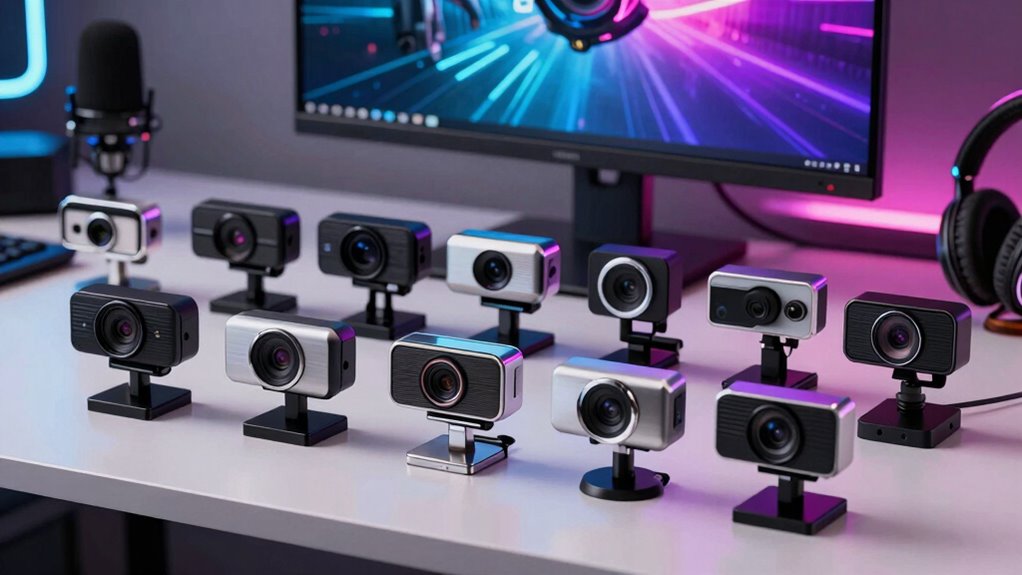

If you’re searching for premium webcams for streaming on Amazon, you’re likely looking for high-quality video, reliable performance, and advanced features like HDR or AI tracking. The Insta360 Link 2 Pro stands out as the overall best thanks to its 4K resolution and versatile PTZ capabilities. The Logitech StreamCam offers excellent full HD 1080p at 60 fps, making it a strong choice for smooth streaming, while the Razer Kiyo Pro Ultra provides a large sensor and high-end build for serious streamers. However, tradeoffs include price jumps for advanced features and sometimes complex setups. Keep reading for a detailed breakdown of these options and what matters most in a premium streaming webcam.

Get your wardrobe favorites delivered free with Prime
- Fast, free delivery on millions of items
- Prime Video, Amazon Music and more included
- Member-only deals all year
Key Takeaways
- The highest-end models like the Insta360 Link 2 Pro and Razer Kiyo Pro Ultra deliver 4K resolution and AI features but come with higher prices and complexity.
- Webcams with auto-framing, HDR, and noise reduction help create more professional streams, especially in variable lighting conditions.
- Build quality and ease of setup vary significantly; premium models often include privacy covers and adjustable mounts but may require more technical knowledge.
- Price often correlates with features—invest more if you need advanced AI tracking, 4K, or multi-mic setups, but some mid-range options still deliver excellent quality.
- Compatibility with streaming platforms and devices varies; ensure your chosen webcam works seamlessly with your setup, especially if using Mac, PC, or gaming consoles.
| Insta360 Link 2 Pro 4K PTZ Webcam for PC/Mac |  | Best Overall for Professional-Grade Streaming and Content Creation | Sensor: 1/1.3” | Video Resolution: 4K | Audio: Directional noise-canceling microphones | VIEW ON AMAZON | See Our Full Breakdown |
| Logitech StreamCam Premium Webcam for Streaming and Content Creation, Full HD 1080p 60 fps, Works with Microsoft Teams, Google Meet, Zoom, Nintendo Switch 2, PC/Mac – Graphite |  | Best for Smooth, Versatile Streaming on a Budget | Resolution: Full HD 1080p at 60 fps | Lens: Premium glass lens | Autofocus: Smart autofocus | VIEW ON AMAZON | See Our Full Breakdown |
| EMEET S600 4K Webcam for Streaming, Sony 1/2.55” Sensor, PDAF Autofocus, 1080P@60FPS, Noise Reduction Mics, Privacy Cover, 73° FOV |  | Best for High-Resolution Versatility and Easy Setup | Sensor: Sony 1/2.55” | Resolution: 4K at 30FPS, 1080P at 60FPS | Autofocus: PDAF | VIEW ON AMAZON | See Our Full Breakdown |
| Insta360 Link 2C Pro 4K Webcam for PC/Mac with Auto Framing and HDR |  | Best for Auto Framing and Versatile Streaming Modes | Sensor: 1/1.3” | Video Resolution: 4K | Microphone: Directional noise-canceling dual-mic | VIEW ON AMAZON | See Our Full Breakdown |
| Logitech Brio 101 Full HD 1080p Webcam for Streaming and Meetings – Black |  | Best for Budget-Friendly, Reliable Streaming and Conferencing | Resolution: 1080p Full HD | Auto-Light Correction: Yes | Built-in Microphone: Yes | VIEW ON AMAZON | See Our Full Breakdown |
| Logitech Brio Ultra 4K HD Webcam for Streaming and Meetings |  | Best Overall for Professional-Grade Streaming | Resolution: 4K at 30 fps | Field of View: 65°, 78°, 90° | Microphones: Dual omnidirectional with noise cancellation | VIEW ON AMAZON | See Our Full Breakdown |
| AOC 4K Webcam for PC, Streaming Computer Camera with Noise-Canceling Mic, 90° FOV, Privacy Cover, Plug & Play, Compatible with Zoom/Skype/FaceTime, Works with Mac/Laptop/Switch, USB C-A Adapter Included |  | Best for Wide-Angle Streaming and Versatile Compatibility | Resolution: 4K Ultra HD | Field of View: 90° | Connectivity: USB-C & USB-A Adapter | VIEW ON AMAZON | See Our Full Breakdown |
| Logitech 4K Webcam |  | Best for Flexible Field of View and High Frame Rates | Resolution: 4K HD | Field of View: 90°, 78°, 65° | Frame Rate: Up to 90 fps | VIEW ON AMAZON | See Our Full Breakdown |
| EMEET 1080P Webcam with Microphone, C960 Web Camera, 2 Mics, 90°FOV, Plug and Play USB for Online Calls and Streaming |  | Best for Budget-Friendly 1080p Streaming with Portability | Resolution: 1920 x 1080p | Field of View: 90° | Microphones: 2 omnidirectional noise reduction mics | VIEW ON AMAZON | See Our Full Breakdown |
| Logitech MX Brio Ultra HD 4K Webcam – Graphite |  | Best for AI-Enhanced Image Quality and Advanced Controls | Resolution: 4K at 30 fps, 1080p at 60 fps | Sensor: Large pixels with advanced sensor | Microphones: Dual beamforming noise-reducing | VIEW ON AMAZON | See Our Full Breakdown |
| Razer Kiyo Pro Ultra 4K Webcam with Large Sensor and Built-in Mic |  | Best Overall for Professional-Grade Streaming | Sensor: 1/1.2″ Sony STARVIS 2 Sensor | Pixel Size: 2.9 μm | Video Resolution: 4K at 30 FPS, 1440P at 30 FPS, 1080P at 60 FPS | VIEW ON AMAZON | See Our Full Breakdown |
| Insta360 Link 2 4K Webcam for PC/Mac with AI Tracking and HDR |  | Best for Versatile Creative Control and AI Features | Sensor: 1/2″ sensor | Resolution: 4K | Features: AI Tracking, HDR, Gesture Control, Noise-Canceling Mic, DeskView, Whiteboard Mode | VIEW ON AMAZON | See Our Full Breakdown |
| Insta360 Link 2C 4K Webcam for PC/Mac with Auto Framing and HDR |  | Best for Auto Framing and All-Around Usability | Sensor: 1/2″ sensor | Resolution: 4K | Features: Auto Framing, HDR, AI Noise-Canceling Mic, Gesture Control | VIEW ON AMAZON | See Our Full Breakdown |
| premium webcams for streaming on amazon | Compatibility | Resolution | Sensor |
|---|---|---|---|
| Insta360 Link 2 Pro 4K PTZ Web | Windows, macOS, Chrome OS, Linux | — | 1/1.3” |
| Logitech StreamCam Premium Web | Microsoft Teams, Google Meet, Zoom, Nintendo Switch 2, PC, Mac | Full HD 1080p at 60 fps | — |
| EMEET S600 4K Webcam for Strea | — | 4K at 30FPS, 1080P at 60FPS | Sony 1/2.55” |
| Insta360 Link 2C Pro 4K Webcam | PC and Mac, supports Zoom, Teams, Twitch | — | 1/1.3” |
| Logitech Brio 101 Full HD 1080 | — | 1080p Full HD | — |
| Logitech Brio Ultra 4K HD Webc | Windows, Mac, ChromeOS | 4K at 30 fps | — |
| AOC 4K Webcam for PC | Zoom, Skype, FaceTime, Mac, Laptop, Switch | 4K Ultra HD | — |
| Logitech 4K Webcam | Windows, Mac, ChromeOS | 4K HD | — |
| EMEET 1080P Webcam with Microp | Windows 10/11, MacOS 10.14+, Linux, Android TV 7.0+ | 1920 x 1080p | — |
| Logitech MX Brio Ultra HD 4K W | Windows, macOS, Chrome OS, Linux | 4K at 30 fps, 1080p at 60 fps | Large pixels with advanced sensor |
| Razer Kiyo Pro Ultra 4K Webcam | Windows, MacOS | — | 1/1.2" Sony STARVIS 2 Sensor |
| Insta360 Link 2 4K Webcam for | PC and Mac, Windows and MacOS (not ARM-based Windows) | 4K | 1/2" sensor |
| Insta360 Link 2C 4K Webcam for | PC and Mac, Windows and MacOS (not ARM Windows) | 4K | 1/2" sensor |
More Details on Our Top Picks
Insta360 Link 2 Pro 4K PTZ Webcam for PC/Mac
The Insta360 Link 2 Pro stands out for its exceptional 4K video quality and large sensor, delivering impressive low-light performance which surpasses many competitors like the Logitech Brio. Its AI tracking and gesture control make it ideal for dynamic presentations and content creators who need hands-free operation. The professional audio with directional microphones adds to its appeal for serious streamers. However, its reliance on USB-C limits compatibility with some older devices, and it isn’t compatible with ARM-based Windows systems, which could be a frustration for some users. Compared to the Insta360 Link 2C Pro, it offers more advanced features but at a higher price point, making it a solid choice for professionals. This pick is perfect for streamers and creators who prioritize top-tier video quality and smart features over universal compatibility.
Pros:- Exceptional 4K video with excellent low-light performance
- AI tracking keeps subjects in frame automatically
- Professional-grade directional microphones improve audio clarity
- Versatile modes and remote control enhance usability
Cons:- Requires USB-C connection, limiting compatibility with some devices
- Not compatible with ARM-based Windows systems
Best for: Content creators and professionals seeking high-end streaming quality with advanced tracking features
Not ideal for: Users with older Windows devices or those requiring USB-A connectivity without adapters
- Sensor:1/1.3”
- Video Resolution:4K
- Audio:Directional noise-canceling microphones
- Compatibility:Windows, macOS, Chrome OS, Linux
- Features:AI tracking, HDR, gesture control, Stream Deck support
Our verdict“This webcam is best suited for professional streamers or content creators who want top-tier quality and smart features, accepting some connectivity tradeoffs.”
Logitech StreamCam Premium Webcam for Streaming and Content Creation, Full HD 1080p 60 fps, Works with Microsoft Teams, Google Meet, Zoom, Nintendo Switch 2, PC/Mac – Graphite
The Logitech StreamCam excels with its crisp 1080p at 60 fps, delivering smooth footage ideal for professional streaming on platforms like Zoom or Stream Deck. Its smart autofocus and auto-framing simplify setup and ensure consistent framing, making it perfect for creators who want quality without fuss. Compared with the Insta360 Link 2 Pro, it trades 4K resolution for easier compatibility and a more straightforward setup, though it lacks advanced AI tracking. Its versatile mounting options allow for flexible placement, but it requires a USB-C port, which can be limiting for some users. This is a strong choice for streamers who prioritize fluid motion and easy operation over ultra-high resolution, especially if they’re on a tighter budget or have older hardware.
Pros:- Crisp 1080p video at 60 fps for smooth streaming
- Smart autofocus and auto-framing ensure consistent framing
- Multiple mounting options for versatile setups
- Compatible with major platforms and devices
Cons:- Requires USB-C connection, possibly needing adapters
- Lacks 4K resolution and advanced AI tracking
Best for: Streamers and content creators who want reliable 1080p60 quality with easy setup and flexible mounting
Not ideal for: Users needing 4K resolution or advanced AI features for high-end production
- Resolution:Full HD 1080p at 60 fps
- Lens:Premium glass lens
- Autofocus:Smart autofocus
- Auto-framing:Yes
- Connection:USB-C
- Compatibility:Microsoft Teams, Google Meet, Zoom, Nintendo Switch 2, PC, Mac
Our verdict“This webcam suits streamers seeking smooth, high-quality 1080p footage with minimal setup hassle and versatile mounting options.”
EMEET S600 4K Webcam for Streaming, Sony 1/2.55” Sensor, PDAF Autofocus, 1080P@60FPS, Noise Reduction Mics, Privacy Cover, 73° FOV
The EMEET S600 offers a compelling balance of 4K sharpness and user-friendly features, with a Sony 1/2.55” sensor delivering crisp detail. Its PDAF autofocus provides quick, accurate focusing, making it suitable for fast-paced streams or gaming. The built-in privacy cover adds security, while the adjustable field of view (from 40° to 73°) offers flexibility for different scenarios. Compared to the Insta360 Link 2 Pro, it may lack some advanced AI tracking but makes up for straightforward plug-and-play operation and compatibility with most systems. Its video resolution depends on software support, which could be limiting for some. This webcam is a good fit for users who want high-resolution video with simple setup, especially if they need adjustable framing.
Pros:- Sharp 4K video with detailed clarity
- Fast PDAF autofocus for quick focusing
- Built-in privacy cover for security
- Adjustable FOV for flexible framing
Cons:- Video quality may depend on software compatibility
- Fixed 73° FOV at 4K can limit wide-angle shots
Best for: Streamers and gamers who want high-quality 4K detail with flexible framing options and easy installation
Not ideal for: Users requiring advanced AI tracking or HDR features for professional productions
- Sensor:Sony 1/2.55”
- Resolution:4K at 30FPS, 1080P at 60FPS
- Autofocus:PDAF
- Field of View:73° (fixed at 4K), 40°-73° (at 1080P)
- Microphones:Noise reduction, stereo
- Connectivity:USB 2.0 & 3.0
Our verdict“This webcam fits users seeking high-res 4K streaming with easy setup and adjustable framing, suitable for gaming and content creation.”
Insta360 Link 2C Pro 4K Webcam for PC/Mac with Auto Framing and HDR
The Insta360 Link 2C Pro makes a strong case for those who value auto framing and multiple content modes, such as Whiteboard or Portrait, thanks to its large 1/1.3” sensor delivering sharp 4K video. Its auto framing and gesture control simplify live sessions, especially for educators or presenters. The support for stream deck integration and HDR enhances workflow flexibility. However, it’s not compatible with ARM-based Windows systems, and some features may require additional software configuration. Compared to the Logitech StreamCam, it offers more advanced scene modes but at a higher price. This webcam is ideal for users who want a combination of 4K quality and intelligent framing suited for professional or educational content.
Pros:- High-quality 4K video with HDR support
- Auto framing and gesture control for hands-free operation
- Supports diverse modes like Whiteboard and Portrait
- Stream Deck integration for workflow enhancement
Cons:- Limited compatibility with ARM Windows systems
- Some features may require software setup
Best for: Educators, presenters, and streamers who need auto framing and multiple content modes
Not ideal for: Users with ARM-based Windows systems or those who seek simple plug-and-play devices without advanced modes
- Sensor:1/1.3”
- Video Resolution:4K
- Microphone:Directional noise-canceling dual-mic
- Auto Framing:Yes
- HDR:Yes
- Compatibility:PC and Mac, supports Zoom, Teams, Twitch
Our verdict“This webcam suits users who want intelligent auto framing and versatile modes for professional or educational streaming, accepting some setup complexity.”
Logitech Brio 101 Full HD 1080p Webcam for Streaming and Meetings – Black
The Logitech Brio 101 provides a straightforward 1080p streaming experience with auto-light correction, making it suitable for casual or professional use. Its privacy shutter and built-in mic contribute to security and convenience, while its simple plug-and-play design offers ease for users who want dependable video quality without extra fuss. Compared with the higher-end Logitech Brio Ultra, it lacks 4K resolution and advanced features, but its affordability and recycled plastic construction make it appealing for eco-conscious users. Its reliance on USB-A could necessitate adapters for newer systems. Overall, this webcam offers a solid, no-frills solution for everyday streaming and meetings, especially where budget matters.
Pros:- 1080p video with auto-light correction for clear images
- Built-in microphone for basic audio needs
- Privacy shutter for added security
- Simple plug-and-play setup
Cons:- Limited to USB-A, may require adapters
- Lacks 4K or advanced streaming features
Best for: Home users, students, or small teams seeking reliable 1080p quality with minimal setup and eco-friendly design
Not ideal for: Professional streamers or content creators needing high resolution or advanced customization
- Resolution:1080p Full HD
- Auto-Light Correction:Yes
- Built-in Microphone:Yes
- Privacy Shutter:Yes
- Connection:USB-A
- Eco-Friendly:Made with 77% recycled plastic
Our verdict“This webcam is a practical choice for users who want dependable 1080p video and security features at an accessible price point.”
Logitech Brio Ultra 4K HD Webcam for Streaming and Meetings
The Logitech Brio stands out for delivering stunning 4K Ultra HD video quality with adjustable field of view options, making it ideal for high-end streaming and professional meetings. Its automatic light correction ensures clear visuals in various lighting environments, while the built-in privacy shutter adds security. Compared to the Logitech 4K Webcam, it offers higher resolution and more features, but its higher price point and hardware demands may not suit all users. This webcam makes the most sense for content creators and professionals who prioritize image quality and security over budget and hardware constraints.
Pros:- Exceptional 4K video quality with adjustable FOV
- Automatic light correction for consistent image clarity
- Built-in privacy shutter enhances security
- Supports Windows Hello facial recognition
Cons:- Requires powerful hardware for smooth 4K streaming
- Higher price compared to less advanced webcams
Best for: Professional streamers and corporate users needing top-tier video quality and security features
Not ideal for: Casual users or those with limited hardware, as 4K streaming can be demanding and costly
- Resolution:4K at 30 fps
- Field of View:65°, 78°, 90°
- Microphones:Dual omnidirectional with noise cancellation
- Light Correction:RightLight 3
- Zoom:5x digital zoom
- Compatibility:Windows, Mac, ChromeOS
Our verdict“Ideal for professionals who demand premium image quality and security, accepting the higher cost and hardware needs.”
AOC 4K Webcam for PC, Streaming Computer Camera with Noise-Canceling Mic, 90° FOV, Privacy Cover, Plug & Play, Compatible with Zoom/Skype/FaceTime, Works with Mac/Laptop/Switch, USB C-A Adapter Included
The AOC 4K webcam excels with a broad 90° field of view, making it perfect for group calls or multi-person streaming. Its plug-and-play setup and compatibility with USB-C and USB-A devices simplify installation across various platforms, including Zoom and FaceTime. Compared to the Logitech Brio, it lacks advanced features like auto light correction but compensates with an extensive wide-angle view and a privacy cover. This pick is well-suited for users who want high-quality 4K video with flexible mounting options and wide framing, especially in multi-user environments.
Pros:- High-quality 4K video with a wide 90° FOV
- Easy plug-and-play setup with USB-C and USB-A support
- Includes privacy cover for security
- Flexible tilt and swivel for custom framing
Cons:- No built-in lighting for low-light environments
- Limited information on microphone quality
Best for: Content creators, educators, or team streamers needing a wide-angle, easy-to-use webcam with broad device support
Not ideal for: Users needing superior low-light performance or advanced security features, as it lacks automatic light correction and AI enhancements
- Resolution:4K Ultra HD
- Field of View:90°
- Connectivity:USB-C & USB-A Adapter
- Focus Type:Auto Focus
- Privacy Feature:Sliding lens cover
- Compatibility:Zoom, Skype, FaceTime, Mac, Laptop, Switch
Our verdict“Best suited for wide-angle streaming and multi-person scenarios where ease of use and compatibility trump advanced lighting features.”
Logitech 4K Webcam
The Logitech 4K Webcam offers multiple field of view presets and supports up to 90 fps for ultra-smooth streaming, making it a strong choice for professional broadcasters. Its auto light adjustment with HDR technology helps maintain consistent image quality across different lighting conditions, similar to the Logitech Brio but with a focus on high frame rate flexibility. However, being a discontinued product, it may face support issues or compatibility limitations with the latest software updates. This webcam is best for users who prioritize high frame rates and flexible framing, but it’s less ideal if ongoing support or newer features are required.
Pros:- High-resolution 4K video with multiple FOV options
- Supports up to 90 fps for smooth motion
- Auto HDR and light adjustment for consistent visuals
- Supports Windows Hello for secure login
Cons:- Discontinued, may lack support or updates
- Relies on USB, limiting portability
Best for: Streamers and professionals who need high frame rates and versatile FOV options in a familiar design
Not ideal for: New buyers seeking the latest software support or future-proof features, due to its discontinued status
- Resolution:4K HD
- Field of View:90°, 78°, 65°
- Frame Rate:Up to 90 fps
- Light Adjustment:Auto light adjustment with HDR
- Microphones:Dual noise-canceling mics
- Compatibility:Windows, Mac, ChromeOS
Our verdict“Great for users needing high frame rates and flexible viewing angles, but only if product support isn’t a concern.”
EMEET 1080P Webcam with Microphone, C960 Web Camera, 2 Mics, 90°FOV, Plug and Play USB for Online Calls and Streaming
The EMEET C960 delivers reliable 1080p video quality with a broad 90° wide-angle view, making it a solid choice for casual streamers and remote workers. Its built-in noise reduction microphones improve audio clarity, while the automatic low-light correction enhances image quality in dim environments. Compared to 4K options like the AOC or Logitech Brio, it’s more affordable but sacrifices resolution for ease of use. Its removable cover and foldable design add portability, ideal for on-the-go streaming or frequent setup changes. However, the lack of support for Windows Hello or adjustable focal length limits its premium appeal.
Pros:- Reliable 1080p video with a broad 90° view
- Built-in noise reduction microphones
- Automatic low-light correction for better visibility
- Foldable and portable design
Cons:- No Windows Hello support
- No adjustable focal length
Best for: Home streamers and remote workers seeking dependable 1080p video with easy setup and portability
Not ideal for: High-end content creators or professionals who need ultra-high resolution or advanced security features
- Resolution:1920 x 1080p
- Field of View:90°
- Microphones:2 omnidirectional noise reduction mics
- Lighting:Automatic low-light correction
- Connectivity:USB plug and play
- Compatibility:Windows 10/11, MacOS 10.14+, Linux, Android TV 7.0+
Our verdict“A practical choice for budget-conscious users who want decent quality and portability without advanced features.”
Logitech MX Brio Ultra HD 4K Webcam – Graphite
The Logitech MX Brio offers 4K resolution with AI-driven enhancements, such as auto white balance and exposure, making it ideal for professional content creators and business users. Its adjustable controls allow fine-tuning of image settings, while the noise-canceling microphones and privacy shutter add security and clarity. Compared to the standard Logitech Brio, this model emphasizes AI features and user control, but its premium price might deter casual users. It’s best suited for those who want a customizable, high-quality webcam for long-term content creation or collaboration.
Pros:- High-resolution 4K with AI-driven enhancements
- Adjustable controls for white balance and exposure
- Effective noise-reducing microphones
- Includes privacy shutter for security
Cons:- Premium price may be prohibitive
- Requires USB-C port for optimal performance
Best for: Content creators and professionals who need AI-enhanced image quality and detailed control over video settings
Not ideal for: Budget-conscious buyers or casual users who won’t utilize advanced controls or AI features, due to its high cost
- Resolution:4K at 30 fps, 1080p at 60 fps
- Sensor:Large pixels with advanced sensor
- Microphones:Dual beamforming noise-reducing
- Compatibility:Windows, macOS, Chrome OS, Linux
- Connectivity:USB-C
- Features:Auto white balance, auto exposure, noise reduction, Show Mode
Our verdict“Perfect for long-term users demanding AI-powered customization and high-quality video, accepting the higher investment.”
Razer Kiyo Pro Ultra 4K Webcam with Large Sensor and Built-in Mic
The Razer Kiyo Pro Ultra stands out for delivering exceptional 4K video quality thanks to its large 1/1.2″ Sony STARVIS 2 sensor, which surpasses the smaller sensors in models like the Insta360 Link 2. Its HDR capability ensures vibrant images even in challenging lighting, making it ideal for professional streams or high-end content creation. Unlike the Insta360 models, its focus on detailed imaging and customizable settings offers a more tailored experience, though it comes with a higher price tag and limited software control on MacOS. This webcam is best suited for users who prioritize top-tier image fidelity and customization, but those on a budget or seeking seamless Mac integration may prefer other options.
Pros:- Exceptional 4K video quality with large sensor for detailed images
- Automatic light correction and face tracking for clear video in any lighting
- Background blurring adds a professional depth without software
Cons:- Software control limited on MacOS, reducing customization ease
- Premium price may be prohibitive for casual or budget-conscious users
Best for: Professional streamers and content creators who need the highest image quality and customization options.
Not ideal for: Casual users or those on a tight budget who won’t benefit significantly from 4K or advanced features.
- Sensor:1/1.2″ Sony STARVIS 2 Sensor
- Pixel Size:2.9 μm
- Video Resolution:4K at 30 FPS, 1440P at 30 FPS, 1080P at 60 FPS
- Lens Aperture:F/1.7
- HDR:Yes
- Compatibility:Windows, MacOS
Our verdict“This pick is perfect for high-end streamers needing professional-grade visuals and advanced customization, despite its higher cost.”
Insta360 Link 2 4K Webcam for PC/Mac with AI Tracking and HDR
The Insta360 Link 2 offers a compelling blend of 4K video with AI tracking, gesture control, and modes like DeskView and Whiteboard, making it highly versatile for streaming, presentations, and creative use cases. Compared to the Razer Kiyo Pro Ultra, it emphasizes AI-driven operation and modes tailored for specific tasks rather than raw image fidelity, which can be a plus for dynamic content creators. Its HDR and low-light performance ensure clear images in various conditions; however, it isn’t compatible with ARM-based Windows systems and requires software calibration for full feature access. This webcam is ideal for users who want seamless AI-driven controls and modes for varied streaming scenarios, but less suited for those prioritizing maximum resolution or working on incompatible hardware.
Pros:- High-quality 4K video with HDR and excellent low-light performance
- Advanced AI tracking and gesture controls for effortless operation
- Multiple creative modes like DeskView and Whiteboard for versatile content
Cons:- Not compatible with ARM-based Windows systems, limiting some users
- Some features need software setup and calibration, adding complexity
Best for: Content creators and professionals who rely on AI tracking, gesture control, and multiple modes for flexible content production.
Not ideal for: Users with ARM-based Windows devices or those seeking the highest possible resolution without AI features.
- Sensor:1/2″ sensor
- Resolution:4K
- Features:AI Tracking, HDR, Gesture Control, Noise-Canceling Mic, DeskView, Whiteboard Mode
- Compatibility:PC and Mac, Windows and MacOS (not ARM-based Windows)
Our verdict“Ideal for creative professionals seeking AI integration and mode versatility over pure resolution, despite some hardware limitations.”
Insta360 Link 2C 4K Webcam for PC/Mac with Auto Framing and HDR
The Insta360 Link 2C excels with auto framing, HDR, and a 1/2″ sensor that delivers sharp images in various lighting conditions. Its standout feature, auto framing, makes it especially useful for streamers and presenters who want the camera to keep them centered without manual adjustments—something the Insta360 Link 2 doesn’t emphasize as heavily. The AI noise-canceling mic and gesture control further enhance usability, though it shares compatibility limitations with ARM-based Windows systems and requires dedicated software for full features. Compared to the Insta360 Link 2, the 2C model is more focused on auto framing and broad usability, making it a well-rounded choice for those who value ease of use and adaptive framing over specialized modes or extreme resolution.
Pros:- High-quality 4K video with HDR and low-light performance
- Auto framing keeps the subject centered automatically
- AI noise-canceling microphone and gesture control for hands-free operation
Cons:- Not compatible with ARM-based Windows, limiting some users
- Requires dedicated software, which may be a setup hurdle
Best for: Streamers and professionals who prioritize auto framing, ease of use, and versatile modes for varied setups.
Not ideal for: Power users seeking maximum resolution or advanced modes like DeskView or Whiteboard, or those with incompatible hardware.
- Sensor:1/2″ sensor
- Resolution:4K
- Features:Auto Framing, HDR, AI Noise-Canceling Mic, Gesture Control
- Compatibility:PC and Mac, Windows and MacOS (not ARM Windows)
Our verdict“Best suited for users seeking a straightforward, auto-framing webcam with versatile modes, despite hardware compatibility restrictions.”

How We Picked
To determine the best premium webcams for streaming on Amazon, I focused on key factors such as video quality, including resolution and frame rate, as these directly impact the clarity of your stream. Usability was also critical—features like auto-framing, HDR, and autofocus enhance user experience, especially during long sessions. Build quality and durability matter, as premium webcams should withstand regular use and possibly travel. I also considered value for money, balancing advanced features against price, and platform compatibility to ensure broad usability across different streaming setups. Products were ranked based on a combination of these factors, prioritizing models that excel in delivering professional-grade streaming without overwhelming setup complexity or cost.Factors to Consider When Choosing Premium Webcams For Streaming On Amazon
Choosing a premium webcam for streaming involves balancing several factors to meet your specific needs. Beyond resolution, features like autofocus, HDR, auto-framing, and microphone quality can significantly influence your streaming quality. Build quality and ease of setup are also vital, especially if you plan to move your webcam frequently or want a clean, professional look. Compatibility with your existing devices and streaming platforms helps avoid frustrating technical issues. Finally, consider your budget carefully, as premium features often come with higher price tags, but investing wisely can elevate your content significantly.Resolution and Frame Rate
Higher resolution and frame rate are key for clear, smooth streaming. While 4K offers detailed video, 1080p at 60 fps remains a popular choice for fluid motion without demanding excessive bandwidth or processing power. Consider your streaming platform and internet speed—some viewers may not see the difference in ultra-high resolutions if their setup isn’t capable. If your content involves fast motion or gaming, prioritize higher frame rates to avoid choppy footage. Remember, higher specs often come at increased cost, so weigh these needs against your budget.
Autofocus and Auto-Framing
Features like autofocus and auto-framing help keep you in focus and centered, especially if you move during your streams. Auto-framing, powered by AI, can track your movements and maintain a professional look without manual adjustments. These features are particularly valuable for busy streamers or those who record in dynamic environments. However, they add complexity and cost, and sometimes may misinterpret background movement as the subject. Choosing a model with reliable AI tracking can save time and improve your overall presentation.
Build Quality and Ease of Setup
Premium webcams should feel sturdy and include high-quality mounts or adjustable stands. Look for features like privacy covers and cable management options to keep your setup tidy. Ease of setup varies—some models connect via simple USB plug-and-play, while others may require driver installations or software configuration. A straightforward setup saves time and frustration, especially for those less technically inclined. Investing in a well-built device also means it will last longer and withstand regular use or travel.
Compatibility and Platform Support
Ensure the webcam works seamlessly with your preferred streaming software and devices. Most premium webcams support major platforms like Windows, Mac, and popular streaming apps such as OBS, Zoom, or Teams. Check for compatibility with gaming consoles if you plan to stream from those devices. Some webcams include specialized drivers or software that enhance functionality, but these can sometimes cause conflicts. Verifying compatibility before purchase helps prevent technical headaches and guarantees your investment delivers as expected.
Budget and Value
Premium webcams span a wide price range, with features often dictating cost. High-end models with 4K resolution, AI tracking, and HDR may be justified for professional streamers or content creators, but casual users can find excellent options at lower prices. Consider what features are essential for your setup—paying extra for advanced AI or multi-mic setups makes sense if these improve your quality significantly. Avoid overspending on features you won’t use, but be prepared to invest in quality hardware if professional-grade streams are your goal.
Frequently Asked Questions
Do I need 4K resolution for streaming?
While 4K resolution provides sharper images and more detail, it also demands higher bandwidth and processing power. For most streamers, 1080p at 60 fps offers a great balance of quality and performance, especially if your internet connection or hardware isn’t equipped for 4K. However, if you produce high-resolution content or want future-proofing, investing in a 4K webcam can be worthwhile. Consider your audience and streaming platform—many viewers won’t notice the difference unless your setup can handle the increased data smoothly.
Are AI tracking features worth the extra cost?
AI tracking can significantly enhance your stream by automatically keeping you centered and in focus as you move. This feature reduces the need for manual adjustments and creates a more professional appearance. However, AI tracking isn’t perfect—background movement or multiple people can confuse the system. If you frequently shift positions or want a dynamic, polished look, then AI tracking justifies the extra expense. For static setups, simpler webcams without this feature may suffice and save money.
How important is microphone quality in a premium webcam?
Built-in microphones in premium webcams vary from adequate to excellent. High-quality mics, especially those with noise reduction and stereo sound, can eliminate the need for separate audio equipment. This convenience is ideal for streamlined streaming setups. However, if audio quality is critical—such as for professional podcasts or interviews—you might prefer a dedicated microphone with superior sound clarity. Always check the microphone specifications and reviews before relying solely on integrated audio for your streams.
Can I use a premium webcam with a gaming console?
Most premium webcams are designed primarily for PC and Mac, but some, like models with USB-C or specific compatibility features, can work with gaming consoles like the Nintendo Switch or PS5. Compatibility depends on the device’s recognition of the webcam as a USB video device. Always verify whether the specific model supports your console before purchase. If seamless console integration is a priority, consider models explicitly marketed as compatible with gaming systems or that support standard USB video protocols.
Is it worth paying more for features like HDR or large sensors?
Features like HDR or large sensors can improve image quality, especially in challenging lighting conditions, providing richer colors and better contrast. These enhancements benefit professional-looking streams and recordings. However, they also increase the price and complexity of setup. If your streaming environment has stable lighting, these features might be less impactful. For variable lighting or professional production, investing in these advanced features often pays off by delivering consistently high-quality footage.
Conclusion
For casual streamers or beginners, a high-quality 1080p webcam like the Logitech StreamCam offers excellent value and ease of use. Professional content creators should consider models like the Insta360 Link 2 Pro or Razer Kiyo Pro Ultra for their advanced features and exceptional video quality. Those with flexible budgets and a desire for future-proofing might prioritize 4K options with AI tracking or HDR. If you mainly stream on gaming consoles, verify compatibility first but don’t overlook models designed with multi-platform support. Ultimately, choosing the right webcam depends on your specific streaming needs and how much you’re willing to invest in quality and features.Halloween Picks
halloween
As an affiliate, we earn on qualifying purchases.