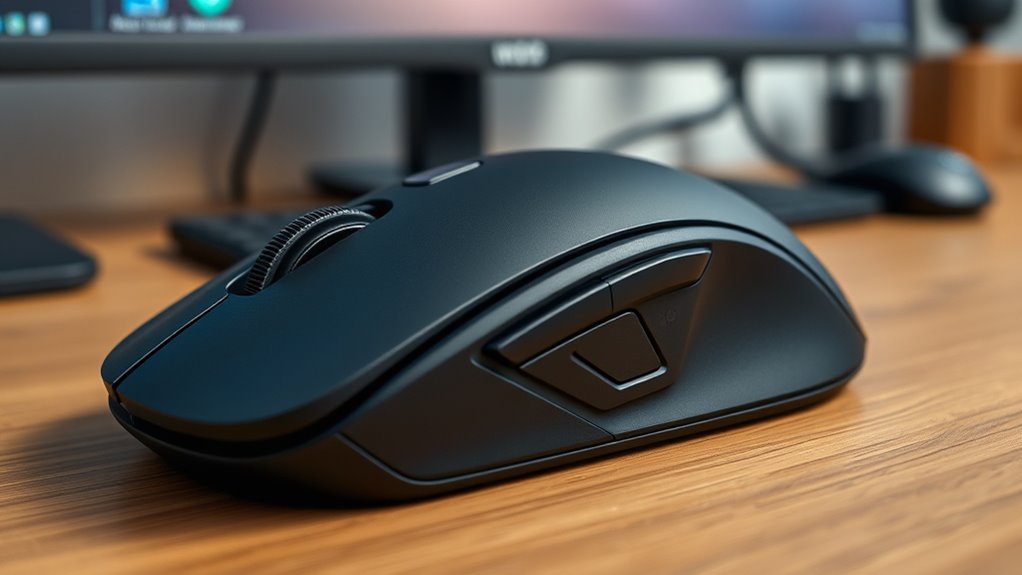

For those who need precision combined with comfort, premium ergonomic mice are essential tools. The Logitech MX Master 3S stands out as the best overall due to its exceptional performance and ergonomic design. The Logitech MX Master 4 offers advanced haptics for enhanced control, while the DELUX Seeker provides extensive customization with its OLED screen. However, tradeoffs often involve balancing price, feature set, and complexity. Continue reading to see a detailed comparison that helps you find the perfect fit for your workflow.

Get your wardrobe favorites delivered free with Prime
- Fast, free delivery on millions of items
- Prime Video, Amazon Music and more included
- Member-only deals all year
Key Takeaways
- The top picks excel in balancing comfort, precision, and build quality, with Logitech models leading in software integration and design.
- Vertical and trackball options offer different ergonomic benefits, catering to various hand sizes and preferences.
- Higher DPI settings improve precision but may require more careful handling to avoid accidental movements.
- Features like programmable buttons and customizable DPI enhance productivity for demanding tasks.
- Price varies significantly, but investing in a well-designed premium mouse often results in better durability and user satisfaction.
| Logitech MX Master 3S Wireless Mouse |  | Best Overall for Precision and Multi-Device Workflow | DPI: 8000 | Surface Compatibility: Any surface, including glass | Connectivity: Bluetooth, Logitech Bolt USB receiver (not included) | VIEW ON AMAZON | See Our Full Breakdown |
| AOC Ergonomic Wireless Vertical Mouse, Rechargeable, 2.4GHz Bluetooth |  | Best for Comfort and Long Sessions | Design: Vertical, 52° angle | DPI: 1000/1600/2400/3200/4800 | Battery: 800mAh rechargeable, up to 200 hours | VIEW ON AMAZON | See Our Full Breakdown |
| Delux Wired Ergonomic Vertical Mouse for Medium Hands, 4200 DPI, 6 Programmable Buttons, Removable Wrist Rest, Silent Click, Compatible with Laptop/PC |  | Best for Customization and Versatility | DPI: up to 4200 | DPI Adjustment: 800/1200/2400/3200 | Buttons: 6 programmable | VIEW ON AMAZON | See Our Full Breakdown |
| Logitech MX Master 4 Ergonomic Wireless Mouse with Haptics – Graphite |  | Best for Advanced Interaction and Productivity | Connectivity: USB-C dongle and Bluetooth | Scroll Speed: 1,000 lines/sec | Haptic Feedback: Yes | VIEW ON AMAZON | See Our Full Breakdown |
| Anker 2.4G Wireless Ergonomic Vertical Mouse |  | Best Budget-Friendly Vertical Design | Wireless Technology: 2.4 GHz | DPI Resolution: 800/1200/1600 | Dimensions: 120*62.8*74.8 mm | VIEW ON AMAZON | See Our Full Breakdown |
| DELUX Seeker Ergonomic Wireless Vertical Mouse with OLED Screen, 6 Buttons, RGB Lighting, Up to 7200 DPI, Rechargeable, Multi-Mode Connectivity |  | Best Overall for Versatile Precision and Customization | Design: Ergonomic vertical with rubber coating | Display: OLED screen for settings | Buttons: 6 programmable buttons including thumb wheel | VIEW ON AMAZON | See Our Full Breakdown |
| Logitech Signature Comfort Plus M850 L Wireless Mouse Bluetooth |  | Best for Long-Term Comfort and Simplicity | Connectivity: Bluetooth | Battery Life: Up to 24 months | Compatibility: Windows, macOS, Chrome OS, Linux, iPadOS, Android | VIEW ON AMAZON | See Our Full Breakdown |
| Logitech Lift Vertical Ergonomic Wireless Mouse – Off White |  | Best for Wrist Comfort and Multi-OS Compatibility | Color: Off White | Connectivity: Bluetooth, Logi Bolt USB | Battery Life: Up to 2 years | VIEW ON AMAZON | See Our Full Breakdown |
| TECKNET Ergonomic Wireless Vertical Mouse, 4800 DPI, Bluetooth & 2.4GHz, 3-Device Connectivity |  | Best for Multi-Device Users Who Value Adjustable Precision | DPI: 4800/3200/2400/1600/1200/800 | Connectivity: Bluetooth 5.0/3.0, 2.4GHz USB | Battery: 2 AAA batteries (not included) | VIEW ON AMAZON | See Our Full Breakdown |
| Logitech MX Ergo S Advanced Wireless Trackball Mouse USB-C – Graphite |  | Best for Precision and Long-Term Comfort with Trackball Control | Connectivity: Bluetooth and Logi Bolt USB | Tilt Angle: 20 degrees | Battery Life: Up to 120 days | VIEW ON AMAZON | See Our Full Breakdown |
| Logitech Lift Vertical Ergonomic Wireless Mouse – Graphite |  | Best Overall for Comfortable, Natural Posture | Connectivity: Bluetooth Low Energy, Logi Bolt USB | Battery Life: Up to 2 years | Color: Graphite | VIEW ON AMAZON | See Our Full Breakdown |
| Logitech MX Master 3S Bluetooth Wireless Mouse – Graphite |  | Best for Precision and Workflow Efficiency | DPI: 8000 | Connectivity: Bluetooth | Surface Compatibility: Any surface, including glass | VIEW ON AMAZON | See Our Full Breakdown |
| Uineer Ergonomic Vertical Wireless Mouse, Rechargeable, 4-DPI Levels |  | Best for All-Day Comfort and Versatile Use | Dimensions: 11.6×7.2×7.5cm | Wireless Technology: 2.4G | DPI Levels: 800/1200/1600/2400 | VIEW ON AMAZON | See Our Full Breakdown |
| premium ergonomic mice for precision work | Connectivity |
|---|---|
| Logitech MX Master 3S Wireless | Bluetooth, Logitech Bolt USB receiver (not included) |
| AOC Ergonomic Wireless Vertica | Bluetooth 5.4, 2.4GHz wireless, USB wired |
| Delux Wired Ergonomic Vertical | — |
| Logitech MX Master 4 Ergonomic | USB-C dongle and Bluetooth |
| Anker 2.4G Wireless Ergonomic | — |
| DELUX Seeker Ergonomic Wireles | — |
| Logitech Signature Comfort Plu | Bluetooth |
| Logitech Lift Vertical Ergonom | Bluetooth, Logi Bolt USB |
| TECKNET Ergonomic Wireless Ver | Bluetooth 5.0/3.0, 2.4GHz USB |
| Logitech MX Ergo S Advanced Wi | Bluetooth and Logi Bolt USB |
| Logitech Lift Vertical Ergonom | Bluetooth Low Energy, Logi Bolt USB |
| Logitech MX Master 3S Bluetoot | Bluetooth |
| Uineer Ergonomic Vertical Wire | — |
More Details on Our Top Picks
Logitech MX Master 3S Wireless Mouse
The Logitech MX Master 3S stands out for its exceptional 8K DPI sensor, which delivers highly accurate tracking on any surface, even glass. Compared with the MX Master 4, it excels in multi-device connectivity and cross-platform support, making it ideal for users managing several computers simultaneously. The quiet clicks and ergonomic shape support long hours without fatigue, but the need for software for full customization and the absence of the Logi Bolt USB receiver can be inconvenience points. Its premium price reflects its advanced features, which are best suited for professionals requiring pinpoint precision and seamless workflow integration.
Pros:- High-precision 8K DPI sensor for accurate tracking
- Quiet clicks significantly reduce noise
- Ergonomic design supports extended use
- Supports multi-device and cross-platform workflows
Cons:- Logi Bolt USB receiver not included, requiring extra purchase
- Full customization needs Logitech software, which adds complexity
Best for: Power users and professionals who need high-precision tracking across multiple devices and platforms
Not ideal for: Casual users or those with tight budgets who won’t utilize advanced customization features
- DPI:8000
- Surface Compatibility:Any surface, including glass
- Connectivity:Bluetooth, Logitech Bolt USB receiver (not included)
- Color:Black
- Material:Recycled plastic (27%) in parts
Our verdict“This mouse is best for users demanding precise, reliable performance with seamless multi-device control, despite a higher price point.”
AOC Ergonomic Wireless Vertical Mouse, Rechargeable, 2.4GHz Bluetooth
The AOC Ergonomic Vertical Mouse offers a natural hand position with its 52° design, making it a solid choice for those prioritizing wrist health during prolonged work. Its adjustable DPI up to 4800 allows for precise control suitable for detailed tasks, and multiple connectivity options enable easy switching between devices—comparable to the Logitech MX Master 4, but with a focus on comfort. However, its smaller design is better suited for medium or smaller hands, and some users might find the default clicking sounds less quiet than desired. This mouse is ideal for professionals who need a comfortable, reliable device for extended use but don’t require the highest DPI or advanced features.
Pros:- Ergonomic vertical design reduces wrist strain
- Multiple connectivity options for effortless device switching
- Adjustable DPI for tailored control
- Long battery life with rechargeable feature
Cons:- Optimized for small to medium hands, not ideal for large hands
- Some buttons produce normal clicking sounds, not fully quiet
Best for: Professionals with medium to small hands seeking ergonomic comfort for extended work sessions
Not ideal for: Large-handed users or those needing extremely high DPI for precision tasks
- Design:Vertical, 52° angle
- DPI:1000/1600/2400/3200/4800
- Battery:800mAh rechargeable, up to 200 hours
- Connectivity:Bluetooth 5.4, 2.4GHz wireless, USB wired
- Compatibility:Supports multiple devices
- Quiet Operation:Left and right clicks under 35dB
Our verdict“This mouse is ideal for users prioritizing comfort over ultra-high DPI, especially during long work hours.”
Delux Wired Ergonomic Vertical Mouse for Medium Hands, 4200 DPI, 6 Programmable Buttons, Removable Wrist Rest, Silent Click, Compatible with Laptop/PC
The Delux Wired Vertical Mouse offers a comfortable grip with its ergonomic vertical design and adjustable DPI up to 4200, making it suitable for detailed work. Its six programmable buttons allow users to tailor functions to specific workflows, akin to the MX Master 3S, but with a wired connection that guarantees instant response. The removable wrist rest enhances comfort, yet the vertical orientation can take some getting used to, especially for users accustomed to traditional mice. Limited support for Mac and the need for driver installation might also pose challenges. This model is well-suited for office settings or gaming, where customization and reliability are key priorities.
Pros:- Ergonomic design reduces wrist torsion
- Adjustable DPI for precise control
- Removable wrist rest enhances comfort
- Silent click buttons for quiet operation
Cons:- Vertical design may require adaptation time
- Limited support for Mac OS, driver compatibility issues
Best for: Medium-handed users who value customization and wired reliability for work or gaming
Not ideal for: Large-handed users or those seeking wireless freedom and plug-and-play simplicity
- DPI:up to 4200
- DPI Adjustment:800/1200/2400/3200
- Buttons:6 programmable
- Wrist Rest:Removable
- Compatibility:Windows XP, Vista, 7-11; limited Mac support
- Silent Click:Yes
Our verdict“This mouse offers a customizable, wired solution for users who prefer a vertical grip and precise control.”
Logitech MX Master 4 Ergonomic Wireless Mouse with Haptics – Graphite
The Logitech MX Master 4 pushes the boundaries with haptic feedback, offering a tactile experience that can enhance focus and interaction, especially when paired with its customizable shortcuts. Its MagSpeed scrolling is faster and more precise than previous models, and the ergonomic shape supports a natural hand position. Compared to the MX Master 3S, it introduces new features but comes with a higher price tag and a steeper learning curve for mastering its complex options. The use of recycled materials aligns with sustainability goals, yet some users might find the aesthetic less appealing. This mouse is best for users who want cutting-edge features for creative and precision work but are willing to invest in a premium device.
Pros:- Customizable haptic feedback adds a tactile layer to interactions
- Fast, precise MagSpeed scrolling for efficiency
- Ergonomic design reduces hand stress
- Quiet clicks support focused work
Cons:- Premium price may deter some buyers
- Complex features might require a learning curve
- Recycled materials may affect visual preference
Best for: Creative professionals and power users seeking innovative features for detailed work
Not ideal for: Budget-conscious buyers or those who prefer simple, straightforward mice
- Connectivity:USB-C dongle and Bluetooth
- Scroll Speed:1,000 lines/sec
- Haptic Feedback:Yes
- Materials:54% recycled plastic (Graphite), 48% Pale Grey, recycled cobalt
- Noise Level:90% less click noise
- Battery:Recycled cobalt
Our verdict“This mouse is perfect for users who prioritize innovative interaction features and are comfortable with a premium price.”
Anker 2.4G Wireless Ergonomic Vertical Mouse
The Anker Vertical Mouse provides an ergonomic vertical form that promotes healthy wrist posture at an accessible price, making it a practical choice for those new to vertical mice. Its adjustable DPI up to 1600 allows for basic precision, suitable for everyday tasks. While it lacks the advanced features of the MX Master 3S or MX Master 4, its straightforward design and webpage navigation buttons make it a dependable option for office use. The reliance on AA batteries and audible key clicks may be drawbacks for users seeking a quieter or more eco-friendly device. This pick is ideal for budget-conscious users or beginners exploring ergonomic vertical mice without sacrificing basic performance.
Pros:- Ergonomic vertical design reduces wrist strain
- Adjustable DPI settings for basic control
- Includes convenient webpage navigation buttons
- Energy-efficient with power-saving mode
Cons:- Key click sounds are unavoidable and may be loud
- Requires 2 AAA batteries (not included)
Best for: Budget-conscious users or office workers new to ergonomic vertical mice
Not ideal for: Advanced users needing high DPI or premium features, or users seeking silent operation
- Wireless Technology:2.4 GHz
- DPI Resolution:800/1200/1600
- Dimensions:120*62.8*74.8 mm
- Weight:3.4 oz
- Batteries:2 AAA (not included)
- Warranty:18 months
Our verdict“This mouse offers a comfortable, affordable entry into vertical ergonomics for users with basic precision needs.”
DELUX Seeker Ergonomic Wireless Vertical Mouse with OLED Screen, 6 Buttons, RGB Lighting, Up to 7200 DPI, Rechargeable, Multi-Mode Connectivity
The DELUX Seeker stands out for combining advanced features like a customizable OLED display and RGB lighting with a highly ergonomic vertical design. Compared to the Logitech Lift, it offers more control options via six programmable buttons and a higher adjustable DPI of 7200, making it ideal for detailed work. However, its vertical orientation requires a brief adaptation period, and Mac users will find limited driver support. Its multi-mode connectivity ensures flexibility, whether working wired or wirelessly. The detachable wrist rest adds to comfort during long sessions, but the need for driver installation can be a barrier for some users. Overall, this mouse is best suited for professionals who value customization and versatility, willing to adapt to a vertical grip.
Pros:- Ergonomic vertical design with wrist rest for long-term comfort
- Multiple connection modes including wired, Bluetooth, and 2.4G wireless
- Customizable RGB lighting and programmable buttons
- OLED display for instant access to settings
Cons:- Requires several days to adapt to vertical orientation
- Limited support for Mac features and drivers only for Windows
Best for: Designers, CAD users, or professionals needing customizable controls with high precision
Not ideal for: Mac users seeking seamless compatibility or those preferring plug-and-play simplicity
- Design:Ergonomic vertical with rubber coating
- Display:OLED screen for settings
- Buttons:6 programmable buttons including thumb wheel
- DPI:Up to 7200 DPI, adjustable
- Connection Modes:Wired, Bluetooth 5.0, 2.4G wireless
- Battery:1000mAh rechargeable, up to 2 weeks
Our verdict“Ideal for users who prioritize customization, adjustable DPI, and multi-mode connectivity in an ergonomic package.”
Logitech Signature Comfort Plus M850 L Wireless Mouse Bluetooth
The Logitech Signature Comfort Plus M850 L offers a straightforward, ergonomic design focused on all-day comfort, especially for right-handed users. Its palm cushion and side grips provide a cozy feel that supports extended use, while the quiet clicks make it suitable for shared or quiet work environments. Compared with the Delux Seeker, it lacks advanced customization and high DPI settings but excels in simplicity and battery longevity—up to 24 months. Its multi-device Easy-Switch feature makes it versatile for multi-taskers, though its right-handed design limits accessibility for left-handed users. This mouse is best for those who want a reliable, comfortable daily driver with minimal fuss but are less concerned about high-performance features.
Pros:- Ergonomic palm cushion and side grips for all-day comfort
- Long battery life of up to 24 months
- Multi-device Bluetooth connectivity with Easy-Switch
- Quiet clicks reduce noise in shared spaces
Cons:- Designed specifically for right-handed use
- Higher price point compared to basic mice
Best for: Office workers or students seeking a comfortable, low-maintenance wireless mouse
Not ideal for: Left-handed users or those requiring high DPI for detailed work
- Connectivity:Bluetooth
- Battery Life:Up to 24 months
- Compatibility:Windows, macOS, Chrome OS, Linux, iPadOS, Android
- Design:Right-handed with palm cushion and side grips
- Recycled Content:Minimum 49%
Our verdict“A superb choice for users prioritizing comfort and long battery life over advanced customization.”
Logitech Lift Vertical Ergonomic Wireless Mouse – Off White
The Logitech Lift presents a sleek vertical design that encourages natural wrist posture, making it an excellent choice for users with wrist discomfort. Its vertical shape is comparable to the DELUX Seeker but without the OLED display and RGB lighting, favoring a clean, minimalist aesthetic. It offers long-term usability with up to 2 years of battery life and works across multiple operating systems, including Linux, making it versatile for diverse setups. However, its size might be cumbersome for smaller hands, and it requires Bluetooth or a USB receiver, which could be a drawback for those seeking a truly wireless experience without additional dongles. This model is best for professionals seeking ergonomic relief combined with broad OS compatibility but who prefer a straightforward, no-frills design.
Pros:- Vertical ergonomic shape promotes natural wrist posture
- Long-lasting battery of up to 2 years
- Compatible with multiple operating systems including Linux
- Quiet clicks and customizable buttons
Cons:- May be too large for users with small hands
- Requires Bluetooth or Logi Bolt USB receiver for connection
Best for: Writers, programmers, or anyone with wrist issues needing a comfortable, multi-platform mouse
Not ideal for: Small-handed users or those seeking a mouse with advanced customization features
- Color:Off White
- Connectivity:Bluetooth, Logi Bolt USB
- Battery Life:Up to 2 years
- Ergonomic Design:Vertical shape
- Compatibility:Windows, macOS, Linux, Chrome OS, iPadOS
Our verdict“A solid ergonomic choice for users who need multi-OS compatibility and wrist relief without extra bells and whistles.”
TECKNET Ergonomic Wireless Vertical Mouse, 4800 DPI, Bluetooth & 2.4GHz, 3-Device Connectivity
The TECKNET Vertical Mouse offers a practical balance between affordability and high performance with adjustable DPI up to 4800, making it suitable for detailed work. Its support for three devices via Bluetooth and 2.4GHz allows seamless switching, comparable to the MX Ergo S, but at a more accessible price point. Its ergonomic vertical design reduces wrist pressure, and the quiet operation suits open work environments. However, the right-handed-only design limits accessibility for left-handed users, and the side buttons are not compatible with MacOS, which could be a dealbreaker for some. This mouse makes the most sense for professionals needing multi-device support and decent precision without investing in premium features.
Pros:- Adjustable DPI up to 4800 for precise control
- Supports switching between three devices smoothly
- Reduces wrist strain with vertical ergonomic design
- Quiet operation minimizes disturbances
Cons:- Designed exclusively for right-handed users
- Side buttons are not Mac-compatible
- Requires 2 AAA batteries (not included)
Best for: Frequent multi-taskers using Windows, Mac, or Linux who want adjustable DPI and device switching
Not ideal for: Left-handed users or those requiring Mac-specific button support
- DPI:4800/3200/2400/1600/1200/800
- Connectivity:Bluetooth 5.0/3.0, 2.4GHz USB
- Battery:2 AAA batteries (not included)
- Design:Right-handed vertical
- Warranty:36 months
Our verdict“A versatile, multi-device ergonomic mouse well-suited for professionals who need adjustable precision and seamless switching at a budget-friendly price.”
Logitech MX Ergo S Advanced Wireless Trackball Mouse USB-C – Graphite
The Logitech MX Ergo S introduces a unique trackball experience, reducing wrist movement and muscle tension while providing precise control. Its 20-degree tilt aligns with natural forearm position, surpassing traditional vertical mice like the Lift in offering a different ergonomic approach. The customizable buttons and quiet clicks appeal to productivity-focused users. The USB-C quick charging and extended battery life—up to 120 days—make it suitable for those who spend hours on detailed tasks. However, the reliance on a trackball may feel unfamiliar to users accustomed to traditional mice, and some might find the device less intuitive for fast cursor movements. This pick is best for those who want to minimize wrist motion and prefer a more stationary hand position for extended work sessions.
Pros:- Ergonomic design with 20-degree tilt for natural forearm posture
- Long-lasting battery with quick USB-C charging
- Customizable buttons for enhanced productivity
- Quiet clicks reduce noise disturbance
Cons:- Requires adaptation to trackball navigation
- USB-C cable not included in some packages
- Less familiar for users used to standard mice
Best for: Data analysts, artists, or programmers seeking precision control with wrist strain reduction
Not ideal for: Users who prefer traditional mice or dislike trackball navigation
- Connectivity:Bluetooth and Logi Bolt USB
- Tilt Angle:20 degrees
- Battery Life:Up to 120 days
- Charging Port:USB Type C
- Customizable Buttons:6
Our verdict“Perfect for users seeking to reduce wrist movement and improve precision through a thoughtfully designed trackball mouse.”
Logitech Lift Vertical Ergonomic Wireless Mouse – Graphite
The Logitech Lift stands out for its vertical design, which promotes a natural wrist posture that can significantly reduce strain during long hours of work. Compared with the Uineer, it offers a more refined ergonomic shape and a textured grip, but at a higher price point. Its long battery life of up to 2 years means less frequent charging, and support for multiple operating systems makes it versatile across different setups. However, its size might be a drawback for users with smaller hands, and the price isn’t specified, which could be a concern for budget-conscious buyers. Overall, this mouse is best suited for professionals who prioritize comfort and durability over portability or cost.
Pros:- Ergonomically shaped for a natural wrist posture
- Battery lasts up to 2 years, reducing downtime
- Supports multiple OS and connection types including Bluetooth and Logi Bolt
Cons:- May be too large or bulky for users with small hands
- Price not clearly indicated, potentially limiting value perception
Best for: Professionals with medium to large hands seeking a comfortable, long-lasting ergonomic mouse for daily use
Not ideal for: Users with small hands or those on a tight budget who need a compact, affordable option
- Connectivity:Bluetooth Low Energy, Logi Bolt USB
- Battery Life:Up to 2 years
- Color:Graphite
- Ergonomic Design:Vertical shape with textured grip and thumb rest
- Compatibility:Windows, macOS, iPadOS, Chrome OS, Linux
- Materials:Certified post-consumer recycled plastic (70% Graphite)
Our verdict“This mouse is ideal for users prioritizing ergonomic comfort and long battery life, especially in professional environments.”
Logitech MX Master 3S Bluetooth Wireless Mouse – Graphite
The MX Master 3S excels in delivering pinpoint accuracy with its 8000 DPI sensor, making it well-suited for detailed design or editing tasks. Unlike the Uineer, which offers adjustable DPI and a more affordable price, the 3S emphasizes high precision and a smooth experience with MagSpeed scrolling and quiet clicks. Its multi-device and cross-OS compatibility support seamless workflow across multiple screens, which is a key advantage over basic models. The main tradeoff is its higher price and the absence of a bundled USB receiver, relying solely on Bluetooth, which might limit compatibility with some older devices. This mouse makes the most sense for users who need advanced precision combined with multi-device control in professional settings.
Pros:- High-precision 8000 DPI sensor for versatile surface use
- Quiet clicks and MagSpeed scrolling for smooth operation
- Supports multi-device and multi-OS workflows with seamless flow control
Cons:- No included USB receiver or charging cable, which may be inconvenient
- Requires Bluetooth connection, potentially limiting compatibility with some legacy devices
Best for: Creative professionals or engineers requiring high-precision control across multiple devices
Not ideal for: Budget-conscious users or those who prefer wired or multi-connection options
- DPI:8000
- Connectivity:Bluetooth
- Surface Compatibility:Any surface, including glass
- Color:Graphite
- Materials:Certified post-consumer recycled plastic
Our verdict“This mouse is best for users who prioritize accuracy and multi-device productivity in demanding professional tasks.”
Uineer Ergonomic Vertical Wireless Mouse, Rechargeable, 4-DPI Levels
The Uineer offers a simple, ergonomic vertical design focused on reducing wrist strain with a natural palm position. Unlike the Logitech Lift, which targets longer-term comfort, or the MX Master 3S, which emphasizes precision, the Uineer balances comfort with basic adjustable DPI settings (800/1200/1600/2400) suitable for a range of activities from work to casual gaming. Its 2.4G wireless connection provides a stable link within a 10-meter range, and wide compatibility makes it easy to integrate into most setups. The main limitations are its side buttons, which aren’t compatible with macOS, and the need for a USB-A port for the receiver. This mouse is ideal for users who want an ergonomic, straightforward device for daily use across various operating systems.
Pros:- Ergonomic vertical design reduces wrist strain for prolonged use
- Adjustable DPI levels for versatile use, including gaming and creative work
- Stable 2.4G wireless connection with a range of 10 meters
Cons:- Side buttons are not compatible with macOS, limiting functionality
- Requires a USB-A port, which may be inconvenient for newer ultrabooks
Best for: Right-handed professionals or students seeking an ergonomic mouse for daily tasks across multiple platforms
Not ideal for: Mac users who rely heavily on side button functionality or those who need a wired solution
- Dimensions:11.6×7.2×7.5cm
- Wireless Technology:2.4G
- DPI Levels:800/1200/1600/2400
- Battery:Rechargeable, low-battery LED indicator
- Range:10 meters
- Compatibility:Windows, Mac OS X, Linux, Android, iOS (13+)
Our verdict“This mouse suits users seeking a comfortable, multi-platform ergonomic device for daily tasks and light gaming.”

How We Picked
Our selection process focused on performance, ergonomic comfort, build quality, and usability. We prioritized mice that excel in delivering precise control during demanding tasks, such as detailed graphic work or CAD. Ease of use, customization options, and durability were also key factors. We compared features like DPI range, connection stability, and user reviews, ranking products that offer the best combination of comfort and control for professionals. This approach ensures that each mouse on this list provides real value for precision work, regardless of price point.Factors to Consider When Choosing Premium Ergonomic Mice For Precision Work
Choosing the right premium ergonomic mouse for precision work involves several key considerations. Beyond basic features, understanding how design impacts comfort during extended use is critical. Additionally, the balance between customization, DPI range, and connectivity can significantly influence your satisfaction and productivity. Here are the main factors to keep in mind before making a decision:Ergonomic Design and Comfort
A well-designed ergonomic mouse should support your hand in a natural position, reducing strain during long hours of work. Vertical mice and trackballs cater to different ergonomic benefits—vertical mice promote a handshake grip, while trackballs minimize wrist movement. Test different shapes if possible, and consider your hand size for the best fit. Comfort directly impacts your ability to work precisely without fatigue or discomfort over time.
Precision and DPI Range
High DPI (dots per inch) settings are vital for precision, especially in detailed tasks like graphic design or CAD. Look for mice offering adjustable DPI, ideally up to 7200 or higher, to fine-tune sensitivity. However, extremely high DPI can sometimes lead to less control if not managed properly. Balancing DPI with smooth tracking and stability ensures accuracy without sacrificing usability.
Customization and Buttons
Programmable buttons and customizable settings allow you to streamline workflows, assigning shortcuts for common commands. This feature is especially useful for power users who need quick access to tools or functions. Keep in mind that more buttons can add complexity, so consider whether you prefer simplicity or extensive customization for your work style.
Connectivity and Compatibility
Wireless mice offer freedom of movement, but ensure they have stable connections via Bluetooth or dedicated 2.4GHz receivers. Some models support multi-device connectivity, which can be advantageous if you switch between systems. Compatibility with your OS and ease of pairing are also worth considering to avoid frustration during setup.
Build Quality and Durability
Since premium mice are investments, look for high-quality materials and robust construction. Features like removable wrist rests and durable switches extend lifespan. Additionally, check reviews for reports of connection issues or wear over time. A durable, well-made mouse maintains its performance and comfort through years of demanding use.
Frequently Asked Questions
How important is DPI adjustment for precision work?
Adjustable DPI is essential for tailoring your mouse sensitivity to your specific tasks. For detailed work, higher DPI allows for more precise control, but it can become too sensitive if set excessively high. The ability to customize DPI settings on the fly helps you switch between tasks seamlessly, ensuring accuracy without sacrificing comfort. Keep in mind that a stable, responsive sensor complements high DPI for consistent results.
Should I choose a vertical mouse or a trackball for ergonomic precision?
Both options can significantly reduce wrist strain, but they serve different ergonomic needs. Vertical mice promote a natural handshake position, which works well if you prefer moving the entire hand. Trackballs, on the other hand, stay stationary and minimize wrist movement, ideal for users with limited space or wrist issues. The choice depends on your hand size, workspace, and personal comfort preferences, but both can deliver high precision with proper adjustment.
Is wireless connectivity reliable enough for precision tasks?
Modern wireless mice with 2.4GHz or Bluetooth connections generally provide stable performance suitable for precision work. Look for models with low latency and strong signal stability, especially if you work in fast-paced environments. Some premium options include dedicated receivers that reduce interference, ensuring your cursor remains accurate and responsive. Testing the connection in your workspace can help confirm reliability before making a purchase.
Are programmable buttons necessary for professional use?
Programmable buttons can significantly streamline workflows by allowing quick access to shortcuts and tools, boosting productivity. They are especially beneficial in tasks like graphic design, 3D modeling, or video editing, where frequent commands are common. However, if you prefer minimalism or work with simple setups, a mouse with fewer buttons might be more comfortable. Consider your workflow complexity when evaluating this feature.
How do I choose the right size and shape for my hand?
Choosing a size that fits your hand comfortably is crucial for long-term ergonomic benefits. Larger hands generally benefit from bigger mice with more support, while smaller hands may prefer more compact designs. When testing mice, ensure your fingers rest naturally on the buttons, and your palm can comfortably support the device without stretching. Proper fit reduces fatigue and enhances control during detailed work.
Conclusion
The best overall choice for most users is the Logitech MX Master 3S, offering a balanced mix of precision, comfort, and customization. Those seeking the best value might prefer the Uineer Ergonomic Vertical Wireless Mouse, which combines affordability with essential features. For professionals who prioritize cutting-edge features and premium build, the Logitech MX Master 4 stands out for its haptics and advanced controls. Beginners or users with smaller hands might find the Logitech Lift Vertical Mouse easier to handle. Ultimately, your decision should reflect your specific workflow, ergonomic needs, and budget, ensuring you choose a mouse that supports your precision work comfortably over time.
Halloween Picks
halloween
As an affiliate, we earn on qualifying purchases.