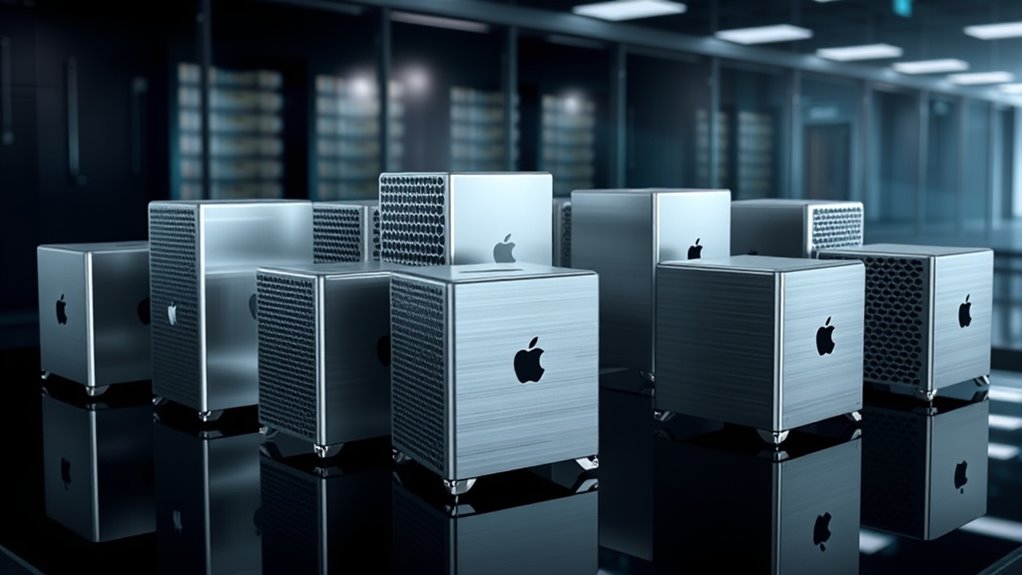

Furnishing an enterprise team with Mac hardware forces a choice between raw desktop workstation power and the manageability of modern Apple silicon laptops — and that tradeoff defines this entire roundup. When I evaluate machines for enterprise IT deployments, I care less about benchmark headlines and more about how easily a fleet can be enrolled in MDM, how long hardware stays inside a support window, and whether connectivity covers the peripherals a modern office actually runs. My top pick, the Apple MacBook Pro with M5 Max (B0H6CMPFJJ), wins on raw capability plus silicon longevity, while the 14-inch M5 Pro MacBook Pro (B0GR1JBFZJ) takes the value-and-scale slot for larger rollouts. The 2013 Mac Pro (B09D8VC9WX) sits at the other end: it delivers the classic tower form factor buyers picture when they hear “Mac Pro,” but its age makes it a niche choice I would only recommend for very specific legacy scenarios.

Get your wardrobe favorites delivered free with Prime
- Fast, free delivery on millions of items
- Prime Video, Amazon Music and more included
- Member-only deals all year
Key Takeaways
- Apple silicon models (M5 Max and M5 Pro) are the only realistic choices for modern MDM-based enterprise deployment workflows.
- The 2013 Mac Pro is effectively end-of-life for IT purposes — no Apple silicon means no current macOS support path and major fleet-management gaps.
- 128GB unified memory on the M5 Max model handles memory-intensive virtualization and AI workloads the 24GB and 48GB configurations cannot.
- Thunderbolt 5 across the 2026 MacBook Pro lineup simplifies docking-station standardization across an entire fleet.
- The 14-inch M5 Pro with 24GB/2TB hits the sweet spot of per-seat cost, capability, and portability for bulk departmental purchases.
| Apple MacBook Pro with M5 Max, 14.2-inch Display, 128GB Memory, 4TB SSD, Space Black |  | Best Overall for High-Performance Enterprise Workloads | Processor: M5 Max, 18-core CPU | GPU: 40-core GPU | Display: 14.2-inch Liquid Retina XDR | VIEW ON AMAZON | See Our Full Breakdown |
| Apple 2026 MacBook Pro Laptop with M5 Pro Chip, 14.2-inch Liquid Retina XDR Display, 24GB RAM, 2TB SSD, Wi-Fi 7, Space Black |  | Best Value for Bulk Fleet Deployment | Processor: Apple M5 Pro, 18-core CPU | GPU: 20-core GPU | Display: 14.2-inch Liquid Retina XDR | VIEW ON AMAZON | See Our Full Breakdown |
| Apple 2026 MacBook Pro Laptop with M5 Pro Chip, 16.2-inch Liquid Retina XDR Display, 48GB Memory, 1TB SSD, Space Black |  | Best for Power Users Who Need Screen Real Estate | Processor: Apple M5 Pro, 18-core CPU | GPU: 20-core GPU | Display: 16.2-inch Liquid Retina XDR | VIEW ON AMAZON | See Our Full Breakdown |
| 2013 Apple Mac Pro 8-Core Xeon 3GHz, 64GB RAM, 1TB SSD, Dual AMD FirePro D500 |  | Legacy Option for Isolated, Non-Networked Workloads Only | Processor: 8-core 3GHz Intel Xeon | RAM: 64GB DDR3 ECC | Storage: 1TB SSD | VIEW ON AMAZON | See Our Full Breakdown |
| mac pro for enterprise it deployment | Processor | Storage | GPU | Display |
|---|---|---|---|---|
| Apple MacBook Pro with M5 Max | M5 Max, 18-core CPU | 4TB SSD | 40-core GPU | 14.2-inch Liquid Retina XDR |
| Apple 2026 MacBook Pro Laptop | Apple M5 Pro, 18-core CPU | 2TB SSD | 20-core GPU | 14.2-inch Liquid Retina XDR |
| Apple 2026 MacBook Pro Laptop | Apple M5 Pro, 18-core CPU | 1TB SSD | 20-core GPU | 16.2-inch Liquid Retina XDR |
| 2013 Apple Mac Pro 8-Core Xeon | 8-core 3GHz Intel Xeon | 1TB SSD | — | — |
More Details on Our Top Picks
Apple MacBook Pro with M5 Max, 14.2-inch Display, 128GB Memory, 4TB SSD, Space Black
For teams whose workloads genuinely stress hardware — large-scale code compilation, on-device AI inference, heavy virtualization, or 3D rendering pipelines — this M5 Max configuration is the machine I would anchor a premium fleet around. The 128GB of unified memory is the single most important spec here: compared with the 48GB M5 Pro model lower in this list, it doubles the ceiling for memory-hungry processes, which matters when engineers run multiple VMs or local models alongside their development environment. The 40-core GPU also separates it from the 20-core GPU in both M5 Pro machines, making this the only option in the lineup suitable for GPU-accelerated work at scale.
What makes it my top overall pick for IT deployments specifically is that none of that performance comes at the cost of manageability. It carries the same Thunderbolt 5, Wi-Fi 7, and Bluetooth 6 connectivity as the other 2026 models, so it docks, enrolls, and standardizes identically within a mixed fleet — a premium machine that creates zero special cases for the help desk. The tradeoff is real, though: this is the most expensive configuration here, and outfitting an entire department at this spec would be wasteful for users whose heaviest task is a browser with forty tabs. It is also the heaviest-trending configuration, so field teams may prefer the lighter 14-inch M5 Pro. Compared with the 2013 Mac Pro, the difference is generational: newer silicon, current OS support, and modern wireless standards versus a machine stuck on legacy macOS.
Pros:- 128GB unified memory supports serious virtualization and AI workloads
- 40-core GPU handles rendering and GPU-accelerated compute the M5 Pro models cannot
- Full modern connectivity suite with Thunderbolt 5, Wi-Fi 7, and HDMI for standardized docking
- Current Apple silicon guarantees years of macOS and security updates for fleet longevity
Cons:- Highest-cost configuration in the lineup by a wide margin
- Overpowered and overpriced for general office productivity seats
- High-spec components add weight that reduces portability for field staff
Best for: Engineering, data science, and creative teams running memory-intensive or GPU-accelerated workloads under full MDM management.
Not ideal for: Standard office productivity roles, where this configuration’s cost is impossible to justify, or organizations standardizing on a single lower-cost spec.
- Processor:M5 Max, 18-core CPU
- GPU:40-core GPU
- Display:14.2-inch Liquid Retina XDR
- Memory:128GB unified
- Storage:4TB SSD
- Battery Life:All-day
- Connectivity:Thunderbolt 5, MagSafe 3, SDXC, HDMI, Wi-Fi 7, Bluetooth 6
Our verdict“The most capable and most future-proof option here, and the right flagship for enterprises that need workstation-class performance inside a fully managed laptop fleet.”
Apple 2026 MacBook Pro Laptop with M5 Pro Chip, 14.2-inch Liquid Retina XDR Display, 24GB RAM, 2TB SSD, Wi-Fi 7, Space Black
When the goal is equipping dozens or hundreds of seats, this configuration is where per-unit cost and capability intersect most efficiently. The M5 Pro with 18-core CPU and 20-core GPU is more than enough silicon for the vast majority of enterprise roles — development, analytics, design, and standard knowledge work — and it shares the exact same chassis, display, port layout, and connectivity as its more expensive 16-inch sibling. That consistency is quietly valuable: IT teams can standardize on one docking solution and one imaging workflow across an entire mixed-capability fleet.
The 2TB SSD is the standout allocation choice. Compared with the 16-inch M5 Pro’s 1TB drive, doubling local storage reduces reliance on network shares and cloud sync, which helps offline workers and cuts storage-related tickets. The 24GB memory ceiling is the real compromise versus the 48GB model below: power users running large containers, multi-VM environments, or heavyweight local models will feel the limit, so this machine is better matched to general professional roles than specialist ones. Where it beats the M5 Max pick decisively is deployment economics — buying three of these instead of two Max configurations often makes more sense than chasing peak performance per seat.
Pros:- M5 Pro delivers ample performance for most professional workloads at a lower tier than M5 Max
- 2TB SSD reduces dependence on network storage for hybrid and offline workers
- Identical port and connectivity layout to other 2026 MacBook Pros simplifies fleet standardization
- 14-inch form factor balances screen real estate with portability for hybrid teams
Cons:- 24GB unified memory caps headroom for heavy virtualization or large local models
- Real-world battery life under sustained enterprise workloads is not clearly documented
- Still a premium purchase when multiplied across a large fleet
Best for: IT departments provisioning large numbers of general professional seats where consistency, storage, and per-unit cost matter more than maximum performance.
Not ideal for: Specialist engineers or researchers who need 48GB+ of memory for virtualization and local AI workloads.
- Processor:Apple M5 Pro, 18-core CPU
- GPU:20-core GPU
- Display:14.2-inch Liquid Retina XDR
- Memory:24GB unified
- Storage:2TB SSD
- Battery Life:All-day
- Connectivity:Thunderbolt 5, MagSafe 3, SDXC, HDMI, Wi-Fi 7, Bluetooth 6
- Camera:12MP Center Stage
Our verdict“The smartest configuration for scale — capable enough for nearly every seat in a department while keeping per-unit spend in check.”
Apple 2026 MacBook Pro Laptop with M5 Pro Chip, 16.2-inch Liquid Retina XDR Display, 48GB Memory, 1TB SSD, Space Black
This 16-inch M5 Pro configuration occupies the middle ground between the fleet-value 14-inch and the flagship M5 Max, and its identity comes from two things: 48GB of unified memory and a 16.2-inch display. The memory doubling over the 14-inch value pick matters for a specific buyer — the developer running several containers, the analyst with massive spreadsheets and local datasets, the designer working in layered 3D scenes. Those users do not need the M5 Max’s 40-core GPU, but they do need headroom the 24GB machine cannot provide, and this is the least expensive way to get it in this lineup.
The larger display is a productivity feature in itself: for staff who spend all day at a desk without an external monitor, the extra screen area reduces window juggling. That same size is the drawback for anyone who travels — this is the least portable machine among the three 2026 laptops, and hybrid workers who commute daily may find the 14-inch models a better physical fit. The 1TB SSD is the other compromise: compared with the 14-inch’s 2TB drive, local storage is halved, which pushes organizations toward network or cloud storage strategies. For teams deploying docked workstations-with-a-screen rather than travel machines, those tradeoffs land in the right direction.
Pros:- 48GB unified memory doubles headroom over the value pick for demanding professional workloads
- 16.2-inch display reduces dependence on external monitors for desk-based staff
- Same M5 Pro silicon and connectivity as the fleet model for management consistency
- Full port selection including Thunderbolt 5, HDMI, and SDXC supports any docking setup
Cons:- Largest and least portable machine in the modern lineup
- 1TB SSD is half the storage of the cheaper 14-inch configuration
- Occupies an awkward middle price tier that some budgets will trim toward the value pick
Best for: Desk-centric power users — senior developers, data analysts, and designers — who need memory headroom and a large built-in display without paying for M5 Max.
Not ideal for: Frequently traveling staff or organizations wanting a single lightweight standard across all roles.
- Processor:Apple M5 Pro, 18-core CPU
- GPU:20-core GPU
- Display:16.2-inch Liquid Retina XDR
- Memory:48GB unified
- Storage:1TB SSD
- Battery Life:All-day
- Connectivity:Thunderbolt 5, MagSafe 3, SDXC, HDMI, Wi-Fi 7, Bluetooth 6
- Camera:12MP Center Stage
- Speakers:Six-speaker system with Spatial Audio
Our verdict“A well-judged middle configuration for memory-hungry desk workers, as long as portability and local storage are not priorities.”
2013 Apple Mac Pro 8-Core Xeon 3GHz, 64GB RAM, 1TB SSD, Dual AMD FirePro D500
I include this 2013 Mac Pro because buyers searching for a “Mac Pro for enterprise” will encounter it, and an honest guide has to be direct about what it is. On paper, the specs look respectable — an 8-core Xeon, 64GB of ECC RAM, a 1TB SSD, and dual FirePro D500 graphics — and for its era this was a serious workstation. But the paper is over a decade old. This machine sits on Intel architecture that Apple has long since moved past, which means it cannot run current macOS versions, cannot receive current security patches, and cannot participate in the modern Apple Business Manager and MDM workflows that make the three MacBook Pros above deployable at scale.
Where this option does still make sense is narrow: an air-gapped lab running period-specific software, a test rig that must reproduce a legacy environment, or a kiosk-style single-purpose installation with no network exposure. In those contexts, its cheap acquisition cost and genuinely capable 64GB of RAM give it residual utility. Compared with literally any pick above, though, the gaps are stark — no Thunderbolt 5, no Wi-Fi 7, no Apple silicon security architecture, and no update runway. Its power consumption is also higher than modern equivalents doing the same work, which adds up across always-on installations. For any networked enterprise deployment, I would treat this as a non-starter rather than a budget option.
Pros:- 64GB of ECC RAM still handles memory-heavy legacy workloads
- Dual FirePro D500 graphics support period-specific professional applications
- Inexpensive acquisition path for isolated, single-purpose installations
- 1TB SSD provides fast local access for standalone use
Cons:- No path to current macOS versions or security updates — disqualifying for networked fleets
- Incompatible with modern MDM and Apple Business Manager deployment workflows
- Higher power draw than contemporary Apple silicon performing equivalent work
Best for: Isolated legacy environments, offline test benches, and single-purpose installations that depend on older software and never touch a modern network.
Not ideal for: Any networked enterprise deployment, security-sensitive environments, or organizations needing MDM enrollment and current OS support.
- Processor:8-core 3GHz Intel Xeon
- RAM:64GB DDR3 ECC
- Storage:1TB SSD
- Graphics:Dual AMD FirePro D500
- Wi-Fi:802.11ac
- Architecture:Intel (pre-Apple silicon)
Our verdict“A legacy artifact with narrow offline utility, and a machine I would exclude from any modern enterprise deployment plan.”

How We Picked
My ranking logic for this comparison rests on four pillars specific to enterprise IT rather than consumer buying. First, deployment manageability: Apple silicon Macs support modern MDM enrollment, automated device assignment through Apple Business Manager, and current macOS versions — legacy Intel hardware like the 2013 Mac Pro falls off this path, which immediately relegates it regardless of its specs. Second, hardware longevity: a machine purchased in 2026 needs to remain inside Apple’s software and security update window for years to justify fleet procurement, and newer silicon generations extend that runway. Third, connectivity standardization: consistent Thunderbolt 5, HDMI, and SDXC across a fleet reduces docking-station sprawl and help-desk tickets. Fourth, per-seat value: for bulk orders, the question is not which machine is fastest but which configuration delivers adequate performance for the widest range of roles without overspending. I weighed these factors against each product’s raw specifications, and where two models tie on silicon, I differentiated on memory configuration, storage, and form factor to assign each a distinct role in a deployment plan.
Factors to Consider When Choosing Mac Pro For Enterprise It Deployments
Choosing Mac hardware for an enterprise fleet involves a different decision process than buying a single personal machine. These are the factors I weigh most heavily when matching configurations to deployment scenarios.Software Support Runway
The single most consequential factor is how long a machine will receive current macOS versions and security patches. Apple silicon Macs bought in 2026 have a multi-year update runway ahead of them, while Intel-based machines like the 2013 Mac Pro are already behind that curve. A fleet procurement should be evaluated as a multi-year asset, and hardware that exits the support window early becomes a security liability rather than a cost saving.
Deployment and Device Management
Modern Mac fleets are enrolled through Apple Business Manager and managed via MDM — zero-touch deployment, remote wiping, and policy enforcement all depend on this pipeline. Every Apple silicon MacBook Pro in this roundup slots into that workflow; the legacy Mac Pro does not. If your IT team cannot manage a device remotely, its raw specifications are largely irrelevant to an enterprise purchase.
Memory Sizing by Role, Not by Maximums
Unified memory on Apple silicon cannot be upgraded later, so the configuration chosen at purchase is permanent for that machine’s service life. Rather than maxing every seat, match memory tiers to roles: 24GB suits general professional work, 48GB covers developers and analysts with heavy local workloads, and 128GB is reserved for specialists running virtualization or local AI models. Storage follows similar logic — mobile and hybrid workers benefit from larger local drives, while desk-based staff with fast network storage can manage with less.
Connectivity and Fleet Standardization
Consistent ports across a fleet cut support costs in ways that are easy to underestimate. The 2026 MacBook Pro lineup shares Thunderbolt 5, HDMI, SDXC, and MagSafe, meaning one docking-station standard and one set of peripherals serves every machine. When introducing heterogeneous hardware — including non-Apple systems or legacy towers — IT inherits additional dock, adapter, and driver variability that translates directly into help-desk load.
Form Factor and Work Pattern
A 16-inch display improves desk-bound productivity but adds weight commuters will notice daily. A 14-inch chassis travels better but relies more on external monitors at the desk. Map your purchase to how people actually work: hybrid and field roles favor the smaller machines, while anchored power users get more value from the larger panel and the memory that typically accompanies it.
Frequently Asked Questions
Can the 2013 Mac Pro be part of a modern enterprise Mac deployment?
Not in any meaningful sense. The 2013 Mac Pro runs on Intel architecture that no longer receives current macOS versions or security updates, which excludes it from the compliance posture most organizations require for networked devices. It also cannot participate in the Apple Business Manager and MDM zero-touch enrollment pipeline that enterprises use to provision, monitor, and remotely wipe fleet hardware. Its legitimate place in 2026 is limited to isolated, offline scenarios such as legacy software test benches or single-purpose installations that never connect to a corporate network. For any networked deployment, a current Apple silicon machine is the only defensible choice.
How much unified memory do enterprise users actually need?
The right answer depends entirely on the role the machine fills, because Apple silicon memory is soldered and cannot be upgraded after purchase. For general professional work — office applications, browsers, communication tools, and moderate creative tasks — 24GB provides comfortable headroom. Developers running containers, analysts working with large local datasets, and designers using layered 3D files will benefit from 48GB. The 128GB tier exists for genuine specialists: teams running multiple virtual machines, local AI model inference, or large-scale compilation. My general guidance is to resist maxing every seat and instead tier configurations by role, since memory is the single most expensive differentiator between otherwise identical machines.
Why choose a MacBook Pro over a desktop Mac for enterprise workstations?
Modern MacBook Pros have largely closed the performance gap that once justified desktop workstations for professional use, while adding advantages desktops cannot match: built-in battery for continuity during outages, integrated displays and cameras for hybrid work, and full portability for staff split between office and remote environments. The Apple silicon MacBook Pro configurations in this roundup carry desktop-class performance in a chassis that docks to a full workstation setup at a desk and travels when needed. Unless an organization has a specific requirement for internal expansion cards or maximum sustained GPU compute, a docked MacBook Pro is the more flexible fleet asset and simplifies hardware standardization across mixed work patterns.
Does Thunderbolt 5 matter for enterprise deployments?
Yes, though mostly for reasons that have nothing to do with raw throughput for typical users. Thunderbolt 5 standardizes docking across the entire 2026 MacBook Pro lineup, so one dock model serves every machine in a fleet — that consistency reduces procurement complexity, spares inventory, and help-desk variability. For specialist users, the additional bandwidth supports higher-resolution multi-monitor setups and faster external storage, which matters for video, imaging, and data-heavy roles. Even organizations that never saturate the connection benefit from having a single peripheral standard that will remain current for the service life of the hardware.
Is it better to standardize on one configuration or mix tiers across a fleet?
A mixed-tier strategy almost always wins when the fleet is large enough, provided the machines share the same chassis family and management pipeline. Standardizing on a single high-end configuration like the M5 Max for every seat wastes budget on users who will never use the capability, while standardizing on the lowest tier creates frustration for power users and shadow-IT workarounds. The practical approach I recommend is a two- or three-tier model: a value configuration such as the 14-inch M5 Pro with 24GB for the majority of seats, a mid-tier memory option for technical roles, and a small number of flagship machines for specialists. Because all tiers run the same silicon family, port layout, and management tooling, mixing them adds almost no operational overhead.
Conclusion
Mapping these four machines to buyer types makes the decision straightforward. Engineering, data science, and creative specialist teams should anchor their fleet with the MacBook Pro M5 Max with 128GB (B0H6CMPFJJ) — nothing else in this lineup handles memory-intensive virtualization and GPU-accelerated work with the same headroom. IT departments provisioning large numbers of general professional seats get the best balance of cost, storage, and capability from the 14-inch M5 Pro with 24GB and 2TB (B0GR1JBFZJ), which is the configuration I would order in bulk. Desk-based power users — senior developers and analysts who need memory headroom and a bigger built-in screen without paying the M5 Max premium — are best served by the 16-inch M5 Pro with 48GB (B0GR14G9PM). The 2013 Mac Pro (B09D8VC9WX) belongs only in isolated legacy environments and should be excluded from any networked enterprise plan. For most organizations, the winning strategy is tiered: value machines for the many, memory-rich machines for the technical middle, and a small flagship pool for the specialists who genuinely need it.