For 8K video editing, I’d choose the NIMO 16-Inch with Ryzen AI Max+ 395 and 128GB RAM as the best overall option in this lineup, thanks to its unusually large memory capacity for demanding timelines. The ASUS V16 with RTX 5060 is a standout for GPU-accelerated effects, while the ASUS Vivobook S16 with Core Ultra 9 and 2TB SSD pairs a detailed OLED screen with more built-in project space. The central tradeoff is between memory, graphics acceleration, storage, display quality, and portability; no single model leads in every area. Also, 8K playback and export performance depend on the editing software, codec, and footage, not just the laptop’s headline specifications. Continue reading for the full comparison and guidance on choosing a setup that fits your workflow.

Get your wardrobe favorites delivered free with Prime
- Fast, free delivery on millions of items
- Prime Video, Amazon Music and more included
- Member-only deals all year
Key Takeaways
- The NIMO 16-Inch stands apart on memory: its 128GB RAM capacity gives demanding, memory-heavy workflows more headroom than the 32GB options, though the supplied details do not list a discrete GPU.
- The ASUS V16 is the clearest discrete-graphics pick: its RTX 5060 is a relevant advantage for GPU-accelerated editing, but 16GB RAM and 512GB storage may call for upgrades or external drives.
- The two ASUS Vivobook S16 models prioritize the viewing and working experience: both list a 2.8K OLED 120Hz screen and 32GB RAM, while the Core Ultra 9 version doubles listed SSD capacity to 2TB.
- The NIMO Ryzen 7 8745HS models share a common ceiling: their 32GB RAM and integrated Radeon 780M graphics suit lighter or proxy-based editing better than sustained, effects-heavy native 8K work.
- Listed storage changes the practical workflow: the Acer Aspire AI’s 2TB SSD and the 2TB Vivobook S16 reduce immediate space pressure, while 512GB on the ASUS V16 is the tightest starting point for large source files.
| NIMO 15.6 Gaming-Creator Laptop with AMD Ryzen 7 8745HS, 32GB RAM, 1TB SSD, Radeon 780M, FHD Display, 100W PD Charging |  | Best Compact Everyday Editing Pick | Processor: AMD Ryzen 7 8745HS | Graphics: AMD Radeon 780M RDNA 3, integrated | Memory: 32GB DDR5 | VIEW ON AMAZON | See Our Full Breakdown |
| NIMO 17.3″ FHD AI-Ready Laptop with AMD Ryzen 7 8745HS, 32GB DDR5 RAM, 1TB SSD |  | Best Large-Screen Budget Workflow Pick | Processor: AMD Ryzen 7 8745HS, 8 cores and 16 threads | Graphics: AMD Radeon 780M, integrated | Memory: 32GB DDR5 5600MHz | VIEW ON AMAZON | See Our Full Breakdown |
| NIMO 17.3″ Gaming Laptop with AMD Ryzen 7 8745HS, 32GB RAM, 1TB SSD, Radeon 780M, FHD Display, USB4, 2-Year Warranty |  | Best Built-In High-Resolution Preview | Processor: AMD Ryzen 7 8745HS | Graphics: AMD Radeon 780M | Memory: 32GB DDR5 | VIEW ON AMAZON | See Our Full Breakdown |
| ASUS V16 Gaming Laptop, 16″ WUXGA 144Hz Display, Intel Core 7 Processor 240H, NVIDIA GeForce RTX 5060, 16GB Memory, 512GB Storage, Windows 11, Matte Black, V3607VM-ES74 |  | Best GPU Acceleration Pick | Processor: Intel Core 7 Processor 240H | Graphics: NVIDIA GeForce RTX 5060 with 8GB GDDR7 | Memory: 16GB | VIEW ON AMAZON | See Our Full Breakdown |
| Acer 2026 Aspire AI Laptop for Business & Creators, 14″ FHD Touchscreen, 32GB RAM, 2TB SSD, Windows 11, Gray |  | Best Portable Storage-First Pick | Processor: Intel Core Ultra 7 258V | Graphics: Intel Arc 140V with 8 Xe cores | Memory: 32GB LPDDR5X | VIEW ON AMAZON | See Our Full Breakdown |
| NIMO 17.3-inch Laptop, Ryzen 7 8745HS, 32GB DDR5 RAM, 1TB SSD |  | Best Large-Screen Budget Workstation | Processor: AMD Ryzen 7 8745HS, 8 cores and 16 threads, up to 4.9GHz | Graphics: Integrated AMD Radeon 780M | Memory: 32GB DDR5 5600MHz, expandable up to 64GB | VIEW ON AMAZON | See Our Full Breakdown |
| NIMO 16-Inch Laptop with Ryzen AI Max+ 395 and 128GB RAM |  | Best for Memory-Heavy 8K Workflows | Processor: Ryzen AI Max+ 395 | Graphics: Radeon 8060S, 40 RDNA 3.5 CUs | Memory: 128GB LPDDR5X, 8000MT/s | VIEW ON AMAZON | See Our Full Breakdown |
| ASUS Vivobook S16 AI PC Laptop 16″ 2.8k OLED 120Hz, 32GB RAM, 1TB SSD, Intel 16-core Processor, Windows 11 Pro |  | Best OLED Display for Color-Focused Editing | Processor: Intel Core Ultra 9 285H, 16-core | Graphics: Integrated Intel Graphics | Memory: 32GB DDR5 | VIEW ON AMAZON | See Our Full Breakdown |
| ASUS Vivobook S16 AI PC Laptop, 16″ 2.8K OLED 120Hz, Intel Core Ultra 9 285H, 32GB RAM, 2TB SSD, Windows 11 Pro |  | Best for Large Project Libraries | Processor: Intel Core Ultra 9 285H, 16 cores and 16 threads, up to 5.4GHz | Graphics: Intel Arc Graphics | Memory: 32GB LPDDR5X SDRAM | VIEW ON AMAZON | See Our Full Breakdown |
| laptops for 8k video editing | Processor | Graphics | Memory | Display |
|---|---|---|---|---|
| NIMO 15.6 Gaming-Creator Lapto | AMD Ryzen 7 8745HS | AMD Radeon 780M RDNA 3, integrated | 32GB DDR5 | 15.6-inch FHD, 1920 x 1080 |
| NIMO 17.3" FHD AI-Ready Laptop | AMD Ryzen 7 8745HS, 8 cores and 16 threads | AMD Radeon 780M, integrated | 32GB DDR5 5600MHz | 17.3-inch FHD, 16:9, 180-degree hinge |
| NIMO 17.3" Gaming Laptop with | AMD Ryzen 7 8745HS | AMD Radeon 780M | 32GB DDR5 | 17.3-inch 4K |
| ASUS V16 Gaming Laptop | Intel Core 7 Processor 240H | NVIDIA GeForce RTX 5060 with 8GB GDDR7 | 16GB | 16-inch WUXGA, 1920 x 1200 |
| Acer 2026 Aspire AI Laptop for | Intel Core Ultra 7 258V | Intel Arc 140V with 8 Xe cores | 32GB LPDDR5X | 14-inch FHD touchscreen |
| NIMO 17.3-inch Laptop | AMD Ryzen 7 8745HS, 8 cores and 16 threads, up to 4.9GHz | Integrated AMD Radeon 780M | 32GB DDR5 5600MHz, expandable up to 64GB | 17.3-inch, 16:9 |
| NIMO 16-Inch Laptop with Ryzen | Ryzen AI Max+ 395 | Radeon 8060S, 40 RDNA 3.5 CUs | 128GB LPDDR5X, 8000MT/s | 16-inch 16:10 QHD+, 165Hz, 500 nits, 100% sRGB |
| ASUS Vivobook S16 AI PC Laptop | Intel Core Ultra 9 285H, 16-core | Integrated Intel Graphics | 32GB DDR5 | 16-inch 2.8K OLED, 120Hz |
| ASUS Vivobook S16 AI PC Laptop | Intel Core Ultra 9 285H, 16 cores and 16 threads, up to 5.4GHz | Intel Arc Graphics | 32GB LPDDR5X SDRAM | 16-inch 2.8K OLED (2880 x 1800), 120Hz, HDR, 100% DCI-P3 |
More Details on Our Top Picks
NIMO 15.6 Gaming-Creator Laptop with AMD Ryzen 7 8745HS, 32GB RAM, 1TB SSD, Radeon 780M, FHD Display, 100W PD Charging
The NIMO 15.6 is the more portable fit among the Ryzen 7 8745HS options here, with 32GB DDR5 memory and a 1TB SSD for juggling source clips, editing software, and background tasks. Those specs can support 8K projects at a basic workflow level, but the integrated Radeon 780M is the main limit: expect less headroom for GPU-heavy effects and demanding playback than with the ASUS V16 and its RTX 5060. Its FHD screen also gives you less room to inspect a high-resolution timeline or judge fine image detail than the 4K panel listed for the NIMO 17.3 Gaming Laptop. In exchange, this model offers USB4, HDMI 2.1, and 100W USB-C charging in a lightweight metal chassis. I’d choose it for lighter edits on the move, not as my main machine for intensive 8K finishing.
Pros:- 32GB DDR5 RAM supports multitasking and larger editing projects.
- 1TB PCIe 4.0 SSD provides useful room for active media and applications.
- USB4 and HDMI 2.1 offer flexible connections to fast storage and external displays.
- 100W USB-C PD charging is convenient when traveling with compatible chargers.
Cons:- Integrated Radeon 780M graphics offer less acceleration headroom than the ASUS V16’s RTX 5060.
- The 1920 x 1080 display has limited workspace and detail for 8K image review.
- Battery-life details are not provided, making unplugged editing harder to plan.
Best for: Mobile editors handling 8K footage in proxies or lighter timelines who want 32GB RAM, a 1TB SSD, and USB-C charging in a smaller laptop.
Not ideal for: Editors who need fast GPU effects, sustained native 8K playback, or a high-resolution built-in screen for detailed color and image work.
- Processor:AMD Ryzen 7 8745HS
- Graphics:AMD Radeon 780M RDNA 3, integrated
- Memory:32GB DDR5
- Storage:1TB PCIe 4.0 SSD
- Display:15.6-inch FHD, 1920 x 1080
- Charging:100W USB-C PD fast charging
- Connectivity:USB4, HDMI 2.1, USB 3.2 ports, Micro SD reader, 3.5mm jack
- Warranty:2-year manufacturer’s warranty
Our verdict“Choose the NIMO 15.6 for portable, lighter 8K editing with generous memory, but pick the ASUS V16 when GPU acceleration matters more.”
NIMO 17.3″ FHD AI-Ready Laptop with AMD Ryzen 7 8745HS, 32GB DDR5 RAM, 1TB SSD
The NIMO 17.3-inch AI-Ready Laptop gives editors a broad screen and a capable memory-and-storage baseline without moving up to a discrete GPU. Its Ryzen 7 8745HS, 32GB DDR5, and 1TB NVMe SSD suit organized proxy workflows, multicam preparation, and general editing, while the larger FHD panel makes timeline controls easier to spread out than on the NIMO 15.6. But this is still an integrated-graphics machine: for demanding 8K effects or GPU-accelerated rendering, the ASUS V16 with RTX 5060 is the stronger choice. The 17.3-inch 1920 x 1080 display also cannot show 8K detail natively. At under 4.6 pounds, USB4, an SD card reader, and a 180-degree hinge make it a flexible desk-and-travel option; its 58Wh battery is a concern during heavy workloads.
Pros:- 32GB DDR5 memory and a 1TB PCIe 4.0 NVMe SSD make a practical editing foundation.
- 17.3-inch screen offers more timeline space than the NIMO 15.6.
- USB4, HDMI 2.1, and an SD card reader support common editing peripherals and media import.
- Under-4.6-pound weight is relatively manageable for a large-screen laptop.
Cons:- Integrated Radeon 780M graphics are less suited to GPU-intensive 8K work than the ASUS V16’s RTX 5060.
- FHD resolution limits fine-detail review of high-resolution footage.
- The 58Wh battery may constrain demanding editing away from an outlet.
Best for: Editors who want a roomy screen for proxy-based 8K work, a built-in SD card reader, and substantial RAM without needing discrete graphics.
Not ideal for: Editors who routinely apply GPU-heavy effects, render long native 8K timelines, or need long unplugged sessions under load.
- Processor:AMD Ryzen 7 8745HS, 8 cores and 16 threads
- Graphics:AMD Radeon 780M, integrated
- Memory:32GB DDR5 5600MHz
- Storage:1TB PCIe 4.0 NVMe SSD
- Display:17.3-inch FHD, 16:9, 180-degree hinge
- Battery:58Wh
- Weight:4.6 lbs
- Connectivity:USB4, USB 3.2 Gen 2 Type-C, HDMI 2.1, 3x USB-A, SD card reader
Our verdict“Pick this NIMO for a large, practical proxy-editing workspace, but favor a discrete-GPU laptop for heavier 8K effects and rendering.”
NIMO 17.3″ Gaming Laptop with AMD Ryzen 7 8745HS, 32GB RAM, 1TB SSD, Radeon 780M, FHD Display, USB4, 2-Year Warranty
The NIMO 17.3-inch Gaming Laptop is the one in this group that lists a 17.3-inch 4K display, giving editors more room to inspect image detail than the FHD panels on the other NIMO models. That advantage matters when checking framing or reviewing high-resolution stills, but the listing pairs the panel with the same Ryzen 7 8745HS and integrated Radeon 780M found in the NIMO 17.3 FHD model. The display does not turn it into a strong native-8K rendering machine; GPU-heavy timelines can still favor the ASUS V16 and its RTX 5060. With 32GB RAM, a 1TB SSD, USB4, and an SD card reader, it has useful editing basics and a two-year warranty. I’d treat heat and battery limits under sustained workloads as real constraints, not minor details.
Pros:- 17.3-inch 4K display offers more image detail than the FHD screens on the other NIMO models.
- 32GB DDR5 RAM and a 1TB PCIe 4.0 SSD support substantial multitasking and active projects.
- USB4, HDMI 2.1, and an SD card reader simplify connecting displays and importing footage.
- Two-year warranty is specified in the product data.
Cons:- Radeon 780M is integrated graphics, leaving less GPU headroom than the ASUS V16’s RTX 5060.
- The 58Wh battery may limit longer editing sessions away from power.
- Sustained heavy workloads may produce significant heat.
Best for: Editors who prioritize a large built-in 4K screen for reviewing detail and organizing footage, while accepting proxy-based or lighter 8K workflows.
Not ideal for: Creators who need sustained GPU-accelerated 8K rendering, long battery sessions, or a laptop with clearly specified discrete graphics.
- Processor:AMD Ryzen 7 8745HS
- Graphics:AMD Radeon 780M
- Memory:32GB DDR5
- Storage:1TB PCIe 4.0 SSD
- Display:17.3-inch 4K
- Battery:58Wh
- Weight:Under 2.1kg
- Connectivity:USB4, HDMI 2.1, three USB-A ports, SD card reader
- Warranty:2 years
Our verdict“Choose this NIMO when a built-in 4K preview screen matters more than discrete-GPU speed for intensive 8K rendering.”
ASUS V16 Gaming Laptop, 16″ WUXGA 144Hz Display, Intel Core 7 Processor 240H, NVIDIA GeForce RTX 5060, 16GB Memory, 512GB Storage, Windows 11, Matte Black, V3607VM-ES74
For 8K editing, the ASUS V16 has the clearest performance advantage in this set: its GeForce RTX 5060 with 8GB GDDR7 supplies discrete graphics acceleration that the Radeon 780M in the NIMO laptops cannot match. That can make GPU-supported effects and creative applications a better fit, though the supplied 16GB RAM and 512GB SSD leave less room for large projects than the 32GB/1TB NIMO configurations or the Acer Aspire AI’s 32GB/2TB setup. The 16-inch 1920 x 1200 panel offers a little more vertical workspace than FHD, and 144Hz makes motion look smooth, but it is not a high-resolution 8K reference display. I’d put this ahead of the integrated-graphics options for GPU-heavy editing, while budgeting for more memory and storage if the configuration allows.
Pros:- RTX 5060 with 8GB GDDR7 provides discrete GPU resources absent from the NIMO models.
- Intel Core 7 Processor 240H pairs with the GPU for demanding creative workloads.
- 16-inch WUXGA resolution provides 1920 x 1200 workspace.
- 144Hz refresh rate delivers smooth motion while scrubbing and previewing.
Cons:- 16GB memory is less generous than the 32GB in the NIMO and Acer options.
- 512GB SSD can fill quickly with high-bitrate source footage and cache files.
- WUXGA resolution is limited for detailed native 8K image inspection.
Best for: Editors prioritizing discrete-GPU acceleration for effects and rendering, and willing to work with a smaller starting memory and storage allocation.
Not ideal for: Editors who need a high-resolution built-in panel, large onboard media capacity, or 32GB RAM out of the box.
- Processor:Intel Core 7 Processor 240H
- Graphics:NVIDIA GeForce RTX 5060 with 8GB GDDR7
- Memory:16GB
- Storage:512GB PCIe 4.0 SSD
- Display:16-inch WUXGA, 1920 x 1200
- Refresh rate:144Hz
- Operating system:Windows 11
- Connectivity:Wi-Fi 6, Bluetooth 5.3
Our verdict“Choose the ASUS V16 for the strongest listed GPU acceleration, provided its 16GB RAM and 512GB storage meet your project needs.”
Acer 2026 Aspire AI Laptop for Business & Creators, 14″ FHD Touchscreen, 32GB RAM, 2TB SSD, Windows 11, Gray
The Acer Aspire AI trades a large editing canvas for portability and onboard capacity: at 3.09 pounds, it is easier to carry than the 17.3-inch NIMO laptops, while its 32GB LPDDR5X and 2TB SSD give it the most listed storage among these five. That combination suits mobile editors who keep active footage locally and use proxies for 8K work. The Intel Arc 140V integrated graphics are a step apart from the Radeon 780M listings, but the provided data does not establish how it will perform in a particular editing app, and it remains a different proposition from the ASUS V16’s discrete RTX 5060. Its 14-inch FHD touchscreen is compact, not ideal for detailed timeline work or image review. I’d choose it for travel and touch-based productivity, not as a dedicated 8K finishing station.
Pros:- 2TB PCIe SSD offers more listed internal capacity than the other four products.
- 32GB LPDDR5X supports multitasking while keeping a large active media library onboard.
- At 3.09 pounds and 0.7 inches thick, it is the most compact option in this batch.
- Touchscreen and listed stylus support add flexibility for notes and direct interaction.
Cons:- 14-inch FHD display gives less workspace and detail than the 17.3-inch NIMO 4K model.
- Intel Arc 140V is integrated graphics, unlike the ASUS V16’s discrete RTX 5060.
- Battery-life information is not quantified, so sustained editing away from power is difficult to gauge.
Best for: Traveling creators who need 32GB memory and a 2TB internal drive for active media, and who edit 8K footage through proxy workflows.
Not ideal for: Editors who need a spacious high-resolution screen, documented discrete-GPU acceleration, or a workstation focused on sustained native 8K editing.
- Processor:Intel Core Ultra 7 258V
- Graphics:Intel Arc 140V with 8 Xe cores
- Memory:32GB LPDDR5X
- Storage:2TB PCIe SSD
- Display:14-inch FHD touchscreen
- Operating system:Windows 11 Home
- Weight:3.09 lbs
- Thickness:0.7 inches
Our verdict“Pick the Acer for portable editing with generous onboard storage, but choose the ASUS V16 or a larger-screen option for GPU-heavy 8K sessions.”
NIMO 17.3-inch Laptop, Ryzen 7 8745HS, 32GB DDR5 RAM, 1TB SSD
The 17.3-inch screen and 32GB of memory make this NIMO a roomy option for organizing footage, running an editor alongside other tools, and handling lighter creative work. Its Ryzen 7 8745HS is a capable 8-core processor, but the integrated Radeon 780M is the main limit for 8K editing: expect proxy workflows and modest effects rather than consistently smooth full-resolution playback. Compared with the NIMO 16-Inch Ryzen AI Max+ 395, this model has far less memory and graphics headroom, but its broad ports—including an SD reader, USB4, and HDMI 2.1—make media transfer straightforward. I’d choose it for a large workspace and everyday editing, not demanding color grading or effects-heavy timelines. The tradeoff is a 4.6-pound chassis and a 58Wh battery that may not last through long editing sessions.
Pros:- 32GB DDR5 memory supports multitasking and editing applications
- 17.3-inch display gives timelines and panels more room
- SD card reader, USB4, HDMI 2.1, and three USB-A ports simplify connections
- Memory can be expanded up to 64GB
Cons:- Integrated Radeon 780M is a constraint for demanding 8K effects and playback
- Large 4.6-pound body is less convenient to carry
- 58Wh battery may limit editing away from an outlet
Best for: Editors learning proxy-based 8K workflows who want a large screen, 32GB memory, and built-in SD card access for file transfers.
Not ideal for: Professional editors who need smooth native 8K playback, intensive GPU effects, or long unplugged editing sessions.
- Processor:AMD Ryzen 7 8745HS, 8 cores and 16 threads, up to 4.9GHz
- Graphics:Integrated AMD Radeon 780M
- Memory:32GB DDR5 5600MHz, expandable up to 64GB
- Storage:1TB PCIe 4.0 NVMe SSD
- Display:17.3-inch, 16:9
- Battery:58Wh
- Weight:4.6 lbs
- Ports:USB4, USB 3.2 Gen 2 Type-C, HDMI 2.1, SD card reader, 3 USB-A ports, 3.5mm audio jack
Our verdict“Choose this NIMO for a large, well-connected workspace and proxy-based editing, but look to the NIMO Ryzen AI Max+ 395 for heavier 8K workloads.”
NIMO 16-Inch Laptop with Ryzen AI Max+ 395 and 128GB RAM
For complex timelines, large source files, and creative applications that benefit from abundant memory, this NIMO separates itself with 128GB LPDDR5X and Radeon 8060S graphics. That capacity gives it substantially more room for demanding multitasking than the 32GB ASUS Vivobook S16 models in this roundup. Its 16-inch QHD+ display also offers a useful 16:10 workspace, 500-nit brightness, and full sRGB coverage. The 40-CU graphics and Ryzen AI Max+ 395 make this the most ambitious option here for GPU-assisted work, though product claims alone do not establish real-world 8K performance. I’d keep expectations grounded: check your editor’s hardware support and use proxies when a timeline gets demanding. The 99Wh battery is large and reaches the stated air-travel limit, while the 230W adapter and triple-fan cooling point to a powerful system that is less appealing for light travel.
Pros:- 128GB LPDDR5X provides far more memory headroom than the 32GB alternatives
- Radeon 8060S graphics with 40 RDNA 3.5 compute units
- 16-inch QHD+ 165Hz display with 500-nit brightness and 100% sRGB coverage
- Dual USB 4.0 ports and HDMI 2.1 support fast connections to accessories and displays
Cons:- Manufacturer performance claims are not independently verified
- 99Wh battery is at the stated maximum limit for air travel
- 230W power adapter and triple-fan cooling make it less suited to lightweight travel
Best for: Experienced editors and developers running memory-intensive projects, large timelines, or several creative applications at once.
Not ideal for: Travel-first editors seeking a light carry, a smaller battery for air travel, or independently verified 8K performance claims.
- Processor:Ryzen AI Max+ 395
- Graphics:Radeon 8060S, 40 RDNA 3.5 CUs
- Memory:128GB LPDDR5X, 8000MT/s
- Display:16-inch 16:10 QHD+, 165Hz, 500 nits, 100% sRGB
- Battery:99Wh
- Cooling:Triple-fan, 5-heat-pipe system
- Power adapter:230W
- Ports:Dual USB 4.0 (40Gbps), HDMI 2.1
Our verdict“Pick this NIMO when unusually high memory capacity is your priority; choose an ASUS Vivobook S16 instead if OLED contrast and a more conventional 32GB setup matter more.”
ASUS Vivobook S16 AI PC Laptop 16″ 2.8k OLED 120Hz, 32GB RAM, 1TB SSD, Intel 16-core Processor, Windows 11 Pro
The strongest reason to choose this Vivobook for video work is its 16-inch 2.8K OLED panel, rated for 100% DCI-P3 coverage and 600-nit HDR brightness. That makes it a more compelling on-screen option for judging contrast and color than the NIMO 17.3-inch, whose display data does not specify color gamut or resolution. The Intel Core Ultra 9 285H and 32GB of RAM offer a solid foundation for editing and multitasking, while Thunderbolt 4 and HDMI 2.1 give you practical routes to fast storage and an external monitor. Still, this is not the lineup’s strongest choice for heavy 8K effects: it relies on integrated Intel graphics, and the product information does not specify battery life. I’d favor it for color-conscious work with proxies and external storage, rather than GPU-heavy projects or long mobile sessions.
Pros:- 2.8K OLED display with 100% DCI-P3 coverage and 600-nit HDR brightness
- Intel Core Ultra 9 285H with 16 cores
- 32GB DDR5 memory and 1TB SSD
- Two Thunderbolt 4 ports, HDMI 2.1, and a MicroSD reader
Cons:- Integrated Intel graphics are a limitation for demanding GPU effects
- Battery life is not specified
- The display’s high resolution does not by itself guarantee smooth 8K editing playback
Best for: Creators who prioritize a high-gamut OLED screen for reviewing and editing color while using proxy workflows for 8K footage.
Not ideal for: Editors who need dedicated graphics for intensive effects, verified long battery life, or a laptop built around sustained native 8K playback.
- Processor:Intel Core Ultra 9 285H, 16-core
- Graphics:Integrated Intel Graphics
- Memory:32GB DDR5
- Storage:1TB SSD
- Display:16-inch 2.8K OLED, 120Hz
- Brightness and color:600 nits HDR, 100% DCI-P3
- Operating system:Windows 11 Pro
- Ports:2 x Thunderbolt 4, 2 x USB-A 3.2, HDMI 2.1, MicroSD card reader
Our verdict“Choose this Vivobook for its color-focused OLED display and modern connections, but look elsewhere if intensive GPU work or confirmed mobile runtime is a priority.”
ASUS Vivobook S16 AI PC Laptop, 16″ 2.8K OLED 120Hz, Intel Core Ultra 9 285H, 32GB RAM, 2TB SSD, Windows 11 Pro
This Vivobook pairs the same Core Ultra 9 285H and 2.8K, 120Hz OLED format as the 1TB ASUS option with one practical upgrade for video editors: a 2TB SSD. That extra built-in capacity can hold more source footage and active projects before you need to rely on external drives. Its 100% DCI-P3 display is a better documented color-work surface than the NIMO 17.3-inch model, while the listed 3.31-pound weight makes it easier to carry than that larger NIMO. The tradeoff is unchanged graphics headroom: Intel Arc Graphics are integrated, so this is better matched to proxies and moderate effects than demanding native 8K timelines. Battery life is not provided, either. I’d pick it over the 1TB Vivobook when local storage matters; otherwise, the less storage-rich sibling shares the core screen and processor appeal.
Pros:- 2TB SSD offers more built-in room for footage and active projects than the 1TB ASUS Vivobook
- 16-inch 2.8K OLED display with HDR, 120Hz, and 100% DCI-P3
- Core Ultra 9 285H and 32GB LPDDR5X memory support demanding multitasking
- Thunderbolt 4, HDMI 2.1, and MicroSD reader support a flexible editing setup
Cons:- Integrated Intel Arc Graphics limit headroom for intensive 8K effects
- Battery life is not specified
- At 3.31 pounds, it is portable but not an ultralight editing laptop
Best for: Mobile creators who keep multiple active projects or substantial footage on the laptop and want a color-capable OLED screen.
Not ideal for: Editors who need dedicated GPU acceleration, expect consistently smooth native 8K playback, or require published battery-life figures.
- Processor:Intel Core Ultra 9 285H, 16 cores and 16 threads, up to 5.4GHz
- Graphics:Intel Arc Graphics
- Memory:32GB LPDDR5X SDRAM
- Storage:2TB SSD
- Display:16-inch 2.8K OLED (2880 x 1800), 120Hz, HDR, 100% DCI-P3
- Operating system:Windows 11 Pro
- Weight:3.31 pounds
- Ports:2 x USB 3.2 Gen 1 Type-A, 2 x Thunderbolt 4, HDMI 2.1, 3.5mm audio jack, MicroSD card reader
Our verdict“Choose this ASUS over the 1TB Vivobook when keeping more footage onboard matters, but do not treat its OLED display as a substitute for stronger graphics in demanding 8K work.”
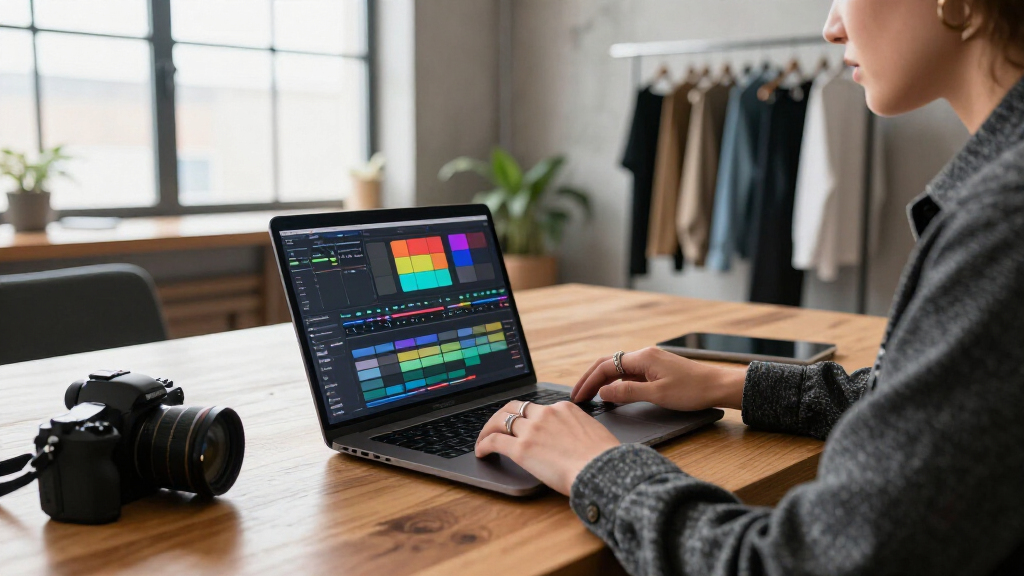
How We Picked
I ranked these laptops by how their listed specifications map to real 8K editing demands: processor capability, memory capacity, graphics hardware, internal storage, screen suitability, and the likely need for proxies or external media. I gave extra weight to configurations that reduce common editing bottlenecks, especially limited RAM, integrated-only graphics, and small SSD capacity. A feature counts only when the supplied product details identify it; missing GPU, upgrade, cooling, or display-color information is treated as unknown, not as a strength.
The ranking favors the NIMO 16-Inch for its exceptional 128GB memory listing, then the ASUS V16 for its RTX 5060, followed by the Core Ultra 9 Vivobook with its 2TB SSD and OLED screen. The remaining models offer useful combinations of memory, screen size, or storage but list integrated graphics or less distinctive 8K capabilities. I do not treat any laptop as guaranteed to edit every 8K codec smoothly: codec support, thermals under sustained load, software optimization, and external-drive speed can change results substantially.
Factors to Consider When Choosing Laptops For 8k Video Editing
Choosing a laptop for 8K work involves more than finding a fast processor. I’d match the machine to the footage, editing software, and amount of work done away from a desktop, then budget for the storage and display setup the laptop may not provide.
Start With Your Footage Codec and Editing Software
Two 8K files can place very different demands on the same computer: highly compressed footage may strain decoding, while less compressed formats can consume more storage and bandwidth. Check which codecs your camera records and whether your editing application supports hardware decoding or acceleration for them. A laptop’s CPU and GPU names alone cannot confirm that every format will play smoothly. If your system struggles with native playback, proxies or optimized media can make editing workable without changing the source files. That adds a preparation step and uses extra disk space, but it can matter more than a small processor-spec difference. Before buying, verify the codec workflow you actually use rather than relying on a general claim of 8K readiness.
Balance RAM Against GPU Acceleration
Memory and graphics address different bottlenecks, so I would not treat one as a substitute for the other. More RAM helps when a project has large timelines, multiple applications, heavy media caches, or complex compositing; a capable discrete GPU can speed compatible effects, color tools, and exports. This roundup makes the tradeoff visible: the NIMO 16-Inch lists 128GB RAM, while the ASUS V16 is the model here with a named RTX 5060. Avoid choosing solely by the largest memory number if your workflow depends on GPU-accelerated effects. Conversely, a discrete GPU does not erase the limits of a low-memory configuration. Check whether RAM is upgradeable before purchase, since the supplied listings do not establish upgrade options.
Plan Storage for Source Media, Cache, and Backups
8K source files can fill an internal SSD quickly, and editing software also writes previews, cache files, and temporary renders. A laptop with a larger SSD gives more room to keep active projects together, but it is not a replacement for a separate backup. A common mistake is counting only the camera originals and overlooking proxies, duplicate exports, and media cache. When comparing internal capacity, also check the number and type of ports and whether a fast external SSD can connect at the speed your workflow needs. If projects move between locations, keep a second copy of irreplaceable footage rather than relying on one portable drive. Storage planning often makes the difference between a convenient mobile setup and constant file housekeeping.
Treat the Screen as Part of the Editing Setup
A sharp built-in display helps with timeline detail and general review, but resolution and refresh rate do not establish color accuracy. If color grading or client approval is central to your work, look for independent information about gamut coverage, calibration, brightness, and uniformity before treating a laptop screen as a reference display. OLED can offer strong contrast, yet the panel label alone does not answer every color-critical question. A larger screen can make panels and timelines easier to arrange, while a smaller machine is simpler to carry between locations. Many editors can use a laptop display for cutting and connect a calibrated external monitor for final color decisions. Include that monitor and connection setup in the total system plan.
Check Sustained Performance, Cooling, and Power
Short benchmark bursts do not show whether a laptop can keep high performance during a long export. Cooling design, fan behavior, chassis size, and power limits affect sustained CPU and GPU workloads, but those details are not provided consistently in these listings. Ask for independent sustained-load tests when long renders are part of your routine, and check whether performance changes noticeably on battery power. A compact laptop may be easier to travel with yet have less room for cooling than a larger chassis. Also confirm the power adapter and charging arrangement suit your editing location; USB-C charging support does not by itself establish full-load performance while charging. For a work machine, predictable sustained output can matter more than a headline peak specification.
Decide When to Pay More for Headroom
Paying for extra capability makes sense when it removes a bottleneck you encounter regularly, such as memory limits in layered projects or slow GPU effects in your software. It makes less sense to buy a powerful configuration just because the footage is labeled 8K if you primarily create proxies, make short cuts, or finish on another workstation. Compare the cost of a laptop upgrade with the practical alternative: external storage, a desktop editing system, or a proxy-based workflow. For beginners, learning media management and project settings may improve day-to-day editing more than chasing the highest specification. For frequent mobile work, value the combination of performance, screen, ports, and battery behavior rather than any single component. Choose headroom for the work you expect to do, not an imagined workload.
Frequently Asked Questions
Is 32GB of RAM enough for editing 8K video?
It can be enough for selected workflows, especially when you edit with proxies, keep projects relatively simple, and close other demanding applications. It leaves less headroom for large timelines, layered effects, high-resolution stills, or several applications open at once. In this lineup, most models list 32GB, while the NIMO 16-Inch lists 128GB, making that configuration the clearest choice for memory-heavy work. RAM does not determine performance alone: codec decoding, graphics hardware, and storage speed also affect playback and export. Check whether the RAM can be upgraded before buying, since the product details here do not confirm that.
Should I choose the ASUS V16 with RTX 5060 or the NIMO with 128GB RAM?
I’d choose between them based on the bottleneck in your editing software. The ASUS V16 is the more direct fit when supported GPU effects and acceleration matter, while the NIMO 16-Inch is more compelling for projects that need extensive memory headroom. The ASUS lists 16GB RAM and 512GB storage, so those capacities may constrain larger projects unless upgrades or external storage are practical. The NIMO listing names 128GB RAM but does not identify a discrete GPU, so I would not assume it matches the RTX model for GPU-heavy tasks. Verify your software’s hardware guidance and codec support before deciding.
Can a laptop with integrated graphics handle 8K editing?
It may handle parts of an 8K workflow, particularly proxy editing, simple cuts, or footage that the processor can decode efficiently. Native playback with complex effects, noise reduction, or accelerated color work can be a heavier ask, and results vary by software and codec. Several NIMO Ryzen 7 8745HS models list Radeon 780M integrated graphics, but their specifications do not promise smooth performance for every 8K task. If you depend on GPU-accelerated effects, a laptop with a named discrete GPU such as the ASUS V16 is a more direct candidate. For less demanding workflows, proxies and realistic export expectations can make integrated graphics more usable.
Is a 2TB SSD enough for 8K video projects?
It is a more comfortable starting point than 512GB, but no single capacity is enough for every project. Footage duration, codec, frame rate, proxy generation, cache settings, and the number of active projects all affect how quickly space disappears. The Acer Aspire AI and one ASUS Vivobook S16 list 2TB, giving them an advantage for keeping more work locally than the ASUS V16’s listed 512GB. I would still plan for a fast external working drive and a separate backup, especially for camera originals. Keep cache and old exports under control so the internal drive does not fill during an edit.
Can I use an OLED laptop screen for final color grading?
OLED can provide a high-contrast, detailed image, but the display type and resolution do not prove that a panel is color-accurate enough for final grading. Look for independent measurements of color gamut, accuracy, brightness, and uniformity, and confirm whether the display can be calibrated. The Vivobook S16 models in this roundup list 2.8K OLED 120Hz screens, which can make a useful editing workspace, but their supplied details do not specify color coverage or calibration. For client-critical delivery, a calibrated external monitor is a safer reference when your workflow permits one. You can still use the laptop panel for cutting, organizing media, and rough adjustments.
Conclusion
For the strongest memory headroom in this group, I’d pick the NIMO 16-Inch with Ryzen AI Max+ 395 and 128GB RAM as best overall, while recognizing that its listing does not identify a discrete GPU. The ASUS V16 with RTX 5060 is my best choice for buyers whose editing software makes good use of GPU acceleration, though its listed 16GB RAM and 512GB SSD may need attention. For a more capable premium-feeling screen and expanded local storage, the ASUS Vivobook S16 with Core Ultra 9, 2TB SSD, and 2.8K OLED is the clearest match. I’d treat the Ryzen 7 8745HS NIMO models as the best value-oriented starting points for beginners willing to use proxies and work within integrated-graphics limits. Buyers who prioritize a smaller 14-inch form factor and 2TB of listed storage can look at the Acer Aspire AI, while those who want a larger screen should compare the 17.3-inch NIMO options. Match the final choice to your codec, software, and expected workload; the label “8K” alone does not identify what will run smoothly.
Halloween Picks

JOYIN 5-Foot Halloween Animatronic Drinking Skeleton

10.5 ft Lighted Pumpkin and Ghost Halloween Inflatable Archway

Pumpkin Halloween Fog Machine with 12-Color LEDs, Bluetooth Speaker, and Remote
As an affiliate, we earn on qualifying purchases.