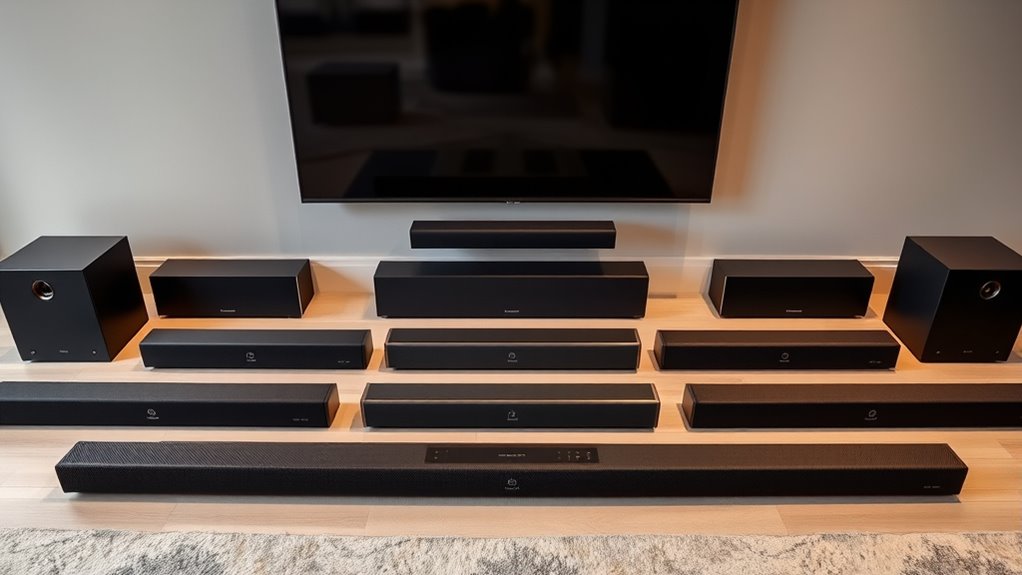

For high-end soundbars on Amazon, I rank the Samsung HW-Q990F as the best overall for buyers who want a full surround package, including a subwoofer and rear speakers. The Sonos Arc Ultra is a strong standalone alternative for a polished, room-filling setup, while the JBL Bar 500MK2 suits listeners who want a dedicated wireless subwoofer without a separate pair of rear speakers. The biggest tradeoffs are whether you want a simple bar or a multi-speaker system, how much room you can give the components, and whether your TV and streaming setup support the formats and connections you need. This roundup compares all 13 options by sound approach, setup demands, and flexibility. Read on for the full breakdown and guidance on matching a soundbar to your room and priorities.

Get your wardrobe favorites delivered free with Prime
- Fast, free delivery on millions of items
- Prime Video, Amazon Music and more included
- Member-only deals all year
Key Takeaways
- The Samsung HW-Q990F is the most complete included system: its subwoofer and rear speakers make it a stronger match for buyers prioritizing surround immersion over a minimal setup.
- Standalone bars trade surround precision for fewer components: the amazon.com/dp/B0CXZHM5Q8?tag=aluxurylifestyle-20&ascsubtag=dc-617756″ target=”_blank” rel=”nofollow sponsored noopener”>amazon.com/dp/B0CXZVZ4WW?tag=aluxurylifestyle-20&ascsubtag=dc-617756″ target=”_blank” rel=”nofollow sponsored noopener”>amazon.com/dp/B09GPYL7BJ?tag=aluxurylifestyle-20&ascsubtag=dc-617756″ target=”_blank” rel=”nofollow sponsored noopener”>Sonos Arc Ultra, KEF XIO, Bose Lifestyle Ultra, and Harman Kardon models suit buyers who want fewer boxes, but they do not provide the same included rear-speaker arrangement as the Samsung package.
- Amazon’s Fire TV Soundbar Plus range covers different levels of system complexity: the built-in-subwoofer version keeps the setup compact, while the bundles with a wireless subwoofer or surround speakers add room impact or more directional effects.
- Dedicated subwoofers matter for impact, not just bass quantity: the JBL Bar 500MK2 and Fire TV bundles can better suit action films and large rooms than a single-bar design, though they need more floor space.
- Compact choices are not simply scaled-down premium systems: the Sonos Beam (Gen 2) is easier to place in smaller rooms, while larger Atmos bars and multi-piece packages make more sense when the room and listening distance can support them.
| Sonos Beam (Gen 2) Dolby Atmos Soundbar, Black |  | Best for Compact Premium Sound | Brand: Sonos | Model: BEAM2US1BLK | Color: Black | VIEW ON AMAZON | See Our Full Breakdown |
| Amazon Fire TV Soundbar Plus with Wireless Subwoofer, 3.1 Channel, Dolby Atmos and DTS:X |  | Best for Dialogue and Added Bass | Channels: 3.1 | Surround formats: Dolby Atmos, DTS:X | Soundbar dimensions: 37 x 5.2 x 2.5 in | VIEW ON AMAZON | See Our Full Breakdown |
| Bose Lifestyle Ultra Wireless Soundbar for TV with Dolby Atmos, Black |  | Best for Room-Adaptive Wireless Sound | Brand: Bose | Product type: Wireless soundbar | Color: Black | VIEW ON AMAZON | See Our Full Breakdown |
| Amazon Fire TV Soundbar Plus with Subwoofer and Surround Speakers |  | Best for a Complete 5.1 Home Theater | Speaker channels: 5.1 | Sound formats: Dolby Atmos, DTS:X | Soundbar size: 37 x 5.2 x 2.5 in | VIEW ON AMAZON | See Our Full Breakdown |
| Amazon Fire TV Soundbar Plus 3.1-Channel Soundbar with Built-In Subwoofer |  | Best for a Simple All-in-One Setup | Speaker channels: 3.1 | Subwoofer: Built-in | Surround formats: Dolby Atmos, DTS:X | VIEW ON AMAZON | See Our Full Breakdown |
| JBL Bar 500MK2 5.1-Channel Soundbar System with Dolby Atmos and 10-Inch Wireless Subwoofer |  | Best for Big Bass Without Rear Speakers | Audio channels: 5.1 | Maximum output power: 750 watts | Subwoofer: 10-inch wireless | VIEW ON AMAZON | See Our Full Breakdown |
| KEF XIO Dolby Atmos 5.1.2 Soundbar, Silver Grey |  | Best Premium Single-Bar System | Audio channels: 5.1.2 | Maximum output power: 820 watts | Drivers: 12 | VIEW ON AMAZON | See Our Full Breakdown |
| Harman Kardon Enchant 900 Soundbar with Dolby Atmos (2025) |  | Best Compact Premium Atmos Bar | Audio channels: Multi-channel | Maximum output power: 195 watts | Audio technologies: Dolby Atmos, MultiBeam, PureVoice | VIEW ON AMAZON | See Our Full Breakdown |
| Sonos Arc Ultra Dolby Atmos Soundbar, Black |  | Best for Sonos System Expansion | Audio channels: 9.1.4 | Audio output mode: Surround | Speaker size: 46.18 inches | VIEW ON AMAZON | See Our Full Breakdown |
| Harman Kardon Enchant 1100 Dolby Atmos Soundbar |  | Best for a Wider DTS:X-Ready Bar | Audio technologies: Dolby Atmos, MultiBeam, DTS:X | Audio output mode: Surround | Maximum output power: 315 watts | VIEW ON AMAZON | See Our Full Breakdown |
| Sonos Beam Ultra Dolby Atmos Soundbar, Black |  | Best Compact Atmos Pick | Brand: Sonos | Model: Beam Ultra (BMULTUS1BLK) | Audio channels: 7.1.2 | VIEW ON AMAZON | See Our Full Breakdown |
| Samsung HW-Q990F Q Series 11.1.4-Channel Soundbar with Subwoofer, Rear Speakers, and Protection Plan (2025) |  | Best Complete Surround Package | Brand: Samsung | Model: HW-Q990F | Series: Q Series | VIEW ON AMAZON | See Our Full Breakdown |
| Klipsch Flexus Core 300 5.1.2-Channel Dolby Atmos Soundbar with Dirac Live, Bluetooth, and Onkyo Technology, Walnut |  | Best for Room-Correction Tuning | Brand: Klipsch | Model: Flexus Core 300 | Channels: 5.1.2 | VIEW ON AMAZON | See Our Full Breakdown |
| high end soundbars on amazon | Connectivity | Maximum output power |
|---|---|---|
| Sonos Beam | HDMI, Wi-Fi, Ethernet, AirPlay 2 | 200 watts |
| Amazon Fire TV Soundbar Plus w | — | — |
| Bose Lifestyle Ultra Wireless | HDMI ARC/eARC, Wi-Fi, Bluetooth | — |
| Amazon Fire TV Soundbar Plus w | — | — |
| Amazon Fire TV Soundbar Plus 3 | — | — |
| JBL Bar 500MK2 5.1-Channel Sou | — | 750 watts |
| KEF XIO Dolby Atmos 5.1.2 Soun | HDMI eARC, Wi-Fi 6, Bluetooth 5.3, AirPlay, Google Cast | 820 watts |
| Harman Kardon Enchant 900 Soun | Bluetooth | 195 watts |
| Sonos Arc Ultra Dolby Atmos So | Bluetooth, HDMI, Wi-Fi | — |
| Harman Kardon Enchant 1100 Dol | — | 315 watts |
| Sonos Beam Ultra Dolby Atmos S | Bluetooth, HDMI, Wi-Fi | 50 watts |
| Samsung HW-Q990F Q Series 11.1 | — | — |
| Klipsch Flexus Core 300 5.1.2- | Bluetooth | 300 watts |
More Details on Our Top Picks
Sonos Beam (Gen 2) Dolby Atmos Soundbar, Black
The Sonos Beam (Gen 2) suits buyers who want a polished, compact bar that can also serve as a music speaker. Dolby Atmos processing, room tuning, and support for AirPlay 2 give it more flexibility than a TV-only setup, while app, voice, and TV-remote controls make everyday use straightforward. Its two-channel configuration keeps the system simpler than the Amazon Fire TV Soundbar Plus 5.1 system, which includes rear speakers and a wireless subwoofer for a more physical surround effect. That smaller footprint is the Beam’s advantage, but also its limit: its bass and surround presentation cannot match a separate subwoofer and speakers. I’d shortlist it for a tidy room and a gradual multiroom or surround-system build, not for buyers seeking the biggest theater impact from one purchase.
Pros:- Compact design pairs TV audio with music and podcast streaming
- Dolby Atmos processing adds a more spacious presentation
- Trueplay tuning helps adapt sound to the room
- Can expand into a Sonos surround or multiroom setup
Cons:- Two-channel configuration lacks the separate subwoofer and rear speakers included with the Amazon Fire TV Soundbar Plus 5.1 system
- Requires a corded power connection
- A one-year warranty is specified
Best for: Listeners in small or medium rooms who want a compact TV bar that also streams music and can grow into a Sonos system
Not ideal for: Home-theater buyers who prioritize deep standalone bass or discrete rear-channel effects
- Brand:Sonos
- Model:BEAM2US1BLK
- Color:Black
- Audio channels:2
- Audio output mode:Surround
- Connectivity:HDMI, Wi-Fi, Ethernet, AirPlay 2
- Control methods:App, remote, voice
- Maximum output power:200 watts
- Warranty:1 year
Our verdict“Choose the Beam if compact size, streaming flexibility, and room to expand matter more than dedicated surround speakers and stronger bass.”
Amazon Fire TV Soundbar Plus with Wireless Subwoofer, 3.1 Channel, Dolby Atmos and DTS:X
This 3.1-channel Fire TV Soundbar Plus hits a useful middle ground: its dedicated center channel is meant to keep conversations distinct, and the wireless subwoofer adds low-end weight without requiring a full speaker package. Dolby Atmos and DTS:X support broaden the presentation, while Movie, Music, Sports, and Night modes let buyers tune the balance for different listening situations. Compared with the all-in-one Fire TV Soundbar Plus with Built-In Subwoofer, this version separates the subwoofer from the bar, giving placement flexibility but taking up more floor space. It also stops short of the rear speakers supplied with the 5.1 Fire TV bundle, so it is less suited to listeners chasing sound from behind the couch. I’d pick it for a simple upgrade where clear TV dialogue and more bass matter more than a complete surround layout.
Pros:- Dedicated center channel is designed to improve dialogue clarity
- Wireless subwoofer adds bass and allows flexible placement
- Dolby Atmos and DTS:X support
- Four EQ modes and Bluetooth streaming
Cons:- Separate subwoofer occupies space that the built-in-subwoofer model avoids
- Does not include the two surround speakers supplied with the Fire TV 5.1 bundle
- Some Fire TV audio customization applies only to select models
Best for: TV watchers who want clearer dialogue and fuller bass than a single bar can provide, without adding rear speakers
Not ideal for: Buyers with little room for a separate subwoofer or those seeking a complete 5.1 speaker layout
- Channels:3.1
- Surround formats:Dolby Atmos, DTS:X
- Soundbar dimensions:37 x 5.2 x 2.5 in
- Soundbar weight:8.8 lbs
- Subwoofer dimensions:10.4 x 10.4 x 13.4 in
- Subwoofer weight:14.3 lbs
- Subwoofer connection:Wireless
- EQ modes:Movie, Music, Sports, Night
- Ports:HDMI, Optical, AC, USB-A
Our verdict“Choose this 3.1 system if dialogue and a separate bass unit are priorities, but skip it if you want rear-channel effects or an all-in-one bar.”
Bose Lifestyle Ultra Wireless Soundbar for TV with Dolby Atmos, Black
The Bose Lifestyle Ultra is the most feature-led single-bar option in this group for buyers who want a wide, room-shaped presentation without placing rear speakers around the room. Dolby Atmos works alongside TrueSpatial and PhaseGuide to create a sense of spread, while CustomTune adjusts sound to the space. CleanBass is designed to keep low frequencies controlled, rather than relying on a separate subwoofer like the Amazon Fire TV Soundbar Plus 3.1. That keeps the setup visually simpler, though it may not satisfy buyers who want the impact of a dedicated bass unit. Wi-Fi, Bluetooth, AirPlay, Spotify, and Google Cast make it a stronger music hub than a basic TV bar. The tradeoff is app dependence for setup and software updates, plus fewer concrete configuration details in the supplied product information.
Pros:- Dolby Atmos, TrueSpatial, and PhaseGuide aim for expansive sound from one bar
- CustomTune adjusts audio to the room
- CleanBass technology is designed to keep bass clear across listening levels
- Supports AirPlay, Spotify, and Google Cast alongside Bluetooth
Cons:- No separate subwoofer or surround speakers are listed
- Setup and software updates rely on the Bose app
- The supplied product data does not specify channel count or dimensions
Best for: Buyers seeking a premium, wireless single-bar setup with room tuning and broad music-streaming support
Not ideal for: Listeners who want separate rear speakers, a dedicated subwoofer, or to avoid app-based setup and updates
- Brand:Bose
- Product type:Wireless soundbar
- Color:Black
- Audio technologies:Dolby Atmos, TrueSpatial, PhaseGuide, CleanBass, CustomTune
- Connectivity:HDMI ARC/eARC, Wi-Fi, Bluetooth
- Voice assistants:Alexa, Siri
- Streaming support:AirPlay, Spotify, Google Cast
- Control methods:Bose app, touch, voice
Our verdict“Choose the Bose if room-adaptive sound and streaming flexibility in a single bar matter more than a separate subwoofer and rear speakers.”
Amazon Fire TV Soundbar Plus with Subwoofer and Surround Speakers
For buyers who want speakers behind the seating position without assembling a system piece by piece, this 5.1-channel Fire TV bundle makes the clearest case in the lineup. It combines the soundbar and dedicated dialogue channel with a wireless subwoofer and two wireless surround speakers; Dolby Atmos and DTS:X add compatible sound formats on top. Against the 3.1-channel Fire TV Soundbar Plus, the rear speakers are the meaningful difference, creating a more complete surround arrangement rather than asking the bar alone to suggest width. The cost in practical terms is space and setup: the subwoofer and two speakers need places in the room, even though their connections are wireless. This is a better fit for a planned living-room theater than a minimal TV stand. Some Fire TV audio settings also work only with select models.
Pros:- Includes two surround speakers and a wireless subwoofer for 5.1-channel playback
- Dolby Atmos and DTS:X support
- Dedicated dialogue channel is designed to make speech clearer
- Includes HDMI cable, remote, and soundbar wall-mount kit
Cons:- Requires space for the subwoofer and two separate surround speakers
- Some Fire TV audio settings apply only to select models
- More components to place than either 3.1 Fire TV Soundbar Plus option
Best for: Movie and sports viewers with room for a subwoofer and two rear speakers who want a bundled 5.1 setup
Not ideal for: Apartment dwellers or minimalist setups that cannot accommodate separate surround speakers and a subwoofer
- Speaker channels:5.1
- Sound formats:Dolby Atmos, DTS:X
- Soundbar size:37 x 5.2 x 2.5 in
- Subwoofer size:10.4 x 10.4 x 13.4 in
- Subwoofer connection:Wireless
- Surround speaker size:5.1 x 5.1 x 6.0 in
- Surround speaker connection:Wireless
- EQ modes:Movie, Music, Sports, Night
- Ports:HDMI, Optical, AC, USB-A
Our verdict“Choose this bundle if you have room for rear speakers and want a fuller surround layout than the 3.1 Fire TV bars provide.”
Amazon Fire TV Soundbar Plus 3.1-Channel Soundbar with Built-In Subwoofer
This all-in-one 3.1-channel bar is the most space-conscious of the Fire TV Soundbar Plus options: its bass driver is built into the soundbar, so there is no separate subwoofer to position. A dedicated center channel is intended to keep dialogue easy to follow, and Dolby Atmos and DTS:X support give it more format flexibility than a basic TV speaker upgrade. Compared with the Fire TV Soundbar Plus with Wireless Subwoofer, the built-in design reduces room clutter but gives up the placement freedom of a separate bass unit. It also cannot match the more enveloping layout of the 5.1 Fire TV bundle, which adds rear speakers. Four EQ modes and Bluetooth streaming round out a straightforward setup, though the supplied specs do not list a specific channel for rear effects. Pick it when simplicity matters more than system expansion.
Pros:- Built-in subwoofer avoids placing a separate bass unit
- Dedicated center channel is designed to clarify dialogue
- Dolby Atmos and DTS:X support
- Includes remote, HDMI cable, and wall-mount kit
Cons:- Built-in subwoofer offers less placement flexibility than the separate-subwoofer model
- No rear speakers are included, unlike the 5.1 Fire TV bundle
- Does not provide the separate subwoofer’s dedicated enclosure
Best for: Viewers who want a dialogue-focused TV audio upgrade with bass in one bar and no separate subwoofer
Not ideal for: Home-theater listeners seeking stronger low-frequency impact, rear speakers, or flexible subwoofer placement
- Speaker channels:3.1
- Subwoofer:Built-in
- Surround formats:Dolby Atmos, DTS:X
- Dimensions:37 x 5.2 x 2.5 in
- Weight:8.8 lbs
- EQ modes:Movie, Music, Sports, Night
- Ports:HDMI, Optical, AC, USB-A
- Bluetooth:Yes
- Included accessories:Remote, HDMI 2.0 cable, AC cord, 2 AAA batteries, wall mount kit, quick start guide
Our verdict“Choose this model if a tidy one-bar setup matters most; choose the separate-subwoofer or 5.1 version for more room-filling bass and surround effects.”
JBL Bar 500MK2 5.1-Channel Soundbar System with Dolby Atmos and 10-Inch Wireless Subwoofer
The JBL Bar 500MK2 pairs a 5.1-channel presentation with a separate 10-inch wireless subwoofer, making it a strong fit for movie fans who want forceful low-end without placing speakers behind the sofa. Dolby Atmos and MultiBeam 3.0 aim to spread effects beyond the bar, while PureVoice 2.0 helps keep speech distinct when action gets loud. Its 750-watt output and broad streaming support give it more muscle and music flexibility than the Harman Kardon Enchant 900, whose listed output is lower and whose connectivity details are more limited. The tradeoff is that this is still a front-based system: it cannot offer the physical rear-channel placement of a package such as the Samsung HW-Q990F. Dolby Vision passthrough also depends on a compatible TV or video source.
Pros:- 10-inch wireless subwoofer provides substantial low-frequency impact without a wired connection to the bar.
- Dolby Atmos and MultiBeam 3.0 create a broader presentation from a front-of-room setup.
- PureVoice 2.0 is designed to make dialogue easier to follow over effects.
- AirPlay, Google Cast, Spotify Connect, Tidal Connect, and Roon Ready support varied music playback.
Cons:- Virtualized surround cannot reproduce the separation of systems with physical rear speakers.
- 4K Dolby Vision passthrough requires compatible TV and video-source equipment.
- The separate subwoofer needs floor space and may be too much bass for listeners in close quarters.
Best for: Movie watchers who want deep, dedicated subwoofer bass and a wide surround effect without adding rear speakers.
Not ideal for: Buyers seeking discrete speakers behind the listening area, or anyone whose TV and source setup cannot pass through Dolby Vision.
- Audio channels:5.1
- Maximum output power:750 watts
- Subwoofer:10-inch wireless
- Audio output mode:Surround
- Video passthrough:4K Dolby Vision
- TV connection:HDMI eARC
- Music connectivity:AirPlay, Google Cast, Spotify Connect, Tidal Connect, Roon Ready
- Color:Black
Our verdict“Choose the JBL Bar 500MK2 if a wireless subwoofer and room-filling front-stage sound matter more than physical rear channels.”
KEF XIO Dolby Atmos 5.1.2 Soundbar, Silver Grey
The KEF XIO is the most self-contained premium pick here: its 5.1.2-channel layout, twelve drivers, and built-in bass reaching down to 34 Hz are designed to deliver an expansive presentation without a separate subwoofer. That makes it a cleaner living-room choice than the JBL Bar 500MK2, which gets its deeper-bass impact from a substantial external unit. KEF also covers both Dolby Atmos and DTS:X, with room adaptation and dialogue and night modes for different listening conditions. Wi-Fi 6, Bluetooth 5.3, AirPlay, and Google Cast make it useful beyond TV playback. The tradeoff is that its integrated bass will not provide the same placement flexibility or upgrade path as a system with an included subwoofer; wireless pairing to KEF subwoofers requires an optional KW2 receiver. Its long, heavy cabinet also needs room.
Pros:- 5.1.2 channels and twelve drivers support an immersive presentation from a single cabinet.
- Built-in bass extension to 34 Hz avoids requiring an external subwoofer for a streamlined setup.
- Dolby Atmos, DTS:X, Sony 360 Reality Audio, and MPEG-H cover a range of immersive formats.
- Room adaptation plus dialogue and night modes provide useful listening adjustments.
Cons:- Optional wireless connection to KEF subwoofers requires a separate KW2 receiver.
- Integrated bass has less placement flexibility and upgrade potential than the JBL Bar 500MK2’s separate subwoofer.
- Its 47.6-inch width and 23.1-pound weight may complicate placement or wall mounting.
Best for: Design-conscious buyers wanting a premium Atmos and DTS:X setup in one soundbar, without a separate subwoofer on the floor.
Not ideal for: Bass-focused listeners who want a dedicated subwoofer included, or buyers short on space for a nearly four-foot-wide, 23.1-pound bar.
- Audio channels:5.1.2
- Maximum output power:820 watts
- Drivers:12
- Bass extension:Down to 34 Hz
- Audio formats:Dolby Atmos, DTS:X, Sony 360 Reality Audio, MPEG-H
- Connectivity:HDMI eARC, Wi-Fi 6, Bluetooth 5.3, AirPlay, Google Cast
- Dimensions:6.5 × 47.6 × 2.8 inches
- Weight:23.1 pounds
- Mounting:Tabletop or wall mount
Our verdict“Pick the KEF XIO if you want premium immersive sound and built-in bass in one substantial bar, rather than a separate subwoofer system.”
Harman Kardon Enchant 900 Soundbar with Dolby Atmos (2025)
The Harman Kardon Enchant 900 suits buyers who want Dolby Atmos and a surround effect from a relatively compact 34.2-inch bar, without committing to a subwoofer-and-speaker package. MultiBeam is intended to widen the sound beyond the cabinet, and PureVoice targets clearer dialogue—useful for mixed TV viewing where speech can otherwise get lost. Compared with the wider Enchant 1100, this model is easier to fit beneath smaller televisions, but its listed 195-watt output is lower and the supplied information does not specify the same DTS:X support. The main compromise is limited connection detail: Bluetooth is listed, but HDMI eARC and Wi-Fi are not specified here. Dolby Vision passthrough is supported, though the source and display still need to be compatible. This is a simpler single-bar choice, not a modular surround system.
Pros:- 34.2-inch width suits smaller TV stands and tighter media spaces.
- Dolby Atmos and MultiBeam are designed to create a wider surround presentation from one bar.
- PureVoice technology focuses on dialogue clarity.
- 4K passthrough with Dolby Vision supports compatible video setups.
Cons:- No separate subwoofer is listed, limiting low-bass impact compared with the JBL Bar 500MK2.
- The provided connectivity specification lists Bluetooth but does not specify HDMI eARC or Wi-Fi.
- 195 watts is less listed output than the Enchant 1100’s 315 watts.
Best for: Apartment dwellers and owners of smaller TVs who want an Atmos-capable bar with dialogue enhancement and a compact footprint.
Not ideal for: Buyers who need a separate subwoofer, DTS:X support, or clearly specified HDMI eARC and Wi-Fi connections.
- Audio channels:Multi-channel
- Maximum output power:195 watts
- Audio technologies:Dolby Atmos, MultiBeam, PureVoice
- Speaker size:34.2 inches
- Video passthrough:4K with Dolby Vision
- Connectivity:Bluetooth
- Weight:7.7 pounds
- Mounting:Tabletop
- Color:Black
Our verdict“Choose the Enchant 900 for a compact Atmos bar and dialogue support, but skip it if you want a subwoofer or a clearly documented eARC connection.”
Sonos Arc Ultra Dolby Atmos Soundbar, Black
The Sonos Arc Ultra is the clearest choice for buyers who want an advanced spatial-audio bar that can grow into a larger Sonos setup. Its 9.1.4 Dolby Atmos presentation and Sound Motion technology are built for room-filling sound, while AI-powered speech enhancement addresses a common frustration: dialogue buried beneath effects. Compared with the KEF XIO, the Arc Ultra offers an explicit expansion path to a Sonos Sub and Era 300 rear speakers, while KEF keeps bass built into the bar unless you add the required receiver for a compatible subwoofer. That flexibility comes with extra system decisions and possible add-on components. The Arc Ultra supports HDMI, Wi-Fi, Bluetooth, app, voice, and touch control, but the listed subwoofer connection is wired. Buyers wanting a complete surround package in one purchase may prefer a bundle with dedicated speakers.
Pros:- 9.1.4 Dolby Atmos layout is designed for an expansive spatial presentation.
- AI-powered speech enhancement helps make dialogue easier to hear.
- Can expand with Sonos Sub and Era 300 rear speakers.
- HDMI, Wi-Fi, Bluetooth, app, voice, and touch controls offer several playback and control options.
Cons:- A subwoofer and rear speakers are separate additions, unlike a bundled system such as the JBL Bar 500MK2.
- Listed subwoofer connectivity is wired, which can constrain placement.
- Expansion adds equipment and setup decisions for buyers seeking a ready-made surround package.
Best for: Sonos households and buyers planning to add a Sonos Sub or Era 300 rear speakers over time.
Not ideal for: Shoppers wanting an all-in-one system with a wireless subwoofer included, or those who do not want to build around Sonos-compatible additions.
- Audio channels:9.1.4
- Audio output mode:Surround
- Speaker size:46.18 inches
- Connectivity:Bluetooth, HDMI, Wi-Fi
- Subwoofer connectivity:Wired
- Enclosure material:Metal
- Mounting type:Tabletop mount
- Warranty:1 year
Our verdict“Choose the Arc Ultra if you want a powerful Atmos soundbar that can anchor a Sonos system you plan to expand.”
Harman Kardon Enchant 1100 Dolby Atmos Soundbar
The Harman Kardon Enchant 1100 is the more substantial of the two Enchant bars here, with a 45.2-inch cabinet, Dolby Atmos, MultiBeam, and DTS:X. That format support gives it an advantage over the Enchant 900 for buyers whose movie collection includes DTS:X, while its 315-watt output is also higher than the smaller model’s listed 195 watts. MultiBeam aims to spread sound across the room without requiring separate rear speakers, keeping the setup simpler than a full component system. The tradeoff is that the provided specifications do not list a subwoofer, HDMI eARC, or streaming connectivity, so buyers should check connection needs before choosing it. Compared with the Sonos Arc Ultra, it has a less explicit expansion path for adding rear speakers and a subwoofer. Its wider body also needs a larger TV stand.
Pros:- Dolby Atmos and DTS:X cover two major immersive movie formats.
- MultiBeam is designed to broaden the soundstage without separate rear speakers.
- 315 watts of listed output exceeds the Enchant 900’s 195 watts.
- 45.2-inch width can pair visually with larger televisions.
Cons:- No separate subwoofer is listed, so deep-bass performance may fall short of the JBL Bar 500MK2.
- The provided specifications do not list HDMI eARC or streaming connectivity.
- Its wider cabinet takes more room than the Enchant 900.
Best for: Owners of wider TVs who want Atmos and DTS:X support in a single tabletop bar without setting up rear speakers.
Not ideal for: Buyers who need documented HDMI eARC or streaming features, want a separate subwoofer, or have a narrow media console.
- Audio technologies:Dolby Atmos, MultiBeam, DTS:X
- Audio output mode:Surround
- Maximum output power:315 watts
- Speaker size:45.2 inches
- Dimensions (D × W × H):50 × 7 × 8 inches
- Weight:10.1 pounds
- Mounting type:Tabletop
- Color:Black
Our verdict“Pick the Enchant 1100 if you want a wider single bar with both Atmos and DTS:X, and verify its connections suit your TV setup.”
Sonos Beam Ultra Dolby Atmos Soundbar, Black
The Sonos Beam Ultra is the compact choice for a room where a full surround-speaker kit would take up too much space. Its 7.1.2 Dolby Atmos layout and upward-firing drivers aim to add height and width from a single, 29.53-inch bar, while AI Speech Enhancement targets a common small-speaker weakness: dialogue that gets lost in busy scenes. Trueplay room tuning and control through the Sonos app, TV remote, AirPlay 2, or voice make it a flexible fit for streaming and TV use.
Compared with the Samsung HW-Q990F, it takes up less space but does not include a subwoofer or rear speakers, so it is less suited to buyers seeking a complete home-cinema package out of the box. Choose it for a polished, low-clutter setup; skip it if room-filling bass and physical rear channels matter most.
Pros:- Compact 29.53-inch design with 7.1.2 Dolby Atmos processing and upward-firing drivers
- AI Speech Enhancement is designed to make dialogue easier to follow
- Trueplay room tuning can adapt playback to the listening space
- Supports app, TV remote, AirPlay 2, and voice control
Cons:- Subwoofer and surround speakers are additional components
- A compact bar may not deliver the bass impact of the Samsung HW-Q990F bundle with its included subwoofer
- The listed maximum output is 50 watts
Best for: Apartment dwellers and design-conscious buyers who want Atmos effects and clear dialogue from a compact bar without adding rear speakers.
Not ideal for: Home-theater buyers who want a subwoofer and rear speakers included, or listeners who prioritize powerful bass over a compact footprint.
- Brand:Sonos
- Model:Beam Ultra (BMULTUS1BLK)
- Audio channels:7.1.2
- Drivers:9
- Maximum output power:50 watts
- Connectivity:Bluetooth, HDMI, Wi-Fi
- Control methods:App, remote, voice
- Dimensions:2.56 in D × 4.13 in W × 29.53 in H
- Weight:6.4 pounds
Our verdict“Choose the Beam Ultra for compact Atmos sound and dialogue-focused features, but pick the Samsung HW-Q990F if you want included bass and rear channels.”
Samsung HW-Q990F Q Series 11.1.4-Channel Soundbar with Subwoofer, Rear Speakers, and Protection Plan (2025)
The Samsung HW-Q990F earns its place for buyers who want a surround system supplied as a bundle rather than a bar they must build out later. Its 11.1.4-channel configuration comes with a subwoofer and rear speakers, giving it a more complete route to enveloping movie sound than the compact Sonos Beam Ultra, which has no separate bass or rear units included. Wireless Dolby Atmos reduces the need for a speaker cable running to the bar, and SpaceFit Sound Pro Plus is intended to tune playback to the room.
Samsung TV owners can also use Q-Symphony to pair the bar with compatible television speakers. That feature makes this bundle a stronger match for an existing Samsung setup than for a mixed-brand system. Its included screen-cleaning kit and extra protection coverage are bundle extras, not substitutes for checking whether the audio package fits your room and TV.
Pros:- 11.1.4-channel system includes a subwoofer and rear speakers
- Wireless Dolby Atmos supports an immersive setup with fewer cable runs to the bar
- SpaceFit Sound Pro Plus is designed to calibrate audio to the room
- Includes an additional year of Amber Protection and a screen-cleaning kit
Cons:- Q-Symphony benefits are intended for compatible Samsung TVs
- Separate rear speakers and a subwoofer require more placement space than a single-bar option such as the Sonos Beam Ultra
- The protection plan is intended for residential use only
Best for: Samsung TV owners and movie fans who want a ready-to-use surround package with a subwoofer and rear speakers included.
Not ideal for: Buyers with a non-Samsung TV who want the bundle’s Q-Symphony feature, or anyone seeking a minimal, single-bar setup.
- Brand:Samsung
- Model:HW-Q990F
- Series:Q Series
- Channels:11.1.4
- Audio technology:Wireless Dolby Atmos, Q-Symphony
- Room calibration:SpaceFit Sound Pro Plus
- Included audio components:Subwoofer and rear speakers
- Protection:Additional 1-year Amber Protection; 1-year manufacturer warranty
- Additional bundle item:Amber Protection HDTV Screen Cleaner Kit
Our verdict“Choose the HW-Q990F if you want a full surround bundle and own a compatible Samsung TV; choose the Sonos Beam Ultra for a simpler, smaller setup.”
Klipsch Flexus Core 300 5.1.2-Channel Dolby Atmos Soundbar with Dirac Live, Bluetooth, and Onkyo Technology, Walnut
The Klipsch Flexus Core 300 is the tuning-focused pick in this group. Its Dirac Live room correction gives buyers a way to optimize playback for their space, while the 5.1.2 layout and upward-firing speakers bring Dolby Atmos height effects without the larger 11.1.4 speaker package of the Samsung HW-Q990F. The listed 300-watt maximum output and Bluetooth support also make it a candidate for TV listening and music streaming, with app control handling setup.
The tradeoff is a less complete package: the product details do not list a separate subwoofer or rear speakers, unlike the Samsung bundle. It also lists Bluetooth connectivity rather than the broader connection set shown for the Sonos Beam Ultra, so buyers should check that their source devices and TV connections fit their setup. The walnut finish adds a distinct look, but a wall mount is not included.
Pros:- 5.1.2-channel Dolby Atmos design includes upward-firing speakers
- Dirac Live room correction is designed to tune sound to the space
- Listed 300-watt maximum output
- Bluetooth streaming and Klipsch Connect Plus app support
Cons:- Wall mount is not included
- The listed package does not specify an included subwoofer or rear speakers, unlike the Samsung HW-Q990F bundle
- Listed connectivity is limited to Bluetooth, so buyers should verify their TV connection requirements
Best for: Listeners who want Dolby Atmos and room-correction tools in a walnut-finish bar, and who are comfortable checking accessory and connection needs before buying.
Not ideal for: Buyers seeking a complete surround package with subwoofer and rear speakers included, or those who need a wall mount in the box.
- Brand:Klipsch
- Model:Flexus Core 300
- Channels:5.1.2
- Audio format:Dolby Atmos
- Room correction:Dirac Live
- Connectivity:Bluetooth
- Maximum output power:300 watts
- Frequency response:20 Hz
- Color:Walnut
Our verdict“Choose the Flexus Core 300 for Dirac Live tuning and a distinctive walnut finish, but choose the Samsung HW-Q990F if you want included rear speakers and a subwoofer.”

How We Picked
I compared these soundbars by how well their designs match distinct buyer needs: immersive surround sound, clear dialogue, bass support, convenient placement, and room for future expansion. I also weighed the practical side of ownership, including whether a subwoofer or rear speakers are included, how many components need placement, and whether the system’s format and connectivity claims fit common TV and streaming setups. A higher channel count alone did not earn a higher position; the expected benefit has to justify the extra space and setup.
The ranking favors packages that deliver a clear advantage for a broad range of home-theater buyers, which puts the Samsung HW-Q990F first for its included surround components. Standalone premium bars follow when their simpler installation or more focused design suits a different priority. The Fire TV Soundbar Plus models are separated by bundle and bass configuration rather than treated as interchangeable, while the Sonos Beam (Gen 2) ranks as a compact alternative rather than a rival to full-size surround packages. Actual room acoustics, placement, and TV compatibility can change which option makes the most sense for an individual buyer.
| high end soundbars on amazon | Connectivity |
|---|---|
| Sonos Beam | HDMI, Wi-Fi, Ethernet, AirPlay 2 |
| Amazon Fire TV Soundbar Plus w | — |
| Bose Lifestyle Ultra Wireless | HDMI ARC/eARC, Wi-Fi, Bluetooth |
| Amazon Fire TV Soundbar Plus w | — |
| Amazon Fire TV Soundbar Plus 3 | — |
| JBL Bar 500MK2 5.1-Channel Sou | — |
| KEF XIO Dolby Atmos 5.1.2 Soun | HDMI eARC, Wi-Fi 6, Bluetooth 5.3, AirPlay, Google Cast |
| Harman Kardon Enchant 900 Soun | Bluetooth |
| Sonos Arc Ultra Dolby Atmos So | Bluetooth, HDMI, Wi-Fi |
| Harman Kardon Enchant 1100 Dol | — |
| Sonos Beam Ultra Dolby Atmos S | Bluetooth, HDMI, Wi-Fi |
| Samsung HW-Q990F Q Series 11.1 | — |
| Klipsch Flexus Core 300 5.1.2- | Bluetooth |
Factors to Consider When Choosing High End Soundbars On Amazon
Before choosing among high-end soundbars on Amazon, I would decide how much of the theater experience needs to come in the box. A premium label or Atmos logo does not tell you how many speakers you will need, how bass will be handled, or whether your room can make use of rear channels. These factors help separate real upgrades from features that may go unused in your setup.
Choose Between a Standalone Bar and a Full Surround Package
Start with how much physical surround you want, not the channel count printed on the box. A standalone bar keeps wiring and placement simpler, but its surround effect relies more on processing and reflections from your room. A package with rear speakers can place effects behind you more directly, though it needs suitable outlets, clear placement, and space around seating. Avoid buying rear channels if a sofa against the wall or an open-plan layout leaves nowhere practical to put them. For a shared living room, a capable standalone bar may be easier to live with than a theoretically more immersive kit. For a dedicated viewing area, separate rears can make the extra setup worthwhile.
Match the Subwoofer Plan to Your Room
A subwoofer changes more than how much bass you hear; it can add weight to film effects and music that a slim bar may not reproduce on its own. In a small apartment or a room with close neighbors, a built-in-subwoofer design may be easier to manage and place. A wireless subwoofer still needs floor space and a location that works with your room, even if it avoids a cable running back to the soundbar. Larger rooms and action-heavy viewing often benefit from a dedicated sub, but stronger bass is not automatically better if it overwhelms dialogue or travels through shared walls. Check the likely location before choosing a bundle, since a subwoofer with no sensible placement can become a nuisance.
Check TV Connections and Audio-Format Support
Before ordering, check which HDMI connections your TV has and how it handles sound from streaming apps and connected devices. Features such as eARC can affect how audio formats pass between a TV and soundbar, while a TV’s older connection may limit what reaches the bar. Atmos support on a product page does not mean every stream, game, or disc will play in Atmos; the source, app, content, and connection all matter. If you rely on a game console or streaming box, map the signal path first rather than assuming every device can connect directly to the bar. Buyers who mainly watch ordinary TV may care more about dialogue clarity and reliable control than format support they rarely use.
Treat Atmos Claims as a Room-and-Content Match
Atmos is most useful when the soundbar, source material, and room work together. Up-firing or virtualized effects depend on placement and room surfaces, so low ceilings, unusual angles, or open layouts can change what you hear. A format badge cannot promise the same overhead effect in every home. Think about the content you actually watch: films and some streaming programs may use immersive mixes, while much broadcast TV and many older titles will not. If your room is difficult for height effects, prioritize clear dialogue, a convincing front soundstage, and useful bass rather than choosing solely by Atmos branding. The more your viewing relies on immersive film sound, the more it makes sense to plan placement carefully.
Plan for Setup, Control, and Future Expansion
Premium soundbars can still feel inconvenient if everyday control is awkward. Check whether the system is designed to work smoothly with your TV remote, streaming setup, and preferred music sources before treating extra smart features as a bonus. Some product families offer optional speakers or subwoofers, which can let you start with a simpler installation and expand later; verify compatibility before relying on that plan. A bundle with all components included may be easier for someone who wants a finished surround setup immediately. Also account for app setup, software updates, and the number of power outlets the complete system needs. The best long-term fit is the system whose extra features you will use, not the one with the longest feature list.
Frequently Asked Questions
Is a soundbar with included rear speakers worth choosing over a premium standalone bar?
It depends on whether direct surround placement matters more to you than a simpler room setup. Included rear speakers can create a more convincing sense of effects behind the seating position, especially when you watch films mixed for surround sound. A standalone bar avoids extra speakers, power connections, and placement decisions, which can be a better fit for shared rooms or open layouts. Before choosing a surround bundle, check that the rear speakers can sit beside or behind your listening area without blocking walkways. If that placement is not practical, a high-quality standalone bar may give you a more satisfying everyday setup.
Will a Dolby Atmos soundbar work with my existing TV?
It may, but the TV’s connections and audio passthrough support affect what the soundbar receives. Check whether your TV has an HDMI eARC or ARC port and whether it passes the formats used by your streaming devices or apps. Also confirm that the content itself has an Atmos mix; the soundbar cannot add the original format to a source that does not provide it. If your TV is older, you may still get sound while losing access to some higher-bandwidth formats. Look up the exact TV model’s audio specifications before choosing a bar for Atmos as a main reason.
Should I buy a package with a subwoofer if I live in an apartment?
A dedicated subwoofer can add satisfying weight, but it can also carry through floors and walls more readily than dialogue or higher-frequency effects. In an apartment, a soundbar with built-in bass may be easier to place and control, though it will not necessarily deliver the same low-frequency impact. If you choose a separate sub, consider whether it has controls that let you reduce bass for late-night viewing and whether your room offers a suitable spot away from shared walls. A large subwoofer is not a requirement for a premium experience if clear voices and balanced sound matter more to you. Your neighbors and the building’s construction should be part of the decision.
Can I add speakers later if I start with a standalone soundbar?
Some soundbar families support compatible add-on subwoofers or rear speakers, but expansion is not universal across brands or even across every model in a brand’s range. Check the manufacturer’s compatibility information for the exact model before buying with future upgrades in mind. A planned expansion can make a simpler initial setup appealing, but it may cost more effort and money than choosing a complete package from the start. Also think about whether your room will have the space and power outlets for extra speakers later. If you already know that you want surround sound, an included bundle avoids uncertainty about matching components.
Which should I prioritize if I mainly watch television and stream dialogue-heavy shows?
Prioritize clear speech, reliable TV control, and a sound profile that remains easy to follow at your normal listening volume. A large surround package may add little if most of your viewing is news, reality programming, or dialogue-led series. Check whether the soundbar offers dialogue-focused listening options, but do not assume a named mode will fix every mix or room problem. A compact bar can be a sensible choice when it fits your TV area and listening distance, while a subwoofer becomes more useful if you also watch films or listen to music. Choose for your regular viewing habits rather than occasional blockbuster nights alone.
Conclusion
For the broadest home-theater setup, I recommend the Samsung HW-Q990F as best overall, particularly for buyers who can place rear speakers and want a complete package. The Amazon Fire TV Soundbar Plus 3.1-Channel with Built-In Subwoofer is my best value-oriented pick for shoppers who want a simpler system without a separate subwoofer, while the Sonos Arc Ultra is my best premium standalone choice for a refined, component-light setup. Beginners should look at the Sonos Beam (Gen 2) when compact placement and a more approachable footprint matter more than full-package surround. For dedicated bass and film impact, the JBL Bar 500MK2 is a strong fit; for a bundle with rear speakers, compare the Fire TV Soundbar Plus surround package with the Samsung based on room space and system needs. My final filter is practical: buy the most capable setup your room can support, not the one whose extra speakers or formats will go unused.
Halloween Picks

Spirit Halloween 54-Inch Sitting Scarecrow Animatronic

10ft Halloween Inflatable Archway – Pumpkin Skeleton Yard Décor

MGparty 14.5 ft Halloween Inflatable Walk-In Pumpkin House with LED Lights
As an affiliate, we earn on qualifying purchases.