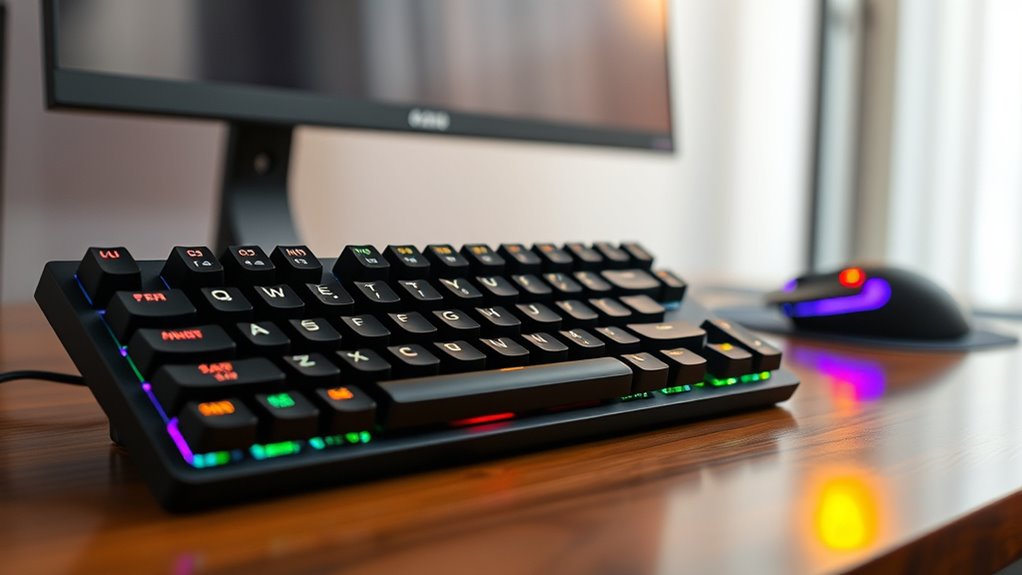

High end mechanical keyboards stand out for their premium build quality, customizable features, and superior typing or gaming experience. The best models often feature advanced switches, RGB lighting, and robust construction, but they can also come with a hefty price tag. Among the standout options, the Keychron Q13 Max offers exceptional customization with wireless flexibility, while the ASUS ROG Azoth Extreme is tailored for gamers seeking seamless connectivity. However, these high-end models typically involve tradeoffs such as higher costs or increased complexity in setup. Continue reading for a detailed breakdown of the top choices and what makes each one unique.

Get your wardrobe favorites delivered free with Prime
- Fast, free delivery on millions of items
- Prime Video, Amazon Music and more included
- Member-only deals all year
Key Takeaways
- The top keyboards balance build quality, customization, and wireless capabilities, with a focus on durability and user experience.
- Wireless options like Keychron and Logitech excel for versatility but often trade off some responsiveness compared to wired models.
- Gaming-oriented keyboards tend to include RGB lighting, additional controls, and higher polling rates, but may sacrifice some typing comfort.
- Premium features such as hot-swappable switches and customizable keycaps are common at this level, though they increase cost and complexity.
- Price varies significantly; investing in a high-end keyboard often means prioritizing specific features over general affordability.
| Keychron Q13 Max Alice Layout QMK Wireless Custom Mechanical Keyboard with RGB Backlight and Red Switch |  | Best Overall High-End Mechanical Keyboard | Layout: Alice | Connectivity: 3-Mode (BT5.2, 2.4GHz, USB-C) | Switch Type: Red | VIEW ON AMAZON | See Our Full Breakdown |
| ASUS ROG Azoth Extreme Wireless Mechanical Gaming Keyboard |  | Best Premium Wireless Compact Keyboard | Connectivity: Tri-mode (2.4 GHz RF, Bluetooth, USB-C wired) | Layout: 75% TKL | Build Material: Aluminum chassis with carbon fiber plate | VIEW ON AMAZON | See Our Full Breakdown |
| RK Royal Kludge R98 Pro Wired Mechanical Gaming Keyboard with RGB Backlight and Volume Knob |  | Best Wired Gaming Keyboard with Custom Features | Layout: QWERTY | Number of Keys: 98 | Switch Type: Linear, hot-swappable | VIEW ON AMAZON | See Our Full Breakdown |
| SteelSeries USB Apex 5 Hybrid Mechanical Gaming Keyboard with RGB and OLED Display |  | Best Hybrid Switch High-End Keyboard with Display | Switch Type: Hybrid Blue Mechanical | Display: OLED Smart Display | Frame Material: Aircraft Grade Aluminum | VIEW ON AMAZON | See Our Full Breakdown |
| Logitech MX Mechanical Wireless Illuminated Performance Keyboard |  | Best Multi-Device Wireless Mechanical Keyboard | Switch Type: Clicky mechanical | Backlit Keys: Yes, auto-adjusting | Connectivity: Bluetooth, USB-C, Logi Bolt | VIEW ON AMAZON | See Our Full Breakdown |
| ASUS ROG Strix Scope II X Wired Mechanical Gaming Keyboard |  | Best for Customization and Ergonomics | Connectivity: Wired USB-C | Switch Type: Hot-swappable ROG NX Snow or Storm | Keycaps: PBT doubleshot | VIEW ON AMAZON | See Our Full Breakdown |
| CORSAIR K70 CORE RGB Mechanical Wired Gaming Keyboard with Palmrest |  | Best for Responsive Gaming and Comfort | Switch Type: MLX Red Linear | Keycaps: ABS Double-Shot | Features: Sound dampening, media control dial, magnetic palm rest | VIEW ON AMAZON | See Our Full Breakdown |
| Logitech Alto Keys K98M Wireless Mechanical Gasket Keyboard – Graphite |  | Best for Wireless Convenience and Long Battery Life | Switch Type: Hot-swappable Marble Switches | Backlighting: White non-RGB | Layout: 98-key + Numpad | VIEW ON AMAZON | See Our Full Breakdown |
| Keychron K2 HE Rapid Trigger Wireless Magnetic Custom Keyboard with Gateron Switches | 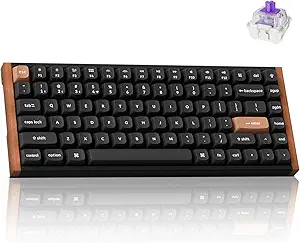 | Best for Customization and Versatility | Layout: 75% | Connectivity: Bluetooth 5.2, 2.4 GHz, Type-C | Switch Type: Gateron Double-Rail Magnetic | VIEW ON AMAZON | See Our Full Breakdown |
| ASUS ROG Strix Scope II 96 Wireless Mechanical Gaming Keyboard |  | Best for Versatile Wireless Performance | Size: 96% full-size with num pad | Connectivity: Bluetooth, 2.4GHz wireless, USB wired | Switches: Pre-lubed ROG NX Snow linear or Storm clicky | VIEW ON AMAZON | See Our Full Breakdown |
| be quiet! Dark Mount Tactile Gaming Keyboard with Silent Switches and Customizable Display Keys |  | Best for Customization and Ergonomics | Switch Type: Silent tactile black switches | Keycaps: PBT double-shot | Display Keys: 8 customizable 115×115 | VIEW ON AMAZON | See Our Full Breakdown |
| Keychron Q6 Ultra 8K Polling Rate Aluminum Wireless Mechanical Keyboard, Full-Size, Custom RGB, Hot-Swappable Silk POM Banana Switch, Compatible with Mac, Windows, Linux |  | Best for Ultra-Responsive Wireless Performance | Connectivity: Bluetooth 5.3, 2.4 GHz, Wired | Polling Rate: 8000Hz | Switch Type: Silk POM, Hot-Swappable | VIEW ON AMAZON | See Our Full Breakdown |
| Keychron K10 Max QMK Wireless Custom Mechanical Full-Size Keyboard |  | Best for Custom Firmware and Versatile Connectivity | Keys: 108 | Connectivity: 2.4 GHz, Bluetooth 5.1, wired | Switch Type: Hot-swappable Apex Red | VIEW ON AMAZON | See Our Full Breakdown |
| Cherry KC 200 MX Wired Mechanical Office Keyboard with Silent Red Switches |  | Best for Quiet Office Use | Switch Type: Cherry MX2A Silent Red | Connection: USB-A | Material: Aluminum surface | VIEW ON AMAZON | See Our Full Breakdown |
| RedThunder K95 Wireless Mechanical Keyboard with TFT Screen and Knob, RGB Backlit, Hot Swappable Pink Switches, Gasket Structure, Tri-Mode Connectivity |  | Best for Advanced Gamers and Streamers | Screen: 1.14 inch TFT | Switch Type: Pink linear, hot-swappable | Connectivity: Tri-mode (BT5.0, 2.4GHz, USB-C) | VIEW ON AMAZON | See Our Full Breakdown |
| high end mechanical keyboard | Switch Type | Connectivity |
|---|---|---|
| Keychron Q13 Max Alice Layout | Red | 3-Mode (BT5.2, 2.4GHz, USB-C) |
| ASUS ROG Azoth Extreme Wireles | — | Tri-mode (2.4 GHz RF, Bluetooth, USB-C wired) |
| RK Royal Kludge R98 Pro Wired | Linear, hot-swappable | USB-C |
| SteelSeries USB Apex 5 Hybrid | Hybrid Blue Mechanical | — |
| Logitech MX Mechanical Wireles | Clicky mechanical | Bluetooth, USB-C, Logi Bolt |
| ASUS ROG Strix Scope II X Wire | Hot-swappable ROG NX Snow or Storm | Wired USB-C |
| CORSAIR K70 CORE RGB Mechanica | MLX Red Linear | Wired |
| Logitech Alto Keys K98M Wirele | Hot-swappable Marble Switches | Bluetooth, Logi Bolt USB Receiver |
| Keychron K2 HE Rapid Trigger W | Gateron Double-Rail Magnetic | Bluetooth 5.2, 2.4 GHz, Type-C |
| ASUS ROG Strix Scope II 96 Wir | — | Bluetooth, 2.4GHz wireless, USB wired |
| be quiet! Dark Mount Tactile G | Silent tactile black switches | — |
| Keychron Q6 Ultra 8K Polling R | Silk POM, Hot-Swappable | Bluetooth 5.3, 2.4 GHz, Wired |
| Keychron K10 Max QMK Wireless | Hot-swappable Apex Red | 2.4 GHz, Bluetooth 5.1, wired |
| Cherry KC 200 MX Wired Mechani | Cherry MX2A Silent Red | — |
| RedThunder K95 Wireless Mechan | Pink linear, hot-swappable | Tri-mode (BT5.0, 2.4GHz, USB-C) |
More Details on Our Top Picks
Keychron Q13 Max Alice Layout QMK Wireless Custom Mechanical Keyboard with RGB Backlight and Red Switch
The Keychron Q13 Max stands out for its all-metal CNC construction and unique Alice layout, making it an excellent choice for those who value build quality and distinctive design. Compared to the ASUS ROG Azoth Extreme, it offers a more traditional wireless experience with multiple connectivity options and hot-swappable PBT keycaps, but it lacks the OLED touchscreen that adds extra customization. The high polling rate and premium materials justify its premium price, though the setup process may challenge beginners. Ideal for enthusiasts seeking a versatile, premium wireless keyboard who don’t mind a complex configuration process.
Pros:- Premium all-metal CNC construction with CNC machining
- Multiple connectivity options including Bluetooth 5.2 and 2.4 GHz wireless
- High polling rate for responsive gaming and typing
- Hot-swappable keycaps for extensive customization
Cons:- High price point due to premium materials and features
- Bluetooth mode has a lower polling rate (90 Hz) compared to wired modes
- Setup complexity may be daunting for beginners
Best for: Power users and custom keyboard enthusiasts who prioritize build quality and wireless versatility
Not ideal for: Casual users or those new to mechanical keyboards who prefer plug-and-play simplicity
- Layout:Alice
- Connectivity:3-Mode (BT5.2, 2.4GHz, USB-C)
- Switch Type:Red
- Keycaps:PBT, Hot Swappable
- Backlight:RGB
- Material:6063 Aluminum
- Polling Rate:1000 Hz (wired), 90 Hz (Bluetooth)
Our verdict“This keyboard is best suited for high-end users who want durability, customization, and wireless flexibility despite a steeper learning curve.”
ASUS ROG Azoth Extreme Wireless Mechanical Gaming Keyboard
The ASUS ROG Azoth Extreme excels with its compact 75% layout and full-color OLED touchscreen, offering a blend of gaming-focused features and high-end build quality. While the Keychron Q13 Max offers more connectivity options, the Azoth’s tri-mode wireless and long battery life make it more portable and suited for on-the-go use. Its aluminum chassis with carbon fiber plate ensures durability, but the feature-rich setup and high price may be overwhelming for casual users. The customizable switches and OLED display provide a high degree of personalization, but limited color options could be a drawback.
Pros:- Versatile tri-mode connectivity with long battery life
- Premium aluminum and carbon fiber construction
- Customizable switches and full-color OLED display
- Compact 75% layout maximizes desk space
Cons:- High-end price can be a barrier
- Complex feature set may be overwhelming for casual users
- Limited color options
Best for: Gamers and professionals seeking a compact, premium wireless keyboard with customization and portability
Not ideal for: Users preferring full-sized or less feature-rich keyboards, or those on a tight budget
- Connectivity:Tri-mode (2.4 GHz RF, Bluetooth, USB-C wired)
- Layout:75% TKL
- Build Material:Aluminum chassis with carbon fiber plate
- Display:1.47-inch OLED touchscreen
- Battery Life:Up to 1600 hours with OLED off
- Polling Rate:8K Hz with ROG Polling Rate Booster
Our verdict“This keyboard is ideal for gamers and power users who value portability, customization, and a premium build at a premium price.”
RK Royal Kludge R98 Pro Wired Mechanical Gaming Keyboard with RGB Backlight and Volume Knob
The RK Royal Kludge R98 Pro combines a 98-key layout with gaming-ready features like RGB backlighting and a detachable volume knob. Compared to the wireless Keychron Q13 Max, it sacrifices wireless convenience for a more straightforward wired connection, which can be preferable for stable gaming performance. Its hot-swappable linear switches offer easy customization, but the limited switch choice may not satisfy users seeking tactile or clicky feedback. The inclusion of sound-absorbing foam and indicator lights adds to its gaming and productivity appeal, but drivers are required for full customization, which can complicate setup.
Pros:- 98-key layout with integrated numpad and function keys
- RGB lighting with multiple modes for customization
- Hot-swappable linear switches for easy upgrades
- Detachable aluminum volume knob for quick adjustments
Cons:- Requires driver software for full customization
- Limited switch options—no tactile or clicky variants
- No wireless connectivity
Best for: Gamers and users who prefer a wired connection for stability and easy switch customization
Not ideal for: Wireless enthusiasts or those who prefer a silent, tactile typing experience
- Layout:QWERTY
- Number of Keys:98
- Switch Type:Linear, hot-swappable
- Keycap Material:PBT
- Backlight:RGB
- Connectivity:USB-C
- Additional Features:Volume knob, sound-absorbing foam
Our verdict“This wired keyboard suits gamers and power users who want customization and stability over wireless convenience.”
SteelSeries USB Apex 5 Hybrid Mechanical Gaming Keyboard with RGB and OLED Display
The SteelSeries Apex 5 features hybrid blue switches that offer a tactile yet smooth feel, making it a versatile choice for both gaming and typing. This is a different approach from the Keychron Q13 Max’s all-mechanical switches, providing a more forgiving switch feel with the added durability of membrane-like tactility. The OLED smart display and dynamic RGB lighting enhance customization, but the larger size and premium price may not appeal to users with limited desk space. The aircraft-grade aluminum frame ensures longevity, yet some users might prefer traditional mechanical switches for a purer feel.
Pros:- Tactile and smooth hybrid blue switches for versatile use
- OLED display for notifications and customization
- Durable aircraft-grade aluminum frame
- Dynamic RGB lighting with reactive effects
Cons:- Large size may not fit small desks
- Premium features come with a higher price tag
- Some users prefer traditional mechanical switches
Best for: Gamers and professionals seeking a durable, feature-rich hybrid switch keyboard with a display for notifications and media control
Not ideal for: Users wanting a purely mechanical experience or those with limited desk space
- Switch Type:Hybrid Blue Mechanical
- Display:OLED Smart Display
- Frame Material:Aircraft Grade Aluminum
- Key Count:Full-size
- Wrist Rest:Magnetic, full palm support
- Keypress Durability:20 million
Our verdict“This keyboard offers a practical mix of durability, customization, and hybrid switch feel for users seeking a versatile high-end gaming keyboard.”
Logitech MX Mechanical Wireless Illuminated Performance Keyboard
The Logitech MX Mechanical excels with its clicky mechanical switches and auto-adjusting backlit keys, making it ideal for multi-device workflows. While the Keychron Q13 Max offers a more premium build and wireless versatility, the MX Mechanical’s focus on smart backlighting and compatibility across multiple operating systems makes it a versatile choice for productivity. Its long battery life and quick USB-C charging are practical benefits, but the somewhat noisy keys might be distracting in shared environments. The inclusion of recycled plastics aligns with eco-conscious values, but the price is on the higher end for a wireless keyboard.
Pros:- Tactile, clicky mechanical switches for satisfying feedback
- Smart, auto-adjusting backlit keys for different lighting conditions
- Multi-device support across multiple OS platforms
- Long battery life with fast USB-C charging
Cons:- Mechanical keys can be noisy for quiet environments
- Premium price may be prohibitive for some
- Requires Bluetooth or Logi Bolt receiver for wireless connectivity
Best for: Professionals who need a reliable, multi-device wireless keyboard with tactile feedback and adaptive lighting
Not ideal for: Users who prefer silent or gaming-specific keyboards, or who require wired-only setups
- Switch Type:Clicky mechanical
- Backlit Keys:Yes, auto-adjusting
- Connectivity:Bluetooth, USB-C, Logi Bolt
- Compatibility:macOS, Windows, Linux, iOS, Android
- Battery Life:Up to 15 days with backlighting, 10 months off
- Material:45% post-consumer recycled plastic
Our verdict“This keyboard suits professionals needing multi-device flexibility and tactile feedback, despite some noise and a higher cost.”
ASUS ROG Strix Scope II X Wired Mechanical Gaming Keyboard
This full-size keyboard stands out for its hot-swappable switches, allowing gamers and enthusiasts to easily customize their feel and sound, a feature that outshines many high-end boards like the Logitech Alto Keys, which lacks hot-swappable capabilities. The durable PBT keycaps and aluminum top plate add a premium feel, while the adjustable angles and detachable wrist rest improve comfort during long sessions. However, being wired only and heavier due to metal construction makes it less flexible for mobile or minimalist setups. Its high price reflects its premium build and feature set, making it suited for dedicated gamers or streamers who prioritize customization and ergonomics over portability.
Pros:- Hot-swappable switches for personalized feel and sound
- Premium PBT keycaps and sturdy aluminum top plate
- Ergonomic with adjustable angles and detachable wrist rest
- Enhanced RGB lighting and sound-dampening features
Cons:- Wired only, limiting desk flexibility
- Heavy due to metal construction, less portable
- Premium price may be prohibitive for casual users
Best for: Gamers and streamers who want a fully customizable, ergonomic mechanical keyboard for long-duration use
Not ideal for: Users seeking a wireless setup or a lightweight, portable option for on-the-go gaming or work
- Connectivity:Wired USB-C
- Switch Type:Hot-swappable ROG NX Snow or Storm
- Keycaps:PBT doubleshot
- Backlighting:RGB
- Dimensions:Full-size with number pad
- Additional Features:Detachable wrist rest, multi-function wheel, macro-programmable keys
Our verdict“This keyboard is ideal for gamers and professionals who prioritize durability, customization, and ergonomic comfort in a high-end wired setup.”
CORSAIR K70 CORE RGB Mechanical Wired Gaming Keyboard with Palmrest
The CORSAIR K70 CORE RGB is crafted for gamers seeking smooth, responsive keystrokes thanks to pre-lubricated MLX Red linear switches, and it offers quieter operation with built-in sound dampening layers. Its magnetic soft-touch palm rest enhances comfort during marathon gaming or typing sessions, making it a step above the Keychron K2 in terms of user comfort. However, being wired limits placement flexibility, and the ABS keycaps may show wear faster over time. This keyboard suits gamers who want a reliable, comfortable, and highly responsive device with customizable controls, especially if they prefer a traditional wired setup over wireless models.
Pros:- Pre-lubricated MLX Red switches for smooth keystrokes
- Sound dampening layers for quieter operation
- Magnetic palm rest for added comfort
- Customizable media controls
Cons:- Wired connection restricts placement options
- ABS keycaps may wear or shine over time
- Limited to specific switch types, reducing customization options
Best for: Serious gamers who prioritize response, comfort, and durability in a wired mechanical keyboard
Not ideal for: Users who prefer wireless keyboards or need a compact, lightweight setup for portability
- Switch Type:MLX Red Linear
- Keycaps:ABS Double-Shot
- Features:Sound dampening, media control dial, magnetic palm rest
- Material:Aluminum top plate
- Connectivity:Wired
- Layout:QWERTY NA
Our verdict“This board is best suited for gamers seeking responsiveness and comfort with a wired connection and reliable build quality.”
Logitech Alto Keys K98M Wireless Mechanical Gasket Keyboard – Graphite
The Logitech Alto Keys K98M offers a compact, wireless experience with clicky switches and a gasket mount that absorbs vibrations, providing a comfortable typing feel that many high-end wired options lack. Its seamless Bluetooth and Logi Bolt connectivity, combined with up to 12 months of battery life, make it ideal for users who want minimal desk clutter and freedom of movement—though it only offers white non-RGB backlit keys, which limits lighting customization compared to models like the ASUS Strix Scope II X. The mechanical switches can be loud for shared spaces, but the long battery life and multi-device support make it a strong choice for busy professionals and hybrid workers who value portability and wireless operation.
Pros:- Vibration-absorbing gasket mount for comfortable typing
- Wireless connectivity with extended battery life
- Programmable action keys for customization
- Compact design suitable for various setups
Cons:- Limited to white backlit keys with no RGB options
- Mechanical switches may be loud in shared environments
- No RGB lighting reduces aesthetic flexibility
Best for: Remote workers and multitaskers needing a compact, wireless, and long-lasting mechanical keyboard
Not ideal for: Gamers requiring RGB lighting or silent switches, or users with heavy lighting customization needs
- Switch Type:Hot-swappable Marble Switches
- Backlighting:White non-RGB
- Layout:98-key + Numpad
- Connectivity:Bluetooth, Logi Bolt USB Receiver
- Battery Life:Up to 12 months
- Charging:USB-C
Our verdict“This keyboard is a top pick for professionals and remote users prioritizing wireless convenience and long battery life over extensive lighting options.”
Keychron K2 HE Rapid Trigger Wireless Magnetic Custom Keyboard with Gateron Switches
The Keychron K2 HE stands out for its highly customizable magnetic switches, which offer rapid actuation and web configurator support, making it appealing to tech-savvy users who want a personalized experience. Its compact 75% layout and multi-mode connectivity—Bluetooth, 2.4 GHz, and USB-C—make it flexible for both gaming and productivity. Compared with the ASUS Strix Scope II X, it sacrifices some build robustness for style and customization, but its durable PBT keycaps and rosewood siding add unique aesthetic appeal. The main tradeoff involves the complexity of setup and the lack of shine-through key legends, which can hinder visibility in low light. This pick is best for users comfortable with technical tweaks and seeking a stylish, highly adaptable keyboard.
Pros:- Magnetic Gateron switches with rapid actuation
- Multi-mode connectivity (Bluetooth, 2.4 GHz, Type-C)
- Unique rosewood siding and durable PBT keycaps
- Highly customizable with web configurator
Cons:- Legends on keycaps are not shine-through, reducing visibility in dim environments
- Limited switch options—only Gateron Double-Rail Magnetic
- Complex setup for full customization may challenge less technical users
Best for: Tech enthusiasts and gamers who want a customizable, stylish, multi-platform wireless keyboard
Not ideal for: Casual users preferring plug-and-play simplicity or needing shine-through keycaps for low-light use
- Layout:75%
- Connectivity:Bluetooth 5.2, 2.4 GHz, Type-C
- Switch Type:Gateron Double-Rail Magnetic
- Keycaps:Double-shot PBT
- Siding:Rosewood
- Polling Rate:1000 Hz
- Actuation Adjustment:0.2 to 3.8 mm
Our verdict“This keyboard is ideal for enthusiasts seeking a stylish, highly customizable wireless device with rapid response and unique aesthetics.”
ASUS ROG Strix Scope II 96 Wireless Mechanical Gaming Keyboard
The ASUS ROG Strix Scope II 96 combines a compact 96% layout with tri-mode connectivity, making it a flexible choice for gamers and streamers who want both wired and wireless options—something the Corsair K70 lacks. Its hot-swappable switches and customizable RGB lighting provide ample personalization, while its ergonomic design with adjustable tilt and detachable wrist rest ensures comfort during extended use. The extensive battery life of up to 1500 hours is impressive, though this depends heavily on usage patterns. Compared to other premium options, the setup process for macros and profiles can be complex, but it offers a compelling balance of adaptability and high-end features for users who need a versatile, portable gaming keyboard that works across platforms.
Pros:- Tri-mode connectivity supports Bluetooth, wireless, and wired use
- Hot-swappable switches for customization and maintenance
- Ergonomic with adjustable tilt and detachable wrist rest
- Long battery life with extensive features
Cons:- Premium price may deter budget-conscious buyers
- Battery life varies with usage, may require management
- Complex macro setup can be challenging for some
Best for: Multidevice gamers and streamers needing a compact, flexible, wireless keyboard with extensive customization
Not ideal for: Users seeking a simple plug-and-play wired keyboard or minimal setup hassle
- Size:96% full-size with num pad
- Connectivity:Bluetooth, 2.4GHz wireless, USB wired
- Switches:Pre-lubed ROG NX Snow linear or Storm clicky
- Backlighting:Per-key RGB
- Battery Life:Up to 1500 hours
- Included Accessories:Wrist rest, keycap & switch puller, wireless receiver, USB extender, sticker
Our verdict“This keyboard appeals to users who need a portable, multi-platform wireless solution with high customization and ergonomic features.”
be quiet! Dark Mount Tactile Gaming Keyboard with Silent Switches and Customizable Display Keys
The Dark Mount stands out for its extensive customization options, including an 8 customizable display keys and a hot-swappable numpad, making it ideal for gamers who need quick access to controls. Its silent tactile switches deliver precise keystrokes without noise, a significant advantage over louder alternatives like the RedThunder K95. However, its setup can be complex for newcomers, and the premium build may carry a higher price tag. Compared to the Keychron Q6, it offers fewer wired connection options but excels in ergonomic design, thanks to adjustable angles and a magnetic palm rest. This keyboard is best suited for experienced gamers and streamers who prioritize customization and comfort over simplicity.
Pros:- Highly customizable with display keys and detachable numpad
- Quiet, tactile switches for precise, noise-free keystrokes
- Ergonomic design with adjustable angles and magnetic palm rest
- Durable construction with PBT double-shot keycaps
Cons:- Setup complexity may be overwhelming for new users
- Premium price point could be prohibitive
- Limited RGB lighting options compared to some competitors
Best for: Advanced gamers and streamers seeking a highly customizable, ergonomic keyboard
Not ideal for: Beginners or users looking for a straightforward, plug-and-play gaming keyboard
- Switch Type:Silent tactile black switches
- Keycaps:PBT double-shot
- Display Keys:8 customizable 115×115
- Media Dock:Yes, with dedicated media keys and display
- Numpad:Hot-swappable, detachable
- Material:Brushed aluminum plate
Our verdict“This keyboard is perfect for experienced users who want maximum customization and ergonomic comfort at a higher cost.”
Keychron Q6 Ultra 8K Polling Rate Aluminum Wireless Mechanical Keyboard, Full-Size, Custom RGB, Hot-Swappable Silk POM Banana Switch, Compatible with Mac, Windows, Linux
The Keychron Q6 Ultra excels thanks to its 8000Hz polling rate, offering near-instant responsiveness that surpasses many standard wired keyboards like the Cherry KC 200 MX. Its all-metal build ensures durability, while support for hot-swappable Silk POM switches allows easy customization. The long battery life of up to 660 hours makes it suitable for extended use, especially in wireless setups. One tradeoff is its full-size layout, which may feel bulky for limited desk space, and the high price might deter casual users. Compared to the RedThunder K95, it provides better wireless flexibility but at a higher cost, suitable for gamers and productivity-focused users who prioritize responsiveness and build quality.
Pros:- Ultra-fast 8000Hz polling rate for highly responsive gaming
- All-metal durable construction
- Supports hot-swappable Silk POM switches for customization
- Exceptional battery life for wireless use
Cons:- Premium price may be prohibitive for some
- Full-size layout could be bulky on small desks
- Complex customization options might be daunting for beginners
Best for: Pro gamers and professionals needing ultra-fast response times in a wireless setup
Not ideal for: Users with limited desk space or those on a tight budget who prefer wired simplicity
- Connectivity:Bluetooth 5.3, 2.4 GHz, Wired
- Polling Rate:8000Hz
- Switch Type:Silk POM, Hot-Swappable
- Battery Life:Up to 660 hours
- Build Material:All-metal
- Backlight:Custom RGB
Our verdict“This keyboard is tailored for gamers and power users demanding top-tier responsiveness with wireless convenience.”
Keychron K10 Max QMK Wireless Custom Mechanical Full-Size Keyboard
The Keychron K10 Max is designed for users who want extensive control, supporting QMK firmware for custom key remapping and macros, making it ideal for power users and programmers. Its full 108-key layout with hot-swappable Apex Red switches offers a familiar experience with added flexibility. Wireless connectivity across multiple devices and the inclusion of RGB backlighting enhance its appeal. However, the full-size form factor may not suit those with limited desktop space, and the setup complexity for firmware customization can be intimidating for newcomers. Compared to the be quiet! Dark Mount, it offers less ergonomic flexibility but is more customizable for advanced users who want to tweak every aspect of their layout and function.
Pros:- Supports QMK firmware for extensive customization
- Wireless connectivity with multiple device support
- Hot-swappable switches for easy personalization
- Durable PBT keycaps with RGB backlighting
Cons:- Full-size layout can be bulky for small desks
- Requires software setup for firmware customization
- Higher price point for advanced features
Best for: Power users and programmers who need customizable firmware and multi-device support
Not ideal for: Casual users preferring simple plug-and-play keyboards or space-limited environments
- Keys:108
- Connectivity:2.4 GHz, Bluetooth 5.1, wired
- Switch Type:Hot-swappable Apex Red
- Backlight:RGB
- Material:Steel plate, acoustic foam
- Additional Features:QMK firmware support
Our verdict“Ideal for tech-savvy users who want a fully customizable, multi-device wireless keyboard with firmware control.”
Cherry KC 200 MX Wired Mechanical Office Keyboard with Silent Red Switches
The Cherry KC 200 MX is a solid choice for office environments, thanks to its silent Cherry MX2A Red switches, which provide smooth, noise-free typing. Its aluminum surface adds a premium feel, while the presence of white status LEDs and shortcut keys enhances productivity. Compared with gaming-focused options like the RedThunder K95, this model emphasizes quiet operation and durability over flashy features. The limited color options and absence of wireless connectivity mean it’s less suited for users seeking aesthetic variety or wireless flexibility. It’s a reliable, no-nonsense keyboard for professionals who prioritize quiet, efficient typing over gaming or extensive customization.
Pros:- Quiet, smooth typing with Cherry MX2A Red switches
- Durable construction with abrasion-resistant keycaps
- Includes shortcut keys and status LEDs for efficiency
- Sturdy, non-slip feet for stable use
Cons:- Limited color and aesthetic options
- No wireless connectivity
- Primarily designed for office use, less gaming-oriented
Best for: Office workers and professionals needing a quiet, durable, wired keyboard
Not ideal for: Gamers or users seeking wireless or RGB customization in their keyboard
- Switch Type:Cherry MX2A Silent Red
- Connection:USB-A
- Material:Aluminum surface
- Key Features:Full N-key rollover, anti-ghosting
- Durability:Over 50 million actuations per key
- Design:Modern, black/bronze
Our verdict“This keyboard is an excellent choice for professionals needing a quiet, durable, wired solution for daily work.”
RedThunder K95 Wireless Mechanical Keyboard with TFT Screen and Knob, RGB Backlit, Hot Swappable Pink Switches, Gasket Structure, Tri-Mode Connectivity
The RedThunder K95 offers a 1.14-inch TFT screen and a CNC-machined knob, adding extensive functionality for gamers who want quick info access and control. Its hot-swappable pink switches deliver smooth, linear keystrokes, appealing to those who prefer a softer feel. The tri-mode connectivity (Bluetooth, 2.4GHz, USB-C) provides versatile setup options, surpassing many wired-only models like the Cherry KC 200. The gasket structure and PBT keycaps enhance typing comfort, while the RGB backlighting allows for extensive customization. However, its setup can be complex, especially for users unfamiliar with advanced features, and it commands a higher price. This keyboard is best for gamers and streamers who want a feature-rich, wireless, and programmable device with a unique display element.
Pros:- Tri-mode connectivity for flexible use
- Large TFT screen for quick info and customization
- Hot-swappable pink switches for personalized feel
- Gasket structure and PBT keycaps for comfort and durability
Cons:- Setup complexity may intimidate less experienced users
- Higher price point limits accessibility
- Features may be overkill for basic use
Best for: Tech-savvy gamers and streamers needing a feature-rich, tri-mode wireless keyboard
Not ideal for: Casual users or those seeking a simple, plug-and-play office keyboard
- Screen:1.14 inch TFT
- Switch Type:Pink linear, hot-swappable
- Connectivity:Tri-mode (BT5.0, 2.4GHz, USB-C)
- Battery:8000mAh
- Backlight:RGB, 1.68 million colors
- Layout:90% compact
Our verdict“This keyboard is suited for gamers and streamers who want a versatile, programmable, and visually engaging setup with advanced connectivity options.”
How We Picked
Our evaluation process centered on several key factors: build quality, typing and gaming performance, customization options, connectivity versatility, and overall value. We prioritized keyboards with solid construction, reliable switches, and features that cater to enthusiasts and professionals alike. The ranking reflects a balance between price and feature set, with an emphasis on durability, usability, and innovative design. Models with unique features like hot-swappable switches, wireless connectivity, or extensive programmability earned higher scores, while those with common or limited offerings ranked lower. Our goal was to identify options that truly elevate the high end of the mechanical keyboard market, serving a range of user needs from gaming to professional work.
Factors to Consider When Choosing High End Mechanical Keyboards
Choosing a high end mechanical keyboard involves several considerations beyond just brand and price. Understanding your primary use—whether gaming, typing, or customization—can help narrow down features that deliver the best experience. Additionally, factors like switch type, build materials, and connectivity options influence both performance and longevity. It’s also vital to match the keyboard’s size and layout to your workspace and preferences, avoiding overpaying for unnecessary features. Knowing the tradeoffs involved in premium options ensures you make a purchase that aligns with your needs and budget.Switch Types and Tactile Feedback
Switch choice significantly impacts typing comfort and sound profile. Linear switches offer smooth keystrokes ideal for gaming, while tactile and clicky switches enhance typing accuracy and feedback, often preferred for professional work. High end keyboards typically feature hot-swappable switches, allowing customization without soldering, but this can increase cost. Consider your noise tolerance and preferred feel—premium switches like Gateron or Cherry MX are common at this level and can be swapped to tailor the experience.
Build Quality and Materials
At the high end, keyboards often feature aluminum or high-grade plastic cases that improve durability and aesthetics. A sturdy build prevents flex and enhances typing feel, especially during long sessions. Look for models with quality keycaps, such as PBT or double-shot options, which resist wear better than ABS. While premium materials add to the cost, they also extend the lifespan of your keyboard, making it a worthwhile investment if you plan to use it extensively.
Connectivity and Compatibility
Wireless connectivity offers convenience but can introduce latency, which might matter for competitive gaming. Many high-end models support Bluetooth, USB-C, and multi-device pairing, adding versatility. Wired connections generally ensure the lowest latency and maximum responsiveness, especially for serious gamers. Consider your setup—if you switch between devices frequently, a wireless model with multi-device support can be a smart choice, but keep in mind that wireless features may increase complexity and price.
Customization and Additional Features
Premium keyboards often include RGB lighting, programmable keys, and software customization. These features enable personalized aesthetics and workflows, but they can also add cost and complexity. Hot-swappable switches, detachable cables, and programmable macro keys are common in this segment. Evaluate whether these extras align with your usage, as they can significantly enhance the experience but may not justify the price for casual users.
Size, Layout, and Ergonomics
Size and layout determine how the keyboard fits into your workspace and workflow. Full-size models include a numpad, suitable for data entry, while tenkeyless or compact layouts save space but may sacrifice some functionality. Ergonomics features like wrist rests or adjustable angles can improve comfort during long sessions. Be mindful of these factors: a well-designed layout tailored to your needs can prevent fatigue and boost productivity, especially in high-end models designed with ergonomics in mind.
Frequently Asked Questions
Are high end mechanical keyboards worth the investment?
High end mechanical keyboards are often worth the investment for users seeking durability, superior typing or gaming performance, and extensive customization. They typically feature high-quality switches, premium materials, and advanced features like wireless connectivity and hot-swappable switches, which justify their higher price tags. If you spend significant time typing or gaming, these keyboards can provide a noticeably better experience and longer lifespan, making them a sensible upgrade over more affordable options.
Should I prioritize wireless connectivity or wired performance?
Deciding between wireless and wired depends on your primary use and workspace. Wireless models offer convenience and a cleaner setup, ideal for those who move their keyboard or prefer minimal clutter. However, wired keyboards generally provide lower latency and more reliable connections, essential for competitive gaming or professional tasks. Consider your environment and performance needs—if responsiveness is critical, a wired model may be the better choice, but if flexibility is a priority, a high-quality wireless keyboard can deliver both performance and convenience.
How important are switch types in a high end keyboard?
Switch types are central to your typing or gaming experience, affecting feel, sound, and responsiveness. High end keyboards usually feature premium, customizable switches like Gateron or Cherry MX, which can be selected based on preference for tactile feedback, smoothness, or noise level. Hot-swappable switches make it easy to experiment or upgrade later, adding flexibility. Choosing the right switch type ensures comfort and efficiency, making it a critical factor in high-end models tailored to specific uses.
Are customizable features like RGB lighting worth extra cost?
Customizable features like RGB lighting can enhance aesthetics and usability, especially if you enjoy personalized setups or need visual cues for macros. These features often come with software support for presets and effects, adding to the overall experience. However, they also increase the price and complexity. If aesthetics or visual feedback improve your workflow or enjoyment, investing in these features makes sense; otherwise, a simpler, more cost-effective model might suffice.
What size layout should I choose for a high end mechanical keyboard?
The choice of size depends on your workspace and how you use your keyboard. Full-size models include a numpad, ideal for data entry or users who rely on dedicated number keys. TKL (tenkeyless) models save space while still providing most functions, perfect for gaming or compact setups. Smaller layouts like 60% or 75% sacrifice some keys but offer portability and minimal desk footprint. Consider your typing habits and space constraints to select the layout that maximizes comfort and efficiency.
Conclusion
For those who prioritize overall performance and versatility, the Keychron Q13 Max stands out as the best overall choice, blending wireless convenience with premium features. Gamers seeking responsiveness and durability will find the ASUS ROG Azoth Extreme ideal for competitive play. For users new to high-end keyboards, the Logitech MX Mechanical offers a straightforward upgrade with a familiar layout. Those looking for a premium build and extensive customization should consider the RedThunder K95 with its TFT screen and hot-swappable switches. Ultimately, your choice should align with your specific needs, whether for gaming, typing, or professional use.