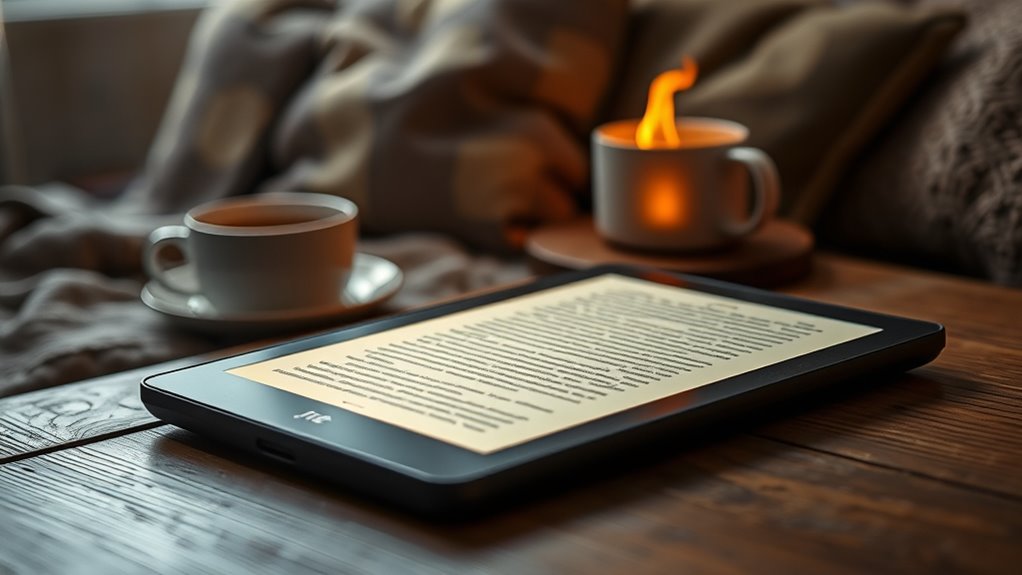

For most readers seeking ereaders for eye comfort, I’d start with the Kindle Paperwhite Signature Edition: its glare-free 7-inch screen and adjustable warm light offer useful control for long sessions and evening reading. The Kobo Clara BW is a strong alternative for readers who want a compact grayscale screen, while the Kobo Libra Colour suits readers who need color and page-turn buttons, with some color-screen tradeoffs. The main choice is between a larger screen and more lighting control, a smaller device that is easier to hold, or color that can look less crisp than black-and-white E Ink. Screen settings, room lighting, and text size also affect comfort, so no single device suits every reader. Continue for my full comparison of all 14 models and the tradeoffs that matter most to your eyes.

Get your wardrobe favorites delivered free with Prime
- Fast, free delivery on millions of items
- Prime Video, Amazon Music and more included
- Member-only deals all year
Key Takeaways
- The Paperwhite Signature Edition is my lead pick because its 7-inch glare-free screen and adjustable warm light give readers more flexibility across bright rooms and evening sessions.
- The Kobo Clara BW favors compact grayscale reading; readers who do not need color can avoid paying for a feature that may soften text and images.
- The Kobo Libra Colour and Clara Colour add color for covers, illustrations, and highlighted content, but color E Ink can appear less crisp than grayscale screens.
- The XTEINK pocket models prioritize portability, not extended-page comfort: their small screens mean more page turns and less text visible at once.
- Several listings describe the same Kindle generations or editions, so shoppers should compare the exact model and included features rather than treating every color or listing as a distinct screen experience.
| XTEINK X4 Pro 4.3-Inch E-Book Reader with Front Light and Touchscreen, Black |  | Best Compact Pick | Display: 4.3-inch E-Ink | Front light: Adjustable warm and cool tones | Controls: Touchscreen, gestures, and physical page-turn buttons | VIEW ON AMAZON | See Our Full Breakdown |
| Kindle Paperwhite Signature Edition 32GB (Newest Model) – Metallic Raspberry |  | Best Premium Pick | Display: 7-inch high-contrast Paperwhite | Lighting: Auto-adjusting front light | Storage: 32 GB | VIEW ON AMAZON | See Our Full Breakdown |
| Amazon Kindle Paperwhite 16GB, 7-Inch Display, Graphite |  | Best for Adjustable Warm Light | Display: 7-inch high-contrast, glare-free display | Lighting: Adjustable warm light | Storage: 16 GB | VIEW ON AMAZON | See Our Full Breakdown |
| Kindle Paperwhite 16GB (12th Generation, 2024) – Waterproof, 7″ glare-free display, 12-week battery life, Jade |  | Best Overall for Eye Comfort | Display: 7-inch glare-free, 300 ppi | Storage: 16 GB | Battery life: Up to 12 weeks | VIEW ON AMAZON | See Our Full Breakdown |
| XTEINK X3 3.7-Inch Pocket E-Ink eReader |  | Best for One-Handed Pocket Reading | Display: 3.7-inch E Ink, 800 × 480 | Weight: 58 g | Dimensions: 3.86 × 2.52 × 0.2 inches | VIEW ON AMAZON | See Our Full Breakdown |
| Kobo Libra Colour eReader with 7″ Kaleido 3 Colour E Ink Display, Waterproof, Dark Mode, Audiobooks |  | Best for Colour Reading and Annotation | Display: 7-inch Kaleido 3 colour E Ink | Resolution: 1264 × 1680 | Storage: 32 GB | VIEW ON AMAZON | See Our Full Breakdown |
| Kobo Libra Colour eReader, 7” Color E Ink, Waterproof, White |  | Best for Colour Comics and Broad File Support | Display: 7-inch colour E Ink | Resolution: 1680 × 1264 | Storage: 32 GB | VIEW ON AMAZON | See Our Full Breakdown |
| Kobo Clara BW 6-Inch Waterproof eReader, 16GB, Black |  | Best for Text-First Eye Comfort | Display: 6-inch E Ink Carta 1300 HD touchscreen | Resolution: 1072 × 1448 | Storage: 16 GB | VIEW ON AMAZON | See Our Full Breakdown |
| Kobo Clara Colour 6-Inch Waterproof Colour eReader, 16GB, White |  | Best Compact Colour Reader | Display: 6-inch E Ink Kaleido 3 colour | Resolution: 1072 × 1448 | Storage: 16 GB | VIEW ON AMAZON | See Our Full Breakdown |
| Amazon Kindle Paperwhite Signature Edition, 32GB, 7-Inch Display, Graphite |  | Best Premium Text Reader | Display: 7-inch, high-contrast, glare-free | Storage: 32 GB | Lighting: Auto-adjusting front light with adjustable warm light | VIEW ON AMAZON | See Our Full Breakdown |
| XTEINK X4 Classic Pocket eReader, Ultra-Light 68g & 4.9mm Thin |  | Best for Pocketable, Daylight Reading | Display: 4.3-inch E-Ink | Weight: 2.4 oz | Thickness: 0.19 inches | VIEW ON AMAZON | See Our Full Breakdown |
| Amazon Kindle 16 GB (2024), 6-inch Display, Matcha |  | Best for Everyday Eye Comfort | Model: Kindle (11th Generation, 2024 release) | Display: 6-inch glare-free display, 300 ppi, 16-level grayscale | Built-in light: Adjustable | VIEW ON AMAZON | See Our Full Breakdown |
| Amazon Kindle Paperwhite (12th Generation, 2024), 16 GB, 7-inch Display, Black |  | Best for Long Reading Sessions | Display: 7-inch Paperwhite display, 300 ppi, 16-level grayscale | Lighting: Built-in light with adjustable white-to-amber tone | Storage: 16 GB | VIEW ON AMAZON | See Our Full Breakdown |
| Kindle Colorsoft 16 GB (2024 model), No Ads, Black |  | Best for Color Content | Display: 7-inch Colorsoft E-Ink; 300 ppi black-and-white, 150 ppi color | Lighting: Adjustable front lighting and dark mode | Storage: 16 GB internal | VIEW ON AMAZON | See Our Full Breakdown |
| ereaders for eye comfort | Display | Storage | Battery life | Weight |
|---|---|---|---|---|
| XTEINK X4 Pro 4.3-Inch E-Book | 4.3-inch E-Ink | — | — | 72 g (2.5 oz) |
| Kindle Paperwhite Signature Ed | 7-inch high-contrast Paperwhite | 32 GB | Up to 12 weeks | — |
| Amazon Kindle Paperwhite 16GB | 7-inch high-contrast, glare-free display | 16 GB | Up to 12 weeks per charge | — |
| Kindle Paperwhite 16GB | 7-inch glare-free, 300 ppi | 16 GB | Up to 12 weeks | 211 g (7.4 oz) |
| XTEINK X3 3.7-Inch Pocket E-In | 3.7-inch E Ink, 800 × 480 | — | Up to 10 hours | 58 g |
| Kobo Libra Colour eReader with | 7-inch Kaleido 3 colour E Ink | 32 GB | Up to 4 weeks | 7.05 ounces |
| Kobo Libra Colour eReader | 7-inch colour E Ink | 32 GB | Up to 4 weeks | 7.05 ounces |
| Kobo Clara BW 6-Inch Waterproo | 6-inch E Ink Carta 1300 HD touchscreen | 16 GB | Up to 2 weeks | 6.14 ounces |
| Kobo Clara Colour 6-Inch Water | 6-inch E Ink Kaleido 3 colour | 16 GB | Designed to last for weeks | — |
| Amazon Kindle Paperwhite Signa | 7-inch, high-contrast, glare-free | 32 GB | Up to 12 weeks per charge | — |
| XTEINK X4 Classic Pocket eRead | 4.3-inch E-Ink | 16GB | — | 2.4 oz |
| Amazon Kindle 16 GB | 6-inch glare-free display, 300 ppi, 16-level grayscale | 16 GB | Up to 6 weeks under specified reading conditions | 5.56 oz (158 g) |
| Amazon Kindle Paperwhite | 7-inch Paperwhite display, 300 ppi, 16-level grayscale | 16 GB | Up to 12 weeks under specified conditions | 7.4 oz (211 g) |
| Kindle Colorsoft 16 GB | 7-inch Colorsoft E-Ink; 300 ppi black-and-white, 150 ppi color | 16 GB internal | Up to 8 weeks under specified conditions | 7.6 oz (215 g) |
More Details on Our Top Picks
XTEINK X4 Pro 4.3-Inch E-Book Reader with Front Light and Touchscreen, Black
The X4 Pro is the most eye-comfort-focused pocket reader here: its adjustable warm and cool front light lets readers tune the screen’s tone, while the E-Ink display avoids the look of a bright phone screen. At 72 g, it is easier to carry and hold for one-handed reading than the 7-inch Kindle Paperwhite models, including the Paperwhite Signature Edition. That portability comes with a clear limit: a 4.3-inch page leaves less room for larger text and makes PDFs or comics less comfortable to read. Physical page buttons offer an alternative to repeated touchscreen taps, and microSD expansion helps readers keep a larger library onboard. I’d choose it for short-form reading on the go, not as my main device for long documents.
Pros:- Adjustable warm and cool front lighting gives readers control over screen tone.
- Light 72 g build and magnetic back suit pocket carry.
- Physical page-turn buttons and touchscreen gestures provide flexible controls.
- microSD expansion supports up to 256 GB of additional storage.
Cons:- The 4.3-inch screen is cramped for PDFs, comics, and larger text.
- Battery capacity is listed, but the product data does not specify a dependable runtime.
Best for: Readers who prioritize a very light, pocketable device and want warm-light adjustment for casual reading away from home.
Not ideal for: Readers who need a roomy page for large text, PDFs, comics, or long evening sessions; the 4.3-inch screen is much smaller than the Kindle Paperwhite’s 7-inch display.
- Display:4.3-inch E-Ink
- Front light:Adjustable warm and cool tones
- Controls:Touchscreen, gestures, and physical page-turn buttons
- Internal storage:16 GB
- Expandable storage:microSD up to 256 GB
- Supported formats:EPUB, TXT, MOBI, PDF
- Battery capacity:1100 mAh
- Weight:72 g (2.5 oz)
Our verdict“Choose the X4 Pro if compact carry and adjustable warm lighting matter more to your eyes than having a full-size reading page.”
Kindle Paperwhite Signature Edition 32GB (Newest Model) – Metallic Raspberry
For readers who want a spacious page and automatic lighting adjustments, the Paperwhite Signature Edition is the premium choice in this group. Its 7-inch glare-free display gives text more room than the XTEINK X4 Pro, while the auto-adjusting front light can reduce the need to keep changing brightness as surroundings shift. That makes it a stronger fit for moving between daylight and dim rooms than a pocket reader with a smaller screen. Compared with the standard 16 GB Paperwhite, this edition doubles storage and adds wireless charging, but those extras do not directly improve text comfort. I’d favor it for readers who value hands-off convenience; skip it if you want manual control to be the main lighting feature or don’t need the extra capacity.
Pros:- Seven-inch high-contrast, glare-free display offers a roomy reading area.
- Auto-adjusting front light responds to changing ambient conditions.
- Waterproof design suits reading near water.
- 32 GB storage and wireless charging add convenience for a large-library setup.
Cons:- Wireless charging requires a separately sold dock.
- Its extra storage and charging features may not justify choosing it over the standard 16 GB Paperwhite for readers focused on screen comfort.
Best for: Frequent readers who want a large glare-free page, automatic light adjustment, waterproofing, and extra storage for a broad library.
Not ideal for: Buyers focused on the simplest eye-comfort features or a lighter, smaller carry; the standard Paperwhite provides a similar 7-inch reading surface without the Signature Edition extras.
- Display:7-inch high-contrast Paperwhite
- Lighting:Auto-adjusting front light
- Storage:32 GB
- Wireless charging:Yes; charging dock sold separately
- Battery life:Up to 12 weeks
- Waterproof:Yes
- Connectivity:USB-C
- Color:Metallic Raspberry
Our verdict“Pick the Signature Edition if you want a roomy glare-free screen with automatic lighting and premium conveniences, rather than the simpler standard Paperwhite.”
Amazon Kindle Paperwhite 16GB, 7-Inch Display, Graphite
This Paperwhite makes a strong case for readers who want to adjust screen tone themselves: its 7-inch glare-free display pairs with an adjustable warm light, giving more direct control over the viewing feel than the Signature Edition’s auto-adjusting light. The larger page is also a more practical choice for extended reading than the XTEINK X3’s 3.7-inch screen, especially when comfortable text sizing matters. Waterproofing and a stated battery life of up to 12 weeks support reading in varied settings without frequent charging. The tradeoff is that the listed features are comparatively straightforward: there’s no wireless charging listed, and accessories such as a page-turn remote are separate. I’d choose it for eye-comfort controls, not extra bells and whistles.
Pros:- Adjustable warm light lets readers tune the screen to their surroundings.
- Seven-inch high-contrast display is glare-free and provides more space than pocket readers.
- Waterproof construction supports reading near water.
- Battery is listed as replaceable, and battery life is stated as up to 12 weeks.
Cons:- Wireless page-turn remote is sold separately.
- Covers and sling bags are also sold separately.
Best for: Readers who want a full-size, glare-free screen and hands-on warm-light adjustment for reading across bright and dim environments.
Not ideal for: Readers who prefer automatic light adjustment or want wireless charging; the Signature Edition includes automatic lighting and wireless charging.
- Display:7-inch high-contrast, glare-free display
- Lighting:Adjustable warm light
- Storage:16 GB
- Battery life:Up to 12 weeks per charge
- Waterproof:Yes
- Battery:Replaceable
- Color:Graphite
Our verdict“Choose this Paperwhite if you want a roomy glare-free page and manual warm-light control without paying for the Signature Edition’s extra conveniences.”
Kindle Paperwhite 16GB (12th Generation, 2024) – Waterproof, 7″ glare-free display, 12-week battery life, Jade
I’d put this Paperwhite first for most readers focused on eye comfort because it combines a 7-inch, 300 ppi glare-free display with adjustable lighting in a travel-friendly, waterproof design. Its full-size page is more accommodating for sustained reading than the tiny XTEINK X3, and the 16 GB capacity keeps the setup straightforward compared with the Signature Edition’s larger storage and wireless charging extras. The stated battery life of up to 12 weeks also makes it practical as a dedicated reader rather than a device that needs frequent charging. The product data does not specify warm-light adjustment here, unlike the separate Paperwhite model in this roundup that explicitly lists it, so readers who want that particular control should compare the two listings carefully.
Pros:- Seven-inch, 300 ppi glare-free display provides a clear, spacious reading page.
- Adjustable lighting supports reading in varied environments.
- IPX8 waterproof rating suits baths, pools, and outdoor reading.
- Up to 12 weeks of stated battery life and a travel-friendly 211 g weight.
Cons:- The product data does not specify adjustable warm-light tones.
- No ad-hoc Wi-Fi network support is listed.
- Accessibility features are listed as limited to English.
Best for: Readers seeking a dependable 7-inch glare-free screen for long sessions, travel, and reading around water, without needing premium charging extras.
Not ideal for: Readers who specifically want documented adjustable warm-light control or wireless charging; the other Paperwhite listings in this group spell out those features.
- Display:7-inch glare-free, 300 ppi
- Storage:16 GB
- Battery life:Up to 12 weeks
- Weight:211 g (7.4 oz)
- Dimensions:127.6 × 176.7 × 7.8 mm
- Connectivity:Wi-Fi, 2.4 GHz and 5.0 GHz
- Supported formats:AZW3, AZW, TXT, PDF, MOBI, EPUB, Audible AAX
Our verdict“For most readers wanting a spacious glare-free screen and a practical waterproof reader, this is the strongest all-around fit, though warm-light seekers should compare the other Paperwhite listing.”
XTEINK X3 3.7-Inch Pocket E-Ink eReader
The X3 is the smallest, lightest choice here, built around physical buttons and gyroscope page turning rather than a larger touchscreen. That can suit readers who want to hold a device in one hand and avoid repeated screen taps, but its 3.7-inch display is a steep compromise for eye comfort over long sessions: text has less space than on the X4 Pro and far less than the 7-inch Paperwhite models. It also lacks a front light in the supplied product data, so it is a weaker fit for dim-room reading than the X4 Pro, which offers adjustable warm and cool lighting. The X3’s file compatibility has another major limit: books must be compatible DRM-free files, and Kindle or Libby content is not supported.
Pros:- Very light 58 g design is suited to pocket carry.
- Physical buttons and gyroscope page turning support one-handed use.
- Expandable memory supports up to 256 GB.
- Includes photo and clock display modes alongside reading.
Cons:- The 3.7-inch screen is cramped for sustained reading or larger text.
- No front light is listed, limiting its usefulness in dim surroundings.
- Does not support DRM-protected Kindle, Libby, or similar books, or third-party apps.
Best for: Readers who want an exceptionally light device for brief, one-handed reading of compatible DRM-free files and value physical page controls.
Not ideal for: Readers with a large text size, regular low-light reading, or libraries tied to Kindle, Libby, or other DRM-protected services.
- Display:3.7-inch E Ink, 800 × 480
- Weight:58 g
- Dimensions:3.86 × 2.52 × 0.2 inches
- Built-in storage:16 GB
- Expandable memory:Up to 256 GB
- Battery life:Up to 10 hours
- Connectivity:Bluetooth, USB, Wi-Fi
- Supported formats:EPUB, MOBI, PDF, TXT
Our verdict“Choose the X3 only if ultra-light one-handed use outweighs screen size and you read compatible DRM-free files; the X4 Pro is better suited to adjustable-light reading.”
Kobo Libra Colour eReader with 7″ Kaleido 3 Colour E Ink Display, Waterproof, Dark Mode, Audiobooks
I’d choose the Kobo Libra Colour for readers who need colour for comics, diagrams, or marked-up pages but still want an E Ink screen that avoids the glare of a tablet. Its 7-inch Kaleido 3 display gives illustrated content more room than the Kobo Clara Colour’s 6-inch screen, while waterproofing adds flexibility for reading near water. Dark Mode and optional stylus support broaden how it can be used, though the stylus is an extra purchase. Compared with the Kobo Clara BW, this model sacrifices the simpler black-and-white reading focus for colour and annotation features. That colour capability also means it is not the most focused pick for text-only readers, and its listed battery life can vary with heavier use.
Pros:- Seven-inch colour E Ink display reduces the need to switch to a glare-prone tablet for illustrated content
- Waterproof construction supports reading near water
- Dark Mode offers another way to adjust the screen for different reading conditions
- Supports audiobooks and optional stylus note-taking
Cons:- Stylus is sold separately
- Colour and annotation features may be unnecessary for readers focused on plain text
- Battery life may vary with heavy use
Best for: Readers of comics, illustrated books, and annotated material who want a larger colour E Ink screen and waterproofing
Not ideal for: Readers who mainly read novels and want a compact, black-and-white device or who expect stylus annotation without buying an accessory
- Display:7-inch Kaleido 3 colour E Ink
- Resolution:1264 × 1680
- Storage:32 GB
- Battery life:Up to 4 weeks
- Waterproof:Yes
- Special features:Dark Mode, audiobooks, note-taking
- Weight:7.05 ounces
Our verdict“Choose the Kobo Libra Colour if colour, a larger screen, and optional annotation matter more to your eye-comfort setup than a simpler text-only reader.”
Kobo Libra Colour eReader, 7” Color E Ink, Waterproof, White
The white Kobo Libra Colour suits readers who want a 7-inch colour E Ink screen for comics and graphic novels, with 32GB of storage for a substantial library. Its adjustable lighting and ergonomic design make it more adaptable for long reading sessions than a small pocket reader, while waterproofing lets it go where a tablet might feel risky. Compared with the black Libra Colour in this roundup, the core display and storage are similar; this listing calls out broad format support, including comic and image formats, which may help readers with varied files. The tradeoff is that colour E Ink is less compelling for text-only books than the Kobo Clara BW, and the stylus is sold separately. Its 7-inch body may also feel bulky to readers who prioritize compactness.
Pros:- Seven-inch colour E Ink screen gives comics and illustrations more space than a 6-inch reader
- 32GB storage accommodates a large collection of books and audiobooks
- Supports a broad range of listed formats, including CBR, CBZ, and image files
- Waterproof design and adjustable lighting suit varied reading settings
Cons:- Kobo Stylus 2 is sold separately
- Larger body may be less comfortable for readers seeking a compact device
- Colour features offer less benefit for readers focused on text-only books
Best for: Comic and graphic-novel readers with mixed-format libraries who want colour E Ink, waterproofing, and generous storage
Not ideal for: Readers who mostly read novels, want the smallest possible device, or need stylus annotation included
- Display:7-inch colour E Ink
- Resolution:1680 × 1264
- Storage:32 GB
- Connectivity:Bluetooth, Wi-Fi
- Battery life:Up to 4 weeks
- Waterproof:Yes
- Weight:7.05 ounces
- Supported formats:EPUB, EPUB3, PDF, MOBI, CBR, CBZ, JPEG, PNG, and others
Our verdict“Pick this Libra Colour if you read comics or mixed-format files and want a larger waterproof screen; choose the Clara BW for a simpler text-first experience.”
Kobo Clara BW 6-Inch Waterproof eReader, 16GB, Black
For readers who spend most of their time with novels or other plain text, I’d favor the Kobo Clara BW over the colour Libra models. Its E Ink Carta 1300 HD screen is glare-free, while ComfortLight PRO lets readers adjust brightness and colour temperature; Dark Mode adds another display option. That gives this compact reader a more focused eye-comfort case than the Kobo Clara Colour, whose colour screen is useful for illustrations but may not matter to text-only readers. The six-inch size is easy to carry, but it leaves less room for large text or PDFs than the seven-inch Libra Colour or Kindle Paperwhite Signature Edition. Waterproofing and Bluetooth audiobook support add versatility, though audiobook listening requires Bluetooth connectivity.
Pros:- Glare-free E Ink Carta 1300 HD display is suited to reading in bright surroundings
- ComfortLight PRO adjusts brightness and colour temperature
- Optional Dark Mode provides another way to tailor the display
- Waterproof body, audiobook support, and 16GB storage add everyday flexibility
Cons:- Six-inch screen may feel cramped for PDFs or readers who use large text
- Audiobooks require Bluetooth connectivity
- Black-and-white display is less suited to comics and illustrated books than the Libra Colour
Best for: Text-first readers who want a compact waterproof reader with adjustable brightness and colour temperature
Not ideal for: Readers who regularly view comics, PDFs, or large text and would benefit from a larger screen
- Display:6-inch E Ink Carta 1300 HD touchscreen
- Resolution:1072 × 1448
- Storage:16 GB
- Lighting:ComfortLight PRO with adjustable brightness and colour temperature
- Battery life:Up to 2 weeks
- Waterproof:IPX8
- Weight:6.14 ounces
- Connectivity:Bluetooth, USB, Wi-Fi
Our verdict“Choose the Clara BW if adjustable lighting and a compact, text-focused screen matter more to you than colour or extra reading space.”
Kobo Clara Colour 6-Inch Waterproof Colour eReader, 16GB, White
The Kobo Clara Colour is the compact pick for readers who want colour for covers, comics, and illustrations without carrying a larger seven-inch device. Its 6-inch Kaleido 3 screen keeps the body portable, and ComfortLight PRO, Dark Mode, and adjustable blue light give readers options for shaping the display. Compared with the Kobo Clara BW, this model makes more sense for illustrated material; the Clara BW is the clearer match for readers who mainly want a text-first screen. The smaller display is a real limit for comics and PDFs, where more page area can reduce repeated zooming or scrolling. Its 16GB storage is ample for many libraries, but readers with large audiobook collections may prefer the 32GB Libra Colour.
Pros:- Compact six-inch colour E Ink screen supports illustrated reading without a tablet-style display
- ComfortLight PRO, Dark Mode, and adjustable blue light offer display adjustments
- Waterproof protection supports reading in wet environments
- 16GB storage holds ebooks and audiobooks
Cons:- Six-inch screen provides limited space for comics and PDFs
- 16GB storage is less than the Libra Colour’s 32GB
- Colour E Ink may be less appealing to readers who only need a text-focused screen
Best for: Readers who want a lightweight, waterproof colour E Ink device for occasional comics and illustrated books
Not ideal for: Readers who regularly read PDFs, need a larger page area, or keep extensive audiobook collections on-device
- Display:6-inch E Ink Kaleido 3 colour
- Resolution:1072 × 1448
- Storage:16 GB
- Lighting:ComfortLight PRO with adjustable blue light
- Features:Dark Mode, touchscreen, audiobook support
- Waterproof:IPX8
- Connectivity:Wi-Fi
- Battery life:Designed to last for weeks
Our verdict“Choose the Clara Colour if portability and occasional colour reading are priorities; choose the Clara BW for a text-first alternative or the Libra Colour for more screen space.”
Amazon Kindle Paperwhite Signature Edition, 32GB, 7-Inch Display, Graphite
The Kindle Paperwhite Signature Edition is the strongest fit here for readers who want a large, high-contrast screen and lighting that can adapt to changing rooms. Its glare-free 7-inch display and adjustable warm light support a text-first setup without the colour layer found on the Kobo Libra Colour. The auto-adjusting front light adds convenience when moving between brighter and dimmer spaces, while the listed battery life of up to 12 weeks is longer than the Kobo Clara BW’s stated up-to-two-week figure. It also offers waterproofing and a replaceable battery. The tradeoff is that it lacks the Kobo models’ colour reading and note-taking emphasis, and the magnetic cover and wireless page-turn remote are separate accessories.
Pros:- Seven-inch high-contrast, glare-free display provides more reading area than the Clara models
- Auto-adjusting front light and adjustable warm light adapt to different lighting conditions
- Listed battery life is up to 12 weeks per charge
- Waterproof design and replaceable battery support long-term use
Cons:- Does not offer colour E Ink for comics or illustrated books like the Kobo Libra Colour
- Magnetic cover and wireless page-turn remote are sold separately
- Less suited to readers seeking Kobo’s listed format support or annotation features
Best for: Frequent text readers who want a large glare-free screen, adjustable warm light, long listed battery life, and waterproofing
Not ideal for: Readers who want colour for comics or illustrations, or who expect a cover or remote page-turn accessory in the box
- Display:7-inch, high-contrast, glare-free
- Storage:32 GB
- Lighting:Auto-adjusting front light with adjustable warm light
- Battery life:Up to 12 weeks per charge
- Battery:Replaceable
- Waterproof:Yes
- Page turns:Double-tap
- Colour:Graphite
Our verdict“Choose this Kindle if your priority is a spacious, glare-free text screen with adjustable warm light and long listed battery life, rather than colour reading.”
XTEINK X4 Classic Pocket eReader, Ultra-Light 68g & 4.9mm Thin
The XTEINK X4 Classic is the most portable choice here: its 4.3-inch glare-free E-Ink screen and 2.4-ounce body make it easy to carry for short reading sessions on a commute or while waiting. The matte, paper-like display avoids the reflections associated with glossy screens, but the compact size means more frequent page turns and less room for larger text. Unlike the 2024 Kindle, it has no listed built-in front light, so it is a weaker fit for dim rooms and bedtime reading. Its support for multiple file formats and customizable backgrounds adds flexibility, though some content requires app-based transfer. I’d choose it for portability and daytime eye comfort, not as a single device for every lighting condition.
Pros:- Glare-free E-Ink screen provides a matte, paper-like reading surface.
- At 2.4 ounces and 0.19 inches thick, it is easy to carry.
- Supports multiple file formats and customizable backgrounds.
- 920mAh battery is specified for extended use.
Cons:- The 4.3-inch screen offers less room for text than the 6-inch Kindle or 7-inch Paperwhite.
- No built-in lighting is listed for reading in dim conditions.
- Some content requires app transfer, adding steps compared with a Kindle.
Best for: Readers who want a very light device for brief sessions in well-lit settings and value carrying comfort over a large page area.
Not ideal for: Readers who use larger fonts, read for long stretches, or need a built-in light for evening and low-light use.
- Display:4.3-inch E-Ink
- Weight:2.4 oz
- Thickness:0.19 inches
- Storage:16GB
- Battery:920mAh
- Content support:Multiple file formats
Our verdict“Choose the XTEINK X4 Classic if lightweight, glare-free reading in bright settings matters more than screen size and low-light flexibility.”
Amazon Kindle 16 GB (2024), 6-inch Display, Matcha
For a straightforward reader suited to varied lighting, the 2024 Kindle is my most balanced pick. Its 6-inch, 300 ppi glare-free display keeps text crisp, while adjustable front lighting and dark mode give readers ways to adapt the screen when room lighting changes. That makes it more versatile for the eyes than the XTEINK X4 Classic, which has no listed built-in light; the X4 remains the more pocketable option. The Kindle’s 16GB storage leaves room for a large library, and its compact 5.56-ounce body is comfortable to carry. The tradeoff is a smaller screen than the Paperwhite, and VoiceView is English-only. I’d pick this model for a dependable daily reader rather than a larger-screen or waterproof upgrade.
Pros:- 300 ppi glare-free display keeps text sharp.
- Adjustable front lighting and dark mode support different lighting preferences.
- Compact 5.56-ounce design is easy to carry.
- 16GB storage holds a large collection of books.
Cons:- The 6-inch screen provides less reading area than the 7-inch Paperwhite.
- VoiceView is available in English only.
- Does not support ad-hoc or peer-to-peer Wi-Fi networks.
Best for: Readers who want crisp text, adjustable lighting, dark mode, and a compact device for reading at home or on the go.
Not ideal for: Readers who want a 7-inch page, waterproofing, or VoiceView in a language other than English.
- Model:Kindle (11th Generation, 2024 release)
- Display:6-inch glare-free display, 300 ppi, 16-level grayscale
- Built-in light:Adjustable
- Storage:16 GB
- Weight:5.56 oz (158 g)
- Battery life:Up to 6 weeks under specified reading conditions
- Accessibility:VoiceView over Bluetooth audio; adjustable fonts and layout settings
- Connectivity:2.4 GHz and 5.0 GHz Wi-Fi
Our verdict“Choose the 2024 Kindle for crisp, adjustable-light reading in a compact device without paying the size and weight cost of a 7-inch reader.”
Amazon Kindle Paperwhite (12th Generation, 2024), 16 GB, 7-inch Display, Black
The Kindle Paperwhite earns its place for readers who want a larger page and more control over screen tone. Its 7-inch, 300 ppi glare-free display gives text more room than the 2024 Kindle’s 6-inch screen, while adjustable white-to-amber lighting and dark mode let readers tailor the display to the setting. Those controls make it the strongest black-and-white choice here for extended reading across changing light conditions. Compared with the Colorsoft, the Paperwhite keeps the display focused on crisp monochrome text and claims longer battery life, but gives up color for covers and illustrations. IPX8 waterproofing adds flexibility around water; the tradeoff is a 7.4-ounce body, heavier than the basic Kindle, and battery life varies with use. VoiceView is English-only.
Pros:- 7-inch, 300 ppi glare-free screen provides more room for text than the basic Kindle.
- Adjustable white-to-amber lighting and dark mode offer display choices for different settings.
- IPX8 waterproofing suits reading near water.
- Up to 12 weeks of battery life under specified conditions.
Cons:- At 7.4 ounces, it is heavier than the 2024 Kindle.
- Monochrome display cannot show color covers or illustrations like the Colorsoft.
- Battery life varies with use, and audiobook streaming reduces it.
Best for: Readers who spend long stretches with novels or other text-heavy books and want a larger monochrome screen with adjustable warm lighting.
Not ideal for: Readers who prioritize the lightest device, need color illustrations, or require VoiceView in a language other than English.
- Display:7-inch Paperwhite display, 300 ppi, 16-level grayscale
- Lighting:Built-in light with adjustable white-to-amber tone
- Storage:16 GB
- Weight:7.4 oz (211 g)
- Battery life:Up to 12 weeks under specified conditions
- Waterproofing:IPX8; tested for immersion in 2 meters of fresh water for 60 minutes
- Accessibility:VoiceView, text-to-speech, dark mode, adjustable fonts and layout
- Charging:USB-C; fully charges in under 2.5 hours with a 9 W adapter
Our verdict“Choose the Paperwhite for long, text-focused sessions when a larger glare-free display and adjustable warm lighting matter more than color or minimum weight.”
Kindle Colorsoft 16 GB (2024 model), No Ads, Black
The Kindle Colorsoft is the eye-comfort pick for readers whose books benefit from color, such as illustrated titles, graphic content, or color-coded highlights. Its 7-inch color E-Ink display keeps the familiar paper-like screen format, with adjustable front lighting and dark mode for different environments. Color detail is 150 ppi, compared with 300 ppi for black-and-white content, so text-heavy readers may prefer the sharper monochrome presentation of the Paperwhite. The Colorsoft is also slightly heavier and lists up to eight weeks of battery life, versus up to 12 weeks for the Paperwhite under specified conditions. IPX8 waterproofing and 16GB storage make it flexible, but color alone does not make it the better choice for every reader or every eye preference.
Pros:- Color E-Ink display shows illustrations and multiple highlight colors.
- Adjustable front lighting and dark mode offer display choices across settings.
- IPX8 waterproofing supports reading by a pool or in the bath.
- 16GB storage and Bluetooth audio add library and listening flexibility.
Cons:- Color resolution is 150 ppi, below its 300 ppi black-and-white resolution.
- Up to eight weeks of battery life is shorter than the Paperwhite’s stated up to 12 weeks.
- At 7.6 ounces, it is heavier than both the Paperwhite and the basic Kindle.
Best for: Readers of illustrated or color-coded content who want a waterproof 7-inch E-Ink screen with adjustable lighting and dark mode.
Not ideal for: Readers focused mainly on sharp monochrome text, who may prefer the Paperwhite’s 300 ppi black-and-white display and longer stated battery life.
- Display:7-inch Colorsoft E-Ink; 300 ppi black-and-white, 150 ppi color
- Lighting:Adjustable front lighting and dark mode
- Storage:16 GB internal
- Weight:7.6 oz (215 g)
- Battery life:Up to 8 weeks under specified conditions
- Waterproofing:IPX8
- Connectivity:2.4/5 GHz Wi-Fi with WPA3 support
- Audio:Bluetooth for Audible streaming
Our verdict“Choose the Colorsoft if color illustrations and highlights matter to your reading; choose the Paperwhite if your priority is crisp monochrome text and longer stated battery life.”

How We Picked
I ranked these ereaders around the factors that can make sustained reading easier: glare control, front-light adjustment, screen size, text legibility, and how much content fits on a page. A warm or adjustable front light can help readers tailor the display to a room, but it does not guarantee comfort for everyone. I also weighed portability, waterproofing, color capability, storage, and controls where the supplied product details support a meaningful comparison.
The order favors devices with a useful balance of readable screen area and lighting flexibility, then separates compact grayscale readers, color models, and pocket-sized options by their compromises. Models with similar names and specifications are treated as close alternatives, not as distinct comfort breakthroughs. Because individual vision and reading environments differ, I do not claim that an E Ink screen prevents eye strain; the guide explains how to match screen characteristics to personal needs.
Factors to Consider When Choosing Ereaders For Eye Comfort
Eye comfort depends on more than the device name. I’d match screen size, lighting controls, content type, and the way you hold a reader to your actual routine, then use the settings to fine-tune the experience.
Choose Screen Size for Your Reading Distance
A larger screen can show more text at a comfortable font size, which may mean fewer page turns and less need to bring the device close to your face. A compact reader is easier to carry and hold one-handed, but it may display fewer words per page. That tradeoff matters especially if you enlarge text: on a small screen, larger type can lead to frequent page changes. Before choosing the smallest model for portability, consider where and how long you usually read. Readers who spend hours with books may prefer a 6- or 7-inch display, while a pocket device makes more sense for short sessions and travel.
Treat Front-Light Controls as a Fit, Not a Cure
A front light lets you read when the room is dim without relying on a bright phone or overhead lamp, and adjustable warmth can make the display feel less stark to some readers. It is not a substitute for comfortable room lighting, and warmer settings are not automatically better for every pair of eyes. A common mistake is turning the light up to compensate for a dark room; try improving ambient light and lowering screen brightness instead. Check whether a model offers the controls you will actually use, rather than assuming every illuminated reader has the same adjustment range. If you read at night, the ability to tune brightness and color temperature is more useful than a single fixed setting.
Decide Whether Color Is Worth the Display Tradeoff
Color E Ink can make book covers, comics, diagrams, and annotations easier to distinguish, which is valuable when those features are part of your reading. For text-first reading, grayscale models generally provide a simpler display and avoid paying for color you may rarely use. Color can look muted compared with a tablet, and colored areas may not appear as crisp as black text on a monochrome screen. Do not buy a color reader solely because color sounds more comfortable; it changes what you can see, not necessarily how your eyes feel. If your library is mostly novels, a grayscale option may be the more direct choice.
Set Text Size and Layout Before Judging the Screen
A screen that seems tiring at its default settings may become easier to read with larger type, a different font, more line spacing, or wider margins. Those adjustments reduce the amount of text shown at once, so they work best on a screen with enough room for your preferred layout. Compare devices using a sample page with the font size you expect to use, not just the default display in a product image. Readers who need very large text should put page area ahead of thinness or the smallest possible body. Also check whether the reader supports the fonts and layout controls you rely on; a sharp display cannot make up for a text layout that does not suit you.
Match the Reader to Your Content and Holding Style
Page-turn buttons can reduce repeated touchscreen taps, while a smaller, lighter body may feel easier to hold for a long stretch. Waterproofing is more about where you read than visual comfort, but it can matter if you read beside a bath or pool and want fewer limits on your routine. Audiobook support, color notes, and storage are useful only when they fit your habits; they do not improve the basic reading display. A common buying mistake is paying for a broad feature set while overlooking weight, grip, or the screen you will stare at every day. Prioritize the physical controls and formats you use most, then treat extras as secondary.
Know When Paying More Adds Little for Your Eyes
Premium editions may add storage, convenience features, or lighting controls, but those extras do not automatically make text easier to read than on a closely related base model. If your main concern is eye comfort, compare the actual screen size, glare treatment, and light adjustments before choosing by edition name. Paying more can make sense if a specific feature solves a real need, such as frequent color reading or hands-free listening. It is less compelling when the difference is storage you will not use or a finish that does not change the display. I’d put the saved budget toward a model whose screen and controls suit your routine rather than buying the highest tier by default.
Frequently Asked Questions
Is a Kindle Paperwhite Signature Edition more comfortable for the eyes than the standard Paperwhite?
The two editions share the core Paperwhite reading experience, so the Signature Edition is not automatically gentler on every reader’s eyes. Its additional features matter only if they match your habits; the standard Paperwhite may be enough if you mainly want a glare-free screen and do not need the extras. Compare the exact generation and listed lighting controls, since product names and configurations can vary. I’d choose based on the adjustments you will use and your preferred screen size, not the word “Signature.” If possible, try your usual font size before committing.
Should I choose a color ereader if color screens look less crisp?
Choose color when colored illustrations, comics, covers, or annotations are part of your regular reading, not just because it sounds like a universal upgrade. If most of your books are text-only, a grayscale screen is likely the simpler fit and may present black text more cleanly. Color E Ink does not look like a phone or tablet display, so set expectations around muted color and text clarity. The right choice depends on whether the content benefit outweighs that display compromise for you. If you are unsure, think about how often color would change what you can understand or enjoy.
Will a smaller pocket ereader be easier on my eyes because it is lighter?
A lighter device can be more comfortable to hold, but that does not necessarily make the screen easier to read. Pocket-sized models show less text at once, which may require more page turns or smaller lettering to keep a page manageable. If you prefer large type or read for long stretches, a larger screen can be a better visual fit even if it weighs more. For brief reading breaks and travel, the reduced bulk may matter more than page area. Think separately about hand comfort and text comfort rather than treating them as the same benefit.
Can an ereader’s warm light prevent eye strain at night?
A warm-light setting gives you another way to adjust the display for evening reading, but it cannot promise to prevent eye strain or discomfort. Brightness, room lighting, reading distance, font size, and personal sensitivity all play a part. Try keeping the room comfortably lit and setting the screen only as bright as you need; an overly bright display in a dark room may feel harsh. If warmth feels pleasant, use it, but do not assume a warmer tint is best for everyone. Persistent discomfort is a reason to pause and seek appropriate vision advice rather than relying on a device setting.
For eye comfort, should I buy a larger screen or one with more lighting controls?
That depends on what makes reading difficult for you. A larger screen helps if you need bigger text while keeping a useful amount of text on each page, while adjustable lighting helps if you read in changing or dim environments. Neither feature replaces the other, and many readers benefit from both. If you mostly read in one well-lit place, screen area and text layout may matter more than extra lighting options. If you read at night or move between rooms, light adjustment may offer more day-to-day value.
Conclusion
For the best overall balance, I’d choose the Kindle Paperwhite Signature Edition for its 7-inch glare-free screen and adjustable warm light. The best value direction is a standard Kindle Paperwhite or Kobo Clara BW, depending on whether you prefer the Kindle or Kobo ecosystem; each avoids paying for color you may not need. For a premium feature set, the Signature Edition makes most sense when its added conveniences matter to your routine, while the best beginner choice is a standard Kindle Paperwhite with a familiar, straightforward reading experience. Readers who want a compact grayscale option should look at the Kobo Clara BW, while color-focused readers can compare the Kobo Libra Colour and Clara Colour with the understanding that color trades some crispness for richer content. I’d reserve the XTEINK pocket readers for portability-first buyers, not as my first recommendation for long sessions or large text.