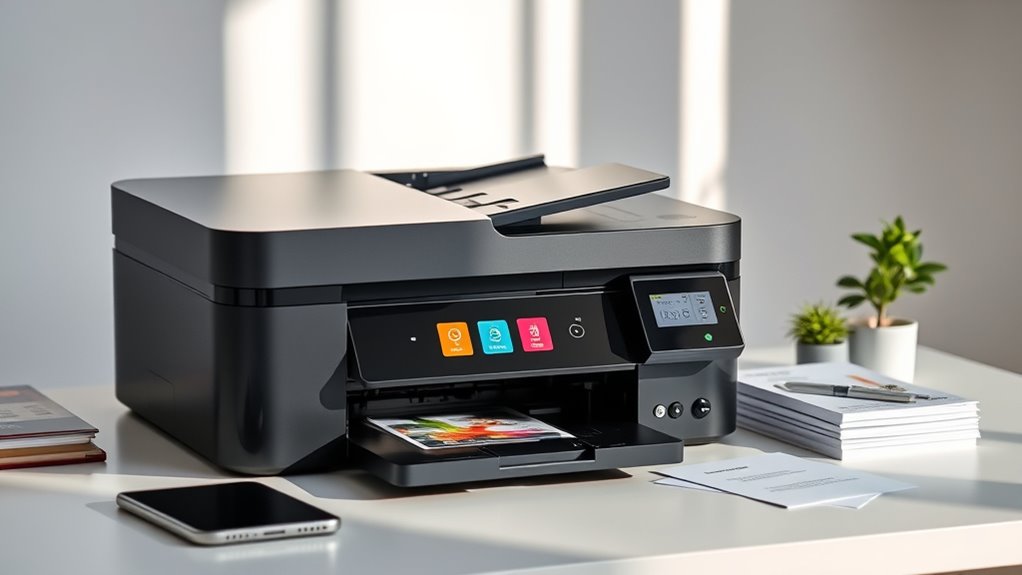

When searching for an all in one printer, your goal is to find a device that combines printing, scanning, copying, and sometimes faxing into a single, reliable unit. The best overall pick is the Brother MFC-J1360DW, known for its balanced performance and affordability. The HP Smart Tank 7603 stands out for its high-volume ink tanks, ideal for heavy users, while the Canon PIXMA TR4720 offers excellent features for home offices. However, choosing the right model involves tradeoffs between initial cost, ongoing ink expenses, and feature sets. Continue reading for a detailed comparison that will help you make an informed decision.
Key Takeaways
- Top models balance printing quality, speed, and multifunctionality without excessive cost.
- High-capacity ink tanks reduce long-term expenses but come with higher upfront costs.
- Compact designs are available but may sacrifice some features or print volume.
- Features like duplex printing and fax add convenience but are often limited to higher-end models.
- Choosing the right printer depends heavily on your volume needs and whether you prioritize cost savings or premium features.
| Brother MFC-J1360DW Wireless Color Inkjet All-in-One Printer with Duplex Printing and 1.8″ Color Display |  | Best Overall for Small Offices and Home Use | Connectivity: Wireless and USB | Print Speed: Up to 16 ppm black, 9 ppm color | Automatic Duplex Printing: Yes | VIEW ON AMAZON | See Our Full Breakdown |
| HP Smart Tank 7603 Wireless All-in-One Ink Tank Printer, Scanner, Fax, Copier |  | Best for High-Volume Printing and Cost Efficiency | Print Technology: Ink Tank | Functions: Print, Copy, Scan, Fax | Connectivity: Wireless, Mobile Printing | VIEW ON AMAZON | See Our Full Breakdown |
| Canon PIXMA TR4720 All-in-One Wireless Printer, Home Use with Auto Document Feeder, Mobile Printing and Built-in Fax, Black |  | Best for High-Quality Photo and Document Printing at Home | Print Speed: Approx. 8.8 ipm (black), 4.4 ipm (color) | Borderless Photo: Approx. 65 seconds for 4″ x 6″ | Paper Capacity: 100 sheets | VIEW ON AMAZON | See Our Full Breakdown |
| Epson EcoTank ET-2800 Wireless Color All-in-One Supertank Printer |  | Best for Eco-Friendly, Low-Maintenance High-Volume Printing | Printer Type: All-in-One (Print, Scan, Copy) | Connectivity: Wireless | Ink System: Cartridge-Free EcoTank | VIEW ON AMAZON | See Our Full Breakdown |
| Canon PIXMA TS6520 Wireless Color Inkjet Printer |  | Best Compact All-in-One for Home and Hybrid Use | Display: 1.42” OLED | Printer Type: Color Inkjet | Connectivity: Wi-Fi, AirPrint, Mopria | VIEW ON AMAZON | See Our Full Breakdown |
| HP DeskJet 2855e Wireless All-in-One Color Inkjet Printer |  | Best Budget-Friendly All-in-One for Casual Home Use | Print Speed: up to 5.5 ppm color, 7.5 ppm black | Input Tray Capacity: 60 sheets | Connectivity: Wi-Fi 2.4 GHz only | VIEW ON AMAZON | See Our Full Breakdown |
| HP OfficeJet Pro 8125 Wireless All-in-One Color Inkjet Printer |  | Best for Small Home Offices Needing Speed and Capacity | Print Speed: up to 20 ppm black, 10 ppm color | Input Tray Capacity: 225 sheets | Touchscreen: 2.7-inch color touchscreen | VIEW ON AMAZON | See Our Full Breakdown |
| HP Envy 6555e Wireless All-in-One Color Inkjet Printer |  | Best for Home Use and Photo Printing | Print Speed: 7 ppm color, 10 ppm black | Auto 2-sided Printing: Yes | Auto Document Feeder: 35 sheets | VIEW ON AMAZON | See Our Full Breakdown |
| HP DeskJet 2923 Wireless All-in-One Color Inkjet Printer |  | Best Compact and Simple for Basic Home Printing | Print Speed: Up to 7.5 ppm black, 5.5 ppm color | Input Tray Capacity: 60 sheets | Connectivity: Wireless, mobile printing | VIEW ON AMAZON | See Our Full Breakdown |
| HP OfficeJet Pro 9125 Wireless All-in-One Color Inkjet Printer |  | Best for Professional Office Environments | Print Speed: up to 22 ppm black, 18 ppm color | Paper Capacity: 250 sheets | Touchscreen: 2.7-inch color touchscreen | VIEW ON AMAZON | See Our Full Breakdown |
| HP Smart Tank 5100 Wireless All-in-One Refillable Printer, Scanner, Copier with Up to 3 Years of Ink Included |  | Best Overall for High-Volume Home Printing | Functionality: Print, copy, scan | Ink: Refillable ink tank system | Included Ink: Up to 3 years of ink | VIEW ON AMAZON | See Our Full Breakdown |
| HP OfficeJet Pro 8125e Wireless All-in-One Color Inkjet Printer |  | Best for Fast, Versatile Home Office Printing | Print Speed: Up to 10 ppm color, 20 ppm black | Input Tray Capacity: 225 sheets | Wireless Connectivity: Dual-band Wi-Fi | VIEW ON AMAZON | See Our Full Breakdown |
| Canon MegaTank G3270 All-in-One Wireless Inkjet Printer |  | Best for Long-Term Cost Savings and High Page Yields | Functions: Print, scan, copy | Connectivity: Wireless | Display: 1.35-inch square LCD | VIEW ON AMAZON | See Our Full Breakdown |
| HP DeskJet 4355 Wireless All-in-One Color Inkjet Printer |  | Best for Basic Home Printing and Compact Spaces | Printer Type: Thermal | Special Features: Refillable Ink Tank | Output Type: Color | VIEW ON AMAZON | See Our Full Breakdown |
| all in one printer | Connectivity | Print Speed |
|---|---|---|
| Brother MFC-J1360DW Wireless C | Wireless and USB | Up to 16 ppm black, 9 ppm color |
| HP Smart Tank 7603 Wireless Al | Wireless, Mobile Printing | Not specified |
| Canon PIXMA TR4720 All-in-One | Wireless, Alexa compatible | Approx. 8.8 ipm (black), 4.4 ipm (color) |
| Epson EcoTank ET-2800 Wireless | Wireless | 10 ISO ppm |
| Canon PIXMA TS6520 Wireless Co | Wi-Fi, AirPrint, Mopria | — |
| HP DeskJet 2855e Wireless All- | Wi-Fi 2.4 GHz only | up to 5.5 ppm color, 7.5 ppm black |
| HP OfficeJet Pro 8125 Wireless | Wireless dual-band Wi-Fi | up to 20 ppm black, 10 ppm color |
| HP Envy 6555e Wireless All-in- | Wireless dual-band Wi-Fi | 7 ppm color, 10 ppm black |
| HP DeskJet 2923 Wireless All-i | Wireless, mobile printing | Up to 7.5 ppm black, 5.5 ppm color |
| HP OfficeJet Pro 9125 Wireless | Wireless, dual-band Wi-Fi | up to 22 ppm black, 18 ppm color |
| HP Smart Tank 5100 Wireless Al | Wireless, mobile printing | — |
| HP OfficeJet Pro 8125e Wireles | — | Up to 10 ppm color, 20 ppm black |
| Canon MegaTank G3270 All-in-On | Wireless | — |
| HP DeskJet 4355 Wireless All-i | — | — |
More Details on Our Top Picks
Brother MFC-J1360DW Wireless Color Inkjet All-in-One Printer with Duplex Printing and 1.8″ Color Display
This model stands out for its well-rounded feature set that balances functionality with ease of use. Unlike the Epson EcoTank ET-2800, which excels in high-yield printing but requires more upfront setup, the Brother MFC-J1360DW offers a straightforward wireless experience and a compact footprint suitable for small spaces. Its automatic duplex printing and 150-sheet input tray support moderate workloads without overwhelming a home or small office environment. While its print speeds are moderate compared to larger office machines, the combination of cloud app compatibility and a color display makes everyday tasks more manageable. The main tradeoff involves its limited input capacity, which could be restrictive during busy periods. Overall, this printer makes the most sense for users who value versatility and convenience in a compact design.
Pros:- Wireless and USB connectivity for flexible setup
- Automatic duplex printing saves paper and reduces manual effort
- Cloud app integration facilitates printing from multiple devices
- Compact design fits well in small spaces
Cons:- Print speeds are slower compared to larger office printers
- Limited input tray capacity may require frequent refills
Best for: Small offices or home users needing reliable, versatile printing with occasional high-volume tasks
Not ideal for: High-volume offices or users needing fast, high-speed printing, as speeds are moderate
- Connectivity:Wireless and USB
- Print Speed:Up to 16 ppm black, 9 ppm color
- Automatic Duplex Printing:Yes
- Automatic Document Feeder:20 sheets
- Input Tray Capacity:150 sheets
- Display:1.8″ color display
Our verdict“A flexible, compact all-in-one perfect for small-scale printing needs with moderate workload demands.”
HP Smart Tank 7603 Wireless All-in-One Ink Tank Printer, Scanner, Fax, Copier
This pick makes the most sense for those who prioritize long-term savings and large-volume printing, outperforming the Canon PIXMA TS6520 in cost per page thanks to its refillable ink tanks. While the Canon offers high-quality color output suitable for photos and vibrant documents, the HP Smart Tank 7603 is designed for productivity, offering up to 8,000 color pages and 6,000 black pages from a single refill. Its all-in-one functionality includes fax, which is absent in most home-oriented models like the Canon TR4720, making it more suitable for small business environments. The initial setup can be somewhat complex, and the printer’s bulk might be a drawback for tight spaces. This model is ideal for users who need high-volume, low-cost printing without sacrificing multifunctionality.
Pros:- High page yields with up to 3 years of ink included
- Refillable ink tanks reduce waste and ongoing costs
- All-in-one functions including faxing
- Wireless and mobile printing support
Cons:- Bulky design may not fit in small spaces
- Initial setup can be complex for beginners
Best for: Small business owners or home offices with high-volume printing needs and a preference for lower running costs
Not ideal for: Limited space environments or users seeking a compact, minimalist device, as it is relatively bulky
- Print Technology:Ink Tank
- Functions:Print, Copy, Scan, Fax
- Connectivity:Wireless, Mobile Printing
- Included Ink:Up to 3 years
- Page Yield:8,000 color / 6,000 black pages
- Print Speed:Not specified
Our verdict“A cost-effective, high-capacity printer ideal for users with significant printing volume who want to minimize ongoing expenses.”
Canon PIXMA TR4720 All-in-One Wireless Printer, Home Use with Auto Document Feeder, Mobile Printing and Built-in Fax, Black
This model earns its spot by delivering superior photo quality and versatile features tailored to home users, compared to the Canon PIXMA TS6520, which is more compact but offers limited paper capacity. The TR4720’s auto document feeder and auto 2-sided printing boost productivity, while its support for Alexa adds convenience. However, its slower print speeds for color documents—around 4.4 ppm—can be frustrating during busy times. It’s ideal for occasional photo printing and home office tasks, but not for high-volume or fast-paced environments. The main tradeoff involves its relatively slow speed and limited media capacity, making it less suitable for demanding workflows. This printer suits those valuing high-quality output over rapid throughput.
Pros:- High-quality photo and document output
- Auto document feeder and duplex printing enhance productivity
- Supports wireless, Alexa, and mobile connectivity
- Built-in fax adds extra functionality
Cons:- Relatively slow for color document printing
- Limited media capacity for high-volume tasks
Best for: Home users who prioritize photo quality and versatile functionality for occasional printing
Not ideal for: High-volume or office environments requiring fast, high-speed printing, due to slower color print speeds
- Print Speed:Approx. 8.8 ipm (black), 4.4 ipm (color)
- Borderless Photo:Approx. 65 seconds for 4″ x 6″
- Paper Capacity:100 sheets
- Connectivity:Wireless, Alexa compatible
- Power Consumption:7W active
- Warranty:1 year limited
Our verdict“An excellent choice for home users seeking high-quality images and versatile features without heavy-duty throughput needs.”
Epson EcoTank ET-2800 Wireless Color All-in-One Supertank Printer
This choice excels for eco-conscious users who want large yields without the hassle of frequent cartridge replacements. Compared with the HP Smart Tank 7603, the Epson EcoTank ET-2800 offers a slightly simpler setup focused on home use, with vivid color and reliable performance. Its cartridge-free system reduces waste, and with up to 2 years of ink included, it minimizes ongoing costs. The slower print speed of 10 ISO pages per minute is a tradeoff for its eco-friendly design and low maintenance. This printer is ideal for households or small offices emphasizing sustainability and high-volume printing, though it’s less suited for users needing rapid output or professional photo quality.
Pros:- Cartridge-free EcoTank system reduces waste
- High page yields with included ink for up to 2 years
- Wireless connectivity for ease of use
- Low maintenance and eco-friendly design
Cons:- Initial setup may be somewhat complex
- Slower print speed compared to laser or high-speed inkjets
Best for: Eco-minded households or small offices with steady, high-volume color printing needs
Not ideal for: Users requiring fast print speeds or professional photo printing, as ink setup can be complex and speed is moderate
- Printer Type:All-in-One (Print, Scan, Copy)
- Connectivity:Wireless
- Ink System:Cartridge-Free EcoTank
- Color:Color
- Print Speed:10 ISO ppm
- Included Ink:Up to 2 years
Our verdict“An eco-friendly, high-capacity printer ideal for sustainability-focused users who print frequently in moderate volumes.”
Canon PIXMA TS6520 Wireless Color Inkjet Printer
This model makes sense for users who need a small, affordable printer capable of producing vibrant prints and handling basic home tasks. Unlike the Epson EcoTank ET-2800, which prioritizes high page yields, the PIXMA TS6520 focuses on high-quality color output and easy mobile setup, with a small OLED display that simplifies operation. Its automatic duplex printing boosts efficiency for everyday documents, but its media capacity is limited to 100 sheets, making it less ideal for high-volume printing. The small size and lower price point make it appealing for casual or hybrid work environments, though it sacrifices some speed and media capacity. This printer is perfect for those who want good print quality in a space-saving package.
Pros:- Affordable and compact design
- High-quality vibrant color and sharp text
- Easy setup with mobile device support
- Automatic duplex printing saves paper
Cons:- Limited to 8.5″ x 11″ media size
- Small OLED display less intuitive for some users
Best for: Home users or hybrid workers needing a compact, affordable printer with good color quality
Not ideal for: High-volume or professional printing environments where speed and capacity are critical, due to small media capacity and slower speeds
- Display:1.42” OLED
- Printer Type:Color Inkjet
- Connectivity:Wi-Fi, AirPrint, Mopria
- DPI:1200×1200
- Paper Capacity:100 sheets
- Automatic Duplex Printing:Yes
Our verdict“A practical, space-saving all-in-one ideal for casual home use with a focus on color quality and ease of use.”
HP DeskJet 2855e Wireless All-in-One Color Inkjet Printer
This model stands out for its affordability and straightforward functionality, making it an excellent choice for those who need basic printing, copying, and scanning without the bells and whistles. Compared to the HP DeskJet 2923, it offers similar features but with slightly faster printing speeds and a more reliable wireless connection, though it’s limited to 2.4 GHz Wi-Fi networks. Its modest 60-sheet input tray suits light printing tasks, but the slower speeds and reliance on a subscription after the included 3-month Instant Ink trial might limit its appeal for frequent use. This pick makes the most sense for casual users or families with light printing needs who want a simple, Wi-Fi-enabled device without high upfront costs.
Pros:- Wireless printing with reliable Wi-Fi connection
- All-in-one functionality: print, scan, copy
- Includes 3-month Instant Ink trial
Cons:- Limited to 2.4 GHz Wi-Fi networks only
- Print speeds are modest for high-volume use
- Requires subscription after trial for ink delivery
Best for: Budget-conscious families or students who print infrequently and value simplicity.
Not ideal for: High-volume or fast-paced home offices where speed and multi-device network support matter.
- Print Speed:up to 5.5 ppm color, 7.5 ppm black
- Input Tray Capacity:60 sheets
- Connectivity:Wi-Fi 2.4 GHz only
- Included Trial:3 months Instant Ink
Our verdict“This printer suits light users seeking an affordable, wireless all-in-one for basic tasks without high-volume demands.”
HP OfficeJet Pro 8125 Wireless All-in-One Color Inkjet Printer
This model makes the most sense for users who need faster, higher-volume printing combined with a user-friendly interface, setting it apart from the HP DeskJet 2855e. With up to 20 ppm black and 10 ppm color, it handles more demanding workloads efficiently, thanks to its 225-sheet input tray and a responsive 2.7-inch touchscreen. Its wireless dual-band Wi-Fi ensures reliable connectivity, and features like auto duplex and an auto document feeder add to its productivity edge. While it requires specific HP cartridges with chips—similar to the HP Envy 6555e—and may need firmware updates to maintain security, it is tailored for busy home offices that prioritize speed and capacity over cost. This pick makes the most sense for small business or home office users focused on productivity and reliability.
Pros:- Fast color printing suitable for office use
- Large 225-sheet input tray for high-volume tasks
- Secure printing with HP Wolf Pro Security
Cons:- Requires cartridges with original HP chips or circuitry
- Firmware updates may restrict third-party cartridges
- Higher initial cost compared to basic models
Best for: Small business owners or home professionals who print frequently and need a robust, reliable device.
Not ideal for: Casual users or those on a tight budget who print infrequently and won’t utilize the higher capacity features.
- Print Speed:up to 20 ppm black, 10 ppm color
- Input Tray Capacity:225 sheets
- Touchscreen:2.7-inch color touchscreen
- Connectivity:Wireless dual-band Wi-Fi
- Features:Auto duplex, auto document feeder
- Security:HP Wolf Essential Security
Our verdict“This printer is ideal for busy home offices that need speed, capacity, and security, despite higher costs and cartridge restrictions.”
HP Envy 6555e Wireless All-in-One Color Inkjet Printer
This printer is well-suited for users who want a versatile device capable of producing quality photos and documents, setting it apart from the more office-oriented HP OfficeJet Pro 8125. Its 7 ppm color and 10 ppm black speeds are modest but adequate for everyday home printing, especially with its auto duplex feature for double-sided documents. The 2.4-inch touchscreen makes navigation straightforward, though it relies on HP cartridges with chips or circuitry, which can be a limitation for those seeking third-party options. The inclusion of a 3-month Instant Ink trial encourages cost-effective ink management, but slower speeds and limited capacity make it less ideal for high-volume tasks. This model is best for families or casual photographers who value print quality and ease of use over speed.
Pros:- Easy-to-use touchscreen interface
- Wireless printing with reliable Wi-Fi
- Includes a 3-month Instant Ink trial
Cons:- Requires HP cartridges with chips or circuitry
- Limited to HP-compatible cartridges
- Print speeds may be slow for high-volume tasks
Best for: Home users who print photos, family documents, and occasional duplex printing with a focus on ease.
Not ideal for: High-volume or office environments where speed and capacity are priorities over photo quality.
- Print Speed:7 ppm color, 10 ppm black
- Auto 2-sided Printing:Yes
- Auto Document Feeder:35 sheets
- Input Tray Capacity:100 sheets
- Touchscreen:2.4 inches
- Connectivity:Wireless dual-band Wi-Fi
Our verdict“This printer is best suited for home users who prioritize photo quality and simple operation over high-volume output.”
HP DeskJet 2923 Wireless All-in-One Color Inkjet Printer
This model is a straightforward choice for those who need basic color printing, scanning, and copying in small spaces, making it ideal for minimalists or students. Its wireless and mobile printing capabilities ensure flexible operation, and the 6-month Instant Ink trial offers extra convenience. Compared to the HP DeskJet 2855e, it has a slightly slower print speed but benefits from a compact design that fits easily into tight spaces. Its 60-sheet input tray suits light printing but can be a limiting factor for larger jobs. The simplicity and long trial period appeal to casual users, yet it might fall short for high-frequency tasks or busy households with multiple users.
Pros:- Wireless and mobile printing capabilities
- Compact design fits well in small spaces
- Includes 6-month Instant Ink trial
Cons:- Print speed may be slow for frequent use
- Limited to basic printing needs
- Small input tray limits high-volume tasks
Best for: Students or single users needing a compact, easy-to-use printer for infrequent printing and scanning.
Not ideal for: High-volume households or professionals requiring faster speeds and larger paper capacity.
- Print Speed:Up to 7.5 ppm black, 5.5 ppm color
- Input Tray Capacity:60 sheets
- Connectivity:Wireless, mobile printing
- Included Trial:6 months Instant Ink
Our verdict“This printer suits casual users or students with limited space and modest printing needs seeking simplicity and affordability.”
HP OfficeJet Pro 9125 Wireless All-in-One Color Inkjet Printer
This model is tailored for busy workspaces that demand fast, reliable, and versatile printing, copying, scanning, and faxing. Its impressive 22 ppm black and 18 ppm color speeds surpass most home models, like the HP Envy 6555e, making it suitable for high-volume tasks. The 250-sheet paper capacity and advanced security features, including HP Wolf Pro Security, cater to professional needs. The 2.7-inch touchscreen offers intuitive control, while its eco-friendly design with over 40% recycled plastic aligns with sustainability goals. However, it requires original HP cartridges with specific chips, and firmware updates may restrict third-party cartridge use, which could increase ongoing costs. This choice is ideal for small offices or professionals who prioritize speed, security, and capacity over initial investment.
Pros:- Fast color printing suitable for busy environments
- Large 250-sheet capacity for high-volume tasks
- Secure printing with HP Wolf Pro Security
Cons:- Requires cartridges with original HP chips or circuitry
- Firmware updates may restrict third-party cartridges
- Higher upfront cost compared to basic models
Best for: Small business or home office users needing high-speed, secure, and reliable printing with large capacity.
Not ideal for: Casual or infrequent printers who don’t require high volume or advanced security features.
- Print Speed:up to 22 ppm black, 18 ppm color
- Paper Capacity:250 sheets
- Touchscreen:2.7-inch color touchscreen
- Connectivity:Wireless, dual-band Wi-Fi
- Security:HP Wolf Pro Security
- Recycled Content:Over 40% recycled plastic
Our verdict“This printer is best for professional settings needing speed, security, and large capacity, accepting higher costs and cartridge restrictions.”
HP Smart Tank 5100 Wireless All-in-One Refillable Printer, Scanner, Copier with Up to 3 Years of Ink Included
This model stands out for its exceptional cost efficiency thanks to the up to 3 years of included ink, making it ideal for those with heavy printing needs. Unlike the Canon MegaTank G3270, which offers similar high yields but with a more compact form, the HP Smart Tank 5100’s larger footprint might be a drawback for small spaces. The refill system is mess-free and simple, reducing downtime and frustration. While setup can be complex for less tech-savvy users, its wireless and mobile printing capabilities deliver convenience once operational. The high-volume ink supply makes this a smart choice for home offices or busy households, though its size could be a limiting factor for tight spaces. This pick makes the most sense for users prioritizing ongoing savings and high capacity over compactness.
Pros:- Up to 3 years of ink included, reducing ongoing costs
- Mess-free, easy refill system
- Wireless and mobile printing capabilities
- Reliable, high-quality output for high-volume tasks
Cons:- Large footprint may be unsuitable for small spaces
- Initial setup can be confusing for some users
Best for: Homeowners or small business owners who need reliable, high-volume printing with minimal ongoing ink costs
Not ideal for: Small apartments or desks with limited space, as it may be bulky and require a dedicated area
- Functionality:Print, copy, scan
- Ink:Refillable ink tank system
- Included Ink:Up to 3 years of ink
- Connectivity:Wireless, mobile printing
- Print Features:Borderless printing
- Size:Bulky for small spaces
Our verdict“This is the best choice for those who need high-volume, low-cost printing in a dedicated space.”
HP OfficeJet Pro 8125e Wireless All-in-One Color Inkjet Printer
The HP OfficeJet Pro 8125e makes this list for its speed and versatility, particularly with fast color printing and duplex scanning, ideal for busy home offices. Compared to the Canon MegaTank G3270, which offers higher page yields at a lower cost per page, the 8125e emphasizes speed and smart features, like AI-enabled printing for precise web and email outputs. While its print speeds—up to 20 ppm in black—are faster than many competitors, some users may find the subscription model after the free trial an ongoing expense. The input tray holds 225 sheets, making it suitable for moderate workloads, but it might struggle with sustained high-volume printing without frequent refills. This printer suits professionals managing varied tasks who value speed and connectivity over long-term ink savings.
Pros:- Fast color and black printing speeds
- Reliable dual-band Wi-Fi connection
- Includes 3 months of Instant Ink trial
- Auto duplex and document feeder enhance productivity
Cons:- Requires subscription after free trial, adding ongoing costs
- Print speeds may slow under very high-volume demands
- Some advanced features need a smartphone or tablet
Best for: Small business owners or remote workers needing fast, multifunctional printing with smart features
Not ideal for: High-volume users on tight budgets, due to ongoing subscription costs and slower speeds for bulk printing
- Print Speed:Up to 10 ppm color, 20 ppm black
- Input Tray Capacity:225 sheets
- Wireless Connectivity:Dual-band Wi-Fi
- Features:Auto 2-sided printing, auto document feeder, AI-enabled printing
- Included Trial:3 months of Instant Ink
Our verdict“Best suited for home offices needing quick, versatile printing with smart features, despite ongoing ink costs.”
Canon MegaTank G3270 All-in-One Wireless Inkjet Printer
The Canon MegaTank G3270 earns its spot for offering impressive page yields with up to 6,000 black and white pages and 7,700 color pages, making it ideal for long-term savings. Compared with the HP Smart Tank 5100, which is more feature-rich but bulkier, the G3270 is more compact and straightforward, suited for basic home printing. Its wireless connectivity and inclusion of up to 2 years of ink make it a practical choice for users prioritizing low ongoing costs. However, it’s limited to single-sided printing, which could slow down high-volume tasks, and the basic LCD display isn’t as intuitive for some users. This model makes sense for those who want reliable, cost-effective printing over basic multifunctionality.
Pros:- High page yield with included ink
- Wireless connectivity for convenience
- Cost savings over time
- Compact design
Cons:- Limited to single-sided printing
- Basic display may hinder ease of use
- Lacks advanced features for heavy-duty tasks
Best for: Home users focused on high-volume printing and long-term ink savings with minimal fuss
Not ideal for: Users needing duplex printing or advanced scanning features, as the G3270 is quite basic
- Functions:Print, scan, copy
- Connectivity:Wireless
- Display:1.35-inch square LCD
- Page Yield:6,000 black / 7,700 color pages
- Included Ink:Up to 2 years
Our verdict“A smart pick for budget-conscious users seeking high page yields and long-term ink savings in a straightforward device.”
HP DeskJet 4355 Wireless All-in-One Color Inkjet Printer
This model makes the list for its compact size and affordability, making it ideal for casual users with basic printing, scanning, and copying needs. Unlike the more feature-rich OfficeJet Pro 8125e, the DeskJet 4355 is simpler and easier to set up, suited for small households or dorm rooms. Its wireless connectivity and inclusion of a 3-month Instant Ink trial add to its convenience, though it’s limited to basic functions with no duplex printing or high-speed output. The maximum copy speed of 8 ppm reflects its focus on light-duty tasks. If you need a low-cost, space-efficient device for infrequent use, this printer offers straightforward functionality, but it won’t handle heavy workloads or advanced features well.
Pros:- Compact and lightweight design
- Wireless and mobile printing
- Includes 3 months of Instant Ink trial
- Auto document feeder simplifies copying
Cons:- Limited to basic printing, no duplex or high-speed options
- Maximum copy speed is slow at 8 ppm
- Lacks advanced features like high color accuracy or large media handling
Best for: Students or families who need a simple, space-saving printer for occasional use
Not ideal for: Heavy users or those requiring duplex or high-speed printing, as it’s designed for light workloads
- Printer Type:Thermal
- Special Features:Refillable Ink Tank
- Output Type:Color
- Item Weight:6 Pounds
- Dimensions:16.85″D x 7.87″W x 13.07″H
- Scanner Type:Flatbed
- Maximum Copy Speed:8 ppm Black and White
Our verdict“A practical, space-efficient choice for light, infrequent printing needs in small home environments.”

How We Picked
Our evaluation focused on key factors that matter to most buyers: print quality, printing speed, and ease of use. We also prioritized ongoing costs, including ink or toner expenses, and considered build quality and design. Additional features like scanning, copying, and faxing were weighed against their impact on value. Models were ranked based on a balanced mix of performance, cost efficiency, and user-friendliness, with a preference for versatile options that suit different user needs. This approach ensures the top picks are genuinely comprehensive and practical for everyday use.Factors to Consider When Choosing All In One Printer
Choosing an all in one printer requires careful consideration of several factors beyond just initial price. Understanding your typical print volume, the importance of print quality, and ongoing ink costs can prevent costly mistakes. Features like duplex printing, faxing, and mobile connectivity add convenience but may increase complexity or price. Evaluating these elements helps you select a model that offers the best value and functionality for your specific situation.Print Volume and Cost of Ink or Toner
Assess how much you plan to print each month. Heavy users benefit from models with high-capacity ink tanks or toner cartridges that reduce per-page costs. Cheaper models with small ink cartridges can be costly over time, especially if you print frequently. Think about your long-term expenses, not just the upfront price, to avoid surprises.
Print Quality and Speed
For documents, clarity and sharpness are key, particularly for professional or presentation materials. Photo printing demands higher resolution and better color accuracy. Speed is also critical if you need quick turnaround times; some models print faster but may compromise on quality or cost more. Balance these factors based on your primary printing needs.
Connectivity and Ease of Use
Wireless connectivity options like Wi-Fi, Bluetooth, or Ethernet streamline printing from multiple devices. Mobile printing support (via apps or AirPrint) offers added convenience for home and small office users. User interface matters: a clear, intuitive touchscreen can make setup and daily use much easier, saving you time and frustration.
Additional Features
Features like automatic document feeders, duplex printing, and fax capabilities enhance productivity but can add to the cost and complexity. Consider whether you need these extras regularly or if they are just nice-to-have. Overpaying for seldom-used features could divert funds from more important aspects like print quality or ongoing ink costs.
Size and Design
Space constraints influence your choice significantly. Compact models are easier to fit into small offices or home setups but may sacrifice paper capacity or speed. Conversely, larger models often provide higher capacity and more features but require more dedicated space. Match the printer size to your workspace and usage pattern for best results.
Frequently Asked Questions
How do I reduce ongoing ink costs on an all in one printer?
To lower ink expenses, consider models with high-capacity tanks or refillable ink systems, like the HP Smart Tank series. These often offer lower cost per page compared to traditional cartridges. Additionally, printing in draft mode for non-essential documents conserves ink. Regularly maintaining your printer and using compatible, third-party inks can also help reduce long-term costs, but be aware of potential warranty implications.
Is it worth paying more for a multifunction printer with fax capabilities?
Faxing remains important in some industries or for certain official communications. If you frequently need to send or receive faxes, investing in a model with built-in fax can save you time and extra equipment costs. However, if faxing is rarely used, paying extra for this feature might not be justified, and a simpler model could be more cost-effective.
Can I use third-party ink cartridges in all in one printers?
Many printers are compatible with third-party inks, which can significantly cut ongoing costs. However, some manufacturers restrict or discourage the use of non-original cartridges, which might void warranties or cause issues with ink flow or print quality. Weigh the potential savings against the risk of warranty voidance or printer damage, especially if you print frequently or rely heavily on consistent output.
What features should I prioritize if I mainly print documents at home?
If your primary use is printing documents, focus on models that offer good print quality, reliable wireless connectivity, and cost-efficient ink systems. Features like duplex printing and a straightforward user interface become valuable for quick, hassle-free printing. Avoid unnecessary extras like high-speed photo printing unless you also plan to print photos regularly.
Is a color inkjet or laser all-in-one better for my small business?
Color inkjet printers excel at high-quality color printing, making them suitable for marketing materials or detailed images, but they tend to have higher ongoing ink costs. Laser printers are faster, more cost-effective for high-volume black-and-white printing, and generally more durable. For small businesses prioritizing volume and speed, a laser model may be a more practical investment, but for vibrant color needs, an inkjet remains preferable.
Conclusion
For general home use or light office tasks, the Canon PIXMA TR4720 offers a good balance of features and affordability. The Brother MFC-J1360DW stands out as the best overall choice thanks to its versatility and cost efficiency. Heavy users or small businesses will appreciate the HP Smart Tank 7603 for its high-capacity ink system, while newcomers or casual users might prefer the HP DeskJet 2855e for its simplicity and wireless features. Consider your print volume, feature needs, and budget carefully to find the model that best aligns with your requirements.

Born in Dubai to Pakistani parents, Aisha deeply understands Middle Eastern and South Asian luxury markets. She excels in forging strategic partnerships with top-tier luxury brands worldwide, fostering cross-cultural collaborations that enhance our global presence.