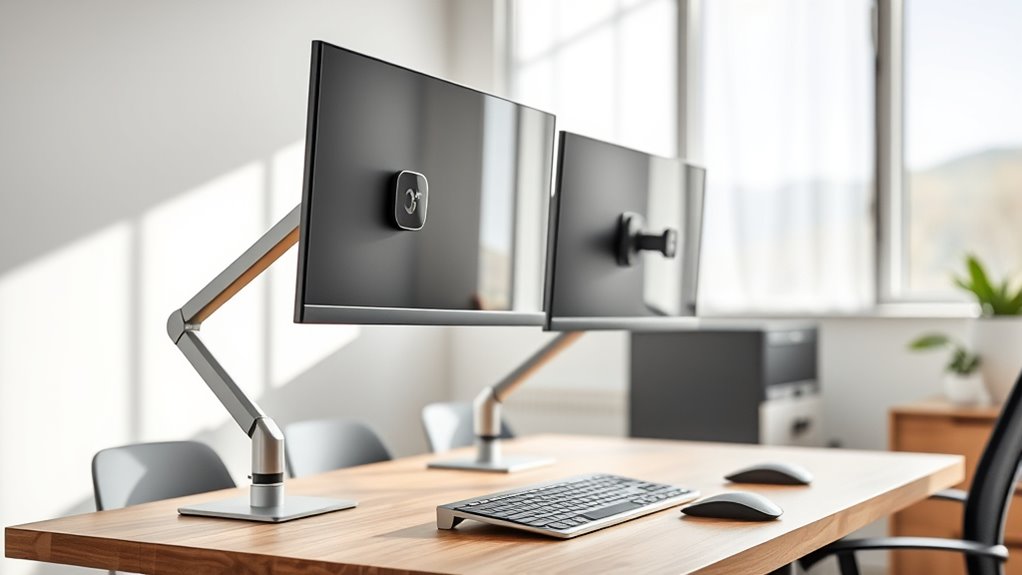

When searching for adjustable monitor arms for dual setups, the key considerations are stability, flexibility, build quality, and ease of installation. The HUANUO 17-32 Inch Dual Monitor Stand stands out as the best overall for its versatile adjustment options and solid construction. The VIVO Dual Monitor Stand offers excellent value with fully articulating arms, while the EVEO Premium Dual Monitor Mount provides a premium experience with gas spring height adjustment. However, buyers often face tradeoffs between price and features, with more affordable options sometimes lacking in stability or smooth motion. Keep reading to see how these options compare and which best fits your specific needs.
Key Takeaways
- Top picks excel in balance between stability and adjustability, especially for dual screens.
- Higher-end models like EVEO offer smoother motion and premium build but come at a higher price.
- VESA compatibility and mounting options are critical to ensure your monitors fit securely.
- Ease of installation varies; models with tool-free setup save time but may have fewer adjustment points.
- Budget options tend to have less robust construction, making them less suitable for heavy or intensive use.
| HUANUO 17-32 Inch Dual Monitor Stand with Adjustable Tilt, Swivel, Rotate |  | Best Overall | Supported Monitor Size: 17-32 inches | VESA Compatibility: 75x75mm, 100x100mm | Maximum Monitor Weight: 19.8 lbs | VIEW ON AMAZON | See Our Full Breakdown |
| VIVO Dual Monitor Stand, Fully Adjustable Arms for 17 to 32 inch Screens, Mechanical Articulating Desk Mount, VESA 75×75, 100×100, Max 19.8 lbs, Black |  | Best Value | Screen Compatibility: 17-32 inches | Weight Capacity: 19.8 lbs per monitor | VESA Pattern: 75x75mm, 100x100mm | VIEW ON AMAZON | See Our Full Breakdown |
| WALI Adjustable Dual Monitor Arm for 13-32 inch Screens, 22 lbs per Arm |  | Best for Beginners | Screen Size Compatibility: 13-32 inches | Max Load Capacity: 22 lbs per arm | VESA Pattern: 75x75mm, 100x100mm | VIEW ON AMAZON | See Our Full Breakdown |
| EVEO Premium Dual Monitor Mount 14-32″ Dual Monitor Arm VESA Bracket Adjustable Height Gas Spring |  | Best Premium | Supported Screen Size: 14-32 inches | VESA Compatibility: 75×75 mm, 100×100 mm | Rotation: 360° | VIEW ON AMAZON | See Our Full Breakdown |
| HUNAUO Dual Monitor Stand for 13″–40″ Monitors with USB, Height Adjustable, VESA Mount, Clamp/Grommet Base |  | Best for Heavy and Large Monitors | Supported Monitor Size: 13-40 inches | Max Load Capacity: 26.4 lbs per arm | VESA Compatibility: 75×75mm, 100×100mm | VIEW ON AMAZON | See Our Full Breakdown |
| VIVO Dual Mechanical Monitor Mount for 17-32 inch Screens |  | Best Heavy-Duty Dual Mount for Versatile Setup | Fits Screen Size: 17-32 inches | Max Weight per Monitor: 19.8 lbs | VESA Compatibility: 75x75mm, 100x100mm | VIEW ON AMAZON | See Our Full Breakdown |
| MountUp Dual Monitor Stand for Desk, Adjustable Arms for 2 Monitors 22-32 Inches |  | Best Flexible Motion for Mid-Size Monitors | Supported Screen Size: 22-32 inches | Weight Capacity: 4.4-17.6 lbs | VESA Compatibility: 75×75 mm, 100×100 mm | VIEW ON AMAZON | See Our Full Breakdown |
| HUANUO FlowLift™ Dual Monitor Stand, Fully Adjustable Desk Mount for 13–32″ Screens |  | Best Fully Adjustable for Ergonomic Comfort | Monitor Size Range: 13–32 inches | Monitor Weight Range: 4.4–19.8 lbs | VESA Compatibility: 75x75mm, 100x100mm | VIEW ON AMAZON | See Our Full Breakdown |
| ErGear Dual Monitor Arm for 13–32″ Screens, Adjustable VESA Mount with Tool-Free Installation |  | Best Easy, Tool-Free Installation for Versatile Monitors | Compatibility: 13–32 inch monitors | Max Load: 19.8 lbs | VESA Patterns: 75x75mm, 100x100mm | VIEW ON AMAZON | See Our Full Breakdown |
| VIVO Dual Monitor Desk Mount for 13-30 inch Screens |  | Best for Larger Range of Screen Sizes and Heavy Monitors | Screen Size Range: 13-30 inches | Maximum Weight per Monitor: 22 lbs | VESA Compatibility: 75x75mm, 100x100mm | VIEW ON AMAZON | See Our Full Breakdown |
| adjustable monitor arms for dual setup | VESA Compatibility | Mounting Options | Tilt | Swivel |
|---|---|---|---|---|
| HUANUO 17-32 Inch Dual Monitor | 75x75mm, 100x100mm | — | 90° | 180° |
| VIVO Dual Monitor Stand | — | Heavy-duty C-clamp, bolt-through grommet | — | 180° |
| WALI Adjustable Dual Monitor A | — | C-clamp or grommet | — | — |
| EVEO Premium Dual Monitor Moun | 75×75 mm, 100×100 mm | — | +90° to -90° | — |
| HUNAUO Dual Monitor Stand for | 75×75mm, 100×100mm | Clamp, Grommet | — | — |
| VIVO Dual Mechanical Monitor M | 75x75mm, 100x100mm | C-clamp, Grommet | — | — |
| MountUp Dual Monitor Stand for | 75×75 mm, 100×100 mm | C-Clamp, Grommet | — | — |
| HUANUO FlowLift™ Dual Monitor | 75x75mm, 100x100mm | — | +85°/-50° | ±90° |
| ErGear Dual Monitor Arm for 13 | — | — | +80°/-50° | ±90° |
| VIVO Dual Monitor Desk Mount f | 75x75mm, 100x100mm | C-Clamp, Grommet | +90° to -90° | 180° |
More Details on Our Top Picks
HUANUO 17-32 Inch Dual Monitor Stand with Adjustable Tilt, Swivel, Rotate
This HUANUO stand stands out for supporting larger monitors up to 32 inches and offering full-motion flexibility, making it suitable for users seeking an ergonomic setup. Compared with the EVEO model, it provides a higher maximum monitor weight limit (19.8 lbs vs. EVEO’s support for lighter screens), which benefits those with heavier displays. Its easy installation options, including C-clamp and grommet mounts, make setup straightforward, though it isn’t ideal for glass desks or monitors without VESA mounting holes. The cable management system contributes to a neat workspace, and the height adjustment ensures eye-level positioning. However, the weight limit and size range mean users should verify monitor compatibility beforehand.
Pros:- Supports large monitors up to 32 inches with adjustable height and full-motion flexibility
- Helps create an ergonomic workspace by elevating monitors to eye level
- Cable management keeps workspace tidy and organized
- Easy to install with multiple mounting options
Cons:- Not suitable for glass desks
- Requires monitors with VESA mounting holes
- Maximum weight limit of 19.8 lbs per monitor
Best for: Professionals with large, VESA-compatible monitors seeking maximum flexibility and ergonomic comfort.
Not ideal for: Users with glass desks or smaller monitors under 17 inches, as the stand’s size and mounting options may be incompatible or unnecessary.
- Supported Monitor Size:17-32 inches
- VESA Compatibility:75x75mm, 100x100mm
- Maximum Monitor Weight:19.8 lbs
- Height Extension:17 inches
- Tilt:90°
- Swivel:180°
Our verdict“Ideal for users with large, VESA-compatible monitors who prioritize flexibility and ergonomic positioning.”
VIVO Dual Monitor Stand, Fully Adjustable Arms for 17 to 32 inch Screens, Mechanical Articulating Desk Mount, VESA 75×75, 100×100, Max 19.8 lbs, Black
The VIVO dual monitor stand offers a compelling combination of adjustability and affordability, making it suitable for users who want versatile positioning without a hefty price tag. Its tilt, swivel, and rotation features are comparable to the more premium EVEO mount, but at a lower cost, making it a smart choice for budget-conscious setups. The mounting options, including heavy-duty C-clamp and grommet mount, provide flexibility, though the arms can extend past the desk edge, potentially obstructing workspace. Assembly might be more involved compared to simpler models like the WALI, but overall, it balances features and value well.
Pros:- Adjustable arms with tilt, swivel, and rotation for optimal viewing angles
- Universal compatibility with most 17-32 inch monitors
- Helps free up desk space by elevating monitors
- Affordable price point for full motion features
Cons:- Back of arms may extend past desk edge, possibly obstructing space
- Assembly can be complex for some users
- Requires verification of monitor weight and VESA compatibility
Best for: Home office users or students seeking a flexible dual monitor setup without overspending.
Not ideal for: Users with very limited desk space or desks with under-beam structures that interfere with arm extension.
- Screen Compatibility:17-32 inches
- Weight Capacity:19.8 lbs per monitor
- VESA Pattern:75x75mm, 100x100mm
- Tilt Range:+90° to -90°
- Swivel:180°
- Mounting Options:Heavy-duty C-clamp, bolt-through grommet
Our verdict“A budget-friendly choice offering full motion flexibility for users with compatible monitors and ample desk space.”
WALI Adjustable Dual Monitor Arm for 13-32 inch Screens, 22 lbs per Arm
The WALI dual monitor arm provides a straightforward and reliable solution for those new to monitor mounts, supporting screens up to 32 inches and 22 lbs per arm. Its full motion adjustments, including tilt, swivel, and rotation, help users find comfortable viewing angles with ease. Compared with premium options like EVEO, it might lack some refined cable management or high-end materials, but its simple clamp or grommet mounting makes setup accessible for beginners. It’s best suited for wooden desks without crossbeams, as compatibility can be limited by desk structure. Its straightforward design and practical features make it an attractive entry-level choice.
Pros:- Adjustable for ergonomic viewing angles
- Supports two monitors up to 32 inches and 22 lbs each
- Easy to install with multiple mounting options
- Cable management keeps cords organized
Cons:- Best suited for wooden desks without crossbeams underneath
- Requires verification of VESA compatibility and weight limits
- May not fit very large or heavy monitors
Best for: Beginners or casual users wanting an easy-to-install dual monitor setup with flexible movement.
Not ideal for: Users with very thick desks or heavy monitors over 22 lbs, as the support limits could be exceeded or mounting options constrained.
- Screen Size Compatibility:13-32 inches
- Max Load Capacity:22 lbs per arm
- VESA Pattern:75x75mm, 100x100mm
- Extension:19.3 inches
- Height Adjustment:up to 17.3 inches
- Mounting Options:C-clamp or grommet
Our verdict“A practical, easy-to-use option for newcomers seeking flexible dual monitor positioning on compatible desks.”
EVEO Premium Dual Monitor Mount 14-32″ Dual Monitor Arm VESA Bracket Adjustable Height Gas Spring
The EVEO gas spring dual monitor mount offers a refined experience with effortless movement and full ergonomic control, making it well-suited for professional environments. Its support for 14 to 32-inch screens and 360° rotation compares favorably with the HUANUO model, but the gas spring mechanism provides smoother, more precise adjustments, ideal for users who frequently change their viewing angles. Installation is quick, though it may not be suitable for desks thicker than 1.97 inches when using the clamp. While its high-quality materials and full motion capabilities come at a higher price, this model excels for those prioritizing seamless adjustments and durability in a premium setup.
Pros:- Full motion adjustment with 360° rotation and tilt
- Smooth gas spring mechanism for effortless positioning
- Supports a wide range of monitor sizes (14-32″)
- Quick, tool-free installation
Cons:- Limited to desks no thicker than 1.97 inches with clamp mount
- Higher price point compared to entry-level options
- Requires VESA mounting pattern on monitors
Best for: Professionals and serious enthusiasts desiring a high-end, smooth-adjusting dual monitor arm with reliable build quality.
Not ideal for: Casual users or those with very thick desks, as compatibility with thicker surfaces can be limited and the price may be prohibitive.
- Supported Screen Size:14-32 inches
- VESA Compatibility:75×75 mm, 100×100 mm
- Rotation:360°
- Tilt:+90° to -90°
- Installation:Desk clamp, Grommet mount
Our verdict“Best suited for users seeking premium build quality and effortless, precise adjustments in their dual monitor setup.”
HUNAUO Dual Monitor Stand for 13″–40″ Monitors with USB, Height Adjustable, VESA Mount, Clamp/Grommet Base
This HUNAUO stand supports an exceptionally wide range of monitor sizes, up to 40 inches and 26.4 lbs per arm, making it suitable for very large or heavy displays. Its height adjustability and full motion range, including tilt, swivel, and rotation, provide excellent ergonomic flexibility. The addition of built-in USB ports adds value for users who need easy device charging. Compared with other options like the WALI or HUANUO, this model’s capacity for larger, heavier monitors makes it stand out, but its compatibility depends heavily on desk thickness and proper VESA mounting. Assembly might be more complex due to its size and weight capacity, but it offers unmatched support for sizable displays.
Pros:- Supports very large and heavy monitors up to 40 inches and 26.4 lbs
- Full motion adjustments for ergonomic comfort
- Includes USB ports for device charging
- Helps organize workspace and reduce clutter
Cons:- May require specific desk thickness for optimal mounting
- Assembly can be complex due to size and weight
- Large size may not suit compact desk setups
Best for: Creative professionals or gamers with large, heavy monitors who need height adjustability and integrated USB ports.
Not ideal for: Users with small or lightweight monitors or limited desk thickness, as the mounting requirements and size could be overkill.
- Supported Monitor Size:13-40 inches
- Max Load Capacity:26.4 lbs per arm
- VESA Compatibility:75×75mm, 100×100mm
- Max Height:21.1 inches
- Extension Length:25.59 inches
- Mounting Options:Clamp, Grommet
- USB Ports:2
Our verdict“A robust, feature-rich stand ideal for large, heavy monitors requiring flexible positioning and integrated charging options.”
VIVO Dual Mechanical Monitor Mount for 17-32 inch Screens
This heavy-duty VIVO model stands out for supporting larger monitors up to 32 inches and nearly 20 pounds each, making it ideal for professional or multi-monitor workstations. Compared with the WALI dual arm, it offers more robust construction and smoother height adjustments, but it’s limited to monitors under 19.8 lbs, which could be a restriction for very heavy setups. Its multiple mounting options—C-clamp and grommet—add flexibility, and the sturdy steel and aluminum build promises durability. However, the tension adjustment can be tricky for some, and installation might require tools. This model is perfect for users prioritizing stability and larger screens but willing to accept a slightly complex setup process.
Pros:- Supports monitors up to 32 inches and 19.8 lbs each
- Adjustable tilt, swivel, and rotation for ergonomic comfort
- Heavy-duty construction ensures stability and durability
- Multiple mounting options for versatile desk compatibility
Cons:- Limited to monitors weighing less than 19.8 lbs, restricting heavier displays
- Installation can be complex and may require tools
- Some users find tension adjustment settings confusing
Best for: Users with larger monitors up to 32 inches who need a sturdy, versatile mount for professional use
Not ideal for: Lightweight or smaller monitors under 17 inches, or those who prefer simple, tool-free setup
- Fits Screen Size:17-32 inches
- Max Weight per Monitor:19.8 lbs
- VESA Compatibility:75x75mm, 100x100mm
- Mounting Options:C-clamp, Grommet
- Material:Steel and Aluminum
- Maximum Thickness:3.3 inches
Our verdict“This mount is ideal for professionals needing robust support for larger monitors and adjustable ergonomics, accepting some complexity in setup.”
MountUp Dual Monitor Stand for Desk, Adjustable Arms for 2 Monitors 22-32 Inches
Compared to the VIVO mount, the MountUp offers a slightly narrower weight capacity (up to 17.6 lbs per monitor) but compensates with a generous arm extension of over 17 inches and a height adjustment range of 9.4 inches. Its full motion capabilities—including tilt, swivel, and rotation—make it well-suited for users seeking highly customizable ergonomic setups. Installation with C-clamp or grommet is straightforward, and cable management is included for a tidy workspace. On the downside, it requires correct tension adjustments to prevent drift, and the instructions could be clearer. This pick makes the most sense for users with mid-sized monitors who need flexible positioning and easy installation but don’t require supporting very heavy displays.
Pros:- Full motion adjustments for personalized positioning
- Easy to install with multiple mounting options
- Long arm extension and height range for versatile setup
- Cable management included
Cons:- Requires proper tension adjustment for stability
- Not suitable for very heavy monitors over 17.6 lbs
- Assembly instructions could be clearer
Best for: Users with monitors between 22-32 inches and weighing up to 17.6 lbs, looking for flexible, ergonomic positioning
Not ideal for: Heavy monitors exceeding 17.6 lbs or those seeking a simple, no-tool setup
- Supported Screen Size:22-32 inches
- Weight Capacity:4.4-17.6 lbs
- VESA Compatibility:75×75 mm, 100×100 mm
- Arm Extension:17.3 inches
- Height Adjustment Range:9.4 inches
- Mounting Options:C-Clamp, Grommet
Our verdict“This mount is ideal for users needing extensive flexibility in positioning mid-weight monitors with straightforward installation.”
HUANUO FlowLift™ Dual Monitor Stand, Fully Adjustable Desk Mount for 13–32″ Screens
The HUANUO FlowLift™ excels in offering full 360-degree rotation, tilt, and swivel, making it a top option for users who prioritize precise ergonomic control. It supports monitors from 13 to 32 inches and up to 19.8 lbs, aligning well with many other models like the ErGear arm but with a focus on complete adjustability. Its maximum height adjustment of over 15 inches adds to its versatility. However, it’s best suited for wooden desks and may not grip glass or plastic surfaces securely. Some users might find the detailed desk thickness range restrictive, and the installation is somewhat limited outside these parameters. This choice is ideal for those who want maximum control over their workspace ergonomics within compatible desk types.
Pros:- Full motion adjustments with 360° rotation
- Supports a wide size and weight range
- Secure dual mounting with C-clamp and grommet options
- Great for precise ergonomic setups
Cons:- Only suitable for wooden desks, not glass or plastic
- Desk thickness limitations may restrict compatibility
- Requires compatible desk structure for secure mounting
Best for: Users with wooden desks seeking full motion control and adjustable ergonomics for monitors 13-32 inches
Not ideal for: Users with glass or plastic desks or monitors outside the size/weight range
- Monitor Size Range:13–32 inches
- Monitor Weight Range:4.4–19.8 lbs
- VESA Compatibility:75x75mm, 100x100mm
- Tilt:+85°/-50°
- Swivel:±90°
- Rotation:360°
- Maximum Height Adjustment:15.75 inches
Our verdict“This mount is perfect for users seeking maximum ergonomic flexibility on wooden desks within the specified size and weight limits.”
ErGear Dual Monitor Arm for 13–32″ Screens, Adjustable VESA Mount with Tool-Free Installation
Compared with the HUANUO FlowLift™, the ErGear arm emphasizes quick, tool-free VESA mounting, making it a strong choice for users who prefer simple setup and quick adjustments. It supports monitors from 13 to 32 inches, with a maximum weight of 19.8 lbs, and offers extensive tilt, swivel, and rotation adjustments for ergonomic positioning. Its cable management is effective, and the sturdy build ensures long-term stability. The main tradeoff is that it’s recommended primarily for wooden desks and may not fit all surface types securely. Also, VESA compatibility and monitor weight must be carefully verified before purchase. This model suits users who need flexible, easy-to-adjust mounts with minimal fuss but are working within specific desk and monitor parameters.
Pros:- Easy, tool-free VESA mounting and adjustment
- Supports a wide range of monitor sizes and weights
- Flexible tilt, swivel, and rotation for ergonomic setup
- Effective cable management
Cons:- Recommended mainly for wooden desks; may not suit all surfaces
- Requires verification of VESA compatibility and monitor weight
- Limited to specified size and weight limits
Best for: Users who want quick, tool-free installation and flexible adjustments for monitors up to 32 inches
Not ideal for: Those with non-wooden desks or monitors outside the specified weight/size range
- Compatibility:13–32 inch monitors
- Max Load:19.8 lbs
- VESA Patterns:75x75mm, 100x100mm
- Tilt:+80°/-50°
- Swivel:±90°
- Rotation:360°
- Clamp Range:Desk thickness 0.39-2.56 inches
Our verdict“This arm is ideal for users seeking quick, flexible setup on compatible wooden desks with a wide monitor size range.”
VIVO Dual Monitor Desk Mount for 13-30 inch Screens
The VIVO dual mount supports larger screens up to 30 inches and a hefty 22 lbs per monitor, making it suitable for users with heavier displays or wider size needs. It offers full articulation—tilt, swivel, and rotation—and features a sturdy steel build with a 3-year warranty. Compared to the MountUp model, it is more robust for heavier monitors but is less flexible in arm extension and height adjustment. Its installation is straightforward, though some users report desk compatibility issues if the thickness exceeds 3.25 inches. This mount is a good fit for those who need to support heavier or larger monitors while prioritizing durability over maximum adjustability.
Pros:- Supports large monitors up to 30 inches and 22 lbs
- Full articulation for ergonomic positioning
- Sturdy steel construction with a 3-year warranty
- Supports a broad size range for versatile setups
Cons:- Limited arm extension compared to some models
- Desk thickness may restrict compatibility
- Requires careful installation to ensure stability
Best for: Users with 13-30 inch monitors weighing up to 22 lbs, needing support for larger or heavier displays
Not ideal for: Very small monitors under 13 inches or users seeking maximum height adjustability
- Screen Size Range:13-30 inches
- Maximum Weight per Monitor:22 lbs
- VESA Compatibility:75x75mm, 100x100mm
- Tilt:+90° to -90°
- Swivel:180°
- Rotation:360°
- Mounting Options:C-Clamp, Grommet
Our verdict“This mount is best for users with heavier, larger monitors who prioritize durability and strong support over maximum flexibility.”
How We Picked
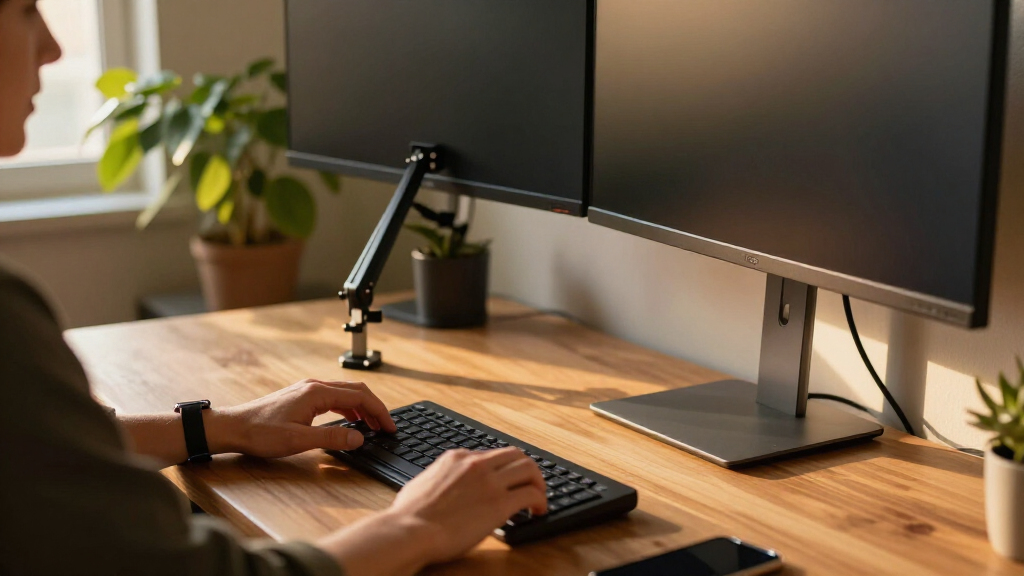
These monitor arms were evaluated based on a combination of performance, durability, ease of use, compatibility, and value for money. I prioritized products that support a wide range of monitor sizes, offer smooth and precise adjustments, and have sturdy build quality suitable for daily use. Products with flexible mounting options like C-clamp and grommet mounts were favored to ensure compatibility with different desk types. The ranking reflects a balance between features and affordability, aiming to recommend options for various user needs—from casual setups to professional, heavy-use environments.| adjustable monitor arms for dual setup | Mounting Options |
|---|---|
| HUANUO 17-32 Inch Dual Monitor | — |
| VIVO Dual Monitor Stand | Heavy-duty C-clamp, bolt-through grommet |
| WALI Adjustable Dual Monitor A | C-clamp or grommet |
| EVEO Premium Dual Monitor Moun | — |
| HUNAUO Dual Monitor Stand for | Clamp, Grommet |
| VIVO Dual Mechanical Monitor M | C-clamp, Grommet |
| MountUp Dual Monitor Stand for | C-Clamp, Grommet |
| HUANUO FlowLift™ Dual Monitor | — |
| ErGear Dual Monitor Arm for 13 | — |
| VIVO Dual Monitor Desk Mount f | C-Clamp, Grommet |
Factors to Consider When Choosing Adjustable Monitor Arms For Dual Setups
Choosing the right adjustable monitor arm for a dual setup involves several critical factors. Beyond just size compatibility, it’s essential to consider how the arm moves, how stable it remains under load, and how easy it is to install and adjust. The right product depends on your workspace, monitor weight, and preferred adjustability features. Here are key points to guide your decision-making process:Compatibility and Size Range
Ensure the monitor arm supports your monitor sizes and VESA pattern. Most dual arms handle screens from 13 to 32 inches, but check weight limits and VESA compatibility (75×75 or 100×100). Using an arm that doesn’t fit your monitors can lead to instability or damage, so verify specifications carefully before purchasing.
Adjustability and Range of Motion
Look for arms with multiple points of adjustment—tilt, swivel, rotate, and height. This flexibility improves comfort and ergonomics. Gas spring models like EVEO offer smoother height changes, which reduce strain during frequent adjustments. Consider how much space you need for your workflow to avoid cramped or overly flexible setups that can compromise stability.
Build Quality and Stability
Sturdy construction from high-quality materials such as steel or aluminum ensures the arm stays stable under load. Cheaper plastic models may wobble or sag over time, especially with heavier monitors. Check user reviews for reports on wobbling or looseness, and prioritize products with robust clamping mechanisms to secure the arm firmly to your desk.
Mounting Options and Desk Compatibility
Most dual monitor arms support C-clamp or grommet mounts. C-clamps are easier to install but require a sturdy desk edge, while grommet mounts need a hole but offer a cleaner look. Confirm your desk’s construction and available space to choose the most suitable mounting method, preventing damage and ensuring stability.
Ease of Installation and Use
Models with tool-free adjustment features simplify setup and future tweaks. Consider the complexity of installation—some arms require tools or precise tightening, which can be frustrating. A well-designed arm with intuitive adjustments will save time and effort, especially if you plan to change your setup frequently.
Frequently Asked Questions
Can I use a dual monitor arm with monitors of different sizes?
Yes, many dual monitor arms are designed to accommodate different monitor sizes, typically supporting screens from 13 to 32 inches. When choosing, verify the weight capacity and VESA compatibility for each monitor. Proper adjustment ensures both screens stay level and secure, but keep in mind that uneven weight distribution can affect stability if the arm isn’t rated for the combined weight.
Will a dual monitor arm fit on my desk?
Most dual monitor arms are compatible with standard desks that have a flat edge or a grommet hole. Check your desk’s thickness and edge profile to ensure the clamp or grommet mount can be installed securely. For thicker or oddly shaped desks, some models offer alternative mounting options or require additional hardware to fit properly.
Are gas spring monitor arms better than mechanical ones?
Gas spring arms generally provide smoother, more precise adjustments and easier height changes, making them ideal for frequent repositioning. Mechanical arms tend to be simpler, often more affordable, but may lack the same level of fluid motion. Choose based on how often you plan to adjust your monitors and your preference for ease of use versus cost.
How do I prevent my monitors from wobbling or sagging over time?
To minimize wobble, select a monitor arm with high-quality materials and a sturdy mounting base. Ensure that the clamp or grommet mount is tightened properly and that the arm’s joints are secure. Regularly check and tighten adjustments as needed, especially if you frequently move your monitors. Investing in a model with reinforced joints can also prolong stability.
Is it worth paying more for a premium dual monitor arm?
Higher-priced models often feature smoother adjustments, more durable materials, and better build quality, which can translate into a longer lifespan and more reliable performance. If you use your monitors intensively or need precise positioning, investing in a premium arm can enhance comfort and reduce frustration. For casual users, a mid-range or budget option may suffice.
Conclusion
For most users seeking a reliable, versatile dual monitor arm, the HUANUO 17-32 Inch Dual Monitor Stand offers a well-balanced mix of adjustability, stability, and value. Those with a tight budget might prefer the VIVO Dual Monitor Stand, which provides essential features at a lower cost. Professionals or heavy users should consider premium options like the EVEO Premium Dual Monitor Mount for smoother motion and enhanced durability. Beginners will find simple, tool-free models easier to install, while those with specific desk constraints should prioritize mounting options. Ultimately, your choice depends on your monitor sizes, workspace, and how often you plan to reconfigure your setup.

Emma is a culinary expert from New York City, USA, with extensive experience in gourmet cooking and food journalism. She collaborates with prestigious food publications and high-end restaurants, bringing exquisite taste and culinary insights to the A Luxury Lifestyle platform. Emma’s expertise elevates our gastronomic offerings.