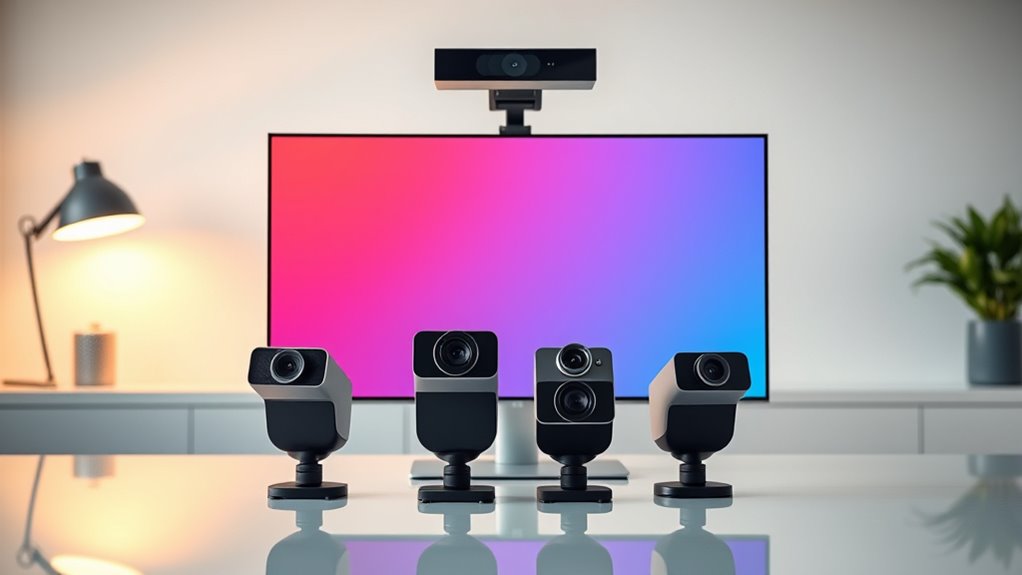

A 4K webcam with AI framing can keep you centered as you move, but tracking style, image controls, and setup vary widely. My best overall pick is the Insta360 Link 2 PTZ for buyers who want camera movement and subject tracking, while the OBSBOT Meet 2 is a simpler fixed-camera option and the Razer Kiyo V2 Pro suits creators who prioritize high-frame-rate video. The main tradeoff is between automatic movement and a steady frame, with sensor quality, software, and microphone needs also shaping the choice. Some models rely on digital reframing, while others physically pan or tilt, so the same “AI framing” label can mean different results. Read on for the full breakdown of where each webcam fits and what to check before choosing.

Get your wardrobe favorites delivered free with Prime
- Fast, free delivery on millions of items
- Prime Video, Amazon Music and more included
- Member-only deals all year
Key Takeaways
- AI framing is not one feature in practice: the Insta360 Link 2 PTZ and OBSBOT Tiny 3 can physically track movement, while fixed-camera models rely more on digital reframing.
- High resolution does not settle the choice: the Razer Kiyo V2 Pro adds 4K at 60 fps, a distinction aimed more at fluid creator footage than ordinary video calls.
- Sensor size and framing work together: options such as the OBSBOT Meet Flip and Meet 2 list a 1/2-inch sensor, while buyers should still check how tracking and lighting conditions affect the final image.
- Privacy and portability create different priorities: the foldable OBSBOT Meet Flip favors laptop travel, while motorized PTZ models suit more fixed desks and rooms.
- Several lineup entries share product families or repeat a model: the Insta360 Link 2C appears twice, so buyers should compare exact model names and features rather than treating every listing as a distinct design.
| Insta360 Link 2C 4K Webcam | 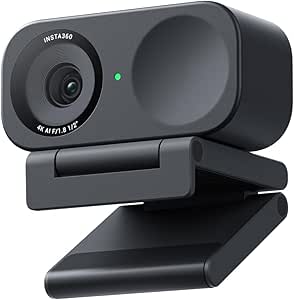 | Best Overall | Video resolution: 4K | Sensor: 1/2-inch CMOS | Photo resolution: 10 MP | VIEW ON AMAZON | See Our Full Breakdown |
| Razer Kiyo V2 Pro Webcam for Streaming and Content Creation, 4K 60 FPS |  | Best for High-Frame-Rate Streaming | Video resolution: 4K | Maximum frame rate: 60 FPS | Sensor: 1/1.8-inch Sony STARVIS 2, 8.3 MP | VIEW ON AMAZON | See Our Full Breakdown |
| AVerMedia PW515 4K Ultra HD Business Webcam with AI Auto Framing |  | Best for Business Meetings | Resolution: 4K Ultra HD (3840 pixels) | Sensor: Sony CMOS | Field of view: 100 degrees | VIEW ON AMAZON | See Our Full Breakdown |
| WYRESTORM Focus 210 4K AI Conference Webcam |  | Best for Small-Group Rooms | Resolution: 4K UHD | Field of view: 120 degrees | Framing: AI group framing and presenter tracking | VIEW ON AMAZON | See Our Full Breakdown |
| OBSBOT Meet Flip Foldable 4K Webcam for Laptop with 1/2″ Sensor, AI Framing |  | Best Portable Pick | Video resolution: Up to 4K at 30 fps; 1080p at 60 fps | Sensor: 1/2-inch CMOS | Photo resolution: 48 MP | VIEW ON AMAZON | See Our Full Breakdown |
| Insta360 Link 2C Pro 4K Webcam |  | Best for Low-Light Image Quality | Maximum video resolution: 4K | Sensor: 1/1.3-inch CMOS | Focus: Autofocus | VIEW ON AMAZON | See Our Full Breakdown |
| TOALLIN 4K Webcam with Auto Framing, 5× Zoom, and Dual Microphones |  | Best for Privacy-Conscious Calls | Maximum resolution and frame rate: 3840 × 2160 (4K) at 30 fps | Sensor: 8 MP, 1/2.8-inch CMOS | Field of view: 92° | VIEW ON AMAZON | See Our Full Breakdown |
| Razer Kiyo V2 4K 30 FPS Webcam |  | Best for Customizable Streaming Setups | Maximum video resolution: 4K UHD | Frame rate: 30 FPS | Sensor: Sony STARVIS | VIEW ON AMAZON | See Our Full Breakdown |
| Insta360 Link 2 PTZ 4K Webcam |  | Best for Movement Tracking | Maximum video resolution: UHD 4K | Sensor: 1/2-inch CMOS | Focus: Autofocus with PDAF | VIEW ON AMAZON | See Our Full Breakdown |
| OBSBOT Meet 2 4K Webcam with 1/2-Inch Sensor, AI Framing, and Autofocus |  | Best Compact Pick | Resolution: UHD 4K | Sensor: 1/2-inch CMOS | Connectivity: USB-C | VIEW ON AMAZON | See Our Full Breakdown |
| 4K Webcam with Microphone, AI Auto Framing & Presenter Tracking, Gesture Control with 5X Digital Zoom, Noise Reduction, Adjustable FOV, Privacy Cover, USB Camera for PC/Mac Streaming |  | Best for Hands-Free Presenter Control | Resolution: 4K UHD (3840 × 2160) | Sensor: 1/2.7-inch CMOS | Focus: Autofocus | VIEW ON AMAZON | See Our Full Breakdown |
| NearStream 4K Webcam for PC with AI Auto Framing and Noise-Canceling Mic |  | Best for Flexible Framing | Video modes: 4K at 30 fps; 1080p at 60 fps | Sensor: 1/2.7-inch CMOS | Focus: Autofocus | VIEW ON AMAZON | See Our Full Breakdown |
| Insta360 Link 2C 4K Webcam | | Best for Image Detail and Desk Demonstrations | Maximum resolution: 4K UHD | Sensor: 1/2-inch CMOS | Autofocus: Phase-detection autofocus | VIEW ON AMAZON | See Our Full Breakdown |
| Hollyland Lyra 4K Webcam with AI Tracking and Autofocus |  | Best for a Compact, Larger-Sensor Setup | Video resolution: 4K at 30 fps | Sensor: 1/1.5-inch CMOS | Lens resolution: 50 MP | VIEW ON AMAZON | See Our Full Breakdown |
| OBSBOT Tiny 3 AI-Powered 4K Webcam with Spatial Audio and AI Tracking |  | Best for Advanced Tracking and Motion | Video modes: 4K at 30 fps; 1080p at 120 fps | Sensor: 1/1.28-inch CMOS | Focus: Autofocus and manual focus | VIEW ON AMAZON | See Our Full Breakdown |
| 4k webcam with ai framing | Connectivity | Sensor | Focus |
|---|---|---|---|
| Insta360 Link 2C 4K Webcam | USB | 1/2-inch CMOS | Autofocus with phase detection |
| Razer Kiyo V2 Pro Webcam for S | USB | 1/1.8-inch Sony STARVIS 2, 8.3 MP | Autofocus |
| AVerMedia PW515 4K Ultra HD Bu | USB | Sony CMOS | Autofocus |
| WYRESTORM Focus 210 4K AI Conf | USB | — | — |
| OBSBOT Meet Flip Foldable 4K W | USB-C | 1/2-inch CMOS | Phase-detection autofocus and manual focus |
| Insta360 Link 2C Pro 4K Webcam | USB | 1/1.3-inch CMOS | Autofocus |
| TOALLIN 4K Webcam with Auto Fr | USB | 8 MP, 1/2.8-inch CMOS | Autofocus |
| Razer Kiyo V2 4K 30 FPS Webcam | USB-C | Sony STARVIS | Autofocus and manual focus |
| Insta360 Link 2 PTZ 4K Webcam | USB | 1/2-inch CMOS | Autofocus with PDAF |
| OBSBOT Meet 2 4K Webcam with 1 | USB-C | 1/2-inch CMOS | Autofocus |
| 4K Webcam with Microphone | USB; USB-A cable | 1/2.7-inch CMOS | Autofocus |
| NearStream 4K Webcam for PC wi | USB | 1/2.7-inch CMOS | Autofocus |
| Insta360 Link 2C 4K Webcam | USB | 1/2-inch CMOS | — |
| Hollyland Lyra 4K Webcam with | USB | 1/1.5-inch CMOS | — |
| OBSBOT Tiny 3 AI-Powered 4K We | USB-C; no Wi-Fi or Bluetooth | 1/1.28-inch CMOS | Autofocus and manual focus |
More Details on Our Top Picks
Insta360 Link 2C 4K Webcam
The Insta360 Link 2C is my strongest all-around pick when AI framing needs to sit alongside polished image quality and useful call features. Its 1/2-inch sensor, 4K HDR video, and phase-detection autofocus suit changing light and presentation setups, while auto framing helps keep a solo speaker composed. Compared with the WYRESTORM Focus 210, this is better suited to an individual at a desk than a room where several people move around; the Wyrestorm’s wider view and group framing fit that job better. The Link 2C also adds gesture controls, configurable software, and a built-in privacy switch. Its tradeoffs are digital-only zoom and limited platform support: it is not compatible with ARM-based Windows systems or Windows Hello.
Pros:- 1/2-inch sensor and 4K HDR video support clear, detailed images, including in lower light.
- AI auto framing and gesture control simplify solo presentations and streaming.
- Built-in microphone uses AI noise cancellation for clearer calls without a separate mic.
- Dedicated Link Controller software offers extensive customization.
Cons:- Digital zoom cannot match the detail retention of optical zoom.
- Not compatible with ARM-based Windows systems or Windows Hello facial recognition.
Best for: Remote professionals, presenters, and streamers who want detailed 4K video, AI framing, and a built-in privacy switch for a single-person setup.
Not ideal for: ARM-based Windows users, Windows Hello users, or buyers who need optical zoom or wide-room group framing.
- Video resolution:4K
- Sensor:1/2-inch CMOS
- Photo resolution:10 MP
- Focus:Autofocus with phase detection
- Framing:AI auto framing
- Audio:Built-in microphone with AI noise cancellation
- Connectivity:USB
- Compatible devices:PC/Mac, smartphone
Our verdict“Choose the Link 2C for a feature-rich solo webcam with capable AI framing, but skip it if your setup needs optical zoom or ARM-based Windows compatibility.”
Razer Kiyo V2 Pro Webcam for Streaming and Content Creation, 4K 60 FPS
The Razer Kiyo V2 Pro is the pick here for creators who put motion smoothness and hands-on image control ahead of an all-in-one meeting setup. Its 4K at 60 FPS capture can make movement look more fluid than the 4K-at-30-FPS ceiling listed for the OBSBOT Meet Flip, while AI auto framing helps keep a moving presenter in view. HDR and low-light enhancement add flexibility across uneven lighting, and Razer Synapse exposes controls such as ISO, shutter speed, and white balance for users who want to tune the image. That creator focus brings a clear compromise: there is no built-in microphone, so you need separate audio gear. Its relatively large body may also crowd a compact monitor setup.
Pros:- 4K capture at 60 FPS supports smoother-looking motion than the listed 30 FPS options.
- AI auto framing helps keep a moving speaker centered.
- HDR and low-light enhancement support challenging or mixed lighting.
- Razer Synapse provides detailed image controls, including ISO and shutter speed.
Cons:- No built-in microphone; separate audio equipment is required.
- The relatively large footprint may be awkward on smaller monitor setups.
Best for: Streamers and video creators who want 4K at 60 FPS, AI framing, and manual image controls, and already use a separate microphone.
Not ideal for: People seeking a compact plug-and-call webcam with built-in audio or buyers who do not want to configure image settings.
- Video resolution:4K
- Maximum frame rate:60 FPS
- Sensor:1/1.8-inch Sony STARVIS 2, 8.3 MP
- Framing:AI auto framing
- Focus:Autofocus
- Lens:Wide-angle
- Connectivity:USB
- Compatibility:Personal computer
- Microphone:No built-in microphone
Our verdict“Pick the Kiyo V2 Pro for high-frame-rate creator video and adjustable image control, provided you have room for it and a separate microphone.”
AVerMedia PW515 4K Ultra HD Business Webcam with AI Auto Framing
The AVerMedia PW515 makes the most sense for office calls where built-in audio and broad compatibility matter as much as AI framing. Its 100-degree lens gives more room around a speaker than the narrower solo-desk approach of the Insta360 Link 2C, and dual noise-reduction microphones are specified for pickup up to three metres. AI auto framing and hand gesture control can make presentations easier without adding a separate camera or microphone. A physical privacy shutter is a practical advantage for shared workspaces. The compromise is that its 4x zoom is digital, so tighter framing may reduce image detail; unlike the Link 2C, it also lacks the listed 1/2-inch sensor and HDR emphasis. Buyers prioritizing precise image control may prefer a more creator-focused option.
Pros:- 4K capture with a Sony CMOS sensor supports detailed video for meetings and content.
- AI auto framing and hand gesture control aid presenter-led calls.
- Dual noise-reduction microphones offer listed pickup up to three metres.
- Physical privacy shutter and compatibility with Windows, macOS, Chrome OS, and iPadOS suit shared work setups.
Cons:- 4x digital zoom can reduce image detail when tightening the view.
- No optical image stabilization is specified.
Best for: Hybrid-office workers and small-team presenters who want a 4K webcam with broad operating-system support, integrated microphones, and a physical shutter.
Not ideal for: Creators who need optical zoom, specified HDR, or extensive manual image controls for close-up shots and lighting adjustments.
- Resolution:4K Ultra HD (3840 pixels)
- Sensor:Sony CMOS
- Field of view:100 degrees
- Lens:f/3.5
- Focus:Autofocus
- Zoom:4x digital
- Microphones:Dual built-in noise-reduction microphones
- Connectivity:USB
- Compatibility:Windows 10+, macOS 10.14+, Chrome OS, iPadOS 17+
Our verdict“Choose the PW515 for business calls that benefit from integrated audio, a privacy shutter, and a wide view, rather than for zoom-heavy creator work.”
WYRESTORM Focus 210 4K AI Conference Webcam
The WYRESTORM Focus 210 is the group-meeting specialist in this lineup. Its 120-degree field of view, AI group framing, and presenter tracking suit a shared table or a speaker moving across a room better than the Insta360 Link 2C, which is more naturally matched to one person at a desk. Dual noise-canceling microphones with voice pickup listed up to five metres also reduce the need to put a separate mic within arm’s reach. The camera connects over USB and includes a physical privacy cover, with support listed for Zoom, Teams, and Webex. The main specification caveat is that its frame-rate listing specifies 1080p at 60 fps alongside 4K resolution, so buyers should not assume 4K at 60 fps. Its 8x zoom is digital, too.
Pros:- 120-degree view and AI group framing accommodate multiple people in a room.
- Presenter tracking can follow a speaker moving during a meeting.
- Dual noise-canceling microphones list voice pickup up to five metres.
- USB connection and physical privacy cover suit conference-room use.
Cons:- The listed 60 FPS mode is 1080p; 4K at 60 FPS is not specified.
- 8x zoom is digital rather than optical.
Best for: Small meeting rooms and hybrid teams that need a wide view, group framing, presenter tracking, and built-in voice pickup.
Not ideal for: Solo creators seeking 4K at 60 FPS, a narrow background crop, or confirmed high-frame-rate 4K capture.
- Resolution:4K UHD
- Field of view:120 degrees
- Framing:AI group framing and presenter tracking
- Microphones:Dual AI noise-canceling
- Voice pickup range:Up to 5 m
- Digital zoom:8x
- Frame rate:1080p at 60 fps
- Connectivity:USB
- Compatibility:Zoom, Microsoft Teams, Webex; macOS 10.10+ and Windows 10/11
Our verdict“Choose the Focus 210 for room-scale meetings and presenter movement, but look elsewhere if confirmed 4K at 60 FPS is a requirement.”
OBSBOT Meet Flip Foldable 4K Webcam for Laptop with 1/2″ Sensor, AI Framing
The OBSBOT Meet Flip stands apart as the travel-friendly choice: at 37.7 g, it folds up and has an integrated stand, making it easier to pack than the larger Razer Kiyo V2 Pro. Its 1/2-inch CMOS sensor, HDR, and AI auto framing target clear solo calls, while phase-detection autofocus helps keep the image sharp as distance changes. It also offers gesture controls and dual microphones, so a laptop user can get started without carrying a separate camera stand or mic. The tradeoff is connectivity: it relies on USB-C and a constant USB connection, with no built-in battery or alternative ports listed. Its maximum frame rate is 30 FPS at 4K, so the Kiyo is the better fit for creators who value smoother 4K motion over portability.
Pros:- Lightweight 37.7 g foldable design with an integrated stand suits travel.
- 1/2-inch CMOS sensor and HDR support detailed 4K video.
- AI auto framing, gesture controls, and phase-detection autofocus simplify solo calls.
- Dual microphones provide onboard audio.
Cons:- Requires a constant USB connection and has no built-in battery.
- USB-C is the only listed connection type.
- 4K capture is limited to 30 FPS; 60 FPS is listed at 1080p.
Best for: Laptop users who travel between workspaces and want a lightweight, foldable 4K webcam with AI framing, a built-in stand, and integrated microphones.
Not ideal for: Creators who need 4K at 60 FPS, a wireless battery-powered camera, or connectivity beyond USB-C.
- Video resolution:Up to 4K at 30 fps; 1080p at 60 fps
- Sensor:1/2-inch CMOS
- Photo resolution:48 MP
- Focus:Phase-detection autofocus and manual focus
- Framing:AI auto framing
- Zoom:4x digital
- Connectivity:USB-C
- Weight:37.7 g
- Audio:Dual microphones
Our verdict“Pick the Meet Flip for a compact, self-standing travel webcam, but choose the Razer Kiyo V2 Pro if 4K at 60 FPS matters more than size.”
Insta360 Link 2C Pro 4K Webcam
The Link 2C Pro is the strongest fit here for buyers who want AI framing without giving up sensor size: its 1/1.3-inch CMOS sensor is larger than the 1/2-inch sensors in the Insta360 Link 2 and OBSBOT Meet 2, a useful advantage when a desk or home office is not brightly lit. Automatic framing handles a single speaker, while DeskView, Whiteboard, and 4K Portrait modes add options for demonstrations and vertical content. Its directional dual microphones with beamforming also aim to favor the speaker over surrounding noise. Compared with the pan-and-tilt Link 2, this model’s value is its larger sensor and specialized modes rather than mechanical tracking. The tradeoffs are meaningful: it will not work with ARM-based Windows systems and cannot replace Windows Hello face recognition.
Pros:- Large 1/1.3-inch sensor is suited to capturing detail in less-than-ideal lighting.
- Automatic framing and DeskView, Whiteboard, and 4K Portrait modes support varied calls and presentations.
- Directional dual microphones with beamforming are designed to reduce distracting background sound.
- Gesture and smartphone controls, with Stream Deck integration, offer several ways to manage the camera.
Cons:- Incompatible with ARM-based Windows systems.
- Does not support Windows Hello face recognition.
- No pan-and-tilt tracking is specified, unlike the Insta360 Link 2.
Best for: Remote presenters and creators who often work in dimmer rooms and want automatic framing plus DeskView or Whiteboard modes.
Not ideal for: ARM-based Windows users and people who need a webcam that supports Windows Hello face recognition.
- Maximum video resolution:4K
- Sensor:1/1.3-inch CMOS
- Focus:Autofocus
- Digital zoom:4x
- Microphones:Dual directional microphones with beamforming
- Connectivity:USB
- Shooting modes:DeskView, Whiteboard, 4K Portrait Mode
- Weight:113.5 g
- Compatibility note:Not compatible with ARM-based Windows systems or Windows Hello face recognition
Our verdict“Choose the Link 2C Pro for its larger sensor and presentation modes, provided your computer is not ARM-based Windows.”
TOALLIN 4K Webcam with Auto Framing, 5× Zoom, and Dual Microphones
The TOALLIN stands out for buyers who want a straightforward camera with a sliding privacy cover and framing tools, rather than the more elaborate tracking and control options of the Insta360 Link 2. It captures up to 4K at 30 fps, but its AI auto framing and up-to-5x digital zoom operate in 1080p mode. That distinction matters: you can prioritize a tighter, automatically adjusted composition or use the highest stated resolution, but the supplied specs do not indicate that both work together. Its 92-degree field of view, autofocus, WDR, and dual noise-reducing microphones cover common meeting needs. Compared with the compact OBSBOT Meet 2, TOALLIN adds a physical privacy cover and picture-in-picture, while OBSBOT has the more compact stated weight. The main compromise is that its best image quality calls for bright lighting.
Pros:- Captures up to 4K resolution at 30 fps.
- AI auto framing, picture-in-picture, and up to 5x digital zoom are available in 1080p mode.
- Sliding privacy cover provides a direct way to block the lens between calls.
- WDR and dual noise-reducing microphones address contrast and background sound.
Cons:- AI auto framing and digital zoom require switching to 1080p mode.
- Best image quality requires bright lighting.
- No stated compatibility or conferencing software details are provided.
Best for: Office workers and students who want a privacy cover, a broad view, and AI framing for 1080p video calls.
Not ideal for: Users who need AI framing while recording in 4K or who regularly take calls in dim rooms.
- Maximum resolution and frame rate:3840 × 2160 (4K) at 30 fps
- Sensor:8 MP, 1/2.8-inch CMOS
- Field of view:92°
- Zoom:Up to 5x digital zoom in 1080p mode
- Focus:Autofocus
- Microphones:Dual noise-reducing microphones
- Features:WDR, AI auto framing, picture-in-picture, touch controls, sliding privacy cover
- Connectivity:USB
Our verdict“Pick TOALLIN if a physical privacy cover and 1080p auto framing matter more than using framing features at 4K.”
Razer Kiyo V2 4K 30 FPS Webcam
For streamers who want to tune how the camera looks and frames them, the Razer Kiyo V2 pairs AI auto-framing with customizable controls through Razer Synapse. It records at 4K and 30 FPS, and HDR plus automatic image enhancements can help handle scenes with mixed lighting. Its 93-degree viewing angle gives a wider composition than a tightly framed shot, while autofocus and manual focus let users choose between convenience and direct control. Compared with the TOALLIN 4K Webcam, Razer does not list a resolution restriction for AI framing, though TOALLIN specifies a sliding privacy cover and dual microphones. The Kiyo V2 instead includes an integrated shutter and a pivoting mount with a tripod thread. Buyers should note that its listed weight is 1.1 pounds, making it less suited to a lightweight laptop setup.
Pros:- AI-powered auto-framing supports movement during streams and calls.
- 4K at 30 FPS, HDR, and automatic image enhancements give creators several picture options.
- Autofocus and manual focus allow a choice between hands-off and user-directed focus.
- Integrated privacy shutter and pivoting monitor mount with tripod thread add setup flexibility.
Cons:- At a listed 1.1 pounds, it is heavier than the 40.5 g OBSBOT Meet 2.
- The supplied product data does not specify built-in microphone performance.
- Razer Synapse customization may be less useful to buyers who prefer not to manage camera software.
Best for: Streamers and video creators who use Razer Synapse and want adjustable framing, HDR, and a pivoting mount.
Not ideal for: Laptop travelers seeking a light webcam or buyers who need specified built-in microphone performance.
- Maximum video resolution:4K UHD
- Frame rate:30 FPS
- Sensor:Sony STARVIS
- Connectivity:USB-C
- Viewing angle:93°
- Focus:Autofocus and manual focus
- Features:AI-powered auto-framing, HDR, integrated privacy shutter
- Mount:Pivoting monitor mount with tripod thread
- Weight:1.1 pounds
Our verdict“Choose the Kiyo V2 for a configurable streaming setup with AI framing, and skip it if low carry weight is a priority.”
Insta360 Link 2 PTZ 4K Webcam
The Insta360 Link 2 is the clearest choice in this group for presenters who move around during a call: its AI pan-and-tilt tracking can follow movement, unlike the automatic framing described for the fixed-camera OBSBOT Meet 2. A 1/2-inch sensor, HDR, and phase-detection autofocus support clear video across changing scenes, while noise-canceling audio and gesture controls reduce the need to reach for software controls. DeskView and Whiteboard modes also make it useful for showing a work surface or presentation material. Compared with the Link 2C Pro, this model gains physical tracking, but the Pro lists a larger 1/1.3-inch sensor, which may better suit dimmer rooms. The Link 2 also shares the Pro’s compatibility limits: it does not support ARM-based Windows systems or Windows Hello face recognition.
Pros:- AI pan-and-tilt tracking follows a moving presenter rather than relying only on fixed framing.
- HDR and a 1/2-inch sensor support video in varied lighting.
- Gesture control and AI noise-canceling audio can simplify calls and presentations.
- DeskView and Whiteboard modes help show materials beyond a speaker’s face.
Cons:- Not compatible with ARM-based Windows systems.
- Does not support Windows Hello face recognition.
- Its 1/2-inch sensor is smaller than the 1/1.3-inch sensor in the Link 2C Pro.
Best for: Presenters, instructors, and demonstrators who move through the frame or need to show a desk or whiteboard.
Not ideal for: ARM-based Windows users, Windows Hello users, and buyers who prioritize the larger sensor listed for the Link 2C Pro.
- Maximum video resolution:UHD 4K
- Sensor:1/2-inch CMOS
- Focus:Autofocus with PDAF
- Connectivity:USB
- Special features:AI tracking, HDR, gesture control, DeskView, Whiteboard, 4K Portrait Mode
- Compatibility:Mac and Windows; not compatible with ARM-based Windows systems or Windows Hello Face Recognition
- Dimensions:2.06 × 2.72 × 1.62 inches (D × W × H)
- Color:Graphite Black
Our verdict“Choose the Link 2 if you need a camera that tracks movement and supports demonstrations, rather than the larger sensor of the Link 2C Pro.”
OBSBOT Meet 2 4K Webcam with 1/2-Inch Sensor, AI Framing, and Autofocus
At 40.5 g, the OBSBOT Meet 2 is the portability pick: it offers 4K capture and a 1/2-inch sensor in a notably lightweight design. AI framing, autofocus, and gesture controls cover the main conveniences sought in a webcam with AI framing, while dual omnidirectional noise-canceling microphones handle voice capture without a separate mic. Compared with the Insta360 Link 2, the Meet 2 is much simpler to carry but does not list pan-and-tilt tracking or DeskView and Whiteboard modes. Its 4x digital zoom and USB-C connection suit a compact desk or travel kit, though digital zoom is not the same as optical magnification. It also requires a PC or Mac for memory storage, so buyers looking for standalone recording should choose another type of camera.
Pros:- Very light at 40.5 g, making it easier to carry than the listed 1.1-pound Razer Kiyo V2.
- Combines UHD 4K capture with a 1/2-inch CMOS sensor.
- AI framing, autofocus, and gesture controls cover core camera adjustments.
- Dual omnidirectional noise-canceling microphones are built in.
Cons:- 4x zoom is digital rather than optical.
- Requires a PC or Mac for memory storage.
- Does not list pan-and-tilt tracking or DeskView and Whiteboard modes offered by the Insta360 Link 2.
Best for: Laptop users and frequent travelers who want a lightweight 4K webcam with AI framing and built-in microphones.
Not ideal for: Presenters who need pan-and-tilt tracking, specialized DeskView modes, or recording without a connected PC or Mac.
- Resolution:UHD 4K
- Sensor:1/2-inch CMOS
- Connectivity:USB-C
- Focus:Autofocus
- Zoom:4x digital
- Microphones:Dual omnidirectional noise-canceling
- Weight:40.5 g
- Color:Cloud White
Our verdict“Choose the Meet 2 when low weight and core AI framing matter more than movement tracking or presentation modes.”
4K Webcam with Microphone, AI Auto Framing & Presenter Tracking, Gesture Control with 5X Digital Zoom, Noise Reduction, Adjustable FOV, Privacy Cover, USB Camera for PC/Mac Streaming
Gesture zoom and presenter tracking make this webcam a practical fit for people who move around while teaching, presenting, or streaming. Its AI framing helps keep the speaker centered, while gesture control lets you adjust up to 5× digital zoom without reaching for the computer. The 95°, 78°, and 65° field-of-view options also make it easier to switch between a wider room view and a tighter head-and-shoulders frame. Compared with the NearStream 4K Webcam, this model puts more emphasis on hands-free control than on offering 1080p at 60 fps. The tradeoffs are a USB-A cable that may need an adapter for newer USB-C computers and no built-in speakers; its microphone handles audio input, but playback still needs separate equipment.
Pros:- 4K UHD video paired with AI auto framing and presenter tracking
- Gesture control adjusts digital zoom without manual software controls
- Three selectable fields of view: 95°, 78°, and 65°
- Built-in microphone and sliding privacy cover
Cons:- USB-A cable may require an adapter for USB-C-only computers
- No built-in speakers, so audio playback requires separate equipment
Best for: Presenters, instructors, and streamers who move within the camera view and want gesture-based zoom and framing controls.
Not ideal for: USB-C-only laptop owners who do not want an adapter, or anyone expecting a webcam with built-in speakers.
- Resolution:4K UHD (3840 × 2160)
- Sensor:1/2.7-inch CMOS
- Focus:Autofocus
- AI features:Auto framing and presenter tracking
- Digital zoom:Up to 5× with gesture control
- Field of view:95°, 78°, and 65°
- Connectivity:USB; USB-A cable
- Compatibility:PC and Mac
- Privacy:Built-in sliding privacy cover
Our verdict“Choose this model if hands-free presenter tracking and gesture zoom matter more to you than native USB-C connection or integrated speakers.”
NearStream 4K Webcam for PC with AI Auto Framing and Noise-Canceling Mic
The 45°–95° adjustable field of view gives this NearStream more framing range than the three fixed angles listed for the 4K Webcam with Presenter Tracking. That flexibility is useful when you alternate between a close solo call and a wider view that includes a desk or another person. It records 4K at 30 fps and can switch to 1080p at 60 fps, a sensible option for smoother motion when full 4K detail is not needed. AI auto framing and true autofocus keep the core face-and-subject tracking needs covered, while USB plug-and-play setup and flexible mounting suit desks, tripods, or boom arms. Its simpler feature set means no listed gesture zoom or presenter tracking, and the product data also notes limited built-in lighting, so dim rooms may call for an external light.
Pros:- Broad adjustable field of view from 45° to 95°
- 4K at 30 fps and 1080p at 60 fps offer different detail and motion options
- AI auto framing works alongside autofocus
- USB plug-and-play setup with flexible mounting options
Cons:- Limited built-in lighting can leave low-light video wanting
- No gesture zoom or presenter tracking is listed
Best for: Remote workers and streamers who frequently change between tight and wide compositions or mount their webcam on different supports.
Not ideal for: People who need gesture-controlled zoom, presenter tracking, or strong low-light performance without adding lighting.
- Video modes:4K at 30 fps; 1080p at 60 fps
- Sensor:1/2.7-inch CMOS
- Focus:Autofocus
- AI feature:Auto framing
- Field of view:45°–95° adjustable
- Connectivity:USB
- Compatible systems:Windows, Mac, Linux, and Chrome OS
- Audio:Noise-canceling microphone
- Shooting modes:Auto, portrait, and night
Our verdict“Pick the NearStream if you want a wide range of framing angles and flexible mounting, rather than the gesture controls offered by the presenter-tracking model.”
Insta360 Link 2C 4K Webcam
The 1/2-inch sensor, HDR, and phase-detection autofocus give the Link 2C a more image-focused profile than the NearStream 4K Webcam, whose listed strengths center on adjustable framing and dual video modes. Automatic framing supports standard calls, while DeskView and Whiteboard modes make this a stronger choice for someone who regularly shows notes, drawings, or objects as well as their face. AI noise-canceling audio, gesture and smartphone controls, and a privacy switch round out a versatile setup without adding a large camera body. There are firm compatibility limits: it does not support ARM-based Windows or Windows Hello Face Recognition. Buyers who need either feature should look elsewhere, even if the Link 2C’s image tools otherwise suit their workflow.
Pros:- 1/2-inch sensor, HDR, and phase-detection autofocus
- Automatic framing for keeping the speaker in view
- DeskView and Whiteboard modes support demonstrations
- AI noise-canceling audio plus a physical privacy switch
Cons:- Not compatible with ARM-based Windows systems
- Does not support Windows Hello Face Recognition
- Not water resistant
Best for: Mac and compatible Windows users who want HDR video, automatic framing, and dedicated modes for showing a desk or whiteboard.
Not ideal for: ARM-based Windows users or people who rely on Windows Hello Face Recognition.
- Maximum resolution:4K UHD
- Sensor:1/2-inch CMOS
- Autofocus:Phase-detection autofocus
- Image features:HDR and natural bokeh
- Framing and modes:Automatic framing, DeskView, and Whiteboard
- Audio:AI noise-canceling microphone
- Controls:Gesture and smartphone controls
- Connectivity:USB
- Compatibility:Mac and Windows; excludes ARM-based Windows
Our verdict“Choose the Link 2C for presentation-friendly image features and desk-view modes, provided your computer is not an ARM-based Windows system.”
Hollyland Lyra 4K Webcam with AI Tracking and Autofocus
For buyers who want a compact webcam with a comparatively large sensor, the Lyra pairs a 1/1.5-inch CMOS sensor and f/1.8 aperture with 4K capture at 30 fps. AI tracking and auto framing address the roundup’s central need, while PDAF autofocus is designed to keep focus responsive as the subject shifts. The physical privacy shutter adds a direct way to block the lens, and wireless pairing with the LARK A1 microphone may appeal to creators who want a separate mic without a direct cable run. Compared with the Insta360 Link 2C, the Lyra highlights its larger sensor and microphone pairing, while the Link 2C lists HDR and DeskView and Whiteboard modes. HollyStudio’s advanced features are not fully available on Mac, which makes this a less complete pick for Mac-based creators.
Pros:- 1/1.5-inch sensor and f/1.8 aperture
- AI tracking and auto framing with PDAF autofocus
- Physical privacy shutter
- Direct wireless pairing with the LARK A1 microphone
Cons:- Some advanced HollyStudio features are unavailable on Mac
- Not water resistant
Best for: Compact-desk creators who value a larger sensor and may pair the webcam with a LARK A1 wireless microphone.
Not ideal for: Mac users who depend on HollyStudio’s advanced tools, or buyers looking for a water-resistant camera.
- Video resolution:4K at 30 fps
- Sensor:1/1.5-inch CMOS
- Lens resolution:50 MP
- Aperture:f/1.8
- Autofocus:PDAF
- AI features:AI tracking and auto framing
- Connectivity:USB
- Microphone pairing:Direct wireless pairing with LARK A1; range up to 33 ft (10 m)
- Form factor:Ultra compact
Our verdict“The Lyra fits buyers seeking a compact, larger-sensor 4K webcam, especially if its LARK A1 pairing suits their audio setup.”
OBSBOT Tiny 3 AI-Powered 4K Webcam with Spatial Audio and AI Tracking
The Tiny 3 has the broadest stated motion and tracking toolkit in this group: AI tracking supports people, groups, and many object types, while its video modes reach 1080p at 120 fps as well as 4K at 30 fps. That makes it more suited to active demonstrations or fast-moving streams than the Hollyland Lyra, which is listed for 4K at 30 fps and AI tracking but not a high-frame-rate mode. A 1/1.28-inch sensor, HDR, autofocus, and a triple-microphone array add flexibility for calls and content creation. Voice and gesture controls help reduce trips to the computer. The cost of that feature set is a 310 g unit and a USB-C connection, plus no Wi-Fi or Bluetooth; it is better treated as a wired webcam than a wireless camera.
Pros:- AI tracking supports people, groups, and many object types
- Captures 4K at 30 fps or 1080p at 120 fps
- Large 1/1.28-inch sensor with autofocus and HDR
- Triple-microphone array plus voice and gesture controls
Cons:- No Wi-Fi or Bluetooth connectivity
- At 310 g, it is heavier than an ultra-compact webcam
- Not water resistant
Best for: Streamers, instructors, and presenters who need broad subject tracking, voice or gesture controls, and a high-frame-rate 1080p mode.
Not ideal for: Buyers seeking wireless operation, a lightweight travel webcam, or compatibility beyond the listed Windows and macOS versions.
- Video modes:4K at 30 fps; 1080p at 120 fps
- Sensor:1/1.28-inch CMOS
- Focus:Autofocus and manual focus
- Image feature:HDR
- AI features:AI tracking and automatic framing
- Zoom:4× digital
- Audio:Triple-microphone array with multiple audio modes
- Connectivity:USB-C; no Wi-Fi or Bluetooth
- Compatibility:Windows 10 (64-bit) or later; macOS 11.0 or later
Our verdict“Choose the Tiny 3 for flexible AI tracking and high-frame-rate 1080p capture, but skip it if wireless use or a lighter camera is a priority.”

How We Picked
I ranked these webcams by how well their listed features answer the specific needs behind 4K video and AI framing: keeping a single speaker centered, handling movement, and producing useful image quality for calls or content. I gave more weight to clearly described tracking methods and practical controls than to broad claims alone, then considered sensor details, autofocus, field-of-view options, microphones, privacy features, and portability. A webcam that can physically pan or tilt may suit an active presenter better; a fixed model can be a more straightforward fit for someone who stays seated.
The order reflects use-case range and clarity of fit, not a claim that every buyer needs the most feature-rich camera. Models with specific strengths, such as 60 fps, foldable construction, or presenter tracking, rank well for those needs but may be less suitable as general-purpose picks. Product listings with limited detail or repeated model names receive a more cautious position because buyers have less information to compare. I also treated built-in microphones as a convenience rather than a substitute for a dedicated mic when audio quality is a priority.
| 4k webcam with ai framing | Focus | Connectivity |
|---|---|---|
| Insta360 Link 2C 4K Webcam | Autofocus with phase detection | USB |
| Razer Kiyo V2 Pro Webcam for S | Autofocus | USB |
| AVerMedia PW515 4K Ultra HD Bu | Autofocus | USB |
| WYRESTORM Focus 210 4K AI Conf | — | USB |
| OBSBOT Meet Flip Foldable 4K W | Phase-detection autofocus and manual focus | USB-C |
| Insta360 Link 2C Pro 4K Webcam | Autofocus | USB |
| TOALLIN 4K Webcam with Auto Fr | Autofocus | USB |
| Razer Kiyo V2 4K 30 FPS Webcam | Autofocus and manual focus | USB-C |
| Insta360 Link 2 PTZ 4K Webcam | Autofocus with PDAF | USB |
| OBSBOT Meet 2 4K Webcam with 1 | Autofocus | USB-C |
| 4K Webcam with Microphone | Autofocus | USB; USB-A cable |
| NearStream 4K Webcam for PC wi | Autofocus | USB |
| Insta360 Link 2C 4K Webcam | — | USB |
| Hollyland Lyra 4K Webcam with | — | USB |
| OBSBOT Tiny 3 AI-Powered 4K We | Autofocus and manual focus | USB-C; no Wi-Fi or Bluetooth |
Factors to Consider When Choosing 4k Webcam With Ai Framing
Before choosing among these models, I would pin down how you move, where the webcam will sit, and whether the camera must serve calls, streaming, or both. Those answers matter more than the presence of “AI” in a product name.
Choose Physical Tracking or Digital Reframing
A fixed webcam can use a crop to keep you centered, while a PTZ camera can move its lens to follow you across more of the scene. Digital reframing may be enough for a seated call, but it has less room to adjust when you move far from the center. Physical movement can help presenters who stand or shift around, though moving hardware can take more desk space and may need a stable mount. Check whether the tracking follows one person, handles more than one participant, or offers a way to pause tracking. Do not assume every “AI framing” label describes the same behavior. Pick the tracking style based on your movement, not the feature name alone.
Match Frame Rate to the Work You Do
For routine meetings, a reliable 4K image and steady autofocus may matter more than a high frame rate. A camera offering 4K at 60 fps, such as the Razer Kiyo V2 Pro, is more relevant to motion-heavy creator footage than a static video call. Before paying attention to resolution claims, check which resolution and frame-rate combinations the webcam supports at once. Software, computer performance, and the video platform can limit what reaches viewers. If your workflow records locally, compare the camera’s supported output settings with your editing setup. Avoid paying for a mode your apps cannot use.
Think About Sensor, Lighting, and Autofocus Together
A 4K label does not guarantee that a webcam will look good in a dim room or handle changing light gracefully. Sensor size, exposure controls, autofocus behavior, and your own lighting all shape the image. A larger listed sensor can be appealing, but it is not a replacement for checking focus behavior and the camera’s controls. If you sit close to a window or move between bright and dim areas, look for ways to manage exposure and focus rather than relying only on automatic settings. A small desk light may improve a call more than an upgrade in resolution. Treat image quality as a system of camera, lighting, and software.
Check Software, Compatibility, and Setup
AI tracking and framing often depend on companion software, and the available controls can affect whether a camera feels simple or cumbersome. Check operating-system support, connection type, and whether the features you want work inside your preferred calling or streaming apps. Gesture controls and adjustable framing can be useful, but only if they are easy to access and do not interrupt a meeting. For a shared room, think about how quickly another person can use the camera without changing your settings. A plug-and-play model may suit occasional calls better than a camera that rewards detailed configuration. Confirm the software requirements before buying rather than after installation.
Decide Whether Built-In Audio Is Enough
Built-in microphones reduce desk clutter and can handle basic calls, but they are not automatically the right choice for a noisy room or polished content. Noise reduction and dual microphones may help with intelligibility, yet room echo and distance still affect what listeners hear. If you record frequently, plan for a separate microphone or headset and treat webcam audio as a backup. For meetings, check whether the camera’s microphone can be selected independently in your computer’s audio settings. Avoid choosing a webcam solely because its listing emphasizes microphones. The camera and audio should match the same use case.
Account for Mounting, Privacy, and Portability
A webcam that tracks well still needs a useful view of your face, so check monitor mounting, tripod options, cable reach, and desk clearance. Motorized cameras can be less convenient to pack or position than a compact foldable model such as the OBSBOT Meet Flip. A privacy cover or physical way to point the camera away can matter if it stays connected between calls. Consider whether the camera will move between a laptop and a permanent desk; a convenient travel design may be a better fit than a larger feature set. Also check whether the screen, laptop lid, or lighting setup blocks the camera’s movement. Fit and privacy are practical buying factors, not afterthoughts.
Frequently Asked Questions
Does AI framing mean a webcam physically follows me?
No. Some webcams use software to crop and reposition a fixed image, while PTZ models can physically pan or tilt the camera. Digital framing can suit a mostly seated speaker, but it has limits when you move around the room or want a wider view. Physical tracking may fit presentations better, though it adds moving parts and can require more room. Check the product’s tracking description and controls instead of assuming all AI framing works the same way.
Is 4K useful if my meeting app does not stream in 4K?
It can still be useful for local recording, cropping, or keeping detail when software reframes the image. For an ordinary video call, the platform may reduce the outgoing resolution, so the benefit can be less visible to other participants. Your computer, connection, and app settings also affect the final video. If you mainly attend calls, prioritize autofocus, exposure handling, and reliable framing alongside resolution. If you create recorded content, check the camera’s available output modes and your editing workflow.
Should I choose 4K at 60 fps or a camera with physical tracking?
Choose based on the kind of motion your audience will see. A higher frame rate can make fast movement look smoother in creator footage, while physical tracking helps keep a moving presenter in view. For a seated meeting, neither feature may matter as much as clear focus and stable exposure. Some workflows can benefit from both, but do not assume every camera offers every resolution at every frame rate. Compare the modes you will actually record or stream before making the decision.
Are built-in webcam microphones enough for calls and streaming?
They can be convenient for routine calls, especially when you want a simple setup with fewer devices. Their sound can still pick up room echo, keyboard noise, or distance from the camera, even when noise reduction is listed. For streaming, interviews, or recorded presentations, a separate microphone usually gives you more control over placement and sound. You can keep the webcam microphone as a fallback while selecting a dedicated mic as the main input. Check that your computer and meeting software let you choose audio devices independently.
How can I tell whether a listing is a distinct webcam model?
Compare the exact model name, product number, and feature list rather than relying on a shortened listing title. This roundup includes the Insta360 Link 2C twice, so those entries should not automatically be treated as different camera designs. Product-family names can also hide meaningful differences in tracking, sensor, or controls. Verify the manufacturer’s specifications and supported software before ordering. If a listing leaves a key feature unclear, treat that uncertainty as a reason to compare another clearly identified option.
Conclusion
For the best overall balance, I would start with the Insta360 Link 2 PTZ if physical tracking and flexible framing fit your workspace. The best value-style choice is the NearStream 4K Webcam for buyers who want AI auto framing and a noise-canceling mic in a straightforward setup, while the OBSBOT Tiny 3 is the best premium fit for shoppers drawn to AI tracking and spatial audio. Beginners who want a less involved fixed-camera setup should compare the OBSBOT Meet 2 with the AVerMedia PW515, then check software and mounting needs. For creators focused on smoother motion, consider the Razer Kiyo V2 Pro; for laptop travel, look at the foldable OBSBOT Meet Flip. Match the camera to how you work, and verify the exact model listing before choosing, especially when product names repeat.
Fall Picks
fall essentials
As an affiliate, we earn on qualifying purchases.