
TL;DR

Get your wardrobe favorites delivered free with Prime
- Fast, free delivery on millions of items
- Prime Video, Amazon Music and more included
- Member-only deals all year
Prebuilt AI workstations are now often as cost-effective as DIY builds due to component shortages and bulk buying. Choose based on your need for speed, control, and support—building offers customization, buying offers convenience and tested reliability.
You’ve got a big AI project in front of you—training models, running inference, or content creation. The question isn’t just what hardware to buy, but how you’ll get it. Building your own rig used to be cheaper and more flexible, but recent market shifts have changed the game. Build vs Buy a Prebuilt AI Workstation
Now, with shortages in GPUs, RAM, and SSDs, prebuilt systems often match or beat DIY on price. Build vs Buy a Prebuilt AI Workstation They also save you time, offer tested thermals, and come with support. So, the real choice is: do you want to build your perfect machine, or buy one that’s ready to go?
This article breaks down the costs, performance, and control factors to help you decide which route fits your needs best.Build vs buy
an AI workstation.
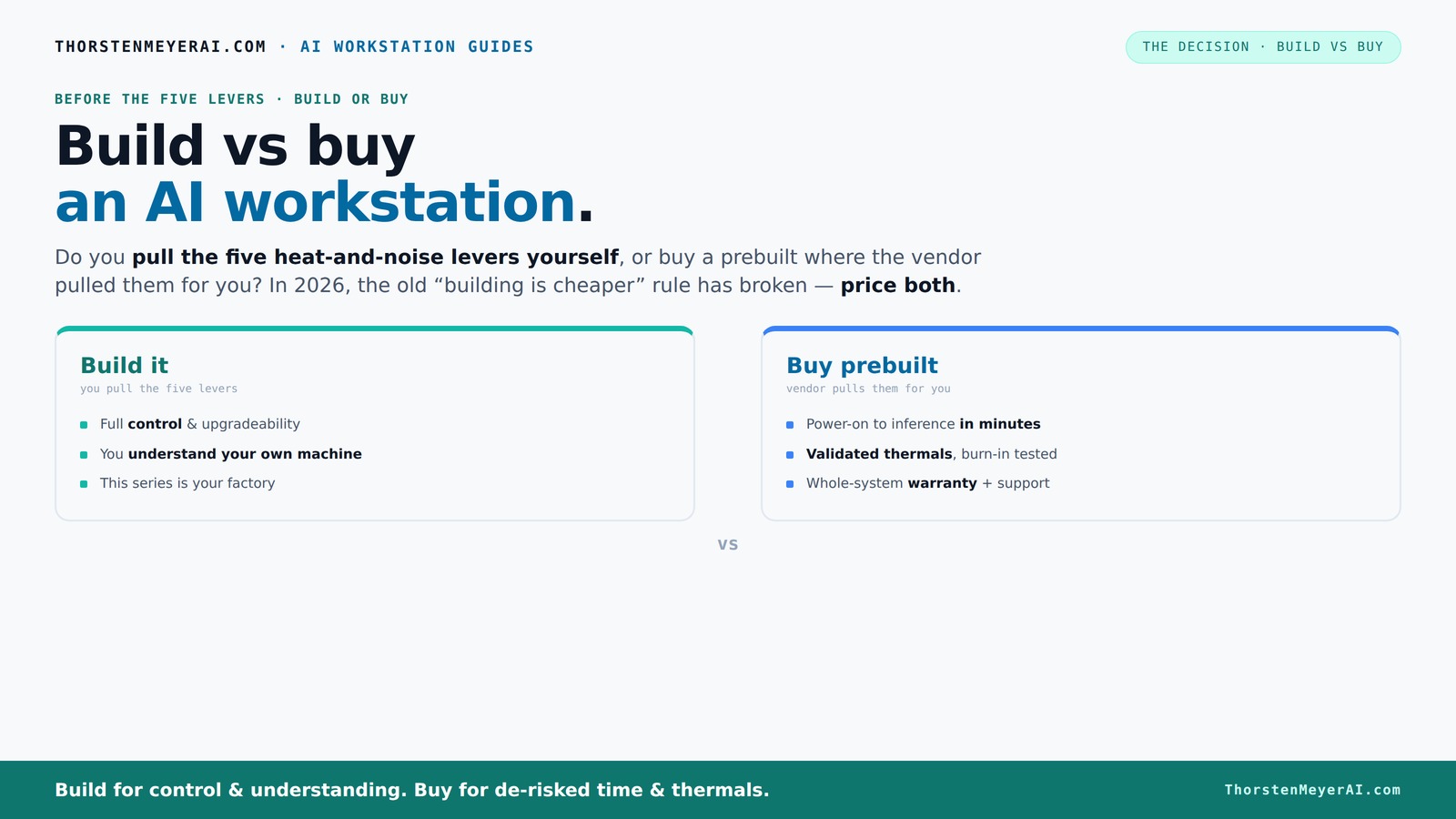
The real question behind this whole series: do you pull the five heat-and-noise levers yourself, or buy a prebuilt where the vendor pulled them for you? And in 2026, the old “building is cheaper” rule has broken. Match your situation in Part 3.
Key Takeaways
- Component shortages in 2026 make prebuilts competitive or cheaper than DIY for high-end AI systems.
- Prebuilts save time, offer validated thermals, and include support, making them ideal for professionals.
- Building your own rig provides maximum control, upgradeability, and potential cost savings if you enjoy tinkering.
- Thermal management and noise are key considerations—prebuilts often handle this better out of the box.
- Always compare total costs, including support, time, and reliability, before deciding.
As an affiliate, we earn on qualifying purchases.
Why AI Workstations Are Different Now — Prices and Market Realities
In 2026, building your own AI workstation isn't automatically cheaper anymore. Component shortages and bulk buying have pushed prices of GPUs, DDR5 RAM, and SSDs up by 20-40% since last year. A build that once cost under $1,000 now easily hits $1,250+ even before software licenses.
Meanwhile, big vendors like Dell, Puget, and Lambda have bought these parts in bulk before prices spiked. They assemble, test, and validate these systems, often at prices that are hard to beat — or even impossible — for individual buyers today. So, the age-old wisdom of 'DIY is cheaper' no longer applies across the board.
Understanding this shift is key. You must now compare both options carefully, considering not just sticker price but total time, effort, and support costs involved.
The Heat and Noise Challenge — Who Handles It Better?
Running powerful AI hardware is like managing a furnace. Getting your system cool and quiet takes five levers: undervolting the GPU, matching the right cooler, optimizing airflow, tuning fans, and placing the machine where it can breathe. Learn more about hardware cooling and noise management
Prebuilt vendors like Lambda or BIZON tune these aspects at the factory. They run 24–48 hours of stress testing, tweak fan curves, and sometimes include water-cooling for whisper-quiet operation. This means you get a machine that’s ready to handle sustained AI workloads without throttling or noise complaints.
On the flip side, building your own rig means you pull these levers yourself. You choose a quiet GPU, pick a cooler, set up airflow, and learn how to tune fans. It’s more effort, but it also offers complete control to tailor your system precisely.
Cost Breakdown: Is Building Cheaper? The Truth About Price
Let’s compare the costs side-by-side. Building your own AI workstation involves sourcing parts, assembling, troubleshooting, and possibly buying tools. If you already have experience, it’s often cheaper—especially if you pick parts carefully.
However, recent data shows that a DIY build with high-end GPUs (like a 4090 or A100) can cost $1,250–$1,500, while prebuilt systems from reputable vendors can be priced around $1,300–$1,600. Sometimes, the vendor’s bulk discounts and validation process make prebuilts cheaper, or at least on par.
Plus, prebuilts include support, warranties, and a tested configuration, which can save you time and potential headaches. Explore more about reliable hardware options So, the real question isn’t just about parts cost but total value and effort.
Performance per Dollar — Which Is the Real Winner?
Performance isn’t just about raw specs. It’s about how well your system runs under load—especially during long AI training sessions. Building allows you to pick the exact GPU, cooling, and power setup to squeeze every ounce of performance.
However, prebuilts often feature well-validated, balanced specs. For instance, a BIZON system with a cooled, tuned GPU can run at peak efficiency, often matching or surpassing a DIY setup on thermal management and stability.
Studies and user reports suggest that in 2026, the gap in performance per dollar has narrowed. Sometimes, paying a premium for a prevalidated system means better overall performance and less downtime.
Support, Warranty, and Peace of Mind
One of the biggest advantages of buying a prebuilt is support. If your system crashes during a long training run or thermal issues crop up, you’ve got a vendor on the line. Many offer 3-5 year warranties covering parts and labor, with support teams familiar with your specific machine.
Building your own system means troubleshooting alone or paying for support if you get stuck. It’s rewarding to learn, but it can also mean downtime and unexpected costs—especially if you’re new to high-performance hardware.
For business or mission-critical AI work, this support can be the difference between smooth operations and costly delays.
Upgradeability and Future-Proofing — Who Wins?
Building your own system usually means better upgrade paths. You pick a motherboard with extra slots, choose a power supply that leaves room for future GPUs, and buy a case that fits larger components.
Prebuilt systems, on the other hand, often use proprietary layouts or limited expansion options. Some OEMs solder components directly onto the motherboard, making upgrades tricky or impossible.
In 2026, if you plan to grow your AI setup over years, DIY offers more flexibility. But some high-end prebuilts are designed with future upgrades in mind—just check the vendor’s upgrade policies first.
AI-Specific Hardware and Software: What Really Matters?
AI workloads benefit from hardware accelerators like GPUs, NPUs, or TPUs. Vendors now emphasize AI-optimized hardware that offloads tasks like inference, video processing, and model training. Learn more about AI hardware options
Prebuilts often include these accelerators preinstalled and optimized for software stacks like CUDA, TensorFlow, or PyTorch. They’re tested for compatibility and performance, reducing setup headaches.
DIY allows you to select specific GPUs, tune undervolt and clock speeds, and even add NPUs if needed. It’s a balance—prebuilts save time, but custom builds offer tailored performance tuning.
Mistakes to Avoid When Choosing Your AI Workstation
Don’t just chase the latest GPU without considering thermal and power limits. An under-cooled system throttles, wasting compute time. Avoid proprietary parts that lock you in or make future upgrades costly.
Always validate specs against your workload—more VRAM for large models, faster SSDs for data loading, and sufficient cooling for sustained heavy loads. Don’t forget to budget for a quality power supply and good airflow.
Double-check vendor claims about “AI-ready” hardware. Some systems hype features that don’t translate to real-world gains.
Decision Framework: Who Should Build, Who Should Buy?
If you’re a hobbyist, student, or someone who loves tinkering, building your own system offers the thrill and the best bang for your buck. It’s also ideal if you want to learn and customize deeply.
For professionals, small teams, or those with tight deadlines, a prebuilt system delivers reliability, support, and zero hassle. It’s perfect if your time is more valuable than a few hundred dollars.
Assess your priorities: Do you want control or convenience? Budget or time? Performance tuning or ready-to-run? The answer guides your choice.
Frequently Asked Questions
Should I build or buy a prebuilt AI workstation?
It depends on your priorities. If you want quick setup, support, and tested thermals, a prebuilt is often better. If you enjoy tinkering, customizing, and potentially saving money, building your own can be rewarding—just remember market prices are close now.Is a prebuilt AI workstation worth the extra cost?
For most professionals and teams, yes. The support, warranty, and time saved often outweigh the small price premium. Plus, many prebuilts are validated for sustained AI workloads, reducing risks of throttling or failures.How much performance do I lose by buying prebuilt?
In 2026, the performance gap has narrowed significantly. Many prebuilts include high-quality, tuned components that perform on par with custom builds, especially when considering thermal management and stability.What parts matter most for AI workloads?
VRAM, GPU power, RAM capacity, and fast storage are critical. Also, effective cooling and a stable power supply ensure sustained performance without throttling or crashes.Can a prebuilt be upgraded later?
Yes, but check for proprietary components or limited expansion options. Building your own gives you more flexibility for future upgrades and scaling.Conclusion
Your choice between build and buy isn’t just about dollars. It’s about control, peace of mind, and how quickly you want to start working. In 2026, the market’s shifted enough that the smartest move might be to buy, especially for high-end AI work.
But if you crave customization or want to learn every part of your machine, building remains a rewarding challenge. Whatever you choose, focus on the workload, future plans, and how much effort you’re willing to invest. Your perfect AI workstation is the one that balances speed, control, and support—today more than ever.
Halloween Picks
halloween
As an affiliate, we earn on qualifying purchases.