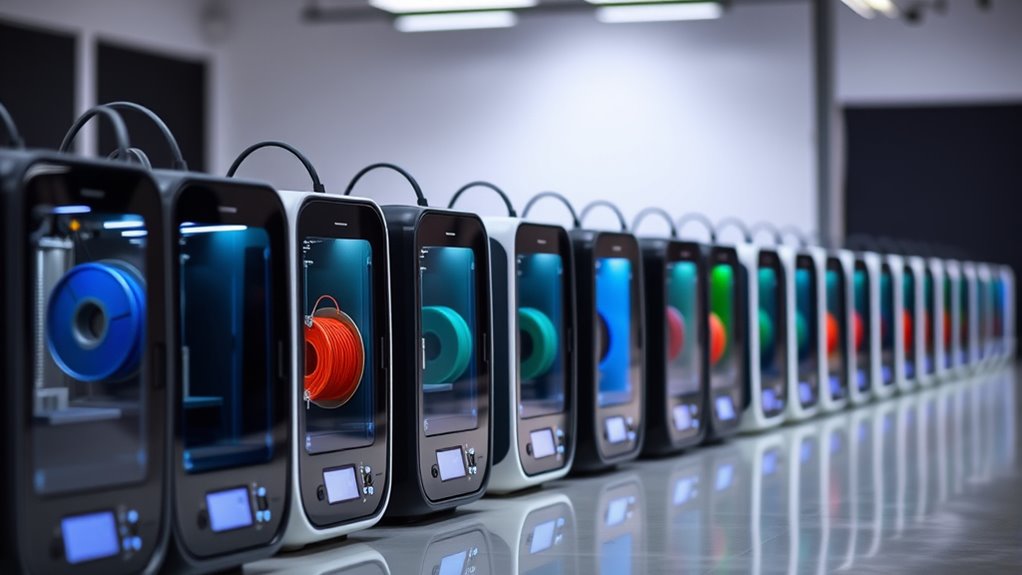

The Creality K2 SE 4C stands out as the best overall 3D printer under 500 dollars for most users, offering a rare combination of multicolor capability and 500 mm/s print speeds in a single enclosed unit. For those prioritizing reliability and ease of use, the Flashforge Adventurer 5M Pro delivers a polished, near-zero-setup experience with its 1-click auto-printing system, while the Bambu Lab P1S remains a strong contender for users who value ecosystem maturity and speed. The primary tradeoff in this price bracket is between open-source flexibility and proprietary convenience; cheaper machines often require more manual calibration, while premium sub-500 models lock you into specific software or filament types. This roundup breaks down which machines offer the best balance of speed, quality, and usability for your specific needs.

Get your wardrobe favorites delivered free with Prime
- Fast, free delivery on millions of items
- Prime Video, Amazon Music and more included
- Member-only deals all year
Complete the kit


Key Takeaways
- CoreXY motion systems have become standard in the sub-$500 bracket, dramatically reducing ghosting artifacts compared to older bed-slinger designs like the Ender 3 series.
- Multicolor printing is no longer exclusive to machines costing over $1,000; models like the Creality K2 SE 4C and Anycubic Kobra X bring AMS-style systems to the budget tier, though they add significant complexity.
- Resin printing remains a distinct category; the ELEGOO Mars 5 Ultra offers superior detail for miniatures but requires post-processing and ventilation that FDM machines do not.
- Enclosure quality varies widely; while the Bambu Lab P1S and Flashforge AD5M offer robust thermal stability for ABS/ASA, many budget ‘high-speed’ printers lack adequate heating for engineering filaments.
- Software ecosystems are becoming a bigger differentiator than hardware specs; closed systems like Bambu Studio and FlashPrint offer faster workflows but limit material choice compared to open-source Klipper-based machines.
| Creality K2 SE 4C 3D Printer |  | Best for Multicolor Prototyping | Print Speed: 500 mm/s | Acceleration: 20,000 mm/s² | Build Volume: 220 × 215 × 245 mm | VIEW ON AMAZON | See Our Full Breakdown |
| Flashforge Adventurer 5M Pro 3D Printer |  | Best Enclosed High-Speed Printer | Max Print Speed: 600 mm/s | Structure: All-metal CoreXY | Noise Level: <50 dB | VIEW ON AMAZON | See Our Full Breakdown |
| Creality Ender 3 V3 SE 3D Printer |  | Best Beginner-Friendly FDM | Max Print Speed: 250 mm/s | Build Volume: 8.66 x 8.66 x 9.84 inches | Weight: 15.66 pounds | VIEW ON AMAZON | See Our Full Breakdown |
| ELEGOO Mars 5 Ultra Resin 3D Printer |  | Best for High-Resolution Miniatures | XY Resolution: 18 μm | Display: 7-inch 9K Mono LCD | Build Volume: 6.04 × 3.06 × 6.49 inches | VIEW ON AMAZON | See Our Full Breakdown |
| FLASHFORGE Adventurer 5M 3D Printer |  | Best Value High-Speed FDM | Max Print Speed: 600 mm/s | Acceleration: 20,000 mm/s² | Build Volume: 220 x 220 x 220 mm | VIEW ON AMAZON | See Our Full Breakdown |
| Flashforge Adventurer 5M 3D Printer |  | Best Speed-to-Price Ratio | Max Print Speed: 600 mm/s | Acceleration: 20,000 mm/s² | Build Volume: 220 x 220 x 220 mm | VIEW ON AMAZON | See Our Full Breakdown |
| ELEGOO Centauri 2 Combo 3D Printer |  | Best for Multi-Color Beginners | Max Speed: 500 mm/s | Acceleration: 20,000 mm/s² | Nozzle Temperature: 350°C | VIEW ON AMAZON | See Our Full Breakdown |
| ELEGOO Centauri Carbon 3D Printer |  | Best for Advanced Materials | Build Volume: 256x256x256 mm | Max Print Speed: 500 mm/s | Nozzle Temperature: 320°C | VIEW ON AMAZON | See Our Full Breakdown |
| Bambu Lab P1S 3D Printer |  | Best Ecosystem Integration | Model Number: P1S | Max Print Speed: 500 mm/s | Product Dimensions: 15.31 x 18.03 x 15.31 inches | VIEW ON AMAZON | See Our Full Breakdown |
| Creality K2 SE 3D Printer | 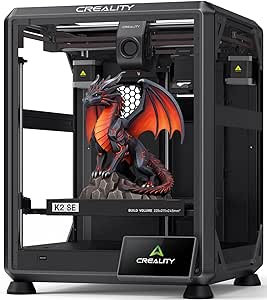 | Best Balanced Performance | Print Speed: Up to 500 mm/s | Acceleration: 20,000 mm/s² | Build Volume: 220 × 215 × 245 mm | VIEW ON AMAZON | See Our Full Breakdown |
| Anycubic Kobra X Multicolor 3D Printer |  | Best for Multi-Color Scaling | Technology: FDM | Build Volume: 260 x 260 x 260 mm | Max Print Speed: 600 mm/s | VIEW ON AMAZON | See Our Full Breakdown |
| Flashforge AD5M 3D Printer |  | Best for Hassle-Free Setup | Technology: FDM | Build Volume: 220 x 220 x 220 mm | Maximum Print Speed: 600 mm/s | VIEW ON AMAZON | See Our Full Breakdown |
| Flashforge AD5X Multi‑Color 3D Printer |  | Best for High-Speed Prototyping | Technology: FDM | Build Volume: 220 x 220 x 220 mm | Maximum Print Speed: 600 mm/s | VIEW ON AMAZON | See Our Full Breakdown |
| 3d printers under 500 | Build Volume | Weight | Max Print Speed |
|---|---|---|---|
| Creality K2 SE 4C 3D Printer | 220 × 215 × 245 mm | 35.5 pounds | — |
| Flashforge Adventurer 5M Pro 3 | 220 x 220 x 220 mm | 22 pounds | 600 mm/s |
| Creality Ender 3 V3 SE 3D Prin | 8.66 x 8.66 x 9.84 inches | 15.66 pounds | 250 mm/s |
| ELEGOO Mars 5 Ultra Resin 3D P | 6.04 × 3.06 × 6.49 inches | 19.36 pounds | — |
| FLASHFORGE Adventurer 5M 3D Pr | 220 x 220 x 220 mm | 23.8 pounds | 600 mm/s |
| Flashforge Adventurer 5M 3D Pr | 220 x 220 x 220 mm | 22 pounds | 600 mm/s |
| ELEGOO Centauri 2 Combo 3D Pri | — | 33 pounds | — |
| ELEGOO Centauri Carbon 3D Prin | 256x256x256 mm | 38.5 pounds | 500 mm/s |
| Bambu Lab P1S 3D Printer | — | — | 500 mm/s |
| Creality K2 SE 3D Printer | 220 × 215 × 245 mm | — | — |
| Anycubic Kobra X Multicolor 3D | 260 x 260 x 260 mm | — | 600 mm/s |
| Flashforge AD5M 3D Printer | 220 x 220 x 220 mm | 22 lbs | — |
| Flashforge AD5X Multi‑Color 3D | 220 x 220 x 220 mm | 24.2 pounds | — |
More Details on Our Top Picks
Creality K2 SE 4C 3D Printer
This model distinguishes itself by integrated multicolor printing without requiring external hub modifications, a significant advantage over standard single-extruder machines like the Creality Ender 3 V3 SE. The CoreXY architecture supports speeds up to 500 mm/s, allowing for rapid iteration of colorful prototypes and toys. However, the added weight of 35.5 pounds makes it less portable than lighter competitors. While it offers smart safety features like filament runout detection, the bulk requires a substantial desk footprint. It is ideal for users who prioritize color variety over compactness, though those with limited space might find the chassis cumbersome compared to more streamlined options.
Pros:- Native support for four-color printing out of the box
- High-speed CoreXY system reaching 500 mm/s
- Smart protection features including power loss recovery
- Automated bed leveling ensures consistent first layers
Cons:- Heavy 35.5 lb chassis limits portability and workspace flexibility
- Bulky dimensions require significant desk real estate
Best for: Designers and hobbyists who need multi-material or multicolor prints for prototypes and cosplay without complex upgrades.
Not ideal for: Users with small desks or those who need a highly portable printer, as the heavy, bulky frame is difficult to move.
- Print Speed:500 mm/s
- Acceleration:20,000 mm/s²
- Build Volume:220 × 215 × 245 mm
- Weight:35.5 pounds
- Color Capability:4-Color Multicolor
- Material Compatibility:PLA, PETG, Breakaway Supports
Our verdict“Choose this if multicolor capability is your priority and you have ample desk space for its substantial frame.”
Flashforge Adventurer 5M Pro 3D Printer
The Adventurer 5M Pro stands out for its enclosed chamber and quiet operation under 50 dB, making it suitable for shared offices or homes where noise is a concern. Compared to the open-frame Flashforge Adventurer 5M, the Pro offers better temperature stability for materials like ABS or ASA, though both share the same 600 mm/s speed ceiling. The tool-free nozzle swap simplifies maintenance, but the 22 lb weight and large footprint mean it is not a candidate for frequent relocation. It balances high performance with user-friendly features like a built-in camera, though the enclosed design may require more frequent ventilation checks for certain filaments.
Pros:- Enclosed chamber with dual filtration for better material handling
- Quiet operation under 50 dB
- Tool-free quick-swap nozzle system
- Built-in camera for remote monitoring
Cons:- Large footprint and heavy weight limit placement options
- Enclosed design requires careful ventilation management
Best for: Users in shared spaces who need quiet operation and an enclosed chamber for engineering materials.
Not ideal for: Those needing portability, as the 22 lb weight and enclosed frame are cumbersome to move.
- Max Print Speed:600 mm/s
- Structure:All-metal CoreXY
- Noise Level:<50 dB
- Build Volume:220 x 220 x 220 mm
- Weight:22 pounds
- Nozzle Temp:280 °C
- Connectivity:Wi-Fi / Mobile App
Our verdict“This is the right choice if you need a quiet, enclosed printer that handles advanced materials without disturbing the room.”
Creality Ender 3 V3 SE 3D Printer
For those entering 3D printing, the Ender 3 V3 SE removes many traditional pain points through CR Touch auto-leveling and a quick three-step assembly. It is significantly lighter at 15.66 pounds than the Creality K2 SE 4C, making it easier to set up and move. While its top speed of 250 mm/s is lower than the 500-600 mm/s offered by premium CoreXY models, it provides a stable, dual-Z-axis foundation that prioritizes reliability over raw speed. The build volume is adequate for most hobbyist projects, though users needing large prints might find the 8.66-inch cube limiting compared to larger industrial machines.
Pros:- CR Touch auto-leveling simplifies first-layer calibration
- Lightweight 15.66 lb design is easy to transport
- Dual Z-axis ensures stable vertical movement
- Automatic filament loading reduces manual hassle
Cons:- Build volume is restricted to an 8.66-inch cube
- Maximum speed of 250 mm/s is slower than premium competitors
Best for: Beginners who want a reliable, easy-to-assemble printer without complex calibration procedures.
Not ideal for: Users needing large-format prints or maximum speed, as the build volume and 250 mm/s limit are modest.
- Max Print Speed:250 mm/s
- Build Volume:8.66 x 8.66 x 9.84 inches
- Weight:15.66 pounds
- Extruder Type:Sprite Direct Drive
- Leveling System:CR Touch Auto-Leveling
- Assembly Time:~20 minutes
Our verdict“Ideal for first-time users who value ease of setup and consistent quality over extreme speed or size.”
ELEGOO Mars 5 Ultra Resin 3D Printer
Unlike the FDM options in this roundup, the Mars 5 Ultra uses resin technology to achieve an 18 μm XY resolution, making it the only choice here for ultra-fine details like tabletop miniatures. The 9K mono LCD offers sharper prints than standard 4K resin printers, though it lacks the large build volume of FDM machines like the Flashforge Adventurer 5M. The tilt-release technology speeds up printing, yet resin workflows require strict ventilation and post-processing. It is not a general-purpose printer; it is a specialized tool for artists who prioritize surface finish over structural strength or large part size.
Pros:- 9K resolution with 18 μm XY accuracy for fine details
- Tilt-release technology improves print speed and reliability
- AI camera detects errors to reduce failed prints
- Wi-Fi cluster printing supports multiple units
Cons:- Requires ventilation and safety gear due to resin toxicity
- Small build volume limits the size of printable objects
Best for: Miniature painters and jewelry designers who require extreme detail and smooth surface finishes.
Not ideal for: Users looking for large structural parts or those unwilling to manage toxic resin fumes and post-curing.
- XY Resolution:18 μm
- Display:7-inch 9K Mono LCD
- Build Volume:6.04 × 3.06 × 6.49 inches
- Max Speed:150 mm/h
- Technology:Resin SLA/LCD
- Weight:19.36 pounds
Our verdict“Select this printer strictly if your priority is microscopic detail for miniatures, not general-purpose modeling.”
FLASHFORGE Adventurer 5M 3D Printer
The Adventurer 5M delivers the same 600 mm/s speed and CoreXY stability as its Pro sibling but in an open-frame design, offering a more accessible entry point into high-speed printing. It lacks the enclosed chamber of the Adventurer 5M Pro, which means it is less suited for warped-prone materials like ABS, but this simplifies access for PLA and PETG. The dual-sided PEI plate and quick-detachable nozzle make maintenance straightforward. At 23.8 lbs, it is still substantial, but the open design allows for easier part removal and inspection. It is a pragmatic choice for users who want speed without the premium cost of enclosure features.
Pros:- Extremely fast 600 mm/s print speeds
- Open frame allows easy access and part removal
- One-click auto-leveling reduces setup time
- Dual-sided PEI plate ensures strong adhesion
Cons:- Open frame limits material compatibility for high-temp filaments
- Heavier weight reduces portability compared to smaller printers
Best for: Hobbyists who want high-speed CoreXY performance and easy access for PLA/PETG printing.
Not ideal for: Those needing to print ABS or other high-temp materials that require a heated, enclosed chamber.
- Max Print Speed:600 mm/s
- Acceleration:20,000 mm/s²
- Build Volume:220 x 220 x 220 mm
- Weight:23.8 pounds
- Nozzle Temp:Up to 280°C
- Build Plate:Dual-Sided PEI
- Supported Materials:PLA, PETG, TPU, CF Blends
Our verdict“This is the best pick for users who want top-tier speed and reliability for common materials without paying for an enclosure.”
Flashforge Adventurer 5M 3D Printer
This model stands out for its blistering 600 mm/s print speed and 20,000 mm/s² acceleration, significantly outpacing the 500 mm/s limit found on the Bambu Lab P1S and Creality K2 SE. The CoreXY mechanism ensures that this velocity doesn’t compromise structural integrity, while the 35-second warm-up minimizes downtime between prints. However, the tradeoff is physical bulk; at 22 pounds, it lacks the portability of smaller, open-frame alternatives. While it lacks the multi-material ecosystem of the ELEGOO Centauri 2, its raw throughput makes it superior for users prioritizing rapid iteration over color variety.
Pros:- Extremely high print speed and acceleration reduce cycle times.
- Automatic bed leveling ensures consistent first-layer adhesion.
- Quick 3-second nozzle swaps facilitate easy maintenance.
- Rapid warm-up time improves workflow efficiency.
Cons:- Heavy weight makes relocation difficult.
- Single-extruder design limits multi-material capabilities.
- Large footprint requires dedicated workspace.
Best for: Rapid prototypers who need fast turnaround times and reliable single-material output.
Not ideal for: Users with limited desk space or those who require multi-color printing without additional hardware.
- Max Print Speed:600 mm/s
- Acceleration:20,000 mm/s²
- Build Volume:220 x 220 x 220 mm
- Nozzle Change Time:3 seconds
- Warm-up Time:35 seconds to 200°C
- Bed Leveling:Automatic
- Weight:22 pounds
Our verdict“Choose this if raw speed and rapid prototyping are your primary goals over aesthetic versatility.”
ELEGOO Centauri 2 Combo 3D Printer
The Centauri 2 Combo differentiates itself by offering 4-color printing directly out of the box, a feature the Creality K2 SE reserves for its separate CFS module. This makes it an attractive entry point for creators who want vibrant, multi-material results without hunting for add-ons. The RFID filament recognition simplifies the typically complex color-switching process, though the sheer number of automated features can present a learning curve for absolute novices. Compared to the Flashforge Adventurer 5M, it trades a slight speed advantage for significantly greater creative flexibility and a more integrated software ecosystem.
Pros:- Integrated 4-color system with automatic filament switching.
- Extensive auto-calibration with 22 sensors reduces manual tuning.
- Wi-Fi and app control enhance remote monitoring.
- High-speed CoreXY system maintains quality during color changes.
Cons:- Heavier build limits portability.
- Complex feature set may overwhelm absolute beginners.
- Higher weight compared to standard single-extruder printers.
Best for: Beginners and hobbyists who want immediate access to multi-color printing without buying separate modules.
Not ideal for: Users seeking the absolute fastest print times or those who prefer a minimalist, single-material workflow.
- Max Speed:500 mm/s
- Acceleration:20,000 mm/s²
- Nozzle Temperature:350°C
- Color Capability:4-Color
- Connectivity:Wi-Fi (ELEGOO Matrix App)
- Display:5-inch Touchscreen
- Weight:33 pounds
Our verdict“This is the ideal choice for newcomers who prioritize colorful output and automated convenience over raw speed.”
ELEGOO Centauri Carbon 3D Printer
Where the Bambu Lab P1S restricts users from printing carbon fiber reinforced polymers, the Centauri Carbon embraces them with a 320°C hardened steel nozzle and an enclosed chamber. This setup is specifically engineered to handle abrasive, high-strength filaments that would clog or damage standard nozzles. The die-cast aluminum frame provides superior rigidity compared to plastic-heavy competitors, ensuring that high-speed prints remain dimensionally accurate. While it shares the 500 mm/s speed ceiling of the Creality K2 SE, its material compatibility makes it a more robust tool for functional prototyping and engineering applications rather than just decorative models.
Pros:- Enclosed chamber supports high-temperature and advanced filaments.
- Hardened steel nozzle withstands abrasive materials.
- Rigid die-cast aluminum frame reduces vibration.
- Built-in camera allows for remote monitoring and time-lapses.
Cons:- Very heavy unit at 38.5 pounds.
- Enclosed design may require external ventilation for toxic fumes.
- Higher cost relative to basic PLA-focused printers.
Best for: Makers and engineers needing to print with abrasive or high-temperature materials like carbon fiber or nylon.
Not ideal for: Casual users who only print PLA and do not need the enclosure or hardened components.
- Build Volume:256x256x256 mm
- Max Print Speed:500 mm/s
- Nozzle Temperature:320°C
- Frame Material:Die-cast Aluminum
- Weight:38.5 pounds
- Technology:FDM
- Calibration:Auto Calibration
Our verdict“Select this printer if you plan to experiment with engineering-grade filaments that require high heat and stability.”
Bambu Lab P1S 3D Printer
The P1S excels in its software and hardware synergy, offering a 15-minute setup that rivals the simplicity of the Flashforge Adventurer 5M but with a more mature ecosystem. Its enclosed design allows for reliable printing of ABS and ASA, materials that the open-frame Creality Ender 3 V3 SE struggles with due to warping. While it lacks native multi-color support without the optional AMS unit, the printer’s stability and input shaping technology produce surface finishes that often require less post-processing than competitors. It is a premium-feeling machine that justifies its weight and size through exceptional reliability and community support.
Pros:- Fast and easy 15-minute assembly process.
- Enclosed body improves print quality for ABS and ASA.
- High-speed printing with minimal vibration artifacts.
- Strong community support and reliable software integration.
Cons:- Multi-color printing requires the separate AMS purchase.
- Incompatible with carbon or glass fiber reinforced polymers.
- Bulky and heavy design limits portability.
Best for: Users who value a polished user experience, reliable ABS/ASA printing, and a strong community ecosystem.
Not ideal for: Budget-conscious buyers who do not want to invest in the separate AMS unit for multi-color features.
- Model Number:P1S
- Max Print Speed:500 mm/s
- Product Dimensions:15.31 x 18.03 x 15.31 inches
- Item Weight:38.9 pounds
- Bed Leveling:Automatic
- Setup Time:15 minutes
- Technology:FDM
Our verdict“This is the go-to choice for users who want a reliable, enclosed printer with a seamless software experience.”
Creality K2 SE 3D Printer
The K2 SE strikes a compelling balance between the raw speed of the Flashforge Adventurer 5M and the material versatility of the ELEGOO Centauri Carbon. Its die-cast aluminum alloy frame and input shaping technology deliver smooth prints at 500 mm/s, avoiding the ringing often seen on lighter frames. While it shares the multi-color potential of the Bambu Lab P1S, the K2 SE requires the separate CFS module, adding to the total cost of ownership. However, its quick-swap nozzle and automatic leveling make it significantly more approachable for beginners than traditional Creality kits, offering a modern, high-performance entry into FDM printing.
Pros:- Rigid metal frame ensures high-precision prints at speed.
- Automatic bed leveling and quick-swap nozzle simplify maintenance.
- Vibration control technology improves surface quality.
- Compatible with CFS system for future multi-color upgrades.
Cons:- Multi-color capability requires additional hardware purchase.
- Optimal quality at max speed may require filament tuning.
- Large footprint due to robust metal construction.
Best for: Intermediate users who want high speed and a rigid frame without committing to a closed ecosystem.
Not ideal for: Those who want multi-color printing immediately without buying extra hardware or those with tight desk space.
- Print Speed:Up to 500 mm/s
- Acceleration:20,000 mm/s²
- Build Volume:220 × 215 × 245 mm
- Frame Material:Die-cast aluminum alloy
- Extruder Type:Direct drive with hardened steel dual-drive gears
- Nozzle Swap:Quick-swap
- Multicolor Compatibility:Creality CFS (sold separately)
Our verdict“Choose the K2 SE for a robust, high-speed machine that offers a flexible path to multi-material printing.”
Anycubic Kobra X Multicolor 3D Printer
This model stands out for its native 4-color capability that scales impressively to 19 colors using ACE units, a feature rarely seen in this price bracket. Compared to the Flashforge AD5X, which is limited to four colors, the Kobra X offers a clearer upgrade path for users who anticipate needing more complex palettes later. The 260mm cubic build volume is significantly larger than the 220mm cubes found on most competitors, allowing for bigger single-part prints or more efficient batch printing. However, the requirement to purchase separate ACE units for expansion adds to the initial cost, and the 20.9-pound weight makes it less portable than lighter, compact alternatives. It is a robust choice for those prioritizing color variety over portability.
Pros:- Scalable multi-color system supports up to 19 colors with add-ons
- Large 260mm build volume accommodates bigger projects
- AI monitoring reduces failed print risks significantly
Cons:- Filament and advanced color units are sold separately
- Incompatibility between ACE 2 Pro and older ACE units limits flexibility
Best for: Hobbyists and small studios planning to expand their multi-color projects beyond four hues in the future.
Not ideal for: Users with limited desk space or those who only need single-color prints and want to avoid extra accessory costs.
- Technology:FDM
- Build Volume:260 x 260 x 260 mm
- Max Print Speed:600 mm/s
- Nozzle Temperature:300°C
- Connectivity:Dual-band Wi-Fi, LAN
- Item Weight:20.9 pounds
- Noise Level:45 dB
Our verdict“Choose this if you want a future-proof color system and a larger build area, but be prepared to invest in accessories.”
Flashforge AD5M 3D Printer
The AD5M excels in user experience, particularly with its one-click automatic bed leveling and quick-swap nozzles that eliminate common maintenance headaches. While it shares the same 600 mm/s speed and CoreXY architecture as the Flashforge AD5X, the AD5M lacks native multi-color support, making it a simpler, more focused tool for single-material projects. The all-metal motion system contributes to stability and lower noise, a noticeable improvement over belt-driven printers like the Creality Ender 3 V3 SE. However, the 220mm build volume is standard but not generous, and the 22-pound weight means it is not designed for frequent relocation. It is the ideal entry point for those who value reliability over complexity.
Pros:- One-click auto-leveling removes manual calibration errors
- Tool-free quick-swap nozzles simplify maintenance
- Quiet operation suitable for office environments
Cons:- No native multi-color capability
- Standard 220mm build volume limits large projects
Best for: Beginners and educators who prioritize easy setup, low maintenance, and reliable single-color printing.
Not ideal for: Artists requiring multi-color outputs or users needing a larger build volume for big parts.
- Technology:FDM
- Build Volume:220 x 220 x 220 mm
- Maximum Print Speed:600 mm/s
- Motion System:All-metal CoreXY
- Nozzle Options:0.25 / 0.4 / 0.6 / 0.8 mm
- Auto Leveling:One-click automatic
- Weight:22 lbs
Our verdict“Pick this if you want a reliable, fast, and easy-to-maintain printer without the complexity of multi-color systems.”
Flashforge AD5X Multi‑Color 3D Printer
This printer targets users who need four-color simultaneous printing combined with extreme speed, leveraging a 300°C direct-drive extruder for material versatility. Compared to the Anycubic Kobra X, the AD5X offers a more integrated out-of-the-box multi-color experience without requiring separate expansion units, though it is capped at four colors. The 20,000 mm/s² acceleration allows for rapid prototyping cycles, significantly outpacing slower belt-driven machines like the Creality K2 SE. The tradeoff is the 24.2-pound weight and a steeper learning curve for multi-color calibration. It is a powerful machine for engineers and designers who need fast, colorful iterations but have limited desk real estate due to its bulk.
Pros:- Native 4-color printing out of the box
- High acceleration speeds up prototyping workflows
- Versatile nozzle range handles both detail and bulk prints
Cons:- Heavy and bulky at 24.2 pounds
- Multi-color setup requires more technical skill
Best for: Product designers and engineers who need fast, four-color prototypes and have dedicated workspace.
Not ideal for: Casual hobbyists or beginners intimidated by multi-color calibration and complex setup processes.
- Technology:FDM
- Build Volume:220 x 220 x 220 mm
- Maximum Print Speed:600 mm/s
- Acceleration:20,000 mm/s²
- Extruder Temperature:300 °C
- Nozzle Sizes:0.25mm to 0.8mm
- Weight:24.2 pounds
Our verdict“Select this if you need immediate multi-color capability and high-speed output, accepting its size and complexity.”
How We Picked
To curate this list of 3D printers under 500 dollars, I evaluated each machine based on print reliability, setup complexity, and long-term maintenance. The primary filter was mechanical design: I prioritized CoreXY and hybrid motion systems over traditional Cartesian bedslingers because they offer better acceleration and quality at the same price point in 2027. I also assessed the availability of spare parts and community support, as a printer is only as good as its serviceability.
Ranking was determined by a weighted score of out-of-box success rate, print speed stability, and feature set (such as auto-leveling and direct drive extrusion). Machines that required extensive manual tuning to achieve basic prints were ranked lower than those offering ‘print-ready’ experiences, unless the user base explicitly favors hackability. I excluded models with known safety issues regarding open heating elements without thermal runaway protection.
Factors to Consider When Choosing 3d Printers Under 500
Choosing a 3D printer in this price range requires balancing raw specifications with real-world usability. Here are the key factors that will determine your satisfaction with the machine.
Motion System: CoreXY vs. Bed-Slinger
Most modern printers under 500 dollars have shifted to CoreXY or hybrid motion systems, where the print bed only moves on the Z-axis. This design reduces inertia, allowing for higher acceleration and sharper corners without ringing artifacts. In contrast, older bed-slinger designs (like the Ender 3 V3 SE) move the heavy bed on the Y-axis, which limits speed and can cause layer inconsistencies on tall prints. If you plan to print functional parts or models with intricate details, a CoreXY machine like the Flashforge AD5M offers a tangible quality advantage. However, bed-slingers often provide a larger build volume for the same price, making them suitable for large, slow prints.
FDM vs. Resin: Material and Workflow Differences
The choice between FDM (filament) and resin (SLA) is not just about resolution; it is about workflow and safety. FDM printers like the Creality K2 SE are easier to use, safer for home environments, and produce strong, durable parts. Resin printers like the ELEGOO Mars 5 Ultra offer incredible detail for miniatures and jewelry but require handling toxic liquids, cleaning with alcohol, and curing with UV light. If you do not have a dedicated, ventilated workspace, stick to FDM. Resin is also messier and the consumables can be more expensive and hazardous to dispose of.
The Hidden Cost of Multicolor Printing
Machines advertising multicolor capabilities (like the Creality K2 SE 4C or Anycubic Kobra X) add a significant layer of complexity. These systems use external units to swap filaments, which can fail, jam, or waste material during purge cycles. While the output is impressive, the setup time is often double that of single-color printing. If you do not strictly need multicolor prints, you can save money and frustration by choosing a single-color machine like the Bambu Lab P1S or Flashforge AD5M. Only buy a multicolor machine if you are willing to troubleshoot filament paths and accept slower print times.
Enclosure and Material Compatibility
An enclosure is not just for noise reduction; it is critical for printing engineering materials like ABS, ASA, and Nylon. Without a heated chamber or a sealed environment, these materials warp and delaminate. The Bambu Lab P1S and Flashforge AD5M Pro come with robust enclosures that maintain temperature stability. Open-frame printers, even if fast, are largely limited to PLA, PETG, and TPU. If you plan to print functional prototypes that need heat resistance, prioritize enclosed models over open-frame speedsters.
Software Ecosystem and Closed vs. Open Source
Modern printers are increasingly tied to proprietary software. Bambu Lab and Flashforge offer sleek, user-friendly slicers that automate many settings, which is great for beginners but limits customization. Open-source machines running Klipper (like many Creality K-series) allow for deep tuning of input shaping and pressure advance, offering better performance if you are willing to learn. Consider whether you want a plug-and-play appliance or a hobbyist platform. The former saves time; the latter offers long-term upgrade potential.
Maintenance and Spare Part Availability
Every 3D printer is a mechanical device that will eventually break. Before buying, check the availability of spare parts like nozzles, belts, and hotends. Brands like Creality and Anycubic have massive global supply chains, making replacements cheap and easy to find. Niche brands or highly integrated proprietary systems (like Bambu Lab) may have slower or more expensive supply chains for specific components. Direct drive extruders are generally easier to maintain than Bowden setups, and all-metal hotends offer more durability for abrasive filaments.
Frequently Asked Questions
Is it better to buy a high-speed printer or a larger build volume printer under 500 dollars?
This depends entirely on what you print. If you are making small, detailed parts, miniatures, or functional components where surface finish matters, a high-speed CoreXY machine like the Flashforge AD5M is superior because it reduces print time without sacrificing quality. However, if you need to print large props, cosplay armor, or architectural models, a larger build volume is more valuable than speed. A larger bed-slinger like the Creality Ender 3 V3 SE might take longer, but it avoids the hassle and weakness of glueing together multiple printed sections. For most hobbyists, speed is the more versatile upgrade, as you can always print large objects in sections if needed.
Do I need an enclosure if I only plan to print PLA?
Strictly speaking, no. PLA prints well in open-air environments. However, an enclosure offers significant secondary benefits even for PLA. It reduces noise, which is important if the printer is in a living space. It also protects the print from dust and drafts, which can cause minor defects or adhesion issues. Furthermore, if you decide to try PETG or ABS in the future, you will already have the hardware ready. If budget is tight, you can skip the enclosure initially, but models like the Bambu Lab P1S or Flashforge AD5M Pro include it by default, making them more future-proof investments.
How difficult is it to set up a multicolor 3D printer compared to a standard one?
Multicolor printers are significantly more complex to set up and maintain. The external filament hub (AMS or CFS) must be calibrated perfectly to avoid jams, and the purge tower mechanism wastes material and adds time to every print. You also need to manage four spools of filament instead of one, which takes up more desk space. If you are a beginner, I strongly recommend starting with a single-color machine. Once you are comfortable with basic troubleshooting, you can upgrade to a multicolor system. The convenience of ‘set and forget’ multicolor printing is real, but the initial learning curve is steep.
Can I use third-party filaments with closed-system printers like Bambu Lab?
Yes, but it requires a few extra steps. While Bambu Lab and Flashforge encourage the use of their proprietary filaments for guaranteed performance, their machines are not locked to specific brands. You can load third-party filaments into the AMS or direct feed, but you will need to manually create or download profiles in the slicer software. These profiles must be carefully tuned for temperature and flow rates to prevent clogging. It is not as simple as ‘plug and play’ with branded spools, so factor in some time for testing and calibration if you plan to use generic filaments.
Are resin printers safer for home use than filament printers?
Generally, no. Resin printers use photopolymer resins that are toxic and can cause skin irritation or respiratory issues if not handled correctly. They require proper ventilation, nitrile gloves, and careful disposal of liquid waste. Filament printers use thermoplastics like PLA, which are non-toxic and emit minimal fumes, making them much safer for bedrooms, offices, or classrooms. Unless you have a dedicated workshop with ventilation and safety protocols, FDM printers are the safer and more practical choice for home environments.
Conclusion
Selecting the right 3D printer under 500 dollars comes down to matching the machine’s strengths to your specific workflow. For most users, the Creality K2 SE 4C is the best overall pick, offering a rare blend of speed, multicolor capability, and auto-leveling that minimizes setup headaches. If you prioritize a polished, appliance-like experience with minimal tinkering, the Flashforge Adventurer 5M Pro is the best value for reliability and ease of use. For those who want to enter the world of high-detail miniatures and are willing to handle post-processing, the ELEGOO Mars 5 Ultra is the best resin option. Finally, if you are a tinkerer who values open-source flexibility and community support, the Creality Ender 3 V3 SE remains a solid, budget-friendly entry point, though it lacks the speed and enclosure features of its CoreXY rivals.
Columbus Day / Indigenous Peoples' Day Picks
long weekend sales
As an affiliate, we earn on qualifying purchases.