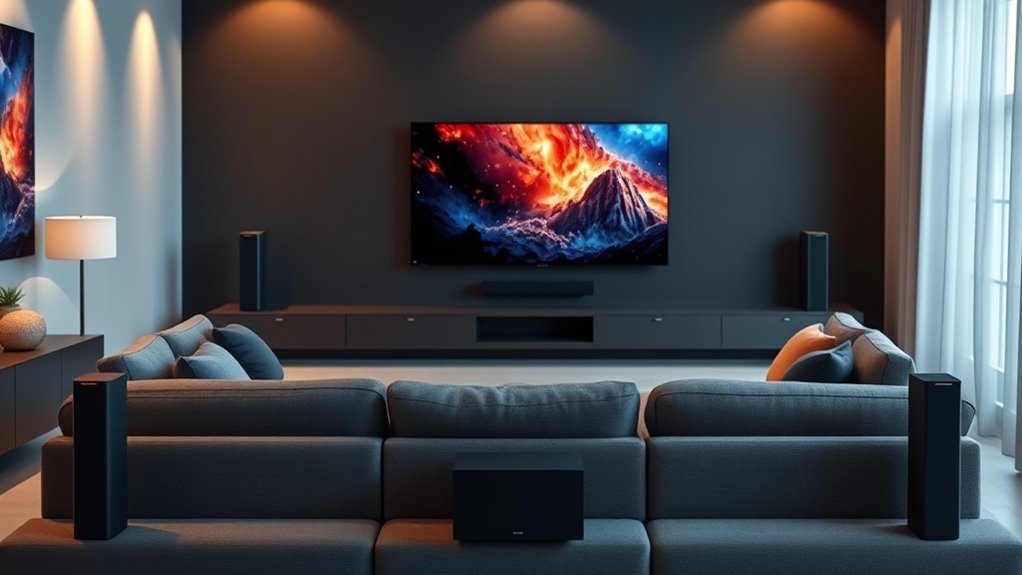

The best wireless surround sound system overall in this roundup is the Samsung Q990F, thanks to its expansive 11.1.4-channel layout and included rear speakers. The ULTIMEA Skywave X50 stands out for buyers seeking a 5.1.4-channel Atmos setup, while the LG S40TR offers a simpler route to surround sound with a soundbar, subwoofer, and rear speakers. The main tradeoffs are how much space a system needs, whether its rear speakers still require cables, and how much control you want over setup and sound. Channel counts and wireless labels alone don’t tell the whole story, so I compare room fit, connectivity, and practical setup demands across all 14 options. Continue reading for the full breakdown and help matching a system to your room and listening habits.

Get your wardrobe favorites delivered free with Prime
- Fast, free delivery on millions of items
- Prime Video, Amazon Music and more included
- Member-only deals all year
Key Takeaways
- Samsung Q990F leads on channel scale: Its 11.1.4 layout and included subwoofer and rear speakers make it the most ambitious all-in-one package here, but that scale suits buyers ready to give the system room.
- More channels do not automatically mean easier setup: Systems with rear speakers can improve immersion, yet their power and placement needs still matter even when the audio connection is wireless.
- ULTIMEA covers several distinct layouts: The Skywave X50 and X40 target height-channel Atmos setups, while the Poseidon D70 emphasizes a four-speaker surround arrangement.
- The Sony and LG options prioritize a familiar soundbar format: Both include rear speakers and a subwoofer, giving buyers a straightforward alternative to the more elaborate multi-channel packages.
- Room fit is a better starting point than the biggest channel number: A compact or entry-level setup such as the LG S40TR may be a better match for a smaller space than a larger, more complex system.
| LG S40TR 4.1-Channel Soundbar with Wireless Subwoofer and Rear Speakers |  | Best for Straightforward LG TV Pairing | Channels: 4.1 | Audio mode: Surround | Included speakers: Soundbar, wireless subwoofer, rear speakers | VIEW ON AMAZON | See Our Full Breakdown |
| ULTIMEA 5.1.2-Channel Dolby Atmos Soundbar System |  | Best for App-Based Sound Shaping | Channel configuration: 5.1.2 | Surround technology: SurroundX | Subwoofer: 5.25-inch wired | VIEW ON AMAZON | See Our Full Breakdown |
| Sony BRAVIA Theater System 6 5.1-Channel Soundbar System with Subwoofer and Rear Speakers |  | Best for Dolby and DTS Format Coverage | Channels: 5.1 | Speaker configuration: Soundbar, subwoofer, and two rear speakers | Audio formats: Dolby Atmos, DTS:X | VIEW ON AMAZON | See Our Full Breakdown |
| Samsung Q990F 11.1.4-Channel Soundbar System with Subwoofer and Rear Speakers (HW-Q990F, 2025) |  | Best Premium Surround Package | Model: HW-Q990F | Channels: 11.1.4 | Included components: Soundbar, wireless subwoofer, rear speakers | VIEW ON AMAZON | See Our Full Breakdown |
| ULTIMEA Poseidon M100 7.1-Channel Dolby Atmos Soundbar System |  | Best for Wireless Speaker Placement | Channels: 7.1 | Peak power: 432 W | Subwoofer: 6.5-inch wireless | VIEW ON AMAZON | See Our Full Breakdown |
| ULTIMEA Aura A40 Pro 7.1-Channel Surround Soundbar System with Subwoofer |  | Best for Fine-Tuning Surround Sound | Audio output: 7.1-channel surround | Included speakers: Soundbar, subwoofer, and four surround speakers | Subwoofer frequency response: Down to 45 Hz | VIEW ON AMAZON | See Our Full Breakdown |
| TCL S65K S Series 5.1 Channel Soundbar System with Dolby Atmos, DTS:X, Wireless Subwoofer, Wireless Surround Speakers, Bluetooth Music Streaming, and AI Sonic Auto Room Calibration |  | Best for a Cable-Light Setup | Audio channels: 5.1 | Audio formats: Dolby Atmos and DTS:X | Maximum output power: 630 watts | VIEW ON AMAZON | See Our Full Breakdown |
| Sony HT-S40R 5.1-Channel Home Theater Soundbar System |  | Best for Straightforward TV Connections | Model: HT-S40R | Channels: 5.1 | Total power output: 600 W | VIEW ON AMAZON | See Our Full Breakdown |
| ULTIMEA Skywave X40 5.1.2-Channel Soundbar System |  | Best for Height-Effect Audio | Channels: 5.1.2 | Peak power: 530 W | Wireless transmission: Dual 5GHz | VIEW ON AMAZON | See Our Full Breakdown |
| ULTIMEA Poseidon D70 7.1-Channel Surround Sound System with Soundbar, Four Speakers, and Subwoofer | 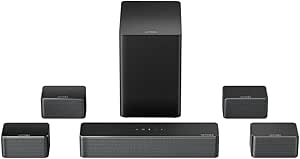 | Best for a Multi-Speaker Layout on a Budget of Cables | Audio channels: 7.1 virtual surround | Peak power: 410 W | Included speakers: Soundbar, four wired surround speakers, and wireless subwoofer | VIEW ON AMAZON | See Our Full Breakdown |
| ULTIMEA Skywave X50 5.1.4-Channel Wireless Surround Sound System |  | Best for Overhead Effects | Audio channels: 5.1.4 | Peak power: 760W | Bass response: Down to 28Hz | VIEW ON AMAZON | See Our Full Breakdown |
| ULTIMEA Poseidon M80 5.1-Channel Dolby Atmos Soundbar System |  | Best for Flexible Connections | Audio channels: 5.1 | Peak power: 312W | Subwoofer: 5.25-inch wireless | VIEW ON AMAZON | See Our Full Breakdown |
| ULTIMEA Poseidon M60 5.1-Channel Dolby Atmos Soundbar System |  | Best for Simple Room Setup | Channels: 5.1 | Peak power: 300W | Drivers: 6 total: five full-range drivers and one subwoofer driver | VIEW ON AMAZON | See Our Full Breakdown |
| ULTIMEA Aura A40 7.1-Channel Soundbar System with Subwoofer |  | Best for Physical Surround Coverage | Audio output: 7.1-channel surround sound | Maximum output power: 330W | Speakers: Soundbar, subwoofer, and 4 surround speakers | VIEW ON AMAZON | See Our Full Breakdown |
| wireless surround sound system | Connectivity | Mounting | Channels |
|---|---|---|---|
| LG S40TR 4.1-Channel Soundbar | Optical input, USB; wireless subwoofer | Tabletop | 4.1 |
| ULTIMEA 5.1.2-Channel Dolby At | HDMI eARC, Bluetooth 5.4 | Tabletop or wall mount | — |
| Sony BRAVIA Theater System 6 5 | Bluetooth | Tabletop or wall mount | 5.1 |
| Samsung Q990F 11.1.4-Channel S | Bluetooth, HDMI, Wi-Fi, AirPlay 2 | Wall mount | 11.1.4 |
| ULTIMEA Poseidon M100 7.1-Chan | HDMI eARC, optical, USB, Bluetooth 6.0 | Tabletop | 7.1 |
| ULTIMEA Aura A40 Pro 7.1-Chann | — | Tabletop or wall mount | — |
| TCL S65K S Series 5.1 Channel | HDMI eARC, Bluetooth, Wi-Fi, and USB | Wall mount | — |
| Sony HT-S40R 5.1-Channel Home | HDMI, optical, analog, and Bluetooth | — | 5.1 |
| ULTIMEA Skywave X40 5.1.2-Chan | — | — | 5.1.2 |
| ULTIMEA Poseidon D70 7.1-Chann | HDMI ARC, optical, AUX, USB, and Bluetooth | Wall mount | — |
| ULTIMEA Skywave X50 5.1.4-Chan | — | — | — |
| ULTIMEA Poseidon M80 5.1-Chann | HDMI eARC, Optical, USB, Bluetooth | — | — |
| ULTIMEA Poseidon M60 5.1-Chann | HDMI eARC, Bluetooth 5.4 | — | 5.1 |
| ULTIMEA Aura A40 7.1-Channel S | Bluetooth, optical, AUX | Tabletop or wall mount | — |
More Details on Our Top Picks
LG S40TR 4.1-Channel Soundbar with Wireless Subwoofer and Rear Speakers
The LG S40TR is a practical entry point for buyers who want actual rear speakers without stepping up to the more elaborate 5.1-channel Sony BRAVIA Theater System 6. Its wireless subwoofer keeps one connection out of the way, while the rear speakers add sound behind the seating area for a more enveloping effect than a soundbar alone. Clear Voice Plus is useful when dialogue needs to stand out, and Dolby Digital and DTS compatibility covers common surround formats. The tradeoff is that the rear speakers are not fully wire-free: they connect to each other, and one needs AC power. LG TV owners with compatible models also get WOW controls, but that benefit does not extend to every television. I’d choose it for a simple LG-centered setup, not a cable-free one.
Pros:- Includes rear surround speakers and a wireless subwoofer
- Supports Dolby Digital and DTS audio
- Clear Voice Plus can make dialogue easier to follow
- Compatible LG TVs can control the system through WOW features
Cons:- Rear speakers connect to each other by wire, and one needs an AC outlet
- WOW features require select LG TV and soundbar models
Best for: LG TV owners who want dedicated rear speakers, clearer dialogue, and simpler control from one remote
Not ideal for: Buyers who need fully wireless rear speakers or want immersive height-channel Dolby Atmos effects
- Channels:4.1
- Audio mode:Surround
- Included speakers:Soundbar, wireless subwoofer, rear speakers
- Audio formats:Dolby Digital, DTS
- Connectivity:Optical input, USB; wireless subwoofer
- Soundbar dimensions:28.4 × 2.5 × 3.4 in
- Subwoofer dimensions:6.7 × 12.6 × 9.9 in
- Mounting:Tabletop
Our verdict“Choose the LG S40TR for a relatively simple LG TV setup with genuine rear speakers, provided you can accommodate their wiring and power needs.”
ULTIMEA 5.1.2-Channel Dolby Atmos Soundbar System
The ULTIMEA 5.1.2 is the pick here for listeners who want detailed control over how their surround system sounds. Its 10-band equalizer, 121 presets, and adjustable speaker levels let you tune music, dialogue, and effects more than the LG S40TR’s simpler feature set allows. Up-firing and rear speakers add a height-and-surround layer, while HDMI eARC can carry lossless audio from a compatible TV. The wired subwoofer is a notable compromise in a roundup focused on wireless surround: it limits placement and adds a cable run. DTS is also unsupported, unlike the Sony BRAVIA Theater System 6, which lists both Dolby Atmos and DTS:X. I’d favor this ULTIMEA for Atmos-focused viewing and hands-on app control, but not for DTS libraries or a low-cable room.
Pros:- 5.1.2-channel system includes up-firing and rear surround speakers
- HDMI eARC supports lossless audio transmission
- App provides a 10-band EQ, 121 presets, and speaker-level adjustment
- CEC synchronization can coordinate TV power, volume, and input
Cons:- Does not support DTS
- Subwoofer is wired, limiting placement and adding a cable run
Best for: Home theater fans who want Dolby Atmos, HDMI eARC, and extensive app controls for tuning speaker levels and EQ
Not ideal for: Buyers with DTS-heavy media collections or anyone who wants a wireless subwoofer and minimal cabling
- Channel configuration:5.1.2
- Surround technology:SurroundX
- Subwoofer:5.25-inch wired
- Connectivity:HDMI eARC, Bluetooth 5.4
- App controls:10-band graphic EQ, 121 presets, 13-step level adjustment
- Mounting:Tabletop or wall mount
- Dimensions:31.5 × 1.81 × 3.54 in
- DTS support:Not compatible
Our verdict“Pick this ULTIMEA if adjustable Atmos playback matters more than a wireless subwoofer or DTS compatibility.”
Sony BRAVIA Theater System 6 5.1-Channel Soundbar System with Subwoofer and Rear Speakers
The Sony BRAVIA Theater System 6 suits buyers who want a conventional 5.1 speaker layout and broad format support rather than the ULTIMEA 5.1.2 system’s emphasis on height channels and app-based sound tuning. Its dedicated center channel is aimed at keeping speech distinct, while Dolby Atmos and DTS:X support covers both formats. A subwoofer and two rear speakers create a more complete surround arrangement than the LG S40TR, which has fewer channels. The main uncertainty for a wireless-systems buyer is the rear-speaker connection: the supplied description does not specify that those speakers are wireless, so I would not choose it on a promise of a cable-light setup. Voice Zoom 3 also depends on a compatible BRAVIA TV. It makes more sense when format flexibility and dialogue are the priorities.
Pros:- Includes a subwoofer and two rear speakers for surround playback
- Supports both Dolby Atmos and DTS:X
- Dedicated center channel is designed to improve dialogue clarity
- Offers Bluetooth music streaming and BRAVIA Connect app control
Cons:- Rear-speaker wireless connectivity is not specified in the supplied product details
- Voice Zoom 3 requires a compatible BRAVIA TV
Best for: Viewers who want a 5.1 setup with Dolby Atmos, DTS:X, and a dedicated center channel for dialogue
Not ideal for: Buyers who require confirmed wireless rear-speaker connections or want height-channel configuration beyond 5.1
- Channels:5.1
- Speaker configuration:Soundbar, subwoofer, and two rear speakers
- Audio formats:Dolby Atmos, DTS:X
- Maximum output power:1000 W
- Connectivity:Bluetooth
- Dimensions:3.6 × 35.7 × 2.6 in
- Mounting:Tabletop or wall mount
- Power source:Corded electric
Our verdict“Choose the Sony for a 5.1 system with Dolby and DTS:X coverage, but verify the rear-speaker wiring arrangement before buying.”
Samsung Q990F 11.1.4-Channel Soundbar System with Subwoofer and Rear Speakers (HW-Q990F, 2025)
The Samsung Q990F is the most expansive system in this group, with an 11.1.4-channel layout, wireless subwoofer, and rear speakers that include up-firing channels. That scale makes it a different proposition from the more modest LG S40TR: the Samsung is for buyers building a dedicated home theater, not simply adding better sound to a television. Room calibration adapts playback to the space, while adaptive dialogue enhancement and multiple connection options give the system more ways to fit into a home setup. Its wireless speakers reduce signal-cable clutter, though they still need power. Some features also depend on a compatible Samsung TV, and connected services can vary by region. I’d shortlist it for a feature-rich, large-room system, but its added channels are more than many casual viewers need.
Pros:- 11.1.4-channel layout with rear speakers and up-firing channels
- Wireless subwoofer and rear speakers reduce signal-cable clutter
- Room calibration adjusts audio to the listening space
- Includes Bluetooth, Wi-Fi, HDMI, AirPlay 2, and built-in Alexa
Cons:- Wireless speakers still require power outlets
- Some features require compatible Samsung TVs, and service availability may vary by region
Best for: Home theater owners seeking a high-channel-count Atmos system, room calibration, and broad streaming and connection options
Not ideal for: Casual TV listeners, smaller setups, or buyers who want every feature to work independently of Samsung TV compatibility
- Model:HW-Q990F
- Channels:11.1.4
- Included components:Soundbar, wireless subwoofer, rear speakers
- Subwoofer diameter:8 in
- Connectivity:Bluetooth, HDMI, Wi-Fi, AirPlay 2
- Frequency response:20 Hz
- Mounting:Wall mount
- Compatible Samsung TVs:2022–2025; Q-Symphony requires a compatible 2020–2025 TV
Our verdict“Choose the Q990F for an expansive, adjustable home theater with wireless speaker connections, if its TV-dependent features fit your setup.”
ULTIMEA Poseidon M100 7.1-Channel Dolby Atmos Soundbar System
The Poseidon M100 is a strong middle ground for buyers who want separate rear speakers without moving up to the Samsung Q990F’s much larger 11.1.4-channel system. Its wireless subwoofer and two wireless surrounds make speaker placement less dependent on running audio cables across the room, and its 7.1-channel layout adds more dedicated surround hardware than the LG S40TR. HDMI eARC is the recommended path for Dolby Atmos, with optical, USB, and Bluetooth available for other sources. Wireless does not mean power-free: the subwoofer and rear speakers still need outlets, so placement remains tied to electrical access. App controls let owners adjust EQ, bass, and surround levels. I’d pick it for flexible room layout, while buyers who want richer height-channel specifications should compare it with ULTIMEA’s 5.1.2 system.
Pros:- Includes two wireless surround speakers and a wireless subwoofer
- HDMI eARC supports Dolby Atmos playback
- App allows adjustment of sound modes, EQ, bass, and surround levels
- Bluetooth 6.0, optical, and USB add source options
Cons:- Wireless speakers and subwoofer still need power outlets
- Dolby Atmos playback is recommended through HDMI eARC
Best for: Viewers who want wireless rear-speaker and subwoofer placement, plus app controls for tuning a 7.1 setup
Not ideal for: Buyers without nearby outlets for the rear speakers and subwoofer, or those seeking a specified height-channel layout
- Channels:7.1
- Peak power:432 W
- Subwoofer:6.5-inch wireless
- Surround speakers:Two wireless speakers
- Connectivity:HDMI eARC, optical, USB, Bluetooth 6.0
- Controls:App, remote, touch
- Mounting:Tabletop
- Color:Black
Our verdict“Choose the Poseidon M100 for a 7.1 setup with flexible wireless speaker placement, provided you can place the speakers near power outlets.”
ULTIMEA Aura A40 Pro 7.1-Channel Surround Soundbar System with Subwoofer
The Aura A40 Pro suits buyers who want more control over a multi-speaker setup than a simple soundbar offers. Its four surround speakers and subwoofer create a 7.1-channel arrangement, while the app’s 10-band EQ, 121 presets, and adjustable surround levels let listeners tailor the mix to a room or preference. Vocal enhancement is useful when dialogue gets buried under effects. Compared with the ULTIMEA Poseidon D70, this model adds extensive app adjustments and Bluetooth 6.0, but neither is a fully cable-free surround system: two front speakers connect to the bar, and the rear speakers use a hybrid wired and wireless setup. Choose it for tuning flexibility, not a minimal-cable installation; the subwoofer’s stated bass reach also stops at 45 Hz.
Pros:- Four surround speakers and a subwoofer provide a more distributed setup than a soundbar alone.
- App includes a 10-band EQ, 121 sound presets, and 13 surround-level settings.
- Voice enhancement is designed to make dialogue easier to hear.
- Bluetooth 6.0 supports wireless audio streaming.
Cons:- Two front surround speakers connect to the soundbar by wire.
- Rear speakers use a hybrid wired and wireless connection rather than a fully wireless arrangement.
- Subwoofer is specified to reach down to 45 Hz, short of the deeper bass reach listed for the Skywave X40.
Best for: Viewers who want a four-speaker surround layout and detailed app control over dialogue, EQ, and surround levels.
Not ideal for: Buyers seeking completely wireless rear speakers or a simple plug-and-play setup, since the surround connections still involve wires and configuration choices.
- Audio output:7.1-channel surround
- Included speakers:Soundbar, subwoofer, and four surround speakers
- Subwoofer frequency response:Down to 45 Hz
- Equalizer:10-band graphic EQ
- Sound presets:121
- Adjustable surround levels:13
- Bluetooth:Version 6.0
- Mounting:Tabletop or wall mount
Our verdict“Choose the Aura A40 Pro if app-based sound shaping matters more than eliminating every speaker cable.”
TCL S65K S Series 5.1 Channel Soundbar System with Dolby Atmos, DTS:X, Wireless Subwoofer, Wireless Surround Speakers, Bluetooth Music Streaming, and AI Sonic Auto Room Calibration
The TCL S65K is a strong fit for buyers who want surround speakers and a subwoofer without routing speaker wires across the room. Its wireless subwoofer and surround speakers make placement less restrictive than on the ULTIMEA Poseidon D70, whose four surround speakers are wired. Dolby Atmos and DTS:X support add format flexibility for compatible content, while AI Sonic Auto Room Calibration is intended to adapt the sound to the room rather than leave placement entirely to guesswork. The tradeoff is that the provided specifications describe a 5.1-channel system, not a height-channel layout, so buyers should not mistake Atmos support for a 5.1.2 configuration like the Skywave X40. It also relies on a remote for control, and the available data does not specify the surround transmission method.
Pros:- Wireless subwoofer and surround speakers reduce the need to run speaker cables across the room.
- Supports Dolby Atmos and DTS:X formats.
- AI Sonic Auto Room Calibration is designed to adapt playback to room acoustics.
- Connectivity includes HDMI eARC, Bluetooth, Wi-Fi, and USB.
Cons:- Listed as a 5.1-channel system, without specified height channels like the ULTIMEA Skywave X40’s 5.1.2 layout.
- Control is listed as remote-based rather than app-based.
- Remote requires two AAA batteries.
Best for: TV owners who want a 5.1 setup with fewer speaker cables and room calibration to simplify placement.
Not ideal for: Buyers who want clearly specified height channels, detailed app-based EQ controls, or a fully documented wireless connection architecture.
- Audio channels:5.1
- Audio formats:Dolby Atmos and DTS:X
- Maximum output power:630 watts
- Subwoofer:Wireless, 6.5-inch
- Connectivity:HDMI eARC, Bluetooth, Wi-Fi, and USB
- Room calibration:AI Sonic Auto Room Calibration
- Control method:Remote
- Mounting:Wall mount
Our verdict“Pick the TCL S65K if reducing speaker-wire clutter matters more than getting a specified height-channel layout or extensive app tuning.”
Sony HT-S40R 5.1-Channel Home Theater Soundbar System
The Sony HT-S40R is the practical pick for buyers who value familiar TV hookups over newer immersive formats. It pairs a 5.1-channel layout with rear speakers and offers HDMI, optical, and analog connections, giving owners several ways to connect older and newer TVs. Bluetooth adds a route for music playback, and selectable sound modes plus dialogue enhancement cover basic listening adjustments. Compared with the TCL S65K, the Sony’s appeal is its range of conventional inputs rather than wireless surround speakers or room calibration; the supplied information does not establish that its rear speakers connect wirelessly. Its stated 600W output is substantial on paper, but the listed features do not include Atmos or DTS:X support. Choose it for uncomplicated connectivity, not the most modern format support or a low-cable setup.
Pros:- 5.1-channel system includes rear speakers for surround playback.
- HDMI, optical, and analog inputs suit a range of TV connection needs.
- Bluetooth supports music streaming.
- Dialogue enhancement and selectable sound modes provide basic playback adjustments.
Cons:- Wireless surround-speaker connectivity is not specified in the provided product data.
- Dolby Atmos and DTS:X support are not listed, unlike on the TCL S65K.
- The listed total power output does not describe how power is distributed across the system.
Best for: Households with TVs that need HDMI, optical, or analog connection options and viewers who want rear-channel surround without format-focused features.
Not ideal for: Buyers seeking wireless surround speakers, Dolby Atmos or DTS:X support, or a clearly documented wireless rear-speaker setup.
- Model:HT-S40R
- Channels:5.1
- Total power output:600 W
- Connectivity:HDMI, optical, analog, and Bluetooth
- Included system:Soundbar with rear speakers
- Sound adjustments:Selectable sound modes and dialogue enhancement
- USB ports:1
- Warranty:1 year
Our verdict“Choose the Sony HT-S40R if connection flexibility and basic 5.1 playback matter more than wireless speaker placement or newer audio formats.”
ULTIMEA Skywave X40 5.1.2-Channel Soundbar System
The Skywave X40 stands apart from the standard 5.1 options here by adding two height channels to its 5.1 surround layout. That makes it the more relevant choice for listeners seeking overhead effects, while its dual 5GHz wireless transmission is designed to link the system’s wireless components. The 6.5-inch subwoofer is specified to reach down to 35 Hz, a lower stated bass limit than the Aura A40 Pro’s 45 Hz. It also supports 4K HDR pass-through and 24-bit/192kHz audio. Those specifications make it more format- and feature-focused than the Sony HT-S40R, but they do not remove the need for power: the system is corded electric, and its soundbar is over 43 inches wide. Skip it if a compact bar or fully cable-free room is the priority.
Pros:- 5.1.2 channels add height audio beyond the standard 5.1 layout of the Sony HT-S40R.
- Dual 5GHz wireless transmission supports a wireless system connection.
- Subwoofer is specified to reach down to 35 Hz.
- Includes 4K HDR pass-through and support for 24-bit/192kHz audio.
Cons:- The 43.31-inch soundbar may not fit smaller TV stands.
- Corded electric power is required.
- Not water resistant.
Best for: Movie and game viewers who want a 5.1.2 layout, wireless system transmission, and a subwoofer with a stated 35 Hz bass reach.
Not ideal for: People with narrow TV stands, buyers who require a battery-powered setup, or anyone needing water resistance.
- Channels:5.1.2
- Peak power:530 W
- Wireless transmission:Dual 5GHz
- Subwoofer:6.5-inch; bass response down to 35 Hz
- Audio processing:24-bit/192kHz
- Video pass-through:4K HDR
- Amplifier:GaN
- Dimensions:43.31 x 2.76 x 3.94 inches
Our verdict“Choose the Skywave X40 if height-channel playback and a lower specified bass limit are worth making room for a full-sized, powered system.”
ULTIMEA Poseidon D70 7.1-Channel Surround Sound System with Soundbar, Four Speakers, and Subwoofer
The Poseidon D70 is for buyers who want a seven-point-one virtual surround system built around a soundbar, four surround speakers, and a dedicated subwoofer. HDMI ARC, optical, AUX, USB, and Bluetooth give it broad connection options, while app and remote controls allow sound adjustments. Its wireless subwoofer offers some placement freedom, but the four surround speakers are wired, making this less convenient to install than the TCL S65K with its wireless surrounds. There is another clear tradeoff: the D70 does not decode Dolby Atmos or DTS, so it is less suited to buyers who want those formats than the TCL or height-channel Skywave X40. The 410W peak rating and dedicated subwoofer support a home-theater setup, but format support and cable management are its main compromises.
Pros:- Includes a soundbar, four surround speakers, and a wireless subwoofer.
- HDMI ARC, optical, AUX, USB, and Bluetooth cover varied source connections.
- App and remote provide sound and EQ adjustments.
- 410W peak power rating and a dedicated subwoofer support a fuller home-theater setup.
Cons:- All four surround speakers are wired, unlike the TCL S65K’s wireless surrounds.
- Does not decode Dolby Atmos or DTS.
- Subwoofer requires a power outlet.
Best for: Viewers who want four surround speakers, multiple TV inputs, and app-based EQ without requiring Atmos or DTS decoding.
Not ideal for: Buyers who want wireless surround speakers, height audio, or Dolby Atmos and DTS format support.
- Audio channels:7.1 virtual surround
- Peak power:410 W
- Included speakers:Soundbar, four wired surround speakers, and wireless subwoofer
- Subwoofer diameter:6.5 inches
- Connectivity:HDMI ARC, optical, AUX, USB, and Bluetooth
- Control:App and remote
- Mounting:Wall mount
- Audio format limitations:No Dolby Atmos or DTS decoding
Our verdict“Pick the Poseidon D70 if you want four surround speakers and flexible inputs, and can accept wired surrounds and no Atmos or DTS decoding.”
ULTIMEA Skywave X50 5.1.4-Channel Wireless Surround Sound System
The Skywave X50 stands out in this group for its 5.1.4-channel layout, which adds four overhead channels to surround sound for a more enveloping presentation. Its dual 5GHz wireless transmission is a better fit for buyers who want a room-filling setup without running audio cables to every speaker. Compared with the ULTIMEA Poseidon M60, which uses built-in drivers and a wired subwoofer instead of rear speakers, the X50 is aimed more squarely at a dedicated theater arrangement.
The 28Hz bass response and 760W peak power point to substantial low-frequency and output potential, while 4K HDR pass-through keeps it compatible with a high-resolution video chain. The tradeoff is that the supplied information does not establish real-world performance, and its more ambitious channel layout may be excessive for casual TV viewing or a small room.
Pros:- 5.1.4 channels add overhead audio effects
- Dual 5GHz wireless transmission avoids long audio runs to surround speakers
- Bass response is specified down to 28Hz
- 4K Ultra HD and HDR pass-through supports a compatible video setup
Cons:- Available product information does not establish real-world performance
- The 5.1.4 layout may be more system than smaller rooms or casual viewing require
Best for: Home theater buyers who want wireless surround connections and overhead audio effects in a dedicated movie room
Not ideal for: Casual TV viewers or buyers seeking proven performance details and a simpler, lower-channel setup
- Audio channels:5.1.4
- Peak power:760W
- Bass response:Down to 28Hz
- Wireless transmission:Dual 5GHz
- Audio processing:24-bit/192kHz
- Distortion:<0.5%
- Video pass-through:4K Ultra HD and HDR
- Amplifier:GaN
Our verdict“Choose the Skywave X50 if overhead effects and wireless surround connections matter more than a simpler setup with better-documented performance.”
ULTIMEA Poseidon M80 5.1-Channel Dolby Atmos Soundbar System
The Poseidon M80 is the connection-friendly choice here: HDMI eARC, optical, USB, and Bluetooth 6.0 cover several common TV and music sources, while app and remote controls make sound adjustments accessible. Its 5.1 layout includes two surround speakers and a wireless subwoofer, giving it a more conventional speaker-based surround arrangement than the Poseidon M60, which relies on drivers built into the bar for surround effects.
That distinction also brings a practical compromise. The M80’s surround speakers must connect by wire to the subwoofer, and the subwoofer still needs its own power outlet, so “wireless” applies to the subwoofer’s audio link rather than a cable-free room. Dolby Atmos decoding and six EQ modes add flexibility, but the lack of DTS decoding may limit compatibility for buyers with DTS-heavy sources.
Pros:- Includes two surround speakers and a wireless subwoofer
- HDMI eARC, optical, USB, and Bluetooth 6.0 provide multiple connection choices
- Six EQ modes cover movie, dialogue, music, and other listening needs
- App and remote controls support convenient adjustments
Cons:- Surround speakers connect to the subwoofer by wire
- Subwoofer requires a power connection despite its wireless audio link
- Does not support DTS decoding
Best for: TV owners who want dedicated surround speakers, several wired input options, and app-based sound modes
Not ideal for: Buyers who need DTS decoding or want rear speakers and subwoofer connections free of speaker wire
- Audio channels:5.1
- Peak power:312W
- Subwoofer:5.25-inch wireless
- Surround speakers:2 wired
- Bluetooth:6.0
- Connectivity:HDMI eARC, Optical, USB, Bluetooth
- Audio formats:Dolby Atmos decoding; no DTS decoding
- EQ modes:Movie, Music, Voice, Sport, Game, Night
Our verdict“Pick the Poseidon M80 if broad connectivity and separate surround speakers matter more than all-wireless placement or DTS support.”
ULTIMEA Poseidon M60 5.1-Channel Dolby Atmos Soundbar System
The Poseidon M60 suits buyers who want surround-style playback without placing rear speakers around the room. Its five built-in full-range drivers and side-firing design create a 5.1-channel presentation from the front, while VoiceMX is intended to make dialogue easier to follow. That makes it less demanding to place than the ULTIMEA Poseidon M80, whose separate surround speakers need wires back to the subwoofer.
The easier speaker layout comes with a clear limit: built-in drivers cannot put sound behind the listener in the same way dedicated rear speakers can. The wired wooden subwoofer also needs a cable connection, so this is not a fully wireless system. App controls offer extensive tuning, including a 10-band EQ and adjustable surround levels, but buyers seeking a room-filling rear-speaker effect should look at the M80 or Aura A40 instead.
Pros:- Five built-in speakers and side-firing drivers provide surround-style sound without rear speakers
- VoiceMX dialogue enhancement targets clearer speech
- App includes a 10-band graphic EQ, 121 presets, and 13 surround levels
- HDMI eARC and Bluetooth 5.4 support TV and wireless audio connections
Cons:- Wired subwoofer limits placement flexibility
- Built-in surround drivers do not provide the same rear-speaker placement as the Poseidon M80 or Aura A40
- Frequency response is specified from 45Hz, rather than the deeper bass figure listed for the Skywave X50
Best for: Apartment and living-room viewers who want a surround-style soundbar without adding separate rear speakers
Not ideal for: Home theater buyers who want physical rear speakers or a wireless subwoofer connection
- Channels:5.1
- Peak power:300W
- Drivers:6 total: five full-range drivers and one subwoofer driver
- Subwoofer:Wired wooden cabinet, 5.3L
- Frequency response:45Hz–18kHz
- Maximum SPL:99dB
- Connectivity:HDMI eARC, Bluetooth 5.4
- App controls:10-band graphic EQ, 121 sound presets, 13 surround levels
Our verdict“Choose the Poseidon M60 if straightforward placement and dialogue controls matter more than separate rear speakers and cable-free bass.”
ULTIMEA Aura A40 7.1-Channel Soundbar System with Subwoofer
The Aura A40 is the most direct choice in this group for buyers who want four separate surround speakers rather than relying on a soundbar to create rear effects. Its 7.1-channel arrangement gives it a more distributed speaker layout than the Poseidon M60, which keeps its surround drivers in the bar, and its surround speakers connect wirelessly to the soundbar. App-based 10-band EQ, 121 presets, and six listening modes give buyers room to tune the sound for movies, dialogue, or nighttime viewing.
Wireless links do not remove every cable: front surround speakers require wired connections, and manual pairing may add setup steps. The listed connections are Bluetooth, optical, and AUX, so buyers who need HDMI eARC should compare other options such as the Poseidon M80. This system makes most sense when speaker placement is the priority and its connection choices suit the TV.
Pros:- Four surround speakers provide separate front-to-back speaker placement
- Wireless pairing connects the surround speakers to the soundbar
- 10-band EQ and 121 app presets allow detailed sound customization
- Six listening modes include Movie, Voice, and Night
Cons:- Front surround speakers require wired connections
- Wireless pairing may require manual setup
- No HDMI eARC is listed among the connections
Best for: Viewers who want multiple separate surround speakers and app-based sound customization, with suitable optical, AUX, or Bluetooth sources
Not ideal for: Buyers who require HDMI eARC or want every speaker connection to be wireless and setup to be automatic
- Audio output:7.1-channel surround sound
- Maximum output power:330W
- Speakers:Soundbar, subwoofer, and 4 surround speakers
- Connectivity:Bluetooth, optical, AUX
- Bluetooth range:15 meters
- Equalizer:10-band settings and 121 app presets
- Control methods:App and remote
- Mounting:Tabletop or wall mount
Our verdict“Choose the Aura A40 if separate surround speakers are your priority and optical, AUX, or Bluetooth connections fit your setup.”

How We Picked
I compared these systems as complete surround packages, rather than judging them as standalone soundbars. The main criteria were speaker layout, included rear speakers and subwoofer, support for immersive audio formats where specified, connection options, and how much placement and setup effort the package is likely to involve. I also weighed flexibility for TV, film, and music use, since a home theater system should fit everyday listening as well as movie nights.
The ranking favors systems that pair a convincing surround-oriented layout with a clear role and a manageable setup story. The Samsung Q990F ranks first for its unusually extensive channel configuration; the Skywave models earn attention for height-channel layouts, and the Sony, LG, and TCL options offer alternatives for buyers who want a more familiar soundbar package. The ULTIMEA models are separated by their channel configurations and speaker arrangements, not by brand alone. A listed wireless connection does not necessarily mean every speaker is free of power cables, so I treat placement and wiring needs as part of each system’s practical fit.
| wireless surround sound system | Mounting |
|---|---|
| LG S40TR 4.1-Channel Soundbar | Tabletop |
| ULTIMEA 5.1.2-Channel Dolby At | Tabletop or wall mount |
| Sony BRAVIA Theater System 6 5 | Tabletop or wall mount |
| Samsung Q990F 11.1.4-Channel S | Wall mount |
| ULTIMEA Poseidon M100 7.1-Chan | Tabletop |
| ULTIMEA Aura A40 Pro 7.1-Chann | Tabletop or wall mount |
| TCL S65K S Series 5.1 Channel | Wall mount |
| Sony HT-S40R 5.1-Channel Home | — |
| ULTIMEA Skywave X40 5.1.2-Chan | — |
| ULTIMEA Poseidon D70 7.1-Chann | Wall mount |
| ULTIMEA Skywave X50 5.1.4-Chan | — |
| ULTIMEA Poseidon M80 5.1-Chann | — |
| ULTIMEA Poseidon M60 5.1-Chann | — |
| ULTIMEA Aura A40 7.1-Channel S | Tabletop or wall mount |
Factors to Consider When Choosing Wireless Surround Sound Systems
Before choosing a system, I would start with the room and the way you plan to listen, not the channel count on the box. These broader checks can help prevent a setup that sounds mismatched to the space, requires awkward speaker placement, or lacks the connections your TV needs.
Match the speaker layout to your room
Channel figures describe speaker roles, but they do not guarantee that every room can make use of them. A 5.1 system may be easier to place in a modest living room, while layouts with height channels or more surround speakers need suitable positions and space to work as intended. Check where the sofa sits relative to the TV and side walls before choosing a package with several rear or height effects. Open-plan rooms can make it harder to place speakers symmetrically, so a simpler arrangement may be the more satisfying choice. Avoid buying the biggest layout just because its channel count is higher. Choose a system whose speakers can be positioned sensibly in your actual room.
Read “wireless” as a connection detail, not a no-cable promise
Wireless surround systems can reduce the signal cables running between a soundbar and rear speakers, but speakers and subwoofers may still need power. Check each unit’s power requirements and the distance to a usable outlet before deciding where it can go. A rear speaker that needs its own power source can still limit placement, even if it receives audio wirelessly. This distinction matters especially when the sofa is far from the nearest outlet or the room has no convenient cable path. Also check which components connect directly to the TV and whether the included connections suit your setup. Treat wireless audio as a way to simplify some wiring, not as a promise of a cable-free room.
Choose Atmos and height channels for a room that can support them
Dolby Atmos support and extra height channels can add a more three-dimensional effect, but the result depends on the content and speaker layout. Before paying for a more elaborate configuration, check whether you watch films or programs with compatible audio and whether the system’s speaker design matches your ceiling and seating arrangement. Reflective or unusually high ceilings can affect systems that rely on sound bouncing overhead. A conventional surround layout may be a better match if your room makes height effects difficult to place or hear. Do not assume that a larger channel number guarantees a better experience in every space. The value of extra channels is strongest when the room and viewing habits let them contribute.
Check TV connections and format support before buying
A system can have the right speaker layout and still be an awkward match for a TV or streaming setup. Check the soundbar’s inputs and the TV’s available outputs, then confirm how audio formats pass between connected devices. This is especially relevant if you use a game console, streaming box, or Blu-ray player through the TV. Format support listed for a system does not help if the rest of the signal chain cannot deliver compatible audio. Confirm whether you can control volume and power conveniently with your existing remote, too. A little connection planning can prevent workarounds after installation.
Decide how much setup and adjustment you want
Some buyers want a quick soundbar upgrade, while others are comfortable placing several speakers and tuning a home theater layout. More components can offer more surround separation, but they also create more decisions about spacing, power, and settings. Room calibration can help adapt sound to the space, though it cannot fix speakers placed in unsuitable positions. If you prefer a short setup, prioritize an arrangement that fits your furniture and has straightforward TV connectivity. If you enjoy refining a system, look at the available controls and speaker options before choosing. The right amount of complexity is the amount you will actually use.
Spend on the capability your listening habits will use
Paying more for additional channels makes the most sense when you watch immersive-format films and have room to position the extra speakers. For casual TV, streaming, or music, a simpler system with a subwoofer and rear speakers may deliver the practical upgrade you want without unused complexity. Think about who uses the room, too: clear dialogue and easy controls may matter more for everyday viewing than a larger surround layout. Keep room size, seating distance, and speaker placement in the decision alongside specifications. A lower channel count is not a compromise if it fits your space better. Spend for useful capabilities rather than a number you cannot put to work.
Frequently Asked Questions
Do wireless rear speakers still need to be plugged into power?
Often, yes: “wireless” usually describes how audio reaches a speaker, not how it receives power. Check the requirements for the rear speakers and subwoofer before planning their locations. If a speaker needs an outlet, the distance to power can shape where it fits, even when there is no long audio cable back to the soundbar. This is a common source of surprise for buyers expecting a completely cable-free setup. Plan both the signal path and the power path before choosing a system.
Is a 7.1-channel system automatically better than a 5.1 system?
No. A higher channel count can add more distinct surround positions, but those channels matter only if the speakers can be placed well and the room suits the layout. A well-positioned 5.1 system may be more convincing than a larger package squeezed beside furniture or placed unevenly. Content and format support also affect which channels are used. Compare the actual speaker arrangement and your room before treating the bigger number as an upgrade.
Should I choose a Dolby Atmos system if my TV and room are modest?
It depends on the system’s design, your content, and the room’s layout. Atmos support can be useful for compatible films, but height effects may be less apparent if the speaker arrangement or ceiling does not suit them. Check whether your TV and connected devices can pass compatible audio, rather than relying on the soundbar specification alone. If most listening is everyday television, a simpler surround package may be a more practical match. Choose Atmos for a capability you expect to use, not just because it appears in a feature list.
Can I connect a wireless surround sound system to any TV?
Not every system connects to every TV in the same way, so compare the soundbar’s inputs with the outputs on your television. Check audio-return support and how your TV passes surround formats if you use devices connected to it. Older TVs may have fewer options, and a connection that carries basic audio may not pass every format a system supports. Confirm the setup path for consoles, streaming devices, and other sources as well. Matching the connections before buying can prevent a disappointing reduction in sound formats or control features.
Should I prioritize more channels or an easier setup?
Prioritize the setup you can place and use consistently. Extra speakers can create a more enveloping presentation, but they add placement and power questions that may be awkward in a small or open-plan room. A simpler package can be a better everyday choice if your seating and furniture leave few good spots for rear speakers. Buyers with a dedicated viewing area and compatible content may get more from a larger layout. Decide how much setup effort you are willing to take on before weighing channel counts.
Conclusion
I would choose the Samsung Q990F as the best overall for buyers who want the most expansive listed channel layout and can accommodate its speakers. For a more focused Atmos configuration, the ULTIMEA Skywave X50 is my premium-style pick, while the LG S40TR is my best beginner choice for shoppers who want a soundbar, subwoofer, and rear speakers without starting with the most elaborate arrangement. For buyers comparing accessible multi-speaker layouts, I would look at the ULTIMEA Poseidon and Aura options and choose by speaker placement and room fit rather than channel count alone. The Sony HT-S40R and TCL S65K suit shoppers who prefer familiar soundbar-based packages with rear speakers. My best-value direction is a simpler complete system that fits your TV connections and room, rather than paying for channels you cannot position or use. Match the system to your space first, then choose the most capable layout your setup can support.