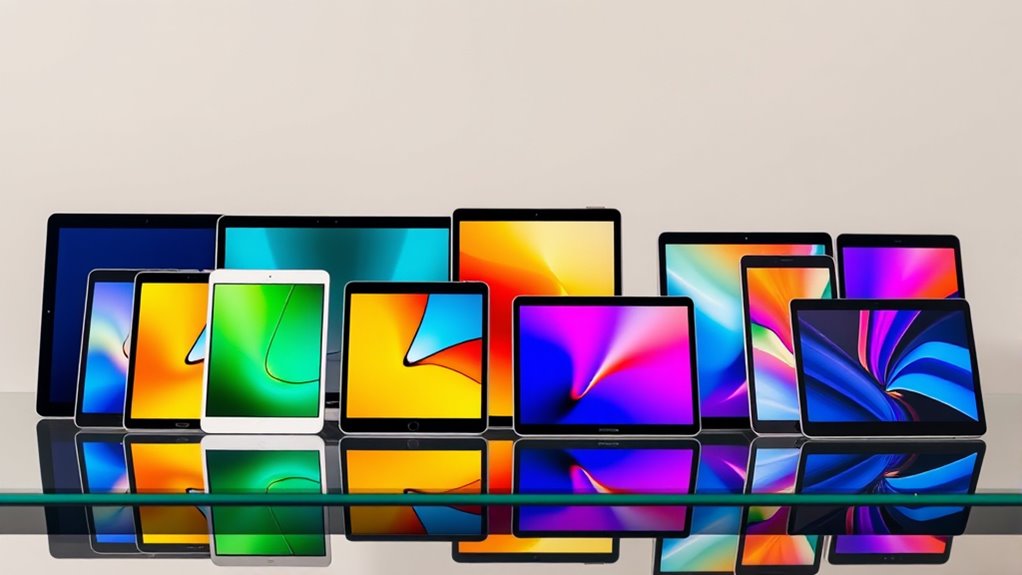

For most people, the Apple iPad 11-inch with A16 is the strongest all-around tablet in this group, pairing a capable chip with 128GB of storage and a sharp display. The Lenovo Idea Tab stands out for buyers who want a pen and folio case included, while the Amazon Fire HD 8 suits readers who value a smaller screen for travel. The main tradeoffs are ecosystem, screen size, storage, and whether you need a tablet for demanding apps or mostly for browsing and video. Kids’ models add protective features, while several Android options advertise large memory figures that deserve a closer look at what is actual RAM. Read on for the full comparison and recommendations by buyer type.

Get your wardrobe favorites delivered free — and shop member deals
- Fast, free delivery on millions of items
- Access to Prime Big Deal Days deals on October 6–7
- Prime Video, Amazon Music and more included
Key Takeaways
The three A16 iPad listings share the same core configuration—11-inch display, 128GB, and Wi-Fi—so color is the main listed difference among them.
Lenovo bundles practical accessories with its 11-inch 2.5K tablet, making it the clearest pick here for handwriting and note-taking without shopping for a separate folio.
The two Galaxy Tab A11+ configurations offer a useful storage choice: 256GB with 8GB RAM or 128GB with 6GB RAM and expandable storage.
Amazon’s Fire options split by size and audience: the HD 8 is compact, the HD 10 offers a larger Full HD screen, and the Kids Pro model is designed for child-focused use.
Advertised memory and storage figures vary widely across the Android listings. Check whether a RAM figure includes virtual memory and whether the listed storage can be expanded before choosing by headline numbers.
| Apple iPad 11-inch with A16 chip, 128GB, Wi-Fi 6, and Liquid Retina Display — Blue |  | Best Overall | Display: 11-inch Liquid Retina with True Tone | Chip: Apple A16 | Storage: 128GB | VIEW ON AMAZON | See Our Full Breakdown |
| URAO X7L 11-Inch Android 16 Tablet, 36GB RAM, 128GB Storage |  | Best for Expandable Storage | Operating system: Android 16 | Display: 11-inch IPS, 1280 × 800 | Processor: 1.8 GHz octa-core | VIEW ON AMAZON | See Our Full Breakdown |
| Samsung Galaxy Tab A11+ 11-Inch Tablet, 8GB RAM, 256GB Storage, Gray |  | Best for Family Entertainment | Screen size: 11 inches | Memory: 8GB RAM | Storage: 256GB | VIEW ON AMAZON | See Our Full Breakdown |
| Amazon Fire HD 10 Tablet, 10.1-Inch Full HD, 4 GB RAM, 32 GB, Black |  | Best for Streaming on a Simple Setup | Display: 10.1-inch 1080p Full HD | Processor: Octa-core | RAM: 4GB | VIEW ON AMAZON | See Our Full Breakdown |
| Lenovo Idea Tab 11-Inch 2.5K Tablet with Tab Pen and Folio Case |  | Best for Note-Taking | Display: 11-inch 2.5K IPS touchscreen, 90Hz | Processor: MediaTek Dimensity 6300 | Memory: 4GB | VIEW ON AMAZON | See Our Full Breakdown |
| Samsung Galaxy Tab A11+ Tablet, 6GB RAM, 128GB Storage, Expandable Storage, Gray |  | Best for Android Media | Display: 11 inches, up to 90Hz | RAM: 6GB | Storage: 128GB, expandable | VIEW ON AMAZON | See Our Full Breakdown |
| Apple iPad 11-inch with A16 Chip, 128GB, Wi-Fi, Silver |  | Best for Everyday Performance | Display: 11-inch Liquid Retina with True Tone | Chip: Apple A16 | Storage: 128GB | VIEW ON AMAZON | See Our Full Breakdown |
| Apple iPad (8th Generation, 10.2-inch, Wi-Fi, 32GB) – Silver (Renewed) |  | Best for Budget-Conscious Apple Buyers | Model: Apple iPad, 8th Generation (2020) | Display: 10.2-inch Retina | Processor: A12 Bionic with Neural Engine | VIEW ON AMAZON | See Our Full Breakdown |
| Apple iPad 11-inch (A16, 128GB, Wi-Fi) – Pink |  | Best Color Choice for Apple Pencil Users | Display: 11-inch Liquid Retina with True Tone | Chip: Apple A16 | Storage: 128GB | VIEW ON AMAZON | See Our Full Breakdown |
| COTGOD M70 11-Inch Android 16 Tablet, 256GB Storage, 90Hz FHD Display |  | Best for Expandable Storage | Operating system: Android 16 | Display: 11-inch FHD IPS touchscreen, 1920 × 1200, 90Hz | Processor: Octa-core, up to 1.8GHz | VIEW ON AMAZON | See Our Full Breakdown |
| ZIOVO Z138 10.1-Inch Kids Tablet, 128GB, Android 14, Pink |  | Best for Kids Who Need Room to Grow | Operating system: Android 14 | Display: 10.1-inch IPS, 1280 × 800 | Processor: 2.0 GHz octa-core | VIEW ON AMAZON | See Our Full Breakdown |
| Amazon Fire HD 8 Tablet (Newest Model), 8-Inch HD Display, 4GB RAM, 64GB Storage, Black |  | Best Compact Tablet for Amazon Households | Display: 8-inch HD | Memory: 4GB RAM | Storage: 64GB, expandable up to 1TB by separately sold microSD card | VIEW ON AMAZON | See Our Full Breakdown |
| Evermyth 10-Inch Android 16 Tablet, 24GB RAM, 64GB Storage, Expandable to 1TB |  | Best for Current Android Software on a Budget | Operating system: Android 16 | Display: 10-inch HD IPS, 1280 × 800 | Processor: 5-core, up to 1.8GHz | VIEW ON AMAZON | See Our Full Breakdown |
| 10.1-Inch Android 15 Tablet with Case and Stylus |  | Best Starter Bundle for Handwritten Notes | Operating system: Android 15 | Display: 10.1-inch IPS, 1280 × 800 | Processor: Quad-core | VIEW ON AMAZON | See Our Full Breakdown |
| Amazon Fire HD 8 Kids Pro Tablet (2024), 64GB, Hello Teal |  | Best Kids Tablet for Ages 6–12 | Recommended age: 6–12 years | Display: 8-inch HD | Memory: Up to 4GB RAM | VIEW ON AMAZON | See Our Full Breakdown |
| tablet | Storage | Display | Processor | Memory |
|---|---|---|---|---|
| Apple iPad 11-inch with A16 ch | 128GB | 11-inch Liquid Retina with True Tone | — | — |
| URAO X7L 11-Inch Android 16 Ta | 128GB; expandable up to 1TB via TF card | 11-inch IPS, 1280 × 800 | 1.8 GHz octa-core | 36GB (6GB + 30GB) |
| Samsung Galaxy Tab A11+ 11-Inc | 256GB | — | — | 8GB RAM |
| Amazon Fire HD 10 Tablet | 32GB | 10.1-inch 1080p Full HD | Octa-core | — |
| Lenovo Idea Tab 11-Inch 2.5K T | 128GB | 11-inch 2.5K IPS touchscreen, 90Hz | MediaTek Dimensity 6300 | 4GB |
| Samsung Galaxy Tab A11+ Tablet | 128GB, expandable | 11 inches, up to 90Hz | — | — |
| Apple iPad 11-inch with A16 Ch | 128GB | 11-inch Liquid Retina with True Tone | — | — |
| Apple iPad | 32GB | 10.2-inch Retina | A12 Bionic with Neural Engine | — |
| Apple iPad 11-inch | 128GB | 11-inch Liquid Retina with True Tone | — | — |
| COTGOD M70 11-Inch Android 16 | 256GB internal; expandable up to 1TB via MicroSD | 11-inch FHD IPS touchscreen, 1920 × 1200, 90Hz | Octa-core, up to 1.8GHz | — |
| ZIOVO Z138 10.1-Inch Kids Tabl | 128GB, expandable up to 1TB by microSD | 10.1-inch IPS, 1280 × 800 | 2.0 GHz octa-core | 6GB physical RAM plus virtual RAM; listing gives conflicting totals |
| Amazon Fire HD 8 Tablet | 64GB, expandable up to 1TB by separately sold microSD card | 8-inch HD | Hexa-core | 4GB RAM |
| Evermyth 10-Inch Android 16 Ta | 64GB internal; expandable up to 1TB via TF card | 10-inch HD IPS, 1280 × 800 | 5-core, up to 1.8GHz | 3GB physical RAM plus 21GB virtual memory |
| 10.1-Inch Android 15 Tablet wi | 32GB ROM; expandable up to 1TB | 10.1-inch IPS, 1280 × 800 | Quad-core | 8GB RAM, including 5GB expansion |
| Amazon Fire HD 8 Kids Pro Tabl | 64GB internal; expandable up to 1TB with separately sold card | 8-inch HD | Hexa-core | Up to 4GB RAM |
More Details on Our Top Picks
Apple iPad 11-inch with A16 chip, 128GB, Wi-Fi 6, and Liquid Retina Display — Blue
The 11-inch iPad with A16 is my pick for buyers who want one tablet to handle everyday work, streaming, games, and creative apps without leaning on a narrow specialty. Its chip gives it more headroom for demanding apps than the Amazon Fire HD 10, while the True Tone Liquid Retina display and 128GB storage make it a more versatile everyday screen than a basic media tablet. Touch ID and Wi-Fi 6 round out a practical setup, and Center Stage can keep you framed during video calls. The tradeoff is that Apple Pencil and keyboard accessories cost extra, so a ready-to-write setup takes additional purchases. This is a Wi-Fi model, and the supplied details do not list cellular connectivity, which may limit use away from hotspots.
Pros:- A16 chip offers headroom for apps, games, and creative tasks
- 11-inch Liquid Retina display includes True Tone
- 12MP Center Stage front camera supports video calls
- Touch ID and Wi-Fi 6 provide convenient everyday access and connectivity
Cons:- Apple Pencil and Magic Keyboard Folio are separate purchases
- Cellular connectivity is not listed
Best for: Students and households who want a responsive tablet for mixed work, video calls, entertainment, and creative apps
Not ideal for: Buyers who need cellular internet built in or want a keyboard and pen included
- Display:11-inch Liquid Retina with True Tone
- Chip:Apple A16
- Storage:128GB
- Connectivity:Wi-Fi 6
- Front camera:12MP Center Stage
- Security:Touch ID
- Connector:USB-C
Our verdict“Choose this iPad for a flexible everyday tablet with more performance range than the Fire HD 10, provided you can supply accessories separately.”
URAO X7L 11-Inch Android 16 Tablet, 36GB RAM, 128GB Storage
The URAO X7L suits Android buyers who want room to grow their local media library: its 128GB storage can be expanded with a separately purchased TF card up to 1TB. That flexibility sets it apart from the Apple iPad 11-inch with A16, whose listed storage is fixed at 128GB. The X7L also supports keyboard, mouse, and stylus accessories, giving it several possible roles for study or light productivity. Its 1280 × 800 IPS screen is a clear compromise, though; the Lenovo Idea Tab’s 2.5K display is better suited to sharp text and detailed video. The stated mixed-use battery life is up to eight hours, and GPS is not included, so this is a less compelling pick for travel navigation or long days away from a charger.
Pros:- Storage expands up to 1TB with a separately purchased TF card
- Supports keyboard, mouse, and stylus accessories
- Wi-Fi 6 and Bluetooth 5.4
- 7800mAh battery with stated mixed-use life of up to eight hours
Cons:- 1280 × 800 resolution is less sharp than the Lenovo Idea Tab’s 2.5K screen
- TF card and productivity accessories are not confirmed as included
- GPS is not included
Best for: Android users who keep large offline media collections and are comfortable adding a TF card and accessories
Not ideal for: Readers who prioritize a high-resolution screen, built-in GPS, or accessories included in the box
- Operating system:Android 16
- Display:11-inch IPS, 1280 × 800
- Processor:1.8 GHz octa-core
- Memory:36GB (6GB + 30GB)
- Storage:128GB; expandable up to 1TB via TF card
- Battery:7800mAh; up to 8 hours mixed use
- Wireless:Wi-Fi 6 and Bluetooth 5.4
Our verdict“Pick the X7L if expandable Android storage matters more than screen sharpness, GPS, or an out-of-box accessory bundle.”
Samsung Galaxy Tab A11+ 11-Inch Tablet, 8GB RAM, 256GB Storage, Gray
The Galaxy Tab A11+ puts shared entertainment first, pairing quad speakers with Dolby Atmos and a display refresh rate of up to 90Hz for smoother motion in video and games. Its 256GB of built-in storage is double the 128GB listed for the Apple iPad 11-inch with A16, with MicroSD expansion available for additional space. That makes it a natural fit for households that download shows or share a tablet across several users. Compared with the Lenovo Idea Tab, it has less specified display detail and does not include a pen or folio case in the provided product information. A 25W wall charger and MicroSD card are sold separately, adding practical setup costs. Buyers seeking a known high-resolution panel should look at the Lenovo’s stated 2.5K screen instead.
Pros:- 256GB built-in storage with MicroSD expansion
- Quad speakers with Dolby Atmos
- Display refresh rate up to 90Hz
- Long-lasting battery with fast charging support
Cons:- 25W wall charger is sold separately
- MicroSD card is sold separately
- The supplied specs do not state the display resolution
Best for: Families who share a tablet for streaming, casual games, and storing downloaded media
Not ideal for: Note-takers who want a pen and case included or buyers who specifically need a stated high-resolution display
- Screen size:11 inches
- Memory:8GB RAM
- Storage:256GB
- Refresh rate:Up to 90Hz
- Audio:Quad speakers with Dolby Atmos
- Expandable storage:MicroSD
- Color:Gray
Our verdict“Choose the Galaxy Tab A11+ for shared media and generous storage, while the Lenovo Idea Tab is the clearer choice for a specified sharp display and included pen.”
Amazon Fire HD 10 Tablet, 10.1-Inch Full HD, 4 GB RAM, 32 GB, Black
The Fire HD 10 focuses on straightforward media use: its 10.1-inch 1080p Full HD screen is suited to video and reading, and the stated battery life reaches up to 13 hours. It is a smaller, more entertainment-centered alternative to the Apple iPad 11-inch with A16, whose stronger chip and cameras suit a broader mix of work and creative tasks. The Fire’s 32GB of built-in storage is modest, but microSD expansion up to 1TB offers a way to keep more downloaded content on hand if you provide the card. That capacity does not change the limited onboard space, and the stylus is sold separately. With 4GB RAM, this pick makes more sense for streaming, reading, and casual games than heavier multitasking.
Pros:- 10.1-inch 1080p Full HD display
- Battery life rated up to 13 hours
- Storage expands up to 1TB via microSD
- Strengthened aluminosilicate glass
Cons:- 32GB built-in storage leaves limited room before adding a microSD card
- Stylus and microSD card are sold separately
- 4GB RAM is a modest fit for demanding multitasking
Best for: Viewers and readers who want a Full HD screen and long stated battery life for everyday media
Not ideal for: People who need generous built-in storage, demanding multitasking, or a stylus included
- Display:10.1-inch 1080p Full HD
- Processor:Octa-core
- RAM:4GB
- Storage:32GB
- Expandable storage:Up to 1TB via microSD
- Battery life:Up to 13 hours
- Front camera:5MP
Our verdict“Choose the Fire HD 10 for streaming and reading with expandable storage, but look to the iPad for a broader performance range.”
Lenovo Idea Tab 11-Inch 2.5K Tablet with Tab Pen and Folio Case
The Lenovo Idea Tab is the most ready-to-use choice here for handwriting and study: it includes both a Tab Pen and folio case, so note-taking does not begin with separate accessory purchases. Its 11-inch 2.5K IPS display at 90Hz also gives text and diagrams a sharper, smoother presentation than the URAO X7L’s 1280 × 800 screen. Quad Dolby Atmos-tuned speakers and study apps add to its classroom and desk appeal. The main compromise is 4GB of memory, which gives less room for heavy multitasking than the Samsung Galaxy Tab A11+ with 8GB RAM. Its stated battery figure is up to 12 hours of YouTube playback, a specific playback estimate rather than a general mixed-use claim. Choose it for study tools and included accessories, not memory-heavy workloads.
Pros:- 11-inch 2.5K IPS touchscreen with 90Hz refresh rate
- Lenovo Tab Pen and folio case are included
- Quad Dolby Atmos-tuned speakers
- Study apps are included
Cons:- 4GB memory may constrain heavy multitasking
- 12-hour battery figure is specified for YouTube playback
Best for: Students and handwritten note-takers who want a sharp display, pen, and folio case in the package
Not ideal for: Heavy multitaskers who want more than 4GB memory or buyers who do not need the included pen and case
- Display:11-inch 2.5K IPS touchscreen, 90Hz
- Processor:MediaTek Dimensity 6300
- Memory:4GB
- Storage:128GB
- Speakers:Quad Dolby Atmos-tuned
- Battery life:Up to 12 hours of YouTube playback
- Included accessories:Lenovo Tab Pen and folio case
Our verdict“Choose the Idea Tab for study and handwritten notes with a sharp screen and included accessories; the Galaxy Tab A11+ has more listed RAM for multitasking.”
Samsung Galaxy Tab A11+ Tablet, 6GB RAM, 128GB Storage, Expandable Storage, Gray
I’d choose the Galaxy Tab A11+ for shared video watching and everyday Android use. Its 11-inch display with up to 90Hz refresh and quad Dolby Atmos speakers make scrolling and streaming feel more lively than on the renewed 10.2-inch iPad, while expandable storage gives downloaded shows room to grow. The 6GB of RAM and 128GB built-in storage suit browsing, video calls, and common apps without making storage management an immediate chore.
The tradeoff is that the product details don’t specify battery duration or rear-camera capability, so buyers who prioritize documented camera features may prefer the current Apple iPad A16, which lists 12MP cameras and all-day battery life. I’d pick this Samsung for its flexible storage and speaker setup, but skip it if you need clear camera specifications or a tablet centered on Apple accessories.
Pros:- 11-inch display with refresh rates up to 90Hz for smoother scrolling
- Quad speakers with Dolby Atmos for more immersive tablet audio
- Expandable storage accommodates a growing library of downloads
- 6GB RAM and 128GB storage provide a practical everyday setup
Cons:- Battery runtime is not specified in the product details
- Rear-camera specifications are not provided
Best for: Android users who stream video, make frequent video calls, and want storage they can expand for downloads
Not ideal for: Buyers who need specified rear-camera performance or a stated battery runtime
- Display:11 inches, up to 90Hz
- RAM:6GB
- Storage:128GB, expandable
- Speakers:Quad speakers with Dolby Atmos
- Front camera:5MP
- Charging:Fast charging
- Color:Gray
Our verdict“Choose this Galaxy Tab A11+ for Android media and expandable storage; choose the iPad A16 if camera details matter more.”
Apple iPad 11-inch with A16 Chip, 128GB, Wi-Fi, Silver
The 11-inch iPad with A16 is my pick for buyers who want one tablet for schoolwork, communication, and entertainment without stepping up to a more specialized device. The A16 chip, Liquid Retina display with True Tone, and 128GB storage make it a more capable everyday choice than the renewed 8th-generation iPad, whose older A12 chip and 32GB capacity leave less room for demanding apps and files. Wi-Fi 6 and Touch ID add useful convenience, while the 12MP front camera is suited to video calls.
Its flexibility has an extra cost in accessories: Apple Pencil and Magic Keyboard Folio are compatible, but sold separately. The Samsung Galaxy Tab A11+ includes expandable storage and Dolby Atmos speakers in its listed feature set, making it a stronger fit for buyers focused on media flexibility. I’d choose this iPad for broad app and accessory support, provided its add-ons fit your plans.
Pros:- A16 chip supports responsive everyday app use
- 11-inch Liquid Retina display includes True Tone
- 12MP front and rear cameras, with 4K video support on the rear camera
- Wi-Fi 6, Touch ID, and USB-C provide useful everyday features
Cons:- Apple Pencil and Magic Keyboard Folio are separate accessories
- Storage is fixed at 128GB
Best for: Students and general-purpose users who want responsive performance, video calls, and optional Apple accessories
Not ideal for: Buyers who want a keyboard or stylus included, or who prioritize expandable storage
- Display:11-inch Liquid Retina with True Tone
- Chip:Apple A16
- Storage:128GB
- Connectivity:Wi-Fi 6
- Cameras:12MP front with Center Stage; 12MP rear Wide with True Tone flash and 4K video
- Security:Touch ID
- Connector:USB-C
- Battery life:All-day
Our verdict“Pick the A16 iPad for a fast, versatile Apple tablet, especially if you can make use of its separately sold accessories.”
Apple iPad (8th Generation, 10.2-inch, Wi-Fi, 32GB) – Silver (Renewed)
This renewed 8th-generation iPad offers a way into Apple’s tablet ecosystem for readers who mainly want web browsing, video, and familiar iPad apps. The 10.2-inch Retina display and A12 Bionic chip provide a straightforward foundation, while Touch ID, stereo speakers, and up to 10 hours of listed battery life cover common day-to-day needs. It supports a first-generation Apple Pencil and Smart Keyboard, though those accessories are not listed as included.
Compared with the current 11-inch iPad A16, this model is older, has a smaller display, and offers far less storage at just 32GB; that can constrain app installs and offline media. Its 1.2MP front camera and Lightning connector also feel less capable than the newer iPad’s 12MP front camera and USB-C. The renewed condition and 90-day limited warranty add uncertainty, so I’d reserve it for light use where those compromises are acceptable.
Pros:- 10.2-inch Retina display for browsing and video
- A12 Bionic chip with Neural Engine
- Up to 10 hours of stated battery life
- Touch ID and support for first-generation Apple Pencil and Smart Keyboard
Cons:- 32GB storage can fill quickly with apps and offline media
- Renewed condition and 90-day limited warranty
- Older 1.2MP front camera and Lightning connector
Best for: Light-use Apple buyers who want a basic iPad for browsing, streaming, and occasional notes
Not ideal for: People who keep many apps or downloads, make frequent video calls, or want a new device with a longer warranty
- Model:Apple iPad, 8th Generation (2020)
- Display:10.2-inch Retina
- Processor:A12 Bionic with Neural Engine
- Storage:32GB
- Connectivity:Wi-Fi 5 (802.11ac)
- Cameras:8MP rear; 1.2MP FaceTime HD front
- Battery life:Up to 10 hours
- Condition and warranty:Renewed; 90-day limited warranty
Our verdict“Consider this renewed iPad for light Apple app use if its limited storage, older hardware, and renewed condition suit you.”
Apple iPad 11-inch (A16, 128GB, Wi-Fi) – Pink
This pink A16 iPad brings the same core draw as the silver A16 model: an 11-inch Liquid Retina display with True Tone, 128GB storage, Wi-Fi 6, and current-generation A16 performance. Its listed compatibility with Apple Pencil USB-C and first-generation Apple Pencil gives buyers a choice of stylus, while the 12MP Center Stage front camera can keep a caller framed during video chats. Compared with the renewed 8th-generation iPad, it offers a larger display, newer chip, more storage, and a sharper front camera.
Functionally, it closely matches the silver iPad A16, so the meaningful distinction here is the pink finish and the explicitly listed accessory compatibility. The Pencil and Magic Keyboard Folio are compatible options, not included items; buyers should factor that into their setup. I’d choose this color variant when those accessory choices and finish appeal, while shoppers indifferent to color can make the same core decision with the silver A16 model.
Pros:- A16 chip and 11-inch Liquid Retina display with True Tone
- 128GB storage and Wi-Fi 6
- 12MP Center Stage front camera and 12MP rear camera
- Compatible with Apple Pencil USB-C, first-generation Apple Pencil, and Magic Keyboard Folio
Cons:- Apple Pencil and Magic Keyboard Folio are not included
- Storage is fixed at 128GB
- The core hardware closely matches the silver A16 iPad, so color is the main distinction
Best for: Apple Pencil users who want a current 11-inch iPad in a pink finish for notes, calls, and everyday apps
Not ideal for: Buyers who need cellular connectivity, expandable storage, or bundled Pencil and keyboard accessories
- Display:11-inch Liquid Retina with True Tone
- Chip:Apple A16
- Storage:128GB
- Connectivity:Wi-Fi 6
- Cameras:12MP Center Stage front; 12MP Wide rear with True Tone flash
- Security:Touch ID
- Battery:All-day battery life
- Dimensions and weight:9.79 × 7.07 × 0.28 inches; 1.05 pounds
- Color:Pink
Our verdict“Choose the pink A16 iPad if you want current Apple tablet performance and its finish or Pencil compatibility suits your setup.”
COTGOD M70 11-Inch Android 16 Tablet, 256GB Storage, 90Hz FHD Display
The COTGOD M70 makes its case with storage capacity: 256GB built in and MicroSD expansion up to 1TB give readers room for large offline libraries without relying on cloud access. Its 11-inch 1920 × 1200 IPS display runs at 90Hz, and the 8000mAh battery is a substantial stated capacity for a tablet intended for extended media use. Compared with the Samsung Galaxy Tab A11+, it doubles the listed built-in storage and names a larger expansion ceiling, while also specifying Android 16 and dual-band Wi-Fi.
There are tradeoffs in how to interpret its performance claims. The advertised 32GB RAM includes 24GB of virtual memory, leaving 8GB physical RAM; the octa-core processor is specified only up to 1.8GHz. Cellular connectivity is not listed, and the supplied details don’t name a display resolution class beyond FHD or a battery runtime. I’d shortlist it for storage needs, while buyers prioritizing clearer performance credentials may prefer the Apple iPad A16.
Pros:- 256GB internal storage with MicroSD expansion up to 1TB
- 11-inch 1920 × 1200 IPS display with 90Hz refresh
- 8000mAh battery capacity
- Dual-band Wi-Fi and Bluetooth 5.0
Cons:- 32GB advertised RAM includes 24GB virtual memory, with 8GB physical RAM
- Cellular connectivity is not specified
- Processor is listed as an octa-core chip up to 1.8GHz without a model name
Best for: Android users who keep large offline media libraries and want MicroSD expansion beyond built-in storage
Not ideal for: Buyers who need cellular connectivity or want performance claims expressed as physical RAM alone
- Operating system:Android 16
- Display:11-inch FHD IPS touchscreen, 1920 × 1200, 90Hz
- Processor:Octa-core, up to 1.8GHz
- RAM:32GB advertised: 8GB physical + 24GB virtual
- Storage:256GB internal; expandable up to 1TB via MicroSD
- Battery:8000mAh lithium polymer
- Cameras:16MP rear; 8MP front
- Wireless connectivity:Dual-band 2.4GHz/5GHz Wi-Fi; Bluetooth 5.0
- Warranty:1 year
Our verdict“Pick the M70 for its large, expandable storage if its less specific processor and connectivity details fit your needs.”
ZIOVO Z138 10.1-Inch Kids Tablet, 128GB, Android 14, Pink
The ZIOVO Z138 combines a 10.1-inch screen, a stand-equipped protective case, parental controls, and 128GB of built-in storage, giving children space for learning apps and downloads without an immediate storage card. Compared with the Amazon Fire HD 8 Kids Pro, its larger display suits shared reading and videos, while the Fire’s included Kids+ access and replacement guarantee offer a more defined family service package. The ZIOVO instead supports Android apps and Widevine L1 streaming, though app access and parental tools may take more setup. Its 1280 × 800 resolution is modest at this size, and the listing gives conflicting RAM totals, so I would focus on the confirmed storage and included case rather than the memory claims. It fits families who value screen size and storage over a compact design.
Pros:- Parental controls and age-filtered educational apps are included
- 128GB of built-in storage with microSD expansion up to 1TB
- Protective EVA case has a built-in stand
- Widevine L1 support for compatible streaming services
Cons:- The 1280 × 800 resolution looks modest across a 10.1-inch screen
- The listing conflicts on whether RAM totals 12GB or 20GB
- The larger screen is less compact than an 8-inch kids tablet
Best for: Parents seeking a larger-screen Android tablet with built-in parental controls, a stand case, and ample onboard storage for a child.
Not ideal for: Families who want a compact tablet with a clear kids-content subscription and replacement plan; the Fire HD 8 Kids Pro packages those features more directly.
- Operating system:Android 14
- Display:10.1-inch IPS, 1280 × 800
- Processor:2.0 GHz octa-core
- Memory:6GB physical RAM plus virtual RAM; listing gives conflicting totals
- Storage:128GB, expandable up to 1TB by microSD
- Battery:6000mAh
- Wireless:Wi-Fi 6, dual-band; Bluetooth 5.0
- Included:EVA case with stand, charging cable, adapter, animal cards
Our verdict“Choose the ZIOVO if your child benefits from a larger display and generous built-in storage, and skip it if a compact kids package matters more.”
Amazon Fire HD 8 Tablet (Newest Model), 8-Inch HD Display, 4GB RAM, 64GB Storage, Black
The Fire HD 8 is the easiest fit here for readers who want portable entertainment in an 8-inch form. Its lightweight design and claimed up to 13-hour battery life make it more suited to commutes and casual viewing than larger options such as the Samsung Galaxy Tab A11+ 11-Inch Tablet. The tradeoff is a smaller canvas for split-screen work, long reading sessions, and detailed documents. Amazon’s app store and Alexa features suit households already using its services, but Google Play is not supported, which limits app choice compared with Android tablets outside the Fire line. The 64GB capacity can expand by microSD, though the card is sold separately, and some apps require subscriptions. I’d choose this for Amazon-centered media use, not as a flexible all-purpose tablet.
Pros:- Compact, lightweight design is suited to travel and one-handed use
- Battery life is rated for up to 13 hours
- Storage expands up to 1TB with a microSD card
- Alexa features support smart-home control and communication
Cons:- Google Play is not supported
- Some apps and content require subscriptions
- The microSD card for expansion is sold separately
Best for: Commuters and Amazon households who want a light 8-inch device for streaming, reading, Alexa, and video calls.
Not ideal for: People who depend on Google Play apps or need a roomy screen for work and multitasking.
- Display:8-inch HD
- Memory:4GB RAM
- Storage:64GB, expandable up to 1TB by separately sold microSD card
- Processor:Hexa-core
- Battery life:Up to 13 hours
- Rear camera:5MP
- App store:Amazon Appstore; Google Play not supported
- Color:Black
Our verdict“Pick the Fire HD 8 for portable Amazon entertainment and Alexa, but choose a larger Android tablet for broader app access or work.”
Evermyth 10-Inch Android 16 Tablet, 24GB RAM, 64GB Storage, Expandable to 1TB
Evermyth pairs Android 16 with a 10-inch IPS screen and current wireless standards, making it an everyday browsing and streaming option in this group. Compared with the 10.1-Inch Android 15 Tablet with Case and Stylus, it offers newer listed software, Bluetooth 5.4, and twice the built-in storage. Its claimed 24GB RAM includes 21GB of virtual memory, so that figure should not be read as 24GB of physical RAM. The five-core processor and 1280 × 800 display point to basic use rather than demanding games or fine-detail work. Battery life is rated up to eight hours of mixed use, and expanded storage requires a separate TF card. I’d favor it for casual use and newer software over accessory bundles or a sharper screen.
Pros:- Ships with Android 16
- Wi-Fi 6 and Bluetooth 5.4 support
- USB-C charging and low-blue-light display technology
- Storage can expand up to 1TB
Cons:- 1280 × 800 resolution is limited for a 10-inch screen
- The 24GB RAM figure includes 21GB of virtual memory
- TF card for expanded storage is not included
Best for: Casual Android users who want Android 16, USB-C charging, and modern Wi-Fi and Bluetooth for browsing, streaming, and calls.
Not ideal for: Buyers who need a sharper display, stronger performance claims backed by physical RAM, or long sessions away from a charger.
- Operating system:Android 16
- Display:10-inch HD IPS, 1280 × 800
- Processor:5-core, up to 1.8GHz
- Memory:3GB physical RAM plus 21GB virtual memory
- Storage:64GB internal; expandable up to 1TB via TF card
- Battery:6000mAh; up to 8 hours mixed use
- Cameras:5MP front, 8MP rear
- Connectivity and charging:Wi-Fi 6, Bluetooth 5.4, USB-C
Our verdict“Choose Evermyth for casual use with Android 16 and current connectivity, while buyers prioritizing screen sharpness should look elsewhere.”
10.1-Inch Android 15 Tablet with Case and Stylus
This Android 15 tablet is the accessory-first choice: a stylus and protective case come in the box, so note-taking and basic sketching are ready without a separate purchase. Against the Evermyth 10-Inch Android 16 Tablet, it gives up newer listed software and Bluetooth 5.4 but includes tools that can make a tablet more useful for students or casual handwritten notes. The 10.1-inch, 1280 × 800 display is adequate for basic tasks, though it is not a sharp canvas for detailed drawing or dense text. Its 32GB onboard storage is the tightest capacity among these options; expansion up to 1TB helps only if you add a card. The quad-core processor and 6–8-hour battery estimate also suggest modest workloads. I’d pick it for the bundled accessories, not performance headroom.
Pros:- Includes both a stylus and protective case
- Storage can expand up to 1TB
- USB Type-C charging
- Battery is rated for 6–8 hours of use
Cons:- 32GB built-in storage leaves limited room for apps and downloads
- 1280 × 800 resolution is modest for a 10.1-inch display
- Quad-core processor is aimed at basic tasks
Best for: Students and casual note-takers who want a basic large-screen Android tablet with a stylus and case included.
Not ideal for: People storing many apps and offline media, or artists who need a high-resolution drawing display and stronger performance.
- Operating system:Android 15
- Display:10.1-inch IPS, 1280 × 800
- Processor:Quad-core
- Memory:8GB RAM, including 5GB expansion
- Storage:32GB ROM; expandable up to 1TB
- Battery:6000mAh; rated for 6–8 hours
- Cameras:2MP front, 8MP rear
- Included accessories:Stylus and protective case
Our verdict“Choose this bundle for casual notes and included accessories, but look to a higher-capacity tablet for a larger app and media library.”
Amazon Fire HD 8 Kids Pro Tablet (2024), 64GB, Hello Teal
The Fire HD 8 Kids Pro is the most purpose-built child option here for ages 6–12, pairing parental controls with a slim case, six months of Amazon Kids+, and a two-year replacement guarantee. Compared with the larger ZIOVO Z138, its 8-inch screen is easier for a child to carry, while the ZIOVO offers a larger viewing area and more built-in storage. The Fire’s 64GB can expand by microSD, but the card is separate, and the Amazon Kids+ subscription renews monthly after the included period unless canceled. Its Amazon-centered app ecosystem also differs from a standard Android tablet, so families should check that their preferred apps are available. For parents who value child-focused controls and a clear protection package, those tradeoffs may be worthwhile.
Pros:- Parental controls support activity review and content management
- Includes a slim child-friendly case
- Two-year worry-free replacement guarantee
- Battery life is rated for up to 13 hours
Cons:- Amazon Kids+ renews monthly after six included months unless canceled
- microSD card for expanded storage is sold separately
- 8-inch display provides less viewing space than the ZIOVO Z138
Best for: Parents of children ages 6–12 who want an easy-to-carry tablet with parental controls, a kid-friendly case, and a replacement guarantee.
Not ideal for: Families who want a larger display, broad Android app choice, or to avoid a subscription renewal after the included Kids+ period.
- Recommended age:6–12 years
- Display:8-inch HD
- Memory:Up to 4GB RAM
- Storage:64GB internal; expandable up to 1TB with separately sold card
- Processor:Hexa-core
- Battery life:Up to 13 hours
- Included content:Six months of Amazon Kids+
- Case and guarantee:Slim kid-friendly case; two-year worry-free replacement
Our verdict“Choose the Fire HD 8 Kids Pro for a portable, child-focused Amazon package with built-in protection, and choose a larger tablet for more screen space.”

How We Picked
I compared these 15 listings by how well their stated features suit common tablet jobs: web browsing, video, reading, light productivity, note-taking, and child use. I gave weight to processor information, screen size and resolution, listed RAM and storage, expandability, and whether useful accessories or kid-focused features are included. A clear, verifiable configuration counts more than a large headline memory figure whose composition is unclear.
The ranking favors the Apple iPad 11-inch with A16 as the broadest fit, then gives distinct places to models with a clear advantage in accessories, screen or storage options, portability, or child use. The Samsung A11+ configurations rank as flexible Android alternatives, while Fire tablets are strongest for straightforward media use within Amazon’s ecosystem. Smaller, older, or less fully specified models rank lower for general use because their stated storage, age, or unclear performance makes them a narrower recommendation.
Factors to Consider When Choosing Tablet
Before choosing a tablet, decide what the device needs to do on an ordinary day and what you need it to connect to. A tablet can be a reading screen, a shared family device, a sketchbook, or a compact work companion, and those jobs place different demands on size, software, accessories, and storage. These checks can help prevent paying for capabilities you will not use or choosing a device that feels cramped for your main task.
Match the Screen to the Main Task
An 8-inch tablet is easier to carry and hold for reading, but it leaves less room for split-screen apps, documents, and detailed creative work. Screens around 10 or 11 inches make video and typing more comfortable, though they take up more space in a bag and can feel awkward one-handed. Resolution matters most when you read small text, view detailed images, or spend long stretches watching video. A larger screen does not automatically mean a better picture, so compare resolution as well as diagonal size. Think about where you will use the tablet most: a commute favors portability, while a kitchen counter or desk can accommodate a larger display. Choose for the task you do most often rather than the occasional use that sounds appealing.
Check App Compatibility Before Choosing an Ecosystem
Hardware is only part of the choice; the operating system determines which apps, services, and accessories work smoothly together. If you already use a phone, cloud storage, or paid apps, check whether the tablet supports the same services and lets you move files the way you expect. Amazon Fire tablets are built around Amazon services, which may suit a household that already uses them but can require compromises for people who rely on a wider selection of Android apps. Apple and standard Android tablets offer different app libraries and account ecosystems, so check the exact apps you need rather than assuming an app is available. For a shared family device, consider parental controls and separate user access. A familiar ecosystem can save setup time and make daily use easier.
Buy Storage for the Life of the Device
Storage fills with downloaded shows, games, photos, and offline files, and operating system updates also need room. A smaller capacity can work well for browsing and streaming when you have reliable internet, but it may become restrictive for travel or a large app library. Expandable storage can help with media and documents, though it may not expand the space available for every app. Confirm whether a product listing describes built-in capacity or a combination of built-in and virtual memory; those numbers serve different purposes. If you plan to keep the tablet for several years, leave room for new apps and updates. Choosing enough built-in storage at the start can be simpler than managing files constantly.
Treat RAM Claims With Care
RAM helps a tablet keep apps active while you switch between them, but advertised figures do not always describe the same thing. Some lower-cost Android listings combine physical RAM with memory borrowed from storage, so a large total may not perform like the same amount of physical RAM. Processor details and software support also affect responsiveness, which is why memory alone cannot predict how well a tablet handles demanding tasks. Look for a clearly stated chip and physical RAM when multitasking or games matter to you. For reading, browsing, and video, a balanced configuration may be a better fit than a headline number. When a listing leaves key details vague, treat its performance as uncertain rather than assuming it matches a better-documented model.
Decide Whether Accessories Belong in the Box
A pen can make handwriting, drawing, and marking up documents feel natural, while a folio helps prop up the tablet and protect its screen in a bag. Bundled accessories can save separate purchases, but their presence does not tell you whether the pen is pressure-sensitive or whether the case fits your preferred typing position. If you intend to type often, check keyboard compatibility and the cost and weight of the accessory before buying. For casual browsing, a case may matter more than a stylus. Accessories also add bulk, so a slim tablet without a keyboard can be easier to carry. Choose a bundle around a regular task, not simply because it contains more items.
Choose Kids’ Features for the Household
A children’s tablet should fit the child’s age, the family’s rules, and the apps they are allowed to use. Parental controls, content management, and a durable case can matter more than a faster chip for a younger child. Check how adults manage screen time and whether the tablet supports the services your family already uses. A tablet marketed for children may be less flexible as a general family device, while a standard tablet may need a separate case and more setup. Consider who will use it after the child outgrows the current content or controls. Planning for that next stage can help you choose between a dedicated kids’ model and a shared tablet.
Frequently Asked Questions
Are the three 11-inch A16 iPad listings different beyond color?
Each listing describes an 11-inch iPad with an A16 chip, 128GB, and Wi-Fi, with Blue, Silver, or Pink named as the finish. The information provided does not indicate a different processor or storage configuration among these three. Check the full listing for any accessory or connectivity details that may not appear in the product name. If those details match, choose by color and availability rather than expecting a performance difference. This makes the iPad comparison simpler than the Android listings, which vary more in stated memory and storage.
Should I choose the Galaxy Tab A11+ with 256GB or the one with expandable storage?
The 256GB version also lists 8GB of RAM, while the 128GB version lists 6GB and expandable storage. The larger built-in capacity suits people who keep many apps and files on the tablet and want less storage management. Expandable storage can be useful for media, but check what types of files and apps can use the card. If you mostly stream and browse, 128GB may be ample, especially if you can add storage later. Pick based on your offline media and app habits, not capacity alone.
Is an Amazon Fire tablet a good choice if I already use Android apps?
It depends on which apps you rely on and where you get them. Fire tablets use Amazon’s software environment, so the app selection and setup may differ from a standard Android tablet. Before choosing one, search for the specific apps you need for work, school, messaging, or entertainment. A Fire tablet can make sense when Amazon services and straightforward media use are central to the job. If you need a broad Android app selection or particular Google services, check compatibility carefully or favor a standard Android option.
Is a bundled stylus worth prioritizing if I want to take notes?
A bundled stylus can lower the friction of trying handwritten notes, sketching, or document markup, and the Lenovo Idea Tab listing also includes a folio case. Before making that the deciding factor, check whether the pen supports the writing features you need, such as pressure sensitivity or palm rejection. Students who mainly type may benefit more from a compatible keyboard than from a stylus. Handwriting-heavy users should also consider screen size and app support, since those affect the experience beyond the pen itself. The bundle is most useful when its accessories suit a task you expect to do regularly.
What should I check before buying a tablet for a child?
Start with age-appropriate content, parental controls, and the ability to manage screen time from an adult account. Check whether the case protects the tablet against the kind of drops and travel it may face at home or school. Confirm that the child’s preferred games and video services are available on the model’s software platform. A dedicated kids’ tablet may simplify controls, while a general tablet can offer more flexibility as the child grows. Decide whether shared use matters, since that can change which software and account setup will work best.
Conclusion
For the best overall fit, I recommend the Apple iPad 11-inch with A16: its listed chip, 128GB capacity, and 11-inch display make it the most balanced option here. The best value in features for note-takers is the Lenovo Idea Tab, which includes a pen and folio; the best Android storage choice is the Samsung Galaxy Tab A11+ 256GB model. Beginners who mainly want simple browsing and video should look at the Amazon Fire HD 10, while readers who prioritize a smaller carry size may prefer the Fire HD 8. For children, the Fire HD 8 Kids Pro is the dedicated kids’ pick, and the ZIOVO listing offers another child-focused option with a larger screen. Choose the iPad for a versatile everyday tablet, Samsung for an Android configuration with clearly stated memory, Lenovo for bundled writing tools, and Fire for Amazon-centered media use.
Halloween Picks
halloween
As an affiliate, we earn on qualifying purchases.