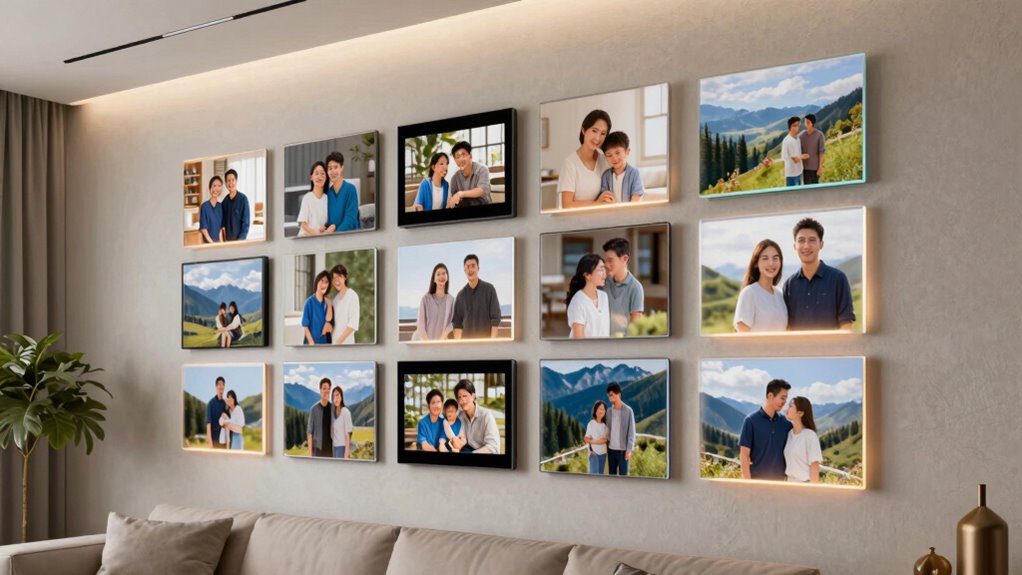

Smart photo frames are a modern way to display your favorite memories with ease, offering Wi-Fi connectivity, app controls, and high-quality screens. The Aura HD Digital Picture Frame – Aspen stands out as the best overall choice for its crisp display and user-friendly interface. For those seeking affordability, the Dragon Touch 10.1” Wi-Fi Digital Picture Frame offers solid features at a lower price point. If you want a large screen for a centerpiece, the Aura Walden 15″ is a premium pick for its impressive size and elegant design. Each option balances features, ease of use, and price, but tradeoffs include screen size compromises or setup complexity. Continue reading for a detailed comparison that helps you find the perfect smart photo frame for your needs.

Get your wardrobe favorites delivered free with Prime
- Fast, free delivery on millions of items
- Prime Video, Amazon Music and more included
- Member-only deals all year
Key Takeaways
- Top-tier models like Aura Walden excel in large, high-resolution displays, ideal for prominent placements.
- Ease of setup and app control remain critical, with some brands offering more intuitive interfaces than others.
- Storage options vary significantly, from 16GB to 64GB, affecting how many photos or videos can be stored locally.
- Price points range widely, but investing in a well-reviewed model often guarantees better software stability and build quality.
- Features like auto-rotate, video support, and wall-mount compatibility are common differentiators among the best options.


| smart photo frame | Resolution | Screen Size |
|---|---|---|
| Dragon Touch 10.1” Wi-Fi Digi | 1280×800 | 10.1 inches |
| Aura HD Digital Picture Frame | 1080p | — |
| Nixplay 10.1-Inch Digital Pict | — | 10.1 inches |
| Digital Picture Frame | 1280×800 | 10.1 inches |
| 32GB Frameo 10.1 Inch Smart Wi | 1280×800 | 10.1 inches |
| Aura Walden 15" WiFi Digital P | — | — |
| 64GB 15.6" Frameo Digital Pict | — | — |
| Frameo 10.1 Inch WiFi Digital | 1280×800 | 10.1 inches |
| Nixplay 10.1” Touch Screen Dig | — | 10.1 inches |
| BIGASUO Digital Picture Frame | 1280×800 | 10.1 inches |
| Frameo 10.1" Digital Picture F | 1280×800 | — |
| Skylight Frame | 1280×800 | — |
| AEEZO 10.1 Inch Digital Pictur | 1280×800 | 10.1 inches |
| Uhale 10.1 inch WiFi Touch Scr | HD | — |
| Nixplay 15.6" Digital Touch Sc | — | 15.6 inches |
More Details on Our Top Picks
Dragon Touch 10.1” Wi-Fi Digital Picture Frame with HD IPS Touch Screen
This model stands out for its crisp 1280×800 IPS touch display, offering clear visuals comparable to the Nixplay 10.1-Inch Frame but at a more accessible price point. Its support for instant Wi-Fi sharing via a dedicated app makes updating photos seamless, especially compared to frames that rely solely on physical media. The large 16GB storage and support for SD cards or USB drives mean you can keep a sizable library without constantly managing files. However, its limitation to 2.4 GHz Wi-Fi reduces compatibility in mixed networks, and resetting requires external device removal, which can be inconvenient. Compared with the Aura Aspen, it offers more flexible media options but less sophisticated automatic brightness adjustments. This pick makes the most sense for users who want a well-rounded, easy-to-use frame that balances price, features, and flexibility.
Pros:- High-quality HD IPS touch screen for sharp visuals
- Supports instant wireless sharing via app
- Large 16GB storage with external device support
Cons:- Only compatible with 2.4 GHz Wi-Fi networks
- External device removal needed during reset can be cumbersome
Best for: Families or individuals seeking a budget-friendly, versatile digital frame with easy sharing and broad media support
Not ideal for: Tech-savvy users who require dual-band Wi-Fi or advanced automation, as this frame’s 2.4 GHz only Wi-Fi can be limiting
- Screen Size:10.1 inches
- Resolution:1280×800
- Display Type:IPS Touch Screen
- Storage Capacity:16GB
- Wi-Fi:Yes, 2.4 GHz only
- Supports SD Card:Yes
Our verdict“This is a well-rounded choice for those who want straightforward, flexible photo display with easy wireless updates.”
Aura HD Digital Picture Frame – Aspen (10.1 Inch, 1080p, Wi-Fi, App Control, Landscape & Portrait)
The Aura Aspen offers a sleek aesthetic paired with a vibrant 1080p display, making it ideal for those who prioritize visual clarity. Its automatic brightness adjustment and support for both portrait and landscape orientations set it apart from the Dragon Touch, which lacks automatic lighting controls. While it’s easy to upload photos through Wi-Fi and app control, it requires a stable Wi-Fi connection for full functionality, unlike frames that incorporate more offline options. Compared to the Nixplay, it boasts a more refined design but doesn’t specify user privacy controls, which might concern privacy-conscious buyers. This frame suits homeowners or office spaces where style and high-quality visuals are paramount.
Pros:- 1080p high-resolution display offers vibrant, crisp images
- Automatic brightness adjustment enhances viewing comfort
- Supports both portrait and landscape orientations
Cons:- Requires Wi-Fi for full functionality
- No mention of offline media playback or battery options
Best for: Design-conscious users wanting a premium, high-resolution digital frame for display in stylish environments
Not ideal for: Users with unreliable Wi-Fi or seeking more flexible offline media options, as this frame depends heavily on network connectivity
- Resolution:1080p
- Display Size:10.1 inches
- Connectivity Technology:Wi-Fi
- Control Method:App, Touch
- Aspect Ratio:16:10
- Color:Gravel Mat
Our verdict“Ideal for style-focused users who want high-quality visuals and automatic lighting adjustments in a static location.”
Nixplay 10.1-Inch Digital Picture Frame with HD Touch Screen
This Nixplay model is distinguished by its user-friendly setup and secure cloud storage, making it suitable for those who want to share updates from afar. Its high-res touchscreen offers vibrant visuals comparable to the Aura Aspen but with added features like face centering and activity sensors that enhance user interaction. While it’s more feature-rich than the Dragon Touch, it does require Wi-Fi for all smart features and raises potential privacy concerns typical of cloud-based systems. Unlike the Frameo 10.1” with customizable albums, Nixplay emphasizes privacy and security but at a higher price point. This frame is best suited for families or friends sharing memories remotely with confidence in privacy protections.
Pros:- Vibrant high-resolution touchscreen display
- Smart features like face centering and activity sensor
- Secure cloud-based storage for privacy
Cons:- Wi-Fi required for full functionality
- Higher price compared to simpler models
Best for: Users who prioritize secure, remote sharing and easy setup for gifting or family displays
Not ideal for: Tech-averse users or those with limited Wi-Fi stability, since full features depend on internet connectivity
- Screen Size:10.1 inches
- Display:HD Touch Screen
- Connectivity:WiFi
- Features:Auto-Rotation, AI Face Centering, Activity Sensor
- Storage:Cloud-based, secure U.S.-based
- Supports:JPG, JPEG, BMP, PNG, MP4
Our verdict“This frame appeals to users who want a secure, smart sharing experience with advanced auto-focus features.”
Digital Picture Frame, 10.1 Inch HD IPS Touch Screen with 32GB Memory, WiFi & App Sharing
This frame combines a vibrant 1280×800 IPS display with a generous 32GB of internal storage, making it a strong choice for users who want extensive media without frequent uploads. Its support for multiple formats and automatic orientation adjustment align well with the features of the Frameo 10.1” but with the advantage of built-in storage, reducing reliance on cloud services. However, it’s limited in that photos and videos can’t be played directly from SD cards, unlike some competitors, and it requires Wi-Fi for sharing, which may be a drawback for those seeking offline access. Compared to the 32GB Frameo model, it offers similar storage but less flexibility in media playback options. This pick fits best for users who prioritize high internal storage and easy wireless sharing in a straightforward package.
Pros:- Vivid HD IPS touchscreen with auto-rotation
- Large 32GB internal storage for extensive media
- Supports multiple image and video formats
Cons:- Cannot play photos or videos directly from SD cards
- Limited video length (15 seconds)
Best for: Families or offices needing large internal storage and broad media format support for easy updates
Not ideal for: Users wanting offline playback or those with limited Wi-Fi, as sharing features depend heavily on network connectivity
- Screen Size:10.1 inches
- Resolution:1280×800
- Touch Screen:Yes
- Memory:32GB internal, expandable
- Supported Formats:JPG, JPEG, BMP, PNG, MP4
- WiFi:Yes
Our verdict“This frame is a solid choice for those wanting high internal storage and simple wireless sharing without complex features.”
32GB Frameo 10.1 Inch Smart WiFi Digital Photo Frame with Touch Screen
This Frameo model distinguishes itself with a wide array of features, including collage modes, calendar sync, and reactions, making it more interactive than the Dragon Touch or Aura Aspen. Its 1280×800 IPS display offers sharp visuals, and the built-in 32GB storage supports ample media. Unlike the Aura, which emphasizes style, this frame emphasizes functionality with features that encourage family interaction. However, it shares the same limitation of requiring Wi-Fi for sharing and has a maximum video length of 15 seconds, similar to the others. Compared to the simpler Frameo 10.1” WiFi model, this offers more display options but may be more complex for users seeking straightforward operation. This frame is ideal for tech-savvy users who want a customizable, feature-rich display with social interaction options.
Pros:- High-resolution IPS touchscreen for sharp images
- Supports collage, calendar, and reactions for interaction
- Large 32GB internal storage
Cons:- Limited to 15-second videos
- Requires WiFi for sharing features
Best for: Gift-givers or families seeking a versatile, interactive display with customizable layouts and features
Not ideal for: Less tech-inclined users or those seeking basic photo slideshows without extra features, as this model can be more complex to operate
- Screen Size:10.1 inches
- Resolution:1280×800
- Touch Screen:Yes
- Memory:32GB
- Features:Collage mode, Calendar sync, Reactions
- WiFi:Yes
Our verdict“This frame suits users who want a personalized, feature-packed experience with social and organizational tools integrated.”
Aura Walden 15″ WiFi Digital Picture Frame
The Aura Walden 15″ WiFi Digital Picture Frame stands out for its combination of a large, color-calibrated Full HD display and effortless phone-to-frame sharing, making it ideal for those who want a premium, easy-to-use digital photo display. Unlike the smaller, more basic models like the Frameo 10.1 Inch WiFi Digital Picture Frame, the Walden offers auto-brightness and versatile placement options, elevating the user experience. Its unlimited free storage removes the hassle of managing internal memory, though it relies heavily on a WiFi connection, which could be a limitation in spotty networks. This pick makes the most sense for tech-savvy users seeking a high-quality, large-format frame that seamlessly integrates with their devices, but those who prefer unplugged, physical photo displays should skip it.
Pros:- High-quality, color-calibrated 15″ Full HD display
- Easy setup and photo sharing via the Aura app
- Unlimited free storage for all your photos and videos
- Versatile placement options for tabletop or wall mounting
Cons:- Requires a stable WiFi connection for all features
- Limited to digital photos — no physical photo options
Best for: Families or individuals wanting a large, high-quality display with easy photo sharing from their phones
Not ideal for: People with unreliable WiFi or who prefer physical photo albums over digital displays
- Display Size:15 inches
- Display Type:Full HD
- Connectivity:WiFi
- Storage:Unlimited, free
- Compatibility:Apple and Android
- Features:Auto-brightness, photo cropping, night auto-off, built-in speaker
Our verdict“This frame is perfect for users seeking a large, premium display with effortless sharing and no storage worries.”
64GB 15.6″ Frameo Digital Picture Frame WiFi, Full HD Touch Screen, Send Photos from Phone, Ideal Gift for Family
The Frameo 15.6-inch WiFi Digital Picture Frame offers a sizable, vivid Full HD touchscreen that makes viewing photos and videos a delight, especially compared to smaller models like the Frameo 10.1 Inch WiFi Digital Picture Frame. Its generous 64GB built-in storage plus expandable options mean you can load thousands of memories without constantly managing space. The frame’s secure WiFi sharing via the Frameo app makes it a thoughtful gift for families, yet it only supports 2.4GHz WiFi, which might limit connectivity speed and stability for some users. This device suits those wanting a large, vibrant display with ample storage for family photos but might not be ideal for users with faster WiFi networks that support 5GHz.
Pros:- Large 15.6-inch Full HD touchscreen with vivid colors
- Easy secure sharing via WiFi and the Frameo app
- Massive 64GB storage plus expandable options
- Ideal gift for loved ones to keep connected
Cons:- Supports only 2.4GHz WiFi, limiting connection speed
- SD card and USB must be formatted in FAT32, which can be limiting
Best for: Givers looking for a large, vivid digital frame to gift to family or friends who enjoy sharing and viewing memories
Not ideal for: Tech users seeking support for 5GHz WiFi or advanced streaming features
- Display:15.6-inch IPS Full HD
- Storage:64GB built-in, expandable
- WiFi:Supports 2.4GHz
- Video Support:MP4
- Viewing Angle:178°
- Dimensions:15.43 x 9.61 inches
Our verdict“This frame is suited for those who want a large, colorful display and ample storage to gift or use at home.”
Frameo 10.1 Inch WiFi Digital Picture Frame with HD IPS Touch Screen, 32GB Storage, and Cloud Sharing
The Frameo 10.1-inch WiFi Digital Picture Frame combines a crisp IPS touch screen with 32GB of storage, making it a solid choice for those wanting a smaller, more discreet frame without sacrificing display quality. Compared to the larger Walden or the 15.6-inch model, this one fits well into tighter spaces and is more suitable for desktop or bedside use. Its support for secure sharing via the Frameo app and customizable settings makes it user-friendly, especially for seniors or less tech-savvy users. However, its limited 32GB internal memory and support for only 15-second videos are tradeoffs that could be restrictive for users with extensive photo collections or longer videos.
Pros:- High-resolution IPS touch screen with vibrant colors
- Secure sharing via app and easy setup
- Good-sized, 32GB storage for thousands of photos
- User-friendly interface suitable for all ages
Cons:- Limited internal storage of 32GB without expansion
- Supports only 15-second videos, limiting content variety
Best for: Individuals or seniors seeking a high-quality, easy-to-use frame with a compact footprint
Not ideal for: Those with large photo libraries or wanting longer video playback capabilities
- Screen Size:10.1 inches
- Resolution:1280×800
- Storage:32GB
- Touch Screen:Yes
- WiFi:Yes
- MicroSD Slot:Yes
- Supported Video Length:up to 15 seconds
- Warranty:1 year
Our verdict“This frame is ideal for users wanting a compact, high-quality display for casual or elderly use.”
Nixplay 10.1” Touch Screen Digital Photo Frame – White
The Nixplay 10.1-inch Touch Screen Digital Photo Frame excels with AI-driven features like smart-centering and customizable slideshows, setting it apart from basic WiFi frames like the BIGASUO 10.1-inch WiFi Frame. Its support for multiple sharing methods—including email, social media, and app—makes it highly versatile for families wanting to stay connected. The secure cloud storage and optional subscription unlock more advanced features, but some users may find the subscription costs a barrier. Its WiFi reliance means it’s best for households with stable internet. This frame suits those wanting a smart, connected device with AI features, while users seeking a simple, no-frills display should consider other options.
Pros:- AI-driven smart-centering and auto slideshows
- Supports multiple sharing methods including social media and email
- Encrypted cloud storage with privacy compliance
- Supports various platforms: iOS, Android, desktop
Cons:- Some advanced features require a subscription fee
- Limited to WiFi, no offline mode
Best for: Families or tech enthusiasts who want AI-enhanced features and multiple sharing options
Not ideal for: People on a tight budget or those who prefer basic, straightforward displays without subscriptions
- Screen Size:10.1 inches
- Color:White
- Connectivity:WiFi
- Supported Platforms:iOS, Android, Desktop
- Cloud Storage:Encrypted, USA-based
Our verdict“This frame is perfect for families seeking a smart, AI-enabled display with flexible sharing, though at a potential subscription cost.”
BIGASUO Digital Picture Frame, 10.1-inch WiFi Frame with 32GB Memory, Touch Screen, Send Photos/Videos from Phone
The BIGASUO 10.1-inch WiFi Digital Picture Frame offers a straightforward, budget-friendly option with a vivid IPS display and easy sharing through the Frameo app. Compared to the more feature-rich Nixplay, this model emphasizes simplicity and affordability, making it suitable for casual users or those new to digital frames. Its 32GB internal storage provides plenty of space for photos, but the reliance on WiFi for sharing means it’s less suitable if internet connectivity is inconsistent. While it supports Micro SD cards, larger or faster cards might pose compatibility issues. This makes it a good choice for gift-givers or users wanting a basic, easy-to-operate digital frame without extra costs.
Pros:- Vivid 10.1-inch IPS touchscreen display
- Affordable price point with decent features
- Supports photo/video sharing via WiFi with the Frameo app
- Expandable storage with Micro SD cards
Cons:- WiFi sharing depends on stable internet connection
- Limited internal memory without Micro SD expansion
Best for: Casual users or gift buyers seeking an easy, no-fuss digital frame with good display quality
Not ideal for: Power users needing extensive storage or offline operation capabilities
- Screen Size:10.1 inches
- Resolution:1280×800
- Memory:32GB
- WiFi:Yes
- Touch Screen:Yes
- Support:Photos and videos
Our verdict“This frame is well-suited for those wanting an easy, affordable display for casual photo sharing and gifting.”
Frameo 10.1″ Digital Picture Frame WiFi 32GB – Touchscreen, Auto-Rotate, Wall Mountable, Supports Videos & Photos
This Frameo model stands out for its high-resolution 1280×800 IPS touchscreen, providing vivid colors that surpass many budget options like the Uhale, which has a simpler interface. Its support for WiFi sharing, SD cards, and USB-C drives offers flexibility, but it requires constant power and only connects to 2.4GHz networks—potential limitations for some users. Compared to the Skylight Frame, it offers more transfer options, making it a solid choice for those who want variety, though the lack of a battery reduces portability.
Pros:- Vivid 1280×800 IPS touchscreen with rich colors
- Supports WiFi, SD card, and USB-C sharing for versatile uploads
- Auto-rotation and wall-mountable design for flexible placement
Cons:- Requires continuous power, no battery option
- Limited to 2.4GHz Wi-Fi networks, which may affect speed and stability
Best for: Tech-savvy individuals looking for a flexible, high-quality frame with multiple transfer methods
Not ideal for: People seeking a portable or battery-powered frame, or those with limited Wi-Fi networks
- Display Size:10.1 inches
- Resolution:1280×800
- Storage Capacity:32 GB
- Compatible Devices:Personal Computer, Smartphone, Tablet
- Connectivity Technology:Micro SD Card, USB C Cable, Wi-Fi
- Power Source:Corded Electric
Our verdict“This is the best choice for users who value flexible content transfer and high display quality in a versatile frame.”
Skylight Frame – 10 Inch WiFi Digital Picture Frame with Touch Screen
The Skylight Frame makes sharing photos simple, especially for less tech-savvy users, thanks to its straightforward setup and cloud-based storage. Its full HD 1280×800 display offers crisp images, but it relies entirely on WiFi for uploading new photos—unlike the Frameo, which supports multiple transfer methods. Compared with the more feature-rich AEEZO, Skylight prioritizes simplicity, making it ideal for grandparents or less tech-inclined family members who want a seamless experience without fussing with SD cards or apps.
Pros:- Easy setup and intuitive interface
- High-resolution full HD display for clear images
- Supports instant photo sharing from anywhere via WiFi
Cons:- Requires WiFi for uploading new photos, limiting offline use
- No SD card support for direct file transfer
Best for: Elderly users or families seeking a user-friendly, no-fuss photo frame
Not ideal for: Tech enthusiasts wanting local transfer options or SD card support for offline viewing
- Display Size:10 inches
- Resolution:1280×800
- Connectivity:Wi-Fi
- Storage:Cloud-based
- Touch Screen:Yes
Our verdict“This frame is perfect for those prioritizing simplicity and quick sharing over advanced transfer options.”
AEEZO 10.1 Inch Digital Picture Frame with 1280×800 HD Touch Screen, 32GB Storage, Auto-Rotate, Wi-Fi Sharing
The AEEZO offers a high-definition IPS touchscreen with a generous 32GB internal storage, making it suitable for families wanting to display a large number of photos without constant internet dependency. Its auto-rotate and WiFi sharing via the AiMOR app provide easy updates, but it cannot play videos directly from SD cards, unlike the Frameo, which supports multiple media types. Compared to the Uhale, AEEZO emphasizes internal storage and auto-rotation, ideal for tech-savvy households or those who prefer local files but are okay with importing photos beforehand.
Pros:- High-definition touchscreen with auto-rotate
- Large 32GB internal storage for thousands of photos
- Supports Wi-Fi sharing via app, easy to set up
Cons:- Cannot play videos directly from SD card
- Requires importing files into device for playback
Best for: Families wanting a large internal storage solution with easy WiFi sharing
Not ideal for: Users seeking direct SD card playback or portable, battery-powered options
- Screen Size:10.1 inches
- Resolution:1280×800
- Storage:32GB
- Auto-Rotate:Yes
- Connectivity:Wi-Fi
Our verdict“This frame suits users who prefer internal storage and straightforward WiFi sharing for family photos.”
Uhale 10.1 inch WiFi Touch Screen Digital Picture Frame with 16GB Memory
The Uhale frame provides a clear 10.1-inch HD touch screen with auto-rotation, perfect for users who value privacy and simple setup. Its 16GB internal memory supports offline viewing, making it suitable for those wary of cloud storage or subscription fees. While its Wi-Fi allows for easy sharing via the Uhale app, it lacks SD card support, unlike the Frameo. Compared to the Nixplay 10.1, Uhale emphasizes privacy and simplicity, making it a good choice for less tech-savvy users or those concerned about data security.
Pros:- Secure privacy features with end-to-end encryption
- Supports offline viewing with 16GB internal memory
- Auto-rotation and HD display for clear images
Cons:- Limited internal storage without expansion options
- No SD card support for direct file transfer
Best for: Privacy-conscious users or those wanting easy offline viewing
Not ideal for: Users who want SD card support or need to share large media files directly from removable storage
- Display Size:10.1 inches
- Resolution:HD
- Memory:16GB
- Connectivity:Wi-Fi
- Supports:USB, microSD
Our verdict“Ideal for users prioritizing privacy and simple, secure photo display without reliance on cloud services.”
Nixplay 15.6″ Digital Touch Screen Picture Frame with WiFi
The Nixplay 15.6-inch frame is distinguished by its large, vibrant display and support for multiple platforms like Google Photos, Facebook, and Instagram, making it a standout for family use. Its cloud storage with encryption offers peace of mind, but some features require a subscription, which could add to long-term costs. Compared with the smaller Frameo, Nixplay targets a family-friendly audience who want a bigger canvas and multi-user sharing, although its price is higher and some resolution details are less specified.
Pros:- Large 15.6-inch display with vivid visuals
- Supports multiple platforms for easy sharing
- Secure cloud storage with encryption
Cons:- Features like subscription plans may increase costs
- Limited details on resolution and battery life
Best for: Families seeking a large, shared photo display with multi-platform support
Not ideal for: Individuals on a tight budget or those wanting a portable, battery-powered frame
- Screen Size:15.6 inches
- Connectivity:Wi-Fi
- Supported Platforms:Apple Photos, Google Photos, Facebook, Instagram
- Storage:Cloud
- Languages:Multiple
Our verdict“This frame is best suited for families wanting a sizable, shared display with multi-platform connectivity.”
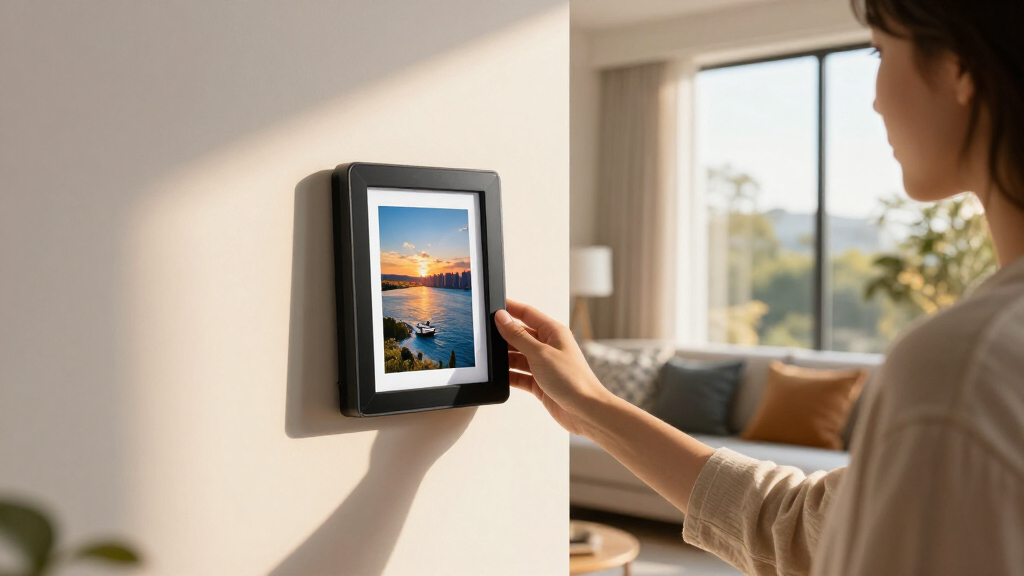
How We Picked
I evaluated these smart photo frames based on several key factors that matter to buyers. Performance aspects included display quality, responsiveness, and stability of Wi-Fi connectivity. Usability was assessed through setup ease, app interface, and features like auto-rotation and remote photo sharing. Build quality and design aesthetics were also considered, as these frames are meant to be visible in your living space. Value was determined by balancing feature set against price, ensuring each pick offers a compelling reason to buy. Lastly, versatility—such as support for videos, multiple mounting options, and storage capacity—played a role in ranking these options effectively.Factors to Consider When Choosing Smart Photo Frames
Choosing the right smart photo frame involves more than just picking the largest screen or most features. Consider your space, technical comfort level, and how you’ll use the device daily. A well-chosen frame should integrate seamlessly into your environment and offer reliable performance without overwhelming your setup. Here are some key factors to keep in mind before making a purchase.Display Quality and Size
Look for high-resolution screens, ideally 1080p or higher, to ensure photos appear crisp and vibrant. The size of the frame should match its intended placement; larger screens work well as focal points in living rooms, while smaller models are better for bedrooms or desks. Keep in mind that larger screens tend to cost more and may require more space, so balancing size and placement is essential.
Ease of Use and App Compatibility
A user-friendly interface and straightforward setup process are vital, especially if you’re not tech-savvy. Check whether the frame supports popular apps or platforms you already use, such as Google Photos, Facebook, or Instagram, for quick photo uploads. An intuitive app with reliable connectivity reduces frustration and makes managing your photos effortless.
Storage and Connectivity Options
Consider how many photos or videos you want to display and whether the device offers sufficient local storage or relies on cloud services. Wi-Fi connectivity is standard, but check for features like automatic photo updates or multi-user sharing. Some models support external storage cards, which can be useful if you prefer local storage without ongoing cloud fees.
Design and Placement Flexibility
Design matters because the frame needs to complement your decor. Look for sleek, modern styles with options for wall mounting or tabletop placement. Auto-rotation and orientation flexibility are also helpful—especially if you plan to display both portrait and landscape photos. Ensure the frame’s design and mounting options suit your space and aesthetic preferences.
Price and Long-Term Value
While budget options may save money upfront, they often lack features like high resolution or reliable app support. Conversely, premium models tend to offer better durability and more advanced features but at a higher cost. Consider whether the added features justify the price, and look for models with good reviews on software stability and build quality to maximize long-term satisfaction.
Frequently Asked Questions
Can I upload photos directly from my phone to a smart photo frame?
Yes, most smart photo frames support direct uploads via companion apps, email, or cloud services. Popular platforms like Google Photos, Facebook, and Instagram are typically compatible, allowing you to send or sync photos easily. Some frames also support video uploads, but check whether the size limits or formats are compatible with your chosen device. This flexibility makes it simple to keep your display fresh with new memories without needing complicated setups.
Are smart photo frames suitable for non-tech-savvy users?
Many models are designed with simplicity in mind, featuring straightforward setup procedures and intuitive apps. Look for options with clear instructions, minimal steps to connect to Wi-Fi, and easy photo management tools. Some frames offer dedicated remote controls or touchscreen interfaces that simplify navigation. However, more advanced features or complex app configurations may pose challenges, so choosing a user-friendly model is recommended if you prefer a hassle-free experience.
Do smart photo frames support videos and GIFs?
Support for videos varies among models. Many high-end options allow short video clips and some even support GIFs, adding dynamic content to your display. However, video support often requires higher storage capacity and faster Wi-Fi speeds. Check each model’s specifications carefully if video playback is a priority, as some frames only support static images or have limited video length and format compatibility.
What is the typical lifespan of a smart photo frame’s display?
Most smart photo frames use LED or LCD screens that can last several years with proper care. Factors like screen brightness, exposure to direct sunlight, and frequent on/off cycles influence longevity. Investing in a reputable brand with good reviews on durability can extend the lifespan. Regular cleaning and avoiding excessive brightness settings help maintain picture quality over time.
Is it worth paying more for a larger or premium model?
Paying extra for a larger or premium model generally provides better display quality, enhanced features, and a more elegant design. If you plan to place the frame in a prominent area or want a more immersive viewing experience, these investments make sense. However, if your needs are basic—such as casual photo viewing or small spaces—more affordable models can suffice. Weigh the benefits of size and features against your budget and usage expectations.
Conclusion
For those seeking the best overall experience, the Aura HD Digital Picture Frame – Aspen offers a perfect blend of high-resolution display, ease of use, and versatile features. If you want maximum value without sacrificing quality, the Dragon Touch 10.1” Wi-Fi Digital Picture Frame delivers solid performance at a budget-friendly price. Buyers who prioritize size and premium design should consider the Aura Walden 15″ for its impressive display and elegant look. Beginners will find models with simple setup and user-friendly apps most suitable, while tech-savvy users may prefer frames with advanced features like video support and extensive customization. Ultimately, your choice depends on your space, tech preferences, and budget—use this guide to find the perfect fit for your home or gift needs.
Fall Picks
fall essentials
As an affiliate, we earn on qualifying purchases.