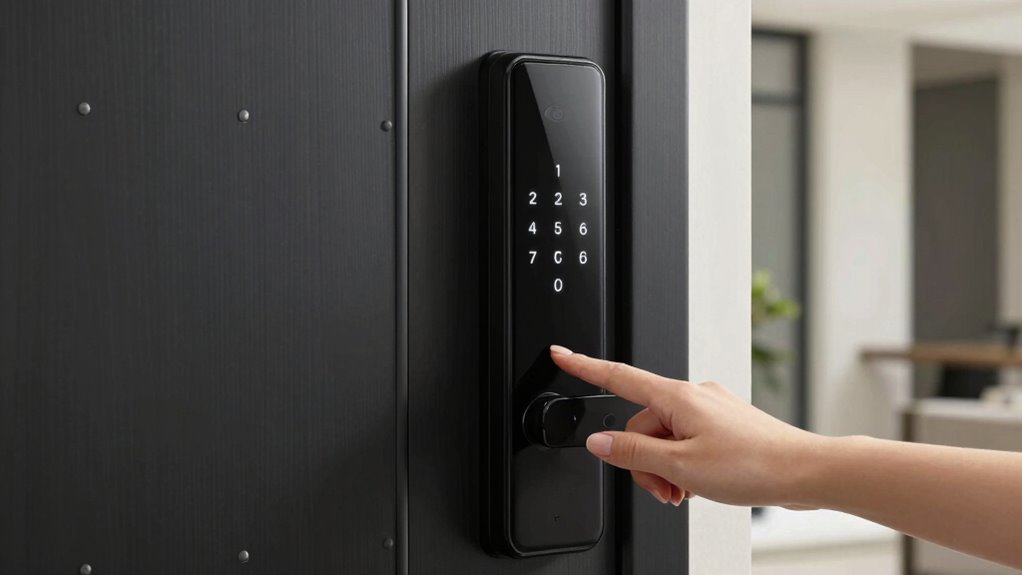

I’ve researched the 15 best smart locks with keypad features that boost home security and convenience. These locks support multiple access methods like PIN, fingerprint, RFID, and smartphone apps. They offer features like auto-lock, real-time alerts, remote control, and sturdy, weather-resistant designs. Many are easy to install and integrate with smart home systems like Alexa or Google. If you want to find the perfect lock to fit your home, keep going to explore more options.
Key Takeaways
- Many top smart locks feature customizable keypads with anti-peeping and LED illumination for enhanced security and nighttime visibility.
- Advanced models support multiple access methods, including PIN codes, fingerprint, RFID, and smartphone app control.
- Built-in WiFi and smart home integrations enable remote locking, activity monitoring, and real-time notifications.
- High-security certifications like BHMA Grade 2 or 3 and tamper alarms ensure robust protection against unauthorized entry.
- Easy installation and management of temporary, scheduled, or one-time codes improve access control and home security.
| Kwikset SmartCode 955 Keypad Lever Venetian Bronze | 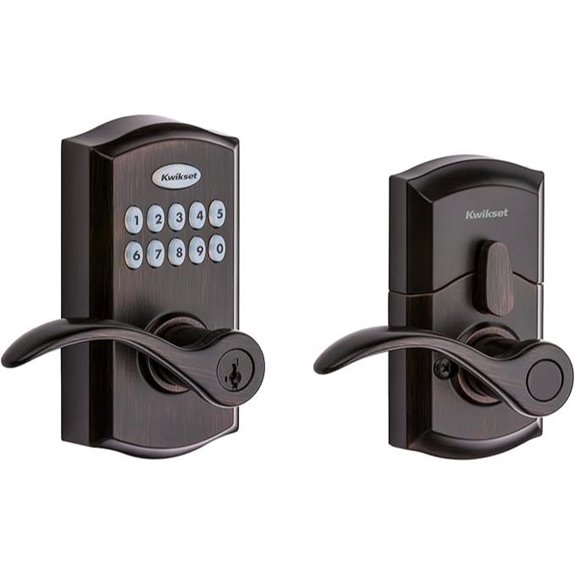 | Most Secure | Connectivity: Bluetooth, Z-Wave (via hub) | Unlock Methods: Keypad, Mechanical key, App (via Bluetooth) | User Codes: Up to 30 user codes | VIEW LATEST PRICE | See Our Full Breakdown |
| Kwikset SmartCode 917 Keyless Entry Set | 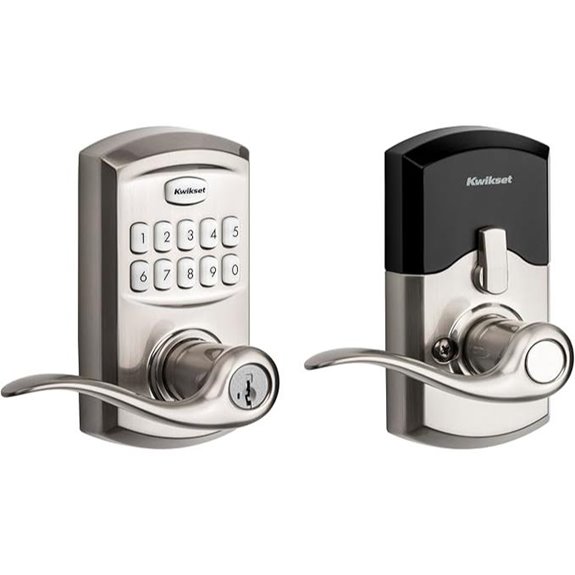 | User-Friendly | Connectivity: Z-Wave (via hub), Bluetooth | Unlock Methods: Keypad, Mechanical key, App (via Bluetooth) | User Codes: Up to 25 user codes | VIEW LATEST PRICE | See Our Full Breakdown |
| Philips WiFi Smart Keyless Door Lock Set |  | Smart Home Ready | Connectivity: Wi-Fi, Bluetooth | Unlock Methods: Fingerprint, Passcode, App, Mechanical key, Voice | User Codes: Multiple passcodes, unlimited guests (via app) | VIEW LATEST PRICE | See Our Full Breakdown |
| TEEHO Keyless Entry Door Lock with Keypad | 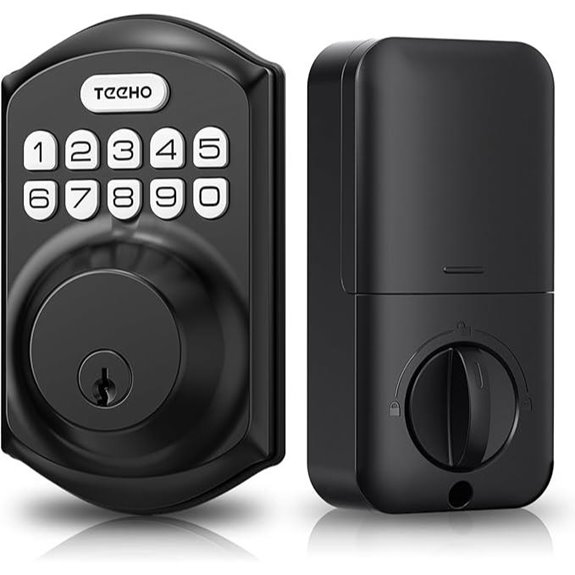 | Budget-Friendly | Connectivity: Not specified (manual keypad & physical keys) | Unlock Methods: Keypad, Mechanical key | User Codes: 20 user codes | VIEW LATEST PRICE | See Our Full Breakdown |
| Kwikset Halo Wi-Fi Smart Lock with App Control | 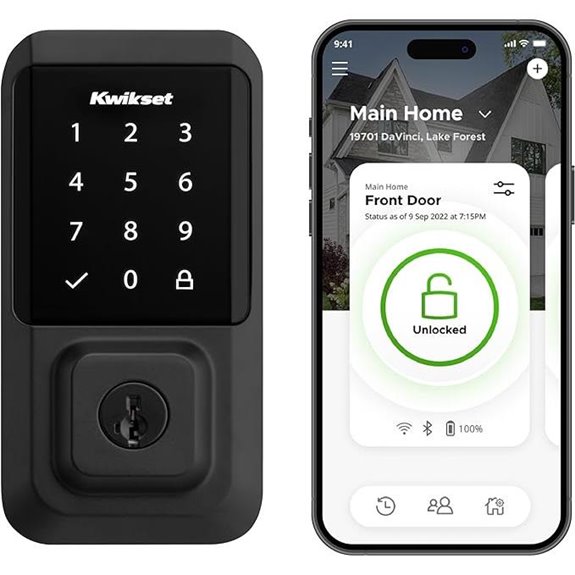 | Remote Control | Connectivity: Wi-Fi, Bluetooth | Unlock Methods: Touchscreen, App, Voice, Mechanical key | User Codes: Up to 250 user codes | VIEW LATEST PRICE | See Our Full Breakdown |
| eufy Security Smart Lock C30 Keyless Deadbolt | 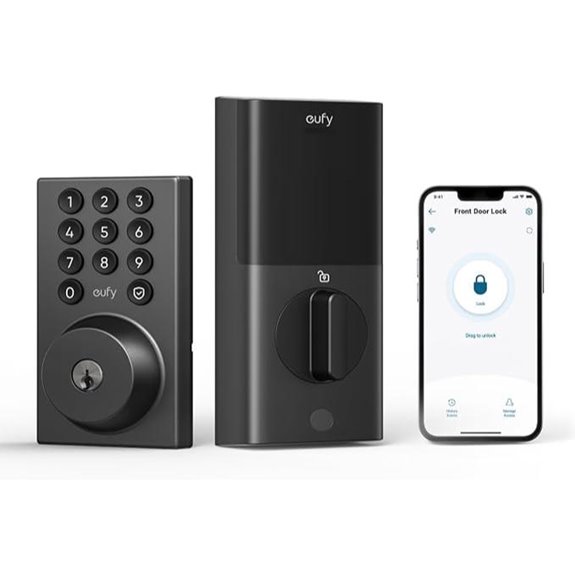 | Easy Installation | Connectivity: Wi-Fi, Bluetooth | Unlock Methods: Keypad, App, Voice, Mechanical key | User Codes: Custom user codes (not specified) | VIEW LATEST PRICE | See Our Full Breakdown |
| ULTRALOQ Latch 5 WiFi Smart Lock with App | 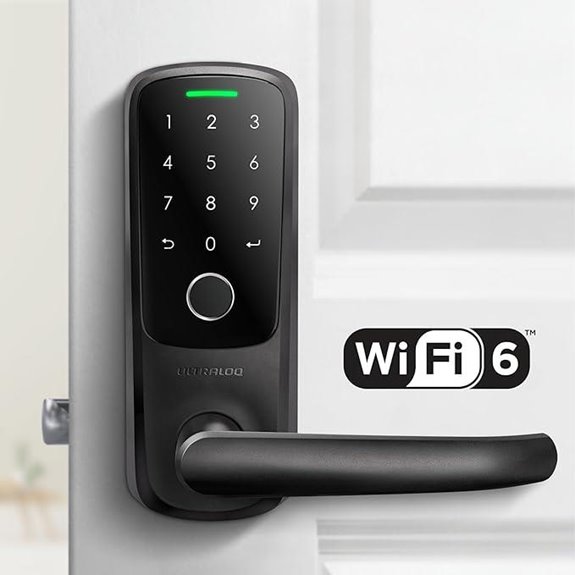 | High Tech | Connectivity: Wi-Fi, Bluetooth | Unlock Methods: Fingerprint, App, Keypad, Mechanical key | User Codes: Multiple user codes (not specified) | VIEW LATEST PRICE | See Our Full Breakdown |
| Veise VE017-D Smart Fingerprint Front Door Lock Set | 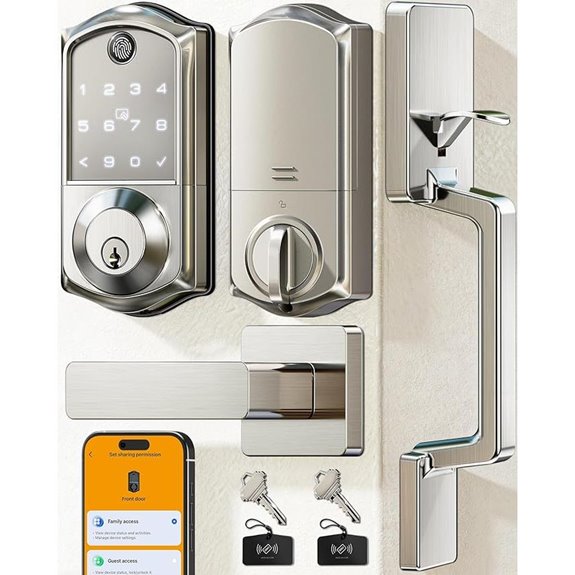 | All-in-One | Connectivity: Bluetooth, Wi-Fi | Unlock Methods: Keypad, App, RFID, Mechanical key | User Codes: Multiple user codes (not specified) | VIEW LATEST PRICE | See Our Full Breakdown |
| Kwikset SmartCode 270 Keyless Electronic Deadbolt | 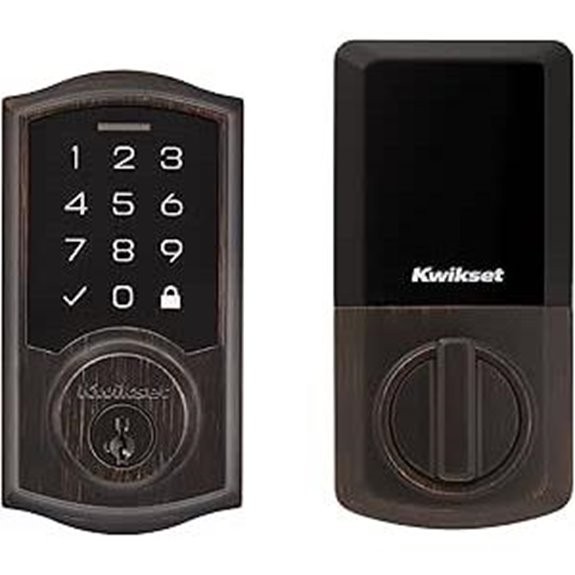 | Reliable Security | Connectivity: Bluetooth, Wi-Fi | Unlock Methods: Keypad, App, Mechanical key, Voice, Fingerprint | User Codes: Up to 50 user codes | VIEW LATEST PRICE | See Our Full Breakdown |
| Philips Smart Lock with Handles and Keyless Entry | 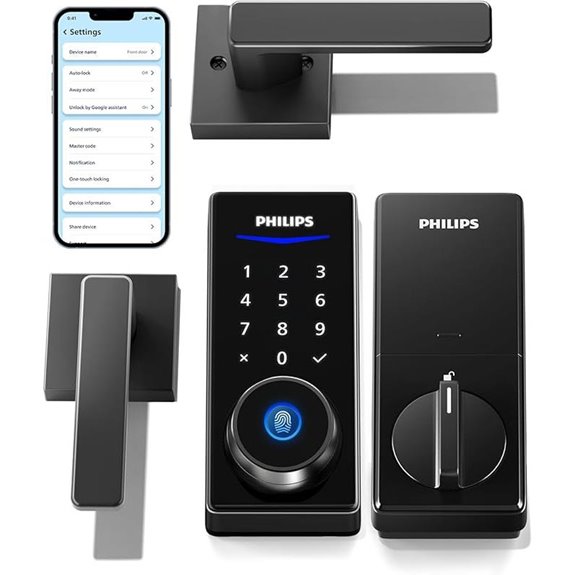 | Advanced Features | Connectivity: Bluetooth, Wi-Fi | Unlock Methods: Fingerprint, Passcode, App, Physical key, Voice | User Codes: Up to 100 user codes | VIEW LATEST PRICE | See Our Full Breakdown |
| Philips Wi-Fi Smart Door Lock with App & Voice |  | Compact Design | Connectivity: Wi-Fi, Bluetooth | Unlock Methods: App, Passcode, Fingerprint, Physical key, Voice | User Codes: Multiple user codes (not specified) | VIEW LATEST PRICE | See Our Full Breakdown |
| Yale Assure Lock 2 Deadbolt with Wi-Fi and Keypad | 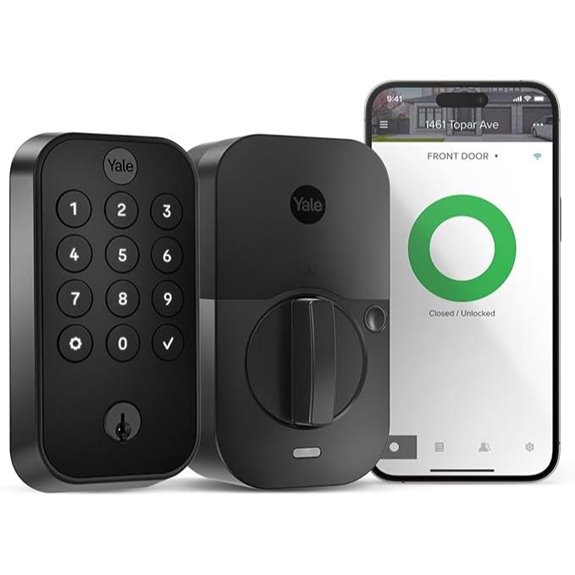 | Sleek & Modern | Connectivity: Wi-Fi, Bluetooth | Unlock Methods: Keypad, App, Voice, Mechanical key | User Codes: Up to 100 user codes | VIEW LATEST PRICE | See Our Full Breakdown |
| Veise Wi-Fi Smart Fingerprint Door Lock Set | 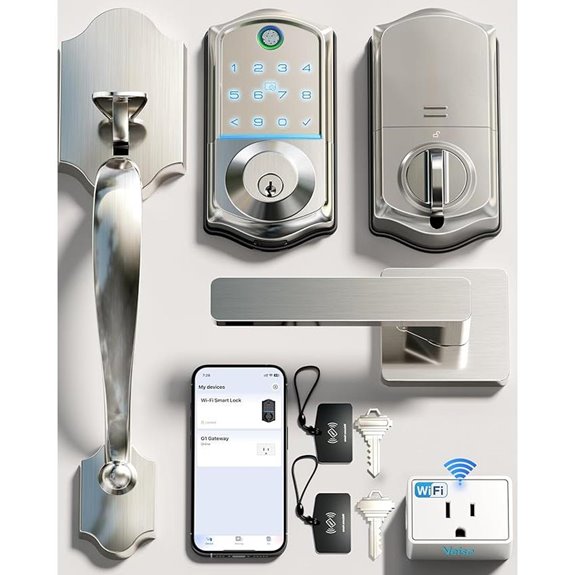 | Weatherproof | Connectivity: Wi-Fi, Bluetooth | Unlock Methods: Fingerprint, App, Passcode, Key, Voice | User Codes: Multiple user codes (not specified) | VIEW LATEST PRICE | See Our Full Breakdown |
| Yale Assure Lock 2 Deadbolt with Wi-Fi | 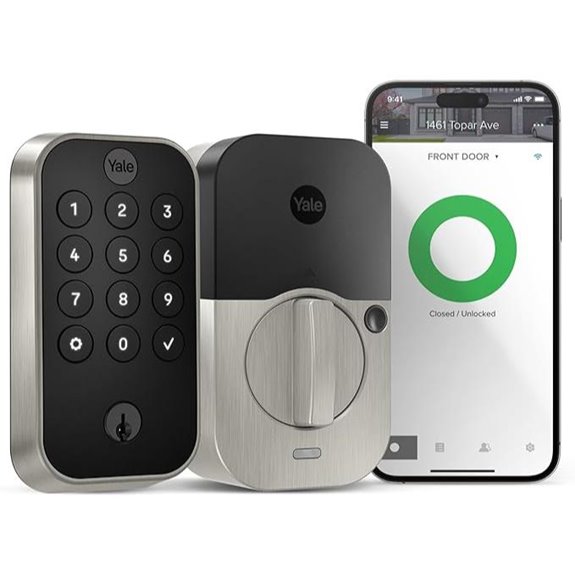 | Innovative Design | Connectivity: Wi-Fi, Bluetooth | Unlock Methods: Keypad, App, Fingerprint, Mechanical key | User Codes: Multiple user codes (not specified) | VIEW LATEST PRICE | See Our Full Breakdown |
| Veise VE027-L WiFi Smart Door Lock with Handle | 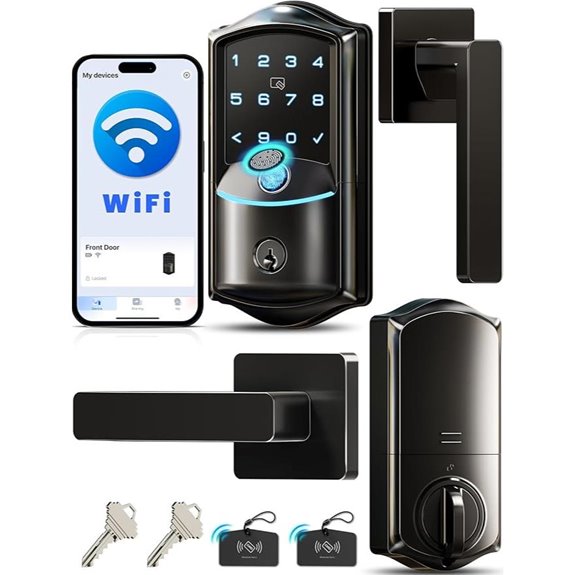 | Premium Quality | Connectivity: Wi-Fi, Bluetooth | Unlock Methods: Fingerprint, App, Passcode, Mechanical key, Voice | User Codes: Unlimited codes, scheduled codes | VIEW LATEST PRICE | See Our Full Breakdown |

More Details on Our Top Picks
-

Kwikset SmartCode 917 Keypad Keyless Entry Traditional Residential Electronic Lever Deadbolt Alternative with Tustin Door Handle and SmartKey Security, Satin Nickel
CONVENIENT KEYLESS ENTRY: Keypad entry makes coming and going secure and simple. Easily lock and unlock your door...
As an affiliate, we earn on qualifying purchases.
Kwikset SmartCode 955 Keypad Lever Venetian Bronze
The Kwikset SmartCode 955 Keypad Lever in Venetian Bronze is an excellent choice if you want a durable, high-security lock that’s perfect for busy households or commercial spaces. I appreciate its keyless entry, which eliminates the hassle of carrying keys. It’s tested for 500,000 cycles, so it’s built to withstand heavy use. The lock features a bright LED keypad for easy access at night and offers three lock modes—Auto-Lock, Passage, and disabled turnpiece—giving you flexibility. With a sleek Venetian bronze finish and solid security features, it combines style and safety, making it a reliable upgrade for any door.
- Connectivity:Bluetooth, Z-Wave (via hub)
- Unlock Methods:Keypad, Mechanical key, App (via Bluetooth)
- User Codes:Up to 30 user codes
- Lock Type:Electronic keypad lever
- Power Source:9V battery
- Additional Security Features:Intrusion alert, auto-lock, lifetime warranties
- Additional Feature:Multiple lock modes available
- Additional Feature:Brushed Venetian bronze finish
- Additional Feature:3-year electronics warranty
-

Philips WiFi Smart Lock with Front Door Handle Set, Built-in WiFi, APP Remote & Voice Control, Fingerprint Keyless Entry Door Lock, Keypad Deadbolt Smart Locks for Front Door, Auto-Lock, Matte Black
【Built-in WiFi, APP Remote Control】Connect directly to WiFi without an extra gateway. Manage your smart lock anytime, anywhere...
As an affiliate, we earn on qualifying purchases.
Kwikset SmartCode 917 Keyless Entry Set
If you’re looking for a secure and convenient way to manage access without carrying keys, the Kwikset SmartCode 917 Keyless Entry Set is an excellent choice. It features a keypad that’s easy to use even in low light, with customizable codes for up to 25 users, plus one-time and programming codes for added flexibility. The SmartKey security protects against break-ins, and you can re-key it yourself in seconds. Its intrusion alert sounds after three wrong attempts, and Vacation Mode disables access when you’re away. With auto-lock options and a bright LED for nighttime visibility, it combines security with user-friendly convenience.
- Connectivity:Z-Wave (via hub), Bluetooth
- Unlock Methods:Keypad, Mechanical key, App (via Bluetooth)
- User Codes:Up to 25 user codes
- Lock Type:Electronic deadbolt set
- Power Source:4 AA batteries
- Additional Security Features:Intrusion alarm, re-keyable, auto-lock
- Additional Feature:Re-keyable lock compatibility
- Additional Feature:Vacation mode option
- Additional Feature:BILT interactive setup guide
-

TEEHO TE001 Keyless Entry Door Lock with Keypad - Smart Deadbolt Lock for Front Door with 2 Keys - Auto Lock - Easy Installation - Matte Black
Passcode Entry: This keypad lock offers 20 access codes for family use and a temporary code for single-use...
As an affiliate, we earn on qualifying purchases.
Philips WiFi Smart Keyless Door Lock Set
For homeowners seeking seamless remote control and quick access, the Philips WiFi Smart Keyless Door Lock Set stands out with its built-in WiFi that connects directly to your mobile device. This lock offers app control, remote locking and access, and real-time activity alerts with detailed history, boosting your home security. It features biometric fingerprint accessing in just 0.3 seconds, multiple passcodes, and a backlit touchscreen keypad for easy use in low light. Compatible with Alexa and Google Assistant, it integrates effortlessly into your smart home system. Complete with a handle set and easy installation, this lock combines convenience, security, and modern design in one package.
- Connectivity:Wi-Fi, Bluetooth
- Unlock Methods:Fingerprint, Passcode, App, Mechanical key, Voice
- User Codes:Multiple passcodes, unlimited guests (via app)
- Lock Type:Electronic deadbolt with touchscreen
- Power Source:External power (power supply/batteries)
- Additional Security Features:Biometric fingerprint, anti-peep password, auto-lock
- Additional Feature:Biometric fingerprint unlocking
- Additional Feature:Compatible with Alexa/Google
- Additional Feature:Real-time activity alerts
TEEHO Keyless Entry Door Lock with Keypad
When you need a reliable and easy-to-install smart lock for your home, the TEEHO TE001 Keyless Entry Door Lock with Keypad stands out. It offers keyless access, with a smart deadbolt, 20 user codes, and a temporary code for guests that deletes after one use. The lock features auto-lock, anti-peeping code protection, weather resistance, and a sturdy aluminum alloy build. Installation takes minutes with just a screwdriver, fitting standard 2-1/8 inch holes. It also includes 2 physical keys and a low battery indicator. With a 1-year warranty and lifetime support, it’s a secure, user-friendly upgrade for any home.
- Connectivity:Not specified (manual keypad & physical keys)
- Unlock Methods:Keypad, Mechanical key
- User Codes:20 user codes
- Lock Type:Deadbolt with keypad
- Power Source:4 AA batteries
- Additional Security Features:Auto-lock, temporary codes, low battery indicator
- Additional Feature:Auto-lock 10-99 sec
- Additional Feature:Weather-resistant IP54
- Additional Feature:Emergency low-battery alert
Kwikset Halo Wi-Fi Smart Lock with App Control
The Kwikset Halo Wi-Fi Smart Lock with App Control stands out as an ideal choice for homeowners seeking a highly customizable and secure keyless entry system. It offers keyless entry, remote control via an app, and voice control with Alexa or Google Home. The touchscreen deadbolt, finished in matte black, supports up to 250 access codes for flexible sharing with family or guests. Its features include auto-lock, intrusion alerts, and easy DIY installation without hubs. With built-in Wi-Fi, I can lock or release my door from anywhere, view activity logs, and receive real-time security notifications—all while enjoying a sleek, durable design with a lifetime warranty.
- Connectivity:Wi-Fi, Bluetooth
- Unlock Methods:Touchscreen, App, Voice, Mechanical key
- User Codes:Up to 250 user codes
- Lock Type:Electronic deadbolt with touchscreen
- Power Source:4 AA batteries
- Additional Security Features:Auto-lock, intrusion alerts, remote access
- Additional Feature:Supports up to 250 codes
- Additional Feature:Geofencing feature included
- Additional Feature:SmartKey re-key technology
eufy Security Smart Lock C30 Keyless Deadbolt
If you’re seeking a smart lock that combines ease of installation with robust security features, the eufy Security Smart Lock C30 Keyless Deadbolt is an excellent choice. It offers keyless entry with built-in Wi-Fi, so no bridge is needed, and it’s BHMA Grade 3 certified for security. You can control it remotely through the eufy Security app, receiving real-time alerts and managing access easily. The lock is compatible with Alexa and Google Assistant, supports auto-locking, and features physical buttons for durability. Installation takes just 15 minutes, and eufy provides reliable customer support, making this lock both convenient and secure for your home.
- Connectivity:Wi-Fi, Bluetooth
- Unlock Methods:Keypad, App, Voice, Mechanical key
- User Codes:Custom user codes (not specified)
- Lock Type:Deadbolt with keypad
- Power Source:4 AA batteries
- Additional Security Features:Wrong-try lockout, auto-lock, app notifications
- Additional Feature:IPX3 waterproofing
- Additional Feature:18-month protection plan
- Additional Feature:Built-in Wi-Fi, no hub
ULTRALOQ Latch 5 WiFi Smart Lock with App
ULTRALOQ Latch 5 WiFi Smart Lock with App stands out as an excellent choice for homeowners and renters who want flexible, keyless access options. It offers multiple methods of entry, including WiFi keyless entry, smartphone app control, fingerprint recognition, keypad code, and a mechanical key. With built-in WiFi, you can remotely share temporary passwords, manage access permissions, view logs, and get real-time notifications—no WiFi gateway needed. Constructed from durable zinc alloy and weatherproof, it’s built to withstand daily wear and outdoor elements. Installation is simple, fitting standard US doors without wiring or drilling, making it a versatile, reliable security upgrade.
- Connectivity:Wi-Fi, Bluetooth
- Unlock Methods:Fingerprint, App, Keypad, Mechanical key
- User Codes:Multiple user codes (not specified)
- Lock Type:Deadbolt with keypad and fingerprint
- Power Source:4 AA batteries
- Additional Security Features:Auto-lock, fingerprint, tamper alarm
- Additional Feature:Multiple unlocking methods
- Additional Feature:Weatherproof zinc alloy
- Additional Feature:Log record notifications
Veise VE017-D Smart Fingerprint Front Door Lock Set
For homeowners and property managers seeking a versatile, secure, and easy-to-manage smart lock, the Veise VE017-D stands out with its 7-in-1 access options. It combines fingerprint recognition using Swedish FPC tech, app control, RFID cards, PIN codes, code sharing, and a mechanical key, offering maximum flexibility. The lock features auto-lock, one-touch locking, a touchscreen keypad, and an emergency power port for added convenience. With remote management through the KK Home App, you can grant or revoke access easily and generate temporary or recurring codes. Its robust security includes AES128 encryption, waterproof IP55 rating, and support for smart home integration via a gateway, making it a reliable choice.
- Connectivity:Bluetooth, Wi-Fi
- Unlock Methods:Keypad, App, RFID, Mechanical key
- User Codes:Multiple user codes (not specified)
- Lock Type:Deadbolt with keypad
- Power Source:4 AA batteries
- Additional Security Features:AES encryption, auto-lock, emergency port
- Additional Feature:AES128 encryption security
- Additional Feature:IP55 weatherproof rating
- Additional Feature:1-year warranty included
Kwikset SmartCode 270 Keyless Electronic Deadbolt
The Kwikset SmartCode 270 is an excellent choice for homeowners seeking a secure and customizable keyless entry system. It features an illuminated touchpad for easy access at any time, with up to 50 user codes and 10 one-time codes for flexible management. Grade 2 BHMA certification guarantees high security and durability. The auto-lock feature and Vacation Mode enhance convenience and safety, while intrusion alerts and SmartKey security provide added protection against break-ins. Installation is straightforward with a screwdriver, and the lock’s weather-resistant design ensures reliability outdoors. Overall, it’s a smart, reliable, and user-friendly option for enhanced home security.
- Connectivity:Bluetooth, Wi-Fi
- Unlock Methods:Keypad, App, Mechanical key, Voice, Fingerprint
- User Codes:Up to 50 user codes
- Lock Type:Electronic deadbolt with keypad
- Power Source:4 AA batteries
- Additional Security Features:Auto-lock, tamper alarm, smart notifications
- Additional Feature:Oil-rubbed Venetian bronze
- Additional Feature:SmartKey re-keying
- Additional Feature:50 user codes capacity
Philips Smart Lock with Handles and Keyless Entry
If you’re looking for a smart lock that combines ease of use with versatile access options, the Philips Smart Lock with Handles and Keyless Entry is an excellent choice. It features two lever handles and supports keyless entry via fingerprints, PIN codes, physical keys, and a smartphone app. The fingerprint scanner can recognize up to fifty fingerprints, and PINs can be customized with unlimited one-time codes or user-specific codes. When paired with a Philips WiFi gateway, you can control the lock remotely, share access, and view activity logs. Easy to install on most standard doors, it’s a reliable, flexible solution for enhanced home security.
- Connectivity:Bluetooth, Wi-Fi
- Unlock Methods:Fingerprint, Passcode, App, Physical key, Voice
- User Codes:Up to 100 user codes
- Lock Type:Deadbolt with keypad
- Power Source:4 AA batteries
- Additional Security Features:Auto-lock, notifications, remote management
- Additional Feature:Multiple unlocking options
- Additional Feature:Auto-lock engages fully
- Additional Feature:Compatible with WiFi Bridge
Philips Wi-Fi Smart Door Lock with App & Voice
Looking for a smart lock that combines convenience with advanced security? The Philips Wi-Fi Smart Door Lock offers multiple unlocking options: app control, passcodes, fingerprint recognition, physical key, or voice commands via Alexa and Google Assistant. You can create up to 100 custom passcodes for family, friends, or renters, plus unlimited one-time or scheduled codes for guests and deliveries. With built-in Wi-Fi, you can secure or open remotely, receive real-time alerts, and monitor door activity from anywhere. Auto-lock and Away Mode enhance security when you’re away. Easy to install and compatible with most doors, it’s a versatile, user-friendly choice for modern home security.
- Connectivity:Wi-Fi, Bluetooth
- Unlock Methods:App, Passcode, Fingerprint, Physical key, Voice
- User Codes:Multiple user codes (not specified)
- Lock Type:Deadbolt with keypad
- Power Source:4 AA batteries
- Additional Security Features:Auto-lock, activity logs, tamper alerts
- Additional Feature:Supports up to 100 codes
- Additional Feature:Auto-lock 10-180 sec
- Additional Feature:Away Mode disables unlocks
Yale Assure Lock 2 Deadbolt with Wi-Fi and Keypad
For homeowners who want a seamless, keyless entry experience combined with reliable security, the Yale Assure Lock 2 Deadbolt with Wi-Fi and Keypad is an excellent choice. It offers multiple unlocking methods, including a keypad, voice commands, Auto-Unlock, and the Yale Access App on your smartphone or Apple Watch. Installation is straightforward, replacing most standard US deadbolts without a locksmith. The lock automatically secures itself with DoorSense, and you can control it remotely, receive notifications, and share access from anywhere. Its combination of convenience and security makes it a top pick for modern homeowners seeking hassle-free, smart home integration.
- Connectivity:Wi-Fi, Bluetooth
- Unlock Methods:Keypad, App, Voice, Mechanical key
- User Codes:Up to 100 user codes
- Lock Type:Deadbolt with keypad
- Power Source:4 AA batteries
- Additional Security Features:Auto-lock, notifications, remote control
- Additional Feature:Auto-Unlock feature
- Additional Feature:DoorSense integrated
- Additional Feature:Compatible with Apple Watch
Veise Wi-Fi Smart Fingerprint Door Lock Set
The Veise Wi-Fi Smart Fingerprint Door Lock Set stands out as an ideal choice for homeowners and property managers seeking seamless, keyless access with multiple entry options. Crafted from aluminum with a satin nickel finish, it’s both stylish and durable. This lock offers eight different ways to open—fingerprint, app control, voice commands via Alexa or Google, PIN, IC cards, backup keys, and user management. It features auto-lock, a backlit keypad, real-time alerts, and remote access. Easy to install without a locksmith, it’s weatherproof, ANSI Grade 3 tested, and backed by a one-year warranty. This versatile lock elevates security while maintaining sleek, modern design.
- Connectivity:Wi-Fi, Bluetooth
- Unlock Methods:Fingerprint, App, Passcode, Key, Voice
- User Codes:Multiple user codes (not specified)
- Lock Type:Deadbolt with keypad
- Power Source:8 AA batteries
- Additional Security Features:Auto-lock, anti-tamper, access logs
- Additional Feature:7-in-1 access methods
- Additional Feature:IP65 weather resistance
- Additional Feature:Real-time notifications
Yale Assure Lock 2 Deadbolt with Wi-Fi
If you want a smart lock that combines easy DIY installation with versatile access options, the Yale Assure Lock 2 Deadbolt with Wi-Fi is an excellent choice. It installs with just a screwdriver and fits standard US doors, so no locksmith needed. You can unlock it via keypad, voice assistant, Yale Access App, or Apple Watch, plus enjoy Auto-Unlock as you approach. The Auto-Lock feature guarantees your door stays secure after closing. You can remotely control and monitor the lock from anywhere, receive notifications, and share access easily. With its sleek Satin Nickel finish, it offers modern security and convenience for busy lifestyles.
- Connectivity:Wi-Fi, Bluetooth
- Unlock Methods:Keypad, App, Fingerprint, Mechanical key
- User Codes:Multiple user codes (not specified)
- Lock Type:Deadbolt with keypad
- Power Source:4 AA batteries
- Additional Security Features:Auto-lock, DoorSense, notifications
- Additional Feature:Hands-free Auto-Unlock
- Additional Feature:Remote lock/unlock
- Additional Feature:Supports keyless entry
Veise VE027-L WiFi Smart Door Lock with Handle
With its rapid 0.2-second fingerprint recognition and versatile 7-in-1 unlocking options, the Veise VE027-L WiFi Smart Door Lock with Handle is perfect for anyone seeking a highly secure, keyless entry system that combines convenience with advanced technology. Made of durable zinc alloy and rated IP65, it resists corrosion and shocks, ensuring long-term reliability. It supports app control, fingerprint, PIN, card, voice commands, and physical keys, offering flexible access. Easy to install without drilling, it features real-time notifications, remote locking, and user management. With a sleek matte black finish and intelligent auto-lock, it’s an excellent choice for enhancing home security effortlessly.
- Connectivity:Wi-Fi, Bluetooth
- Unlock Methods:Fingerprint, App, Passcode, Mechanical key, Voice
- User Codes:Unlimited codes, scheduled codes
- Lock Type:Deadbolt with keypad
- Power Source:8 AA batteries
- Additional Security Features:Auto-lock, anti-tamper, real-time alerts
- Additional Feature:8 unlocking methods
- Additional Feature:Type-C emergency port
- Additional Feature:40+ years durability
Factors to Consider When Choosing a Smart Locks Keypad
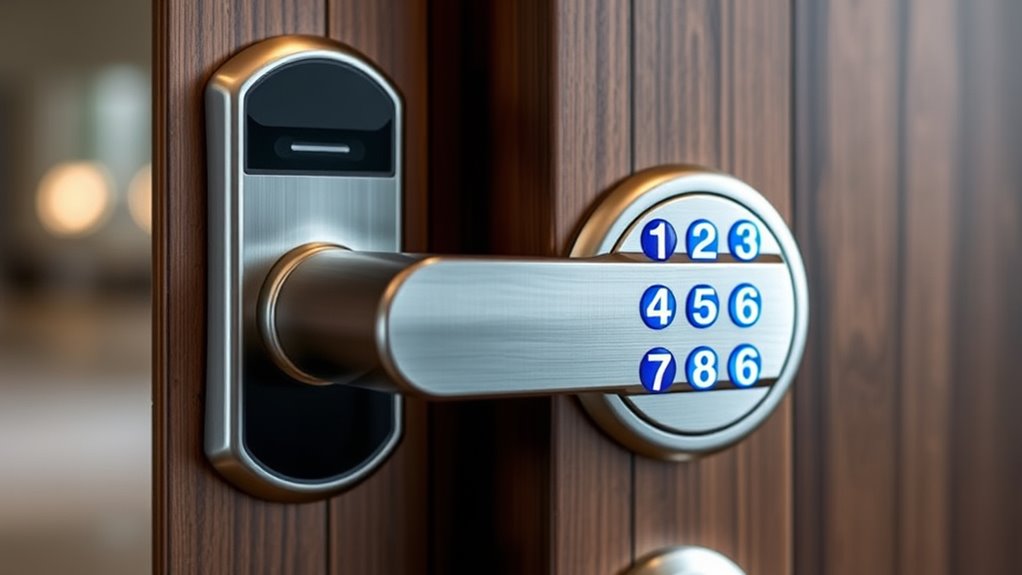
When choosing a smart lock with a keypad, I consider several key factors to guarantee it fits my needs. I look at compatibility with my door, security features, and how easy it is to install. Additionally, I evaluate user code management and the connectivity options available to keep everything secure and convenient.
Compatibility With Doors
Choosing a smart lock keypad that fits your door properly is essential for smooth installation and reliable operation. First, check that the lock is compatible with your door’s thickness and hole size, usually 2-1/8 inches or 2-3/8 inches. Make sure it fits standard US deadbolt dimensions and suits your door material and profile. If your door swings left or right, verify whether the lock is adjustable for different door orientations. It’s also important to confirm support for your latch type and strike plate, considering backset measurements like 2-3/8 or 2-3/4 inches. Finally, choose a lock with an installation method that matches your skills—whether it’s a screwdriver-only setup or requires drilling—so you can install it confidently.
Security Features Offered
Security features are crucial for ensuring that your smart lock keypad keeps your home safe from unauthorized access. I look for intrusion alerts that sound alarms and disable entry after multiple incorrect code attempts, preventing brute-force attacks. Advanced features like anti-peeping password options and anti-drill mechanisms help protect against common tampering techniques. Multi-factor authentication, such as biometric fingerprint recognition combined with keypad codes, adds an extra layer of security. Durability is also key, so I prefer keypads with weather-resistant ratings like IP55 or IP65, ensuring reliable performance outdoors. Finally, customizable user codes, including temporary and one-time options, give me control over who can access my home and when, enhancing overall security and monitoring.
Ease of Installation
Installing a smart lock keypad doesn’t have to be complicated. I recommend choosing a model that can be installed with just a screwdriver and no specialized tools. Make sure it’s compatible with your door’s size and existing holes, usually 2-1/8 inches in diameter, for a proper fit. Look for locks that come with detailed, step-by-step instructions, ideally with visual guides or app-assisted setup. Features like auto-detect door orientation and adjustable mounting plates can make installation smoother, especially on different door types. Opt for a keypad lock that offers quick setup with minimal wiring or drilling, saving you time and reducing errors. A straightforward installation process guarantees you’re up and running without frustration, making your home more secure with less hassle.
User Code Management
When selecting a smart lock keypad, it is important to take into account how well it manages user codes, since this feature directly impacts your home’s security and convenience. A good system allows you to assign, edit, and delete multiple access codes effortlessly, often supporting over 50 users for flexibility. Features like temporary or one-time codes are perfect for guests or service visits, giving controlled access without compromising security. Remote management of codes lets you revoke or generate access in real time, keeping your home secure even when you’re not physically present. Scheduled or recurring codes automate access for specific times, adding convenience. Additionally, activity logs and notifications help you monitor who entered and when, alerting you to any suspicious activity and enhancing your overall security.
Connectivity Options
Choosing the right connectivity option for your smart lock keypad is essential because it determines how you’ll control and integrate your lock with your smart home system. If you want remote management and real-time control, a Wi-Fi-enabled lock is ideal, as it connects directly to your network without extra hubs. Bluetooth locks are simpler, with a shorter range—about 10 meters—but support easy smartphone pairing and direct control. For broader automation integration, Z-Wave or Zigbee locks require compatible hubs or controllers, expanding your smart home ecosystem. Some locks offer multiple connectivity options, providing flexibility and compatibility across different systems. Your choice should align with your needs for convenience, control, and integration, ensuring your smart lock enhances your home’s security seamlessly.
Battery Life and Power
Battery life plays a key role in guaranteeing your smart lock keypad remains reliable and low-maintenance over time. A longer battery life means fewer replacements and less hassle, keeping your lock functioning smoothly. Most smart locks use 4 or 8 AA batteries, typically lasting between 6 months to over a year, depending on usage. Many models include low battery indicators to alert you early, preventing lockouts. Some also feature emergency power ports, like USB-C, to temporarily power the lock if batteries die unexpectedly. Keep in mind that frequent use, outdoor weather, and efficient power management can influence battery lifespan. Choosing a lock with a solid power system ensures consistent security without constant worry about battery replacements.
Frequently Asked Questions
Do Smart Locks Require Professional Installation or Can I Install Myself?
Most smart locks are designed for easy DIY installation, and I’ve found that with clear instructions and the right tools, you can install them yourself. I recommend reading the manufacturer’s guide carefully and making sure your door meets compatibility requirements. However, if you’re uncomfortable with electrical or mechanical work, or if your door isn’t standard, hiring a professional might be the safer choice to guarantee everything functions properly and securely.
How Secure Are Keypad Codes Against Hacking or Fingerprint Theft?
Did you know that over 80% of hacking attempts target weak or reused PIN codes? I believe keypad codes are generally secure if you choose a unique, complex combination. Modern smart locks also use encryption and multiple security layers to protect against hacking and fingerprint theft. I always recommend changing your codes regularly and avoiding obvious numbers to keep your home safe.
Can Smart Locks Operate During Power Outages or Wi-Fi Failures?
Yes, many smart locks can operate during power outages or Wi-Fi failures. I’ve found that most include backup options like batteries or physical keys, so I can still access my home even if the internet or power goes out. Some locks also feature local keypad operation, ensuring I’m never locked out. It’s reassuring to know I have multiple ways to secure my home no matter what happens with my Wi-Fi or power supply.
Are Smart Locks Compatible With All Smart Home Ecosystems and Voice Assistants?
Did you know over 80% of smart lock users want seamless integration? I can tell you, not all smart locks work with every ecosystem or voice assistant. Some are compatible with popular platforms like Alexa, Google Assistant, or Apple HomeKit, but others are more limited. Before buying, I always check compatibility to guarantee it works smoothly with my existing setup. That way, I get the security and convenience I need.
What Maintenance or Battery Replacement Is Needed for Long-Term Reliability?
I regularly check the batteries in my smart lock to make certain it stays reliable. Most models use standard batteries like AA or lithium, which last several months to a year. I recommend setting reminders for battery replacement and keeping spare batteries handy. Cleaning the keypad and lock mechanism with a soft cloth helps maintain smooth operation. Proper maintenance keeps my smart lock functioning well, giving me peace of mind about home security.
Conclusion
Choosing the right smart lock can substantially boost your home’s security and convenience. Did you know that smart locks can reduce break-in attempts by up to 50%? With features like keypads and app control, you gain both access flexibility and peace of mind. So, take your time, consider your needs, and pick a smart lock that fits your lifestyle. Upgrading your home security has never been easier or more essential.