
For most Alexa households, the Amazon Echo Dot Max is my best overall pick because it combines a smart speaker with a hub for compatible devices. The TP-Link Tapo Matter Smart Plug Mini is a standout for shoppers who want broader smart-home compatibility, while the Amazon Echo Show 11 suits homes that benefit from a larger visual control screen. The main tradeoffs are ecosystem compatibility, installation effort, and how much control you actually need: a plug is easy to add, while a wired switch takes more work. This guide compares all 15 options by their practical role, setup demands, and limitations. Read on for the full breakdown and help matching a gadget to your home.

Get your wardrobe favorites delivered free with Prime
- Fast, free delivery on millions of items
- Prime Video, Amazon Music and more included
- Member-only deals all year
Key Takeaways
- The Echo Dot Max leads for Alexa-first homes that want a speaker and compatible-device hub in one unit, while a simple smart plug is a lower-effort way to automate one appliance.
- The Tapo Matter plug stands apart from the Alexa-focused plugs for buyers prioritizing Matter compatibility; check that your controller and desired features support the setup you have in mind.
- The amazon.com/dp/B09B2SRGXH?tag=aluxurylifestyle-20&ascsubtag=dc-617840″ target=”_blank” rel=”nofollow sponsored noopener”>amazon.com/dp/B0DC91H3JK?tag=aluxurylifestyle-20&ascsubtag=dc-617840″ target=”_blank” rel=”nofollow sponsored noopener”>amazon.com/dp/B095X911T8?tag=aluxurylifestyle-20&ascsubtag=dc-617840″ target=”_blank” rel=”nofollow sponsored noopener”>amazon.com/dp/B0D8KF4HRQ?tag=aluxurylifestyle-20&ascsubtag=dc-617840″ target=”_blank” rel=”nofollow sponsored noopener”>amazon.com/dp/B08W8KS8D3?tag=aluxurylifestyle-20&ascsubtag=dc-617840″ target=”_blank” rel=”nofollow sponsored noopener”>amazon.com/dp/B09B8V1LZ3?tag=aluxurylifestyle-20&ascsubtag=dc-617840″ target=”_blank” rel=”nofollow sponsored noopener”>amazon.com/dp/B0BFC7WQ6R?tag=aluxurylifestyle-20&ascsubtag=dc-617840″ target=”_blank” rel=”nofollow sponsored noopener”>amazon.com/dp/B0D6SX8VLQ?tag=aluxurylifestyle-20&ascsubtag=dc-617840″ target=”_blank” rel=”nofollow sponsored noopener”>amazon.com/dp/B089DR29T6?tag=aluxurylifestyle-20&ascsubtag=dc-617840″ target=”_blank” rel=”nofollow sponsored noopener”>amazon.com/dp/B08731J1L4?tag=aluxurylifestyle-20&ascsubtag=dc-617840″ target=”_blank” rel=”nofollow sponsored noopener”>Govee, Kasa, GHome, and Amazon Basics plug multipacks serve a similar basic task, so app preference, platform fit, outlet spacing, and intended use matter more than pack size alone.
- Smart switches can control installed lights without relying on a smart bulb at the fixture, but they require wiring checks and are a poor match for renters or homes with incompatible switch boxes.
- The Echo Show 11, Echo Show 5, and Echo Spot offer different amounts of screen space; choose based on whether you want a central household display, a compact glanceable screen, or a bedside clock.
| Govee Smart Plug Wi-Fi Outlets, 4-Pack |  | Best Multi-Outlet Value | Quantity: 4 plugs | Model: B5081 | Connectivity: Bluetooth and 2.4 GHz Wi-Fi; no 5 GHz support | VIEW ON AMAZON | See Our Full Breakdown |
| Amazon Smart Plug with Alexa |  | Best for Alexa Beginners | Dimensions: 3.2 × 1.5 × 2.2 in (80 × 38 × 57 mm) | Weight: 3.1 oz (87 g) | Input: 120 VAC, 60 Hz, 15 A max | VIEW ON AMAZON | See Our Full Breakdown |
| Amazon Echo Dot Max Smart Speaker with Alexa, Graphite |  | Best Premium Smart Home Hub | Dimensions: 4.27 × 4.27 × 3.9 in (108.7 × 108.6 × 99.2 mm) | Weight: 17.82 oz (505.3 g) | Audio bandwidth: 53 Hz–16 kHz | VIEW ON AMAZON | See Our Full Breakdown |
| Amazon Echo Spot Smart Alarm Clock with Alexa, Black |  | Best Smart Bedside Clock | Display: 2.83-inch touchscreen, 240 × 320 pixels | Dimensions: 4.5 × 4.1 × 4.4 in (113 × 103 × 111 mm) | Weight: 14.3 oz (405 g) | VIEW ON AMAZON | See Our Full Breakdown |
| Amazon Echo Dot (5th Gen) Smart Speaker with Alexa, Charcoal |  | Best Compact Smart Speaker | Generation: 5th Gen | Dimensions: 3.9 × 3.9 × 3.5 in (100 × 100 × 89 mm) | Weight: 10.7 oz (304 g) | VIEW ON AMAZON | See Our Full Breakdown |
| Amazon Smart Air Quality Monitor |  | Best for Alexa Air-Quality Awareness | Sensors: PM2.5, VOCs, carbon monoxide, humidity, temperature | Connectivity: 2.4 GHz Wi-Fi and Bluetooth LE 4.2 | Status indicator: Multicolor LED | VIEW ON AMAZON | See Our Full Breakdown |
| Kasa Smart Plug HS103P4, 4-Pack |  | Best Value for Multi-Room Plug Control | Model: HS103P4 | Pack size: 4 | Operating voltage: 120 V AC | VIEW ON AMAZON | See Our Full Breakdown |
| GHome Smart Plug Mini, 4-Pack | 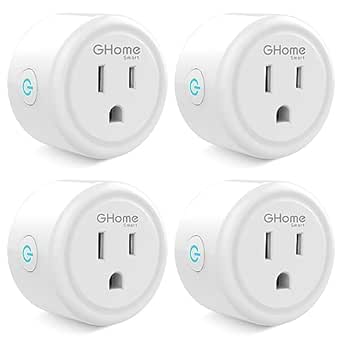 | Best for Compact Grouped Plug Control | Model: WP3 | Pack size: 4 | Connectivity: 2.4 GHz Wi-Fi and Bluetooth | VIEW ON AMAZON | See Our Full Breakdown |
| Amazon Basics Smart Dimmer Remote for Alexa |  | Best for Convenient Alexa Device Control | Model: HCR-Z54C-B-A667-01 | Power source: Battery | Connectivity: Bluetooth | VIEW ON AMAZON | See Our Full Breakdown |
| Amazon Basics Single-Pole Smart Light Switch for Alexa, White |  | Best for Permanent Alexa Lighting Control | Model: WS29-01 | Switch type: Single pole | Operating mode: ON-OFF-ON | VIEW ON AMAZON | See Our Full Breakdown |
| Amazon Echo Show 11 Smart Display with Full HD Touchscreen and Spatial Audio, Graphite |  | Best Overall Smart Home Hub Display | Display: 10.95-inch Full HD touchscreen, 1920 x 1200 | Smart home hub: Zigbee, Matter, and Thread Border Router | Camera: 13 MP with auto framing | VIEW ON AMAZON | See Our Full Breakdown |
| Amazon Echo Show 5 Smart Display, Cloud Blue |  | Best Compact Smart Display | Display: 5.5 inches | Camera: 2 MP | Smart assistant: Alexa | VIEW ON AMAZON | See Our Full Breakdown |
| Kasa Smart Wi-Fi Light Switch HS200, Single Pole | 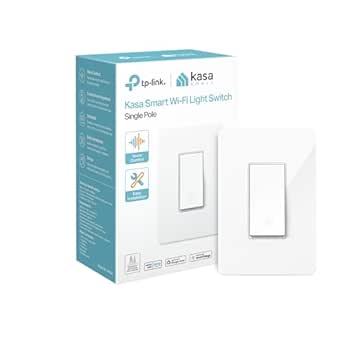 | Best for Automating Built-In Lighting | Model: HS200 | Switch type: Single-pole, one-way | Wiring requirement: Neutral wire required | VIEW ON AMAZON | See Our Full Breakdown |
| TP-Link Tapo Matter Smart Plug Mini, 15A/1800W, 3-Pack |  | Best for Multi-Platform Smart Homes | Model: Tapo P125M | Pack size: 3 | Maximum current and power: 15 A; 1800 W | VIEW ON AMAZON | See Our Full Breakdown |
| Amazon Basics Smart Plug, Alexa-Compatible, 4-Pack | 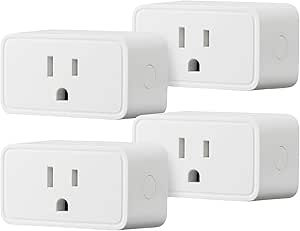 | Best for a Simple Alexa-Only Setup | Compatibility: Amazon Alexa only | Connectivity: 2.4 GHz Wi-Fi | Hub required: No | VIEW ON AMAZON | See Our Full Breakdown |
| smart home gadgets on amazon | Dimensions | Connectivity |
|---|---|---|
| Govee Smart Plug Wi-Fi Outlets | — | Bluetooth and 2.4 GHz Wi-Fi; no 5 GHz support |
| Amazon Smart Plug with Alexa | 3.2 × 1.5 × 2.2 in (80 × 38 × 57 mm) | — |
| Amazon Echo Dot Max Smart Spea | 4.27 × 4.27 × 3.9 in (108.7 × 108.6 × 99.2 mm) | — |
| Amazon Echo Spot Smart Alarm C | 4.5 × 4.1 × 4.4 in (113 × 103 × 111 mm) | — |
| Amazon Echo Dot | 3.9 × 3.9 × 3.5 in (100 × 100 × 89 mm) | — |
| Amazon Smart Air Quality Monit | 65 × 65 × 45 mm | 2.4 GHz Wi-Fi and Bluetooth LE 4.2 |
| Kasa Smart Plug HS103P4 | 1.57 × 1.5 × 2.62 inches | 2.4 GHz Wi-Fi |
| GHome Smart Plug Mini | 2 × 2 × 1 inch | 2.4 GHz Wi-Fi and Bluetooth |
| Amazon Basics Smart Dimmer Rem | 3.35 × 1.42 × 0.46 inches | Bluetooth |
| Amazon Basics Single-Pole Smar | 2.91 × 4.64 × 1.62 inches | 2.4 GHz Wi-Fi |
| Amazon Echo Show 11 Smart Disp | — | — |
| Amazon Echo Show 5 Smart Displ | — | — |
| Kasa Smart Wi-Fi Light Switch | — | 2.4 GHz Wi-Fi |
| TP-Link Tapo Matter Smart Plug | — | Matter, Wi-Fi, and Bluetooth |
| Amazon Basics Smart Plug | 2.7 x 2.1 x 1.5 inches | 2.4 GHz Wi-Fi |
More Details on Our Top Picks
Govee Smart Plug Wi-Fi Outlets, 4-Pack
For buyers adding smart control to several lamps or small appliances at once, the four-plug bundle is the main reason to choose Govee. It supports Alexa and Google Assistant, plus schedules and group control in the Govee Home app, so it suits mixed-assistant homes better than the Alexa-only Amazon Smart Plug. Bluetooth offers another way to connect during setup, and no separate hub is needed. The tradeoff is network flexibility: these plugs work on 2.4 GHz Wi-Fi only, not 5 GHz, and the supplied electrical ratings conflict, listing both 10 A and 11 A. I’d verify the rating against the device documentation before connecting anything with a substantial load. Choose this bundle for routine control of compatible household devices, not as a universal high-power switch.
Pros:- Four plugs let buyers automate multiple devices from one bundle.
- Works with both Amazon Alexa and Google Assistant.
- Schedules and group control support recurring routines.
- Bluetooth and Wi-Fi connectivity with no hub required.
Cons:- Does not support 5 GHz Wi-Fi.
- Electrical rating is inconsistent in the supplied data: 11 A in the specs and 10 A in the description.
Best for: Households with Alexa or Google Assistant that want to automate several lamps or other compatible, modest-load devices without adding a hub.
Not ideal for: Homes that rely on 5 GHz-only Wi-Fi or buyers who need an unambiguous electrical rating for a higher-load appliance.
- Quantity:4 plugs
- Model:B5081
- Connectivity:Bluetooth and 2.4 GHz Wi-Fi; no 5 GHz support
- Voice assistants:Amazon Alexa and Google Assistant
- Voltage:120 V
- Listed amperage:11 A in specs; 10 A in description
- Plug type:Type B
- Certification:ETL and FCC
Our verdict“Choose Govee for multi-device, Alexa-or-Google control on 2.4 GHz Wi-Fi, but check the rating before connecting a demanding appliance.”
Amazon Smart Plug with Alexa
The Amazon Smart Plug is a straightforward starting point for someone already using Alexa: setup needs no separate hub, and voice commands, routines, timers, and schedules cover the everyday jobs most plug buyers want. Its compact shape leaves the neighboring outlet free, a practical advantage over bulkier adapters. It also reconnects to Alexa after power or Wi-Fi outages, reducing the need to reset a routine after a disruption. Compared with the Govee four-pack, this is a simpler, single-plug choice rather than a way to outfit several rooms or add Google Assistant support. Its limits are clear: it works with Alexa only, supports 2.4 GHz Wi-Fi only, and is for indoor use. I’d pick it for an Alexa household prioritizing easy setup over cross-platform flexibility.
Pros:- Works with Alexa routines, voice commands, timers, and schedules.
- No smart home hub is required.
- Compact design leaves the second outlet free.
- Reconnects to Alexa after power or Wi-Fi outages.
Cons:- Compatible with Alexa only, not other voice assistants or smart hubs.
- Supports 2.4 GHz Wi-Fi only.
- Indoor use only.
Best for: Alexa users who want to automate one indoor lamp or compatible appliance with minimal setup and keep the second wall outlet available.
Not ideal for: Google Assistant households, buyers seeking multi-room coverage from one bundle, or anyone needing an outdoor plug or 5 GHz Wi-Fi support.
- Dimensions:3.2 × 1.5 × 2.2 in (80 × 38 × 57 mm)
- Weight:3.1 oz (87 g)
- Input:120 VAC, 60 Hz, 15 A max
- Output:15 A max
- Wi-Fi:2.4 GHz, 802.11 b/g/n
- Use:Indoor only
- Compatibility:Alexa only; no other voice assistants or smart hubs
- Warranty:1-year limited warranty
Our verdict“Pick this single plug for uncomplicated Alexa control indoors; choose Govee instead if you need multiple plugs or Google Assistant support.”
Amazon Echo Dot Max Smart Speaker with Alexa, Graphite
The Echo Dot Max is the strongest fit here for buyers who want a speaker and a broader built-in smart home hub in one device. Support for Zigbee, Matter, and Thread can make compatible-device control less dependent on adding separate hubs, while room-adapting audio and a dedicated woofer give it a more substantial sound profile than the Echo Dot (5th Gen). It also supports Wi-Fi 6E and can extend coverage when paired with a compatible eero router. Those extras make it more capable than the Echo Spot as a central smart-home speaker, but they also make it a more specialized choice: eero extension needs compatible equipment and app setup, and some Bluetooth or voice-control features are unsupported on Mac OS X devices. Choose it for broader device support and fuller audio, not just an alarm clock.
Pros:- Built-in hub supports Zigbee, Matter, and Thread.
- Room-adapting audio with a tweeter and woofer offers more substantial sound than the Echo Dot (5th Gen).
- Wi-Fi 6E connectivity.
- Can extend coverage on a compatible eero network.
Cons:- eero Built-in coverage requires a compatible eero router, account linking, and setup in the eero app.
- Some Bluetooth and voice-control features are not supported on Mac OS X devices.
Best for: Alexa households building around Zigbee, Matter, or Thread devices that also want stronger room audio and have, or may add, a compatible eero router.
Not ideal for: Buyers who only need a bedside alarm, a basic speaker, or eero coverage without owning a compatible eero router.
- Dimensions:4.27 × 4.27 × 3.9 in (108.7 × 108.6 × 99.2 mm)
- Weight:17.82 oz (505.3 g)
- Audio bandwidth:53 Hz–16 kHz
- Drivers:1 × 0.8 in tweeter and 1 × 2.5 in woofer
- Playback:Two-way mono
- Wi-Fi:Wi-Fi 6E (IEEE 802.11ax)
- Smart home hub:Zigbee, Matter, and Thread Border Router
- eero Built-in:Up to 1,000 sq. ft. with a compatible eero network
Our verdict“Choose the Echo Dot Max as a more capable Alexa hub and speaker if its device support and audio justify the extra setup over the Echo Dot (5th Gen).”
Amazon Echo Spot Smart Alarm Clock with Alexa, Black
The Echo Spot is the most bedroom-focused option in this group: its 2.83-inch touchscreen puts the time, weather, and song details in view, while Alexa routines can support a gradual wake-up and control compatible smart devices. Unlike the Echo Dot (5th Gen), it gives visual feedback without taking up the space of a larger smart display. Its camera-free design, microphone-off button, and app-based privacy controls may also suit a bedside setting better than a screen with a camera. The tradeoff is scale: its small display and 1.73-inch speaker are geared toward clock and personal listening duties, not room-filling audio or a central visual dashboard. It supports eero extension only with compatible equipment, and some Alexa services may require subscriptions. Choose it for an alarm-first bedside setup, not a speaker-first upgrade.
Pros:- Customizable touchscreen shows time, weather, and song information.
- Alexa routines can support gradual wake-ups and smart-home automation.
- Built-in speaker plays music, podcasts, and audiobooks.
- No camera; includes a microphone-off button and app-based privacy controls.
Cons:- eero extension requires a compatible router and account linking.
- Some Alexa skills and services may require a subscription.
Best for: Alexa users who want a bedside clock with visible time and weather, routines, basic audio, and a camera-free design.
Not ideal for: Buyers who want a large screen for visual smart-home control or fuller audio than a compact bedside speaker can provide.
- Display:2.83-inch touchscreen, 240 × 320 pixels
- Dimensions:4.5 × 4.1 × 4.4 in (113 × 103 × 111 mm)
- Weight:14.3 oz (405 g)
- Camera:None
- Wi-Fi:Dual-band 802.11a/b/g/n/ac, 2.4 and 5 GHz
- Speaker:1.73-inch full-range built-in speaker
- Bluetooth:A2DP audio streaming and AVRCP voice control
- eero Built-in:Up to 1,000 sq. ft. additional coverage with a compatible eero router
Our verdict“Choose the Echo Spot for a compact, camera-free Alexa alarm with a useful display; choose the Echo Dot (5th Gen) if you prefer a screen-free speaker.”
Amazon Echo Dot (5th Gen) Smart Speaker with Alexa, Charcoal
The Echo Dot (5th Gen) is the more compact, screen-free pick for everyday Alexa tasks: music, alarms, voice assistance, and compatible smart-home routines. Its motion and temperature sensors add a practical automation angle, letting buyers use the speaker as more than a voice-control point. It also supports Matter and Bluetooth Low Energy Mesh, with dual-band Wi-Fi that includes 5 GHz. Compared with the Echo Dot Max, it has a smaller full-range driver and no listed Zigbee or Thread hub, so it makes more sense as a room-by-room assistant than as the center of a broader smart-home setup. Compatible eero extension is available, but it depends on an eero router and linked accounts. I’d choose this model for compact Alexa convenience, not for the Max’s more ambitious hub and audio features.
Pros:- Built-in motion and temperature sensors can support smart-home routines.
- Plays music, audiobooks, and podcasts, including through Bluetooth.
- Supports Matter and Bluetooth Low Energy Mesh.
- Dual-band Wi-Fi includes 2.4 and 5 GHz.
Cons:- eero Built-in requires a compatible eero router and linked accounts.
- Some skills and services may require subscriptions or fees.
Best for: Alexa users who want a compact speaker for a bedroom or smaller room, with built-in sensors for routines and Matter-compatible control.
Not ideal for: Buyers seeking a touchscreen, a listed Zigbee or Thread hub, or the stronger audio and broader smart-home role of the Echo Dot Max.
- Generation:5th Gen
- Dimensions:3.9 × 3.9 × 3.5 in (100 × 100 × 89 mm)
- Weight:10.7 oz (304 g)
- Audio bandwidth:62 Hz–19 kHz (volume 6)
- Speaker driver:1.6 in full-range driver
- Wi-Fi:Dual-band 802.11a/b/g/n/ac, 2.4 and 5 GHz
- Smart home compatibility:Wi-Fi, Bluetooth Low Energy Mesh, and Matter
- eero Built-in:Up to 1,000 sq. ft. with a compatible eero network
Our verdict“Choose the Echo Dot (5th Gen) for a compact Alexa speaker with useful sensors; pick the Echo Dot Max for a more capable hub and larger audio hardware.”
Amazon Smart Air Quality Monitor
Among these smart home gadgets, this is the pick that monitors a condition other devices cannot: indoor air quality. It tracks PM2.5, VOCs, carbon monoxide, humidity, and temperature, then shows readings in the Alexa app and can send alerts or trigger compatible Alexa routines. That makes it more useful than a simple sensor if you want an air-quality change to prompt an action, such as switching on another compatible device. The color-coded LED also gives a quick local status check without opening your phone. Unlike the Kasa Smart Plug HS103P4, though, it does not directly control an appliance; its value depends on whether you will use the readings and Alexa automations. It is indoor-only, and smart features require 2.4 GHz Wi-Fi and Alexa compatibility.
Pros:- Tracks five indoor factors, including PM2.5 and carbon monoxide
- Shows status with a multicolor LED and air-quality details in the Alexa app
- Can send alerts and trigger compatible Alexa routines
- Includes a power adapter and micro-USB cable for plug-in setup
Cons:- Indoor use only
- Smart features depend on 2.4 GHz Wi-Fi and compatible Alexa devices or app
- Its readings and alerts do not themselves improve air quality
Best for: Alexa households that want indoor air readings, phone alerts, and routines based on changing conditions.
Not ideal for: People seeking an outdoor monitor, a standalone alarm, or air-quality data without using Alexa and 2.4 GHz Wi-Fi.
- Sensors:PM2.5, VOCs, carbon monoxide, humidity, temperature
- Connectivity:2.4 GHz Wi-Fi and Bluetooth LE 4.2
- Status indicator:Multicolor LED
- Dimensions:65 × 65 × 45 mm
- Weight:120 g without cable or adapter
- Power supply:5 W adapter; 100–240 V AC input
- Operating range:0–40 °C; 0–80% operating humidity
- Compatibility:Echo devices and Alexa app version 2021.16 or later
- In the box:Monitor, Micro-USB cable, power adapter, Quick Start Guide
Our verdict“Choose this if you want Alexa-linked indoor air monitoring; skip it if you mainly need hands-on appliance control like the Kasa Smart Plug HS103P4 provides.”
Kasa Smart Plug HS103P4, 4-Pack
The HS103P4 earns its place as the straightforward way to bring several lamps or other compatible appliances into a smart-home setup. This four-pack supports app control, schedules, and timers, with Alexa and Google Assistant voice control and no hub to add. Compared with the GHome Smart Plug Mini four-pack, the Kasa option has a higher listed capacity of 1800 W and UL certification; the GHome plugs add Bluetooth and group control but are rated to 1200 W. That distinction matters when matching a plug to an appliance, so check the device’s requirements rather than treating all smart plugs as interchangeable. Kasa’s main compromise is network dependence: it requires 2.4 GHz Wi-Fi, and it is less suited to someone who wants a wall switch or dimming rather than control at the outlet.
Pros:- Four plugs support control of multiple appliances
- Works with Alexa and Google Assistant
- Kasa app offers remote control, schedules, and timers
- No hub required; UL certified
Cons:- Requires a 2.4 GHz Wi-Fi connection
- Rated to 1800 W, so buyers must check appliance power requirements
- Controls power at the outlet rather than providing wall-switch or dimming functions
Best for: Households adding scheduled or voice control to several lamps and compatible appliances, especially across Alexa and Google Assistant.
Not ideal for: Buyers whose devices need more than 1800 W, who use only a different Wi-Fi band, or who want built-in wall-switch control.
- Model:HS103P4
- Pack size:4
- Operating voltage:120 V AC
- Wattage:1800 W
- Connectivity:2.4 GHz Wi-Fi
- Voice assistants:Amazon Alexa, Google Assistant
- Dimensions:1.57 × 1.5 × 2.62 inches
- Safety certification:UL certified
- Warranty:2 years
Our verdict“Pick the Kasa four-pack for broad, no-hub control of several compatible devices, particularly when its 1800 W rating suits your appliances.”
GHome Smart Plug Mini, 4-Pack
For buyers who want several outlets under app and voice control, the GHome four-pack pairs a compact form with schedules, auto-off timers, and group control. The ability to group plugs gives it a handy advantage when several devices should respond together, while Alexa and Google Assistant support keeps it flexible across common voice setups. Compared with the Kasa Smart Plug HS103P4, this model adds Bluetooth and group control, but its listed limit is lower at 1200 W rather than 1800 W. That makes checking each appliance’s power draw especially important. Setup also has an extra step: plugs must first be configured in the GHome app before linking a voice assistant. They need 2.4 GHz Wi-Fi, so they are a less suitable choice for buyers seeking a simple, app-free setup or higher-capacity plug control.
Pros:- Four-plug pack supports grouped control
- Works with Alexa and Google Assistant
- App supports schedules and auto-off timers
- Compact design with ETL and FCC listings
Cons:- Rated for 120 V, 10 A, and 1200 W, below the Kasa HS103P4’s listed 1800 W capacity
- Requires 2.4 GHz Wi-Fi
- Must be set up in the GHome app before linking a voice assistant
Best for: Smart-home beginners who want several compact plugs, grouped control, and both Alexa and Google Assistant compatibility.
Not ideal for: People with appliances rated above 1200 W, or buyers who want to connect directly through a voice assistant without first using the GHome app.
- Model:WP3
- Pack size:4
- Connectivity:2.4 GHz Wi-Fi and Bluetooth
- Voice assistants:Alexa and Google Assistant
- Hub required:No
- Dimensions:2 × 2 × 1 inch
- Material:Polycarbonate
- Certifications:ETL, FCC
Our verdict“Choose the GHome pack for compact grouped control at a 1200 W limit, but opt for the Kasa HS103P4 if your compatible devices need its higher listed wattage.”
Amazon Basics Smart Dimmer Remote for Alexa
This handheld remote fills a different role from the smart plugs and wall switch here: it gives Alexa households physical button control of compatible smart devices without wiring. It connects through a compatible Echo and is set up in the Alexa app, where it can control devices such as lights, blinds, locks, thermostats, and fans, as well as run automations. That makes it a more flexible room-to-room control option than the Amazon Basics Single-Pole Smart Light Switch, which is installed at one wired lighting point. The tradeoff is ecosystem dependence: this remote is Alexa-only and requires a compatible Echo, while the Kasa and GHome plugs also support Google Assistant. It is battery-powered and portable, but it is not a standalone smart-home controller; buyers without an Echo should start with a compatible hub or a different control option.
Pros:- Can control multiple types of compatible Alexa-enabled devices
- Supports automations across multiple devices
- Battery-powered and portable
- No wiring required; guided Alexa app setup
Cons:- Requires a compatible Echo device
- Works with Alexa only
- Plastic handheld remote adds a separate control device rather than replacing an installed switch
Best for: Alexa users with a compatible Echo who want a portable physical control for several supported devices or automations.
Not ideal for: People without a compatible Echo, Google Assistant households, or anyone seeking a wired replacement for a wall light switch.
- Model:HCR-Z54C-B-A667-01
- Power source:Battery
- Connectivity:Bluetooth
- Compatible devices:Amazon Echo devices
- Control methods:Push button, voice
- Dimensions:3.35 × 1.42 × 0.46 inches
- Weight:1.04 ounces
- Included components:Battery, battery tool, user manual
Our verdict“Choose this remote if you already have a compatible Echo and want portable Alexa control; choose the Amazon Basics Smart Light Switch for a fixed wired lighting control point.”
Amazon Basics Single-Pole Smart Light Switch for Alexa, White
Unlike the Amazon Basics Smart Dimmer Remote, this is a fixed wall switch for controlling lights through Alexa commands and schedules. It connects over 2.4 GHz Wi-Fi without a separate hub, making it a direct choice for someone who wants smart control at an existing single-pole lighting point rather than a portable remote. The key difference from the Kasa Smart Plug HS103P4 is installation: the plug avoids electrical wiring, while this switch gives wall-based control of connected lighting. That means the switch can suit a household that wants a familiar physical control location, but installation requires a neutral wire and a suitable circuit. Its Alexa-only compatibility also makes it narrower than the Kasa plugs, which support Google Assistant too. Check the wiring and assistant requirements before choosing it.
Pros:- Supports Alexa voice control and scheduled routines
- Connects over 2.4 GHz Wi-Fi without a separate hub
- Guided installation video and user manual are available
- ETL certified
Cons:- Requires a neutral wire
- Works exclusively with Alexa
- Single-pole design is not presented as a multi-way switch option
Best for: Alexa households replacing a single-pole light switch who have a neutral wire and want scheduled or voice-controlled lighting without a hub.
Not ideal for: Renters, homes without a neutral wire at the switch box, multi-way circuit installations, or households using Google Assistant instead of Alexa.
- Model:WS29-01
- Switch type:Single pole
- Operating mode:ON-OFF-ON
- Operating voltage:120 V
- Connectivity:2.4 GHz Wi-Fi
- Compatible controller:Amazon Alexa
- Neutral wire:Required
- Dimensions:2.91 × 4.64 × 1.62 inches
- Certification:ETL
Our verdict“Pick this for permanent Alexa lighting control only if your single-pole switch box has a neutral wire; otherwise, the Kasa plug avoids switch wiring for compatible lamps.”
Amazon Echo Show 11 Smart Display with Full HD Touchscreen and Spatial Audio, Graphite
The Echo Show 11 earns this role by combining a roomy Full HD screen with a built-in hub for Zigbee, Matter, and Thread devices. That gives it more reach as a smart-home controller than the smaller Echo Show 5, while the 13 MP auto-framing camera and spatial audio make it better suited to video calls and shared-room entertainment. Its presence and ambient sensors can support personalized routines, so the display can take part in automations rather than just show controls. The tradeoff is size: at nearly 46 ounces, it needs a dedicated counter or shelf spot. Bluetooth speakers that require a PIN are unsupported, and Sidewalk is enabled by default unless previously turned off. Choose it over a simple plug or switch when you want one central screen and device hub.
Pros:- Built-in hub supports Zigbee, Matter, and Thread devices
- Large Full HD touchscreen with spatial audio
- 13 MP camera uses auto framing for video calls
- Physical controls can disable the camera and microphones
Cons:- Large and heavy compared with compact displays such as the Echo Show 5
- Does not support Bluetooth speakers that require a PIN
- Sidewalk is enabled by default unless previously turned off
Best for: Households building a mixed-protocol smart home that want a central screen for controls, calls, and entertainment.
Not ideal for: Buyers with little counter space, or anyone who only needs basic voice control and would not use a large display or built-in hub.
- Display:10.95-inch Full HD touchscreen, 1920 x 1200
- Smart home hub:Zigbee, Matter, and Thread Border Router
- Camera:13 MP with auto framing
- Audio:1 x 2.8-inch woofer and 2 full-range drivers
- Wi-Fi:Wi-Fi 6E (IEEE 802.11ax)
- Bluetooth:Version 5.4
- Sensors:Ambient temperature, ambient light, presence detection, and camera
- Dimensions and weight:10 x 5 x 7.2 inches; 45.92 oz
Our verdict“Choose the Echo Show 11 if you want a capable smart-home hub and shared-room display in one device and have space to leave it set up.”
Amazon Echo Show 5 Smart Display, Cloud Blue
The Echo Show 5 brings a small screen to a bedside table or kitchen counter without asking for the space of the Echo Show 11. Its 5.5-inch display suits quick checks of weather, news, photos, and video, while Alexa can control compatible devices. The camera shutter and mic/camera off button offer straightforward privacy controls, and the camera can handle calls or home check-ins. Compared with the larger Show 11, this model is less suited to shared-room viewing and lacks the listed Zigbee, Matter, and Thread hub features; its 2 MP camera also makes it a simpler call device. Video calls are limited to contacts using the Alexa app or a screen-equipped Echo, and some camera and smart-home functions depend on compatible devices. Pick it for a compact display, not as the center of a growing mixed-platform setup.
Pros:- Compact 5.5-inch display fits smaller surfaces
- Shows news, weather, photos, and video
- Supports video calls and home check-ins
- Includes a camera shutter and mic/camera off button
Cons:- Small screen is less practical for shared viewing than the Echo Show 11
- 2 MP camera is more basic than the Show 11’s 13 MP camera
- Video calling is limited to Alexa app contacts or screen-equipped Echo devices
Best for: People who want a small Alexa screen for bedside routines, quick information, and calls with compatible contacts.
Not ideal for: Households that need a large shared display, a high-resolution call camera, or a built-in hub for Zigbee, Matter, and Thread devices.
- Display:5.5 inches
- Camera:2 MP
- Smart assistant:Alexa
- Privacy features:Mic/camera off button and built-in camera shutter
- Color:Cloud Blue
- Recycled fabric:Fabric made from 100% post-consumer recycled polyester yarn
- Recycled aluminum:Aluminum made from 100% recycled aluminum
Our verdict“Choose the Echo Show 5 for a space-conscious bedside or counter display, but pick the Echo Show 11 if you want a larger screen and built-in device hub.”
Kasa Smart Wi-Fi Light Switch HS200, Single Pole
The Kasa HS200 automates a light at the wall rather than at the outlet, making it a better fit than either smart plug in this group for ceiling lights and other fixtures controlled by a standard single-pole switch. Through the Kasa app, you can control it remotely and set schedules, timers, countdowns, or away mode; Alexa and Google Assistant support also gives it broader voice-assistant reach than the Alexa-only Amazon Basics Smart Plug. The tradeoff is installation: this switch requires a neutral wire, 2.4 GHz Wi-Fi, and a 120 V single-pole circuit, so it is not a plug-in shortcut. Check the wiring before buying, and skip it if the fixture uses a different switch arrangement. For compatible wiring, it turns routine lighting control into a permanent part of the wall setup.
Pros:- Controls installed fixtures rather than occupying an outlet
- Works with Amazon Alexa and Google Assistant
- Offers schedules, timers, countdowns, and away mode
- UL certified and covered by a 2-year warranty
Cons:- Requires a neutral wire and compatible single-pole wiring
- Needs 2.4 GHz Wi-Fi
- Installation is more involved than using a smart plug
Best for: Homeowners or renters with permission to replace a single-pole switch who want scheduled, app-based control of built-in lighting.
Not ideal for: People without a neutral wire, those with multi-way switch circuits, or anyone who wants a no-install plug-in solution.
- Model:HS200
- Switch type:Single-pole, one-way
- Wiring requirement:Neutral wire required
- Connectivity:2.4 GHz Wi-Fi
- Voice assistants:Amazon Alexa and Google Assistant
- Operating voltage:120 V
- Maximum wattage:600 W
- Dimensions without panel:4.13 x 1.71 x 1.74 inches
- Certification and warranty:UL certified; 2 years
Our verdict“Choose the HS200 if your wiring supports it and you want wall-switch control for built-in lights; choose a smart plug for a simpler setup.”
TP-Link Tapo Matter Smart Plug Mini, 15A/1800W, 3-Pack
The Tapo P125M three-pack is the more flexible plug choice for homes that may use more than one smart-home platform. Its Matter support covers Apple Home, Alexa, Google Home, and Samsung SmartThings, unlike the Amazon Basics Smart Plug, which works only with Alexa. Local network control can also keep app or platform commands available when the internet is offline, though it still depends on a functioning local network. The compact design helps leave a neighboring outlet usable, and schedules and timers handle everyday automation. The limits are a 2.4 GHz Wi-Fi requirement and a 15 A/1800 W maximum, so check the load before connecting a device. Compared with the HS200, it needs no switch wiring but controls only what is plugged into it. Pick this for cross-platform flexibility at outlets.
Pros:- Matter compatibility spans four major smart-home platforms
- Local network control can work when internet access is offline
- Compact shape helps keep adjacent outlets accessible
- Three plugs support app, voice, scheduling, and timer control
Cons:- Requires 2.4 GHz Wi-Fi
- Maximum load is 15 A and 1800 W
- Controls plug-in devices, not built-in fixtures like the Kasa HS200
Best for: Households using Apple Home, Alexa, Google Home, or SmartThings that want plug-in automation across several outlets.
Not ideal for: Buyers who need 5 GHz Wi-Fi support, want to automate hardwired lighting, or need to control loads above 15 A or 1800 W.
- Model:Tapo P125M
- Pack size:3
- Maximum current and power:15 A; 1800 W
- Operating voltage:120 V AC
- Connectivity:Matter, Wi-Fi, and Bluetooth
- Wi-Fi band:2.4 GHz
- Compatible platforms:Apple Home, Amazon Alexa, Google Home, and Samsung SmartThings
- Certification and warranty:UL certified; 2-year limited warranty
Our verdict“Choose the Tapo three-pack if you want Matter-based flexibility and local control for compatible plug-in devices across multiple platforms.”
Amazon Basics Smart Plug, Alexa-Compatible, 4-Pack
For an Alexa household that wants several outlets automated with little setup, the Amazon Basics Smart Plug four-pack keeps the system direct: connect over 2.4 GHz Wi-Fi, then control plugs through the Alexa app or voice commands, with no hub or third-party app required. Schedules can follow set times, sunrise, or sunset, giving it a useful routine feature set beyond simple remote on/off. Its main difference from the Tapo Matter Smart Plug Mini is platform scope: Amazon Basics is Alexa-only, while Tapo can join several Matter-compatible ecosystems and offers local network control. This pack makes more sense when Alexa is already the household standard and broad compatibility is unnecessary. Skip it if you expect to use Apple Home, Google Home, or SmartThings, or if your network has no 2.4 GHz band.
Pros:- Four plugs cover multiple appliances or rooms
- Connects directly to Alexa without a hub or third-party app
- Supports voice control and customizable schedules
- Compact design leaves other outlets accessible
Cons:- Works with Amazon Alexa only, unlike the Matter-compatible Tapo plug
- Requires 2.4 GHz Wi-Fi
- Warranty is limited to 1 year
Best for: Alexa users who want several simple plug-in controls and schedules without adding a hub or third-party app.
Not ideal for: People using Apple Home, Google Home, or SmartThings, or buyers who need a plug with cross-platform Matter support.
- Compatibility:Amazon Alexa only
- Connectivity:2.4 GHz Wi-Fi
- Hub required:No
- Plug type:Type B
- Amperage:15 A
- Pack quantity:4
- Dimensions:2.7 x 2.1 x 1.5 inches
- Warranty:1-year limited warranty
Our verdict“Choose this four-pack for straightforward Alexa-only schedules across several outlets; choose the Tapo plugs if you need cross-platform support.”
How We Picked
I compared these 15 smart home gadgets by the job they perform, how much setup they ask of a buyer, and how well they fit common Alexa-centered homes. For plugs, I weighed ease of scheduling, ecosystem compatibility, multipack practicality, and whether a buyer might need a more flexible standard such as Matter. For speakers and displays, I considered their role as voice interfaces, control points, and household screens rather than treating all Echo devices as interchangeable.
The ranking favors useful coverage across different needs, not a single feature or brand. Products with an easy path into everyday routines rank ahead of more specialized choices, while options that solve a distinct problem—such as monitoring air quality or controlling wired lighting—earn a place for the right buyer. I also factored in installation, maintenance, and fit: a wall switch can offer more lasting control than a plug, but it demands more care before purchase. Every pick has tradeoffs, and compatibility or home wiring should be checked before ordering.
Factors to Consider When Choosing Smart Home Gadgets On Amazon
Before choosing among smart home gadgets on Amazon, I would start with the household task rather than the product category. The same device can feel convenient in one setup and redundant in another, especially when voice assistants, bulbs, switches, and plugs overlap. These broader checks can help avoid buying devices that cannot work together or add little beyond what you already own.
Check the smart-home platform before choosing a device
Start with the voice assistant or hub your household already uses, then check the exact compatibility details for each device. An Alexa-compatible label does not by itself tell you whether a product will work with every routine, app, or control method you want. Matter can help devices work across supported platforms, but it does not make every feature universal. Confirm whether your intended controller supports the device and whether setup requires a separate app or hub. A common mistake is buying for a future platform plan while overlooking what is needed to connect the device today. If more than one person will manage the home, consider whether the setup and controls will be easy for everyone to access.
Choose a plug, bulb, or wall switch based on the load
Smart plugs are a straightforward fit for lamps and other compatible appliances that use a physical on/off switch. They usually cannot dim a plugged-in device, and they may not suit equipment that needs to restart in a particular way after power is cut. Smart bulbs add control over lighting at the bulb, but someone can disable that control by switching off the wall power. A smart wall switch controls the installed circuit instead, which may make more sense for shared rooms or fixed ceiling lights. Before buying a switch, check the wiring, switch type, electrical rating, and local installation requirements. Paying for a wired solution is worthwhile only when the fixture and household use justify the added work.
Treat multipacks as a layout decision, not just a quantity decision
A multi-plug pack can simplify automation across several rooms, but the number of plugs is only useful if the devices fit your outlets and routines. Check the plug body dimensions and nearby socket arrangement so one unit does not block another outlet. Think about whether you need identical controls in several rooms or only one automated lamp; buying more units than your plan calls for can leave unused hardware. Also decide whether each outlet should be controlled separately and whether voice, app, timer, or routine control matters most. For appliances, confirm that the plug is appropriate for the device rather than assuming every load is safe to automate. A smaller, better-matched setup is often easier to maintain than a house full of gadgets with no clear purpose.
Match screen size and placement to the job
A smart display is most useful when its screen is visible from the place where you will use it. A compact model can suit a bedside table or narrow counter, while a larger screen can work better as a shared household control point. Consider viewing distance, glare, available counter space, and whether the display will be used by several people. A speaker without a screen can be a cleaner choice when voice control and audio matter more than visual information. Do not pay for a larger display simply because it has more room; the added footprint may be a drawback in a small room. Pick the placement first, then choose the screen size and audio role that suit it.
Plan for privacy, permissions, and ongoing upkeep
Connected speakers, displays, and air-quality monitors may collect or show information in ways that call for a quick review of settings. Check microphone controls, camera or calling features where applicable, account permissions, and what household members can access. A gadget that depends on an app also adds another account and possible firmware updates to manage. For monitoring devices, consider where the reading will be useful and whether you are willing to check and act on it; a sensor without a response plan may add little value. Keep device names clear so voice commands remain easy to remember as your setup grows. A smaller, well-organized system can be more useful than adding every available category at once.
Frequently Asked Questions
Can these Alexa-focused gadgets work in a home that uses more than one smart-home platform?
Some may fit a mixed-platform home, but compatibility varies by device and feature. The Tapo plug’s Matter support makes it a candidate for buyers who want a standard designed to work across supported ecosystems, but the controller and setup still need to support Matter. Many Alexa-focused products are most straightforward when used with Alexa, and their other-platform controls may differ. Before buying, check the specific device’s compatibility list and confirm that the functions you care about are supported on your platform. Do not assume that sharing a wireless standard means every routine or setting will carry over.
Should I use a smart plug or a smart switch for my room lights?
Choose a smart plug when you want to automate a lamp that plugs into a wall and its physical switch can remain on. Choose a smart switch when you want control at the wall for a hardwired lighting circuit or need the room’s existing switch to remain part of daily use. A plug is generally simpler to add, while a switch needs a wiring and compatibility check and may call for installation help. Neither option automatically provides every form of dimming, so check the specific device and the light fixture. If you rent or cannot modify the wiring, a plug is often the more practical starting point.
What should I check before buying a multipack of smart plugs?
List the lamps or appliances you plan to automate before choosing the pack size. Check whether the plugs can fit side by side in your outlets, whether each connected device is suitable for plug-based power control, and whether you need individual schedules or routines. Then compare app and ecosystem fit, since managing several devices in an unfamiliar app can outweigh the convenience of getting a single pack. Avoid using a smart plug as a substitute for a device’s intended controls when power cycling could cause problems. A multipack makes the most sense when you already have several specific jobs for it.
Is a smart display a better first purchase than an Echo speaker?
It depends on whether you will use visual information often enough to justify the screen and the space it takes up. A speaker is a simpler fit when your main needs are voice commands, audio, and controlling compatible devices. A display can add at-a-glance information and touch control, which may help in a shared kitchen or at a bedside. Think about the placement, screen visibility, and privacy settings before choosing one. If you are unsure, start with the task you want to solve rather than assuming a screen will make every smart-home routine easier.
Does Matter support mean a smart plug will work with every home hub?
No. Matter is intended to improve compatibility among supported devices and platforms, but a buyer still needs a compatible controller and the right setup. Support can vary by hub, app version, and the features exposed through each platform. Check the plug’s current compatibility information and your hub’s requirements before ordering. Also confirm whether you need a separate border router or other equipment for your particular network. Matter can reduce platform lock-in, but it is not a guarantee of identical control everywhere.
Conclusion
For an Alexa-first home seeking one device to anchor voice control and compatible smart-home gear, I would start with the Amazon Echo Dot Max as the best overall pick. For best value, compare the Govee, Kasa, GHome, and Amazon Basics plug multipacks against your preferred app, platform, and outlet layout rather than choosing by quantity alone. The Echo Show 11 is my best premium choice for buyers who want a larger visual control point, while the Amazon Smart Plug is the most approachable starting point for someone automating a single suitable appliance. For specific needs, choose the Tapo Matter plug when broader supported-platform compatibility matters, an Echo Spot for a bedside clock role, an Amazon Smart Air Quality Monitor for indoor readings, or a smart light switch when wired lighting control fits the home. Match the device to one clear task and verify compatibility, placement, and installation needs before buying.