For a balanced mix of useful coverage and everyday convenience, I’d start with the eufy Security Video Doorbell E340, whose dual cameras can show both visitors and packages near the doorstep. The Tapo D205 is a compelling value-focused alternative with 2K video, while the Google Nest Doorbell (Wired, 3rd Gen) suits buyers who prefer a wired setup and HDR video. The main tradeoffs are battery convenience versus wired reliability, video coverage versus installation complexity, and smart features versus dependence on subscriptions or a particular ecosystem. A doorbell that looks strong on a spec sheet may still be a poor fit if it does not match your wiring, Wi-Fi, or preferred way to check alerts. Read on for the full comparison and recommendations by buyer type.

Get your wardrobe favorites delivered free — and shop member deals
- Fast, free delivery on millions of items
- Access to Prime Big Deal Days deals on October 6–7
- Prime Video, Amazon Music and more included
Key Takeaways
- Coverage shapes the shortlist: the eufy E340’s dual cameras address both visitor identification and the package area, a distinct advantage over single-view designs.
- Resolution alone does not determine fit: several Tapo and BOIFUN models offer 2K-class video, but buyers should also weigh power, included chimes, and installation needs.
- Battery and wired models serve different homes: battery options such as the Ring Battery Video Doorbell can simplify installation, while the wired Nest model is aimed at homes with compatible wiring.
- Some picks reduce reliance on a phone: the TKMARS model pairs its camera with a 4.3-inch monitor, which can suit households that want a dedicated indoor viewing screen.
- Specialized designs involve compromises: the myQ Secure View combines a smart lock and doorbell camera, adding entry control while making it a less straightforward choice for shoppers seeking a standalone doorbell.
| Orbitell 1080p Wi-Fi Video Doorbell Camera with Two-Way Audio and Night Vision |  | Best for Focused Person Alerts | Resolution: 1080p | Wi-Fi: 2.4GHz; not compatible with 5GHz | Audio: Two-way audio with built-in microphone and speaker | VIEW ON AMAZON | See Our Full Breakdown |
| Tapo D205 2K Wireless Smart Video Doorbell | 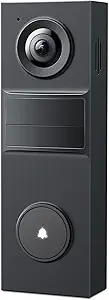 | Best for Local Storage Flexibility | Model: D205 | Resolution: 2K | Field of view: 160° | VIEW ON AMAZON | See Our Full Breakdown |
| eufy Security Video Doorbell E340 with Dual Cameras and 2K Resolution |  | Best for Package Monitoring | Resolution: 2K | Cameras: Dual | Field of view: 160° | VIEW ON AMAZON | See Our Full Breakdown |
| TP-Link Tapo D210 2K Wireless Smart Video Doorbell with Chime |  | Best Ready-to-Use Kit | Resolution: 2K | Field of view: 160° diagonal | Connectivity: 2.4GHz Wi-Fi | VIEW ON AMAZON | See Our Full Breakdown |
| BOIFUN Wireless Video Doorbell Camera, 2K HD | 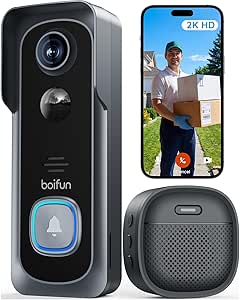 | Best for Subscription-Free Basics | Resolution: 2K HD | Field of view: 166° | Aperture: f/2.5 | VIEW ON AMAZON | See Our Full Breakdown |
| TKMARS Wireless Video Doorbell Camera with 4.3-Inch Monitor |  | Best for Homes Without Wi-Fi | Video resolution: 1080p | Monitor: 4.3-inch display | Viewing angle: 170° | VIEW ON AMAZON | See Our Full Breakdown |
| Ring Battery Video Doorbell, Satin Nickel |  | Best for Alexa Homes | Power: Built-in rechargeable battery | Charging: USB-C | Video coverage: Head-to-toe with 66% more vertical coverage | VIEW ON AMAZON | See Our Full Breakdown |
| Tapo D225 2K+ Smart Video Doorbell with Chime |  | Best Overall for Flexible Recording | Video resolution: 2K QHD | Field of view: 180° head-to-toe | Power options: Wired (8–24 V) or built-in 10,000 mAh battery | VIEW ON AMAZON | See Our Full Breakdown |
| Google Nest Doorbell (Wired, 3rd Gen) with 2K HDR Video, Snow |  | Best Wired Pick for Google Homes | Power: Wired | Generation: 3rd Gen | Video resolution: 2K HDR | VIEW ON AMAZON | See Our Full Breakdown |
| myQ Secure View 3-in-1 Smart Lock with 2K HDR Video Doorbell Camera |  | Best Smart Lock and Doorbell Combo | Functions: Smart deadbolt, video doorbell, and security camera | Video: 2K HDR | Entry methods: Face recognition, fingerprint, PIN, app, and key | VIEW ON AMAZON | See Our Full Breakdown |
| smart doorbells with camera | Field of view | Resolution | Night vision |
|---|---|---|---|
| Orbitell 1080p Wi-Fi Video Doo | — | 1080p | Four infrared LEDs and image sensor |
| Tapo D205 2K Wireless Smart Vi | 160° | 2K | — |
| eufy Security Video Doorbell E | 160° | 2K | — |
| TP-Link Tapo D210 2K Wireless | 160° diagonal | 2K | Full color with motion-activated adjustable spotlight |
| BOIFUN Wireless Video Doorbell | 166° | 2K HD | Up to 10m; 940nm infrared |
| TKMARS Wireless Video Doorbell | — | — | — |
| Ring Battery Video Doorbell | — | — | — |
| Tapo D225 2K+ Smart Video Door | 180° head-to-toe | — | — |
| Google Nest Doorbell | 166° | — | Yes |
| myQ Secure View 3-in-1 Smart L | — | — | Color |
More Details on Our Top Picks
Orbitell 1080p Wi-Fi Video Doorbell Camera with Two-Way Audio and Night Vision
The Orbitell suits buyers who want alerts centered on people rather than every passing animal or vehicle. Its AI person detection filters those sources of motion, while two-way audio lets you answer a visitor from your phone. Compared with the Tapo D205, it records at 1080p instead of 2K, so it gives up detail in exchange for a simpler feature set. Night vision and an IP65 rating help it handle dark entrances and exposed installation spots. The main limits are its 2.4GHz-only Wi-Fi and cloud-dependent pre-capture recording. I’d choose it for straightforward person alerts, but skip it if you want local video storage or sharper footage.
Pros:- AI person detection filters vehicles and animals
- Two-way audio supports conversations with visitors
- Infrared night vision helps monitor a dark entrance
- IP65 weather resistance suits exposed doorways
Cons:- 1080p resolution offers less detail than the 2K Tapo D205
- Works only with 2.4GHz Wi-Fi
- Pre-capture recording requires a cloud subscription
Best for: Homeowners who want person-focused motion alerts, two-way visitor conversations, and weather-resistant installation
Not ideal for: Buyers who need 5GHz Wi-Fi, 2K detail, or pre-capture clips without a cloud subscription
- Resolution:1080p
- Wi-Fi:2.4GHz; not compatible with 5GHz
- Audio:Two-way audio with built-in microphone and speaker
- Night vision:Four infrared LEDs and image sensor
- Motion detection:AI person detection; filters vehicles and animals
- Storage:AES-128 encrypted cloud storage
- Weather resistance:IP65
Our verdict“Choose the Orbitell for person-focused alerts and basic two-way communication if 1080p video and cloud-dependent pre-capture fit your needs.”
Tapo D205 2K Wireless Smart Video Doorbell
The Tapo D205 stands out for pairing 2K video and person detection with the option to record to a separately purchased microSD card. That makes it a stronger fit than the 1080p Orbitell for buyers who want more image detail and a local-storage route. Its 160° view, activity zones, and two-way audio help focus monitoring on the approach to your door. The claimed battery life reaches up to 180 days, though actual runtime depends on activity and settings. There are setup costs and limits: neither the chime nor microSD card is included, and Wi-Fi is 2.4GHz only. I’d pick it for flexible storage, but compare it with the Tapo D210 if an included chime matters.
Pros:- 2K resolution and a 160° field of view cover a broad entrance
- Built-in AI person detection does not require a monthly fee
- Supports microSD local storage up to 512GB
- Two-way audio and phone-call alerts support visitor conversations
Cons:- Chime and microSD card are sold separately
- Supports only 2.4GHz Wi-Fi
- Battery life varies with usage and settings
Best for: Renters or homeowners who want 2K video, person alerts, and the choice to save recordings locally
Not ideal for: Buyers who want a chime included, 5GHz Wi-Fi, or predictable battery life across high-traffic entrances
- Model:D205
- Resolution:2K
- Field of view:160°
- Wi-Fi:2.4GHz
- Claimed battery life:Up to 180 days
- Local storage:microSD up to 512GB; card sold separately
- Weather resistance:IP54
- Smart assistant compatibility:Alexa and Google Assistant
- Chime:Not included
Our verdict“Choose the Tapo D205 if you want 2K video and local-storage flexibility and are comfortable supplying a chime and memory card.”
eufy Security Video Doorbell E340 with Dual Cameras and 2K Resolution
The E340 earns its place through a second camera aimed at the area below the doorbell, giving buyers a better view of parcels as well as visitors. That dual-camera design addresses a gap in single-view options such as the Tapo D205, which instead emphasizes a wide 160° field of view and activity zones. The E340 records in 2K, offers color night vision up to 16 feet, and stores footage on built-in 8GB memory without a monthly storage subscription. Battery or wired installation gives it more placement flexibility than a battery-only setup. Its tradeoff is the alert experience: a compatible chime or voice assistant may be needed to hear notifications around the home. I’d favor it when package visibility and local recording matter more than a self-contained chime.
Pros:- Dual cameras show visitors and the area beneath the doorbell
- Built-in 8GB storage avoids a required monthly storage subscription
- Can be installed with battery power or wired 16–24V power
- Color night vision reaches up to 16 feet
Cons:- A compatible chime or voice assistant may be needed for audible indoor alerts
- Built-in 8GB storage is less flexible than the Tapo D205’s microSD expansion
Best for: Households that receive frequent deliveries and want local recordings plus a dedicated view of packages
Not ideal for: Buyers who need an included whole-home chime or prefer a single camera with fewer installation considerations
- Resolution:2K
- Cameras:Dual
- Field of view:160°
- Local storage:8GB eMMC
- Power:Battery or wired 16–24V
- Night vision range:16 feet (5 meters)
- Weather resistance:IP65
- Compatibility:Alexa, Google Assistant, eufy HomeBase 2 and 3, compatible chimes
Our verdict“Choose the E340 if package visibility and subscription-free local recording matter more to you than an included chime.”
TP-Link Tapo D210 2K Wireless Smart Video Doorbell with Chime
The Tapo D210 is the most ready-to-use pick here for buyers who want a doorbell and chime together. It combines 2K video, a 160° view, and color night vision with an adjustable spotlight, which can make activity easier to see after dark than the infrared-only view on the Tapo D205. Person detection and activity zones help reduce alerts from less relevant movement, while two-way audio and Alexa and Google Assistant support round out daily use. Local recording is available with a microSD card, but the card is sold separately; cloud video history requires Tapo Care. The included 15° wedge gives some control over the camera angle. I’d choose it over the D205 when the bundled chime and spotlight are priorities, while recognizing that neither storage option is fully supplied out of the box.
Pros:- Included chime makes it a more complete kit than the Tapo D205
- 2K video and 160° diagonal field of view cover a wide approach
- Adjustable spotlight supports full-color night vision
- Person detection, activity zones, and two-way audio help manage alerts and visitors
Cons:- microSD card is sold separately for local recording
- Cloud video history requires a Tapo Care subscription
- Works on 2.4GHz Wi-Fi
Best for: Buyers who want an included chime, color night vision, and a wireless 2K doorbell with adjustable aiming
Not ideal for: People who want storage media included, 5GHz Wi-Fi, or cloud video history without a subscription
- Resolution:2K
- Field of view:160° diagonal
- Connectivity:2.4GHz Wi-Fi
- Battery capacity:6400mAh rechargeable
- Local storage:microSD up to 512GB; card not included
- Cloud storage:30-day video history with Tapo Care subscription
- Night vision:Full color with motion-activated adjustable spotlight
- Smart home compatibility:Alexa and Google Assistant
- Mounting accessory:15° horizontal wedge included
Our verdict“Choose the Tapo D210 if you want a bundled chime and spotlight-assisted color night vision, and can provide your own microSD card.”
BOIFUN Wireless Video Doorbell Camera, 2K HD
The BOIFUN is a straightforward choice for buyers who want 2K video, human detection, two-way audio, and local recording without relying on a cloud plan for its essential features. Its 166° field of view is slightly wider than the 160° views listed for the Tapo D205 and D210, which may help cover more of a front step in one frame. At night, invisible 940nm infrared illumination avoids a visible glow, while the stated range reaches up to 10 meters. A built-in rechargeable battery keeps installation wireless, but it is non-removable, so charging means taking the unit down. The up-to-60-day battery claim is based on laboratory conditions, not a guarantee for a busy entrance. I’d choose it for local-storage simplicity, though the D210 is a better fit if you want an included chime.
Pros:- 166° field of view is wider than the 160° Tapo D205 and D210 views
- Human detection, two-way audio, and motion alerts cover core doorbell tasks
- Supports local microSD storage up to 128GB
- Invisible 940nm infrared supports discreet night vision
Cons:- Battery life of up to 60 days is stated under laboratory conditions and varies in use
- Built-in battery is non-removable, so charging requires taking down the unit
- microSD card is not included and Wi-Fi is limited to 2.4GHz
Best for: Homeowners who want a wide-view 2K camera, local microSD recording, and no required cloud subscription for core features
Not ideal for: High-traffic households that need dependable long battery intervals, 5GHz Wi-Fi, or a removable battery
- Resolution:2K HD
- Field of view:166°
- Aperture:f/2.5
- Wi-Fi:2.4GHz
- Night vision:Up to 10m; 940nm infrared
- Battery life:Up to 60 days under laboratory conditions
- Battery:Built-in, non-removable rechargeable battery
- Storage:microSD up to 128GB; card not included
- Warranty:2 years
Our verdict“Choose the BOIFUN for a wide-view, subscription-free 2K setup if you accept a non-removable battery and supply your own microSD card.”
TKMARS Wireless Video Doorbell Camera with 4.3-Inch Monitor
The TKMARS takes a different route from app-based options like the Tapo D225: its camera connects to an included indoor monitor, so viewing and answering the door do not depend on Wi-Fi, a phone app, or a subscription. That makes it a practical fit for households with unreliable internet or buyers who prefer a dedicated screen. Its 170° view, two-way audio, and night vision cover the core doorbell jobs, while IP65 protection suits outdoor installation. The tradeoff is a more limited connected experience: the supplied details do not list smart-home integrations or detection alerts. Battery standby is listed at one to three months, and the stated wireless range can shrink substantially around obstacles, so placement matters more than with a Wi-Fi doorbell.
Pros:- Works without Wi-Fi, an app, or a subscription
- Includes a 4.3-inch indoor monitor for viewing and two-way conversation
- 170° viewing angle covers a broad area near the entrance
- IP65 rating supports outdoor use in wet weather
Cons:- Standby time varies from one to three months
- Wireless range can drop to 5–30 meters when obstacles are present
- No smart-home integrations or detection features are listed
Best for: Households with unreliable Wi-Fi or people who want to answer from a dedicated indoor monitor instead of a phone
Not ideal for: Smart-home users who want app-based alerts, voice-assistant integration, or a predictable long interval between battery charges
- Video resolution:1080p
- Monitor:4.3-inch display
- Viewing angle:170°
- Audio:Two-way audio
- Water resistance:IP65
- Battery capacity:1000 mAh
- Standby time:1–3 months
- Wireless range:50–80 m in open areas; 5–30 m with obstacles
Our verdict“Choose the TKMARS if you want a simple camera doorbell with a dedicated screen and no internet dependency.”
Ring Battery Video Doorbell, Satin Nickel
For buyers already using compatible Alexa devices, the Ring Battery Video Doorbell adds a familiar connected doorbell setup with Live View, two-way talk, and motion alerts. Its head-to-toe view with 66% more vertical coverage than the prior design helps show activity lower down near the doorstep, a useful distinction from the wider 166° horizontal view listed for the Google Nest Doorbell (Wired, 3rd Gen). The built-in battery and USB-C charging avoid wiring work, though periodic charging remains part of ownership. The bigger limitation is what happens after motion: person and package alerts and video history require a separately sold Ring Protect subscription. Buyers seeking included local recording or subscription-free detection may find the Tapo D225 a better fit.
Pros:- Head-to-toe video provides 66% more vertical coverage
- Live View and two-way talk support real-time responses
- Built-in rechargeable battery charges over USB-C
- Works with select Alexa-enabled devices
Cons:- Person and package alerts require a Ring Protect subscription
- Video history requires a separately sold subscription
- Battery must be recharged periodically
Best for: Renters and Alexa households that want a battery-powered doorbell with expanded vertical coverage and live two-way access
Not ideal for: Buyers who want person or package alerts and saved video without paying for a separate subscription
- Power:Built-in rechargeable battery
- Charging:USB-C
- Video coverage:Head-to-toe with 66% more vertical coverage
- Features:Live View, two-way talk, motion detection and alerts
- Smart-home compatibility:Select Alexa-enabled devices
- Color:Satin Nickel
Our verdict“Pick the Ring if battery installation and Alexa compatibility matter more than subscription-free alerts and video history.”
Tapo D225 2K+ Smart Video Doorbell with Chime
The Tapo D225 earns its place near the top by combining a sharp 2K QHD image and 180° head-to-toe view with flexible power: wire it to an existing supply or use its built-in battery. Person, package, and vehicle detection are listed without a subscription, and a microSD card can store recordings locally, giving it an advantage over the Ring Battery Video Doorbell when ongoing access to alerts and footage matters. It also includes a modular chime and mounting wedges, which help adapt the setup to the entryway. The tradeoffs are practical: local storage requires buying a card, cloud history requires Tapo Care, and it only connects to 2.4 GHz Wi-Fi. Buyers with a 5 GHz-only setup should look elsewhere.
Pros:- 2K QHD video and 180° head-to-toe coverage capture detail across a broad entry area
- Wired or battery-powered installation suits different homes and mounting locations
- Person, package, and vehicle detection are available without a subscription
- Supports local microSD recording and includes a modular chime
Cons:- Works only with 2.4 GHz Wi-Fi, not 5 GHz
- microSD card is not included
- Cloud video history requires a Tapo Care subscription
Best for: Homeowners who want a wide, high-resolution view, subscription-free detection, and a choice of wired or battery power
Not ideal for: Households with only 5 GHz Wi-Fi or buyers who expect included cloud video history and a microSD card
- Video resolution:2K QHD
- Field of view:180° head-to-toe
- Power options:Wired (8–24 V) or built-in 10,000 mAh battery
- Battery life:Up to 8 months between charges
- Wi-Fi:2.4 GHz; 5 GHz not supported
- Local storage:microSD card up to 512 GB; card not included
- Detection:Person, package, and vehicle
- Smart-home compatibility:Alexa and Google Assistant
Our verdict“The Tapo D225 is the strongest all-round fit for buyers who want flexible power, local recording, and broad detection without relying on a cloud plan.”
Google Nest Doorbell (Wired, 3rd Gen) with 2K HDR Video, Snow
The Google Nest Doorbell (Wired, 3rd Gen) is the straightforward choice for buyers who can connect a doorbell to wired power and want to avoid battery upkeep. Its 2K HDR video and 166° field of view offer a detailed, broad look at the entrance, while night vision supports visibility after dark. The wired design distinguishes it from the battery-powered Ring Battery Video Doorbell, which is easier to place but needs recharging. Google also lists encrypted video and two-step verification, appealing to buyers who value account and video protections. The limitation is feature access: some Gemini features and enhanced notifications require Google Home Premium, and the supplied details do not specify local video storage. A wired connection is also a firm installation requirement.
Pros:- 2K HDR video and night vision provide detailed views across changing light
- 166° field of view covers a wide area around the entrance
- Wired power removes routine battery recharging
- Encrypted video and two-step verification are specified security features
Cons:- Requires a wired power connection
- Some Gemini features and enhanced notifications require Google Home Premium
- Local storage details are not provided
Best for: Google Home households with existing doorbell wiring that want HDR video and no rechargeable battery
Not ideal for: Renters or homeowners without doorbell wiring, and buyers who want advanced notifications without a subscription
- Power:Wired
- Generation:3rd Gen
- Video resolution:2K HDR
- Field of view:166°
- Night vision:Yes
- Security:Encrypted video and two-step verification
- Color:Snow
Our verdict“Choose the wired Nest if you have compatible wiring and want detailed Google-connected monitoring without battery charging.”
myQ Secure View 3-in-1 Smart Lock with 2K HDR Video Doorbell Camera
The myQ Secure View is for buyers willing to rethink the front-door setup: it combines a smart deadbolt, camera, and doorbell, so access control and visitor monitoring live in one device. Its 2K HDR video, color night vision, and two-way audio cover the camera basics, while face, fingerprint, PIN, app, and key entry give households several ways to unlock the door. That scope sets it apart from the Tapo D225, which focuses on wide-angle monitoring and local recording rather than replacing a lock. The myQ tradeoff is added dependence on a connected system: AI alerts and automation require a subscription, a spare battery and chime are separate purchases, and Face Access is unavailable in Illinois and Texas. It suits buyers prioritizing integrated entry over a simpler standalone doorbell.
Pros:- Combines a smart deadbolt, video doorbell, and security camera
- Offers face recognition, fingerprint, PIN, app, and key entry
- 2K HDR video, color night vision, and two-way audio cover day-to-day monitoring
- Rechargeable battery is listed for 4–6 months of use
Cons:- AI detection and automation features require a subscription
- Spare battery and myQ Chime are sold separately
- Face Access is unavailable in Illinois and Texas
Best for: Homeowners replacing a compatible deadbolt who want camera monitoring and several keyless entry methods in one installation
Not ideal for: Renters, buyers who want subscription-free AI detection, or residents of Illinois and Texas seeking Face Access
- Functions:Smart deadbolt, video doorbell, and security camera
- Video:2K HDR
- Entry methods:Face recognition, fingerprint, PIN, app, and key
- PIN capacity:Up to 16 PINs
- Battery life:4–6 months
- Night vision:Color
- Installation:DIY; fits most standard doors
- Smart detection:AI alerts for people, faces, packages, vehicles, and custom zones; subscription required
Our verdict“Choose the myQ Secure View if you want to replace your deadbolt and doorbell with one camera-equipped access system.”
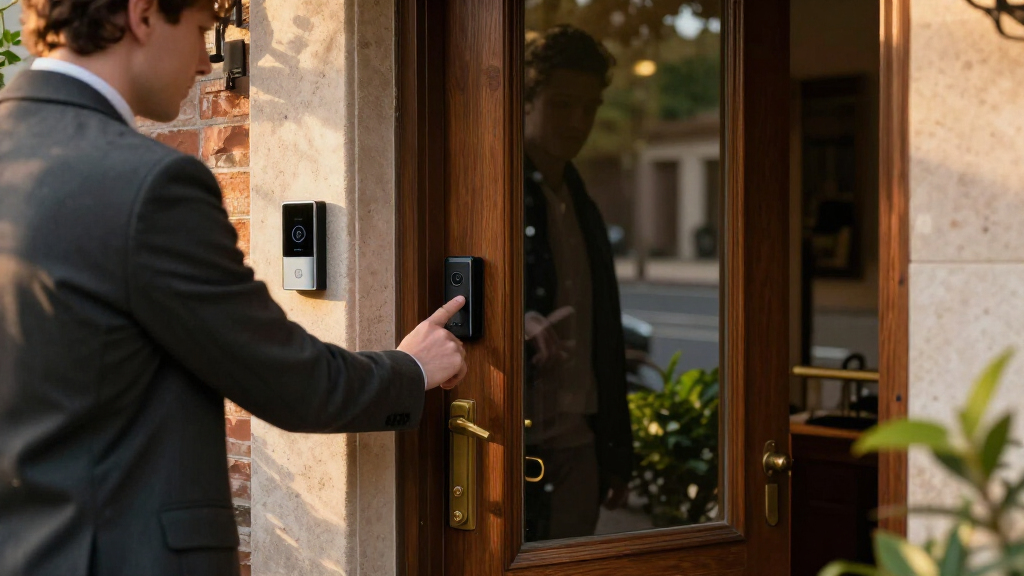
How We Picked
I ranked these smart doorbells with cameras by how well their stated features address everyday entryway needs: recognizing visitors, checking for deliveries, receiving alerts, and responding remotely. I also weighed installation fit, power source, included accessories such as chimes or monitors, and whether a product’s design offers a meaningful advantage over a basic camera view. Resolution mattered, but I treated it as one part of image usefulness rather than a complete measure of performance.
The eufy E340 leads because its dual-camera design targets both visitor and package visibility. The Tapo models earn attention for combining 2K video with practical configurations, with the D225 positioned as a more feature-rich option and the D205 as a value-minded one. Wired, screen-equipped, and lock-integrated products rank for narrower needs; they can be better matches for particular homes, but their setup or specialized design may limit their appeal as all-purpose choices. The Orbitell and BOIFUN models offer simpler camera-focused alternatives, though their listed feature sets provide fewer points of differentiation in this lineup.
| smart doorbells with camera | Night vision |
|---|---|
| Orbitell 1080p Wi-Fi Video Doo | Four infrared LEDs and image sensor |
| Tapo D205 2K Wireless Smart Vi | — |
| eufy Security Video Doorbell E | — |
| TP-Link Tapo D210 2K Wireless | Full color with motion-activated adjustable spotlight |
| BOIFUN Wireless Video Doorbell | Up to 10m; 940nm infrared |
| TKMARS Wireless Video Doorbell | — |
| Ring Battery Video Doorbell | — |
| Tapo D225 2K+ Smart Video Door | — |
| Google Nest Doorbell | Yes |
| myQ Secure View 3-in-1 Smart L | Color |
Factors to Consider When Choosing Smart Doorbells With Camera
Before choosing among these models, I’d match the doorbell to the way your home is wired, how you want to review footage, and what you need the camera to show. These broader checks can prevent a mismatch that a higher resolution or longer feature list cannot fix.
Check wiring and battery upkeep before comparing video
Start by confirming whether your current doorbell wiring is compatible with the model you want, or whether you need a battery-powered option. Wired installations avoid routine battery charging, but they depend on suitable wiring and may take more preparation. Battery models can fit more entryways, though charging frequency varies with usage, settings, and conditions. A common mistake is to assume that “wireless” means no maintenance; it usually refers to power or connectivity, not the need to recharge. If you cannot easily reach the mounting location, fewer charging visits may matter more than a small resolution difference. Check the manufacturer’s installation requirements before ordering.
Match the camera view to the space you need to see
Think about where visitors stand and where carriers leave parcels at your home. A broad or second camera view can help with a low doorstep, while a conventional forward-facing camera may be enough for a clear porch with packages left in view. More pixels can preserve detail, but they do not fix a poor angle, glare, or a camera mounted too high. Measure the mounting position and look for obstacles such as trim, a storm door, or a nearby wall. Buyers sometimes prioritize resolution without checking whether the camera can actually see the relevant area. Choose coverage for your entryway, not for the largest number on the box.
Decide how you want to receive and review alerts
A doorbell camera is only useful when its alerts reach you in a way you will notice. Decide whether you want notifications on a phone, a separate indoor chime, or a dedicated screen in the home. A chime can help household members who do not keep a phone nearby, while a monitor may make quick checks easier without opening an app. Also consider where the screen or chime will sit and whether it is included with the model or sold separately. Avoid choosing based only on the alert feature list: the best setup is the one your household will actually hear and use. Check app and device compatibility across the phones and smart-home equipment you already own.
Read recording and subscription terms before buying
Live video, event notifications, and saved recordings are separate capabilities, so confirm which functions work without an ongoing plan. If you need to review events after they happen, find out how clips are stored, how long they remain available, and whether local storage is supported. Subscription requirements can change the ownership experience even when two devices have similar camera specifications. A common mistake is to assume that every advertised detection or recording feature is included indefinitely. Check current product terms for the exact model and region, since storage options can differ. Choose based on the footage access you expect to use, not just the ability to view a live feed.
Account for Wi-Fi strength at the front door
Doorbells are often mounted at the edge of a home, where a router’s signal may be weaker than it is indoors. A high-resolution camera can be frustrating if the connection drops or video takes too long to load. Check the signal at the intended mounting spot before installation, especially if the entrance is far from the router or separated by masonry. You may need to adjust router placement or add a compatible network extender. Do not assume that a strong signal in the living room means the doorstep has reliable coverage. Stable connectivity can matter more to daily use than a modest increase in video detail.
Pay extra for a feature you will use often
Premium features make sense when they solve a recurring problem, such as monitoring packages, viewing a dedicated indoor screen, or combining entry control with video. They are harder to justify when they add setup steps without changing how you use the doorbell. A lock-and-camera combination can simplify an entryway for someone who wants both functions together, but a standalone camera is easier to compare and replace independently. Consider how much of the device depends on one brand’s app or ecosystem before consolidating your home around it. Also think about household needs: a phone-first setup may not work well for someone who wants a visible indoor display. The best upgrade is the one that removes a real inconvenience.
Frequently Asked Questions
Should I choose a wired or battery-powered smart doorbell?
Choose based on the wiring available at your entryway and how much maintenance you are willing to handle. A wired model can avoid regular battery charging, but it requires compatible wiring and a suitable installation. A battery-powered doorbell can work in more locations and may be easier to mount, though frequent alerts or live viewing can affect how often it needs charging. If you are unsure about the wiring, check the manufacturer’s requirements or ask an electrician to inspect it. The Ring Battery Video Doorbell and wired Nest model in this roundup illustrate the different installation paths.
Do I need a 2K or 2K HDR camera to identify visitors?
Not necessarily; resolution is only one factor in identifying someone at your door. Camera angle, lighting, motion timing, and the person’s distance from the lens all affect what the image shows. HDR can help manage scenes with bright backgrounds and shaded faces, while a well-positioned camera with lower resolution may still provide a useful view. Consider your porch conditions and mounting height before paying for a specification upgrade. The models here span 1080p, 2K, and 2K HDR, so the right choice depends on the image challenges at your own entrance.
Can I use a video doorbell without paying for a subscription?
Often you can use basic functions such as a live view or alerts without a plan, but saved recordings and some detection features may have separate requirements. Those details vary by model, region, and software plan, so check the current terms for the exact device before purchase. If reviewing missed events is important, confirm where clips are stored and how long you can access them. Local storage can reduce dependence on a recurring service when a device supports it. Compare the full recording setup rather than assuming that camera ownership automatically includes ongoing cloud storage.
Is a doorbell with a separate indoor monitor better for a household?
A dedicated monitor can be useful when household members do not keep a smartphone close by or would rather check visitors on a screen inside. It also gives the doorbell a clear viewing point that does not depend on someone opening an app. The tradeoff is another device to place, power, and keep connected. A phone-based setup may be simpler for people who already manage home alerts through one app. The TKMARS model’s 4.3-inch monitor makes this format especially relevant to buyers who want an indoor screen.
When does a combined smart lock and video doorbell make sense?
A combined device can suit someone who wants to manage both visitor video and door access from a shared entry system. It may reduce the number of separate devices to coordinate, but it also concentrates more functions in one product and app. Consider whether you need a smart lock as well as a camera, and check compatibility with your door, existing lock, and preferred smart-home setup. If you only need video and visitor alerts, a standalone doorbell is a simpler purchase. The myQ Secure View is the roundup’s specialized option for buyers who want lock and camera functions together.
Conclusion
For the best overall fit, I’d choose the eufy Security Video Doorbell E340 for its dual-camera approach to visitors and doorstep packages. The Tapo D205 is my value-minded pick for buyers who want 2K video in a simpler wireless doorbell, while the Tapo D225 is the stronger choice for shoppers seeking a more feature-rich Tapo setup with a chime. Beginners who want an established, straightforward battery option may prefer the Ring Battery Video Doorbell; those with compatible wiring and a preference for HDR video should look at the Google Nest Doorbell. For specific needs, the TKMARS suits households wanting an indoor monitor, and the myQ Secure View fits buyers seeking a combined lock and camera. Match that shortlist to your wiring, package visibility needs, and recording preferences to make the final call.
Fall Picks
fall essentials
As an affiliate, we earn on qualifying purchases.