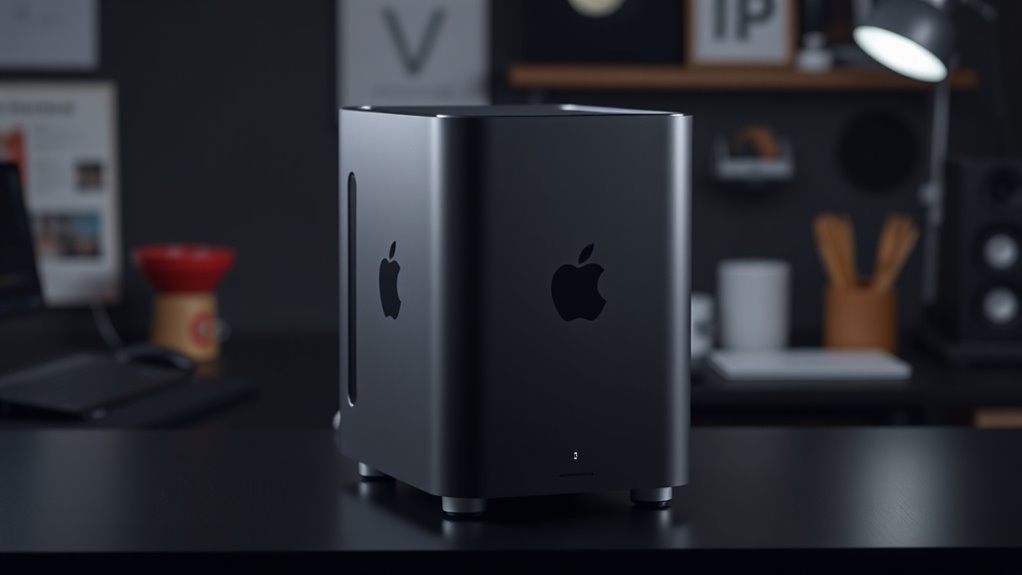

I compared three renewed Mac Pro desktops for buyers who want a compact Intel workstation and can work within the limits of an older platform. My best overall pick is the 64GB Late 2013 model, since its larger memory pool suits more demanding multitasking than the 16GB configuration. The 12-core model is the better choice for CPU-heavy work, while the 16GB model keeps the same compact design and dual graphics in a simpler setup. The main tradeoffs are aging macOS versions, limited internal expansion, and modest storage; these machines are not interchangeable with newer Apple silicon Macs or current workstation desktops.

Get your wardrobe favorites delivered free with Prime
- Fast, free delivery on millions of items
- Prime Video, Amazon Music and more included
- Member-only deals all year
Key Takeaways
- The 64GB Late 2013 Mac Pro ranks first for buyers who need the most memory in this lineup, though its four-core processor remains a limit for heavily parallel work.
- The 12-core Mac Pro offers the strongest listed processor configuration, but its 256GB SSD leaves less room for applications and active projects than either 512GB model.
- The 16GB quad-core model is the most constrained option for memory-heavy tasks; its compact body and dual FirePro graphics do not erase that limitation.
- All three use dual AMD FirePro D300 graphics and Thunderbolt 2, so check software compatibility and peripheral needs before choosing by model name alone.
- These renewed desktops run older OS X or macOS releases; I would verify update, application, and security requirements before relying on one as a primary computer.
| Apple Mac Pro (Late 2013), 3.7GHz Quad-Core Xeon, 64GB RAM, 512GB SSD (Renewed) |  | Best Overall — the most flexible memory configuration | Processor: 3.7GHz quad-core Intel Xeon E5-1620 v2 | Memory: 64GB 1866MHz DDR3 ECC SDRAM | Storage: 512GB SSD | VIEW ON AMAZON | See Our Full Breakdown |
| Apple Mac Pro Desktop, 12-Core 2.7 GHz Xeon E5, 32 GB RAM, 256 GB SSD (Renewed) |  | Best for CPU-heavy work — twelve cores in a compact chassis | Processor: 2.7GHz 12-core Intel Xeon E5 | Memory: 32GB 1866MHz DDR3 ECC | Storage: 256GB PCIe flash storage | VIEW ON AMAZON | See Our Full Breakdown |
| Apple Mac Pro Desktop Computer, 3.7 GHz Quad-Core Intel Xeon E5, 16 GB RAM, 512 GB SSD (Renewed) |  | Best for a basic legacy setup — compact, but memory-limited | Processor: 3.7GHz quad-core Intel Xeon E5 | Memory: 16GB 1866MHz DDR3 ECC | Storage: 512GB PCIe flash storage | VIEW ON AMAZON | See Our Full Breakdown |
| renewed mac pro desktop | Processor | Memory | Storage | Graphics |
|---|---|---|---|---|
| Apple Mac Pro | 3.7GHz quad-core Intel Xeon E5-1620 v2 | 64GB 1866MHz DDR3 ECC SDRAM | 512GB SSD | Dual AMD FirePro D300, 2GB GDDR5 each |
| Apple Mac Pro Desktop | 2.7GHz 12-core Intel Xeon E5 | 32GB 1866MHz DDR3 ECC | 256GB PCIe flash storage | Dual AMD FirePro D300, 2GB GDDR5 each |
| Apple Mac Pro Desktop Computer | 3.7GHz quad-core Intel Xeon E5 | 16GB 1866MHz DDR3 ECC | 512GB PCIe flash storage | Dual AMD FirePro D300, 2GB GDDR5 each |
More Details on Our Top Picks
Apple Mac Pro (Late 2013), 3.7GHz Quad-Core Xeon, 64GB RAM, 512GB SSD (Renewed)
I rank this Late 2013 configuration first because its 64GB of ECC memory gives it the most breathing room for large projects and simultaneous applications. The processor is still a 3.7GHz quad-core Xeon, so this is not the fastest choice for workloads that scale across many CPU cores. Compared with the 12-core model, it trades processing parallelism for a much larger memory pool and twice the listed SSD capacity.
The 512GB SSD and dual FirePro D300 graphics make it a more balanced starting point than the 12-core configuration, whose 256GB drive can fill quickly with project files and software. Six Thunderbolt 2 ports, four USB 3.0 ports, HDMI, and dual Gigabit Ethernet offer useful connections for an older workstation, but Thunderbolt 2 is a dated standard. I would check adapter needs before attaching newer displays or high-speed storage.
Its main caveats are platform age and expansion. The listing specifies macOS Sierra, and the design offers limited internal expansion compared with a tower workstation. The refurbished unit may also arrive in generic packaging. For buyers who need a compact Mac Pro with the strongest memory configuration here, this is the most broadly useful pick; buyers who need current macOS support, newer I/O, or lots of internal drives should skip the entire lineup.
Pros:- 64GB of 1866MHz DDR3 ECC memory
- 512GB SSD offers more listed space than the 12-core option
- Dual FirePro D300 graphics and six Thunderbolt 2 ports
- Includes a stated minimum 90-day warranty
Cons:- Four-core processor has fewer cores than the 12-core alternative
- Limited internal expansion and aging Thunderbolt 2 connectivity
- Listing specifies macOS Sierra and generic packaging may be used
Best for: Buyers who need a compact older Mac workstation with 64GB of memory for multitasking, large files, or legacy professional applications.
Not ideal for: People who need recent macOS support, modern high-speed connections, extensive internal expansion, or the strongest CPU performance for parallel workloads.
- Processor:3.7GHz quad-core Intel Xeon E5-1620 v2
- Memory:64GB 1866MHz DDR3 ECC SDRAM
- Storage:512GB SSD
- Graphics:Dual AMD FirePro D300, 2GB GDDR5 each
- Operating system:macOS Sierra
- Ports:6 Thunderbolt 2, 4 USB 3.0, 1 HDMI 1.4
- Networking:Dual Gigabit Ethernet, 802.11ac Wi-Fi, Bluetooth 4.0
- Condition and warranty:Certified refurbished; listing states at least 90 days of warranty
Our verdict“I would choose this model for the lineup’s best balance of memory and storage, provided its older software platform fits the work.”
Apple Mac Pro Desktop, 12-Core 2.7 GHz Xeon E5, 32 GB RAM, 256 GB SSD (Renewed)
This configuration is the clear choice when CPU core count matters more than drive capacity. Its 12-core, 2.7GHz Xeon E5 offers more listed cores than either quad-core model, which may benefit compatible workloads that can distribute work across them. Against the 64GB model, however, it has half the memory and half the SSD capacity. Buyers should match the processor to their actual applications rather than assume more cores automatically make every task faster.
The machine keeps the same dual FirePro D300 graphics and Thunderbolt 2 connections found in the other two picks. That shared setup gives it workstation-oriented graphics and a collection of ports, but it does not make the system modern. Its 256GB PCIe flash drive is the most restrictive storage choice in this group; external storage may be needed for sizable media libraries or project files.
The listing specifies Mac OS X Yosemite and a minimum 90-day warranty. Certified refurbishment and warranty coverage add some reassurance, but the listing warns that wear, generic accessories, or generic packaging may be present. I place it second because its unusual processor advantage serves a narrower group than the 64GB model’s memory headroom. Choose it for older software that can exploit many CPU cores; skip it if newer OS compatibility, ample local storage, or general-purpose responsiveness is the priority.
Pros:- 12-core Intel Xeon E5 processor is the highest core count here
- 32GB of DDR3 ECC memory
- Dual FirePro D300 graphics with Thunderbolt 2 and USB 3.0
- Listing states a minimum 90-day warranty
Cons:- 256GB SSD is the smallest listed drive in this comparison
- Runs the older Mac OS X Yosemite operating system
- Renewed unit may show wear or arrive with generic accessories and packaging
Best for: Users running compatible legacy professional applications, rendering tasks, or other CPU-heavy work that can make use of a 12-core processor.
Not ideal for: Buyers who need a large internal project drive, modern macOS support, recent connectivity, or a balanced desktop for varied everyday workloads.
- Processor:2.7GHz 12-core Intel Xeon E5
- Memory:32GB 1866MHz DDR3 ECC
- Storage:256GB PCIe flash storage
- Graphics:Dual AMD FirePro D300, 2GB GDDR5 each
- Operating system:Mac OS X Yosemite
- Ports:6 Thunderbolt 2, 4 USB 3.0
- Wireless:802.11ac Wi-Fi, Bluetooth 4.0
- Condition and warranty:Certified refurbished; minimum 90-day warranty
Our verdict“I recommend this Mac Pro when a compatible workload can use its 12 cores and the smaller SSD is manageable.”
Apple Mac Pro Desktop Computer, 3.7 GHz Quad-Core Intel Xeon E5, 16 GB RAM, 512 GB SSD (Renewed)
This is the simplest configuration in the roundup: a 3.7GHz quad-core Xeon, 16GB of ECC memory, and a 512GB PCIe flash drive. It shares the compact cylindrical chassis and dual FirePro D300 graphics with the other models, so it retains the recognizable workstation layout. Its lower memory capacity, however, makes it a less comfortable choice for large projects or heavy multitasking than the 64GB option.
Compared with the 12-core model, this Mac Pro has fewer processing cores but twice the listed storage. That can make it easier to accommodate applications and files locally, although 512GB still may not be enough for a large media archive. The six Thunderbolt 2 ports and four USB 3.0 ports are generous by count, but buyers using recent peripherals may need adapters and should account for the older connection standard.
The sharpest drawback is its 16GB memory limit as listed, paired with OS X Yosemite. The product information does not state a warranty term, so I would confirm seller coverage before purchase rather than assume it matches the other renewed listings. I rank it third because it offers the least memory flexibility. It makes sense for a modest, established workflow that specifically calls for an older Mac Pro; for heavier multitasking, I would move up to the 64GB model, and for CPU-parallel work I would choose the 12-core version.
Pros:- Compact workstation chassis measuring 9.9 inches tall and 6.6 inches in diameter
- 512GB PCIe flash storage
- Dual AMD FirePro D300 graphics
- Six Thunderbolt 2 ports and four USB 3.0 ports
Cons:- 16GB memory is the lowest capacity among these three models
- Runs the older OS X Yosemite operating system
- Warranty terms are not specified in the supplied product details
Best for: A buyer with a modest legacy workflow who wants the compact Mac Pro design, dual graphics, and a 512GB flash drive.
Not ideal for: Users handling large projects, running many applications at once, requiring current software support, or seeking a clearly stated warranty term.
- Processor:3.7GHz quad-core Intel Xeon E5
- Memory:16GB 1866MHz DDR3 ECC
- Storage:512GB PCIe flash storage
- Graphics:Dual AMD FirePro D300, 2GB GDDR5 each
- Operating system:OS X Yosemite
- Wireless:802.11ac Wi-Fi, Bluetooth 4.0
- Ports:6 Thunderbolt 2, 4 USB 3.0
- Dimensions:9.9 inches tall, 6.6 inches in diameter
Our verdict“I would choose this model only for a light legacy workload where 16GB of memory and Yosemite are sufficient.”

How We Picked
I ranked these renewed Mac Pro desktops around the differences that change day-to-day usability: processor capacity, installed memory, storage, and software age. Because all three listings describe the compact 2013-era design with dual FirePro D300 graphics and Thunderbolt 2, I treated those shared features as a baseline rather than a reason to place one model ahead of another.
The 64GB configuration earns the top spot for its broader memory headroom, which can help when keeping several applications, large files, or virtual workspaces open. The 12-core model follows for users whose workloads can use more CPU cores, but its smaller SSD and older Yosemite listing make it a more specialized choice. The 16GB version ranks third because its memory capacity is the tightest constraint, even though it provides 512GB of flash storage and the same dual graphics arrangement.
I also weighed the practical risks of buying renewed hardware: the listings describe older operating systems, limited internal expansion, and possible generic packaging or accessories. I do not treat a stated renewal condition as proof of current software support or a guarantee of cosmetic condition. Before ordering, I would confirm the included power cable and accessories, warranty terms, exact OS installation, and return conditions with the seller. These picks are for buyers who specifically want this older Mac Pro platform, not a general recommendation for every desktop shopper.
| renewed mac pro desktop | Operating system | Condition and warranty |
|---|---|---|
| Apple Mac Pro | macOS Sierra | Certified refurbished; listing states at least 90 days of warranty |
| Apple Mac Pro Desktop | Mac OS X Yosemite | Certified refurbished; minimum 90-day warranty |
| Apple Mac Pro Desktop Computer | OS X Yosemite | — |
Factors to Consider When Choosing Renewed Mac Pro Desktops
Before choosing a renewed Mac Pro, I would start with the software and workload rather than the cylindrical design. These are older Intel systems, and their memory, core count, storage, and OS version differ enough to change which one makes sense.
Match the processor to the work
The 12-core configuration is the only model here with more than four CPU cores, so it is the most compelling for workloads that can distribute tasks across many cores. That advantage is workload-dependent: applications that rely more on a few fast cores may not benefit in the same way. The two 3.7GHz quad-core models are easier to compare directly; choose between them mainly by memory, not by an expectation of a major processor difference.
Choose memory headroom deliberately
For this lineup, the 64GB model is the safest pick for memory-heavy multitasking, while 32GB sits between it and the 16GB entry. Memory capacity affects how comfortably a computer can keep large applications and projects active, but it does not replace processor speed or storage. If your workload is lightweight and well within 16GB, the entry model may fit. If you are unsure, the smaller configuration is the one most likely to feel restrictive first.
Account for SSD capacity and external drives
The 12-core Mac Pro has a 256GB SSD, compared with 512GB in the other two listings. That difference can matter more than expected once macOS, applications, and active files occupy the drive. External storage can add capacity, but it uses a port and may add cabling to a machine whose attraction is its compact footprint. I would make a realistic list of applications and working files before choosing the 12-core option.
Check OS and application compatibility
The supplied specifications list OS X Yosemite for the 16GB and 12-core machines and macOS Sierra for the 64GB model. These are old releases. Confirm that the applications, peripherals, and online services you need can run on the installed system, and ask the seller whether the desktop can be updated to the version your work requires. Do not buy based on the assumption that a renewed machine will support current macOS releases.
Plan around ports, expansion, and renewal terms
All three have Thunderbolt 2 and USB 3.0, with the 64GB model also listing HDMI and dual Gigabit Ethernet. Count the displays and drives you plan to connect, then check whether adapters will be needed. These compact systems also offer limited internal expansion compared with a traditional tower. Finally, verify the seller’s warranty, return terms, included accessories, and condition description; renewal details differ across these listings, and packaging may be generic.
Frequently Asked Questions
Which renewed Mac Pro in this roundup is best for most buyers?
I would start with the 64GB Late 2013 model if your applications work with its older macOS version. It combines the largest memory capacity in this group with a 512GB SSD, making it more flexible for multitasking than the 16GB model and roomier than the 12-core model. Its quad-core processor and limited expansion still make it a specialized older desktop, not a general replacement for a current workstation.
Is the 12-core Mac Pro always faster than the quad-core versions?
No. Its 12-core Xeon is the strongest listed option for software that can use many cores, but performance depends on the application and task. A program that does not spread work across cores may not gain much from the extra core count. The 12-core configuration also has only 32GB of memory and a 256GB SSD, so the 64GB model may suit memory-heavy work better.
Can I use these desktops with current software and accessories?
That depends on the exact application, operating system, and peripheral. The supplied listings name Yosemite or Sierra, both older operating system releases, and each desktop uses Thunderbolt 2 and USB 3.0. I would check software requirements and port compatibility before buying, including whether a display or storage device needs an adapter. Ask the seller about the installed OS and any available update options.
Is 16GB of memory enough on the entry configuration?
It may be enough for a modest legacy setup with a limited number of applications and manageable files, but it is the smallest memory pool in this comparison. Buyers who keep multiple demanding applications open or work with large projects should look first at the 32GB or 64GB configurations. The 16GB model’s 512GB SSD does not compensate for memory limits when a workload needs more RAM.
What should I verify before ordering a renewed Mac Pro?
I would confirm the installed operating system, included accessories, warranty duration, return conditions, and the seller’s description of cosmetic condition. Also check that the ports match your setup and that the machine’s software can run the applications you need. The listings differ on warranty details, and renewed products may arrive with generic packaging or accessories, so I would not assume every unit includes the same items.
Conclusion
My recommendation depends on the workload: choose the 64GB Late 2013 Mac Pro for the most flexible memory and 512GB storage combination, or the 12-core model when compatible software can use its extra CPU cores and the 256GB SSD is workable. The 16GB model suits a modest legacy setup, but I would not select it for demanding multitasking. If you need current macOS support, modern ports, or broad internal expansion, I would look beyond these renewed Mac Pro desktops rather than stretch an older platform past its limits.
Halloween Picks

12.5-Foot Lighted Halloween Inflatable Archway

10-Foot Halloween Inflatable Double-Headed Dragon Archway

27FT Giant Inflatable Pumpkin Lighted Outdoor Halloween Decor
As an affiliate, we earn on qualifying purchases.