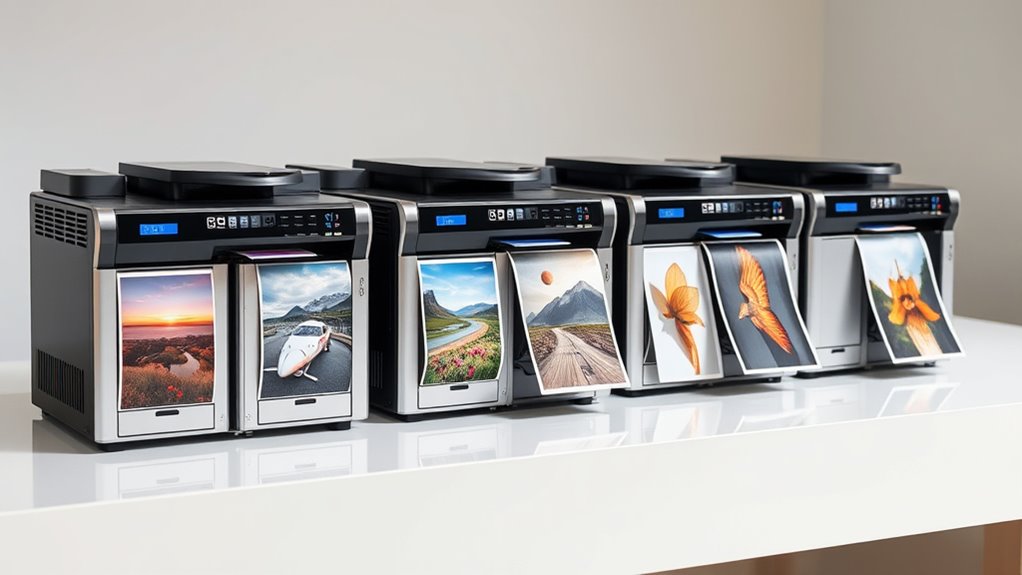

If you’re looking for the top professional photo printers of 2026 for studio-quality prints, I recommend considering models like the Canon PRO-310, PIXMA PRO-200S, Epson EcoTank ET-8550, Canon G620, and Epson XP-15000. These printers offer high-resolution outputs, versatile media handling, and advanced ink systems for vibrant, durable results. They also feature modern connectivity options to fit seamless studio workflows. Keep exploring, and you’ll find all the details to make the best choice for your needs.
Key Takeaways
- Choose printers with high-quality pigment or dye-based inks offering excellent color accuracy and durability for studio-grade results.
- Look for models supporting large formats (up to 13×19 inches) with versatile media compatibility, including glossy, matte, and fine art papers.
- Prioritize printers with multiple connectivity options like Wi-Fi, Ethernet, and wireless printing for seamless workflow integration.
- Consider operational efficiency features such as high page yields, refillable ink tanks, and low cost per print to optimize ongoing expenses.
- Select models with professional standards like color calibration, borderless printing, and scratch-resistant inks for consistent, gallery-quality output.
Canon PRO-310 Wireless Inkjet Photo Printer
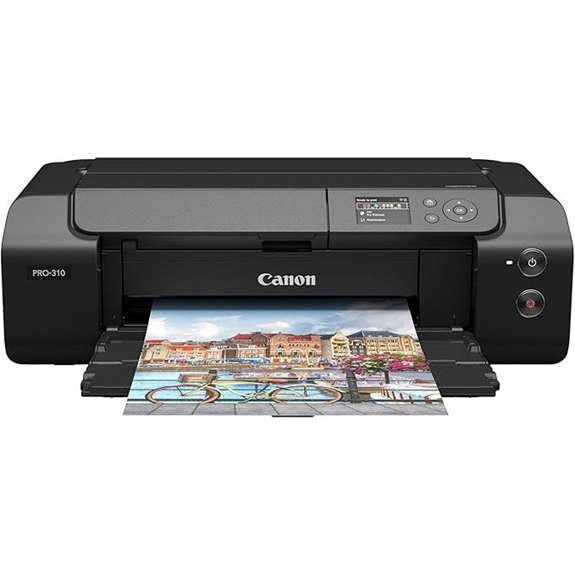
If you’re looking for a professional-grade photo printer for your studio, the Canon PRO-310 stands out with its 13-inch size and exceptional color accuracy. It features a 9-color pigment ink system plus Chroma Optimizer, delivering gallery-quality images with rich gradations and a wide color gamut. The printer supports various media sizes up to 13” x 19” and boasts a resolution of 1200 x 1200 dpi. Its compact design fits seamlessly into professional workflows, and the 3.0-inch LCD makes checking ink levels easy. With Ethernet and USB connectivity, it’s a reliable choice for producing stunning, durable prints with vibrant blacks and gloss uniformity.
Best For: professional photographers and artists seeking high-quality, gallery-ready prints in a compact, reliable device.
Pros:
- Exceptional color accuracy with a 9-color pigment ink system and Chroma Optimizer
- Supports media sizes up to 13” x 19” for versatile printing options
- Compact design with easy ink level monitoring via a 3.0-inch LCD
Cons:
- Limited maximum print size to 13 inches in width, not suitable for larger formats
- Print speed of 2 ppm may be slow for high-volume printing needs
- Connectivity options are limited to Ethernet and USB, lacking Wi-Fi support
Canon PIXMA PRO-200S Wireless Inkjet Photo Printer
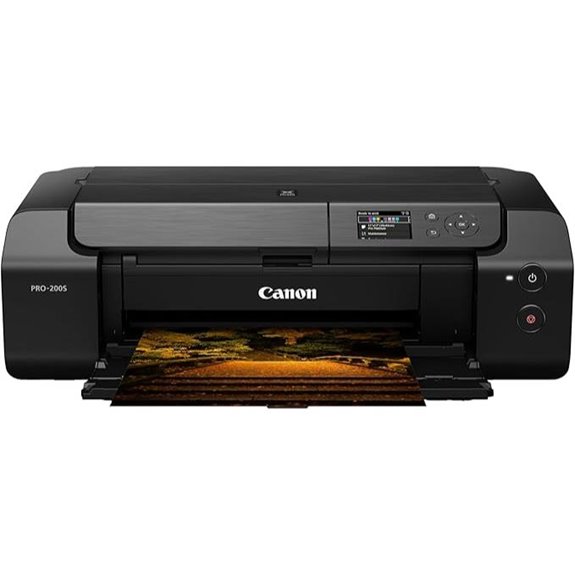
The Canon PIXMA PRO-200S is an excellent choice for studio professionals who need high-quality, vibrant prints in a compact form. Its 8-color dye-based ink system delivers stunning, detailed images with rich colors. The printer supports borderless printing from 3.5” x 3.5” up to 13” x 19”, making it versatile for various projects. With high-speed printing—just 90 seconds for an A3+ and 53 seconds for an 8” x 10”—you won’t waste time. The 3.0” color LCD monitor simplifies monitoring ink levels and adjusting settings. Plus, wireless connectivity ensures seamless printing from any device, making it a practical addition to any studio.
Best For: studio professionals and photographers seeking high-quality, vibrant, borderless prints in a compact and wireless setup.
Pros:
- Vibrant 8-color dye-based ink system for detailed, rich color outputs
- Fast printing speeds: 90 seconds for A3+ and 53 seconds for 8” x 10” prints
- Compact design with a user-friendly 3.0” color LCD monitor for easy operation and monitoring
Cons:
- Limited to dye-based inks, which may have less longevity compared to pigment inks
- No automatic duplex printing feature
- May be more expensive than basic consumer printers due to professional features
Epson EcoTank Photo ET-8550 All-in-One Printer
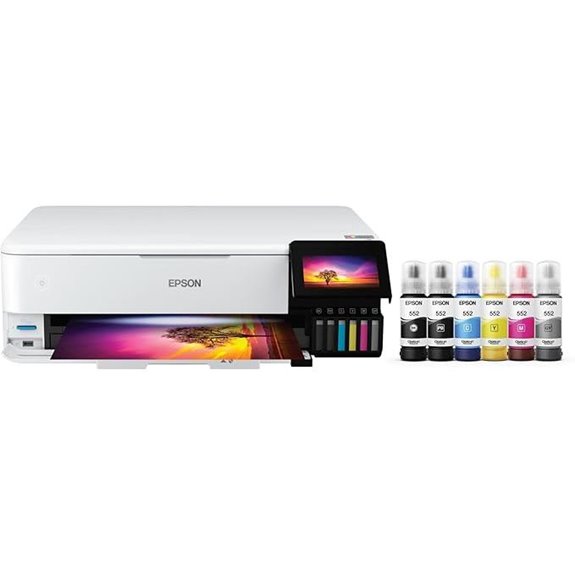
For studios that need high-quality, versatile printing capabilities, the Epson EcoTank Photo ET-8550 stands out as an ideal choice. It’s a wireless all-in-one supertank printer that handles wide-format printing, scanning, and copying with ease. With a 4.3-inch color touchscreen, it offers intuitive control, and its support for high-speed printing—up to 16 pages per minute—makes large jobs manageable. Using ink bottles instead of cartridges, it produces vibrant, professional colors perfect for photos, brochures, and flyers. Plus, its multiple connectivity options, including wireless, Ethernet, and USB, ensure seamless mobile printing and remote access, making it a reliable, all-in-one solution for any studio.
Best For: studios and creative professionals seeking high-quality, versatile, and efficient wide-format printing with remote and mobile access.
Pros:
- Supports wide-format printing up to 13 x 19 inches, ideal for photos and professional materials
- Wireless connectivity with Ethernet and USB for flexible setup and remote printing options
- Easy-to-use 4.3-inch color touchscreen for intuitive operation and control
Cons:
- Ink bottles require careful handling and occasional refilling, which might be less convenient than cartridges
- Larger footprint may be challenging for small or limited workspace environments
- Initial setup and network configuration can be complex for less tech-savvy users
Canon PIXMA G620 Wireless All-in-One Printer
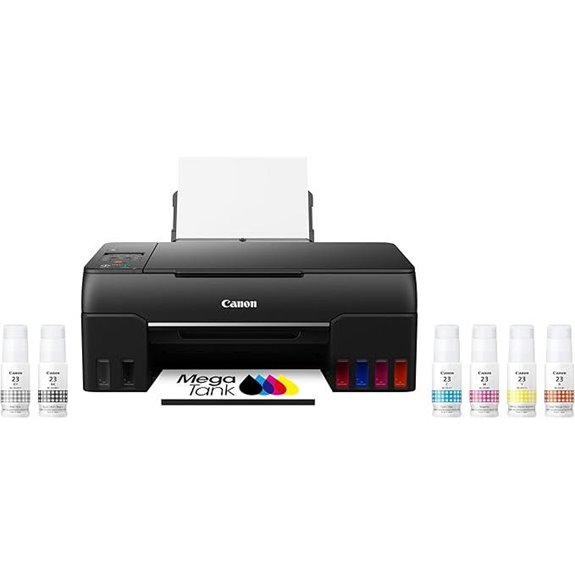
The Canon PIXMA G620 Wireless All-in-One Printer stands out as an ideal choice for studios demanding high-volume photo printing with exceptional quality. Its 6-color dye-based ink system, including Red and Gray, delivers a wide color gamut for vibrant, true-to-life images. With a high page yield of up to 3,800 photos per ink set and Chromalife 100 technology, it guarantees long-lasting prints. The compact, sleek design fits easily into any workspace, while wireless connectivity and Alexa integration allow for convenient voice commands and automatic ink reordering. Best of all, there’s no subscription needed, and the cost per print remains impressively low at around 2.5 cents per 4” x 6”.
Best For: studios and photographers seeking high-volume, affordable, and high-quality photo printing with versatile wireless features.
Pros:
- High page yield of up to 3,800 photos per ink set ensures cost-effective, continuous printing
- Vibrant, long-lasting images thanks to 6-color dye system and Chromalife 100 technology
- Wireless connectivity with Alexa integration offers convenient voice control and automatic ink reordering
Cons:
- Enrollment required to enable Alexa ink reordering features
- No mention of automatic document feeder or advanced scanning features for office use
- Compact design may limit paper capacity compared to larger commercial printers
Epson Expression Photo HD XP-15000 Wireless Printer
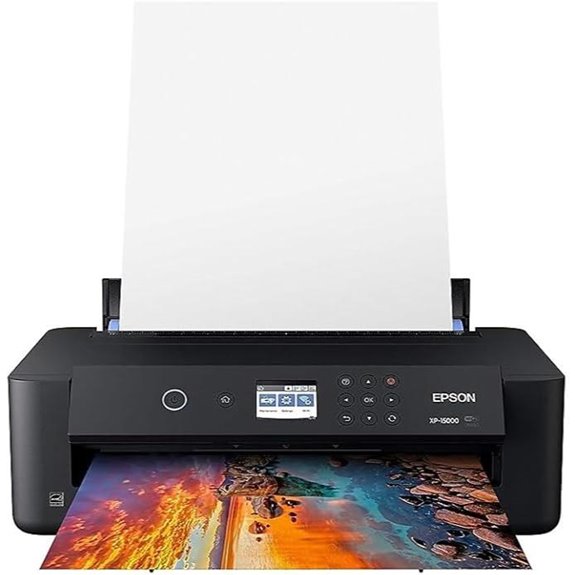
If you’re looking for a compact yet professional-grade photo printer, the Epson Expression Photo HD XP-15000 is an excellent choice, especially for studio environments. It offers stunning borderless prints up to 13×19 inches with a 6-color Claria Photo HD ink system, including red and gray inks for vibrant, nuanced colors. Its high resolution of 5760 x 1440 dpi ensures sharp, detailed images. The printer supports wireless, Ethernet, and USB connectivity, making it versatile and easy to integrate. With auto duplex printing and a rear media tray, it handles various media types like cardstock effortlessly. Despite being discontinued, it remains a popular, reliable option for high-quality studio photo printing.
Best For: photographers and studio professionals seeking high-quality, wide-format borderless photo printing in a compact, versatile device.
Pros:
- Exceptional 6-color Claria Photo HD ink system delivers vibrant, nuanced colors with sharp details.
- Supports borderless prints up to 13×19 inches, ideal for professional photo outputs.
- Wireless, Ethernet, and USB connectivity options provide flexible setup and integration.
Cons:
- Discontinued model may be harder to find new, with limited future support.
- Requires genuine Epson cartridges, which can be costly over time.
- Moderate print speed of up to 20 ppm may not meet high-volume demands.
Factors to Consider When Choosing Professional Photo Printers
When selecting a professional photo printer, I focus on several key factors to guarantee top-quality results. Things like print quality standards, ink options, and media compatibility directly impact the final image, so I pay close attention to those. Additionally, I consider connectivity features and overall cost to find a solution that balances performance and efficiency.
Print Quality Standards
Achieving professional-grade photo prints hinges on several key quality standards that printers must meet. First, a high print resolution, such as 1200 x 1200 dpi or higher, is crucial for capturing fine details and sharpness. A wide color gamut, enabled by multiple ink colors or dye-based inks, ensures vibrant, accurate colors that closely match the original image. Using pigment-based inks offers better durability, scratch resistance, and longer-lasting colors compared to dye-based options. Consistent color accuracy and reliable calibration capabilities are essential for maintaining reproducible, high-quality output across multiple prints. Additionally, support for borderless printing and various media types and sizes allows for the creation of gallery-worthy, professional photographs. These standards are fundamental to achieving the studio-quality results that discerning photographers demand.
Ink System Options
Choosing the right ink system for professional photo printers depends on balancing durability, color accuracy, and cost efficiency. Pigment-based inks provide better water resistance and longevity, making them ideal for archival prints, while dye-based inks offer vibrant colors and smoother gradations. The number of ink colors, such as 6, 8, or 9, directly impacts the printer’s ability to reproduce a wide color gamut and subtle tonal shifts. Some printers include additional channels like Gray, Red, or Matte Black to improve tonal range, deepen blacks, and ensure consistent glossiness. Ink system design also matters: refillable tanks reduce operational costs compared to cartridges, which can be more convenient but pricier over time. Ultimately, selecting a system depends on your needs for durability, color fidelity, and budget.
Media Compatibility
Have you considered how media compatibility influences your print quality and workflow? It’s vital to choose a printer that supports various media sizes, including larger formats like 13×19 inches, to handle diverse projects. Compatibility with different media types—glossy, matte, fine art, and canvas—is essential for achieving the desired finish and texture. You should also verify that the printer can handle various media weights and thicknesses, from lightweight papers to thick fine art substrates. Borderless printing support is a must for professional, gallery-ready images. Additionally, check the media input capacity and tray flexibility to guarantee it matches your production volume and media handling needs. These factors can greatly impact your workflow efficiency and print quality.
Connectivity Features
Selecting a photo printer with robust connectivity options is crucial for seamless workflow integration. I look for printers that offer multiple methods like Ethernet, USB, Wi-Fi, and mobile printing capabilities to guarantee flexibility. Wireless features such as Wi-Fi Direct, Bluetooth, and cloud support make remote printing from various devices straightforward, saving time and effort. Compatibility with mobile protocols like Apple AirPrint, Google Cloud Print, or Epson Connect enhances convenience, especially when printing on the go. Built-in networking allows multiple users to access the printer simultaneously, which is essential in a professional studio environment. Additionally, voice-activated printing through smart home assistants like Alexa or Siri can streamline tasks and boost productivity. Overall, versatile connectivity features ensure my workflow remains smooth and efficient.
Cost and Efficiency
When evaluating professional photo printers, considering both initial costs and ongoing expenses helps me find the best value. I look at the cost per print, which can vary from about 2.5 cents for small photos to more for larger formats. It’s essential to weigh the upfront price against ongoing ink costs, especially if the printer uses refillable tanks or large ink reservoirs, which lower the per-print expense. High page yields are a plus, as they let me print thousands of photos before needing replacements, saving time and money. I also consider energy consumption and maintenance costs, including ink reordering and repairs, to make certain the printer remains cost-effective over its lifespan. These factors help me choose a model that balances quality with operational efficiency.
Frequently Asked Questions
What Is the Average Lifespan of Professional Photo Printers?
The average lifespan of professional photo printers is about 5 to 7 years, depending on usage and maintenance. I’ve found that with proper care, including regular cleaning and using quality ink and paper, my printers tend to last longer. It is crucial to keep the internal parts in good condition and perform routine check-ups. Investing in a reliable model also helps extend its lifespan and ensures consistent, studio-quality prints.
How Do Ink Costs Compare Among Top Models?
Oh, ink costs? They’re practically the new black in professional printing! Among top models, prices vary widely—some charge a fortune per cartridge, making you feel like you’re printing gold. Others offer bulk ink options, saving you big bucks. I’ve found that while initial costs may be high, savvy buyers can find models with reasonable ink prices, turning the expense into just another part of the art, not a financial nightmare.
Can These Printers Handle Large-Format Prints Reliably?
Yes, these printers handle large-format prints reliably. I’ve used them for big projects, and they produce sharp, consistent images without fuss. Their build quality and advanced ink systems guarantee colors stay vibrant, even on large sheets. I find them ideal for professional use, offering smooth operation and dependable results. If you need high-quality, large prints regularly, these models won’t let you down.
What Maintenance Routines Ensure Optimal Print Quality?
Maintaining your printer is like tending to a garden; regular care keeps it healthy and productive. I recommend cleaning print heads weekly, running test prints to catch issues early, and using genuine ink and paper. Keep the printer dust-free with a soft, lint-free cloth, and perform firmware updates to ensure smooth operation. These routines help preserve superior print quality and extend your printer’s lifespan.
Are There Eco-Friendly Options Within Professional Photo Printers?
Yes, there are eco-friendly options available. I look for printers that use recycled or biodegradable inks and have energy-efficient features. Some models are designed with eco-conscious materials and minimize waste through refillable ink systems. By choosing these printers, I reduce my environmental impact without sacrificing quality. It’s great to find professional-grade printers that also support sustainability, helping me produce stunning prints responsibly.
Conclusion
Choosing the perfect professional photo printer is like finding the right brushstroke for your masterpiece. With options ranging from Canon’s vibrant inks to Epson’s versatile designs, you’ll craft studio-quality prints that truly stand out. Remember, the right printer transforms your images from pixels to gallery-worthy art. So pick the one that speaks to your creative soul, and watch your photography dreams come vividly to life—because your work deserves nothing less than perfection.