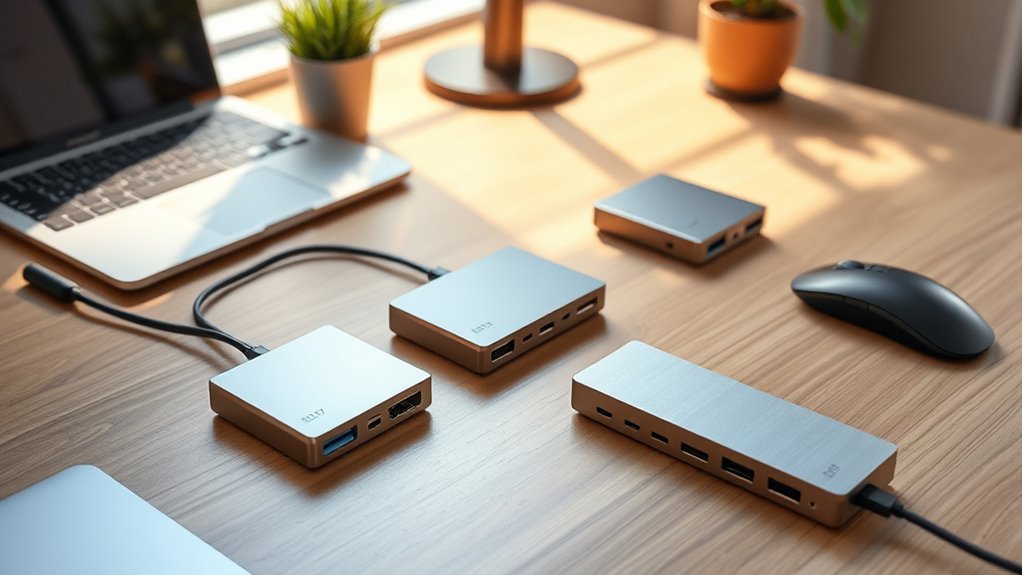

When searching for premium USB C hubs and docks, you want devices that combine robust build quality, extensive connectivity options, and reliable performance. The Plugable USB-C Triple Monitor Docking Station stands out as the best overall pick due to its comprehensive port selection and 100W charging. The HyperDrive Next 11 Port USB C Hub offers a versatile set of features for Mac users, while the Anker 8-in-1 USB-C Hub provides solid value for those needing dual 4K support. However, these options come with tradeoffs like higher price tags or bulkier designs. Continue reading to see how each model compares and find the best fit for your setup.

Get your wardrobe favorites delivered free with Prime
- Fast, free delivery on millions of items
- Prime Video, Amazon Music and more included
- Member-only deals all year
Key Takeaways
- Top docks typically balance port variety with build quality to ensure longevity and performance.
- Models with dual 4K video output are ideal for professional multitasking but often cost more and are larger.
- Compact hubs sacrifice some ports but excel for travel and minimal setups, though they may limit expandability.
- Price correlates strongly with features like power delivery, multiple video outputs, and Ethernet support.
- Compatibility varies; some docks perform better with Mac, others with Windows or Chrome OS, so matching to your device matters.
| Plugable USB-C Triple Monitor Docking Station: 13-in-1 Laptop Dock with 100W Charging for Mac, Windows, Chrome |  | Best Overall for Versatile Multi-Display Office Setups | Number of ports: 13 | HDMI ports: 3 | USB-A ports: 4 | VIEW ON AMAZON | See Our Full Breakdown |
| HyperDrive Next 11 Port USB C Hub for Mac, PC, and Chromebook with Dual 4K60Hz HDMI, USB-A, USB-C, SD/microSD, Ethernet, and Audio Ports |  | Best for Dual 4K60Hz Monitors and High-Speed Data Transfer | Number of ports: 11 | HDMI: 2 ports with 4K60Hz support | USB-C Ports: 2 with 10Gbps transfer | VIEW ON AMAZON | See Our Full Breakdown |
| Anker USB-C Hub with Ethernet, 6-in-1 Multiport USB C to Ethernet Adapter |  | Best Compact Multi-Function Hub for Basic Connectivity | Number of ports: 6 | HDMI resolution: 4K@30Hz | Power Delivery: 65W | VIEW ON AMAZON | See Our Full Breakdown |
| Anker USB-C Hub 8-in-1 Multiport Ethernet Adapter with 4K HDMI |  | Best for High-Resolution Video and Versatile Connectivity | HDMI Output: 4K@60Hz (DP 1.4), 4K@30Hz (DP 1.2) | USB-C Power Delivery: Up to 85W | Data Transfer Speed: Up to 10 Gbps | VIEW ON AMAZON | See Our Full Breakdown |
| Anker USB-C Hub for MacBook, 7-in-2 Dock with 4K@60Hz HDMI |  | Best Compact Dock for MacBook with Multi-Device Support | Ports: 1 multi-function USB-C, 1 USB-C data, 2 USB-A, 1 HDMI, 1 SD/microSD | Charging Power: up to 100W | Data Transfer Rate: up to 40 Gb/s | VIEW ON AMAZON | See Our Full Breakdown |
| USB C Docking Station Dual Monitor for HP and Laptop – Supports 3 Monitors |  | Best for Multi-Display Power Users | Number of ports: 14 | Monitor support: Dual HDMI 4K & DisplayPort 1080P | USB 3.0 ports: 2 | VIEW ON AMAZON | See Our Full Breakdown |
| Anker 8-in-1 USB-C Hub with Dual 4K HDMI, Ethernet, and SD Card Reader |  | Best for Versatile Connectivity on a Budget | Number of HDMI ports: 2 | Max resolution: 4K@60Hz on one monitor, 4K@30Hz on dual monitors | Power Delivery: Up to 85W | VIEW ON AMAZON | See Our Full Breakdown |
| Anker USB-C Hub 11-in-1 Docking Station with Dual 4K Monitors |  | Best for Extensive Connectivity and Multi-Display Setup | Ports: 2× HDMI, DisplayPort, 3× USB-C, 3× USB-A, Ethernet, SD/microSD, audio | Power Delivery: 85W for laptop, 18W for phone | Power Adapter: 135W included | VIEW ON AMAZON | See Our Full Breakdown |
| Anker USB-C Hub, 10-in-1 Dual 4K HDMI Display Adapter |  | Best for Compact Dual 4K Connectivity | Number of Ports: 10 | HDMI Ports: 2 | Maximum Resolution: 4K@60Hz for single display, 4K@30Hz for dual displays | VIEW ON AMAZON | See Our Full Breakdown |
| Anker 13-in-1 USB C Docking Station with Triple Display |  | Best for Multi-Display and Power in a Single Package | Ports: 2× HDMI, DisplayPort, 3× USB-C, 3× USB-A, Ethernet, SD/microSD, audio | Power Delivery: 85W for laptop, 18W for phone | Power Adapter: 135W included | VIEW ON AMAZON | See Our Full Breakdown |
| Plugable Dual DisplayPort & HDMI Docking Station – USB 3.0 & USB-C Laptop Dock for Dual Monitors, DisplayLink, Mac, Windows, ChromeOS, Gigabit Ethernet, Audio |  | Best for High-Resolution Multi-Display Productivity | Outputs: 2 HDMI, 1 DisplayPort | USB Ports: 6 USB 3.0 | Ethernet: Gigabit Ethernet | VIEW ON AMAZON | See Our Full Breakdown |
| Anker Nano Laptop Docking Station 13-in-1 with Detachable 6-in-1 USB-C Hub |  | Best for Portable Multi-Display Versatility | Number of ports: 13 | Detachable hub: Yes, 6-in-1 | Monitor support: Up to 3 monitors, 4K@60Hz or dual 2K@60Hz or triple 1080P@60Hz | VIEW ON AMAZON | See Our Full Breakdown |
| premium usb c hubs and dock | Number of ports | Power Delivery |
|---|---|---|
| Plugable USB-C Triple Monitor | 13 | — |
| HyperDrive Next 11 Port USB C | 11 | 140W |
| Anker USB-C Hub with Ethernet | 6 | 65W |
| Anker USB-C Hub 8-in-1 Multipo | — | — |
| Anker USB-C Hub for MacBook | — | — |
| USB C Docking Station Dual Mon | 14 | — |
| Anker 8-in-1 USB-C Hub with Du | — | Up to 85W |
| Anker USB-C Hub 11-in-1 Dockin | — | 85W for laptop, 18W for phone |
| Anker USB-C Hub | 10 | — |
| Anker 13-in-1 USB C Docking St | — | 85W for laptop, 18W for phone |
| Plugable Dual DisplayPort & HD | — | — |
| Anker Nano Laptop Docking Stat | 13 | Up to 100W |
More Details on Our Top Picks
Plugable USB-C Triple Monitor Docking Station: 13-in-1 Laptop Dock with 100W Charging for Mac, Windows, Chrome
This dock stands out for its ability to support up to three monitors with 4K resolution on the primary display, making it ideal for productivity-focused office environments. Compared with the Anker USB-C Hub 8-in-1, it offers more display outputs but requires driver installation for Mac users, which can be an inconvenience. Its 100W power delivery ensures fast charging for laptops, while multiple ports like Ethernet, SD card reader, and audio jacks enhance connectivity. The main tradeoff is the need for driver setup on macOS and lack of HDCP support, limiting protected content streaming. It excels for users needing extensive port options and multi-monitor support but isn’t suited for those seeking plug-and-play simplicity or media streaming of protected content.
Pros:- Supports triple monitor setup with 4K resolution on primary display
- Provides 100W charging for laptops and 20W for accessories
- Universal compatibility with Windows, Mac, and ChromeOS
- Includes multiple ports for versatile connectivity
Cons:- Driver installation required for Mac to enable multiple displays
- Does not support protected HDCP content like streaming services
Best for: Office professionals and enterprise users who need triple 4K monitor support with comprehensive connectivity.
Not ideal for: Casual users or content consumers who want simple plug-and-play setups without driver hassles or protected content playback.
- Number of ports:13
- HDMI ports:3
- USB-A ports:4
- USB-C charging:100W
- Device charging:20W
- Display resolution:up to 4K 30Hz on primary, 1920×1200 60Hz on others
Our verdict“This dock is best suited for professionals needing extensive connectivity and multiple high-res displays in a workspace.”
HyperDrive Next 11 Port USB C Hub for Mac, PC, and Chromebook with Dual 4K60Hz HDMI, USB-A, USB-C, SD/microSD, Ethernet, and Audio Ports
This hub is designed for users who need dual 4K60Hz monitor support and fast data transfer, making it ideal for creative professionals and power users. Unlike the Anker USB-C Hub 8-in-1, which supports 4K at only 30Hz on HDMI, the HyperDrive offers smoother visuals at 60Hz, but it requires MST-enabled devices and DP 1.4 support for the 60Hz dual display feature. Its 140W power delivery is a step above most competitors, enabling simultaneous charging of multiple devices. The tradeoff is its bulkier size, which may hinder portability. Best suited for users with compatible hardware prioritizing high refresh rate displays, but less so for travelers or those with older laptops lacking DP 1.4 support.
Pros:- Supports dual 4K60Hz monitor setup for smooth visuals
- Fast 10Gbps data transfer with USB-C ports
- High 140W power delivery supports multiple devices
- Includes Ethernet and SD/microSD ports for comprehensive connectivity
Cons:- Requires MST-enabled devices for dual extended display support
- Bulky design can be less portable for travel
Best for: Creative professionals and power users who need dual 4K60Hz monitors and fast data speeds on a desktop or workstation setup.
Not ideal for: Travelers or casual users with older laptops lacking MST or DP 1.4 support, since dual 4K60Hz is contingent on hardware compatibility.
- Number of ports:11
- HDMI:2 ports with 4K60Hz support
- USB-C Ports:2 with 10Gbps transfer
- Power Delivery:140W
- SD Card Reader:Yes
- Ethernet:Yes
Our verdict“This hub is best for high-end desktop setups requiring dual 4K60Hz displays and rapid data throughput.”
Anker USB-C Hub with Ethernet, 6-in-1 Multiport USB C to Ethernet Adapter
This compact hub from Anker provides essential ports including HDMI, Ethernet, and USB-A, making it a practical choice for users seeking basic external connectivity. Compared to the Anker USB-C Hub 8-in-1, it offers fewer ports but maintains a smaller footprint, ideal for minimalists or on-the-go use. Its HDMI supports 4K at 30Hz, suitable for standard productivity tasks but less ideal for high-refresh-rate needs. The 65W pass-through charging is adequate for most laptops, but not enough for high-power devices. This model is best for users who want a simple, reliable connection with minimal bulk, but not for those needing multiple high-refresh-rate monitors or extensive port options.
Pros:- Compact and lightweight design for portability
- Supports 4K@30Hz HDMI output
- Provides reliable Ethernet connectivity
- Pass-through charging up to 65W
Cons:- HDMI only supports up to 4K@30Hz
- Limited to 6 ports, restricting expandability
Best for: Travelers and professionals who need a simple, reliable connection for external displays and wired networks without extra bulk.
Not ideal for: Power users or gamers who require higher refresh rates or more ports for multiple peripherals.
- Number of ports:6
- HDMI resolution:4K@30Hz
- Power Delivery:65W
- Ports:Ethernet, HDMI, USB-C data, 2 USB data ports
Our verdict“This hub suits users seeking a small, dependable port extender for basic connectivity needs while on the move.”
Anker USB-C Hub 8-in-1 Multiport Ethernet Adapter with 4K HDMI
This hub offers a solid balance of video, data, and network connectivity, supporting 4K@60Hz HDMI output and 10Gbps data transfer, making it well-suited for professionals needing high-quality visuals and fast file exchanges. In comparison with the Plugable Docking Station, it is less comprehensive in port count but more portable and easier to set up. Its 85W pass-through charging is sufficient for most laptops, but it lacks compatibility with Linux systems, limiting its versatility. The HDMI port supports HDMI 2.0, ensuring smooth 4K video, but only at 30Hz or 60Hz depending on the port and system. Ideal for users who prioritize high-quality video and quick data transfer, but not for Linux users or those needing extensive port arrays.
Pros:- Supports 4K@60Hz video output for smooth visuals
- High-speed data transfer up to 10 Gbps
- Multiple ports including Ethernet and SD card reader
- Supports pass-through charging up to 85W
Cons:- HDMI port limited to 60Hz, not supporting higher refresh rates
- Does not support Linux systems
Best for: Creative professionals and remote workers needing reliable 4K video output and high-speed data transfer in a compact form.
Not ideal for: Linux users or those requiring a larger array of ports for multiple peripherals or high-refresh-rate gaming.
- HDMI Output:4K@60Hz (DP 1.4), 4K@30Hz (DP 1.2)
- USB-C Power Delivery:Up to 85W
- Data Transfer Speed:Up to 10 Gbps
- Ports:USB-C, 2 USB-A, HDMI, Ethernet, microSD/SD
- Cable Length:7.48 inches
Our verdict“This hub is an excellent pick for professionals needing reliable high-res video and fast data transfer in a portable form.”
Anker USB-C Hub for MacBook, 7-in-2 Dock with 4K@60Hz HDMI
This compact dock is tailored for MacBook users, offering essential ports including HDMI, SD/microSD, USB-A, and additional USB-C ports. Unlike larger docks, it minimizes obstruction, making it ideal for users who want a sleek, space-efficient solution. The HDMI supports 4K at 60Hz, matching the capabilities of higher-end docks like the Plugable Docking Station, but with fewer ports overall. The 100W charging capability is sufficient to power most MacBooks, and the high data transfer rate of up to 40 Gb/s makes it suitable for fast file transfers. The main limitation is that it does not support dual external displays, which can be a drawback for users needing multi-monitor setups or for those with non-MacBook models.
Pros:- Supports 4K@60Hz HDMI output for crisp visuals
- High-speed data transfer up to 40 Gb/s
- Compact, MacBook-friendly design
- Supports up to 100W charging
Cons:- Limited to a single external display
- Not compatible with MacBook models lacking full port support or dual display capability
Best for: MacBook owners seeking a compact, high-speed port expansion with excellent video support for a single external display.
Not ideal for: Users needing multiple external monitors or working with Windows/Linux environments that require different port configurations.
- Ports:1 multi-function USB-C, 1 USB-C data, 2 USB-A, 1 HDMI, 1 SD/microSD
- Charging Power:up to 100W
- Data Transfer Rate:up to 40 Gb/s
- Video Resolution:4K@60Hz HDMI, 5K@60Hz via multi-function port
Our verdict“This dock is ideal for MacBook users seeking a sleek, high-performance port extender for a single high-res display and fast data transfer.”
USB C Docking Station Dual Monitor for HP and Laptop – Supports 3 Monitors
This docking station stands out for its ability to support up to three monitors, including dual 4K HDMI outputs and a DisplayPort, making it ideal for professionals who need extensive screen real estate. Compared with the Anker 11-in-1 Docking Station, it offers similar multi-monitor support but with fewer high-speed data ports—favoring those prioritizing display connectivity over sheer port count. Its 14-in-1 setup provides versatile options like Gigabit Ethernet, SD card reader, and audio, but the absence of a power adapter included can be inconvenient for seamless setup. Compatibility may vary depending on your laptop’s USB C capabilities, and MacOS users might encounter mirror mode instead of extended displays, which could limit productivity for Mac users.
- Supports dual and triple monitor setups for increased productivity
- Multiple connectivity options including Ethernet, audio, and card reader
- Fast data transfer speeds up to 5Gbps
- Power adapter not included, requiring an additional purchase
- Compatibility depends on the laptop’s USB C port capabilities
- MacOS displays may mirror rather than extend
Verdict: Best suited for users who need multiple monitors and diverse ports but are okay with a separate power solution.
Pros:- Supports dual and triple monitor setups for increased productivity
- Multiple connectivity options including Ethernet, audio, and card reader
- Fast data transfer speeds up to 5Gbps
Cons:- Power adapter not included, may require additional purchase
- Compatibility depends on the laptop’s USB C port capabilities
- MacOS displays may mirror rather than extend
Best for: Professionals requiring triple monitor setups and comprehensive connectivity on compatible Windows or HP laptops.
Not ideal for: Mac users seeking native extended desktop support without mirroring or those who prefer an all-in-one power solution.
- Number of ports:14
- Monitor support:Dual HDMI 4K & DisplayPort 1080P
- USB 3.0 ports:2
- USB 2.0 ports:2
- USB-C Power Delivery:up to 100W
- Ethernet:Gigabit Ethernet
Our verdict“This dock makes the most sense for Windows users who need extensive monitor support and multiple ports without concern for included power supply.”
Anker 8-in-1 USB-C Hub with Dual 4K HDMI, Ethernet, and SD Card Reader
The Anker 8-in-1 hub excels at expanding your laptop’s ports with dual 4K HDMI outputs and a range of USB options, making it well-suited for users who need good display support and fast data transfer. Unlike the Anker 11-in-1 Dock, it offers fewer USB ports but maintains dual 4K display capability, which is a plus for those prioritizing high-resolution monitors. However, its dual display setup on macOS defaults to mirroring, limiting extended desktop use, and it requires a 100W PD wall charger for full charging—something not needed for all competing docks like the Anker 10-in-1. Its compatibility with a wide range of devices is a strength, but Linux support is absent.
- Expands connectivity with multiple ports including dual 4K HDMI outputs
- Supports high-speed charging up to 85W
- Compatible with a wide range of laptops and operating systems
- Displays on both external monitors are mirrored on macOS, limiting extended desktop options
- Does not support Linux systems
Verdict: Ideal for Windows or Mac users seeking reliable dual 4K monitor support on a budget, with some limitations on macOS display modes.
Pros:- Expands connectivity with multiple ports including dual 4K HDMI outputs
- Supports high-speed charging up to 85W
- Compatible with a wide range of laptops and operating systems
Cons:- Displays are mirrored on macOS, limiting extended desktop use
- Requires a 100W PD charger for full charging capabilities
- No Linux compatibility
Best for: Creative professionals and multitaskers who need dual 4K displays and versatile port options without extra bells and whistles.
Not ideal for: Linux users or those needing extended desktop support on macOS without mirroring, due to compatibility constraints.
- Number of HDMI ports:2
- Max resolution:4K@60Hz on one monitor, 4K@30Hz on dual monitors
- Power Delivery:Up to 85W
- USB-A ports:2
- Ethernet port:Yes
- Compatibility:USB-C, USB4, Thunderbolt, Windows 10/11, ChromeOS
Our verdict“This hub makes the most sense for Windows or Mac users needing reliable dual 4K display support at an accessible price point.”
Anker USB-C Hub 11-in-1 Docking Station with Dual 4K Monitors
This 11-in-1 dock offers a comprehensive array of ports, including dual 4K HDMI and DisplayPort outputs, making it suited for users who need to connect multiple high-resolution displays alongside a variety of peripherals. Compared to the 10-in-1 model, it adds a DisplayPort option, providing more flexible monitor configurations. Its support for up to 85W pass-through charging is a strong point, but the need for a separate charger and the lack of Linux support are notable downsides. Display outputs are limited to HDMI and DisplayPort, which could be restrictive for some users preferring USB-C video. Mac users may encounter limited monitor modes, favoring Windows environments.
- Supports multiple external displays, including dual 4K via HDMI and DisplayPort
- Charges laptop and peripherals simultaneously with high power delivery
- Includes a broad set of ports for versatile connectivity
- Display output options only through HDMI and DisplayPort, not via USB-C
- Requires a separate 135W power adapter for full pass-through charging
- Limited to Windows and macOS, not Linux
Verdict: Best suited for users who need extensive multi-monitor support and multiple ports on a Windows or Mac system with the right charger.
Pros:- Supports multiple external displays, including dual 4K via HDMI and DisplayPort
- Charges laptop and peripherals simultaneously with 85W power delivery
- Includes a broad set of ports in a compact design
Cons:- Requires a 135W power adapter for full functionality
- Display outputs limited to HDMI and DisplayPort, no USB-C video
- Limited monitor modes on Mac, potentially mirroring only
Best for: Professionals who require connecting multiple high-resolution monitors and a variety of peripherals in a Windows or Mac environment.
Not ideal for: Linux users or those seeking a single-cable, all-in-one hub without the need for a separate power brick.
- Ports:2× HDMI, DisplayPort, 3× USB-C, 3× USB-A, Ethernet, SD/microSD, audio
- Power Delivery:85W for laptop, 18W for phone
- Power Adapter:135W included
- Display Support:Up to 3 monitors at 1080p@60Hz or 4K@60Hz
Our verdict“This dock is best for Windows users needing multiple high-resolution displays and extensive port options with dedicated power support.”
Anker USB-C Hub, 10-in-1 Dual 4K HDMI Display Adapter
The Anker 10-in-1 hub offers dual 4K HDMI outputs with high resolution support, making it suitable for users who want a compact yet capable connection extender. While it supports pass-through charging up to 85W for your laptop, on macOS, dual displays are mirrored, limiting extended desktop functionality, similar to other Anker hubs. Its USB-C data transfer rate of 5 Gbps and compatibility across Mac and Windows devices make it versatile, but Linux support is absent, and requiring a separate charger might be less convenient for some users seeking an all-in-one solution. Compared with the 11-in-1 dock, it has fewer ports but maintains a focus on dual high-res displays.
- Supports dual 4K displays with high resolution
- Multiple USB and SD card ports for versatile connectivity
- Power delivery supports charging while in use
- Requires a separate charger for pass-through charging
- Dual display modes limited to mirroring on macOS
- No Linux compatibility
Verdict: Best for users who need a small, dual 4K display-capable hub with pass-through charging on a Mac or Windows device.
Pros:- Supports dual 4K displays with high resolution
- Multiple USB and SD card ports for versatile connectivity
- Power delivery supports charging while in use
Cons:- Requires a separate charger for pass-through power
- Dual display on macOS defaults to mirroring, not extended desktop
- No Linux compatibility
Best for: Creative professionals and multitaskers desiring a compact dock with dual 4K HDMI support for Mac or Windows laptops.
Not ideal for: Linux users or those needing extended desktops on macOS, due to mirroring limitations.
- Number of Ports:10
- HDMI Ports:2
- Maximum Resolution:4K@60Hz for single display, 4K@30Hz for dual displays
- USB-C Data Transfer Speed:5 Gbps
- Pass-Through Charging:Up to 85W
- Compatibility:USB-C, USB4, Thunderbolt, MacBook, Windows
Our verdict“This compact hub makes sense for users wanting dual 4K displays on Mac or Windows with simple setup and charging support.”
Anker 13-in-1 USB C Docking Station with Triple Display
The Anker 13-in-1 docking station is designed for users needing to connect three external monitors along with a broad array of ports, making it ideal for high-demand multitasking. It supports up to three displays at 1080p or 4K resolutions, depending on configuration, with a robust 85W power delivery and a 135W power adapter included. Compared with the smaller hubs, this one offers triple display support but with a larger footprint and higher price. Mac users might face limitations with monitor modes, and compatibility with Linux is not specified. Its comprehensive port set makes it a strong choice for professional workstations but may be overkill for casual users.
- Supports up to three monitors for extensive multitasking
- Charges both laptop and phone simultaneously with 85W power delivery
- Includes a broad array of ports in a substantial form factor
- Mac OS might only support mirror mode on multiple displays
- Requires a 135W power supply for full operation
- Larger size may be less portable for travel
Verdict: Best for power users with demanding multi-monitor needs and high connectivity requirements on Windows or Mac systems.
Pros:- Supports multiple external displays, including triple configurations
- Charges laptop and peripherals with high power delivery
- Includes extensive ports for versatile connections
Cons:- Large and heavy, less portable for travel
- MacOS might only mirror displays, limiting extended desktop use
- Requires a 135W power supply for full functionality
Best for: High-end professionals needing triple external displays with full power and port support on a Windows or Mac workstation.
Not ideal for: Travelers or casual users who prefer a smaller, lightweight hub without triple monitor support.
- Ports:2× HDMI, DisplayPort, 3× USB-C, 3× USB-A, Ethernet, SD/microSD, audio
- Power Delivery:85W for laptop, 18W for phone
- Power Adapter:135W included
- Display Support:Up to 3 monitors at 1080p@60Hz or 4K@60Hz
Our verdict“This station is best for professionals needing maximum display and port support in a fixed workstation environment.”
Plugable Dual DisplayPort & HDMI Docking Station – USB 3.0 & USB-C Laptop Dock for Dual Monitors, DisplayLink, Mac, Windows, ChromeOS, Gigabit Ethernet, Audio
This docking station excels at supporting dual 4K monitors via HDMI and DisplayPort, making it an excellent choice for professionals who need sharp, expansive displays. Compared with the HyperDrive Next, which also offers dual 4K outputs, the Plugable station emphasizes broad compatibility across Windows, macOS, and ChromeOS, but it doesn’t support charging the host device or protected content playback. Its six USB 3.0 ports provide ample expansion, though the lack of power delivery means users must rely on their laptop’s charger. The reliance on DisplayLink technology may require driver installation and could introduce latency, especially on macOS. This setup is ideal for office workflows and multitasking setups, where high resolution and multiple peripherals are priorities.
Pros:- Supports dual 4K monitors at 60Hz for crisp, detailed visuals
- Six USB 3.0 ports facilitate extensive device connectivity
- Compatible across Windows, macOS, and ChromeOS
Cons:- Does not support charging the connected laptop
- Requires driver installation, which may complicate setup on macOS
- Limited to non-protected content playback, unsuitable for media streaming with DRM
Best for: Professionals who need reliable dual 4K display support and multiple USB peripherals without host charging.
Not ideal for: Gamers or media creators who require protected content playback or charging capabilities.
- Outputs:2 HDMI, 1 DisplayPort
- USB Ports:6 USB 3.0
- Ethernet:Gigabit Ethernet
- Supported Resolutions:3840×2160 @ 60Hz
- Compatibility:Windows 11/10/8.x/7, macOS 10.14+, ChromeOS 100+
- Charging:Does not charge host computer
Our verdict“This dock is best suited for users prioritizing high-resolution displays and multiple peripherals over charging and protected content support.”
Anker Nano Laptop Docking Station 13-in-1 with Detachable 6-in-1 USB-C Hub
The Anker Nano Docking Station stands out for its detachable 6-in-1 USB-C hub, offering flexibility for both desktop and travel use. It supports up to three monitors with 4K or dual 2K resolutions, positioning it well for users who need a versatile multi-display setup without sacrificing portability. Compared to the Plugable station, which is more stationary and ideal for fixed office environments, the Anker’s detachable hub allows for quick packing and setup on the go. Its 100W power delivery ensures fast charging for most laptops, though the full port set only activates when connected to a laptop—limiting standalone use. Mac users may find its support limited to mirroring mode, which can restrict multi-display performance.
Pros:- Detachable 6-in-1 hub for easy portability and setup
- Supports triple monitors at high resolutions with 4K@60Hz
- Delivers up to 100W charging, powering laptops quickly
Cons:- Ports only activate when connected to a laptop, limiting standalone use
- MacOS support is limited to mirroring mode, reducing multi-display flexibility
- Requires a laptop connection to enable full port functionality
Best for: Travelers and remote workers who need a compact, portable dock with multi-monitor support and high power delivery.
Not ideal for: Users seeking a dock with dedicated, fixed ports for a permanent office setup or advanced content protection features.
- Number of ports:13
- Detachable hub:Yes, 6-in-1
- Monitor support:Up to 3 monitors, 4K@60Hz or dual 2K@60Hz or triple 1080P@60Hz
- Power delivery:Up to 100W
- Included accessories:USB C cable, power adapter, welcome guide
- Compatibility:Windows laptops with USB-C, Dell XPS, Lenovo ThinkPad, HP Spectre
Our verdict“This dock makes the most sense for users needing a portable, versatile solution that balances multi-monitor support with travel convenience.”

How We Picked
I evaluated each product based on key factors that matter to users seeking premium quality. Performance was judged by the number and type of ports, including video, data, and charging capabilities. Build quality and durability were critical, as these devices are meant to last and handle daily use. Usability features like cable management, ease of setup, and compatibility with various laptops also influenced rankings. I prioritized models that deliver balanced performance and value, avoiding overly niche or limited options. The final order reflects a combination of port versatility, power delivery, design quality, and user feedback, aiming to help buyers find the best all-around premium docks.Factors to Consider When Choosing Premium Usb C Hubs And Docks
Choosing the right premium USB C hub or dock involves understanding several key factors beyond just port count. While many models look similar on paper, subtle differences in performance, build, and compatibility can significantly impact your experience. Here are the main considerations to keep in mind to make an informed decision and avoid common pitfalls.Port Selection and Types
Assess what ports you truly need daily—whether it’s multiple HDMI outputs, SD card readers, Ethernet, or USB-A ports. While more ports offer flexibility, they also increase size and cost. Focus on models that provide the core connections you require, rather than the maximum number of ports, to avoid unnecessary bulk or expense. Remember, not all ports support full functionality simultaneously; check for bandwidth sharing or limitations that could affect performance.
Power Delivery and Charging
Power delivery (PD) is essential for charging your laptop while using the dock, especially for premium devices. Opt for docks offering at least 60W to 100W PD, ensuring your laptop charges efficiently during heavy workloads. Some cheaper options might promise high wattage but deliver inconsistent charging, which can slow down or interrupt your workflow. Consider your device’s power requirements and match them with the dock’s capabilities for a seamless experience.
Build Quality and Durability
Premium docks should feature solid construction, premium materials, and reliable connectors to withstand daily use. Devices with metal casings tend to dissipate heat better and last longer than plastic alternatives. Cheaply made connectors or flimsy casing can lead to port failure or connection issues over time. Investing in a well-built dock minimizes maintenance costs and ensures consistent performance.
Compatibility and Software Support
Ensure the dock is compatible with your operating system and device model. Some docks work flawlessly with MacBooks but may have issues with Windows or Chrome OS laptops. Check for driver requirements or firmware updates that could affect usability. Reading user reviews about compatibility can help avoid frustrating setup problems or unstable connections.
Size, Portability, and Design
Consider whether you need a compact, travel-friendly model or a larger, desktop-oriented dock. Smaller hubs are easier to carry but often sacrifice port variety or power delivery. Larger docks typically offer more features and better cooling but can be cumbersome for mobile use. Balance your mobility needs with your workspace setup to select the most suitable design.
Frequently Asked Questions
Will a premium USB C dock work with my MacBook Pro?
Most premium USB C docks are designed to be compatible with MacBook Pro models, especially those with Thunderbolt 3 or 4 ports. However, it’s important to verify specific compatibility details, such as supported resolutions or power delivery, since some docks are optimized for Windows or Chrome OS devices. Checking user reviews or manufacturer specifications can help confirm that the dock will perform reliably with your MacBook Pro. In general, choosing a well-reviewed model with proven Mac compatibility reduces setup issues and ensures full functionality.
Do I need a dock with 4K support for multiple monitors?
If you frequently work with multiple high-resolution displays, selecting a dock with dual 4K outputs is advisable. These models allow you to extend your workspace with sharp, detailed visuals, which is beneficial for professional tasks like video editing or design. Keep in mind that not all docks can handle multiple 4K displays simultaneously; check the specifications for bandwidth and port support. Be aware that such docks tend to be larger and more expensive, so balance your display needs against space and budget constraints.
Is power delivery necessary if I already have a high-capacity power brick?
While a high-capacity power brick can supply ample power, a dock with integrated power delivery offers convenience and reduces cable clutter by charging your laptop through the same connection used for data and video. This is especially useful if your workspace has limited power outlets or if you want to simplify connectivity. However, if your existing charger already supplies sufficient wattage and you don’t mind extra cables, a dock without PD may still meet your needs, albeit with less convenience.
Are more ports always better in a premium dock?
Not necessarily. While having a range of ports provides flexibility, overloading a dock with ports can lead to size increases, higher costs, and potential bandwidth sharing issues. It’s better to select a model that includes only the ports you use daily, ensuring optimal performance without unnecessary complexity. Over-extended docks can also introduce compatibility issues or make setup more complicated, so prioritize quality and usability over sheer port count.
A premium dock can enhance your workflow by providing faster data transfer, better display support, and reliable power delivery, but it won’t boost your laptop’s internal performance. Instead, it creates a more versatile and efficient workspace, especially if you connect multiple peripherals or monitors. For tasks like video editing or data transfer, a high-quality dock minimizes bottlenecks and ensures stable connections, indirectly supporting your productivity. Still, the core processing power of your laptop remains unchanged.
Conclusion
For users seeking the best overall experience, the Plugable USB-C Triple Monitor Docking Station balances extensive connectivity with durability. Those prioritizing value will find the Anker 8-in-1 USB-C Hub offers great features at a more accessible price. If you want a premium, feature-rich setup, the Anker 13-in-1 USB C Docking Station provides extensive ports and robust build quality. Beginners or casual users should consider smaller, simpler models for ease of use, while professionals needing dual 4K outputs or high-power charging should focus on docks with advanced video and power capabilities. Match your specific needs with these recommendations to choose the right premium USB C hub or dock for your setup.
As an affiliate, we earn on qualifying purchases.Halloween Picks

Spirit Halloween 54-Inch Sitting Scarecrow Animatronic

Halloween Inflatable Haunted House Maze – 20×20 ft with Removable Roof and Blower

JOYIN 5-Foot Halloween Animatronic Drinking Skeleton