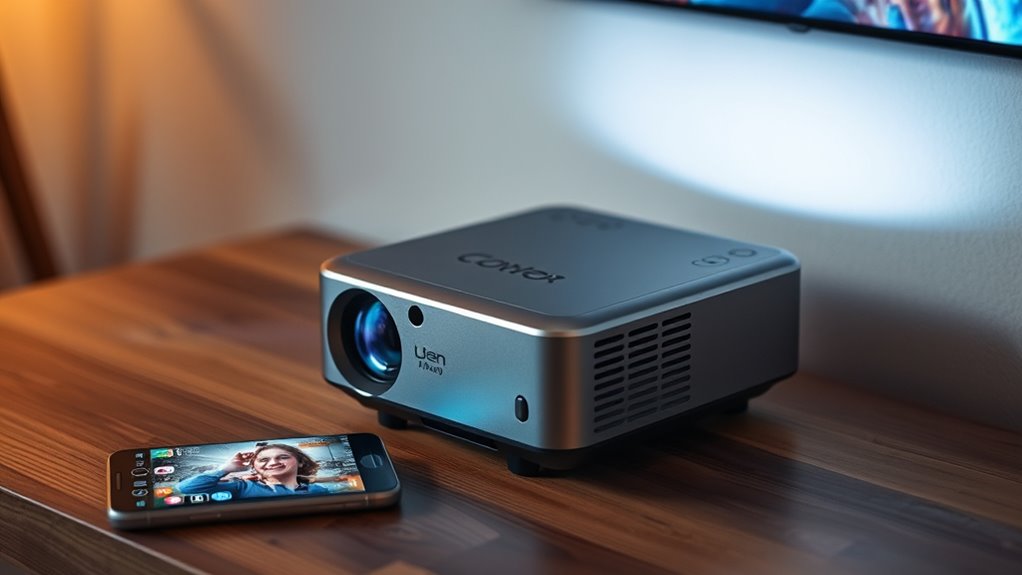

For most iPhone owners, the Portable Mini Projector with Wi-Fi 6, Bluetooth, and 180° Rotation is the best overall starting point, pairing flexible placement with wireless connectivity. The Antmap Portable Mini Projector stands out for its electric focus and wider rotating stand, while the YGSKK Native 1080P model is a stronger fit for buyers prioritizing stated image resolution. The main tradeoffs are wireless convenience versus a dependable wired connection, portability versus brightness, and smart features versus simpler setup. iPhone compatibility can also depend on the projector’s casting support, your network, and the app or adapter used. Read on for the full breakdown of all 15 options and how to choose for your room and viewing habits.

Get your wardrobe favorites delivered free with Prime
- Fast, free delivery on millions of items
- Prime Video, Amazon Music and more included
- Member-only deals all year
Key Takeaways
- The best overall fit is about flexibility: the Wi-Fi 6, Bluetooth, 180° rotation model has a useful balance of wireless features and adjustable placement, rather than a single standout specification.
- Antmap separates itself through setup convenience: electric focus and a 240° rotating stand address two common hassles, though they do not guarantee a brighter or sharper image.
- YGSKK’s native 1080p listings deserve a closer look: native resolution is a more meaningful image detail than 4K input support, which only describes the signal a projector can accept.
- Built-in apps are not a substitute for iPhone compatibility: the YGSKK, HY300Pro, and Philoent smart-feature models still call for checking app access, casting support, and network requirements.
- Rotation appears across several options: a rotating body or stand can simplify ceiling or angled placement, but it cannot correct every keystone or focus issue.
| Portable Mini Projector with Wi-Fi 6, Bluetooth, and 180° Rotation |  | Best for Flexible Placement | Native resolution: 1920 × 1080 | Maximum supported input: 4K | Display type: LCD | VIEW ON AMAZON | See Our Full Breakdown |
| Antmap Portable Mini Projector with Wi-Fi 6, Bluetooth 5.4, Electric Focus, and 240° Rotating Stand |  | Best for Easy Setup | Native resolution: 1920 × 1080 | Maximum supported input: 3840 × 2160 | Connectivity: Wi-Fi 6, Bluetooth 5.4, HDMI, USB, USB-C, 3.5 mm audio | VIEW ON AMAZON | See Our Full Breakdown |
| Portable Short-Throw Mini Projector with 4K Input Support |  | Best for Big Images in Small Rooms | Native resolution: 1080p (1920 × 1080) | 4K compatibility: 4K input supported | Image size: 30–200 inches | VIEW ON AMAZON | See Our Full Breakdown |
| Portable Smart Mini Projector with 180° Rotation |  | Best for Built-In Streaming | Native resolution: 1280 × 720 | Operating system: Android 11.0 | Built-in app: Netflix | VIEW ON AMAZON | See Our Full Breakdown |
| YGSKK Mini Projector, Native 1080P, 210° Rotatable |  | Best Compact Wired iPhone Pick | Native resolution: 1920 × 1080 | Supported video playback: 4K | Brightness: 300 ANSI lumens | VIEW ON AMAZON | See Our Full Breakdown |
| WISHOLY Portable Mini Projector with Wi-Fi, Bluetooth, and 180° Rotation | 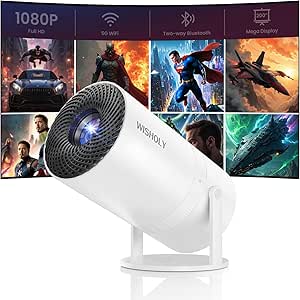 | Best for Flexible iPhone Placement | Native resolution: 1920 × 1080 | Display type: LCD | Wireless connectivity: Dual-band Wi-Fi: 2.4 GHz and 5 GHz | VIEW ON AMAZON | See Our Full Breakdown |
| HOMPOW Mini Portable Projector with Bluetooth 5.1 |  | Best for Budget-Minded, Simple Setups | Native resolution: 1280 × 720 (720p) | Input support: Supports 1080p input | Brightness: 200 lm | VIEW ON AMAZON | See Our Full Breakdown |
| YGSKK Mini Projector, Native 1080p, Bluetooth 5.3, 210° Rotatable | | Best Compact Native-1080p Pick | Native resolution: 1920 × 1080 | Video playback: Supports 4K video playback | Brightness: 300 ANSI lumens | VIEW ON AMAZON | See Our Full Breakdown |
| YGSKK Mini Projector with Wi-Fi 6, Bluetooth 5.3, Built-In Apps, and Electric Focus |  | Best for Wireless iPhone Viewing | Resolution: Native 1080p; compatible with 4K input | Brightness: Up to 300 ANSI lumens | Wireless connectivity: Wi-Fi 6, 2.4 GHz and 5 GHz | VIEW ON AMAZON | See Our Full Breakdown |
| HY300Pro Mini Projector with Wi-Fi 6, Bluetooth 5.4, and Android 14 |  | Best for Small Bedrooms | Native resolution: 1280 × 720 | Maximum supported input: 3840 × 2160 | Operating system: Android 14 | VIEW ON AMAZON | See Our Full Breakdown |
| Magcubic HY300PRO Portable Mini Projector with Wi-Fi and Bluetooth |  | Best for Flexible Placement | Native resolution: 1280 x 720 | Maximum supported resolution: 3840 x 2160 pixels | Brightness: 200 ANSI lumens | VIEW ON AMAZON | See Our Full Breakdown |
| Portable Mini Projector with 1080p Support and Tripod |  | Best for Tripod-Included Setup | Native resolution: 1280 × 720 | Maximum supported resolution: 1080p | Brightness: 15,000 lm (as listed) | VIEW ON AMAZON | See Our Full Breakdown |
| Portable Mini Projector with WiFi and Bluetooth |  | Best for Quiet, Lightweight Streaming | Resolution support: 1080p Full HD | Wireless connectivity: Wi-Fi screen mirroring, Bluetooth 5.2 | Ports: Type-C, USB, HDMI, audio | VIEW ON AMAZON | See Our Full Breakdown |
| Philoent Mini Projector with Wi-Fi 6, Bluetooth 5.4, and Built-in Apps |  | Best for Easy App-Based Setup | Native resolution: 1280 x 720 | Maximum display resolution: 1920 x 1080 | Brightness: 200 ANSI lumens | VIEW ON AMAZON | See Our Full Breakdown |
| AKIYO Mini Projector with Wi-Fi and Bluetooth, 1080p Supported |  | Best for Adjustable Angles and Image Size | Native resolution: 1280 × 720 | Maximum supported resolution: 3840 × 2160 pixels | Brightness: 200 ANSI lumens | VIEW ON AMAZON | See Our Full Breakdown |
| mini projectors for iphone | Native resolution | Connectivity | Brightness | Image size |
|---|---|---|---|---|
| Portable Mini Projector with W | 1920 × 1080 | Wi-Fi, Bluetooth, AV, USB, 3.5 mm headphone port | — | — |
| Antmap Portable Mini Projector | 1920 × 1080 | Wi-Fi 6, Bluetooth 5.4, HDMI, USB, USB-C, 3.5 mm audio | — | 22–170 inches |
| Portable Short-Throw Mini Proj | 1080p (1920 × 1080) | HDMI, USB, 3.5 mm AUX | — | 30–200 inches |
| Portable Smart Mini Projector | 1280 × 720 | Wi-Fi 6, Bluetooth, HDMI, USB | — | 40–130 inches |
| YGSKK Mini Projector | 1920 × 1080 | HDMI, USB, audio, Bluetooth 5.3 | 300 ANSI lumens | — |
| WISHOLY Portable Mini Projecto | 1920 × 1080 | — | — | 40–200 inches |
| HOMPOW Mini Portable Projector | 1280 × 720 (720p) | — | 200 lm | 40–120 inches |
| YGSKK Mini Projector | 1920 × 1080 | HDMI, USB, audio; Bluetooth 5.3 does not connect to smartphones | 300 ANSI lumens | — |
| YGSKK Mini Projector with Wi-F | — | — | Up to 300 ANSI lumens | — |
| HY300Pro Mini Projector with W | 1280 × 720 | Wi-Fi 6, Bluetooth 5.4, HDMI, USB | 200 ANSI lumens | — |
| Magcubic HY300PRO Portable Min | 1280 x 720 | Wi-Fi, Bluetooth, HDMI, USB | 200 ANSI lumens | 30–130 inches |
| Portable Mini Projector with 1 | 1280 × 720 | HDMI, USB, AV, TF card, Bluetooth, Wi-Fi | 15,000 lm (as listed) | 30–200 inches |
| Portable Mini Projector with W | — | — | — | — |
| Philoent Mini Projector with W | 1280 x 720 | Wi-Fi 6, Bluetooth 5.4, HDMI, USB | 200 ANSI lumens | — |
| AKIYO Mini Projector with Wi-F | 1280 × 720 | 5 GHz/2.4 GHz Wi-Fi, Bluetooth 5.2, HDMI, USB, 3.5 mm audio output | 200 ANSI lumens | 30–300 inches |
More Details on Our Top Picks
Portable Mini Projector with Wi-Fi 6, Bluetooth, and 180° Rotation
For iPhone owners who want to aim a picture at a wall or ceiling without repositioning the whole projector, this model’s 180° swivel base is its clearest advantage. It pairs that flexibility with native 1080p, built-in Wi-Fi and Bluetooth, and ports for wired connections. Compared with the Antmap VF211, it has a simpler rotation range and lacks listed electric focus and keystone adjustment, so setup may take more manual work; the Antmap is the stronger fit if easier alignment matters more.
The main iPhone caveat is streaming: screen mirroring may fail with protected apps, so a compatible wired connection or streaming device may be needed. Its 4K support means it accepts that input, not that it displays native 4K. I’d choose it for casual phone photos, video, or ceiling viewing, but not as a no-hassle way to stream every subscription app directly from an iPhone.
Pros:- 180° swivel base makes ceiling and angled projection easier to arrange.
- Native 1080p resolution gives it a clearer starting point than the 720p Thunrlge HY300 Pro.
- Wi-Fi, Bluetooth, and several physical ports offer multiple connection routes.
- Built-in speaker supports basic viewing without separate audio equipment.
Cons:- Protected streaming apps may block phone screen mirroring.
- 4K is accepted as input; the native display resolution remains 1080p.
- No electric focus or keystone correction is listed, unlike the Antmap VF211.
Best for: iPhone owners who want flexible wall-or-ceiling projection for personal videos, photos, and content that can be mirrored or connected by wire.
Not ideal for: Buyers who expect protected streaming apps to mirror directly from an iPhone or want electric focus and keystone correction to speed setup.
- Native resolution:1920 × 1080
- Maximum supported input:4K
- Display type:LCD
- Connectivity:Wi-Fi, Bluetooth, AV, USB, 3.5 mm headphone port
- Projection range:35–135 inches
- Projection distance:0.4–6 m
- Rotation:180°
- Lamp life:45,000 hours
Our verdict“Choose this model if ceiling-friendly placement and native 1080p matter more than automated setup or direct mirroring of protected iPhone streams.”
Antmap Portable Mini Projector with Wi-Fi 6, Bluetooth 5.4, Electric Focus, and 240° Rotating Stand
The Antmap VF211 is the most setup-friendly pick here for an iPhone household that wants wireless options plus a practical wired fallback. Its electric focus and ±45° keystone correction reduce the effort of getting a watchable rectangle when the projector cannot sit square to the wall. The 240° rotating stand also gives it more aiming range than the 180° model in this roundup, though the short-throw model rotates farther at 270°.
Native resolution is 1080p, while 4K describes supported input rather than displayed detail. Wi-Fi 6 and Bluetooth 5.4 add connection flexibility, but they do not remove iOS app restrictions: protected streaming may call for a streaming stick or wired source, and no stick is included. I’d pick it over the simpler 180° projector when alignment convenience matters; skip it if you want a complete streaming setup in the box.
Pros:- Electric focus makes image sharpening easier than on the first 180° projector.
- ±45° keystone correction helps compensate for off-center placement.
- 240° rotating stand supports a wider range of projection angles than the 180° model.
- Wi-Fi 6, Bluetooth 5.4, HDMI, USB, and USB-C provide varied connection options.
Cons:- Native resolution is 1080p, not 4K.
- Streaming stick is not included, and protected services may need a separate playback device.
- Its 22–170-inch image range is not as large as the short-throw model’s stated maximum.
Best for: iPhone users who often move a projector between rooms and want electric focus, keystone adjustment, and several wired connection choices.
Not ideal for: Buyers who expect a streaming stick to be included or need native 4K display resolution rather than 4K input support.
- Native resolution:1920 × 1080
- Maximum supported input:3840 × 2160
- Connectivity:Wi-Fi 6, Bluetooth 5.4, HDMI, USB, USB-C, 3.5 mm audio
- Stand rotation:240°
- Image size:22–170 inches
- Throw distance:2.3–9.84 feet
- Keystone correction:±45°
- Light source life:50,000 hours
Our verdict“Choose the Antmap VF211 if quick image alignment and broad connectivity matter more than included streaming hardware or maximum image size.”
Portable Short-Throw Mini Projector with 4K Input Support
This projector’s short-throw design is its defining advantage for iPhone viewing in a bedroom or other room where there is little space between the projector and wall. It can project a stated image size up to 200 inches, and its 270° rotating stand, electric focus, and digital keystone correction offer more placement adjustment than the 180° rotation model. That makes it a better fit for flexible positioning, though the listed minimum throw distance is 2.5 feet, so it still needs some room.
The tradeoff is phone connection: iOS mirroring requires a wired USB connection, and there is no Bluetooth or built-in app support. Compared with the Antmap VF211, this model favors larger projection and wider stand rotation over wireless convenience. It accepts 4K input but displays up to 1920 × 1080, so I’d choose it for room layout rather than 4K detail or app-based streaming.
Pros:- Short-throw design and a stated maximum image size of 200 inches suit larger viewing in compact rooms.
- 270° stand rotation offers more aiming flexibility than the Antmap VF211’s 240° stand.
- Electric focus and digital keystone correction help with image setup.
- HDMI, USB, and AUX provide wired routes for compatible devices.
Cons:- iOS mirroring requires a wired USB connection.
- No Bluetooth or built-in apps are supported.
- 4K input is supported, but maximum display resolution is 1920 × 1080.
Best for: iPhone owners with limited room depth who can connect by USB and want a large projected image for shared video or gaming.
Not ideal for: Buyers who want wireless iPhone mirroring, Bluetooth audio, or built-in streaming apps.
- Native resolution:1080p (1920 × 1080)
- 4K compatibility:4K input supported
- Image size:30–200 inches
- Throw distance:2.5–16.5 feet
- Stand rotation:270°
- Focus and keystone:Electric focus; digital keystone correction
- Connectivity:HDMI, USB, 3.5 mm AUX
- Light source life:50,000 hours
Our verdict“Pick this model for a big picture in a space-constrained room if you are comfortable connecting your iPhone by wire.”
Portable Smart Mini Projector with 180° Rotation
If you want a projector that can run a streaming app without relying on iPhone screen mirroring, the Thunrlge HY300 Pro has a distinct advantage: Android 11.0 with a built-in Netflix app. That can make casual viewing more direct than on the Antmap VF211, which does not include a streaming stick. It also has automatic keystone correction and 180° rotation, so it can be aimed at a wall or ceiling with less manual adjustment.
The compromise is image detail: its native resolution is 1280 × 720, below the 1080p models in this group, including the YGSKK. Its 40–130-inch image range is also narrower than the short-throw model’s stated maximum. I’d favor it for simple app-based viewing and flexible placement, not for buyers who prioritize Full HD sharpness. The supplied information also conflicts on Bluetooth version, listing 5.0 in specs and 5.4 in the title.
Pros:- Built-in Android 11.0 and Netflix app can reduce reliance on iPhone mirroring.
- Automatic keystone correction simplifies image alignment.
- 180° rotation supports wall and ceiling projection.
- Wi-Fi 6, Bluetooth, HDMI, and USB give it several connection options.
Cons:- Native resolution is 720p, below the 1080p YGSKK and other Full HD options.
- Image size is listed as 40–130 inches, smaller than the short-throw projector’s maximum.
- Bluetooth version is inconsistent across the supplied title and specifications.
Best for: iPhone households that want a compact projector with a built-in Netflix app and automatic image correction for casual viewing.
Not ideal for: Viewers who prioritize native 1080p detail, a very large image, or consistent Bluetooth version information.
- Native resolution:1280 × 720
- Operating system:Android 11.0
- Built-in app:Netflix
- Connectivity:Wi-Fi 6, Bluetooth, HDMI, USB
- Rotation:180°
- Image size:40–130 inches
- Throw distance:0.5–3 m
- Automatic keystone correction:Yes
Our verdict“Choose the Thunrlge HY300 Pro if built-in Netflix and automatic setup matter more than native Full HD resolution.”
YGSKK Mini Projector, Native 1080P, 210° Rotatable
The YGSKK pairs native 1080p with a compact, 1.68-pound body, making it a strong choice for iPhone owners who want a Full HD projector that is easier to carry between rooms. Its USB phone mirroring avoids dependence on Wi-Fi, while remote electric focus and a 210° rotating base help with setup. Compared with the Thunrlge HY300 Pro, it offers higher native resolution but gives up built-in Android and Netflix; compared with the short-throw model, its supplied details do not claim a short-throw design.
There are two phone-specific catches: the mirroring cable is not included, and protected streaming apps may still block playback. Bluetooth 5.3 is for audio and does not support smartphone connections, so it is not a wireless iPhone-mirroring route. The 4K label refers to video playback support, while the display remains native 1080p. I’d choose it for portable, wired phone use rather than app-free convenience.
Pros:- Native 1920 × 1080 resolution provides Full HD display detail.
- At 1.68 pounds and 8 × 4 × 4 inches, it is easy to move between rooms.
- USB phone mirroring does not require Wi-Fi.
- Remote electric focus and 210° rotation help with positioning and adjustment.
Cons:- USB cable for phone mirroring is not included.
- Protected streaming apps may not mirror from a phone.
- Bluetooth 5.3 does not support smartphone connections, so it is not a wireless mirroring option.
Best for: iPhone users who want a lightweight native-1080p projector and are comfortable supplying a USB cable for phone mirroring.
Not ideal for: Buyers who want wireless iPhone mirroring, built-in streaming apps, or guaranteed playback from protected phone apps.
- Native resolution:1920 × 1080
- Supported video playback:4K
- Brightness:300 ANSI lumens
- Projection size:50–200 inches
- Rotation:210°
- Connectivity:HDMI, USB, audio, Bluetooth 5.3
- Weight and dimensions:1.68 lbs; 8 × 4 × 4 inches
- Focus:Electric focus via remote
Our verdict“Choose the YGSKK for portable Full HD viewing from an iPhone when a wired connection is acceptable and built-in apps are not a priority.”
WISHOLY Portable Mini Projector with Wi-Fi, Bluetooth, and 180° Rotation
For iPhone owners who want to aim the picture at a wall or ceiling without rearranging the room, the WISHOLY’s adjustable rotating stand is its clearest advantage. Its native 1080p resolution also gives it a sharper image foundation than the HOMPOW, which is native 720p. Dual-band Wi-Fi supports wireless phone mirroring, while Bluetooth is for audio devices—not for connecting the iPhone as a display source. The 2.3-pound body remains portable, though it is heavier than the 1.68-pound YGSKK 210° Rotatable model. Automatic vertical keystone correction can help tidy the image after angling the projector, but it does not remove the need to place it sensibly. Rotation is listed as both 180° and 210° in the supplied information, so I would verify the range before buying. A TV stick is also sold separately.
Pros:- Native 1080p resolution is a stronger fit for detailed video than the HOMPOW’s native 720p.
- Dual-band Wi-Fi supports wireless screen mirroring from a phone.
- Adjustable stand and automatic vertical keystone correction make angled placement easier.
- Bluetooth audio lets users connect compatible speakers or headphones.
Cons:- The listed rotation range conflicts: the title says 180° while specifications say 210°.
- A TV stick is not included, and Bluetooth does not mirror an iPhone screen.
- At 2.3 pounds, it is heavier than the YGSKK 210° Rotatable model.
Best for: iPhone users who want wireless screen mirroring, native 1080p, and flexible wall or ceiling placement in a portable projector.
Not ideal for: Buyers who need a clearly verified rotation range, a very lightweight unit, or an included streaming stick.
- Native resolution:1920 × 1080
- Display type:LCD
- Wireless connectivity:Dual-band Wi-Fi: 2.4 GHz and 5 GHz
- Other connectivity:Bluetooth 5.2, HDMI, USB, 3.5 mm audio
- Image size:40–200 inches
- Projection rotation:Listed as 180° in the title and 210° in specifications
- Keystone correction:Automatic vertical
- Dimensions and weight:4.72 × 5.2 × 7.28 inches; 2.3 lbs
Our verdict“Choose the WISHOLY if wireless iPhone mirroring and adjustable ceiling-friendly placement matter more than minimal weight or a confirmed rotation range.”
HOMPOW Mini Portable Projector with Bluetooth 5.1
The HOMPOW makes the most sense for iPhone owners who are comfortable adding a separate adapter and want a lightweight projector for casual viewing. Its 0.7 kg design and built-in 5W speaker keep a basic setup manageable, while zoom adjustment can reduce the projected image without moving the projector. The main compromise is picture detail: its native resolution is 720p, even though it accepts 1080p input, so it cannot match the native Full HD YGSKK models for sharpness. iPhone mirroring adapters are not included, and Bluetooth is not a substitute for a video connection; it is intended for audio. The 40–120-inch image range is also narrower than the WISHOLY’s 40–200-inch range. This is a simpler, smaller-screen choice rather than the pick for a crisp, large-format iPhone movie setup.
Pros:- Light 0.7 kg design is easier to carry between rooms than the 2.3-pound WISHOLY.
- Built-in 5W speaker provides basic audio without a separate speaker.
- Zoom can adjust image size within a setup, reducing the need to reposition the unit.
- Auto-off timer adds a useful control for bedroom viewing.
Cons:- Native 720p resolution delivers less detail than the native 1080p YGSKK projectors.
- Phone-mirroring adapters and a TV stick are sold separately.
- Its 40–120-inch image range is more limited than the WISHOLY’s.
Best for: iPhone users seeking a lightweight projector for occasional viewing who already have, or are willing to buy, a compatible phone-mirroring adapter.
Not ideal for: Buyers who want native 1080p detail, wireless iPhone mirroring out of the box, or a very large projected image.
- Native resolution:1280 × 720 (720p)
- Input support:Supports 1080p input
- Brightness:200 lm
- Image size:40–120 inches
- Throw distance:3.49–7.26 feet
- Zoom:50%–100%
- Audio and Bluetooth:Built-in 5W speaker; two-way Bluetooth 5.1
- Connectivity and weight:HDMI 2.0, USB 2.0, 3.5 mm jack, IR; 0.7 kg
Our verdict“Pick the HOMPOW for a light, straightforward setup if you accept 720p and plan to supply your own iPhone adapter.”
YGSKK Mini Projector, Native 1080p, Bluetooth 5.3, 210° Rotatable
This YGSKK is a good match for iPhone owners who prioritize a sharp image and a small, light projector over wireless phone setup. Native 1080p gives it an advantage over the HOMPOW’s 720p panel, and its 1.68-pound weight makes it easier to move than the WISHOLY. The 210° rotating base supports ceiling-oriented placement, while electric focus lets users adjust sharpness from the remote rather than reaching the projector. The catch for iPhone viewing is connectivity: phone mirroring requires a separate USB cable, and Bluetooth does not connect to smartphones. Some streaming apps may also block playback through mirroring because of HDCP restrictions. Its 50–200-inch image range is broad, but the listed 300 ANSI lumens favor darker rooms rather than bright daytime spaces. I’d choose it for compact, wired iPhone playback, not app-free wireless convenience.
Pros:- Native 1080p resolution offers more detail than the HOMPOW’s native 720p.
- At 1.68 pounds, it is lighter than the WISHOLY.
- 210° rotation and remote electric focus support flexible placement and adjustment.
- Includes HDMI cable and supports images from 50 to 200 inches.
Cons:- A USB cable for phone mirroring is not included.
- Bluetooth does not connect to smartphones, and some streaming apps may block mirrored playback.
- The listed 300 ANSI lumens are better suited to dim viewing spaces.
Best for: iPhone owners who want a compact native-1080p projector and are comfortable using a separate cable for phone mirroring.
Not ideal for: Buyers who expect wireless iPhone mirroring, rely on protected streaming apps through mirroring, or watch in bright rooms.
- Native resolution:1920 × 1080
- Video playback:Supports 4K video playback
- Brightness:300 ANSI lumens
- Projection size:50–200 inches
- Rotation:210°
- Focus:Electric focus via remote
- Connectivity:HDMI, USB, audio; Bluetooth 5.3 does not connect to smartphones
- Dimensions and weight:8 × 4 × 4 inches; 1.68 pounds
Our verdict“Choose this YGSKK for portable native-1080p viewing when a wired iPhone connection is acceptable and the room can be darkened.”
YGSKK Mini Projector with Wi-Fi 6, Bluetooth 5.3, Built-In Apps, and Electric Focus
Among these five, this YGSKK is the clearest choice for iPhone owners who want to mirror wirelessly and also use streaming apps on the projector itself. Its native 1080p resolution, built-in apps, and Wi-Fi 6 give it a more self-contained role than the wired-mirroring YGSKK 210° Rotatable model. Wireless smartphone mirroring is supported, though the supplied details specify an app requirement for Android rather than for iPhone. Electric focus and 210° rotation make setup less fiddly when projecting at an angle. Bluetooth 5.3 is for audio devices, not smartphone mirroring, so buyers should not confuse the two connections. Brightness tops out at 300 ANSI lumens, which limits its appeal in rooms with strong ambient light. Compared with the HY300Pro, it offers native 1080p rather than 720p, but costs the simplicity of a more modest brightness ceiling.
Pros:- Wireless smartphone mirroring and built-in streaming apps offer more viewing routes than the cable-dependent YGSKK 210° Rotatable model.
- Native 1080p resolution is sharper than the HY300Pro’s native 720p.
- Electric focus and 210° rotation help with angled placement.
- Wi-Fi 6 supports both 2.4 GHz and 5 GHz networks.
Cons:- Brightness is limited to up to 300 ANSI lumens, making dark-room use a better fit.
- Bluetooth connects to audio devices, not smartphones for screen mirroring.
- Android mirroring requires an app, and setup may be less direct for some users.
Best for: iPhone users who want wireless mirroring or built-in streaming apps, plus native 1080p for darker-room viewing.
Not ideal for: People who watch in bright rooms, want Bluetooth to carry iPhone video, or prefer a projector without app-based setup.
- Resolution:Native 1080p; compatible with 4K input
- Brightness:Up to 300 ANSI lumens
- Wireless connectivity:Wi-Fi 6, 2.4 GHz and 5 GHz
- Bluetooth:Bluetooth 5.3 for audio devices
- Projection size and rotation:50–200 inches; 210° rotation
- Features:Built-in streaming apps, speakers, electric focus, digital keystone correction
- Ports:HDMI, USB, 3.5 mm audio
- Warranty:3 years
Our verdict“Choose this YGSKK if wireless iPhone viewing and built-in apps matter more than brightness for a lit room.”
HY300Pro Mini Projector with Wi-Fi 6, Bluetooth 5.4, and Android 14
The HY300Pro suits iPhone owners who want a tiny, app-equipped projector for a bedroom rather than a large, bright-room setup. At 0.77 lb, it is the lightest option in this group, and Android 14 with built-in apps can reduce the need to connect a phone for every viewing session. Its native resolution is 720p, however, so it gives up the detail offered by both native-1080p YGSKK models. The projector accepts 4K input, but that does not change the panel’s native resolution. Its 35–135-inch range is more restrained than the WISHOLY’s 40–200 inches, a sensible fit for smaller spaces but less appealing for big-screen ambitions. With 200 ANSI lumens, it is best used in a darkened room. The supplied details do not clearly specify iPhone mirroring, so I would check compatibility before buying for phone-first playback.
Pros:- At 0.77 lb, it is substantially lighter than the other projectors in this group.
- Android 14 and built-in streaming apps allow viewing without using the iPhone as the source every time.
- Auto vertical keystone correction and several mounting options help in tight rooms.
- A 35–135-inch image range suits bedroom-sized projection better than a very large setup.
Cons:- Native resolution is 720p, unlike the native-1080p YGSKK options.
- The listed 200 ANSI lumens make it a poor fit for rooms with substantial ambient light.
- The supplied product details do not clearly confirm iPhone mirroring support.
Best for: Bedroom viewers who want a very lightweight projector with built-in apps and plan to watch in a dark, compact space.
Not ideal for: iPhone buyers who require confirmed wireless phone mirroring, native 1080p detail, or a bright image in ambient light.
- Native resolution:1280 × 720
- Maximum supported input:3840 × 2160
- Operating system:Android 14
- Brightness:200 ANSI lumens
- Projection distance and image size:0.75–2.65 m; 35–135 inches
- Connectivity:Wi-Fi 6, Bluetooth 5.4, HDMI, USB
- Focus and correction:Manual focus; auto vertical keystone correction
- Weight and speaker:0.77 lb; built-in 5W speaker
Our verdict“Pick the HY300Pro for a lightweight bedroom projector with built-in apps, but not if native 1080p or confirmed iPhone mirroring is a priority.”
Magcubic HY300PRO Portable Mini Projector with Wi-Fi and Bluetooth
The Magcubic HY300PRO makes the most sense for iPhone owners who want a projector that can point in more directions than a fixed tabletop model. Its 180-degree rotating stand helps aim an image at a wall or ceiling, while built-in apps and Wi-Fi offer viewing options beyond a direct phone connection. For iPhone playback, HDMI is available, though the required adapter is not specified here; wireless mirroring compatibility can also vary by app.
Compared with the Philoent Mini Projector, the HY300PRO offers a larger stated maximum image size, but Philoent adds autofocus and automatic vertical keystone correction. The Magcubic’s 720p native resolution and 200 ANSI lumens point to casual, dim-room viewing rather than sharp, bright daytime projection, and manual focus means setup takes more adjustment.
Pros:- 180-degree rotating stand supports flexible projection angles
- Built-in apps, Wi-Fi, Bluetooth, HDMI, and USB provide several viewing and connection options
- Compact 0.67 kg design is easy to move between rooms
- Supports images up to 130 inches
Cons:- Native resolution is 1280 x 720, not 4K; 4K is input support
- 200 ANSI lumens suits dim environments better than daylight viewing
- Manual focus requires hands-on adjustment
Best for: iPhone owners who want a compact projector for casual movie nights and flexible wall-or-ceiling placement in a dim room.
Not ideal for: Viewers who need quick automatic setup, a bright image with room lights on, or consistently sharp large-screen detail.
- Native resolution:1280 x 720
- Maximum supported resolution:3840 x 2160 pixels
- Brightness:200 ANSI lumens
- Connectivity:Wi-Fi, Bluetooth, HDMI, USB
- Image size:30–130 inches
- Throw distance:0.6–2.6 meters
- Weight:0.67 kg
- Focus:Manual
Our verdict“Choose the Magcubic if flexible positioning matters more than automatic setup or high native resolution.”
Portable Mini Projector with 1080p Support and Tripod
This projector’s clearest advantage for iPhone viewing is practical: it includes a tripod, so buyers have a ready-made way to position the image without sourcing a separate mount. It accepts 1080p input, but its native resolution is 1280 × 720, so that support should not be mistaken for native Full HD detail. An iPhone connection requires an HDMI adapter, which is not included; that makes setup less direct than the Magcubic HY300PRO’s built-in apps and Wi-Fi.
Its HDMI, USB, AV, and TF card connections give it flexibility for other devices, while the claimed 30–200-inch range accommodates different rooms. The advertised 15,000-lumen figure is not stated in ANSI lumens, so it is difficult to compare directly with models such as the Philoent, rated at 200 ANSI lumens. The small built-in speaker may also fall short for movie sound.
Pros:- Includes an adjustable tripod for tabletop positioning
- Compact body weighs 0.9 lb and measures 5.4 × 4.2 × 2.4 inches
- HDMI, USB, AV, and TF card connections support varied sources
- Claims an image-size range of 30–200 inches
Cons:- iPhone HDMI adapter is required and not included
- Native resolution is 720p despite 1080p input support
- Brightness is listed as 15,000 lm rather than ANSI lumens, limiting direct comparison
Best for: iPhone users who already have, or are willing to buy, a compatible HDMI adapter and want a portable projector with a tripod included.
Not ideal for: Buyers seeking a straightforward wireless iPhone setup, verified ANSI brightness comparisons, or strong sound from the built-in speaker.
- Native resolution:1280 × 720
- Maximum supported resolution:1080p
- Brightness:15,000 lm (as listed)
- Image size:30–200 inches
- Connectivity:HDMI, USB, AV, TF card, Bluetooth, Wi-Fi
- Weight:0.9 lb
- Dimensions:5.4 × 4.2 × 2.4 inches
- Included accessory:Tripod stand
Our verdict“Pick this model if the included tripod and broad wired inputs matter more than adapter-free iPhone connection.”
Portable Mini Projector with WiFi and Bluetooth
At under 1 lb, this model is a straightforward carry-along option for iPhone owners who value wireless screen mirroring and a compact footprint. Its Wi-Fi mirroring and Bluetooth 5.2 give it more wireless flexibility than the tripod-included projector, while Type-C, USB, HDMI, and audio ports provide wired alternatives. The listed 1080p Full HD support does not specify native resolution, so buyers should not assume it delivers native 1080p detail.
The maker rates fan noise below 30 dB, which may suit quiet home viewing, and the image range spans 22–170 inches. However, some copyright-protected streaming apps may require a TV stick or similar device, so phone mirroring is not a universal shortcut. Unlike the Philoent Mini Projector, this model has no listed built-in apps or included rotating stand; its tripod is sold separately, and it is not intended for business presentations.
Pros:- Weighs under 1 lb and has a compact 5.63 × 3.79 × 2.28-inch body
- Wi-Fi screen mirroring and Bluetooth 5.2 support wireless connections
- Type-C, USB, HDMI, and audio ports add wired device options
- Fan noise is rated below 30 dB
Cons:- Some copyright-restricted streaming apps may need a separate TV stick
- Tripod is sold separately
- Not recommended for business presentations
Best for: Light-packers who want Wi-Fi phone mirroring for personal home viewing and are comfortable using a streaming stick when an app blocks casting.
Not ideal for: iPhone owners who want included streaming apps, a bundled tripod, or a projector for slides and business presentations.
- Resolution support:1080p Full HD
- Wireless connectivity:Wi-Fi screen mirroring, Bluetooth 5.2
- Ports:Type-C, USB, HDMI, audio
- Screen size:22–170 inches
- Projection distance:3.3–16 ft
- Recommended projection distance:6.5–9.8 ft
- Weight:Under 1 lb
- Fan noise:Below 30 dB
Our verdict“Choose this compact option for quiet personal viewing if you accept that some streaming services need an external device.”
Philoent Mini Projector with Wi-Fi 6, Bluetooth 5.4, and Built-in Apps
The Philoent is the strongest fit here for iPhone owners who want to start streaming without making a phone the only source. Built-in apps can reduce the need to mirror a screen, while autofocus and automatic vertical keystone correction cut down on manual image adjustment. Wi-Fi 6, Bluetooth 5.4, HDMI, and USB leave room for wireless or wired connections; app availability and iPhone mirroring compatibility can still depend on the service and setup.
Compared with the Magcubic HY300PRO, Philoent adds autofocus and a quieter stated operating level, but its maximum image size is smaller at 86 inches. Both share a 720p native resolution and 200 ANSI lumens, so neither is a strong choice for bright rooms or buyers expecting native 1080p detail. Its light weight and 180-degree rotation make it easier to place around a small room, while the two-year warranty is longer than the Magcubic’s listed one-year coverage.
Pros:- Built-in streaming apps reduce reliance on phone mirroring
- Autofocus and automatic vertical keystone correction simplify setup
- Weighs 0.85 lb and rotates 180 degrees for flexible placement
- Wi-Fi 6, Bluetooth 5.4, HDMI, and USB offer varied connections
Cons:- Native resolution is 1280 x 720 despite support for higher-resolution content
- 200 ANSI lumens is best suited to dim viewing conditions
- Maximum image size is 86 inches, smaller than the Magcubic HY300PRO’s stated 130 inches
Best for: iPhone households that want a light, easy-to-position projector with built-in streaming apps and automatic image adjustment for dim-room viewing.
Not ideal for: Buyers who need a large image, native 1080p detail, or enough brightness for use with room lights on.
- Native resolution:1280 x 720
- Maximum display resolution:1920 x 1080
- Brightness:200 ANSI lumens
- Connectivity:Wi-Fi 6, Bluetooth 5.4, HDMI, USB
- Maximum image size:86 inches
- Throw distance:0.6–3.5 meters
- Weight:0.85 lb (387 g)
- Noise level:Approximately 25 dB
- Warranty:2 years
Our verdict“Choose the Philoent for easy app-based viewing and automatic setup in a small, dim room.”
AKIYO Mini Projector with Wi-Fi and Bluetooth, 1080p Supported
The AKIYO stands out for a 360-degree rotating stand paired with automatic vertical keystone correction and 50% zoom. That combination gives iPhone owners more latitude when a wall, shelf, or ceiling dictates where the projector sits. Wireless casting, dual-band Wi-Fi, and HDMI and USB inputs cover several connection routes, although copyrighted streaming video may not play through phone mirroring; Bluetooth is for audio connections and does not connect to smartphones.
Compared with the Philoent Mini Projector, AKIYO offers a much wider stated image-size range, up to 300 inches, and more physical rotation. Philoent counters with built-in apps and autofocus, which may make setup and streaming simpler. AKIYO’s native resolution is 1280 × 720, and its 200 ANSI lumens call for a dark room; its big maximum image claim should not be read as a promise of bright, detailed viewing at that size.
Pros:- 360-degree rotating stand and automatic keystone correction support flexible placement
- 50% zoom helps adjust image size without moving the projector
- Dual-band Wi-Fi, Bluetooth 5.2, HDMI, USB, and 3.5 mm audio output
- Compact 360 g body is suited to travel
Cons:- 200 ANSI lumens makes a dark viewing environment preferable
- Some copyrighted streaming video may not play through phone mirroring
- Bluetooth does not connect to smartphones, and native resolution is 720p
Best for: iPhone users who need a highly adjustable projector for a dark room and want zoom and broad placement flexibility.
Not ideal for: Buyers who want dependable playback from every streaming app via phone mirroring, native 1080p detail, or bright-room viewing.
- Native resolution:1280 × 720
- Maximum supported resolution:3840 × 2160 pixels
- Brightness:200 ANSI lumens
- Connectivity:5 GHz/2.4 GHz Wi-Fi, Bluetooth 5.2, HDMI, USB, 3.5 mm audio output
- Image size:30–300 inches
- Maximum throw distance:13.12 feet
- Dimensions:4.8 × 3.7 × 3.3 inches
- Weight:360 g
- Warranty:2 years
Our verdict“Pick AKIYO if rotation, zoom, and placement flexibility matter more than built-in apps or reliable phone-mirrored streaming.”

How We Picked
I ranked these projectors around the practical job implied by the search: showing iPhone photos, video, or apps on a larger surface without turning setup into a project. I gave weight to clearly stated connection features, rotation and focus controls, native resolution claims, and whether a model offers a potential alternative to phone-based streaming through built-in apps. I also treated broad labels such as “1080p supported” or “4K input support” cautiously: they do not establish native image resolution, brightness, or compatibility with every iPhone app.
The order favors the most balanced mix of iPhone-relevant convenience and flexible setup, followed by models with a specific advantage such as electric focus, native 1080p claims, or integrated smart features. Products with fewer distinguishing details rank lower, not because they cannot work, but because the listed information gives buyers less basis for comparing them. Before buying any option, verify the exact iPhone connection method, supported apps, power needs, and return terms; the product names alone cannot settle those details.
Factors to Consider When Choosing Mini Projectors For Iphone
Choosing a mini projector for an iPhone takes more than matching a wireless feature to a phone. The best fit depends on how you plan to send video, the room you will use, and whether you value easy setup more than image detail or app flexibility. These checks can help prevent a projector that sounds compatible on its listing from frustrating you at home.
Check the exact iPhone connection path
“Wi-Fi” or “Wi-Fi 6” on a listing does not, by itself, confirm iPhone screen mirroring. Look for clear support for AirPlay or another iOS-compatible casting method, and check whether the projector and phone need to share a network. A wired HDMI connection can be steadier, but iPhones may require a compatible adapter, and streaming apps can place restrictions on mirrored video. Before choosing, decide whether you mainly want to show camera-roll photos, mirror a screen, or play content from a streaming service. Those uses can follow different connection rules even on the same phone.
Separate native resolution from accepted input
Resolution language is easy to misread: “1080p supported” and “4K input support” do not necessarily mean the projector displays a native 1080p or 4K image. Native resolution affects the detail the device can show, while input support describes which source signals it can accept. This matters most for subtitles, presentations, and text-heavy content, where lower displayed detail can be more noticeable than it is in casual video. Compare clearly stated native resolution rather than choosing by the largest supported-input number. Also remember that focus, screen size, and viewing distance affect perceived clarity.
Match brightness to the room, not the marketing label
A compact projector is most likely to give a satisfying image in a dim room, and a larger projected picture generally needs more light control. If you plan to watch with lamps on or during daytime, check for independently stated brightness measurements and what measurement standard the maker uses. Do not assume that a small body, a high-resolution claim, or smart features mean the image will remain clear in ambient light. A smaller picture in a darkened space may look more usable than a much larger image in a bright room. Room conditions can matter more than small differences in listed features.
Treat rotation and focus as placement aids
Rotating designs can make it easier to aim a projector at a wall or ceiling, but rotation changes direction, not image quality. Electric focus can save time when repositioning, while manual focus may be adequate if the projector stays in one place. Check whether the model also offers keystone correction and whether that correction reduces image detail or limits placement options. A sharply focused image is easiest to achieve when the projector faces the screen fairly squarely. Avoid assuming a rotating stand can fix an awkward throw distance or an uneven projection surface.
Decide whether built-in apps are useful for your habits
Built-in apps may let a projector play content without mirroring the iPhone, which can sidestep some phone-to-projector steps. They also introduce their own tradeoffs: app availability, updates, login steps, and navigation may differ from what you are used to on a phone or streaming device. If your main goal is sharing iPhone photos or presentations, direct casting or a cable may matter more than an app library. If you mostly watch streaming services, verify that the specific services you use are available and work as intended. A smart label alone does not confirm a complete or current app experience.
Plan for audio, power, and portability
Bluetooth can help connect an external speaker, but confirm whether it supports the audio setup you want and whether wireless audio introduces delay. Small built-in speakers may be fine for casual viewing, while films or group watching usually benefit from separate audio. Check whether the projector needs a nearby outlet, since “portable” does not necessarily mean battery-powered. Include adapters, charging cables, a tripod, and a screen in your portability calculation. A projector that packs neatly but needs several extra items may be less convenient for travel than its size suggests.
Frequently Asked Questions
Can I mirror any iPhone app to a mini projector?
No. The projector’s casting method, the app, and the iPhone connection all affect what appears on the screen. Some apps may block or restrict screen mirroring, especially for protected video, even if photos or the home screen cast normally. Check the projector’s stated iOS or AirPlay support and confirm that it suits the services you use. A compatible wired adapter can help in some setups, but it is not a guaranteed workaround for app restrictions.
Is Wi-Fi 6 enough to confirm that a projector will connect to my iPhone?
No. Wi-Fi 6 describes wireless networking capability; it does not confirm AirPlay, screen mirroring, or compatibility with every iPhone. Look for explicit iOS casting instructions and check whether both devices must join the same network. Some models may rely on a dedicated app or a projector-created wireless connection, which can change the setup steps. If dependable playback matters more than convenience, check whether a wired connection is supported and what adapter your iPhone needs.
Should I choose native 1080p or a projector that supports 4K input?
For visible detail, native resolution is usually the more useful specification because it describes the image the projector can display. A projector that accepts a 4K signal may still show it at a lower native resolution. That difference matters for small text, subtitles, and detailed slides more than for casual viewing from farther away. Compare the exact native-resolution claim, then weigh it against room brightness, projection size, and focus. Do not treat “4K input” as proof of a 4K picture.
Will a mini projector work well in a bright living room?
Small projectors generally have a harder time competing with daylight or strong room lighting than larger, brighter models. Closing curtains, dimming lamps, and choosing a smaller image can make the picture easier to see. Before buying, seek a clearly stated brightness figure and check how it was measured rather than relying on an unspecified claim. If you cannot control the light, a mini projector may not suit your main viewing space. A dim bedroom or evening setup is often a more forgiving match.
Do I need a separate speaker or adapter for iPhone viewing?
Possibly. Bluetooth can connect some projectors to a speaker, but check compatibility and consider whether audio delay could bother you during video. For an iPhone cable connection, you may need an adapter that matches your phone’s port and the projector’s available input. Wireless casting can avoid a video cable, but it depends on supported protocols and network setup. Confirm audio output, included cables, and power requirements before buying so that the projector’s portability does not depend on accessories you did not plan for.
Conclusion
Best overall: I’d start with the Portable Mini Projector with Wi-Fi 6, Bluetooth, and 180° Rotation for a balanced feature set and flexible positioning. Best value: the WISHOLY Portable Mini Projector is worth comparing if you want the core combination of Wi-Fi, Bluetooth, and 180° rotation without prioritizing electric focus or built-in apps. Best for beginners: Antmap’s electric focus and 240° rotating stand make setup adjustments easier to understand and manage. Best for image-detail priorities: the YGSKK Native 1080P models merit a closer look, with the Bluetooth 5.3 version adding a clearly stated wireless feature. Best for smart-feature seekers: compare the YGSKK with built-in apps, HY300Pro Android 14, and Philoent, then verify app support for your services. For any buyer, I’d confirm the exact iPhone casting method and native resolution before choosing; those details matter more than a feature label alone.