
If you’re looking for the best mesh Wi-Fi systems for seamless whole-home coverage in 2025, I recommend considering options like TP-Link Deco X55, S4, and XE75, Amazon eero 6, Google Nest WiFi Pro, NETGEAR Orbi 770 and 370 series, and Linksys MX8000/MX8400. These systems offer excellent coverage, support multiple devices, and feature the latest Wi-Fi standards like Wi-Fi 6E and WiFi 7. Keep an eye on features and compatibility as you narrow down your choices—there’s more to explore below.
Key Takeaways
- Top mesh Wi-Fi systems like Google Nest WiFi Pro, NETGEAR Orbi 770, and Linksys Velop MX4200 offer extensive coverage up to 6,600 sq ft.
- Modern systems support advanced Wi-Fi standards (Wi-Fi 6, Wi-Fi 6E, WiFi 7) for faster speeds and higher device capacity.
- Easy setup and management via dedicated apps ensure seamless installation and control for large homes or offices.
- Mesh technology eliminates dead zones, supports multiple devices, and provides reliable, high-speed connections across entire properties.
- Features like wired Ethernet backhaul, multi-gig ports, and security updates enhance performance and future-proof your home network.

TP-Link Deco X55 AX3000 WiFi 6 Mesh System - Covers up to 6500 Sq.Ft, Replaces Wireless Router and Extender, 3 Gigabit Ports per Unit, Supports Ethernet Backhaul, Deco X55(3-Pack)
Wi-Fi 6 Mesh Wi-Fi - Next-gen Wi-Fi 6 AX3000 whole home mesh system to eliminate weak Wi-Fi for...
As an affiliate, we earn on qualifying purchases.
TP-Link Deco X55 WiFi 6 Mesh System (3-Pack)
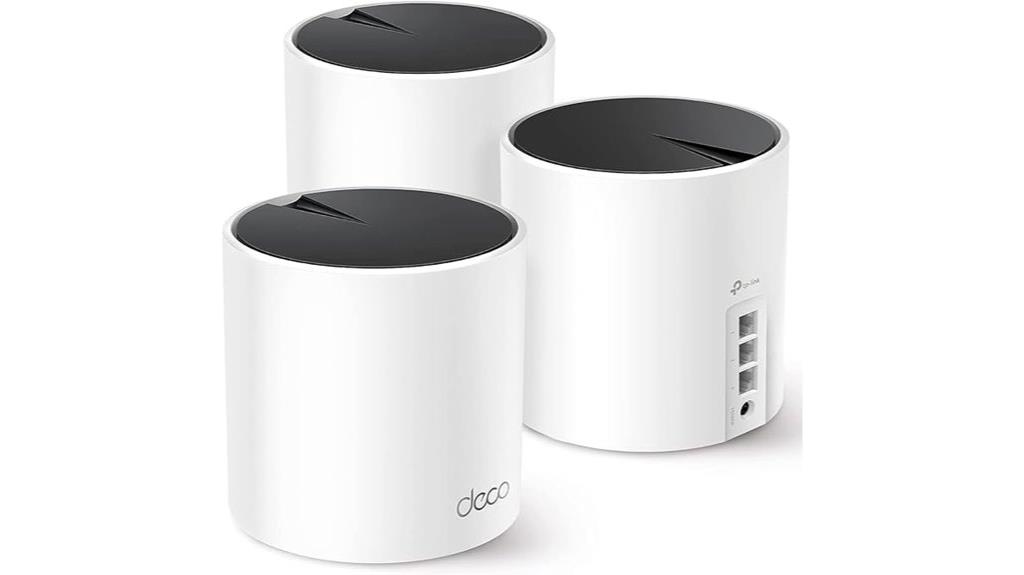
Are you tired of dead zones and buffering in your home Wi-Fi? The TP-Link Deco X55 WiFi 6 Mesh System (3-Pack) might be just what you need. It uses next-generation Wi-Fi 6 technology, supporting fast speeds up to 3000 Mbps and covering up to 6,500 square feet. With a mesh setup, it eliminates weak signals and dead zones, outperforming traditional extenders. It supports up to 150 devices at once, ensuring reliable connectivity for your entire home. Plus, each unit has three Gigabit Ethernet ports and supports Ethernet backhaul for even better speeds. Setting it up is simple with the Deco app, and security is built-in, giving you peace of mind.
Best For: households or small offices seeking seamless, high-speed Wi-Fi coverage across large areas with multiple devices and easy management.
Pros:
- Supports Wi-Fi 6 with speeds up to 3000 Mbps and extensive coverage up to 6,500 sq.ft.
- Mesh system eliminates dead zones and supports up to 150 devices simultaneously.
- Easy setup via the Deco app with robust security features and Ethernet backhaul support.
Cons:
- May be more expensive than traditional routers or extenders.
- Requires an app for initial setup and management, which might not appeal to all users.
- Some users might find advanced configurations limited compared to more customizable networking solutions.

TP-Link Deco S4 Mesh AC1900 WiFi System - Up to 5,500 Sq.ft. Coverage, Replaces WiFi Router and Extender, Gigabit Ports, Works with Alexa, Deco S4(3-Pack)
A New Way to WiFi: Deco Mesh technology gives you a better WiFi experience in all directions with...
As an affiliate, we earn on qualifying purchases.
TP-Link Deco S4 Mesh WiFi System (3-Pack)

The TP-Link Deco S4 Mesh WiFi System (3-Pack) is an excellent choice for large homes or spaces with multiple dead zones, thanks to its ability to cover up to 5,500 square feet seamlessly. With Deco Mesh technology, it delivers faster speeds and strong signals in all directions, eliminating dead zones. The units work together as a single network with one name and password, providing seamless roaming and stable connections. Supporting speeds up to AC1900, it handles up to 100 devices simultaneously. Easy to set up via the Deco app, it also offers wired Ethernet backhaul and voice control, making it a versatile, user-friendly choice.
Best For: homeowners with large spaces or multiple dead zones seeking seamless, high-speed WiFi coverage and easy setup.
Pros:
- Covers up to 5,500 sq ft with three units, ideal for large homes
- Supports up to 100 devices simultaneously with fast AC1900 speeds
- Simple setup via the Deco app with voice control options
Cons:
- Requires a modem for most internet connections, adding to setup complexity
- Limited to WiFi 5 (AC1900), not the latest WiFi 6 standard
- No built-in battery backup, so connectivity depends on power supply

TP-Link Deco XE75 AXE5400 Tri-Band WiFi 6E Mesh System - Wi-Fi up to 7200 Sq.Ft, Engadget Rated Best Mesh for Most People, Replaces WiFi Router and Extender, AI-Driven Mesh New 6GHz Band, 3-Pack
WiFi 6E Tri-Band Mesh WiFi – Cover up to 7,200 Sq.Ft with next-gen seamless WiFi and make dead...
As an affiliate, we earn on qualifying purchases.
TP-Link Deco XE75 AXE5400 Mesh System (3-Pack)

For anyone seeking seamless, high-speed WiFi coverage across large or multi-story homes, the TP-Link Deco XE75 AXE5400 Mesh System stands out as an excellent choice. It covers up to 7,200 sq.ft. and features tri-band speeds totaling 5,400 Mbps, including a dedicated 6 GHz band for WiFi 6E devices. The system uses AI-driven mesh technology to adapt to your environment and support over 200 devices. Easy to set up with the Deco app, it offers secure network management, voice control, and compatibility with all major ISPs. Priced around $219 for a 3-pack, it delivers reliable, future-proof connectivity for busy households.
Best For: households or small offices needing seamless, high-speed WiFi coverage across large or multi-story spaces with multiple connected devices.
Pros:
- Extensive coverage up to 7,200 sq.ft. with easy mesh system scalability
- Tri-band speeds totaling 5,400 Mbps, including a dedicated 6 GHz WiFi 6E band for improved performance
- User-friendly setup via the Deco app with robust security features and voice command support
Cons:
- Price may be higher than traditional routers or extenders, especially compared to WiFi 6 options without WiFi 6E
- Requires a modem for most internet service providers, adding to initial setup complexity
- Slightly limited support for WiFi 7, which could offer higher future speeds at a premium

Amazon eero 6 mesh wifi system - Supports internet plans up to 500 Mbps, Coverage up to 4,500 sq. ft., Connect 75+ devices, 3-pack (1 router + 2 extenders)
WHOLE-HOME WI-FI 6 COVERAGE - an eero 6 3-pack covers up to 4,500 sq ft. with wifi and...
As an affiliate, we earn on qualifying purchases.
Amazon eero 6 Mesh WiFi System (3-Pack)
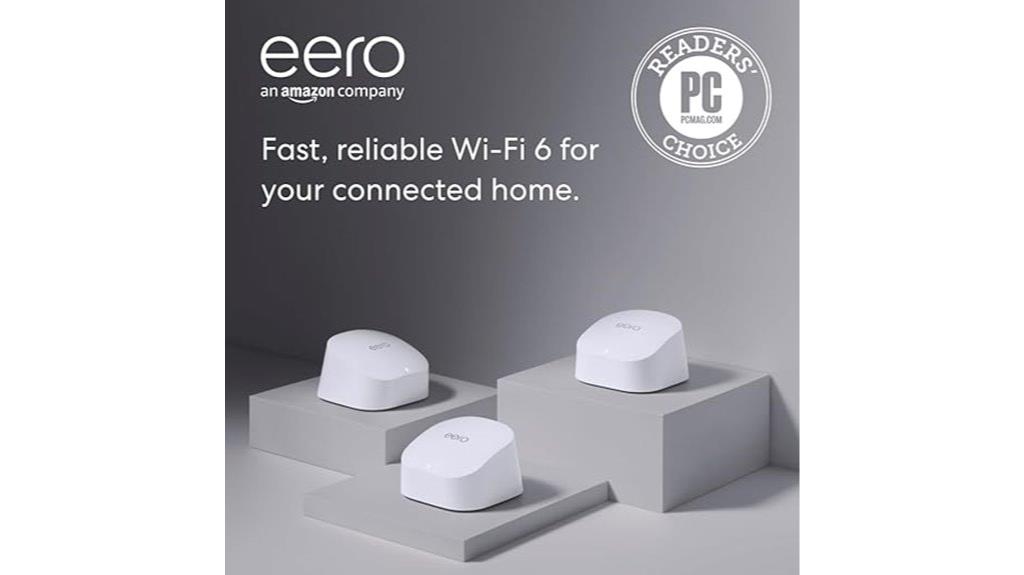
If you’re looking to eliminate dead spots and guarantee seamless streaming or gaming throughout a large home, the Amazon eero 6 Mesh WiFi System (3-Pack) is a smart choice. It covers up to 4,500 sq ft with a router and two extenders, supporting internet plans up to 500 Mbps. Wi-Fi 6 enables faster speeds and supports over 75 devices simultaneously, ensuring smooth performance. Setup is simple via the eero app, and you can manage your network remotely. Plus, it doubles as a Zigbee smart home hub and is compatible with other eero hardware for expansion. Reliable, easy to control, and perfect for busy households, it’s a versatile mesh system.
Best For: households seeking reliable, whole-home Wi-Fi coverage with easy setup, smart home integration, and support for multiple devices.
Pros:
- Covers up to 4,500 sq ft with a 3-pack, eliminating dead spots
- Supports Wi-Fi 6 for faster speeds and over 75 connected devices
- Easy to set up and manage remotely via the eero app, with automatic updates
Cons:
- Supports internet plans only up to 500 Mbps, which may limit high-speed users
- Requires eero-compatible hardware for expansion, potentially adding costs
- Some advanced features may require a subscription or additional setup steps
NETGEAR Orbi 370 Series WiFi 7 Mesh System
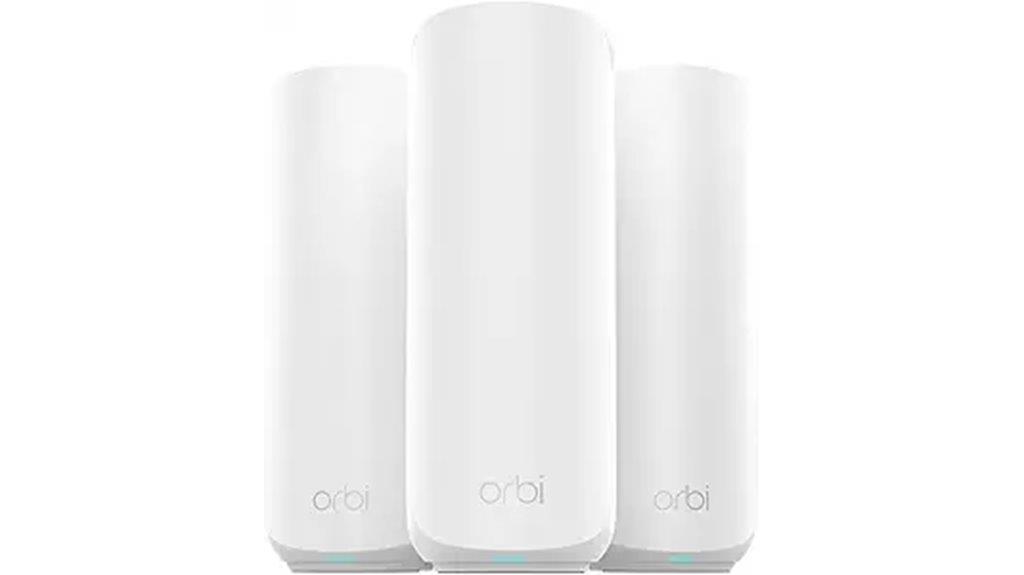
Anyone seeking ultra-fast, reliable WiFi coverage across a large home will find the NETGEAR Orbi 370 Series WiFi 7 Mesh System an excellent choice, especially if supporting multiple devices is a priority. This system delivers speeds up to 5Gbps, supporting up to 70 devices across 6,000 sq.ft. It includes a router and two extenders with advanced antennas for thorough coverage, even in challenging layouts. Easy to set up via the Orbi app, it offers stable performance with minimal disconnects. Designed for entertainment, work, and smart home use, it features built-in security, automatic updates, and wired backhaul options for peak performance.
Best For: households and remote workers seeking ultra-fast, reliable WiFi coverage for large areas with multiple devices and demanding internet activities.
Pros:
- Supports speeds up to 5Gbps and up to 70 devices simultaneously, ideal for high-bandwidth activities.
- Easy setup via the Orbi app with stable, consistent performance across complex home layouts.
- Advanced security features, automatic firmware updates, and wired backhaul options enhance safety and performance.
Cons:
- Higher price point compared to traditional extenders or simpler mesh systems.
- Some users report receiving units with cosmetic imperfections or accessories sold separately.
- Wireless satellite connections can experience latency issues; wired backhaul is recommended for optimal performance.
TP-Link Deco WiFi 6 Mesh System (Deco X20)
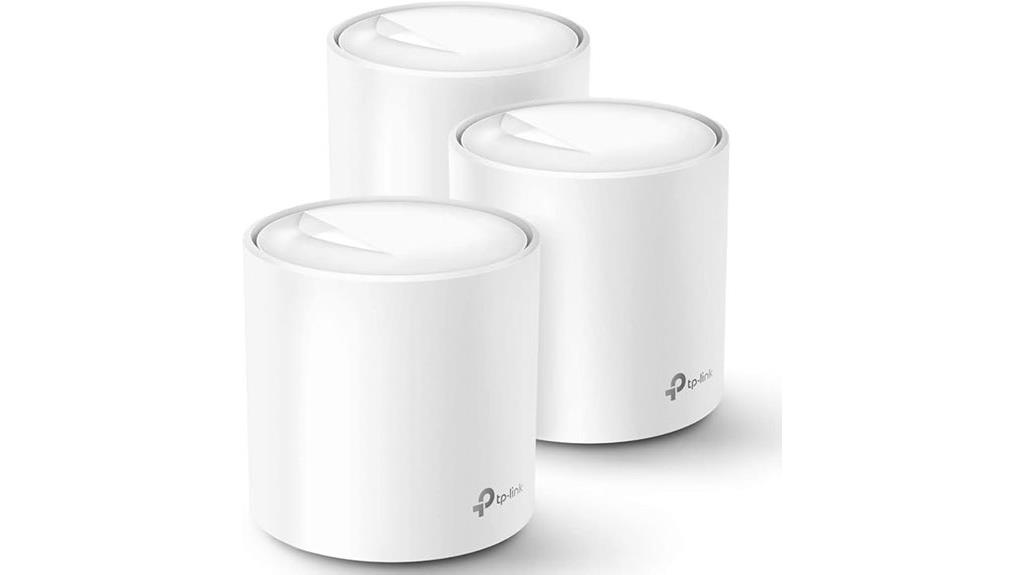
Looking to eliminate dead zones and enjoy seamless Wi-Fi coverage across a large home? The TP-Link Deco WiFi 6 Mesh System (Deco X20) offers up to 5,800 sq. ft of reliable coverage with a 3-pack setup. It replaces traditional routers and extenders, delivering high-performance Wi-Fi 6 with speeds suited for multiple devices. Each unit supports wired Ethernet backhaul and has two gigabit ports, allowing flexible wired connections. Easy to set up through the Deco app, it provides seamless roaming, parental controls, and voice control with Alexa. Users praise its ability to handle large homes, streaming, gaming, and multiple devices without buffering or dead zones.
Best For: households seeking comprehensive, high-speed Wi-Fi coverage across large or multi-story homes with multiple devices.
Pros:
- Provides up to 5,800 sq. ft. of seamless Wi-Fi coverage with a 3-pack setup
- Supports Wi-Fi 6 for faster speeds, higher device capacity, and improved stability
- Easy to install and manage via the Deco app with features like seamless roaming and parental controls
Cons:
- Requires multiple units for optimal coverage in very large or complex layouts
- May be overkill for small homes or users with minimal device needs
- Limited customization options compared to traditional routers with advanced settings
TP-Link Deco M5 Mesh WiFi System (3-Pack)

The TP-Link Deco M5 Mesh WiFi System (3-Pack) stands out as an ideal solution for homeowners seeking reliable, whole-home Wi-Fi coverage without dead zones. It covers up to 5,500 sq. ft. with three units creating a seamless mesh network that replaces traditional routers and extenders. Each Deco M5 offers 2 Gigabit Ethernet ports, supporting Wired Ethernet Backhaul for faster speeds. Its Adaptive Routing technology automatically finds the best path, ensuring stable connectivity. Easy to set up via the Deco app, it supports multiple devices, includes security features, and works with major ISPs. It’s perfect for those wanting reliable, whole-home Wi-Fi with minimal fuss.
Best For: homeowners and families seeking reliable, whole-home Wi-Fi coverage with easy setup and seamless device connectivity.
Pros:
- Covers up to 5,500 sq. ft. with a 3-pack for extensive coverage
- Supports over 100 devices simultaneously with stable, seamless Wi-Fi
- Easy setup via the Deco app and compatible with major ISPs and Alexa
Cons:
- Requires a modem for most internet service providers, adding an extra step
- Higher upfront cost compared to traditional routers or extenders
- Limited to mesh Wi-Fi systems; not suitable for users needing wired connections for all devices
Amazon eero 6+ Mesh WiFi System (3-Pack)
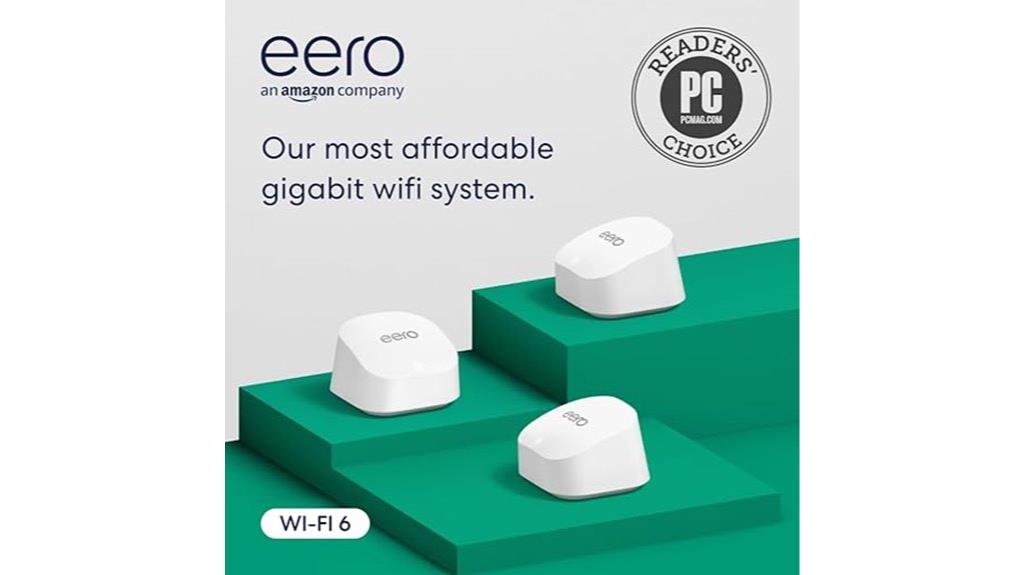
If you need reliable, high-speed Wi-Fi coverage for a large home or outdoor space, the Amazon eero 6+ Mesh WiFi System (3-Pack) is an excellent choice. It supports Wi-Fi 6 speeds up to 1 Gbps and covers up to 4,500 sq ft, making it perfect for big homes or outdoor areas. With TrueMesh technology, it dynamically routes traffic, reducing dead zones and ensuring stable connections across all devices. It handles 75+ devices simultaneously, ideal for streaming, gaming, and smart home devices. Setup is quick via the eero app, and the system offers seamless device handoff and robust security features.
Best For: households with large indoor and outdoor spaces needing fast, reliable Wi-Fi for multiple devices and smart home integration.
Pros:
- Excellent coverage up to 4,500 sq ft and outdoor areas with seamless mesh technology.
- Supports Wi-Fi 6 speeds up to 1 Gbps and handles 75+ devices simultaneously.
- Easy, quick setup via the eero app with robust security features and smart home compatibility.
Cons:
- Higher initial cost compared to traditional routers.
- Limited Ethernet ports (2 per node), which may require additional switches for wired devices.
- Subscription fees for advanced security and features through Eero Plus.
TP-Link Deco XE70 Pro Mesh WiFi System (3-Pack)
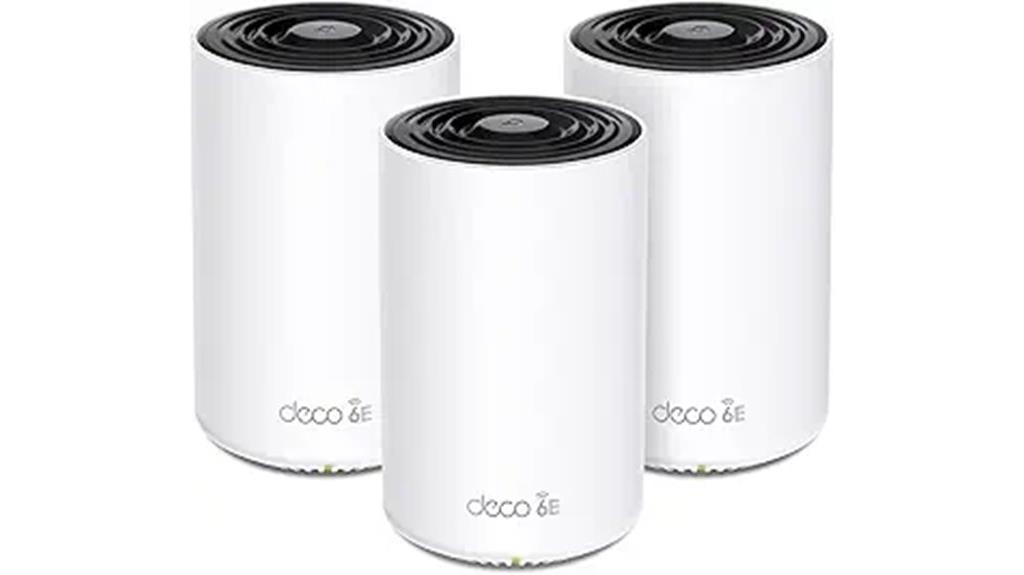
For homeowners seeking seamless, high-speed Wi-Fi coverage across large or multi-story spaces, the TP-Link Deco XE70 Pro Mesh WiFi System (3-Pack) offers an excellent solution. It provides up to 7,200 sq. ft. of reliable Wi-Fi using Wi-Fi 6E, which includes a 6 GHz band for congestion-free connectivity. With speeds reaching 4.9 Gbps and support for up to 200 devices, it handles streaming, gaming, and smart home gadgets effortlessly. The system features 2.5 Gbps LAN ports for wired devices, AI-roaming for optimized connections, and robust security. Easy to set up via the Deco app, it’s a versatile, high-performance choice for any modern home.
Best For: homeowners seeking extensive, high-speed Wi-Fi coverage across large or multi-story spaces with numerous smart devices.
Pros:
- Covers up to 7,200 sq. ft. with reliable Wi-Fi 6E and seamless mesh technology.
- Supports speeds up to 4.9 Gbps and up to 200 devices simultaneously.
- Easy setup through the Deco app with advanced security features and AI-roaming.
Cons:
- May require a modem in bridge mode if using combined ISP devices.
- Slightly higher price point compared to basic mesh systems.
- The 3-pack may be more than needed for smaller spaces, leading to excess coverage.
NETGEAR Nighthawk Tri-Band Mesh WiFi 6 System (MK73S)
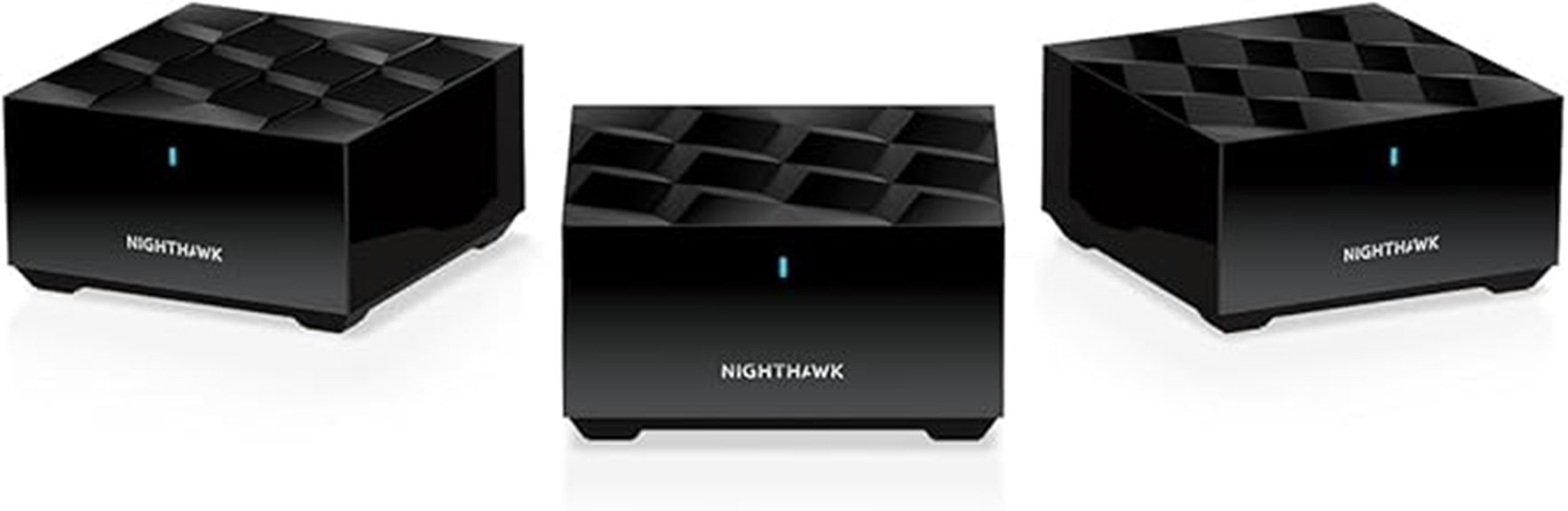
When I looked into the NETGEAR Nighthawk Tri-Band Mesh WiFi 6 System (MK73S), what stood out most is its ability to deliver fast, reliable coverage across homes up to 4,500 square feet—perfect for medium-sized residences with multiple devices. It includes a router and two satellite extenders, supporting over 25 devices simultaneously with AX3000 Gigabit speeds via WiFi 6 technology. Setup is simple through the Nighthawk app, and it’s compatible with any internet provider up to 1Gbps. The system offers wired options with three 1G Ethernet ports and features robust security with a free 1-year NETGEAR Armor subscription, making it a versatile, high-performance choice.
Best For: households seeking reliable, high-speed WiFi coverage for medium-sized homes with multiple devices and seamless streaming or gaming experiences.
Pros:
- Supports up to 4,500 sq. ft. coverage with easy expansion via satellite extenders
- Delivers AX3000 Gigabit speeds with WiFi 6 technology for fast, lag-free connectivity
- User-friendly setup and management through the Nighthawk app with built-in security features
Cons:
- Some users report device reliability issues or dropouts over time
- Limited to US networks, reducing compatibility in other regions
- Slightly larger and heavier than basic routers, which may affect placement options
TP-Link AX1800 WiFi 6 Router V4 (Archer AX21)
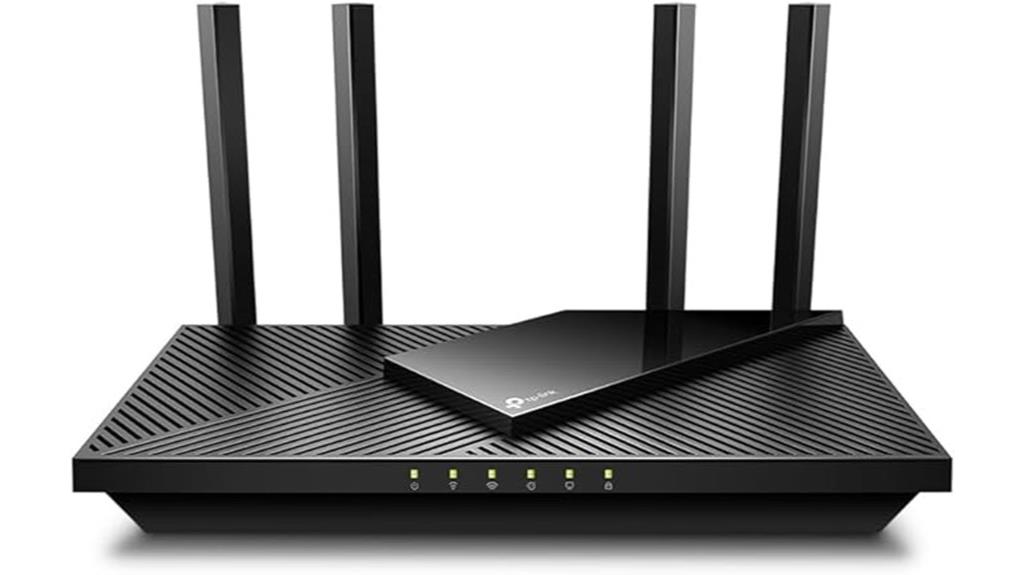
The TP-Link AX1800 WiFi 6 Router V4 (Archer AX21) is an excellent choice for those seeking a reliable mesh Wi-Fi system that combines fast speeds with easy setup. It supports dual-band Wi-Fi 6, delivering up to 1.8 Gbps and connecting multiple devices smoothly with OFDMA and MU-MIMO technology. Its sleek, four-antenna design offers extensive coverage, while features like Easy Mesh and compatibility with Alexa simplify integration into your home network. Setup is straightforward via the Tether app, and TP-Link’s trusted support guarantees peace of mind. Overall, it’s a solid, cost-effective option for stable, high-speed internet across your entire home.
Best For: users seeking a reliable, high-speed mesh Wi-Fi system that is easy to set up and offers extensive coverage for their home.
Pros:
- Supports Wi-Fi 6 with speeds up to 1.8 Gbps for fast, stable connections
- Easy setup via the TP-Link Tether app and seamless integration with Alexa and Easy Mesh
- Features like OFDMA and MU-MIMO improve device capacity and reduce congestion
Cons:
- Does not support the 6 GHz band available in Wi-Fi 6E and Wi-Fi 7 devices
- Requires a modem for most internet service providers, adding to setup complexity for some users
- Limited to 2.4 GHz and 5 GHz bands, which may be less future-proof compared to newer Wi-Fi standards
Linksys WiFi 6 Mesh Router System (3-Pack)

If you need reliable, high-speed WiFi coverage across a large home or multiple devices, the Linksys WiFi 6 Mesh Router System (3-Pack) is an excellent choice. It supports dual-band WiFi with speeds up to AX3000 (3.0Gbps) and covers up to 6,000 square feet, handling over 75 devices simultaneously. Powered by advanced Qualcomm technology, it offers stable streaming, low latency, and is perfect for gaming or high-performance tasks. The mesh design eliminates dead zones and expands coverage effortlessly by adding nodes. Setup is quick through the Linksys app, and you get features like parental controls, guest networks, and remote management for seamless control.
Best For: households or small businesses requiring reliable, high-speed WiFi coverage across large areas with multiple devices and seamless connectivity.
Pros:
- Supports over 75 devices with up to 6,000 sq ft coverage, ideal for large homes or offices
- Easy setup and management via the Linksys app, including remote control and device prioritization
- Advanced Qualcomm chipset provides stable streaming, low latency, and high-performance for gaming and intensive tasks
Cons:
- Requires a compatible modem for internet access, which may add to setup costs
- Physical nodes may be bulky and require sufficient space for optimal placement
- Advanced features and management tools might be complex for non-technical users
Google Nest WiFi Pro Mesh Router (3 Pack)

For anyone seeking a seamless and high-speed Wi-Fi experience across a large home, the Google Nest WiFi Pro Mesh Router (3 Pack) stands out as an excellent choice. It covers up to 6,600 square feet with three units, offering flexible setups tailored to your space. Utilizing Wi-Fi 6E technology, it delivers speeds twice as fast as Wi-Fi 6, with three bands—2.4 GHz, 5 GHz, and 6 GHz—for ideal performance. The system maintains reliable connections throughout your home, automatically adjusting to prioritize important tasks like video calls. Plus, it monitors network health and resolves issues automatically, ensuring consistent, strong Wi-Fi wherever you are.
Best For: households seeking a high-speed, reliable Wi-Fi system capable of covering large areas with flexible, seamless connectivity.
Pros:
- Utilizes advanced Wi-Fi 6E technology for faster speeds and improved performance
- Covers up to 6,600 square feet with a 3-pack setup, suitable for large homes
- Monitors network health and automatically resolves common issues for consistent connectivity
Cons:
- Incompatible with previous generations of Google Wifi or Nest Wifi devices
- Requires a compatible internet service plan to fully utilize Wi-Fi 6E capabilities
- May be more expensive compared to traditional Wi-Fi routers or mesh systems without Wi-Fi 6E
NETGEAR Orbi 770 Series Tri-Band WiFi 7 Mesh System

When you need ultra-fast, reliable WiFi coverage across a large home or property, the NETGEAR Orbi 770 Series Tri-Band WiFi 7 Mesh System stands out as an excellent choice. It delivers speeds up to 11Gbps, over twice as fast as WiFi 6, perfect for streaming, gaming, and smart home devices. Covering up to 5,500 sq.ft., it provides strong, consistent signals across multiple rooms and outdoor areas, supporting up to 100 devices simultaneously. The system includes a router and satellite, with multi-gig Ethernet ports and WiFi 7 technology for stable, wired, and wireless connections. Setup is straightforward via the Orbi app, making it ideal for demanding households.
Best For: households and professionals requiring ultra-fast, reliable WiFi coverage over large properties with multiple devices and demanding activities like streaming, gaming, and smart home management.
Pros:
- Speeds up to 11Gbps with WiFi 7 technology for exceptional performance
- Whole-home coverage up to 5,500 sq.ft. supporting up to 100 devices
- Multiple 2.5Gbps Ethernet ports for reliable wired connections and flexible setup
Cons:
- Setup can be complex, especially for satellite synchronization and firmware updates
- Some users experience drops after power outages requiring system resets
- Customer support is limited and may be less effective after the initial warranty period
Linksys MX8000/MX8400 Mesh WiFi Router (2-Pack)

The Linksys MX8000/MX8400 Mesh WiFi Router (2-Pack) is an ideal choice for households requiring extensive coverage and reliable connections across large spaces. These tri-band Mesh WiFi 6 routers deliver gigabit speeds, supporting seamless streaming, gaming, and smart device use across homes, yards, and outdoor areas. They cover up to 5,400 square feet and support over 80 devices, reducing dead zones and boosting capacity by up to 3.5 times. Setup is quick via the free Linksys App, which also allows easy management and security controls. Powered by smart mesh technology, they dynamically optimize speeds and let you expand coverage effortlessly with additional nodes.
Best For: households requiring extensive, reliable WiFi coverage for large indoor and outdoor spaces with multiple devices.
Pros:
- Supports gigabit speeds suitable for streaming, gaming, and smart home devices
- Covers up to 5,400 sq ft and supports over 80 devices, reducing dead zones
- Easy to set up and manage via the free Linksys App with built-in security features
Cons:
- May be more expensive than single-router solutions
- Requires app management, which might be less familiar for some users
- Advanced features and expansion options could be complex for non-technical users
Factors to Consider When Choosing Mesh Wi‑Fi Router Systems

When choosing a mesh Wi-Fi system, I consider factors like the coverage area I need and whether my devices are compatible. Speed, bandwidth, and security features also influence my decision to guarantee a smooth and safe connection. Ease of setup is important too, so I can get my network up quickly without hassle.
Coverage Area Needs
Choosing the right mesh Wi-Fi system begins with understanding your coverage needs. I recommend evaluating your total square footage to ensure the system can cover your entire home without dead zones. Consider the number of floors and walls, as these barriers can weaken signals, so you might need more nodes for consistent coverage. Pay attention to areas with high device density, like streaming zones or smart hubs, which may require higher-capacity systems. Check the specifications of potential mesh setups—most range from 4,500 to over 7,200 square feet per 3-pack—so you can match a system to your space. Larger or multi-story homes usually need multiple nodes to maintain seamless connectivity across all areas, ensuring reliable internet everywhere you go.
Device Compatibility
Ensuring your mesh Wi-Fi system is compatible with your internet service provider and existing hardware is essential for smooth setup and reliable performance. First, check that the system supports your connection type, whether fiber, cable, or DSL, and whether it works with your current modem or includes one. It’s also important that the system supports a wide range of devices, from smart home gadgets to gaming consoles and computers, especially if you have many connected devices. For larger households, ensure it can handle at least 100-200 devices simultaneously. Additionally, verify compatibility with your preferred security protocols like WPA3 and features such as guest networks. Compatibility guarantees seamless operation without hardware conflicts or security issues, giving you peace of mind and a more reliable network experience.
Speed and Bandwidth
The speed and bandwidth of a mesh Wi-Fi system directly impact how well your devices perform, whether you’re streaming, gaming, or browsing. Higher maximum speeds, like those offered by Wi-Fi 6 and Wi-Fi 6E, can reach up to 9.6 Gbps, supporting multiple devices at once without slowdown. The total bandwidth is split across different bands—2.4 GHz, 5 GHz, and sometimes 6 GHz—which influences overall network throughput and device performance. Features like multi-gigabit connections and Ethernet backhaul can boost speed, stability, and capacity, especially in larger homes. Ultimately, your experience depends on how consistently the system delivers high-speed connections across all nodes, ensuring smooth performance even in complex or expansive layouts.
Ease of Setup
Setting up a mesh Wi-Fi system can be straightforward when you look for models that offer a dedicated app with visual guidance, allowing most users to complete installation in just 15 to 30 minutes. These apps typically walk you through each step, reducing confusion and making the process accessible even for beginners. Systems that support automatic detection and configuration of nodes further simplify setup by minimizing manual network adjustments. Devices with quick-start guides and minimal hardware connections make installation faster and less intimidating. Additionally, support for wired Ethernet backhaul can streamline setup by enabling direct connections between nodes, cutting down on wireless interference and setup time. Clear, step-by-step instructions and remote management features ensure a smooth experience, even if you’re not tech-savvy.
Security Features
When choosing a mesh Wi-Fi system, prioritizing advanced security features is essential to protect your network and personal data. Look for systems that include WPA3 encryption, which offers stronger protection against hacking attempts. Automatic firmware updates are indispensable, as they patch vulnerabilities and keep your system secure over time. Intrusion protection adds an extra layer of safety by detecting and blocking threats. Parental controls and content filtering help manage internet access and shield children from inappropriate content. Some systems even integrate cybersecurity services like VPNs, threat detection, and device monitoring for enhanced safety. Always ensure your system supports guest networks with separate credentials to isolate visitors from your main devices. Regular security updates from the manufacturer are vital for maintaining ongoing protection.
Frequently Asked Questions
How Do Mesh Systems Handle Multiple Device Connections Simultaneously?
Mesh systems handle multiple device connections simultaneously by distributing the network load across several nodes, which communicate with each other to balance traffic efficiently. I’ve found that this setup prevents congestion and maintains fast speeds, even when many devices are connected at once. The system dynamically routes data through the least busy node, ensuring smooth browsing, streaming, and gaming without interruptions. It’s a smart way to keep everyone connected seamlessly.
What Is the Typical Setup Time for a New Mesh Wi-Fi System?
Setting up a new mesh Wi-Fi system is like planting a garden—quick and straightforward. Usually, it takes about 15 to 30 minutes. I just connect the main router to my modem, follow the app instructions, and place the satellites around my home. Most systems walk me through each step, making setup smooth and hassle-free. Once done, I’m ready to enjoy seamless coverage without missing a beat.
Can Mesh Routers Be Integrated With Existing Wi-Fi Networks?
Yes, mesh routers can be integrated with existing Wi-Fi networks. I’ve done it myself by setting up the mesh system as an extension rather than replacing my current router. Typically, I just connect the mesh nodes to my existing network via Ethernet or configure them wirelessly through the app. It’s a straightforward process that improves coverage without needing to overhaul my entire setup, which I find very convenient.
How Do Firmware Updates Affect Mesh Network Performance?
Firmware updates are like sprinkling fairy dust on your mesh network—they improve performance, fix bugs, and add new features. When I update mine, I imagine my router shedding its old, sluggish coat for a sleek, turbocharged suit of armor. It’s like giving my Wi-Fi a shot of adrenaline, making everything faster and more reliable. So yes, updates keep your network running smoothly and prevent it from turning into a sluggish snail.
Are Mesh Wi-Fi Systems Suitable for Smart Home Automation?
Yes, mesh Wi-Fi systems are excellent for smart home automation. They provide reliable, seamless coverage across your entire home, ensuring all smart devices stay connected. I’ve found that their consistent signal strength minimizes dropouts, which is essential for real-time automation and security systems. Plus, many mesh systems have user-friendly apps for easy setup and management, making it simple to integrate and control your smart home devices effortlessly.
Conclusion
Think of choosing a mesh Wi-Fi system like assembling a trusted crew for a journey. With the right team, your home becomes a smooth, connected landscape where every room is a helpful guide. The options I’ve shared are like seasoned navigators, ready to lead you through seamless coverage. Pick the one that feels like the perfect companion, and enjoy a hassle-free, connected adventure in your home’s digital world.

Born and raised in Madrid, Spain, Isabella brings over 15 years of experience in luxury journalism. Her passion for high fashion and elegant design drives the editorial vision of A Luxury Lifestyle. Fluent in Spanish, English, and Italian, Isabella seamlessly connects with a diverse, global audience.