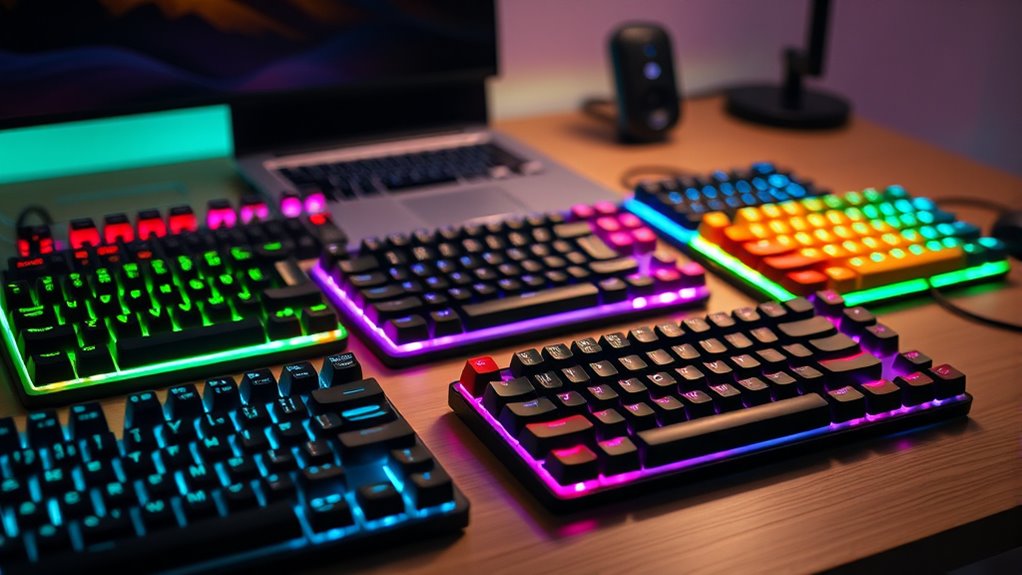
For a mechanical keyboard for typing, I would start with the Logitech MX Mechanical for its wireless convenience and familiar full-size layout, then compare it with the Keychron C2 if you prefer a straightforward wired board or the AULA F75 Pro for a compact wireless setup. The lineup ranges from full-size keyboards with number pads to smaller 75% and 96% layouts that free up desk space. Wireless features, hot-swappable switches, and extra knobs or displays can add flexibility, but they may also mean more setup or features you do not need. Switch feel and layout matter more for long typing sessions than gaming-style lighting. Read on for the full breakdown and a guide to choosing the right fit.

Get your wardrobe favorites delivered free with Prime
- Fast, free delivery on millions of items
- Prime Video, Amazon Music and more included
- Member-only deals all year
Key Takeaways
- The Logitech MX Mechanical is the lineup’s office-focused premium pick: it combines wireless use and a full-size layout, while the wired Keychron C2 is a simpler alternative for buyers who do not need wireless features.
- Compact layouts make a real desk-space tradeoff: the 75% RK Royal Kludge R75 and AULA F75 Pro save room, while the full-size Logitech G413 SE and Keychron C2 keep a dedicated number pad.
- Several AULA and RK Royal Kludge models add wireless modes and extra controls: those options bring more flexibility, but add features to configure compared with a basic wired board.
- Hot-swappable models such as the Redragon K668 can support switch changes: that flexibility is useful to tinkerers, while buyers who want a ready-to-type board may prefer a simpler pick.
- Gaming styling does not automatically make a keyboard a better typing choice: RGB, screens, and knobs vary across the Redragon, EPOMAKER, and RK Royal Kludge options, so I rank them by typing fit and practical layout as well.
| RK Royal Kludge R75 Wired 75% Mechanical Keyboard with Volume Knob |  | Best Cushioned Wired Pick | Layout: 75% QWERTY, 81 keys | Connectivity: Wired USB-C | Switches: Linear Silver Switch Pro | VIEW ON AMAZON | See Our Full Breakdown |
| AULA F99 Tri-Mode Wireless Mechanical Keyboard |  | Best for Multi-Device Work | Layout: 96% compact, 99 keys | Connectivity: Bluetooth 5.0, 2.4 GHz wireless, USB-C wired | Multi-device support: Up to 5 devices | VIEW ON AMAZON | See Our Full Breakdown |
| EPOMAKER TH99 PRO 96% Mechanical Keyboard with Screen and Knob |  | Best Feature-Rich Numpad Pick | Layout: 96% 1800 layout, 98 keys | Connectivity: 2.4 GHz wireless, Bluetooth 5.0, USB-C | Battery: 10,000 mAh | VIEW ON AMAZON | See Our Full Breakdown |
| Keychron C2 Full-Size Wired Mechanical Keyboard with Brown Switches |  | Best for Tactile Typing | Layout: Full-size, 104 keys with number pad | Connection: Wired USB-C | Switch type: Tactile brown | VIEW ON AMAZON | See Our Full Breakdown |
| Kisnt KN85 75% Tri-Mode Wireless Mechanical Keyboard, Retro Beige |  | Best Compact Wireless Pick | Layout: 75%, 85 keys | Connectivity: USB-C, 2.4 GHz wireless, Bluetooth 5.0 | Switches: Pre-lubed linear, hot-swappable 3-pin and 5-pin | VIEW ON AMAZON | See Our Full Breakdown |
| RK Royal Kludge R98 Pro Wired Mechanical Keyboard |  | Best Compact Number Pad Pick | Layout: 98 keys | Connection: Wired | Mount: Gasket mount | VIEW ON AMAZON | See Our Full Breakdown |
| Redragon K745 PRO Wireless 108-Key Gasket RGB Gaming Keyboard |  | Best Full-Size Wireless Pick | Number of keys: 108 | Layout: QWERTY | Connectivity: USB-C, Bluetooth, 2.4 GHz wireless | VIEW ON AMAZON | See Our Full Breakdown |
| Redragon K668 108-Key Hot-Swappable Wired RGB Gaming Keyboard |  | Best for Shortcut-Driven Typists | Key count: 108 | Connection: Wired | Switches: Red linear; hot-swappable 3-pin or 5-pin | VIEW ON AMAZON | See Our Full Breakdown |
| AULA F75 Pro 75% Wireless Mechanical Keyboard |  | Best Compact Wireless Pick | Layout: 75%, 81 keys | Keyboard layout: QWERTZ | Connectivity: Bluetooth 5.0, 2.4 GHz wireless, USB-C | VIEW ON AMAZON | See Our Full Breakdown |
| Logitech G413 SE Full-Size Mechanical Gaming Keyboard, Black |  | Best Tactile, Sturdy Wired Pick | Layout: Full-size | Switches: Tactile mechanical | Keycaps: PBT | VIEW ON AMAZON | See Our Full Breakdown |
| AULA S99 Wireless 96% Gaming Keyboard with RGB Backlighting |  | Best for a Wireless Membrane Layout | Layout: 96% QWERTY | Keys: 99 | Switch type: Membrane (product details also contain conflicting switch information) | VIEW ON AMAZON | See Our Full Breakdown |
| RK Royal Kludge S98 Wireless Mechanical Keyboard with Smart Display and Knob |  | Best for Switch Customization | Connectivity: Bluetooth 5.0, 2.4 GHz wireless, USB-C | Display: Customizable smart display | Controls: Multifunction knob | VIEW ON AMAZON | See Our Full Breakdown |
| Logitech MX Mechanical Wireless Illuminated Keyboard, Tactile, Graphite |  | Best for Quiet Office Typing | Layout: Full-size | Switch type: Quiet tactile mechanical | Key profile: Low-profile | VIEW ON AMAZON | See Our Full Breakdown |
| Redragon K671 Wired Mechanical Gaming Keyboard with Red Switches |  | Best Value Wired Mechanical Pick | Keys and layout: 104-key QWERTY | Switch type: Linear red mechanical | Connectivity: Wired | VIEW ON AMAZON | See Our Full Breakdown |
| AULA F2088 Typewriter-Style Mechanical Gaming Keyboard, 104-Key, Wired |  | Best for Clicky Typing with a Wrist Rest | Key count and layout: 104-key QWERTY | Switch type: Clicky blue mechanical | Connectivity: USB wired | VIEW ON AMAZON | See Our Full Breakdown |
| mechanical keyboard for typing | Layout | Connectivity | Switches | Keycaps |
|---|---|---|---|---|
| RK Royal Kludge R75 Wired 75% | 75% QWERTY, 81 keys | Wired USB-C | Linear Silver Switch Pro | PBT, MDA profile |
| AULA F99 Tri-Mode Wireless Mec | 96% compact, 99 keys | Bluetooth 5.0, 2.4 GHz wireless, USB-C wired | Pre-lubed linear, hot-swappable 3-pin and 5-pin | Double-shot PBT |
| EPOMAKER TH99 PRO 96% Mechanic | 96% 1800 layout, 98 keys | 2.4 GHz wireless, Bluetooth 5.0, USB-C | EPOMAKER Creamy Jade linear; silent linear option | PBT |
| Keychron C2 Full-Size Wired Me | Full-size, 104 keys with number pad | — | — | — |
| Kisnt KN85 75% Tri-Mode Wirele | 75%, 85 keys | USB-C, 2.4 GHz wireless, Bluetooth 5.0 | Pre-lubed linear, hot-swappable 3-pin and 5-pin | PBT |
| RK Royal Kludge R98 Pro Wired | 98 keys | — | Pre-lubed linear cream; hot-swappable 3-pin and 5-pin | Double-shot PBT, MDA profile |
| Redragon K745 PRO Wireless 108 | QWERTY | USB-C, Bluetooth, 2.4 GHz wireless | Custom linear, hot-swappable 3-pin and 5-pin | Translucent PBT |
| Redragon K668 108-Key Hot-Swap | — | — | Red linear; hot-swappable 3-pin or 5-pin | — |
| AULA F75 Pro 75% Wireless Mech | 75%, 81 keys | Bluetooth 5.0, 2.4 GHz wireless, USB-C | Pre-lubricated linear; hot-swappable 3-pin and 5-pin | Side-printed PBT |
| Logitech G413 SE Full-Size Mec | Full-size | — | Tactile mechanical | PBT |
| AULA S99 Wireless 96% Gaming K | 96% QWERTY | Bluetooth 5.0, 2.4 GHz wireless, USB-C wired | — | — |
| RK Royal Kludge S98 Wireless M | — | Bluetooth 5.0, 2.4 GHz wireless, USB-C | — | Double-shot PBT |
| Logitech MX Mechanical Wireles | Full-size | Bluetooth Low Energy or Logi Bolt receiver | — | — |
| Redragon K671 Wired Mechanical | — | Wired | — | — |
| AULA F2088 Typewriter-Style Me | — | USB wired | — | — |
More Details on Our Top Picks
RK Royal Kludge R75 Wired 75% Mechanical Keyboard with Volume Knob
The RK Royal Kludge R75 suits typists who want a compact layout with a softer, dampened feel and do not need wireless freedom. Its gasket mount, layered foam, and pre-lubed stabilizers are designed to reduce vibration, while the 75% layout keeps arrow and function keys within reach. Compared with the full-size Keychron C2, it gives up the number pad but takes up less desk space and adds hot-swappable switches and RGB. The linear silver switches favor a smooth keypress over the tactile bump of the C2’s brown switches, so buyers who use feedback to guide their typing may prefer Keychron. The aluminum volume knob is handy for quick adjustments, but this keyboard is wired only and has no water resistance.
Pros:- 75% layout retains arrow and function keys while saving desk space
- Hot-swappable sockets accept 3-pin and 5-pin switches
- Gasket mount and layered dampening are designed to soften typing vibration
- Volume knob gives quick access to audio adjustments
Cons:- Wired USB-C connection limits flexible desk or multi-device use
- No water resistance, so spills can damage the keyboard
- Linear switches lack the tactile bump some typists prefer
Best for: Desk-based typists who want a compact, customizable keyboard with arrow and function keys and a dampened linear feel.
Not ideal for: People who need a number pad, wireless connection, or protection against spills.
- Layout:75% QWERTY, 81 keys
- Connectivity:Wired USB-C
- Switches:Linear Silver Switch Pro
- Switch compatibility:Hot-swappable 3-pin and 5-pin
- Keycaps:PBT, MDA profile
- Mount:Gasket mount with layered dampening
- Backlighting:Customizable RGB
- Water resistance:Not water resistant
Our verdict“Choose the R75 if you want a compact wired board with a dampened linear feel and customization options, and can do without a number pad.”
AULA F99 Tri-Mode Wireless Mechanical Keyboard
The AULA F99 is a practical fit for typists who move between a work computer, tablet, or other devices and want to keep a number area. Its Bluetooth, 2.4 GHz, and USB-C connections support up to five paired devices, giving it more flexibility than the wired RK Royal Kludge R75. The 96% layout packs arrow keys and a number area into less space than a conventional full-size board, though its arrangement may take adjustment if you rely on familiar full-size spacing. Pre-lubed linear switches and a gasket structure with layered filling are designed to soften keystrokes and reduce noise; they do not provide the tactile bump offered by the Keychron C2’s brown switches. Hot-swap support gives room to change that feel, but some macros and lighting controls require companion software.
Pros:- Bluetooth, 2.4 GHz, and USB-C support several connection setups
- Can pair with up to five devices
- Compact 96% layout retains a number area and arrow keys
- Hot-swappable 3-pin and 5-pin switches allow later customization
Cons:- 96% key arrangement may feel unfamiliar to full-size keyboard users
- Linear switches do not provide the tactile bump some typists want
- Some lighting and macro features require companion driver software
Best for: Typists who regularly switch among several computers or mobile devices and still want a compact number area.
Not ideal for: People who want a standard full-size layout, tactile switches out of the box, or controls that work without companion software.
- Layout:96% compact, 99 keys
- Connectivity:Bluetooth 5.0, 2.4 GHz wireless, USB-C wired
- Multi-device support:Up to 5 devices
- Switches:Pre-lubed linear, hot-swappable 3-pin and 5-pin
- Keycaps:Double-shot PBT
- Battery:8000 mAh rechargeable
- Lighting:RGB with 16 effects
- Structure:Gasket structure with five layers of sound-dampening filling
Our verdict“Pick the F99 if you need a number area and frequent multi-device switching in a smaller footprint than a standard full-size keyboard.”
EPOMAKER TH99 PRO 96% Mechanical Keyboard with Screen and Knob
The EPOMAKER TH99 PRO is for typists who want a numpad plus quick access to controls and information without stepping up to a conventional full-size footprint. Its 98-key 96% layout preserves number entry, while the programmable screen and metal volume knob add customization the AULA F99 does not list. Tri-mode connectivity supports wired and wireless setups, and the stated battery capacity is larger than the F99’s. The TH99 PRO also offers hot-swappable switches, including a silent linear option, which may suit shared workspaces better than the R75’s linear silver switches. Those features come with compromises: at over 1.2 kg, it is cumbersome to carry, and battery life drops when RGB is on. Buyers who want straightforward tactile feedback may find the Keychron C2 simpler to choose.
Pros:- Compact 96% layout retains a full numpad
- Tri-mode connectivity supports wireless and wired use
- Hot-swappable switches include a silent linear option
- Programmable screen and metal volume knob add accessible controls
Cons:- Weight over 1.2 kg makes it cumbersome to transport
- Battery runtime falls when RGB lighting is enabled
- Linear switch options may not suit typists who want tactile feedback
Best for: Typists who enter numbers often and want a compact numpad layout, device flexibility, and programmable controls.
Not ideal for: Commuters seeking a light keyboard or typists who prefer a simple wired board with tactile switches and no screen.
- Layout:96% 1800 layout, 98 keys
- Connectivity:2.4 GHz wireless, Bluetooth 5.0, USB-C
- Battery:10,000 mAh
- Stated battery life:150–200 hours with RGB off; over 40 hours with RGB on
- Switches:EPOMAKER Creamy Jade linear; silent linear option
- Keycaps:PBT
- Features:Programmable screen, metal volume knob, RGB, hot-swappable switches
- Weight:Over 1.2 kg
Our verdict“Choose the TH99 PRO if you want a compact numpad board with programmable controls and accept its weight and feature-heavy design.”
Keychron C2 Full-Size Wired Mechanical Keyboard with Brown Switches
The Keychron C2 keeps the familiar 104-key arrangement, making it the clearest choice here for typists who depend on a dedicated number pad and standard key placement. Its tactile brown switches offer a bump that the linear switches in the RK Royal Kludge R75 and AULA F99 do not, which can make keypresses easier to feel while typing. Two adjustable foot angles let you set the board’s tilt, and Mac and Windows compatibility with extra keycaps helps it fit mixed-device desks. Compared with those more customizable options, the C2 is straightforward: it has no hot-swap feature listed and no backlighting. It also connects only by its braided USB-C cable, so typists who want wireless use, RGB, or a compact desk footprint should look to the F99 or R75.
Pros:- Full-size 104-key layout includes a dedicated number pad
- Tactile brown switches provide a noticeable keypress bump
- Works with Mac and Windows and includes extra keycaps
- Two adjustable feet settings support different typing angles
Cons:- Wired USB-C connection only
- No backlighting on this version
- Full-size footprint takes more desk space than compact alternatives
Best for: Typists who want a conventional full-size layout, tactile brown switches, and a dedicated number pad for regular data entry.
Not ideal for: People who need wireless connectivity, backlighting, hot-swappable switches, or a smaller keyboard.
- Layout:Full-size, 104 keys with number pad
- Connection:Wired USB-C
- Switch type:Tactile brown
- Compatibility:Mac and Windows
- Cable:Braided USB-C
- Adjustable feet:Two angles: 6° and 9°
- Switch lifespan:Rated up to 50 million keystrokes
- Backlighting:None
Our verdict“Choose the C2 if you value familiar full-size spacing and tactile feedback over wireless features and compactness.”
Kisnt KN85 75% Tri-Mode Wireless Mechanical Keyboard, Retro Beige
The Kisnt KN85 gives typists a space-saving 75% layout with arrows and function keys, plus the freedom to switch between wired and wireless connections. That makes it a more portable desk fit than the numpad-equipped AULA F99, though the tradeoff is losing dedicated number keys. Its pre-lubed linear switches, gasket mount, and PBT keycaps are aimed at a cushioned, quieter typing feel, while hot-swap support lets buyers change switches later. The 4000 mAh battery is smaller than the F99’s 8000 mAh and the EPOMAKER TH99 PRO’s 10,000 mAh, so frequent wireless use may mean charging more often. RGB and programmable keys add flexibility, but configuration software works only on Windows in wired or 2.4 GHz mode. It also has no water resistance.
Pros:- 75% layout saves space while retaining function and arrow keys
- USB-C, 2.4 GHz, and Bluetooth 5.0 provide flexible connection options
- Hot-swappable switches support 3-pin and 5-pin options
- Gasket mount and pre-lubed switches are designed for a cushioned feel
Cons:- No dedicated number pad
- 4000 mAh battery is smaller than the AULA F99 and EPOMAKER TH99 PRO batteries
- Configuration software works only on Windows in wired or 2.4 GHz mode
- Not water resistant
Best for: Typists with limited desk space who want a compact wireless keyboard, arrow keys, and the option to customize switches.
Not ideal for: Frequent number-pad users, Mac users who need configuration software, and anyone seeking spill protection.
- Layout:75%, 85 keys
- Connectivity:USB-C, 2.4 GHz wireless, Bluetooth 5.0
- Switches:Pre-lubed linear, hot-swappable 3-pin and 5-pin
- Actuation force:45–50 gf
- Battery:4000 mAh rechargeable
- Keycaps:PBT
- Dimensions:13.68 × 5.51 × 1.77 in
- Compatible operating systems:Windows, macOS, Android, Linux
Our verdict“Pick the KN85 if a compact wireless layout matters more than a number pad or broad software compatibility.”
RK Royal Kludge R98 Pro Wired Mechanical Keyboard
The R98 Pro suits typists who need a number pad but want a narrower footprint than a conventional full-size board. Its 98-key layout keeps the number pad and arrow keys close to the main typing area, while the gasket mount, five layers of foam, and pre-lubed linear switches are aimed at a cushioned, less hollow sound. Compared with the wireless AULA F75 Pro, it gives up portability and some desk space savings for dedicated number entry. Hot-swap support makes it easier to change the typing feel later, and the PBT keycaps are built for regular use. The tradeoffs are its wired-only connection and reliance on an online driver for remapping and macros, which may be inconvenient for a plug-and-play setup.
Pros:- 98-key layout retains a number pad and arrow keys in a compact footprint
- Gasket mount and five layers of foam aim to soften typing impact and sound
- Hot-swappable sockets support 3-pin and 5-pin switches
- Double-shot PBT keycaps and programmable controls support regular use and customization
Cons:- Wired connection limits placement flexibility
- Key remapping and macros require the online driver
- Linear switches may not suit typists who prefer tactile feedback
Best for: Desk-based typists who regularly enter numbers and want a compact board with a number pad and room to change switches.
Not ideal for: People who need wireless flexibility, a smaller travel-friendly layout, or keyboard customization without an online driver.
- Layout:98 keys
- Connection:Wired
- Mount:Gasket mount
- Switches:Pre-lubed linear cream; hot-swappable 3-pin and 5-pin
- Keycaps:Double-shot PBT, MDA profile
- Sound dampening:Five layers of sound-absorbing foam
- Controls:Detachable aluminum CNC volume knob
- Compatibility:Windows and macOS
Our verdict“Choose the R98 Pro if you want a space-saving number pad and a cushioned linear typing setup at a fixed desk.”
Redragon K745 PRO Wireless 108-Key Gasket RGB Gaming Keyboard
The K745 PRO brings a full-size typing layout together with three ways to connect: USB-C, Bluetooth, and 2.4 GHz. That flexibility matters if one keyboard needs to move between a desktop, laptop, and tablet. Its gasket mount and five-layer dampening target a softer, quieter feel than a basic full-size board such as the wired Logitech G413 SE, which instead emphasizes a sturdy metal top case and tactile switches. The K745 PRO also allows switch changes without soldering and offers four customizable shortcut keys. Its plastic enclosure is a less substantial material choice than the Logitech’s alloy top, and the available details do not specify a water-resistance rating. The custom linear switches may also be a poor fit for typists who want a distinct bump with each keystroke.
Pros:- USB-C, Bluetooth, and 2.4 GHz support flexible device connections
- Full-size 108-key layout includes dedicated number entry
- Gasket mount and five-layer dampening aim for a cushioned, quieter feel
- Hot-swap sockets support 3-pin and 5-pin switches
Cons:- Plastic enclosure feels less substantial than the alloy top case on the Logitech G413 SE
- Water-resistance level is not specified
- Custom linear switches may not suit typists seeking tactile feedback
Best for: Typists who need a full-size number pad and want to switch one keyboard among a desktop, laptop, and tablet.
Not ideal for: Buyers who prioritize a metal enclosure, tactile feedback, or a clearly specified level of water protection.
- Number of keys:108
- Layout:QWERTY
- Connectivity:USB-C, Bluetooth, 2.4 GHz wireless
- Switches:Custom linear, hot-swappable 3-pin and 5-pin
- Mount and dampening:Gasket mount with five-layer noise dampening
- Keycaps:Translucent PBT
- Enclosure:Plastic
- Compatible devices:PC, laptop, tablet
Our verdict“Pick the K745 PRO if you want a full-size typing layout with wireless options and a cushioned feel.”
Redragon K668 108-Key Hot-Swappable Wired RGB Gaming Keyboard
For typists who rely on quick desktop controls, the K668 puts four dedicated hotkeys for mute, calculator, screen lock, and desktop shortcuts alongside a conventional 108-key layout. Those controls can reduce the need to reach for menus during work. Its hot-swappable sockets also let owners replace the stock red linear switches without soldering, a useful way to explore other switch types over time. Compared with the gasket-mounted Redragon K745 PRO, the K668 is a simpler wired choice without the listed wireless modes or layered sound dampening. Adjustable feet and two included keycap sets add some setup flexibility, but the linear stock switches offer less deliberate feedback than the tactile Logitech G413 SE. Wired-only operation is another limitation for shared or movable desks.
Pros:- Four dedicated hotkeys provide quick access to common desktop actions
- Hot-swappable sockets support 3-pin and 5-pin switches
- Adjustable two-stage feet allow typing angle changes
- Includes two mixed-color keycap sets and customizable RGB lighting
Cons:- Wired connection restricts placement and device switching
- Stock red linear switches may not provide enough tactile feedback for some typists
- Does not list the gasket mount and layered dampening found on the K745 PRO
Best for: Windows desk users who frequently trigger system shortcuts and want a full-size board they can customize with replacement switches.
Not ideal for: Typists who want wireless connectivity, a quieter cushioned build, or tactile feedback straight out of the box.
- Key count:108
- Connection:Wired
- Switches:Red linear; hot-swappable 3-pin or 5-pin
- Dedicated hotkeys:4
- RGB lighting:Up to 19 modes
- Feet:Adjustable, 2-stage
- Included keycaps:Two mixed-color sets
Our verdict“Choose the K668 if dedicated desktop shortcuts and switch customization matter more to you than wireless use or a cushioned build.”
AULA F75 Pro 75% Wireless Mechanical Keyboard
The AULA F75 Pro is the lineup’s clearest fit for typists who want to reclaim desk space and still keep arrow keys and a function row. Its 75% layout has 81 keys, with a multifunction knob for quick adjustments. Bluetooth, 2.4 GHz, and USB-C make it more adaptable across devices than the wired RK Royal Kludge R98 Pro, though the R98 Pro retains a number pad that this smaller board omits. The F75 Pro supports multiple device connections and hot-swappable switches, so it can serve as a portable daily board that can be tuned later. Its QWERTZ layout will suit some regional typing habits but may frustrate buyers accustomed to QWERTY. The side-printed keycaps and compact layout also take adjustment if you prefer conventional legends and a full key field.
Pros:- Compact 75% layout saves space while retaining arrow keys and a function row
- Bluetooth, 2.4 GHz, and USB-C support flexible connections
- Hot-swappable sockets support 3-pin and 5-pin switches
- Multifunction knob and programmable keys provide quick controls
Cons:- QWERTZ layout may not suit buyers accustomed to QWERTY
- No number pad for spreadsheet or frequent numeric entry
- Water-repellent description does not establish full waterproofing
Best for: Typists with limited desk space who want a compact wireless board for switching among computers, phones, or tablets.
Not ideal for: Number-heavy users who need a numpad, or QWERTY typists who do not want to adapt to a QWERTZ layout.
- Layout:75%, 81 keys
- Keyboard layout:QWERTZ
- Connectivity:Bluetooth 5.0, 2.4 GHz wireless, USB-C
- Switches:Pre-lubricated linear; hot-swappable 3-pin and 5-pin
- Keycaps:Side-printed PBT
- Battery:4000 mAh rechargeable
- Backlighting:RGB, 16.8 million colors
- Additional controls:Programmable keys and multifunction knob
Our verdict“Choose the F75 Pro if a compact wireless layout matters more to you than a number pad or QWERTY legends.”
Logitech G413 SE Full-Size Mechanical Gaming Keyboard, Black
The Logitech G413 SE is the straightforward choice here for typists who want a full-size board with tactile switches and a firm metal-framed build. Its brushed aluminum-magnesium alloy top case gives it a sturdier construction focus than the plastic-bodied, gasket-mounted Redragon K745 PRO, whose feature set leans more toward wireless connections and a cushioned feel. The G413 SE’s PBT keycaps, white backlighting, and 6-key rollover cover practical everyday needs without adding extensive RGB effects or hot-swap customization. Twelve FN media controls provide shortcuts while keeping the main layout uncluttered. The tradeoff is a full-size footprint and a wired connection, and its six-key rollover may be less suited to simultaneous key-heavy gaming than broader rollover implementations. It is a focused typing option rather than a flexible multi-device board.
Pros:- Tactile mechanical switches provide keystroke feedback
- Brushed aluminum-magnesium alloy top case offers a sturdy frame
- PBT keycaps are suited to regular typing
- White LED backlighting and FN media controls keep core functions accessible
Cons:- Full-size layout takes more desk space than compact options such as the AULA F75 Pro
- Wired connection limits placement flexibility
- Does not offer listed hot-swap support or customizable RGB lighting
Best for: Typists who prefer tactile keystrokes, a number pad, and a sturdy wired keyboard with simple white lighting.
Not ideal for: People with small desks, those who want wireless device switching, or buyers seeking hot-swap switches and customizable RGB.
- Layout:Full-size
- Switches:Tactile mechanical
- Keycaps:PBT
- Lighting:White LED backlighting
- Rollover:6-key rollover anti-ghosting
- Media controls:12 FN keys
- Top case:Brushed aluminum-magnesium alloy
- Connection:Wired
Our verdict“Pick the G413 SE if you want tactile feedback and a sturdy full-size wired board without extra customization features.”
AULA S99 Wireless 96% Gaming Keyboard with RGB Backlighting
The AULA S99 suits typists who want a numeric keypad in a smaller footprint than a conventional full-size board, plus the freedom to switch among Bluetooth, 2.4 GHz, and USB-C. Its membrane switches make it a different choice from the mechanical RK Royal Kludge S98: buyers get broad connectivity and programmable macros, but not a mechanical feel or hot-swappable switches. The rotary knob and three shortcut keys give frequent controls a home outside the main typing area, while the two-stage stand lets users adjust the angle. One product detail needs caution: the supplied description identifies the switches as membrane but also mentions conflicting mechanical details. I would choose it only if membrane typing is acceptable and confirm the switch type before buying. Skip it if mechanical key feel is the reason for choosing this roundup.
Pros:- Bluetooth, 2.4 GHz, and USB-C support multiple setups
- 96% layout retains a numeric keypad in a compact arrangement
- Macro programming, three shortcut keys, and a dual-mode knob add accessible controls
- Two-stage stand provides typing angle adjustment
Cons:- Listed membrane switches do not support hot-swapping
- Product details conflict about whether the switches are membrane or mechanical
Best for: Desk users who need a numeric keypad, three connection modes, and programmable shortcuts but prefer a membrane keyboard.
Not ideal for: Typists seeking mechanical switches, switch replacement, or a clearly specified switch type.
- Layout:96% QWERTY
- Keys:99
- Switch type:Membrane (product details also contain conflicting switch information)
- Connectivity:Bluetooth 5.0, 2.4 GHz wireless, USB-C wired
- Backlighting:RGB
- Programmable controls:Full-key macro programming; three shortcut keys; dual-mode rotary knob
- Compatibility:Windows, Mac, Android, iOS
- Power:Battery powered
Our verdict“Choose the S99 if you want a compact wireless membrane board with a numpad; choose the RK Royal Kludge S98 if mechanical switches and customization matter more.”
RK Royal Kludge S98 Wireless Mechanical Keyboard with Smart Display and Knob
The RK Royal Kludge S98 makes sense for typists who want to shape both the feel and sound of their keyboard over time. Its hot-swappable PCB accepts 3-pin and 5-pin switches, letting owners change switches without replacing the whole board. That gives it a more hands-on path to tuning than the Logitech MX Mechanical, which offers quiet tactile switches but no listed switch swapping. The top-mount design, layered sound-dampening materials, and double-shot PBT keycaps add substance to the package, while Bluetooth, 2.4 GHz, and USB-C cover varied desk setups. A customizable display and knob put extra controls within reach. The tradeoff is uncertainty: no battery capacity or runtime is supplied, and claims about reducing noise or hollow sound lack test details. This is a customization pick, not the most predictable choice for quiet typing.
Pros:- Hot-swappable PCB supports 3-pin and 5-pin switches
- Bluetooth, 2.4 GHz, and USB-C offer flexible connectivity
- Customizable display and multifunction knob provide extra controls
- Double-shot PBT keycaps and multiple dampening layers are included
Cons:- Battery capacity and runtime are not specified
- Noise and hollow-sound reduction claims are not supported by supplied testing details
Best for: Mechanical keyboard owners who want to experiment with compatible 3-pin or 5-pin switches and use wireless or wired connections.
Not ideal for: Buyers who need documented battery runtime or a verified low-noise typing profile out of the box.
- Connectivity:Bluetooth 5.0, 2.4 GHz wireless, USB-C
- Display:Customizable smart display
- Controls:Multifunction knob
- Mounting design:Top-mount
- Hot-swappable switches:Supports 3-pin and 5-pin switches
- Keycaps:Double-shot PBT
- Sound-dampening materials:IXPE switch pad, two sound-absorbing foam layers, silicone pad
Our verdict“Pick the S98 if switch experimentation and extra controls appeal to you; choose the Logitech MX Mechanical for specified battery life and quiet tactile typing.”
Logitech MX Mechanical Wireless Illuminated Keyboard, Tactile, Graphite
The Logitech MX Mechanical is the straightforward choice for someone who wants mechanical feedback without the louder character of clicky switches. Its quiet tactile, low-profile switches pair a noticeable response with a shorter key profile, which may suit long office sessions better than the AULA F2088’s clicky blue switches and taller typewriter-style caps. It also moves easily between up to three paired devices, and its approach-activated backlighting can help when desk lighting changes. The tradeoff is less freedom to customize the typing feel: unlike the hot-swappable RK Royal Kludge S98, the MX Mechanical does not list switch swapping. Battery life is rated up to 15 days with backlighting or up to 10 months with it off, so heavy use of illumination means more frequent charging. Key customization also depends on Logi Options+.
Pros:- Quiet tactile mechanical switches provide feedback with less typing noise
- Low-profile keys offer a shallower typing shape than the AULA F2088
- Pairs with up to three devices
- Smart backlighting and USB-C charging support daily desk use
Cons:- Backlighting cuts the stated battery life to up to 15 days
- Key and feature customization requires Logi Options+
Best for: Office typists who move between up to three devices and want low-profile mechanical keys with quieter tactile feedback.
Not ideal for: Switch enthusiasts who want to hot-swap switches, or buyers who want key customization without Logi Options+.
- Layout:Full-size
- Switch type:Quiet tactile mechanical
- Key profile:Low-profile
- Connectivity:Bluetooth Low Energy or Logi Bolt receiver
- Multi-device pairing:Up to 3 devices
- Charging:USB-C
- Battery life:Up to 15 days; up to 10 months with backlighting off
- Recycled plastic content:45%
Our verdict“Choose the MX Mechanical for quieter low-profile typing across several devices; choose the RK Royal Kludge S98 if switch swapping is a priority.”
Redragon K671 Wired Mechanical Gaming Keyboard with Red Switches
For typists who want a conventional full-size mechanical layout and straightforward wired use, the Redragon K671 puts practical typing features ahead of wireless extras. Its linear red switches move without a tactile bump, a feel some writers prefer for smooth, uninterrupted key presses. The hot-swappable design also makes it more adaptable than the AULA F2088 if you later want a different switch feel. Full-key anti-ghosting helps register simultaneous presses, while macro support and 12 multimedia shortcuts put common controls close at hand. The limits are clear: it is wired, works with Windows according to the supplied specs, and its backlight color cannot be changed. The water-resistance claim comes without a protection rating, so I would not treat it as spill protection. Choose it for a practical wired typing and gaming setup, not cross-device flexibility.
Pros:- Hot-swappable switches allow later changes to typing feel
- Full-size 104-key layout includes a numeric keypad
- Full-key anti-ghosting supports simultaneous key presses
- Macro editing and 12 multimedia shortcuts add useful controls
Cons:- Wired connection limits placement and device switching
- Backlight color is fixed
- Water-resistance claim has no supplied protection rating
Best for: Windows users who want a full-size wired board with linear switches and the option to replace switches later.
Not ideal for: People who need wireless typing, macOS support, or a backlight color they can change.
- Keys and layout:104-key QWERTY
- Switch type:Linear red mechanical
- Connectivity:Wired
- Hot-swappable:Yes
- Backlighting:11 modes; adjustable brightness and speed; fixed color
- Key rollover:Full-key anti-ghosting
- Extra controls:Macro editing; 12 multimedia shortcuts
- Compatibility:Windows
Our verdict“Pick the K671 for a full-size wired Windows setup with linear, replaceable switches; the AULA F2088 is a better fit if you want clicky keys and a wrist rest.”
AULA F2088 Typewriter-Style Mechanical Gaming Keyboard, 104-Key, Wired
The AULA F2088 is aimed at typists who enjoy audible, tactile key presses and want a wrist rest included. Its clicky blue switches make each press more pronounced than the linear red switches in the Redragon K671, so it suits buyers who value audible feedback and should be avoided in shared or quiet rooms. The rounded double-shot keycaps and aluminum-alloy panel give it a distinctive typewriter look, while the full-size layout, media controls, and anti-ghosting keep everyday functions close. Nineteen lighting effects add variety, though the backlight is a single color. Compared with the Logitech MX Mechanical, this board is wired and much louder, but it includes a wrist rest and offers a more expressive typing sound. It is a focused choice for a fixed desk, not a portable or low-noise setup.
Pros:- Clicky blue switches provide audible and tactile feedback
- Included wrist rest supports a more complete desk setup
- Aluminum-alloy panel and round double-shot keycaps give it a distinctive design
- Media controls and anti-ghosting support daily typing and simultaneous presses
Cons:- Blue switches produce click sounds that may disturb nearby people
- Wired connection limits placement
- Not water resistant and uses single-color backlighting
Best for: Desk typists who prefer audible clicky feedback, a full-size layout, and an included wrist rest.
Not ideal for: People typing in shared quiet spaces or anyone who needs wireless connectivity or water resistance.
- Key count and layout:104-key QWERTY
- Switch type:Clicky blue mechanical
- Connectivity:USB wired
- Backlighting:Single color; 19 lighting effects
- Wrist rest:Included
- Panel material:Aluminum alloy
- Dimensions:17.13 × 4.84 × 1.5 in
- Compatibility:Windows, macOS, Linux, ChromeOS
- Water resistance:Not water resistant
Our verdict“Choose the F2088 if you want a clicky full-size board with a wrist rest; choose the Logitech MX Mechanical for quieter typing and wireless device switching.”

How We Picked
I compared these 15 keyboards by how well their layouts support common typing tasks, how practical their wired or wireless connections are, and whether their features serve a clear use. A dedicated number pad can help with spreadsheets and data entry, while 75% and 96% layouts can reduce reach or reclaim desk space. I also considered switch options, hot-swap support, and the maintenance tradeoffs that come with added customization.
The ranking favors keyboards that balance everyday usability with a clear reason to choose them for typing. The Logitech MX Mechanical leads for buyers seeking a polished wireless office layout; the Keychron C2 offers a more direct full-size wired route, and compact models earn their place when saving desk space matters. Boards built around gaming lights, screens, or many extra controls rank lower when those features add less to a typing-focused setup. Each pick has a drawback, whether that is its layout, wired-only connection, or feature complexity.
| mechanical keyboard for typing | Keycaps |
|---|---|
| RK Royal Kludge R75 Wired 75% | PBT, MDA profile |
| AULA F99 Tri-Mode Wireless Mec | Double-shot PBT |
| EPOMAKER TH99 PRO 96% Mechanic | PBT |
| Keychron C2 Full-Size Wired Me | — |
| Kisnt KN85 75% Tri-Mode Wirele | PBT |
| RK Royal Kludge R98 Pro Wired | Double-shot PBT, MDA profile |
| Redragon K745 PRO Wireless 108 | Translucent PBT |
| Redragon K668 108-Key Hot-Swap | — |
| AULA F75 Pro 75% Wireless Mech | Side-printed PBT |
| Logitech G413 SE Full-Size Mec | PBT |
| AULA S99 Wireless 96% Gaming K | — |
| RK Royal Kludge S98 Wireless M | Double-shot PBT |
| Logitech MX Mechanical Wireles | — |
| Redragon K671 Wired Mechanical | — |
| AULA F2088 Typewriter-Style Me | — |
Factors to Consider When Choosing Mechanical Keyboard For Typing
I would settle the practical questions first: how much desk space you have, whether you need a number pad, and how the keyboard will connect to your computer. Those answers narrow the field before switches and extras enter the decision.
Choose a layout around your daily tasks
Full-size boards include a number pad, which helps when entering figures regularly but takes up more horizontal desk space. A 96% layout keeps the number pad while compressing the gaps between key groups, so it can feel less familiar if you rely on distinct navigation clusters. A 75% board removes the number pad and keeps a compact set of navigation keys. Before buying, check whether your work depends on dedicated Home, End, or function keys, since compact boards may require key combinations. A common mistake is choosing the smallest layout for a tidier desk and then missing keys used throughout the day. If your tasks change often, a slightly larger layout can be easier to adapt to than an ultra-compact one.
Match the connection to your workspace
A wired keyboard avoids charging and pairing, which suits a fixed desk or a computer that stays in one place. Wireless models can clear cable clutter and move between devices, but their connection modes and charging needs add small routines. Tri-mode keyboards may support multiple connection types, yet that is useful only if you plan to use those options. Check what devices you need to connect and whether the keyboard’s switching method fits your workflow. A frequent buying mistake is paying attention to the word wireless without checking how it connects to each device. For a dedicated workstation, a dependable wired setup may be the easier choice to live with.
Think about switch feel before lighting
Switch type shapes the feel and sound of each keystroke, so it can affect long sessions more than RGB effects. Tactile switches provide a noticeable bump, while linear switches move without that tactile event; neither feel suits every typist. If you share a room or take calls nearby, sound matters as well as the sensation under your fingers. Product listings do not always make switch details equally clear, so confirm the exact switch included with the version you are considering. Hot-swap support can let you change compatible switches later, but it does not guarantee that every switch will fit or feel right. I would treat lighting as a secondary feature until the switch and layout meet your needs.
Decide whether customization is worth the upkeep
Hot-swappable switches and multi-mode controls give you room to adjust a board after purchase. That flexibility can be rewarding if you like refining key feel, but it takes time to research compatible parts and make changes. Screens, knobs, and layered lighting can also add controls that some people use daily and others rarely touch. More features can mean more settings to learn, so consider whether you want a keyboard project or a tool that is ready to use. A common mistake is treating a longer feature list as proof of a better typing experience. Choose customization when you have a specific change in mind, such as replacing switches, rather than as a vague promise of future flexibility.
Check ergonomics and desk fit as a system
A keyboard does not work in isolation from your chair, desk height, and pointing device. A compact layout may let your mouse sit closer, which can make a difference if your desk is narrow or you spend much of the day switching between typing and pointer work. Full-size boards can suit number-heavy tasks but may push the mouse farther away. Also check the keyboard’s overall dimensions and whether its feet offer an angle that feels comfortable for your setup. Do not assume that a smaller keyboard is automatically more comfortable; key spacing and your established habits matter too. If possible, compare the physical layout with a keyboard you already know before ordering.
Pay for benefits you will use
It makes sense to pay more for features that solve a regular problem, such as wireless connections for a flexible desk or a number pad for frequent data entry. Premium controls and elaborate lighting matter less if you mainly write documents and keep one computer at your desk. At the other end, a simple wired model can be a sound choice when it supplies the layout and switch feel you want without extra setup. Consider maintenance too: rechargeable wireless boards need power, while customizable models can invite further changes. Compare the complete configuration rather than judging by a feature name alone. The right choice is the one whose everyday advantages outweigh its added complexity for your own routine.
Frequently Asked Questions
Should I choose a full-size keyboard or a 75% layout for writing?
For writing alone, a 75% layout can keep the main typing keys and navigation controls while taking up less desk space. A full-size board is a better fit if you regularly use a number pad or prefer the standard spacing of a larger layout. The difference is less about typing speed than about the keys you reach for outside normal prose. If you switch between writing and spreadsheets, keep the number pad in your decision. If your work is mostly text and your desk is tight, a compact board may feel less intrusive.
Are wireless mechanical keyboards a good choice for a work desk?
They can be a good fit if you value a cleaner desk or need to move the keyboard between devices. Before choosing one, check how it pairs, how you switch connections, and how it is charged. A wired model avoids those tasks and may suit a permanent workstation better. Wireless capability by itself does not improve key feel, so weigh it against layout and switches. For a desk shared by several devices, connection flexibility may justify the extra setup.
Do I need hot-swappable switches for a typing keyboard?
No, hot-swap support is most useful if you expect to experiment with switch feel or replace a switch later. If you already like the keyboard’s included switches, the feature may sit unused. It also helps to confirm which switches the board supports before assuming every replacement will work. For a straightforward typing setup, a fixed switch configuration can be simpler. I would choose hot-swap for a specific customization plan, not just because it appears on a feature list.
Which keyboard features matter most if I type in a shared room?
Pay attention to switch sound, typing style, and the room around you before prioritizing lights or extra controls. Mechanical keyboards can produce audible keystrokes, and the exact sound varies by switch and board construction. Product descriptions may not capture how a keyboard sounds in your space, so seek a sound sample for the exact configuration when noise is a concern. A tactile feel can be satisfying, but it is not automatically quiet. If other people are nearby, choose based on noise tolerance as well as key feel.
Is a gaming keyboard suitable for long typing sessions?
It can be, if its layout and switch feel match your needs. Gaming features such as RGB lighting do not prevent a keyboard from handling everyday writing, but they may not add much to office tasks. Check the connection, key layout, and switch type rather than relying on the gaming label. A full-size gaming board may suit someone who wants a number pad, while a compact model can save desk space. For long sessions, comfort and the position of frequently used keys deserve more attention than lighting effects.
Conclusion
For an all-around office setup, I would choose the Logitech MX Mechanical; its wireless connection and full-size layout make it the best overall fit here for buyers who want an office-focused board. The Keychron C2 is my value-minded pick for someone who wants a direct, wired full-size keyboard, while the AULA F75 Pro suits buyers who want a smaller wireless footprint. For beginners, I would start with the Keychron C2 if a number pad is useful, or a compact board only when desk space matters more. If switch changes are part of the plan, the Redragon K668 offers hot-swap flexibility; if you need a number pad and wireless features, compare the 96% options. Choose by layout and daily connection needs first, then narrow the shortlist by switch feel and extras.
Halloween Picks
halloween
As an affiliate, we earn on qualifying purchases.