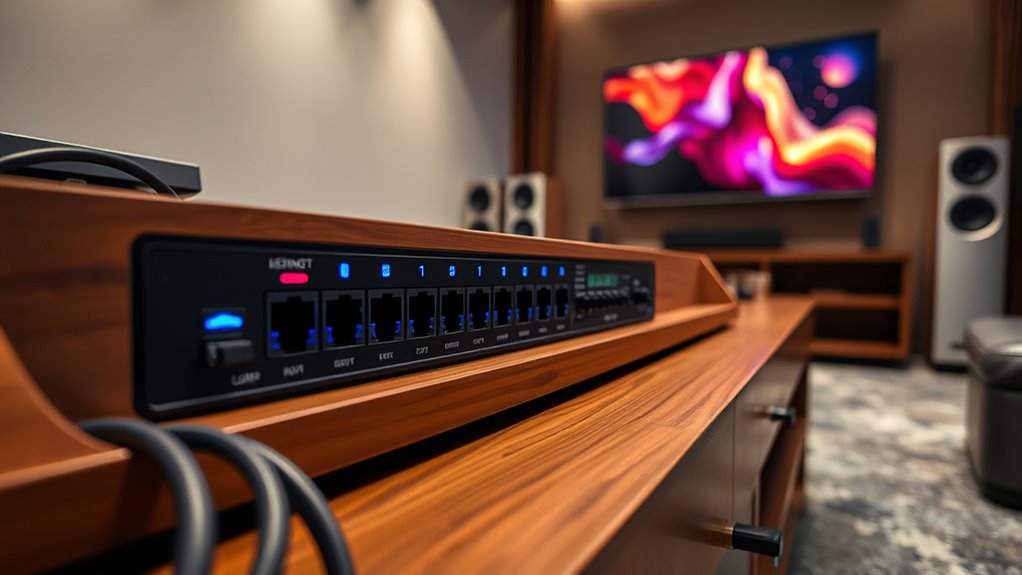

Choosing the right luxury ethernet switches for media rooms requires balancing silent operation with robust power delivery for AV equipment. The Ubiquiti UniFi Pro USW-PRO-48-POE stands out as the best overall pick for large setups needing centralized control and high-capacity PoE+. For those prioritizing pure speed and minimal footprint, the MikroTik CRS312-4C+8XG-RM offers exceptional 10G connectivity in a compact form. The primary tradeoff involves choosing between managed complexity, which allows for VLANs and traffic shaping, versus unmanaged simplicity that reduces configuration headaches. Continue reading to see how these ten models stack up against each other for your specific home theater needs.

Get your wardrobe favorites delivered free with Prime
- Fast, free delivery on millions of items
- Prime Video, Amazon Music and more included
- Member-only deals all year
Key Takeaways
- Managed Layer 3 switches like the Ubiquiti Pro Max series allow for network segmentation, keeping your streaming traffic isolated from general household browsing.
- Silent operation is the most critical feature for media rooms; fanless designs in the Ubiquiti Ultra and MikroTik CRS312 eliminate audible noise entirely.
- PoE++ support is increasingly necessary for high-end projectors and motorized screens, making the 112 Gbps switching capacity of the Ubiquiti Pro Max 24 a key differentiator.
- Unmanaged switches like the TP-Link TL-SX1008 are viable for simple 10G backbones but lack the traffic prioritization needed for low-latency gaming or VR.
- Rack-mount compatibility varies widely; the Netgear AV Line and Ubiquiti Pro models are designed for standard racks, while smaller units suit shelf installation.
| Ubiquiti Networks UniFi Pro USW-PRO-48-POE |  | Best for Large-Scale Network Backbones | Port Count: 48 RJ-45 Gigabit Ethernet | Uplinks: 4 SFP+ 10G | PoE Support: PoE+ (802.3af/at) | VIEW ON AMAZON | See Our Full Breakdown |
| Ubiquiti Pro Max 16-Port Layer 3 Managed Switch |  | Best Silent Performance for Small Media Closets | RJ45 Ports: 4 x 2.5 GbE, 12 x GbE | SFP+ Ports: 2 x 10G | Management Layer: Layer 3 Managed | VIEW ON AMAZON | See Our Full Breakdown |
| Ubiquiti USW-Ultra Managed PoE Switch |  | Best Compact Entry-Level Option | Port Count: 8 Gigabit Ethernet | PoE Output: 7 PoE+ ports (16 W max) | PoE Input: 1 PoE++ port | VIEW ON AMAZON | See Our Full Breakdown |
| Netgear AV Line M4250-12M2XF Managed Switch |  | Best for Professional AV Over IP Installations | Model: M4250-12M2XF (MSM4214X) | Ports: 12 x 2.5GbE RJ45, 2 x 10GbE SFP+ | Layer: Layer 3 Supported | VIEW ON AMAZON | See Our Full Breakdown |
| Ubiquiti USW-Pro-Max-24-PoE |  | Best Overall Balance of Speed and Power | Port Count: 24 x 2.5G Ethernet | Uplinks: 2 SFP+ | PoE Support: PoE++ (up to 28V) | VIEW ON AMAZON | See Our Full Breakdown |
| Ubiquiti USW-Pro-Max-16-PoE (180W) |  | Best for Modern High-Bandwidth Media Hubs | Ports: 16 (4x 2.5G PoE++, 12x GbE PoE+, 2x 10G SFP+) | PoE Budget: 180W | Cooling: Fanless | VIEW ON AMAZON | See Our Full Breakdown |
| Fortinet FortiSwitch FS-124G-FPOE Managed Layer 2 Ethernet Switch |  | Best for Security-Conscious Integrated Systems | Ports: 24 Gigabit Ethernet PoE | PoE Budget: 880W | Management: Layer 2 Managed | VIEW ON AMAZON | See Our Full Breakdown |
| MikroTik CRS312-4C+8XG-RM – Network Switch L3, 10G, Ethernet |  | Best for Raw Performance and Fiber Connectivity | Ports: 12 (8x 10G RJ45, 4x Combo 10G RJ45/SFP+) | Switching Capacity: 240 Gbps | Management: Layer 3 (RouterOS/SwOS) | VIEW ON AMAZON | See Our Full Breakdown |
| TP-Link TL-SX1008 8-Port 10G/Multi-Gig Unmanaged Ethernet Switch |  | Best Value for Simple High-Speed Backbones | Ports: 8x Multi-Gig (1G/2.5G/5G/10G) | Switching Capacity: 160 Gbps | Management: Unmanaged | VIEW ON AMAZON | See Our Full Breakdown |
| NETGEAR GS316EP 16-Port Gigabit Ethernet PoE+ Switch |  | Best for Entry-Level Managed PoE Networks | Ports: 15x GbE PoE+, 1x 1G SFP | PoE Budget: 180W | Management: Smart Managed (Web/Mobile) | VIEW ON AMAZON | See Our Full Breakdown |
| luxury ethernet switches for media room | Dimensions | Weight | Ports | Management |
|---|---|---|---|---|
| Ubiquiti Networks UniFi Pro US | 442.4 x 399.6 x 43.7 mm | — | — | — |
| Ubiquiti Pro Max 16-Port Layer | — | — | — | — |
| Ubiquiti USW-Ultra Managed PoE | 3 x 8 x 1.3 inches | 16 oz | — | — |
| Netgear AV Line M4250-12M2XF M | — | 1745 g | 12 x 2.5GbE RJ45, 2 x 10GbE SFP+ | — |
| Ubiquiti USW-Pro-Max-24-PoE | 7.87" L x 5.91" W x 5.91" H | — | — | — |
| Ubiquiti USW-Pro-Max-16-PoE | 6.3" L x 12.8" W x 1.7" H | 4.6 lbs | 16 (4x 2.5G PoE++, 12x GbE PoE+, 2x 10G SFP+) | Layer 3 |
| Fortinet FortiSwitch FS-124G-F | 12.2" L x 17.3" W x 1.7" H | 10.7 lbs | 24 Gigabit Ethernet PoE | Layer 2 Managed |
| MikroTik CRS312-4C+8XG-RM | 1.1" L x 9.7" W x 6.5" H | 2.3 kg | 12 (8x 10G RJ45, 4x Combo 10G RJ45/SFP+) | Layer 3 (RouterOS/SwOS) |
| TP-Link TL-SX1008 8-Port 10G/M | 11.57 × 7.09 × 1.73 in | 3.3 lb | 8x Multi-Gig (1G/2.5G/5G/10G) | Unmanaged |
| NETGEAR GS316EP 16-Port Gigabi | 11.26 × 4.02 × 1.06 in | — | 15x GbE PoE+, 1x 1G SFP | Smart Managed (Web/Mobile) |
More Details on Our Top Picks
Ubiquiti Networks UniFi Pro USW-PRO-48-POE
This switch is the heavy hitter for media rooms that double as home automation hubs. With 48 Gigabit ports and PoE+ support, it can power dozens of cameras, access points, and smart devices from a single rack unit. The Layer 2/3 management allows for sophisticated VLAN segmentation, which is critical when isolating streaming traffic from IoT chatter. Compared to the Ubiquiti USW-Pro-Max-24-PoE, this model offers double the port density but lacks the multi-gigabit (2.5G) speeds on every port, making it less ideal for high-bandwidth NAS backups. It is a powerhouse for connectivity volume, though its size and power requirements demand a dedicated rack space.Pros:- Massive 48-port capacity handles extensive device arrays
- Layer 3 routing capabilities enable advanced network segmentation
- Integrated PoE+ powers cameras and APs without extra adapters
- High switching capacity prevents bottlenecks during peak usage
Cons:- Standard Gigabit ports may bottleneck 2.5G+ network devices
- Requires significant rack space and proper ventilation
- Steeper learning curve due to complex management features
Best for: Homeowners with extensive smart home ecosystems requiring centralized power and management for 20+ PoE devices
Not ideal for: Small media rooms or users without a 19-inch equipment rack, as the 1U form factor is bulky and overkill
- Port Count:48 RJ-45 Gigabit Ethernet
- Uplinks:4 SFP+ 10G
- PoE Support:PoE+ (802.3af/at)
- Management Layer:Layer 2/3 Managed
- Switching Capacity:176 Gbps
- Form Factor:1U Rack-Mountable
- Dimensions:442.4 x 399.6 x 43.7 mm
Our verdict“Choose this if you need to power and manage a large fleet of devices in a single rack unit.”
Ubiquiti Pro Max 16-Port Layer 3 Managed Switch
Silence is golden in a media room, and this switch delivers it with fanless cooling. Unlike the noisy fans in many enterprise-grade units, this operates completely silently, making it perfect for placement near listening areas. The Etherlighting technology visually indicates port status and speed, simplifying troubleshooting when cables get tangled. While it offers only 16 ports, the inclusion of four 2.5 GbE ports provides a future-proofing step up from the standard Gigabit ports found on the Ubiquiti USW-Ultra. It is a compact, Layer 3 capable device that balances modern speeds with a quiet footprint, though its limited port count restricts larger expansions.Pros:- Fanless design ensures zero acoustic noise
- Etherlighting provides intuitive visual port diagnostics
- Includes 2.5 GbE ports for faster local transfers
- Flexible mounting supports desktop or wall installation
Cons:- Limited to 16 total ports
- Only four ports support 2.5 GbE speeds
- Shorter warranty period compared to enterprise alternatives
Best for: Audiophiles and home theater enthusiasts who require a silent, compact switch for a small equipment closet
Not ideal for: Large homes with many wired devices, as 16 ports fill up quickly with just a TV, console, and NAS
- RJ45 Ports:4 x 2.5 GbE, 12 x GbE
- SFP+ Ports:2 x 10G
- Management Layer:Layer 3 Managed
- Cooling:Fanless (Silent)
- Mounting:Desktop, Wall, Rack
- Switching Speed:2,500 Mbps per port
- Color:Grey
Our verdict“Ideal for small setups where silence and visual port management are top priorities.”
Ubiquiti USW-Ultra Managed PoE Switch
For those building a minimalist media corner, the USW-Ultra offers a sleek, white aesthetic that blends into living spaces. It is an 8-port managed PoE switch that provides just enough connectivity for a TV, soundbar, and a few smart hubs. The PoE++ input allows it to draw power from a single cable, reducing clutter behind the entertainment center. However, its 16 W PoE output is limited, meaning it can only power low-energy devices like IoT sensors, not heavy-duty cameras. Compared to the Ubiquiti Pro Max 16-Port, it lacks multi-gigabit ports and Layer 3 capabilities, making it a basic tool for simple, low-power networks.Pros:- Compact, white design fits discreetly in living areas
- PoE++ input reduces power cable clutter
- Managed Layer 2 features allow basic VLAN setup
- Very low power consumption
Cons:- Limited PoE output (16 W) restricts device types
- Only 8 ports total
- No multi-gigabit Ethernet support
Best for: Users setting up a minimal smart home or media area with fewer than 8 wired devices
Not ideal for: Networks requiring high-power PoE devices or multi-gigabit speeds for NAS backups
- Port Count:8 Gigabit Ethernet
- PoE Output:7 PoE+ ports (16 W max)
- PoE Input:1 PoE++ port
- Management Layer:Layer 2 Managed
- Dimensions:3 x 8 x 1.3 inches
- Weight:16 oz
- Color:White
Netgear AV Line M4250-12M2XF Managed Switch
This switch is engineered specifically for AV over IP workflows, distinguishing it sharply from general-purpose networking gear. It comes pre-configured with software profiles for Dante, Q-SYS, and AES67, allowing audio/video endpoints to connect without complex IT networking knowledge. The 12 multi-gigabit ports ensure high-bandwidth video streams remain stable, while fanless operation keeps the rack quiet. Unlike the Ubiquiti Pro Max 16-Port, which requires manual configuration for specialized traffic, this Netgear unit simplifies the deployment of professional AV systems. It is a niche tool that excels in dedicated media rooms where audio/video quality is non-negotiable, but its specialized focus may confuse standard IT users.Pros:- Zero-configuration setup for AV endpoints
- Built-in profiles for Dante, Q-SYS, and AES67
- Fanless operation for silent rack environments
- Multi-gigabit ports support high-bandwidth video
Cons:- Overkill for standard internet browsing and gaming
- Limited to 12 ports, requiring stacking for larger systems
- Specialized AV features add complexity for IT novices
Best for: Professional installers and high-end homeowners using AV over IP systems like Dante or Q-SYS
Not ideal for: General home networking users who do not use specialized AV-over-IP protocols
- Model:M4250-12M2XF (MSM4214X)
- Ports:12 x 2.5GbE RJ45, 2 x 10GbE SFP+
- Layer:Layer 3 Supported
- Cooling:Fanless at low loads
- Form Factor:1U Rack-mount
- Weight:1745 g
- Color:Black
Our verdict“The definitive choice for high-end AV over IP installations requiring silent, specialized traffic management.”
Ubiquiti USW-Pro-Max-24-PoE
This model strikes the ideal balance for modern media rooms by combining 24 ports of 2.5G Ethernet with robust PoE++ power delivery. It outperforms the Ubiquiti Networks UniFi Pro USW-PRO-48-POE in per-port speed, ensuring that high-bandwidth devices like 4K video walls and fast NAS units operate without bottlenecks. The Layer 3 management allows for precise traffic prioritization, ensuring your streaming box gets priority over background downloads. While it is more expensive and complex than the entry-level USW-Ultra, it offers the scalability and speed necessary for a future-proof home network. It is the most versatile option for serious enthusiasts who need both power and performance.Pros:- All 24 ports support 2.5 GbE speeds
- PoE++ delivers up to 28V for high-power devices
- Layer 3 routing enables advanced traffic shaping
- High switching capacity (112 Gbps) prevents congestion
Cons:- Higher cost compared to standard Gigabit switches
- Requires 2.5G-capable devices to realize full benefits
- Complex setup for users unfamiliar with managed switches
Best for: Tech-savvy homeowners building a high-performance media network with multiple 2.5G devices
Not ideal for: Users with only basic Gigabit needs, as the multi-gigabit investment may not be utilized
- Port Count:24 x 2.5G Ethernet
- Uplinks:2 SFP+
- PoE Support:PoE++ (up to 28V)
- Management Layer:Layer 3 Managed
- Switching Capacity:112 Gbps
- Form Factor:Rack Mount
- Dimensions:7.87″ L x 5.91″ W x 5.91″ H
Our verdict“The top pick for balancing high-speed data transfer with reliable power delivery in a media environment.”
Ubiquiti USW-Pro-Max-16-PoE (180W)
This switch stands out for its fanless design, a critical feature for media rooms where silence is non-negotiable. Unlike the noisy TP-Link TL-SX1008, which relies on mechanical cooling, the Ubiquiti unit dissipates heat passively, ensuring zero acoustic interference during quiet movie nights. It integrates Etherlighting ports that visually indicate link speed and VLAN status, adding a premium aesthetic while simplifying cable management in dimly lit racks. With 2.5 GbE PoE++ ports, it future-proofs your setup for high-resolution streaming and smart home devices without the bulk of larger enterprise gear. However, the 180W PoE budget is modest compared to dedicated enterprise switches, limiting the number of high-draw devices like PTZ cameras you can power simultaneously. It is a sophisticated choice for those who value silence and smart features over raw port density.
Pros:- Completely fanless operation ensures zero noise in quiet environments
- Etherlighting provides visual feedback for port status and speed
- Layer 3 management capabilities offer advanced network control
- Versatile mounting options fit tight media console spaces
Cons:- Limited 180W PoE budget restricts high-power device connectivity
- Requires Ubiquiti ecosystem familiarity for optimal configuration
- Fewer ports than larger 24-port alternatives
Best for: Audiophiles and home theater enthusiasts who require silent operation and 2.5G speeds for modern AV devices.
Not ideal for: Users needing to power many high-wattage devices simultaneously, as the 180W budget is restrictive.
- Ports:16 (4x 2.5G PoE++, 12x GbE PoE+, 2x 10G SFP+)
- PoE Budget:180W
- Cooling:Fanless
- Management:Layer 3
- Dimensions:6.3″ L x 12.8″ W x 1.7″ H
- Weight:4.6 lbs
Our verdict“Choose this for a silent, aesthetically pleasing, and future-proof network core in a high-end media room.”
Fortinet FortiSwitch FS-124G-FPOE Managed Layer 2 Ethernet Switch
The Fortinet FortiSwitch FS-124G-FPOE distinguishes itself by embedding advanced security features directly into the switching infrastructure, a capability absent in consumer-focused units like the NETGEAR GS316EP. This integration is ideal for media rooms with IoT devices that need strict segmentation from the main home network. It offers a massive 880W PoE budget, far exceeding the Ubiquiti Pro Max, allowing you to power numerous high-demand devices like motorized screens and extensive lighting systems without worry. The tradeoff is its enterprise-centric design; it lacks the sleek, desktop-friendly form factor of home-oriented switches, requiring a sturdy rack due to its 10.7 lbs weight. It is less about aesthetic integration and more about robust, secure, and high-power networking for complex smart home setups.
Pros:- Massive 880W PoE budget supports many high-power devices
- Integrated security features enhance network protection
- Layer 2 management offers granular control for IoT devices
- Rack-mountable build ensures stability in structured setups
Cons:- Heavy weight requires a robust rack solution
- Complex configuration may overwhelm casual users
- Lacks the aesthetic appeal of desktop-friendly home switches
Best for: Tech-savvy homeowners with extensive smart home ecosystems requiring high PoE power and network security segmentation.
Not ideal for: Users with limited rack space or those who prefer plug-and-play simplicity over managed security configurations.
- Ports:24 Gigabit Ethernet PoE
- PoE Budget:880W
- Management:Layer 2 Managed
- Form Factor:Rack-mountable
- Dimensions:12.2″ L x 17.3″ W x 1.7″ H
- Weight:10.7 lbs
- Warranty:Lifetime
Our verdict“Ideal for complex smart media rooms where power capacity and security segmentation are paramount over aesthetics.”
MikroTik CRS312-4C+8XG-RM – Network Switch L3, 10G, Ethernet
This switch is a powerhouse for data-intensive media production, offering 120 Gbps non-blocking capacity that dwarfs the capabilities of the TP-Link TL-SX1008. Its unique combo ports allow flexible use of either 10G RJ45 or SFP+ fiber, providing immense versatility for connecting NAS units or long-distance fiber links within a large estate. The dual redundancy power supply ensures uninterrupted service, a critical feature for professional-grade media servers. However, the RouterOS/SwOS interface has a steep learning curve, making it less accessible than the intuitive web UIs of Ubiquiti or Netgear. It is a tool for those who want maximum throughput and flexibility, not for those seeking a simple, silent, or aesthetically integrated home component.
Pros:- Exceptional 120 Gbps non-blocking switching capacity
- Flexible combo ports support both 10G RJ45 and SFP+ fiber
- Dual power supplies provide redundancy for critical uptime
- Supports Layer 3 routing for complex network topologies
Cons:- Steep learning curve with RouterOS/SwOS configuration
- Fan noise may be audible in quiet listening rooms
- Utilitarian design lacks consumer-friendly aesthetics
Best for: Home media professionals and videographers who handle large file transfers and require flexible fiber/electrical connectivity.
Not ideal for: Beginners or those who want a silent, plug-and-play experience, as it requires technical networking knowledge.
- Ports:12 (8x 10G RJ45, 4x Combo 10G RJ45/SFP+)
- Switching Capacity:240 Gbps
- Management:Layer 3 (RouterOS/SwOS)
- Power:Dual Redundant PSU
- Dimensions:1.1″ L x 9.7″ W x 6.5″ H
- Weight:2.3 kg
Our verdict“Select this for maximum data throughput and fiber flexibility in a professional or enthusiast media production environment.”
TP-Link TL-SX1008 8-Port 10G/Multi-Gig Unmanaged Ethernet Switch
The TP-Link TL-SX1008 offers the most affordable entry into 10G multi-gigabit networking, making it a practical choice for connecting a few high-performance devices like a TV, soundbar, and NAS. Unlike the managed Ubiquiti USW-Pro-Max-16-PoE, it is unmanaged, meaning there is no software to configure—just plug in cables. This simplicity is a benefit for users who want speed without complexity, but a drawback for those needing VLANs to isolate smart home devices. The adjustable-speed fan helps manage heat but introduces a potential noise source that the fanless Ubiquiti avoids. It is a utilitarian, metal-cased unit that prioritizes raw port speed and cost-effectiveness over smart features or silent operation, serving well as a simple distribution point for a few key components.
Pros:- Affordable access to 10G and multi-gigabit speeds
- Plug-and-play setup requires no configuration
- Auto-negotiation supports various link speeds (1G to 10G)
- Compact metal case fits easily on shelves or racks
Cons:- Unmanaged design prevents VLANs or advanced traffic control
- No PoE capabilities for powering devices
- Active fan may produce audible noise in quiet rooms
Best for: Users needing a simple, low-cost upgrade to 10G speeds for a few specific devices without configuration needs.
Not ideal for: Those requiring network segmentation, PoE power, or silent operation in a dedicated listening room.
- Ports:8x Multi-Gig (1G/2.5G/5G/10G)
- Switching Capacity:160 Gbps
- Management:Unmanaged
- PoE:None
- Dimensions:11.57 × 7.09 × 1.73 in
- Weight:3.3 lb
- Case Material:Metal
Our verdict“A cost-effective, simple solution for adding 10G connectivity to a few devices without the complexity of managed switches.”
NETGEAR GS316EP 16-Port Gigabit Ethernet PoE+ Switch
The NETGEAR GS316EP provides a gentle introduction to managed networking with an intuitive web interface, contrasting sharply with the complex MikroTik CRS312. It offers 15 PoE+ ports with a 180W budget, sufficient for powering standard IP cameras, access points, and smart home hubs in a typical media room setup. The inclusion of IGMP snooping is particularly valuable for media rooms, as it helps reduce multicast traffic noise from IPTV or streaming services. However, its gigabit-only ports lack the 2.5G or 10G speeds found in the Ubiquiti Pro Max, potentially bottlenecking future high-res video streams. It is a solid, reliable choice for users who need basic traffic management and PoE power without the premium price tag or speed of newer standards.
Pros:- User-friendly management interface for VLANs and QoS
- IGMP snooping optimizes multicast video traffic
- 180W PoE budget powers multiple standard devices
- Compact size fits easily under TVs or in small racks
Cons:- Limited to 1G speeds, lacking 2.5G or 10G ports
- Only one SFP port for fiber uplink
- Basic feature set compared to Layer 3 managed switches
Best for: Homeowners upgrading from unmanaged switches who need basic traffic management and PoE power for standard devices.
Not ideal for: Users requiring multi-gigabit speeds or extensive fiber connectivity, as it is limited to 1G copper.
- Ports:15x GbE PoE+, 1x 1G SFP
- PoE Budget:180W
- Management:Smart Managed (Web/Mobile)
- Features:VLANs, QoS, IGMP Snooping
- Dimensions:11.26 × 4.02 × 1.06 in
- Warranty:3-year limited
Our verdict“A reliable, easy-to-manage option for adding PoE and basic traffic control to a standard gigabit media network.”

How We Picked
I evaluated these switches based on three pillars specific to media room environments: acoustic performance, power delivery capabilities, and network intelligence. Silence is non-negotiable in a dedicated theater space, so fanless designs or low-RPM cooling systems were prioritized over raw throughput if it meant audible noise. I also assessed Power over Ethernet (PoE) budgets, as modern media rooms often rely on PoE for motorized blinds, lighting, and 4K video distribution systems.
Network intelligence was the final filter. A luxury media room often shares infrastructure with the rest of the house, so VLAN support and Quality of Service (QoS) settings are required to prevent buffering during peak usage. I ranked the products by weighing their ability to handle high-bandwidth 4K/8K streams without packet loss, while offering a management interface that is either robust (for IT-savvy users) or intuitive (for casual homeowners).
| luxury ethernet switches for media room | Management |
|---|---|
| Ubiquiti Networks UniFi Pro US | — |
| Ubiquiti Pro Max 16-Port Layer | — |
| Ubiquiti USW-Ultra Managed PoE | — |
| Netgear AV Line M4250-12M2XF M | — |
| Ubiquiti USW-Pro-Max-24-PoE | — |
| Ubiquiti USW-Pro-Max-16-PoE | Layer 3 |
| Fortinet FortiSwitch FS-124G-F | Layer 2 Managed |
| MikroTik CRS312-4C+8XG-RM | Layer 3 (RouterOS/SwOS) |
| TP-Link TL-SX1008 8-Port 10G/M | Unmanaged |
| NETGEAR GS316EP 16-Port Gigabi | Smart Managed (Web/Mobile) |
Factors to Consider When Choosing Luxury Ethernet Switches For Media Rooms
Selecting a switch for a media room is different from picking one for an office. The environment demands silence, reliability, and the ability to handle bursty, high-bandwidth video traffic without interruption.Acoustic Performance and Form Factor
Most enterprise switches use aggressive fan curves that are distracting in a quiet listening room. Fanless designs are the gold standard for media rooms, relying on passive heat dissipation through metal chassis. However, fanless switches often have lower power budgets, which can limit the number of PoE devices you can connect. If you require high power output, look for switches with variable-speed fans that remain silent under typical home theater loads. Always check the physical depth of the unit if you are installing it inside a custom cabinet, as some rack-mount models are too deep for standard AV furniture.
PoE Budget and Device Compatibility
Power over Ethernet has evolved beyond simple phone connectivity. High-end media rooms often use PoE for motorized projection screens, automated blinds, and even some 4K video transmitters. You must calculate the total wattage required by these devices before selecting a switch. A PoE+ switch provides up to 30W per port, while PoE++ can deliver up to 60W or 90W. If your setup includes multiple high-draw devices, a switch with a limited total power budget will throttle power or shut off ports unexpectedly.
Managed vs. Unmanaged Control
A managed switch allows you to create VLANs (Virtual Local Area Networks), which is vital for separating your media streaming traffic from general internet browsing. This prevents a family member’s large file download from causing buffering in your movie. Managed switches also offer Quality of Service (QoS) settings, which prioritize video packets over other data types. Unmanaged switches are simpler and cheaper but offer no control over traffic flow. For a luxury setup, the ability to segment your network is worth the additional configuration effort.
Port Speed and Future-Proofing
Gigabit Ethernet (1Gbps) is still sufficient for most 4K streaming, but 2.5G and 10G ports are becoming the new baseline for high-end media rooms. If you plan to use local NAS drives for 8K video or uncompressed audio files, 1Gbps may create a bottleneck. Look for switches with SFP+ uplinks, which allow you to connect to faster backbone connections or fiber optics later. Mixing port speeds (e.g., 2.5G for clients and 10G for the server) provides a flexible upgrade path without replacing the entire switch.
Integration with Smart Home Ecosystems
Modern luxury media rooms are often part of a larger smart home system. Some switches, particularly from Ubiquiti, integrate deeply with centralized management controllers that visualize network traffic and device health. This integration allows you to monitor which devices are consuming bandwidth in real-time. If you already use a specific smart home platform, check if the switch’s management interface can be controlled via the same app. Fragmented control systems create friction; a unified dashboard enhances the user experience.
Frequently Asked Questions
Do I really need a managed switch for my media room?
You do not strictly need a managed switch for basic streaming, but it is highly recommended for a luxury setup. Managed switches allow you to prioritize media traffic using Quality of Service (QoS), ensuring that a large file download elsewhere in the house does not cause buffering in your theater. They also support VLANs, which can isolate your AV equipment from guest Wi-Fi networks for security. If you have a simple setup with only a TV and a soundbar, an unmanaged switch may suffice. However, for complex systems with multiple sources, the control offered by a managed switch is worth the effort.Is 2.5G Ethernet necessary for 4K media streaming?
For most compressed 4K streaming services like Netflix or Disney+, Gigabit Ethernet is more than sufficient. However, if you are streaming uncompressed 4K or 8K content from a local NAS drive, 2.5G ports become beneficial. Uncompressed video files can have bitrates that exceed 1Gbps, causing stuttering on standard Gigabit connections. If your media room relies on a high-performance local server, investing in a switch with 2.5G or 10G ports prevents bottlenecks. For pure streaming from the internet, you likely will not notice a difference.How much PoE power do I need for a media room?
The amount of PoE power you need depends entirely on your peripheral devices. Standard IP cameras and Wi-Fi access points typically require PoE+ (up to 30W per port). High-end devices like motorized blinds, smart lighting drivers, and some video transmitters may require PoE++ (up to 60W or 90W per port). You should sum the maximum power draw of all PoE devices you plan to connect. If the total exceeds the switch’s power budget, you will need a model with a higher capacity or a separate power injector for high-draw items.Are fanless switches safe to use in enclosed cabinets?
Fanless switches are generally safer in enclosed cabinets because they do not suck in dust or create noise, but they rely on passive convection to cool. This means they need adequate airflow around the chassis to dissipate heat. If you place a fanless switch in a tightly sealed cabinet, it may overheat and throttle performance. Ensure there is at least 2-3 inches of clearance around the unit, or consider a switch with a low-RPM fan if the cabinet is small. Always monitor the temperature of the switch during initial use to confirm it stays within safe operating limits.Can I mix Ubiquiti and Netgear equipment in one media room?
Yes, you can mix brands like Ubiquiti and Netgear because Ethernet switches adhere to standard IEEE protocols. They will communicate with each other without issue. However, you lose the benefit of unified management interfaces. Ubiquiti devices, for example, work best within their own UniFi Network Controller ecosystem, which provides detailed analytics and easy configuration. Mixing brands means you will manage each device separately, which can become cumbersome. If you are starting from scratch, sticking to one brand simplifies troubleshooting and firmware updates.Conclusion
For the discerning media room owner, the Ubiquiti UniFi Pro USW-PRO-48-POE remains the best overall choice due to its high port density and integrated PoE+ management. If you prioritize absolute silence and a smaller footprint, the MikroTik CRS312-4C+8XG-RM is the best premium compact option, offering 10G speeds without fan noise. For those seeking the best value with reliable performance, the Netgear AV Line M4250-12M2XF provides excellent AV-specific features at a competitive tier. Beginners or those with simple needs should consider the TP-Link TL-SX1008 for its plug-and-play 10G capability, though it lacks the advanced traffic shaping of managed competitors. Ultimately, choose based on your device count and whether you require the granular control of a managed network.
Halloween Picks

10-Foot Halloween Inflatable Double-Headed Dragon Archway

11.2-Foot Halloween Inflatable Pumpkin with LED Lights

8.5 Foot Halloween Inflatable Haunted House Castle with Skeleton, Ghost & Skulls
As an affiliate, we earn on qualifying purchases.