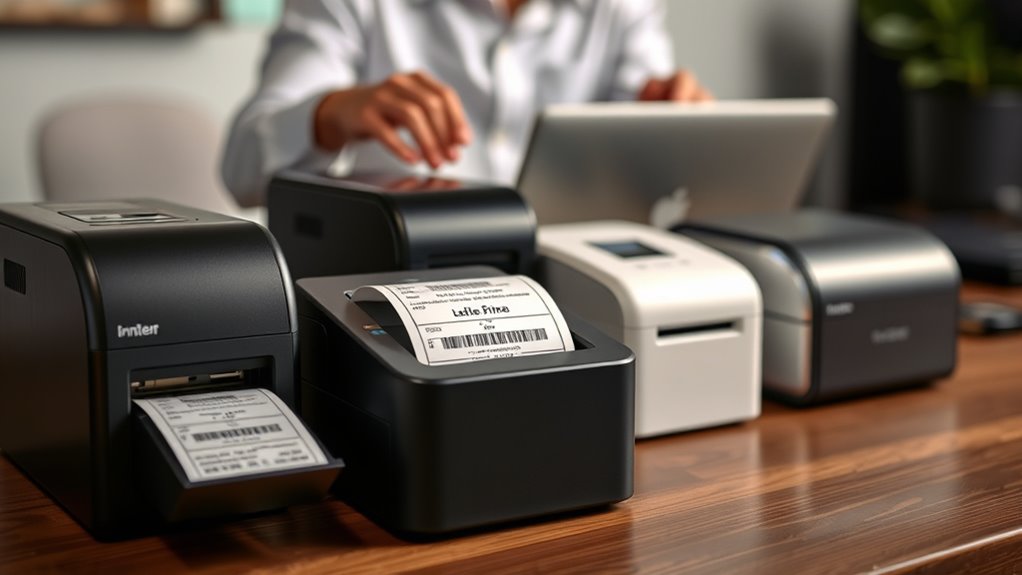

For most small businesses, I’d start with the Brother QL-810W for its wireless flexibility and broader label-making role, while the Phomemo 241BT and Rongta RP425 Bluetooth stand out for businesses focused on thermal shipping labels. The right choice depends on whether you need mainly 4×6 shipping labels, several label sizes for products and organization, or a printer that fits a phone-led workflow. Thermal models avoid ink but generally depend on compatible direct-thermal labels, while broader-format options may suit retail and office tasks better. Connection support, software compatibility, and label supply costs can matter as much as print speed once orders become routine. Read on for how the 11 options differ and which type of small business each suits best.

Get your wardrobe favorites delivered free with Prime
- Fast, free delivery on millions of items
- Prime Video, Amazon Music and more included
- Member-only deals all year
Key Takeaways
- The Brother QL-810W is the broadest-use pick: it stands apart from the shipping-focused thermal models for businesses that need more than parcel labels.
- Bluetooth is not the same as universal compatibility: check whether the printer works with your specific phone, computer, shipping platform, and label workflow before buying.
- Most of this lineup centers on 4×6 thermal shipping: that specialization can simplify fulfillment, but it is less useful if you also need varied retail or office labels.
- The two Rongta RP425 listings are distinct options: compare their listed wireless and Bluetooth connectivity rather than assuming the same model name means identical setup.
- Included labels are only a starter supply: recurring label availability, roll or fanfold support, and the cost of compatible media affect the long-term fit.
| Phomemo 241BT Bluetooth Thermal Label Printer with 20 Labels |  | Best Overall for Flexible Shipping Setups | Printer type: Direct thermal | Connectivity: Bluetooth, USB | Supported label width: 1–4.6 inches | VIEW ON AMAZON | See Our Full Breakdown |
| Brother QL-810W Wireless Professional Label Printer |  | Best for Fast, Varied Office Labels | Printer type: Thermal | Print output: Monochrome; black and red with DK 2251 labels | Connectivity: USB 2.0, Wi-Fi | VIEW ON AMAZON | See Our Full Breakdown |
| Omezizy D450BT Bluetooth Thermal Shipping Label Printer |  | Best for Tidy, Ready-to-Feed Label Storage | Printer type: Thermal | Connectivity: Bluetooth, USB | Resolution: 203 DPI | VIEW ON AMAZON | See Our Full Breakdown |
| Hoorola Bluetooth Thermal Shipping Label Printer |  | Best Compact Pick | Model: BY-480BT | Printer type: Thermal | Print resolution: 203 dpi | VIEW ON AMAZON | See Our Full Breakdown |
| Rongta RP425 Bluetooth Thermal Shipping Label Printer |  | Best for Automatic Label Feeding | Model: RP425 | Printer type: Thermal | Connectivity: Bluetooth | VIEW ON AMAZON | See Our Full Breakdown |
| Nelko Bluetooth Thermal Shipping Label Printer |  | Best for Flexible Label Sizes | Printer type: Thermal | Connectivity: Bluetooth via NELKO app; USB | Print speed: Up to 72 4 × 6 labels per minute | VIEW ON AMAZON | See Our Full Breakdown |
| SVANTTO Bluetooth 4×6 Wireless Thermal Shipping Label Printer |  | Best for Fast Batch Shipping | Printing technology: Thermal | Connectivity: Bluetooth and USB | Device compatibility: Android, iOS, Windows, and Mac | VIEW ON AMAZON | See Our Full Breakdown |
| Rongta RP425 Wireless Thermal Shipping Label Printer |  | Best for a Minimal Shipping Setup | Model: RP425 | Printer type: Thermal | Print resolution: 203 × 203 dpi | VIEW ON AMAZON | See Our Full Breakdown |
| NULLTONEX 4×6 Bluetooth Thermal Shipping Label Printer |  | Best for Getting Started Quickly | Print technology: Direct thermal | Resolution: 203 DPI | Print speed: Up to 150 mm/s; up to 72 labels per minute | VIEW ON AMAZON | See Our Full Breakdown |
| KNAON Bluetooth Thermal Shipping Label Printer |  | Best for Custom Label Templates | Printer type: Thermal | Print output: Monochrome | Connectivity: Bluetooth and USB | VIEW ON AMAZON | See Our Full Breakdown |
| JADENS Bluetooth Thermal Shipping Label Printer |  | Best for Flexible Label Setups | Brand: JADENS | Model: JD268BT | Printer type: Thermal | VIEW ON AMAZON | See Our Full Breakdown |
| label printers for small business | Connectivity | Print speed | Printer type | Print resolution |
|---|---|---|---|---|
| Phomemo 241BT Bluetooth Therma | Bluetooth, USB | Up to 150 mm/s | Direct thermal | 203 × 203 DPI |
| Brother QL-810W Wireless Profe | USB 2.0, Wi-Fi | Up to 110 standard address labels per minute | Thermal | 300 dpi |
| Omezizy D450BT Bluetooth Therm | Bluetooth, USB | Up to 72 labels per minute | Thermal | — |
| Hoorola Bluetooth Thermal Ship | Bluetooth, USB | Up to 150 mm/s | Thermal | 203 dpi |
| Rongta RP425 Bluetooth Thermal | Bluetooth | Up to 150 mm/s | Thermal | — |
| Nelko Bluetooth Thermal Shippi | Bluetooth via NELKO app; USB | Up to 72 4 × 6 labels per minute | Thermal | 203 × 203 DPI |
| SVANTTO Bluetooth 4×6 Wireless | Bluetooth and USB | Up to 180 mm/sec | — | — |
| Rongta RP425 Wireless Thermal | Bluetooth and USB | 15 pages per minute | Thermal | 203 × 203 dpi |
| NULLTONEX 4×6 Bluetooth Therma | Bluetooth and USB | Up to 150 mm/s; up to 72 labels per minute | — | — |
| KNAON Bluetooth Thermal Shippi | Bluetooth and USB | Up to 180 mm/s | Thermal | 200 × 200 |
| JADENS Bluetooth Thermal Shipp | Bluetooth, USB 2.0 | — | Thermal | 203 x 203 DPI |
More Details on Our Top Picks
Phomemo 241BT Bluetooth Thermal Label Printer with 20 Labels
The Phomemo 241BT is my most balanced pick for a small business that needs to print shipping labels from either a phone or a computer. Its Bluetooth and USB connections cover mobile and desktop workflows, while compatibility with iOS, Android, Windows, Mac, Chrome OS, and Linux gives it broader system support than the Rongta RP425, whose mobile printing relies on its own app. The 1-to-4.6-inch media range and support for standard 4 × 6-inch labels suit common shipping tasks, and direct thermal printing removes ink and toner from the supply routine. The tradeoffs are monochrome output and a computer setup that requires a driver or browser extension. Its 203 DPI resolution is practical for shipping labels, but businesses needing colored emphasis should look at the Brother QL-810W instead.
Pros:- Bluetooth and USB support mobile and computer workflows
- Broad compatibility across mobile and desktop operating systems
- Prints standard 4 × 6-inch shipping labels
- Direct thermal operation avoids ink and toner
Cons:- Monochrome output cannot add color coding or red emphasis
- Computer setup requires a driver or browser extension
Best for: Small online sellers who want to print standard shipping labels from a mix of phones, computers, and operating systems.
Not ideal for: Businesses that need color or red-highlighted labels, or buyers who want computer printing without installing a driver or browser extension.
- Printer type:Direct thermal
- Connectivity:Bluetooth, USB
- Supported label width:1–4.6 inches
- Maximum media size:4 × 6 inches
- Print speed:Up to 150 mm/s
- Print resolution:203 × 203 DPI
- Compatible operating systems:iOS, Android, Windows, Mac OS, Chrome OS, Linux
- Included labels:20
Our verdict“Choose the Phomemo 241BT for versatile, inkless shipping-label printing across phones and computers, but skip it if color output is part of your workflow.”
Brother QL-810W Wireless Professional Label Printer
The Brother QL-810W stands apart from the shipping-focused Phomemo 241BT by handling a wider mix of everyday business labeling: packages, envelopes, folders, name badges, and postage. Its 300 dpi output and stated speed of up to 110 standard address labels per minute suit busy desks where batches matter more than a small footprint. With compatible DK 2251 media, it can print black-and-red labels, a useful distinction when a business wants visual emphasis rather than the monochrome output shared by the Phomemo and Hoorola. USB and Wi-Fi support add flexibility, and thermal printing avoids ink and toner. The main compromise is its Brother DK roll system, which narrows media choice compared with printers that accept a broader width range. Some postage workflows also have service, internet, and Windows/USB requirements.
Pros:- 300 dpi resolution for detailed label output
- High stated address-label throughput for batch work
- Wi-Fi and USB connectivity, with mobile printing support
- Compatible media enables black-and-red printing
Cons:- Uses Brother DK label rolls rather than a broad range of media
- Some postage services require enrollment, internet access, and compatible rolls
- The postage service is Windows-only and requires USB
Best for: Small offices that print frequent batches of address labels alongside folders, badges, and other business labels.
Not ideal for: Sellers who want broad third-party label-media flexibility or rely on a mobile-only postage workflow.
- Printer type:Thermal
- Print output:Monochrome; black and red with DK 2251 labels
- Connectivity:USB 2.0, Wi-Fi
- Print resolution:300 dpi
- Print speed:Up to 110 standard address labels per minute
- Media:Brother DK label rolls
- Compatible devices:Android, iOS
- Dimensions:5 × 9.2 × 5.7 inches (D × W × H)
Our verdict“Pick the QL-810W if your business prints high-volume batches across office and shipping tasks and can work within its DK media system.”
Omezizy D450BT Bluetooth Thermal Shipping Label Printer
The Omezizy D450BT is a practical fit for a small packing station where keeping a roll contained matters. Its built-in bin holds up to 250 labels, so it can feed roll media without the separate storage arrangement some compact printers need. That makes it more self-contained than the Phomemo 241BT, which lists no built-in roll capacity, while retaining Bluetooth and USB connections and wide operating-system support. It prints up to 4.6-inch-wide monochrome labels at 203 DPI, with automatic label alignment intended to reduce misfeeds and wasted stock. The stated speed is up to 72 labels per minute, so it is better suited to regular small-business batches than a high-throughput desk like the Brother QL-810W. It also depends on thermal labels and cannot produce color output.
Pros:- Built-in bin accommodates rolls of up to 250 labels
- Automatic alignment can help limit feed errors and wasted labels
- Bluetooth and USB connectivity
- Works with major mobile and computer operating systems
Cons:- Monochrome printing only
- Requires thermal labels
- Stated speed is lower than the Brother QL-810W’s address-label rate
Best for: Small sellers who want a compact packing-station printer with onboard roll storage and automatic label alignment.
Not ideal for: Businesses printing very large batches at speed or anyone who needs color labels or non-thermal media.
- Printer type:Thermal
- Connectivity:Bluetooth, USB
- Resolution:203 DPI
- Print speed:Up to 72 labels per minute
- Supported label width:1–4.6 inches (25.4–117 mm)
- Built-in label capacity:Up to 250 labels
- Compatible operating systems:Android, iOS, Windows, macOS, Linux, ChromeOS
- Dimensions:7.3 × 6.3 × 5.35 inches
Our verdict“Choose the D450BT for a neat, self-contained shipping station, not for color work or the fastest batch printing.”
Hoorola Bluetooth Thermal Shipping Label Printer
For a small business with limited counter space, the Hoorola BY-480BT has the most space-conscious listed dimensions in this group: 3.15 × 7.87 × 3.54 inches. It keeps the useful pairing of Bluetooth and USB found on the Phomemo 241BT, but its maximum media width is 4.1 inches, short of the 4.6-inch support listed for the Phomemo and Omezizy. That makes it a better match for common shipping labels and thermal paper than for buyers who want the widest stated media range. Its 203 dpi output and up-to-150 mm/s speed are suited to routine monochrome work, while broad operating-system support gives small teams more device options. The included two-year manufacturer warranty is a differentiator, though the printer remains monochrome and does not match the Omezizy’s built-in label bin.
Pros:- Compact listed dimensions suit crowded desks
- Bluetooth and USB connections support phone and computer use
- Compatible with iOS, Android, Windows, macOS, Linux, and Chrome OS
- Includes a two-year manufacturer warranty
Cons:- Maximum media width is narrower than the Phomemo 241BT and Omezizy D450BT
- Monochrome output only
- No built-in label storage is listed
Best for: Home-based sellers and small teams that need a compact thermal printer for routine shipping labels and have limited desk space.
Not ideal for: Businesses needing media wider than 4.1 inches, color printing, or an integrated roll-storage bin.
- Model:BY-480BT
- Printer type:Thermal
- Print resolution:203 dpi
- Print speed:Up to 150 mm/s
- Connectivity:Bluetooth, USB
- Maximum media width:4.1 inches
- Supported systems:iOS, Android, Windows, macOS, Linux, Chrome OS
- Warranty:2 years
Our verdict“The Hoorola is a sensible choice for space-limited sellers printing standard-width monochrome labels who value its stated two-year warranty.”
Rongta RP425 Bluetooth Thermal Shipping Label Printer
The Rongta RP425 is aimed at sellers who want a straightforward mobile workflow and less manual adjustment when switching label sizes. It automatically identifies and feeds labels from 0.98 to 4.37 inches wide, a broad range for shipping and other small-business labels. Compared with the Phomemo 241BT, the RP425’s listed connection is Bluetooth rather than Bluetooth plus USB, and mobile printing requires the Rongta app; that makes it less flexible for teams that prefer a direct desktop connection or another mobile workflow. It supports Windows, macOS, Chrome OS, Android, and iOS, and its 203 dpi, up-to-150 mm/s output fits routine monochrome printing. One product-data issue deserves attention: the listed dimensions conflict, so planning a precise shelf or packing-station fit is harder than with the Hoorola.
Pros:- Automatically identifies and feeds labels
- Supports label widths from 0.98 to 4.37 inches
- Bluetooth mobile printing for iOS and Android
- Supports Windows, macOS, and Chrome OS
Cons:- Mobile printing requires the Rongta app
- Bluetooth is the only listed connection
- Conflicting listed dimensions make footprint planning uncertain
Best for: Small sellers who print from iOS or Android through the Rongta app and switch among different label widths.
Not ideal for: Businesses that need USB connectivity, want to avoid a brand-specific mobile app, or require confirmed dimensions for a tight workspace.
- Model:RP425
- Printer type:Thermal
- Connectivity:Bluetooth
- Compatible systems:Windows 7 or newer, macOS 10.11 or newer, Chrome OS, Android, iOS
- Supported label width:0.98–4.37 inches
- Print speed:Up to 150 mm/s
- Resolution:203 dpi
- Weight:0.65 kg
Our verdict“Choose the RP425 if automatic feeding and varied label widths matter more than USB connectivity or a clearly documented footprint.”
Nelko Bluetooth Thermal Shipping Label Printer
The Nelko suits small businesses that ship different parcel sizes or need more than standard 4 × 6 shipping labels. Its 1.54–4.1-inch label-width range covers small barcode and mailing labels as well as common shipping formats, while Bluetooth and USB give you a choice of phone-based or computer-based printing. It also lists compatibility with marketplaces and carriers including Shopify, Etsy, USPS, and UPS, which can simplify a mixed-channel workflow. Compared with the NULLTONEX, Nelko supports narrower media, but its Bluetooth printing depends on the NELKO app, and Mac printing is limited to USB. The claimed rate of up to 72 4 × 6 labels per minute suits recurring batches, though this is still a monochrome, 203-DPI printer, not a fit for color branding or photo-quality output.
Pros:- Supports label widths from 1.54 to 4.1 inches for varied shipping and small-label tasks
- Bluetooth and USB connectivity accommodate phones, tablets, and computers
- Thermal printing avoids ink and toner purchases
- Lists compatibility with several major marketplaces and shipping services
Cons:- Bluetooth printing requires the NELKO app
- Mac printing is limited to USB
- 203-DPI monochrome output is unsuitable for color branding or fine visual detail
Best for: Small online sellers who print both 4 × 6 shipping labels and narrower barcode or mailing labels, especially if they use Windows, Android, or iOS.
Not ideal for: Mac-first businesses that want wireless printing, or sellers who need color labels or detailed graphics.
- Printer type:Thermal
- Connectivity:Bluetooth via NELKO app; USB
- Print speed:Up to 72 4 × 6 labels per minute
- Print resolution:203 × 203 DPI
- Label width:1.54–4.1 inches (40–104 mm)
- Compatible label types:Fanfold and roll labels
- Supported platforms:Amazon, eBay, Shopify, USPS, UPS, Etsy, PayPal, and Poshmark
- Dimensions:9 × 5 × 6 inches
Our verdict“Choose the Nelko if your small business needs one compact printer for standard shipping labels and narrower media, and USB-only Mac printing is acceptable.”
SVANTTO Bluetooth 4×6 Wireless Thermal Shipping Label Printer
For a small business printing shipping labels in batches, SVANTTO’s standout is its stated speed: up to 180 mm/sec, with an output rate of up to 72 A6 4 × 6 labels per minute. Bluetooth support for Android and iOS lets a seller print from a phone, while USB covers Windows and Mac computers. The included Type-C port for Mac laptops adds a useful connection option compared with the Nelko, whose Mac printing is listed as USB-only. SVANTTO also accepts labels up to 4.3 inches wide, slightly broader than Nelko’s stated maximum. The tradeoff is that the provided details do not specify a print resolution or a named list of shipping platforms, so buyers who prioritize documented platform support may prefer the NULLTONEX or Nelko. It remains a straightforward, ink-free shipping-label choice rather than a feature-rich label-design system.
Pros:- Listed print speed of up to 180 mm/sec for recurring label batches
- Bluetooth support for Android and iOS, with USB for Windows and Mac
- Supports label widths from 1.57 to 4.3 inches
- Includes USB cable, adapter, plug, and a Type-C port for Mac laptops
Cons:- Print resolution is not specified in the supplied product data
- Specific marketplace and carrier compatibility is not listed
- Thermal output is monochrome and does not support color branding
Best for: Small online retailers who regularly print batches of 4 × 6 labels and want phone or computer connectivity across common operating systems.
Not ideal for: Businesses that need confirmed shipping-platform integrations, detailed resolution specifications, or color label printing.
- Printing technology:Thermal
- Connectivity:Bluetooth and USB
- Device compatibility:Android, iOS, Windows, and Mac
- Supported label widths:1.57–4.3 inches (40–110 mm)
- Print speed:Up to 180 mm/sec
- Output rate:Up to 72 A6 4 × 6-inch labels per minute
- Included items:Printer, instruction manual, USB cable, adapter, plug, and Type-C port for Mac laptops
Our verdict“Pick SVANTTO for fast, frequent shipping-label runs across phones and computers, but choose a more clearly documented option if platform integrations are your priority.”
Rongta RP425 Wireless Thermal Shipping Label Printer
The Rongta RP425 keeps its proposition simple: print 4 × 6 shipping labels from a computer or mobile device, without ink or toner. At 16 ounces, it is the lightest option in this group with a stated weight, making it easier to move between a home packing area and a small office. Bluetooth and USB cover the main connection needs, and the listed compatibility spans Windows, macOS, Android, and iOS. Compared with the Nelko, however, the RP425 is limited to a maximum media size of 4 × 6 inches rather than offering a stated range for narrower labels. Its listed speed is 15 pages per minute, not a label-per-minute figure, so it is harder to compare directly with the batch rates claimed for SVANTTO and NULLTONEX. The one-year warranty is also shorter than Nelko’s listed lifetime warranty.
Pros:- Supports standard 4 × 6 shipping labels
- Bluetooth and USB connectivity work with mobile devices and computers
- Listed compatibility includes Windows, macOS, Android, and iOS
- Lightweight at 16 ounces
Cons:- Maximum media size is listed as 4 × 6 inches, limiting documented media flexibility
- The 15-pages-per-minute speed figure is not directly comparable to label-per-minute claims
- Monochrome output and simplex printing limit use beyond basic shipping labels
Best for: Small sellers with a dedicated 4 × 6 shipping-label workflow who want a lightweight printer that can connect to phones and computers.
Not ideal for: Businesses that print narrow barcode or mailing labels, need clearly stated high-volume label throughput, or want color output.
- Model:RP425
- Printer type:Thermal
- Print resolution:203 × 203 dpi
- Print speed:15 pages per minute
- Maximum media size:4 × 6 inches
- Connectivity:Bluetooth and USB
- Compatible devices:Laptops, PCs, smartphones, and tablets
- Weight:16 ounces
- Warranty:1 year
Our verdict“Choose the RP425 for a lightweight, straightforward 4 × 6 shipping station, not for varied label formats or a clearly specified batch-printing pace.”
NULLTONEX 4×6 Bluetooth Thermal Shipping Label Printer
NULLTONEX makes the first shipping run easier by including 25 sheets of 4 × 6 thermal labels alongside the power cord and USB cable. That starter supply saves a separate label purchase before setup, while Bluetooth and USB let sellers choose a phone or computer workflow. Its stated speed reaches 150 mm/s, with a claimed output of up to 72 labels per minute, and support for widths from 1.57 to 4.3 inches gives it more flexibility than the Rongta RP425, whose listed media size is 4 × 6 inches. The tradeoff is a relatively substantial 3-pound body for a compact work area, and the output is black and white at 203 DPI. Compared with the KNAON, NULLTONEX supplies more test media but does not list templates, icons, or fonts for custom label design.
Pros:- Includes 25 sheets of 4 × 6 thermal labels for initial setup
- Bluetooth and USB support phone, tablet, and computer workflows
- Supports label widths from 1.57 to 4.3 inches
- Lists compatibility with popular shipping platforms and customizable templates
Cons:- Monochrome printing cannot reproduce color branding
- At 3 pounds, it is heavier than the listed Rongta RP425
- 203-DPI output is not intended for fine graphics or photo-quality labels
Best for: New marketplace sellers who want a thermal shipping-label printer with starter labels and both wireless and wired connection options.
Not ideal for: Businesses that need color output, a lightweight unit for frequent relocation, or built-in design tools for custom product labels.
- Print technology:Direct thermal
- Resolution:203 DPI
- Print speed:Up to 150 mm/s; up to 72 labels per minute
- Connectivity:Bluetooth and USB
- Print color:Monochrome, black and white
- Supported label widths:1.57–4.3 inches
- Compatible devices:Laptops, Mac, PC, smartphones, and tablets
- Included accessories:Power cord, USB cable, and 25 sheets of 4 × 6 thermal labels
Our verdict“Pick NULLTONEX if you want to start printing shipping labels with supplies included and value wider media support over a lighter or more design-focused printer.”
KNAON Bluetooth Thermal Shipping Label Printer
KNAON is the most design-oriented pick here for a small business that prints more than carrier labels. Its FlashLabel Pro app templates, icons, and fonts can help create branded or organizational labels, while 1.5–4.2-inch paper support covers a useful range of widths. It also lists Windows, macOS, ChromeOS, and Linux compatibility, giving it broader stated desktop coverage than the SVANTTO, whose supplied details name Windows and Mac plus Android and iOS. The app-based approach has a workflow cost: Bluetooth printing requires FlashLabel Pro, and some shipping labels may need to be saved as PDFs and imported into the app. Its 200 × 200 resolution is close to the 203-DPI models in this roundup, but KNAON’s compact 5.46 × 3.03 × 2.61-inch dimensions make it especially suited to a tight packing desk. Only 10 test papers are included.
Pros:- Templates, icons, and fonts support custom label layouts
- Lists compatibility with Windows, macOS, ChromeOS, and Linux
- Bluetooth and USB provide wireless and wired printing options
- Compact dimensions suit crowded packing stations
Cons:- Bluetooth printing requires the FlashLabel Pro app
- Some shipping labels may need to be saved as PDFs and imported into the app
- Includes only 10 test papers, fewer starter labels than NULLTONEX
Best for: Small businesses that print shipping labels alongside custom organization, product, or inventory labels and want templates on a compact desk.
Not ideal for: High-volume sellers who want direct marketplace-to-printer workflows or prefer not to route shipping PDFs through a companion app.
- Printer type:Thermal
- Print output:Monochrome
- Connectivity:Bluetooth and USB
- Compatible operating systems:Windows 7 or later, macOS, ChromeOS, and Linux
- Supported paper width:1.5–4.2 inches
- Print resolution:200 × 200
- Print speed:Up to 180 mm/s
- Dimensions:5.46 × 3.03 × 2.61 inches
- Included:10 test printing papers
Our verdict“Choose KNAON if custom label layouts and a small footprint matter more than a direct, low-friction shipping-label workflow.”
JADENS Bluetooth Thermal Shipping Label Printer
The JADENS JD268BT suits small sellers who need one printer for both desk-based and phone-based shipping workflows. Its Bluetooth and USB connections give it more setup flexibility than a USB-only approach, while support for 1.57- to 4.1-inch fanfold or roll labels covers common shipping formats and some narrower labels. Like the Phomemo 241BT, it prints without ink or toner, but the JADENS listing specifies a one-year warranty and compatibility with Windows, macOS, Android, and iOS. The tradeoff is that phone printing runs through the JADENS app, and changing label types calls for recalibration. That adds setup friction for businesses that frequently switch media. Its 203 DPI output is aimed at routine shipping labels, not high-resolution color or product-label work.
Pros:- Bluetooth and USB connections support mobile and computer workflows.
- Prints without ink or toner, simplifying routine shipping-label production.
- Accepts fanfold and roll labels from 1.57 to 4.1 inches wide.
- One-year warranty and support for major desktop and mobile operating systems.
Cons:- Mobile printing requires the JADENS app.
- Changing label types requires recalibration, adding steps for mixed-stock workflows.
- Monochrome 203 DPI output is limited to basic label printing.
Best for: Small online sellers who alternate between computer and phone order management and use more than one compatible label format.
Not ideal for: Businesses that frequently change label stock and want to avoid recalibration, or those needing color, high-resolution branding, or app-free phone printing.
- Brand:JADENS
- Model:JD268BT
- Printer type:Thermal
- Print resolution:203 x 203 DPI
- Connectivity:Bluetooth, USB 2.0
- Label width:1.57–4.1 inches
- Supported media:Fanfold labels, roll labels
- Compatible operating systems:Windows 7 or newer, macOS 10.9 or newer, Android, iOS
- Warranty:1 year
Our verdict“Choose the JADENS if your small business needs Bluetooth and USB flexibility across common label formats; skip it if frequent media changes or app-based mobile printing would slow your workflow.”

How We Picked
I ranked these label printers for small business by how well their stated features match common day-to-day jobs: shipping orders, printing product labels, and handling setup across phones or computers. I weighed connection options, label-format flexibility, workflow compatibility, and ease of setup more heavily than headline speed, since a fast printer is little help if it cannot work with a seller’s platform or preferred device. I also looked at the practical burden of buying compatible labels and keeping a printer supplied.
The ranking favors options with a clearer fit for more than one small-business workflow, while dedicated 4×6 models earn their place through focused shipping utility. Where the lineup includes similar names or closely matched thermal printers, I treat them as alternatives rather than assuming unlisted differences. Product details can vary by bundle or seller listing, so I recommend checking the exact supported devices, software, and media before purchase. I do not claim hands-on testing; the recommendations reflect the products’ stated positioning and the buyer tradeoffs those features imply.
| label printers for small business | Printer type | Connectivity |
|---|---|---|
| Phomemo 241BT Bluetooth Therma | Direct thermal | Bluetooth, USB |
| Brother QL-810W Wireless Profe | Thermal | USB 2.0, Wi-Fi |
| Omezizy D450BT Bluetooth Therm | Thermal | Bluetooth, USB |
| Hoorola Bluetooth Thermal Ship | Thermal | Bluetooth, USB |
| Rongta RP425 Bluetooth Thermal | Thermal | Bluetooth |
| Nelko Bluetooth Thermal Shippi | Thermal | Bluetooth via NELKO app; USB |
| SVANTTO Bluetooth 4×6 Wireless | — | Bluetooth and USB |
| Rongta RP425 Wireless Thermal | Thermal | Bluetooth and USB |
| NULLTONEX 4×6 Bluetooth Therma | — | Bluetooth and USB |
| KNAON Bluetooth Thermal Shippi | Thermal | Bluetooth and USB |
| JADENS Bluetooth Thermal Shipp | Thermal | Bluetooth, USB 2.0 |
Factors to Consider When Choosing Label Printers For Small Business
Before choosing a printer, I’d map it to the work it needs to do every week—not just the first label you plan to print. These factors can help avoid paying for flexibility you will not use or buying a shipping-only device that cannot handle your other label jobs.
Match the Printer to Your Label Mix
Start by listing the labels your business prints in a typical week: carrier labels, product labels, barcode labels, address labels, or shelf tags. A dedicated 4×6 thermal printer is a natural fit when parcels dominate, but it may not cover smaller or differently shaped retail labels. A more versatile label system can serve several tasks, though it may involve different media choices and software routines. A common mistake is buying based on the largest label you need while overlooking the smaller labels that staff print every day. Check the supported widths and label types against your actual templates before choosing. If your needs are likely to change, prioritize flexibility only when the added capability will see regular use.
Check the Whole Connection Path
Wireless on the product listing does not automatically mean every employee can print from every device. Confirm the operating systems, app requirements, and connection methods your workflow needs, including whether a computer connection is available if phone setup becomes inconvenient. Bluetooth can suit a single packing station or phone-centered operation, while Wi-Fi may make sharing across a workspace easier when the model and software support it. Check compatibility with the shipping platform or point-of-sale software you already use rather than assuming a printer will accept any label file. Small businesses often lose time to mismatched apps, drivers, and print settings rather than to the physical printing itself. A simple wired fallback can also be valuable if wireless setup or network access changes.
Compare the Ongoing Cost and Availability of Labels
Thermal printing removes ink or toner from the routine, but it does not make supplies irrelevant. You still need compatible labels in the right size and format, and frequent shipping can turn media availability into an operational concern. Check whether the printer accepts rolls, fanfold stacks, or both, and whether those formats fit the way your packing station is arranged. Do not assume every direct-thermal label is interchangeable: width, core size, sensing, and adhesive all affect whether a supply works well. For food, outdoor, or long-term product labeling, confirm that the label material and print durability suit the conditions. Estimate label use over a month so you can compare the convenience of a bundled starter supply with the cost and availability of repeat purchases.
Plan for Peak-Week Volume, Not Just Setup Day
A printer that handles occasional orders may feel very different during a busy sales week. Consider how many labels you print in a batch, how often someone will reload supplies, and whether the printer will be shared by multiple staff members. A compact Bluetooth unit can keep a small packing area uncluttered, but a single-device workflow may create a bottleneck when several people need access. Larger or more flexible equipment may take up more space and require more setup, so added capacity only pays off when it matches real volume. Check the manufacturer’s guidance for duty cycle and supported label handling instead of treating a claimed maximum speed as a promise of sustained throughput. Leave room for the printer, labels, and a clear path to peel and apply labels efficiently.
Decide When Paying for Flexibility Makes Sense
For a business that prints only carrier labels, paying for multiple label formats or broader office features may add little value. Those capabilities become more useful when one printer will serve shipping, inventory, and product labeling across the same team. A premium choice should solve a recurring workflow problem, such as supporting shared access or reducing the need for separate devices, rather than simply offering a longer feature list. Beginners may benefit more from clear setup instructions and a familiar app than from advanced configuration options. Also account for the learning time required to create templates and connect the printer to existing software. Choose the simpler device when it covers the job reliably; spend more only when the additional flexibility replaces work or equipment you would otherwise need.
Frequently Asked Questions
Can I use a small-business label printer with my existing shipping platform?
Sometimes, but compatibility depends on the printer, the platform, and the device used to print. Check whether your shipping service supports the printer’s operating system and whether it can generate a label in a format the printer accepts. A model that prints from a phone may still require a dedicated app or a specific workflow. Before buying, confirm support for the exact combination of computer or phone and shipping service you use. If that information is unclear, favor a printer with a supported computer connection or contact the seller or manufacturer with your setup details.
Is a Bluetooth printer enough if several employees pack orders?
It can be enough for a small team if one packing station handles most label printing and the printer’s app supports the devices your staff use. For several simultaneous users, Bluetooth pairing and switching between devices can slow the workflow or cause confusion. Check whether the specific model offers Wi-Fi or another shared connection method, and verify how that works with your software. A designated computer at the packing station can also make a single-printer setup easier to manage. If orders are packed in multiple locations, plan for access and handoffs before choosing a phone-centered model.
Will a 4×6 shipping-label printer also print product or barcode labels?
It may print some product or barcode labels if the printer supports the label sizes and templates those jobs require. A device built around 4×6 shipping labels is not automatically a good fit for smaller packaging, shelf, or inventory labels. Check its supported media widths, sensing method, and software options, then compare those details with the label templates you already use. Also consider whether the adhesive and label material suit the product or storage conditions. If you regularly need several label formats, a more versatile model may be a better fit than relying on workarounds.
Are direct-thermal labels suitable for products that need long-lasting labels?
Direct-thermal labels are convenient for many shipping tasks, but their print can be affected by heat, light, and friction over time. That can make them a poor match for products that will sit in bright conditions, face frequent handling, or need durable identification for a long period. The label stock matters as well as the printer, so check the supplier’s guidance for the intended environment. For temporary shipping information, direct thermal can be practical; for lasting product identification, compare more durable label materials and printing methods. Test a small batch under real storage and handling conditions before standardizing on a label.
Should I choose a bundled printer or buy the printer and labels separately?
A bundle can help you confirm that the printer arrives with compatible labels and lets you start printing without a separate supply purchase. The included quantity is usually best treated as a starter supply, not a long-term cost advantage. Before choosing, check the label size and format in the bundle and confirm that replacement media is easy to source. Buying separately may make more sense when you already know the exact label material, adhesive, and format your business needs. Compare the ongoing supply options rather than making the decision based only on what comes in the box.
Conclusion
For an all-around small-business label station, I’d choose the Brother QL-810W as the best overall because this roundup’s other leading options lean more narrowly toward shipping. For shipping-heavy sellers who want a focused thermal setup, the Phomemo 241BT is my value-oriented pick, while the Rongta RP425 Bluetooth is another strong option to compare for that workflow. The Brother QL-810W is also the best premium-style choice for buyers who need a broader role from one device, rather than just 4×6 parcel labels. For beginners, I’d favor whichever model in this group has confirmed support for their exact phone or computer and shipping app; simple compatibility is more useful than extra features. If your specific need is compact, phone-led shipping, compare the Bluetooth-focused Phomemo, Omezizy, Hoorola, Nelko, SVANTTO, NULLTONEX, KNAON, and JADENS against your device and media requirements. Check the precise listing details before ordering, especially for the two Rongta RP425 variants, and choose the printer that fits your real label mix and daily workflow.