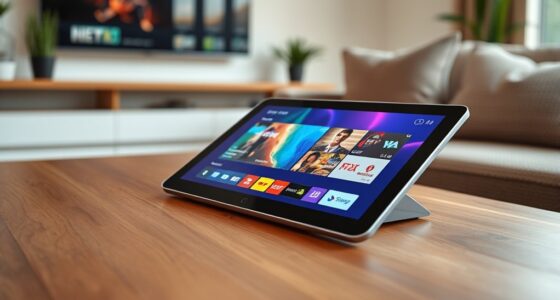

For enterprise KVM over IP, the Raritan Dominion KX III is my best overall pick for a conventional multi-server rack, while the Tripp Lite B064-016-01-IPG stands out for virtual media and two-user access. Buyers with one server may get a better fit from the Raritan KX IV-101, which adds 4K support without requiring a full rack switch. The main tradeoffs are port density and shared console features versus per-server access, deployment simplicity, and the network and security work remote management requires. A Wi-Fi remote KVM or compact device can suit a smaller setup, but it does not replace every feature of a managed enterprise switch. Read on for how the 12 options compare and which solution fits your environment.

Get your wardrobe favorites delivered free with Prime
- Fast, free delivery on millions of items
- Prime Video, Amazon Music and more included
- Member-only deals all year
Key Takeaways
- Rack scale changes the shortlist: Raritan Dominion KX III and Tripp Lite’s 16-port models address multi-server access, while the KX IV-101 and compact devices target individual systems.
- Virtual media and concurrent access matter for remote recovery: the Tripp Lite B064-016-01-IPG specifically lists both, making it a stronger fit for teams that need to mount installation media and share operational access.
- Not every KVM over IP product is a switch: Spider, JetKVM, and several GL.iNet, TinyPilot, and PiKVM options provide remote access to a single host rather than switching a rack of servers.
- Video needs affect the right solution: the Raritan KX IV-101 and GL.iNet Comet GL-RM1 advertise 4K capability, while buyers should check resolution, refresh rate, and BIOS-level behavior against their actual console workflow.
- Enterprise fit depends on deployment as much as hardware: port count, rack layout, network isolation, access control, and ongoing support requirements separate a practical solution from a device that merely provides remote screen access.
| GL.iNet GL-RM10 Comet Pro Remote KVM over Dual-Band Wi-Fi 6 |  | Best for Self-Hosted Remote Recovery | Model: GL-RM10 | Connectivity: Dual-band Wi-Fi 6 and Ethernet | Video passthrough: 4K at 30 fps | VIEW ON AMAZON | See Our Full Breakdown |
| Tripp Lite NetDirector 16-Port IP KVM Switch with On-Screen Display |  | Best for Large Mixed-Connector Fleets | Model: B022-U16-IP | Ports: 16 | Remote access: LAN, WAN, or internet | VIEW ON AMAZON | See Our Full Breakdown |
| Tripp Lite Cat5 KVM Switch over IP, 16-Port with Virtual Media, 2 Users, 1U Rackmount, TAA (B064-016-01-IPG) |  | Best for Resilient Shared Server-Room Access | Model: B064-016-01-IPG | Ports: 16 | Users: Up to 2: 1 local and 1 remote | VIEW ON AMAZON | See Our Full Breakdown |
| Tripp Lite NetCommander 8-Port Cat5 KVM over IP Switch |  | Best for Expandable Cat5 Rack Cabling | Connection: Cat5 | Remote access: Secure IP connection via web browser | Simultaneous users: 1 local and 1 remote | VIEW ON AMAZON | See Our Full Breakdown |
| Raritan Dominion KX III DKX3-108 8-Port KVM Switch |  | Best for Straightforward Eight-System Rack Access | Model: DKX3-108 | Computer connections: 8 | Local users: 1 | VIEW ON AMAZON | See Our Full Breakdown |
| MT-VIKI 16-Port IP KVM Switch with 17-Inch LCD Rack Console |  | Best Rack Console Solution | Model: 1716MS-IP | Ports: 16 | Display: 17-inch LCD | VIEW ON AMAZON | See Our Full Breakdown |
| Lantronix SecureLinx Spider KVM-over-IP Remote Server Management Device |  | Best for Secure BIOS-Level Access | Model: SLS200USB0-02 | Device type: KVM-over-IP | Access level: BIOS-level | VIEW ON AMAZON | See Our Full Breakdown |
| GL.iNet Comet GL-RM1 Remote KVM with 4K 30Hz Video, BIOS Control, and Tailscale |  | Best Compact 4K Remote KVM | Video resolution: 3840 × 2160 at 30Hz | Hardware interface: Ethernet, HDMI, USB 2.0, USB Type-C | Data transfer rate: 1000 megabits per second | VIEW ON AMAZON | See Our Full Breakdown |
| TinyPilot Voyager 3 KVM Over IP and Console Server |  | Best for Collaborative Remote Management | Package dimensions: 14 × 7 × 2 inches | Item weight: 2 pounds | Access level: BIOS-level | VIEW ON AMAZON | See Our Full Breakdown |
| JetKVM IP KVM Over IP Ethernet Control for Remote Access |  | Best for Open-Source Customization | Operating system: Linux | Hardware interface: HDMI, USB Type-C | Processor: Rockchip 3188, 1 GHz | VIEW ON AMAZON | See Our Full Breakdown |
| Raritan Dominion KX IV-101 1-Port 4K KVM-over-IP Switch |  | Best for Shared Single-Server Access | Ports: 1 | Maximum users: 8 | Mounting: Rack mount | VIEW ON AMAZON | See Our Full Breakdown |
| PiKVM V4 Plus KVM over IP |  | Best Open-Source Single-Host Option | Device type: KVM over IP | Platform: Raspberry Pi CM4 | Resolution support: 1920×1080 at 60 Hz; 1920×1200 at 60 Hz | VIEW ON AMAZON | See Our Full Breakdown |
| kvm over ip switches enterprise | Model |
|---|---|
| GL.iNet GL-RM10 Comet Pro Remo | GL-RM10 |
| Tripp Lite NetDirector 16-Port | B022-U16-IP |
| Tripp Lite Cat5 KVM Switch ove | B064-016-01-IPG |
| Tripp Lite NetCommander 8-Port | — |
| Raritan Dominion KX III DKX3-1 | DKX3-108 |
| MT-VIKI 16-Port IP KVM Switch | 1716MS-IP |
| Lantronix SecureLinx Spider KV | SLS200USB0-02 |
| GL.iNet Comet GL-RM1 Remote KV | — |
| TinyPilot Voyager 3 KVM Over I | — |
| JetKVM IP KVM Over IP Ethernet | — |
| Raritan Dominion KX IV-101 1-P | — |
| PiKVM V4 Plus KVM over IP | — |
More Details on Our Top Picks
GL.iNet GL-RM10 Comet Pro Remote KVM over Dual-Band Wi-Fi 6
The Comet Pro fits teams that need out-of-band access to an individual workstation or server, including BIOS and recovery screens, without committing to a traditional multiport rack switch. Its self-hosted option and Tailscale support give administrators a path to remote access with WireGuard encryption, while Wi-Fi 6 and Ethernet offer placement flexibility. Compared with the Tripp Lite B064-016-01-IPG, it is a focused single-device tool rather than a way to manage 16 systems from one rack unit; the Tripp Lite is the stronger fit for shared server rooms. The Comet Pro adds a touchscreen and two-way audio, but its 4K passthrough tops out at 30 fps. Remote power control also depends on separately purchased ATX Board or Fingerbot accessories, so account for those if unattended hard resets are part of the solution.
Pros:- Supports remote BIOS access and operating system recovery
- Self-hosting and Tailscale support allow flexible remote access deployment
- Works with Ethernet or dual-band Wi-Fi 6
- Touchscreen and two-way audio provide local status and remote interaction
Cons:- 4K video passthrough is limited to 30 fps
- Remote power control requires separately purchased accessories
Best for: IT teams that need self-hosted, remote BIOS access and recovery for a specific server or workstation.
Not ideal for: Data center teams managing many rack servers from one console, since this device handles an individual computer rather than a 16-port bank.
- Model:GL-RM10
- Connectivity:Dual-band Wi-Fi 6 and Ethernet
- Video passthrough:4K at 30 fps
- Audio:Two-way audio
- Encoding:H.264
- Display:2.22-inch touchscreen
- Remote access:Web interface and GLKVM app
- Security:Tailscale with WireGuard encryption
Our verdict“Choose the Comet Pro for flexible, self-hosted out-of-band access to one system; pick the Tripp Lite B064-016-01-IPG when a rack of servers needs shared KVM management.”
Tripp Lite NetDirector 16-Port IP KVM Switch with On-Screen Display
The NetDirector B022-U16-IP is a practical fit when a team needs remote access to a bank of up to 16 computers or servers and still has a mix of USB and PS/2 equipment. Its LAN, WAN, or internet access makes it suited to distributed administration, and support for up to 64 secure user accounts can accommodate a larger operations group. Compared with the Tripp Lite B064-016-01-IPG, this model emphasizes broad connection compatibility and account capacity; the B064 adds virtual media, dual power inlets, and explicit local-plus-remote concurrent access. The NetDirector’s supplied details do not specify virtual media, redundant power, or simultaneous local and remote sessions, so buyers who depend on those capabilities should favor the B064. For a legacy-heavy environment that chiefly needs centralized remote console access, the NetDirector offers a straightforward 16-port solution.
Pros:- Controls up to 16 computers or servers
- Supports both USB and PS/2 connections
- Remote access is available over LAN, WAN, or the internet
- Supports up to 64 secure user accounts
Cons:- Product details do not specify virtual media support
- Product details do not state whether local and remote users can operate simultaneously
Best for: IT departments consolidating remote access to as many as 16 mixed USB and PS/2 systems, with multiple administrators needing accounts.
Not ideal for: Teams that require virtual media, redundant power inputs, or documented simultaneous local and remote operation.
- Model:B022-U16-IP
- Ports:16
- Remote access:LAN, WAN, or internet
- Maximum secure user accounts:64
- Connections:USB and PS/2
- Compatibility:All major operating systems
Our verdict“Choose the NetDirector for centralized remote access to a mixed-connector fleet, while the B064-016-01-IPG is a better fit when virtual media and power redundancy are requirements.”
Tripp Lite Cat5 KVM Switch over IP, 16-Port with Virtual Media, 2 Users, 1U Rackmount, TAA (B064-016-01-IPG)
The B064-016-01-IPG earns its place for teams that need a 16-server KVM solution with specific operational safeguards. It supports one local and one remote user, provides virtual media for attaching remote storage, and has dual C14 power inlets to reduce dependence on a single power connection. Those details make it more clearly suited to shared server-room work than the Tripp Lite NetDirector B022-U16-IP, whose supplied specifications emphasize USB/PS/2 compatibility and user accounts but do not list virtual media or redundant power. The tradeoff is that this model’s simultaneous access is limited to two users, and its described deployment is centered on a local console plus one remote operator. Choose it when controlled access and recovery from remote media matter more than accommodating a larger remote support group.
Pros:- Manages up to 16 computers or servers
- Virtual media supports remote storage, including flash drives and optical drives
- Dual C14 power inlets provide power connection redundancy
- Supports one local and one remote user at the same time
Cons:- Concurrent access is limited to one local and one remote user
- The described setup is limited to 16 connected systems
Best for: Server-room teams that need one local technician and one remote administrator to manage up to 16 systems and attach recovery media.
Not ideal for: Organizations that need several remote operators working concurrently or require more than 16 directly connected systems.
- Model:B064-016-01-IPG
- Ports:16
- Users:Up to 2: 1 local and 1 remote
- Virtual media:Supports remote storage, including DVD/CD drives and flash drives
- Power:Dual redundant C14 power inlets
- Local console port:Dedicated port for laptop connection
- Compliance:TAA compliant
Our verdict“Pick the B064-016-01-IPG for a 16-system rack where virtual media, dual power inputs, and local-plus-remote access matter more than a larger user pool.”
Tripp Lite NetCommander 8-Port Cat5 KVM over IP Switch
The NetCommander is a good match for infrastructure teams that want to keep cabling manageable now while leaving room to scale. Its Cat5 connections and 1U rackmount design suit a standard rack, and cascading can extend control to as many as 128 servers with a second-level KVM switch. That expansion path sets it apart from the Raritan Dominion KX III DKX3-108, which is specified for eight computers and does not list cascading. NetCommander also supports one local and one remote user, IPv4 and IPv6, plus RADIUS and LDAP/S authentication, which helps it fit established network access practices. A meaningful drawback is that remote control uses a Java-based application, which may complicate client compatibility and upkeep. The supplied details also conflict on warranty length: the title says three years, while product details say two.
Pros:- Cat5 cabling helps reduce cable clutter in the rack
- Can scale to as many as 128 servers with a second-level KVM switch
- Supports one local and one remote user simultaneously
- IPv4, IPv6, RADIUS, and LDAP/S support suit managed network environments
Cons:- Remote control uses a Java-based application
- Warranty duration is inconsistent between the title and product details
Best for: Rack administrators who want Cat5 cabling, directory-backed authentication, and a growth path from eight ports to a larger cascaded setup.
Not ideal for: Teams that require a modern remote client without Java dependence or need a confirmed warranty term before deployment.
- Connection:Cat5
- Remote access:Secure IP connection via web browser
- Simultaneous users:1 local and 1 remote
- Maximum servers:Up to 128 with a second-level KVM switch
- IP support:IPv4 and IPv6
- Authentication:RADIUS and LDAP/S
- Rackmount:1U
- Warranty:2-year limited warranty in product details; title states 3 years
Our verdict“Choose NetCommander when cabling simplicity and cascading matter, but confirm the warranty and verify Java client compatibility before standardizing on it.”
Raritan Dominion KX III DKX3-108 8-Port KVM Switch
The Dominion KX III DKX3-108 suits a smaller server rack that needs a dedicated local console and one remote operator, with support for displays up to 1920 × 1080. Its rack-mountable form and eight computer connections make the scope easy to define: it is a focused KVM-over-IP option for a compact fleet, rather than an expandable multi-rack platform. Compared with the Tripp Lite NetCommander, the Raritan listing does not specify cascading, dual-stack IP support, or RADIUS and LDAP/S authentication, so those network and growth requirements may favor Tripp Lite. The KX III does, however, specify ten RJ-45 network ports and four USB ports. The supplied product data leaves security controls and concurrent session details beyond the one local and one remote user unspecified, so buyers with formal access-control requirements should verify those before selection.
Pros:- Connects up to eight computers
- Supports one local and one remote user
- Rack-mountable form fits server-room installations
- Specifies 1920 × 1080 maximum resolution
Cons:- Specified capacity is limited to eight computers
- Product details do not list cascading or directory authentication
Best for: Small IT teams that need rack-mounted local and remote access to up to eight computers at Full HD resolution.
Not ideal for: Growing enterprise environments that need documented cascading, directory authentication, or support for more than eight directly connected systems.
- Model:DKX3-108
- Computer connections:8
- Local users:1
- Remote users:1
- Maximum resolution:1920 × 1080
- Network ports:10 × RJ-45
- USB ports:4
- Mounting:Rack-mountable
Our verdict“Choose the Dominion KX III for a defined eight-system rack with local and remote access, and favor the NetCommander if expansion and directory authentication lead your requirements.”
MT-VIKI 16-Port IP KVM Switch with 17-Inch LCD Rack Console
For an enterprise rack that needs a shared console and IP access, the MT-VIKI combines 16 device ports with a built-in 17-inch LCD, keyboard, and touchpad. That integrated setup saves rack space and gives an on-site technician direct access while a remote user manages a system over Ethernet. Compared with the single-device Lantronix SecureLinx Spider, it centralizes more servers in one rack position; compared with the compact TinyPilot Voyager 3, it offers a clearer port-count and rack-mount specification. The tradeoff is that VGA and HDMI systems need compatible dongles sold separately, and remote access setup recommends MT-VIKI client software. Its 70-meter CAT5e/CAT6 reach suits distributed equipment within a facility, but buyers should account for the extra adapters.
Pros:- Controls up to 16 devices from one rack console
- Integrated 17-inch LCD, keyboard, and touchpad save separate console space
- Supports one local and one remote user
- Extends connections up to 230 feet over CAT5e/CAT6
Cons:- Compatible VGA and HDMI KVM dongles are sold separately
- Remote IP access setup recommends MT-VIKI client software
- Single remote-user capacity may not suit teams needing concurrent remote sessions
Best for: IT teams managing up to 16 rack-mounted servers that want an integrated local console plus one remote session.
Not ideal for: Teams seeking a dongle-free installation, more than one remote user, or a compact single-server device.
- Model:1716MS-IP
- Ports:16
- Display:17-inch LCD
- Users:1 local and 1 remote
- Maximum extension:230 ft (70 m)
- Cable type:CAT5e/CAT6
- Mounting:1U rackmount; standard 19-inch rack
- Compatible interfaces:VGA and HDMI with compatible KVM dongles sold separately
Our verdict“Choose the MT-VIKI when your rack needs a built-in console for as many as 16 devices and one concurrent remote user.”
Lantronix SecureLinx Spider KVM-over-IP Remote Server Management Device
The SecureLinx Spider is a focused choice for administrators who need remote BIOS-level access to an individual server, including when its operating system is unavailable. Its hardware AES encryption is a meaningful distinction for enterprise remote-management deployments where protecting the KVM session matters. Unlike the MT-VIKI 16-Port, this is not a shared rack console for a bank of machines; its appeal is targeted access to a server rather than centralized multi-port control. That narrower role can suit remote sites or recovery workflows, but the supplied product details do not specify port count, video interfaces, user capacity, or extension distance. I would shortlist it when the security and out-of-band access needs are clear, then confirm compatibility and deployment requirements before standardizing it.
Pros:- Provides remote keyboard, video, and mouse access
- Supports BIOS-level server management
- Includes hardware AES encryption
- Designed for enterprise deployments
Cons:- Product data does not specify port count or supported video interfaces
- Concurrent-user capacity and extension distance are not provided
- Less suited than a multi-port switch for consolidating access to many servers
Best for: Enterprise administrators who need encrypted, remote BIOS-level access to specific servers for recovery and maintenance.
Not ideal for: Teams choosing a central console for many servers or needing confirmed port, video, and concurrent-user specifications before purchase.
- Model:SLS200USB0-02
- Device type:KVM-over-IP
- Access level:BIOS-level
- Encryption:Hardware AES
- Deployment:Designed for enterprise deployments
- Warranty:Lantronix limited warranty
Our verdict“Choose the SecureLinx Spider for encrypted BIOS-level access to targeted servers, after confirming its interface and deployment fit.”
GL.iNet Comet GL-RM1 Remote KVM with 4K 30Hz Video, BIOS Control, and Tailscale
The Comet GL-RM1 suits an administrator who needs software-free host control in a small device rather than a multi-server rack switch. It reaches BIOS-level functions and adds remote audio and file transfer, so maintenance can include recovery or operating-system installation without relying on the host OS. Its 4K output is useful when remote work benefits from a detailed display, while H.264 hardware encoding supports video delivery. Compared with the rack-focused MT-VIKI 16-Port, the GL-RM1 is far easier to place beside an individual computer but does not consolidate a server bank. The important compromise is 4K at 30Hz, which limits smoothness, and the listed setup excludes PD adapters. It is a single-machine remote-management tool, not a replacement for an enterprise multi-port switch.
Pros:- BIOS-level remote control without host software
- Supports 4K video at 30Hz and remote audio
- Includes file transfer and H.264 hardware encoding
- Compact 85 g enclosure for individual systems
Cons:- 4K output is limited to 30Hz
- PD adapters cannot be used
- Single-device format does not replace a multi-port rack switch
Best for: Administrators who need compact, host-software-free BIOS access and file transfer for an individual computer or server.
Not ideal for: Data centers needing centralized control of many servers, or users requiring higher refresh rates at 4K.
- Video resolution:3840 × 2160 at 30Hz
- Hardware interface:Ethernet, HDMI, USB 2.0, USB Type-C
- Data transfer rate:1000 megabits per second
- Additional feature:H.264 hardware encoding
- Weight:85 g
- Dimensions:3.15 × 2.36 × 0.68 inches
- Enclosure material:Plastic
Our verdict“Pick the GL-RM1 for compact BIOS-level access to one system with 4K video and file transfer, provided 30Hz is sufficient.”
TinyPilot Voyager 3 KVM Over IP and Console Server
The Voyager 3 stands out for combining BIOS-level KVM access with a built-in console server, giving administrators a way to manage both a computer and network equipment remotely. Its stated multi-user collaboration can help a team coordinate maintenance, while virtual media supports tasks such as remote installation. Unlike the GL.iNet Comet GL-RM1, which lists defined 4K video and hardware encoding details, TinyPilot’s supplied information does not give resolution, network speed, or detailed dimensions. That makes it harder to compare for a tightly specified enterprise rollout, even though its stated feature set is broad. The no-host-software setup is appealing for straightforward deployment, but I would verify interface, user, and console-server details against the target environment before selecting it for a large fleet.
Pros:- Supports BIOS-level access and virtual media
- Allows multiple remote users to collaborate
- Built-in console server supports remote network-equipment management
- Requires no software installation on the managed host
Cons:- Detailed technical specifications are limited
- Video resolution and network performance are not stated in the supplied data
- Included accessories and optional features are not specified
Best for: Small infrastructure teams that want shared remote BIOS access and console-server management in one device.
Not ideal for: Enterprise buyers who require detailed published interface, performance, and compatibility specifications before standardizing equipment.
- Package dimensions:14 × 7 × 2 inches
- Item weight:2 pounds
- Access level:BIOS-level
- Virtual media:Supported
- Multi-user collaboration:Supported
- Console server:Built in
- Host software installation:Not required
Our verdict“Choose the Voyager 3 when collaborative BIOS access and a built-in console server matter more than a fully documented spec sheet.”
JetKVM IP KVM Over IP Ethernet Control for Remote Access
JetKVM is aimed at technically capable administrators who want Ethernet-based remote control with a platform they can customize. Its Linux foundation, open-source software, and hardware customization options distinguish it from the more turnkey, rack-oriented MT-VIKI 16-Port. Local, cloud, and Wake on LAN access can support recovery workflows and reduce trips to unattended systems, while the compact listed dimensions suit a single computer. The tradeoff is that its product data describes a single-device setup and includes a complex mix of hardware details without clearly establishing enterprise-scale port capacity or deployment controls. Setup may also demand technical knowledge. I would treat it as a flexible remote-access tool for individual systems, not as a substitute for a centralized KVM switch serving a full rack.
Pros:- Supports local, cloud, and Wake on LAN access
- Open-source Linux platform allows customization
- Low-latency video streaming supports responsive remote control
- Remote recovery features can reduce on-site visits
Cons:- Setup may require technical knowledge
- Listed hardware interfaces may limit compatibility with some configurations
- Product data does not establish multi-port server capacity
Best for: Technical teams that want to customize remote access for individual computers and can manage a Linux-based setup.
Not ideal for: Enterprise data centers seeking a documented multi-port rack switch or a simple, standardized deployment across many servers.
- Operating system:Linux
- Hardware interface:HDMI, USB Type-C
- Processor:Rockchip 3188, 1 GHz
- Memory:256 MB RAM; maximum 1 GB
- Storage:256 MB
- Network access:Ethernet; local, cloud, and Wake on LAN access listed
- Dimensions:2.36 × 1.77 × 1.38 inches
- USB ports:1
Our verdict“Choose JetKVM for customizable remote control and recovery of individual systems when your team can handle the setup.”
Raritan Dominion KX IV-101 1-Port 4K KVM-over-IP Switch
For an enterprise that needs remote BIOS access to one critical server, the Dominion KX IV-101 offers a focused solution: its single port keeps the setup narrow, while support for up to eight users lets several administrators reach that system. Rack mounting and Ethernet connectivity suit a server-room installation better than a desk-side device such as the PiKVM V4 Plus, whose appeal is broader connectivity and an open-source platform. The tradeoff is capacity: this Raritan cannot serve as a multi-server switching hub, so estates with several targets will need additional equipment or a larger switch. The supplied details also leave the supported video modes and security features unspecified, which enterprise buyers should confirm before standardizing it. I’d rank it as a targeted access solution, not a fleet-wide KVM platform.
Pros:- Remote BIOS-level KVM access supports recovery and administration before the operating system loads.
- Supports up to eight users for shared administrative access.
- Rack-mountable design fits server-room installations.
- Ethernet connectivity provides a wired network connection.
Cons:- One port limits the device to a single server.
- The provided product data does not specify video modes or security capabilities.
Best for: IT teams that need shared, remote BIOS-level access to one rack-mounted server.
Not ideal for: Enterprise teams managing multiple servers from one switch or requiring documented video and security specifications.
- Ports:1
- Maximum users:8
- Mounting:Rack mount
- Connectivity:Ethernet
- Control:Remote
- Operating voltage:120 volts AC
- Weight:3.1 lbs
Our verdict“Choose the KX IV-101 when several administrators need remote BIOS access to one rack-mounted server, and look to a multi-port switch for broader coverage.”
PiKVM V4 Plus KVM over IP
The PiKVM V4 Plus suits teams that want a Raspberry Pi-based route to remote management of a server or PC, with open-source software and several ways to connect. Its stated 1080p and 1920×1200 support at 60 Hz is useful for remote console work, while Wi-Fi, Ethernet, and cellular connectivity give it more network flexibility than the wired-only Raritan Dominion KX IV-101. That flexibility does not make it a multi-server switch: the product data describes management of servers and PCs but gives no port count or simultaneous-user limit. Cellular details are also unspecified, and the external Wi-Fi antenna is optional, so buyers should verify their intended setup. I’d choose it as a configurable single-host solution where open-source control matters more than rack-scale switching.
Pros:- Open-source, Raspberry Pi-based platform offers an alternative to conventional KVM appliances.
- Supports 1920×1080 and 1920×1200 video at 60 Hz.
- Provides Wi-Fi, Ethernet, and cellular connectivity options.
- Includes a power supply, USB and Ethernet cables, and PCI brackets.
Cons:- The product data does not specify a port count or maximum number of users.
- Cellular connectivity details are not provided.
- External Wi-Fi antenna is optional.
Best for: Infrastructure teams and technically capable administrators seeking an open-source remote KVM for an individual server or PC.
Not ideal for: Enterprise teams needing a documented multi-port switch, a defined concurrent-user limit, or confirmed cellular requirements out of the box.
- Device type:KVM over IP
- Platform:Raspberry Pi CM4
- Resolution support:1920×1080 at 60 Hz; 1920×1200 at 60 Hz
- Connectivity:Wi-Fi, Ethernet, cellular
- Storage expansion:Internal USB 3.0 slot
- Included accessories:Power supply, USB and Ethernet cables, PCI brackets
- Certification:CE
Our verdict“Pick the PiKVM V4 Plus for a flexible, open-source single-host remote KVM setup, but verify cellular and antenna needs and choose a multi-port appliance for server fleets.”

How We Picked
I ranked these products by how well their stated capabilities match enterprise remote server management: the number of systems one device can serve, access for multiple operators, virtual media for recovery, rack suitability, video support, and the practical effort of deployment and maintenance. I also distinguished true multiport switches from single-server remote KVM devices, since combining them into one undifferentiated list would obscure the central buying decision.
The lead positions favor products that can serve a conventional rack workflow with useful remote administration features. The Tripp Lite B064-016-01-IPG ranks close to the Raritan KX III because virtual media and two-user access can matter more than raw port count for recovery teams. Single-host models remain useful picks for targeted access or smaller deployments, but their limited scale keeps them below rack switches for broad enterprise use. Product claims alone do not establish compatibility with a buyer’s security policies, so I treat network controls and vendor support as procurement checks.
Factors to Consider When Choosing Kvm Over Ip Switches Enterprise
Choose a KVM over IP solution by mapping it to the work your operators need to do during normal administration and outages. The number of ports is only one part of that decision: host compatibility, recovery workflows, network placement, and support ownership can shape the solution more than the headline feature list.
Match port count to the rack plan
Count the servers that need out-of-band console access today, then account for planned growth and any equipment that cannot share a connection. A multiport switch can simplify access across a rack, but buying far more ports than the deployment needs adds hardware and configuration overhead. Single-host devices can be a practical fit when only a few critical systems need remote console access. Check whether the switch connects to servers through the cabling already available in the rack, since cable type and distance affect installation. Leave room in the plan for test systems, spare ports, and the physical route between the KVM and each server. A tidy port map also speeds incident response when an operator has to identify a host under pressure.
Plan the recovery workflow, not just screen access
Remote video and keyboard control let an operator see a server console, but recovery tasks may also require mounting installation media, changing firmware settings, or rebooting a host. Confirm which of those actions the product supports and whether the workflow works before the operating system loads. Virtual media can save a site visit when a system needs a boot image, though it may require more setup and bandwidth than basic console access. Check whether the solution supports the operating systems and firmware interfaces in your fleet. A common procurement mistake is to confirm that a screen appears while leaving the recovery path untested. Write down a representative recovery task and use it to compare candidate solutions.
Treat network access as part of the product choice
An IP KVM creates a path to powerful controls such as firmware setup, boot selection, and keyboard input. Decide where the device will sit on the network, who can reach it, and how access will be logged before deployment. Ask whether the product supports the authentication, encryption, and account controls required by your organization’s policy, and verify those details against current documentation. A separate management network or tightly controlled access path can reduce exposure, but it also needs ownership, monitoring, and a recovery plan of its own. Avoid placing a device on a broadly reachable network simply because setup is easier. Include periodic firmware updates and credential management in the operating team’s responsibilities.
Check operator concurrency and handoff
In a small team, one operator may handle every console session; in a larger environment, another engineer may need to observe or take control during an incident. Confirm how many simultaneous users the device permits and whether users can share a session or must take turns. A two-user feature is useful only if its permissions and control handoff match the team’s workflow. Ask how the device handles an abandoned session, a dropped network connection, or a user who leaves a console locked. These details can prevent confusion during a recovery call when multiple teams are involved. Test the handoff process with the people who will use it, not just the network administrator configuring it.
Set video expectations for console work
Higher resolution can help when firmware screens contain dense text or when operators use modern displays, but the source server and the KVM link both constrain what appears at the remote end. Compare supported resolution and refresh rate with the actual graphics output of your servers, and check whether scaling keeps text readable. A 4K label alone does not answer whether BIOS screens, unusual resolutions, or low-bandwidth links will behave well. If most work involves text-based setup screens, reliable image capture and responsive input may matter more than maximum resolution. Consider the bandwidth available to remote operators, especially across a WAN or VPN. Validate the most demanding console in your fleet before standardizing on a model.
Budget for upkeep and ownership
Enterprise use brings ongoing work: firmware review, access administration, compatibility checks, documentation, and replacement planning. Before standardizing, identify who owns updates and who can restore access if the KVM itself becomes unreachable. Compare the support and lifecycle information available for each candidate, and confirm how it fits your procurement and security requirements. A compact device may reduce installation complexity for a small deployment, while a rack switch may make centralized cabling and operations easier at scale. Avoid evaluating value by the device alone; account for adapters, cabling, network changes, and staff time. A short pilot can reveal these costs before the same solution is rolled out across many servers.
Frequently Asked Questions
Should I choose a multiport switch or one KVM device per server?
A multiport switch is a better starting point when operators need one console path across many rack servers and centralized cabling matters. A one-server device suits targeted access to a critical host or a small setup where a full switch would be unnecessary. Compare the total installation, cable routing, and support work across the intended deployment, not just the number of devices. Also check how access is assigned when multiple engineers manage different systems. If the fleet is likely to grow, confirm that adding hosts later will not require replacing the original design.
Is virtual media worth prioritizing for an enterprise KVM?
Virtual media can be valuable when operators need to boot an installer, recovery image, or diagnostic tool without someone at the server. It matters less if remote console work is limited to observing boot messages or changing settings and another established method handles software recovery. Confirm the media formats, host behavior, and network performance that your recovery process requires. Include a test of the full boot and installation path, since seeing a virtual drive in a product description does not prove it fits every server. For teams that frequently recover systems remotely, this capability can reduce dependency on local hands.
Can a single-server remote KVM replace an enterprise rack switch?
It can replace a rack switch for one host or a narrowly scoped access need, but it does not provide the same multi-server consolidation. Products such as the Spider, JetKVM, and compact GL.iNet, TinyPilot, or PiKVM devices should be evaluated as per-host tools unless their documentation establishes broader switching. Multiplying single-host devices across a fleet can add cabling, accounts, and update work. On the other hand, it may make sense when only selected systems need out-of-band access or when a compact deployment is the priority. Map the number of hosts and the team’s access workflow before treating the form factor as the deciding factor.
What should I verify before allowing a KVM over IP onto the management network?
Check authentication options, encryption, account roles, logging, firmware maintenance, and the vendor’s current security documentation. Then compare those controls with your organization’s access policy rather than assuming a product is secure because it is designed for remote management. Decide whether the device belongs on an isolated management segment and document who can reach it from operator networks. Test how access is revoked and how a lost administrator credential is recovered. Include the KVM in asset inventory and update processes so it does not become an overlooked path into server consoles.
When does 4K support matter for remote server management?
4K support is useful when operators need a sharper view of high-resolution output or work with modern displays, but many server console tasks use basic firmware screens. Verify the supported refresh rate and the actual output behavior of your server models, since resolution labels do not cover every BIOS or boot screen. Check bandwidth and responsiveness over the networks operators will use. If the fleet is mostly text-oriented and remote links are constrained, clear scaling and reliable input may matter more than 4K. A pilot with a representative host can establish whether the added capability improves the real workflow.
Conclusion
For a standard multi-server rack, I recommend the Raritan Dominion KX III as the best overall solution in this lineup. The Tripp Lite B064-016-01-IPG is my best value for teams that need its combination of 16 ports, virtual media, and two-user access; the Raritan KX IV-101 is the premium fit when one-server access and 4K capability are the priority. Beginners managing only a small number of systems may find a compact option such as the GL.iNet Comet GL-RM1 easier to match to a focused deployment, while buyers who want a rack console should examine the MT-VIKI 16-Port. For specific needs, consider the GL-RM10 Comet Pro for dual-band Wi-Fi 6 remote access or the PiKVM V4 Plus for an individual-host setup. Confirm each candidate against your fleet, security policy, and recovery workflow before making it your standard.
Fall Picks
fall essentials
As an affiliate, we earn on qualifying purchases.