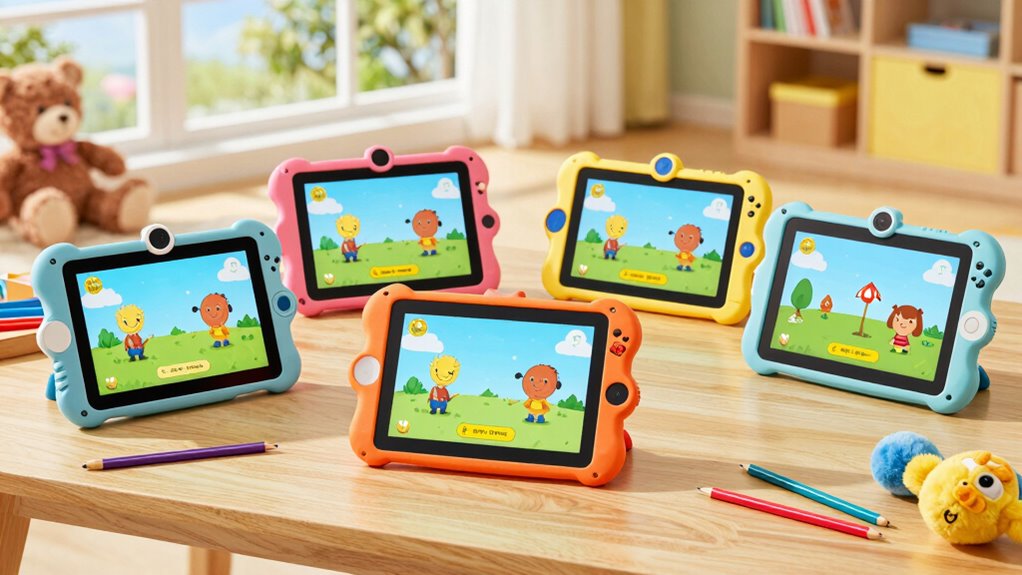

A premium kids tablet should balance a child-friendly setup with enough performance and flexibility to remain useful as interests change. My best overall pick is the Samsung Galaxy Tab A11+ Kids Edition, which leads this lineup for families who want a fuller tablet experience and 128GB of storage. The Amazon Fire HD 8 Kids Tablet is a more focused choice for younger children, while the Fire HD 10 Kids Tablet offers a larger screen for shared viewing and reading. The main tradeoff is between guided, kid-focused software and the wider app flexibility of Android tablets, alongside screen size, storage, and included protective accessories. Read on for how the 12 options differ and which one fits your child best.

Get your wardrobe favorites delivered free with Prime
- Fast, free delivery on millions of items
- Prime Video, Amazon Music and more included
- Member-only deals all year
Key Takeaways
- The Samsung Galaxy Tab A11+ Kids Edition is the most capable all-rounder in this group, with 128GB of storage and a stronger case for families seeking a tablet that can serve more than one age or use.
- Amazon’s Fire HD Kids models prioritize a managed child experience; the 8-inch versions are easier for younger children to handle, while the 10-inch model gives videos and reading more room.
- The Android 15 and Android 16 choices offer variety, not automatic premium status: screen size, storage, parental-control setup, accessory quality, and update support deserve closer scrutiny than version numbers alone.
- The LeapFrog LeapPad Academy is a learning-first alternative, better suited to families who want a child-oriented educational environment than those seeking a general-purpose Android tablet.
- Included cases, styluses, and storage expansion solve different problems: a case helps with drops, a stylus suits drawing activities, and a microSD slot cannot replace fast built-in storage for every app.
| Amazon Fire HD 8 Kids Tablet (2024), 64GB, Blue |  | Best Overall for Younger Kids | Age range: 3–7 years | Display: 8-inch HD touchscreen, 1280 × 800 | Processor: Hexa-core, 2.0 GHz | VIEW ON AMAZON | See Our Full Breakdown |
| COLORROOM Android 15 Tablet for Kids – 10.1″ HD Screen, Octa-core CPU, 10GB RAM + 64GB Storage, Pink |  | Best for a Large Screen and Google Kids Space | Display: 10.1-inch HD, 1280 × 800 | Operating system: Android 15 | Processor: Unisoc T606 octa-core, 2 GHz | VIEW ON AMAZON | See Our Full Breakdown |
| Amazon Fire HD 8 Kids Pro Tablet (2024), 64GB, Hello Teal |  | Best for Older Kids in Amazon’s Ecosystem | Age range: 6–12 years | Display: 8-inch HD touchscreen, 1280 × 800, 189 ppi | Processor: Hexa-core, 2.0 GHz | VIEW ON AMAZON | See Our Full Breakdown |
| Gleeso Android 16 Kids Tablet 10.1″ (Blue) |  | Best for a Rugged Stand and Streaming | Operating system: Android 16 | Display: 10.1-inch HD IPS, 1280 × 800 | Processor: 2.0 GHz octa-core | VIEW ON AMAZON | See Our Full Breakdown |
| SHARECLOUD P10 Pro Kids Tablet 10.1 inch, Android 16, Purple |  | Best for Built-In Storage and Wi-Fi 6 | Display size: 10.1 inches | Operating system: Android 16 | Processor: Unisoc T7250 octa-core, 1.8 GHz | VIEW ON AMAZON | See Our Full Breakdown |
| Samsung Galaxy Tab A11+ Kids Edition 128 GB Android Tablet – Royal Blue |  | Best Premium Screen and Storage | Display: 11-inch 1920 × 1200 LCD, up to 90 Hz | Storage: 128 GB internal; expandable to 2 TB via microSD | Battery life: Up to 15 hours; fast charging supported | VIEW ON AMAZON | See Our Full Breakdown |
| Evermyth Android 16 Kids Tablet 10 Inch with Stylus & Case |  | Best for Built-In Kids Content | Display: 10 inches | Operating system: Android 16 | Memory: 24 GB RAM listed; physical-memory breakdown not specified | VIEW ON AMAZON | See Our Full Breakdown |
| aiprotablet A30 Kids Tablet 10-inch Android 16 with Case |  | Best for Adjustable Viewing | Display: 10-inch IPS, 1280 × 800 | Operating system: Android 16 | Processor: Unisoc T7280 octa-core, up to 2.2 GHz | VIEW ON AMAZON | See Our Full Breakdown |
| NextCheer A30PRO Kids Tablet 10.1-inch Android 16 |  | Best Clearly Specified Memory | Display: 10.1 inches | Operating system: Android 16 | Processor: Unisoc, 2 × A75 at 2.2 GHz plus 6 × A55 at 1.8 GHz | VIEW ON AMAZON | See Our Full Breakdown |
| LeapFrog LeapPad Academy Kids’ Learning Tablet (Green) |  | Best for Early Learning | Screen: 7-inch shatter-safe display | Operating system: Android 10 | Age range: 3–8 years | VIEW ON AMAZON | See Our Full Breakdown |
| Fire HD 10 Kids Tablet (Newest Model), Ages 3-7, 10.1″ HD Screen, 32 GB, Pink |  | Best for Parent-Managed Streaming | Display: 10.1-inch 1920 x 1200 Full HD | Processor: Octa-core, up to 2.05 GHz | RAM: 3 GB | VIEW ON AMAZON | See Our Full Breakdown |
| Plimpton Kids20 10.1-inch Android 15 Tablet for Kids (Purple) |  | Best for Google Kids Space and Expandable Storage | Display: 10.1-inch, 1280 x 800 | Operating system: Android 15 | Processor: Octa-core, 2.0 GHz | VIEW ON AMAZON | See Our Full Breakdown |
| kids tablet premium | Display | Processor | Storage | Connectivity |
|---|---|---|---|---|
| Amazon Fire HD 8 Kids Tablet | 8-inch HD touchscreen, 1280 × 800 | Hexa-core, 2.0 GHz | 64GB internal; expandable by microSD up to 1TB | Dual-band Wi-Fi; Bluetooth 5.2 |
| COLORROOM Android 15 Tablet fo | 10.1-inch HD, 1280 × 800 | Unisoc T606 octa-core, 2 GHz | 64GB internal; expandable up to 1TB via microSD | — |
| Amazon Fire HD 8 Kids Pro Tabl | 8-inch HD touchscreen, 1280 × 800, 189 ppi | Hexa-core, 2.0 GHz | 64GB internal (54GB available to user); expandable by microSD up to 1TB | Dual-band Wi-Fi; Bluetooth 5.2 |
| Gleeso Android 16 Kids Tablet | 10.1-inch HD IPS, 1280 × 800 | 2.0 GHz octa-core | 64GB internal; expandable up to 1TB via TF card | Bluetooth 5.4; no cellular connectivity |
| SHARECLOUD P10 Pro Kids Tablet | — | Unisoc T7250 octa-core, 1.8 GHz | 128GB internal; expandable up to 1TB via microSD | Wi-Fi 6; Bluetooth 5.2 |
| Samsung Galaxy Tab A11+ Kids E | 11-inch 1920 × 1200 LCD, up to 90 Hz | — | 128 GB internal; expandable to 2 TB via microSD | — |
| Evermyth Android 16 Kids Table | 10 inches | A333, up to 1.8 GHz | 64 GB; expandable to 1 TB | Wi-Fi 6 and Bluetooth 5.4 |
| aiprotablet A30 Kids Tablet 10 | 10-inch IPS, 1280 × 800 | Unisoc T7280 octa-core, up to 2.2 GHz | 64 GB; expandable up to 2 TB via microSD | Wi-Fi and Bluetooth 5.4 |
| NextCheer A30PRO Kids Tablet 1 | 10.1 inches | Unisoc, 2 × A75 at 2.2 GHz plus 6 × A55 at 1.8 GHz | 64 GB; expandable up to 1 TB via microSD | Dual-band Wi-Fi (2.4 GHz/5 GHz) and Bluetooth 5.0 |
| LeapFrog LeapPad Academy Kids’ | — | — | — | Wi-Fi 802.11n and USB Type-C |
| Fire HD 10 Kids Tablet | 10.1-inch 1920 x 1200 Full HD | Octa-core, up to 2.05 GHz | — | Dual-band Wi-Fi 802.11a/b/g/n/ac; Bluetooth 5.3 |
| Plimpton Kids20 10.1-inch Andr | 10.1-inch, 1280 x 800 | Octa-core, 2.0 GHz | 64 GB | Wi-Fi and Bluetooth 5.3 |
More Details on Our Top Picks
Amazon Fire HD 8 Kids Tablet (2024), 64GB, Blue
For younger children, I rank the Fire HD 8 Kids first because its 8-inch size, included protective case, and two-year worry-free guarantee make it a more parent-ready package than the larger COLORROOM Android 15 Tablet. The smaller screen is easier for little hands to manage, while 64GB of storage and microSD expansion leave room for downloads as interests change. Parental controls include activity reviews and time limits, and the included year of Amazon Kids+ gives families a ready-made content library. The tradeoff is a smaller display than the 10.1-inch alternatives, and Amazon’s platform is less open than Android tablets with Google Kids Space. Kids+ also renews after the included year unless canceled, and this model lacks Wi-Fi 6. I see it as the safest fit here for ages 3–7, not the most flexible choice for older children.
Pros:- Kid-proof case and two-year worry-free guarantee come with the tablet.
- Parental controls include activity reviews and time limits.
- 64GB storage can be expanded by microSD up to 1TB.
- Battery life is listed at up to 13 hours.
Cons:- The 8-inch screen is smaller than the 10.1-inch COLORROOM and Gleeso options.
- Amazon Kids+ renews after the included year unless canceled.
- Does not support Wi-Fi 6.
Best for: Parents of children ages 3–7 who want a compact tablet, built-in screen-time controls, and a protective case and replacement guarantee included.
Not ideal for: Families seeking a large screen, an open Android environment, or Wi-Fi 6; its 8-inch display and Amazon ecosystem are less suited to those needs.
- Age range:3–7 years
- Display:8-inch HD touchscreen, 1280 × 800
- Processor:Hexa-core, 2.0 GHz
- Memory:4GB RAM
- Storage:64GB internal; expandable by microSD up to 1TB
- Battery life:Up to 13 hours
- Connectivity:Dual-band Wi-Fi; Bluetooth 5.2
- Included:Kid-proof case, USB-C cable, 5W power adapter, one year of Amazon Kids+
- Warranty:Two-year worry-free guarantee
Our verdict“Choose this for a younger child who needs a protected, easy-to-manage tablet more than a large screen or open Android access.”
COLORROOM Android 15 Tablet for Kids – 10.1″ HD Screen, Octa-core CPU, 10GB RAM + 64GB Storage, Pink
The COLORROOM earns its place for families who want a 10.1-inch display and Google-based kids’ content rather than Amazon’s more closed setup on the Fire HD 8 Kids. Its octa-core T606 processor and listed 10GB RAM are paired with Android 15, while Google Kids Space and parental controls give parents tools for guiding access. The larger screen can make reading, learning apps, and shared viewing more comfortable than on the Fire HD 8 Kids, though it is less convenient for very young children to hold. The 6000mAh battery is rated for 8–12 hours, so runtime depends on use; the Fire’s listed maximum is up to 13 hours. I’d also treat the RAM figure as a stated configuration rather than assume it guarantees faster performance. Expansion to 1TB requires a separate microSD card, and the warranty protection is shorter than the Fire’s two-year guarantee.
Pros:- 10.1-inch HD display offers more viewing area than the 8-inch Fire HD 8 Kids.
- Google Kids Space and parental controls support a guided child-focused setup.
- 64GB internal storage can be expanded up to 1TB with a separate microSD card.
- 6000mAh battery is specified for 8–12 hours of use.
Cons:- The larger body may be harder for younger children to carry and hold.
- A microSD card for storage expansion is not included.
- Listed battery life varies from 8 to 12 hours, below the Fire HD 8 Kids’ stated maximum of 13 hours.
Best for: Families wanting a 10.1-inch Android tablet with Google Kids Space for children who mostly use it at home for reading, learning apps, and video.
Not ideal for: Parents of very young children who prioritize a compact, included kid-proof case and a longer replacement guarantee; this model is larger and its listed warranty protection is 180 days money-back plus five-year protection.
- Display:10.1-inch HD, 1280 × 800
- Operating system:Android 15
- Processor:Unisoc T606 octa-core, 2 GHz
- Memory:10GB listed (4GB + 6GB)
- Storage:64GB internal; expandable up to 1TB via microSD
- Battery:6000mAh; listed battery life of 8–12 hours
- Cameras:8MP rear; 5MP front
- Audio:Dual stereo speakers
- Warranty:180-day money-back, five-year protection
Our verdict“Pick the COLORROOM when a larger Android screen and Google Kids Space matter more than compact handling or a bundled protective case.”
Amazon Fire HD 8 Kids Pro Tablet (2024), 64GB, Hello Teal
The Fire HD 8 Kids Pro is the lineup’s more age-conscious compact pick: it targets children ages 6–12 and pairs an 8-inch tablet with a slim kid-friendly case, content management, and web filtering. Compared with the Fire HD 8 Kids for ages 3–7, this version is better matched to older children who need more room to explore while still benefiting from parental oversight. It keeps the same useful 64GB storage, microSD expansion up to 1TB, and stated battery life of up to 13 hours. Its limits are also clear: the COLORROOM offers a larger 10.1-inch screen and Android flexibility, while this Fire remains in Amazon’s ecosystem and lacks Wi-Fi 6. The included Kids+ period is only six months, shorter than the standard Fire HD 8 Kids bundle, and some charging accessories are sold separately. I’d choose it for supervised independence, not maximum openness or screen size.
Pros:- Age positioning and web filtering suit older children who need supervised browsing.
- Slim kid-friendly case and two-year worry-free guarantee are included.
- 64GB storage expands by microSD up to 1TB.
- Battery life is listed at up to 13 hours.
Cons:- Amazon Kids+ is included for six months, then renews unless canceled.
- Does not support Wi-Fi 6.
- Some charging accessories are sold separately.
Best for: Parents of children ages 6–12 who want a compact Amazon tablet with web filtering and parental controls that suit growing independence.
Not ideal for: Families wanting a 10.1-inch screen, Google-based Android flexibility, or a longer included Kids+ period; the COLORROOM is a better fit for those priorities.
- Age range:6–12 years
- Display:8-inch HD touchscreen, 1280 × 800, 189 ppi
- Processor:Hexa-core, 2.0 GHz
- Memory:Up to 4GB RAM
- Storage:64GB internal (54GB available to user); expandable by microSD up to 1TB
- Battery life:Up to 13 hours
- Connectivity:Dual-band Wi-Fi; Bluetooth 5.2
- Included:Slim kid-friendly case, six months of Amazon Kids+, two-year worry-free guarantee
- Weight:11.88 oz tablet; 17.9 oz with case
Our verdict“Choose this for an older child ready for more browsing independence within Amazon’s controlled ecosystem.”
Gleeso Android 16 Kids Tablet 10.1″ (Blue)
The Gleeso stands apart from the Fire HD 8 Kids Pro with a 10.1-inch IPS display, included shock-absorbing case, and adjustable stand—useful for hands-free viewing or video calls at home. Widevine L1 certification is listed for true-HD streaming, a specific advantage for families who expect the tablet to handle video as well as learning apps. It also offers Android 16, a 6000mAh battery with fast USB-C charging, and storage expansion up to 1TB. The case and stand make this a more lounge-friendly setup than the more compact Fire tablets, but the device has no cellular connectivity, so internet access away from Wi-Fi depends on a hotspot or saved downloads. Its 24GB RAM claim and Android version are listed specifications, but the supplied data does not detail memory composition or a warranty. Compared with the SHARECLOUD P10 Pro, it gives up Wi-Fi 6 and the stated 128GB internal storage.
Pros:- 10.1-inch IPS screen has Widevine L1 certification for true-HD streaming.
- Shock-absorbing case includes an adjustable stand.
- 6000mAh battery and fast USB-C charging support extended household use.
- Internal storage can be expanded up to 1TB via TF card.
Cons:- No LTE or other cellular connectivity is specified.
- Only 64GB of internal storage is listed, compared with 128GB on the SHARECLOUD P10 Pro.
- The supplied product data does not specify a warranty or clarify the 24GB RAM configuration.
Best for: Families seeking a larger home-use tablet for streaming and learning, especially children who benefit from an included stand and shock-absorbing case.
Not ideal for: Families who need mobile internet away from Wi-Fi or prefer a clearly specified physical RAM amount and warranty; the SHARECLOUD lists Wi-Fi 6 and 4GB physical RAM.
- Operating system:Android 16
- Display:10.1-inch HD IPS, 1280 × 800
- Processor:2.0 GHz octa-core
- Memory:24GB listed RAM
- Storage:64GB internal; expandable up to 1TB via TF card
- Battery:6000mAh; fast USB-C charging
- Connectivity:Bluetooth 5.4; no cellular connectivity
- Display certification:Widevine L1
- Included case:Shock-absorbing case with adjustable stand
Our verdict“Choose the Gleeso for a protected, stand-equipped tablet that will mostly stream and run learning apps on home Wi-Fi.”
SHARECLOUD P10 Pro Kids Tablet 10.1 inch, Android 16, Purple
I give the SHARECLOUD P10 Pro the storage-focused spot because its 128GB internal capacity is double the 64GB listed for the Gleeso and both Fire HD 8 models, reducing how soon families may need to manage downloads or add a card. It also lists Wi-Fi 6, a useful distinction from the Fire tablets, which do not support it, and includes a durable purple EVA shockproof case with parental controls. The 10.1-inch screen and 6600mAh battery make it a more spacious option for home use than either 8-inch Fire. There is a caveat in the memory marketing: it has 4GB physical RAM, while the advertised 20GB includes virtual memory, so I would not treat that headline as equivalent to 20GB of physical RAM. Its cameras are basic, and the supplied data does not state a display resolution or battery runtime.
Pros:- 128GB internal storage exceeds the 64GB listed on the Gleeso and Fire HD 8 models.
- Wi-Fi 6 is specified, unlike the Fire HD 8 Kids and Kids Pro.
- Includes a durable EVA shockproof case and parental controls.
- 6600mAh battery capacity is larger than the 6000mAh listed for the Gleeso and COLORROOM.
Cons:- The 20GB RAM figure includes virtual memory; physical RAM is 4GB.
- The 2MP front camera is basic for video calls.
- The supplied specifications do not give screen resolution or estimated battery life.
Best for: Families who download plenty of apps and media and want a 10.1-inch Android tablet with Wi-Fi 6 and an included protective case.
Not ideal for: Parents prioritizing stronger video-call cameras, a documented screen resolution, or a clearly stated battery runtime; those details are not provided here.
- Display size:10.1 inches
- Operating system:Android 16
- Processor:Unisoc T7250 octa-core, 1.8 GHz
- Memory:4GB physical RAM; 20GB including virtual memory
- Storage:128GB internal; expandable up to 1TB via microSD
- Battery:6600mAh
- Connectivity:Wi-Fi 6; Bluetooth 5.2
- Cameras:8MP rear; 2MP front
- Warranty:1 year
Our verdict“Choose the P10 Pro when built-in storage, Wi-Fi 6, and a protective case outweigh camera quality and incomplete display and runtime details.”
Samsung Galaxy Tab A11+ Kids Edition 128 GB Android Tablet – Royal Blue
For families who want a kids tablet that can also handle longer-term everyday use, the Samsung Galaxy Tab A11+ Kids Edition is the strongest premium-leaning choice in this group. Its 11-inch, 1920 × 1200 display and 90 Hz refresh rate give videos, reading, and compatible games a sharper, smoother presentation than the smaller LeapFrog LeapPad Academy. The 128 GB onboard storage also means less need to manage downloads straight away, while microSD expansion offers room to grow. Samsung Kids controls, a protective cover, and Crayo-Pen accessories make it ready for supervised play and drawing. The tradeoff is that its larger screen and richer feature set may be more tablet than a preschooler needs, and the supplied details list Wi-Fi use but no cellular option. I’d choose this over the more basic Evermyth when display quality and long-term software support matter most.
Pros:- 11-inch 1920 × 1200 display with a smooth 90 Hz refresh rate
- 128 GB internal storage with microSD expansion up to 2 TB
- Samsung Kids parental controls, durable cover, and Crayo-Pen accessories included
- Up to 15 hours of battery life and support for up to seven generations of OS and security upgrades
Cons:- No cellular connectivity option is listed, so use depends on Wi-Fi
- The larger, more capable setup may be unnecessary for younger children with basic learning needs
Best for: Families seeking a large, high-resolution screen, expandable storage, and included drawing accessories for school-age kids and shared family use.
Not ideal for: Parents of very young children who want a small, simple learning device, or families needing cellular connectivity away from Wi-Fi.
- Display:11-inch 1920 × 1200 LCD, up to 90 Hz
- Storage:128 GB internal; expandable to 2 TB via microSD
- Battery life:Up to 15 hours; fast charging supported
- Operating system support:Up to seven generations of OS and security upgrades
- Parental controls:Samsung Kids app
- Included accessories:Durable kids cover and Crayo-Pen accessories
- Color:Royal Blue
Our verdict“Choose the Samsung if screen quality, generous storage, and longer software support matter more than a compact or preschool-focused tablet.”
Evermyth Android 16 Kids Tablet 10 Inch with Stylus & Case
The Evermyth is a practical pick for parents who want a child-focused setup ready from the start. Its UKIDOZ Kids Space and parental controls provide a clearer route to age-oriented content and app limits than a general-purpose tablet alone, while the included case and stylus suit drawing and everyday handling. Compared with the Samsung Galaxy Tab A11+ Kids Edition, it has a smaller 10-inch display, less internal storage, and no listed long-term software update commitment; the Samsung is the better fit for a sharper, roomier screen and a more established upgrade promise. Evermyth counters with Android 16, Wi-Fi 6, and expandable storage up to 1 TB. One caveat is its advertised 24 GB RAM: the product data does not clarify how much is physical memory, so I would not use that headline figure to predict performance. The microSD card is also separate.
Pros:- UKIDOZ Kids Space and parental controls for managing apps and screen time
- Protective case and stylus included
- Storage expandable up to 1 TB with a separately purchased card
- Wi-Fi 6 and a 6000 mAh battery
Cons:- The stated 24 GB RAM figure does not clarify the amount of physical memory
- The 64 GB internal storage is less than the Samsung Galaxy Tab A11+’s 128 GB
- MicroSD card for expansion is not included
Best for: Parents of children ages 3–12 who want a ready-made kids content space, screen-time controls, and a stylus and case in the box.
Not ideal for: Buyers prioritizing a high-resolution display, clearly specified physical memory, or the longer stated software support of the Samsung Galaxy Tab A11+.
- Display:10 inches
- Operating system:Android 16
- Memory:24 GB RAM listed; physical-memory breakdown not specified
- Storage:64 GB; expandable to 1 TB
- Battery:6000 mAh
- Processor:A333, up to 1.8 GHz
- Connectivity:Wi-Fi 6 and Bluetooth 5.4
- Included accessories:Protective case, stylus, charger, USB-C cable, user manual, and card ejector
Our verdict“Pick the Evermyth when a dedicated kids content space and included stylus matter more than premium display resolution or clearly specified memory.”
aiprotablet A30 Kids Tablet 10-inch Android 16 with Case
The aiprotablet A30 makes sense for families who want a tablet that can sit upright for lessons and videos without an extra stand. Its protective case with adjustable stand, Google Kids Space, and parental controls make supervised use straightforward, while reading mode and blue-light filtering offer additional viewing options. Compared with the NextCheer A30PRO, the A30 lists a faster octa-core processor and more generous microSD expansion, up to 2 TB rather than 1 TB. The NextCheer, however, specifies 6 GB of RAM, while the A30’s advertised 30 GB RAM combines physical and virtual memory, so the headline number is not a like-for-like performance advantage. Its 1280 × 800 resolution is also modest beside the Samsung Galaxy Tab A11+’s sharper screen. The included stand is useful, but expansion requires a separately purchased card.
Pros:- Adjustable-stand case included for hands-free viewing
- Google Kids Space and parental controls support supervised use
- Eye-care options include blue-light filtering and reading mode
- MicroSD expansion supported up to 2 TB
Cons:- The stated 30 GB RAM includes virtual memory and is not directly comparable to physical RAM figures
- 1280 × 800 resolution is less sharp than the Samsung Galaxy Tab A11+’s 1920 × 1200 screen
- MicroSD card is sold separately
Best for: Families who want a case with a built-in stand for hands-free viewing, along with Google Kids Space and flexible storage expansion.
Not ideal for: Buyers who prioritize a sharper display or want clearly stated physical RAM and included microSD storage.
- Display:10-inch IPS, 1280 × 800
- Operating system:Android 16
- Processor:Unisoc T7280 octa-core, up to 2.2 GHz
- Memory:30 GB listed (6 GB physical plus 24 GB virtual)
- Storage:64 GB; expandable up to 2 TB via microSD
- Battery life:Over 8 hours of use; full charge in about 2 hours
- Connectivity:Wi-Fi and Bluetooth 5.4
- Included accessory:Protective case with adjustable stand
Our verdict“Choose the A30 if an included viewing stand and Google Kids Space are priorities, but look to the Samsung for a sharper screen.”
NextCheer A30PRO Kids Tablet 10.1-inch Android 16
Among the Android options here, the NextCheer A30PRO is the more straightforward choice for buyers who want a stated physical-memory figure rather than a blended RAM claim. Its 6 GB RAM, 64 GB storage, and microSD expansion up to 1 TB form a relatively clear baseline for everyday learning, browsing, and video. The included EVA case adds drop protection, and its 10.1-inch screen gives kids more room than the 7-inch LeapFrog LeapPad Academy. It is not the premium pick for demanding games: the product data explicitly cautions against graphics-intensive play, and the Samsung Galaxy Tab A11+ offers a larger, higher-resolution 90 Hz display. The A30PRO is also Wi-Fi only, and no charger is listed among the included accessories. I’d favor it over the aiprotablet A30 when transparent RAM specifications matter more than a stand or wider stated storage expansion.
Pros:- 6 GB RAM is specified directly, without a combined virtual-memory headline
- 10.1-inch screen and included EVA case
- 64 GB storage expandable to 1 TB via microSD
- 6000 mAh battery and parental controls
Cons:- Wi-Fi only, with no SIM or cellular support listed
- Charger is not included among the listed accessories
- Not suited to graphics-intensive gaming
Best for: Parents of children ages 6–12 who want a larger Android tablet with a protective case and a clearly stated 6 GB of RAM for everyday tasks.
Not ideal for: Families seeking cellular access, a supplied charger, or strong performance for graphics-intensive games.
- Display:10.1 inches
- Operating system:Android 16
- Processor:Unisoc, 2 × A75 at 2.2 GHz plus 6 × A55 at 1.8 GHz
- Memory:6 GB RAM
- Storage:64 GB; expandable up to 1 TB via microSD
- Battery:6000 mAh
- Connectivity:Dual-band Wi-Fi (2.4 GHz/5 GHz) and Bluetooth 5.0
- Included accessories:EVA case, USB cable, and user manual
Our verdict“Choose the A30PRO for everyday use and clear memory specifications, but skip it if gaming power or cellular connectivity is a priority.”
LeapFrog LeapPad Academy Kids’ Learning Tablet (Green)
The LeapPad Academy is the most purpose-built learning device in this group, aimed at children ages 3–8 rather than families wanting a general-use tablet that grows with older kids. Its over 20 educator-approved apps cover early skills such as reading, math, coding, and creativity, while built-in parental controls and a shatter-safe screen with bumper suit younger hands. That focused approach distinguishes it from the Android tablets, including the Evermyth: those offer larger screens and broader expandable storage, but their appeal depends more on managing a wider tablet experience. At just 7 inches, the LeapPad is easier for small children to handle, though its older Android 10 platform and age range limit its appeal as a premium long-term device. Families should also expect that some extra games and eBooks require separate purchases or a subscription.
Pros:- Over 20 educator-approved apps covering early learning and creativity
- Three-month LeapFrog Academy trial included
- Shatter-safe screen and silicone bumper with kickstand
- Stylus and wall adapter included
Cons:- Some additional games and eBooks require separate purchases or a subscription
- 7-inch screen is smaller than the displays on the Android tablets in this group
- Age range tops out at 8, limiting usefulness as children get older
Best for: Parents of children ages 3–8 who want a compact, protected device centered on early-learning apps and parent-managed use.
Not ideal for: Families with older children, or buyers who want a large display, broad storage expansion, or a general-purpose tablet for years of use.
- Screen:7-inch shatter-safe display
- Operating system:Android 10
- Age range:3–8 years
- Learning content:Over 20 educator-approved apps; three-month LeapFrog Academy trial
- Connectivity:Wi-Fi 802.11n and USB Type-C
- Cameras:Front and rear, 2 MP
- Included components:Tablet, silicone bumper with kickstand, stylus, USB-C cable, wall adapter, and quick start guide
- Warranty:2-year limited warranty
Our verdict“Choose the LeapPad Academy for a young child who benefits from guided learning apps, not as a long-term tablet for older kids.”
Fire HD 10 Kids Tablet (Newest Model), Ages 3-7, 10.1″ HD Screen, 32 GB, Pink
For families prioritizing parent controls and a larger, sharper screen, the Fire HD 10 Kids is the more compelling fit than the Plimpton Kids20. Its 10.1-inch 1920 x 1200 display gives videos and illustrated books more detail than the Plimpton’s 1280 x 800 panel, while up to 13 hours of battery life suits long trips and shared family downtime. The included case and one-year Amazon Kids+ subscription make setup straightforward, and parents can manage controls from a phone. The tradeoff is a more closed Amazon-centered experience and just 32 GB of internal storage, though a microSD card can add space. Performance is improved over the prior generation, but it remains a kids-focused tablet rather than a substitute for a faster general-purpose device. Wi-Fi 6 is absent, and the Kids+ subscription renews after its included year.
Pros:- 10.1-inch 1920 x 1200 display is sharper than the Plimpton Kids20’s 1280 x 800 screen.
- Up to 13 hours of mixed-use battery life supports extended outings.
- Parental controls can be managed from a smartphone.
- Kid-proof case and one year of Amazon Kids+ are included.
Cons:- 32 GB internal storage leaves less room for offline content than the Plimpton Kids20’s 64 GB.
- No Wi-Fi 6 support.
- Performance is modest compared with full-size general-purpose tablets, and Kids+ renews after the included year.
Best for: Parents of children ages 3–7 who want phone-managed controls, a higher-resolution screen, and a long-lasting tablet for videos, books, and travel.
Not ideal for: Families seeking an open Android experience, Wi-Fi 6, or plentiful built-in storage without adding a microSD card.
- Display:10.1-inch 1920 x 1200 Full HD
- Processor:Octa-core, up to 2.05 GHz
- RAM:3 GB
- Internal storage:32 GB (24 GB available)
- Expandable storage:Up to 1 TB via microSD
- Battery life:Up to 13 hours of mixed use
- Connectivity:Dual-band Wi-Fi 802.11a/b/g/n/ac; Bluetooth 5.3
- Cameras:5 MP front and rear; 1080p video recording
Our verdict“Choose the Fire HD 10 Kids if screen detail, phone-managed controls, and long battery life matter more than open Android access or larger built-in storage.”
Plimpton Kids20 10.1-inch Android 15 Tablet for Kids (Purple)
The Plimpton Kids20 is a better match for households that prefer Android’s Google Kids Space over Amazon’s content ecosystem. Compared with the Fire HD 10 Kids, it offers 64 GB of built-in storage and 4 GB of RAM, giving families more room for apps and downloads before adding a card. Its Android 15 software, pre-installed educational apps, and included EVA case with a 360-degree stand make it a practical option for supervised learning and hands-free viewing. The screen is the clear compromise: at 1280 x 800, it is less detailed than the Fire’s 1920 x 1200 display, especially for video and small text. Battery life is listed at eight hours, also shorter than the Fire’s 13 hours. I’d choose this model for its Google-based setup and storage, not for screen sharpness or marathon viewing.
Pros:- Google Kids Space and parental-control tools provide a Google-centered child setup.
- 64 GB storage and support for up to 1 TB via microSD offer room for apps and offline content.
- EVA protective case includes a 360-degree rotatable stand.
- Android 15 and 4 GB RAM are paired with an octa-core processor.
Cons:- 1280 x 800 resolution is noticeably lower than the Fire HD 10 Kids’ 1920 x 1200 display.
- Eight-hour battery life is shorter than the Fire HD 10 Kids’ listed 13 hours.
- The supplied details do not specify the included case’s exact dimensions or weight.
Best for: Families who want a Google Kids Space tablet for educational apps, prefer Android, and need more built-in storage for downloads.
Not ideal for: Children who watch lots of high-detail video or families needing longer battery life and a sharper display.
- Display:10.1-inch, 1280 x 800
- Operating system:Android 15
- Processor:Octa-core, 2.0 GHz
- RAM:4 GB
- Storage:64 GB
- Expandable storage:Up to 1 TB
- Battery life:Up to 8 hours
- Connectivity:Wi-Fi and Bluetooth 5.3
- Warranty:2 years
Our verdict“Pick the Plimpton Kids20 if Google Kids Space and 64 GB of storage are priorities, but choose the Fire HD 10 Kids for a sharper screen and longer battery life.”

How We Picked
I ranked these tablets by how well their design and stated features match the needs behind a premium kids tablet: child-friendly controls, useful screen size, storage capacity, durability support, and room to grow beyond a narrow set of activities. I gave more weight to clear differentiation and practical family use than to headline claims such as a high RAM figure or a newer Android version. A model with a credible child-focused ecosystem or stronger listed capacity can make a more persuasive premium choice than a generic specification sheet.
The order reflects distinct buyer priorities rather than a claim that every family needs the same tablet. The Samsung and Amazon options rank higher for their clearer roles in this lineup: broader everyday use, or a more guided kids-first setup. The Android tablets follow as alternatives whose exact value depends on controls, accessories, and support details families should verify before purchase. I placed the LeapFrog lower for general-purpose use, while recognizing its appeal for families who specifically want a learning-centered device.
| kids tablet premium | Battery life | Operating system |
|---|---|---|
| Amazon Fire HD 8 Kids Tablet | Up to 13 hours | — |
| COLORROOM Android 15 Tablet fo | — | Android 15 |
| Amazon Fire HD 8 Kids Pro Tabl | Up to 13 hours | — |
| Gleeso Android 16 Kids Tablet | — | Android 16 |
| SHARECLOUD P10 Pro Kids Tablet | — | Android 16 |
| Samsung Galaxy Tab A11+ Kids E | Up to 15 hours; fast charging supported | — |
| Evermyth Android 16 Kids Table | — | Android 16 |
| aiprotablet A30 Kids Tablet 10 | Over 8 hours of use; full charge in about 2 hours | Android 16 |
| NextCheer A30PRO Kids Tablet 1 | — | Android 16 |
| LeapFrog LeapPad Academy Kids’ | — | Android 10 |
| Fire HD 10 Kids Tablet | Up to 13 hours of mixed use | — |
| Plimpton Kids20 10.1-inch Andr | Up to 8 hours | Android 15 |
Factors to Consider When Choosing Kids Tablet Premium
Paying more for a kids tablet makes sense only when the extra capability matches how your child will use it. I would compare the family’s need for content controls, screen space, long-term flexibility, and drop protection before focusing on processor or memory claims.
Choose the software environment before the hardware
A tablet’s app ecosystem shapes what a child can access and how much setup a parent must do. A more guided kids environment can make it easier to set boundaries, while a general Android tablet may allow a broader selection of apps but require more hands-on configuration. Do not assume that the words “kids tablet” mean the same controls or content limits across brands. Check whether profiles, time limits, web filtering, and app approvals are built in or depend on a separate service. Also confirm whether the apps your child already uses are available on that platform. A family that values tight supervision may prefer a narrower ecosystem over greater flexibility.
Match screen size to how the tablet will be held
An 8-inch model is easier for small hands to carry and use while seated, while a 10-inch display gives more space for reading, drawing, and watching video. A larger screen is not automatically better for a young child if the device becomes awkward to hold. Think about whether the tablet will mostly sit on a table, travel in a backpack, or be shared with a sibling. Screen resolution and brightness also affect comfort, but advertised screen size alone does not describe viewing quality. If children often use a tablet in a case or stand, check how that accessory changes grip and viewing angle. Choose for the child’s routine, not just the biggest panel available.
Treat durability as a system, not a case claim
A protective case can help with everyday bumps, but it does not make a tablet waterproof or indestructible. Look for clear details about the case material, corner protection, stand design, and whether the buttons and charging port remain easy to reach. A bulky case may protect well yet make a tablet harder for a younger child to carry. Check whether a charger, screen protector, or replacement accessories are included or sold separately. Families should also set rules for food, drinks, and charging locations; those habits can matter as much as the case. Avoid paying extra for vague durability language without a description of what is protected.
Judge storage by the apps and media your child keeps
Built-in storage fills with downloaded games, videos, and learning apps, especially when a device travels away from reliable Wi-Fi. The Samsung model’s listed 128GB gives it more headroom than the 32GB and 64GB configurations in this lineup. Some Android options advertise expandable storage, which can help keep offline media without stepping up to a larger built-in capacity. Expansion may not move every app or replace internal storage for app installation, so check the device’s specific limits. Streaming households may need less local space than families who download trips’ worth of shows. Leave room for system updates rather than planning to use every advertised gigabyte.
Look beyond the Android version and spec headline
A newer Android number or large RAM claim does not, on its own, prove that a tablet will feel faster or receive dependable support. Ask how long software and security updates are expected, whether the device has access to the apps you need, and how the manufacturer handles support. Entry-level tablets can list impressive memory figures while leaving other important details unclear. Compare storage type, screen quality, battery capacity, and return or warranty terms where those details are available. For a child’s first device, reliable controls and a straightforward setup may matter more than a headline processor claim. Spend extra when the maker provides a clear benefit your family will use, not just a bigger number.
Decide whether a learning device or a general tablet fits better
A dedicated learning tablet can make sense when a child benefits from a simpler, curated activity environment. A general-purpose tablet offers more flexibility for video calls, family apps, creative tools, and changing interests, but parents may need to spend more time setting boundaries. Avoid buying an education-focused device solely because it sounds more age-appropriate; check whether its content suits your child and whether the device can support other activities the family expects. On the other hand, a full Android tablet may offer options a beginner does not need. Consider who will manage the settings and how long the child is likely to use the same device. The better fit is the one that balances independence for the child with manageable oversight for the adult.
Frequently Asked Questions
Is the Samsung Galaxy Tab A11+ Kids Edition worth choosing over an Amazon Fire kids tablet?
Choose the Samsung if you value a broader tablet experience and the listed 128GB storage gives your family useful room for apps and media. The Fire models are more compelling when a guided, kids-first environment and a simpler child-focused setup matter most. That difference can matter more than screen size or a single performance claim. Before choosing Samsung, check how its parental controls fit your household and whether you are comfortable setting them up. Pick Fire if you want the child-focused route; pick Samsung if flexibility and capacity are higher priorities.
Should I choose an 8-inch or 10-inch tablet for a young child?
An 8-inch tablet is usually easier for a young child to hold, carry, and use in the car. A 10-inch model offers more room for shared video viewing, digital books, and drawing, but its larger body may be less comfortable for small hands. The included case can change the feel and weight, so compare the protected dimensions rather than the bare screen alone. Think about whether your child will use a stand or hold the device for long periods. Choose the smaller size for portability and hand fit, and the larger one when screen space is the main need.
Are Android 15 or Android 16 kids tablets automatically a better buy than Fire tablets?
No. An Android version number does not tell you how well parental controls work, how long the tablet will receive updates, or whether its apps perform reliably. Fire tablets may suit families who prefer a more managed kids-focused experience, while Android models can offer wider flexibility. Before buying an unfamiliar Android brand, look for clear details about updates, warranty support, app access, and the actual storage configuration. Treat a newer version as one detail, not a quality guarantee. The right choice depends on the software experience your family can manage.
Is 32GB of storage enough for a child’s tablet?
It can be enough if the tablet is used mostly for streaming, online activities, and a small selection of apps. Families who download shows for travel or install many games and learning tools may run short on space sooner. The Fire HD 10 Kids configuration listed here has 32GB, while several lineup options list 64GB and the Samsung lists 128GB. Check whether expandable storage is supported and which files or apps can use it. Keep space free for updates, and do not assume a memory card can replace all built-in storage.
Is the LeapFrog LeapPad Academy a good choice as a child’s only tablet?
It may be a good fit if your main aim is a learning-centered, child-oriented device and its activities suit your child. It is less suited to families seeking a broad general-purpose tablet for varied apps, media, and uses as a child gets older. Compare its available content and activity style with what your child actually enjoys rather than choosing it for the educational label alone. Also check whether it supports the family’s needs for connectivity, content management, and everyday media. If flexibility matters more than a dedicated learning environment, a general tablet from this roundup is a stronger direction.
Conclusion
For most families seeking one device that can cover a wider range of everyday uses, I would start with the Samsung Galaxy Tab A11+ Kids Edition as the best overall pick, especially when its 128GB capacity is useful. The Amazon Fire HD 8 Kids Tablet is my best value-style choice for families who want a compact, kids-focused option, while the Fire HD 10 Kids Tablet suits those who put a larger screen first. For beginners and younger children, I would favor the guided simplicity of an Amazon Fire Kids model over an unfamiliar Android tablet that may call for more setup. The LeapFrog LeapPad Academy is the specific-needs pick for families focused on a learning-centered experience; choose one of the larger Android options if a stylus, expandable storage, or broader flexibility is a higher priority. Before deciding, confirm the parental controls, support terms, and included accessories for the exact model you plan to buy.
Halloween Picks

MGparty 14.5 ft Halloween Inflatable Walk-In Pumpkin House with LED Lights

Halloween Inflatable Haunted House Maze – 20×20 ft with Removable Roof and Blower

Spirit Halloween 54-Inch Sitting Scarecrow Animatronic
As an affiliate, we earn on qualifying purchases.