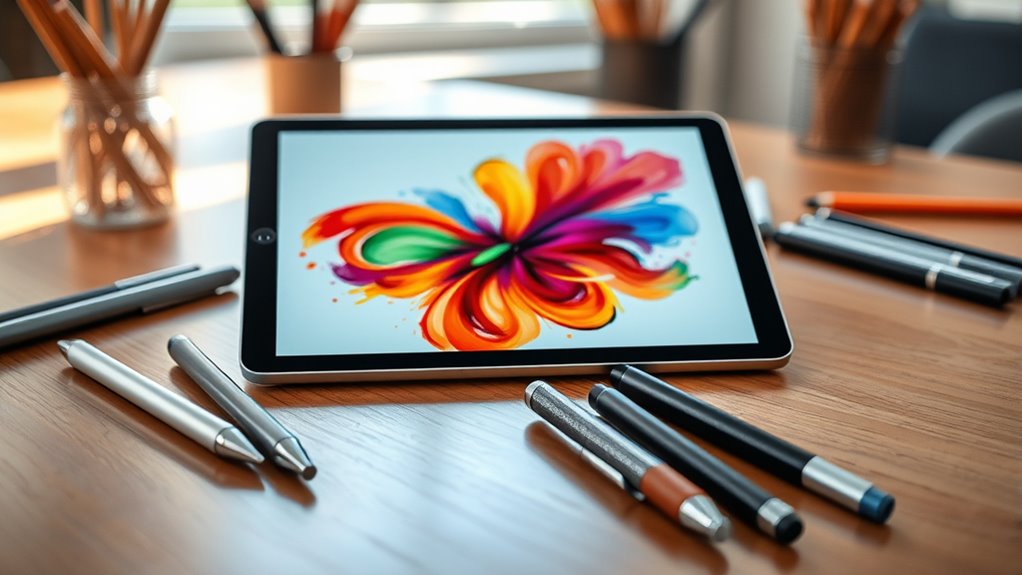

Finding the right stylus for your iPad can be challenging, especially with so many options that claim compatibility and precision. The best iPad stylus alternatives offer a balance of performance, affordability, and ease of use. The Metapen Air8 stands out for its fast charging and pinpoint accuracy, making it ideal for detailed work. Meanwhile, budget-friendly options like the Linfanc Stylus Pen Set provide versatility for casual users. However, tradeoffs often involve features like palm rejection, tilt sensitivity, or charging convenience. Continue reading for a detailed comparison that helps you find the perfect fit for your needs.

Get your wardrobe favorites delivered free with Prime
- Fast, free delivery on millions of items
- Prime Video, Amazon Music and more included
- Member-only deals all year
Key Takeaways
- Premium styluses with fast charging and palm rejection deliver the best writing and drawing experience but come at a higher price.
- Budget options like the Linfanc set excel in versatility but may lack advanced features like tilt sensitivity or magnetic attachment.
- Compatibility across multiple iPad generations is common, but some styluses also support other touchscreen devices, adding value.
- Choosing between Bluetooth-enabled and passive styluses depends on whether you need pressure sensitivity and additional features.
- Battery life and charging method are critical; styluses with quick charge and magnetic storage tend to be more convenient.
| Stylus Pen for iPad (Compatible with 6th to 16th Gen, iPad Pro, iPad Air, iPad Mini) – White |  | Best Overall for Versatility and Convenience | Compatibility: iPad 2018 or later, including iPad Air M3 M2, iPad Pro 11/12.9, iPad Mini A17 Pro | Palm Rejection: Yes | Replaceable Tips: 3 | VIEW ON AMAZON | See Our Full Breakdown |
| Metapen Air8 Stylus Pen for iPad (2018-2026) – Fast Charge, Palm Rejection, 0.1mm Precision |  | Best for Precision and Extended Use | Pixel Precision: 0.1mm | Standby Time: 20 hours | Charging Time: 45 minutes | VIEW ON AMAZON | See Our Full Breakdown |
| Jamjake Stylus Pen for iPad 6th-11th Gen, Fast Charge, Palm Rejection – White |  | Best for Broad Compatibility with a Balance of Features | Compatibility: iPad 2018-2026, iPad Pro 11/12.9, iPad Air M2/M3/M4, iPad Mini 5th-7th | Battery: Lithium-Ion | Charging Time: 15 minutes | VIEW ON AMAZON | See Our Full Breakdown |
| Hastraith Stylus Pen for iPad 2018-2026, Fast Charge Apple iPad Pencil |  | Best for Fast Charging and Long Hours of Use | Charging Time: 13 minutes | Battery Life: Over 10 hours | Compatibility: iPad 2018-2026 series | VIEW ON AMAZON | See Our Full Breakdown |
| Metapen iPad Pencil A8 Stylus Pen for iPad 2018+ with Palm Rejection & Magnetic Attachment |  | Best for Precision and Premium Build | Weight: 15g | Dimensions: 6.53 x 0.35 x 0.35 inches | Color: White | VIEW ON AMAZON | See Our Full Breakdown |
| Linfanc 12-Piece Stylus Pen Set for Touchscreen Devices |  | Best Value for Versatility and Quantity | Compatibility: All capacitive touch screen devices including iPad, iPhone, Android tablets and smartphones | Number of Styluses: 12 | Material: Aluminum | VIEW ON AMAZON | See Our Full Breakdown |
| Kepro Stylus Pen for iPad (2018-2026), USB-C Fast Charging Digital Pencil with Tilt Sensitivity |  | Best for Precision and Tilt Sensitivity on Compatible iPads | Compatibility: iPads from 2018-2026, including iPad, iPad Mini, iPad Air, iPad Pro | Charging Time: 30 minutes | Battery Life: Up to 10 hours | VIEW ON AMAZON | See Our Full Breakdown |
| JEDOUBAL Stylus Pen for iPad 2018-2026, Fast Charging, Palm Rejection, Tilt Sensitivity, No Bluetooth Needed, Apple Pencil Alternative |  | Best for Affordable, No-Fuss Precision on Newer iPads | Compatibility: iPad 2018-2026 models | Charging: USB-C, 13-minute full charge | Battery Life: 10+ hours | VIEW ON AMAZON | See Our Full Breakdown |
| ipad stylus alternatife | Compatibility | Battery Life | Charging Time |
|---|---|---|---|
| Stylus Pen for iPad | iPad 2018 or later, including iPad Air M3 M2, iPad Pro 11/12.9, iPad Mini A17 Pro | 8-9 hours | 30 minutes |
| Metapen Air8 Stylus Pen for iP | iPad models from 2018-2026 | Up to 20 hours | 45 minutes |
| Jamjake Stylus Pen for iPad 6t | iPad 2018-2026, iPad Pro 11/12.9, iPad Air M2/M3/M4, iPad Mini 5th-7th | 15 hours | 15 minutes |
| Hastraith Stylus Pen for iPad | iPad 2018-2026 series | Over 10 hours | 13 minutes |
| Metapen iPad Pencil A8 Stylus | — | Up to 10 hours | 30 minutes |
| Linfanc 12-Piece Stylus Pen Se | All capacitive touch screen devices including iPad, iPhone, Android tablets and smartphones | — | — |
| Kepro Stylus Pen for iPad | iPads from 2018-2026, including iPad, iPad Mini, iPad Air, iPad Pro | Up to 10 hours | 30 minutes |
| JEDOUBAL Stylus Pen for iPad 2 | iPad 2018-2026 models | 10+ hours | — |
More Details on Our Top Picks
Stylus Pen for iPad (Compatible with 6th to 16th Gen, iPad Pro, iPad Air, iPad Mini) – White
This stylus stands out for its wide compatibility with iPads from 2018 onward, covering many generations including iPad Pro, Air, and Mini models. Unlike the Metapen A8, which offers slightly higher precision, this pen provides essential tilt and palm rejection features that improve the natural feel of writing and drawing. Its magnetic attachment and fast 30-minute charging make it highly portable, though it lacks pressure sensitivity, which limits detailed artistic work. Compared to the Metapen Air8, it doesn’t support Bluetooth pairing, simplifying setup but reducing some advanced customization options. This makes it ideal for casual users and students who value ease of use over advanced pressure controls.
Pros:- Compatible with a broad range of iPads from 2018 onward
- Palm rejection and tilt sensitivity enhance natural writing experience
- Magnetic attachment and fast charging improve portability
Cons:- Does not support pressure sensitivity, limiting detailed art capabilities
- Requires Bluetooth to be turned off on iPad for proper use
Best for: Users seeking a reliable, no-fuss stylus compatible across many iPad models for everyday note-taking and light drawing.
Not ideal for: Professional digital artists or designers who require pressure sensitivity and advanced customization.
- Compatibility:iPad 2018 or later, including iPad Air M3 M2, iPad Pro 11/12.9, iPad Mini A17 Pro
- Palm Rejection:Yes
- Replaceable Tips:3
- Tilt Sensitivity:Yes
- Pressure Sensitivity:No
- Charging Time:30 minutes
- Battery Life:8-9 hours
- Auto Shutoff:Yes after 5 minutes
Our verdict“This stylus suits everyday users who want a simple, versatile tool without the need for pressure sensitivity or advanced features.”
Metapen Air8 Stylus Pen for iPad (2018-2026) – Fast Charge, Palm Rejection, 0.1mm Precision
The Metapen Air8 makes a strong case for users who need pinpoint accuracy, offering 0.1mm pixel precision that surpasses the standard tips of many styluses like the Jamjake. Its lightweight design ensures comfort during long sessions, and the rapid 45-minute charge supports up to 20 hours of continuous use—ideal for artists and professionals. While it excels in precision, it doesn’t support pressure or tilt sensitivity, which could be a drawback for detailed shading or varied line weights. Compared to the Hastraith stylus, which offers tilt sensitivity, the Air8’s focus on accuracy benefits detailed work but limits expressive drawing. This pick is best for those prioritizing accuracy over artistic flexibility.
Pros:- 0.1mm pixel accuracy for detailed work
- Lightweight and comfortable for extended use
- Fast charging and up to 20 hours of battery life
Cons:- Lacks pressure and tilt sensitivity, limiting expressive drawing
- Does not support wireless charging or magnetic attachment
Best for: Digital artists and professionals who need precise, detailed input on compatible iPads.
Not ideal for: Casual doodlers or note-takers who don’t require extreme precision or tilt features.
- Pixel Precision:0.1mm
- Standby Time:20 hours
- Charging Time:45 minutes
- Battery Life:Up to 20 hours
- Weight:10g
- Compatibility:iPad models from 2018-2026
Our verdict“This stylus is ideal for users who need the highest precision for detailed digital artwork and notes.”
Jamjake Stylus Pen for iPad 6th-11th Gen, Fast Charge, Palm Rejection – White
This stylus combines broad compatibility—covering iPads from 6th to 11th generation—and reliable features like fast charging and palm rejection. Its 1.5mm tip offers decent precision suitable for note-taking and casual drawing, matching the capabilities of the Hastraith stylus but with a slightly larger tip size. Unlike the Metapen Air8, it doesn’t support ultra-fine accuracy, but it compensates with ease of use and quick setup. The absence of pressure sensitivity makes it less suitable for detailed art projects. It’s a good choice for students or casual users who want a straightforward stylus that works across many iPads without complex features.
Pros:- Compatible with a wide range of iPads from 6th to 11th gen
- Fast charging with 15-minute quick top-up
- Palm rejection technology for natural writing
Cons:- No pressure sensitivity, limiting artistic expression
- Tip size of 1.5mm, less precise for detailed work
Best for: Students and casual users needing a reliable stylus for everyday writing and drawing across multiple iPad models.
Not ideal for: Professional artists requiring pressure-sensitive input or precise digital illustrations.
- Compatibility:iPad 2018-2026, iPad Pro 11/12.9, iPad Air M2/M3/M4, iPad Mini 5th-7th
- Battery:Lithium-Ion
- Charging Time:15 minutes
- Battery Life:15 hours
- Tip Size:1.5mm
- Additional Features:Palm rejection, touch switch
Our verdict“This stylus is a solid choice for casual users and students who want broad compatibility with reliable basic features.”
Hastraith Stylus Pen for iPad 2018-2026, Fast Charge Apple iPad Pencil
The Hastraith stylus emphasizes quick turnaround with a rapid 13-minute charge and over 10 hours of continuous use, making it appealing for busy users. It supports tilt sensitivity and palm rejection, similar to the Metapen A8, but with a slightly more affordable price point. Its compatibility from 2018 to 2026 covers most modern iPads, positioning it as a versatile choice. However, it does not support pressure sensitivity, which could limit artistic versatility. Compared to the Metapen Air8, it offers comparable features but with a more streamlined design. This stylus is well-suited for professionals and students who prioritize long usage times and quick charging.
Pros:- Fast 13-minute charging for over 10 hours of use
- Tilt sensitivity and palm rejection for natural input
- Compatible with a wide range of iPads from 2018 onward
Cons:- No pressure sensitivity, limiting artistic strokes
- Requires Bluetooth to be active on iPad
Best for: Busy professionals and students who need a reliable stylus with rapid charging and long-lasting battery life.
Not ideal for: Artists requiring pressure sensitivity or those seeking ultra-precise digital drawing tools.
- Charging Time:13 minutes
- Battery Life:Over 10 hours
- Compatibility:iPad 2018-2026 series
- Features:Tilt sensitivity, palm rejection
- Includes:Stylus, Type-C cable, replacement nibs
- Warranty:12 months
Our verdict“This stylus serves users who need quick recharges and extended use during busy days without advanced artistic features.”
Metapen iPad Pencil A8 Stylus Pen for iPad 2018+ with Palm Rejection & Magnetic Attachment
Boasting 0.1mm pixel accuracy and a durable all-metal construction, the Metapen A8 provides a refined experience for users who need detailed input. Its magnetic attachment facilitates easy storage, and its quick 30-minute charge supports up to 10 hours of use, making it suitable for serious note-takers and artists. While it lacks pressure sensitivity, its high precision and responsiveness make it a strong alternative to the Apple Pencil for those who want a premium feel without the premium price. Compared to the simpler styluses like the Jamjake, the A8’s focus on durability and accuracy makes it stand out, though it might be overkill for casual users.
Pros:- Pixel-precise 0.1mm accuracy for detailed work
- Durable aluminum construction and magnetic attachment
- Fast charging with up to 10 hours of use
Cons:- No pressure sensitivity, limiting artistic flexibility
- Limited compatibility to iPads from 2018+
Best for: Professional writers, artists, and dedicated note-takers seeking a high-precision stylus with durable construction.
Not ideal for: Casual users or children who don’t need such high accuracy or rugged build quality.
- Weight:15g
- Dimensions:6.53 x 0.35 x 0.35 inches
- Color:White
- Battery Type:Lithium-Ion Polymer
- Charging Time:30 minutes
- Battery Life:Up to 10 hours
Our verdict“This stylus is best for users demanding high precision and durability, prioritizing quality over artistic expressiveness.”
Linfanc 12-Piece Stylus Pen Set for Touchscreen Devices
This set of 12 colorful aluminum styluses offers a practical solution for users who need multiple pens for different tasks or shared environments. Unlike specialized styluses like the Kepro, which caters specifically to iPads with tilt sensitivity and fast charging, the Linfanc set focuses on universal compatibility and high sensitivity at a budget-friendly price. While rubber tips may wear out over time, the inclusion of 24 replacements extends usability significantly. This set is ideal for classrooms, families, or offices where multiple users need reliable stylus options without complex pairing or charging. However, it’s limited to capacitive screens and doesn’t support advanced features such as pressure sensitivity or tilt detection, making it less suitable for detailed digital art.
Pros:- High sensitivity and precision suitable for detailed tasks
- No need for Bluetooth pairing or charging, simplifying use
- Includes 12 styluses and 24 replacement tips for long-term use
Cons:- Rubber tips may wear out with frequent use
- Limited to capacitive touchscreen devices only, with no advanced features
Best for: Groups or individuals who need multiple styluses for casual note-taking, browsing, or light drawing across various devices.
Not ideal for: Professional digital artists or users requiring advanced features like pressure sensitivity or tilt control, as these styluses lack such capabilities.
- Compatibility:All capacitive touch screen devices including iPad, iPhone, Android tablets and smartphones
- Number of Styluses:12
- Material:Aluminum
- Additional Tips:24 replacement rubber tips
- Item Weight:10 g
- Item Dimensions:5.63 x 0.31 x 0.31 inches
Our verdict“This set is best suited for casual users needing multiple, reliable styluses for everyday touchscreen use without advanced artistic features.”
Kepro Stylus Pen for iPad (2018-2026), USB-C Fast Charging Digital Pencil with Tilt Sensitivity
The Kepro Stylus stands out for users who want pixel-perfect accuracy on newer iPads, especially compared to the JEDOUBAL, which emphasizes affordability and fast charging. While it lacks pressure sensitivity, its tilt sensitivity offers a natural drawing experience for casual artists and note-takers. The USB-C charging ensures quick turnaround times with up to 10 hours of use from a 30-minute charge, making it convenient for frequent use. However, the need for Bluetooth pairing and limited compatibility to iPads from 2018 onward restrict its appeal for Android or older iPad models. This stylus is ideal for students and hobbyists who prioritize precision and ease of use over advanced pressure controls.
Pros:- Fast USB-C charging with 10-hour battery life
- Pixel-perfect precision with tilt sensitivity
- Includes replaceable tips for natural drawing
Cons:- No pressure sensitivity, limiting detailed artistic effects
- Requires Bluetooth connection for full functionality
Best for: iPad users who need a reliable, precise stylus with tilt sensitivity for sketching, note-taking, and casual digital art.
Not ideal for: Professional digital artists requiring pressure sensitivity or users with older iPads outside the 2018-2026 range, as the stylus isn’t compatible or lacks pressure features.
- Compatibility:iPads from 2018-2026, including iPad, iPad Mini, iPad Air, iPad Pro
- Charging Time:30 minutes
- Battery Life:Up to 10 hours
- Charging Port:USB-C
- Tip Replacement:Includes 3 extra tips
- Latency:Low latency
Our verdict“This stylus makes the most sense for iPad owners who want reliable precision with convenient fast charging and tilt support for everyday use.”
JEDOUBAL Stylus Pen for iPad 2018-2026, Fast Charging, Palm Rejection, Tilt Sensitivity, No Bluetooth Needed, Apple Pencil Alternative
The JEDOUBAL Stylus offers a compelling balance of features for users seeking an affordable yet capable Apple Pencil alternative, especially compared to the Metapen Air8, which emphasizes ultra-precision and ultra-fast charging. Its quick 13-minute charge supports over 10 hours of use, and the palm rejection plus tilt sensitivity provide a natural writing experience. Unlike Bluetooth-dependent styluses, it’s easy to operate straight out of the box, making it ideal for students or casual artists. The lack of pressure sensitivity might disappoint those doing detailed digital art, but for everyday note-taking and light sketching, it’s a practical choice. Its compatibility with newer iPads makes it a versatile budget-friendly option for most recent models.
Pros:- Fast 13-minute charging with over 10 hours of battery life
- Palm rejection and tilt sensitivity for natural writing
- No Bluetooth required, easy to use immediately
Cons:- Limited to newer iPads (2018-2026), reducing compatibility with older models
- No pressure sensitivity for detailed artistic effects
Best for: Budget-conscious iPad users who want a simple, fast-charging stylus with good accuracy and palm rejection for everyday tasks.
Not ideal for: Professional artists or users needing pressure sensitivity and advanced features for detailed digital artwork, as this stylus lacks such capabilities.
- Compatibility:iPad 2018-2026 models
- Charging:USB-C, 13-minute full charge
- Battery Life:10+ hours
- Tip Size:1.5mm
- Features:Palm rejection, tilt sensitivity, magnetic attachment
- Includes:Stylus, 3 replacement tips, USB-C cable
Our verdict“This stylus is best suited for casual iPad users who prioritize quick charging, palm rejection, and affordability over advanced artistic features.”

How We Picked
The styluses in this lineup were evaluated based on performance, compatibility, build quality, ease of use, and value for money. I prioritized models that offer reliable palm rejection, pressure or tilt sensitivity, and fast charging capabilities, as these significantly enhance the drawing or note-taking experience. Devices that support a wide range of iPad models and include practical features like magnetic attachment or USB-C charging scored higher. The ranking reflects a balance between premium features and affordability, with an emphasis on user convenience and durability.Factors to Consider When Choosing Ipad Stylus Alternatives
When selecting an iPad stylus alternative, it’s important to consider how you plan to use it and what features matter most to your workflow. Not all styluses are created equal, and understanding key factors can help you avoid common pitfalls and ensure you get a device that meets your needs. From compatibility to battery life, each aspect influences your overall satisfaction and productivity.Compatibility and Device Support
Check whether the stylus supports your specific iPad model, especially if you own an older or newer generation. Some styluses are designed to work across multiple versions, offering greater flexibility. Be wary of models that only support select iPads, as this could limit your options if you upgrade or switch devices. Additionally, consider whether the stylus supports other touchscreen devices if versatility is a priority.
Battery Life and Charging Method
Long battery life reduces interruptions during work sessions, particularly for frequent users. Fast charging features, such as magnetic or USB-C charging, are convenient and save time. Passive styluses, which don’t require batteries, eliminate charging concerns but often lack advanced features. Weigh whether the convenience of quick charging outweighs the potential for longer battery life in more expensive models.
Features: Pressure, Tilt, and Palm Rejection
Advanced features like pressure sensitivity, tilt detection, and palm rejection enhance drawing and note-taking precision. These are essential for artists or users who require detailed control. However, they often come with a higher price tag. For casual note-taking, simpler styluses without these features can be sufficient and more affordable. Understanding your needs will help you choose the right feature set.
Build Quality and Ergonomics
Comfortable, well-made styluses reduce fatigue during extended use. Look for models with a balanced weight, textured grip, and durable construction. Cheaper styluses might feel flimsy or slip easily, affecting your accuracy. An ergonomic design can make a noticeable difference in daily use, especially if you spend hours drawing or annotating.
Price and Value
While high-end styluses offer premium features, they also come with a higher price. Consider whether the added functionalities justify the cost based on your usage. Budget models may lack some advanced features but still provide reliable performance for casual users. Striking a balance between price and features ensures you get the best value for your money.
Frequently Asked Questions
Can I use any stylus with my iPad?
Not all styluses are compatible with every iPad model. Many passive styluses work with any capacitive touchscreen, but for features like pressure sensitivity, tilt, or palm rejection, you need a stylus designed for iPads. Check the product specifications to ensure compatibility with your specific device before purchasing.
Is it worth paying extra for a stylus with pressure sensitivity?
For artists and designers, pressure sensitivity is a valuable feature that allows for more nuanced control over brush strokes and shading. If you mainly use your iPad for note-taking or casual drawing, a stylus without this feature might suffice and save you money. Consider your primary use case when deciding whether to invest in a more advanced stylus.
How important is palm rejection in a stylus?
Palm rejection prevents accidental touches when resting your hand on the screen, creating a more natural drawing or writing experience. If you frequently draw or sketch, a stylus with effective palm rejection can significantly improve usability. For simple note-taking, this feature might be less critical but still beneficial for comfort.
Do I need to charge my stylus every day?
Most styluses with batteries, especially those with fast charging and magnetic storage, typically last for several hours on a single charge. Daily charging isn’t usually necessary unless you use your stylus intensively throughout the day. Always check the estimated battery life and charging time to ensure it fits your routine.
Are cheaper styluses worth considering?
Budget styluses can be effective for basic tasks such as note-taking or casual drawing, especially if they support capacitive touchscreen compatibility. However, they often lack advanced features like pressure sensitivity, tilt detection, or palm rejection. If your work relies on precision or advanced control, investing in a higher-quality stylus will likely deliver better results and durability.
Conclusion
For users seeking the best overall experience, the Metapen Air8 stands out thanks to its combination of precision, fast charging, and palm rejection. Budget shoppers or casual users will find the Linfanc Stylus Pen Set offers good value without sacrificing basic functionality. Artists or professionals needing detailed control should consider premium options like the Hastraith Stylus Pen or Kepro Digital Pencil. Beginners or those trying out stylus use should start with simpler, affordable models to test their needs before investing in more advanced gear. Each buyer can find a suitable alternative based on their specific use case and budget.
Halloween Picks

MGparty 10FT Halloween Inflatable Archway with LED Lights

MGparty 14.5 ft Halloween Inflatable Walk-In Pumpkin House with LED Lights

27FT Giant Inflatable Pumpkin Lighted Outdoor Halloween Decor
As an affiliate, we earn on qualifying purchases.