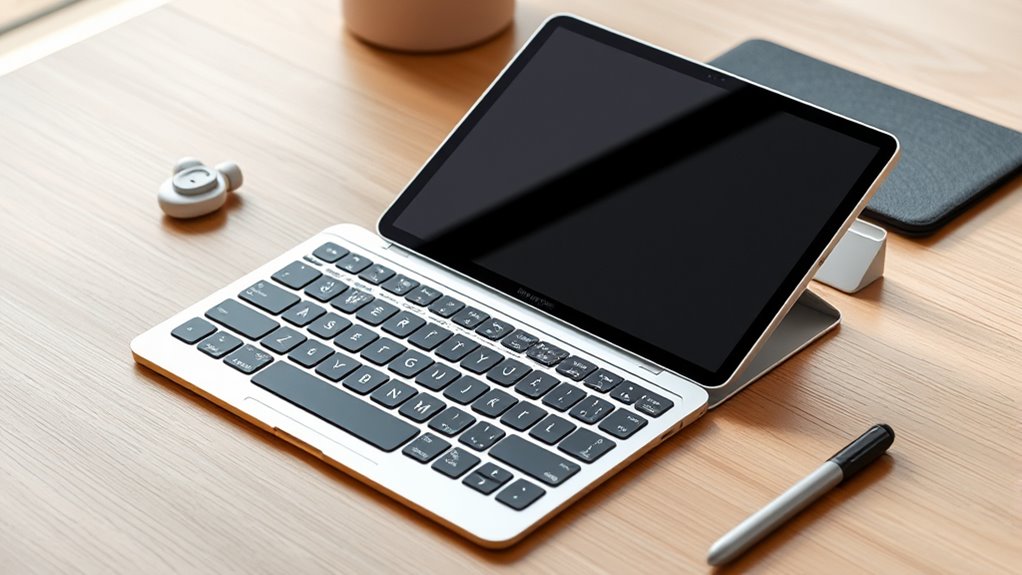

The best iPad Pro accessories depend on whether you want a laptop-like setup, a better drawing experience, or simple everyday protection. My best overall pick is the 13-inch Magic Keyboard Case for buyers who want a keyboard and trackpad in one integrated package; Apple Pencil Pro stands out for drawing, while the 7-in-1 USB-C hub adds ports for desk and presentation use. The main tradeoffs are compatibility, portability, and whether an accessory adds enough function to justify carrying or maintaining it. Screen and camera protection are simpler additions, but they need to match your exact iPad Pro size and generation. Read on for the full breakdown and a guide to choosing accessories that fit your setup.

Get your wardrobe favorites delivered free with Prime
- Fast, free delivery on millions of items
- Prime Video, Amazon Music and more included
- Member-only deals all year
Key Takeaways
- The Magic Keyboard Case is the most all-in-one upgrade: it adds typing and trackpad control, while the LISEN stands are lighter choices for viewing and desk use.
- Apple Pencil Pro is the clearest drawing-focused pick: replacement tips and silicone grips can tune comfort or wear, but they do not replace the Pencil’s advanced capabilities.
- Compatibility matters more than broad product labels: several listed items specify particular iPad Pro sizes, generations, or Pencil models, so check the exact match before buying.
- Protection is a layered decision: Ailun combines screen and camera coverage, while JETech and ESR focus on camera lenses; adding layers can affect fit and handling.
- Accessory value depends on the job: a hub solves connection limits, a stand improves hands-free viewing, and a stylus or Pencil solves writing needs—none is a substitute for the others.
| iPad Pro USB‑C Hub 7‑in‑1 Multiport Adapter with 4K HDMI |  | Best for Expanding Connectivity | Ports: 7 total | Video output: 4K HDMI | Pass-through charging: Up to 100 W | VIEW ON AMAZON | See Our Full Breakdown |
| Dracool Slim Metal Pencil Holder for Apple Pencil and Compatible Styluses |  | Best for Carrying a Pencil Securely | Compatible styluses: Apple Pencil Pro, Apple Pencil (2nd generation), Apple Pencil USB-C, Galaxy S Pen, and Lenovo Yoga Pen | Materials: Stainless steel and TPU | Color: Black | VIEW ON AMAZON | See Our Full Breakdown |
| KU XIU Magnetic Wireless Charger for iPad Pro 13-inch M4/M5 |  | Best for Keeping the USB-C Port Free | Compatibility: 13-inch iPad Pro M4 (2024) and M5 (2025) | Charging connection: Magnetic Smart Connector | Maximum charging power: 18 W according to specifications | VIEW ON AMAZON | See Our Full Breakdown |
| JETech Camera Lens Protector for iPad Pro 11-inch and 13-inch M5/M4, 3-Pack |  | Best for Camera Lens Scratch Protection | Compatibility: iPad Pro 11-inch and 13-inch M4/M5 | Material: Tempered glass and ABS | Hardness: 9H | VIEW ON AMAZON | See Our Full Breakdown |
| LISEN Adjustable Foldable Tablet Stand |  | Best for Adjustable Desk Viewing | Material: ABS plastic with a metal base panel | Base: Anti-slip silicone | Device size range: 4.0–15.9 inches | VIEW ON AMAZON | See Our Full Breakdown |
| iPad Pro 13-inch Magic Keyboard Case (M4 and M5) – Black |  | Best for Laptop-Like Productivity | Compatibility: iPad Pro 13-inch (M4 and M5) | Color: Black | Dimensions: 12 x 9.75 x 1 inches | VIEW ON AMAZON | See Our Full Breakdown |
| Apple Pencil Pro |  | Best for Creative Work | Manufacturer: Apple | Model number: MX2D3AM/A | Dimensions: 8.25 x 2.25 x 0.75 inches | VIEW ON AMAZON | See Our Full Breakdown |
| LOVE MEI Replacement Pencil Tips for Apple Pencil (1st, 2nd, USB-C, Pro) |  | Best for Replacing Worn Pencil Tips | Brand: LOVE MEI | Model number: Apple Pencil Pro/2nd/1st Gen/USB-C | Pack count: 1 pack | VIEW ON AMAZON | See Our Full Breakdown |
| Ailun Screen Protector + Camera Lens Protector for iPad Pro 13-Inch, 2+2 Pack |  | Best for Screen and Camera Protection | Compatible devices: iPad Pro 13-inch 2024 M4 and 2025 M5 | Screen size: 13 inches | Material: Tempered glass | VIEW ON AMAZON | See Our Full Breakdown |
| LISEN Aluminum Tablet Stand Holder for iPad |  | Best Adjustable Desk Stand | Material: Al-Ti alloy aluminum | Weight: 0.42 kg | Rotation: 360 degrees | VIEW ON AMAZON | See Our Full Breakdown |
| JAMJAKE Stylus Pen for Compatible iPads, White |  | Best Value Alternative to Apple Pencil Pro | Brand and model: JAMJAKE K10 | Color: White | Tip size: 1.5 mm | VIEW ON AMAZON | See Our Full Breakdown |
| Penlike Fast-Charging Stylus Pen for Compatible iPads (2018–2026) |  | Best for Nib Spares and Battery Status | Brand and model: Penlike WKZP010EA | Compatibility: Select iPad models released from 2018 onward | Tip size: 1.5 mm | VIEW ON AMAZON | See Our Full Breakdown |
| ESR Camera Lens Protector 2-Pack for iPad Pro 11-Inch and 13-Inch |  | Best Camera Protection for ESR Case Owners | Compatible devices: iPad Pro 13-inch and 11-inch M4/M5 (2024/2025); iPad Pro 12.9-inch and 11-inch (2020/2021/2022) | Material: Tempered glass | Hardness: 9H | VIEW ON AMAZON | See Our Full Breakdown |
| ELETIUO Silicone Apple Pencil Grips, 3 Pack |  | Best Low-Bulk Grip Upgrade | Brand: ELETIUO | Material: Silicone | Quantity: 3 grips | VIEW ON AMAZON | See Our Full Breakdown |
| ELETIUO Silicone Case for Apple Pencil (2nd Generation and Pro), Yellow |  | Best Protective Apple Pencil Sleeve | Compatibility: Apple Pencil (2nd generation) and Apple Pencil Pro | Incompatible with: Apple Pencil (USB-C) and Apple Pencil (1st generation) | Material: Silicone | VIEW ON AMAZON | See Our Full Breakdown |
| ipad pro accessorie | Material |
|---|---|
| iPad Pro USB‑C Hub 7‑in‑1 Mult | — |
| Dracool Slim Metal Pencil Hold | — |
| KU XIU Magnetic Wireless Charg | Aluminum alloy |
| JETech Camera Lens Protector f | Tempered glass and ABS |
| LISEN Adjustable Foldable Tabl | ABS plastic with a metal base panel |
| iPad Pro 13-inch Magic Keyboar | — |
| Apple Pencil Pro | — |
| LOVE MEI Replacement Pencil Ti | — |
| Ailun Screen Protector + Camer | Tempered glass |
| LISEN Aluminum Tablet Stand Ho | Al-Ti alloy aluminum |
| JAMJAKE Stylus Pen for Compati | — |
| Penlike Fast-Charging Stylus P | — |
| ESR Camera Lens Protector 2-Pa | Tempered glass |
| ELETIUO Silicone Apple Pencil | Silicone |
| ELETIUO Silicone Case for Appl | Silicone |
More Details on Our Top Picks
iPad Pro USB‑C Hub 7‑in‑1 Multiport Adapter with 4K HDMI
For an iPad Pro that needs to handle presentations, camera cards, and wired accessories, this hub offers the broadest connection upgrade in this group. Its 4K HDMI output, card readers, USB 3.0 port, and pass-through charging turn a single USB-C connection into a more flexible desk or travel setup. Compared with the KU XIU Magnetic Wireless Charger, it adds ports rather than freeing the USB-C port through Smart Connector charging, so it suits people connecting several devices at once. The aluminum body is compact, but the fit can be loose with some cases, and thick cases may prevent a proper connection. It also lacks Ethernet, so buyers who need wired networking will need another adapter.
Pros:- Combines HDMI, USB, card readers, audio, and pass-through charging in one adapter
- Supports 4K HDMI output for presentations and external displays
- USB 3.0 transfers data at up to 5 Gbps
- Compact aluminum enclosure is easy to carry
Cons:- May not fit properly with thick iPad cases and can feel loose
- No Ethernet port for wired network access
- Uses the iPad’s USB-C port while connected
Best for: iPad Pro owners who regularly connect an external display, storage cards, USB accessories, and a charger
Not ideal for: People who keep a thick protective case on their iPad or need a hub with wired Ethernet
- Ports:7 total
- Video output:4K HDMI
- Pass-through charging:Up to 100 W
- USB data rate:Up to 5 Gbps
- Card readers:SD and microSD
- Enclosure:Aluminum, space grey
- Dimensions:3.8 × 1.1 × 0.35 inches
- Compatibility:iPad Pro, iPad Air, and iPad mini; thin cases recommended
Our verdict“Choose this hub if your iPad Pro needs several wired connections and an external display, but skip it if your case blocks the connector.”
Dracool Slim Metal Pencil Holder for Apple Pencil and Compatible Styluses
This holder addresses a small but persistent iPad Pro problem: keeping a stylus attached to the tablet without covering its charging area. Its slim metal-and-TPU construction protects against scratches, while the cut-out gives a place to push the pencil free. Unlike the Apple Pencil Pro, this is not a stylus or a charging accessory; it stores compatible pencils and works with several brands, including select Galaxy S Pen and Lenovo Yoga Pen models. The tradeoff is its attachment method: the holder has no built-in magnet, and some setups may need the removable adhesive strip for a firmer fit. Pencil covers can also interfere, so check the pencil’s length and shape before buying.
Pros:- Compatible with several Apple Pencil and third-party stylus models
- Designed to leave wireless charging unobstructed
- TPU lining helps reduce scratches
- Cut-out makes the stylus easier to remove
Cons:- Holder has no built-in magnet
- Some setups may need the optional adhesive strip for a secure fit
- Stylus covers may prevent compatibility
Best for: iPad users who carry a compatible bare stylus and want scratch protection without blocking wireless charging
Not ideal for: People whose stylus has a bulky protective cover or who want a holder that attaches magnetically without adhesive
- Compatible styluses:Apple Pencil Pro, Apple Pencil (2nd generation), Apple Pencil USB-C, Galaxy S Pen, and Lenovo Yoga Pen
- Materials:Stainless steel and TPU
- Color:Black
- Dimensions:6.65 × 2.84 × 0.46 inches
- Weight:0.08 lb (36 g)
- Maximum pencil length:6.53 inches (166 mm)
- Attachment:Optional removable adhesive strip; no built-in magnet
- Charging compatibility:Designed to support wireless charging
Our verdict“Pick this holder if you need a slim place to carry a compatible stylus, and avoid it if your pencil is covered or you require magnetic attachment.”
KU XIU Magnetic Wireless Charger for iPad Pro 13-inch M4/M5
Unlike the 7-in-1 hub in this roundup, this charger is built around one specific convenience: powering a compatible iPad Pro while leaving its USB-C/Thunderbolt port available for data or accessories. The magnetic Smart Connector attachment avoids repeatedly plugging a cable into that port, and the included 6.56-foot cable offers room to position the tablet while working or drawing. Its appeal is narrow, though: it is listed for 13-inch iPad Pro M4 and M5 models only, not the wider range of tablets supported by the hub. The specifications state a maximum of 18 W, despite the title advertising 35 W; I would judge it by the stated 18 W figure. A 45 W-or-higher PD adapter is recommended but not included.
Pros:- Smart Connector charging leaves the USB-C/Thunderbolt port available
- Magnetic attachment avoids frequent cable insertion at the iPad port
- Included 6.56-foot USB-C cable allows flexible placement
- Slim 0.2-inch aluminum-alloy design
Cons:- Compatible only with 13-inch iPad Pro M4 and M5 models
- Specifications list a maximum of 18 W, despite the title’s 35 W claim
- Power adapter is not included; a 45 W-or-higher PD adapter is recommended
Best for: Owners of a 13-inch iPad Pro M4 or M5 who want to charge while keeping the USB-C/Thunderbolt port free
Not ideal for: People with other iPad models, or buyers who need faster charging and expect the advertised 35 W specification
- Compatibility:13-inch iPad Pro M4 (2024) and M5 (2025)
- Charging connection:Magnetic Smart Connector
- Maximum charging power:18 W according to specifications
- Input and output voltage:9 V
- Output current:3 A
- Cable:USB-C, 6.56 ft (2 m)
- Thickness:0.2 inches
- Material:Aluminum alloy
- Power adapter:Not included; 45 W or higher PD adapter recommended
Our verdict“Choose this charger only if you have a compatible 13-inch M4 or M5 iPad Pro and value a free USB-C port more than broad compatibility.”
JETech Camera Lens Protector for iPad Pro 11-inch and 13-inch M5/M4, 3-Pack
This three-pack is a focused add-on for owners of the specified 11-inch or 13-inch M4/M5 iPad Pro models who want a barrier against scratches around the camera lenses. The 9H tempered glass and stated 99.9% light transmittance aim to protect the lens area without noticeably reducing image clarity, while the built-in black circles are designed to preserve flash use. Compared with the Ailun Screen Protector + Camera Lens Protector, this JETech option concentrates on camera protection rather than bundling screen coverage, making more sense if your display is already protected. Its narrow compatibility is the main limitation: it is not a general iPad accessory. It is also not water resistant, and the glass protects against scratches rather than every kind of impact.
Pros:- Three protectors provide replacements if one is damaged during installation or use
- 9H tempered glass is designed to resist scratches and abrasions
- 99.9% light transmittance is intended to preserve camera clarity
- Built-in black circles are designed to allow normal flash use
Cons:- Fits only specified 11-inch and 13-inch iPad Pro M4/M5 models
- Does not protect the screen as a combined kit would
- Not water resistant
Best for: Owners of a specified 11-inch or 13-inch iPad Pro M4/M5 who want spare camera-lens protectors and already have a screen protector
Not ideal for: People with older or different iPad models, or anyone seeking a combined screen-and-camera protection kit
- Compatibility:iPad Pro 11-inch and 13-inch M4/M5
- Material:Tempered glass and ABS
- Hardness:9H
- Light transmittance:99.9%
- Finish:Glossy
- Quantity:3 protectors
- Dimensions:1.03 × 1.03 inches
- Water resistance:Not water resistant
Our verdict“Choose this three-pack for camera-lens scratch protection on a compatible M4 or M5 iPad Pro, especially if you do not need a screen protector.”
LISEN Adjustable Foldable Tablet Stand
The LISEN stand suits iPad Pro owners who want to raise and tilt the tablet for video calls, reading, or a more comfortable desk view without committing to a fixed-angle holder. Its height and angle adjustments make it more adaptable than the camera-focused JETech protector, while the fold-flat design makes it easier to pack than a permanent desktop stand. A metal base panel and anti-slip silicone support the gravity-based holder, but this is still a tabletop accessory rather than a rugged mount. The stated size range reaches 15.9 inches, yet devices must be less than 0.7 inches thick, so a bulky case may stop the iPad from fitting. Its weight is also listed inconsistently as 15.2 ounces and 0.43 kg, making it less compelling for buyers focused on a light travel kit.
Pros:- Height and viewing angle can be adjusted
- Folds flat for storage and travel
- Anti-slip silicone helps stabilize the stand on a tabletop
- Fits a broad range of phones and tablets within its thickness limit
Cons:- Devices must be less than 0.7 inches thick, limiting case compatibility
- Listed weight is inconsistent at 15.2 ounces and 0.43 kg
- Phones are supported only in landscape orientation
Best for: iPad Pro users who want adjustable tabletop viewing for calls, media, or desk work and use a slim case
Not ideal for: Travelers prioritizing minimum weight or owners of iPad Pro models in thick, heavy-duty cases
- Material:ABS plastic with a metal base panel
- Base:Anti-slip silicone
- Device size range:4.0–15.9 inches
- Maximum device thickness:Less than 0.7 inches
- Adjustability:Height and angle adjustable
- Design:Foldable tabletop stand
- Dimensions:5.28 × 1.42 × 7.28 inches
- Weight:Listed as 15.2 oz (0.43 kg)
- Color:Black
Our verdict“Pick this stand if you want adjustable tabletop viewing for a slim-cased iPad Pro, but skip it if you need a lighter or case-tolerant travel stand.”
iPad Pro 13-inch Magic Keyboard Case (M4 and M5) – Black
For buyers who want their 13-inch iPad Pro to handle more typing and pointer-based work, the Magic Keyboard combines a protective case with a built-in trackpad, backlit keys, and a dedicated function row. Its two-cantilever hinge lets you adjust the screen angle, while USB-C pass-through charging leaves the iPad’s port available for other accessories. Compared with the LISEN Aluminum Tablet Stand, this is a more integrated workstation: it adds keys and a trackpad rather than simply raising the tablet. That convenience comes with a tradeoff—the keyboard adds bulk and weight, and it costs more than a basic case. It makes the most sense for frequent writers and multitaskers, not buyers who mainly use touch controls or want the lightest possible setup.
Pros:- Integrated glass trackpad supports haptic feedback and Multi-Touch gestures.
- Backlit scissor-switch keys and a dedicated function row support longer work sessions.
- USB-C pass-through charging keeps the iPad’s port available while charging.
- Two-cantilever hinge provides adjustable viewing angles.
Cons:- Adds weight and thickness compared with using the iPad on its own.
- Costs more than a basic protective case.
- Available in only black or white.
Best for: 13-inch iPad Pro owners who regularly write, edit documents, and use trackpad gestures away from a desk.
Not ideal for: Readers and casual tablet users who rarely type, or travelers prioritizing the slimmest and lightest setup.
- Compatibility:iPad Pro 13-inch (M4 and M5)
- Color:Black
- Dimensions:12 x 9.75 x 1 inches
- Listed item weight:8.6 ounces
- Manufacturer:Apple
- Model number:MWR53LL/A
- Keyboard features:Backlit scissor-switch keys and dedicated 10-key function row
- Charging and hinge:USB-C pass-through charging; two-cantilever adjustable hinge
Our verdict“Choose the Magic Keyboard if typing and trackpad control matter more to you than keeping your 13-inch iPad Pro lightweight.”
Apple Pencil Pro
The Apple Pencil Pro is the most capable choice here for drawing, annotation, and handwriting that depends on precise pressure and tilt control. Squeeze and barrel-roll gestures offer creative controls beyond basic stylus input, while haptic feedback provides a physical cue when supported actions register. Magnetic attachment handles pairing and wireless charging, and Find My tracking can help locate a misplaced Pencil. Compared with the LOVE MEI Replacement Pencil Tips, this is a full stylus rather than a nib upgrade: it adds input features, but the replacement tips do not require buying another pen. The main limitation is compatibility; this Pencil works only with specified recent iPad models. It is also sold separately, so it is a more specialized addition than a stand or screen protector.
Pros:- Pressure and tilt sensitivity support detailed drawing and natural shading.
- Squeeze, barrel roll, and haptic feedback add creative controls.
- Magnetic attachment enables automatic pairing and wireless charging.
- Hover preview and Find My tracking add useful workflow and locating features.
Cons:- Compatibility is limited to specific recent iPad models.
- Sold separately from the iPad.
- Its advanced creative features may be unnecessary for basic navigation and notes.
Best for: Digital artists, students, and note-takers with a compatible recent iPad who will use pressure-sensitive drawing or gesture controls.
Not ideal for: Owners of unsupported iPad models, or casual users who only need occasional tapping and basic handwriting.
- Manufacturer:Apple
- Model number:MX2D3AM/A
- Dimensions:8.25 x 2.25 x 0.75 inches
- Weight:0.68 ounces
- Battery:1 included lithium-ion battery
- Input features:Tilt and pressure sensitivity; squeeze and barrel-roll gestures
- Other features:Haptic feedback, hover preview, and Find My tracking
- Date first available:May 7, 2024
Our verdict“Pick Apple Pencil Pro if your compatible iPad is a regular tool for drawing or detailed handwritten work.”
LOVE MEI Replacement Pencil Tips for Apple Pencil (1st, 2nd, USB-C, Pro)
For Apple Pencil owners whose nib has worn down, these stainless steel replacement tips offer a fine-line option for drawing, sketching, and notes without replacing the stylus itself. Threaded installation is straightforward, and the included storage box gives the spare a place to stay when it is not fitted. Compared with the Apple Pencil Pro, this is a narrow maintenance purchase: it does not add gestures, haptics, or wireless charging, but it can extend the usefulness of a compatible Pencil. The stated compatibility spans several Apple Pencil generations, though buyers should verify the exact fit for their own model before ordering. The key tradeoff is quantity: the listing specifies one replacement tip, so artists who want multiple spares may need another pack.
Pros:- Stainless steel nib is described as wear-resistant.
- Fine-line control suits detailed drawing and sketching.
- Threaded tips are designed to install and remove by rotating.
- Storage box helps keep the spare tip protected.
Cons:- The pack contains only one replacement tip.
- Does not add the gestures or charging features of Apple Pencil Pro.
- Buyers need to confirm compatibility with their specific Pencil model.
Best for: Apple Pencil owners with a worn nib who want a fine-line replacement for sketching, detailed drawing, or regular note-taking.
Not ideal for: People who do not already own a compatible Apple Pencil, or buyers seeking several replacement tips in one set.
- Brand:LOVE MEI
- Model number:Apple Pencil Pro/2nd/1st Gen/USB-C
- Pack count:1 pack
- Listed weight:0.04 kg
- Nib material:Stainless steel
- Compatible devices:Listed for iPad Pro, iPad Air (3rd–5th generation), iPad (9th generation), and iPad mini 5 and 6
- Installation:Threaded tips that install and remove by rotating
- Included storage:Storage box
Our verdict“Choose these tips to replace a worn nib on a compatible Apple Pencil, but skip them if you need a complete stylus or multiple spares.”
Ailun Screen Protector + Camera Lens Protector for iPad Pro 13-Inch, 2+2 Pack
This two-in-one glass kit protects the display and camera lenses, making it a practical pick for owners of the supported 13-inch iPad Pro generations. The listing describes high-transparency, oleophobic screen glass intended to reduce fingerprints while retaining touch sensitivity and Apple Pencil compatibility. It also includes two camera lens protectors, with a claimed night-shooting design that does not obstruct flash performance. Compared with the JETech Camera Lens Protector, Ailun covers the screen as well as the camera, so it suits buyers wanting protection for both surfaces in one kit. That broader coverage means more installation work: dust or poor alignment can leave bubbles, and the glass adds a little thickness. Check the model fit carefully, since this is not a universal iPad accessory.
Pros:- Includes two screen protectors and two camera lens protectors.
- Oleophobic coating is designed to resist fingerprints and smudges.
- Listed as compatible with Face ID and Apple Pencil.
- Camera protector is designed to support night shooting without obstructing flash performance.
Cons:- Installation requires careful dust removal to limit bubbles.
- Glass adds slight thickness to the display.
- Compatibility is limited to specified 13-inch iPad Pro generations.
Best for: Owners of a supported 13-inch iPad Pro who want glass protection for both the display and camera lenses.
Not ideal for: Owners of other iPad sizes or generations, and anyone who would rather avoid installing multiple glass pieces.
- Compatible devices:iPad Pro 13-inch 2024 M4 and 2025 M5
- Screen size:13 inches
- Material:Tempered glass
- Hardness:9H
- Finish:Polished, glossy
- Listed features:Anti-glare, anti-fingerprint, dust-resistant, high-definition clarity, and high-sensitivity touch
- Included protectors:2 screen protectors and 2 camera lens protectors
- Included installation items:Cleaning wipes and cloths, dust absorbers, and installation manual
Our verdict“Choose this kit if you want screen and camera glass together for a supported 13-inch iPad Pro and are comfortable with careful installation.”
LISEN Aluminum Tablet Stand Holder for iPad
The LISEN Aluminum Tablet Stand is for iPad Pro owners who want a stable viewing position without adding a keyboard or changing their case setup. Its wide, weighted base and silicone pads help hold the stand in place, while height and angle adjustments make it easier to position the screen for video calls, viewing, or desk work. The 360-degree rotation adds flexibility that a fixed stand lacks, and the folding design makes it easier to pack than a permanent desktop holder. Compared with the Magic Keyboard, this stand offers more screen-position adjustment but no typing surface or trackpad. Its 0.42 kg base is a stability tradeoff that can feel cumbersome on a small desk, and the listing notes that smartphones are supported in landscape mode only.
Pros:- Wide, weighted base with silicone pads supports a stable setup.
- 360-degree rotation and tri-fold adjustment provide flexible positioning.
- Folds flat for storage and travel.
- Fits listed iPads from 4.7 to 12.9 inches, plus tablets and smartphones.
Cons:- The 0.42 kg base may be cumbersome on small desks or in a travel bag.
- Smartphones are supported in landscape orientation only.
- Adjustment mechanism may loosen after prolonged use.
Best for: iPad owners who use their tablet for desk-based video calls, viewing, or hands-free work and want adjustable height and angle.
Not ideal for: People with very limited desk space, or buyers who need a keyboard case or portrait phone support.
- Material:Al-Ti alloy aluminum
- Weight:0.42 kg
- Rotation:360 degrees
- Adjustment:Tri-fold height and angle adjustment with locking mechanism
- Portability:Folds to pocket size
- Compatible devices:iPads from 4.7 to 12.9 inches, tablets, and smartphones in landscape mode
- Base:Heavy, wide anti-slip base with silicone pads
Our verdict“Choose this stand for an adjustable, hands-free iPad setup; choose the Magic Keyboard instead if you need to type and use a trackpad.”
JAMJAKE Stylus Pen for Compatible iPads, White
The JAMJAKE K10 is a practical pick for iPad Pro owners who mainly take notes, annotate documents, or sketch casually and want a fine tip without Apple Pencil Pro’s pressure-sensitive drawing controls. Its 1.5 mm tip, palm rejection, and tilt sensitivity support precise input and a more natural hand position, while a brief USB-C charge can provide up to 15 hours of use. That longer stated runtime gives it an advantage over the Penlike stylus, which is rated for up to 9 hours, though Penlike includes spare nibs and battery indicator lights. The main compromise is that the JAMJAKE does not support pressure sensitivity, so artists who vary line weight by pressure should choose a different tool. It also needs Bluetooth enabled and works only with compatible iPads.
Pros:- Palm rejection supports a comfortable writing or drawing position
- A 5–15 minute charge is rated for up to 15 hours of use
- Fine 1.5 mm tip supports precise input
- Compatible with a range of select iPad models from 2018 onward
Cons:- No pressure sensitivity for pressure-controlled line weight
- Requires Bluetooth to be enabled for normal use
- Does not work with iPhones, Android devices, Microsoft devices, or older iPads
Best for: iPad Pro owners who mostly write, annotate, or make casual sketches and want a long-running USB-C stylus.
Not ideal for: Illustrators who rely on pressure-sensitive strokes, or buyers who need a stylus for an iPhone, Android device, or older iPad.
- Brand and model:JAMJAKE K10
- Color:White
- Tip size:1.5 mm
- Charging:USB-C; 5–15 minutes
- Battery life:Up to 15 hours
- Features:Palm rejection and tilt sensitivity
- Pressure sensitivity:Not supported
- Compatibility:Select iPad models from 2018–2026
- Warranty:1 year
Our verdict“Choose the JAMJAKE K10 for long note-taking sessions and casual drawing, but skip it if pressure-sensitive art tools are a priority.”
Penlike Fast-Charging Stylus Pen for Compatible iPads (2018–2026)
The Penlike stylus suits iPad Pro users who want a straightforward writing tool with a few practical extras. Like the JAMJAKE K10, it has a 1.5 mm tip, palm rejection, and tilt sensitivity, but its battery indicator lights make remaining charge easier to check, and three replacement nibs are included. It also works without Bluetooth or Wi-Fi, which makes setup simpler than the JAMJAKE’s Bluetooth-dependent operation. The tradeoff is shorter stated runtime: up to 9 hours, compared with JAMJAKE’s up to 15. Its magnetic attachment can keep it close to a compatible iPad, but it does not charge magnetically, and five minutes of inactivity puts it into sleep mode. For pressure-sensitive illustration, neither stylus replaces the Apple Pencil Pro.
Pros:- Palm rejection and tilt sensitivity support writing and drawing
- Battery indicator lights show charge status
- Includes three replacement nibs
- Works without Bluetooth or Wi-Fi
Cons:- Rated for up to 9 hours, less than the JAMJAKE K10’s stated 15 hours
- Magnetic attachment does not provide magnetic charging
- Enters sleep mode after five minutes of inactivity
Best for: Students and mobile note-takers who want a simple compatible-iPad stylus with visible battery status and spare nibs.
Not ideal for: Buyers who want magnetic charging, longer stated runtime, or pressure sensitivity for detailed illustration.
- Brand and model:Penlike WKZP010EA
- Compatibility:Select iPad models released from 2018 onward
- Tip size:1.5 mm
- Charging:USB-C; full charge in 15 minutes
- Battery life:Up to 9 hours
- Features:Tilt sensitivity, palm rejection, magnetic attachment, and battery indicator lights
- Connectivity:No Bluetooth or Wi-Fi required
- Included:Three replacement nibs
- Warranty:1 year
Our verdict“Pick Penlike over the JAMJAKE if battery indicators, spare nibs, and Bluetooth-free operation matter more than longer runtime.”
ESR Camera Lens Protector 2-Pack for iPad Pro 11-Inch and 13-Inch
The ESR Camera Lens Protector is a small, targeted addition for iPad Pro owners who want to guard the rear camera glass from scratches and scuffs. Its 0.5 mm tempered glass is designed to preserve photo clarity while adding a protective layer, and the package includes two protectors for compatible models. ESR also specifies compatibility with its cases, giving this pick a clearer case-fit advantage than the JETech Camera Lens Protector when a buyer already uses ESR protection. The limitation is model fit: it covers only the listed iPad Pro generations and sizes, so checking the exact device matters before ordering. Application also depends on careful cleaning and placement; this is not the right add-on for someone who would rather leave the camera area untouched than handle a small, alignment-sensitive protector.
Pros:- Tempered glass helps shield camera lenses from scratches and scuffs
- Ultra-clear design aims to maintain photo clarity
- Two protectors are included
- Designed for bubble-free application and compatibility with ESR cases
Cons:- Compatibility is limited to specified iPad Pro models
- Careful cleaning and placement are needed during application
Best for: iPad Pro owners with a listed compatible model, especially those already using an ESR case, who want scratch protection for the camera lenses.
Not ideal for: Owners of unlisted iPad models or buyers who do not want to clean and carefully align a small glass protector.
- Compatible devices:iPad Pro 13-inch and 11-inch M4/M5 (2024/2025); iPad Pro 12.9-inch and 11-inch (2020/2021/2022)
- Material:Tempered glass
- Hardness:9H
- Thickness:0.5 mm
- Finish:Glossy
- Water resistance:Water resistant
- Package quantity:2 protectors
- Item weight:1.6 g
Our verdict“Choose this two-pack if your iPad Pro is on the compatibility list and you want camera protection matched to an ESR case.”
ELETIUO Silicone Apple Pencil Grips, 3 Pack
For Apple Pencil users whose main complaint is a slippery or tiring hold, the ELETIUO three-pack adds a soft silicone grip without the bulk of a full sleeve. At 0.35 mm thick, each grip is designed to retain magnetic attachment and double-click functionality, making it a lighter-touch change than the ELETIUO protective case. The three colors—white, pink, and purple—also make it easy to distinguish pencils or switch up the look. There is a real fit tradeoff: the grip may need repositioning to avoid blocking wireless charging, so users who frequently charge an Apple Pencil magnetically may prefer an uncovered pencil. It also offers less all-around protection than the yellow ELETIUO case, since this set adds grip rather than a protective cap.
Pros:- Soft silicone adds a non-slip writing grip
- Thin 0.35 mm profile is designed to support magnetic attachment
- Retains double-click functionality
- Three grips in white, pink, and purple are included
Cons:- May need repositioning to avoid obstructing wireless charging
- Does not provide the cap or broader protection of the ELETIUO silicone case
- Apple Pencil and accessories are not included
Best for: Apple Pencil users who want a more secure, comfortable hold while keeping a slim profile and double-click access.
Not ideal for: People who prioritize hassle-free wireless charging or want a sleeve and cap to protect the pencil from dust and drops.
- Brand:ELETIUO
- Material:Silicone
- Quantity:3 grips
- Colors:White, pink, and purple
- Thickness:0.35 mm
- Compatible devices:Apple Pencil (2nd Generation), Apple Pencil (USB-C), and Apple Pencil Pro
- Maximum compatible device size:12.9 inches
- Included:Three pencil grips; Apple Pencil and accessories not included
Our verdict“Choose these grips for a slim comfort upgrade, but pick the ELETIUO case if protection matters more than minimal bulk.”
ELETIUO Silicone Case for Apple Pencil (2nd Generation and Pro), Yellow
The ELETIUO silicone case is the more protective choice for Apple Pencil owners who want added grip plus a cap to help shield the pencil from scratches, dust, shocks, and drops. Compared with ELETIUO’s three-pack of thin grips, this sleeve covers more of the pencil and offers a more complete protective layer, though it is limited to Apple Pencil (2nd generation) and Apple Pencil Pro. Its design supports wireless charging and double-tap functions, but magnetic attachment can be blocked by an iPad case covering the charging area. That fit issue makes it less carefree than a bare Pencil or thin grip, and Apple Pencil (USB-C) owners should skip it outright. The yellow finish also makes the pencil easier to spot, but buyers seeking a neutral accessory may prefer another color.
Pros:- Soft silicone adds an anti-slip grip
- Cap helps protect against scratches, dust, shocks, and drops
- Designed to support wireless charging and double-tap functions
- Easy to install and remove
Cons:- Not compatible with Apple Pencil USB-C or first-generation Apple Pencil
- Some iPad cases may block magnetic attachment through the sleeve
- Apple Pencil is not included
Best for: Apple Pencil (2nd generation) and Apple Pencil Pro owners who want a grippier hold and a cap for added everyday protection.
Not ideal for: Apple Pencil USB-C or first-generation owners, and users whose iPad case blocks the Pencil’s charging area.
- Compatibility:Apple Pencil (2nd generation) and Apple Pencil Pro
- Incompatible with:Apple Pencil (USB-C) and Apple Pencil (1st generation)
- Material:Silicone
- Color:Yellow
- Features:Anti-slip grip, protective cap, wireless charging and double-tap compatible
- Dimensions:6.3 × 0.39 × 0.39 inches
- Weight:9.07 g
- Unit count:1
Our verdict“Choose this sleeve for added grip and fuller Pencil protection if you own a supported model and your iPad case leaves its charging area clear.”

How We Picked
I ranked these iPad Pro accessories by how directly they improve a common task: typing, drawing, connecting peripherals, viewing hands-free, or protecting the device. I also weighed model compatibility, everyday usability, portability, and how much each item duplicates something another pick already does. Accessories with a clear, broad use case rank ahead of narrowly targeted add-ons, while specialized options remain useful when their particular job matters to the buyer.
The ranking reflects role and tradeoffs, not a claim that every buyer needs every item. An integrated keyboard case offers more function than a basic stand, but it also changes how the iPad travels and feels. A powered or magnetic accessory may suit one setup and not another, and protective add-ons can create fit or handling compromises. I gave more weight to choosing the right accessory for a specific workflow than to feature lists alone.
| ipad pro accessorie | Material |
|---|---|
| iPad Pro USB‑C Hub 7‑in‑1 Mult | — |
| Dracool Slim Metal Pencil Hold | — |
| KU XIU Magnetic Wireless Charg | Aluminum alloy |
| JETech Camera Lens Protector f | Tempered glass and ABS |
| LISEN Adjustable Foldable Tabl | ABS plastic with a metal base panel |
| iPad Pro 13-inch Magic Keyboar | — |
| Apple Pencil Pro | — |
| LOVE MEI Replacement Pencil Ti | — |
| Ailun Screen Protector + Camer | Tempered glass |
| LISEN Aluminum Tablet Stand Ho | Al-Ti alloy aluminum |
| JAMJAKE Stylus Pen for Compati | — |
| Penlike Fast-Charging Stylus P | — |
| ESR Camera Lens Protector 2-Pa | Tempered glass |
| ELETIUO Silicone Apple Pencil | Silicone |
| ELETIUO Silicone Case for Appl | Silicone |
Factors to Consider When Choosing Ipad Pro Accessories
Before choosing among iPad Pro accessories, start with the task you want to improve and the exact iPad Pro model you own. The most common buying mistake is treating accessories as interchangeable across sizes and generations. I’d also weigh what you already carry: an accessory that duplicates a laptop, stand, or stylus you own may add bulk without changing your day.
Match the Accessory to Your Exact iPad Pro
Check the iPad Pro’s screen size and generation before ordering anything that attaches to its body, including keyboard cases, lens protectors, and magnetic accessories. Similar names do not guarantee matching dimensions, camera placement, or connector alignment. A case made for the 13-inch model may not fit an 11-inch iPad, and a camera protector can cover the wrong area on a different generation. Confirm whether a listing names your model rather than relying on a general “iPad Pro” label. For accessories that also attach to a Pencil, check the Pencil generation or model separately. This small check can prevent a useful accessory from becoming a return or a poor fit.
Choose a Keyboard Case Only If You Need Its Full Setup
A keyboard case makes sense when you regularly write, edit documents, or use trackpad-style navigation on the iPad. It is a more integrated choice than carrying a separate stand and keyboard, but that integration can add weight and limit how you hold the tablet for reading or drawing. If typing is occasional, a stand paired with a keyboard you already own may be more flexible. Think about where you work, too: a case that is convenient at a desk may feel cumbersome during handheld use. Check how the case supports your intended viewing positions and whether it leaves access to the ports you use. Pay for an integrated setup when it replaces several separate tools, not just because it looks like a laptop.
Separate Drawing Needs from Basic Stylus Needs
For drawing or detailed note-taking, decide whether you need Apple Pencil features or simply a way to tap and write. Apple Pencil Pro is the more capable choice in this lineup, while the JAMJAKE and Penlike pens serve buyers looking at compatible iPads and a different stylus option. Do not assume every stylus supports the same pressure response, shortcuts, charging method, or compatibility. Replacement tips address tip wear, and grips or sleeves change comfort; neither turns a basic pen into a higher-capability Pencil. Before buying a spare, confirm the precise Pencil model it fits. Buyers who take only occasional handwritten notes may value simplicity more than advanced creative controls.
Think Through the Whole Protection Stack
A screen protector and camera-lens protector address different vulnerable surfaces, so decide which risk you actually want to reduce. A combined kit can simplify shopping, while a camera-only option avoids adding a screen layer if you prefer the bare display. Multiple protective layers may affect accessory fit, touch feel, or reflections, so check compatibility with any case you already use. Camera protectors can also change how you clean around the lens area; choose a setup you can maintain without trapping dust at the edges. Avoid buying overlapping kits just because each lists a different pack configuration. A single well-matched layer is usually easier to manage than stacking several products with uncertain fit.
Buy Connectivity for the Devices You Actually Plug In
A USB-C hub is most useful when the iPad needs to connect to a display, storage, or other wired gear. Before choosing one, list the ports your workflow requires rather than assuming that a larger port count is automatically better. Check display needs, charging pass-through expectations, and whether your cable layout leaves enough room around the iPad. A hub can make a tablet more capable at a desk, but it adds a separate part to carry and manage. If you mainly use wireless accessories, its unused ports may offer little day-to-day benefit. Match the hub to your current peripherals and the way you expect to use an external screen.
Favor Stable Support Over Unused Adjustability
When comparing stands, consider the device’s viewing angle, how often you move the setup, and whether you need to fold it away. An adjustable stand can support varied positions, while an aluminum holder may suit a more settled desk arrangement. Stability matters more than the number of joints if you plan to tap or draw on the screen. For travel, folded size and setup speed can matter more than a heavy base or elaborate angle range. Check whether the stand leaves room for charging cables and works with your case attached. Choose the simplest support that holds the iPad securely in your usual position.
Frequently Asked Questions
Will these accessories fit every iPad Pro?
No. Several accessories in this roundup specify an iPad Pro size or generation, and keyboard cases, camera protectors, and magnetic products are particularly dependent on a precise match. Check the model name and screen size in your iPad’s settings or device documentation before ordering. Also verify compatibility separately for accessories that attach to Apple Pencil. A product described for “iPad” or “iPad Pro” may still exclude your particular model.
Should I buy the Magic Keyboard Case or a stand?
Choose the Magic Keyboard Case if you regularly type and want keyboard and trackpad functions attached to the iPad. A stand is a better fit when your main need is hands-free viewing, video calls, or a stable screen position at a desk. A stand also leaves you free to use a keyboard you already own and may be easier to fold away or reposition. The keyboard case is the more integrated setup, but it is not the right pick if you mostly hold the iPad or draw directly on it.
Is Apple Pencil Pro worth choosing over a compatible third-party stylus?
It depends on how much you rely on handwriting or creative controls. Apple Pencil Pro is the choice to investigate when you need its Pencil-specific capabilities and confirmed compatibility with your iPad Pro. The JAMJAKE and Penlike options may suit simpler stylus tasks, but buyers should check which iPad models and functions each supports rather than assuming they behave like an Apple Pencil. For occasional notes or taps, a simpler pen may be enough; for regular drawing, compare supported features before deciding.
Can I use a screen protector with a camera-lens protector and a case?
Often these products are intended to work together, but fit depends on the exact iPad Pro model and the case design. A combined screen-and-camera kit can reduce the need to source each layer separately, while a camera-only protector may suit someone who does not want a screen film. Before stacking accessories, check product compatibility notes and leave room around the camera and display edges. If a case presses against a protector, it can lift an edge or make the fit awkward. Choose a coordinated setup rather than mixing layers without checking their dimensions.
Do I need both a USB-C hub and a magnetic wireless charger?
Only if your routine calls for both wired connections and the charging setup the magnetic charger provides. The hub is aimed at connecting peripherals or an external display; it does not serve the same purpose as a charging accessory. Check the magnetic charger’s compatibility with your specific iPad Pro size and generation, and confirm how it fits into your existing charging habits. If you rarely connect wired devices, the hub may stay unused; if you prefer a conventional cable setup, the charger may not add much. Buy each for a distinct need rather than treating them as a required pair.
Conclusion
For most buyers seeking one accessory that changes how they use an iPad Pro, I’d start with the 13-inch Magic Keyboard Case as the best overall pick—provided its size and generation match and you type often. The best value depends on the task: the LISEN foldable stand is a practical choice for hands-free viewing, while the Ailun kit combines screen and camera protection in one package. For a best premium, drawing-focused choice, Apple Pencil Pro is the standout; beginners who mainly want a simple stylus can compare the JAMJAKE and Penlike pens against their compatibility needs. Choose the USB-C hub for wired desk connections, camera protectors for targeted lens coverage, and grips or replacement tips only when comfort or tip wear is an actual concern. Match every pick to your iPad Pro model, then buy only the accessories that solve a real part of your workflow.
Halloween Picks
halloween
As an affiliate, we earn on qualifying purchases.