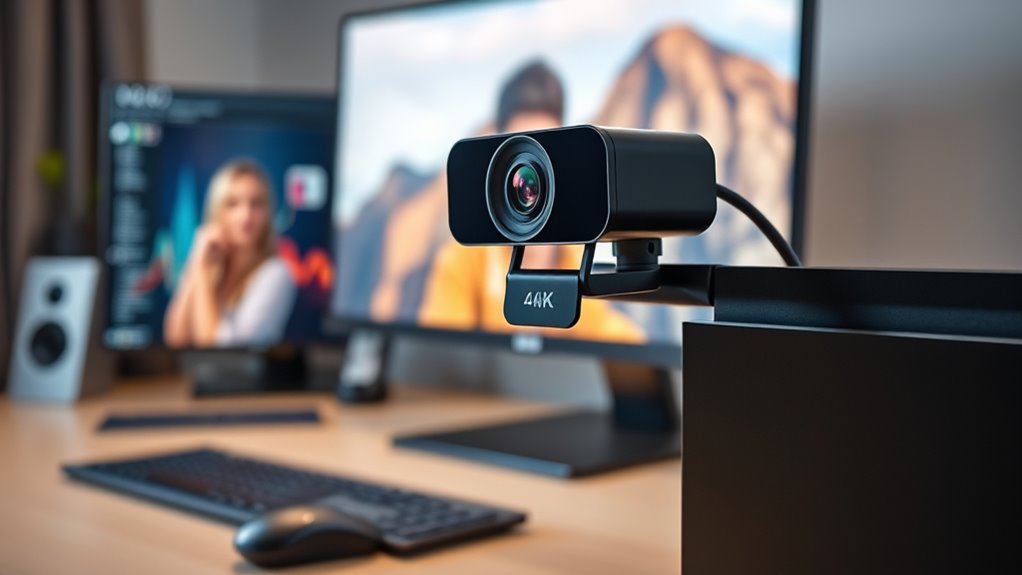

For those seeking the finest quality in 4K webcams, this category offers options that deliver stunning image clarity, advanced features, and professional-grade performance. The Insta360 Link 2 Pro stands out as the best overall pick for its versatile pan-tilt-zoom capabilities and AI framing. The Elgato Facecam 4K makes a strong case for streamers who want DSLR-like control, while the Logitech MX Brio remains a go-to for business use with its AI enhancements and noise reduction. As high-end webcams increasingly incorporate features like AI auto-framing, dual lenses, and high-grade sensors, the main tradeoffs often involve price versus value and complexity versus simplicity. Keep reading for a detailed breakdown that will help you find the perfect high-end 4K webcam for your needs.

Get your wardrobe favorites delivered free — and shop member deals
- Fast, free delivery on millions of items
- Access to Prime Big Deal Days deals on October 6–7
- Prime Video, Amazon Music and more included
Key Takeaways
- Top-tier webcams in this roundup combine high-quality sensors with advanced AI features like auto-framing and noise cancellation.
- Many high-end models offer dual-camera setups or PTZ functionality, making them suitable for professional streaming or presentations.
- Price differences often reflect added features such as built-in microphones, privacy covers, and enhanced autofocus technology.
- Choosing between models depends heavily on your primary use: streaming, professional conferencing, or content creation.
- Durability, ease of use, and connectivity options like USB-C are common factors that distinguish premium models from mid-range alternatives.
| Insta360 Link 2C Pro 4K Webcam for PC/Mac |  | Best Overall High-End 4K Webcam with AI Features | Sensor: 1/1.3″ sensor | Video Resolution: 4K | Microphones: Dual beamforming directional noise-canceling mics | VIEW ON AMAZON | See Our Full Breakdown |
| Elgato Facecam 4K Webcam, 4K60 Studio Quality with DSLR-Like Control |  | Best Studio-Grade 4K Webcam with 60 FPS and Customization | Resolution: 4K | Frame Rate: 60 FPS | Sensor: Sony STARVIS 2 CMOS | VIEW ON AMAZON | See Our Full Breakdown |
| Insta360 Link 2 Pro 4K PTZ Webcam for PC/Mac |  | Best PTZ 4K Webcam with AI Tracking and Physical Pan/Tilt | Resolution: 4K | Sensor: 1/1.3″ sensor | Connection: USB-C | VIEW ON AMAZON | See Our Full Breakdown |
| EMEET C60E Dual-Camera 4K Webcam for Streaming, Wide-Angle & Telephoto |  | Best Dual-Camera 4K Webcam with Zoom and Aesthetic Controls | Resolution: 4K | Zoom: up to 11X hybrid | Sensors: 1/2.8″ CMOS | VIEW ON AMAZON | See Our Full Breakdown |
| Razer Kiyo Pro Ultra 4K Webcam, Large Sensor, Built-in Mic and Shutter |  | Best Premium 4K Webcam with Large Sensor and Built-in Shutter | Sensor: 1/1.2″ Sony STARVIS 2 | Pixel Size: 2.9 μm | Resolution: 4K at 30 FPS | VIEW ON AMAZON | See Our Full Breakdown |
| Logitech MX Brio Ultra HD 4K Webcam with Noise Reducing Microphones, AI-Enhanced Image Quality, Privacy Protector, USB-C – Graphite |  | Best Overall High-End 4K Webcam | Resolution: 4K Ultra HD at 30fps, 1080p at 60fps | Microphones: Dual noise-reducing microphones | Connection: USB-C | VIEW ON AMAZON | See Our Full Breakdown |
| Insta360 Link 2C 4K Webcam for PC/Mac with Auto Framing and AI Noise-Canceling Mic |  | Best for Auto Framing and Versatile Content Creation | Sensor: 1/2″ | Resolution: 4K | HDR: Yes | VIEW ON AMAZON | See Our Full Breakdown |
| OBSBOT Meet 2-4K Webcam for PC with AI Framing & Autofocus |  | Best for Portability and AI Framing | Resolution: 4K UHD | Sensor: 1/2″ CMOS | Connectivity: USB-C | VIEW ON AMAZON | See Our Full Breakdown |
| Acer 4K Webcam with Sony Sensor, All-Metal Unibody, Privacy Cover, Dual Mics, USB-C |  | Best for Durability and Premium Build | Resolution: UHD 4K | Sensor: Sony 1/2″ CMOS | Autofocus: Phase Detection (PDAF) | VIEW ON AMAZON | See Our Full Breakdown |
| Logitech MX Brio Ultra HD 4K Webcam for Collaboration and Streaming – Graphite | | Best for Versatile Collaboration and Streaming | Resolution: 4K | Sensor: Advanced, larger pixels | Microphones: Dual beamforming noise reduction | VIEW ON AMAZON | See Our Full Breakdown |
| EMEET NOVA 4K Webcam for PC with PDAF Autofocus and Dual Omni Mics |  | Best Overall High-End 4K Webcam for Secure, Versatile Use | Max Resolution: 4K (defaults to 1080P) | Frame Rate: 30FPS | Sensor: CMOS | VIEW ON AMAZON | See Our Full Breakdown |
| YOLOLIV YoloCam S3 4K Streaming Webcam for PC & Mac |  | Best for Professional Streaming and Content Creation | Sensor: 1/1.3 inch | Video Resolution: 4K/30fps, 1080p/60fps | Field of View: 82 degrees | VIEW ON AMAZON | See Our Full Breakdown |
| Logitech Brio Ultra HD 4K Webcam for Streaming and Meetings – Black |  | Best for Versatile Business and Streaming Use | Max Resolution: 4K (3840 x 2160) at 30 fps | Autofocus: Yes | Digital Zoom: 5x | VIEW ON AMAZON | See Our Full Breakdown |
| OBSBOT Tiny 2 4K Webcam with Voice Control and AI Tracking |  | Best for Hands-Free, AI-Driven Video Engagements | Sensor: 1/1.5″ CMOS | Resolution: 4K | Frame Rate: 60 FPS | VIEW ON AMAZON | See Our Full Breakdown |
| high end 4k webcam | Sensor | Resolution | Compatibility | Microphones |
|---|---|---|---|---|
| Insta360 Link 2C Pro 4K Webcam | 1/1.3" sensor | — | PC/Mac, Stream Deck, Zoom, Teams, Twitch | Dual beamforming directional noise-canceling mics |
| Elgato Facecam 4K Webcam | Sony STARVIS 2 CMOS | 4K | — | — |
| Insta360 Link 2 Pro 4K PTZ Web | 1/1.3" sensor | 4K | Windows, macOS, Chrome OS, Linux | Dual beamforming directional mics |
| EMEET C60E Dual-Camera 4K Webc | — | 4K | Windows 10/11, macOS | — |
| Razer Kiyo Pro Ultra 4K Webcam | 1/1.2" Sony STARVIS 2 | 4K at 30 FPS | Windows, MacOS | — |
| Logitech MX Brio Ultra HD 4K W | — | 4K Ultra HD at 30fps, 1080p at 60fps | — | Dual noise-reducing microphones |
| Insta360 Link 2C 4K Webcam for | 1/2" | 4K | PC/Mac, Windows (not ARM-based) | — |
| OBSBOT Meet 2-4K Webcam for PC | 1/2" CMOS | 4K UHD | — | — |
| Acer 4K Webcam with Sony Senso | Sony 1/2" CMOS | UHD 4K | — | Dual digital microphones |
| Logitech MX Brio Ultra HD 4K W | Advanced, larger pixels | 4K | Windows, macOS, Chrome OS, Linux, Switch 2 | Dual beamforming noise reduction |
| EMEET NOVA 4K Webcam for PC wi | CMOS | — | Zoom, Teams, Google Meet, Windows, macOS, Android TV | 2 built-in omni mics (100–10KHz) |
| YOLOLIV YoloCam S3 4K Streamin | 1/1.3 inch | — | PC and Mac | — |
| Logitech Brio Ultra HD 4K Webc | — | — | — | Dual omnidirectional noise-canceling |
| OBSBOT Tiny 2 4K Webcam with V | 1/1.5" CMOS | 4K | — | — |
More Details on Our Top Picks
Insta360 Link 2C Pro 4K Webcam for PC/Mac
The Insta360 Link 2C Pro stands out for combining a large 1/1.3″ sensor with advanced AI auto framing and gesture control, making it ideal for creators who want professional-quality video with smart automation. Compared to the Razer Kiyo Pro Ultra, it offers more AI-driven features and better low-light performance thanks to its bigger sensor, though it falls short on Windows Hello support and ARM compatibility. Its dual beamforming microphones and smartphone remote provide flexible control, but the lack of Windows Hello integration limits some security-focused workflows. This model makes the most sense for streamers and remote workers who prioritize auto framing and voice clarity, but those on ARM Windows systems should consider alternatives.Pros:- Excellent low-light performance from a large 1/1.3″ sensor
- Effective noise-canceling beamforming microphones
- AI auto framing and gesture control enhance usability
- Seamless Stream Deck integration for streamlined workflows
Cons:- Not compatible with ARM-based Windows systems
- Lacks Windows Hello face recognition support
Best for: Content creators and streamers seeking a feature-rich, automated 4K webcam for PC or Mac.
Not ideal for: Users with ARM-based Windows devices or those needing Windows Hello facial recognition, as it isn’t compatible.
- Sensor:1/1.3″ sensor
- Video Resolution:4K
- Microphones:Dual beamforming directional noise-canceling mics
- Features:Auto Framing, AI Tracking, HDR, Whiteboard Mode, Gesture Control, Smartphone Remote
- Software:Link Controller (free desktop software)
- Compatibility:PC/Mac, Stream Deck, Zoom, Teams, Twitch
Our verdict“This webcam is best suited for creators and professionals who want intelligent automation and top-tier image quality on PC or Mac.”
Elgato Facecam 4K Webcam, 4K60 Studio Quality with DSLR-Like Control
The Elgato Facecam 4K makes a compelling case for professional-quality streaming thanks to its crisp 4K resolution at 60 FPS and a Sony STARVIS 2 sensor that rivals DSLR image quality. Unlike the Insta360 Link 2C Pro, it emphasizes raw image fidelity and color vibrancy, but it lacks a built-in microphone, requiring a separate audio setup. The free Camera Hub software allows extensive customization, appealing to content creators who want precise control over their look, yet its overkill for basic video calls. This webcam suits streamers and videographers who prioritize image quality over integrated audio or advanced AI features.Pros:- Crisp 4K resolution at 60 FPS for ultra-smooth, detailed video
- DSLR-like image quality with Sony STARVIS 2 sensor
- Deep customization through free Camera Hub software
- Supports standard 49mm lens filters for creative effects
Cons:- No built-in microphone, requiring additional audio hardware
- Advanced features may be unnecessary for basic video conferencing
Best for: Professional streamers and content creators seeking high-resolution, high-frame-rate video with extensive manual control.
Not ideal for: Casual users or those needing integrated microphones and plug-and-play simplicity for everyday calls.
- Resolution:4K
- Frame Rate:60 FPS
- Sensor:Sony STARVIS 2 CMOS
- Lens:Elgato Prime Lens
- Lens Filter Support:49mm
- Software:Elgato Camera Hub
Our verdict“This webcam is ideal for professional content creators demanding studio-quality visuals with flexible customization.”
Insta360 Link 2 Pro 4K PTZ Webcam for PC/Mac
The Insta360 Link 2 Pro offers a unique blend of 4K image quality with physical pan and tilt, complemented by AI tracking that keeps subjects centered in the frame. Compared with the Elgato Facecam, its advantage lies in its PTZ capability and AI-powered physical movement, making it more adaptable for dynamic shooting scenarios. However, it shares compatibility limitations with ARM Windows systems and needs dedicated software for full feature access. Its broad platform support and Stream Deck integration make it well-suited for multi-platform streamers who need flexibility in framing, but it may be overkill for static setups.Pros:- Flagship 4K image quality with excellent low-light performance
- Physical pan/tilt control plus AI tracking for dynamic framing
- Dual beamforming microphones for clear voice pickup
- Broad OS support including Chrome OS and Linux
Cons:- Incompatibility with ARM-based Windows systems
- Requires dedicated software for advanced features
Best for: Streamers, educators, or professionals who want a mobile, physically adjustable webcam with AI tracking for versatile applications.
Not ideal for: Users seeking a simple, fixed-position webcam or those with ARM Windows devices, where compatibility is limited.
- Resolution:4K
- Sensor:1/1.3″ sensor
- Connection:USB-C
- Microphones:Dual beamforming directional mics
- Tracking:AI pan/tilt tracking
- Compatibility:Windows, macOS, Chrome OS, Linux
Our verdict“This PTZ webcam is best for users who need flexible motion control and AI tracking in a high-quality 4K package.”
EMEET C60E Dual-Camera 4K Webcam for Streaming, Wide-Angle & Telephoto
The EMEET C60E distinguishes itself through its dual-camera setup, offering wide-angle and telephoto shots that are perfect for engaging presentations or streaming. Its up to 11X hybrid zoom and smart controls provide versatility that the Insta360 Link 2C Pro can’t match in terms of multi-view capabilities, but zoom support is limited in 4K at 60 FPS and in YUY2 mode. The RGB lighting adds a customizable flair, ideal for streamers seeking visual flair, yet the complex controls and reliance on USB 2.0 can complicate setup. This webcam targets educators and streamers who want multiple perspectives in a single device, but may not be suitable for users needing straightforward plug-and-play operation.Pros:- Dual-camera system for wide and zoomed-in shots
- Up to 11X hybrid zoom for versatile framing
- Vibrant RGB lighting for aesthetic customization
- Smart control options for flexible adjustments
Cons:- Zoom not supported in 4K 60 FPS or YUY2 modes
- Requires USB 2.0, which may limit compatibility
- Setup can be complex due to multiple controls
Best for: Educators or streamers who want multiple camera angles and visual customization for engaging content.
Not ideal for: Users seeking a simple, single-lens webcam for basic video calls or with limited USB ports on older hardware.
- Resolution:4K
- Zoom:up to 11X hybrid
- Sensors:1/2.8″ CMOS
- Lighting:RGB
- Compatibility:Windows 10/11, macOS
- Connectivity:USB 2.0 Type-A
Our verdict“This dual-camera webcam is ideal for streamers and educators who want multiple perspectives and aesthetic flair in a 4K setup.”
Razer Kiyo Pro Ultra 4K Webcam, Large Sensor, Built-in Mic and Shutter
The Razer Kiyo Pro Ultra delivers professional-grade 4K video with its large Sony STARVIS 2 sensor and a fast F/1.7 lens, rivaling the image quality of the Insta360 Link 2C Pro. It excels in low-light conditions and offers AI face tracking, HDR, and background blurring, making it a strong choice for streamers and broadcasters who demand high-end performance. Unlike the Elgato Facecam, it includes a built-in microphone and a physical shutter for privacy, adding convenience. However, its software controls are somewhat limited on MacOS, and the price reflects its high-end features, making it less ideal for budget-conscious users.Pros:- Exceptional 4K video quality with a large Sony STARVIS 2 sensor
- Excellent low-light performance with a fast F/1.7 lens
- AI face tracking, HDR, and background blur for professional results
- Built-in microphone and physical privacy shutter
Cons:- High cost may be prohibitive for some users
- Limited control software on MacOS
Best for: High-end streamers or professionals requiring top-tier 4K quality with privacy features and advanced auto-tracking.
Not ideal for: Casual users or those on a tight budget who do not need all the premium features or integrated microphone.
- Sensor:1/1.2″ Sony STARVIS 2
- Pixel Size:2.9 μm
- Resolution:4K at 30 FPS
- Lens Aperture:F/1.7
- Features:AI face tracking, HDR, background blur, privacy shutter
- Compatibility:Windows, MacOS
Our verdict“This webcam is best suited for serious streamers and professionals seeking premium 4K quality with privacy and auto-tracking features.”
Logitech MX Brio Ultra HD 4K Webcam with Noise Reducing Microphones, AI-Enhanced Image Quality, Privacy Protector, USB-C – Graphite
This model stands out for its combination of high resolution and intelligent image processing, making it ideal for professionals who need crisp visuals and reliable audio. Compared to the Logitech Brio, this version adds AI-enhanced features that improve image clarity in challenging lighting, but at a higher price point. It offers 4K resolution at 30fps with AI-driven white balance and exposure, along with dual noise-reducing microphones that ensure clear communication. The adjustable controls provide fine-tuning, yet the complex settings may overwhelm casual users. Its premium build and privacy cover make it suitable for high-stakes meetings, though the reliance on USB-C can be a hurdle for some older setups. This makes it a top choice for remote professionals and streamers who prioritize quality and features over budget.
Pros:- High-resolution 4K video quality with sharp details
- AI-enhanced image processing for better clarity in various lighting conditions
- Dual noise-reducing microphones ensure clear audio
- Adjustable controls for lighting and white balance
Cons:- Premium price may be prohibitive for some users
- Requires USB-C port for optimal operation
- Complex settings could be intimidating for casual users
Best for: Business professionals and streamers who need top-tier video quality and customizable controls
Not ideal for: Casual users or those with older computers lacking USB-C ports, due to its premium price and connection requirements
- Resolution:4K Ultra HD at 30fps, 1080p at 60fps
- Microphones:Dual noise-reducing microphones
- Connection:USB-C
- Color:Graphite
- Features:AI-Enhanced Image Quality, Privacy Protector, Show Mode
Our verdict“This webcam makes the most sense for professionals and streamers who demand exceptional quality and are willing to invest in advanced features.”
Insta360 Link 2C 4K Webcam for PC/Mac with Auto Framing and AI Noise-Canceling Mic
The Insta360 Link 2C excels in auto framing and AI-driven features, making it ideal for dynamic video calls and live streaming. Unlike the Logitech MX Brio, which emphasizes raw resolution and image refinement, the Link 2C emphasizes intelligent framing and gesture control, allowing users to stay centered without manual adjustments. Its HDR support and a 1/2″ sensor enable vibrant, true-to-life visuals, while AI noise cancellation ensures clear audio. However, it isn’t compatible with ARM-based Windows systems, and some advanced features require additional software setup, which could be a barrier for less tech-savvy users. This pick is best for content creators and professionals who want a camera that adapts to their movements seamlessly while offering versatile modes like Whiteboard and DeskView.
Pros:- High-quality 4K visuals with HDR for vibrant images
- Auto framing and gesture control for hands-free operation
- AI noise-canceling microphone ensures clear communication
- Multiple modes like Whiteboard and DeskView
Cons:- Incompatibility with ARM-based Windows systems
- Features may require extra software setup
- No mention of price, possibly higher for premium features
Best for: Content creators and professionals needing automatic framing and versatile modes for interactive sessions
Not ideal for: Users with ARM-based Windows devices or those seeking plug-and-play simplicity without extra software setup
- Sensor:1/2″
- Resolution:4K
- HDR:Yes
- Auto Framing:Yes
- AI Noise-Canceling Mic:Yes
- Compatibility:PC/Mac, Windows (not ARM-based)
Our verdict“Best suited for streamers and professionals who value automation and multi-mode flexibility over plug-and-play simplicity.”
OBSBOT Meet 2-4K Webcam for PC with AI Framing & Autofocus
The OBSBOT Meet 2 offers a compact, lightweight design paired with AI-powered framing and autofocus, making it perfect for on-the-go professionals and streamers. Compared to the Insta360 Link 2C, it prioritizes portability and ease of use, with a simple plug-and-play USB-C connection. Its dual omni-directional noise-canceling microphones deliver decent audio quality, suitable for quick setup environments. However, extended use may cause it to heat up, and it offers limited adjustable settings, which could be a drawback for users seeking fine-tuned control. Its small size and AI features make it a good choice for mobile setups or quick deployments, though it may lack some advanced customization options found in larger models.
Pros:- High-quality 4K resolution with bright, clear images
- AI framing and auto focus for dynamic scenes
- Compact and lightweight for portability
- Easy plug-and-play with USB-C
Cons:- May get hot during extended use
- Limited adjustable settings for fine-tuning
- Requires software for full feature access
Best for: Mobile professionals and casual streamers who need a lightweight, easy-to-use 4K camera with smart framing
Not ideal for: Users requiring extensive manual controls or long streaming sessions without overheating concerns
- Resolution:4K UHD
- Sensor:1/2″ CMOS
- Connectivity:USB-C
- Weight:40.5 grams
- Features:AI framing, auto focus, gesture control
Our verdict“An excellent portable option for on-the-move content creators who want AI-driven framing without fuss.”
Acer 4K Webcam with Sony Sensor, All-Metal Unibody, Privacy Cover, Dual Mics, USB-C
The Acer 4K Webcam stands out for its Sony sensor and all-metal construction, delivering professional-grade visuals and durability. Compared to the Logitech MX Brio, it emphasizes a robust, sleek design with phase detection autofocus and HDR support for vibrant, detailed images even in low-light conditions. Its dual digital microphones provide clear audio, and the magnetic privacy cover adds security. However, it requires a USB-C connection, which may need adapters for some setups, and detailed information on adjustable mounting options is limited. This webcam is ideal for users who want a premium, durable device that combines excellent image quality with a high-end build, suited for professional streaming and video calls.
Pros:- Excellent 4K video with HDR and Sony sensor
- Premium all-metal, durable design
- Responsive phase detection autofocus
- Clear audio with dual digital microphones
Cons:- Requires USB-C connection, possibly needing adapters
- Limited info on adjustable mounting options
- Price not specified, likely higher-end
Best for: Professionals seeking a durable, premium webcam with excellent low-light and HDR performance
Not ideal for: Users on a tight budget or those with older computers lacking USB-C ports, as adapters may be necessary
- Resolution:UHD 4K
- Sensor:Sony 1/2″ CMOS
- Autofocus:Phase Detection (PDAF)
- Microphones:Dual digital microphones
- Material:All-metal unibody aluminum
- Privacy Cover:Magnetic with 12 magnets
Our verdict“A premium choice for professionals who prioritize durability, image quality, and sleek design in a high-end webcam.”
Logitech MX Brio Ultra HD 4K Webcam for Collaboration and Streaming – Graphite
This version of the Logitech MX Brio emphasizes broad compatibility and advanced AI features, making it suitable for diverse collaboration environments. Its 70% larger pixels enhance face visibility, especially in less-than-ideal lighting, outperforming many competitors like the OBSBOT Meet 2 in image clarity. The adjustable manual controls for ISO, shutter speed, and vibrance allow for fine-tuning in various scenarios. Its dual beamforming microphones effectively reduce background noise, supporting clear communication. The inclusion of Show Mode and a privacy cover adds versatility for sharing and security. The main tradeoff is the higher price for these advanced features, which might be unnecessary for casual users. Overall, it suits professionals and streamers who need a flexible, high-quality camera for multiple platforms.
Pros:- Excellent 4K image quality with larger pixels and AI enhancement
- Manual controls for fine-tuning exposure, ISO, and vibrance
- Effective beamforming microphones for noise reduction
- Supports multiple platforms including Nintendo Switch 2
Cons:- Premium pricing may be a barrier for some
- Advanced features often require Logitech software and accessories
- Larger size compared to more compact options
Best for: Professionals and streamers who want a versatile, high-quality webcam with manual controls and broad platform support
Not ideal for: Budget-conscious users or those seeking a simple plug-and-play device without many customization options
- Resolution:4K
- Sensor:Advanced, larger pixels
- Microphones:Dual beamforming noise reduction
- Compatibility:Windows, macOS, Chrome OS, Linux, Switch 2
- Features:Show Mode, privacy cover, AI image enhancement
Our verdict“Ideal for users who need a highly adaptable webcam with manual controls and broad compatibility, despite its higher cost.”
EMEET NOVA 4K Webcam for PC with PDAF Autofocus and Dual Omni Mics
The EMEET NOVA 4K stands out for delivering true 4K resolution with a sharp CMOS sensor, making it ideal for professional-quality video calls. Its PDAF autofocus ensures crisp focus even during motion, outperforming models like the Logitech Brio, which rely more on digital zoom. However, it defaults to 1080P, requiring manual switching to access 4K, and lacks manual focus or adjustable FOV, which could be limiting for creative setups. Its privacy cover and absence of WiFi or Bluetooth add security, making it suitable for sensitive environments. The 360° rotation and tripod compatibility offer flexible mounting options, but the fixed 1.5m cable can restrict placement. Overall, this model is best for those prioritizing high resolution and security, willing to handle some setup steps.
Pros:- True 4K resolution with sharp CMOS sensor
- Fast, accurate PDAF autofocus handles motion well
- Privacy cover and no WiFi/Bluetooth for secure use
- Flexible mounting with 360° rotation and tripod support
Cons:- Defaults to 1080P, requiring manual switch to access 4K
- No manual focus or adjustable FOV
- Fixed 1.5m cable may limit placement options
Best for: Professionals and remote workers who need secure, high-quality 4K video with flexible mounting options
Not ideal for: Streamers or content creators seeking easy, immediate access to 4K without software adjustments
- Max Resolution:4K (defaults to 1080P)
- Frame Rate:30FPS
- Sensor:CMOS
- Autofocus:PDAF, 7.9–118 inches
- Field of View:73° fixed
- Microphones:2 built-in omni mics (100–10KHz)
- Connection:USB 2.0 Type-A, 1.5m cable
- Rotation:360° horizontal, 15° vertical
- Compatibility:Zoom, Teams, Google Meet, Windows, macOS, Android TV
Our verdict“This webcam offers excellent resolution and security for professionals who are comfortable with manual adjustments and fixed cable length.”
YOLOLIV YoloCam S3 4K Streaming Webcam for PC & Mac
The YoloCam S3 is designed for serious streamers and creators who want uncompressed 4K at 30fps, thanks to its large 1/1.3″ sensor that captures detailed images superior to many entries like the Logitech Brio. Its AI-enhanced low-light imaging ensures clear footage even in challenging lighting, with fast PDAF autofocus that rivals the OBSBOT Tiny 2’s speed. The all-aluminum body acts as a heat sink for 24/7 operation, unlike the plastic bodies of some competitors. However, its software ecosystem is limited; Picasso Resolve color grading is only available on Windows, restricting Mac users. The 4x digital zoom at 1080p can degrade quality, and the surface can become warm during prolonged use. Overall, this model suits creators seeking high-res, stable streaming with advanced low-light performance, willing to handle some software constraints.
Pros:- Large 1/1.3″ sensor delivers uncompressed 4K/30fps
- AI-enhanced low-light imaging for better visibility
- All-aluminum body prevents overheating for continuous use
- Fast PDAF autofocus for responsive focus
Cons:- Color grading software limited to Windows, excluding Mac
- Digital zoom reduces quality at 1080p
- Surface gets warm during extended operation
Best for: Content creators and streamers demanding uncompressed 4K quality and robust build quality for long sessions
Not ideal for: Casual users or those needing plug-and-play simplicity without software restrictions
- Sensor:1/1.3 inch
- Video Resolution:4K/30fps, 1080p/60fps
- Field of View:82 degrees
- Digital Zoom:4x at 1080p
- Connectivity:USB 3.0
- Compatibility:PC and Mac
- Body Material:All-aluminum
- Software:Picasso Resolve (Windows only, Mac coming soon)
Our verdict“This webcam excels for creators who prioritize high-quality imaging and build durability, accepting some software limitations and heat during long streams.”
Logitech Brio Ultra HD 4K Webcam for Streaming and Meetings – Black
The Logitech Brio is a familiar choice for those who need reliable 4K video across multiple platforms. Its autofocus and 5x digital zoom provide flexible framing, while RightLight 3 auto-exposure adjusts dynamically to lighting conditions, outperforming many webcams with static exposure settings. Its support for Windows Hello offers quick, secure login, a feature absent in the other models here. The privacy shutter is a convenient addition for security. Compared to the YOLOLIV YoloCam S3, it prioritizes ease of use over ultra-high resolution, as it caps at 30 fps at 4K. Its main tradeoff is that it requires the Logi Options+ app for full functionality, which may be a hassle for some users. Overall, it’s well-rounded for professional environments needing reliable 4K quality integrated with smart features.
Pros:- Excellent 4K video quality with autofocus and zoom
- Dynamic auto-exposure with RightLight 3
- Windows Hello support for fast login
- Includes privacy shutter for security
Cons:- Limited to 30 fps at 4K resolution
- Requires software (Logi Options+) for full customization
- Less advanced AI tracking features
Best for: Business users and professionals needing versatile, reliable 4K video with security features
Not ideal for: Creative content creators seeking maximum manual control and ultra-high frame rates
- Max Resolution:4K (3840 x 2160) at 30 fps
- Autofocus:Yes
- Digital Zoom:5x
- Low-Light Technology:RightLight 3
- Field of View:65°, 78°, 90° presets
- Microphones:Dual omnidirectional noise-canceling
- Windows Hello:Supported
- Privacy Shutter:Attachable, flip-up
Our verdict“This webcam provides strong all-around performance with smart features suited for business and everyday professional use, accepting some limitations in frame rate and software setup.”
OBSBOT Tiny 2 4K Webcam with Voice Control and AI Tracking
The OBSBOT Tiny 2 is tailored for dynamic presentations and solo streamers who need intelligent tracking and voice control. Its large 1/1.5″ CMOS sensor captures detailed, vibrant images, outperforming smaller sensors in similar price ranges. The advanced AI tracking with multiple modes ensures the camera stays focused on a speaker or object, making it ideal for solo creators or virtual presenters. Its fast 0.3-second autofocus complements the AI tracking, providing rapid response. However, extended use can lead to heat buildup, and some features demand specific system configurations. The camera’s reliance on AI features means setup is more involved than plug-and-play options like the Logitech Brio. Nonetheless, this model shines for users who prioritize hands-free control and versatile AI tracking over a simple fixed camera setup.
Pros:- High-quality 4K resolution with a large sensor
- Advanced AI tracking with multiple modes
- Supports voice and gesture control for hands-free operation
- Fast auto focus in just 0.3 seconds
Cons:- Can generate heat during extended use
- Requires system setup for AI features
- Some features may need additional SDK or configuration
Best for: Solo streamers, virtual presenters, and users who want AI-driven auto-framing and voice commands
Not ideal for: Casual users or those who prefer straightforward plug-and-play without additional setup
- Sensor:1/1.5″ CMOS
- Resolution:4K
- Frame Rate:60 FPS
- Auto Focus:0.3 seconds
- Tracking Modes:Upper Body, Close-Up, Hand, Zone
- Voice Control:Supported
- Gesture Control:Version 2.0
- Connectivity:USB 3.0
Our verdict“Perfect for creators who want intelligent, hands-free control and high-res video, accepting some setup complexity and heat concerns.”

How We Picked
Our evaluation focused on performance, build quality, and feature set relevant to professional or high-end use. We prioritized webcams with 4K resolution capable of delivering sharp, detailed images in various lighting conditions. Usability factors such as autofocus, AI framing, and microphone quality were heavily weighted, as these directly impact user experience. We also considered value for money, taking into account the added features that justify higher price points. Finally, durability, design, and compatibility with common platforms played roles in our rankings, ensuring that each product offers a practical advantage in a professional setting.Factors to Consider When Choosing High End 4k Webcams
When selecting a high end 4K webcam, understanding key features and potential tradeoffs helps ensure you choose a model that aligns with your needs and budget. Beyond raw resolution, factors like autofocus, AI features, and connectivity influence usability and performance. Considering your primary use—whether streaming, conferencing, or content creation—will guide your decision. Price differences often reflect additional functionalities, so weighing these against your requirements ensures you get the best value. Awareness of common pitfalls, such as overpaying for unnecessary features or overlooking compatibility issues, can help you avoid costly mistakes and find the perfect high-end webcam.Video Quality and Sensors
High resolution alone doesn’t guarantee better video quality—sensor size and quality matter just as much. Many premium webcams feature large sensors that perform better in low light and produce richer colors. For professional use, look for models that specify sensor quality alongside 4K resolution, as this directly impacts image sharpness and color accuracy. Beware of models that advertise 4K but use inferior sensors, which can result in pixelation or washed-out images under certain lighting conditions.
Autofocus and AI Features
Fast, reliable autofocus and AI-driven features like auto-framing and noise suppression can dramatically improve your experience. These features reduce the need for manual adjustments and help maintain a professional appearance during dynamic movements. However, they also add complexity and can sometimes misfire or introduce artifacts, especially in challenging lighting. Prioritize webcams with well-reviewed AI capabilities if your recording environment varies or if you need consistent framing without manual intervention.
Connectivity and Compatibility
Most high-end webcams connect via USB-C or USB 3.0, offering faster data transfer and more stable connections. Compatibility with your operating system and preferred software is essential—some models are optimized for Windows, macOS, or specific streaming platforms. Check whether the webcam requires proprietary software or if it works seamlessly with common conferencing tools like Zoom, Teams, or OBS. An easy setup process and broad compatibility reduce frustration and maximize productivity.
Build Quality and Design
Premium webcams often feature sturdy, all-metal bodies, adjustable mounts, and privacy covers, which enhance durability and ease of use. Consider the size and mounting options—if you plan to use a multi-camera setup or need portability, these factors matter. While a sleek design adds aesthetic value, prioritize robustness and stability, especially if the webcam will be used in a semi-permanent setup. Avoid models with flimsy mounts or fragile components that could lead to damage over time.
Price and Value
High-end webcams can vary widely in price, often reflecting additional features like dual lenses, AI tracking, or superior microphones. It’s tempting to opt for the most expensive model, but a careful assessment of your needs can help avoid overspending. Focus on features that deliver real value for your intended use—such as AI auto-framing for streamers or high-quality microphones for conferencing. Conversely, some models offer many bells and whistles that may be unnecessary for casual or infrequent use, so balance features against your budget.
Frequently Asked Questions
Is 4K resolution necessary for professional video calls?
While 4K resolution isn’t strictly necessary for most video calls, it can provide sharper images and more detail, especially on large screens or recordings. For regular conferencing, 1080p might suffice, but if you want the highest quality for presentations or streaming, 4K can make a noticeable difference. Keep in mind that higher resolution demands better lighting, faster internet, and more powerful hardware, which might be overkill for simple meetings. If your goal is professional-grade content or high-quality recordings, investing in a 4K webcam makes sense.
How important is autofocus in a high-end webcam?
Autofocus is a key feature for maintaining sharp images when you move or change your position. In high-end models, autofocus tends to be faster and more accurate, reducing the need for manual adjustments. This is especially valuable for content creators or presenters who frequently shift in front of the camera. However, some autofocus systems can hunt or produce artifacts in low light, so reading reviews about real-world performance is advisable. For static setups, autofocus might be less critical, but overall, it enhances usability and image consistency.
Should I prioritize built-in microphones or external audio equipment?
Many high-end webcams include high-quality microphones that are suitable for most professional applications. However, for critical audio quality, pairing your webcam with an external microphone generally yields better results. Built-in microphones are convenient but can pick up background noise or produce less clear sound. Consider your environment—if you record in noisy spaces, investing in an external mic might be worthwhile. For most users aiming for a clean, professional sound, high-quality internal microphones can suffice, but external options offer more control and clarity.
Are dual-camera setups worth the extra cost?
Dual-camera systems can offer significant flexibility, such as switching between wide-angle and zoomed-in shots or capturing different perspectives. This setup is especially useful for professional streams, presentations, or content creators who need variety in their footage. However, dual-camera models tend to be more complex and expensive, and setup can be more involved. If your primary need is straightforward video quality with occasional framing adjustments, a single, high-quality camera may be more practical and budget-friendly.
What should I consider for long-term durability of a high-end webcam?
Durability depends on build quality, materials, and design. Opt for models with metal bodies or reinforced mounts, as these withstand regular use better than plastic alternatives. Check for features like cable management options and secure mounting systems to prevent accidents. Also, consider whether the webcam comes with a warranty or replacement policy, which can save costs if issues arise. Investing in a well-constructed model ensures it remains functional and reliable over years of use without frequent replacement.
Conclusion
For most users, the Insta360 Link 2 Pro offers the best overall balance of features, performance, and flexibility, making it ideal for professionals and streamers. Those on a tighter budget or seeking simplicity might prefer the Logitech MX Brio for its AI enhancements and ease of use. Creators demanding premium quality and advanced features should consider the Elgato Facecam 4K or OBSBOT Tiny 2. Beginners or occasional users will find the YOLOLIV YoloCam S3 straightforward and capable. Ultimately, your choice depends on your specific use case, budget, and desire for future-proofing in a high-end 4K webcam.Halloween Picks
halloween
As an affiliate, we earn on qualifying purchases.