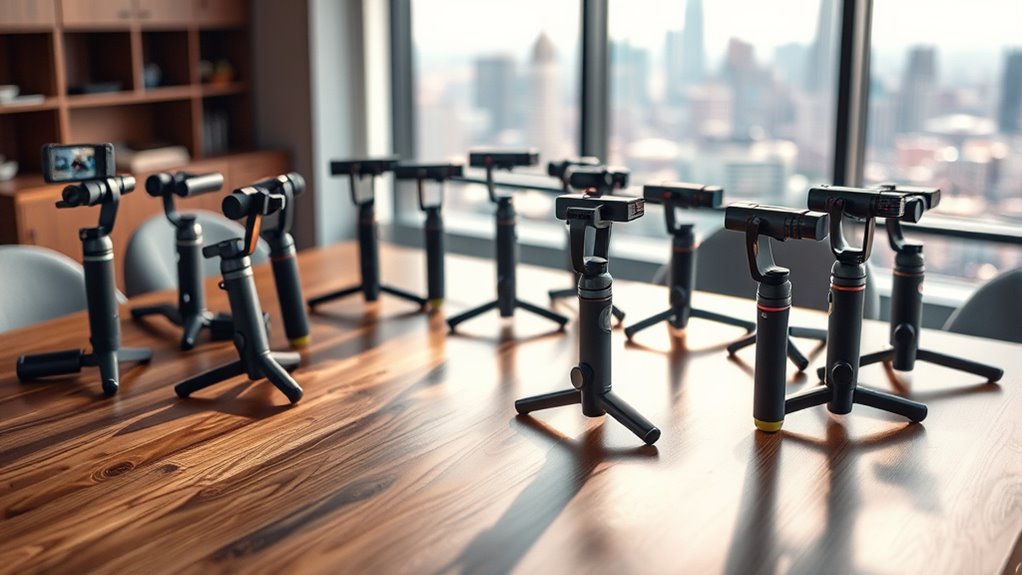

If you’re looking to elevate your filmmaking game, investing in a gimbal stabilizer is a must. I’ve found that models like the DJI Osmo Mobile SE and RS 3 Mini offer incredible stabilization for my smartphone and camera. With features like easy setup and intelligent tracking, my footage comes out smooth and professional. There are plenty of options to suit different needs and budgets, so stick around and I’ll share my top picks for videography success!
Key Takeaways
- Explore portable gimbals like DJI Osmo Mobile SE for easy transport, ideal for casual videographers and on-the-go shooting.
- Consider high-end gimbals supporting payloads up to 3.5kg for professional filmmaking, featuring advanced stabilization and AI tracking.
- Budget-friendly options provide essential stabilization for beginners, supporting up to 2.1 lbs, making them accessible for new videographers.
- Look for smartphone gimbals with lightweight designs and long battery life, enhancing mobile videography for dynamic shooting scenarios.
- Evaluate features like built-in AI sensors, various shooting modes, and intuitive controls for seamless operation and creative filming options.
DJI Osmo Mobile SE 3-Axis Phone Gimbal


If you’re looking for a portable and user-friendly gimbal that enhances your mobile videography, the DJI Osmo Mobile SE 3-Axis Phone Gimbal is a top choice. Its compact, foldable design makes it easy to carry, while the magnetic quick-release clamp allows for effortless attachment. I love how the 3-axis stabilization delivers smooth footage, even in action-packed scenarios. With modes like Follow and FPV, I can capture dynamic shots effortlessly. Plus, the upgraded ActiveTrack technology keeps my subjects in focus without needing help. The DJI Mimo app adds even more control, making this gimbal a must-have for aspiring videographers.
Best For: Aspiring videographers and content creators seeking a portable and user-friendly gimbal for capturing smooth, dynamic footage on their smartphones.
Pros:
- 3-axis stabilization provides smooth footage even during action-packed scenes.
- Compact and foldable design allows for easy transport and quick setup.
- Upgraded ActiveTrack technology accurately follows subjects, making it ideal for vlogging and dynamic filming.
Cons:
- May require verification of compatibility with certain smartphone models before purchase.
- Some users may find the learning curve steep when using advanced features and modes.
- The need for the DJI Mimo app can limit functionality for those who prefer standalone devices.
Zeadio Video Action Stabilizing Handle Grip for DSLR Cameras
The Zeadio Video Action Stabilizing Handle Grip is perfect for anyone looking to enhance their videography skills, especially those using DSLR cameras or camcorders. I love its lightweight design and cushioned handle, which makes extended filming sessions comfortable. This stabilizer is a game changer for capturing low-angle shots while engaging in extreme sports like skateboarding or snowboarding. It truly delivers excellent stability, ensuring smooth, professional-quality footage even in challenging environments. Plus, it’s compatible with a wide range of devices, making it a fantastic gift for friends who love filming unforgettable moments during their adventures.
Best For: Videographers and adventure enthusiasts who use DSLR cameras or camcorders and seek to capture smooth, dynamic footage.
Pros:
- Excellent stability for low-angle shots, ideal for high-movement activities.
- Lightweight design with a cushioned handle for comfortable extended use.
- Compatible with a wide range of DSLR cameras and camcorders, making it versatile.
Cons:
- May not be suitable for heavier camera setups, affecting balance.
- Requires practice to master stabilization techniques for optimal results.
- Limited functionality for stationary shots or traditional filming styles.
3-Shoe Camera Stabilizer Expansion Cage Mount for YouTube and TikTok
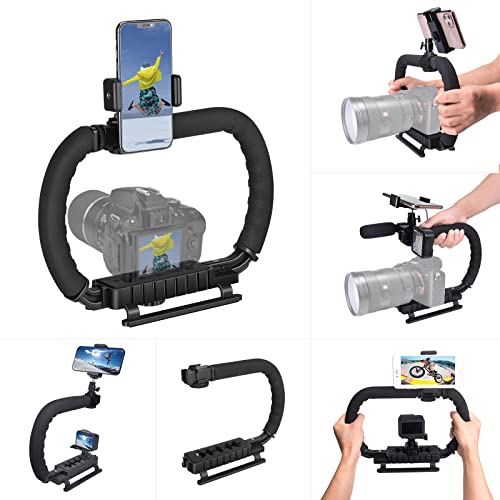
Designed for versatility, the Shoe Camera Stabilizer Expansion Cage Mount is perfect for filmmakers and content creators who need a lightweight, portable solution for capturing smooth, steady shots. Made from high-quality ABS material, it’s durable yet easy to carry. I love its ergonomic design and detachable handle, which lets me switch to a C-type stabilizer for added comfort during long shoots. It’s compatible with various cameras, including GoPro and DSLRs, and comes with a detachable ball head and phone clip. While it’s not a motorized gimbal, it provides excellent stability for creative angles, making it a fantastic addition to my gear.
Best For: Filmmakers, content creators, and photography enthusiasts seeking a lightweight and versatile stabilizer for capturing smooth shots on various camera systems.
Pros:
- Lightweight and portable design, making it easy to carry for on-the-go shooting.
- Ergonomic and adjustable handle enhances comfort during extended use.
- Wide compatibility with multiple camera brands and types, including GoPro and DSLRs.
Cons:
- Lacks motorized stabilization, requiring cameras with good internal stabilization for optimal performance.
- Some users report looseness in ball joints and potential flexing with heavier equipment.
- Assembly may be challenging for some users due to the lack of clear instructions.
DJI Osmo Mobile 7 Gimbal Stabilizer for iPhone and Android

Looking for a lightweight and portable gimbal that supports both iPhone and Android devices? The DJI Osmo Mobile 7 is your go-to choice. Weighing only 10.6 ounces, its foldable design with an integrated tripod makes it easy to carry. With DJI’s 7th-generation stabilization, I capture smooth, shake-free footage effortlessly. The ActiveTrack 7.0 feature keeps subjects in sharp focus, while the DJI Mimo app release advanced editing tools. Plus, the built-in light enhances low-light shooting. With up to 10 hours of battery life, it’s perfect for vlogging or spontaneous adventures. Overall, it’s a cost-effective solution for elevating your mobile videography.
Best For: The DJI Osmo Mobile 7 is best for vloggers, travelers, and content creators looking for a portable and versatile gimbal stabilizer for their smartphones.
Pros:
- Excellent 3-axis stabilization for smooth, shake-free footage.
- Lightweight and foldable design with an integrated tripod for easy transport.
- Long battery life of up to 10 hours, perfect for extended filming sessions.
Cons:
- Limited spinShot mode (~270°).
- Non-waterproof design may restrict usage in wet conditions.
- Some users may experience a slight learning curve to master all features.
DJI RS 3 Mini 3-Axis Gimbal Stabilizer for Cameras

For those seeking an ultra-portable and lightweight option for their videography needs, the DJI RS 3 Mini 3-Axis Gimbal Stabilizer is a game-changer. Weighing just 795g (1.75 lbs), it’s perfect for travel and long shooting sessions. I love how it supports a variety of cameras and lenses, boasting a load capacity of up to 2 kg (4.4 lbs). The 3rd-generation RS stabilization algorithm guarantees smooth footage, even in tricky conditions. Plus, with Bluetooth shutter control and vertical shooting capabilities, capturing content for social media has never been easier. This gimbal truly enhances my filmmaking experience.
Best For: The DJI RS 3 Mini is best for content creators and videographers who need a lightweight and portable gimbal stabilizer for their cameras.
Pros:
- Ultra-lightweight design at only 795g (1.75 lbs), making it easy to carry during long shoots.
- High compatibility with a wide range of camera brands and lenses, supporting up to 2 kg (4.4 lbs).
- Advanced stabilization technology ensures smooth footage even in challenging shooting conditions.
Cons:
- Limited load capacity may not support heavier professional camera setups.
- Basic control features might lack advanced options for more experienced users.
- Battery life could be a concern during extended shooting sessions without recharging options.
FeiyuTech SCORP-C2 Gimbal Stabilizer for DSLR and Mirrorless Cameras
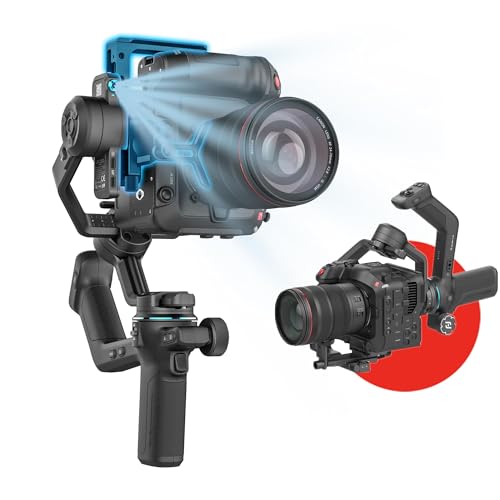
The FeiyuTech SCORP-C2 Gimbal Stabilizer stands out with its impressive 3.5kg (7.72lbs) payload capacity, making it ideal for both DSLR and mirrorless camera users. I love how it supports popular brands like Canon, Sony, and Nikon, thanks to its open mounting platform that guarantees a smooth setup. The one-touch switch for vertical shooting is a game-changer, allowing me to switch seamlessly for social media content. Plus, the built-in AI tracking 4.0 module makes filming autonomous and hassle-free. With an OLED display and intuitive controls, it’s perfect for anyone wanting to elevate their videography with minimal effort.
Best For: The FeiyuTech SCORP-C2 Gimbal Stabilizer is best for DSLR and mirrorless camera users looking for a versatile and user-friendly stabilizer for both casual and professional videography.
Pros:
- High Payload Capacity: Supports up to 3.5kg (7.72lbs), accommodating a wide range of camera systems.
- Easy Vertical Shooting: One-touch switch allows for quick transitions between horizontal and vertical modes, ideal for social media content.
- Advanced AI Tracking: Built-in AI tracking 4.0 enables gesture recognition and autonomous filming without the need for additional apps or accessories.
Cons:
- Weight Considerations: While it supports a high payload, the gimbal itself may be heavier than some users prefer for extended use.
- Learning Curve for Advanced Features: Some users may find the advanced controls and features initially complex to master.
- Limited Battery Life: Depending on usage, the battery life may not meet the needs of all-day shooting without a recharge.
AFUNTA Pro Handheld Video Camera Stabilizer (Compatible with GoPro, Canon, Nikon, Sony)
If you’re searching for an affordable yet effective stabilizer for your GoPro, DSLR, or smartphone, the AFUNTA Pro Handheld Video Camera Stabilizer could be your ideal choice. It supports cameras up to 2.1 lbs and features a super gimbal for smooth motion. Setting it up takes patience, but once balanced, it markedly reduces shake for fluid videos. I found that practice is key, as mastering the technique leads to professional-looking footage. While some users report durability issues, I think its value for beginners and casual videographers is hard to beat. Just remember, practice makes perfect with this budget-friendly option!
Best For: Beginners and casual videographers seeking an affordable and effective stabilizer for their cameras or smartphones.
Pros:
- Affordable option that offers good value for its price.
- Supports a variety of cameras, including DSLRs, GoPros, and smartphones, weighing up to 2.1 lbs.
- Produces smooth, fluid videos once properly balanced and set up.
Cons:
- Build quality may be low, with reports of fragile handles and stability issues.
- Requires time and practice to master balancing and technique for optimal results.
- Heavier cameras or long lenses may exceed weight limits, complicating balance.
hohem iSteady X3 SE Gimbal Stabilizer for iPhone & Android

Looking to elevate your smartphone videography? The hohem iSteady X3 SE Gimbal Stabilizer is a game-changer. Weighing just 0.79 lbs, it’s lightweight and foldable, making it perfect for travel. Its advanced iSteady 8.0 technology guarantees ultra-smooth footage, even during dynamic movements. I love the detachable remote control, allowing me to film hands-free from up to 32.81 feet away. Plus, the Hohem Joy app offers innovative shooting modes, although I’ve heard some users struggle with it. With an impressive 11-hour battery life, this gimbal is reliable for all-day shoots. Overall, it’s a fantastic tool for both beginners and experienced creators alike.
Best For: The hohem iSteady X3 SE Gimbal Stabilizer is best for beginners and experienced creators looking for a portable and user-friendly solution to enhance their smartphone videography.
Pros:
- Lightweight and portable design makes it easy to carry for on-the-go shooting.
- Advanced stabilization technology provides ultra-smooth footage, even during dynamic movements.
- Impressive battery life of 11 hours allows for extended filming sessions without frequent recharging.
Cons:
- Some users report inconsistent tracking accuracy during use.
- The Hohem Joy app has received mixed reviews regarding ease of use and battery consumption.
- A few users have experienced mechanical faults and reliability concerns with their units.
FeiyuTech SCORP 2 Gimbal Stabilizer for DSLR and Mirrorless Cameras

For those seeking a versatile and intuitive solution for capturing stunning footage, the FeiyuTech SCORP 2 Gimbal Stabilizer stands out with its intelligent tracking and gesture control features. The built-in AI sensor tracks subjects seamlessly, while gesture controls let me activate tracking or manage shots effortlessly. I love how the instant vertical filming setup and anti-off quick-release slider enhance my creative flexibility. Plus, the 1.3-inch touchscreen and multifunctional control knob make adjustments a breeze. With Bluetooth connectivity and the Feiyu SCORP app, I can fine-tune settings and enhance my shooting experience like never before.
Best For: The FeiyuTech SCORP 2 Gimbal Stabilizer is best for videographers and photographers seeking an intuitive and versatile tool for capturing dynamic and high-quality footage.
Pros:
- Intelligent Tracking: The built-in AI sensor provides seamless subject tracking, making it easy to capture moving subjects effortlessly.
- User-Friendly Interface: The 1.3-inch touchscreen and multifunctional control knob allow for easy adjustments and fine-tuning during shoots.
- Quick Vertical Setup: The upgraded L-shaped mounting plates and anti-off quick-release slider facilitate instant vertical filming without the need for additional accessories.
Cons:
- Limited Battery Life: Extended usage may require frequent recharging, which can interrupt shooting sessions.
- Learning Curve for Advanced Features: Some users may find the app integration and advanced functions challenging to master initially.
- Weight Consideration: The stabilizer may be heavier compared to other models, which could be a factor for those prioritizing portability.
Smartphone Video Rig Hand Grip Stabilizer for Filmmaking and Vlogging
Are you a filmmaker or vlogger seeking to elevate your smartphone videography? The Smartphone Video Rig Hand Grip Stabilizer is your perfect companion. It’s universally compatible, adjusting to fit various devices, from iPhones to Androids. With multiple cold shoe mounts and threaded holes, you can easily attach microphones or lights for professional setups. Its ergonomic design guarantees comfort during long shoots, while the thumb knob locking system makes setup a breeze. Plus, you can shoot in different orientations for creative angles. This stabilizer enhances stability, ensuring smooth footage that elevates your filmmaking and vlogging game considerably.
Best For: Filmmakers and vloggers looking for a versatile and ergonomic smartphone stabilizer to enhance their video quality.
Pros:
- Universal compatibility with a wide range of smartphone models, making it accessible for all users.
- Multiple mounting options with cold shoe mounts and threaded holes, allowing for easy attachment of accessories like lights and microphones.
- Ergonomic design providing comfort during extended use, reducing muscle fatigue and ensuring a stable grip.
Cons:
- Limited to smartphone use, which may not suit those who prefer professional cameras.
- Requires additional accessories like lights or microphones for optimal use, which could increase overall costs.
- Setup may take some time for beginners unfamiliar with stabilizer equipment.
Phone Gimbal Stabilizer 3-Axis for Smartphones
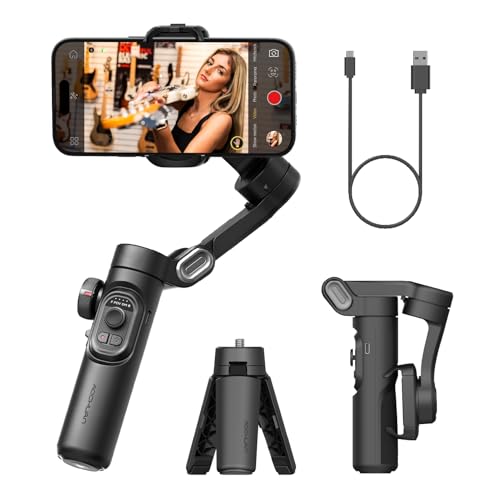
The AOCHUAN Phone Gimbal Stabilizer 3-Axis is perfect for anyone who wants to elevate their smartphone videography. Weighing just 12.2 ounces, its portable design makes it easy to take on adventures. I love how it supports both iPhones and most Android devices, offering powerful stabilization for vlogging and live streaming. The focus wheel and one-click mode switch enhance my shooting experience, especially for social media content. With a solid battery life of up to 10 hours and advanced tracking features, it’s a reliable choice for creators. However, I’ve noticed some limitations with fast movements, so keep that in mind!
Best For: Aspiring and professional content creators looking for a portable and reliable smartphone gimbal for enhanced videography.
Pros:
- Powerful 3-axis stabilization ensures smooth and professional-quality video footage.
- Long battery life of up to 10 hours allows for extended shooting sessions without interruptions.
- Compatibility with both iPhones and most Android devices makes it versatile for various users.
Cons:
- Some users experience tracking limitations during fast movements, resulting in jittery footage.
- The focus knob design may be overly large, leading to accidental adjustments during use.
- Certain features are app-dependent, which may not function outside of the AOCHUAN app.
hohem iSteady V3 Ultra Gimbal Stabilizer for iPhone
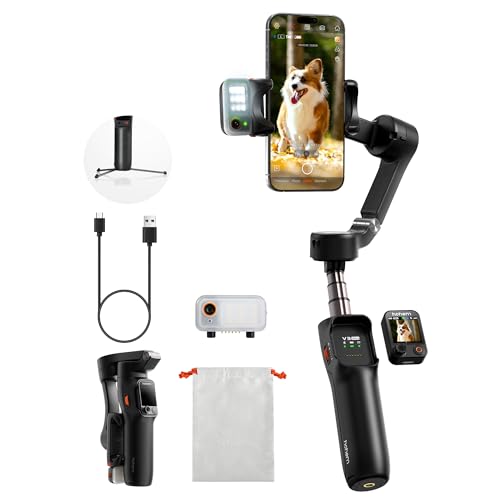
Looking for a reliable gimbal that enhances your iPhone videography without breaking the bank? The hohem iSteady V3 Ultra is a game-changer. With its upgraded iSteady 9.0 technology, I’ve captured smooth, professional-quality footage while walking or running. It’s lightweight and compact, perfect for travel, and the 9-hour battery life means I can shoot all day. The detachable touchscreen remote lets me control settings from afar, while the built-in fill light gives me excellent lighting for any environment. Overall, this gimbal’s features and performance make it an ideal choice for anyone looking to elevate their content creation.
Best For: The hohem iSteady V3 Ultra is best for vloggers, mobile filmmakers, and content creators seeking high-quality stabilization and portability for their iPhone videography.
Pros:
- Excellent stabilization: Utilizes upgraded iSteady 9.0 technology for smooth footage during motion.
- Compact and lightweight: Weighs only 15.1 oz and folds to 6.3 inches, making it ideal for travel.
- Versatile features: Includes a detachable touchscreen remote, built-in fill light, and extension rod for diverse shooting angles.
Cons:
- Weight during extended use: Some users find it cumbersome to hold for long periods.
- Compatibility issues: Occasional problems with certain iPhone models, particularly with button placement.
- Learning curve for beginners: First-time users may need time to familiarize themselves with the app and settings.
Gimbal Stabilizer for Smartphone, 3-Axis Handheld Stabilizer for Video Recording

For anyone wanting to elevate their smartphone videography, the Smart XE gimbal stabilizer stands out with its advanced anti-shake technology. Weighing just 0.62 pounds and with a compact, foldable design, it’s perfect for travel. It supports all iPhones and Androids under 7 inches and offers multiple creative modes, including slow motion and time lapse. The companion app enhances usability, though some users report glitches. The 2600mAh battery provides over 10 hours of shooting, a huge advantage for long days. While it has some durability concerns, its versatility makes it a solid choice for both beginners and seasoned videographers.
Best For: Beginners and experienced videographers looking for a portable and versatile gimbal stabilizer for smartphone videography.
Pros:
- Lightweight and compact design makes it easy to carry and travel with.
- Advanced anti-shake technology ensures smooth and stabilized footage during filming.
- Long battery life of over 10 hours allows for extended shooting sessions without recharging.
Cons:
- Durability issues may arise over time, including potential button malfunctions.
- Limited movement range and jittery AI tracking can affect overall performance.
- Some app glitches and functionality limitations may hinder user experience.
Gimbal Stabilizer for GoPro (3-Axis, 360° Rotation)
If you’re an action camera enthusiast seeking professional-level stability, the Gimbal Stabilizer for GoPro is a game changer. It supports various models, including the latest GoPro Hero 12 and others, ensuring smooth footage with its 3-axis stabilization and 360° rotation. I appreciate its multiple shooting modes and the intuitive OLED display, which keeps me informed in real-time. The battery life is impressive, lasting up to 20 hours, perfect for long shoots. While some users mention issues like limited Bluetooth control and a learning curve, the overall build quality and stabilization make it a solid choice for dynamic filming adventures.
Best For: Action camera enthusiasts looking for professional-level stabilization and dynamic shooting capabilities.
Pros:
- Advanced stabilization: The 3-axis stabilization and 360° rotation ensure smooth, professional-quality footage.
- Impressive battery life: With up to 20 hours of standby time, it’s ideal for extended shooting sessions.
- Multiple shooting modes: Offers versatility with modes like pan/tilt, follow, and lock for various filming angles.
Cons:
- Limited Bluetooth control: Users may face challenges when using non-GoPro cameras due to restricted Bluetooth functionality.
- Tight mounting tolerances: Some users report difficulties with mounting and adjusting the gimbal.
- Learning curve: The instructions may not be user-friendly, leading to a steeper learning curve for new users.
Factors to Consider When Choosing Gimbal Stabilizers for Videography
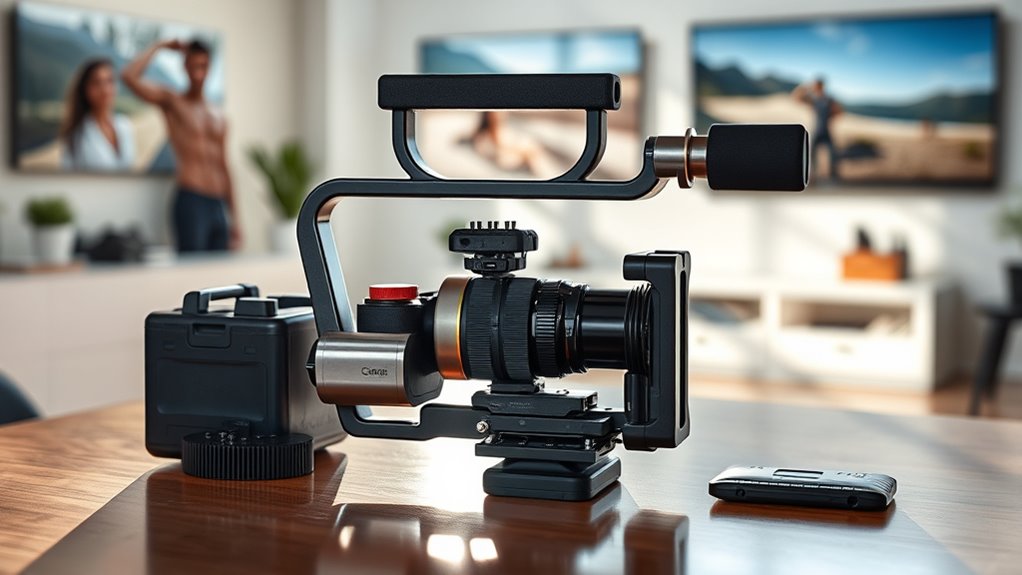
When I choose a gimbal stabilizer for videography, I focus on several key factors to guarantee I get the best performance. It’s essential to consider stabilization technology, compatibility with my devices, and how portable the gimbal is for my needs. Additionally, I pay attention to battery life and the user interface, as these features can markedly impact my shooting experience.
Stabilization Technology Importance
While selecting a gimbal stabilizer for videography, understanding the importance of stabilization technology is essential. Advanced features like 3-axis gimbals and anti-shake algorithms are indispensable for capturing smooth, professional-quality footage during movement. I’ve found that the effectiveness of stabilization can really be measured by how well it reduces shake and jitter, resulting in buttery-smooth videos, even in dynamic situations. It’s imperative to think about different methods, such as motorized gimbals versus electronic stabilization, as they impact performance and setup complexity. High-quality stabilization systems often come with intelligent features like subject tracking and gesture control, enhancing both stability and creative control. Ultimately, the sophistication of the stabilization algorithm determines how well the gimbal compensates for rapid camera movements, ensuring consistent shot quality.
Compatibility With Devices
Understanding stabilization technology sets the foundation for choosing the right gimbal, but compatibility with your devices is equally important. First, make sure the gimbal can handle your device’s size and weight; it should support smartphones up to 14.11 oz or cameras weighing at least 2 kg. Don’t forget to check if it’s compatible with your device’s operating system, whether that’s iOS, Android, or both, for smooth app integration. The mounting interface also matters—look for 1/4-20 threads or open platforms that fit your camera. Additionally, consider if the gimbal supports accessories like microphones or lights, which may need specific attachment points. Ensuring all these factors align will enhance your filming experience.
Weight and Portability
Choosing the right gimbal stabilizer means considering weight and portability, which can substantially impact your filming experience. I’ve found that lighter gimbals, typically under 1.5 pounds, enhance portability and reduce fatigue during long shoots. When I travel, I appreciate compact, foldable designs that make packing a breeze and allow for quick setups in various locations. It’s also essential to take into account the maximum payload capacity to ensure the gimbal can support my device without adding bulk or sacrificing mobility. While smaller gimbals are great for handheld use, larger models may offer more stability but at the cost of weight. Built-in tripods or extension handles can add versatility without markedly impacting the overall weight, making them a smart choice for any filmmaker.
Battery Life Considerations
How long do you plan to shoot without needing a recharge? When choosing a gimbal stabilizer, battery life is essential. Most models offer between 4 to 11 hours of operational time, so it’s important to select one that fits your shooting schedule. I always look for gimbals with higher mAh ratings, as they typically provide longer filming periods. Quick-charging features or pass-through charging can also be game-changers, allowing for minimal downtime. However, keep in mind that using active stabilization modes and additional features, like built-in lights, can drain the battery faster. Understanding your typical shoot length and factoring in these elements will help you make an informed decision and keep your filmmaking seamless.
User Interface and Controls
What makes a gimbal stabilizer easy to use? An intuitive user interface is key. I look for clearly labeled buttons and displays that let me make quick adjustments during shoots. Control options like dedicated dials, touchscreen controls, and remote apps are essential for achieving precise movement without interrupting filming. Compatibility with external remotes or smartphone apps offers versatile control, especially when I’m working solo. Features like gesture control, auto-tracking, and programmable presets streamline my workflow, enabling hands-free operation and instant mode switching. A well-designed control system minimizes user error, reduces setup time, and boosts overall filming efficiency, which is vital in dynamic videography scenarios. Choosing the right gimbal with a solid interface can truly elevate my filmmaking experience.
Shooting Modes and Features
An intuitive user interface lays the groundwork for a smooth filming experience, but the shooting modes and features a gimbal offers can truly enhance my creative options. When choosing a gimbal, I make sure it provides various shooting modes like Follow, Lock, FPV, and Spin Shot. These modes support different filming styles and creative effects. Advanced features like gesture control, Timelapse, Hyperlapse, and Motionlapse allow me to capture dynamic shots effortlessly. I also look for intelligent tracking tech, such as ActiveTrack or AI tracking, for precise subject following. Additionally, seamless switching between landscape and portrait orientations is essential for social media content. Built-in lights and extendable rods further expand my creative possibilities as a videographer.
Price and Value Comparison
While considering a gimbal stabilizer for my videography projects, I always weigh the price against the value it offers. It’s essential to compare different models based on their price points to find those that deliver the best features and performance for my budget. When evaluating value, I look at the balance between cost, stabilization quality, durability, and any included accessories. Higher-priced gimbals often come with advanced features like AI tracking and longer battery life, but these may not be necessary for casual use. Meanwhile, budget-friendly options can provide effective stabilization for beginners, though they might lack the durability and professional-grade features of premium models. User reviews and performance ratings are invaluable in determining the most reliable and cost-effective choice.
Frequently Asked Questions
What Is the Difference Between Gimbal Stabilizers and Traditional Tripods?
Gimbal stabilizers and traditional tripods serve different purposes in filmmaking. I find gimbals provide dynamic stability, allowing me to move smoothly while capturing action shots. They’re great for walking or running scenes. On the other hand, tripods offer solid support for static shots and are perfect for longer exposures. While gimbals create fluid motion, tripods ensure stability and precision. Depending on my project, I choose the one that fits my needs best.
How Do I Maintain My Gimbal Stabilizer for Longevity?
Like a well-tuned engine, a gimbal stabilizer needs regular care to run smoothly. To maintain mine for longevity, I always keep it clean, wiping down the motors and arms after each use. I check the battery levels consistently and store it in a protective case when not in use. Additionally, I periodically update the firmware to guarantee peak performance. These simple steps help me keep my gimbal in top shape for every shoot!
Can I Use a Gimbal Stabilizer for Photography?
Absolutely, you can use a gimbal stabilizer for photography! I often use mine to capture still images, especially in dynamic environments. The stabilizer helps eliminate camera shake, allowing for sharper photos, even in low-light situations. I’ve found it particularly useful for shooting long exposures and capturing moving subjects. Just remember to balance your camera properly on the gimbal for the best results, and you’ll be amazed at the clarity you can achieve!
What Are the Weight Limits for Different Gimbal Stabilizers?
Weight limits for gimbal stabilizers vary, typically ranging from 2 to 10 pounds. I’ve found that lighter models, around 2-4 pounds, work great for smaller cameras and smartphones, while heavier-duty ones can support full-sized DSLRs or mirrorless setups. It’s essential to check the specs of each gimbal before purchasing, as exceeding the weight limit can lead to poor stabilization and damage. Always match your equipment with the right stabilizer for the best results!
Is It Easy to Switch Between Different Cameras on the Same Gimbal?
Switching between different cameras on the same gimbal isn’t like juggling flaming swords, but it can feel a bit like it! I’ve found that with some practice, it’s pretty straightforward. Most gimbals have quick-release plates that make the process smooth. Just make certain the gimbal’s settings match your camera’s weight and balance. Once you get the hang of it, you’ll be switching cameras like a pro in no time!
Conclusion
In the world of videography, a gimbal stabilizer is like a steady compass guiding your creative journey. With the right tool in hand, you can transform shaky footage into cinematic masterpieces. Whether you’re capturing the vibrant chaos of a street festival or the serene beauty of nature, these gimbals will help you craft your story with precision. So, take the plunge, find your perfect match, and let your filmmaking dreams soar.

Sophia has a vibrant background in fashion and digital media from Milan, Italy. She leverages her extensive network in the fashion industry to create engaging content that resonates with our global audience, enhancing our online presence. Sophia is adept at crafting compelling narratives that captivate our followers.