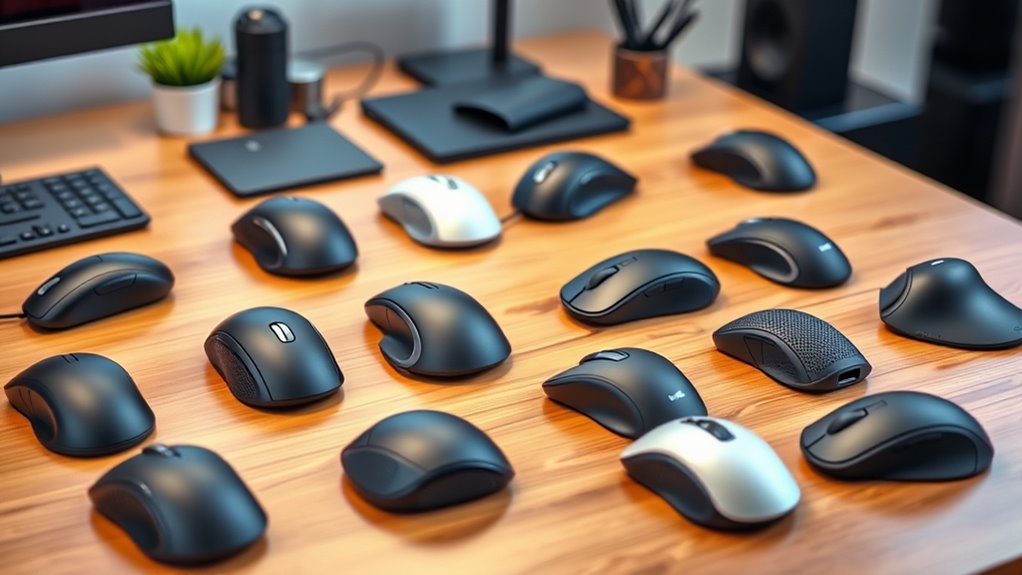

For ergonomic mice for wrist pain, I’d start with the Logitech Lift as the best overall choice for many users: its vertical shape and compact fit make it a practical everyday option. The Logitech MX Vertical is a more full-size premium alternative, while the Logitech ERGO M575S suits people who want to move the cursor with a stationary trackball rather than sweeping a mouse across the desk. The main tradeoffs are hand fit, adjustment to a new grip, and whether you prefer a vertical mouse or trackball. Connectivity, charging, and portability also separate the simpler models from the more flexible ones. Read on for the full breakdown of all 14 picks and help matching one to your workspace and needs.

Get your wardrobe favorites delivered free with Prime
- Fast, free delivery on millions of items
- Prime Video, Amazon Music and more included
- Member-only deals all year
Key Takeaways
- The Logitech Lift and MX Vertical fill different fit needs: the Lift is the more compact option, while the MX Vertical is aimed at users who prefer a larger, more substantial mouse.
- The ERGO M575S is the lineup’s distinct alternative: its stationary trackball avoids broad mouse movement, but it asks your thumb to do more cursor work.
- Connectivity separates flexible desk mice from basic picks: several TECKNET and Uineer models offer multiple connection modes or device switching, while simpler wireless options focus on straightforward use.
- Rechargeable models reduce disposable-battery upkeep: TECKNET, ProtoArc, and Lekvey include rechargeable options, though buyers should check charging habits and connection needs before choosing.
- Vertical design alone does not settle the fit question: hand size, grip, desk space, and comfort with a changed wrist-and-forearm position matter more than a model’s feature list.
| TECKNET Ergonomic Vertical Wireless Mouse, 4800 DPI, 3-Device Connectivity |  | Best for Multi-Device Use | Connectivity: Bluetooth 5.0/3.0 and 2.4 GHz USB-A | Device connections: Up to 3 | DPI levels: 800, 1200, 1600, 2400, 3200, 4800 | VIEW ON AMAZON | See Our Full Breakdown |
| Uineer A9 Wireless Vertical Ergonomic Mouse |  | Best for Small-to-Medium Hands | Connectivity: Bluetooth 5.0/4.0 and 2.4 GHz wireless | Device connections: Up to 3 | DPI settings: 800, 1200, 1600, 2400 | VIEW ON AMAZON | See Our Full Breakdown |
| TECKNET Wireless Ergonomic Vertical Mouse, 4800 DPI |  | Best for Simple, Single-Computer Setups | Connectivity: 2.4 GHz wireless via USB-A receiver | DPI settings: 800, 1600, 2400, 3200, 4800 | Tracking: Optical | VIEW ON AMAZON | See Our Full Breakdown |
| Seenda MOU-302 Wireless Bluetooth Ergonomic Vertical Mouse |  | Best Rechargeable Pick | Connectivity: Bluetooth and 2.4 GHz USB receiver | Device connections: Up to 3 | DPI settings: 1000, 1600, 2400 | VIEW ON AMAZON | See Our Full Breakdown |
| Uineer Ergonomic Wireless Vertical Mouse with Tri-Mode Connectivity |  | Best for Scroll and Navigation Controls | Connectivity: Bluetooth 5.0, Bluetooth 4.0, and 2.4 GHz USB receiver | Device switching: Up to 3 devices | DPI settings: 800, 1600, 2400, 3200 | VIEW ON AMAZON | See Our Full Breakdown |
| Logitech ERGO M575S Wireless Trackball Mouse, Graphite |  | Best for Minimizing Arm Movement | Movement detection: Trackball | Connectivity: Bluetooth and included Logi Bolt USB receiver | Hand orientation: Right-handed | VIEW ON AMAZON | See Our Full Breakdown |
| TECKNET Rechargeable Ergonomic Vertical Mouse, Bluetooth and 2.4 GHz Wireless |  | Best for Multi-Device Workstations | Design: Right-handed vertical mouse with 52° angle; fits S/M hands | Connectivity: Bluetooth 5.0/3.0 and 2.4 GHz USB-A receiver | Device switching: Up to 3 devices | VIEW ON AMAZON | See Our Full Breakdown |
| Anker 2.4 GHz Wireless Vertical Ergonomic Mouse |  | Best Simple Vertical Starter | Design: Right-handed vertical ergonomic mouse | Connectivity: 2.4 GHz wireless via USB receiver | Tracking: Optical | VIEW ON AMAZON | See Our Full Breakdown |
| Philips SPK7628 Ergonomic Wireless Vertical Mouse |  | Best for Small and Medium Hands | Design: 57° right-handed vertical ergonomic | Recommended hand length: Up to 7 inches | Connectivity: 2.4 GHz wireless via USB-A receiver | VIEW ON AMAZON | See Our Full Breakdown |
| Logitech MX Vertical Wireless Ergonomic Mouse |  | Best Premium Vertical Option | Design: 57° vertical angle | Connectivity: USB and Bluetooth Low Energy | Sensor: Optical | VIEW ON AMAZON | See Our Full Breakdown |
| ProtoArc EM11 NL Rechargeable Wireless Ergonomic Vertical Mouse |  | Best for Switching Between Devices | Connectivity: Bluetooth and 2.4G USB-A receiver | Device connections: Up to 3 | Hand orientation: Right-handed | VIEW ON AMAZON | See Our Full Breakdown |
| Logitech Lift Vertical Ergonomic Wireless Mouse, Graphite |  | Best for a Lighter, More Refined Fit | Hand orientation: Right-handed | Weight: 125 g | Dimensions: 108 × 70 × 71 mm | VIEW ON AMAZON | See Our Full Breakdown |
| Lekvey Ergonomic Mouse, Rechargeable Vertical Wireless Mouse, Green Purple |  | Best for Simple, Long-Running Wireless Use | Connectivity: 2.4 GHz USB nano receiver | Battery life: Up to 150 hours | Charging: USB-C; adapter required for Mac with USB-C only | VIEW ON AMAZON | See Our Full Breakdown |
| Lekvey Rechargeable Wireless Vertical Ergonomic Mouse |  | Best for Straightforward USB-Receiver Setup | Design: Right-handed vertical ergonomic | Connectivity: 2.4 GHz wireless via nano USB receiver | DPI settings: 800, 1200, or 1600 | VIEW ON AMAZON | See Our Full Breakdown |
| ergonomic mice for wrist pain | Connectivity | Buttons | Hand orientation | Battery |
|---|---|---|---|---|
| TECKNET Ergonomic Vertical Wir | Bluetooth 5.0/3.0 and 2.4 GHz USB-A | 6 | Right-handed | 2 AAA batteries, not included |
| Uineer A9 Wireless Vertical Er | Bluetooth 5.0/4.0 and 2.4 GHz wireless | 6 | Right-handed | — |
| TECKNET Wireless Ergonomic Ver | 2.4 GHz wireless via USB-A receiver | 6 | Right-handed | 2 AAA batteries required; not included |
| Seenda MOU-302 Wireless Blueto | Bluetooth and 2.4 GHz USB receiver | 7 | Right-handed | — |
| Uineer Ergonomic Wireless Vert | Bluetooth 5.0, Bluetooth 4.0, and 2.4 GHz USB receiver | 6 | Right-handed | — |
| Logitech ERGO M575S Wireless T | Bluetooth and included Logi Bolt USB receiver | 2 listed | Right-handed | 1 included AA battery |
| TECKNET Rechargeable Ergonomic | Bluetooth 5.0/3.0 and 2.4 GHz USB-A receiver | 6, including forward and back buttons | — | 600 mAh rechargeable |
| Anker 2.4 GHz Wireless Vertica | 2.4 GHz wireless via USB receiver | 5 | — | — |
| Philips SPK7628 Ergonomic Wire | 2.4 GHz wireless via USB-A receiver | 6 | — | 1 included battery |
| Logitech MX Vertical Wireless | USB and Bluetooth Low Energy | 4 | Right-handed | Rechargeable lithium polymer |
| ProtoArc EM11 NL Rechargeable | Bluetooth and 2.4G USB-A receiver | 7 | Right-handed | 500 mAh Li-ion, rechargeable via USB-C |
| Logitech Lift Vertical Ergonom | Bluetooth Low Energy or Logi Bolt USB receiver | 6 | Right-handed | 1 AA battery |
| Lekvey Ergonomic Mouse | 2.4 GHz USB nano receiver | 6, including Page Back/Forward | — | — |
| Lekvey Rechargeable Wireless V | 2.4 GHz wireless via nano USB receiver | 6 | — | — |
More Details on Our Top Picks
TECKNET Ergonomic Vertical Wireless Mouse, 4800 DPI, 3-Device Connectivity
The three-device switching makes this TECKNET a practical pick for someone moving between a work computer, personal laptop, and another compatible device. Its vertical shape encourages a handshake grip, which may feel less demanding than a conventional flat mouse for some users with wrist discomfort. Compared with the single-receiver TECKNET TK-MS007, this model adds Bluetooth and device switching, while retaining a top sensitivity of 4800 DPI and quiet main clicks. That flexibility comes with setup tradeoffs: it needs two AAA batteries, and its USB connection is USB-A. It is also right-handed, and the side buttons do not work on macOS, so Mac users should not count on every control. I’d choose it over the simpler TECKNET when multi-device convenience matters more than a rechargeable battery.
Pros:- Vertical form supports a more handshake-like wrist position
- Switches among up to three devices using Bluetooth and 2.4 GHz USB-A
- Six DPI levels, ranging from 800 to 4800, allow tracking-speed adjustment
- Quiet left and right clicks suit shared or quiet workspaces
Cons:- Requires two AAA batteries, which are not included
- Right-handed shape excludes left-handed users
- Side buttons are not compatible with macOS
Best for: Right-handed users who alternate among up to three computers or tablets and want a vertical grip with both Bluetooth and USB-A receiver options.
Not ideal for: Left-handed users, Mac users who rely on side navigation buttons, and buyers who prefer a rechargeable mouse or have USB-C-only computers without an adapter.
- Connectivity:Bluetooth 5.0/3.0 and 2.4 GHz USB-A
- Device connections:Up to 3
- DPI levels:800, 1200, 1600, 2400, 3200, 4800
- Buttons:6
- Hand orientation:Right-handed
- Battery:2 AAA batteries, not included
- Dimensions and weight:4.74 × 2.49 inches; 4.32 ounces
- Compatibility:Windows, Mac, Chrome, Linux
Our verdict“Choose this TECKNET if you want a right-handed vertical mouse that can switch among three devices; skip it if rechargeable power or dependable Mac side buttons are priorities.”
Uineer A9 Wireless Vertical Ergonomic Mouse
The Uineer A9 is a straightforward fit for right-handed users with small-to-medium hands who want a vertical grip and broad device compatibility. Its handshake-style shape may reduce the forearm rotation associated with a flat mouse, though a vertical design is not a guaranteed fix for wrist pain. Compared with the TECKNET 4800 DPI, 3-Device Connectivity, the A9 offers a lower 2400 DPI ceiling but also lists support for Android and newer iOS devices. Both switch among three devices; the A9 adds ambient lighting and a sleep mode, while using a C battery rather than the TECKNET’s two AAA cells. Its stated hand-size fit is restrictive, and the side buttons do not work on macOS. I’d favor it for compact-hand fit and mobile compatibility, not for larger hands or Mac shortcut use.
Pros:- Vertical shape encourages a handshake grip rather than a flat, palm-down hold
- Bluetooth and 2.4 GHz connections support switching among up to three devices
- Compatibility includes Windows, Linux, Android, and iOS 13 or later
- Four DPI settings and sleep mode provide basic tracking adjustment and power saving
Cons:- Recommended only for small-to-medium hands
- Side buttons do not function on macOS
- Uses a C battery, which may be less convenient to replace than common AA or AAA cells
Best for: Right-handed users with small-to-medium hands who want a vertical mouse that can connect to desktop and mobile operating systems.
Not ideal for: People with larger hands, left-handed users, and Mac users who expect the side buttons to provide navigation.
- Connectivity:Bluetooth 5.0/4.0 and 2.4 GHz wireless
- Device connections:Up to 3
- DPI settings:800, 1200, 1600, 2400
- Buttons:6
- Hand orientation:Right-handed
- Power:Battery-powered; 1 C battery included
- Dimensions and weight:4.8 × 3.03 inches; 120 g
- Compatibility:Windows 7 or later, Mac OS X, Linux, Android, iOS 13 or later
Our verdict“Pick the A9 if your hands are small to medium and you need multi-device support across desktop and mobile systems, but look elsewhere if you have larger hands or need Mac side buttons.”
TECKNET Wireless Ergonomic Vertical Mouse, 4800 DPI
This TECKNET suits a buyer who wants a no-frills vertical mouse for one computer rather than multi-device switching. Its right-handed shape encourages a handshake grip, while five DPI settings let users tune pointer speed without software. Compared with the TECKNET 3-Device Connectivity model, it gives up Bluetooth and device switching but keeps 4800 DPI tracking, quiet clicks, and forward/back buttons for browsing. The 49-foot wireless range is generous, though it is unlikely to matter at most desks. A USB-A receiver can be awkward with USB-C-only laptops, and the side buttons are not supported on Mac systems. Two AAA batteries are required and not included. I’d choose this over the more connected TECKNET only when a single receiver connection and a simpler setup are the priority.
Pros:- Vertical design encourages a handshake grip that may feel more natural than a flat mouse
- Five DPI settings reach up to 4800 for different pointer-speed preferences
- Quiet clicks and forward/back buttons support quieter browsing
- Listed wireless range extends up to 49 feet
Cons:- Connects through a USB-A receiver only, with no Bluetooth option
- Requires two AAA batteries, not included
- Side buttons are not supported on Mac systems
Best for: Right-handed Windows or Linux users who want a basic vertical mouse with adjustable tracking and browser navigation buttons for one computer.
Not ideal for: People who switch between devices, Mac users who need side-button support, left-handed users, or anyone with a USB-C-only computer and no adapter.
- Connectivity:2.4 GHz wireless via USB-A receiver
- DPI settings:800, 1600, 2400, 3200, 4800
- Tracking:Optical
- Buttons:6
- Hand orientation:Right-handed
- Battery:2 AAA batteries required; not included
- Wireless range:Up to 49 feet
- Compatibility:Windows 11/10/8/7/XP/Vista and Linux
Our verdict“Choose this model for a straightforward vertical mouse on one Windows or Linux computer; opt for the other TECKNET if you need Bluetooth or three-device switching.”
Seenda MOU-302 Wireless Bluetooth Ergonomic Vertical Mouse
The Seenda MOU-302 stands apart from the two battery-powered TECKNET options with a 500 mAh rechargeable battery and USB-C charging. That removes the need to keep AAA batteries on hand, while its Bluetooth and 2.4 GHz receiver connections cover up to three devices. For wrist-pain shoppers, its natural handshake grip is the main ergonomic draw; the volume knob is a convenience extra, not a reason to choose it for wrist support. Compared with the Uineer A9, the Seenda is rechargeable and includes volume control, but both are described as better suited to small or medium hands. Its three DPI settings are fewer than the TECKNET 4800 DPI models, and the right-handed shape rules out left-handed use. I’d pick it for rechargeable convenience, not for extensive sensitivity tuning or a large-hand fit.
Pros:- Vertical handshake grip is designed to reduce the need for a flat, palm-down hold
- Bluetooth and 2.4 GHz receiver support connections to up to three devices
- USB-C charging avoids disposable battery replacement
- Quiet clicks and a volume-control knob add desk convenience
Cons:- Described as suitable for small-to-medium hands
- Right-handed shape does not suit left-handed users
- Only three listed DPI settings, fewer than the TECKNET 4800 DPI models
Best for: Right-handed users with small-to-medium hands who want a rechargeable vertical mouse for switching among computers or mobile devices.
Not ideal for: Left-handed users, people with larger hands, and buyers who want a wide range of DPI settings or do not need a volume-control knob.
- Connectivity:Bluetooth and 2.4 GHz USB receiver
- Device connections:Up to 3
- DPI settings:1000, 1600, 2400
- Buttons:7
- Hand orientation:Right-handed
- Battery and charging:500 mAh rechargeable battery; USB-C
- Battery life:Up to 2 months per charge
- Compatibility:Windows, macOS, iOS/iPadOS, Android, Chrome OS
Our verdict“Choose the Seenda if rechargeable power and multi-device connections matter more than broad DPI adjustment or a fit for larger hands.”
Uineer Ergonomic Wireless Vertical Mouse with Tri-Mode Connectivity
The Uineer’s distinguishing feature is its combination of a side scroll wheel and forward/back buttons, making it the most control-rich choice here for users who navigate long documents or web pages. Its vertical grip is intended to reduce wrist discomfort, but the listed 1–2 week adaptation period is a real part of the switch from a conventional mouse. Compared with the Seenda MOU-302, this Uineer adds side scrolling and RGB lighting, while both offer USB-C charging and up to three device connections. It also has three wireless modes, including Bluetooth 5.0 and 4.0 plus a USB receiver. The tradeoff is a learning curve and a right-handed design; its four DPI settings top out at 3200, below the TECKNET models’ 4800. I’d choose it for navigation controls, not for immediate familiarity or left-handed use.
Pros:- Three wireless modes support switching among up to three devices
- Rechargeable 500 mAh battery charges through USB-C
- Side scroll wheel and forward/back buttons add navigation options
- Silent buttons and four DPI settings support quieter, adjustable use
Cons:- The vertical shape may take 1–2 weeks to get used to
- Right-handed design does not suit left-handed users
- Maximum sensitivity of 3200 DPI is lower than the TECKNET 4800 DPI models
Best for: Right-handed users who work through long documents or web pages and want side scrolling, navigation buttons, and connections to multiple devices.
Not ideal for: Left-handed users, people who need a familiar mouse feel immediately, and buyers who prioritize a higher maximum DPI over extra navigation controls.
- Connectivity:Bluetooth 5.0, Bluetooth 4.0, and 2.4 GHz USB receiver
- Device switching:Up to 3 devices
- DPI settings:800, 1600, 2400, 3200
- Buttons:6
- Hand orientation:Right-handed
- Battery and charging:500 mAh rechargeable; USB-C, approximately 2 hours
- Weight:3.2 ounces (105 grams)
- Features:Silent buttons, side scroll wheel, forward/back buttons, 7-color RGB lighting
Our verdict“Pick this Uineer for side scrolling and multi-device flexibility if you can allow time to adapt to a vertical grip.”
Logitech ERGO M575S Wireless Trackball Mouse, Graphite
For wrist pain that worsens with repeated mouse travel, I’d put the Logitech ERGO M575S near the top of the shortlist: its thumb-operated trackball moves the pointer while the mouse stays put, limiting hand and arm movement across the desk. That makes it a different kind of option from the Logitech MX Vertical, which changes the wrist angle but still needs to be moved around. The M575S’s sculpted, right-handed shape and Bluetooth or Logi Bolt connection suit a fixed workstation or a tablet setup, while its long stated battery life reduces battery changes. The tradeoff is a learning curve for thumb control, and the right-hand-only design rules it out for left-handed users. Its listed two-button layout is also simpler than the multi-button TECKNET model, and control customization requires Logi Options+.
Pros:- Trackball pointer control keeps the mouse stationary and reduces repeated arm movement.
- Bluetooth and included Logi Bolt receiver support different computer setups.
- Battery life is rated for up to 18 months on one included AA battery.
- Graphite plastic parts contain 52% certified post-consumer recycled plastic.
Cons:- Right-handed shape excludes left-handed users.
- Thumb-operated tracking may take practice and can be uncomfortable for some thumb-sensitive users.
- Only two buttons are listed, and control customization requires Logi Options+.
Best for: Right-handed desk workers whose wrist or arm discomfort is aggravated by frequent mouse movement and who are willing to learn thumb-operated tracking.
Not ideal for: Left-handed users, people who prefer a conventional moving mouse, or buyers who want numerous onboard buttons without companion software.
- Movement detection:Trackball
- Connectivity:Bluetooth and included Logi Bolt USB receiver
- Hand orientation:Right-handed
- Buttons:2 listed
- Maximum sensitivity:2000 DPI
- Battery:1 included AA battery
- Battery life:Up to 18 months
- Recycled plastic content:52% for Graphite
Our verdict“Choose the M575S if reducing mouse travel matters more to you than keeping a conventional pointer design.”
TECKNET Rechargeable Ergonomic Vertical Mouse, Bluetooth and 2.4 GHz Wireless
Among these picks, the TECKNET Rechargeable Vertical Mouse is the clearest fit for someone switching between several computers or tablets: it can connect to up to three devices through Bluetooth or its USB-A receiver. Its 52° grip angle offers a handshake-style alternative to the conventional posture of a standard mouse, and the six-button layout adds forward and back controls. Compared with the Philips SPK7628, TECKNET offers broader device switching and adjustable sensitivity up to 4800 DPI, but Philips is the quieter choice for left and right clicks. This TECKNET is shaped for right hands in the S/M range, so fit is a real constraint for larger hands. Mac users should also note that its forward and back buttons are unavailable there. The rechargeable battery avoids disposable cells, though its stated runtime is shorter than the M575S’s.
Pros:- Connects to and switches among up to three devices.
- 52° vertical angle offers a handshake-style grip.
- Six buttons and six DPI settings up to 4800 support varied workflows.
- Rechargeable battery is rated for up to two months per charge and charges over USB-C.
Cons:- Designed for right-handed users with S/M hands.
- Forward and back buttons are unavailable on Mac.
- Battery runtime is shorter than the M575S’s stated life and depends on charging.
Best for: Right-handed users with small or medium hands who regularly switch among up to three Bluetooth or USB-A devices.
Not ideal for: Left-handed users, people with large hands, or Mac users who rely on forward and back buttons.
- Design:Right-handed vertical mouse with 52° angle; fits S/M hands
- Connectivity:Bluetooth 5.0/3.0 and 2.4 GHz USB-A receiver
- Device switching:Up to 3 devices
- Buttons:6, including forward and back buttons
- DPI:6 levels, 800–4800 DPI
- Battery:600 mAh rechargeable
- Battery life:Up to 2 months per charge
- Charging:USB-C; approximately 1.5 hours
- Compatibility:Windows, macOS, Android, Chrome OS, Linux, and iOS
Our verdict“Pick this TECKNET if you have a right-handed S/M fit and want one vertical mouse for several devices.”
Anker 2.4 GHz Wireless Vertical Ergonomic Mouse
The Anker 2.4 GHz Vertical Mouse makes the most sense for someone trying a vertical grip without needing Bluetooth, rechargeable power, or a high-sensitivity sensor. Its three DPI settings—800, 1200, and 1600—cover basic pointer-speed adjustments, while five buttons include next and previous controls for browsing. Compared with the TECKNET Rechargeable Vertical Mouse, Anker is more limited: it lacks multi-device switching and rechargeable power, and its sensitivity tops out lower. In return, the feature set is straightforward, with a USB receiver and automatic power-saving mode after inactivity. Its vertical shape is intended to support a more neutral wrist posture, but it cannot guarantee pain relief or suit every hand. Clicks are audible, and the two AAA batteries are not included, so factor in the extra setup.
Pros:- Vertical design is intended to support a more neutral hand and wrist position.
- Three DPI settings allow basic cursor-speed adjustment.
- Next and previous buttons make webpage navigation easier.
- Automatic power-saving mode activates after eight minutes of inactivity.
Cons:- Requires two AAA batteries, which are not included.
- USB receiver connectivity offers less flexibility than the Bluetooth-capable TECKNET.
- Clicks are audible, which may be distracting in quiet shared spaces.
Best for: Right-handed buyers new to vertical mice who want basic DPI adjustment and browser buttons for a single USB-equipped computer.
Not ideal for: People seeking quiet clicks, Bluetooth or multi-device connectivity, rechargeable power, or an out-of-box battery supply.
- Design:Right-handed vertical ergonomic mouse
- Connectivity:2.4 GHz wireless via USB receiver
- Tracking:Optical
- DPI:800, 1200, or 1600
- Buttons:5
- Dimensions:120 × 62.8 × 74.8 mm
- Batteries:2 AAA required; not included
- Power saving:After 8 minutes of inactivity
- Warranty:18 months
Our verdict“Choose Anker for a straightforward first vertical mouse if a USB receiver and replaceable batteries suit your setup.”
Philips SPK7628 Ergonomic Wireless Vertical Mouse
Fit is the reason I’d choose the Philips SPK7628 over a larger vertical mouse: its 57° shape is specified for small and medium right hands, with hand length up to 7 inches. That guidance gives size-conscious shoppers a clearer starting point than the Logitech MX Vertical, whose listed details do not specify a hand-length range. Philips also has six buttons and quiet left and right clicks, a useful combination for office work where click noise matters. It is less flexible than the rechargeable Logitech, though: Philips uses a 2.4 GHz USB-A receiver rather than Bluetooth, and its three DPI settings stop at 1600. A battery is included, but USB-C-only devices need an adapter that is not supplied. If your hand is larger or you need Bluetooth, this is a poor fit despite the ergonomic angle.
Pros:- 57° vertical design is sized for small and medium right hands up to 7 inches long.
- Quiet left and right clicks suit shared or low-noise workspaces.
- Six buttons and three DPI settings support routine productivity tasks.
- One battery is included, and the mouse has a 10-meter wireless range.
Cons:- Uses a USB-A receiver rather than Bluetooth.
- USB-C-only devices require an adapter that is not included.
- The specified hand-size fit may exclude users with larger hands.
Best for: Right-handed users with hands up to 7 inches long who want a quiet-click vertical mouse for a USB-A computer.
Not ideal for: People with larger hands, left-handed users, or buyers whose computer has only USB-C ports and no adapter.
- Design:57° right-handed vertical ergonomic
- Recommended hand length:Up to 7 inches
- Connectivity:2.4 GHz wireless via USB-A receiver
- Buttons:6
- DPI:800, 1200, and 1600
- Movement detection:Optical
- Wireless range:10 meters
- Battery:1 included battery
- Warranty:12 months
Our verdict“Pick the Philips if you have a small or medium right hand and prioritize quiet clicks over Bluetooth connectivity.”
Logitech MX Vertical Wireless Ergonomic Mouse
The Logitech MX Vertical stands out for buyers who want a more capable vertical mouse with both Bluetooth and USB connectivity. Its 57° angle encourages a handshake-style wrist position, while the 4000 DPI sensor and on-the-fly speed switch let users adjust pointer movement without changing software settings. Compared with the Philips SPK7628, MX Vertical offers higher maximum sensitivity and rechargeable power, but Philips specifies a hand-length range and quiet left and right clicks; those details may matter more than sensor headroom for some buyers. The Logitech is right-handed only, and its four-button layout is less extensive than the six-button TECKNET. Its battery is rated for up to four months, with actual life varying by use. This is a strong feature-led choice, but not a substitute for checking that the shape fits your hand.
Pros:- 57° vertical shape supports a handshake-style hand position.
- 4000 DPI optical sensor includes an on-the-fly cursor-speed switch.
- Bluetooth Low Energy and USB connectivity support different setups.
- Rechargeable battery is rated for up to four months per charge.
Cons:- Designed for right-handed use only.
- Four buttons provide fewer controls than the six-button TECKNET and Philips options.
- Battery life varies with use and computing conditions.
Best for: Right-handed users seeking a vertical mouse with Bluetooth, USB connectivity, rechargeable power, and adjustable high cursor sensitivity.
Not ideal for: Left-handed buyers, people who need a specified small-hand fit, or users who prioritize six-button controls and quiet clicks.
- Design:57° vertical angle
- Connectivity:USB and Bluetooth Low Energy
- Sensor:Optical
- Maximum sensitivity:4000 DPI
- Buttons:4
- Hand orientation:Right-handed
- Wireless range:10 m
- Battery:Rechargeable lithium polymer
- Battery life:Up to 4 months
Our verdict“Choose the MX Vertical if you want a rechargeable, Bluetooth-capable vertical mouse with finer cursor-speed adjustment.”
ProtoArc EM11 NL Rechargeable Wireless Ergonomic Vertical Mouse
The ProtoArc EM11 NL is a practical fit for right-handed users with small to medium hands who want one vertical mouse for several computers. Its three-device connectivity lets you pair through Bluetooth or the included 2.4G USB-A receiver, a useful distinction from the receiver-only Lekvey options. The rechargeable USB-C battery also avoids routine battery replacement, while three DPI settings let you choose slower, steadier pointer movement or quicker travel across a screen.
Its 250 g listed weight is substantially heavier than the Logitech Lift, and the vertical grip may take a week or two to feel familiar. Mac users should also note that the forward and back buttons do not work on that system, and a USB-C receiver is not included. I’d choose it for multi-device flexibility, not for the lightest feel or seamless Mac navigation.
Pros:- Connects to up to three devices using Bluetooth and a 2.4G USB-A receiver
- Rechargeable 500 mAh battery charges through USB-C
- Three DPI settings accommodate different pointer speeds
- Quiet left and right clicks suit shared or quiet workspaces
Cons:- At 250 g, it is heavier than the Logitech Lift
- The vertical shape may require one to two weeks of adjustment
- Forward and back buttons are incompatible with Mac, and no USB-C receiver is included
Best for: Right-handed users with small to medium hands who regularly switch among a laptop, desktop, and tablet.
Not ideal for: Mac users who rely on forward and back buttons, or anyone who wants a light mouse and a USB-C receiver included.
- Connectivity:Bluetooth and 2.4G USB-A receiver
- Device connections:Up to 3
- Hand orientation:Right-handed
- Recommended hand length:Under 7.5 in (19.05 cm)
- Battery:500 mAh Li-ion, rechargeable via USB-C
- DPI:1000, 1600, or 2400
- Buttons:7
- Weight and dimensions:250 g; 5.43 × 2.72 in (L × W)
Our verdict“Choose the ProtoArc EM11 NL if multi-device pairing matters more than a lightweight build or fully functional Mac navigation buttons.”
Logitech Lift Vertical Ergonomic Wireless Mouse, Graphite
The Logitech Lift is the most polished fit here for right-handed users with small to medium hands who want a defined vertical grip without a bulky feel. Its 57-degree angle, textured surface, and thumb rest are intended to support a more neutral wrist and forearm position, while its 125 g weight is much lower than the ProtoArc EM11 NL’s listed 250 g. That lighter feel may appeal to people who move a mouse frequently throughout the day.
The SmartWheel and customizable buttons add control that the simpler Lekvey models lack, but button changes require Logitech Options+ software. It also uses a replaceable AA battery rather than USB-C charging, so the ProtoArc is the better match for users who prefer rechargeable hardware. This is a focused ergonomic choice, not a fit for left-handed users or larger hands.
Pros:- 57-degree vertical angle with textured grip and thumb rest
- 125 g weight is lighter than the ProtoArc EM11 NL
- SmartWheel and customizable buttons add scrolling and control options
- Bluetooth and Logi Bolt connectivity support different setups
Cons:- Right-handed shape is designed for small to medium hands
- Custom button assignments require Logi Options+ software
- Uses one AA battery rather than a rechargeable USB-C battery
Best for: Right-handed users with small to medium hands who want a lighter vertical mouse, a thumb rest, and scrolling and button options.
Not ideal for: Left-handed users, people with larger hands, or buyers who want USB-C charging and hardware button customization without desktop software.
- Hand orientation:Right-handed
- Weight:125 g
- Dimensions:108 × 70 × 71 mm
- Tracking:Optical, up to 4000 DPI
- Connectivity:Bluetooth Low Energy or Logi Bolt USB receiver
- Battery:1 AA battery
- Battery life:Up to 24 months
- Buttons:6
Our verdict“Pick the Logitech Lift if its lighter build and tailored grip matter more to you than USB-C charging or a larger-hand fit.”
Lekvey Ergonomic Mouse, Rechargeable Vertical Wireless Mouse, Green Purple
The Lekvey Green Purple vertical mouse keeps the setup straightforward: plug in its 2.4 GHz nano receiver, choose among three DPI levels, and work without managing Bluetooth pairing. Its claimed 150-hour battery life and quiet clicks suit people who want a basic wireless option for long stretches at a desk. Compared with the ProtoArc EM11 NL, it gives up multi-device connections but weighs just 95 g, making it the lighter listed choice.
That simplicity comes with fit and port tradeoffs. The mouse may feel too large for small hands, while MacBook users with USB-C-only ports need an adapter for its USB-A receiver. Its DPI tops out at 1600, below the Logitech Lift’s stated 4000 DPI, so it is less suited to users who need faster pointer movement. I’d put hand fit and receiver compatibility ahead of the long battery claim.
Pros:- Listed weight of 95 g is lower than the ProtoArc EM11 NL
- Claimed battery life of up to 150 hours per charge
- Three DPI settings and quiet clicks support everyday work
- Plug-and-play 2.4 GHz receiver keeps setup simple
Cons:- May be too large for users with small hands
- USB-A receiver requires an adapter for USB-C-only MacBooks
- Three DPI settings top out at 1600, below the Logitech Lift’s stated maximum
Best for: Users who want a lightweight, receiver-based vertical mouse for a single computer and do not need high DPI or multi-device pairing.
Not ideal for: People with small hands, MacBook owners without a USB-A adapter, or users who want Bluetooth connectivity or a higher DPI ceiling.
- Connectivity:2.4 GHz USB nano receiver
- Battery life:Up to 150 hours
- Charging:USB-C; adapter required for Mac with USB-C only
- DPI levels:800, 1200, or 1600
- Buttons:6, including Page Back/Forward
- Weight:3.36 oz (95 g)
- Dimensions:5 × 3 × 2.5 in
- Compatibility:Windows 2000–10, Linux, and macOS
Our verdict“Choose this Lekvey if you want a light, basic receiver-based mouse and its size and USB-A connection suit your setup.”
Lekvey Rechargeable Wireless Vertical Ergonomic Mouse
This Lekvey Rechargeable Wireless Vertical Mouse is a no-frills option for right-handed users who want a vertical shape, three pointer-speed settings, and a familiar USB receiver. Its USB-C charging and stated 150-hour battery life reduce the need for frequent battery changes, while the six-button layout includes page navigation controls. Unlike the ProtoArc EM11 NL, it does not offer Bluetooth or connections to multiple devices; that makes it simpler, but less flexible for a desk shared by several computers.
The 5 × 3 × 2.5-inch body may suit users who prefer a substantial grip, though it can be too large for smaller hands. The forward and back buttons do not work on Mac, and none of the buttons are programmable, unlike the Logitech Lift’s customizable controls. I’d select it for basic receiver-based use, not for people who need Mac navigation shortcuts or tailored button assignments.
Pros:- USB-C charging with stated battery life of up to 150 hours
- Three DPI settings provide basic pointer-speed adjustment
- USB receiver offers a simple plug-and-play connection
- Includes six buttons, including page navigation controls
Cons:- Forward and back buttons are not compatible with Mac OS
- Buttons are non-programmable, unlike those on the Logitech Lift
- The body may be too large for users with small hands
Best for: Right-handed users who want a rechargeable vertical mouse with a USB receiver and basic page navigation for Windows or Linux.
Not ideal for: Mac users who depend on forward and back buttons, people with small hands, or buyers who want Bluetooth, multi-device pairing, or programmable buttons.
- Design:Right-handed vertical ergonomic
- Connectivity:2.4 GHz wireless via nano USB receiver
- DPI settings:800, 1200, or 1600
- Buttons:6
- Battery life:Up to 150 hours
- Charging:USB-C
- Dimensions and weight:5 × 3 × 2.5 in; 3.36 oz
- Wireless range:10 m
- Warranty:36 months
Our verdict“Choose this Lekvey for simple rechargeable, receiver-based use if its size fits your hand and you do not need Mac navigation buttons.”

How We Picked
I ranked these 14 ergonomic mice for wrist pain by how well their design and practical features address different sources of discomfort, not by treating every vertical mouse as interchangeable. I compared grip style, likely hand fit, cursor-control approach, connection options, power setup, and suitability for everyday desk use. A trackball earned a distinct place because it limits mouse travel, while vertical models were judged on the tradeoff between a more upright grip and the adjustment that grip can require.
The order gives priority to usable ergonomic design and versatility, then considers fit range, ease of setup, and upkeep. Logitech’s Lift, MX Vertical, and ERGO M575S lead because they represent clearly differentiated approaches rather than repeating one basic shape. Flexible multi-device and rechargeable models follow for buyers with particular desk or power needs; simpler options remain useful where straightforward operation matters more than added controls. No mouse can diagnose or treat wrist pain, and the best fit depends on the individual.
| ergonomic mice for wrist pain | Battery life |
|---|---|
| TECKNET Ergonomic Vertical Wir | — |
| Uineer A9 Wireless Vertical Er | — |
| TECKNET Wireless Ergonomic Ver | — |
| Seenda MOU-302 Wireless Blueto | Up to 2 months per charge |
| Uineer Ergonomic Wireless Vert | — |
| Logitech ERGO M575S Wireless T | Up to 18 months |
| TECKNET Rechargeable Ergonomic | Up to 2 months per charge |
| Anker 2.4 GHz Wireless Vertica | — |
| Philips SPK7628 Ergonomic Wire | — |
| Logitech MX Vertical Wireless | Up to 4 months |
| ProtoArc EM11 NL Rechargeable | — |
| Logitech Lift Vertical Ergonom | Up to 24 months |
| Lekvey Ergonomic Mouse | Up to 150 hours |
| Lekvey Rechargeable Wireless V | Up to 150 hours |
Factors to Consider When Choosing Ergonomic Mice For Wrist Pain
Choosing a mouse for wrist discomfort involves more than picking the most upright silhouette. I’d use these factors to narrow the style and fit before comparing extra features.
Match the Shape to Your Hand and Grip
A vertical mouse changes how your hand rests, but its size and contour determine whether that position feels natural. A compact model may suit a smaller hand, while a larger body can give a broader hand more support; neither label guarantees a good fit. Check the manufacturer’s dimensions and compare them with a mouse that already feels comfortable. If your fingers reach awkwardly for the buttons or your hand feels stretched, the shape may not suit you. Avoid choosing by appearance alone, since a steep angle can feel unfamiliar at first. A comfortable grip should let you reach the controls without clenching.
Choose Between a Vertical Mouse and a Trackball
Vertical mice still move across the desk, so they can reduce the need for a flat, palm-down grip without removing arm movement. A trackball such as the ERGO M575S keeps the device in one place and shifts cursor control to the thumb. That can help when desk space is limited or repeated mouse travel is uncomfortable, but it may put extra repetitive work on the thumb. Buyers with thumb sensitivity should be cautious about assuming a trackball will feel better. If possible, try each control style before committing, since the learning curve and comfort pattern differ. The right choice depends on which movement you want to change.
Check Desk Setup Before Blaming the Mouse
A mouse cannot compensate for a workstation that forces your arm to reach or your wrist to bend. Keep the device close enough that your elbow can stay near your side, and make sure the desk and chair allow your forearm to rest comfortably. A wide keyboard or cluttered surface can push the mouse too far away, so reorganizing the workspace may help before buying. Avoid gripping the mouse tightly or anchoring your wrist against a hard edge. Small changes to placement can make more difference than extra DPI settings or buttons. If discomfort persists or worsens, seek guidance from a qualified health professional.
Decide How Much Connectivity You Actually Need
Multi-device connectivity is useful if you switch among a laptop, desktop, or tablet, but it adds little for a single-computer setup. Several TECKNET and Uineer models in this lineup offer more connection flexibility than basic wireless choices. Before paying attention to connection modes, confirm that the mouse supports the ports and wireless standards your devices use. A small receiver can be handy on a desktop but awkward for a thin laptop with few ports. Bluetooth can reduce receiver dependence, though pairing and switching behavior vary by model. Choose the simplest setup that fits your daily routine.
Balance Rechargeable Power With Upkeep
Rechargeable mice remove the need to keep spare disposable batteries, while battery-powered designs can be easier to keep running with a quick swap. Think about whether you remember to charge accessories and whether the mouse can remain usable while charging; check the product details rather than assuming. A rechargeable model may suit a fixed desk, while a frequent traveler may prefer a power arrangement that is easy to manage away from an outlet. Wireless convenience also means tracking battery status and avoiding an unexpected pause during work. Power choice is a daily-use tradeoff, not a measure of ergonomic quality.
Treat Adjustment Time as Part of the Decision
A new grip can feel strange before it feels familiar, especially when moving from a conventional mouse to a vertical design or trackball. Give yourself time to practice basic tasks, but do not push through sharp pain or worsening symptoms. Switching during a busy deadline can make the learning curve more frustrating, so a gradual change during lighter work may be easier. Cursor speed and pointer settings can also affect how much movement a task requires, regardless of the mouse shape. If a device keeps prompting a tense grip after a reasonable adjustment period, it may be a poor fit. Comfort should guide the decision more than persistence with a particular design.
Frequently Asked Questions
Will a vertical mouse cure wrist pain?
No mouse can promise to cure wrist pain, and a vertical design may not suit every cause of discomfort. It changes the hand position compared with a conventional mouse, but fit, desk placement, work habits, and the source of the pain all matter. Some users may find the new grip awkward or uncomfortable at first. If pain is persistent, severe, or getting worse, consult a qualified health professional rather than relying on a mouse change alone. Treat ergonomic design as one possible part of a broader approach.
Should I choose the Logitech Lift or MX Vertical?
I’d choose between them mainly by fit and preferred size, not by assuming one is universally more ergonomic. The Lift is the more compact option in this lineup, making it a stronger starting point for smaller hands or buyers who want a less bulky mouse. The MX Vertical is the larger premium alternative for people who prefer a more substantial shape. Check each model’s dimensions against your hand and review button placement before buying. If neither size looks suitable, compare the other vertical models rather than forcing the choice.
Is a trackball a better choice than a vertical mouse for wrist discomfort?
It depends on which movement causes difficulty. A trackball stays in place, so it avoids the repeated across-desk movement used with a standard or vertical mouse. However, the ERGO M575S relies on thumb movement for cursor control, which may not suit someone with thumb discomfort or limited thumb mobility. A vertical mouse still moves around the desk but changes the grip angle. Think about whether you want to reduce arm travel, change hand position, or both before choosing.
Do I need multi-device connectivity for an ergonomic mouse?
Only if you regularly work across more than one device or want to switch between a computer and another compatible device. Multi-device options among the TECKNET and Uineer picks can simplify that routine, but extra connection modes do not make a mouse more comfortable by themselves. For a single computer, a simpler wireless model may be easier to set up and maintain. Check whether you prefer Bluetooth or a USB receiver and confirm compatibility with your devices. Let the connection feature support your workflow rather than drive the ergonomic choice.
How long should I give a new ergonomic mouse before deciding it does not fit?
There is no fixed adjustment period that works for everyone, since the change depends on your previous grip, tasks, and comfort. Start with shorter sessions during lower-pressure work and notice whether you can reach the buttons without tightening your hand. Mild unfamiliarity is different from increasing pain, numbness, or other concerning symptoms. If symptoms worsen, stop using the device and seek professional advice. A mouse that repeatedly makes you tense is not a good fit just because it has an ergonomic label.
Conclusion
For a balanced starting point, I’d choose the Logitech Lift as the best overall pick, especially if a compact vertical shape fits your hand. The TECKNET Ergonomic Vertical Wireless Mouse with 3-device connectivity is my best-value-style choice for buyers who want flexible device switching without needing a premium Logitech model. For a best premium recommendation, consider the Logitech MX Vertical; for beginners, the Lift’s more compact form is a sensible first vertical mouse to compare against your current grip. If you want to avoid moving a mouse across the desk, choose the Logitech ERGO M575S trackball, provided thumb-driven control feels suitable. For multi-device workflows, compare the TECKNET and Uineer tri-mode options; for rechargeable convenience, look at the ProtoArc, TECKNET, or Lekvey rechargeable models. Match hand fit and movement style first, then choose the connectivity and power features that suit your routine.