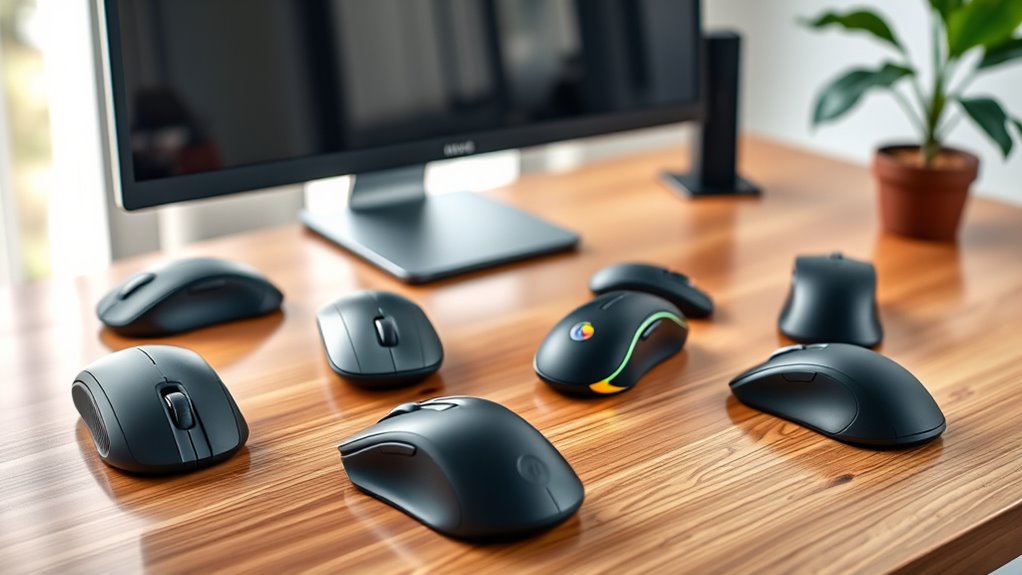

Finding an ergonomic mouse suited for carpal tunnel syndrome can significantly reduce discomfort during long hours at your computer. The Logitech MX Vertical Wireless Mouse stands out as the best overall due to its natural handshake grip and smooth tracking. For budget-conscious shoppers, the TECKNET 2.4G Wireless Ergonomic Vertical Mouse offers solid performance at a lower price, while the POJTK Wireless Rechargeable Vertical Mouse impresses with versatile connectivity options. However, many options involve tradeoffs between price, features, and comfort level. Continue reading for an in-depth comparison to help you choose the right fit for your needs.

Get your wardrobe favorites delivered free — and shop member deals
- Fast, free delivery on millions of items
- Access to Prime Big Deal Days deals on October 6–7
- Prime Video, Amazon Music and more included
Key Takeaways
- Top picks focus on natural hand positioning to reduce wrist strain and improve comfort.
- Connectivity versatility, such as Bluetooth and USB options, is common among the best models.
- Higher-end options tend to have more precise DPI and customizable buttons, but come at a premium.
- Budget models often sacrifice some comfort features or quiet operation for affordability.
- Size and grip style are critical—larger hands benefit from bigger mice, while smaller options suit compact needs.
| Logitech MX Vertical Wireless Mouse – Graphite |  | Best Overall for Versatile Comfort and Precision | Model: MX Vertical | Color: Graphite | Connectivity: Wireless (USB receiver included) | VIEW ON AMAZON | See Our Full Breakdown |
| POJTK Wireless Rechargeable Ergonomic Vertical Mouse, 3-in-1 Bluetooth/USB-A/USB-C Connection, 4800 DPI, 6 Silent Buttons – Black |  | Best Value for Multi-Connection Flexibility and Quiet Operation | Connection: Bluetooth 5.3 + USB-A + USB-C | DPI: up to 4800 | Vertical Angle: 58° | VIEW ON AMAZON | See Our Full Breakdown |
| UGREEN Ergonomic Vertical Wireless Mouse, Bluetooth & 2.4G, Quiet Clicks |  | Best for Quiet Operation and Multi-Device Switching | Connectivity: Bluetooth & 2.4G | DPI Levels: 1000/1600/2000/4000 | Buttons: 5 with page forward/back | VIEW ON AMAZON | See Our Full Breakdown |
| Lekvey Rechargeable Ergonomic Vertical Wireless Mouse, Green Purple |  | Best Rechargeable Vertical Mouse with Convenience Features | Brand: Lekvey | DPI Levels: 800/1200/1600 | Battery: Built-in rechargeable, up to 150 hours | VIEW ON AMAZON | See Our Full Breakdown |
| TECKNET 2.4G Wireless Ergonomic Vertical Mouse, 4800 DPI |  | Best for High Precision and Long Range in a Wired Format | Connection: Wired (USB-A) | DPI: 4800 | Buttons: Standard plus side forward/back | VIEW ON AMAZON | See Our Full Breakdown |
| Perixx PERIMICE-513 Wired Ergonomic Vertical Mouse, 6 Buttons, 1000/1600 DPI, Right-Handed, USB Wired with 5.9ft Cable, Black |  | Best Overall for Neutral Wrist Position | Buttons: 6 | DPI Settings: 1000 / 1600 | Connectivity: Wired USB-A | VIEW ON AMAZON | See Our Full Breakdown |
| Anker USB Wired Vertical Ergonomic Mouse |  | Best for Compact, Budget-Friendly Ergonomics | DPI Settings: 1000 / 1600 | Connectivity: Wired USB | Cable Length: 4.9 ft | VIEW ON AMAZON | See Our Full Breakdown |
| Lekvey Ergonomic Vertical Wireless Mouse, Rechargeable with Comfort Grip |  | Best for Wireless Convenience and Long Battery Life | DPI Levels: 800 / 1200 / 1600 | Battery: Rechargeable, 150+ hours | Connectivity: Wireless 2.4G via USB nano receiver | VIEW ON AMAZON | See Our Full Breakdown |
| TECKNET Ergonomic Wireless Vertical Mouse, Bluetooth + 2.4GHz, 4800 DPI, 3-Device Connectivity |  | Best for Multi-Device Users Seeking High Precision | DPI Levels: 4800 / 3200 / 2400 / 1600 / 1200 / 800 | Connectivity: Bluetooth 5.0/3.0 and 2.4GHz USB | Max Devices: 3 | VIEW ON AMAZON | See Our Full Breakdown |
| ProtoArc EM11 NL Wireless Ergonomic Vertical Mouse, Rechargeable, Black |  | Best for Small to Medium Hands and Multi-Device Use | DPI Levels: 1000 / 1600 / 2400 | Connectivity: Bluetooth dual, 2.4G USB-A | Battery: 500mAh rechargeable | VIEW ON AMAZON | See Our Full Breakdown |
| Logitech Lift Vertical Ergonomic Wireless Mouse – Graphite |  | Best Overall for Natural Posture and Versatility | Connectivity: Bluetooth Low Energy or Logi Bolt USB | Compatibility: Windows, macOS, iPadOS, Chrome OS, Linux | Battery Life: Up to 2 years | VIEW ON AMAZON | See Our Full Breakdown |
| TECKNET Ergonomic Wireless Vertical Mouse, 2.4GHz, Silent Click, 4800 DPI |  | Best for Precise Control and Quiet Operation | Connectivity: 2.4GHz wireless | Wireless Range: 32 ft | DPI Settings: 4800 / 3200 / 2400 / 1600 / 800 | VIEW ON AMAZON | See Our Full Breakdown |
| Anker 2.4G Wireless Vertical Ergonomic Mouse, Right Hand, USB Receiver |  | Best Budget-Friendly Vertical Mouse for Strain Reduction | Connectivity: Wireless USB receiver | DPI Settings: 800 / 1200 / 1600 | Tracking Technology: Optical | VIEW ON AMAZON | See Our Full Breakdown |
| ergonomic mice for carpal tunnel | Connectivity | Buttons |
|---|---|---|
| Logitech MX Vertical Wireless | Wireless (USB receiver included) | — |
| POJTK Wireless Rechargeable Er | — | 6 silent buttons |
| UGREEN Ergonomic Vertical Wire | Bluetooth & 2.4G | 5 with page forward/back |
| Lekvey Rechargeable Ergonomic | — | 4 plus page forward/back |
| TECKNET 2.4G Wireless Ergonomi | — | Standard plus side forward/back |
| Perixx PERIMICE-513 Wired Ergo | Wired USB-A | 6 |
| Anker USB Wired Vertical Ergon | Wired USB | Standard + next/previous |
| Lekvey Ergonomic Vertical Wire | Wireless 2.4G via USB nano receiver | Left, right, back, forward |
| TECKNET Ergonomic Wireless Ver | Bluetooth 5.0/3.0 and 2.4GHz USB | — |
| ProtoArc EM11 NL Wireless Ergo | Bluetooth dual, 2.4G USB-A | Left, right, scroll, back, forward |
| Logitech Lift Vertical Ergonom | Bluetooth Low Energy or Logi Bolt USB | — |
| TECKNET Ergonomic Wireless Ver | 2.4GHz wireless | — |
| Anker 2.4G Wireless Vertical E | Wireless USB receiver | Left, right, next, previous |
More Details on Our Top Picks
Logitech MX Vertical Wireless Mouse – Graphite
The Logitech MX Vertical stands out for its natural handshake position and 57° vertical angle, making it a top choice for reducing wrist strain during prolonged use. Compared to the POJTK mouse, which offers silent buttons and multiple connection options, the MX Vertical emphasizes ergonomic alignment and control, though its vertical design may require an adjustment period. Its 4000 DPI sensor ensures precise cursor movement with less hand movement, a key advantage over traditional mice. However, the wireless setup depends on the included USB receiver, which might be less convenient for users with limited USB ports. This model is ideal for those seeking a well-rounded ergonomic mouse that balances comfort, precision, and adaptability.
Pros:- Natural handshake position reduces muscular activity and wrist pressure
- 57° vertical angle improves wrist posture
- 4000 DPI sensor for precise, less-fatiguing control
- Textured ergonomic body fits various hand sizes
Cons:- Vertical design can require an adjustment period for new users
- Wireless connection depends on the USB receiver, which may be inconvenient
Best for: Users needing a versatile, ergonomic mouse suitable for daily professional use with a focus on wrist health
Not ideal for: Gamers or users prioritizing ultra-high DPI or wired connectivity without adjustment
- Model:MX Vertical
- Color:Graphite
- Connectivity:Wireless (USB receiver included)
- DPI:4000
- Vertical Angle:57°
- Sensor Type:Advanced optical tracking
Our verdict“This mouse suits professionals seeking an ergonomic device that combines comfort with precise control, willing to adapt to its vertical orientation.”
POJTK Wireless Rechargeable Ergonomic Vertical Mouse, 3-in-1 Bluetooth/USB-A/USB-C Connection, 4800 DPI, 6 Silent Buttons – Black
The POJTK mouse offers a 58-degree handshake grip that effectively reduces wrist strain, making it a compelling choice for users who value connectivity options—thanks to its triple support for Bluetooth 5.3, USB-A, and USB-C. Compared with the TECKNET model, which also offers 4800 DPI but lacks rechargeable batteries, the POJTK provides a rechargeable power source that eliminates ongoing battery costs. Its silent buttons and multi-device switching are well-suited for office environments, though some users might find the vertical design takes time to get used to, especially if they are accustomed to traditional mice. Its broad compatibility and affordability make it effective for those who want ergonomic relief without premium price tags.
Pros:- Triple connectivity options for versatile device use
- Rechargeable battery lasts up to 150 hours on a full charge
- Silent click buttons reduce noise disturbance
- 58° vertical angle promotes natural wrist posture
Cons:- Vertical orientation may require adaptation time
- No fast-charging feature, longer charging times
Best for: Budget-conscious professionals who need a multi-device, quiet ergonomic mouse for daily work
Not ideal for: Gamers or users with smaller hands who may find the larger size uncomfortable
- Connection:Bluetooth 5.3 + USB-A + USB-C
- DPI:up to 4800
- Vertical Angle:58°
- Battery:Rechargeable, 1-3 months
- Buttons:6 silent buttons
- Compatibility:Windows, Linux, macOS, ChromeOS, Android
Our verdict“This mouse offers excellent value for multi-device users seeking a quiet, ergonomic solution with flexible connectivity.”
UGREEN Ergonomic Vertical Wireless Mouse, Bluetooth & 2.4G, Quiet Clicks
The UGREEN vertical mouse emphasizes quiet operation with its low-noise click buttons and supports dual wireless modes—Bluetooth and 2.4G—allowing seamless switching between up to three devices. Compared to the Lekvey mouse, which is rechargeable but larger, the UGREEN prioritizes a more compact size and multi-device flexibility, though its size may not suit small hands. Its 4 adjustable DPI levels (1000-4000) provide precise control for everyday tasks, and PTFE glide feet ensure smooth tracking. While it may require some adjustment for users unfamiliar with vertical mice, it’s well-suited for those who need quiet, ergonomic operation in multi-device environments.
Pros:- Quiet-click buttons reduce noise for shared workspaces
- Supports switching between up to 3 devices
- Smooth PTFE glide feet for effortless tracking
- Compact size suitable for larger hands
Cons:- Vertical design may require an adjustment period
- No rechargeable battery—uses AA batteries
Best for: Office workers and multi-device users seeking a quiet, compact ergonomic mouse
Not ideal for: Users with small hands or those needing rechargeable batteries or wired options
- Connectivity:Bluetooth & 2.4G
- DPI Levels:1000/1600/2000/4000
- Buttons:5 with page forward/back
- Wireless Range:Up to 10m
- Battery:1 x AA, smart sleep mode
- Compatibility:Windows, macOS, Linux, ChromeOS, Android
Our verdict“Ideal for users who prioritize quiet, multi-device operation in a compact ergonomic form, but may need time to adapt to the vertical grip.”
Lekvey Rechargeable Ergonomic Vertical Wireless Mouse, Green Purple
The Lekvey mouse offers a natural handshake position with a built-in rechargeable battery that can last up to 150 hours—ideal for long sessions without frequent charging. Its adjustable DPI (800-1600) and quiet, low-noise clicks support daily productivity, while the inclusion of page forward/back buttons adds navigation convenience. Compared to the TECKNET model, which supports higher DPI (up to 4800), the Lekvey is more limited in sensitivity but excels in battery longevity and ease of use. Its larger size may be less suitable for smaller hands, and lacking Bluetooth support could restrict flexibility for some users. It’s a solid choice for those prioritizing rechargeable convenience and ergonomic comfort.
Pros:- Rechargeable battery provides up to 150 hours of use
- Ergonomic vertical design supports natural wrist posture
- Quiet-click buttons for peaceful work environment
- Includes convenient page forward/back buttons
Cons:- Larger size may not suit small hands
- No Bluetooth connectivity, limited to USB receiver
Best for: Long-hour users seeking a rechargeable, quiet, ergonomic mouse that supports multiple navigation features
Not ideal for: Small-handed users or those needing Bluetooth connectivity
- Brand:Lekvey
- DPI Levels:800/1200/1600
- Battery:Built-in rechargeable, up to 150 hours
- Buttons:4 plus page forward/back
- Charging Time:3 hours
- Compatibility:Windows, Linux, Mac OS X
Our verdict“This mouse fits users who want a rechargeable, ergonomic device with extra navigation buttons, accepting its size and connectivity limitations.”
TECKNET 2.4G Wireless Ergonomic Vertical Mouse, 4800 DPI
The TECKNET mouse offers a high DPI of 4800, making it suitable for users who need fine control, such as graphic designers or detailed work. Its 5-key setup, including side buttons for forward/back, complements its ergonomic vertical design aimed at reducing wrist and arm strain. Compared to the POJTK model, which also provides high DPI but relies solely on wireless, TECKNET’s wired connection guarantees zero lag and consistent performance, though it sacrifices portability. The 90% noise reduction feature makes it a quiet option, but the device’s size and the need for AAA batteries could be drawbacks for some. This mouse is best for users who want high accuracy and prefer a wired connection for reliability.
Pros:- High DPI of 4800 for precise control
- Quiet clicks reduce noise in shared spaces
- Ergonomic vertical design reduces wrist strain
- Long 49ft wired range offers flexibility in setup
Cons:- Requires AAA batteries, increasing ongoing costs
- Wired connection limits portability
Best for: Creative professionals or detailed work users who prefer a wired ergonomic mouse with high DPI
Not ideal for: Travelers or those who prefer wireless flexibility, or users with small hands
- Connection:Wired (USB-A)
- DPI:4800
- Buttons:Standard plus side forward/back
- Range:49 ft
- Noise Reduction:90%” quieter clicks
- Support:Windows, Linux, Mac
Our verdict“Ideal for users who prioritize high precision and stable wired performance over wireless convenience and portability.”
Perixx PERIMICE-513 Wired Ergonomic Vertical Mouse, 6 Buttons, 1000/1600 DPI, Right-Handed, USB Wired with 5.9ft Cable, Black
The Perixx PERIMICE-513 stands out for its straightforward vertical design that effectively promotes a neutral wrist posture, making it a top choice for those seeking immediate relief from carpal tunnel discomfort. Compared with the Anker USB Wired Vertical Ergonomic Mouse, it offers a longer cable, which is advantageous for flexible workspaces, though it lacks programmability and macOS support for the back/forward buttons. Its quiet click feature benefits shared work environments, but the need for an adjustment period of 1-2 weeks to get accustomed to the vertical shape can be a hurdle for impatient users. The soft rubber coating enhances comfort during long sessions, and the wired connection ensures reliable performance without latency issues. Overall, this model makes the most sense for users who prioritize a simple, wired ergonomic solution without the need for customization or wireless flexibility.
Pros:- Ergonomic vertical design reduces wrist strain and discomfort
- Long 5.9-ft wired cable provides flexibility in positioning
- Quiet click buttons minimize noise during extended use
- Soft rubber-coated surface enhances comfort
Cons:- Adjustment period of 1-2 weeks required to adapt to vertical shape
- Back/forward buttons are not supported on macOS
- Buttons are not programmable, limiting customization
Best for: Right-handed users seeking a reliable, wired ergonomic mouse with minimal setup and long cable for flexible desk arrangements.
Not ideal for: Mac users who rely heavily on programmable buttons or prefer wireless setups, as back/forward buttons are not supported on macOS.
- Buttons:6
- DPI Settings:1000 / 1600
- Connectivity:Wired USB-A
- Cable Length:5.9 ft
- Handedness:Right-handed
- Dimensions:4.92 × 2.44 × 3.03 inches
Our verdict“This wired vertical mouse offers a straightforward, comfortable option for those prioritizing immediate ergonomic relief without wireless or customization needs.”
Anker USB Wired Vertical Ergonomic Mouse
The Anker Vertical Ergonomic Mouse excels as a lightweight, budget-conscious option that emphasizes a natural ‘handshake’ position to reduce wrist and arm strain. It’s more compact and lighter than the Perixx PERIMICE-513, making it ideal for users with smaller hands or those who prefer a less bulky device. However, its wired connection and vertical shape require an adjustment period, especially for users accustomed to traditional mice. While it offers precise 1000/1600 DPI tracking and conveniently placed next/previous buttons, the lack of programmability and limited macOS support for navigation buttons might be a downside for power users. Its straightforward design makes it suitable for beginners or anyone looking for an affordable way to improve ergonomics without sacrificing portability.
Pros:- Ergonomic ‘handshake’ shape reduces wrist and arm strain
- Lightweight and compact for easy portability
- Affordable price point for ergonomic improvement
- Precise DPI options for smooth cursor control
Cons:- Requires adjustment period to vertical shape
- Wired connectivity limits mobility
- Limited customization options and no macOS support for navigation buttons
Best for: Beginners or budget-conscious users with small to medium hands wanting a simple, wired ergonomic mouse for everyday use.
Not ideal for: Advanced users needing customizable buttons or those seeking wireless convenience, as it lacks programmability and wireless features.
- DPI Settings:1000 / 1600
- Connectivity:Wired USB
- Cable Length:4.9 ft
- Weight:5.3 oz
- Buttons:Standard + next/previous
- Dimensions:120 x 62.8 x 74.8 mm
Our verdict“This mouse is a practical, budget-friendly choice for beginners or small-handed users seeking ergonomic relief in a wired format.”
Lekvey Ergonomic Vertical Wireless Mouse, Rechargeable with Comfort Grip
The Lekvey Ergonomic Vertical Wireless Mouse offers a compelling blend of wireless freedom and ergonomic design, making it suitable for users who dislike cables but want to reduce wrist strain. Its rechargeable battery lasts over 150 hours, surpassing many wired options like the Perixx PERIMICE-513. The ‘handshake’ shape truly promotes a neutral wrist position, though the 3-5 day adaptation period can challenge those expecting immediate comfort. The inclusion of page back/forward buttons and adjustable DPI levels enhances functionality, but the mouse’s bulk may not suit smaller hands, and the absence of programmability limits customization. Its rechargeable nature and wireless flexibility make it a standout for users who need mobility and long-lasting comfort.
Pros:- Ergonomic handshake design reduces wrist discomfort
- Long-lasting rechargeable battery (150+ hours)
- Wireless freedom with plug-and-play operation
- Adjustable DPI and back/forward buttons enhance usability
Cons:- Requires a 3-5 day adjustment period
- Bulkier shape may not fit smaller hands comfortably
- No programmability for buttons
Best for: Medium to large-handed users seeking a rechargeable, wireless ergonomic mouse for all-day comfort and mobility.
Not ideal for: Small-handed users or those seeking a budget option, as the size and premium features come at a higher price point.
- DPI Levels:800 / 1200 / 1600
- Battery:Rechargeable, 150+ hours
- Connectivity:Wireless 2.4G via USB nano receiver
- Size:5.0 x 3.0 x 2.5 inches
- Buttons:Left, right, back, forward
- Warranty:36 months
Our verdict“This wireless ergonomic mouse is ideal for users prioritizing mobility and battery life over quick adaptation and customization.”
TECKNET Ergonomic Wireless Vertical Mouse, Bluetooth + 2.4GHz, 4800 DPI, 3-Device Connectivity
The TECKNET Ergonomic Wireless Vertical Mouse caters to users who need connectivity across multiple devices and high-precision control, thanks to its 4800 DPI sensor. Its ability to connect simultaneously to three devices via Bluetooth and 2.4GHz USB makes it a versatile choice for professionals managing multiple screens or platforms. Compared to the ProtoArc EM11 NL, it offers a higher DPI setting, but its right-handed only design limits usability for left-handed users. The quiet clicks are suitable for shared spaces, yet the side buttons are incompatible with macOS, which can be frustrating for Mac users. The auto sleep mode enhances battery life, but the need for batteries (not included) and a slight learning curve make it less immediate for some.
Pros:- Connects to three devices with easy switching
- High DPI for precise cursor control (up to 4800 DPI)
- Ergonomic vertical design reduces wrist strain
- Quiet clicks suitable for shared environments
Cons:- Right-handed design only, not suitable for left-handed users
- Requires batteries (not included)
- Side buttons not compatible with macOS
Best for: Power users who operate multiple devices and require high-precision control in a right-handed, wireless ergonomic mouse.
Not ideal for: Left-handed users or Mac users who need side button compatibility, as the device is right-handed only and side buttons are not supported on macOS.
- DPI Levels:4800 / 3200 / 2400 / 1600 / 1200 / 800
- Connectivity:Bluetooth 5.0/3.0 and 2.4GHz USB
- Max Devices:3
- Power:2 AAA batteries (not included)
- Size:Right-handed, specific dimensions not provided
- Warranty:36 months
Our verdict“This multi-device, high-precision wireless mouse is best suited for professionals who switch between screens frequently and prioritize accuracy over immediate comfort.”
ProtoArc EM11 NL Wireless Ergonomic Vertical Mouse, Rechargeable, Black
The ProtoArc EM11 NL excels in offering a compact, rechargeable wireless ergonomic solution tailored for small to medium hands. Its dual Bluetooth and 2.4G connectivity allow seamless switching among three devices, making it highly versatile for multitasking setups. The design closely follows the principles seen in the Lekvey and Anker models but adds a rechargeable battery, reducing ongoing costs. The adjustable DPI (1000/1600/2400) enhances control for different tasks, while quiet clicking ensures minimal disturbance. However, its smaller size may not provide enough support for larger hands, and the learning curve of 1-2 weeks can pose a challenge for immediate use. It is best suited for users with smaller hands who need multi-device wireless flexibility and long battery life.
Pros:- Ergonomic vertical design reduces wrist strain
- Rechargeable battery supports over 150 hours of use
- Connects to three devices via Bluetooth or 2.4G
- Quiet clicking minimizes noise disturbance
Cons:- Size may be too small for larger hands
- Learning curve of 1-2 weeks to adapt to vertical shape
- Back/forward buttons are not programmable
Best for: Small to medium-handed users seeking a rechargeable, multi-device wireless ergonomic mouse with a focus on portability.
Not ideal for: Large-handed users or those seeking a highly customizable mouse, as the size may be restrictive and buttons are not programmable.
- DPI Levels:1000 / 1600 / 2400
- Connectivity:Bluetooth dual, 2.4G USB-A
- Battery:500mAh rechargeable
- Max Connected Devices:3
- Size:Under 7.5 inches
- Buttons:Left, right, scroll, back, forward
Our verdict“This compact, rechargeable wireless ergonomic mouse is ideal for small to medium hands needing multi-device connectivity and long battery life.”
Logitech Lift Vertical Ergonomic Wireless Mouse – Graphite
The Logitech Lift stands out for its 57-degree vertical angle, which closely aligns with an ergonomic forearm position, making it highly effective for reducing wrist strain. Compared with the TECKNET Ergonomic Vertical Mouse, its longer battery life of up to 2 years and dual connectivity options give it an edge for users seeking convenience and minimal interruptions. Its softly textured grip and customizable buttons enhance comfort and usability, though its design is tailored specifically for small to medium right hands, limiting its suitability for larger users. The whisper-quiet clicks and smooth SmartWheel scrolling further contribute to a more comfortable, distraction-free experience. While the right-hand only design might be a drawback for left-handed users, its eco-friendly build with 70% recycled plastic adds appeal for environmentally conscious buyers.
Pros:- Promotes a natural forearm posture with its 57-degree vertical design
- Battery lasts up to 2 years, reducing maintenance
- Quiet clicks and smooth scrolling improve comfort and reduce noise
Cons:- Designed exclusively for right-handed users; not suitable for left-handed individuals
- Optimized for small to medium hands, making it less comfortable for larger users
Best for: small to medium right-handed users seeking a versatile, long-lasting ergonomic mouse
Not ideal for: left-handed users or those with larger hands who may find the shape restrictive
- Connectivity:Bluetooth Low Energy or Logi Bolt USB
- Compatibility:Windows, macOS, iPadOS, Chrome OS, Linux
- Battery Life:Up to 2 years
- Design Angle:57 degrees vertical
- Hand Fit:Small to medium right hands
- Recycled Plastic:70%
Our verdict“This mouse is ideal for right-handed users with small to medium hands who prioritize a natural posture and long battery life.”
TECKNET Ergonomic Wireless Vertical Mouse, 2.4GHz, Silent Click, 4800 DPI
The TECKNET Vertical Mouse offers a 52° ergonomic angle that encourages a natural handshake position, which can significantly reduce wrist and arm strain during extended use. Its five adjustable DPI settings up to 4800 allow for precise cursor control, making it a suitable choice for users who need accuracy, such as graphic designers or detailed work tasks. Compared to the Anker 2.4G Wireless Vertical Mouse, it provides a slightly more refined shape for small to medium hands, though its shape may not suit larger hands comfortably. Its silent main clicks make it a quieter alternative, but the forward/back buttons are not supported on Mac OS, which could limit functionality for some users. The stable 2.4GHz connection and plug-and-play setup make it a reliable choice for daily use.
Pros:- Encourages a natural handshake position reducing wrist strain
- Five adjustable DPI settings for flexible cursor precision
- Silent main clicks for quieter work environment
Cons:- Forward/back buttons are not supported on Mac OS, limiting web navigation
- Shape is best suited for small or medium hands, less comfortable for larger hands
Best for: small to medium hand users who prioritize quiet operation and high-precision control
Not ideal for: Mac users needing backward/forward buttons or larger hand sizes
- Connectivity:2.4GHz wireless
- Wireless Range:32 ft
- DPI Settings:4800 / 3200 / 2400 / 1600 / 800
- Maximum DPI:4800
- Ergonomic Angle:52°
- Dimensions:4.13 x 2.55 in
Our verdict“Ideal for small to medium hand users seeking precise, quiet, and comfortable ergonomic control.”
Anker 2.4G Wireless Vertical Ergonomic Mouse, Right Hand, USB Receiver
The Anker Vertical Mouse provides a straightforward, affordable solution for ergonomic navigation with its 52° vertical design that supports a natural hand position. Its adjustable DPI up to 1600 offers decent precision for everyday tasks, and the next/previous buttons simplify web browsing. Compared with the Logitech Lift, it offers a more accessible price point, though it sacrifices some advanced features like longer battery life and extensive customization. Its reliance on a USB receiver rather than Bluetooth can limit flexibility for users with multiple wireless devices. The power-saving mode helps extend battery life, but the need for AAA batteries and the lack of silent clicks may be drawbacks for some users. Overall, it suits budget-conscious buyers with small or medium hands looking for basic ergonomic relief.
Pros:- Vertical ergonomic design reduces wrist and arm strain
- Adjustable DPI for tailored cursor control
- Next and previous buttons for easier browsing
Cons:- Uses a USB receiver only; no Bluetooth support
- Batteries are not included, adding extra step to setup
Best for: budget-conscious users seeking an ergonomic mouse for daily web use with customizable DPI
Not ideal for: those needing Bluetooth connectivity or silent operation, or larger hands
- Connectivity:Wireless USB receiver
- DPI Settings:800 / 1200 / 1600
- Tracking Technology:Optical
- Power Saving Mode:Yes
- Buttons:Left, right, next, previous
- Dimensions:120 x 62.8 x 74.8 mm
Our verdict“This mouse is well-suited for small to medium hand users on a budget who need basic ergonomic features for everyday use.”

How We Picked
I evaluated these ergonomic mice based on key factors that impact comfort and usability for carpal tunnel sufferers. Primary considerations included hand positioning—favoring vertical or handshake designs—along with DPI sensitivity for precise control. Build quality and materials were assessed to ensure durability and comfort during extended use. Connectivity options, such as Bluetooth versus wired, influenced versatility, while price and value played roles in determining accessibility. The ranking reflects a balance of performance, comfort, and affordability, prioritizing models that genuinely help reduce wrist strain and accommodate different user preferences.Factors to Consider When Choosing Ergonomic Mice For Carpal Tunnel
When selecting an ergonomic mouse for carpal tunnel, it’s vital to consider how the design influences wrist position and overall comfort. Beyond basic features, understanding specific factors can prevent buyer’s remorse and ensure lasting relief. Here are key points to keep in mind:Design and Hand Positioning
Choosing a mouse that promotes a natural hand position is essential. Vertical or handshake-style mice reduce wrist twisting and strain, which can alleviate symptoms. Be aware that larger or bulkier designs may not suit smaller hands, so testing size and grip comfort can make a significant difference.
Adjustable DPI and Sensitivity
High DPI settings allow precise cursor control, reducing repetitive movements that exacerbate wrist pain. Look for models with adjustable DPI to match your work style, especially if you switch between tasks requiring fine detail and broader movements. However, overly sensitive mice might be less intuitive for some users, so balance is key.
Connectivity and Compatibility
Decide whether wired or wireless fits your workspace better. Wireless models free up desk space and reduce cable clutter, but ensure they have reliable connections—whether Bluetooth or USB dongles. Compatibility with your operating system and ease of pairing should also influence your choice.
Build Quality and Materials
A sturdy, well-made mouse with quality materials can withstand daily use without losing comfort or responsiveness. Rubber grips or textured surfaces improve control, especially during long sessions. Cheaper plastics or flimsy buttons can detract from the ergonomic benefits.
Price and Value
Investing more often brings enhanced comfort, durability, and features, but there are good budget options that deliver essential ergonomic benefits. Prioritize your needs—if wrist relief is urgent, spending slightly more may be justified; for casual use, a budget model could suffice.
Frequently Asked Questions
Can an ergonomic mouse completely cure carpal tunnel syndrome?
While an ergonomic mouse can significantly reduce wrist strain and improve comfort, it is unlikely to cure carpal tunnel syndrome entirely. Proper ergonomic practices, regular breaks, and medical treatment are often necessary to manage symptoms effectively. Using the right mouse is a preventative measure that can help prevent worsening of the condition.
Is a wired or wireless ergonomic mouse better for carpal tunnel relief?
Both wired and wireless mice can provide ergonomic benefits if designed well. Wireless options offer greater freedom of movement and less desk clutter, which can promote a more natural wrist position. However, wired mice often have less lag and more consistent connections. Your choice should depend on workspace preferences and personal comfort.
How important is size when choosing an ergonomic mouse for carpal tunnel?
Size is a key factor because a mouse that fits your hand comfortably helps maintain a natural wrist position. An oversized mouse can cause your fingers to stretch, increasing strain, while a too-small device may require awkward gripping. Measure your hand and choose a model that supports a relaxed grip for best results.
Are adjustable buttons or customizable features worth the extra cost?
Customizable buttons can improve workflow efficiency and reduce repetitive movements, which is beneficial for wrist health. If you frequently perform complex tasks or want tailored shortcuts, investing in a mouse with these features can be worthwhile. However, for basic relief, simpler models may suffice, avoiding unnecessary complexity and expense.
How long should I use an ergonomic mouse before considering a replacement?
Most ergonomic mice are designed for long-term use, but materials and design can wear over time. If you notice increased discomfort, unresponsive buttons, or physical damage, it’s time to replace your mouse. Regularly assessing comfort and functionality will help maintain wrist health and prevent strain from outdated equipment.
Conclusion
For those seeking the best overall relief and comfort, the Logitech MX Vertical Wireless Mouse offers a natural grip and smooth operation, making it ideal for daily long-term use. Budget shoppers or casual users should consider the TECKNET 2.4G Wireless Ergonomic Vertical Mouse for solid value, while newcomers or those trying ergonomic mice for the first time might prefer the POJTK Wireless Rechargeable Vertical Mouse for its versatility. Heavy users needing maximum customization and durability may lean toward premium options like the Logitech Lift. Overall, your choice depends on your hand size, work habits, and budget, but prioritizing natural hand positioning remains key to alleviating carpal tunnel symptoms.Fall Picks
fall essentials
As an affiliate, we earn on qualifying purchases.