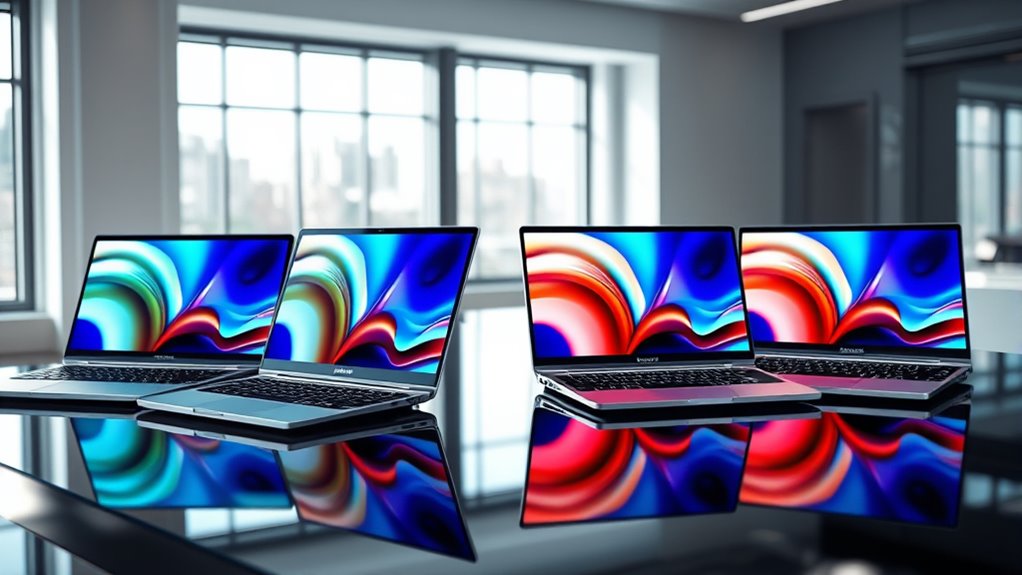

Dual screen laptops continue to push the boundaries of portable productivity and creative potential, with innovations like foldable displays, ultra-slim designs, and versatile extenders. The best options balance performance, portability, and display quality, but often require tradeoffs such as price, compatibility, or setup complexity. The ASUS Zenbook Duo 14 stands out as the top overall pick for its well-rounded features and high-quality OLED display, while the ASUS ZenScreen Duo OLED offers a portable, foldable solution for on-the-go use. However, choosing the right model depends on your specific needs—whether you prioritize mobility, multi-screen setups, or performance. Continue reading for a detailed breakdown of these 14 innovative dual screen solutions, their strengths, and their limitations.

Get your wardrobe favorites delivered free with Prime
- Fast, free delivery on millions of items
- Prime Video, Amazon Music and more included
- Member-only deals all year
Key Takeaways
- Premium models like the ASUS Zenbook Duo offer excellent performance but come with a higher price point, making them ideal for professionals or power users.
- Portable extenders focus on lightweight design and ease of setup, though they may lack the processing power or seamless integration of dedicated dual-screen laptops.
- Versatile solutions like the KYY triple monitor extenders provide multi-screen setups for multi-taskers but often require external power sources and setup space.
- Display quality varies significantly; OLED options deliver richer colors and contrast, while FHD screens offer sufficient clarity at lower costs.
- Compatibility and connectivity are key: models with USB-C and HDMI ensure broad device support but check for driver or software requirements.
| ASUS ZenScreen Duo OLED 360° Foldable Portable Monitor (MQ149CD) |  | Best Overall Dual Screen Portable Monitor | Display Size: 14 inches per panel | Resolution: 1920×1200 | Aspect Ratio: 16:10 | VIEW ON AMAZON | See Our Full Breakdown |
| KYY Triple Screen Laptop Monitor Extender 15.6″ Quad Laptop Screen Extender |  | Best Multi-Platform Triple Monitor Extender | Screen Size: 15.6 inches | Resolution: 1080P FHD | Number of Screens: 4 | VIEW ON AMAZON | See Our Full Breakdown |
| Laptop Screen Extender 14-17.3 inch FHD Dual Portable Monitor |  | Best Lightweight Portable Dual Monitor | Screen Size: 14.2 inches | Resolution: 1080P FHD | Brightness: 300 nits | VIEW ON AMAZON | See Our Full Breakdown |
| KYY 15.6″ Portable Triple Monitor Extender for Laptop |  | Best Durable Triple Monitor Setup | Screen Size: 15.6 inches | Resolution: 1080P FHD | Material: CNC aluminum alloy | VIEW ON AMAZON | See Our Full Breakdown |
| CIDETTY Laptop Screen Extender, 14” FHD 1080P IPS Portable Dual/Triple Monitor with HDMI/USB-C |  | Best Versatile Portable Dual/Triple Monitor | Screen Size: 14 inches | Resolution: 1080P | Display Technology: IPS | VIEW ON AMAZON | See Our Full Breakdown |
| 15.6-inch Windows 11 Pro Laptop with 16GB RAM and 256GB SSD |  | Best Budget Laptop with Dual Screen Capabilities | Display: 15.6-inch FHD IPS | Processor: Pentium 2C4T 2.10GHz | RAM: 16GB | VIEW ON AMAZON | See Our Full Breakdown |
| VisionOwl Portable Dual 15.6 Inch 1080P FHD Monitor with Foldable Design and VESA Mount |  | Best High-Color Accuracy Dual Monitor for Creatives | Display Size: 15.6 inches | Resolution: 1080P FHD | Color Gamut: 107% sRGB | VIEW ON AMAZON | See Our Full Breakdown |
| 15.6″ One-Cable Laptop Screen Extender, Ultra-Thin 1080P FHD Triple Portable Monitor for 13–17.3″ Laptops |  | Best for Multi-Taskers Needing Triple Screens on the Go | Screen Size: 15.6 inches | Resolution: 1080P FHD | Number of Screens: Triple | VIEW ON AMAZON | See Our Full Breakdown |
| Laptop Screen Extender, 15.6” 1080P FHD Laptop Monitor Extender with 235°Rotation Detachable Dual Monitor |  | Most Flexible Dual Screen Extender for Custom Setups | Display Size: 15.6 inches | Resolution: 1080P IPS | Rotation: 235° horizontal, 90° vertical | VIEW ON AMAZON | See Our Full Breakdown |
| APILDELLA 15.6’’ Triple Laptop Screen Extender, 1080P FHD Portable Dual Monitor |  | Best Compact Triple Monitor for Everyday Use | Screen Size: 15.6 inches | Resolution: 1080P FHD | Refresh Rate: 60Hz | VIEW ON AMAZON | See Our Full Breakdown |
| ASUS Zenbook Duo 14″ OLED Touchscreen Laptop with 32GB RAM and 1TB SSD |  | Best Overall Dual Screen Laptop for Creatives and Power Users | Display: 14-inch OLED, 2880 x 1800, 120Hz, Pantone validated 100% DCI-P3 | Processor: Intel Core Ultra 7 255H | Graphics: Intel Arc | VIEW ON AMAZON | See Our Full Breakdown |
| APILDELLA 14” Dual Laptop Screen Extender, 1080P FHD Portable Monitor with Speakers, Plug-and-Play for 13-16” Laptops |  | Best Portable Dual Monitor for Travel and On-the-Go Productivity | Screen Size: 14 inches | Resolution: 1920×1080P | Compatibility: Mac, Windows, Android | VIEW ON AMAZON | See Our Full Breakdown |
| 15.6” Laptop Screen Extender, Triple Monitor, 1080P IPS |  | Best for Professional Multitasking and Collaboration | Screen Size: 15.6 inches | Number of Screens: 3 | Resolution: 1080P | VIEW ON AMAZON | See Our Full Breakdown |
| 15.6″ Laptop Screen Extender, 1080P FHD Triple Portable Monitor for Laptops, Ultra-Slim Travel Dual Monitor |  | Best Lightweight Dual Monitors for Mobile Professionals | Display Size: 15.6 inches | Resolution: 1080P FHD | Brightness: 280 nits | VIEW ON AMAZON | See Our Full Breakdown |
| dual screen laptops innovation | Resolution | Weight | Screen Size |
|---|---|---|---|
| ASUS ZenScreen Duo OLED 360° F | 1920×1200 | 1.07 kg | — |
| KYY Triple Screen Laptop Monit | 1080P FHD | — | 15.6 inches |
| Laptop Screen Extender 14-17.3 | 1080P FHD | — | 14.2 inches |
| KYY 15.6" Portable Triple Moni | 1080P FHD | — | 15.6 inches |
| CIDETTY Laptop Screen Extender | 1080P | — | 14 inches |
| 15.6-inch Windows 11 Pro Lapto | — | 3.5 lbs | — |
| VisionOwl Portable Dual 15.6 I | 1080P FHD | 3.5 lbs | — |
| 15.6" One-Cable Laptop Screen | 1080P FHD | 4 lbs | 15.6 inches |
| Laptop Screen Extender | 1080P IPS | — | — |
| APILDELLA 15.6’’ Triple Laptop | 1080P FHD | 4 lbs | 15.6 inches |
| ASUS Zenbook Duo 14" OLED Touc | — | 3.64 lbs | — |
| APILDELLA 14” Dual Laptop Scr | 1920×1080P | ~2 lbs | 14 inches |
| 15.6” Laptop Screen Extender | 1080P | — | 15.6 inches |
| 15.6" Laptop Screen Extender | 1080P FHD | 4 lbs (1.8 kg) | — |
More Details on Our Top Picks
ASUS ZenScreen Duo OLED 360° Foldable Portable Monitor (MQ149CD)
The ASUS ZenScreen Duo OLED stands out for delivering exceptional color accuracy and HDR support in a portable form, making it ideal for creators and professionals needing vibrant visuals on the go. Its dual 14-inch OLED panels with 1920×1200 resolution and 16:10 aspect ratio create a versatile 21-inch workspace, especially compared to the more utilitarian KYY Triple Screen extender, which lacks OLED quality. The 360° hinge and fold-out kickstand provide flexible orientations, but the limited dual-screen setup may not suit users needing more extensive multi-monitor arrays. The OLED technology offers superior contrast and color, but the smaller size and higher price could be drawbacks for power users seeking larger displays or budget options. Perfect for creatives who prioritize display quality in portable dual screens, but less suited for those needing larger or more expandable setups.
Pros:- Exceptional OLED display with vibrant colors and HDR support
- Flexible 360° hinge and fold-out kickstand for multiple orientations
- Lightweight at just 1.07 kg for easy portability
Cons:- Limited to dual 14-inch panels, which may restrict workspace expansion
- Requires multiple connectivity options for full functionality
- Warranty period may be insufficient for intense professional use
Best for: Creative professionals and remote workers who require high-fidelity visuals in a compact, portable package
Not ideal for: Power users needing a larger or multi-monitor array beyond dual 14-inch OLEDs, or those on a tight budget
- Display Size:14 inches per panel
- Resolution:1920×1200
- Aspect Ratio:16:10
- Color Gamut:100% DCI-P3
- HDR:DisplayHDR 400 True Black
- Weight:1.07 kg
Our verdict“Best suited for creators and professionals who need ultra-portable, high-quality dual screens with vibrant OLED visuals.”
KYY Triple Screen Laptop Monitor Extender 15.6″ Quad Laptop Screen Extender
The KYY Triple Screen Extender offers a substantial upgrade for users seeking a multi-screen setup, supporting up to four screens with a 15.6-inch display each. Compared with the ASUS ZenScreen Duo OLED, this model emphasizes expanding workspace rather than display quality, with durable aluminum construction and foldable, rotatable screens that maximize flexibility. It’s better suited for multitaskers who need multiple independent screens, but its reliance on driver installation and potential connection issues may frustrate less tech-savvy users. Unlike the ASUS OLED, it lacks high-end color accuracy but compensates with greater screen real estate and system compatibility. This pick makes the most sense for professionals who prioritize screen quantity over display fidelity, especially in stationary setups. Ideal for those needing multiple screens for multitasking, less optimal for high-color-accuracy tasks.
Pros:- Supports up to four screens for extensive multitasking
- Durable CNC aluminum alloy construction
- Foldable and rotatable screens for flexible arrangement
Cons:- Requires driver installation, which can be complex
- Potential compatibility issues with some laptops due to port limitations
- Lacks high-end color accuracy found in OLED options
Best for: Professionals requiring a high-volume multi-monitor setup for desktop-based workstations
Not ideal for: Travelers or creatives needing portable, high-quality displays, or users with laptops that lack compatible ports
- Screen Size:15.6 inches
- Resolution:1080P FHD
- Number of Screens:4
- Material:CNC aluminum alloy
- Viewing Angles:178°
- Compatibility:Windows, macOS, Android
Our verdict“Best for users who need multiple screens for productivity in a stationary workspace, not for portable or color-sensitive tasks.”
Laptop Screen Extender 14-17.3 inch FHD Dual Portable Monitor
This dual portable monitor offers a straightforward extension for laptops up to 17.3 inches, making it an excellent choice for remote workers and travelers who need a second screen without extra bulk. Its 14.2-inch FHD IPS display with 1080P resolution provides clear visuals, yet it falls short of OLED or high-refresh-rate models like the ASUS ZenScreen Duo OLED in color vibrancy and contrast. Its plug-and-play setup and compatibility with multiple operating systems make it highly accessible, but the lack of specified battery life can be a concern for all-day use. Compared to the KYY triple extender, this model emphasizes portability over extensive multi-screen arrays, which could be a limitation for power users. It’s best for those seeking easy, lightweight dual screens for occasional productivity boosts. Ideal for remote workers and travelers needing portable dual displays, but not suited for high-performance or multi-monitor setups.
Pros:- Lightweight and ultra-portable for travel
- Plug-and-play setup with broad OS compatibility
- Decent 1080P IPS display for everyday use
Cons:- Limited to 14-17.3 inch laptops, restricting larger devices
- Battery life not specified, limiting all-day portability
- No high-refresh-rate or OLED features for premium visuals
Best for: Remote workers and travelers who need a portable, easy-to-use dual monitor setup
Not ideal for: Power users or those needing larger or more color-accurate displays for professional creative work
- Screen Size:14.2 inches
- Resolution:1080P FHD
- Brightness:300 nits
- Viewing Angle:226°
- Compatibility:Windows, macOS, Linux, Android
- Connectivity:USB-C, HDMI, USB-A
Our verdict“Best for on-the-go professionals seeking a simple, portable dual monitor solution for light productivity tasks.”
KYY 15.6″ Portable Triple Monitor Extender for Laptop
The KYY 15.6″ Triple Monitor Extender provides a spacious 3-screen setup, ideal for multitasking professionals needing expansive views. Its 15.6-inch screens with 1080P resolution and wide 178° viewing angles make it suitable for detailed work and presentations. The CNC aluminum alloy shell adds durability and aesthetic appeal, making it a step above lightweight plastic options. Compared to the dual 14-inch ASUS OLED, this model emphasizes quantity over visual fidelity, lacking OLED’s color richness but offering more screens. Its foldable, rotatable design enhances flexibility, but driver installation and potential connection issues could pose challenges. This setup is perfect for users who prioritize extensive workspace and durability, but it’s less suited for those seeking high-end display quality or portability. Great for productivity-focused users needing multiple screens in a robust, stationary setup.
Pros:- Expansive 15.6-inch triple monitor setup for multitasking
- Durable CNC aluminum alloy construction
- Foldable and rotatable screens for flexible positioning
Cons:- Requires driver installation, which can be complex
- Potential connection issues with some laptops due to port limitations
- Lacks high-end display features like OLED or HDR
Best for: Professionals requiring a durable, multi-screen workstation for stationary or semi-stationary use
Not ideal for: Travelers or creatives who need high-color accuracy or ultra-portability
- Screen Size:15.6 inches
- Resolution:1080P FHD
- Material:CNC aluminum alloy
- Bezel Width:0.2 inches
- Viewing Angles:178°
- Compatibility:Windows, macOS, Android
Our verdict“Best for professionals who need a rugged, multi-monitor setup with high expandability rather than portability or high-end visuals.”
CIDETTY Laptop Screen Extender, 14” FHD 1080P IPS Portable Dual/Triple Monitor with HDMI/USB-C
The CIDETTY portable monitor combines flexibility and portability, supporting dual or triple screen setups in a slim, 14-inch form factor with 1080P IPS clarity. Its eye-protection features and anti-glare coating make it suitable for prolonged use, especially for mobile professionals or casual users. While its high-quality IPS display rivals more expensive options, it doesn’t match the OLED OLED or high-refresh-rate screens like ASUS ZenScreen Duo OLED. Compatibility with multiple devices and operating systems enhances its versatility, but note its limitations with MacBooks and Surface devices lacking full USB-C features. Compared to the ASUS ZenScreen Duo OLED, this model sacrifices visual vibrancy for portability and broad device support, making it a balanced choice for travelers needing multiple screens. Ideal for mobile multitaskers seeking a lightweight, adaptable second or third screen, but less suited for high-color-accuracy tasks.
Pros:- High-quality IPS display with eye protection features
- Ultra-slim, lightweight, and portable design
- Supports dual and triple monitor configurations
Cons:- Limited compatibility with MacBooks and Surface devices with single ports
- Requires full-featured USB-C and HDMI ports for optimal operation
- No mention of battery life for extended use
Best for: Travelers and mobile workers needing versatile, portable dual or triple screens
Not ideal for: Creative professionals requiring high-end visuals or users with MacBooks that lack full port support
- Screen Size:14 inches
- Resolution:1080P
- Display Technology:IPS
- Thickness:0.24 inches
- Connectivity:USB-C, HDMI, USB-A
- Built-in Speakers:Yes
Our verdict“Best for on-the-go professionals needing versatile, portable dual or triple screens for everyday productivity.”
15.6-inch Windows 11 Pro Laptop with 16GB RAM and 256GB SSD
This lightweight 15.6-inch laptop offers a practical dual-screen experience for everyday users, standing out thanks to its high-speed 16GB RAM and quick SSD, which support smooth multitasking. Compared to larger external monitors like the VisionOwl dual monitor, this model’s portability makes it ideal for students and mobile professionals. However, its limited battery life—around 4 hours—means you’ll need to plan for charging on the go, and the less powerful processor may struggle with demanding tasks. Still, for those prioritizing portability and reliable performance at a budget, it delivers solid value.
Pros:- High-speed 16GB RAM enables smooth multitasking across multiple apps
- Fast 256GB SSD facilitates quick startups and file access
- Lightweight at 3.5 lbs, ideal for travel and on-the-go use
Cons:- Battery life limited to about 4 hours, not suitable for all-day use
- Processor may be insufficient for demanding workloads like video editing or 3D rendering
Best for: Students or remote workers needing portability and decent multitasking at an affordable price
Not ideal for: Power users requiring intensive processing or long battery life, as its processor and battery are limited
- Display:15.6-inch FHD IPS
- Processor:Pentium 2C4T 2.10GHz
- RAM:16GB
- Storage:256GB SSD
- Weight:3.5 lbs
- Operating System:Windows 11 Pro
- Battery Life:Up to 4 hours
Our verdict“This model suits budget-conscious users who need a portable dual-screen laptop for basic tasks and mobility.”
VisionOwl Portable Dual 15.6 Inch 1080P FHD Monitor with Foldable Design and VESA Mount
The VisionOwl dual monitor stands out for its exceptional color accuracy, covering 107% sRGB, making it ideal for creative professionals who need precise visuals. Compared with smaller, less feature-rich options like the APILDELLA 15.6”, it offers a larger, foldable design that’s perfect for on-the-move editing and multitasking. The VESA mount and adjustable kickstand add flexibility, but it’s not a continuous waterfall display, limiting certain workflows. Also, its 60Hz refresh rate isn’t suited for fast-paced gaming, but for photo editing and design work, it’s a compelling choice.
Pros:- Exceptional 107% sRGB color coverage for accurate editing
- Foldable, lightweight, and portable with a sturdy full-metal body
- Flexible setup options with VESA mount and adjustable kickstand
Cons:- Limited to 60Hz refresh rate, not ideal for gaming
- Requires driver installation for optimal use on some systems
- No continuous waterfall mode, limiting some multi-monitor workflows
Best for: Creative professionals and photographers needing portable, color-accurate dual screens
Not ideal for: Gamers or users seeking ultra-high refresh rates or a continuous display for gaming or video editing
- Display Size:15.6 inches
- Resolution:1080P FHD
- Color Gamut:107% sRGB
- Build Material:Full-metal
- Weight:3.5 lbs
- Viewing Angles:Adjustable, 120° kickstand
Our verdict“This dual monitor is best suited for mobile creatives who prioritize color fidelity and portability over high refresh rates.”
15.6″ One-Cable Laptop Screen Extender, Ultra-Thin 1080P FHD Triple Portable Monitor for 13–17.3″ Laptops
This triple portable monitor significantly boosts productivity, especially for those managing multiple applications or spreadsheets simultaneously. Its one-cable setup makes it more straightforward than multi-cable options like the KYY triple monitor, but it’s limited to 60Hz, so high-end gaming or fast-paced video editing won’t be ideal. The ultra-slim 0.19-inch frame and light weight make it perfect for travelers and remote workers, though its lack of a continuous waterfall display means it’s better suited for multitasking rather than immersive gaming or cinematic workflows.
Pros:- Simple one-cable connection simplifies setup and reduces clutter
- Tri-screen setup can increase productivity by up to 300%
- Ultra-slim, lightweight design with durable aluminum body
Cons:- Limited to 60Hz refresh rate, unsuitable for high-speed gaming
- Requires driver installation on some systems, which could complicate setup
- Compatibility may vary with certain laptops depending on ports
Best for: Mobile professionals who need an easy-to-setup, triple-screen workspace for productivity tasks
Not ideal for: Gamers or video editors needing high refresh rates and seamless display continuity
- Screen Size:15.6 inches
- Resolution:1080P FHD
- Number of Screens:Triple
- Connectivity:USB-C, HDMI
- Weight:4 lbs
- Design:Ultra-slim, aluminum alloy
Our verdict“Ideal for busy mobile users who want to expand their workspace with minimal fuss and maximum productivity boost.”
Laptop Screen Extender, 15.6” 1080P FHD Laptop Monitor Extender with 235°Rotation Detachable Dual Monitor
This flexible dual monitor setup excels through its 235° rotation and detachable design, allowing users to customize their workspace into landscape, portrait, or stacked configurations. Unlike fixed dual monitors like the 15.6-inch triple, this offers a higher degree of adaptability, making it well-suited for presentations and varied workflows. Its 1080P IPS display ensures vibrant visuals, but the need for manual setup and the limited 60Hz refresh rate make it less ideal for gaming or fast-paced editing. Its detachable feature also means it’s more portable, perfect for on-the-go professionals needing tailored multi-screen arrangements.
Pros:- Supports 235° rotation and 90° vertical tilt for maximum flexibility
- Detachable design allows independent use of each screen
- Vibrant 1080P IPS display with bright, vivid colors
Cons:- Limited to 60Hz refresh rate, not suitable for gaming or video editing
- Requires manual setup, which may be less convenient for some users
- Power and connection setup can be complex depending on device ports
Best for: Professionals who need customizable dual screens for varied tasks and presentations
Not ideal for: High-end gamers or video editors requiring high refresh rates and seamless display continuity
- Display Size:15.6 inches
- Resolution:1080P IPS
- Rotation:235° horizontal, 90° vertical
- Detachable:Yes
- Connectivity:USB-C, HDMI
Our verdict“Best suited for professionals needing adaptable, portable dual screens for presentations and multitasking.”
APILDELLA 15.6’’ Triple Laptop Screen Extender, 1080P FHD Portable Dual Monitor
The APILDELLA triple monitor offers a balanced combination of portability and productivity, with a sleek 15.6-inch design that fits easily into a travel bag. Its simple plug-and-play setup and vibrant 1080P display make it a practical choice for users who want an extra screen without the bulk of larger setups like the VisionOwl. However, its limited 60Hz refresh rate and specific port requirements might restrict high-performance applications. Overall, it’s an excellent option for mobile users needing a straightforward, reliable triple display solution for daily tasks and light multitasking.
Pros:- Simple plug-and-play with USB-C and HDMI connections
- Slim, lightweight design with included travel bag for portability
- Vivid 1080P resolution and 120% sRGB color coverage for clear visuals
Cons:- Requires specific port configurations, limiting compatibility on some laptops
- Limited to 60Hz refresh rate, not suitable for fast-moving content
- Some features may require additional hardware or adapters for full functionality
Best for: Freelancers and remote workers seeking a portable, easy-to-use triple monitor setup
Not ideal for: Hardcore gamers or video editors needing high refresh rates and seamless display performance
- Screen Size:15.6 inches
- Resolution:1080P FHD
- Refresh Rate:60Hz
- Color Gamut:120% sRGB
- Thickness:0.16 inches
- Weight:4 lbs
Our verdict“A versatile, portable triple monitor ideal for frequent travelers and remote workers focused on everyday multitasking.”
ASUS Zenbook Duo 14″ OLED Touchscreen Laptop with 32GB RAM and 1TB SSD
The ASUS Zenbook Duo stands out for its stunning dual 14-inch OLED touchscreens, which deliver vibrant colors and deep contrasts ideal for creative workflows. Compared to the KYY Triple Screen Laptop Monitor Extender, it offers a more integrated, portable experience with built-in features like a detachable keyboard and MIL-STD 810H durability. Its powerful Intel Core Ultra 7 processor and 32GB RAM ensure smooth multitasking, making it suitable for demanding tasks. However, this premium device comes at a higher price point, and its complex features may pose a learning curve for new users. The battery life remains unspecified, which could impact portability for long sessions. This pick makes the most sense for professionals who prioritize high-quality visuals and performance in a portable form.
Pros:- Vibrant, high-resolution OLED dual screens with accurate color reproduction
- Powerful performance with latest Intel processor and 32GB RAM
- Versatile modes for productivity, creative work, and portability
- Lightweight and slim design, easy to carry
Cons:- Premium price may be prohibitive for some users
- Battery life details are not specified, impacting portability
Best for: Creative professionals and power users who need high-resolution visuals and robust multitasking capabilities on the go
Not ideal for: Budget-conscious users or those seeking a simple, straightforward portable monitor setup
- Display:14-inch OLED, 2880 x 1800, 120Hz, Pantone validated 100% DCI-P3
- Processor:Intel Core Ultra 7 255H
- Graphics:Intel Arc
- RAM:32GB LPDDR5x
- Storage:1TB SSD
- Weight:3.64 lbs
- Thickness:0.57 inches
- Features:Dual screens, detachable Bluetooth keyboard, built-in kickstand, FHD IR front camera, MIL-STD 810H
Our verdict“This device is best suited for professionals demanding top-tier display quality and performance in a portable package.”
APILDELLA 14” Dual Laptop Screen Extender, 1080P FHD Portable Monitor with Speakers, Plug-and-Play for 13-16” Laptops
The APILDELLA 14” dual monitor extender offers a highly portable solution for expanding your existing laptop workspace with a crisp 1080P FHD display. Unlike the 15.6” Triple Monitor Extender, it emphasizes compactness and ease of use, fitting easily into a bag for travel. Its plug-and-play setup and compatibility with Mac, Windows, and Android devices make it flexible for various users. While its portability is unmatched, the need for external power for full brightness can be inconvenient, and it’s limited to a single 14-inch screen, unlike larger dual setups. It’s ideal for users who prioritize lightweight, on-the-fly expansion rather than multi-monitor setups in stationary environments. The potential for ‘no signal’ issues also demands careful connection management.
Pros:- Extremely portable and lightweight for travel
- High-quality 1080P FHD display with vivid colors
- Supports extend and mirror modes for flexible multitasking
- Simple plug-and-play with no driver installation
Cons:- Requires external power for optimal brightness
- Limited to a 14-inch screen size, restricting expansion
Best for: Travelers and remote workers who need quick, portable dual-screen expansion without sacrificing portability
Not ideal for: Power users needing high performance or larger, more permanent multi-monitor setups
- Screen Size:14 inches
- Resolution:1920×1080P
- Compatibility:Mac, Windows, Android
- Connectivity:USB-C, HDMI
- Features:Plug-and-play, anti-vertigo, low blue light, foldable 0-225°, built-in speakers
- Weight:~2 lbs
Our verdict“This monitor extender is perfect for mobile professionals who need quick, easy dual-screen access on the road.”
15.6” Laptop Screen Extender, Triple Monitor, 1080P IPS
The 15.6” Triple Monitor Extender enhances your workspace with two additional 15.6-inch IPS screens, providing expansive visual real estate. Its unique flip feature on the left screen offers flexible sharing and collaboration, making it ideal for conference calls or team projects. Compared to the dual monitors like the 15.6” Triple Portable Monitor, it’s more suited for stationary setups where sharing or multi-angle viewing is required. The setup may require some time and external connections, and its bulkier design is less portable. It’s best for professionals who need multiple screens for multitasking or collaborative work, but less so for casual or mobile use.
Pros:- Provides three screens for increased multitasking capacity
- Flip feature on left screen facilitates sharing and collaboration
- 1080P IPS display ensures clear, vibrant visuals
- Suitable for conference and team work environments
Cons:- Setup may be time-consuming and requires external connections
- Bulkier and less portable compared to single or dual monitor setups
Best for: Office workers and professionals who need multiple screens for multitasking and team-based projects
Not ideal for: Travelers or those seeking lightweight, portable solutions for on-the-go work
- Screen Size:15.6 inches
- Number of Screens:3
- Resolution:1080P
- Display Type:IPS
- Flip Feature:360° on left screen
- Compatibility:Various laptops
Our verdict“This setup is ideal for professionals who need multiple screens for dedicated workspace and collaborative tasks.”
15.6″ Laptop Screen Extender, 1080P FHD Triple Portable Monitor for Laptops, Ultra-Slim Travel Dual Monitor
The 15.6″ Triple Portable Monitor combines portability with dual 1080P FHD screens, making it a versatile option for on-the-go productivity. Its ultra-slim, lightweight design and minimal setup requirements make it a favorite for remote workers and travelers who need to maximize workspace without bulk. Unlike the ASUS Zenbook Duo, this device is less powerful but offers excellent portability and ease of use, with a simple plug-and-play approach. Its reliance on additional cables or adapters for some laptops can be a drawback, and it’s limited to 12-17.3 inch laptops, which may exclude some ultra-large devices. It’s best for those prioritizing portability over high-end performance or integrated features.
Pros:- Expands workspace with dual 15.6″ screens for multitasking
- Lightweight and ultra-slim, ideal for travel
- Easy plug-and-play setup with minimal cables
- Stylish, durable aluminum shell
Cons:- Requires additional cables or adapters for some systems
- Driver installation needed for certain setups
Best for: Travelers or remote workers needing a simple, portable dual-screen solution with minimal setup
Not ideal for: Power users requiring high-performance hardware or integrated multitasking features
- Display Size:15.6 inches
- Resolution:1080P FHD
- Brightness:280 nits
- Viewing Angle:178°
- Weight:4 lbs (1.8 kg)
- Compatibility:Laptops 12″-17.3″
- Material:Aluminum alloy
- Included Accessories:Cables, power adapter, carrying bag
Our verdict“This monitor extender is a strong choice for mobile professionals who want quick, portable dual screens without sacrificing style or simplicity.”

How We Picked
These products were evaluated based on a combination of performance, usability, build quality, and value. Priority was given to how seamlessly the dual screens integrated with laptops, the quality of displays, and overall portability. We also considered setup complexity, compatibility with different devices, and user convenience features like foldability or detachable designs. Products were ranked to reflect their suitability for different user needs—from professionals requiring high-performance setups to casual users seeking portability. The goal was to highlight options that truly push innovation in dual screen design, not just those with superficial features.
Factors to Consider When Choosing Dual Screen Laptops Innovation
When selecting a dual screen laptop or extender, understanding key factors beyond just specs can save you money and frustration. Consider how portable you need your setup to be, the compatibility with your existing devices, and whether you prioritize display quality or ease of use. Recognizing common pitfalls, like choosing a solution that doesn’t support your laptop’s ports or that adds unnecessary bulk, helps ensure your investment matches your workflow. Here are some important considerations to keep in mind:
Compatibility and Connectivity
Ensuring your chosen dual screen device supports your laptop’s ports (USB-C, HDMI, or Thunderbolt) is vital. Some models require specific ports or adapters, which can add cost or complexity. Compatibility also extends to operating systems; verify if drivers or software are needed for seamless integration. A device with plug-and-play connectivity reduces setup time and frustration, especially for users who need mobility or quick deployment.
Display Quality and Size
Higher-resolution screens like OLED panels deliver richer colors and sharper images, which benefits creative work or media consumption. Conversely, FHD screens may suffice for basic multitasking and are often less expensive. The size of the secondary display impacts portability; larger monitors provide more workspace but add weight and bulk. Balance your need for screen real estate with portability to find the best fit.
Portability and Design
Foldable, detachable, or ultra-slim designs excel for users on the move. Consider how easily the device fits into your bag or workspace and whether it adds significant weight. For frequent travelers, lightweight solutions with minimal setup are preferable, while stationary users might prioritize larger, more robust monitors. The design also influences durability and ease of storage, important for daily use.
Performance and Power
Some dual screen solutions are purely external monitors, relying on your laptop’s processing power, while others like the ASUS Zenbook Duo have integrated hardware to boost performance. Determine if you need a high-performance device for intensive tasks or if a simple extender suffices. External monitors generally consume less power but may require external power sources or additional cables.
Cost and Value
Investing in premium models with OLED screens or integrated hardware can elevate your workflow but at a higher price. Cheaper extenders tend to offer basic functionality suitable for light multitasking but may lack durability or advanced features. Weigh your budget against your needs—sometimes, spending more yields a more durable and versatile device that lasts longer and performs better.
Frequently Asked Questions
Will a dual screen extender work with any laptop?
Most dual screen extenders are designed to be compatible with a broad range of laptops, but it’s essential to verify supported ports and operating systems. Devices supporting USB-C or HDMI tend to offer broader compatibility, yet some may require specific drivers or software. Always check the product specifications against your laptop’s ports and OS version before purchasing to avoid setup issues.
Are OLED dual screens worth the extra cost?
OLED screens provide richer colors, deeper blacks, and better contrast, which can significantly enhance visual quality for creative work and media consumption. However, they tend to be more expensive and may have a shorter lifespan regarding burn-in risk. If your work benefits from superior display quality and budget allows, OLED options are a worthwhile investment; otherwise, high-quality FHD screens can suffice for most tasks.
Can I use a dual screen monitor with a gaming laptop?
Yes, many dual screen extenders are compatible with gaming laptops, provided they support the required ports and connections. However, consider the graphics card’s capabilities—some older or budget gaming laptops may struggle to drive multiple high-resolution displays smoothly. For gaming or demanding creative work, opt for solutions that support high refresh rates and sufficient bandwidth to handle your workload without lag.
Is a foldable dual screen device more durable than a traditional monitor?
Foldable or flexible dual screens often incorporate innovative materials and hinge mechanisms, which can introduce durability concerns over time. While they offer portability and versatility, they may be more susceptible to wear and damage from frequent folding. For regular use in demanding environments, a rigid, external monitor might offer better longevity, but foldable options are excellent for lightweight, casual, or temporary setups.
How do I decide between a dedicated dual screen laptop and an external monitor extender?
Choosing between a dedicated dual screen laptop and an external extender depends on your mobility needs and workflow. A dedicated dual-screen laptop integrates the second display into your device, offering a seamless and compact experience suitable for on-the-go use. External extenders are often more affordable and flexible, allowing you to upgrade or change screens easily but may add bulk to your setup. Consider your portability requirements and whether you prefer a unified device or a modular approach.
Conclusion
For professionals seeking a seamless, all-in-one solution, the ASUS Zenbook Duo 14 offers a premium experience with high-quality OLED displays and robust hardware. Budget-conscious users or those prioritizing portability might prefer external extenders like the KYY Triple Screen Monitor, which deliver flexibility at a lower cost. Beginners should focus on simple, plug-and-play models to minimize setup complexity, while power users may invest in multitasking-ready options with integrated performance features. Ultimately, your choice should align with your workflow, mobility needs, and budget—each option in this roundup provides a unique approach to pushing innovation in dual screen design.
Fall Picks
fall essentials
As an affiliate, we earn on qualifying purchases.