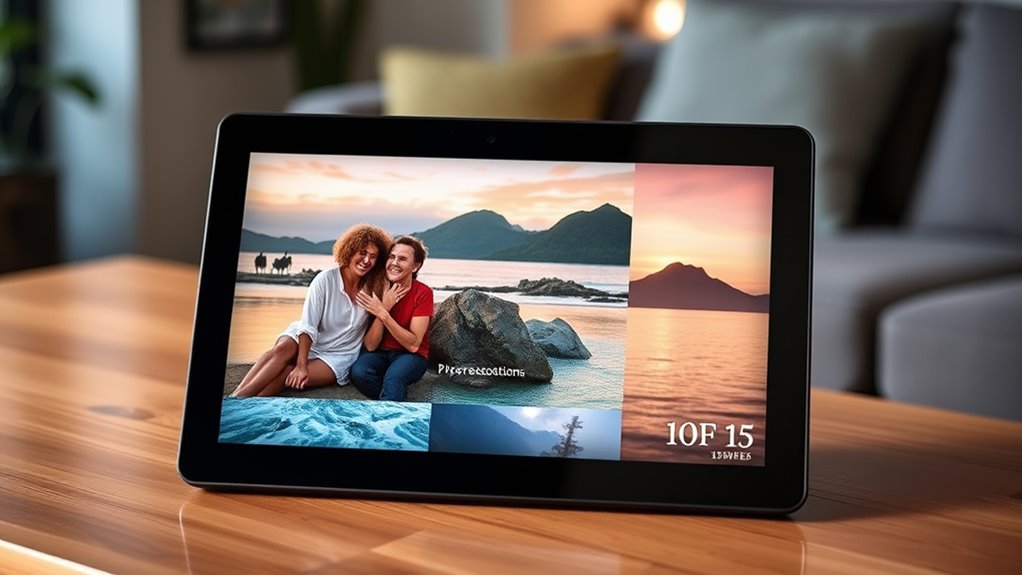

For most people searching for 10-inch Wi-Fi digital photo frames, I’d start with the Aura Carver HD for its polished, connected experience; the Skylight 10-Inch is a straightforward alternative, while the AEEZO 10.1-Inch stands out for built-in storage and auto-rotate. The main tradeoffs are easy photo sharing versus local storage, a simple setup versus more control, and a standard-size screen versus a larger display. Several similarly named Frameo models also make it worth checking the exact storage and frame finish before choosing. Read on for how all 15 options compare and which one best fits your home.

Get your wardrobe favorites delivered free with Prime
- Fast, free delivery on millions of items
- Prime Video, Amazon Music and more included
- Member-only deals all year
Key Takeaways
- Aura Carver HD and Skylight are the recognizable choices for buyers who value a connected, streamlined frame experience; check their app and sharing requirements before buying.
- AEEZO, several Frameo models, BIGASUO, and Akimart list built-in storage, making them worth comparing when keeping photos on the frame matters.
- The Frameo entries are not interchangeable: listed storage ranges from 16 GB to 32 GB, and finishes include wood-style options, so the exact model matters.
- The 15.6-inch Frameo is the size outlier in a roundup centered on 10-inch frames; choose it only if viewing distance and display area matter more than a compact footprint.
- Across this lineup, the most useful checks are Wi-Fi sharing setup, storage, screen type, rotation, and physical size—the product names alone do not settle those differences.
| Skylight 10-Inch Digital Picture Frame, Classic White |  | Best for Simple Family Sharing | Display: 10 inches | Resolution: 1280 × 800 (WXGA) | Aspect ratio: 16:9 | VIEW ON AMAZON | See Our Full Breakdown |
| Aura Carver HD Digital Picture Frame, 10.1-Inch, Black |  | Best for Cloud Sharing | Display: 10.1 inches | Resolution: WXGA | Aspect ratio: 16:9 | VIEW ON AMAZON | See Our Full Breakdown |
| AEEZO 10.1-Inch Wi-Fi Digital Picture Frame with Touchscreen, 32 GB Storage, and Auto-Rotate |  | Best for Local Storage | Screen: 10.1-inch IPS touchscreen | Resolution: 1280 × 800 (WXGA) | Aspect ratio: 16:10 | VIEW ON AMAZON | See Our Full Breakdown |
| Frameo 10.1-Inch Wi-Fi Digital Picture Frame |  | Best Expandable Entry-Level Pick | Display: 10.1-inch HD IPS touchscreen | Resolution: 1280 × 800 | Aspect ratio: 16:10 | VIEW ON AMAZON | See Our Full Breakdown |
| Frameo 10.1″ WiFi Digital Picture Frame – 32GB |  | Best for Senior-Friendly Gifting | Display: 10.1-inch IPS touchscreen | Resolution: 1280 × 800 | Aspect ratio: 16:10 | VIEW ON AMAZON | See Our Full Breakdown |
| TIKVITO Frameo 10.1-Inch Wi-Fi Digital Picture Frame, Wood |  | Best for Flexible Uploads | Display: 10.1-inch IPS touchscreen | Resolution: 800 × 1280 | Aspect ratio: 16:10 | VIEW ON AMAZON | See Our Full Breakdown |
| Frameo 10.1-Inch Wi-Fi Digital Picture Frame with IPS Touchscreen, 16 GB Storage, and Brown Wood-Style Frame |  | Best for a Smaller Photo Library | Display: 10.1-inch IPS touchscreen | Resolution: 1280 × 800 | Aspect ratio: 16:10 | VIEW ON AMAZON | See Our Full Breakdown |
| BIGASUO Frameo Digital Picture Frame, 10.1-inch WiFi Photo Frame with 32GB Memory |  | Best for a Simple Setup | Display: 10.1-inch IPS touchscreen | Resolution: 1280 × 800 | Storage: 32 GB built-in | VIEW ON AMAZON | See Our Full Breakdown |
| BIGASUO Frameo Wi-Fi Digital Picture Frame, 10.1-Inch, 32GB |  | Best for Expandable Storage | Display: 10.1-inch IPS touchscreen | Resolution: 1280 × 800 | Storage: 32 GB built-in | VIEW ON AMAZON | See Our Full Breakdown |
| 10.1-Inch Wi-Fi Digital Picture Frame with Touchscreen and 32GB Memory |  | Best for Short Video Clips | Display: 10.1-inch IPS touchscreen | Resolution: 1280 × 800 | Aspect ratio: 16:10 | VIEW ON AMAZON | See Our Full Breakdown |
| 15.6-Inch Frameo Wi-Fi Digital Picture Frame, 64GB |  | Best for a Large Display and Local Storage | Display size: 15.6 inches | Resolution: 1920 × 1080 | Display type: IPS touchscreen | VIEW ON AMAZON | See Our Full Breakdown |
| Skylight 10-Inch Wi-Fi Digital Picture Frame, Black |  | Best for Simple, Email-Based Sharing | Display size: 10 inches | Resolution: 1280 × 800 | Aspect ratio: 16:9 | VIEW ON AMAZON | See Our Full Breakdown |
| Frameo 10.1-Inch Wi-Fi Digital Photo Frame with HD Touchscreen |  | Best for Sharing Among Multiple Family Members | Display size: 10.1 inches | Resolution: 1280 × 800 | Aspect ratio: 16:10 | VIEW ON AMAZON | See Our Full Breakdown |
| 10.1-Inch Wi-Fi Digital Picture Frame with IPS Touchscreen, 16GB Storage, and Auto-Rotate |  | Best for Wall Mounting | Display size: 10.1 inches | Resolution: 1280 × 800 | Display type: IPS touchscreen | VIEW ON AMAZON | See Our Full Breakdown |
| Akimart 10.1-Inch Wi-Fi Digital Photo Frame with 32GB Memory |  | Best for Built-In Storage and Extra Display Tools | Screen size: 10.1 inches | Display: IPS touchscreen | Resolution: 1280 × 800 | VIEW ON AMAZON | See Our Full Breakdown |
| digital photo frames wifi 10inch | Resolution | Connectivity | Aspect ratio | Display |
|---|---|---|---|---|
| Skylight 10-Inch Digital Pictu | 1280 × 800 (WXGA) | Wi-Fi, Bluetooth | 16:9 | 10 inches |
| Aura Carver HD Digital Picture | WXGA | Wi-Fi | 16:9 | 10.1 inches |
| AEEZO 10.1-Inch Wi-Fi Digital | 1280 × 800 (WXGA) | Wi-Fi | 16:10 | — |
| Frameo 10.1-Inch Wi-Fi Digital | 1280 × 800 | Wi-Fi, USB | 16:10 | 10.1-inch HD IPS touchscreen |
| Frameo 10.1" WiFi Digital Pict | 1280 × 800 | Wi-Fi | 16:10 | 10.1-inch IPS touchscreen |
| TIKVITO Frameo 10.1-Inch Wi-Fi | 800 × 1280 | Wi-Fi | 16:10 | 10.1-inch IPS touchscreen |
| Frameo 10.1-Inch Wi-Fi Digital | 1280 × 800 | Wi-Fi | 16:10 | 10.1-inch IPS touchscreen |
| BIGASUO Frameo Digital Picture | 1280 × 800 | Wi-Fi | — | 10.1-inch IPS touchscreen |
| BIGASUO Frameo Wi-Fi Digital P | 1280 × 800 | Wi-Fi | — | 10.1-inch IPS touchscreen |
| 10.1-Inch Wi-Fi Digital Pictur | 1280 × 800 | — | 16:10 | 10.1-inch IPS touchscreen |
| 15.6-Inch Frameo Wi-Fi Digital | 1920 × 1080 | 2.4GHz Wi-Fi | 16:9 | — |
| Skylight 10-Inch Wi-Fi Digital | 1280 × 800 | Wi-Fi | 16:9 | — |
| Frameo 10.1-Inch Wi-Fi Digital | 1280 × 800 | 2.4GHz Wi-Fi | 16:10 | — |
| 10.1-Inch Wi-Fi Digital Pictur | 1280 × 800 | — | 16:10 | — |
| Akimart 10.1-Inch Wi-Fi Digita | 1280 × 800 | Wi-Fi; Frameo app for iOS and Android | — | IPS touchscreen |
More Details on Our Top Picks
Skylight 10-Inch Digital Picture Frame, Classic White
The Skylight suits households that want a straightforward way to send photos to a frame without asking recipients to manage a complicated setup. Its unique email address gives relatives a direct sharing route, while Gift Mode lets someone preload pictures before giving it. The 1280 × 800 screen is a practical match for a 10-inch frame, and existing photos remain viewable offline. Compared with the Aura Carver HD, Skylight does not offer the same stated range of app and service integrations or unlimited cloud storage; its appeal is the simple email-based workflow. The tradeoff is that Wi-Fi is still needed for new uploads, and the frame depends on corded power. I’d choose it for gifting or low-fuss sharing, not for anyone seeking extensive local storage.
Pros:- Unique email address gives family members a simple remote-sharing option
- Gift Mode supports preloading photos before the frame is given
- Existing photos can be viewed when Wi-Fi is unavailable
- Touchscreen and 1280 × 800 resolution suit everyday viewing at 10 inches
Cons:- Wi-Fi is required to receive or upload new content
- Cloud-based storage is specified, but no capacity is provided
- Corded power limits placement to locations near an outlet
Best for: Families buying a gift for someone who wants a simple email-based way to receive shared photos
Not ideal for: People who need new photos to arrive without Wi-Fi or prefer a frame with specified built-in local storage
- Display:10 inches
- Resolution:1280 × 800 (WXGA)
- Aspect ratio:16:9
- Connectivity:Wi-Fi, Bluetooth
- Storage:Cloud-based
- Offline viewing:Existing photos can be viewed without Wi-Fi
- Touchscreen:Yes
- Power:Corded electric
Our verdict“Choose the Skylight for an easy-to-gift frame with email sharing and offline viewing of saved photos, but skip it if you need local storage details or wireless power.”
Aura Carver HD Digital Picture Frame, 10.1-Inch, Black
The Aura Carver HD is the strongest fit here for families who expect many people to contribute photos over time. Its unlimited storage with no subscription fee removes the capacity ceiling found on the AEEZO’s 32 GB internal storage and the Frameo models’ stated local limits. Sharing through the Aura app, email, text, iCloud, Google Photos, and other supported services also gives contributors more routes than the Skylight’s email-focused approach. A display that adjusts to room lighting helps it adapt to changing conditions without relying on a fixed brightness. The tradeoffs are clear: Wi-Fi is required for sharing, and clips are capped at 30 seconds. I’d pick Aura for a connected family gallery, while buyers who want defined onboard storage or broader offline use should compare the AEEZO.
Pros:- Unlimited photo and video storage with no subscription fee
- Accepts sharing through the Aura app and several supported services
- Brightness adjusts to room lighting
- Setup is described as taking about a minute
Cons:- Wi-Fi is required for photo sharing
- Video clips are limited to 30 seconds
- Corded power restricts placement
Best for: Families with several contributors who want to share from different services without managing a storage limit
Not ideal for: Buyers who need offline photo delivery, specified local storage, or longer video clips
- Display:10.1 inches
- Resolution:WXGA
- Aspect ratio:16:9
- Connectivity:Wi-Fi
- Storage:Unlimited, with no subscription fee
- Video support:Up to 30 seconds with sound
- Power:Corded electric
- Warranty:1 year
Our verdict“Choose Aura for a family gallery built around flexible online sharing and unlimited storage, but opt for the AEEZO if you want a stated amount of onboard memory.”
AEEZO 10.1-Inch Wi-Fi Digital Picture Frame with Touchscreen, 32 GB Storage, and Auto-Rotate
The AEEZO stands apart for buyers who want a substantial 32 GB of built-in storage rather than relying mainly on cloud capacity. Its 10.1-inch IPS touchscreen, auto-rotate, and light-sensor brightness adjustment make it adaptable to portrait photos and changing room light. Remote sharing through AiMOR keeps it connected to family contributors, while SD-card support adds a way to bring in more media. That card workflow has a catch: SD photos must be imported before they can be viewed, so it is not a simple plug-in-and-browse setup. Compared with the Frameo 10.1-inch model with 16 GB, AEEZO starts with more internal room; compared with Aura, it offers defined local capacity instead of unlimited cloud storage. I’d favor it for mixed online and local libraries, not for effortless direct SD playback.
Pros:- 32 GB of built-in storage for a sizable local photo library
- Auto-rotate accommodates portrait and landscape images
- Light sensor adjusts brightness to room conditions
- Remote photo and video sharing is available through AiMOR
Cons:- Photos and videos on an SD card must be imported before viewing
- Corded power limits where it can be placed
- SD card support is limited to 64 GB
Best for: People who want a Wi-Fi frame with substantial built-in storage and portrait-orientation support
Not ideal for: Anyone who expects to insert an SD card and browse its contents directly without importing files
- Screen:10.1-inch IPS touchscreen
- Resolution:1280 × 800 (WXGA)
- Aspect ratio:16:10
- Internal storage:32 GB
- SD card support:Up to 64 GB
- Connectivity:Wi-Fi
- Auto-rotate:Yes
- Power:Corded electric
Our verdict“Choose the AEEZO if local capacity and auto-rotation matter more than direct SD-card browsing or Aura’s unlimited cloud storage.”
Frameo 10.1-Inch Wi-Fi Digital Picture Frame
This Frameo is the straightforward choice for buyers who want app-based sharing and a conventional local-storage path without paying for features they may not use. The 16 GB internal storage is less generous than the AEEZO’s 32 GB, but the Micro SD slot can expand capacity to 32 GB. Its 10.1-inch IPS touchscreen, auto-rotation, and slideshow functions cover the basics for a shared household display. The included adjustable stand and wall-mount option also give it more placement flexibility than the supplied specs describe for the Skylight. The tradeoffs are a corded power connection and the smaller built-in capacity; expansion requires a card rather than arriving onboard. I’d choose this over the 32 GB Frameo variant when the lower built-in capacity is acceptable and a simple expandable setup is the priority.
Pros:- Frameo app supports remote photo and video sharing
- Auto-rotation and slideshow features support everyday viewing
- Micro SD expansion adds capacity up to 32 GB
- Adjustable stand and wall-mount option offer placement choices
Cons:- Only 16 GB of internal storage is included
- Corded power limits placement away from outlets
- Plastic frame material may not suit buyers seeking a wood finish
Best for: First-time frame buyers who want Frameo app sharing, basic slideshow controls, and optional storage expansion
Not ideal for: Households with large photo libraries that want more than 16 GB available without buying a Micro SD card
- Display:10.1-inch HD IPS touchscreen
- Resolution:1280 × 800
- Aspect ratio:16:10
- Internal storage:16 GB
- Expandable storage:Up to 32 GB via Micro SD card
- Connectivity:Wi-Fi, USB
- Power:Corded electric
- Dimensions:10.51 × 7.2 inches
Our verdict“Choose this Frameo for app sharing and expandable storage on a simple 10.1-inch touchscreen, but pick the 32 GB Frameo version if you want more capacity built in.”
Frameo 10.1″ WiFi Digital Picture Frame – 32GB
This 32 GB Frameo is aimed at gift-givers who want a ready-to-use family display with enough built-in room to avoid an immediate storage upgrade. The Frameo app’s invited-family privacy controls help keep contributions limited to chosen people, while the touchscreen and calendar, collage, clock, and weather functions add everyday utility beyond a slideshow. Its 32 GB internal storage gives it twice the onboard capacity of the other Frameo model in this group, and microSD expansion can add up to another 32 GB. The tradeoffs are that it still needs corded power, and short videos are limited to 15 seconds unless using a microSD card, according to the supplied description. Compared with Aura’s broader sharing routes and unlimited storage, this model favors a defined local library and gift-oriented simplicity.
Pros:- 32 GB of built-in storage, expandable by microSD up to 32 GB
- Invited-family controls limit who can contribute through the app
- Calendar, collage, clock, and weather add functions beyond photo display
- IPS touchscreen supports direct on-frame interaction
Cons:- Video clips are limited to 15 seconds unless using a microSD card
- Corded electric power restricts placement
- Plastic construction may not suit buyers seeking a more decorative frame
Best for: Gift buyers setting up a shared family frame for an older relative who values a touchscreen and simple household utilities
Not ideal for: People who want longer video clips without a microSD card or prefer cloud storage with no stated capacity limit
- Display:10.1-inch IPS touchscreen
- Resolution:1280 × 800
- Aspect ratio:16:10
- Internal storage:32 GB
- Expandable storage:Up to 32 GB via microSD
- Connectivity:Wi-Fi
- Video support:Short videos up to 15 seconds; description notes a microSD exception
- Power:Corded electric
Our verdict“Choose this Frameo as a gift for a relative who wants a private, feature-rich family display with ample onboard storage, but choose Aura for broader cloud-sharing flexibility.”
TIKVITO Frameo 10.1-Inch Wi-Fi Digital Picture Frame, Wood
The TIKVITO stands out among these 10-inch Wi-Fi frames for combining 32 GB of onboard storage with two ways to load photos: remote sharing through the Frameo app and local transfers by TF card. That flexibility suits households that want relatives to send new pictures but also have a folder ready to add in batches. Its 10.1-inch IPS touchscreen auto-rotates for portrait or landscape images, while the wood frame gives it a warmer look than the black engineered-plastic BIGASUO Frameo. Compared with the Frameo model with 16 GB, this one offers more internal room without relying as much on external storage. The tradeoffs are cord-only power and Wi-Fi dependence for remote sharing; the 800 × 1280 resolution is also listed differently from the 1280 × 800 panels on several alternatives.
Pros:- 32 GB of built-in storage reduces the need to manage files on an external card
- Frameo app supports remote photo and short-video sharing from iOS and Android
- TF-card uploads provide a local alternative for adding batches of photos
- IPS touchscreen includes auto-rotation for portrait and landscape images
Cons:- Remote app sharing depends on a Wi-Fi connection
- Corded power limits placement away from an outlet
- Listed 800 × 1280 resolution differs in orientation from several comparable 1280 × 800 frames
Best for: Families who want app-based sharing plus TF-card batch uploads and extra built-in room for a growing photo collection
Not ideal for: Buyers who need a battery-powered frame or want to send photos remotely where reliable Wi-Fi is unavailable
- Display:10.1-inch IPS touchscreen
- Resolution:800 × 1280
- Aspect ratio:16:10
- Storage:32 GB built-in; TF card support
- Video support:1080p, up to 30 FPS
- Connectivity:Wi-Fi
- Compatible devices:iPhone/iOS and Android
- Power and frame:Corded electric; wood
Our verdict“Choose the TIKVITO if you want Frameo sharing, TF-card uploads, and 32 GB of storage in a wood-look frame, and can keep it near power and Wi-Fi.”
Frameo 10.1-Inch Wi-Fi Digital Picture Frame with IPS Touchscreen, 16 GB Storage, and Brown Wood-Style Frame
This Frameo model is a straightforward choice for buyers who want remote sharing on a familiar 10.1-inch screen but do not need a large built-in library. The 16 GB internal storage is half the capacity of the TIKVITO and both BIGASUO 32 GB frames, so it suits a more curated selection; support for an external card of up to 32 GB offers a way to add space. Its IPS touchscreen and auto-rotation make it practical for mixed portrait and landscape photos, much like the TIKVITO, while the brown wood-style appearance gives it a traditional frame look. The distinction is that this frame is made from plastic, not wood, and it relies on Wi-Fi for app sharing. Choose it for a modest collection and skip it if you expect to keep many files onboard.
Pros:- Frameo app supports remote sharing from iOS and Android
- IPS touchscreen supports viewing from different angles
- Auto-rotation accommodates portrait and landscape photos
- External storage support provides an expansion path beyond the built-in 16 GB
Cons:- 16 GB of internal storage is less than the 32 GB offered by the TIKVITO and BIGASUO models
- External storage support is limited to up to 32 GB
- Wi-Fi is required for app-based remote sharing
Best for: People buying a Frameo app frame for a curated collection of family photos, with the option to add up to 32 GB externally
Not ideal for: Households that want a large photo archive stored internally or need remote sharing without Wi-Fi
- Display:10.1-inch IPS touchscreen
- Resolution:1280 × 800
- Aspect ratio:16:10
- Built-in storage:16 GB
- External storage:Up to 32 GB
- Connectivity:Wi-Fi
- Compatible devices:iOS and Android
- Power and frame:Corded electric; brown wood-style plastic
Our verdict“Pick this Frameo when a smaller, curated library is enough and you value app sharing and auto-rotation over the larger internal capacity of the TIKVITO.”
BIGASUO Frameo Digital Picture Frame, 10.1-inch WiFi Photo Frame with 32GB Memory
The BIGASUO is the clearest fit here for buyers who want Frameo sharing with a simple touchscreen setup and do not need a wood finish. Its 32 GB of internal storage matches the TIKVITO and the other BIGASUO in this group, while the 1280 × 800 IPS panel aligns with the more common resolution listed among these 10.1-inch options. The supplied details also call out private photo management, auto-rotate, slideshow, and sleep mode, giving it useful everyday controls without a long feature list. Compared with the TIKVITO, it uses engineered plastic rather than wood and does not list TF-card uploads in its core description, though Micro SD support is mentioned among its benefits. Wi-Fi is needed for remote sharing, and the available update-support timeline is unknown.
Pros:- 32 GB of built-in storage for keeping a substantial photo selection on the frame
- Frameo app enables remote photo and video sharing over Wi-Fi
- IPS touchscreen includes auto-rotate, slideshow, and sleep mode
- Micro SD support is listed for additional storage
Cons:- Remote sharing features require Wi-Fi
- Software update support dates are not specified
- Engineered-plastic construction has a less traditional frame look than the wood-finish TIKVITO
Best for: Families who want a 32 GB Frameo touchscreen with straightforward setup, private sharing, and basic slideshow controls
Not ideal for: Buyers who prefer a wood frame, require a clearly stated software-update schedule, or want a documented resolution of 1080p video playback
- Display:10.1-inch IPS touchscreen
- Resolution:1280 × 800
- Storage:32 GB built-in
- Connectivity:Wi-Fi
- Frameo app:Remote photo and video sharing
- Additional features:Auto-rotate, slideshow, and sleep mode
- Frame material and color:Engineered plastic; black and white
- Power and warranty:Corded electric; 1 year
Our verdict“Choose this BIGASUO for a no-fuss Frameo setup with 32 GB onboard, but look to the TIKVITO if a wood frame and specified TF-card uploads matter more.”
BIGASUO Frameo Wi-Fi Digital Picture Frame, 10.1-Inch, 32GB
This BIGASUO pairs 32 GB of built-in storage with Micro SD expansion, making it a practical pick for buyers who want room to grow beyond the frame’s internal library. The Frameo app handles remote photo and video sharing, while the touchscreen gives access to slideshows, auto-rotation, brightness, and sleep settings. Compared with the newer BIGASUO Frameo model in this roundup, its listed details put more emphasis on display customization and card expansion; the newer model specifically calls out private photo management and simple setup. Both use a 10.1-inch, 1280 × 800 IPS touchscreen and corded power. The matte-black engineered-plastic frame is less decorative than the TIKVITO’s wood construction, and app sharing still depends on Wi-Fi. Micro SD expansion is useful, but adds a separate card to manage.
Pros:- 32 GB of internal storage plus Micro SD card expansion
- Frameo app supports remote sharing of photos and videos
- Touchscreen provides access to brightness, slideshow, and sleep settings
- Auto-rotation supports portrait and landscape photos
Cons:- Requires corded power, limiting placement options
- Remote sharing depends on Wi-Fi
- Matte-black engineered-plastic frame offers a plainer look than the TIKVITO wood frame
Best for: People who want a 32 GB Frameo frame with Micro SD expansion and hands-on control of slideshow and display settings
Not ideal for: Buyers looking for a wood finish, battery-powered placement, or remote sharing in a location without Wi-Fi
- Display:10.1-inch IPS touchscreen
- Resolution:1280 × 800
- Storage:32 GB built-in
- Expandable storage:Micro SD card support
- Connectivity:Wi-Fi
- Compatible devices:Smartphones
- Display controls:Slideshow, auto-rotation, brightness, and sleep mode
- Power and frame:Corded electric; matte-black engineered plastic
Our verdict“Choose this BIGASUO if expandable storage and display controls matter more than a decorative frame finish or freedom from cords.”
10.1-Inch Wi-Fi Digital Picture Frame with Touchscreen and 32GB Memory
This 10.1-inch frame is the strongest match in this group for buyers who plan to share short video clips as well as photos, using the AiMOR app rather than Frameo. It has 32 GB of internal storage, auto-rotation, brightness adjustment, and slideshow settings, so its everyday feature set is close to the BIGASUO Frameo models. Its main distinction is the clearly stated video limit: MP4 clips are supported up to 15 seconds. That keeps sharing focused on brief moments, but means longer videos must be trimmed. A Micro SD card can import files, though card contents must be copied onto the frame before playback, unlike a workflow where the card itself acts as the display source. Choose it over the BIGASUO frames for its stated video format; skip it if you want longer clips or direct card playback.
Pros:- AiMOR app supports Wi-Fi sharing of photos and videos
- 32 GB of internal storage provides room for a local collection
- Auto-rotation, brightness adjustment, and slideshow settings support everyday use
- Micro SD cards up to 64 GB can be used to import files
Cons:- MP4 videos are limited to clips up to 15 seconds
- Micro SD card files must be imported before playback
- Remote sharing requires Wi-Fi and the frame uses corded power
Best for: Families who want to send brief MP4 moments through an app and keep photos and short clips together on a 32 GB frame
Not ideal for: Buyers who want to play videos longer than 15 seconds or view Micro SD files directly without importing them
- Display:10.1-inch IPS touchscreen
- Resolution:1280 × 800
- Aspect ratio:16:10
- Internal storage:32 GB
- Expandable storage:Micro SD cards up to 64 GB; files must be imported
- Connectivity and app:Wi-Fi; AiMOR app
- Video support:MP4 clips up to 15 seconds
- Power and color:Corded electric; black
Our verdict“Pick this model for app-shared photos and brief MP4 clips, but choose a BIGASUO Frameo instead if you prefer the Frameo app or do not want a stated 15-second video limit.”
15.6-Inch Frameo Wi-Fi Digital Picture Frame, 64GB
If a standard 10-inch frame would feel too small across a room, this 15.6-inch Full HD screen is the clear outlier in this group. Its 1920 × 1080 resolution gives shared photos more room and detail than the 1280 × 800 displays on the Frameo 10.1-Inch Wi-Fi Digital Photo Frame and Akimart model. The 64GB built-in storage, plus SD card and USB support, also suits households with a large photo collection or media they want to load locally. The tradeoff is its footprint: at 15.43 × 9.61 inches, it is less suited to a small shelf than the 10-inch picks. It uses 2.4GHz Wi-Fi, and Frameo app video uploads are capped at 15 seconds; some larger removable drives may not work properly.
Pros:- 15.6-inch 1920 × 1080 IPS touchscreen offers more screen area and resolution than the 10.1-inch options here.
- 64GB of built-in storage can hold a sizeable collection without relying on removable media.
- SD card and USB support provide additional ways to play locally stored media.
- Built-in speaker plays sound with supported videos.
Cons:- Its larger dimensions take up more shelf or wall space than the 10-inch frames.
- Frameo app video uploads are limited to 15 seconds.
- Wi-Fi is limited to 2.4GHz, and some 64GB or 128GB cards and drives may not work properly.
Best for: Households that want a larger, easy-to-see display and room to store a substantial photo library.
Not ideal for: Buyers set on a compact 10-inch frame, longer app-shared videos, or 5GHz Wi-Fi support.
- Display size:15.6 inches
- Resolution:1920 × 1080
- Display type:IPS touchscreen
- Aspect ratio:16:9
- Storage:64GB
- Connectivity:2.4GHz Wi-Fi
- Video upload limit via Frameo app:15 seconds
- Dimensions:15.43 × 9.61 inches
Our verdict“Choose this Frameo if screen size and substantial built-in storage matter more than a compact footprint or longer app-shared videos.”
Skylight 10-Inch Wi-Fi Digital Picture Frame, Black
The Skylight’s main distinction is its email-address sharing method: relatives can send photos to the frame without using the Frameo app required by the Frameo 10.1-Inch Wi-Fi Digital Photo Frame and Akimart. Its 10-inch touchscreen and gift mode make setup and gifting straightforward, while offline viewing lets the frame display photos already saved when Wi-Fi is unavailable. That offline feature does not extend to receiving new pictures: Wi-Fi is needed for uploads, so this is not the best fit for a location without a reliable connection. Its listed storage is 8GB, less than the 16GB Frameo and 32GB Akimart, and it uses corded power. Choose it for uncomplicated sharing rather than storage headroom or app-based features.
Pros:- Frame-specific email address offers an alternative to the Frameo app used by several competing picks.
- Gift mode lets the frame be personalized before it is given.
- Offline viewing keeps photos already on the frame available without an active connection.
- Touchscreen control makes direct interaction straightforward.
Cons:- Wi-Fi is required to receive or upload new photos.
- Listed storage is 8GB, below the 16GB Frameo and 32GB Akimart options.
- Corded electric power limits placement to areas near an outlet.
Best for: Gift-givers and families who want recipients to receive photos through a simple frame-specific email address.
Not ideal for: Buyers who need generous local storage, new-photo sharing without Wi-Fi, or a battery-powered frame.
- Display size:10 inches
- Resolution:1280 × 800
- Aspect ratio:16:9
- Storage capacity:8GB
- Connectivity:Wi-Fi
- Control method:App
- Power source:Corded electric
- Item weight:680g
Our verdict“Pick the Skylight for email-based photo sharing and gift setup, but choose a higher-storage Frameo model for a larger local library.”
Frameo 10.1-Inch Wi-Fi Digital Photo Frame with HD Touchscreen
For a household where several people will contribute pictures, this Frameo model supports multiple senders and can share to multiple frames at once. That gives it a clearer family-sharing role than the Skylight 10-Inch Wi-Fi Digital Picture Frame, which uses its own email-address workflow. The 16GB built-in storage is a practical middle ground between Skylight’s listed 8GB and Akimart’s 32GB, and a Micro SD card can add up to 32GB. Its 10.1-inch, 1280 × 800 touchscreen supports automatic rotation, so portrait and landscape photos can display in the orientation they were taken. The compromises are common to this class: it needs corded power, supports only 2.4GHz Wi-Fi, and app-shared videos stop at 15 seconds.
Pros:- Multiple senders can share photos, making it suitable for family contributions.
- Can share photos to multiple frames at the same time.
- 16GB built-in storage plus Micro SD support up to 32GB offers room to expand.
- Automatic rotation supports portrait and landscape photos.
Cons:- 2.4GHz Wi-Fi only may not suit networks or setups relying on 5GHz.
- Videos shared through the app are limited to 15 seconds.
- Corded electric power restricts placement near an outlet.
Best for: Families who want several iOS or Android users to send photos remotely to one or more frames.
Not ideal for: Buyers who need longer video uploads, 5GHz Wi-Fi, or more built-in storage than 16GB.
- Display size:10.1 inches
- Resolution:1280 × 800
- Aspect ratio:16:10
- Connectivity:2.4GHz Wi-Fi
- Built-in storage:16GB
- External storage:Micro SD up to 32GB
- Video support:Videos up to 15 seconds
- Power source:Corded electric
- Warranty:One year
Our verdict“Choose this Frameo for multi-person family sharing and expandable storage, provided short video clips and corded power suit your setup.”
10.1-Inch Wi-Fi Digital Picture Frame with IPS Touchscreen, 16GB Storage, and Auto-Rotate
This 10.1-inch frame earns its place for buyers who want a wall-mount option as well as portrait or landscape display. Its 178° viewing angle and IPS touchscreen are useful when the frame is viewed from different spots in a room, while auto-rotate reduces the need to sort photos by orientation. Storage is balanced rather than exceptional: it has 16GB built in and accepts microSD cards up to 32GB. That puts it on similar footing to the Frameo 10.1-Inch Wi-Fi Digital Photo Frame, while the Akimart offers more built-in space at 32GB. The white plastic frame may not suit every décor, and app-shared video clips max out at 15 seconds. Its listed specs say Wi-Fi and smartphone sharing but do not name a particular sharing app.
Pros:- Wall-mount support gives it a placement option not listed for the other 10.1-inch picks here.
- 178° viewing angle helps photos remain visible from a broad range of positions.
- 16GB built-in storage and microSD expansion up to 32GB provide flexible capacity.
- Auto-rotate, slideshow, and adjustable brightness settings support varied displays.
Cons:- Video clips are limited to 15 seconds.
- MicroSD expansion is capped at 32GB.
- White plastic construction may be a poor match for buyers seeking a wood or dark frame.
Best for: Buyers who plan to mount a 10.1-inch frame on a wall and want automatic orientation handling.
Not ideal for: People who want a clearly specified sharing app, longer video clips, or storage beyond the stated microSD limit.
- Display size:10.1 inches
- Resolution:1280 × 800
- Display type:IPS touchscreen
- Aspect ratio:16:10
- Viewing angle:178°
- Built-in storage:16GB
- Expandable storage:MicroSD up to 32GB
- Maximum video length:15 seconds
- Warranty:Two years
Our verdict“Choose this model if wall placement and wide-angle viewing matter more than app-specific details or a larger built-in library.”
Akimart 10.1-Inch Wi-Fi Digital Photo Frame with 32GB Memory
The Akimart’s strongest case is straightforward: among the 10.1-inch choices here, its 32GB of built-in storage gives a larger local library more room than the 16GB Frameo and white IPS models. It also adds calendar sync, collages for up to six photos, captions, and photo reactions, making it more interactive than the simpler Skylight. Remote sharing runs through the Frameo app for iOS and Android, and automatic rotation handles portrait and landscape images. The display remains 1280 × 800, so its extra storage and features do not mean higher resolution than the other 10.1-inch frames. App-shared videos are limited to 15 seconds, and remote sharing depends on Wi-Fi and the app. Choose it for capacity and built-in extras, not for longer video playback.
Pros:- 32GB built-in storage exceeds the 16GB capacity of the Frameo and white IPS alternatives.
- Frameo app supports remote photo sharing from iOS and Android devices.
- Calendar sync, collages for up to six photos, captions, and reactions add display options.
- Automatic rotation supports portrait and landscape photos.
Cons:- Videos shared through the app are limited to 15 seconds.
- Remote sharing requires Wi-Fi and the Frameo app.
- 1280 × 800 resolution matches, rather than exceeds, the other 10.1-inch touchscreen options.
Best for: Families who want a sizeable stored photo collection alongside calendars, collages, captions, and photo reactions.
Not ideal for: Buyers who avoid app-dependent sharing, need longer video uploads, or prioritize a higher-resolution screen.
- Screen size:10.1 inches
- Display:IPS touchscreen
- Resolution:1280 × 800
- Built-in storage:32GB
- Expandable storage:MicroSD card
- Connectivity:Wi-Fi; Frameo app for iOS and Android
- Maximum video length:15 seconds
- Additional features:Calendar sync, collage mode for up to 6 photos, photo reactions, adjustable brightness, sleep mode
Our verdict“Choose the Akimart if built-in storage and extra photo-display tools matter more than longer clips or a higher-resolution screen.”

How We Picked
I compared the 15 listed frames around the needs behind this search: a roughly 10-inch display, Wi-Fi photo sharing, everyday ease of use, and a size that suits a shelf or side table. I gave weight to clearly stated features such as touchscreen operation, storage capacity, auto-rotate, IPS screens, and frame finish. Where product names were similar, I treated storage and finish as meaningful distinctions rather than assuming the models were identical.
The order favors recognizable options with a clear role, then separates the alternatives by the needs their listed features address. Aura Carver HD and Skylight lead for buyers prioritizing a connected, simple experience; AEEZO and storage-equipped Frameo models merit attention from people who want more local capacity or controls. The larger 15.6-inch model ranks as a specialist pick, not a direct substitute for a 10-inch frame. Product details can vary by exact version, so I recommend confirming the listing’s current specifications before purchase.
Factors to Consider When Choosing Digital Photo Frames Wifi 10inch
Choosing a Wi-Fi frame is less about collecting the longest feature list and more about matching the way photos will reach the display to the way your household uses it. I’d settle the sharing method, storage needs, placement, and who will manage the frame before comparing finishes or minor interface details.
Choose a sharing setup your family will actually use
Wi-Fi photo frames can differ in how senders add pictures, even when both advertise wireless sharing. Before choosing, check whether relatives can send photos through an app, email, or another service, and whether each sender needs an account or invitation. A frame for a tech-comfortable household can support a more app-centered setup; a gift for someone less comfortable with devices benefits from fewer steps after installation. Ask who will manage permissions and help with Wi-Fi changes over time. A simple sending process matters more than a long list of sharing features if multiple family members will contribute. Confirm that the supported setup works with the recipient’s phone habits and home network.
Decide how much local storage you need
Built-in storage is useful when you want photos to remain available if Wi-Fi drops or the sending app is not in use. The models here list different capacities, including 16 GB and 32 GB options, but a larger number is not automatically better for every household. Photo file size, how often you refresh the collection, and whether the frame supports other ways to load pictures all affect practical capacity. Check whether the advertised storage is available to the user or partly occupied by system software. If your family expects to add photos for years, find out how the frame handles full storage and older files. Choose for your update habits, not just the largest capacity printed in a product title.
Match the screen to the room and viewing distance
A 10-inch frame fits many shelves and bedside tables, but the same display can feel small across a large room. Think about where viewers will stand or sit, and measure the space for the frame rather than relying on the screen diagonal alone. Screen resolution and panel type affect how photos appear, especially when viewed off-center, so check the full display specifications instead of assuming every HD or IPS label means the same thing. A larger model such as the 15.6-inch Frameo gives photos more presence but needs more surface area and can dominate a small table. If the frame will sit near eye level, viewing angle may matter more than sheer size. Prioritize the room’s layout over an appealing product photo.
Check rotation, aspect ratio, and photo cropping
Auto-rotate can help when a collection mixes portrait and landscape shots, but it does not guarantee every image will fill the screen without cropping. Check whether the frame rotates the display itself, adjusts the image orientation, or offers controls for how photos fit. Portrait photos can leave unused space on a landscape screen, while zoom-to-fill settings may cut off faces or background details. If the frame will show family snapshots from many phones, a mix of orientations is likely. Review any options for fit, crop, and slideshow order before settling on a model. These small settings can shape the finished display more than a difference in storage capacity.
Compare the full footprint, not just the screen size
The diagonal measurement describes the display, not the outer dimensions or the space required by the stand and power cable. Measure the shelf or wall area and check whether the frame can be positioned in portrait and landscape orientation. A wood-style finish can blend into a room more naturally than a plain black or white border, but finish labels may describe appearance rather than solid wood construction. Also check how the frame is powered and whether the cable can reach a convenient outlet without crossing a walkway. For a gift, consider whether the recipient has a suitable place to keep it plugged in. A frame that fits the room is more likely to stay on display and connected.
Treat setup and ongoing support as part of the purchase
Wi-Fi frames depend on software and network access, so the first setup is only part of the ownership experience. Look for clear instructions on connecting to a network, inviting senders, changing settings, and recovering access if a phone or router changes. A touchscreen may make adjustments easier on the frame, while app-based controls can be more convenient for someone managing it remotely. Check the maker’s guidance on software updates and support before purchase, especially for an older relative who may need help later. Do not assume that every frame supports the same number of contributors or the same photo formats. A slightly simpler frame can be the better choice when the household wants fewer maintenance tasks.
Frequently Asked Questions
Is the Aura Carver HD or Skylight a better choice for sending photos remotely?
Both are positioned as connected frames, but the right choice depends on the sharing steps and account setup that suit your household. Before buying, check how contributors are invited, which app or service is required, and whether the recipient can manage the frame without help. If you are buying for someone who rarely uses a smartphone, prioritize a setup you can complete for them and maintain remotely. If several relatives will send photos, confirm that adding contributors is straightforward. I would compare those details directly rather than choosing on brand name alone.
Should I choose a 16 GB or 32 GB Wi-Fi frame?
Choose based on how many photos you expect to keep on the frame and how often you plan to replace or refresh them. A smaller collection that changes regularly may fit comfortably in 16 GB, while a long-running family archive can make 32 GB more appealing. Check whether the frame lets you remove older images easily and whether photos are stored locally, in a service, or both. Also confirm whether advertised capacity is reduced by system files. Storage matters most when you want photos available without relying on a continuous connection.
Will a 10-inch frame work well as a gift for someone who is not tech-savvy?
It can, provided someone sets up Wi-Fi, loads initial photos, and explains how new pictures arrive. For a recipient who wants little interaction, favor a model with a clear sharing process and controls that do not require frequent troubleshooting. Ask whether the frame reconnects easily after a router change and who can manage settings remotely. A touchscreen can help with simple adjustments, though it does not replace a straightforward setup. If you are the family member who will provide support, choose a platform you are comfortable managing too.
Is the 15.6-inch Frameo a better buy than a 10-inch model?
It is a better fit only when a larger display suits the room and viewing distance. The 15.6-inch model can make photos easier to see across a living space, but it requires more room and is less discreet on a compact shelf. A 10-inch frame is easier to place on a bedside table, desk, or narrow sideboard. Compare the outer dimensions, not only the screen diagonal, and check where the power cable will run. If you searched specifically for a 10-inch frame, treat the larger option as an alternative rather than a direct match.
Do all Frameo 10.1-inch models have the same features?
No. The entries in this roundup include different listed storage capacities, finishes, and screen descriptions, so the Frameo name alone does not identify the full specification. Check the exact product listing for storage, touchscreen details, auto-rotate, and frame material or finish. Similar titles can refer to separate versions, and small differences may affect how well a model fits your room or photo collection. Confirm what is included and whether the claimed features apply to the exact variant selected. This is especially useful when comparing 16 GB and 32 GB listings.
Conclusion
For a strong all-around connected option, I’d begin with the Aura Carver HD; choose Skylight if its sharing approach better fits the recipient. My value-minded shortlist starts with the AEEZO and storage-equipped Frameo models, where listed features such as 32 GB capacity, auto-rotate, or a wood-style finish can address specific needs. For beginners, I’d favor the frame whose setup and photo-sending steps you can explain and support with confidence, rather than relying on a feature list. For a larger room, consider the 15.6-inch Frameo; for a smaller space or a particular decor, compare the 10.1-inch options by finish and footprint. Before ordering, verify the exact model’s storage, Wi-Fi sharing process, and screen specifications.
Halloween Picks

Vexalify 11-Inch Halloween Pumpkin Fog Machine with 12-Color Lights

Spirit Halloween 54-Inch Sitting Scarecrow Animatronic

12.5-Foot Lighted Halloween Inflatable Archway
As an affiliate, we earn on qualifying purchases.