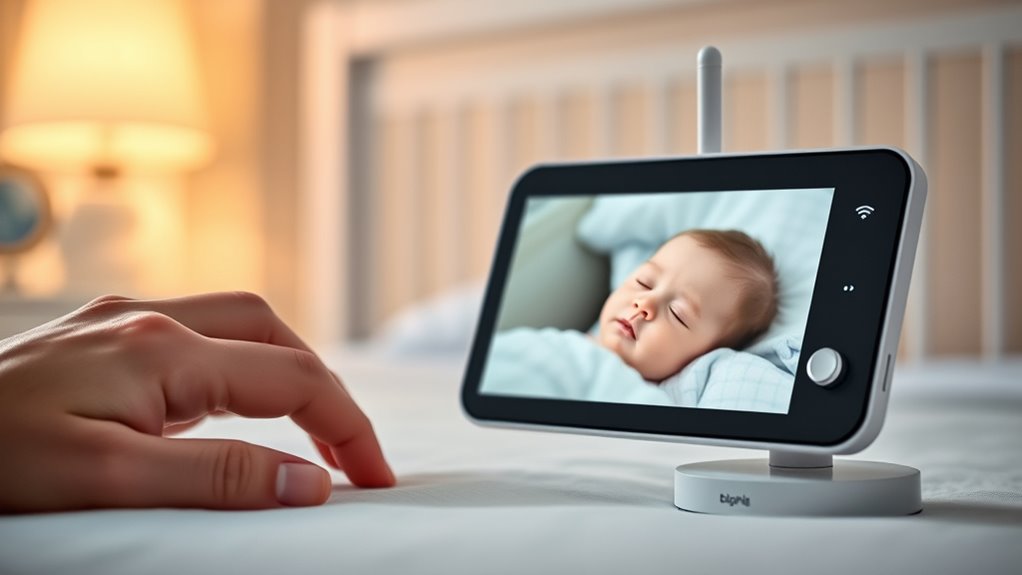

The VTech VM901 is my best overall pick among these Wi-Fi baby monitors because it pairs a 1080p camera and app access with a dedicated 5-inch screen. The ARENTI D3 Kit stands out for shoppers who want a 3MP camera and Wi-Fi 6, while the Babysense TOUCH suits families seeking a larger touchscreen and two-camera features. The main choice is between app access and a separate parent display, along with deciding whether you need one camera or coverage for multiple rooms. Some models add pan-and-tilt control, zoom, or tracking, but those features can make setup and everyday controls more involved. Read on for the full breakdown of what separates the picks and which tradeoffs matter most.

Get your wardrobe favorites delivered free with Prime
- Fast, free delivery on millions of items
- Prime Video, Amazon Music and more included
- Member-only deals all year
Key Takeaways
- The VTech VM901 is the most balanced starting point in this lineup, combining a dedicated 5-inch screen with 1080p video and Wi-Fi app access.
- Two-camera kits such as the VTech VM901-2HD, Dr.Care VistaView, and Babysense TOUCH are better suited to monitoring more than one child or room than single-camera options.
- The Babysense TOUCH has the largest listed parent screen and a broad set of camera controls, but its added capabilities may be more than a one-room setup needs.
- Several ARENTI D3 options share core specifications, so shoppers should compare the exact kit and included accessories rather than treating the names as interchangeable.
- The Tapo C210 and Tapo SolarCam C402 are security-camera alternatives, not dedicated baby-monitor kits; check whether their app-based setup fits your need for a parent display and nursery-focused controls.
| VTech VM901 Smart Wi-Fi Baby Monitor with 1080p Camera and 5-Inch Screen |  | Best Overall for One Room | Camera resolution: 1080p | Parent unit screen: 5-inch HD | App: MyVTech Baby | VIEW ON AMAZON | See Our Full Breakdown |
| 1080P WiFi Baby Monitor with 2 Cameras and Audio, 4″ IPS Display |  | Best for Two Rooms on a Compact Screen | Resolution: 1080p | Display: 4-inch IPS | Camera count: 2 | VIEW ON AMAZON | See Our Full Breakdown |
| Tapo SolarCam C402 Kit 1080p Wire-Free Security Camera |  | Best for Outdoor Monitoring | Resolution: 1080p | Power: Solar panel and built-in battery | Battery life: Up to 180 days per charge | VIEW ON AMAZON | See Our Full Breakdown |
| ARENTI Baby Monitor D3 Kit, 3MP WiFi 6 Camera with App, 5″ Wireless Display |  | Best for Nursery Features | Camera resolution: 3MP; listed video resolution 1296p | Display: 5-inch LCD | Viewing angle: 100 degrees | VIEW ON AMAZON | See Our Full Breakdown |
| VTech VM901-2HD Wi-Fi Baby Monitor with 2 Cameras |  | Best for Two Rooms with a Parent Unit | Camera count: 2 | Parent unit screen: 5 inches, split-screen | App: MyVTech Baby Plus | VIEW ON AMAZON | See Our Full Breakdown |
| Jeeber Wi-Fi Baby Monitor with 6.5-Inch Touchscreen, 4MP Camera, and 5× Zoom |  | Best for a Large, Feature-Rich Screen | Display: 6.5-inch IPS touchscreen | Camera resolution: 4MP | Pan and tilt: 340° pan, 70° tilt | VIEW ON AMAZON | See Our Full Breakdown |
| Dr.Care VistaView 5-Inch Smart Wi-Fi Baby Monitor with Two Cameras |  | Best for Two-Room Coverage | Parent unit screen: 5 inches | Included cameras: 2 | Camera resolution: 2K | VIEW ON AMAZON | See Our Full Breakdown |
| ARENTI Baby Monitor 2 Cameras D3 Set, 3MP WiFi 6, 5″ Display,Free Phone App |  | Best for Custom Alerts and Local Recording | Included cameras: 2 | Camera resolution: 3MP | Display: 5 inches | VIEW ON AMAZON | See Our Full Breakdown |
| Momcozy BM04 Smart Wi-Fi Baby Monitor with 5-Inch 1080p Camera and Wall Mount |  | Best for Sharing Access with Family | Screen size: 5 inches | Camera resolution: 1080p | Connectivity: 2.4 GHz Wi-Fi or dedicated parent unit | VIEW ON AMAZON | See Our Full Breakdown |
| TP-Link Tapo C210 2K Pan/Tilt Indoor Security Camera | 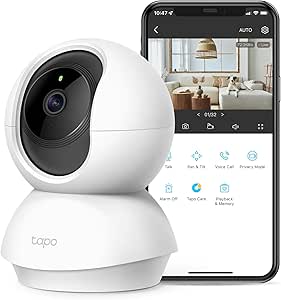 | Best Budget-Minded Security-Camera Alternative | Resolution: 2K (2304 × 1296) | Pan and tilt: 360° horizontal, 114° vertical | Night vision range: Up to 30 ft | VIEW ON AMAZON | See Our Full Breakdown |
| Babysense TOUCH 7″ Touchscreen Smart WiFi Baby Monitor with App, Camera and Audio, 2 Cameras with Night Light, 4MP Dual-Lenses with 6X Zoom, AI Auto Tracking, Focus Area, Split-Screen, No Subscription |  | Best for Twins and Two-Room Monitoring | Display: 7-inch IPS touchscreen | Cameras: 2 cameras | Camera imaging: 4MP dual lenses with 6× hybrid zoom | VIEW ON AMAZON | See Our Full Breakdown |
| Wi-Fi Baby Monitor with Camera, 4-Inch Screen, and Pan-Tilt Control |  | Best for Straightforward Pan-and-Tilt Monitoring | Display: 4-inch screen | Video resolution: 720p; supports displays up to 1080p | Pan and tilt: 340° pan/tilt stated in description | VIEW ON AMAZON | See Our Full Breakdown |
| ARENTI Baby Monitor C3 Kit with 3MP PTZ Camera and 5-Inch Display |  | Best for Local Storage and Smart-Home Compatibility | Display: 5-inch monitor | Camera resolution: 3MP | Pan range: 355° | VIEW ON AMAZON | See Our Full Breakdown |
| baby monitors with wifi | Connectivity | Camera resolution | Display |
|---|---|---|---|
| VTech VM901 Smart Wi-Fi Baby M | — | 1080p | — |
| 1080P WiFi Baby Monitor with 2 | 2.4 GHz Wi-Fi and FHSS | — | 4-inch IPS |
| Tapo SolarCam C402 Kit 1080p W | — | — | — |
| ARENTI Baby Monitor D3 Kit | — | 3MP; listed video resolution 1296p | 5-inch LCD |
| VTech VM901-2HD Wi-Fi Baby Mon | 2.4 GHz FHSS and Wi-Fi | — | — |
| Jeeber Wi-Fi Baby Monitor with | — | 4MP | 6.5-inch IPS touchscreen |
| Dr.Care VistaView 5-Inch Smart | 2.4 GHz FHSS and 2.4 GHz Wi-Fi | 2K | — |
| ARENTI Baby Monitor 2 Cameras | — | 3MP | 5 inches |
| Momcozy BM04 Smart Wi-Fi Baby | 2.4 GHz Wi-Fi or dedicated parent unit | 1080p | — |
| TP-Link Tapo C210 2K Pan/Tilt | 2.4 GHz Wi-Fi | — | — |
| Babysense TOUCH 7" Touchscreen | 2.4GHz Wi-Fi; monitor-only local mode or monitor plus app mode | — | 7-inch IPS touchscreen |
| Wi-Fi Baby Monitor with Camera | 2.4GHz Wi-Fi and FHSS | — | 4-inch screen |
| ARENTI Baby Monitor C3 Kit wit | 2.4GHz FHSS and Wi-Fi app access | 3MP | 5-inch monitor |
More Details on Our Top Picks
VTech VM901 Smart Wi-Fi Baby Monitor with 1080p Camera and 5-Inch Screen
The VM901 is a strong fit for parents who want both a dedicated screen and Wi-Fi app access without managing a multi-camera setup. Its 5-inch parent unit keeps local viewing close at hand, while the MyVTech Baby app adds remote checks; the 1080p camera with pan, tilt, and up to 10x zoom helps you adjust the view as your baby moves. Compared with the two-camera VTech VM901-2HD, this model is simpler for a single nursery, but it cannot watch two rooms at once. Movement and temperature alerts, automatic night vision, and two-way talk cover useful everyday needs. The tradeoff is that app viewing depends on an internet connection, and the supplied details do not specify battery life or security protections. Choose it for flexible single-room monitoring, not documented privacy or battery assurances.
Pros:- Combines a 5-inch parent unit with remote app viewing.
- 1080p video, automatic night vision, and remote pan-and-tilt control.
- Up to 10x zoom helps inspect details without moving the camera.
- Movement and temperature alerts plus two-way talk.
Cons:- Remote app monitoring requires an internet connection.
- Battery-life and security details are not provided in the product data.
Best for: Parents who want a clear single-room view on a dedicated parent unit at home, with app access for remote checks.
Not ideal for: Families monitoring two rooms at once, or buyers who require stated battery-life and app-security details before choosing.
- Camera resolution:1080p
- Parent unit screen:5-inch HD
- App:MyVTech Baby
- Camera control:Pan, tilt, and up to 10x zoom
- Night vision:Automatic
- Parent unit range:Up to 1,000 feet
- Communication:Two-way talk
- Alerts:Movement and temperature
Our verdict“Pick the VM901 for flexible Wi-Fi monitoring of one nursery, but choose the VM901-2HD if you need two camera views.”
1080P WiFi Baby Monitor with 2 Cameras and Audio, 4″ IPS Display
This model puts two camera feeds on one 4-inch IPS screen, making it a practical pick for siblings or a nursery and playroom. Unlike the single-camera VTech VM901, it can show both spaces simultaneously, and its listed local viewing without Wi-Fi gives caregivers another way to monitor at home. For remote app access, Wi-Fi is available too. Cry detection, temperature monitoring, two-way audio, and a wide 68-degree lens add useful coverage without requiring a larger display. The stated up-to-14-hour monitor battery life supports portable checks, although the base must be plugged in and continuous screen use limits that runtime. Its AES encryption and FHSS are stated security features, but the product data does not explain how local and app connections interact. Choose it for a two-room view; skip it if a larger parent screen matters more.
Pros:- Two cameras can display their feeds simultaneously on the 4-inch screen.
- Supports local viewing without Wi-Fi as well as remote app viewing.
- Cry detection, temperature monitoring, and two-way audio.
- Lists AES encryption, FHSS connectivity, and up to 14 hours of monitor battery life.
Cons:- The base monitor must be plugged in; its battery is for portable use.
- Up to 14 hours of battery life is limited for continuous screen use.
- A 4-inch display gives less viewing area than the 5-inch VTech models.
Best for: Caregivers watching two children or two rooms who want simultaneous feeds and both local and app-based viewing.
Not ideal for: Buyers who want a larger parent display, a fully battery-powered base, or longer continuous portable screen use.
- Resolution:1080p
- Display:4-inch IPS
- Camera count:2
- Night vision:Auto-IR, 68-degree wide lens
- Monitor battery life:Up to 14 hours
- Connectivity:2.4 GHz Wi-Fi and FHSS
- Audio:Two-way audio
- Additional monitoring:Cry detection and temperature sensor
- Security:AES encryption
Our verdict“Choose this monitor for compact two-room coverage and local viewing options, provided its small screen and portable-use battery suit your routine.”
Tapo SolarCam C402 Kit 1080p Wire-Free Security Camera
The SolarCam C402 is an outdoor security camera, not a dedicated baby monitor, so its place here is limited to families who want a Wi-Fi view of an outdoor area rather than a nursery. Its solar panel and built-in battery allow wire-free placement, and the claimed runtime of up to 180 days per charge can reduce charging interruptions when conditions cooperate. Compared with the indoor-focused VTech VM901, the Tapo adds IP65 weather resistance, person detection, and activity zones; it lacks a dedicated parent unit and the baby-specific alerts found on the VM901. Two-way audio may help with communication, but it does not replace cry detection or nursery temperature monitoring. Solar charging depends on suitable sunlight and temperatures above 32°F, while cloud storage requires a subscription. Skip it for crib monitoring; consider it only for a separate outdoor camera role.
Pros:- Solar panel and built-in battery support wire-free installation.
- IP65 weather resistance suits outdoor placement.
- 1080p video with full-color night vision and motion or person detection.
- Supports microSD storage up to 512 GB as well as cloud storage.
Cons:- It is a security camera rather than a dedicated baby monitor and has no listed parent unit.
- Solar charging requires temperatures above 32°F and suitable direct sunlight.
- Cloud storage requires a Tapo Care subscription.
Best for: Families seeking a wire-free Wi-Fi camera for an outdoor play area or other weather-exposed space, separate from nursery monitoring.
Not ideal for: Parents looking for a dedicated nursery monitor with a parent screen, cry detection, or temperature alerts.
- Resolution:1080p
- Power:Solar panel and built-in battery
- Battery life:Up to 180 days per charge
- Solar charging:45 minutes of direct sunlight provides a day of use
- Weather resistance:IP65
- Night vision range:Up to 30 feet
- Local storage:microSD card up to 512 GB
- Audio:Two-way audio
- Smart home compatibility:Amazon Alexa and Google Assistant
Our verdict“Choose the SolarCam C402 for an outdoor Wi-Fi camera, not as a replacement for a nursery monitor such as the VTech VM901.”
ARENTI Baby Monitor D3 Kit, 3MP WiFi 6 Camera with App, 5″ Wireless Display
The ARENTI D3 is the most nursery-focused option in this group for parents who want more than video and alerts. Alongside its 5-inch display and app viewing, it lists cry and motion notifications, temperature and humidity sensors, lullabies, white noise, a night light, and feeding reminders. Its 3MP camera, up to 33-foot infrared night vision, and adjustable 100-degree view offer a fuller set of viewing controls than the 4-inch dual-camera monitor, though this kit lists one camera rather than two. Local SD storage and stated AES128 encryption may appeal to privacy-conscious households; the product also describes free looping cloud clips. The tradeoff is a more feature-heavy setup, and the provided data gives differing SD-card capacities for the monitor and camera. Choose it for built-in nursery tools, not a simple two-room system.
Pros:- Combines app viewing with a 5-inch wireless display.
- Includes cry and motion alerts, temperature and humidity sensors, and customizable monitoring zones.
- Adds lullabies, white noise, a night light, and feeding reminders.
- Lists AES128 encryption, local SD storage, and free seven-day looping cloud clips.
Cons:- The described kit lists one camera, unlike the two-camera VTech VM901-2HD.
- Feature set may be more involved than buyers seeking straightforward video monitoring.
- Storage capacity differs by device in the supplied details: up to 128 GB for the monitor and 256 GB for the camera.
Best for: Parents who want a single-camera Wi-Fi monitor with nursery comforts, cry and motion alerts, and local storage options.
Not ideal for: Families needing two camera feeds at once or a basic monitor without extra sound, lighting, and reminder features.
- Camera resolution:3MP; listed video resolution 1296p
- Display:5-inch LCD
- Viewing angle:100 degrees
- Night vision:Infrared, up to 33 feet
- Zoom:Up to 6x optical zoom listed
- Audio:Two-way talk, cry detection, lullabies, and white noise
- Sensors and alerts:Temperature, humidity, motion, and cry alerts
- Local storage:SD card up to 128 GB for monitor and 256 GB for camera, as listed
- Privacy:AES128 encryption; offline mode available by turning off Wi-Fi
Our verdict“Choose the ARENTI D3 if nursery alerts and soothing features matter more than having two camera views.”
VTech VM901-2HD Wi-Fi Baby Monitor with 2 Cameras
For households that need to keep an eye on two spaces, the VM901-2HD makes the choice straightforward: two cameras and a 5-inch split-screen parent unit show both feeds at once, with app access for remote viewing. Compared with the single-camera VTech VM901, the extra camera adds room coverage rather than a more powerful listed camera specification; both offer pan, tilt, zoom, night vision, and two-way talk. The parent unit supports up to 8x zoom, while app zoom reaches 10x, so the most detailed view depends on which screen you use. Motion and temperature alerts, soothing sounds, and caregiver sharing round out the setup. Its indoor-only, non-water-resistant design rules out outdoor use, and Wi-Fi remote viewing uses 2.4 GHz. Pick this for two-room coverage, not a compact or weatherproof setup.
Pros:- Two cameras show simultaneous feeds on the 5-inch split-screen parent unit.
- Both cameras support app-controlled pan, tilt, and zoom.
- Includes automatic night vision, motion and temperature alerts, and two-way audio.
- Supports caregiver access sharing and offers soothing sounds and lullabies.
Cons:- Cameras are for indoor use and are not water resistant.
- Remote Wi-Fi viewing uses 2.4 GHz Wi-Fi.
- Parent-unit zoom is limited to 8x, compared with up to 10x through the app.
Best for: Families monitoring two children or rooms who want simultaneous feeds on a dedicated parent unit and remote app access.
Not ideal for: Buyers who need outdoor or water-resistant cameras, or families monitoring only one room who prefer a simpler setup.
- Camera count:2
- Parent unit screen:5 inches, split-screen
- App:MyVTech Baby Plus
- Connectivity:2.4 GHz FHSS and Wi-Fi
- Zoom:Up to 10x via app; up to 8x via parent unit
- Camera control:Pan and tilt
- Features:Automatic night vision, motion sensor, two-way audio, soothing sounds, and lullabies
- Mounting:Table or wall
- Use:Indoor; not water resistant
Our verdict“Choose the VM901-2HD for simultaneous two-room monitoring with a dedicated screen; the single-camera VM901 is a simpler fit for one nursery.”
Jeeber Wi-Fi Baby Monitor with 6.5-Inch Touchscreen, 4MP Camera, and 5× Zoom
The Jeeber is a strong fit for parents who want Wi-Fi app access without giving up a roomy, dedicated screen. Its 6.5-inch touchscreen is larger than the Dr.Care VistaView’s 5-inch unit, making camera controls and split-second checks easier to see at a glance. The 4MP camera, remote pan and tilt, and up to 5× zoom give more framing flexibility than the Momcozy BM04’s fixed 1080p camera. VOX mode can stretch the stated battery life to 25 hours by waking the screen for sound, while cry and motion detection, temperature monitoring, and feeding reminders add useful nursery tools. The tradeoff is 2.4 GHz Wi-Fi only, so it will not connect to a 5 GHz network, and its extensive features may be more than parents seeking a simple monitor need.
Pros:- Large 6.5-inch IPS touchscreen makes local viewing and camera control easier.
- 4MP camera with remote pan, tilt, and up to 5× zoom supports flexible framing.
- VOX mode is rated for up to 25 hours of battery life.
- Includes cry and motion detection, temperature monitoring, feeding reminders, and lullabies.
Cons:- App connectivity supports 2.4 GHz Wi-Fi only.
- The range of alerts and care functions may add setup and menu complexity.
- Battery life is lower in continuous use, at up to 11 hours.
Best for: Parents who want a large dedicated touchscreen, remote camera adjustment, and app viewing from a compatible 2.4 GHz network.
Not ideal for: Households whose Wi-Fi network only supports 5 GHz, or parents who prefer a simpler monitor with fewer settings and reminders.
- Display:6.5-inch IPS touchscreen
- Camera resolution:4MP
- Pan and tilt:340° pan, 70° tilt
- Zoom:Up to 5×
- Wi-Fi:2.4 GHz
- Battery life:Up to 11 hours; up to 25 hours in VOX mode
- Night vision:10 infrared LEDs
- Warranty:Two years
Our verdict“Choose the Jeeber if a large touchscreen and adjustable 4MP camera matter more than dual-band Wi-Fi or a simpler feature set.”
Dr.Care VistaView 5-Inch Smart Wi-Fi Baby Monitor with Two Cameras
The Dr.Care VistaView stands out for families who need to watch two sleep spaces: it includes two cameras and a parent unit with split-screen viewing, rather than requiring a second camera purchase to cover another room. Compared with the Jeeber’s single-camera setup, that makes the VistaView more practical for siblings or a nursery and playroom. It also combines 2.4 GHz Wi-Fi app viewing with a 2.4 GHz FHSS connection and an optional Wi-Fi OFF mode, giving families another way to monitor locally. Motion and crying alerts, smart tracking, temperature and humidity readings, and two-way talk round out the feature set. The tradeoffs are that the SD card is not included, cloud storage is optional, and the 5-inch display and 2×/4× digital zoom offer less viewing detail and reach than the Jeeber’s larger screen and 5× zoom.
Pros:- Includes two cameras and supports split-screen viewing on the parent unit.
- Offers app viewing plus 2.4 GHz FHSS and an optional Wi-Fi OFF mode.
- Provides smart tracking, crying and motion alerts, and temperature and humidity monitoring.
- Supports local recording to an SD card and sharing with up to five family members.
Cons:- SD card is not included, and cloud storage is optional.
- The 5-inch screen is smaller than the Jeeber’s 6.5-inch display.
- Digital zoom is limited to 2× and 4×.
Best for: Families with two children or monitoring locations who want included cameras, split-screen viewing, and both app and local-monitor options.
Not ideal for: Parents who only need one camera, want included recording storage, or prioritize a larger screen and stronger zoom.
- Parent unit screen:5 inches
- Included cameras:2
- Camera resolution:2K
- Pan and tilt:300° pan, 65° tilt
- Connectivity:2.4 GHz FHSS and 2.4 GHz Wi-Fi
- Battery capacity:5000mAh
- Battery life:Up to 10 hours continuous streaming; up to 15 hours in VOX mode
- Storage:Supports SD cards up to 128GB; cloud storage optional
- Security:256-bit AES encryption, exclusive user pairing, optional Wi-Fi OFF mode
Our verdict“Pick the VistaView when two included cameras and flexible local or app monitoring matter more than a larger screen or included recording storage.”
ARENTI Baby Monitor 2 Cameras D3 Set, 3MP WiFi 6, 5″ Display,Free Phone App
The ARENTI D3 Set pairs two cameras with a 5-inch display and app access, then adds a broader set of alert and sound options than the more straightforward Momcozy BM04. Its danger-zone, cry, noise, and motion detection, including motion tracking, can help parents tailor alerts to a nursery layout; temperature and humidity readings add environmental checks. The 3MP cameras record to a supported microSD card of up to 256GB, so families can keep footage locally rather than relying only on optional cloud storage. The night light, feeding reminders, lullabies, and option to add custom songs make it especially feature-heavy. That breadth also means more settings to manage, and the listing’s Wi-Fi 6 wording does not specify a Wi-Fi band; buyers should verify compatibility instead of assuming support for every router.
Pros:- Two 3MP cameras pair with a 5-inch display and phone app access.
- Includes danger-zone, cry, noise, and motion detection with motion tracking.
- Supports microSD recording up to 256GB.
- Adds temperature and humidity alerts, feeding reminders, a night light, and customizable lullabies.
Cons:- The supplied product data does not clearly specify Wi-Fi band compatibility.
- No battery-life or warranty details are provided in the supplied specifications.
- The many alert and comfort settings may require more setup than a basic monitor.
Best for: Parents who want two cameras, customizable nursery alerts, and local recording with an app and dedicated screen.
Not ideal for: Buyers who want clearly documented network-band compatibility, a minimal setup, or a monitor with a stated warranty and battery-life specification.
- Included cameras:2
- Camera resolution:3MP
- Display:5 inches
- Video resolution:1296p
- Zoom:Digital zoom; listed zoom ratio up to 6×
- Local storage:FAT32 microSD card, up to 256GB
- Security:AES128 security chip and account registration protection
- Additional features:Temperature and humidity detection, feeding reminders, night light, and lullabies
Our verdict“Choose the ARENTI D3 Set if local recording and customizable alerts across two cameras are priorities, and confirm network compatibility before buying.”
Momcozy BM04 Smart Wi-Fi Baby Monitor with 5-Inch 1080p Camera and Wall Mount
The Momcozy BM04 is the clearest pick here for households that want several caregivers to check in: its app supports sharing with up to 20 family members, far more than the Dr.Care VistaView’s stated limit of five. Parents can monitor through either the dedicated unit or the app, while continuous or motion-activated recording offers a choice between keeping a fuller record and capturing activity-triggered clips. Danger-zone and motion alerts are available in the app, which can help flag movement beyond the crib area. Compared with the two-camera ARENTI D3 Set, the BM04’s supplied description focuses on one 1080p camera rather than split-screen coverage. Its Wi-Fi pairing is limited to 2.4 GHz, motion alerts appear only in the app, and night vision may not show the baby clearly if the camera is mounted too far away.
Pros:- Supports app viewing for up to 20 family members.
- Can be monitored through a dedicated parent unit or the app.
- Offers continuous and motion-activated recording.
- Includes danger-zone and motion alerts in the app.
Cons:- Pairs with 2.4 GHz Wi-Fi only.
- Motion alerts appear only in the app.
- Night vision may not clearly show the baby’s face when the camera is too far from the crib.
Best for: Families with multiple caregivers who need shared app access alongside a dedicated parent unit and flexible recording.
Not ideal for: Households that need two-camera split-screen monitoring, 5 GHz Wi-Fi support, or motion alerts directly on the parent unit.
- Screen size:5 inches
- Camera resolution:1080p
- Connectivity:2.4 GHz Wi-Fi or dedicated parent unit
- Family sharing:Up to 20 members
- Recording:Continuous or motion-activated
- Mounting guidance:At least 0.6 m (24 in) above baby; within 5 m (16 ft) horizontally of the crib for wall or floor stand mounting
- Certification:FCC
Our verdict“The BM04 suits families who need broad caregiver sharing and recording choices, but not those who need two-camera coverage or alerts on the parent unit.”
TP-Link Tapo C210 2K Pan/Tilt Indoor Security Camera
The Tapo C210 is the most security-camera-oriented option in this group, so it makes sense for parents comfortable using a general indoor camera as a nursery monitor. Its 2K resolution and broad 360° pan and 114° tilt give it more coverage flexibility than the fixed 1080p Momcozy BM04, while baby-crying, person, and motion detection help identify activity. Two-way audio supports remote check-ins, and local microSD storage avoids requiring cloud storage for basic recording; cloud video history is available through a subscription. Unlike the Jeeber and Dr.Care models, the Tapo listing does not include a dedicated parent unit, so monitoring depends on its Wi-Fi-connected app setup. It also has no baby-specific screen, and the microSD card is sold separately. This is a better fit for app-first households than parents seeking a purpose-built monitor kit.
Pros:- 2K video with 360° horizontal pan and 114° vertical tilt covers a broad area.
- Detects motion, people, and baby crying.
- Supports local microSD storage up to 512GB.
- Two-way audio and compatibility with Alexa, Google Assistant, RTSP, and ONVIF add flexibility.
Cons:- No dedicated parent unit is listed; monitoring relies on the connected app setup.
- The microSD card is not included.
- Cloud video history requires a Tapo Care subscription.
- Connects via 2.4 GHz Wi-Fi.
Best for: App-first parents who want a flexible indoor camera with wide room coverage, baby-crying detection, and local storage support.
Not ideal for: Families who want a dedicated parent unit, a purpose-built baby monitor bundle, or included local storage media.
- Resolution:2K (2304 × 1296)
- Pan and tilt:360° horizontal, 114° vertical
- Night vision range:Up to 30 ft
- Local storage:microSD card up to 512GB; card not included
- Cloud storage:Tapo Care subscription with 30-day video history
- Connectivity:2.4 GHz Wi-Fi
- Audio:Two-way audio with built-in siren
- Compatibility:Amazon Alexa, Google Assistant, RTSP, and ONVIF
Our verdict“Choose the Tapo C210 if you want a versatile app-based indoor camera and accept the lack of a dedicated baby-monitor parent unit.”
Babysense TOUCH 7″ Touchscreen Smart WiFi Baby Monitor with App, Camera and Audio, 2 Cameras with Night Light, 4MP Dual-Lenses with 6X Zoom, AI Auto Tracking, Focus Area, Split-Screen, No Subscription
The Babysense TOUCH is the clearest fit here for parents watching twins or two rooms: its two cameras feed a 7-inch split-screen touchscreen, while 4MP dual-lens imaging and 6× zoom help inspect details from the monitor or app. Unlike the single-camera Wi-Fi model from Product 12, it is ready to cover two spaces without adding another camera. It also gives families a choice between local monitor-only use and remote app access, with no subscription fee. That flexibility comes with setup limits: Wi-Fi and app use require 2.4GHz, and the app is listed as available in the US only. Its larger display and feature set also make it a more involved choice than simpler monitors. Choose it for two-camera coverage and local viewing; skip it if you only need a basic single-room setup.
Pros:- Two cameras and split-screen viewing make it practical for twins or two rooms.
- Large 7-inch touchscreen supports easy bedside viewing and direct controls.
- Local monitor use is available without relying on the app, with optional remote access.
- AI tracking, focus area, two-way talk, and optional microSD storage add monitoring flexibility.
Cons:- Wi-Fi and app operation require a 2.4GHz network.
- The app is listed as available in the US only.
- microSD storage requires a separately supplied card.
Best for: Parents of twins or families who want two nursery views on one large screen, plus app access when away from home.
Not ideal for: Buyers seeking a simple single-camera monitor, households using only 5GHz Wi-Fi, or families outside the US who need app access.
- Display:7-inch IPS touchscreen
- Cameras:2 cameras
- Camera imaging:4MP dual lenses with 6× hybrid zoom
- Connectivity:2.4GHz Wi-Fi; monitor-only local mode or monitor plus app mode
- App availability:Babysense App, listed for the US only
- Monitoring features:AI auto tracking, focus area, cry, sound, and motion alerts
- Power and battery:Rechargeable monitor; product information lists up to 30 hours, while description lists up to 20 hours
- Storage:Optional local microSD card; card not included
Our verdict“Pick the Babysense TOUCH if two-camera coverage and a large local screen matter more than a simpler setup.”
Wi-Fi Baby Monitor with Camera, 4-Inch Screen, and Pan-Tilt Control
This model suits parents who want a small dedicated screen alongside phone access, without stepping up to the Babysense TOUCH’s larger two-camera setup. Its 4-inch display is easier to place on a bedside table, and pan-and-tilt control helps cover a room when the baby moves beyond a fixed camera’s view. The included FHSS connection and AES encryption are listed alongside 2.4GHz Wi-Fi, giving buyers both a local monitor connection and app-based viewing. The tradeoff is a more modest 720p camera resolution and a 68° field of view; the listed support for displays up to 1080p does not change the camera’s stated resolution. It also lacks a camera stand, so mounting needs planning. Compared with the ARENTI C3, it has a smaller screen and fewer listed storage and smart-home features, but keeps the setup more basic.
Pros:- Includes both a dedicated 4-inch screen and iOS or Android app access.
- Pan-and-tilt control can adjust the view remotely across the room.
- FHSS connectivity and AES encryption are listed among its connection features.
- Cry alerts, two-way audio, temperature monitoring, and remote lullabies cover common check-in needs.
Cons:- The camera is specified at 720p, below the 3MP ARENTI C3 camera.
- Supports only 2.4GHz Wi-Fi for app connectivity.
- Camera stand is not included.
Best for: Parents who want a compact screen, app viewing, and remote camera movement for one indoor nursery.
Not ideal for: Families wanting two-camera split-screen viewing, higher stated camera resolution, or a ready-to-mount camera stand.
- Display:4-inch screen
- Video resolution:720p; supports displays up to 1080p
- Pan and tilt:340° pan/tilt stated in description
- Connectivity:2.4GHz Wi-Fi and FHSS
- Night vision:Infrared, up to 8 meters
- Battery life:Up to 14 hours of screen use
- Alerts and monitoring:Cry detection and room temperature monitoring
- Compatibility:iOS and Android smartphones and tablets
- Warranty:2 years
Our verdict“Choose this monitor for a compact screen and remote room coverage, but look at the ARENTI C3 if you want a larger display and local storage support.”
ARENTI Baby Monitor C3 Kit with 3MP PTZ Camera and 5-Inch Display
The ARENTI C3 is a balanced pick for families who want app access without giving up a dedicated screen: its 5-inch display sits between Product 12’s compact 4-inch unit and the Babysense TOUCH’s larger 7-inch panel. The 3MP PTZ camera offers broad remote movement and up to 6× digital zoom, while local storage up to 256GB gives buyers an option beyond relying solely on live viewing. Alexa and Google Assistant compatibility also make it a stronger match for homes already using voice assistants. The tradeoffs are that app connectivity is specified for 2.4GHz Wi-Fi and the IP30 rating means it is intended for indoor use with limited water protection. Unlike the Babysense TOUCH, it is presented as a single-camera kit, so it is less suited to simultaneous two-room viewing.
Pros:- Combines a dedicated 5-inch display with app access.
- PTZ movement and up to 6× digital zoom help adjust the view remotely.
- Supports local storage up to 256GB.
- Cry and motion alerts, two-way audio, and voice-assistant compatibility add useful control options.
Cons:- App access is specified for 2.4GHz connectivity.
- IP30 rating offers limited water protection and suits indoor placement.
- Single-camera kit is less suited to watching two rooms at once than the two-camera Babysense TOUCH.
Best for: Parents who want a mid-size dedicated monitor, app access, local recording support, and compatibility with Alexa or Google Assistant.
Not ideal for: Families needing two-camera split-screen coverage, outdoor placement, or Wi-Fi app access over a 5GHz-only network.
- Display:5-inch monitor
- Camera resolution:3MP
- Pan range:355°
- Tilt range:-15° to 78°
- Digital zoom:Up to 6×
- Connectivity:2.4GHz FHSS and Wi-Fi app access
- Storage:Supports up to 256GB
- Alerts and audio:Cry and motion detection; two-way audio
- Voice assistants and protection:Amazon Alexa and Google Assistant; IP30
Our verdict“Choose the ARENTI C3 if local storage and smart-home compatibility matter more than two-camera coverage or a larger screen.”
How We Picked
I compared the 13 options around the factors that most affect daily use: whether each includes a dedicated parent display, the listed camera resolution and movement controls, whether the kit supports one or two cameras, and how app access fits alongside local monitoring. I also looked at the practical difference between a purpose-built baby monitor and a general security camera, since the latter may not provide the same parent-unit experience. A higher resolution or longer feature list did not automatically earn a higher place; the feature had to serve a clear monitoring need.
The ranking gives the strongest position to options that balance app access with straightforward nursery monitoring. Picks with two cameras, larger screens, or advanced controls rank well for families who will use those capabilities, but those extras are not universal advantages. I ranked security cameras lower for this specific search because buyers seeking a baby monitor may expect a dedicated display and baby-monitor-oriented controls. Product names in this roundup include similar configurations, so I treat each listing as its own kit and encourage checking what is included before choosing.
Factors to Consider When Choosing Baby Monitors With Wifi
Wi-Fi baby monitors vary in how much they rely on a phone, a separate parent unit, and the home network. I would choose based on how you plan to monitor, where cameras will go, and what happens when internet access or phone availability changes—not on resolution alone.
Decide Whether You Need a Parent Screen
A monitor with a dedicated display can be checked without opening an app or handing over a phone, which can make quick checks feel simpler. App access is useful when a caregiver is elsewhere, but it ties monitoring to a compatible phone and the product’s network setup. If you want both options, check that the model explicitly includes a parent screen as well as Wi-Fi app access. Do not assume that a camera described as Wi-Fi automatically comes with a separate display. A security camera may offer phone viewing but leave you without the parent-unit workflow many families expect. Think about who will monitor the baby and which device they can reliably keep nearby.
Match Camera Count to Your Actual Rooms
Two-camera kits can cover siblings, a nursery and play area, or a second sleeping space without moving one camera back and forth. They also mean more equipment to place, configure, and keep powered. If you only need one view, a single-camera system may be simpler and leave fewer controls to manage. Check whether the listing includes two cameras or merely supports adding another; those are different purchases. Split-screen viewing can help when you need both views at once, but it is less useful if you only watch one room at a time. Plan camera locations before choosing a multi-camera kit, especially if the rooms are far apart or have different network coverage.
Treat Resolution as One Part of Picture Quality
Resolution figures such as 1080p, 3MP, or 4MP describe image detail, but they do not tell the whole story of what you will see in a dark nursery or at a distance. Zoom, camera angle, night vision, and the position of the camera all affect whether a view is useful. A higher-resolution model may help when you need to inspect more of the image, while pan-and-tilt can help reposition the view without moving the device. Digital zoom may enlarge an image without adding new detail, so do not choose by zoom numbers alone. Consider the size and layout of the room, then prioritize the controls that solve a real viewing problem. If you expect to mount the camera, check that the included mounting arrangement suits the placement you want.
Check Network and App Requirements Before Setup
Wi-Fi features depend on a working home network, and different products can have different setup steps or compatibility requirements. Before buying, confirm the supported network band, app requirements, and whether the monitor’s display can still serve its purpose if your internet connection is unavailable. A Wi-Fi 6 label may matter to a home with compatible network equipment, but it should not be treated as a guarantee of better coverage in every nursery. The camera still needs a dependable signal where it will sit. If the nursery is at the edge of your network, test coverage there before relying on app viewing. Also check which household members need access and whether the app supports the sharing arrangement you expect.
Choose Features You Will Actually Use
Pan-and-tilt, two-way audio, tracking, focus areas, and split-screen views can make monitoring more flexible, but extra controls can add setup and menu complexity. Features such as AI tracking are most relevant when a child moves around a larger space; they may add little for a camera aimed at a fixed crib. A simpler model can be easier for multiple caregivers to operate. Consider whether alerts and app notifications will help or create interruptions, and look for settings that let you adjust them. Avoid paying for a long feature list if your main need is a steady view and a quick check-in. Match the controls to your routine rather than treating every added feature as an upgrade.
Separate Dedicated Baby Monitors From Security Cameras
A general indoor security camera can provide app-based video and movement controls, but it is not automatically a substitute for a baby-monitor kit. Security cameras may lack a dedicated parent display or features designed around nursery use. On the other hand, they can suit households that already use a security-camera app and primarily want remote viewing. Check how video is accessed, what alerts are available, and whether the device’s setup matches your expectations for monitoring a sleeping child. Do not assume that a security camera offers the same audio experience, parent-unit convenience, or included accessories as a baby monitor. Make the choice based on how you will monitor day to day, not just the camera’s headline resolution.
Frequently Asked Questions
Can I use a Wi-Fi baby monitor if my internet goes out?
It depends on how the specific model connects its camera, app, and parent display. Some kits include a separate screen, which can provide a local way to view the camera, but the product details should confirm how that connection works without internet access. App viewing away from home generally depends on the network and service the manufacturer provides. Before buying, check the manual or product specifications for offline viewing and local connection behavior. If uninterrupted local monitoring is your priority, favor a kit that clearly explains how its dedicated display works when internet service is unavailable.
Do I need a two-camera baby monitor if I have one child?
Not necessarily. A second camera can be useful if your child sleeps in more than one room or you want a view of a separate play area, but it adds equipment and setup. If you only need a fixed nursery view, a single-camera kit is often the simpler match. Some products support additional cameras without including them, so check the package contents rather than relying on compatibility claims. Choose a two-camera system when you have a clear use for both views, not just because the kit offers more coverage.
Is a security camera a good substitute for a Wi-Fi baby monitor?
It can work for families who mainly want app-based video and already use a compatible security-camera system. The tradeoff is that a security camera may not include a dedicated parent screen or the same nursery-focused controls as a purpose-built monitor. Check whether you can hear audio in the way you expect and whether alerts and viewing are convenient for nighttime use. Also confirm the camera’s setup and network requirements before placing it in the nursery. A dedicated baby monitor is usually the more direct fit if you want a camera-and-parent-unit kit.
Should I choose a higher-resolution camera or pan-and-tilt control?
Choose based on what makes the camera view more useful in your room. Higher resolution can show finer image detail, while pan-and-tilt lets you adjust the viewing direction without repositioning the camera. If the camera will stay fixed on a crib, movement controls may not matter much; if you need to cover a wider room, they may be more useful. Zoom specifications also do not guarantee added detail, especially when zoom is digital. A well-placed camera with a view that suits the room may matter more than the largest resolution figure.
What should I check before buying a Wi-Fi baby monitor for a caregiver to use?
Check whether the caregiver will use a dedicated parent display, a phone app, or both, and whether the product supports the access arrangement your household needs. Confirm app compatibility and setup requirements in advance, especially if caregivers use different phones. A separate screen can simplify handoffs because it does not require a caregiver to install or open an app for every check. Review how camera sharing and notifications work so access is clear and manageable. If the caregiver needs a simple routine, prioritize clear controls over advanced features they may not use.
Conclusion
For the best overall balance of app access and a dedicated screen, I would start with the VTech VM901. The best value depends on the exact kit and included accessories, so compare the single- and two-camera versions carefully rather than paying for a camera you will not use. For a premium feature set, the Babysense TOUCH is the standout for buyers who want a larger touchscreen and advanced two-camera controls. For beginners, a straightforward kit with a separate parent display, such as the VTech VM901, is a clearer starting point than a security-camera setup. For multiple rooms or children, compare the VTech VM901-2HD, Dr.Care VistaView, and Babysense TOUCH by camera layout and display preferences; choose a Tapo camera only if app-based security-camera monitoring is specifically what you want.