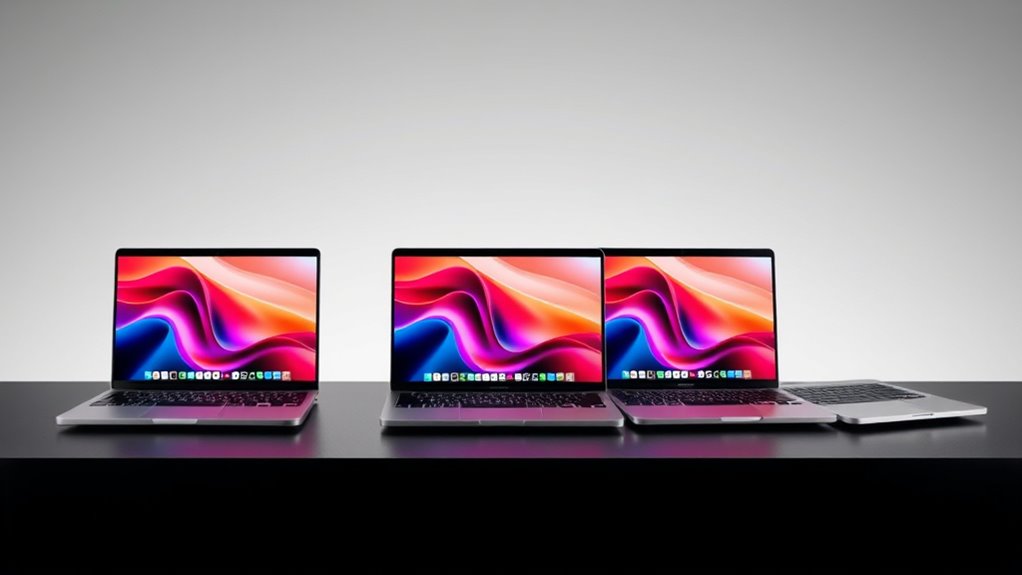

Finding a 4TB MacBook Pro means choosing between two very different kinds of buy: current-generation power with the full storage capacity, or a lower-spec and older model that offers 4TB without matching today’s performance. My lead pick is the 16-inch M5 Max with 128GB unified memory because its 4TB SSD comes paired with workstation-grade graphics and memory. The other M5 Max configuration is a close alternative, while the renewed 2020 13-inch MacBook Pro is the only compact, Intel-era option in this group with 4TB built in.

Get your wardrobe favorites delivered free with Prime
- Fast, free delivery on millions of items
- Prime Video, Amazon Music and more included
- Member-only deals all year
The key tradeoff is straightforward: only three of these five listings include 4TB storage. The M5 Pro and base M5 models have newer features or a more accessible size, but each comes with a 1TB SSD. I rank the options by how well they match a buyer’s need for 4TB, then weigh processing headroom, portability, connectivity, and the compromises attached to each configuration.
Key Takeaways
- The 16-inch M5 Max options are the strongest fits for buyers who need 4TB alongside 128GB of unified memory and high-end graphics.
- The two M5 Max listings share the same headline CPU, GPU, memory, and SSD configuration; listed display, port, and battery details vary.
- The renewed 2020 13-inch model supplies 4TB in a lighter laptop, but its Intel processor and refurbished condition make it a different kind of purchase.
- The 2026 M5 Pro offers 48GB of unified memory, Thunderbolt 5, and a 16.2-inch display, but its listed 1TB SSD misses the 4TB brief.
- The 2025 14.2-inch M5 is the most compact new option here, yet buyers who need 4TB will have to choose another configuration or plan for external storage.
| Apple MacBook Pro 16.2-inch with M5 Max, 18-core CPU, 40-core GPU, 128GB Unified Memory, and 4TB SSD – Space Black |  | Best Overall: the most fully specified 4TB M5 Max workstation | Chip: Apple M5 Max | CPU / GPU: 18-core CPU / 40-core GPU | Display: 16.2-inch Liquid Retina XDR | VIEW ON AMAZON | See Our Full Breakdown |
| Apple 16-inch MacBook Pro with M5 Max Chip, 128GB RAM, 4TB SSD, Space Black (2026) |  | Best Alternative: a direct 4TB M5 Max match with fewer listed details | Model year: 2026 | Chip: Apple M5 Max | CPU / GPU: 18-core CPU / 40-core GPU | VIEW ON AMAZON | See Our Full Breakdown |
| 2020 Apple MacBook Pro (13-inch, 32GB RAM, 4TB SSD, Space Gray, Renewed) |  | Best Compact 4TB Option: the smaller refurbished Intel MacBook Pro | Model year: 2020 | Processor: Intel Core i5, 2.0GHz, four cores | Display: 13.3-inch Retina, listed resolution 3840 x 2160 | VIEW ON AMAZON | See Our Full Breakdown |
| Apple 2026 MacBook Pro Laptop with M5 Pro Chip, 16.2-inch Liquid Retina XDR Display, 48GB RAM, 1TB SSD, Wi-Fi 7, Space Black |  | Best 4TB-Adjacent Upgrade: newer Pro-tier performance, but only 1TB included | Chip: Apple M5 Pro | CPU / GPU: 18-core CPU / 20-core GPU | Display: 16.2-inch Liquid Retina XDR | VIEW ON AMAZON | See Our Full Breakdown |
| Apple 2025 MacBook Pro Laptop with M5 Chip, 14.2-inch Liquid Retina XDR Display, 16GB RAM, 1TB SSD, Space Black |  | Best Compact New Option: the everyday M5 choice, not a 4TB configuration | Model year: 2025 | Chip: Apple M5 | CPU / GPU: 10-core CPU / 10-core GPU | VIEW ON AMAZON | See Our Full Breakdown |
| 4tb macbook pro laptop | Display | Memory | Storage | Chip |
|---|---|---|---|---|
| Apple MacBook Pro 16.2-inch wi | 16.2-inch Liquid Retina XDR | 128GB unified memory | 4TB SSD | Apple M5 Max |
| Apple 16-inch MacBook Pro with | 16.2-inch Liquid Retina XDR | 128GB | 4TB SSD | Apple M5 Max |
| 2020 Apple MacBook Pro | 13.3-inch Retina, listed resolution 3840 x 2160 | 32GB DDR4 | 4TB SSD | — |
| Apple 2026 MacBook Pro Laptop | 16.2-inch Liquid Retina XDR | 48GB unified memory | 1TB SSD | Apple M5 Pro |
| Apple 2025 MacBook Pro Laptop | 14.2-inch Liquid Retina XDR | 16GB unified memory | 1TB SSD | Apple M5 |
More Details on Our Top Picks
Apple MacBook Pro 16.2-inch with M5 Max, 18-core CPU, 40-core GPU, 128GB Unified Memory, and 4TB SSD – Space Black
This is my leading choice for a buyer who wants a 4TB MacBook Pro without compromising on the core workstation configuration. The M5 Max combines an 18-core CPU and 40-core GPU with 128GB of unified memory, so this model is better suited to complex creative projects, large datasets, and memory-intensive workflows than the other listed 4TB choices. Its 16.2-inch Liquid Retina XDR display gives demanding work more room, while the supplied specifications include up to four external displays.
Compared with the other M5 Max listing, this configuration has the clearest feature detail: three Thunderbolt 5 ports, HDMI, SDXC, MagSafe 3, a headphone jack, Wi-Fi 7, and Bluetooth 6. The camera and six-speaker audio are also spelled out. Those extras make it an especially convincing fit for a desk-based creative setup that connects displays, cards, and accessories. The tradeoff is physical: a 16.2-inch chassis is less convenient to carry than the renewed 13-inch model or the 14.2-inch M5.
I would choose it over the 2026 M5 Pro when internal capacity and graphics headroom matter more than a lighter configuration or a smaller SSD. It is not a sensible match for someone whose work is mostly browsing and documents; 128GB of memory and an M5 Max are substantial capabilities to carry around if the workload does not use them. Battery runtime is not specified in the listing, so I would not buy it on an assumed unplugged-work advantage.
Pros:- 4TB SSD and 128GB unified memory suit large, demanding projects.
- M5 Max pairs an 18-core CPU with a 40-core GPU.
- Detailed port selection includes Thunderbolt 5, HDMI, and SDXC.
- 16.2-inch XDR display, Center Stage camera, and six-speaker audio support a polished workstation setup.
Cons:- The 16.2-inch size is less convenient for frequent travel than the smaller models.
- Battery runtime is not specified in the supplied listing.
- Its high-end hardware may be unnecessary for routine office and web tasks.
Best for: Creative professionals and technical users who need 4TB local storage, high graphics capacity, and 128GB unified memory in one machine.
Not ideal for: Travel-focused buyers, everyday users with modest workloads, or anyone unwilling to carry a large 16.2-inch laptop.
- Chip:Apple M5 Max
- CPU / GPU:18-core CPU / 40-core GPU
- Display:16.2-inch Liquid Retina XDR
- Memory:128GB unified memory
- Storage:4TB SSD
- Ports:Three Thunderbolt 5, MagSafe 3, SDXC, HDMI, headphone jack
- Wireless:Wi-Fi 7, Bluetooth 6
- Camera / Audio:12MP Center Stage; six speakers with Spatial Audio and Dolby Atmos support
Our verdict“I rank this first because it pairs the required 4TB SSD with the most completely documented M5 Max workstation package in the lineup.”
Apple 16-inch MacBook Pro with M5 Max Chip, 128GB RAM, 4TB SSD, Space Black (2026)
This listing has the same central hardware combination as my top pick: an M5 Max with an 18-core CPU, 40-core GPU, 128GB memory, and 4TB SSD. That makes it a direct alternative for buyers who care most about the processing, graphics, and storage figures. It also specifies a 16.2-inch Liquid Retina XDR display and a 140W USB-C power adapter, giving the basic package a clear large-screen workstation identity.
I place it just behind the first M5 Max because the supplied listing says less about the surrounding features. The other configuration explicitly identifies Thunderbolt 5, HDMI, SDXC, Wi-Fi 7, Bluetooth 6, a 12MP camera, and six-speaker audio; those details are not included here. That does not establish that this laptop lacks those features, but it gives a buyer less information to compare from the supplied description. For shoppers deciding between these two, I would check the exact configuration and included connectivity before treating them as interchangeable.
As with the first-place model, 4TB and 128GB make the most sense for serious local workflows, not casual use. The 16-inch format favors workspace over compact carrying, and the listing’s all-day battery claim does not provide a runtime figure to compare directly. Choose this one when its specific listing details and configuration suit your needs; choose the first M5 Max when the clearly enumerated ports and camera/audio features matter to your decision.
Pros:- M5 Max with 18-core CPU and 40-core GPU.
- 4TB SSD paired with 128GB memory.
- Large 16.2-inch Liquid Retina XDR display.
- Listing specifies a 140W USB-C power adapter.
Cons:- The supplied description gives fewer port and connectivity details than the top-ranked M5 Max.
- Large 16-inch form factor is less portable than the 13- and 14-inch options.
- The listing does not provide a specific battery-runtime figure.
Best for: Buyers who want the M5 Max, 128GB memory, and 4TB SSD, and who can verify the exact configuration details before purchase.
Not ideal for: People seeking a compact laptop, or shoppers who need the most fully documented port and accessory details upfront.
- Model year:2026
- Chip:Apple M5 Max
- CPU / GPU:18-core CPU / 40-core GPU
- Display:16.2-inch Liquid Retina XDR
- Memory:128GB
- Storage:4TB SSD
- Power adapter:140W USB-C
- Color:Space Black
Our verdict“I recommend this as a close M5 Max alternative, but the first-ranked configuration is easier to evaluate from its more complete feature list.”
2020 Apple MacBook Pro (13-inch, 32GB RAM, 4TB SSD, Space Gray, Renewed)
This is the most distinct direct 4TB match: a 13-inch renewed MacBook Pro with an Intel Core i5, 32GB RAM, and 4TB SSD. Its 1.4 kg listed weight and smaller screen make it easier to carry than either M5 Max, and the storage capacity is unusually generous for a compact option in this comparison. If a buyer specifically wants a portable MacBook Pro with a large internal archive and accepts an older platform, this configuration has a clear role.
The compromise is substantial beside the M5 Max models. Its four-core Intel processor and integrated Intel Iris Plus graphics are from 2020, rather than the newer M-series hardware in the other choices. The listing also identifies macOS Ventura and renewed condition, with battery capacity above 80% but some variation possible. That means I would not treat the stated 4TB capacity as a reason to overlook the older processor, pre-owned condition, and uncertain battery wear.
Unlike the M5 Max machines, it offers a smaller footprint rather than high-end graphics and vast unified memory. It may be a fit for storage-heavy, less demanding tasks, or for software requirements that make Intel relevant; it is a poor substitute for an M5 Max creative workstation. The listing mentions a 4K-resolution 13.3-inch display, but buyers should confirm the exact condition and included accessories, since the box is generic and accessories are not original.
Pros:- 4TB SSD in the smallest listed MacBook Pro.
- 32GB RAM supports more multitasking than many older base configurations.
- Listed weight is 1.4 kg, lighter than the 16-inch models.
- Renewed unit is described as inspected and tested.
Cons:- 2020 Intel Core i5 platform is older than every M-series option here.
- Renewed battery capacity can vary and is listed as exceeding 80%.
- Generic packaging and non-original accessories may matter to some buyers.
Best for: A buyer who prioritizes built-in 4TB storage and a lighter 13-inch body, and is comfortable with a renewed 2020 Intel laptop.
Not ideal for: People who need current-generation Apple silicon performance, a new-device condition, or predictable battery capacity.
- Model year:2020
- Processor:Intel Core i5, 2.0GHz, four cores
- Display:13.3-inch Retina, listed resolution 3840 x 2160
- Memory:32GB DDR4
- Storage:4TB SSD
- Graphics:Intel Iris Plus integrated graphics
- Operating system:macOS Ventura
- Weight:1.4 kg
- Condition:Renewed; battery capacity stated as above 80%
Our verdict“I would pick this only when compact size and 4TB capacity outweigh the performance and condition advantages of a newer M-series MacBook Pro.”
Apple 2026 MacBook Pro Laptop with M5 Pro Chip, 16.2-inch Liquid Retina XDR Display, 48GB RAM, 1TB SSD, Wi-Fi 7, Space Black
This M5 Pro is a strong alternative for buyers whose interest in 4TB comes from demanding professional work, but who can accept a smaller internal drive. It pairs an 18-core CPU, 20-core GPU, and 48GB unified memory with a 16.2-inch Liquid Retina XDR display. Thunderbolt 5, Wi-Fi 7, Bluetooth 6, HDMI, and SDXC make it look well suited to a modern workstation. Yet its listed 1TB SSD is only one quarter of the capacity in the M5 Max picks.
That storage gap changes the recommendation. Compared with the first two products, this model offers less memory and a less powerful listed GPU, but it may make sense if your projects are manageable on 1TB or you can keep bulk files on external storage. Compared with the 14.2-inch M5, the 16.2-inch screen, 48GB memory, and M5 Pro platform better suit heavier multitasking, while the smaller base M5 is easier to carry. Neither is a built-in 4TB solution as listed.
I would not rank this above a true 4TB configuration for someone who needs a large offline library. Its strengths are current-generation Pro hardware and substantial memory, not matching the capacity in the search. The large body also gives up some portability, and the description does not specify a battery-runtime figure. Consider it if performance and a large screen matter more than having all 4TB onboard.
Pros:- M5 Pro with an 18-core CPU and 20-core GPU.
- 48GB unified memory for demanding multitasking.
- 16.2-inch Liquid Retina XDR display.
- Thunderbolt 5, Wi-Fi 7, HDMI, and SDXC are listed.
Cons:- 1TB SSD does not meet the 4TB capacity requested.
- Large 16.2-inch design is less convenient for frequent travel.
- Specific battery runtime is not supplied.
Best for: Professional users who want an M5 Pro, 48GB memory, and a large display, and can work with 1TB internal storage or external drives.
Not ideal for: Anyone who needs 4TB built into the laptop and wants to avoid managing external storage.
- Chip:Apple M5 Pro
- CPU / GPU:18-core CPU / 20-core GPU
- Display:16.2-inch Liquid Retina XDR
- Memory:48GB unified memory
- Storage:1TB SSD
- Ports:Three Thunderbolt 5, MagSafe 3, SDXC, HDMI, headphone jack
- Wireless:Wi-Fi 7, Bluetooth 6
- Camera / Audio:12MP Center Stage; six speakers with Spatial Audio and Dolby Atmos
Our verdict“I recommend it as a capable near-match only when M5 Pro performance matters more than having 4TB of internal storage.”
Apple 2025 MacBook Pro Laptop with M5 Chip, 14.2-inch Liquid Retina XDR Display, 16GB RAM, 1TB SSD, Space Black
The 14.2-inch M5 is the most approachable new-laptop role in this group: it has a compact Liquid Retina XDR display, a 10-core CPU and GPU, and a listed all-day battery claim. Its smaller footprint offers a practical contrast to the 16.2-inch M5 Max and M5 Pro options, particularly for people who move between home, office, and class. Three Thunderbolt 4 ports plus MagSafe 3, SDXC, HDMI, and a headphone jack provide a useful range of built-in connections.
For this roundup, though, the deciding fact is that it has a 1TB SSD, not 4TB. That makes it a less direct fit than the M5 Max models or the renewed 2020 laptop. Its 16GB of unified memory is also far below the 48GB and 128GB configurations elsewhere, so it is better suited to general professional tasks and lighter creative work than very large, memory-intensive projects. The listed all-day battery claim is useful as a general positioning statement, but no exact runtime is provided.
I would choose this over the M5 Pro if compact size and a more modest workload are more important than extra memory and a larger screen. I would not choose it as a 4TB purchase unless a different configuration is available and confirmed; the supplied specifications do not describe one. Buyers who keep extensive project libraries on the laptop should compare the cost and inconvenience of external storage against selecting a 4TB model from the start.
Pros:- 14.2-inch size is more portable than the 16.2-inch models.
- M5 chip has a 10-core CPU and 10-core GPU.
- Liquid Retina XDR display in a compact configuration.
- Listed connections include Thunderbolt 4, HDMI, SDXC, and MagSafe 3.
Cons:- The listed SSD is 1TB, not 4TB.
- 16GB unified memory is the lowest capacity in this roundup.
- Battery life is described as all-day without a specific runtime figure.
Best for: Buyers who want a smaller new MacBook Pro for everyday professional work and do not require 4TB internally.
Not ideal for: People whose main requirement is a built-in 4TB SSD, or demanding users who need much more than 16GB memory.
- Model year:2025
- Chip:Apple M5
- CPU / GPU:10-core CPU / 10-core GPU
- Display:14.2-inch Liquid Retina XDR
- Memory:16GB unified memory
- Storage:1TB SSD
- Battery:Described as all-day; no runtime figure supplied
- Ports:Three Thunderbolt 4, MagSafe 3, SDXC, HDMI, headphone jack
Our verdict“I see this as the compact new-MacBook choice, but it belongs in a 4TB roundup only as a clearly labeled lower-capacity alternative.”

How We Picked
I ranked these laptops against the specific promise of 4TB MacBook Pro storage rather than treating every MacBook Pro as an equal match. A built-in 4TB SSD can matter to video editors, photographers, audio producers, developers, and anyone keeping large project libraries available offline. Because just three supplied configurations include that capacity, I separate direct matches from nearby alternatives that offer a newer chip, a different screen size, or a useful upgrade path but fall short on internal storage.
Within the 4TB group, I gave the strongest placement to the models that combine storage with performance headroom for demanding work. The M5 Max configurations lead because their 18-core CPU, 40-core GPU, and 128GB unified memory are specified alongside the required SSD. The renewed Intel model ranks as a specialist option: its 13-inch size and 4TB drive may appeal to a buyer focused on local capacity, but its age and refurbished state are meaningful tradeoffs against current M-series machines.
I also included the M5 Pro and standard M5 models because buyers searching this phrase may be weighing whether to prioritize newer platform features over 4TB built in. Their 1TB SSDs are a clear mismatch for the stated capacity, so neither outranks a direct 4TB match. I use only the supplied specifications and descriptions; where details such as battery runtime, upgrade availability, or display characteristics are absent, I avoid filling in the gaps with assumptions.
| 4tb macbook pro laptop | Chip | Ports |
|---|---|---|
| Apple MacBook Pro 16.2-inch wi | Apple M5 Max | Three Thunderbolt 5, MagSafe 3, SDXC, HDMI, headphone jack |
| Apple 16-inch MacBook Pro with | Apple M5 Max | — |
| 2020 Apple MacBook Pro | — | — |
| Apple 2026 MacBook Pro Laptop | Apple M5 Pro | Three Thunderbolt 5, MagSafe 3, SDXC, HDMI, headphone jack |
| Apple 2025 MacBook Pro Laptop | Apple M5 | Three Thunderbolt 4, MagSafe 3, SDXC, HDMI, headphone jack |
Factors to Consider When Choosing 4tb Macbook Pro Laptops
Before choosing, separate the amount of storage you need from the kind of work the laptop must handle. These listings include three actual 4TB configurations, plus two newer M-series options with 1TB. The right pick depends on whether 4TB must be internal, whether you need M5 Max-level graphics and memory, and how much size or renewed-device risk you are willing to accept.
Decide whether 4TB must be built in
A built-in 4TB SSD keeps large projects and media libraries on the laptop without relying on a dock or external drive. In this lineup, that rules in the two M5 Max configurations and the 2020 renewed Intel model. The M5 Pro and M5 listings each specify 1TB, so treat them as alternatives rather than 4TB matches. External storage can bridge a capacity gap, but it changes how you carry, connect, and back up your files.
Match the chip and memory to your workload
The M5 Max models stand apart with an 18-core CPU, 40-core GPU, and 128GB unified memory. That headroom is most relevant to demanding graphics, video, and technical tasks; ordinary office work may not benefit enough to justify choosing the largest configuration. The M5 Pro has a different balance—an 18-core CPU, 20-core GPU, and 48GB memory—while the standard M5 pairs a 10-core CPU and GPU with 16GB. The renewed Intel model offers 32GB RAM, but its older processor and integrated graphics make it a different performance proposition.
Choose a screen size you will actually carry
The 16.2-inch models favor workspace, giving creative applications more room but taking up more space in a bag. The 14.2-inch M5 is the more compact new option here, while the 13.3-inch renewed Intel model is the smallest direct 4TB match. Do not choose the 2020 model on size alone: its age, renewed condition, and battery variation are part of the decision. If the laptop spends most of its time at a desk, the larger screens may be a better fit than the most portable chassis.
Compare connectivity and the details actually listed
For display, card, and peripheral-heavy work, check the exact ports rather than relying on the product family name. The first M5 Max lists Thunderbolt 5, HDMI, and SDXC, along with MagSafe 3 and a headphone jack. The M5 Pro lists a similar mix, while the standard M5 specifies Thunderbolt 4. The second M5 Max listing is less detailed in the supplied description, so verify its exact configuration if port selection or included accessories will shape your setup.
Treat renewed condition as a separate tradeoff
The 2020 option is explicitly renewed, not new. Its description says it is inspected and tested, with battery capacity above 80%, but also notes possible variation, generic packaging, and non-original accessories. That may be acceptable when compact size and internal capacity are the priorities. Buyers who want a current M-series platform or a clearer new-device specification should focus on the two M5 Max models, while remembering that they are larger laptops.
Frequently Asked Questions
Which laptop in this roundup actually includes a 4TB SSD?
Three listings specify a 4TB SSD: both 16-inch M5 Max configurations and the renewed 2020 13-inch Intel MacBook Pro. The 2026 M5 Pro and 2025 M5 models list 1TB SSDs, so they do not meet the capacity requirement as described. Check the exact configuration before buying, since storage capacity is central to this comparison.
Which 4TB MacBook Pro is the strongest choice for demanding creative work?
I would start with the M5 Max options because each pairs 4TB storage with a 40-core GPU and 128GB of memory. The first-ranked listing has more of its ports, wireless features, camera, and audio details specified, which makes it easier to evaluate. The renewed Intel model also has 4TB, but it is a much older platform and is not an equivalent workstation choice.
Is the renewed 2020 MacBook Pro a good alternative to an M5 Max?
It is an alternative for a different buyer, not a performance-equivalent substitute. Its 13-inch body, 32GB RAM, and 4TB SSD may suit someone who values portability and local capacity, but the Intel Core i5, integrated graphics, renewed condition, and battery variation are important compromises. For demanding current creative workloads, the M5 Max specifications are a stronger fit.
Should I choose the M5 Pro or M5 Max if I need a large internal drive?
The supplied M5 Pro configuration lists 1TB, while both M5 Max configurations list 4TB. If the capacity must be built in, the M5 Max is the clear match among those choices. The M5 Pro may still suit someone who values its 48GB memory and current platform and can manage files on external storage, but it should not be mistaken for a 4TB configuration.
Is a 1TB MacBook Pro enough if I searched for 4TB?
It depends on whether you need several terabytes available offline at once. A 1TB model can work when projects are smaller or when external storage fits your workflow, but it changes the portability and connection setup and may require active file management. If your reason for searching is to keep a large media or project library on the laptop, choose one of the listed 4TB models instead.
Conclusion
For a demanding professional who wants 4TB internal storage and maximum listed performance, I recommend the first-ranked 16-inch M5 Max: it combines the required drive with 128GB memory, a 40-core GPU, and the clearest port and feature specification. The second M5 Max is a close alternative for the same kind of buyer, but I would verify its exact connectivity details first.
If your priority is a smaller 4TB laptop and you can accept an older Intel platform, the renewed 2020 13-inch model is the specialist pick; go in aware of its pre-owned condition and possible battery variation. Choose the M5 Pro for its 48GB memory and large display only if 1TB plus external storage suits your work. Pick the 14.2-inch M5 for a compact new MacBook Pro and lighter workloads—not for built-in 4TB capacity. My deciding question is simple: if the files must stay onboard, choose a listed 4TB model; if they do not, pick the size and performance level that best fits your daily work.