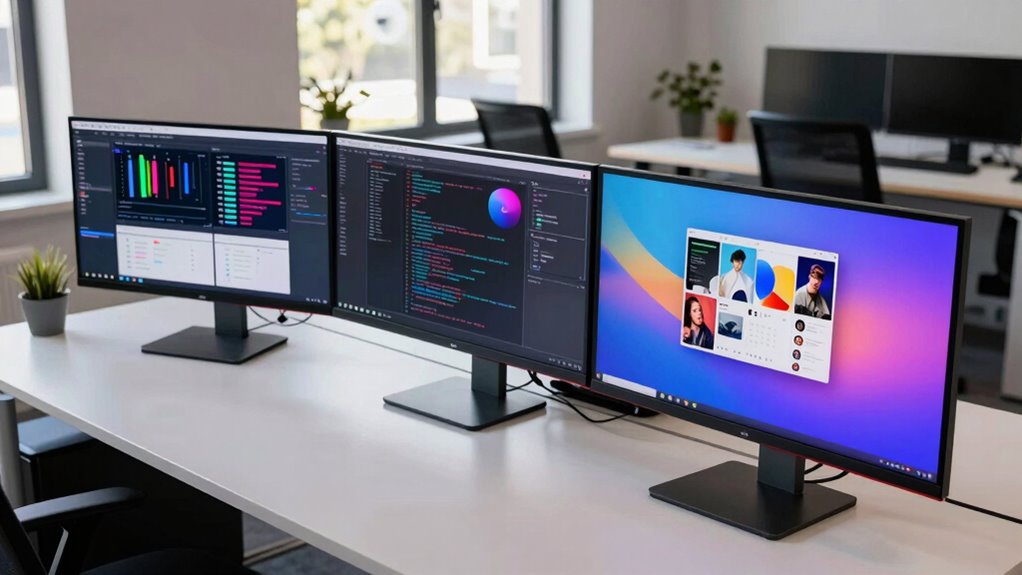

49 inch ultrawide monitors are gaining popularity for their expansive screen real estate, ideal for multitasking, gaming, and immersive work setups. The Samsung Odyssey G9 stands out as the best overall choice thanks to its high refresh rate and deep curvature, offering a seamless gaming experience. For those prioritizing professional use, the Dell UltraSharp U4924DW provides excellent color accuracy and a dual-QHD setup for productivity. Gamers might lean towards the Samsung Odyssey OLED G9, with its stunning contrast and fast response times. However, tradeoffs such as higher prices or limited compatibility can challenge buyers—continue reading for a detailed breakdown of these options.

Get your wardrobe favorites delivered free with Prime
- Fast, free delivery on millions of items
- Prime Video, Amazon Music and more included
- Member-only deals all year
Key Takeaways
- High refresh rates (120Hz and above) significantly improve gaming smoothness on 49 inch ultrawide monitors.
- Curvature (typically 1000R or 1800R) enhances immersion but may cause discomfort for some users during extended work sessions.
- Connectivity options like USB-C and high-wattage power delivery streamline workspace setups, especially for laptops.
- Built-in features such as HDR and speakers add value but come with compromises in color accuracy or audio quality.
- Price varies widely, with premium OLED models offering stunning visuals at a premium, while more affordable VA or IPS panels provide good value for multitasking.


| inch ultrawide monitor | Resolution | Refresh Rate | HDR | Response Time |
|---|---|---|---|---|
| Samsung 49" Business Curved Ul | Dual QHD | 120Hz | DisplayHDR 400 | — |
| Samsung 49-Inch Odyssey G9 | DQHD | 144Hz | — | 1ms |
| Dell UltraSharp U4924DW 49-Inc | 5120 x 1440 | 60Hz | — | — |
| INNOCN 49-Inch Curved Ultrawid | 5120×1440 | 120Hz | HDR400 | — |
| Deco Gear 49-Inch Curved Ultra | 3840×1080 | 144Hz | Supported | 1ms MPRT |
| Acer Nitro 49” Gaming Monitor | 5120 x 1440 (DQHD) | 120Hz | — | 3ms |
| Deco Gear 49 Inch Curved Ultra | 5120×1440 DQHD | 120Hz | — | 1ms MPRT |
| INNOCN 49-Inch Curved Ultrawid | 5120×1440 pixels | 240Hz | HDR400 | 1 ms |
| Samsung 49” Odyssey G9 Series | Dual QHD | 240Hz | VESA DisplayHDR 1000 | 1ms(GtG) |
| Samsung 49" Odyssey OLED G9 | 5120 x 1440 (Dual QHD) | 144Hz | — | 0.03ms |
| INNOCN 49-Inch Curved Ultrawid | 3840 x 1080 (WDFHD) | 144Hz | HDR400 | — |
| Samsung 49" Odyssey G93SC Seri | DQHD | 240Hz | DisplayHDR True Black 400 | 0.03ms (GTG) |
| Deco Gear 49 Inch Curved Ultra | 5120×1440 (5K2K Ultrawide) | 120Hz | HDR400 | — |
| CRUA 49-Inch DQHD Ultrawide Cu | 5120×1440 | 165Hz | — | — |
| CRUA 49-Inch DQHD Ultrawide Cu | 5120×1440 | 120Hz | — | — |
More Details on Our Top Picks
Samsung 49″ Business Curved Ultrawide Dual QHD Monitor with USB-C, DisplayPort, HDMI, 120Hz, VESA DisplayHDR 400, Built-in Speakers, Height Adjustable Stand, Eye Care, LS49C954UANXZA
This Samsung model excels in creating a highly immersive workspace thanks to its 49-inch curved display with a 32:9 aspect ratio, making it ideal for multitasking and professional workflows. Its Dual QHD resolution ensures sharp visuals, while the 120Hz refresh rate provides smooth scrolling and transitions, comparable to gaming-focused monitors like the Odyssey G9 but tailored for productivity. The inclusion of versatile connectivity options, such as USB-C with 90W charging and multiple video inputs, enhances convenience, though the refresh rate isn’t available in Picture-by-Picture mode, which can limit multitasking flexibility. The ergonomic, height-adjustable stand and TÜV-certified eye care features contribute to a comfortable long-term setup. Compared to the Dell UltraSharp U4924DW, this monitor offers better refresh performance but at a potentially higher price and with software-dependent features that may require setup time.
Pros:- Immersive 49-inch curved display with a wide 32:9 aspect ratio
- Versatile connectivity including USB-C with 90W charging
- 120Hz refresh rate for smooth visuals
- Ergonomic height adjustment and eye care features
Cons:- 120Hz not available in Picture-by-Picture mode
- Brightness adjustment limited in bright environments
- Requires software for some features, adding setup complexity
Best for: Professionals who need a large, flexible workspace with excellent color and ergonomic features
Not ideal for: Gamers seeking the highest refresh rates for fast-paced gaming or users with limited desk space
- Display Size:49 inches
- Curvature:1000R
- Resolution:Dual QHD
- Refresh Rate:120Hz
- HDR:DisplayHDR 400
- Connectivity:USB-C (90W), DisplayPort, HDMI (2), USB
- Built-in Speakers:Yes
- Stand:Height adjustable
- VESA Compatibility:Yes
Our verdict“This monitor is ideal for professionals prioritizing large viewing area and ergonomic comfort over gaming-specific features.”
The Odyssey G9 stands out for its ultra-wide, 49-inch curved display with a 32:9 aspect ratio, delivering an immersive experience that surpasses standard monitors like the Dell U4924DW in visual impact. Its 144Hz refresh rate and 1ms response time make it highly suitable for fast-paced gaming, with AMD FreeSync Premium Pro ensuring tear-free visuals. The HDR600 support offers vibrant colors and contrast for multimedia, though its size and curvature may not appeal to all users, especially those with smaller desks or preference for flat screens. Compared to the Samsung LS49C954UANXZA, this model emphasizes gaming performance over productivity features, making it less ideal for professional multitasking but perfect for gamers demanding smooth, detailed gameplay.
Pros:- Immersive ultra-wide curved display with panoramic view
- High 144Hz refresh rate and 1ms response time
- DisplayHDR 600 for vibrant, detailed visuals
- Adaptive sync technology for tear-free gaming
Cons:- Large size and curvature may not fit all desks or preferences
- Higher price point for gaming features
- Limited suitability for professional multitasking compared to productivity-focused monitors
Best for: Gamers and multimedia enthusiasts who prioritize high refresh rates and vivid visuals
Not ideal for: Office users or content creators needing precise color accuracy or ergonomic adjustments
- Size:49 inches
- Resolution:DQHD
- Refresh Rate:144Hz
- Screen Aspect Ratio:32:9
- DisplayHDR:600
- Adaptive Sync:AMD FreeSync Premium Pro
- Response Time:1ms
- Stand:Ergonomic
Our verdict“This monitor is best suited for gamers and multimedia users seeking ultra-wide immersion and high performance.”
Dell UltraSharp U4924DW 49-Inch Dual Quad HD Curved Screen LED Monitor
Compared with the Samsung Odyssey G9, the Dell UltraSharp U4924DW offers a similarly expansive 49-inch curved display, but with a focus on clarity and connectivity for professional use. Its 5120×1440 resolution provides sharp visuals suitable for detailed editing and multitasking, although its 60Hz refresh rate may disappoint gamers looking for high-speed performance. The inclusion of USB-C with 90W power delivery streamlines desk setup, and multiple HDMI and DisplayPort options support various devices. The large size and bulkiness mean it requires a spacious desk, and the response time might be insufficient for competitive gaming. Overall, this monitor caters to users who value high resolution and versatile connectivity over fast refresh rates and gaming features.
Pros:- High-resolution 5120×1440 for sharp, detailed visuals
- USB-C with 90W power delivery simplifies connections
- Multiple HDMI and DisplayPort inputs for flexibility
- Built-in speakers for multimedia convenience
Cons:- Limited to 60Hz refresh rate, not ideal for fast gaming
- Bulky size requiring ample desk space
- Response time of 5ms may affect fast-paced gaming performance
Best for: Content creators and professionals needing high resolution and multiple input options
Not ideal for: Competitive gamers or users seeking ultra-fast refresh rates for gaming
- Screen Size:49 inches
- Resolution:5120 x 1440
- Refresh Rate:60Hz
- Aspect Ratio:32:9
- Connectivity:USB-C, 2x HDMI, DisplayPort 1.4
- VESA Mount:Yes
Our verdict“This monitor is perfect for professional workflows that benefit from high resolution and flexible connectivity, but less suitable for gaming enthusiasts.”
INNOCN 49-Inch Curved Ultrawide Gaming Monitor 5K2K 120Hz 32:9 R1800-49C1R
The INNOCN 49-inch curved monitor combines high resolution with a 120Hz refresh rate, making it a compelling choice for gamers and content creators who want an immersive experience without the premium price of top-tier models like the Odyssey G9. Its 5120×1440 resolution provides sharp visuals, and the 1800R curvature enhances immersion. The variety of connectivity options, including USB-C with power delivery, supports a versatile setup. While its response time of 5ms is adequate for casual gaming, it may fall short for competitive players. Compared to the Deco Gear 49-inch PIP/PBP monitor, it offers better resolution and ergonomics, but at a higher cost and with a less aggressive refresh rate. This pick makes the most sense for users balancing gaming, content creation, and budget considerations.
Pros:- High 5120×1440 resolution for sharp visuals
- 120Hz refresh rate for smooth gameplay
- Curved 1800R design for immersive experience
- Versatile connectivity including USB-C with 90W
Cons:- Response time of 5ms may affect fast gaming
- Size requires ample desk space
- Not designed for ultra-competitive gaming performance
Best for: Casual gamers and creative professionals seeking high resolution at a reasonable price
Not ideal for: Pro gamers demanding ultra-low response times and the highest refresh rates
- Screen Size:49 inches
- Resolution:5120×1440
- Refresh Rate:120Hz
- Aspect Ratio:32:9
- HDR:HDR400
- Connectivity:USB-C, DisplayPort, HDMI
- Curvature:1800R
Our verdict“This monitor offers a well-rounded mix of resolution, immersion, and affordability for casual gaming and creative tasks.”
Deco Gear 49-Inch Curved Ultrawide Gaming Monitor, 144Hz, 3840×1080, 32:9 VA Display, 1ms MPRT, Adaptive Sync, HDR, PIP/PBP, White
The Deco Gear 49-inch curved monitor delivers a large, immersive, 32:9 VA panel with a 144Hz refresh rate and 1ms MPRT, making it a solid option for gamers on a budget who prioritize fast visuals and multitasking modes like PIP and PBP. Its 3840×1080 resolution isn’t as sharp as higher-end options like the INNOCN or Odyssey G9, but it compensates with an affordable price and support for adaptive sync and HDR. The white finish adds a modern touch, but the absence of built-in speakers and a somewhat lower resolution might be drawbacks for multimedia users. The size and curvature may not suit users with limited space or flat-screen preferences, but this monitor offers a compelling balance of features for casual gaming and multitasking at a lower price point.
Pros:- Large 49-inch curved display for immersive gaming and multitasking
- 144Hz refresh rate with 1ms response time
- Supports PIP and PBP modes for increased productivity
- Affordable price for size and features
Cons:- Lower resolution (3840×1080) compared to premium models
- No built-in audio output port
- Color accuracy and contrast may be limited due to VA panel
Best for: Budget-conscious gamers and multitaskers who want a large ultrawide display
Not ideal for: Professional content creators needing high resolution or users seeking built-in audio
- Screen Size:49 inches
- Resolution:3840×1080
- Refresh Rate:144Hz
- Aspect Ratio:32:9
- Response Time:1ms MPRT
- HDR:Supported
- Inputs:2 HDMI, 2 DisplayPort
Our verdict“This monitor is well-suited for casual gamers and multitaskers seeking a large ultrawide experience on a budget.”
Acer Nitro 49” Gaming Monitor – UltraWide DQHD 5120 x 1440, 1000R Curved, AMD FreeSync, 120Hz, 3ms, HDMI & DisplayPort
This monitor stands out for its large, curved display designed specifically for gamers seeking an immersive experience. Compared with the Samsung Odyssey G9, it offers a slightly smaller curvature (1000R vs. 1000R), but it still provides a wide field of view and vivid visuals. The 120Hz refresh rate combined with a 3ms response time ensures smoother gameplay, especially when paired with AMD FreeSync. However, its limited port selection may restrict multi-device setups, and its size could be cumbersome for smaller desks. Overall, this pick makes the most sense for gamers who prioritize a curved, expansive display without the premium price of higher-end models like the Odyssey G9.
Pros:- Large, immersive curved display enhances gaming and multitasking
- Fast 120Hz refresh rate with 3ms response time for smooth visuals
- Supports AMD FreeSync technology for tear-free gameplay
- Height and tilt adjustments for personalized comfort
Cons:- Large size demands significant desk space
- Limited port options restrict device connectivity
- Curved design may not suit all preferences
Best for: Gamers and multitaskers who want a large, curved monitor for immersive play and productivity
Not ideal for: Users with limited desk space or those seeking extensive connectivity options for multiple devices
- Display Size:49 inches
- Resolution:5120 x 1440 (DQHD)
- Curvature:1000R
- Refresh Rate:120Hz
- Response Time:3ms
- Ports:1 x DisplayPort 1.4, 2 x HDMI 2.0
Our verdict“This monitor fits well for gamers and users who prioritize immersive visuals in a curved design but have ample space and basic connectivity needs.”
Deco Gear 49 Inch Curved Ultrawide Monitor, 5120×1440 Dual QHD, 32:9, HDR400, 120Hz, USB-C 65W PD, KVM, PIP/PBP, Gaming & Workstation
This model excels at combining productivity and gaming with its 49-inch curved display, high resolution, and advanced features like USB-C with 65W power delivery and a built-in KVM switch. Compared with the INNOCN 49-Inch (which offers a higher 240Hz refresh rate), the Deco Gear’s 120Hz is still sufficient for most gamers and creators, with a focus on multitasking efficiency. Its broad connectivity options support multiple devices, but the complexity of all features may be overwhelming for users who prefer simplicity. The large size and advanced features make this ideal for users who need a flexible workstation or gaming setup that consolidates multiple inputs and tasks.
Pros:- Expansive 49-inch curved display enhances multitasking and immersion
- Wide connectivity including USB-C with 65W power delivery and KVM switch
- Supports PIP/PBP for multitasking across multiple inputs
- Good contrast and color coverage for content creation
Cons:- Large size requires a spacious desk setup
- Complex feature set may be intimidating for some users
- 120Hz refresh rate, while smooth, is lower than some competitors for fast-paced gaming
Best for: Content creators, professionals, and gamers who need a versatile large display with multiple device support
Not ideal for: Users with limited desk space or those who prioritize ultra-high refresh rates over multitasking features
- Display Size:49 inches
- Resolution:5120×1440 DQHD
- Aspect Ratio:32:9
- Refresh Rate:120Hz
- Response Time:1ms MPRT
- Connectivity:HDMI, DisplayPort, USB-C, USB-A, USB-B
Our verdict“This monitor is best for users who want a large, feature-rich display for multitasking and gaming without needing ultra-high refresh rates.”
INNOCN 49-Inch Curved Ultrawide 5K2K 5120x1440P Gaming Monitor, HDR400, 99% sRGB, USB-C, DisplayPort, HDMI, Built-in Speakers, Height/Tilt Adjustable
This monitor provides a remarkable 5120×1440 resolution with a 240Hz refresh rate and 1ms response time, making it ideal for high-end gaming and content creation. Compared to the Samsung Odyssey G9’s 240Hz, the INNOCN emphasizes color accuracy with 99% sRGB coverage and a VA panel that delivers deep blacks. Its ergonomic adjustments and built-in speakers add to user comfort. However, its size and high hardware demands mean it’s best suited to powerful systems and users who value vivid visuals and fast responses over extensive connectivity options. For those seeking ultra-high resolution and gaming performance combined, this pick stands out.
Pros:- Exceptional resolution and high refresh rate for detailed visuals
- 99% sRGB coverage for accurate color reproduction
- Ergonomic stand with height, tilt, and swivel adjustments
- Built-in speakers for convenience
Cons:- Large footprint requires a spacious desk
- High hardware requirements for optimal performance
- Complex connectivity options might be overwhelming for some users
Best for: High-end gamers and creators needing precise color and ultra-smooth gameplay
Not ideal for: Users with limited space or less powerful hardware, as high resolution and 240Hz demand significant resources
- Display Size:49 inches
- Resolution:5120×1440 pixels
- Refresh Rate:240Hz
- Response Time:1 ms
- HDR:HDR400
- Ports:HDMI, DisplayPort, USB-C
Our verdict“This monitor suits users demanding top-tier resolution and color fidelity for gaming and creative work, provided they have a capable system and ample space.”
Samsung 49” Odyssey G9 Series DQHD Curved Gaming Monitor LS49CG954ENXZA
The Samsung Odyssey G9 is the flagship for immersive gaming, featuring a 1000R curvature and Dual QHD resolution that create an expansive, peripheral-rich view. Its 240Hz refresh rate and 1ms GTG response time rival high-end models like the Odyssey OLED G9, but with the added benefit of VESA DisplayHDR 1000 for stunning brightness and contrast. The monitor’s numerous ergonomic adjustments and features such as CoreSync lighting and PBP make it a flexible choice for dedicated gamers seeking a premium experience. The main tradeoff is its high price and large size, which demands a significant desk footprint, making it less suitable for smaller spaces.
Pros:- Large 49-inch curved display with high resolution and vivid color
- 240Hz refresh rate and 1ms response time for smooth, fast-paced gaming
- Excellent HDR performance and contrast with DisplayHDR 1000
- Ergonomic stand with multiple adjustments for comfort
Cons:- Size and price may be prohibitive for some users
- Complex feature set can be overwhelming
- Requires a powerful graphics card to fully leverage high resolution and refresh rate
Best for: Serious gamers who want a top-tier, feature-rich curved monitor with stunning visuals
Not ideal for: Users with limited space or those who prefer simpler setups without extensive features
- Display Size:49 inches
- Resolution:Dual QHD
- Curvature:1000R
- Refresh Rate:240Hz
- Response Time:1ms(GtG)
- HDR:VESA DisplayHDR 1000
Our verdict“Ideal for gamers seeking a premium, ultra-wide immersive experience with high-end features and excellent visuals, provided they have space and budget to match.”
Samsung 49″ Odyssey OLED G9 (G91SD) Dual QHD Curved Gaming Monitor
The Odyssey OLED G9 stands out with its QD-OLED technology, delivering unparalleled black levels and vibrant colors in a 49-inch curved format. Compared with the Samsung G9 LCD models, it provides a response time of just 0.03ms and true blacks that enhance contrast for immersive gaming and media. Its 144Hz refresh rate is slightly lower than some competitors, but OLED’s rapid pixel response compensates for smooth gameplay. The ergonomic stand and G-Sync and FreeSync support make it a top choice for high-end gaming, yet the high cost and smaller available space might deter casual users or those with limited room. This is a premium option for gamers who seek OLED’s visual superiority.
Pros:- Exceptional contrast with true blacks and vibrant colors
- Ultra-fast response time of 0.03ms enhances gaming performance
- Supports G-Sync and FreeSync for tear-free gameplay
- Adjustable ergonomic stand for comfort
Cons:- Premium price limits accessibility
- Size may be challenging in smaller setups
- Lower refresh rate compared to some competitors
Best for: High-end gamers and multimedia enthusiasts wanting the best black levels and vibrant visuals
Not ideal for: Users with limited space or budget constraints, as OLED panels tend to be costly
- Display Size:49 inches
- Resolution:5120 x 1440 (Dual QHD)
- Refresh Rate:144Hz
- Response Time:0.03ms
- Technology:QD-OLED
- Stand:Ergonomic, adjustable tilt and height
Our verdict“This OLED monitor is perfect for users prioritizing picture quality and black levels over ultra-high refresh rates, with a higher investment cost.”
INNOCN 49-Inch Curved Ultrawide Gaming Monitor 144Hz, 32:9, HDR400, USB-C, DisplayPort, HDMI, Built-in Speakers, Adjustable Height/Tilt
This INNOCN model stands out for combining a large, curved 49-inch screen with a 144Hz refresh rate, making it well-suited for both gaming and productivity. Compared with the Samsung G93SC, it offers similar connectivity but at a more accessible price point, though it doesn’t match the ultra-vivid color depth of OLED options. Its ergonomic adjustments and multiple ports support long hours of use in comfort. However, the significant desk space needed and the curved design may not suit every workspace or task, especially for those preferring flatter screens for detailed work. This monitor is an excellent choice for users seeking a flexible, immersive display that balances gaming and multitasking without the premium cost of OLEDs.
Pros:- Large, immersive 49-inch curved display enhances multitasking and gaming
- High refresh rate of 144Hz provides smooth visuals
- Multiple connectivity options including USB-C with power delivery
Cons:- Requires significant desk space due to large size
- Curved screen may not be ideal for all tasks or preferences
- Potentially high power consumption
Best for: Creative professionals and gamers who want a large, comfortable ultrawide with versatile connectivity.
Not ideal for: Desk spaces that are tight or users who prefer flat screens for detailed work like CAD or graphic design.
- Screen Size:49 inches
- Resolution:3840 x 1080 (WDFHD)
- Refresh Rate:144Hz
- Aspect Ratio:32:9
- Panel Type:VA
- HDR:HDR400
Our verdict“This monitor suits users needing a versatile, ergonomic ultrawide that balances gaming and productivity, with some space and design considerations.”
Samsung 49″ Odyssey G93SC Series QD-OLED Curved Gaming Monitor
The Samsung Odyssey G93SC sets itself apart with QD-OLED technology, delivering exceptional color vibrancy and black depth that outshine most LCD-based ultrawides like the INNOCN. Its 240Hz refresh rate and 0.03ms response time make it an ideal choice for fast-paced gaming, especially for those who prioritize visual fidelity and response. The ultra-wide 49-inch curved display immerses players deeply into the game environment, but its premium design and high price tag can be a barrier for casual users. The complex feature set might overwhelm someone seeking a straightforward gaming monitor. Overall, this model is best for hardcore gamers or content creators who want top-tier visuals and responsiveness in a large, immersive display.
Pros:- Vivid colors and deep blacks thanks to QD-OLED technology
- Ultra-wide 49-inch curved display for immersive gaming
- High 240Hz refresh rate with rapid 0.03ms response time
Cons:- Premium price may be prohibitive for some users
- Large size requires ample desk space
- Complex features may be overwhelming for casual use
Best for: Enthusiast gamers and digital creators seeking vibrant visuals and rapid response in a large ultrawide format.
Not ideal for: Budget-conscious users or those needing a more straightforward setup, as it commands a premium price and complex features.
- Screen Size:49 inches
- Display Technology:QD-OLED
- Resolution:DQHD
- Refresh Rate:240Hz
- Response Time:0.03ms (GTG)
- HDR:DisplayHDR True Black 400
Our verdict“This monitor is perfect for gamers and creators who demand top-tier visuals and fast response, accepting the high cost and space requirements.”
Deco Gear 49 Inch Curved Ultrawide 5K2K Monitor with HDR400, 120Hz, USB-C 65W, KVM Switch, Built-in Speakers & Ergonomic Stand
This Deco Gear model combines a 5120×1440 resolution with a large curved design, making it highly suitable for creative professionals who need detail and clarity. Its 120Hz refresh rate supports smooth editing and multitasking, while the USB-C port with 65W power delivery and the KVM switch facilitate an organized workspace. Compared with the CRUA options, this monitor offers broader feature sets tailored for productivity, though at a higher price point. The limited port variety and absence of built-in speakers might be drawbacks for some users. Overall, this monitor excels for those seeking a large, high-resolution ultrawide for both work and casual gaming in a clutter-free setup.
Pros:- High-resolution 5120×1440 with vibrant colors
- USB-C 65W power delivery and KVM switch for efficient workspace
- Ergonomic stand with adjustable height, tilt, and swivel
Cons:- Higher cost compared to simpler ultrawides
- Limited port options, may need adapters
- No built-in speakers
Best for: Content creators, multitaskers, and professionals who prioritize high resolution and ergonomic flexibility.
Not ideal for: Casual users or gamers who prefer fast response times or built-in audio features, as it leans more toward productivity.
- Size:49 inches
- Resolution:5120×1440 (5K2K Ultrawide)
- Refresh Rate:120Hz
- HDR:HDR400
- Color Coverage:100% sRGB
- Stand Features:Height, tilt, swivel
Our verdict“Ideal for professionals needing high-resolution multitasking and ergonomic flexibility, with some compromise on port diversity.”
CRUA 49-Inch DQHD Ultrawide Curved Gaming Monitor, 165Hz, FreeSync, Height-Adjustable Stand, HDMI 2.1/DP 1.4, Black
The CRUA 49-inch DQHD monitor emphasizes fast gaming performance with a 165Hz refresh rate and FreeSync support, making it a strong choice for competitive players. Its 1500R curvature enhances immersion, especially in fast-action titles, while the height-adjustable stand adds ergonomic flexibility. Compared to the 120Hz Deco Gear, it offers a higher refresh rate, though it may lack some of the advanced features like USB-C or built-in speakers. The absence of built-in audio and limited port options mean it’s less balanced for multimedia use. This model is well-suited for gamers who prioritize response speeds and smooth gameplay but might require external audio and accessories for full multimedia functionality.
Pros:- High 165Hz refresh rate for ultra-smooth gameplay
- 1500R curvature for immersive gaming experience
- Height-adjustable stand for ergonomic comfort
Cons:- No built-in speakers, external audio needed
- Limited port options compared to some models
- Less feature-rich for creative or productivity tasks
Best for: Competitive gamers seeking high refresh performance and wide compatibility with their gaming setup.
Not ideal for: Users who need integrated speakers or a more versatile port selection, as it focuses mainly on gaming performance.
- Size:49 inches
- Resolution:5120×1440
- Refresh Rate:165Hz
- Curvature:1500R
- Color Coverage:120% sRGB
- Stand:Height-adjustable
Our verdict“This monitor is best for competitive gaming where response time and smooth visuals take priority over multimedia extras.”
CRUA 49-Inch DQHD Ultrawide Curved Gaming Monitor, 1500R, FreeSync, Height-Adjustable Stand, HDMI 2.1/DP 1.4, White
This CRUA model offers a 5120×1440 resolution with a 1500R curvature, providing an immersive experience for gaming and multitasking. Its 120Hz refresh rate with FreeSync ensures smooth gameplay, while the ergonomic stand with height, tilt, and lift adjustments helps tailor the viewing experience. Compared to the 165Hz CRUA, it has a slightly lower refresh rate but offers a more adjustable stand and a clean aesthetic. The absence of built-in speakers and limited port options are minor tradeoffs considering its focus on gaming comfort and visual quality. This monitor fits gamers who want a balanced mix of performance, ergonomics, and style in a large ultrawide format.
Pros:- Immersive 49-inch curved display with high resolution
- Smooth 120Hz performance with FreeSync support
- Ergonomic stand with height, tilt, and lift adjustments
Cons:- No built-in speakers, external audio required
- Limited to specific ports, may need adapters
- Lower refresh rate than some high-end models
Best for: Casual to mid-level gamers who want a comfortable, immersive experience with good visuals and adjustable ergonomics.
Not ideal for: Users seeking the highest possible refresh rate for competitive gaming or needing extensive multimedia features, as it’s more balanced for comfort.
- Size:49 inches
- Resolution:5120×1440
- Refresh Rate:120Hz
- Curvature:1500R
- Color Coverage:120% sRGB
- Ports:HDMI 2.1, DP 1.4
Our verdict“This monitor provides a solid gaming experience with ergonomic flexibility and good visuals, suitable for players who value comfort and balance.”

How We Picked
These monitors were selected based on a combination of performance, build quality, versatility, and value. We prioritized models offering high resolution and refresh rates suitable for gaming and professional tasks, alongside features like adjustable stands and connectivity options. The ranking emphasizes balanced performance, ensuring that each pick is well-suited to specific user needs—whether for gaming, productivity, or professional content creation. We also considered user reviews and expert insights to identify common strengths and weaknesses, aiming to provide a range of options for different budgets and use cases.| inch ultrawide monitor | HDR |
|---|---|
| Samsung 49" Business Curved Ul | DisplayHDR 400 |
| Samsung 49-Inch Odyssey G9 | — |
| Dell UltraSharp U4924DW 49-Inc | — |
| INNOCN 49-Inch Curved Ultrawid | HDR400 |
| Deco Gear 49-Inch Curved Ultra | Supported |
| Acer Nitro 49” Gaming Monitor | — |
| Deco Gear 49 Inch Curved Ultra | — |
| INNOCN 49-Inch Curved Ultrawid | HDR400 |
| Samsung 49” Odyssey G9 Series | VESA DisplayHDR 1000 |
| Samsung 49" Odyssey OLED G9 | — |
| INNOCN 49-Inch Curved Ultrawid | HDR400 |
| Samsung 49" Odyssey G93SC Seri | DisplayHDR True Black 400 |
| Deco Gear 49 Inch Curved Ultra | HDR400 |
| CRUA 49-Inch DQHD Ultrawide Cu | — |
| CRUA 49-Inch DQHD Ultrawide Cu | — |
Factors to Consider When Choosing 49 Inch Ultrawide Monitors
Choosing the right 49 inch ultrawide monitor involves evaluating several key factors. Beyond raw size, consider how the display’s curvature impacts your comfort during extended use. Connectivity options like USB-C can simplify your setup, especially if you work with a laptop. Refresh rate and response time are critical for gaming, while color accuracy matters for creative work. Price and build quality should align with your intended use, whether casual browsing or professional editing. Carefully weighing these factors helps you find a monitor that delivers the best experience for your needs.Display Technology and Resolution
Look for high-resolution panels like dual QHD (5120×1440) or 5K2K options, which offer sharper images and more workspace. IPS panels deliver better color accuracy and viewing angles, making them suitable for creative tasks, while VA panels often provide deeper blacks and higher contrast, ideal for entertainment. OLED displays, such as the Samsung Odyssey OLED G9, stand out for their contrast and color vibrancy but come at a premium price. Avoid lower resolutions or outdated technology if your priority is sharp visuals or professional editing.
Curvature and Ergonomics
Most 49 inch ultrawides feature a 1000R or 1800R curvature. A more pronounced curve enhances immersion in gaming and multimedia but can cause fatigue during long work sessions if you prefer flat or less curved screens. Adjustable stands that allow height, tilt, and swivel adjustments improve comfort, especially during prolonged use. Be mindful of your workspace size—overly curved monitors can sometimes be less suitable for multi-monitor setups or limited desks.
Connectivity and Power Delivery
Modern ultrawide monitors often include USB-C for single-cable setups that transfer data, video, and power simultaneously. This feature reduces clutter and simplifies device management, especially for laptops. Check the wattage support—65W or higher—if you want to charge your device while connected. HDMI and DisplayPort are standard, but ensure the monitor supports the latest versions for best performance. Avoid models with limited ports if you plan to connect multiple peripherals or secondary displays.
Performance for Gaming and Productivity
Gaming-focused models typically feature refresh rates of 120Hz or higher, with fast response times (1-3ms), reducing motion blur and input lag. For productivity, prioritize high resolution and color accuracy, with features like wide color gamuts and HDR support. Consider whether features like PIP/PBP or KVM switches matter for your workflow. Keep in mind that higher refresh rates and HDR often come at a premium, so balance your budget accordingly.
Price and Build Quality
Prices for 49 inch ultrawide monitors range from affordable VA panels to premium OLED displays. Cheaper options may lack advanced features or have less impressive color accuracy, but can still serve well for general tasks. Premium models offer better contrast, color, and build quality, often with more ergonomic options. Be wary of overly cheap models that might compromise durability or display quality—investing in a well-built monitor ensures better longevity and satisfaction.
Frequently Asked Questions
Is a 49 inch ultrawide monitor suitable for gaming?
Yes, many 49 inch ultrawide monitors are optimized for gaming, featuring high refresh rates of 120Hz or higher, fast response times, and adaptive sync technologies like FreeSync or G-Sync. The curved design enhances immersion, making gaming more engaging. However, they tend to be more expensive than standard monitors, and their size requires ample desk space. For the best experience, pairing them with a powerful graphics card is recommended to handle the high resolution and frame rates smoothly.
Can I use a 49 inch ultrawide monitor for professional work like video editing?
Absolutely. Monitors with high resolution, especially dual QHD or 5K2K, provide ample workspace for detailed editing and color grading. Features like IPS panels and wide color gamut support (100% sRGB or AdobeRGB) ensure color accuracy. Curvature is less critical here, but a stable, adjustable stand improves comfort. Keep in mind that some models might prioritize gaming features over color accuracy, so check specifications if professional editing is your focus.
Are ultrawide monitors good for multitasking?
Yes, their expansive screens allow for multiple windows and applications to be open simultaneously without the clutter of multiple monitors. Many models support Picture-in-Picture (PIP) or Picture-by-Picture (PBP) modes, enhancing multitasking capabilities. The wide aspect ratio can significantly boost productivity, especially for workflows involving spreadsheets, coding, or content creation. Just ensure your operating system and hardware support such wide displays effectively.
What should I consider regarding monitor curvature for long-term comfort?
Curvature enhances immersion but can cause eye strain if it doesn’t match your viewing distance or personal preference. A 1000R curve closely mimics the natural curvature of the human eye, providing a more comfortable viewing experience during extended use. Flat screens reduce distortion but may feel less immersive. Consider your workspace size and how much time you’ll spend on the monitor when choosing the curvature level to avoid fatigue.
Is it worth investing in an OLED ultrawide monitor?
OLED ultrawide monitors deliver exceptional contrast, vibrant colors, and fast response times, making them ideal for both gaming and creative work. However, they come at a higher cost and may have concerns around burn-in if used for static images over long periods. They also tend to have shorter lifespans compared to LCD panels. If you prioritize stunning visuals and are aware of the tradeoffs, an OLED model can be a worthwhile investment for immersive experiences.
Conclusion
For gamers, the Samsung Odyssey OLED G9 offers unparalleled contrast and fast response, making it the best premium choice. Professionals seeking sharp visuals and color accuracy should consider the Dell UltraSharp U4924DW, which provides excellent productivity features at a reasonable price. Budget-conscious buyers or those new to ultrawides will find good value in models like the CRUA 49-Inch DQHD, which balances features and affordability. Overall, your ideal monitor depends on your primary use—whether gaming, work, or a mix of both—so weigh the key factors carefully before deciding.