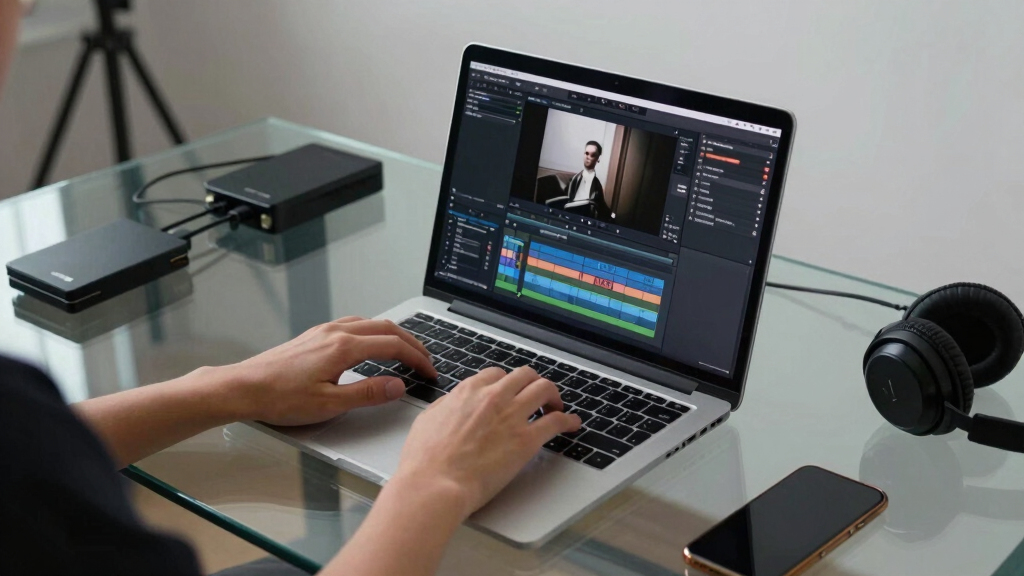

Finding the best creator laptops for video editing on Amazon in 2026 means balancing powerful performance with portability and value. The Apple MacBook Pro with M5 chip stands out as the top overall pick thanks to its outstanding display and processing power. The Lenovo ThinkBook 16 G7 offers a strong Windows alternative with a massive RAM and storage setup for demanding projects, while the ASUS Zenbook 14 Creator provides a sleek OLED touchscreen experience for detailed editing work. Buyers often face tough tradeoffs between raw power, screen quality, and portability, especially at different price points. Continue reading for a detailed breakdown of these options and how they compare.
Key Takeaways
- High RAM and dedicated GPU options are essential for smooth 4K video editing.
- Display quality, especially OLED and high resolution, significantly impacts editing precision.
- Balance between portability and power is key—larger screens boost productivity but reduce mobility.
- Premium picks like MacBook Pro justify their higher prices with top-tier performance and build quality.
- Budget-friendly options can handle editing but may struggle with high-resolution workflows.
| Laptop with AMD Ryzen 7000 Series Processor, 16GB RAM, 512GB SSD, 15.6″ Full HD Display, Windows 11 |  | Best Budget for Light Editing and Portability | Processor: AMD Ryzen 5 7430U | RAM: 16GB DDR4 | Storage: 512GB NVMe SSD | VIEW LATEST PRICE | See Our Full Breakdown |
| Acer Aspire 14 AI Copilot+ PC with 14″ WUXGA Display and Intel Core Ultra 7 Processor |  | Best for Long Battery Life and AI-Enhanced Productivity | Display: 14″ WUXGA (1920 x 1200) | Processor: Intel Core Ultra 7 Series 2 | RAM: 16GB LPDDR5X | VIEW LATEST PRICE | See Our Full Breakdown |
| Lenovo 16″ FHD+ Business Laptop with Intel Core i7-13700H, 64GB RAM, 2TB SSD, Windows 11 Pro, Gray |  | Best for Heavy Multitasking and Demanding Editing | Processor: Intel Core i7-13700H | Graphics: Intel Iris Xe | Display: 16-inch WUXGA, 1920×1200, anti-glare | VIEW LATEST PRICE | See Our Full Breakdown |
| Apple 2025 MacBook Pro Laptop with M5 Chip, 14.2-inch Liquid Retina XDR Display, 16GB RAM, 512GB SSD, Space Black |  | Best for Creative Professionals in the Apple Ecosystem | Processor: Apple M5 chip with 10-core CPU and GPU | Display: 14.2-inch Liquid Retina XDR | Memory: 16GB Unified Memory | VIEW LATEST PRICE | See Our Full Breakdown |
| Lenovo ThinkBook 16 G7 Business Laptop, 16” FHD+, AMD Ryzen 5 7533HS, 32GB DDR5, 1TB NVMe, WiFi 6, Bluetooth, HDMI, Fingerprint Reader, HD Webcam, Windows 11 Pro |  | Best for Demanding Multitasking and Content Creation | Processor: AMD Ryzen 5 7533HS | Graphics: AMD Radeon 680M | Display: 16-inch FHD+ (1900×1200), anti-glare | VIEW LATEST PRICE | See Our Full Breakdown |
| ASUS Vivobook S16 AI PC Laptop, 16-inch 2.8K OLED, 120Hz, Intel Core Ultra 9 285H, 32GB RAM, 1TB SSD, Windows 11 |  | Best Overall for High-Performance Creators | Display: 16-inch 2.8K OLED, 120Hz, HDR, 600nits, 100% DCI-P3 | Processor: Intel Core Ultra 9 285H, 2.9 GHz (up to 5.4 GHz, 16 cores, 16 Threads) | Memory: 32GB LPDDR5X SDRAM | VIEW LATEST PRICE | See Our Full Breakdown |
| Lenovo LOQ 15 Gaming Laptop with AMD Ryzen 7 and RTX 4060 |  | Best for Power and Gaming-Style Performance | Processor: AMD Ryzen 7 8845HS | Graphics Card: NVIDIA GeForce RTX 4060 | Display: 15.6-inch FHD IPS, 144Hz | VIEW LATEST PRICE | See Our Full Breakdown |
| Light Gaming Laptop with AMD Ryzen 7 Processor, 16GB RAM, 512GB SSD, 15.6 inch IPS Display, Windows 11 |  | Best for Portability and Versatile Editing | Processor: AMD Ryzen 7 (up to 4.3GHz) | Display: 15.6 inch IPS, 1920×1080, 60Hz | RAM: 16GB DDR4 | VIEW LATEST PRICE | See Our Full Breakdown |
| ASUS Zenbook 14 Creator Laptop with WUXGA OLED Touchscreen, Intel 16-core Ultra 7 255H, 16GB RAM, 2TB SSD, Windows 11 |  | Best for Portability and High-Quality OLED Display | Display: 14″ WUXGA OLED Touchscreen, HDR, 500 nits | Processor: Intel 16-core Ultra 7 255H | RAM: 16GB | VIEW LATEST PRICE | See Our Full Breakdown |
More Details on Our Top Picks
Laptop with AMD Ryzen 7000 Series Processor, 16GB RAM, 512GB SSD, 15.6″ Full HD Display, Windows 11
This laptop stands out for its affordability and decent performance for video editing, especially when compared to the more powerful Lenovo 16″ FHD+ Business Laptop. Its AMD Ryzen 5 7430U processor and 16GB RAM handle multitasking and light editing well, making it a solid choice for creators starting out or working on less complex projects. However, it lacks a dedicated GPU, limiting its ability to handle intensive rendering tasks, unlike the Lenovo 16″ model which offers a more robust processing environment. Its portability and full HD display are definite advantages, but the absence of dedicated graphics means it’s not suited for heavy-duty editing or 4K workflows.
Pros:- Affordable price point suitable for entry-level editing
- Lightweight and portable for on-the-go creators
- Fast 512GB SSD for quick project access
Cons:- No dedicated graphics card limits high-end editing performance
- Battery life details are not specified, affecting portability planning
Best for: Beginners or hobbyists who need a portable, budget-friendly option for light video editing
Not ideal for: Professional creators working on complex or 4K projects requiring dedicated GPU power
- Processor:AMD Ryzen 5 7430U
- RAM:16GB DDR4
- Storage:512GB NVMe SSD
- Display:15.6″ Full HD IPS, 1920×1080, 60Hz
- Graphics:AMD Radeon Graphics
- Operating System:Windows 11
- Weight:Approximately 3.2 lbs
- Ports:3 USB 3.2, Type-C, HDMI, 3.5mm audio
Bottom line: This laptop is best suited for newcomers or casual video editors prioritizing portability and affordability over raw power.
Acer Aspire 14 AI Copilot+ PC with 14″ WUXGA Display and Intel Core Ultra 7 Processor
This model makes a strong case for those valuing all-day battery life and smart features, outperforming comparable options like the Lenovo ThinkBook in mobility. Its Intel Core Ultra 7 processor and AI capabilities enhance multitasking and creative workflows, although some features might need updates and could vary regionally. The 14″ WUXGA display offers sharp visuals, ideal for editing on the go, but it’s less suited for detailed color grading compared to larger displays like the Lenovo 16″. Its sleek aluminum chassis and 22-hour battery life cater well to mobile professionals, but the premium price tag might be a barrier for budget-conscious buyers.
Pros:- Up to 22 hours of battery life for extended work sessions
- AI-enhanced features improve productivity and creative workflows
- Vibrant 14″ high-resolution display
Cons:- AI features may require updates, and some functionalities could be limited
- Premium price may not appeal to budget buyers
Best for: Creative professionals or students who need long battery life and smart AI tools for productivity
Not ideal for: Creators who require a large, color-accurate display for detailed editing tasks
- Display:14″ WUXGA (1920 x 1200)
- Processor:Intel Core Ultra 7 Series 2
- RAM:16GB LPDDR5X
- Storage:1TB SSD
- Battery Life:Up to 22 hours
- Connectivity:Wi-Fi 6E
- Chassis:Aluminum, lightweight
- Hinge:180° lie-flat
Bottom line: This laptop is ideal for mobile creatives needing long-lasting battery and AI assistance, but not for those requiring large or color-accurate screens.
Lenovo 16″ FHD+ Business Laptop with Intel Core i7-13700H, 64GB RAM, 2TB SSD, Windows 11 Pro, Gray
Compared with the other options, this Lenovo 16″ laptop excels in multi-core performance thanks to its 13th Gen Intel Core i7-13700H and massive 64GB DDR5 RAM, making it perfect for demanding editing workflows, especially 4K projects. Its 2TB SSD ensures ample storage and fast access, but the overall weight (1.7 kg) and size make it less portable than smaller models like the Acer Aspire. Its high-end specs are ideal for professional workflows, although the higher price and Windows 11 Pro-only OS might deter casual users. The bright, anti-glare 16″ display reduces eye strain during long editing sessions, but it’s less portable for those who need a lightweight machine for travel.
Pros:- Exceptional multi-core performance for intensive editing tasks
- Large 64GB DDR5 RAM ensures smooth multitasking
- Fast 2TB SSD with extensive storage capacity
Cons:- Relatively heavy and less portable for frequent travel
- Premium price point may be prohibitive for some buyers
Best for: Professional video editors and content creators working with large files and multitasking demands
Not ideal for: Travelers or casual users who prioritize portability over power and storage
- Processor:Intel Core i7-13700H
- Graphics:Intel Iris Xe
- Display:16-inch WUXGA, 1920×1200, anti-glare
- RAM:64GB DDR5
- Storage:2TB PCIe NVMe SSD
- Weight:1.7 kg (3.75 lbs)
- Connectivity:Wi-Fi 6, Bluetooth 5.2, Thunderbolt 4
- Security:Fingerprint reader, TPM 2.0
Bottom line: This is a top choice for professionals needing serious power and large storage, but it’s less suited for mobile or budget-conscious users.
Apple 2025 MacBook Pro Laptop with M5 Chip, 14.2-inch Liquid Retina XDR Display, 16GB RAM, 512GB SSD, Space Black
This MacBook Pro distinguishes itself with the powerful M5 chip, offering exceptional speed and AI capabilities, outperforming many Windows-based options like the Lenovo 16″ in raw processing power. Its 14.2-inch Liquid Retina XDR display delivers stunning visuals, perfect for color-critical work, though it’s less portable and heavier than smaller laptops such as the Acer Aspire. The seamless integration with other Apple devices makes it a favorite for professional creatives already in the ecosystem, but its high price and limited flexibility outside Apple’s environment may deter some users. It’s a strong choice for those prioritizing display quality and AI performance, especially in creative workflows.
Pros:- Exceptional performance with the M5 chip and AI capabilities
- Stunning Liquid Retina XDR display with high brightness and contrast
- Excellent battery life for all-day editing
Cons:- Premium price may be prohibitive for some buyers
- Heavier and less portable than smaller laptops
- Limited to Apple’s ecosystem, less compatible with non-Apple devices
Best for: Creative professionals using or willing to invest in Apple’s ecosystem, prioritizing display and AI performance
Not ideal for: Users requiring a more flexible or budget-friendly Windows-based machine for editing
- Processor:Apple M5 chip with 10-core CPU and GPU
- Display:14.2-inch Liquid Retina XDR
- Memory:16GB Unified Memory
- Storage:512GB SSD
- Battery Life:All-day
- Ports:Three Thunderbolt 4, MagSafe 3, SDXC, HDMI
- Camera:12MP Center Stage
- Audio:Six speakers with Spatial Audio
Bottom line: This MacBook Pro is best for professional creators invested in Apple’s ecosystem seeking top-tier display and performance, but not for casual or budget-conscious users.
Lenovo ThinkBook 16 G7 Business Laptop, 16” FHD+, AMD Ryzen 5 7533HS, 32GB DDR5, 1TB NVMe, WiFi 6, Bluetooth, HDMI, Fingerprint Reader, HD Webcam, Windows 11 Pro
This Lenovo ThinkBook combines a large, high-quality display with strong processing power, outperforming lighter-weight options like the Acer Aspire in multitasking and content creation capacity. Its AMD Ryzen 5 7533HS and 32GB DDR5 RAM make it well-suited for demanding editing workflows, especially when handling multiple large files or multitasking with various software. The 1TB SSD ensures quick access and ample storage, but its weight and size make it less ideal for frequent travel compared to smaller, lighter models like the Aspire. The premium features and security options justify its higher price for professional users focused on performance and security.
Pros:- Powerful AMD Ryzen 5 processor with high-speed DDR5 RAM
- Large 16″ FHD+ anti-glare display with vivid colors
- Fast 1TB NVMe SSD for quick access and ample storage
Cons:- Heavy weight and bulkier design reduce portability
- Higher price point may be a barrier for some users
Best for: Professionals and serious hobbyists who need large displays, high performance, and security features
Not ideal for: Frequent travelers or those seeking a lightweight, ultra-portable editing device
- Processor:AMD Ryzen 5 7533HS
- Graphics:AMD Radeon 680M
- Display:16-inch FHD+ (1900×1200), anti-glare
- RAM:32GB DDR5
- Storage:1TB NVMe SSD
- Connectivity:WiFi 6, Bluetooth
- Features:Fingerprint Reader, HD Webcam, HDMI
- OS:Windows 11 Pro
Bottom line: This is an excellent choice for professionals requiring a large, high-performance machine for demanding editing tasks, but it isn’t ideal for frequent travel or casual use.
ASUS Vivobook S16 AI PC Laptop, 16-inch 2.8K OLED, 120Hz, Intel Core Ultra 9 285H, 32GB RAM, 1TB SSD, Windows 11
The ASUS Vivobook S16 stands out for its stunning 16-inch 2.8K OLED display, delivering vibrant colors and HDR visuals that make video editing a pleasure. Its powerful Intel Core Ultra 9 processor with 16 cores ensures smooth rendering and multitasking, comparable to the CPU in the ASUS Zenbook but with a larger screen. The 32GB RAM and 1TB SSD provide ample speed and storage for demanding projects. However, its weight of over 3 pounds makes it less ideal for frequent on-the-go editing, and the premium features come at a higher price. Battery life remains unclear, which might be a concern for mobile workflows. Overall, this model is best suited for creators who prioritize display quality and raw power over portability.
Pros:- Stunning 16-inch 2.8K OLED display with HDR support
- High-performance Intel Core Ultra 9 with 16 cores
- Ample 32GB RAM and fast 1TB SSD storage
- Multiple modern ports including Thunderbolt 4 and HDMI 2.1
Cons:- Relatively heavy at 3.31 pounds, less portable
- Premium price point may be a barrier for some buyers
- Limited information on battery longevity
Best for: Video editors and content creators who require a large, vibrant display and high processing power for intensive editing tasks.
Not ideal for: Travelers or on-the-move professionals who need a lighter, longer-lasting battery device, due to its weight and uncertain battery life.
- Display:16-inch 2.8K OLED, 120Hz, HDR, 600nits, 100% DCI-P3
- Processor:Intel Core Ultra 9 285H, 2.9 GHz (up to 5.4 GHz, 16 cores, 16 Threads)
- Memory:32GB LPDDR5X SDRAM
- Storage:1TB SSD
- Graphics:Intel Arc Integrated Graphics
- Weight:3.31 pounds
Bottom line: This laptop makes the most sense for creators who need a large, high-quality display and serious processing power at the expense of portability.
Lenovo LOQ 15 Gaming Laptop with AMD Ryzen 7 and RTX 4060
The Lenovo LOQ 15 delivers a compelling mix of gaming and creative power, featuring an AMD Ryzen 7 8845HS processor and a NVIDIA GeForce RTX 4060 graphics card, making it well-suited for video editing that benefits from GPU acceleration. Its 15.6-inch FHD IPS display with 144Hz ensures smooth visuals, ideal for reviewing footage or working on fast-paced projects. Compared with the ASUS Vivobook, it offers better gaming performance thanks to dedicated GPU but might generate more heat and power consumption, which could limit portability or battery life. The 32GB DDR5 RAM and 2TB SSD support large files and multitasking. This laptop is best for users who want a balance of editing and gaming prowess, but the open seal and high power draw may deter casual users.
Pros:- Powerful AMD Ryzen 7 processor for demanding tasks
- Dedicated RTX 4060 GPU accelerates video rendering
- Fast 144Hz display with G-SYNC for smooth editing review
- Generous 32GB RAM and 2TB SSD storage
Cons:- Original seal opened for upgrade, possibly affecting warranty
- High power consumption and heat output
- Price may be steep for casual or budget buyers
Best for: Content creators who also game or require GPU-accelerated editing with a high-refresh-rate display.
Not ideal for: Travelers needing lightweight, long-lasting battery devices, given its higher power consumption and potential heat issues.
- Processor:AMD Ryzen 7 8845HS
- Graphics Card:NVIDIA GeForce RTX 4060
- Display:15.6-inch FHD IPS, 144Hz
- RAM:32GB DDR5
- Storage:2TB PCIe SSD
- Weight:Unspecified but likely over 4 pounds
Bottom line: This model suits creators who need GPU-accelerated editing and gaming performance at the cost of mobility and battery life.
Light Gaming Laptop with AMD Ryzen 7 Processor, 16GB RAM, 512GB SSD, 15.6 inch IPS Display, Windows 11
The Light Gaming Laptop offers a compact and affordable option for video editors needing a portable device, thanks to its AMD Ryzen 7 processor up to 4.3GHz and a 15.6-inch IPS display. While it lacks a dedicated GPU, the integrated AMD Radeon Graphics can handle moderate editing tasks, making it a practical choice for those who value mobility over raw GPU power. Its 16GB RAM and 512GB SSD are sufficient for most editing workflows, but the display’s 60Hz refresh rate is less ideal for reviewing fast-paced footage compared to the 144Hz screens on other models. Its lightweight build and multiple ports support on-the-go editing, but the absence of a dedicated GPU limits heavy-duty rendering. This pick makes the most sense for creators who need a budget-friendly, portable editing setup.
Pros:- Lightweight and portable at around 3.5 pounds
- Decent AMD Ryzen 7 processor for multitasking
- Multiple connectivity options including Type-C and HDMI
- Expandable storage options
Cons:- Display refresh rate limited to 60Hz, less ideal for fast footage review
- No dedicated GPU, limiting heavy editing and rendering
- Battery life details are not specified
Best for: Beginners or casual creators who prioritize portability and affordability over high-end GPU performance.
Not ideal for: Professional editors or those working on large, complex projects requiring GPU acceleration and high refresh rates.
- Processor:AMD Ryzen 7 (up to 4.3GHz)
- Display:15.6 inch IPS, 1920×1080, 60Hz
- RAM:16GB DDR4
- Storage:512GB SSD (expandable up to 4TB)
- Graphics:AMD Radeon Graphics
- Weight:Approximately 3.5 lbs
Bottom line: This laptop is best for creators needing lightweight mobility and moderate editing capabilities on a budget.
ASUS Zenbook 14 Creator Laptop with WUXGA OLED Touchscreen, Intel 16-core Ultra 7 255H, 16GB RAM, 2TB SSD, Windows 11
The ASUS Zenbook 14 Creator excels with its 14-inch WUXGA OLED touchscreen, offering vivid visuals and HDR for color-sensitive editing. Its 16-core Ultra 7 255H processor provides plenty of power for multitasking and complex workflows, rivaling larger laptops while maintaining a lightweight profile. The 16GB RAM and generous 2TB SSD ensure smooth performance and ample storage. Compared to the ASUS Vivobook, it sacrifices a larger screen for portability and a more premium OLED display. However, OLED screens can have limited lifespan and may be more expensive to repair. The battery life is adequate but not exceptional, making it suitable for creators who need a portable yet powerful device for editing on the move.
Pros:- Vivid 14-inch OLED touchscreen with HDR support
- Powerful 16-core Ultra 7 processor
- Fast 2TB SSD and 16GB RAM for smooth multitasking
- Lightweight and portable at just over 2.6 pounds
Cons:- OLED display may have limited lifespan compared to LCD
- Premium price may be high for some budgets
- Battery life details are not specified
Best for: Traveling professionals and creators who prioritize display quality and portability without sacrificing performance.
Not ideal for: Users who need a larger screen for detailed editing or prefer a traditional LCD for longevity and cost reasons.
- Display:14″ WUXGA OLED Touchscreen, HDR, 500 nits
- Processor:Intel 16-core Ultra 7 255H
- RAM:16GB
- Storage:2TB SSD
- Graphics:Intel Arc 140T
- Weight:2.65 lbs
Bottom line: This model is ideal for professionals who need a portable, high-quality display for color-accurate editing on the go.

How We Picked
This lineup was curated based on a combination of performance benchmarks, build quality, display technology, and real-world usability for video editing tasks. Priority was given to laptops with powerful processors, ample RAM, and fast storage to handle high-resolution footage smoothly. We also considered display quality, as accurate color reproduction and high resolution are critical for editing. Price-to-performance ratio played a role in ranking, ensuring options for different budgets. The goal was to identify machines that balance power, portability, and value for creators working on Amazon’s platform.Factors to Consider When Choosing Best Creator Laptops For Video Editing Amazon
Choosing the best creator laptop for video editing involves more than just specs. You need to consider how the device handles your specific workflow, the quality of its display, and its portability. Understanding these factors helps avoid common pitfalls like underpowered hardware or screens that don’t show true colors, which can hinder editing precision. Let’s explore key considerations to keep in mind before making your purchase.Processor Power and GPU
For demanding video editing, a high-performance processor and dedicated GPU are vital. Look for laptops with at least an Intel Core i7 or AMD Ryzen 7, combined with a capable GPU such as NVIDIA RTX 3060 or higher, or integrated Apple Silicon that excels in multi-core tasks. Cheaper options may save money upfront but will struggle with rendering and multitasking, leading to longer project times and frustration.
Display Quality and Color Accuracy
Color accuracy and resolution directly impact editing precision. OLED screens like those on the ASUS Zenbook offer vibrant colors and deep blacks, making them ideal for detailed color grading. Higher resolutions such as 4K and above provide more workspace and sharper detail, but also require more powerful hardware to run smoothly. Investing in a good display reduces the need for external monitors and streamlines your workflow.
Memory and Storage
Video editing demands large RAM and fast storage. Aim for at least 16GB of RAM for 1080p projects, with 32GB or more recommended for 4K editing. SSD storage accelerates file access and project load times, so prioritize models with at least 1TB SSD—especially if working with large files regularly. Balancing capacity and speed helps prevent bottlenecks during intensive editing sessions.
Portability vs. Performance
Deciding between a lightweight, slim laptop and a larger, more powerful machine depends on your workflow. Portable options are great for on-the-go editing but may compromise on screen size or processing power. Larger laptops often include better cooling and more ports, enhancing performance for lengthy sessions but at the cost of added weight. Consider your typical working environment to find the right fit.
Price and Future-Proofing
While high-end models command premium prices, they often provide longevity through future-proof specs. Cheaper laptops might suffice for basic editing but could require upgrades sooner. Investing in a more capable machine ensures smoother operation as editing software and workflows evolve, avoiding premature obsolescence. Balance your budget against anticipated needs to make a sustainable choice.
Frequently Asked Questions
Is a MacBook Pro necessary for professional video editing?
While a MacBook Pro offers exceptional build quality, display, and performance, it isn’t strictly necessary for professional editing. Many Windows-based laptops with comparable specs can handle demanding tasks effectively. The choice often depends on your preferred editing software, ecosystem, and budget. For those deeply integrated into Apple’s ecosystem or needing top-tier display quality, MacBook Pro makes a compelling case.
Can a mid-range laptop handle 4K video editing?
Mid-range laptops with at least an Intel Core i7 or AMD Ryzen 7 and a dedicated GPU can manage 4K editing, but expect longer render times and occasional performance dips. They work well for shorter projects or less complex workflows. For frequent, high-resolution editing, investing in higher-end hardware ensures a smoother experience and reduces frustration during intensive tasks.
How important is display color accuracy for video editing?
Color accuracy is critical for precise editing, especially when final output needs to match broadcast standards or client expectations. OLED or high-quality IPS panels with wide color gamuts like DCI-P3 ensure your edits appear consistent across devices. Skimping on display quality can lead to mismatched colors and rework, making it a key factor in choosing a creator laptop.
Should I prioritize portability over power?
This depends on your workflow. If you frequently work in different locations or travel often, portability might be more important, even if it means sacrificing some performance. Conversely, if most editing is done at a fixed workstation, a larger, more powerful laptop with a bigger screen and better cooling can provide a better editing experience. Consider your typical environment and needs before sacrificing one for the other.
Is more RAM always better for video editing?
More RAM allows for smoother multitasking and handling of large files, especially with 4K or higher resolution footage. While 16GB is sufficient for most editing, 32GB or more can significantly improve performance during complex projects or when running multiple editing tools simultaneously. However, beyond a certain point, additional RAM offers diminishing returns unless you’re working on very large or multiple projects.
Conclusion
For creative professionals who need high performance and top-tier display quality, the Apple MacBook Pro with M5 chip remains the best overall choice thanks to its unmatched display and processing power. Those on a tighter budget or preferring Windows will find the Lenovo ThinkBook 16 G7 offers excellent value with its extensive RAM and storage. Beginners or casual editors should consider more affordable options like Light Gaming Laptops that still handle editing tasks adequately. For specialized needs, such as portability or color accuracy, select models like the ASUS Zenbook or ASUS Vivobook S16. Matching your specific workflow and budget to these distinctions will ensure you get the best machine for your video editing projects.