The best MacBook laptops balance performance, portability, memory, and storage for the work you actually do. My best overall pick is the 13-inch MacBook Air with M5 and 32GB memory: it pairs a light design with more memory headroom than the standard Air configuration. The 14-inch MacBook Pro with M5 Pro is a stronger fit for demanding creative work, while the 15-inch MacBook Air with M5 and 16GB memory gives everyday users a larger screen without moving to a Pro. The main tradeoffs are screen size versus portability, Air simplicity versus Pro performance, and upfront specs versus room to grow. Read on for how all 15 options compare and which one fits your needs.

Get your wardrobe favorites delivered free with Prime
- Fast, free delivery on millions of items
- Prime Video, Amazon Music and more included
- Member-only deals all year
Key Takeaways
- The 13-inch Air with M5 and 32GB memory is the most balanced pick in this group: it keeps the Air’s portable format while offering more memory headroom than the listed 16GB Air configurations.
- Pro buyers have several distinct upgrade paths. The 14-inch M5 Pro models prioritize a smaller footprint, while the 16-inch M5 Pro configurations pair demanding-work hardware with a larger display.
- Memory and storage vary as much as chip tier. The listed M5 Airs range from 16GB to 32GB memory and 512GB to 1TB storage, so buyers should compare configurations rather than rely on the Air or Pro name alone.
- The renewed Intel and M1 Airs are compromise choices, not direct peers to the current M5 models. Their older chips and modest listed storage make them better suited to basic, limited-use needs than long-term demanding work.
- The MacBook Neo serves a different entry-level purpose. Its A18 Pro chip, 8GB memory, and 256GB SSD may suit light tasks, but buyers with heavier workloads should look to an Air or Pro configuration.
- Some listings provide too little configuration detail for a confident comparison. The 2026 16.3-inch Pro and M6 Pro listing need buyers to verify chip, memory, storage, and display specifications before choosing.




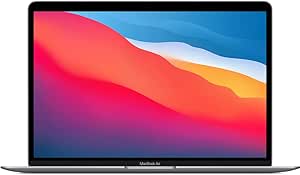


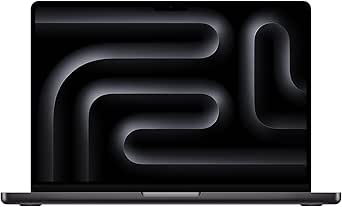


| MacBook laptop | Display | Weight | Storage | Memory |
|---|---|---|---|---|
| Apple MacBook Pro 14-inch with | 14.2-inch Liquid Retina XDR, 3024 x 1964 pixels, 120Hz | 8.5 pounds | 1TB SSD | 64GB |
| Apple MacBook Pro 16.2-inch wi | 16.2-inch Liquid Retina XDR | 4.71 pounds | 1TB SSD | — |
| Apple 2026 MacBook Pro 16.3-in | 16.3-inch PROLED XDR, tandem OLED | 4 pounds | — | — |
| Apple MacBook Air 13-inch Reti | 13.3-inch Retina LCD, 2560 x 1600 pixels | 2.8 pounds | 128GB SSD | 8GB DDR4 |
| Apple MacBook Air 15-inch with | 15.3-inch Liquid Retina, 2880 x 1864 pixels, 224 pixels per inch | 1.51kg | 512GB SSD | 32GB |
| Apple MacBook Air 13.3-inch | 13.3-inch Retina, 2560 × 1600 | 2.8 pounds | 128GB SSD | 8GB |
| Apple 2026 MacBook Air 13-inch | 13.6-inch Liquid Retina | 2.71 pounds | 512GB SSD | 16GB unified memory |
| Apple MacBook Pro 14.2-inch wi | 14.2-inch Liquid Retina XDR | 7.4 pounds (as listed) | 1TB SSD | 64GB unified memory |
| Apple 2026 MacBook Pro Laptop | 14.2-inch Liquid Retina XDR | 3.4 pounds | — | — |
| 13-inch MacBook Air with M5 | 13.6-inch Liquid Retina | — | 512GB SSD | 32GB |
| Apple MacBook Air 15-inch Lapt | 15.3-inch Liquid Retina, 2880 × 1864 | 1.51 kg | 1TB SSD | 32GB unified memory |
| Apple MacBook Pro with M5 Pro | 16.2-inch Liquid Retina XDR LED, up to 1600 nits peak brightness | 9 pounds | 2TB SSD | 48GB unified memory |
| Apple 2024 MacBook Pro 14-inch | 14.2-inch Liquid Retina XDR, up to 1600 nits | 3.52 pounds | 512GB SSD | 24GB unified memory |
| Apple MacBook Air 15-inch Lapt | 15.3-inch Liquid Retina | 3.32 pounds | 512GB SSD | 16GB unified memory |
| Apple MacBook Neo 13-inch Lapt | 13-inch Liquid Retina | 2.71 pounds | 256GB SSD | 8GB unified memory |
More Details on Our Top Picks
Apple MacBook Pro 14-inch with M5 Pro, 18-core CPU, 20-core GPU, 64GB RAM, 1TB SSD, Space Black
I’d choose this 14-inch MacBook Pro for professional workloads that benefit from abundant memory without moving to a larger laptop. Its 64GB of unified memory gives demanding creative apps, large projects, and multitasking more headroom than the 24GB configuration in the 16.2-inch M5 Pro MacBook Pro. The M5 Pro’s 18-core CPU and 20-core GPU add substantial processing and graphics capacity, while the 120Hz Liquid Retina XDR display pairs smooth motion with high peak brightness.
The tradeoff is portability: the supplied listing gives a weight of 8.5 pounds, a figure that makes this less appealing for frequent commuters than the 15-inch MacBook Air. Its 1TB SSD is useful, but large media libraries may still call for external storage. I’d pick it over the 16-inch model when memory capacity and a smaller display matter more than workspace size.
Pros:- 64GB of memory offers room for demanding projects and heavy multitasking.
- M5 Pro combines an 18-core CPU with a 20-core GPU.
- 14.2-inch Liquid Retina XDR display supports 120Hz refresh and up to 1600 nits peak brightness.
- 1TB SSD provides a capable starting point for professional files and applications.
Cons:- Listed weight of 8.5 pounds makes it unusually cumbersome to carry.
- The 14.2-inch screen gives less workspace than the 16.2-inch M5 Pro MacBook Pro.
- Battery life varies with workload and configuration.
Best for: Video editors, developers, and other professionals who need 64GB of memory in a more compact Pro configuration.
Not ideal for: Frequent commuters and buyers who prioritize a light carry; the listed 8.5-pound weight is a substantial portability drawback.
- Processor:Apple M5 Pro, 18-core CPU
- Graphics:20-core integrated GPU
- Memory:64GB
- Storage:1TB SSD
- Display:14.2-inch Liquid Retina XDR, 3024 x 1964 pixels, 120Hz
- Peak brightness:Up to 1600 nits
- Battery life:Up to 24 hours
- Weight:8.5 pounds
Our verdict“Choose this MacBook Pro if your work benefits from 64GB of memory, but skip it if carrying weight is a priority.”
Apple MacBook Pro 16.2-inch with M5 Pro, 18-core CPU, 20-core GPU, 24GB Memory, 1TB SSD, Wi-Fi 7 – Space Black
This 16.2-inch MacBook Pro is the more workspace-focused M5 Pro choice: its Liquid Retina XDR display gives timelines, design canvases, and side-by-side windows more room than the 14-inch M5 Pro model. The 18-core CPU and 20-core GPU are suited to demanding creative and professional tasks, while three Thunderbolt 5 ports, HDMI, and an SDXC slot reduce the need for adapters at a desk or on a shoot. Its 12MP Center Stage camera and six-speaker system also make it a stronger all-in-one setup for calls and media.
The main compromise is its 24GB of unified memory: the 14-inch configuration here has 64GB, making that model a better fit for memory-heavy projects. At 4.71 pounds, this is also less convenient to carry than the 15-inch MacBook Air. I’d favor it when screen area and built-in ports matter more than maximum memory or everyday portability.
Pros:- 16.2-inch Liquid Retina XDR display provides ample workspace.
- M5 Pro chip pairs an 18-core CPU with a 20-core GPU.
- Three Thunderbolt 5 ports, HDMI, SDXC, and MagSafe 3 support varied setups.
- 12MP Center Stage camera and six-speaker audio system suit calls and media.
Cons:- 24GB of unified memory is less than the 64GB configuration in the 14-inch M5 Pro model.
- At 4.71 pounds, it is heavy for frequent travel.
- A large display and professional hardware make it a less compact everyday option than the MacBook Air.
Best for: Video editors, photographers, and professionals who want a large built-in workspace, broad ports, and strong camera and audio features.
Not ideal for: Memory-intensive users who need more than 24GB of unified memory, or commuters seeking a lighter laptop.
- Chip:Apple M5 Pro
- CPU and GPU:18-core CPU, 20-core GPU
- Display:16.2-inch Liquid Retina XDR
- Unified memory:24GB
- Storage:1TB SSD
- Ports:Three Thunderbolt 5, MagSafe 3, SDXC card slot, HDMI, headphone jack
- Wireless:Wi-Fi 7, Bluetooth 6
- Weight:4.71 pounds
Our verdict“Pick this model for a roomy professional screen and useful built-in ports, unless your projects need more than 24GB of memory.”
Apple 2026 MacBook Pro 16.3-inch PROLED XDR Display – Silver
The defining reason to shortlist this MacBook Pro is its listed 16.3-inch tandem OLED PROLED XDR display, with up to 2000 nits brightness and a stated 10,000,000:1 contrast ratio. Those display claims set it apart from the Liquid Retina XDR panels on the 14-inch and 16.2-inch M5 Pro MacBook Pros, especially for buyers who put visual presentation at the center of their work. The description lists M5 Pro or M5 Max options, Neural Accelerators, Thunderbolt 5, and support for multiple external displays, but it does not specify which chip configuration comes with this listing.
That missing configuration detail is a real buying caveat: I can’t treat it as a direct performance match for a clearly specified M5 Pro model. The claimed battery life is up to 22 hours, below the 14-inch model’s listed 24 hours, and the 4-pound weight is still a carry burden beside the MacBook Air. I’d choose it for its display promise, not for a guaranteed chip tier.
Pros:- Tandem OLED PROLED XDR display is listed with up to 2000 nits brightness and 10,000,000:1 contrast.
- M5 Pro or M5 Max options are described with Neural Accelerators for professional and AI workloads.
- Thunderbolt 5, MagSafe 3, HDMI, and SDXC provide a broad port selection.
- Supports multiple external displays and includes a 12MP Center Stage camera.
Cons:- The listing does not identify whether this unit has M5 Pro or M5 Max.
- At 4 pounds, it is heavier than an Air and less convenient for frequent travel.
- The claimed battery life of up to 22 hours is shorter than the 14-inch M5 Pro model’s listed figure.
Best for: Designers and media professionals who prioritize a high-contrast, bright built-in display and can confirm the chip configuration before buying.
Not ideal for: Buyers who need a precisely specified processor configuration or a light laptop for daily commuting.
- Display:16.3-inch PROLED XDR, tandem OLED
- Display brightness:Up to 2000 nits
- Display contrast:10,000,000:1
- Processor options:M5 Pro or M5 Max
- Battery life:Up to 22 hours
- Ports:Three Thunderbolt 5, MagSafe 3, SDXC, HDMI, headphone jack
- Wireless:Wi-Fi 7, Bluetooth 6
- Weight:4 pounds
Our verdict“Consider this Pro for its display specifications, but confirm the included chip configuration before choosing it over the clearly specified M5 Pro models.”
Apple MacBook Air 13-inch Retina, 1.6GHz dual-core Intel Core i5, 128GB SSD, Gold (Renewed)
This renewed MacBook Air is the most basic and dated option in this group, but its 13.3-inch Retina display, Touch ID, and 2.8-pound weight still cover everyday essentials such as writing, browsing, and video calls. Its sharp 2560 x 1600 resolution gives it a clearer screen than the entry-level specs might suggest. Compared with the 15-inch M5 MacBook Air, though, it has an older dual-core Intel processor, just 8GB of RAM, and a much smaller 128GB SSD; it is not the better choice for sustained multitasking or modern creative workloads.
The listing says it runs macOS 10.14 Mojave, so buyers should check software compatibility and update support for the apps they rely on. Its two USB-C ports can also call for adapters, and neither memory nor storage is user-upgradable. I’d treat it as a limited-use or secondary MacBook rather than a long-term work machine; the newer M5 Air is a much more capable pick for everyday use.
Pros:- 13.3-inch Retina display has a 2560 x 1600 resolution.
- 2.8-pound design is easy to carry.
- Touch ID supports fingerprint login.
- 128GB SSD provides built-in solid-state storage.
Cons:- 8th-generation dual-core Intel processor and 8GB RAM are modest beside current M5 MacBook Air models.
- 128GB storage can fill quickly and is not user-upgradable.
- Listed macOS 10.14 Mojave may limit compatibility with newer software.
Best for: A buyer seeking a lightweight renewed MacBook for basic writing, browsing, and other modest tasks, after checking required app compatibility.
Not ideal for: Students, professionals, or anyone planning to keep many apps and files locally; the older processor, 8GB RAM, 128GB SSD, and listed Mojave system impose limits.
- Processor:8th-generation Intel Core i5, dual-core 1.6GHz
- Memory:8GB DDR4
- Storage:128GB SSD
- Display:13.3-inch Retina LCD, 2560 x 1600 pixels
- Graphics:Intel UHD Graphics 617
- Operating system:macOS 10.14 Mojave
- Ports:Two USB-C ports with Thunderbolt
- Weight:2.8 pounds
Our verdict“Choose this renewed Air only for basic tasks and a checked software fit; most buyers are better served by the newer 15-inch M5 MacBook Air.”
Apple MacBook Air 15-inch with M5 chip, 32GB memory, 512GB SSD, Midnight
This 15-inch MacBook Air makes the strongest case for buyers who want a generous screen without stepping up to a Pro chassis. Its 15.3-inch Liquid Retina display gives documents, browser windows, and creative timelines more room than the renewed 13-inch Intel Air, while the M5 chip and 32GB of memory are better suited to multitasking than that older model’s 8GB. At 1.51kg, it remains far lighter than the 16.2-inch M5 Pro MacBook Pro, making it the more practical pick for moving between home, work, and class.
The Air’s tradeoffs are the limits of its design: integrated graphics are not a substitute for the Pro’s 20-core GPU, and its two Thunderbolt 4 ports offer less high-end connectivity than the Pro’s Thunderbolt 5 and built-in HDMI and SDXC. The 512GB SSD may also be tight for large video libraries. I’d choose this for portable everyday work and a spacious display, not graphics-heavy professional production.
Pros:- 15.3-inch Liquid Retina display offers a spacious workspace.
- 32GB of memory supports heavier multitasking than the older renewed Intel Air.
- M5 chip has a 10-core CPU and 10-core GPU.
- Up to 18 hours of battery life and a 1.51kg weight suit mobile use.
Cons:- Integrated graphics are less suited to demanding graphics work than the M5 Pro MacBook Pro GPU.
- Two Thunderbolt 4 ports provide fewer high-end connection options than the 16.2-inch Pro.
- 512GB SSD may be limiting for large media collections.
Best for: Students, mobile professionals, and multitaskers who want a large screen, 32GB of memory, and a lighter laptop than a MacBook Pro.
Not ideal for: 3D artists, intensive video editors, and users who need Pro-class graphics, a broad selection of ports, or more than 512GB of built-in storage.
- Chip:Apple M5, 10-core CPU and 10-core GPU
- Memory:32GB
- Storage:512GB SSD
- Display:15.3-inch Liquid Retina, 2880 x 1864 pixels, 224 pixels per inch
- Battery life:Up to 18 hours
- Ports:Two Thunderbolt 4, MagSafe charging, headphone jack
- Wireless:Wi-Fi 7, Bluetooth 6
- Weight:1.51kg
Our verdict“Choose this Air for a roomy screen and substantial memory in a portable package, but opt for a MacBook Pro for graphics-intensive work and more ports.”
Apple MacBook Air 13.3-inch (2020, M1, 8GB RAM, 128GB SSD), Space Gray (Renewed)
This renewed MacBook Air is the entry point for buyers who want macOS for everyday tasks and can work within modest hardware limits. Its M1 chip still gives this 2020 model a more capable foundation than the renewed Intel MacBook Air in this roundup, while the 13.3-inch Retina display, backlit keyboard, and Touch ID make routine browsing, writing, and video calls comfortable. The tradeoff is its 128GB SSD and 8GB of memory: a small app and file library is a better fit than a large photo archive or demanding creative workflow. Unlike the newer M5 MacBook Air models, it lacks their added memory, storage, and newer connectivity. I’d choose it only when those limits are acceptable; its renewed condition and 90-day limited warranty also merit attention.
Pros:- M1 chip provides a capable base for everyday computing
- 13.3-inch Retina display has 2560 × 1600 resolution
- Backlit Magic Keyboard and Touch ID add useful everyday convenience
- Listed battery life is up to 18 hours
Cons:- 128GB SSD leaves little room for large applications and local files
- 8GB memory is restrictive for heavy multitasking and demanding creative work
- Renewed condition comes with a 90-day limited warranty
Best for: MacOS newcomers, students handling browser-based work, and light users who keep most files in cloud storage
Not ideal for: People storing large photo or video libraries, running memory-intensive apps, or seeking a long-term laptop with current-generation connectivity
- Model year:2020
- Processor:Apple M1, 8-core CPU
- Graphics:7-core integrated GPU
- Memory:8GB
- Storage:128GB SSD
- Display:13.3-inch Retina, 2560 × 1600
- Weight:2.8 pounds
- Battery life:Up to 18 hours
- Condition and warranty:Renewed; 90-day limited warranty
Our verdict“Choose this renewed Air for basic macOS use if its limited memory and storage suit your workload.”
Apple 2026 MacBook Air 13-inch Laptop (M5 Chip, 16GB RAM, 512GB SSD, Midnight)
This M5 Air is the balanced pick for people who want a current, portable MacBook without the extra bulk or specialist hardware of a Pro. Its 16GB unified memory and 512GB SSD give it far more room for multitasking and files than the renewed M1 Air, while the 2.71-pound design is well suited to commuting and travel. The 13.6-inch Liquid Retina display, MagSafe charging, and two Thunderbolt 4 ports round out a practical daily setup. Compared with the 32GB M5 Air in this lineup, this version has less headroom for memory-heavy workloads, but remains a sensible fit for general productivity. Its two-port selection can mean using a hub, and support for up to two external displays may not suit a multi-monitor workstation.
Pros:- M5 chip paired with 16GB unified memory for everyday multitasking
- 512GB SSD offers substantially more working room than the renewed M1 Air’s 128GB drive
- Lightweight 2.71-pound design with listed battery life up to 18 hours
- Wi-Fi 7, Thunderbolt 4, and MagSafe charging
Cons:- Two Thunderbolt 4 ports may require a hub for multiple accessories
- 16GB memory offers less capacity for demanding workloads than the 32GB M5 Air
- Supports up to two external displays
Best for: Students and mobile professionals who want a current MacBook for office work, browsing, video calls, and travel
Not ideal for: Developers and creators who routinely run memory-heavy workloads or need several wired peripherals and displays
- Processor:Apple M5
- Memory:16GB unified memory
- Storage:512GB SSD
- Display:13.6-inch Liquid Retina
- Camera:12MP Center Stage
- Battery life:Up to 18 hours
- Connectivity:Wi-Fi 7, Bluetooth 6, two Thunderbolt 4 ports, MagSafe
- Weight:2.71 pounds
- Color:Midnight
Our verdict“Pick this M5 Air for portable everyday computing, but choose the 32GB M5 Air if your apps need more memory headroom.”
Apple MacBook Pro 14.2-inch with M5 Pro, 64GB RAM, 1TB SSD, Silver
This 14-inch MacBook Pro is the specialist choice for workflows that benefit from abundant memory, a high-contrast display, and a broad port selection. Its 64GB unified memory and 18-core CPU make it better suited than either M5 Air here to large creative projects and demanding multitasking; the Liquid Retina XDR display adds strong brightness and contrast for visual work. Thunderbolt 5, HDMI, SDXC, and MagSafe reduce the need to build a workstation around adapters. That capability comes with a portability tradeoff: the listed 7.4-pound weight is much higher than the Air models’ listed weights. The M6 MacBook Pro in this lineup advertises longer battery life, while this M5 Pro configuration stands out for its specified 64GB memory. Product information also conflicts on the Thunderbolt port count, so verify the exact configuration.
Pros:- 64GB unified memory suits demanding multitasking and large projects
- 18-core CPU and 20-core GPU target professional workloads
- Liquid Retina XDR display lists up to 1600 nits peak brightness and a 1,000,000:1 contrast ratio
- Includes Thunderbolt 5, MagSafe 3, SDXC, HDMI, and a headphone jack
Cons:- Listed weight of 7.4 pounds is a substantial portability drawback
- The product information gives conflicting Thunderbolt port counts
- More capability than typical browsing, study, and office tasks require
Best for: Video editors, developers, and other professionals whose projects benefit from 64GB memory, XDR visuals, and built-in workstation ports
Not ideal for: Frequent travelers prioritizing low carry weight, or everyday users who do not need Pro-class memory and connectivity
- Chip:Apple M5 Pro
- CPU and GPU:18-core CPU, 20-core GPU
- Memory:64GB unified memory
- Storage:1TB SSD
- Display:14.2-inch Liquid Retina XDR
- Display brightness:Up to 1600 nits peak; 1000 nits sustained
- Ports:Thunderbolt 5, MagSafe 3, SDXC, HDMI, headphone jack
- Camera and audio:12MP Center Stage camera; six speakers with Spatial Audio and Dolby Atmos support
- Weight:7.4 pounds (as listed)
Our verdict“Choose this Pro when 64GB memory and its XDR display and ports matter more than carrying weight.”
Apple 2026 MacBook Pro Laptop with M6 Chip – Space Black
The M6 MacBook Pro is the lineup’s battery-focused Pro option, pairing a listed up to 24 hours of battery life with a 14.2-inch Liquid Retina XDR display and a full set of built-in ports. For people moving between work sites or spending long stretches away from an outlet, that endurance claim is a notable contrast with the M5 Air models’ listed up-to-18-hour battery life. HDMI, SDXC, MagSafe 3, and Thunderbolt connectivity also make it more workstation-ready than the Airs. The listing highlights a Dual 16-core Neural Engine for on-device AI, though it does not specify memory or storage, making it harder to judge fit for large projects. Unlike the M5 Pro MacBook Pro, it has no listed 64GB memory configuration here; its base M6 is also limited to two external displays.
Pros:- Listed battery life reaches up to 24 hours
- 14.2-inch Liquid Retina XDR display lists up to 1600 nits peak brightness
- HDMI, SDXC, MagSafe 3, and Thunderbolt connectivity reduce reliance on adapters
- 12MP Center Stage camera and six-speaker audio system
Cons:- The supplied product data does not specify memory or storage capacity
- Base M6 configuration is limited to two external displays
- Full feature integration depends on the macOS ecosystem
Best for: Mobile professionals who want an XDR-screen MacBook Pro, built-in presentation and card-reader ports, and the listed long battery life
Not ideal for: Buyers who need specified high memory or storage capacity, or a setup with more than two external displays
- Processor:Apple M6 chip
- Neural Engine:Dual 16-core Neural Engine
- Display:14.2-inch Liquid Retina XDR
- Battery life:Up to 24 hours
- Connectivity:Thunderbolt 4/5, MagSafe 3, HDMI, SDXC, Wi-Fi 7, Bluetooth 6
- Camera:12MP Center Stage
- Audio:Six speakers with Spatial Audio; three studio-quality microphones
- Weight:3.4 pounds
- Color:Space Black
Our verdict“Choose this M6 Pro for its listed endurance and built-in ports, but verify memory and storage before buying for professional projects.”
13-inch MacBook Air with M5, 32GB Memory, 512GB SSD, Sky Blue
This M5 Air keeps the compact format of the 16GB model but doubles its memory, making it the better fit for users who keep many demanding apps or browser tabs open. The 32GB memory and 512GB SSD give it more room for multitasking than the standard M5 Air, while its 13.6-inch Liquid Retina display and listed up to 18 hours of battery life preserve the everyday portability that separates an Air from the heavier Pro models. It also has a 12MP Center Stage camera and support for up to two external displays. Compared with the 64GB M5 Pro MacBook Pro, it offers less memory and integrated graphics rather than a Pro-class setup, but avoids that model’s substantial listed weight. Its two Thunderbolt 4 ports still limit direct connections for desk setups.
Pros:- 32GB memory provides more multitasking capacity than the 16GB M5 Air
- Compact 13.6-inch Liquid Retina display and portable Air design
- 512GB SSD and listed battery life up to 18 hours
- 12MP Center Stage camera and support for up to two external displays
Cons:- Integrated graphics are less suited to GPU-intensive professional work than the MacBook Pro options
- Two Thunderbolt 4 ports can limit direct peripheral connections
- 512GB storage may be restrictive for large local media libraries
Best for: Mobile creators, researchers, and multitaskers who need 32GB memory in a compact laptop but do not require a MacBook Pro
Not ideal for: People with GPU-intensive workloads, extensive wired desk setups, or projects that call for the Pro’s XDR display and broader port selection
- Processor:Apple M5
- Memory:32GB
- Storage:512GB SSD
- Display:13.6-inch Liquid Retina
- Battery life:Up to 18 hours
- Camera:12MP Center Stage with Desk View
- Ports:Two Thunderbolt 4, MagSafe charging, headphone jack
- Wireless connectivity:Wi-Fi 7, Bluetooth 6
- External display support:Up to two displays
Our verdict“Pick this Air if you need 32GB memory in a portable MacBook and can work without Pro graphics or extra ports.”
Apple MacBook Air 15-inch Laptop (M5 Chip, 32GB RAM, 1TB SSD, Midnight)
I’d choose this MacBook Air when a large screen, generous memory, and roomy storage matter more than Pro-level graphics or extra ports. Its 32GB unified memory and 1TB SSD give demanding multitaskers more headroom than the 16GB/512GB 15-inch Air, especially with large projects and many apps open. The 15.3-inch Liquid Retina display makes split-screen work easier, while the 1.51 kg design and claimed 18-hour battery life keep it more travel-friendly than the 16.2-inch MacBook Pro with M5 Pro. The tradeoff is the Air’s simpler connectivity: it has just two Thunderbolt 4 ports, and its integrated GPU is a weaker fit for sustained 3D rendering. I’d pick the Pro for those workloads; this Air is the better match for mobile work that benefits from extra memory and storage.
Pros:- 32GB unified memory supports demanding multitasking.
- 1TB SSD provides ample space for local files and projects.
- 15.3-inch Liquid Retina display offers generous workspace.
- Light 1.51 kg design and claimed battery life up to 18 hours suit mobile work.
Cons:- Only two Thunderbolt 4 ports may require a hub for multiple accessories.
- Integrated graphics are less suited to heavy professional 3D rendering.
Best for: Students, consultants, and creative professionals who want a large portable screen and plenty of memory and storage for multitasking.
Not ideal for: 3D artists and video professionals who need sustained high-end GPU performance or more built-in ports.
- Processor:Apple M5, 10-core CPU and 10-core GPU
- Memory:32GB unified memory
- Storage:1TB SSD
- Display:15.3-inch Liquid Retina, 2880 × 1864
- Weight:1.51 kg
- Battery life:Up to 18 hours
- Ports:2 Thunderbolt 4, MagSafe, headphone jack
- Wireless:Wi-Fi 7 and Bluetooth 6
Our verdict“Choose this Air if you want a spacious, lightweight MacBook with more memory and storage than the standard 15-inch configuration, but choose a Pro for demanding graphics work.”
Apple MacBook Pro with M5 Pro, 18-core CPU, 20-core GPU, 16.2-inch Retina XDR display, 48GB unified memory, 2TB SSD, Space Black
This 16.2-inch MacBook Pro is the performance-first choice in this group: its M5 Pro chip, 48GB of unified memory, and 2TB SSD are aimed at large creative projects, complex development work, and sustained multitasking. The Liquid Retina XDR screen, with up to 1600 nits peak brightness, is a more capable display for high-brightness work than the MacBook Air’s Liquid Retina panel. Its Thunderbolt 5, HDMI, and SDXC connections also reduce reliance on adapters compared with either Air. That capability comes with a major portability cost: the listing gives its weight as 9 pounds, far above the 3.52-pound 14-inch M4 Pro MacBook Pro. I’d choose the 14-inch model for frequent travel; this larger Pro is for buyers who value screen space, memory, and broad connectivity over carrying comfort.
Pros:- M5 Pro chip pairs an 18-core CPU with a 20-core GPU for demanding workloads.
- 48GB unified memory and 2TB SSD provide substantial project capacity.
- 16.2-inch Liquid Retina XDR display reaches up to 1600 nits peak brightness.
- Thunderbolt 5, HDMI, and SDXC slot support a wide range of peripherals.
Cons:- Listed weight of 9 pounds is a substantial portability drawback.
- Large 16.2-inch chassis is less convenient for compact workspaces and frequent travel.
Best for: Video editors, software developers, and other professionals who work with large projects and want a large HDR display and extensive ports.
Not ideal for: Frequent travelers or commuters who need a light laptop; its listed 9-pound weight makes it much less portable than the 14-inch MacBook Pro.
- Processor:Apple M5 Pro, 18-core CPU and 20-core GPU
- Memory:48GB unified memory
- Storage:2TB SSD
- Display:16.2-inch Liquid Retina XDR LED, up to 1600 nits peak brightness
- Weight:9 pounds
- Ports:3 Thunderbolt 5, MagSafe 3, HDMI, SDXC card slot, headphone jack
- Wireless:Wi-Fi 7 and Bluetooth 6
- Battery life:All-day battery
Our verdict“Pick this MacBook Pro for demanding workflows and a large XDR screen if you can accept its listed 9-pound weight.”
Apple 2024 MacBook Pro 14-inch (M4 Pro, 12-Core CPU, 16-Core GPU, 24GB RAM, 512GB SSD, Space Black)
I’d rank this 14-inch MacBook Pro as the compact option for people who need more sustained performance and a stronger display than an Air provides. The M4 Pro chip and 24GB unified memory suit coding, demanding office workloads, and creative applications, while the 14.2-inch Liquid Retina XDR panel reaches up to 1600 nits. Compared with the 16.2-inch M5 Pro MacBook Pro in this roundup, it gives up screen size and newer-generation processing in exchange for a more manageable 3.52-pound body. Its 512GB SSD is the main constraint for sizable media libraries or project files, so external storage may be part of the setup. I’d favor the 15-inch M5 Air for lighter everyday work and longer screen space, but choose this Pro when performance and portability both matter.
Pros:- M4 Pro chip has a 12-core CPU and 16-core GPU for demanding applications.
- 14.2-inch Liquid Retina XDR display offers up to 1600 nits peak brightness.
- 24GB unified memory supports substantial multitasking.
- At 3.52 pounds, it is easier to carry than the listed 16.2-inch M5 Pro model.
Cons:- 512GB SSD can fill quickly with large creative projects.
- Smaller display gives less workspace than either 15-inch Air or 16.2-inch Pro.
Best for: Developers and creative professionals who travel with their laptop and need Pro-class performance in a more compact format.
Not ideal for: People who store large video, photo, or design libraries locally, or who want the larger workspace of a 16-inch Pro.
- Model:MacBook Pro 14-inch (2024)
- Processor:Apple M4 Pro, 12-core CPU and 16-core GPU
- Memory:24GB unified memory
- Storage:512GB SSD
- Display:14.2-inch Liquid Retina XDR, up to 1600 nits
- Weight:3.52 pounds
- Dimensions:12.31 × 8.71 × 0.61 inches
- Color:Space Black
Our verdict“Choose this 14-inch Pro if you need capable performance in a travel-friendly size and can work within 512GB of storage.”
Apple MacBook Air 15-inch Laptop with M5 Chip, 16GB Memory, 512GB SSD, Liquid Retina Display, Midnight
This 15-inch MacBook Air is the straightforward pick for everyday work when a larger display matters more than Pro features or expanded capacity. Its M5 chip, 16GB of unified memory, and 512GB SSD cover common productivity, browsing, and lighter creative tasks, while the 15.3-inch display gives more room for split-screen work than the 13-inch MacBook Neo. The claimed 18-hour battery life, 12MP Center Stage camera, and six-speaker system also suit video calls and mobile use. Compared with the 32GB/1TB 15-inch Air in this roundup, this configuration has less room for large local projects and heavy multitasking, but it still keeps the same broad screen size and Air-style portability. I’d move up to that higher-capacity Air for more demanding work; this model makes more sense for routine tasks and media.
Pros:- M5 chip and 16GB unified memory support everyday work and multitasking.
- 15.3-inch Liquid Retina display provides a roomy workspace.
- Claimed battery life of up to 18 hours supports long days away from an outlet.
- 12MP Center Stage camera and six-speaker audio suit calls and media.
Cons:- 512GB SSD offers less room for large files than the 1TB 15-inch Air configuration.
- Two Thunderbolt 4 ports may limit direct connection of multiple accessories.
Best for: Students and general-purpose users who want a large-screen laptop for coursework, office tasks, video calls, and everyday creative work.
Not ideal for: Professionals with large local project libraries or intensive multitasking needs who would benefit from the 32GB memory and 1TB SSD configuration.
- Processor:Apple M5 chip
- Memory:16GB unified memory
- Storage:512GB SSD
- Display:15.3-inch Liquid Retina
- Camera:12MP Center Stage
- Battery life:Up to 18 hours
- Weight:3.32 pounds
- Wireless:Wi-Fi 7 and Bluetooth 6
Our verdict“Choose this 15-inch Air for everyday work on a larger screen, but step up to the 32GB/1TB version if your workload or file collection is growing.”
Apple MacBook Neo 13-inch Laptop with A18 Pro Chip, 8GB Memory, 256GB SSD, Liquid Retina Display, Silver
The MacBook Neo is the compact, simpler choice here for buyers whose routine centers on writing, browsing, video calls, and other light tasks. Its 13-inch Liquid Retina display and 2.71-pound weight make it easier to carry than the 15-inch Air models, while the listed battery life of up to 16 hours supports a full day of typical use. Compared with the 15-inch M5 Air, it gives up screen space, memory, and storage; its 8GB unified memory and 256GB SSD leave less room for heavy multitasking and large local files. The recycled-aluminum enclosure, listed as 60% recycled content by weight, is another distinction. I’d pick an Air for demanding creative work or years of growing project files; the Neo fits buyers who want a smaller MacBook for essential everyday computing.
Pros:- Compact 13-inch design weighs 2.71 pounds.
- Liquid Retina display supports 1 billion colors.
- Listed battery life reaches up to 16 hours.
- Aluminum enclosure contains 60% recycled content by weight.
Cons:- 8GB unified memory leaves less headroom for demanding apps and multitasking than the M5 Air models.
- 256GB SSD restricts space for large apps and locally stored files.
Best for: Students and everyday users who prioritize a light, compact MacBook for documents, web use, video calls, and streaming.
Not ideal for: Creative professionals, heavy multitaskers, or anyone who keeps a large collection of files on the laptop, given its 8GB memory and 256GB SSD.
- Processor:A18 Pro
- Memory:8GB unified memory
- Storage:256GB SSD
- Display:13-inch Liquid Retina
- Camera:1080p FaceTime HD
- Battery life:Up to 16 hours
- Weight:2.71 pounds
- Enclosure:Recycled aluminum; 60% recycled content by weight
Our verdict“Choose the MacBook Neo for portable everyday computing, but opt for a MacBook Air if you need more memory, storage, or workspace.”

How We Picked
I compared these 15 listings on the factors that shape day-to-day MacBook use: chip generation and tier, memory, storage, screen size, portability, and how clearly the configuration is specified. I gave stronger placement to models that pair a sensible configuration with a clear role, rather than treating every newer or larger model as automatically better. I also weighed whether a configuration leaves enough headroom for the buyer’s likely workload without pushing them into a more powerful class than they need.
The ranking logic separates versatile everyday Airs from performance-focused Pros, then accounts for configuration and value within each group. M5 Airs with more memory rank well for general-purpose flexibility; M5 Pro machines suit sustained creative or technical workloads, with screen size and memory shaping their order. Older renewed Airs and the lower-memory Neo rank lower for buyers seeking broad capability, while listings with incomplete specifications are harder to recommend until their details are confirmed.
| MacBook laptop | Battery life |
|---|---|
| Apple MacBook Pro 14-inch with | Up to 24 hours |
| Apple MacBook Pro 16.2-inch wi | — |
| Apple 2026 MacBook Pro 16.3-in | Up to 22 hours |
| Apple MacBook Air 13-inch Reti | — |
| Apple MacBook Air 15-inch with | Up to 18 hours |
| Apple MacBook Air 13.3-inch | Up to 18 hours |
| Apple 2026 MacBook Air 13-inch | Up to 18 hours |
| Apple MacBook Pro 14.2-inch wi | — |
| Apple 2026 MacBook Pro Laptop | Up to 24 hours |
| 13-inch MacBook Air with M5 | Up to 18 hours |
| Apple MacBook Air 15-inch Lapt | Up to 18 hours |
| Apple MacBook Pro with M5 Pro | All-day battery |
| Apple 2024 MacBook Pro 14-inch | — |
| Apple MacBook Air 15-inch Lapt | Up to 18 hours |
| Apple MacBook Neo 13-inch Lapt | Up to 16 hours |
Factors to Consider When Choosing Best MacBook Laptops
Choosing among these MacBooks is less about finding the most powerful chip and more about matching the configuration to your workload and habits. I’d start with the tasks you need to handle, then decide what you value most: a lighter laptop, a larger workspace, extra memory, or Pro-class performance.
Choose Air or Pro by workload, not by prestige
An Air is a strong fit for study, office tasks, browsing, and many creative workflows where portability matters. A Pro makes more sense when your regular work involves demanding video projects, complex development, or other sustained workloads that benefit from its higher-tier hardware. The common mistake is paying for a Pro because it sounds safer, even when the work rarely uses its extra capability. The reverse mistake is choosing an Air for a workload that routinely stresses a thin-and-light machine. Look at your busiest normal week, not an occasional task, when deciding which class fits. If your workload is mostly light but your budget allows a better configuration, extra Air memory may help more than a Pro badge.
Size the memory for your multitasking habits
Memory affects how comfortably a laptop handles several demanding apps, large projects, or many browser tabs at once. The roundup’s M5 Air configurations span 16GB and 32GB, while several M5 Pro listings go higher, making configuration a real decision rather than a minor detail. Choose more memory if you keep creative software, large files, or multiple work tools open together. If your use is mainly documents, video calls, and web tasks, a higher-memory configuration may not improve your daily experience enough to justify its tradeoff. A common buying error is comparing chip names while ignoring memory. Match memory to the largest projects and multitasking pattern you expect to keep for the laptop’s useful life.
Treat storage as a workflow decision
Storage needs depend on whether you keep large files on your laptop or work from cloud services and external drives. The listings range from modest capacities on older and entry-level models to 1TB and 2TB configurations, so they will not feel interchangeable to someone with a large photo, video, or project library. Leaving too little room can lead to frequent file shuffling and a crowded internal drive. On the other hand, paying for storage you will not use can be a poor trade if memory or a better-fitting screen would matter more. Estimate the space used by your current files, then allow room for new work and applications. If you depend on external storage, factor in the added device and the inconvenience of carrying it.
Pick screen size around your real working setup
A 13- or 14-inch laptop is easier to carry and suits people who regularly work away from a desk. A 15- or 16-inch screen gives documents, timelines, and side-by-side windows more room, which can reduce reliance on an external monitor. Larger models also take up more space in a bag and can feel less convenient for travel. Do not choose the biggest screen solely because it sounds more comfortable; consider where you use your laptop most days. If you already work with a desktop monitor, a compact laptop may be the better companion. If the laptop itself is your main workspace, a larger display can be worth the portability tradeoff.
Weigh older and entry-level models against how long you need them
A renewed Intel or M1 MacBook Air can suit simple tasks, but its older platform and limited listed storage call for realistic expectations. The MacBook Neo is another entry-level option, though its 8GB memory and 256GB SSD make it a different proposition from the M5 Air configurations. Think about how long you expect to keep the laptop and whether your apps or workload may grow. A model that handles basic tasks today may become restrictive sooner if you need more memory, storage, or demanding software. Buyers should also check the exact condition and configuration of renewed listings before ordering. For a primary work or school computer expected to handle varied tasks, a current Air configuration offers a clearer path to broader use.
Verify every specification when a listing is incomplete
Product titles can omit details that matter, including memory, storage, exact chip, and display configuration. That is especially relevant for listings in this roundup that identify a model year or display feature without giving a full hardware breakdown. Compare the complete specification sheet, not just the title, before making a decision. Check that the screen size, chip tier, and memory match the configuration you intend to buy. Avoid assuming two listings with similar names have the same hardware. When a key detail is missing, treat the model as difficult to compare until the seller or product page confirms it.
Frequently Asked Questions
Is the 13-inch M5 MacBook Air with 32GB memory a better choice than the 16GB version?
It depends on how you use your laptop, not simply on which configuration has the larger memory figure. The 32GB model suits people who routinely keep demanding applications open, work with larger projects, or want more headroom for changing workloads. The 16GB M5 Air is a more sensible match for everyday tasks such as browsing, documents, and video calls. Both listed configurations have 512GB SSD storage, so the main distinction here is memory capacity. If you are unsure, base the choice on your current workload and the length of time you expect to keep the laptop.
Should I choose a 15-inch MacBook Air or a 14-inch MacBook Pro?
Choose the 15-inch Air if a larger screen and everyday portability matter more than Pro-class hardware. The 14-inch M5 Pro is a better fit when demanding creative or technical work is a regular part of your day. The screen-size difference is not the only distinction: chip tier and configuration also shape how each handles heavy tasks. If most work happens at a desk, the Pro’s stronger performance focus may matter more than the Air’s larger display. If you carry the laptop often and mainly run general apps, the Air is likely the more fitting class.
Are the renewed Intel or M1 MacBook Airs suitable as a main computer?
They may work as a primary computer for light use, but their age and listed storage make them less flexible than the current M5 Airs. The Intel model is the older and more limited fit of the two, while the M1 model is a more recent chip generation but still has 8GB RAM and 128GB SSD in this listing. That storage capacity can become restrictive if you keep many applications or files locally. Check the renewed item’s condition and included configuration before purchase. For a laptop expected to support demanding or varied work over time, I’d favor a current-generation Air.
Do I need an M5 Pro MacBook Pro if I edit video or develop software?
Not automatically: the right choice depends on the size and frequency of your projects. Occasional editing or development may fit an M5 Air with 32GB memory, while sustained, complex work is a stronger reason to choose an M5 Pro MacBook Pro. Consider memory and storage alongside the chip, since project files and multitasking can shape the experience as much as processor tier. A 14-inch Pro favors a more compact setup, while the 16-inch models offer more screen space. Match the machine to your regular workload rather than buying for the most demanding task you might do once.
Can I confidently compare the listings with incomplete specifications?
Not until you confirm the missing details. A product title that gives a display name or chip family but omits memory and storage does not provide enough information to judge its fit against the fully specified models. Verify the exact chip, memory, storage, screen size, and model year on the product page. This matters especially for newer-generation listings, where a model name alone does not reveal the configuration. If the seller does not clearly state key hardware, choose a listing with a complete specification sheet instead.
Conclusion
For most buyers seeking one well-rounded laptop, I’d choose the 13-inch MacBook Air with M5 and 32GB memory as the best overall: it combines a compact format with more memory headroom than the standard Air options here. For best value among current everyday models, the 13-inch M5 Air with 16GB memory keeps the configuration straightforward for ordinary school and work tasks. The 14-inch M5 Pro MacBook Pro is my best premium pick for demanding workloads, while the 15-inch M5 Air with 16GB memory is the best fit for beginners who want a roomy screen and an uncomplicated everyday machine. For specific needs, choose a 16-inch M5 Pro when screen space and heavier work take priority; consider the MacBook Neo only for light use, and treat older renewed Airs as limited-use options. Check full specifications carefully on listings that leave hardware details unclear.
Evergreen bestsellers Picks

Breville Barista Touch Espresso Machine, Brushed Stainless Steel

KitchenAid Artisan 5-Qt Tilt-Head Stand Mixer, Cardamom

Dyson Cyclone V10 Origin Cordless Vacuum
As an affiliate, we earn on qualifying purchases.