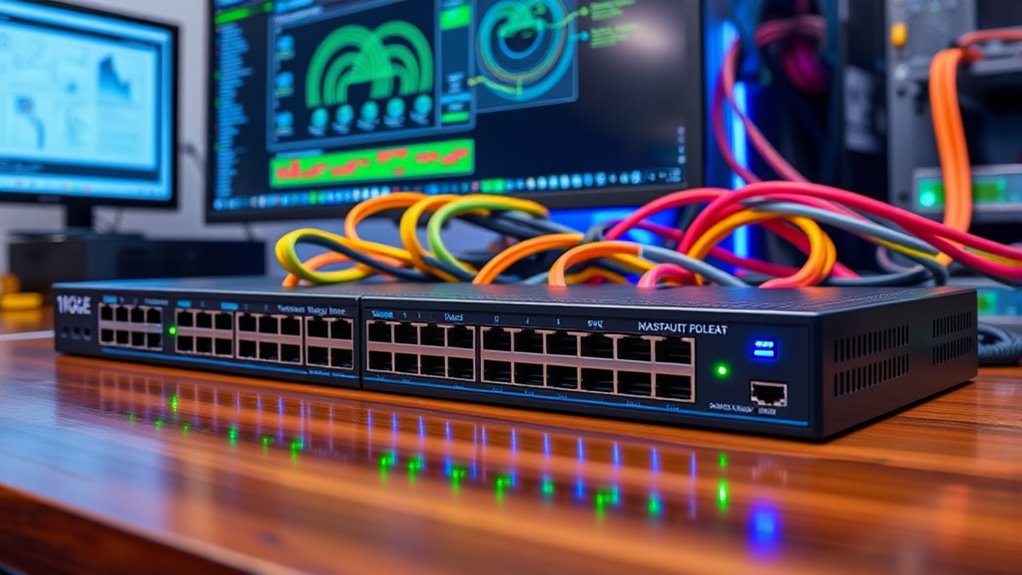

Choosing the right 10GbE network switch for a home lab requires balancing port density, power consumption, and management complexity. The QNAP QSW-L3208-2C6T-US stands out as the best overall pick due to its versatile combination of SFP+ and RJ45 ports alongside solid L3 management capabilities. For those prioritizing simplicity and cost, the TP-Link TL-SX1008 offers reliable unmanaged performance, while the SODOLA 12-Port Managed Switch caters to advanced users needing extensive fiber connectivity. The main tradeoff lies between fanless, low-power unmanaged units and feature-rich managed switches that require more cooling and configuration effort. Continue reading for a detailed comparison of these options to determine which fits your specific infrastructure needs.

Get your wardrobe favorites delivered free with Prime
- Fast, free delivery on millions of items
- Prime Video, Amazon Music and more included
- Member-only deals all year
Key Takeaways
- Fanless designs dominate the unmanaged segment, making them ideal for noise-sensitive home offices but often limiting sustained high-throughput performance under heavy load.
- Managed switches with L3 routing capabilities, such as the QNAP and SODOLA models, allow for VLAN segmentation and inter-VLAN routing, reducing the need for separate router hardware in small labs.
- SFP+ ports offer greater flexibility for long-distance or high-speed fiber connections compared to RJ45, but they require separate transceivers and cables, adding to the initial setup cost and complexity.
- Power consumption varies widely among 10GbE switches, with some unmanaged models consuming under 20W while managed units with multiple active copper ports can exceed 50W, impacting long-term operating costs.
- Multi-gigabit support (2.5GbE/5GbE) is increasingly common in hybrid switches, providing a practical upgrade path for devices that do not yet support full 10Gbps speeds.
| NICGIGA 8-Port 10G Unmanaged Ethernet Switch |  | Best for an All-Copper 10G Lab | Ports: 8 | Interface: RJ45 | Supported speeds: 10G, 5G, 2.5G, 1G, 100M | VIEW ON AMAZON | See Our Full Breakdown |
| QNAP QSW-L3208-2C6T-US 8-Port 10GbE Multi-Gig Network Switch |  | Best for Managed Mixed-Media Labs | Ports: 8 total: 6 × 10GbE multi-gig RJ45 and 2 × 10GbE SFP+/RJ45 combo | Supported RJ45 speeds: 10G, 5G, 2.5G, 1G, 100M | Switching capacity: 160Gbps | VIEW ON AMAZON | See Our Full Breakdown |
| Farsiglink 6-Port Unmanaged Multi-Gigabit Ethernet Switch |  | Best Silent 2.5GbE Edge Switch | Ports: 6 | Port configuration: 4 × 2.5GbE RJ45, 2 × 10GbE RJ45 | Switching capacity: 60Gbps | VIEW ON AMAZON | See Our Full Breakdown |
| TP-Link TL-SX1008 8-Port 10G Multi-Gigabit Unmanaged Ethernet Switch |  | Best for Rack-Friendly Plug-and-Play Expansion | Ports: 8 × 10-Gigabit RJ45 | Supported speeds: 100Mbps, 1Gbps, 2.5Gbps, 5Gbps, 10Gbps | Switching capacity: 160Gbps | VIEW ON AMAZON | See Our Full Breakdown |
| YuanLey 6-Port 10GbE Unmanaged Ethernet Switch |  | Best Compact Wall-Mount Pick | Ports: 6 | Port configuration: 4 × 2.5GbE RJ45, 2 × 10GbE RJ45 | Switching capacity: Up to 60Gbps | VIEW ON AMAZON | See Our Full Breakdown |
| TP-Link TL-SX105, 5 Port 10G/Multi-Gig Unmanaged Ethernet Switch |  | Best Quiet 5-Port Choice | Ports: 5 | Port interface: RJ45 | Supported speeds: 100 Mbps, 1 Gbps, 2.5 Gbps, 5 Gbps, 10 Gbps | VIEW ON AMAZON | See Our Full Breakdown |
| SODOLA 5-Port 10G Web-Managed Ethernet Switch |  | Best for VLANs in a Compact Lab | Ports: 5 | Port interface: RJ45 | Supported speeds: 100 Mbps, 1 Gbps, 2.5 Gbps, 5 Gbps, 10 Gbps | VIEW ON AMAZON | See Our Full Breakdown |
| VunLink 6-Port 10G/2.5G Multi-Gigabit Unmanaged Network Switch |  | Best for 2.5GbE Device Density | Ports: 6 listed in title and product information; feature text conflicts | Port layout: 4 x 2.5GbE plus 2 x 10GbE as stated in title | Port interface: RJ45 | VIEW ON AMAZON | See Our Full Breakdown |
| Real HD 5-Port 10Gb RJ45 Managed Ethernet Switch |  | Best Managed All-10GbE Desktop Switch | Ports: 5 x 10GbE RJ45 | Supported speeds: 100 Mbps, 1 Gbps, 2.5 Gbps, 5 Gbps, 10 Gbps | Switching capacity: 100 Gbps | VIEW ON AMAZON | See Our Full Breakdown |
| TRENDnet TEG-S750 5-Port 10G Unmanaged Switch |  | Best Fanless 10GbE Upgrade | Ports: 5 x 10G RJ45 | Supported connection speeds: 10 Gbps, 5 Gbps, 2.5 Gbps | Switching capacity: 100 Gbps | VIEW ON AMAZON | See Our Full Breakdown |
| NICGIGA 6-Port 10GbE Unmanaged Switch with 2 × 10Gb RJ45 and 4 × 2.5GbE Ports |  | Best Compact Mixed-Speed Pick | Ports: 6 total | Port configuration: 2 × 10Gb RJ45; 4 × 2.5GbE | Supported speeds: 10GbE ports: 10G/5G/2.5G/1G/100Mbps; 2.5GbE ports: 2.5G/1G/100Mbps | VIEW ON AMAZON | See Our Full Breakdown |
| SODOLA 8-Port 10Gb Managed Switch with 8 × SFP+ Ports |  | Best for SFP+ Lab Networks | Ports: 8 × 10Gb SFP+ | Port type: SFP+; transceivers not included | Default port rate: 10G/2.5G adaptive | VIEW ON AMAZON | See Our Full Breakdown |
| NICGIGA 10-Port Unmanaged Ethernet Switch with 2 × 10Gb RJ45 and 8 × 2.5GbE Ports |  | Best High-Capacity Unmanaged Pick | Ports: 10 total | Port configuration: 2 × 10Gb RJ45; 8 × 2.5GbE | Supported speeds: 10GbE ports: 10G/5G/2.5G/1G/100Mbps; 2.5GbE ports: 2.5G/1G/100Mbps | VIEW ON AMAZON | See Our Full Breakdown |
| SODOLA 12-Port 10Gb Managed Network Switch with 8 SFP+ and 4 RJ45 Ports |  | Best Rack-Mount Upgrade | Ports: 12 total | Port configuration: 8 × 10G SFP+; 4 × 10G RJ45 | Backplane capacity: 240G | VIEW ON AMAZON | See Our Full Breakdown |
| 10gbe network switches for home lab | Ports | Switching capacity | Switch type | Supported speeds |
|---|---|---|---|---|
| NICGIGA 8-Port 10G Unmanaged E | 8 | 160Gbps | Unmanaged | 10G, 5G, 2.5G, 1G, 100M |
| QNAP QSW-L3208-2C6T-US 8-Port | 8 total: 6 × 10GbE multi-gig RJ45 and 2 × 10GbE SFP+/RJ45 combo | 160Gbps | — | — |
| Farsiglink 6-Port Unmanaged Mu | 6 | 60Gbps | Unmanaged with one-tap port isolation | — |
| TP-Link TL-SX1008 8-Port 10G M | 8 × 10-Gigabit RJ45 | 160Gbps | Unmanaged | 100Mbps, 1Gbps, 2.5Gbps, 5Gbps, 10Gbps |
| YuanLey 6-Port 10GbE Unmanaged | 6 | Up to 60Gbps | Unmanaged | — |
| TP-Link TL-SX105 | 5 | Up to 100 Gbps | Unmanaged | 100 Mbps, 1 Gbps, 2.5 Gbps, 5 Gbps, 10 Gbps |
| SODOLA 5-Port 10G Web-Managed | 5 | — | Web-managed | 100 Mbps, 1 Gbps, 2.5 Gbps, 5 Gbps, 10 Gbps |
| VunLink 6-Port 10G/2.5G Multi- | 6 listed in title and product information; feature text conflicts | 60 Gbps | Unmanaged | 100 Mbps, 1 Gbps, 2.5 Gbps, 5 Gbps, 10 Gbps on 10GbE ports |
| Real HD 5-Port 10Gb RJ45 Manag | 5 x 10GbE RJ45 | 100 Gbps | — | 100 Mbps, 1 Gbps, 2.5 Gbps, 5 Gbps, 10 Gbps |
| TRENDnet TEG-S750 5-Port 10G U | 5 x 10G RJ45 | 100 Gbps | Unmanaged | — |
| NICGIGA 6-Port 10GbE Unmanaged | 6 total | Up to 60Gbps | Unmanaged | 10GbE ports: 10G/5G/2.5G/1G/100Mbps; 2.5GbE ports: 2.5G/1G/100Mbps |
| SODOLA 8-Port 10Gb Managed Swi | 8 × 10Gb SFP+ | — | Managed | — |
| NICGIGA 10-Port Unmanaged Ethe | 10 total | Up to 80Gbps | Unmanaged | 10GbE ports: 10G/5G/2.5G/1G/100Mbps; 2.5GbE ports: 2.5G/1G/100Mbps |
| SODOLA 12-Port 10Gb Managed Ne | 12 total | — | — | — |
More Details on Our Top Picks
NICGIGA 8-Port 10G Unmanaged Ethernet Switch
The NICGIGA makes sense when a home lab has several devices that need 10GbE over RJ45 and simplicity matters more than network controls. All eight ports support 10G and lower multi-gig speeds, so a NAS, workstation, server, and compatible access point can share one switch without reserving scarce high-speed ports. Its 160Gbps switching capacity matches the TP-Link TL-SX1008, while the NICGIGA is listed with a quieter 24dB fan. The tradeoff is that both are unmanaged: unlike the QNAP QSW-L3208-2C6T-US, this switch cannot configure VLANs, QoS, or link aggregation. Its metal case and stated lightning protection suit a fixed desktop setup, but eight 10G ports may be excessive if most of your equipment is 1GbE or 2.5GbE.
Pros:- Eight RJ45 ports support speeds from 100Mbps through 10GbE.
- Plug-and-play setup with auto-negotiation avoids switch configuration.
- Metal case and stated 4KV lightning protection suit a fixed network installation.
- Listed 24dB fan is quieter than many actively cooled high-capacity switches.
Cons:- Unmanaged operation offers no VLAN, QoS, or link-aggregation controls.
- The fan means it is not a silent, fanless desktop option.
- Eight 10GbE ports can be unnecessary for a lab built mostly around 2.5GbE devices.
Best for: Home-lab owners with several 10G RJ45 devices who want straightforward plug-and-play expansion without VLAN or traffic-management needs.
Not ideal for: Buyers who need VLANs, QoS, or fiber uplinks, or who have only one or two 10G devices and would leave most ports unused.
- Ports:8
- Interface:RJ45
- Supported speeds:10G, 5G, 2.5G, 1G, 100M
- Switching capacity:160Gbps
- Switch type:Unmanaged
- Case material:Metal
- Item weight:1.91kg
- Operating temperature:0°C to 45°C
- Warranty:1 year
Our verdict“Choose the NICGIGA when you need eight simple 10G copper connections; choose the QNAP if traffic controls or combo fiber ports matter more.”
QNAP QSW-L3208-2C6T-US 8-Port 10GbE Multi-Gig Network Switch
The QNAP is the most flexible pick here for a lab that needs both 10GbE copper and fiber options plus basic traffic controls. Six multi-gig RJ45 ports handle copper-connected NAS units and workstations; two combo ports can take SFP+ or RJ45, giving a lab a way to connect fiber equipment without dedicating every port to that medium. VLAN, QoS, LACP, IGMP snooping, and loop detection make it a clear step up from the unmanaged NICGIGA TL-SX1008, especially when separating devices or tuning traffic matters. Its 12K jumbo-frame support can suit large-file workflows when the connected equipment is configured to match. The constraint is port allocation: only two ports are combo, and this lite-managed model is less suitable than a fully managed switch for labs that need extensive network administration.
Pros:- Six multi-gig RJ45 ports and two SFP+/RJ45 combo ports accommodate mixed connections.
- VLAN, QoS, LACP, IGMP snooping, and loop detection add useful lab controls.
- 12K jumbo-frame support suits compatible large-file transfer setups.
- Compact metal design with smart cooling and a stated two-year warranty.
Cons:- Only two of the eight ports are SFP+/RJ45 combo ports.
- Lite-managed feature set may not satisfy labs requiring extensive configuration.
- 36W power consumption and active smart cooling may not suit a silent, low-power desktop setup.
Best for: Home-lab builders mixing copper devices with one or two fiber links and wanting VLAN, QoS, or LACP controls without moving to a larger switch.
Not ideal for: Buyers needing more than two SFP+ connections, extensive advanced management, or an entirely silent fanless switch.
- Ports:8 total: 6 × 10GbE multi-gig RJ45 and 2 × 10GbE SFP+/RJ45 combo
- Supported RJ45 speeds:10G, 5G, 2.5G, 1G, 100M
- Switching capacity:160Gbps
- Non-blocking throughput:80Gbps
- Management features:VLAN, QoS, LACP, IGMP snooping, loop detection
- Jumbo-frame support:12K
- Power consumption:36W
- Weight:2.8lb
- Warranty:2 years
Our verdict“Pick the QNAP when a home lab needs a few configurable copper and fiber links, rather than the all-copper simplicity of the NICGIGA TL-SX1008.”
Farsiglink 6-Port Unmanaged Multi-Gigabit Ethernet Switch
For a home lab centered on 2.5GbE devices, the Farsiglink uses its port mix more sensibly than an eight-port all-10G switch: four 2.5GbE ports serve nearby clients, while two 10GbE ports provide faster uplinks to a NAS or core switch. Its fanless cooling makes it a better fit for a desk, media cabinet, or quiet workspace than the fan-cooled NICGIGA 8-Port. A one-tap VLAN function isolates the four 2.5GbE ports while keeping them connected to the uplinks, but this is narrower than the QNAP’s configurable VLAN and traffic-management toolkit. That limitation matters for labs with multiple networks or more involved segmentation. The compact metal enclosure and desktop or wall-mount placement help it work as an edge switch, not as the main switch for a rack full of 10G devices.
Pros:- Four 2.5GbE access ports pair with two 10GbE uplink ports.
- Fanless passive cooling avoids fan noise in a workspace or living area.
- One-tap port isolation offers a simple separation option for the 2.5GbE ports.
- Metal housing supports desktop or wall-mounted placement.
Cons:- Only two ports support 10GbE, limiting direct high-speed device connections.
- One-tap VLAN isolation is limited and does not replace broader management controls.
- Unmanaged operation restricts configuration beyond the stated port-isolation feature.
Best for: Home-lab owners adding quiet 2.5GbE access for desktops, access points, or other clients, with two 10GbE uplinks to faster equipment.
Not ideal for: Buyers who need more than two 10GbE ports or configurable VLANs and other managed-network functions.
- Ports:6
- Port configuration:4 × 2.5GbE RJ45, 2 × 10GbE RJ45
- Switching capacity:60Gbps
- Forwarding rate:44.64Mpps
- Switch type:Unmanaged with one-tap port isolation
- Cooling:Fanless passive cooling
- Mounting:Desktop or wall mount
- Dimensions:7.79 × 2.9 × 1.15in
- Weight:12.8oz
Our verdict“Choose the Farsiglink as a quiet 2.5GbE edge switch with two fast uplinks, not as a replacement for an eight-port 10GbE core.”
TP-Link TL-SX1008 8-Port 10G Multi-Gigabit Unmanaged Ethernet Switch
The TL-SX1008 suits a lab that wants eight 10G RJ45 ports and a straightforward path from desktop use to rack placement. All ports support five link speeds, so older 1GbE gear and newer 2.5GbE or 5GbE devices can connect alongside 10GbE equipment without requiring every device to match. Like the NICGIGA 8-Port, it provides 160Gbps switching capacity and no management features; the TP-Link’s distinguishing practical advantage is its stated desktop or rackmount design and limited lifetime warranty. That makes it a stronger fit for a growing, organized lab, but it is still an unmanaged switch: the QNAP QSW-L3208-2C6T-US is the better choice for VLANs, QoS, or fiber options. A smart fan also means this is not the fanless choice for a silent room.
Pros:- Eight 10GbE RJ45 ports support dense copper-connected lab setups.
- Auto-negotiates at 100Mbps, 1Gbps, 2.5Gbps, 5Gbps, or 10Gbps.
- Desktop or rackmount design accommodates different lab layouts.
- Metal case and stated limited lifetime warranty.
Cons:- Unmanaged operation provides no VLAN, QoS, or link-aggregation controls.
- No SFP+ ports for direct fiber connections.
- Smart fan makes it less suited to noise-sensitive rooms than the fanless Farsiglink.
Best for: Home-lab owners building an all-copper 10G core who want a rack-compatible form factor and broad speed auto-negotiation.
Not ideal for: Buyers who need VLAN or QoS controls, SFP+ connectivity, or silent fanless operation.
- Ports:8 × 10-Gigabit RJ45
- Supported speeds:100Mbps, 1Gbps, 2.5Gbps, 5Gbps, 10Gbps
- Switching capacity:160Gbps
- Switch type:Unmanaged
- Setup:Plug and play
- Mounting:Desktop or rackmount
- Case material:Metal
- Dimensions:11.57 × 7.09 × 1.73in
- Weight:3.3lb
Our verdict“Choose the TL-SX1008 for a rack-friendly, all-copper 10G setup; choose the QNAP if you need management features or fiber connections.”
YuanLey 6-Port 10GbE Unmanaged Ethernet Switch
The YuanLey targets a smaller, quieter role than the eight-port switches: four 2.5GbE RJ45 ports handle everyday multi-gig devices, and two 10GbE ports connect a NAS or uplink at higher speed. That layout resembles the Farsiglink 6-Port, so the choice comes down to placement and the stated isolation details: YuanLey supports desktop or wall mounting and lists 6KV lightning protection, while Farsiglink also specifies a one-tap isolation function for its four access ports. Neither is a substitute for the QNAP if you need configurable VLANs, QoS, or LACP. The YuanLey’s fanless metal housing suits noise-sensitive spaces, but its two 10GbE ports cap how many high-speed devices can connect directly. This is a compact access switch, not an eight-port 10G aggregation point.
Pros:- Four 2.5GbE ports and two 10GbE ports balance client connections with fast uplinks.
- Fanless passive cooling suits quiet rooms and desktop installations.
- Desktop or wall-mounted placement helps fit a compact network corner.
- Metal housing and stated 6KV lightning protection.
Cons:- Only two ports support 10GbE, limiting direct connections for a larger fast-storage lab.
- Unmanaged design lacks configurable VLAN, QoS, and link-aggregation features.
- One-key VLAN mode offers less control than the QNAP’s managed feature set.
Best for: Home-lab owners who need a quiet wall-mounted switch for several 2.5GbE clients and one or two 10GbE devices.
Not ideal for: Buyers with three or more devices requiring direct 10GbE connections, or labs needing managed VLAN and traffic controls.
- Ports:6
- Port configuration:4 × 2.5GbE RJ45, 2 × 10GbE RJ45
- Switching capacity:Up to 60Gbps
- Switch type:Unmanaged
- VLAN:One-key VLAN mode
- Cooling:Fanless, passive cooling
- Mounting:Desktop or wall-mounted
- Operating temperature:-10°C to 50°C
- Weight:0.63kg
Our verdict“Pick the YuanLey for a quiet, compact mix of 2.5GbE clients and two 10GbE links; choose the NICGIGA 8-Port when every connection needs 10GbE.”
TP-Link TL-SX105, 5 Port 10G/Multi-Gig Unmanaged Ethernet Switch
The TL-SX105 is a straightforward fit for a small home lab that needs several fast wired links without fan noise or switch configuration. Its five RJ45 ports negotiate at 100 Mbps, 1, 2.5, 5, or 10 Gbps, so a 10Gb NAS can share the switch with slower PCs or access points. Compared with the managed SODOLA 5-Port 10G, this TP-Link gives up VLANs, monitoring, and traffic controls in exchange for simpler setup and fanless operation. It also has fewer ports than the TRENDnet TEG-S750, so it suits a compact cluster rather than a growing rack. The metal desktop or wall-mount case is practical, but unmanaged operation means no way to segment lab traffic on the switch itself.
Pros:- Five RJ45 ports support speeds from 100 Mbps through 10 Gbps
- Fanless design avoids adding switch noise to a home office or lab
- Plug-and-play operation requires no switch configuration
- Metal case supports desktop or wall-mounted placement
Cons:- Unmanaged design lacks VLANs, QoS, and network monitoring
- Five ports may be restrictive as a lab adds devices
- No SFP+ ports for direct-attach or fiber connections
Best for: Home-lab owners connecting a 10Gb NAS, workstation, and a few mixed-speed devices who want quiet, plug-and-play operation.
Not ideal for: Buyers who need VLANs, SNMP, or more than five wired connections; this switch has no management features and limited port capacity.
- Ports:5
- Port interface:RJ45
- Supported speeds:100 Mbps, 1 Gbps, 2.5 Gbps, 5 Gbps, 10 Gbps
- Switch type:Unmanaged
- Switching capacity:Up to 100 Gbps
- Cooling:Fanless
- Case:Metal; desktop or wall mount
- Dimensions:8.9 x 5.2 x 0.98 in
Our verdict“Choose the TL-SX105 for a quiet, simple five-device 10GbE corner of a home lab, but pick a managed model if you need traffic control.”
SODOLA 5-Port 10G Web-Managed Ethernet Switch
Among these five-port switches, the SODOLA stands out for giving a home-lab user real network controls: VLAN, LACP, port mirroring, SNMP, and QoS are useful for separating devices, watching traffic, or troubleshooting a link. Its adaptive RJ45 ports also accommodate 100 Mbps through 10 Gbps, so mixed-generation hardware can share the same switch. Compared with the plug-and-play TP-Link TL-SX105, this is the more capable pick when lab segmentation matters, but it asks more of the owner: the product information says an IPv4 address must be set before logging in. An internal fan helps with cooling but may be audible in a quiet room. Five ports keep the footprint modest while limiting room for expansion.
Pros:- Web management includes VLAN, LACP, port mirroring, QoS, and SNMP
- Five adaptive RJ45 ports support a broad range of link speeds
- Metal case suits a compact desktop or equipment shelf
- Management features enable traffic separation and troubleshooting
Cons:- Internal fan may be distracting in a quiet home office
- Initial login requires setting an IPv4 address
- Five ports leave limited capacity for future lab expansion
Best for: Home-lab builders who need a compact 10GbE switch with VLANs, link aggregation, and monitoring features and are comfortable configuring a web interface.
Not ideal for: Anyone prioritizing silent, zero-configuration networking; the fan can add noise, and initial access requires IPv4 setup.
- Ports:5
- Port interface:RJ45
- Supported speeds:100 Mbps, 1 Gbps, 2.5 Gbps, 5 Gbps, 10 Gbps
- Switch type:Web-managed
- Management features:LACP, storm control, port mirroring, VLAN, MAC filtering, STP, multicast, QoS, DHCP snooping, SNMP, RSTP
- Maximum power:30 W
- Cooling:Internal fan
- Warranty:1 year
Our verdict“Pick the SODOLA if you want managed 10GbE features in five ports and can accept configuration work and fan noise.”
VunLink 6-Port 10G/2.5G Multi-Gigabit Unmanaged Network Switch
The VunLink’s appeal is its deliberate split between four 2.5GbE ports and two 10GbE ports: that layout gives a home lab room for several multi-gig access points or clients while reserving fast uplinks for a NAS and server. It is a better match for a mixed-speed edge than the all-10GbE TP-Link TL-SX105, which offers fewer ports but can connect more devices directly at 10Gbps. The VunLink is unmanaged and fanless, so it keeps setup simple and avoids fan noise, but it cannot provide VLANs or traffic controls like the managed SODOLA. The supplied description contains conflicting port counts: its title and product information say six ports, while the feature text describes eight 2.5GbE plus two 10GbE ports. Buyers should verify the exact port layout before ordering.
Pros:- Four 2.5GbE ports serve multi-gig clients without using 10GbE ports
- Two 10GbE ports can connect a NAS, server, or fast uplink
- Fanless design supports quiet desktop placement
- Metal case can be placed on a desk or wall-mounted
Cons:- Unmanaged design has no VLAN or QoS controls
- Only two listed 10GbE ports limit direct high-speed connections
- Product description conflicts on the number and mix of ports
Best for: Home-lab owners with several 2.5GbE access points or clients and a small number of 10GbE devices who want a quiet, unmanaged switch.
Not ideal for: Buyers who need VLAN management, more than two 10GbE connections, or certainty about the port layout without checking the listing details.
- Ports:6 listed in title and product information; feature text conflicts
- Port layout:4 x 2.5GbE plus 2 x 10GbE as stated in title
- Port interface:RJ45
- Supported speeds:100 Mbps, 1 Gbps, 2.5 Gbps, 5 Gbps, 10 Gbps on 10GbE ports
- Switch type:Unmanaged
- Switching capacity:60 Gbps
- Cooling:Fanless
- Dimensions:6.3 x 3.74 x 1.14 in
Our verdict“Choose the VunLink for quiet 2.5GbE client connectivity with two 10GbE links, after confirming the listed port configuration.”
Real HD 5-Port 10Gb RJ45 Managed Ethernet Switch
The Real HD is aimed at a lab where all five connected devices need 10GbE-capable RJ45 ports, rather than the mixed 2.5GbE-and-10GbE arrangement of the VunLink. Web management adds VLAN, QoS, security, multicast, and SNMP functions, giving it more room for network segmentation and monitoring than the unmanaged TRENDnet TEG-S750. Its 100Gbps switching capacity matches the five-port full-speed layout, while support for 100 Mbps through 10Gbps lets older equipment remain connected. A built-in fan is the main home-lab compromise: this is less suitable for a silent workspace than the fanless TRENDnet or TP-Link. The metal case supports desktop or standard 19-inch rack installation, though the supplied dimensions are not a full rack-width chassis.
Pros:- Five 10GbE-capable RJ45 ports support multiple fast lab endpoints
- Web management provides VLAN, QoS, security, multicast, and SNMP
- 100Gbps switching capacity supports the listed five-port design
- Desktop or 19-inch rack installation options
Cons:- Built-in fan may be audible in a quiet room
- 10GbE links require Cat6A or higher pure-copper Ethernet cable, per product information
- Only five ports, with no listed SFP+ connections
Best for: Home-lab owners who want five 10GbE RJ45 connections plus VLAN, SNMP, and other web-managed controls in a desktop or rack-mounted setup.
Not ideal for: Noise-sensitive users or buyers seeking a fanless switch; also less suited to networks that mainly need multiple 2.5GbE client ports.
- Ports:5 x 10GbE RJ45
- Supported speeds:100 Mbps, 1 Gbps, 2.5 Gbps, 5 Gbps, 10 Gbps
- Switching capacity:100 Gbps
- Management:Web-managed; VLAN, QoS, security, multicast, SNMP
- Installation:Desktop or 19-inch rack mount
- Dimensions:7.9 x 4.7 x 1.8 in
- Weight:1.21 kg
- Cooling and case:Built-in fan; metal casing
Our verdict“Choose the Real HD when you need five managed 10GbE RJ45 ports and can accommodate a fan-cooled switch.”
TRENDnet TEG-S750 5-Port 10G Unmanaged Switch
The TRENDnet TEG-S750 is a strong fit when a home lab needs five 10G RJ45 ports but should stay quiet. Its fanless metal housing avoids the noise tradeoff found in the managed Real HD and SODOLA switches, while 100Gbps switching capacity serves a five-port setup. Support for 2.5Gbps and 5Gbps links also makes it useful when a lab mixes newer 10GbE hardware with multi-gig access points or clients; the product description says those speeds can run over Cat5e cabling. Unlike the TP-Link TL-SX105, it has no stated 100Mbps support, and like that TP-Link it offers no management features. Its lifetime manufacturer protection is limited to the U.S. and Canada, so buyers elsewhere should check regional support.
Pros:- Five 10G RJ45 ports with 100Gbps switching capacity
- Fanless metal case keeps operation quiet
- Supports 2.5Gbps and 5Gbps connections over Cat5e, according to the product data
- Lifetime manufacturer protection stated for the U.S. and Canada
Cons:- Unmanaged operation provides no VLAN or monitoring features
- No 100Mbps support is listed in the supplied connection-speed data
- Lifetime manufacturer protection is geographically limited
Best for: Home-lab owners who want five 10G-capable RJ45 ports, quiet operation, and multi-gig compatibility without configuring switch management.
Not ideal for: Users who need VLANs, SNMP, or traffic controls, or buyers outside the U.S. and Canada seeking the stated lifetime manufacturer protection.
- Ports:5 x 10G RJ45
- Supported connection speeds:10 Gbps, 5 Gbps, 2.5 Gbps
- Switching capacity:100 Gbps
- Switch type:Unmanaged
- Cooling:Fanless
- Case:Metal
- Dimensions:7 x 5.7 x 1.3 in
- Warranty:Lifetime manufacturer protection in the U.S. and Canada
Our verdict“Choose the TEG-S750 for a quiet, unmanaged five-port 10GbE core when multi-gig compatibility matters more than switch controls.”
NICGIGA 6-Port 10GbE Unmanaged Switch with 2 × 10Gb RJ45 and 4 × 2.5GbE Ports
I’d choose this NICGIGA when a home lab needs a small step up from gigabit without filling every port with 10GbE hardware. Its two 10Gb RJ45 ports suit a NAS and a main workstation, while four 2.5GbE ports give access points and other multi-gig devices more bandwidth than gigabit. Unlike the 10-port NICGIGA, it takes less space but leaves fewer connections for future devices; compared with the SODOLA 8-port SFP+ switch, it connects directly to copper Ethernet without buying transceivers. That simplicity comes with a firm limit: it is unmanaged, so there are no VLAN or traffic-control settings. The fanless metal case and desktop or wall mounting make it a tidy, quiet fit, but buyers needing several 10GbE links should look at a higher-port-count option.
Pros:- Combines two 10GbE RJ45 ports with four 2.5GbE ports for mixed-speed home networks.
- Copper ports connect directly to compatible Ethernet devices without SFP+ modules.
- Fanless metal housing supports quiet desktop or wall-mounted installation.
- Plug-and-play operation avoids management setup.
Cons:- Only two ports support speeds above 2.5GbE, limiting expansion for multiple fast servers or storage devices.
- Unmanaged operation provides no VLAN, QoS, or other configuration controls.
- Six total ports may be restrictive as a home lab grows.
Best for: Home-lab owners connecting a 10GbE NAS and workstation alongside a handful of 2.5GbE access points or client devices.
Not ideal for: Lab builders who need VLANs, link aggregation controls, or more than two 10GbE copper connections.
- Ports:6 total
- Port configuration:2 × 10Gb RJ45; 4 × 2.5GbE
- Supported speeds:10GbE ports: 10G/5G/2.5G/1G/100Mbps; 2.5GbE ports: 2.5G/1G/100Mbps
- Switching capacity:Up to 60Gbps
- Switch type:Unmanaged
- Mounting:Desktop or wall mount
- Housing and cooling:Metal case; fanless
- Operating temperature:-10 to 50 °C
Our verdict“Choose this compact switch for a quiet NAS-and-workstation setup with several 2.5GbE clients, but skip it if you need managed networking or more 10GbE ports.”
SODOLA 8-Port 10Gb Managed Switch with 8 × SFP+ Ports
The SODOLA makes most sense when a home lab already uses SFP+ NICs, DAC cables, or fiber and needs managed control across eight 10GbE links. Its Layer 3 feature set includes routing, VLAN, LACP, QoS, and SNMP, giving it much more network flexibility than the unmanaged NICGIGA 10-port switch. The tradeoff is that these are SFP+ ports, not built-in copper jacks: transceivers or compatible direct-attach cables are required, and copper connections need suitable SFP+ to RJ45 modules. The stated default port rate also may not suit every 1GbE device without changing settings through the management interface. Fanless construction and wall mounting help keep it unobtrusive, but setup asks more of the buyer than a plug-and-play switch. Choose it for a configurable fiber or DAC backbone, not a simple all-copper network.
Pros:- Eight 10GbE SFP+ ports provide a high-density link count for a small lab.
- Layer 3 functions include IPv4/IPv6 routing, DHCP, VLAN, LACP, QoS, and SNMP.
- Web and console management offer more configuration options than unmanaged alternatives.
- Fanless metal design supports quiet operation and wall mounting.
Cons:- SFP+ modules or compatible DAC cables are required and are not included.
- RJ45 copper links require compatible SFP+ to RJ45 modules.
- Initial management and 1GbE compatibility may require manual configuration.
Best for: Home-lab operators with SFP+ server or NAS interfaces who want VLANs, link aggregation, and Layer 3 controls.
Not ideal for: Buyers who need ready-to-use RJ45 ports, minimal setup, or a switch that connects easily to a large number of 1GbE devices.
- Ports:8 × 10Gb SFP+
- Port type:SFP+; transceivers not included
- Default port rate:10G/2.5G adaptive
- Management:Layer 3; web interface and console
- Supported features:IPv4/IPv6 routing, DHCP, LACP, VLAN, QoS, IGMP, STP, SNMP
- Switch type:Managed
- Cooling and housing:Fanless; metal case
- Mounting:Wall mount
Our verdict“Pick the SODOLA for an SFP+-based lab that needs Layer 3 management, and choose a copper-port model if you want simpler device connections.”
NICGIGA 10-Port Unmanaged Ethernet Switch with 2 × 10Gb RJ45 and 8 × 2.5GbE Ports
For a home lab with many multi-gig clients, this NICGIGA offers the most useful port spread in this batch: eight 2.5GbE ports plus two 10GbE RJ45 uplinks for a NAS, server, or main workstation. That extra capacity distinguishes it from the six-port NICGIGA, which has the same 2-to-4 mix of 10GbE and 2.5GbE ports but less room for expansion. Both are unmanaged and fanless, so this model favors straightforward connectivity over VLANs, monitoring, or traffic policies. Its 80Gbps switching capacity is specified, while the listed data transfer rate is 60Gbps; buyers comparing throughput figures should treat those as separate listed measurements rather than interchangeable claims. This is a practical way to connect numerous faster-than-gigabit devices, but only two can link at up to 10GbE.
Pros:- Ten ports provide more connection capacity than the six-port NICGIGA mixed-speed model.
- Eight 2.5GbE ports accommodate multiple access points, PCs, and other multi-gig devices.
- Two 10GbE RJ45 ports connect directly to compatible copper Ethernet hardware.
- Fanless metal housing supports quiet desktop or wall-mounted placement.
Cons:- Only two ports support speeds up to 10GbE.
- Unmanaged design lacks VLAN, QoS, and traffic-monitoring controls.
- The listed 80Gbps switching capacity and 60Gbps data transfer rate are different figures that may complicate spec comparisons.
Best for: Home-lab owners with several 2.5GbE clients, such as access points and desktops, plus a 10GbE NAS or server.
Not ideal for: Users who need more than two 10GbE connections or want VLANs, QoS, and network monitoring.
- Ports:10 total
- Port configuration:2 × 10Gb RJ45; 8 × 2.5GbE
- Supported speeds:10GbE ports: 10G/5G/2.5G/1G/100Mbps; 2.5GbE ports: 2.5G/1G/100Mbps
- Switching capacity:Up to 80Gbps
- Data transfer rate:60Gbps
- Switch type:Unmanaged
- Mounting:Desktop or wall mount
- Housing and cooling:Metal; fanless
- Lightning protection:4KV
Our verdict“Choose this model when you need many 2.5GbE connections and two 10GbE copper links, but look elsewhere for managed features or more 10GbE ports.”
SODOLA 12-Port 10Gb Managed Network Switch with 8 SFP+ and 4 RJ45 Ports
This SODOLA is the batch’s most capable fit for a rack-based home lab that needs both SFP+ links and native 10GbE copper. Eight SFP+ ports serve fiber or DAC-connected servers, while four RJ45 ports can connect copper devices across 100Mbps to 10GbE without making every link depend on a transceiver. Its 240G backplane and management features—LACP, QoS, VLAN, and SNMP—make it a more scalable choice than the eight-port SFP+-only SODOLA, especially when the lab mixes connection types. That capacity comes with practical costs: this is a 1U rack unit with built-in fans, so it is less suited to a quiet desk or living space, and rack hardware beyond the included brackets is not part of the package. I’d rank it for expansion headroom, not for a small, silent network.
Pros:- Combines eight SFP+ ports with four 10GbE RJ45 ports for flexible lab connections.
- Web management supports LACP, QoS, VLAN, and SNMP.
- 240G backplane capacity is suited to a busy multi-link lab.
- Includes 1U rack-mount brackets.
Cons:- Built-in fans may be distracting in quiet rooms.
- Requires rack space and a separate rack; it is not a compact desktop switch.
- SFP+ connections require compatible transceivers or cables.
Best for: Home-lab builders with a rack, multiple 10GbE servers, and a mix of SFP+ and copper devices who want managed networking.
Not ideal for: Apartment or desktop users who need quiet operation, a compact footprint, or a small number of network ports.
- Ports:12 total
- Port configuration:8 × 10G SFP+; 4 × 10G RJ45
- Backplane capacity:240G
- RJ45 supported speeds:10G/5G/2.5G/1G/100M
- Management features:LACP, QoS, VLAN, SNMP, web GUI
- Cooling:Built-in fans
- Mounting:1U rack mount; brackets included
- Maximum power:96
- Warranty:1 year
Our verdict“Choose this 12-port model for a rack-based lab that needs managed 10GbE across copper and SFP+, but avoid it for quiet desktop installations.”
How We Picked
I evaluated these switches based on their suitability for home lab environments, focusing on port configuration, management features, power efficiency, and build quality. I prioritized models that offer a balance between performance and practicality, recognizing that home labs often operate in shared living spaces where noise and heat are significant constraints. Managed switches were assessed for their ability to simplify network topology through VLANs and routing, while unmanaged switches were judged on reliability and ease of deployment.
Ranking logic favored versatility and value. Switches offering mixed port types (SFP+ and RJ45) ranked higher because they accommodate diverse hardware, such as NAS devices with fiber links and workstations with copper connections. I also considered the potential for future expansion, giving preference to models with higher port counts or uplink capabilities that allow labs to grow without replacing the core switching infrastructure.
| 10gbe network switches for home lab | Switch type | Cooling |
|---|---|---|
| NICGIGA 8-Port 10G Unmanaged E | Unmanaged | — |
| QNAP QSW-L3208-2C6T-US 8-Port | — | — |
| Farsiglink 6-Port Unmanaged Mu | Unmanaged with one-tap port isolation | Fanless passive cooling |
| TP-Link TL-SX1008 8-Port 10G M | Unmanaged | — |
| YuanLey 6-Port 10GbE Unmanaged | Unmanaged | Fanless, passive cooling |
| TP-Link TL-SX105 | Unmanaged | Fanless |
| SODOLA 5-Port 10G Web-Managed | Web-managed | Internal fan |
| VunLink 6-Port 10G/2.5G Multi- | Unmanaged | Fanless |
| Real HD 5-Port 10Gb RJ45 Manag | — | — |
| TRENDnet TEG-S750 5-Port 10G U | Unmanaged | Fanless |
| NICGIGA 6-Port 10GbE Unmanaged | Unmanaged | — |
| SODOLA 8-Port 10Gb Managed Swi | Managed | — |
| NICGIGA 10-Port Unmanaged Ethe | Unmanaged | — |
| SODOLA 12-Port 10Gb Managed Ne | — | Built-in fans |
Factors to Consider When Choosing 10gbe Network Switches For Home Labs
Selecting a switch for a home lab involves more than just counting ports. You must consider how the switch integrates with your existing hardware, how much power it consumes, and whether you need advanced features like VLANs. This guide breaks down the key factors to help you avoid common pitfalls.Port Type and Connectivity Flexibility
The choice between RJ45 and SFP+ ports defines your lab’s connectivity options. RJ45 ports allow direct connection to standard Ethernet cables, which is convenient for most consumer devices like PCs and NAS units. However, SFP+ ports offer lower latency and support for longer distances, making them better for high-performance storage servers or connecting multiple switches. Many modern switches include a mix of both, which is often the smartest choice for home labs. This hybrid approach lets you use copper for budget devices and fiber for backbone connections without buying separate switches. Be aware that SFP+ transceivers are an additional cost and require compatible optical modules.
Managed vs. Unmanaged Complexity
Unmanaged switches are plug-and-play devices with no configuration interface, ideal for users who want simple speed upgrades. Managed switches allow for VLAN creation, link aggregation, and traffic prioritization, which are valuable for isolating test networks or managing bandwidth. For a home lab, managed features become important if you are running virtual machines with different network segments or need to isolate IoT devices. However, managed switches require more setup time and technical knowledge. If you are new to networking, starting with an unmanaged switch and upgrading later is a reasonable path. Do not pay for management features if you do not have a specific use case for them.
Power Consumption and Heat Dissipation
10GbE switches generate more heat than their 1GbE predecessors, especially when multiple copper ports are active at full speed. Fanless designs are quieter and more reliable due to fewer moving parts, but they may throttle performance if ambient temperatures rise. Managed switches often require active cooling fans, which can be noisy in a home office. Check the power rating and thermal design of each model, particularly if the switch will be located in a confined space like a server closet. A switch that runs hot can reduce the lifespan of connected devices and increase electricity costs. Consider models with efficient power supplies and passive cooling if noise is a priority.
Future-Proofing with Multi-Gigabit Support
Not all devices in your home lab support full 10Gbps speeds. Many recent laptops and motherboards support 2.5GbE or 5GbE, which are faster than standard 1GbE but slower than 10GbE. Switches with multi-gigabit ports automatically negotiate the best speed for each connected device, preventing bottlenecks. This flexibility allows you to upgrade your network incrementally rather than replacing all hardware at once. When comparing switches, look for auto-negotiation capabilities across 100Mbps, 1Gbps, 2.5Gbps, 5Gbps, and 10Gbps. This ensures that older devices remain compatible while new high-speed devices achieve their maximum potential.
Build Quality and Long-Term Reliability
Home lab switches often run 24/7, making build quality a critical factor. Look for units with metal casings, which help dissipate heat and protect internal components from physical damage. Plastic housings are common in budget models but may trap heat and degrade over time. Check for reviews regarding long-term stability and firmware support, as managed switches require updates to maintain security and performance. A reliable switch minimizes downtime and troubleshooting efforts. Investing in a well-built unit from a reputable manufacturer often saves money in the long run by avoiding early failures or performance inconsistencies.
Frequently Asked Questions
Do I need a managed switch for my home lab?
You need a managed switch if you plan to create VLANs, prioritize traffic, or aggregate links for higher throughput. Unmanaged switches are sufficient for simple file sharing or streaming where all devices are on the same network segment. Managed switches add complexity but provide control over network topology and security. For most beginners, an unmanaged switch is the better starting point. Upgrade to managed only when you have a specific configuration requirement that an unmanaged device cannot handle.Can I mix SFP+ and RJ45 devices on the same switch?
Yes, if the switch has both port types, you can connect devices using either fiber or copper cables. The switch handles the conversion internally, allowing seamless communication between SFP+ and RJ45 ports. This is useful for connecting a NAS with a fiber card to a PC with a standard Ethernet adapter. Ensure you use compatible SFP+ transceivers and DAC cables for the fiber ports. This flexibility makes hybrid switches a popular choice for home labs with mixed hardware.Is 10GbE over copper noisy or power-hungry?
10GBASE-T (copper) switches can consume more power and generate more heat than SFP+ fiber switches, especially when all ports are active. This often necessitates active cooling fans, which can be audible in quiet environments. Fiber-based 10Gbps connections (SFP+) generally run cooler and use less power per port. If noise is a concern, look for fanless models or those with high-quality, low-RPM fans. Check the decibel rating and power consumption specs before purchasing to avoid surprises.Do I need 10GbE for every device in my home lab?
No, you do not need 10GbE for every device. Most home lab activities, such as media streaming or basic file transfers, are satisfied by 2.5GbE or 5GbE speeds. 10GbE is most beneficial for high-speed data transfers between a NAS and a workstation, or for virtualization traffic. Using a multi-gigabit switch allows you to connect slower devices to lower-speed ports while reserving 10Gbps links for critical data paths. This approach balances performance with cost efficiency.How does port density affect my home lab setup?
Port density determines how many devices you can connect directly to a single switch. A switch with too few ports forces you to daisy-chain devices or use multiple switches, which adds latency and complexity. For a home lab, aim for a switch with at least 2-4 spare ports for future expansion. However, higher port counts often mean larger, noisier, and more expensive units. Choose the smallest switch that meets your current needs plus a modest buffer for growth. Avoid buying a large enterprise switch if you only have three or four devices.Conclusion
Selecting the right 10GbE switch depends on your specific home lab requirements. The QNAP QSW-L3208-2C6T-US is the best overall choice for users who need a balance of management features and mixed port connectivity. For those on a tight budget who want simple, reliable speed, the TP-Link TL-SX1008 remains a strong value option. If you are building a high-density lab with extensive fiber connections, the SODOLA 12-Port Managed Switch offers the best premium experience. Beginners should start with the NICGIGA 8-Port Unmanaged Switch for its ease of use and low cost. Evaluate your port needs, noise tolerance, and management requirements to make the final decision.
Columbus Day / Indigenous Peoples' Day Picks
long weekend sales
As an affiliate, we earn on qualifying purchases.