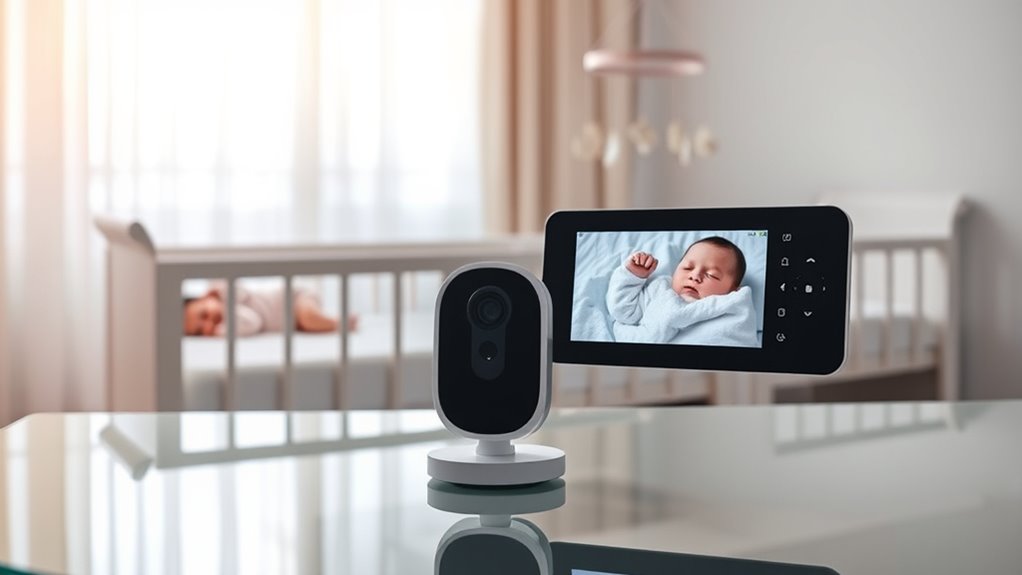

The Blemil 6-Inch Split-Screen Video Baby Monitor is my best overall pick for families who want a large display and two-camera viewing on one parent unit. The Comfyer BM01 stands out for its 7-inch screen, while the Babysense PRO Full HD is a strong choice for shoppers prioritizing HD video. Across these monitors, the main tradeoffs are screen size versus portability, straightforward local viewing versus connected features, and how clearly two camera feeds fit on one display. A split screen can make it easier to check two rooms at once, but a smaller screen may make each feed harder to read. Read on for my comparison of all 13 options and guidance on choosing a setup that fits your home.

Get your wardrobe favorites delivered free with Prime
- Fast, free delivery on millions of items
- Prime Video, Amazon Music and more included
- Member-only deals all year
Key Takeaways
- Display size sets the viewing tradeoff: the Comfyer BM01 has the largest listed screen at 7 inches, while the 4.3-inch iFamily model favors a more compact parent unit.
- Most models pair a parent screen with two cameras: compare how you plan to position those cameras, since viewing two rooms is only useful if both feeds cover the places you need to monitor.
- Full HD separates the Babysense PRO: it is the standout for buyers who place image detail above choosing a larger screen.
- No-Wi-Fi options form a clear part of the lineup: the Comfyer BM01 and two HelloBaby models explicitly identify themselves as no-Wi-Fi picks, which suits families seeking a local-monitoring setup.
- Brand and screen size alone do not settle the choice: several HelloBaby and iFamily options differ by display size or model, so check the exact model’s camera and connection details before buying.
| Blemil 6-Inch Split-Screen Video Baby Monitor with 2 Cameras |  | Best Overall | Display: 6-inch IPS | Cameras: 2 | Video resolution: 720p | VIEW ON AMAZON | See Our Full Breakdown |
| iFamily Split-Screen Baby Monitor with Two Cameras |  | Best for Beginners | Display: 4.3-inch split screen | Cameras: 2 | Camera pan: 355° | VIEW ON AMAZON | See Our Full Breakdown |
| HelloBaby HB6560-2 Baby Monitor with Two Cameras and 6-Inch Split-Screen Display | 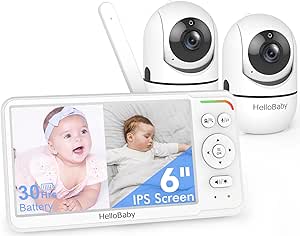 | Best for Flexible Camera Placement | Model: HB6560-2 | Display: 6-inch IPS split-screen | Cameras: 2 | VIEW ON AMAZON | See Our Full Breakdown |
| Babysense 5-Inch HD Split-Screen Baby Monitor with Two Cameras |  | Best for Expanding to More Cameras | Display: 5-inch, 720p HD | Included cameras: 2 | Maximum cameras: 4 | VIEW ON AMAZON | See Our Full Breakdown |
| Firskids Split-Screen Baby Monitor with Two Cameras |  | Best for Camera Adjustability in a Compact Monitor | Display: 4.3-inch IPS LCD | Cameras: 2; split-screen display | Camera movement: 320° pan, 120° tilt | VIEW ON AMAZON | See Our Full Breakdown |
| GoodBaby 5-Inch Split-Screen Baby Monitor with Two Cameras |  | Best for Camera Expansion | Display: 5-inch LCD | Cameras included: 2 | Maximum cameras: 4 | VIEW ON AMAZON | See Our Full Breakdown |
| HelloBaby 6-Inch Split-Screen Video Baby Monitor with 2 Cameras | 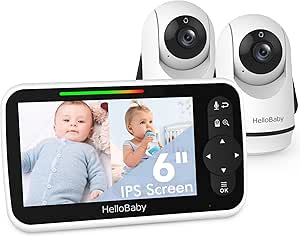 | Best for a Larger Screen | Screen size: 6 inches | Cameras included: 2 | Connectivity: Wireless, 2.4 GHz; Wi-Fi not required | VIEW ON AMAZON | See Our Full Breakdown |
| iFamily 4.3-Inch Split-Screen Baby Monitor with Two Cameras |  | Best Compact Pick | Display: 4.3-inch split-screen | Cameras: 2 | Camera movement: 355° pan; 120° tilt | VIEW ON AMAZON | See Our Full Breakdown |
| HelloBaby Baby Monitor with Two Cameras, 5-Inch Split-Screen Display, and No Wi-Fi |  | Best for Simple No-Wi-Fi Monitoring | Display: 5-inch LCD | Cameras: 2 | Wireless connection: 2.4 GHz FHSS | VIEW ON AMAZON | See Our Full Breakdown |
| Comfyer BM01 7-Inch Split-Screen Baby Monitor with 2 Cameras, No Wi-Fi |  | Best Large-Screen Pick | Screen: 7 inches; 720p | Cameras: 2 included; 1080p | Maximum cameras: 4 | VIEW ON AMAZON | See Our Full Breakdown |
| Babysense PRO Full HD 5.5-Inch Split-Screen Baby Monitor with 2 Cameras |  | Best for a Clear, Expandable Split Screen | Display: 5.5-inch Full HD split-screen | Included cameras: 2 Full HD PTZ cameras | Maximum cameras: Up to 4 | VIEW ON AMAZON | See Our Full Breakdown |
| HelloBaby HB6550 No-WiFi Baby Monitor with 2 Cameras and 5-Inch Screen |  | Best for Long Battery Life and Flexible Camera Control | Screen: 5-inch IPS | Included cameras: 2; supports up to 4 | Camera movement: 355° pan, 120° tilt, and zoom | VIEW ON AMAZON | See Our Full Breakdown |
| AnKeKe 5-Inch Split-Screen Video Baby Monitor with 2 Cameras |  | Best for Split-Screen Features in a Compact Parent Unit | Display: 5-inch IPS split-screen | Cameras: 2 cameras, 1280 × 720p | Connection: 2.4 GHz FHSS; no Wi-Fi or app required | VIEW ON AMAZON | See Our Full Breakdown |
| baby monitors with split screen | Display | Cameras | Camera movement | Battery life |
|---|---|---|---|---|
| Blemil 6-Inch Split-Screen Vid | 6-inch IPS | 2 | 310° horizontal, 120° vertical | — |
| iFamily Split-Screen Baby Moni | 4.3-inch split screen | 2 | — | — |
| HelloBaby HB6560-2 Baby Monito | 6-inch IPS split-screen | 2 | 355° pan, 120° tilt | 16–30 hours |
| Babysense 5-Inch HD Split-Scre | 5-inch, 720p HD | — | — | — |
| Firskids Split-Screen Baby Mon | 4.3-inch IPS LCD | 2; split-screen display | 320° pan, 120° tilt | — |
| GoodBaby 5-Inch Split-Screen B | 5-inch LCD | — | 355° pan; 120° tilt | Up to 30 hours in VOX mode; 10 hours with screen on |
| HelloBaby 6-Inch Split-Screen | — | — | — | — |
| iFamily 4.3-Inch Split-Screen | 4.3-inch split-screen | 2 | 355° pan; 120° tilt | — |
| HelloBaby Baby Monitor with Tw | 5-inch LCD | 2 | 318° pan; 120° tilt | Up to 30 hours |
| Comfyer BM01 7-Inch Split-Scre | — | 2 included; 1080p | 355° horizontal pan; 120° vertical tilt | Up to 13 hours of video or two days in audio-only VOX mode |
| Babysense PRO Full HD 5.5-Inch | 5.5-inch Full HD split-screen | — | — | Up to 20 hours in Eco Mode |
| HelloBaby HB6550 No-WiFi Baby | — | — | 355° pan, 120° tilt, and zoom | Up to 30 hours in ECO mode |
| AnKeKe 5-Inch Split-Screen Vid | 5-inch IPS split-screen | 2 cameras, 1280 × 720p | — | Up to 12 hours screen-on, 30 hours VOX, or 100 hours ECO |
More Details on Our Top Picks
Blemil 6-Inch Split-Screen Video Baby Monitor with 2 Cameras
The 6-inch split-screen display gives this Blemil an edge for parents who want to check two rooms without squinting at a compact monitor. Its two cameras offer 310° pan and 120° tilt, so a parent can redirect the view from the handheld unit rather than repositioning a camera. Like the HelloBaby HB6560-2, it uses a private FHSS connection without Wi-Fi; Blemil adds a specified ECO-mode standby time of up to 30 hours. Cry detection, two-way audio, and night vision round out the essentials. The tradeoff is 720p video, which is less detailed than a higher-resolution option, and its stated range can be affected by metal objects or interference. I’d rank it ahead of the smaller-screen iFamily for households that value a larger viewing area.
Pros:- Large 6-inch IPS split-screen display
- Two remotely controlled pan-and-tilt cameras
- Private 2.4 GHz FHSS connection without Wi-Fi or an app
- Up to approximately 30 hours of standby in ECO mode
Cons:- 720p video offers less detail than higher-resolution systems
- Wireless range may be reduced by metal objects or interference
Best for: Parents monitoring two rooms who want a larger handheld screen, remote camera movement, and a dedicated connection without an app.
Not ideal for: Buyers who prioritize higher-resolution video or need a wireless range that is reliable through walls and potential sources of interference.
- Display:6-inch IPS
- Cameras:2
- Video resolution:720p
- Camera movement:310° horizontal, 120° vertical
- Wireless technology:2.4 GHz FHSS
- Wi-Fi:Not required
- ECO mode standby:Up to approximately 30 hours
- Range:Up to 1,000 ft outdoors
Our verdict“Choose the Blemil if a large split-screen and long ECO standby matter more than sharper video.”
iFamily Split-Screen Baby Monitor with Two Cameras
The iFamily is a straightforward split-screen pick for caregivers who want the key two-camera functions without a large monitor. Its 4.3-inch screen shows both camera feeds at once, while 355° pan and 120° tilt let you adjust the view remotely. A dedicated 2.4 GHz FHSS connection avoids Wi-Fi and phone setup, and temperature monitoring, feeding alarms, and lullabies add useful nursery controls. Compared with the Blemil’s 6-inch display, this model is easier to keep compact but gives each camera a smaller viewing area. Its stated 150 ft indoor range is also a meaningful limitation for larger homes; the 1,000 ft figure applies outdoors. I’d choose it for a simpler setup in a smaller home, not for buyers who need a generous screen or broad indoor coverage.
Pros:- Split-screen view displays both cameras simultaneously
- Remote pan and tilt, including 355° horizontal movement
- Private FHSS connection works without Wi-Fi or a phone
- Temperature monitoring, feeding alarms, and lullabies included
Cons:- 4.3-inch display is smaller than the Blemil and HelloBaby HB6560-2 screens
- Specified indoor range is limited to 150 ft
Best for: Caregivers who want an uncomplicated two-camera monitor with feeding reminders and temperature checks for a smaller home.
Not ideal for: Families who need a large split-screen image or expect dependable coverage across a large or multi-floor home.
- Display:4.3-inch split screen
- Cameras:2
- Camera pan:355°
- Camera tilt:120°
- Wireless technology:2.4 GHz FHSS
- Range:Up to 1,000 ft outdoors; 150 ft indoors
- Audio:Two-way audio
- Additional features:Night vision, temperature monitoring, feeding alarm, lullabies
Our verdict“Pick the iFamily for a compact, simple split-screen setup in a home where its limited indoor range is sufficient.”
HelloBaby HB6560-2 Baby Monitor with Two Cameras and 6-Inch Split-Screen Display
The HelloBaby HB6560-2 combines a 6-inch IPS split-screen with flexible mounting options, making it a strong match for parents who need to position cameras around different room layouts. It supports ceiling, wall, crib, desk, or freestanding placement, and remote 355° pan and 120° tilt help cover more of each room. Like the Blemil, it runs on a private 2.4 GHz FHSS connection without Wi-Fi and lists up to 30 hours of battery life in VOX/ECO use. Its room-temperature alerts, cry detection, and feeding timer add more monitoring prompts than the Blemil specifies. The tradeoff is that runtime varies from 16 to 30 hours, and only outdoor range is provided. I’d favor this over the smaller iFamily when display size and mounting choice matter more than a stated indoor range.
Pros:- 6-inch IPS display shows two camera feeds together
- Multiple mounting choices, including ceiling, wall, crib, and desk
- Remote 355° pan and 120° tilt with infrared night vision
- Cry detection, temperature alerts, feeding timer, and two-way audio
Cons:- Battery life varies from 16 to 30 hours depending on use
- Indoor range is not specified
Best for: Families with two differently laid-out rooms who want a large split-screen, several camera mounting choices, and nursery alerts.
Not ideal for: Buyers who need a clearly specified indoor operating range or a predictable battery runtime regardless of use.
- Model:HB6560-2
- Display:6-inch IPS split-screen
- Cameras:2
- Connectivity:2.4 GHz FHSS; no Wi-Fi required
- Battery life:16–30 hours
- Camera movement:355° pan, 120° tilt
- Range:Up to 1,000 ft outdoors
- Mounting options:Ceiling, wall, crib, desk, or freestanding
Our verdict“Choose the HB6560-2 if camera placement flexibility and a large split-screen matter more than fixed runtime or indoor-range guidance.”
Babysense 5-Inch HD Split-Screen Baby Monitor with Two Cameras
Babysense is the most adaptable choice here for parents who may need to monitor beyond two rooms: the system supports up to four cameras, while the included pair appears together on its 5-inch screen. That expansion capacity sets it apart from the Blemil and HelloBaby HB6560-2, which are described with two cameras. The 2.4 GHz FHSS connection avoids Wi-Fi, and sound-activated power saving, two-way talk, night vision, a night light, lullabies, and white noise cover common monitoring needs. Its 4x digital zoom can help inspect a camera view, though it does not change the resolution. One tradeoff is the audio behavior: it focuses on one camera at a time, with a 15-second scan mode switching between feeds. I’d pick it for planned camera expansion, not for simultaneous audio from both rooms.
Pros:- Supports up to four cameras, beyond the two included
- Split-screen displays two camera feeds together
- No Wi-Fi or internet connection required
- Includes two-way talk, night vision, white noise, and lullabies
Cons:- Audio focuses on one camera at a time; scan mode switches every 15 seconds
- The stated 1,000-foot range applies to open space
Best for: Families who want split-screen monitoring now and the option to add cameras for additional rooms later.
Not ideal for: Caregivers who want continuous audio from multiple cameras at once or expect the stated open-space range indoors.
- Display:5-inch, 720p HD
- Included cameras:2
- Maximum cameras:4
- Wireless technology:2.4 GHz FHSS
- Range:Up to 1,000 ft in open space
- Battery capacity:4,000 mAh
- Zoom:4x digital
- Display modes:Split-screen and 15-second audio scan
Our verdict“Choose Babysense if adding cameras later matters more than hearing both rooms continuously.”
Firskids Split-Screen Baby Monitor with Two Cameras
The Firskids packs useful camera controls into a compact 4.3-inch IPS split-screen. Its two cameras offer 320° pan, 120° tilt, and 2× zoom, giving parents more ways to adjust a view than the iFamily’s listed controls, though the iFamily pans farther at 355°. Firskids also includes night vision, two-way audio, cry detection, temperature monitoring, and eight lullabies, all over a private FHSS connection without Wi-Fi. That makes it a practical feature-rich alternative to the iFamily, while its smaller display remains less comfortable for checking two feeds than the 6-inch Blemil or HelloBaby HB6560-2. Battery life is the main uncertainty: the title claims 30 hours, but the supplied specs give a 3,500 mAh capacity without a runtime. Its open-space range may also fall short indoors.
Pros:- Two-camera split-screen with 2× zoom
- Remote pan and tilt for adjusting the camera view
- Works without Wi-Fi or an internet connection
- Includes night vision, two-way audio, cry detection, and temperature monitoring
Cons:- 4.3-inch display is smaller than the Blemil and HelloBaby HB6560-2 screens
- Battery runtime is unclear despite the title’s 30-hour claim
- The stated range applies to open space and may vary indoors
Best for: Parents who want remote pan, tilt, and zoom plus nursery alerts in a compact, Wi-Fi-free two-camera monitor.
Not ideal for: Buyers who need a large split-screen or a clearly documented battery runtime and indoor range.
- Display:4.3-inch IPS LCD
- Cameras:2; split-screen display
- Camera movement:320° pan, 120° tilt
- Zoom:2×
- Video resolution:720p
- Wireless technology:2.4 GHz FHSS; no Wi-Fi required
- Battery capacity:3,500 mAh
- Additional features:Infrared night vision, two-way talk, cry detection, temperature monitoring, 8 lullabies
Our verdict“Pick Firskids for compact camera control and nursery alerts, but skip it if runtime certainty or a large viewing area is a priority.”
GoodBaby 5-Inch Split-Screen Baby Monitor with Two Cameras
The GoodBaby is a flexible pick for families who want split-screen viewing now and room to add cameras later: it includes two cameras and supports up to four. Its 5-inch display is more compact than the HelloBaby 6-Inch model, but remote pan, tilt, and 2× zoom help adjust the view without moving the camera. A claimed up to 30 hours in VOX mode suits parents who leave the screen off between sounds; continuous screen use is listed at 10 hours, so it is not the same all-day runtime. Two-way audio, lullabies, and temperature alerts round out the standalone, no-Wi-Fi setup. One tradeoff shared with some split-screen systems is that audio focuses on one camera at a time. The stated range also varies between 960 and 1,000 feet, so I would treat that figure as approximate.
Pros:- Shows two camera views at once and supports expansion to four cameras.
- Remote pan, tilt, and 2× zoom help adjust coverage from the monitor.
- VOX mode offers up to 30 hours of listed battery life.
- No-Wi-Fi operation, two-way audio, temperature alerts, and lullabies.
Cons:- Battery life is listed at 10 hours with the screen on.
- Audio focus is limited to one camera at a time.
- Range is stated inconsistently as 960 and 1,000 feet.
Best for: Families who need two-camera split-screen monitoring now and may add cameras for more rooms later.
Not ideal for: Parents who want a large display or rely on continuous screen viewing throughout the day; the screen is 5 inches and listed runtime falls to 10 hours with it on.
- Display:5-inch LCD
- Cameras included:2
- Maximum cameras:4
- Camera movement:355° pan; 120° tilt
- Zoom:2×
- Battery life:Up to 30 hours in VOX mode; 10 hours with screen on
- Connectivity:No Wi-Fi
- Night vision:Infrared, up to 15 feet
Our verdict“Choose the GoodBaby if you want a no-Wi-Fi split-screen system that can grow beyond two cameras and can use VOX to extend battery life.”
HelloBaby 6-Inch Split-Screen Video Baby Monitor with 2 Cameras
If split-screen viewing feels cramped on smaller monitors, this HelloBaby’s 6-inch display gives two camera feeds more room than the GoodBaby or the 4.3-inch iFamily. That can make a quick glance between two sleeping areas easier, though the product details do not specify screen resolution or battery runtime. It includes two cameras and combines remote pan-tilt-zoom with cry detection, infrared night vision, temperature monitoring, and two-way audio. The connection is wireless on 2.4 GHz and does not require Wi-Fi, making it a simpler fit for families who prefer a dedicated monitor over an app. The main tradeoff is that 2.4 GHz connections can face interference from other devices, so placement and signal conditions matter. Compared with the GoodBaby, the HelloBaby prioritizes screen size rather than stated camera expansion to four units.
Pros:- The 6-inch display offers more viewing area than the 5-inch GoodBaby and 4.3-inch iFamily.
- Split-screen viewing shows two camera feeds at once.
- Remote pan-tilt-zoom, two-way audio, and infrared night vision.
- Cry detection and temperature monitoring add alerts beyond video.
Cons:- The 2.4 GHz wireless link may be susceptible to interference.
- Battery runtime and maximum camera capacity are not specified in the supplied product details.
Best for: Caregivers who want a larger screen for checking two camera views at once and prefer a monitor that works without Wi-Fi.
Not ideal for: Families who need confirmed support for more than two cameras or detailed battery-runtime figures before buying; those specifications are not provided here.
- Screen size:6 inches
- Cameras included:2
- Connectivity:Wireless, 2.4 GHz; Wi-Fi not required
- Viewing:Split-screen
- Camera controls:Remote pan-tilt-zoom
- Audio:Two-way audio and cry detection
- Night vision:Infrared
- Additional features:Temperature monitoring, lullabies, ECO mode
Our verdict“Pick this HelloBaby if a roomier split-screen display matters more to you than documented battery life or camera expansion.”
iFamily 4.3-Inch Split-Screen Baby Monitor with Two Cameras
The iFamily makes sense when a smaller monitor is easier to place or carry than the larger HelloBaby 6-inch or Comfyer 7-inch alternatives. Its 4.3-inch split-screen still shows two camera views together, but the smaller display gives each feed less room, a tradeoff for families checking detail at a glance. Remote 355° pan and 120° tilt help reposition the cameras, while infrared night vision, two-way audio, and temperature alerts cover core monitoring needs. A feeding alarm and VOX mode give it a more routine-focused feature set than the HelloBaby 5-inch model, which lists pan, tilt, and zoom but not a feeding alarm. It uses 2.4 GHz FHSS rather than Wi-Fi. The listed dimensions are unusually small and may not describe the full system, so I would not use them to judge the complete setup’s footprint.
Pros:- Split-screen lets caregivers view both included cameras simultaneously.
- Remote 355° pan and 120° tilt support broad camera coverage.
- Feeding alarm, VOX mode, and lullabies support routine-based monitoring.
- Two-way audio and temperature monitoring with alerts.
Cons:- The 4.3-inch screen is smaller than the HelloBaby 6-inch and Comfyer 7-inch displays.
- Uses 2.4 GHz FHSS rather than Wi-Fi.
- Listed dimensions may not represent the full monitor and camera setup.
Best for: Parents who want split-screen monitoring with feeding reminders and a compact monitor rather than a large viewing panel.
Not ideal for: Buyers who prioritize a roomy display or need clear confirmation of the complete system’s size; the screen is 4.3 inches and the supplied dimensions may not cover all components.
- Display:4.3-inch split-screen
- Cameras:2
- Camera movement:355° pan; 120° tilt
- Wireless connection:2.4 GHz FHSS
- Night vision:Infrared
- Audio:Two-way audio
- Additional features:VOX mode, feeding alarm, lullabies, temperature monitoring
- Video channels:4
Our verdict“Choose the iFamily if compact split-screen monitoring and a feeding alarm matter more than having a large display.”
HelloBaby Baby Monitor with Two Cameras, 5-Inch Split-Screen Display, and No Wi-Fi
This HelloBaby is a straightforward choice for parents who want two rooms on one screen without setting up Wi-Fi, an app, or an account. Its 5-inch display sits between the compact iFamily and larger HelloBaby 6-inch model, making it a middle-ground option for screen size. The cameras offer 318° pan, 120° tilt, and 2× zoom, so you can adjust the view remotely, while infrared night vision and two-way talk cover nighttime checks and brief reassurance. A private 2.4 GHz FHSS connection keeps the system independent of a home network. The important split-screen limitation is that it can transmit from only one camera at a time, which means the two views do not provide simultaneous camera transmission. Compared with the GoodBaby, it does not list expansion to four cameras, but its no-app setup is easy to understand.
Pros:- 5-inch split-screen display presents two room views side by side.
- No Wi-Fi, app, or account is required.
- Remote 318° pan, 120° tilt, and 2× zoom adjust the camera view.
- Two-way talk and infrared night vision support routine checks.
Cons:- The system can transmit from only one camera at a time, limiting simultaneous monitoring.
- Maximum camera capacity is not specified in the supplied product details.
Best for: Families who want a dedicated, no-Wi-Fi monitor for two rooms and value simple setup over advanced camera expansion.
Not ideal for: Parents who need both camera feeds transmitted simultaneously or want to add cameras beyond the two included.
- Display:5-inch LCD
- Cameras:2
- Wireless connection:2.4 GHz FHSS
- Wi-Fi or app required:No
- Camera movement:318° pan; 120° tilt
- Zoom:2×
- Battery life:Up to 30 hours
- Night vision:Infrared
Our verdict“Choose this HelloBaby for a simple no-Wi-Fi setup, but skip it if simultaneous transmission from both cameras is a requirement.”
Comfyer BM01 7-Inch Split-Screen Baby Monitor with 2 Cameras, No Wi-Fi
The Comfyer BM01 is the standout here for caregivers who want the largest panel in this group: its 7-inch display gives two split-screen feeds more space than the 5-inch GoodBaby and HelloBaby models. It includes two 1080p cameras, supports up to four, and works without Wi-Fi, combining a generous viewing area with room to expand. The monitor itself is listed at 720p, so the camera resolution should not be mistaken for a 1080p display. Battery life is listed as up to 13 hours of video or two days in audio-only VOX mode, a useful distinction for families who do not need the screen constantly on. Audio stays on one camera at a time, with scan mode switching every 10 seconds, and the unit is not water resistant. Compared with the smaller iFamily, it favors visibility and capacity over compactness.
Pros:- The 7-inch display gives two split-screen views more room than the other listed models.
- Includes two cameras and supports expansion to four.
- Works without Wi-Fi using a 2.4 GHz FHSS connection.
- Up to 13 hours of video use or two days in audio-only VOX mode.
Cons:- Audio stays on one camera at a time; scan mode switches every 10 seconds.
- The monitor resolution is 720p, despite the cameras being listed as 1080p.
- Not water resistant, so it is not suited to wet or outdoor environments.
Best for: Families monitoring multiple rooms who want a large split-screen panel, no-Wi-Fi operation, and the option to add cameras.
Not ideal for: Buyers seeking a compact monitor, uninterrupted audio from multiple cameras, or a unit suitable for outdoor or wet locations.
- Screen:7 inches; 720p
- Cameras:2 included; 1080p
- Maximum cameras:4
- Connectivity:2.4 GHz FHSS; no Wi-Fi required
- Camera movement:355° horizontal pan; 120° vertical tilt
- Zoom:2× and 4× digital
- Battery life:Up to 13 hours of video or two days in audio-only VOX mode
- Audio features:Two-way audio, VOX mode, sound alerts
Our verdict“Choose the Comfyer BM01 if a large split-screen display and four-camera expansion matter more than compact size or simultaneous audio from both cameras.”
Babysense PRO Full HD 5.5-Inch Split-Screen Baby Monitor with 2 Cameras
The Babysense PRO makes the strongest case for parents who want to keep two camera feeds visible at once without relying on Wi-Fi. Its 5.5-inch Full HD split-screen gives it a resolution-focused advantage over the AnKeKe 5-Inch Split-Screen Video Baby Monitor, while two included PTZ cameras cover two rooms from the start. It can grow to four cameras, which suits families expecting to monitor more spaces later. The direct FHSS connection also avoids app setup. The tradeoff is that the cameras need corded power, so placement depends on nearby outlets; like AnKeKe, this is an indoor-only system. Eco Mode battery life of up to 20 hours is useful for the parent unit, but falls short of the HelloBaby HB6550’s stated 30 hours in ECO mode. Its night light and white-noise sound machine add soothing tools, though they do not replace the core advantage: simultaneous viewing.
Pros:- 5.5-inch Full HD display shows two camera feeds simultaneously
- Includes two Full HD PTZ cameras and supports expansion to four
- Private 2.4 GHz FHSS connection works without Wi-Fi
- Eco Mode offers up to 20 hours of parent-unit battery life
Cons:- Both cameras require corded power, limiting placement flexibility
- Indoor-only design is not water resistant
- Stated Eco Mode battery life is shorter than the HelloBaby HB6550’s up-to-30-hour claim
Best for: Parents monitoring two children or rooms who want a larger, higher-resolution split-screen and the option to add cameras later.
Not ideal for: Families who need cordless cameras, outdoor monitoring, or the longest stated parent-unit battery life.
- Display:5.5-inch Full HD split-screen
- Included cameras:2 Full HD PTZ cameras
- Maximum cameras:Up to 4
- Connection:2.4 GHz FHSS; non-Wi-Fi
- Battery life:Up to 20 hours in Eco Mode
- Night features:Night vision, six-color night light, and white-noise sound machine
- Power:Corded cameras; battery-powered parent unit
- Mounting and use:Countertop or wall mount; indoor use
Our verdict“Choose the Babysense PRO if simultaneous viewing, Full HD detail, and room to expand matter more than cordless camera placement or maximum battery life.”
HelloBaby HB6550 No-WiFi Baby Monitor with 2 Cameras and 5-Inch Screen
The HelloBaby HB6550 is a useful comparison point for anyone shopping for split screen precisely because it does not show two feeds at once. Its 5-inch IPS screen switches between camera views with one tap, so a parent checks each room in turn rather than monitoring both simultaneously. That makes it less suited to split-screen vigilance than the Babysense PRO or AnKeKe ABM570-2, but it brings a different strength: up to 30 hours in ECO mode, plus remote pan, tilt, and zoom to inspect a room from the parent unit. Two cameras are included and the system supports four, with no Wi-Fi or app needed. Temperature alerts, sound detection, and two-way talk broaden its monitoring tools. Its main compromise is the single-camera-at-a-time display; the stated 1,000-foot range applies outdoors with the antenna extended, not as a guaranteed indoor distance.
Pros:- Up to 30 hours of battery life in ECO mode
- Remote 355° pan, 120° tilt, and zoom
- Includes two cameras and supports up to four
- No Wi-Fi or app required; includes sound detection and temperature alerts
Cons:- Displays only one camera view at a time, unlike the split-screen Babysense PRO and AnKeKe
- The stated 1,000-foot range is an outdoor figure requiring the antenna to be extended
- Cameras need corded electric power
Best for: Parents who prioritize extended ECO-mode runtime, remote camera movement, and a private no-Wi-Fi connection, and are comfortable switching between camera feeds.
Not ideal for: Caregivers who need both children or rooms visible simultaneously on one screen.
- Screen:5-inch IPS
- Included cameras:2; supports up to 4
- Camera movement:355° pan, 120° tilt, and zoom
- Connection:2.4 GHz FHSS; no Wi-Fi or app required
- Maximum stated range:Up to 1,000 ft outdoors with antenna extended
- Battery life:Up to 30 hours in ECO mode
- Monitoring features:Night vision, sound detection, temperature monitoring and alerts, and 8 lullabies
- Audio and power:Two-way talk; battery-powered screen and corded cameras
Our verdict“Pick the HB6550 if battery endurance and remote camera control outweigh the need to see two feeds at once.”
AnKeKe 5-Inch Split-Screen Video Baby Monitor with 2 Cameras
The AnKeKe ABM570-2 earns its place by pairing split-screen viewing with a compact 5-inch IPS parent unit and useful camera controls. Two 720p cameras let parents check both rooms together, while remote pan and tilt plus 1×, 2×, and 4× zoom help adjust the view without entering the nursery. Compared with the Babysense PRO, its screen is smaller and its cameras are 720p rather than Full HD; in exchange, it includes features such as motion detection, three-level VOX, feeding reminders, and temperature alerts. The no-Wi-Fi FHSS connection suits households seeking a direct link. Battery claims vary by setting: up to 12 hours with the screen on, 30 hours in VOX, or 100 hours in ECO mode, so the longest figure comes with reduced screen activity. Cameras still need outlets, and the stated range applies to open areas.
Pros:- Shows two camera feeds simultaneously on a 5-inch IPS screen
- Includes two 720p cameras with remote pan, tilt, and three zoom levels
- No Wi-Fi or app required
- Adds motion detection, VOX, temperature alerts, two-way talk, and feeding reminders
Cons:- The 5-inch display is smaller and lower resolution than the Babysense PRO’s 5.5-inch Full HD screen
- Cameras require plugged-in power
- Maximum stated range of 984 ft is for open areas, and battery life varies substantially by mode
Best for: Parents who want simultaneous views of two rooms, camera pan-and-tilt control, and several alert options in a compact monitor system.
Not ideal for: Buyers who want a larger or Full HD split-screen, cordless cameras, or a range figure suited to typical indoor conditions.
- Display:5-inch IPS split-screen
- Cameras:2 cameras, 1280 × 720p
- Connection:2.4 GHz FHSS; no Wi-Fi or app required
- Camera controls:355° pan, 95° tilt, and 1×, 2×, or 4× digital zoom
- Range:Up to 984 ft (300 m) in open areas
- Parent-unit battery:3,500 mAh rechargeable
- Battery life:Up to 12 hours screen-on, 30 hours VOX, or 100 hours ECO
- Monitoring features:Infrared night vision, motion detection, three-level VOX, temperature alerts, two-way talk, 8 lullabies, and feeding reminders
Our verdict“Choose AnKeKe for a compact, feature-rich split-screen setup, provided 720p detail and corded cameras fit your needs.”

How We Picked
I compared these 13 monitors around the practical question behind this search: how well does each option support checking two camera views from one parent display? I gave priority to the stated split-screen setup, number of included cameras, screen size, and any clearly identified video or connection features. Those details affect whether a monitor fits two rooms, how much display space each feed gets, and whether a family can use the setup they prefer.
The ranking favors options with a compelling combination of viewing area and useful, clearly specified differences, rather than treating every two-camera monitor as interchangeable. That puts the Blemil 6-inch model first as a balanced starting point, with the larger-screen Comfyer BM01 and HD-focused Babysense PRO serving distinct needs. I also kept compact displays and models with explicit no-Wi-Fi positioning in the mix for buyers who value portability or local viewing over a larger screen. Where the product name alone does not confirm details, I avoid assuming extra capabilities; I recommend checking the model’s full listing before purchase.
Factors to Consider When Choosing Baby Monitors With Split Screen
Choosing among split-screen monitors is less about collecting the longest feature list and more about matching the viewing setup to your rooms, routine, and comfort with connected devices. I’d start with the questions below before comparing individual models.
Decide Whether You Need Two Views at the Same Time
A two-camera package and a useful split-screen view are not the same thing: check that the monitor can show both feeds at once in the way you expect. Think about whether you need to watch two children, two sleeping spaces, or separate areas of one room. If you mostly check one child at a time, a split view may divide the display without giving you much benefit. Consider how often you will need simultaneous viewing, rather than buying extra cameras simply because they are included. Also check whether the cameras can be positioned to cover the rooms you actually use. A monitor cannot make a second view useful if the camera placement leaves important areas out of frame.
Choose Screen Size for Your Viewing Distance
A larger parent screen gives each camera feed more room, which can make split-screen checks easier from across a room. A smaller display can be more convenient to carry or store, but the two images may feel cramped when shown side by side. Before choosing, think about where you will keep the parent unit at night and whether you tend to check it from your bed or from nearby. Do not compare diagonal screen measurements as if they tell the whole story: screen proportions and the way the monitor divides its display also affect the usable area for each feed. If image detail matters, read the screen and camera specifications together. A larger screen does not automatically mean a sharper picture.
Understand Local Viewing and Wi-Fi Expectations
Some buyers specifically want a monitor that does not rely on Wi-Fi, while others may expect to view a feed through a phone or away from home. These are different kinds of setups, so confirm the connection method for the exact model instead of inferring it from a brand name or product family. A local parent-unit setup may appeal to families who want a dedicated screen and a simpler monitoring routine. A phone-based option may better suit caregivers who need remote access, if the model supports it. Ask who will use the monitor, where they will be, and whether they need access when away from the home network. Avoid paying for a connection feature you will not use, but do not assume a no-Wi-Fi model offers phone viewing.
Plan Camera Placement Before Buying
Two included cameras are most helpful when you have a clear plan for where each one will go. Measure the rooms or mounting spots and check how you will route power, since a camera’s position affects both the view and day-to-day convenience. A wide room may need a different placement from a crib-side setup, and a camera aimed at one child may not cover a second sleep space. Check the product details for mounting options and power requirements rather than assuming every model installs the same way. If you expect to move cameras between rooms, ease of repositioning may matter more than keeping both views fixed. Setting up the intended camera locations early can also reveal whether the split view is useful from your usual viewing spot.
Pay for the Feature That Solves Your Main Problem
A larger display is worthwhile when you frequently watch two feeds at once and want each to be easier to see. Higher video resolution may suit buyers who care about image detail, but it does not answer questions about connection type, camera placement, or how much screen area each feed receives. A compact model may be a better fit if you carry the parent unit around the home or have limited storage space. Avoid treating a long feature list as proof that a monitor is a better match; extra capabilities matter only when they support your routine. Identify your main frustration first—small images, managing two rooms, or a preference for local viewing—and compare models against that need. The best fit is the one that addresses your priority without adding features you do not plan to use.
Frequently Asked Questions
Can a split-screen monitor show both camera feeds at the same time?
That is the purpose of a split-screen display, but check the exact model’s instructions and product details to confirm how it presents two feeds. Some product names identify a split-screen feature, while other models in this roundup are described more generally as having a two-camera setup. Do not assume that two included cameras always means simultaneous viewing on the parent unit. If seeing both spaces at once is your main reason for buying, confirm the display mode before ordering. Also think about whether the screen is large enough for you to make out both views comfortably.
Should I choose a larger screen or an HD model for split-screen viewing?
Choose based on the problem you want to solve: a larger screen gives each feed more display area, while an HD specification speaks to image resolution. The Comfyer BM01 is the largest-screen option in this lineup, and the Babysense PRO is the model explicitly identified as Full HD. Neither label alone tells you how comfortable the picture will be for your viewing distance or how the split view is arranged. If you often watch both feeds at once, display space may matter most. If seeing finer image detail is your priority, compare the camera and screen resolution details together.
Are no-Wi-Fi baby monitors a better choice for a two-camera setup?
They can be a good fit if you want to monitor from a dedicated parent unit and do not need remote phone access. This roundup includes explicit no-Wi-Fi options, including the Comfyer BM01 and two HelloBaby models. A no-Wi-Fi label does not tell you every detail about range, interference, or viewing modes, so check the model specifications for those points. If caregivers need to check in while away from home, verify that the monitor supports the required remote access before choosing it. Pick the connection style around how and where you expect to view the cameras.
Is a 4.3-inch screen too small for split-screen use?
Not necessarily, but it gives the two views less display area than a 5-, 6-, or 7-inch screen. The iFamily 4.3-inch model is the compact-screen option in this roundup, which may suit buyers who value a smaller parent unit. If you plan to check both feeds often from farther away, a larger display may feel more practical. Screen size does not by itself establish image sharpness, so compare resolution and viewing details too. When possible, decide based on where you will place the parent unit and how easily you can read a divided display from that spot.
What should I verify before buying a monitor that comes with two cameras?
Confirm that the package includes two cameras and that the parent unit supports the simultaneous viewing arrangement you want. Check the connection type, power requirements, and camera mounting details for the exact model, since names within the same brand can refer to different configurations. Consider whether the cameras can cover both intended spaces from realistic mounting positions. If you need a specific feature such as Full HD or no-Wi-Fi operation, look for it in the model specifications rather than relying on a broad product title. These checks help avoid a setup that includes two cameras but does not suit the way you plan to monitor.
Conclusion
For most families comparing baby monitors with split screen, I’d start with the Blemil 6-Inch as the best overall balance of a substantial display and a two-camera setup. Choose the GoodBaby 5-Inch as my best value direction if a more modest screen size fits your needs and you have confirmed its exact connection and camera details. For a premium-style priority, the Comfyer BM01 is the pick for buyers who want the lineup’s largest listed screen; the Babysense PRO Full HD is better for shoppers focused on HD detail. Beginners who want a straightforward shortlist can compare the HelloBaby 6-Inch and HelloBaby HB6560-2, then verify the precise model features before choosing. For a compact parent unit, consider the iFamily 4.3-Inch; for a clearly identified no-Wi-Fi setup, compare the Comfyer BM01 with the HelloBaby no-Wi-Fi models. Match your choice to screen comfort, camera placement, and connection preference rather than the number of features alone.
Columbus Day / Indigenous Peoples' Day Picks
long weekend sales
As an affiliate, we earn on qualifying purchases.