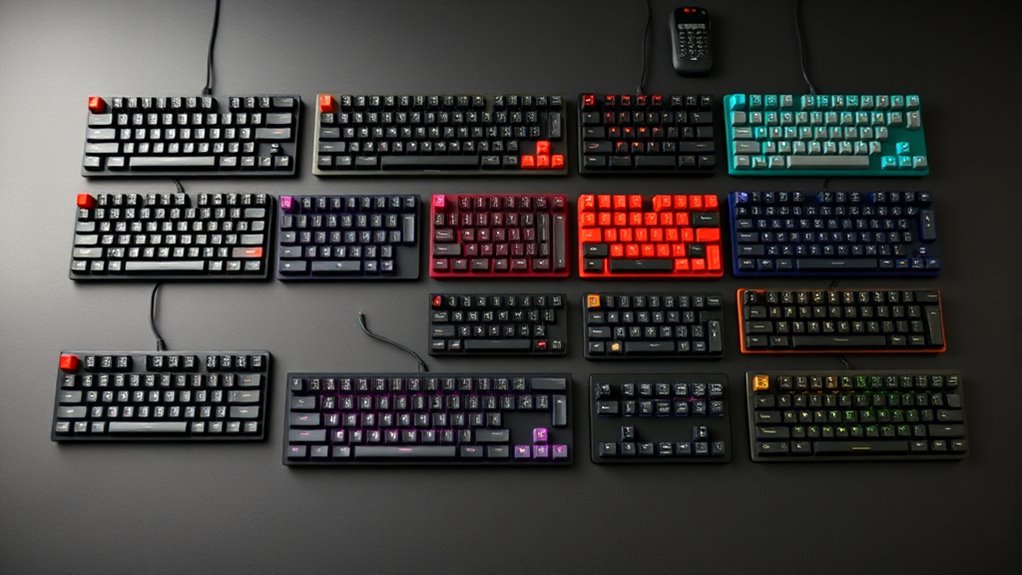
Among the best budget mechanical keyboards, I rank the AULA F75 Pro as the best overall because its 75% layout, tri-mode wireless support, hot-swappable switches, and PBT keycaps offer the strongest balance of features and everyday usability. The Redragon K617 is my best-value pick for buyers who can live without function keys, while the AULA WIN68 HE offers faster magnetic-switch input for competitive gaming. The main tradeoffs are layout size, wired versus wireless operation, switch technology, and whether low prices come at the expense of keycap quality or upgrade options. Some products in this lineup only imitate mechanical feedback, which makes them cheaper but less customizable than genuine mechanical models. Continue reading for the full breakdown and the buyer profiles each keyboard suits best.
Listen free for 30 days with Audible
Thousands of audiobooks and originals — cancel anytime.
Start your free trialAs an affiliate, we earn on qualifying purchases.
Key Takeaways
- The AULA F75 Pro leads the lineup because it combines a practical 75% layout with wireless connectivity, hot-swappable switches, PBT keycaps, and a control knob without moving into enthusiast pricing.
- The Redragon K617 offers the clearest value for compact gaming setups, but its 60% layout creates a steeper daily-use compromise than the Newmen GM326 or AULA F75 Pro.
- The AULA WIN68 HE and WIN60 HE are gaming specialists: their magnetic switches favor rapid input adjustment, while conventional mechanical picks provide broader switch choice and easier long-term modification.
- Three low-cost options are not fully mechanical: the Rii RK100+, Redragon K521, and GEODMAER 65% use mechanical-feeling or membrane designs, placing them below true mechanical boards for customization and switch consistency.
- Layout matters more than feature count: the AK96 and Redragon K668 retain number pads for work, whereas 75% models offer a stronger middle ground for buyers dividing their time between gaming and productivity.
| Rii RK100+ RGB Backlit Mechanical Feeling Multimedia Gaming Keyboard |  | Best Ultra-Budget Full-Size Pick | Layout: Full-size QWERTY | Number of keys: 105 | Connectivity: Wired USB | VIEW ON AMAZON | See Our Full Breakdown |
| AULA WIN68 HE 60% Hall Effect Magnetic Gaming Keyboard |  | Best Budget Competitive Gaming Pick | Layout: 60% compact, 68 keys | Switch type: Hall effect magnetic | Actuation range: 0.02-3.44 mm | VIEW ON AMAZON | See Our Full Breakdown |
| Newmen GM611 60% Mechanical Keyboard with Linear Red Switches |  | Best Beginner Mechanical Keyboard | Layout: 60% compact | Number of keys: 61 | Switch type: Linear red mechanical switches | VIEW ON AMAZON | See Our Full Breakdown |
| AULA WIN60 HE 60% Wired Magnetic Gaming Keyboard | 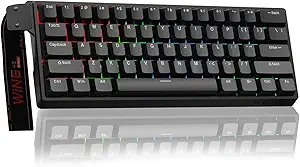 | Best Compact Rapid-Trigger Pick | Layout: 60% compact | Switch type: Hall effect magnetic | Hot-swappable: Yes | VIEW ON AMAZON | See Our Full Breakdown |
| AK96 96% Wired Mechanical Keyboard with Smart Display and Knob |  | Best Budget Productivity Pick | Layout: Compact 96% | Number of keys: 96 | Switch type: Blue mechanical switches | VIEW ON AMAZON | See Our Full Breakdown |
| Redragon K668 |  | Best Full-Size Customization | Keyboard size: Full-size | Key count: 108 | Connectivity: Wired | VIEW ON AMAZON | See Our Full Breakdown |
| Redragon K521 Upgrade |  | Best Mechanical-Feel Alternative | Key count: 104 | Key type: Mechanical-feel | Connectivity: Wired | VIEW ON AMAZON | See Our Full Breakdown |
| Redragon K617 |  | Best Compact Pick | Keyboard size: 60% | Key count: 61 | Switches: Hot-swappable Red linear | VIEW ON AMAZON | See Our Full Breakdown |
| Newmen GM326 |  | Best Balanced Layout | Keyboard size: 75% | Key count: 82 | Connectivity: Wired detachable USB-C | VIEW ON AMAZON | See Our Full Breakdown |
| Redragon K671 |  | Best Straightforward Full-Size Pick | Keyboard size: Full-size | Key count: 104 | Connectivity: Wired | VIEW ON AMAZON | See Our Full Breakdown |
| GEODMAER 65% Wired Gaming Keyboard |  | Best Ultra-Budget Compact Pick | Layout: 65% compact | Number of keys: 68 | Switch technology: Membrane | VIEW ON AMAZON | See Our Full Breakdown |
| Tri-Mode 94-Key Wireless Keyboard with Display |  | Best for Quiet Multi-Device Use | Layout: 94-key QWERTY | Connectivity: Bluetooth 5.0, 2.4GHz wireless, and USB-C wired | Switch technology: Silent membrane | VIEW ON AMAZON | See Our Full Breakdown |
| Logitech G413 SE Full-Size Mechanical Gaming Keyboard |  | Best Full-Size Pick | Layout: Full-size | Connection: Wired | Switch type: Tactile mechanical | VIEW ON AMAZON | See Our Full Breakdown |
| Kisnt KN85 Wireless Mechanical Keyboard |  | Best Retro Customizable Pick | Layout: 75% QWERTY, 85 keys | Connectivity: USB-C, 2.4GHz wireless, and Bluetooth 5.0 | Wireless channels: Three Bluetooth channels | VIEW ON AMAZON | See Our Full Breakdown |
| AULA F75 Pro Wireless Mechanical Keyboard |  | Best Overall | Layout: 75% compact, 81 keys | Connectivity: Bluetooth 5.0, 2.4GHz wireless, and USB-C wired | Device capacity: Up to five connected devices | VIEW ON AMAZON | See Our Full Breakdown |
| budget mechanical keyboard | Connectivity | Layout |
|---|---|---|
| Rii RK100+ RGB Backlit Mechani | Wired USB | Full-size QWERTY |
| AULA WIN68 HE 60% Hall Effect | Wired, detachable USB cable | 60% compact, 68 keys |
| Newmen GM611 60% Mechanical Ke | Wired with detachable data cable | 60% compact |
| AULA WIN60 HE 60% Wired Magnet | Wired | 60% compact |
| AK96 96% Wired Mechanical Keyb | Wired USB-C to USB | Compact 96% |
| Redragon K668 | Wired | — |
| Redragon K521 Upgrade | Wired | — |
| Redragon K617 | Wired USB-C | — |
| Newmen GM326 | Wired detachable USB-C | — |
| Redragon K671 | Wired | — |
| GEODMAER 65% Wired Gaming Keyb | — | 65% compact |
| Tri-Mode 94-Key Wireless Keybo | Bluetooth 5.0, 2.4GHz wireless, and USB-C wired | 94-key QWERTY |
| Logitech G413 SE Full-Size Mec | — | Full-size |
| Kisnt KN85 Wireless Mechanical | USB-C, 2.4GHz wireless, and Bluetooth 5.0 | 75% QWERTY, 85 keys |
| AULA F75 Pro Wireless Mechanic | Bluetooth 5.0, 2.4GHz wireless, and USB-C wired | 75% compact, 81 keys |
More Details on Our Top Picks
Rii RK100+ RGB Backlit Mechanical Feeling Multimedia Gaming Keyboard
I rank the Rii RK100+ as the entry-level full-size choice because its 105-key layout preserves a number pad and multimedia controls at a low-cost point. That makes it more practical for spreadsheets and office work than the compact Newmen GM611, which shifts many commands onto key combinations. The catch is central to the buying decision: despite its mechanical-style presentation, the RK100+ is not a true mechanical keyboard, so buyers should expect less distinct feedback and fewer customization options than the AK96 provides. Its rainbow lighting adds visual character, while broad operating-system support makes repurposing it easy. I place it below genuine mechanical models because feel and switch serviceability matter, but it remains a sensible pick when layout matters more than switch technology.
Pros:- Full-size 105-key layout includes a number pad
- Multimedia shortcuts suit mixed office and entertainment use
- Rainbow backlighting offers breathing effects
- Works with a wide range of desktop and media operating systems
Cons:- Mechanical-feeling design lacks genuine mechanical switch feedback
- Fixed wired connection reduces portability and cable flexibility
- Backlight shutoff behavior depends on specific lighting modes
Best for: Budget-conscious home-office users who need a number pad, multimedia shortcuts, and broad device compatibility
Not ideal for: Switch enthusiasts and competitive players who want authentic mechanical feedback, hot-swappable switches, or a detachable cable
- Layout:Full-size QWERTY
- Number of keys:105
- Connectivity:Wired USB
- Power source:USB powered
- Lighting:Rainbow backlight with breathing effects
- Enclosure material:ABS plastic
- Dimensions:17.1 x 5.3 x 0.9 inches
- Operating-system support:Windows, Linux, macOS, Chrome OS, and selected media platforms
Our verdict“I recommend the RK100+ when full-size utility and a very low price outweigh authentic mechanical feel.”
AULA WIN68 HE 60% Hall Effect Magnetic Gaming Keyboard
The AULA WIN68 HE earns the competitive-gaming slot through its combination of adjustable magnetic actuation, 8,000 Hz polling, and a claimed 0.3 ms latency. Those controls let players tune sensitive movement keys differently from less frequently used inputs. Compared with the Newmen GM611, it offers much finer response adjustment; compared with the AULA WIN60 HE, its 68-key arrangement retains arrow keys, making daily desktop use less dependent on layers. I rank it ahead of the WIN60 HE for most buyers because that small usability gain carries little desk-space penalty. The limitations are software and connection related: customization is Windows-only, and there is no wireless mode. Its rapid settings may also offer little practical benefit to casual typists. This is a focused value choice for players who will actually use rapid-trigger-style controls.
Pros:- Hall effect switches support adjustable actuation from 0.02 to 3.44 mm
- 8,000 Hz polling and claimed 0.3 ms latency target fast competitive play
- Compact 68-key layout retains dedicated arrow keys
- Web driver supports remapping, macros, and RGB adjustment
Cons:- Web-based customization is limited to Windows
- Wired-only operation restricts device switching
- Several secondary commands still require function-layer combinations
Best for: Competitive Windows gamers who want adjustable movement-key response without paying premium Hall effect keyboard prices
Not ideal for: Mac users, wireless desk setups, and office buyers who will not benefit from highly sensitive actuation controls
- Layout:60% compact, 68 keys
- Switch type:Hall effect magnetic
- Actuation range:0.02-3.44 mm
- Adjustment increment:0.1 mm
- Polling rate:8,000 Hz
- Claimed latency:0.3 ms
- Connectivity:Wired, detachable USB cable
- Lighting:16.8-million-color RGB with 14 presets
- Driver compatibility:Windows only
Our verdict“I would choose the WIN68 HE for response-focused PC gaming when arrow keys matter more than wireless flexibility.”
Newmen GM611 60% Mechanical Keyboard with Linear Red Switches
I see the Newmen GM611 as the easiest step into genuine mechanical keyboards for buyers who want linear red switches and a portable 60% footprint. Unlike the membrane-based Rii RK100+, it provides mechanical key action and N-key rollover, which better suits rapid game inputs and buyers learning their switch preferences. Its 19 lighting effects and translucent legends also offer more visual variety, while the detachable cable is easier to pack. Yet the compact design removes dedicated number-pad, navigation, and function rows; the AULA WIN68 HE is friendlier for arrow-key use, and its magnetic switches permit far deeper actuation tuning. The GM611 instead favors straightforward mechanical operation at a lower level of complexity. I would treat software customization as a bonus, not its main reason to buy, since platform details are not supplied.
Pros:- Genuine linear red switches offer smooth key travel
- N-key rollover supports simultaneous gaming inputs
- Detachable cable and 61-key body are easy to transport
- Macro, key-binding, and lighting customization are supported
Cons:- 60% layout omits dedicated arrow, navigation, function, and number-pad sections
- Rainbow LEDs do not provide the per-key color range of full RGB models
- Software compatibility is not specified
Best for: First-time mechanical-keyboard buyers who want light linear switches, a small gaming layout, and detachable wired connectivity
Not ideal for: Spreadsheet users, frequent function-key users, and buyers seeking adjustable Hall effect actuation
- Layout:60% compact
- Number of keys:61
- Switch type:Linear red mechanical switches
- Connectivity:Wired with detachable data cable
- Lighting:Rainbow LED with 19 effects
- Lighting controls:4 brightness levels and 5 speed levels
- Key rollover:N-key rollover with anti-ghosting
- Customization:Macros and custom key bindings
- Compatibility:Windows laptops and PCs
Our verdict“I recommend the GM611 as a simple first mechanical keyboard for buyers comfortable using function layers.”
AULA WIN60 HE 60% Wired Magnetic Gaming Keyboard
The AULA WIN60 HE is my pick for players who want the smallest route to Hall effect rapid trigger. Its adjustable magnetic switches and 0.02 mm rapid-trigger step distance are designed for quick reset behavior, while 8,000 Hz polling targets low input delay. It also has PBT keycaps, a material advantage over many basic budget boards. Against the AULA WIN68 HE, however, this model sacrifices dedicated arrow keys without gaining a stated latency advantage; I rank the WIN68 HE higher for broader use. The WIN60 HE makes more sense when minimum desk footprint is the priority or mouse space is tight. Hot-swappable switches add upgrade potential, and browser-based controls avoid a software installation. Buyers still need a PC for stated compatibility, and the wired 60% format creates real everyday compromises outside gaming.
Pros:- Adjustable Hall effect switches support rapid-trigger control
- Up to 8,000 Hz polling targets low-delay input
- Hot-swappable design allows compatible magnetic-switch replacement
- PBT keycaps offer better wear resistance than common ABS caps
Cons:- No dedicated arrow, navigation, function, or number-pad keys
- Wired-only connection limits placement and device switching
- Stated compatibility is restricted to PC
Best for: Competitive PC players with limited mouse space who want rapid-trigger tuning in the smallest practical footprint
Not ideal for: Productivity users who frequently need arrow, navigation, function, or number-pad keys without layered shortcuts
- Layout:60% compact
- Switch type:Hall effect magnetic
- Hot-swappable:Yes
- Actuation:Adjustable
- Rapid-trigger step distance:0.02 mm
- Polling rate:Up to 8,000 Hz
- Connectivity:Wired
- Keycaps:PBT
- Lighting:16.8-million-color customizable RGB
Our verdict“I would pick the WIN60 HE for a space-limited competitive setup, but the WIN68 HE is the better all-purpose magnetic option.”
AK96 96% Wired Mechanical Keyboard with Smart Display and Knob
I rank the AK96 as the strongest productivity choice here because its 96% layout retains both arrows and a number pad while occupying less width than a standard full-size board. That makes it better suited to data entry than the Newmen GM611 or either AULA magnetic model. It also offers genuine blue mechanical switches, hot-swappable sockets, PBT keycaps, and full-key rollover, giving it a clearer upgrade path than the mechanical-feeling Rii RK100+. The display, control knob, RGB, and side lighting add versatility, though they are secondary to the space-efficient layout. Its largest drawback is noise: clicky blue switches can disturb shared rooms, and wired-only USB connectivity is less flexible than wireless alternatives in the wider lineup. I place it behind gaming-focused Hall effect boards for reaction tuning, but ahead of them for mixed work and play.
Pros:- Space-efficient 96% layout retains arrow keys and a number pad
- Hot-swappable mechanical switches support later replacements
- PBT keycaps resist shine and legend wear
- Display, knob, RGB, and side LEDs provide broad onboard control
Cons:- Blue switches are loud for shared workspaces
- Wired-only connectivity prevents wireless device switching
- Compressed 96% spacing may require an adjustment period
Best for: Home-office users and gamers who need frequent number-pad access but want a narrower board with replaceable switches
Not ideal for: Shared-office workers, late-night users near others, and buyers who need Bluetooth or 2.4 GHz device switching
- Layout:Compact 96%
- Number of keys:96
- Switch type:Blue mechanical switches
- Hot-swappable:Yes
- Keycaps:PBT
- Connectivity:Wired USB-C to USB
- Compatibility:PC and Mac
- Lighting:17-mode RGB with dual-side LEDs
- Key rollover:Full-key rollover
Our verdict“I recommend the AK96 for number-pad users who want mechanical upgradeability and can tolerate clicky switch noise.”
Redragon K668
I rank the Redragon K668 above the K671 for buyers who want more room to personalize a full-size board. Its 3-pin and 5-pin hot-swap support leaves far more switch choices than the Newmen GM326, while four customizable hotkeys provide controls that the standard 104-key K671 lacks. The two mixed-color keycap sets also add visual flexibility without another purchase. Red linear switches favor smooth, quick presses, though typists seeking tactile feedback may find them vague. The board remains wired and fairly large, so it suits a permanent desk better than travel or cramped setups. Advanced remapping and macros depend on software, but among these five picks, this is my choice for full-size buyers who want the broadest upgrade path.
Pros:- Supports most 3-pin and 5-pin mechanical switches
- Four customizable hotkeys expand the full-size layout
- Macro, remapping, and lighting controls offer extensive personalization
- Two mixed-color keycap sets are included
Cons:- Full-size wired design occupies substantial desk space
- Advanced customization may require proprietary software
- Linear switches provide little tactile feedback
Best for: Desktop gamers and hobbyists who need a number pad, dedicated extra hotkeys, and broad switch compatibility
Not ideal for: Laptop users and small-desk gamers who need wireless freedom or a compact footprint
- Keyboard size:Full-size
- Key count:108
- Connectivity:Wired
- Switches:Hot-swappable Red linear
- Switch compatibility:3-pin and 5-pin
- Anti-ghosting:104 keys
- Extra hotkeys:4 customizable keys
- Lighting:19 RGB modes with music sync
Our verdict“I recommend the K668 to full-size buyers who value switch experimentation and extra controls more than portability.”
Redragon K521 Upgrade
The Redragon K521 Upgrade sits at the bottom of my mechanical-keyboard ranking because its keys only mimic a mechanical feel. That distinction matters: unlike the K668 or K671, it offers no replaceable mechanical switches and only 19-key anti-ghosting rather than full-key rollover. It still earns a narrow role for buyers who want a familiar 104-key layout, bright rainbow lighting, and direct compatibility with PCs, Macs, PlayStation systems, and Xbox consoles. Twelve multimedia keys make everyday control easier than on the compact K617. The tradeoff is limited customization and less dependable input coverage during complicated key combinations. I see this as a platform-flexible starter option, not a direct substitute for a true budget mechanical board. Buyers focused on switch feel should spend their money elsewhere.
Pros:- Works with Windows, macOS, PlayStation, and Xbox devices
- Twelve multimedia keys provide convenient everyday controls
- Adjustable rainbow lighting adds visibility and color
- Full-size layout retains a number pad
Cons:- Uses mechanical-feel keys rather than genuine mechanical switches
- Anti-ghosting covers only 19 keys
- Offers less customization than the K668 and K671
Best for: Casual PC and console players who want mechanical-style feedback, multimedia controls, and wide device compatibility
Not ideal for: Mechanical-keyboard enthusiasts who want genuine switches, hot-swapping, or full-key rollover
- Key count:104
- Key type:Mechanical-feel
- Connectivity:Wired
- Backlight:Adjustable rainbow LED
- Anti-ghosting:19 keys
- Compatibility:Windows, macOS, PS4, PS5, and Xbox
Our verdict“I would choose the K521 only when broad console support matters more than genuine mechanical switches.”
Redragon K617
For maximizing mouse room, the Redragon K617 is my strongest compact choice in this group. Its 61-key body is much smaller than the full-size K668 and K671, while hot-swappable 3-pin and 5-pin sockets make it more flexible than many inexpensive 60% boards. Smooth Red linear switches suit rapid gaming inputs, and 20 RGB modes add more lighting variety than the K671 provides. Size creates the main compromise: there is no number pad or dedicated navigation row, so spreadsheets and frequent text editing require layered shortcuts. USB-C simplifies cable replacement, but this remains a corded PC keyboard, and its customization software is listed only for Windows. I place it ahead of the similarly compact Newmen GM611 when switch choice and mouse space are the priorities.
Pros:- Compact 60% body frees substantial mouse space
- Hot-swap sockets accept both 3-pin and 5-pin switches
- Twenty RGB modes offer broad lighting variety
- Software supports macros, keybindings, and custom lighting
Cons:- Omits the number pad and dedicated navigation keys
- Customization software is listed only for Windows
- Wired operation limits mobile use
Best for: Windows gamers with small desks or low mouse sensitivity who want maximum mousing space and replaceable switches
Not ideal for: Spreadsheet users, programmers reliant on dedicated navigation keys, or Mac users wanting full software support
- Keyboard size:60%
- Key count:61
- Switches:Hot-swappable Red linear
- Switch compatibility:3-pin and 5-pin
- Connectivity:Wired USB-C
- Backlighting:RGB with 20 preset modes
- Software support:Windows lighting, macros, and keybindings
- Dimensions:12.2 x 5.31 x 1.57 inches
- Enclosure:ABS plastic
Our verdict“I recommend the K617 for space-conscious Windows gamers who accept layered controls in exchange for a tiny footprint.”
Newmen GM326
I see the Newmen GM326 as the middle ground between the stripped-down K617 and desk-filling K668. Its 75% layout preserves arrows and more utility keys while still saving space, making it better suited to mixed work and gaming than a 60% board. The dedicated volume knob is faster to use than layered media commands, and full-key anti-ghosting supports simultaneous inputs. Hot-swapping is limited to 3-pin switches, however, so the K617 and K668 offer wider switch compatibility. The lighting supplies six colors and 20 modes rather than freely selectable per-key RGB, while ABS keycaps are less appealing than the PBT caps found on the AULA F75 Pro. A detachable USB-C cable helps with packing, but there is no wireless mode. This is my pick for layout practicality without full-size bulk.
Pros:- 75% layout balances desk space with practical key access
- Volume knob provides fast media control
- Full-key anti-ghosting handles simultaneous inputs
- Detachable USB-C cable and two-stage feet aid portability and positioning
Cons:- Hot-swap sockets accept only 3-pin switches
- Six-color backlighting is less flexible than full RGB
- ABS keycaps may wear faster than PBT alternatives
Best for: Writers and gamers who want arrow keys, a volume knob, and a smaller board without dropping to a 60% layout
Not ideal for: Switch collectors needing 5-pin support or commuters who require Bluetooth or 2.4GHz wireless operation
- Keyboard size:75%
- Key count:82
- Connectivity:Wired detachable USB-C
- Switches:Hot-swappable Red linear
- Switch compatibility:3-pin
- Backlighting:6 colors with 20 modes
- Anti-ghosting:Full-key
- Compatibility:Windows 7 through 11 and macOS 10.10 or later
- Adjustability:Two-stage tilt legs
Our verdict“I favor the GM326 for buyers who find 60% boards too restrictive but still want a compact mechanical layout.”
Redragon K671
The Redragon K671 is my practical full-size recommendation for buyers who want core mechanical features without the K668’s extra keys and broader lighting package. It delivers full-key rollover, hot-swappable Red linear switches, 12 multimedia shortcuts, and software-based remapping in a conventional 104-key layout. That combination makes it more gaming-ready than the mechanical-feel K521 and easier to learn than the compact K617. It trails the K668 because the supplied data does not state 5-pin switch support, and its software cannot change the backlight colors. Compatibility is also listed only for Windows, limiting its appeal beside the Newmen GM326. Double-injection ABS keycaps should keep legends readable, while included spare switches add repair value. I give it the simpler full-size role for buyers who prefer familiar placement over extra controls.
Pros:- Full-key rollover supports complex simultaneous inputs
- Hot-swappable switches simplify repairs and experimentation
- Software provides remapping, macros, and shortcut editing
- Includes spare switches and carries a 24-month warranty
Cons:- Software cannot change the backlight colors
- Listed operating-system support is limited to Windows
- Wired full-size construction reduces placement flexibility
Best for: Windows gamers and office users who want a conventional number-pad layout, full-key rollover, and replaceable switches
Not ideal for: Mac users or lighting enthusiasts who want software-controlled colors and broader stated platform support
- Keyboard size:Full-size
- Key count:104
- Connectivity:Wired
- Switches:Hot-swappable linear Red
- Anti-ghosting:Full-key rollover
- Backlighting:11 modes with 5 brightness and speed levels
- Keycaps:Double-injection ABS
- Multimedia shortcuts:12
- Warranty:24 months
Our verdict“I recommend the K671 for Windows buyers seeking a conventional, repairable mechanical board without paying for elaborate extras.”
GEODMAER 65% Wired Gaming Keyboard
I rank the GEODMAER 65% as the entry-price compact choice, but buyers should know that its keys use membrane technology, not mechanical switches. Its 68-key footprint leaves more room for mouse movement than the full-size Logitech G413 SE, while retaining arrow keys that 60% boards such as the Redragon K617 compress into shortcuts. Adjustable lighting and a detachable USB-C cable add practical flexibility at this level. The tradeoff is typing character: it will not deliver the defined tactile response of the G413 SE or the customizable switch feel of the Kisnt KN85. I see its quiet operation and small footprint as the main reasons to choose it, while its missing number pad and limited upgrade path make it a poor fit for spreadsheet-heavy work or mechanical-keyboard enthusiasts.
Pros:- Compact 68-key layout preserves desk space while retaining arrow keys
- Membrane switches are quieter than many low-cost mechanical boards
- Detachable USB-C cable is easier to replace or pack
- Adjustable LED brightness and breathing modes add useful visibility
Cons:- Membrane construction does not provide a true mechanical typing feel
- No hot-swap support or meaningful switch customization
- Missing number pad slows repeated numerical entry
Best for: Budget-conscious students or casual gamers who want a quiet, illuminated 65% keyboard with dedicated arrow keys
Not ideal for: Mechanical-switch enthusiasts or frequent spreadsheet users who need authentic switch feedback and a number pad
- Layout:65% compact
- Number of keys:68
- Switch technology:Membrane
- Connection:Detachable USB-C wired
- Backlighting:Adjustable LED with breathing modes
- Key rollover:Anti-ghosting support
- Keycap finish:UV-coated
- Rated lifespan:More than 10 million keystrokes
Our verdict“I recommend it for buyers prioritizing low cost, quiet keys, and compact dimensions over genuine mechanical switches.”
Tri-Mode 94-Key Wireless Keyboard with Display
The Tri-Mode 94-Key Wireless Keyboard earns its place through connectivity and quiet operation rather than mechanical feel. Bluetooth 5.0, 2.4GHz wireless, and USB-C make it easier to share among a desktop, tablet, and laptop than the wired Logitech G413 SE. Its 94-key layout and status display also provide more everyday utility than the smaller GEODMAER 65%, while the knob gives faster access to common adjustments. I would choose it for a shared office where loud switches would be unwelcome. Yet it remains a membrane keyboard, so the Kisnt KN85 offers a more convincing mechanical experience, hot-swappable switches, and broader operating-system support. The unnamed model also lists Windows 10 and Android compatibility only, which leaves Mac users with uncertainty. Its 2000mAh battery is useful, though only half the stated capacity of the KN85.
Pros:- Three connection modes support flexible desk and mobile setups
- Quiet membrane keys suit shared rooms and late-night work
- Display communicates keyboard status without opening software
- PBT keycaps resist shine better than common ABS alternatives
Cons:- Membrane switches fall outside the true mechanical category
- Listed operating-system support excludes macOS and Linux
- 2000mAh battery is smaller than the 4000mAh batteries in the Kisnt KN85 and AULA F75 Pro
Best for: Shared-office workers who switch between Windows or Android devices and need subdued keystrokes
Not ideal for: Mac users and mechanical-keyboard hobbyists who want documented compatibility, replaceable switches, and distinct switch feedback
- Layout:94-key QWERTY
- Connectivity:Bluetooth 5.0, 2.4GHz wireless, and USB-C wired
- Switch technology:Silent membrane
- Keycap material:PBT
- Backlighting:RGB with customizable effects
- Display:Integrated status screen
- Controls:Multifunction knob
- Battery:2000mAh
- Listed operating systems:Windows 10 and Android
Our verdict“I would pick this for quiet multi-device convenience, but not for the switch feel that defines a mechanical keyboard.”
Logitech G413 SE Full-Size Mechanical Gaming Keyboard
I place the Logitech G413 SE highest among the full-size choices for buyers who value sturdy basics over customization. Its tactile mechanical switches offer clearer feedback than either membrane model here, while PBT keycaps and a metal top case address two common durability weaknesses in cheap keyboards. Compared with the Redragon K668, the G413 SE takes a restrained approach: white lighting replaces RGB, and its switches are not advertised as hot-swappable. The fixed cable also makes it less adaptable than the wireless Kisnt KN85. Still, the conventional layout needs no adjustment period and includes a number pad, making it much better suited to mixed gaming and data entry than any 75% pick. My main reservation is six-key rollover; it covers ordinary play, but N-key rollover boards offer more headroom for complex simultaneous inputs.
Pros:- True tactile mechanical switches provide defined typing feedback
- Full-size layout includes a dedicated number pad
- PBT keycaps resist wear and surface shine
- Aluminum-magnesium alloy top case limits deck flex
Cons:- Fixed wired operation restricts placement and device switching
- White-only lighting lacks the customization of RGB rivals
- Six-key rollover is less capable than full N-key rollover
Best for: PC gamers and office users who want tactile mechanical switches, a number pad, and durable materials without elaborate software
Not ideal for: Wireless-device users, RGB fans, or switch hobbyists who want hot-swap customization
- Layout:Full-size
- Connection:Wired
- Switch type:Tactile mechanical
- Keycap material:PBT
- Backlighting:White LED
- Top case:Brushed aluminum-magnesium alloy
- Key rollover:6-key rollover
- Media controls:12 FN-key controls
- Color:Black
Our verdict“I recommend the G413 SE for buyers who want a dependable full-size mechanical board and can trade wireless features and RGB for stronger fundamentals.”
Kisnt KN85 Wireless Mechanical Keyboard
The Kisnt KN85 is my choice for buyers who want customization without surrendering a retro office-friendly appearance. Its hot-swap sockets accept three- and five-pin switches, giving it far more room for experimentation than the fixed-switch Logitech G413 SE. Compared with the AULA F75 Pro, the KN85 offers three Bluetooth channels and stated latency figures, making its connection behavior easier to judge before buying. The gasket mount and internal damping target a softer, less hollow sound than basic budget boards, while the 75% layout keeps arrows and function keys. That value comes with limits: there is no number pad, RGB can shorten battery runtime, and programming requires Windows plus either wired or 2.4GHz mode. I rank it below the AULA because the latter adds a control knob and richer gaming controls, but the KN85’s retro beige styling is more restrained.
Pros:- Hot-swap sockets support both 3-pin and 5-pin switches
- Tri-mode connection includes three Bluetooth device channels
- Gasket mounting and layered damping reduce harsh case noise
- 4000mAh battery provides strong capacity for a compact wireless board
Cons:- Programming software works only on Windows in wired or 2.4GHz mode
- No dedicated number pad
- Animated RGB effects can cut wireless battery runtime
Best for: Budget hobbyists who want a retro 75% board with wireless device switching and solder-free switch changes
Not ideal for: Mac or Linux users who need onboard programming, or number-heavy workers who rely on a dedicated keypad
- Layout:75% QWERTY, 85 keys
- Connectivity:USB-C, 2.4GHz wireless, and Bluetooth 5.0
- Wireless channels:Three Bluetooth channels
- Latency:2ms USB-C, 5ms 2.4GHz, 11ms Bluetooth
- Switches:Pre-lubed Bsun linear, 45–50gf
- Hot-swap support:3-pin and 5-pin switches
- Construction:Gasket-mounted with sound-dampening layers
- Battery:4000mAh
- Dimensions:13.68 x 5.51 x 1.77 inches
Our verdict“I favor the KN85 for buyers seeking a subdued retro design, broad connectivity, and an accessible path into switch customization.”
AULA F75 Pro Wireless Mechanical Keyboard
I rank the AULA F75 Pro first because it combines the features budget enthusiasts usually have to choose between: tri-mode wireless, hot-swap sockets, PBT keycaps, extensive damping, and a useful control knob. Compared with the Kisnt KN85, it supports up to five connected devices and adds macro programming, N-key rollover, and a gaming lock. Those extras give it broader appeal for gaming and work, while the pre-lubed Reaper switches and five damping layers aim for a smoother, fuller sound than simpler models such as the Logitech G413 SE. There are compromises. Its 81-key layout drops the number pad, side-printed legends can be harder to read without lighting, and RGB or music-reactive effects will draw from the 4000mAh battery. Driver-dependent macros also make it less appealing to anyone seeking a software-free board. Even so, its feature-to-price balance makes it the strongest all-round mechanical option in this group.
Pros:- Hot-swap sockets accept 3-pin and 5-pin switches without soldering
- Tri-mode connectivity supports up to five paired devices
- Five damping layers and pre-lubed components target a fuller, smoother sound
- Knob, macros, N-key rollover, and Windows-key lock add useful gaming controls
Cons:- Compact layout omits a dedicated number pad
- Side-printed legends are less readable when the backlight is off
- RGB effects reduce battery life and advanced lighting or macros depend on driver software
Best for: Budget gamers and keyboard newcomers who want wireless flexibility, hot-swap experimentation, and a compact layout without assembling a custom board
Not ideal for: Heavy spreadsheet users or buyers who need prominent top-printed legends and fully software-free configuration
- Layout:75% compact, 81 keys
- Connectivity:Bluetooth 5.0, 2.4GHz wireless, and USB-C wired
- Device capacity:Up to five connected devices
- Switches:Pre-lubed LEOBOG Reaper mechanical switches
- Hot-swap support:3-pin and 5-pin switches
- Battery:4000mAh
- Backlighting:16.8-million-color RGB with 16 presets
- Keycaps:Side-printed PBT
- Key rollover:N-key rollover
Our verdict“I recommend the F75 Pro as the best all-round buy for anyone seeking custom-keyboard features and wireless convenience on a budget.”
How We Picked
I ranked these keyboards by comparing switch technology, layout efficiency, connectivity, build features, and upgrade potential. I gave extra weight to features that improve ownership rather than decorate a specification sheet, including hot-swappable sockets, PBT keycaps, usable dedicated controls, and layouts that preserve frequently used keys. I also separated genuine mechanical and magnetic-switch boards from mechanical-feeling membrane products, since they offer different typing characteristics and repair paths. For gaming-focused entries, I looked at compactness, wired response, anti-ghosting, and the practical benefit of adjustable magnetic actuation where offered.
My ordering favors the models with the fewest costly compromises at a budget price. The AULA F75 Pro ranks above narrower gaming boards because it can serve as a main keyboard for both work and play, while the Redragon K617 rises on value despite its restrictive layout. Hall effect models earn specialist recommendations rather than the top general-purpose position because their gaming controls will not benefit every buyer. Full-size and 96% options receive credit for productivity, but I rank them below the leaders when their size, wired-only design, or weaker customization limits versatility. Each role reflects a specific buyer need, so a lower-ranked model may still be the better match for a particular desk or workflow.
Factors to Consider When Choosing Budget Mechanical Keyboards
I would choose a budget keyboard by deciding which compromises affect daily use before comparing lighting modes or display screens. Switch type and layout change how a keyboard feels every minute, while connectivity and cosmetic extras matter only in certain setups. The lowest price can be attractive, but paying slightly more for replaceable switches or durable keycaps may extend the useful life of the board.
Know What Counts as a Mechanical Keyboard
A true mechanical keyboard places a separate physical switch beneath each key, while a mechanical-feeling model uses a membrane system shaped to mimic firmer feedback. The Rii RK100+, Redragon K521, and GEODMAER 65% can meet a very tight budget, but they do not offer the same switch replacement or typing consistency as the mechanical entries. I would choose one of those membrane models only when price, familiar sizing, or quieter operation matters more than modification. Conventional mechanical switches provide the widest range of replacement parts and familiar red, brown, or blue-style characteristics. Magnetic Hall effect switches work differently, allowing adjustable actuation and rapid-trigger functions on supported boards. Those controls can benefit competitive players, but they add little for someone mainly writing documents or handling spreadsheets.
Match the Layout to Daily Tasks
A 60% keyboard saves the most desk space, but it moves arrow keys, function commands, and navigation controls onto secondary layers. That compromise suits mouse-heavy games better than spreadsheet work or frequent text editing. A 65% design restores dedicated arrows, while a 75% layout adds a function row without returning to full-size dimensions. I see 75% as the safest compact format for a first mechanical keyboard because fewer commands need memorized shortcuts. A 96% board such as the AK96 compresses nearly every full-size key into a smaller frame, which helps buyers who regularly enter numbers. Full-size boards remain easier for established office habits, though their width pushes the mouse farther away during gaming.
Decide Whether Wireless Access Is Worth Paying For
Wired keyboards usually provide better value because the purchase price goes toward switches, keycaps, or build quality rather than radios and batteries. They also avoid charging routines and connection switching, making models such as the Redragon K617 and Logitech G413 SE straightforward desktop choices. Tri-mode boards add Bluetooth, 2.4GHz wireless, and USB operation, but each mode serves a different purpose. I would use 2.4GHz for gaming, Bluetooth for tablets or secondary computers, and USB when charging or troubleshooting. Battery life depends heavily on RGB brightness and display use, so a screen can be less practical than it appears in product photos. Buyers who rarely move their keyboard may gain more from a better wired model at the same price.
Check the Upgrade Path Before Buying
Hot-swappable sockets let owners replace switches without soldering, which can turn a modest keyboard into a longer-lived purchase. Socket compatibility still matters because some boards accept both three-pin and five-pin switches while others require trimming plastic legs. Magnetic switches are not interchangeable with ordinary mechanical switches, even when the keycaps and switch shapes appear similar. I would also check whether replacement keycaps fit any nonstandard bottom-row keys before planning a visual upgrade. PBT keycaps resist shine better than common ABS caps, although legends, thickness, and texture can differ widely within either material. A detachable USB-C cable, accessible screws, and available configuration software can matter more over several years than elaborate lighting presets.
Know When Paying More Makes Sense
The cheapest model can work for occasional use, but a small price increase often buys several practical upgrades at once. Better stabilizers reduce rattle on the space bar and larger keys, while internal dampening can make each keystroke sound less hollow. Pre-lubed switches may provide a smoother factory feel, though they do not guarantee uniform quality across every unit. I would pay more for layout fit, reliable wireless modes, PBT keycaps, or hot-swap support before spending extra on a screen. Premium-style controls are useful only when they shorten real tasks; a knob can adjust volume quickly, while a tiny display may be mostly decorative. Return terms and warranty support also deserve weight when two unfamiliar brands offer nearly identical specifications.
Frequently Asked Questions
Are Mechanical-Feeling Keyboards a Good Substitute for True Mechanical Models?
Mechanical-feeling keyboards can be sensible when the lowest purchase price matters more than switch choice or repairability. Their membrane construction may also produce less sharp noise than some mechanical switches. They are not equivalent to genuine mechanical boards, since the switches cannot usually be replaced individually and the feel may become less consistent with wear. I would choose the Rii RK100+, Redragon K521, or GEODMAER 65% for basic use, shared spaces, or a temporary setup. For a long-term main keyboard, an entry-level hot-swappable mechanical model offers more room to change the feel later.
Should I Buy a 60% or 75% Budget Mechanical Keyboard?
I recommend a 75% keyboard for most buyers because it retains arrow keys and a function row while leaving more mouse space than a full-size board. A 60% model makes sense for competitive gaming, travel, or a very small desk. Its missing dedicated controls are still available through key combinations, but those layers can slow down editing and productivity work. The Redragon K617 represents the stronger low-cost 60% choice, while the AULA F75 Pro and Newmen GM326 are easier all-purpose options. Choose 60% only if desk space and mouse movement outweigh shortcut convenience.
Are Hall Effect Keyboards Worth the Extra Cost for Gaming?
Hall effect keyboards are most valuable for players who will use adjustable actuation or rapid-trigger controls in fast competitive games. These features can make repeated directional inputs reset sooner than on a standard fixed-actuation switch. They will not improve every game, and they provide little advantage for routine typing or casual play. Magnetic switch compatibility is also narrower, which limits the easy switch experimentation available on conventional hot-swappable boards. I would choose the AULA WIN68 HE or WIN60 HE for a focused gaming setup, but the Redragon K617 offers broader budget appeal.
Does a Wireless Mechanical Keyboard Add Noticeable Gaming Delay?
A well-implemented 2.4GHz connection is usually the preferred wireless mode for gaming, while Bluetooth is better suited to convenience and multi-device switching. Connection quality can still vary by receiver placement, local interference, and the keyboard’s firmware. Wired USB removes battery concerns and gives the simplest path when every input matters. I would favor the AULA F75 Pro or Kisnt KN85 for buyers who need both wireless flexibility and a cable option. Buyers who never move between devices can save money with a wired Redragon or Logitech model.
Which Features Matter Most for a First Mechanical Keyboard?
For a first purchase, I would prioritize a familiar layout and hot-swappable switches over a display, elaborate lighting, or advanced gaming settings. A familiar layout reduces adjustment time, while hot-swap support allows a switch change without replacing the entire board. Linear red-style switches are a common starting point for gaming, though buyers who type heavily may prefer more tactile feedback. The 108-key Redragon K668 is approachable for anyone who wants every standard key, while the AULA F75 Pro is better for someone ready to adopt a smaller layout. A detachable cable and widely compatible replacement parts make future maintenance easier.
Conclusion
My best overall recommendation is the AULA F75 Pro, which has the most convincing blend of layout efficiency, wireless flexibility, durable keycaps, and switch customization. For the best value, I would choose the Redragon K617 if a 60% layout fits the buyer’s routine; the Newmen GM326 is the better value alternative for anyone who needs arrows and a function row. The Kisnt KN85 is my premium wireless pick for buyers drawn to a retro 75% design, tri-mode connectivity, and hot-swappable hardware. Beginners who want a familiar full-size arrangement should start with the Redragon K668, while competitive players should choose the AULA WIN68 HE for its magnetic-switch controls. The AK96 makes the most sense for number-heavy productivity, and the Logitech G413 SE suits buyers who prefer a restrained full-size board over extensive customization. I would skip the mechanical-feeling models unless the lowest possible price or quieter membrane operation takes priority over authentic switches and future upgrades.
Fall Picks
fall essentials
As an affiliate, we earn on qualifying purchases.